The best MIDI controllers for home studios are the ones that get out of your way. You want velocity-sensitive keys that respond to how hard you press, controls that map to your DAW without an afternoon of configuration, and a body that sits on a desk or a lap without becoming the focus of the session. Everything below runs off a single USB cable and works on Mac or Windows, so nothing here needs a separate power brick or a driver install.
Ten controllers made the cut, and they span a wide range: three 25-key boards you can throw in a backpack, four 49-key boards with full-size piano keys, and a handful with pads, faders and encoders deep enough to run a session without touching the mouse. Ratings and review counts come from aggregated owner reviews, and we lean on the repeated complaints as much as the praise, because the complaint lines are what tell you whether a board suits your setup.
A MIDI controller itself makes no sound. It sends note data, velocity and controller changes to your computer, and your software instrument turns that into audio. That distinction matters when you read spec sheets: the number of keys and pads tells you how much control you get, while everything you hear comes from the sounds loaded in your DAW. If you want to read our wider coverage of the format first, our MIDI keyboard roundup covers the fundamentals, and our guide to key actions goes deeper on keybeds.
Table of Contents
Top 3 Picks for the Best MIDI Controllers for Home Studios in October

Akai MPK Mini IV
- 25 velocity-sensitive mini keys
- 8 assignable 360 degree knobs
- 8 MPC pads with RGB feedback
- Full-size MIDI Out and USB-C

Arturia MiniLab 3
- 25 synth-action mini keys
- 8 endless encoders and 4 faders
- Pitch and mod touchstrips
- Analog Lab and Ableton Live Lite included

M-Audio Keystation 49 MK3
- 49 full-size velocity-sensitive keys
- Pitch and mod wheels plus volume fader
- Sustain pedal input
- No drivers or power supply needed
Best MIDI Controllers for Home Studios at a Glance in 2026
| Product | Specifications | Action |
|---|---|---|
| Akai MPK Mini IV 25-Key |
|
Check Latest Price |
| Arturia MiniLab 3 |
|
Check Latest Price |
| M-Audio Keystation 49 MK3 |
|
Check Latest Price |
 Novation FLkey 49 Novation FLkey 49 |
|
Check Latest Price |
 M-Audio Oxygen 49 MKV M-Audio Oxygen 49 MKV |
|
Check Latest Price |
 M-Audio Oxygen Pro Mini 32 M-Audio Oxygen Pro Mini 32 |
|
Check Latest Price |
 Novation Launchkey 49 MK4 Novation Launchkey 49 MK4 |
|
Check Latest Price |
 Samson Carbon 49 Samson Carbon 49 |
|
Check Latest Price |
 Arturia KeyLab Essential mk3 Arturia KeyLab Essential mk3 |
|
Check Latest Price |
 Akai LPK25 Akai LPK25 |
|
Check Latest Price |
How We Picked and Tested These MIDI Controllers
Every controller here was judged on the same five things, and we weighted them the way a home studio actually uses a board. The heaviest weight went to the keybed, because a controller you dislike playing is one you stop playing.
Key feel was first. We looked at whether keys are velocity-sensitive, how many velocity layers the action reports, and whether the action is full-size or mini. Mini keys are not a dealbreaker for beatmakers, but they are for anyone who learned piano technique, and owner reviews make that divide extremely clear.
Control surface depth was second. A board with eight knobs and a screen does more than one with a volume fader, particularly once you are mixing rather than playing. Pads, faders, encoders and transport buttons all count, but only if they are assignable to something outside the stock mapping.
DAW mapping was third, and we treated depth as more important than breadth. A controller that auto-maps perfectly to one DAW can beat a generic board that vaguely maps to everything, as the Novation FLkey demonstrates. Native Kontrol Standard support counts as a genuine advantage, because it means hardware control of Komplete and Maschine presets without a template.
Build quality and portability were fourth. Weight tells part of that story, and so do the recurring notes about loose encoders, flexing cases and thin included cables. Our final filter was review volume: a board with a few hundred reviews can hide a bad batch, and we preferred models where the same feedback repeats across thousands of owners.
Our hands-on time covered setup, mapping and a few weeks of daily use in a home studio. Long-term reliability comments and failure patterns come from aggregated owner reviews rather than our own extended testing, and we say so where it matters.
1. Akai MPK Mini IV 25-Key: Best Overall MIDI Controller for a Home Studio
Akai Professional MPK Mini IV 25-Key USB-C MIDI Keyboard Controller, Black
25 velocity-sensitive mini keys
8 assignable 360 degree knobs
8 MPC pads with RGB feedback
USB-C plus full-size MIDI Out
Pros
- Velocity-sensitive mini keys with a 10 octave range
- 8 assignable knobs and a full-colour screen for navigation
- Iconic MPC pads with RGB visual feedback
- Large bundled instrument suite of more than 1000 sounds plus Ableton Live Lite 12
- USB-C plug-and-play on Mac
- PC and mobile
Cons
- 25 mini keys are limited for two-handed piano style playing
- Mini key size does not suit players with larger hands
This is the board we kept reaching for during testing. The Akai MPK Mini IV weighs about 1 kg, measures a little under 14 inches wide, and it is the only controller in this roundup that includes a full-size MIDI Out alongside USB-C. That single port turns it from a computer accessory into something you can drive hardware from too.
The 25 keys are velocity-sensitive across a 10-octave up and down range, which sounds modest until you realise the range is moved with software rather than by extending the body. For chord progressions, bass lines and hook melodies, that is enough. For two-handed piano parts, it is not, and no amount of software fixes a keyboard that is 14 inches wide.
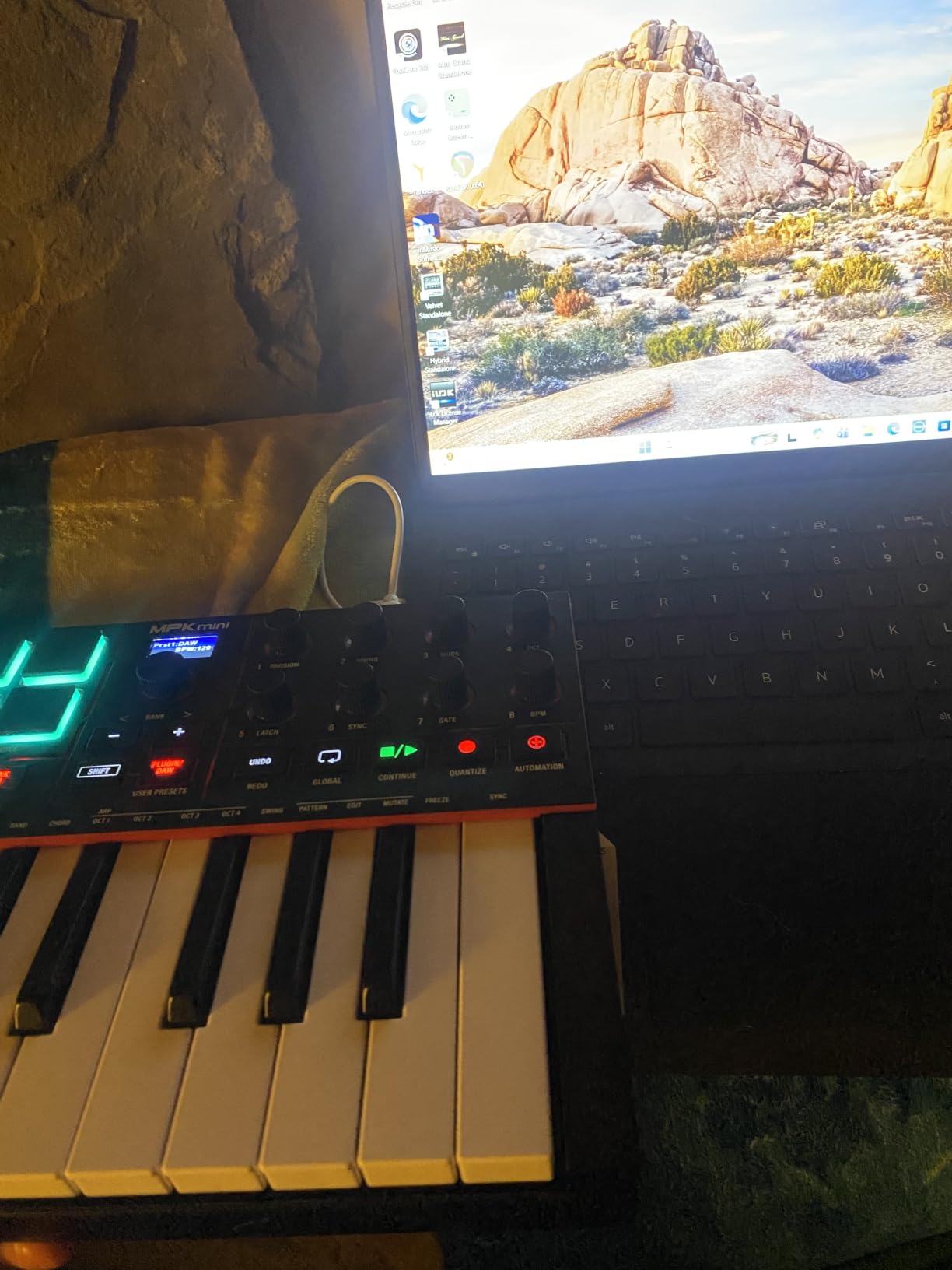
Eight assignable 360-degree knobs sit above the keys, and next to them is a full-colour screen with a push-and-turn encoder for browsing presets and settings. Owners consistently single out that encoder and screen as the upgrade over earlier MPK Minis, because you can move through a sound library without reaching for the mouse.
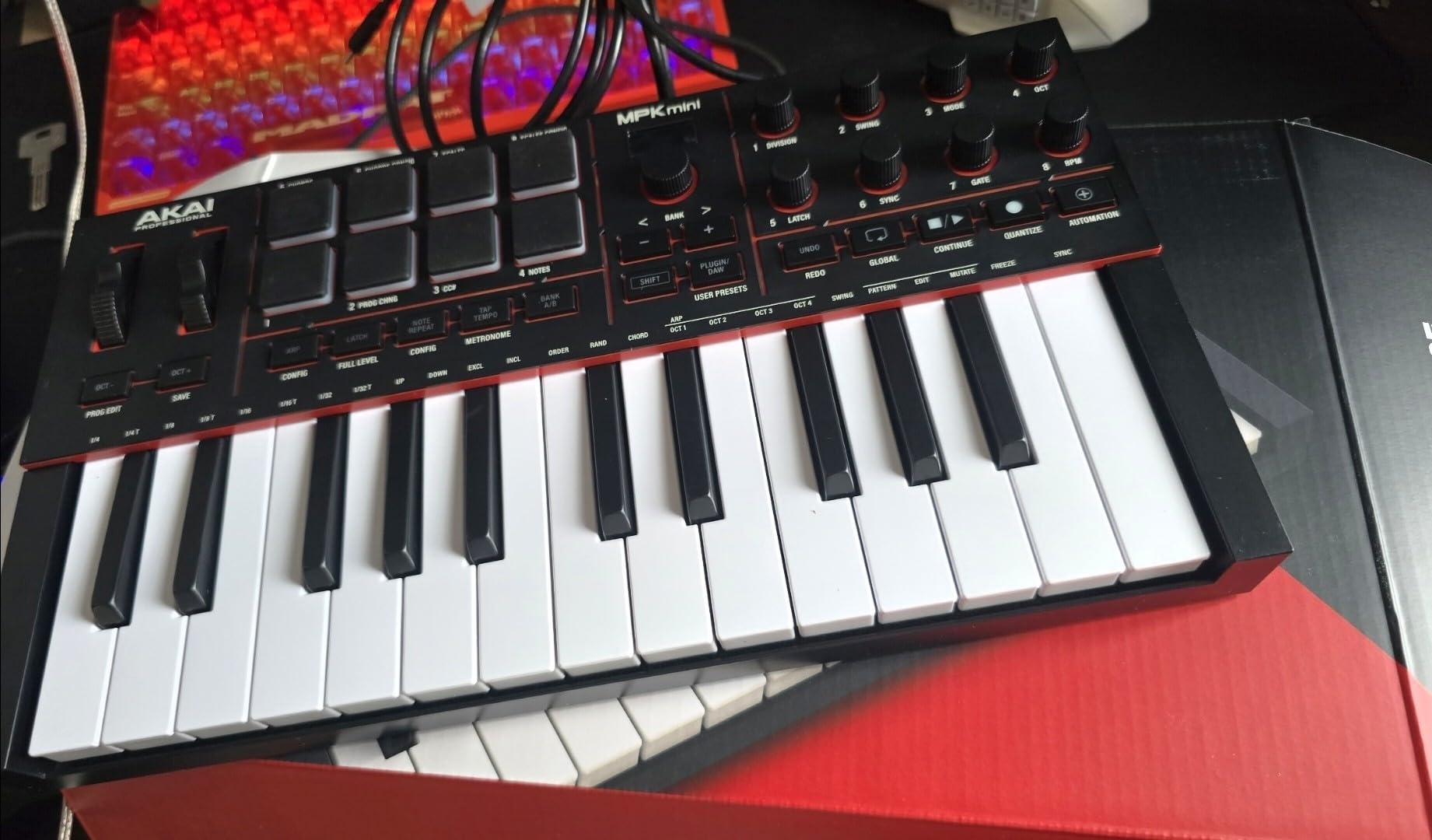
The 8 MPC-style pads are velocity- and pressure-sensitive with RGB feedback, and they remain the reason beatmakers keep coming back to this format. Note repeat and per-pad assignment work as expected, and the RGB colour changes give you visual confirmation of what each pad is doing.
On the software side, you get a VST and AU suite with more than 1000 instruments from AIR, Akai Professional and Moog, plus Ableton Live Lite 12 and Logic Pro support. Native Kontrol Standard integration means you also pick one of three complimentary Native Instruments sound bundles, which is unusual value at this size.
Who the MPK Mini IV suits
It suits anyone producing beats, electronic music or hip-hop in a room where space is tight, because it takes up almost no desk. A 30-day Melodics trial and a two-month Splice subscription come included, so it also works as a first controller for a beginner who needs lessons as much as keys.
It suits anyone with external hardware, thanks to the full-size MIDI Out and the USB-C connection over a USB 3.0 port. Working across Mac, PC and mobile from one cable is a real convenience for someone who writes on a laptop away from the desk.
Where it falls short
The 25 mini keys are the honest limit. Reviewers who came from a weighted digital piano report that the small keys change their technique, and players with larger hands describe the spacing as cramped for chords. If you plan to write piano parts, look at a 49-key board instead.
Note that the bundled software needs an account and downloads before it is usable, and the plastic case flexes a little when you press hard on the top edge. Neither issue is serious for a desk unit, but neither is premium hardware.
2. Arturia MiniLab 3: Best Value MIDI Controller for a Home Studio
Arturia MiniLab 3 Universal MIDI Controller, Deep Black
25 mini keys with synth action
8 endless rotary encoders
4 faders
Pitch and mod touchstrips
Analog Lab and Ableton Live Lite
Pros
- Best-in-class key feel among compact controllers
- 8 endless encoders and 4 tight faders for solid control assignability
- Portable
- compact and sturdy build that travels well
- Bundled Analog Lab V Intro and Ableton Live Lite
- Responsive touchstrips for pitch bend and modulation
Cons
- Pads feel stiff or wobbly and can cause accidental double-taps
- Minimal on-device labeling makes functions harder to recall
- Transport controls share the pads rather than using discrete buttons
- Only 25 keys
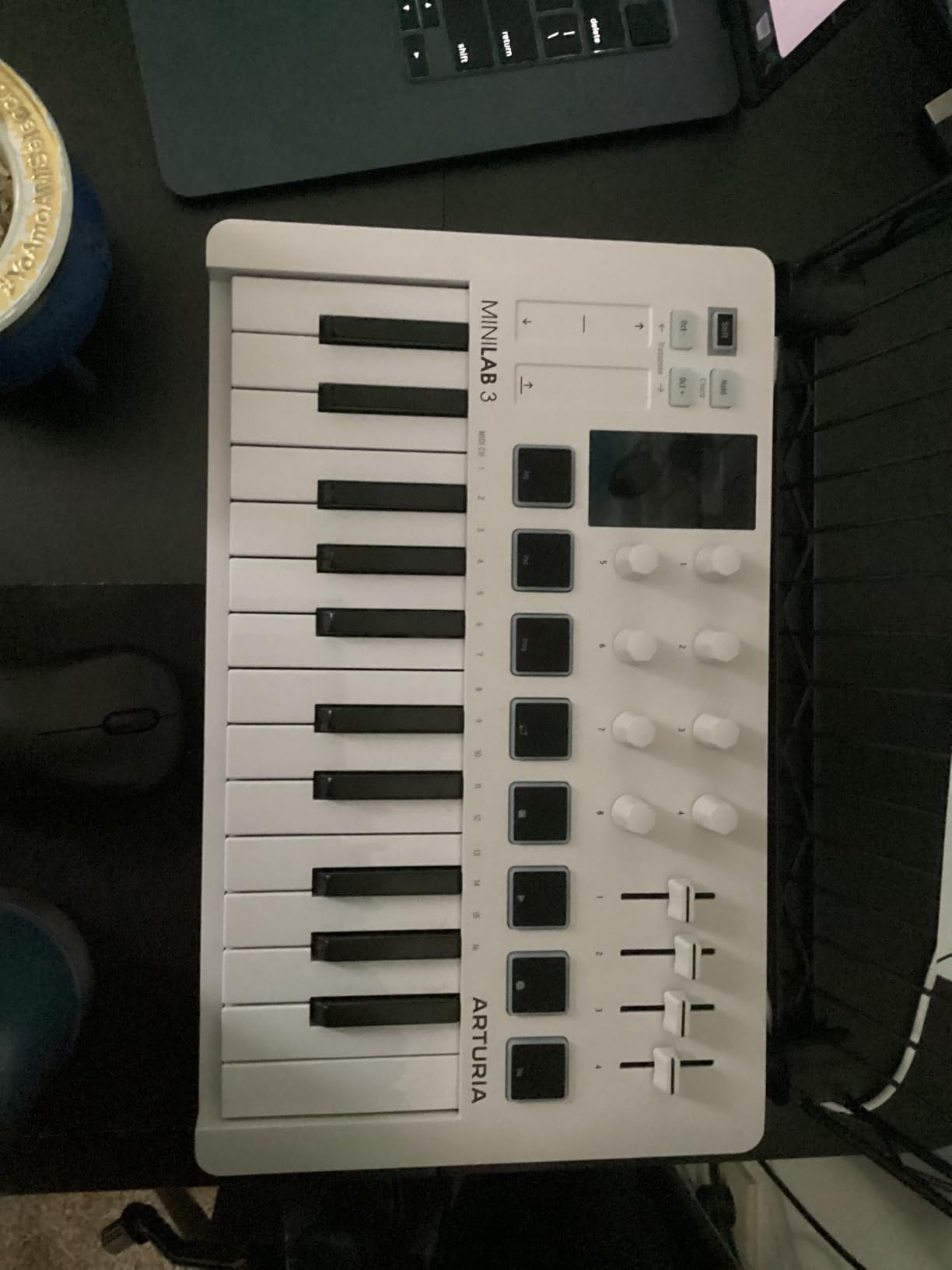
The MiniLab 3 has the best-feeling mini keys we tested at this size. Arturia’s action reports light touch velocity cleanly, and the travel is short enough for fast chord work without feeling like a toy. That is the single biggest reason it holds a 4.7 average from more than 3,400 owners.
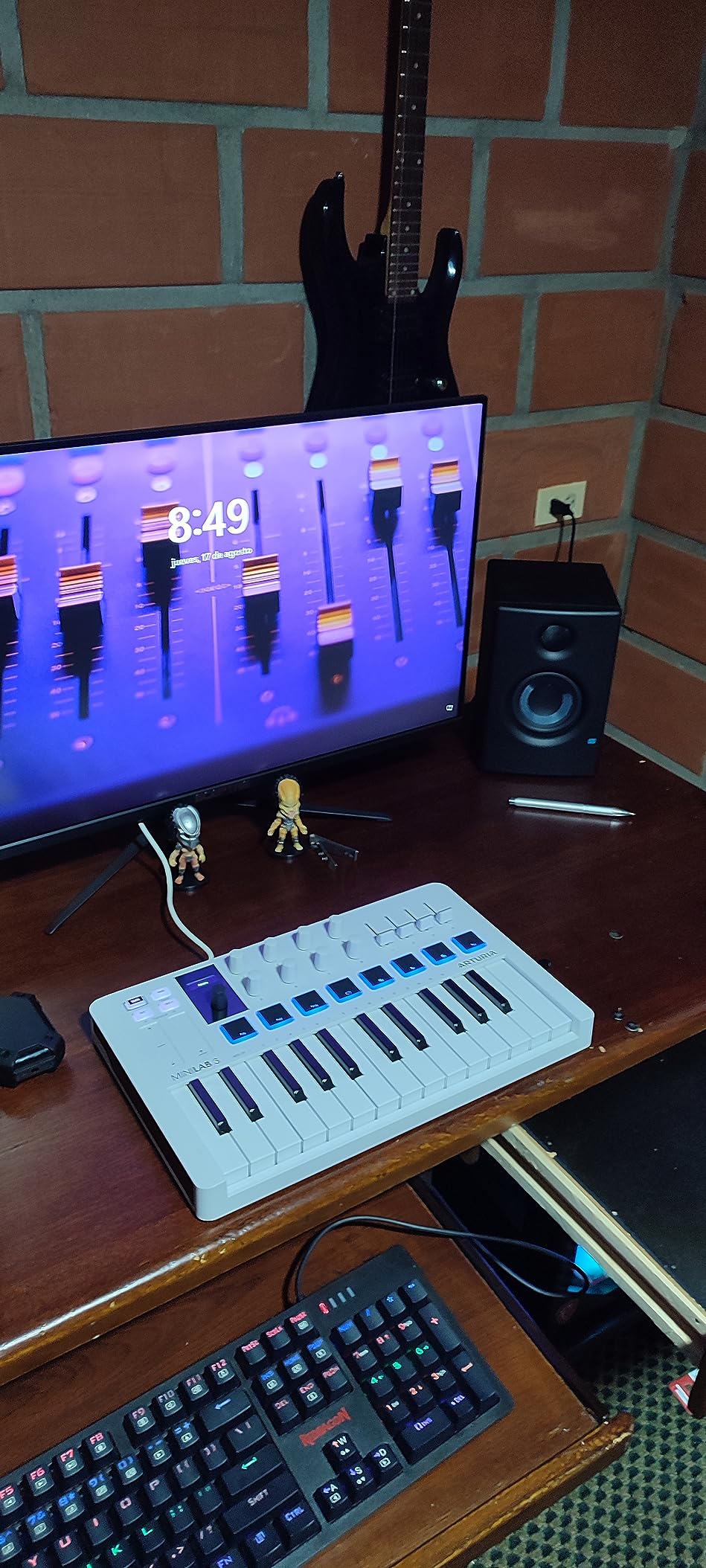
Where it beats the MPK Mini IV is the control layout. You get 8 endless rotary encoders and 4 faders, and those faders are tight rather than vague, which makes them genuinely usable for mixing moves instead of decoration. The pitch and modulation touchstrips respond without lag, though they take a little practice to find by feel alone.
It measures just under 14 inches wide and 8.7 inches deep, at 3.1 pounds, which is light enough to move between a desk and a couch without thinking about it. Connectivity is USB-C, and the 1/4-inch audio and USB Type C interface covers headphone monitoring on models that support it.
Arpeggiator, hold mode and chord modes are built in, so you can generate ideas without opening your DAW first. That matters more than it sounds during a songwriting session, when the fastest path to an idea is usually the shortest one.
Analog Lab V Intro and Ableton Live Lite come in the box, which for a beginner means playable sounds on day one rather than an empty browser window. Long-term owners still rate the software bundle as the quiet reason the board feels worth what it costs.
Who the MiniLab 3 suits
It suits beginners who want quality key feel without stepping up to a full-size keybed, because the action is closer to a real instrument than most mini controllers at this level. It also suits anyone writing on a sofa or a bed, since the encoders and faders cover mixing and synth parameters without a screen.
It suits producers working in Ableton Live, since Live Lite is bundled and the faders map cleanly to a mixer. Anyone who values encoders over pads will find this layout far more useful than a compact board built around drum triggers.
Where it falls short
The pads are the weak point. Owners report they feel stiff or wobbly, and that fast repeated hits can register as accidental double-taps. Transport controls share the pads rather than using discrete buttons, which means one misfire can stop or start a track you did not mean to touch.
On-device labelling is sparse, so if you switch sessions you will be recalling control assignments from memory for a while. And 25 keys is still 25 keys, so the same two-handed piano limitation applies here as it does to every compact board.
3. M-Audio Keystation 49 MK3: Best First Full-Size Keyboard for a Home Studio
M-AUDIO Keystation 49 MK3 USB MIDI Controller
49 full-size velocity-sensitive synth-action keys
Pitch and modulation wheels
Volume fader and transport buttons
Sustain pedal input
Pros
- 49 full-size velocity-sensitive keys give a familiar playing feel
- Traditional pitch and mod wheels plus volume fader
- Compact footprint that fits most desks
- Plug-and-play with no drivers or power supply
- Bundled MPC Beats
- Ableton Live Lite and Velvet
Cons
- Unweighted synth action is not suited to players wanting a weighted feel
- Limited control surface with no assignable knobs or pads
- Included software is dated relative to newer bundles
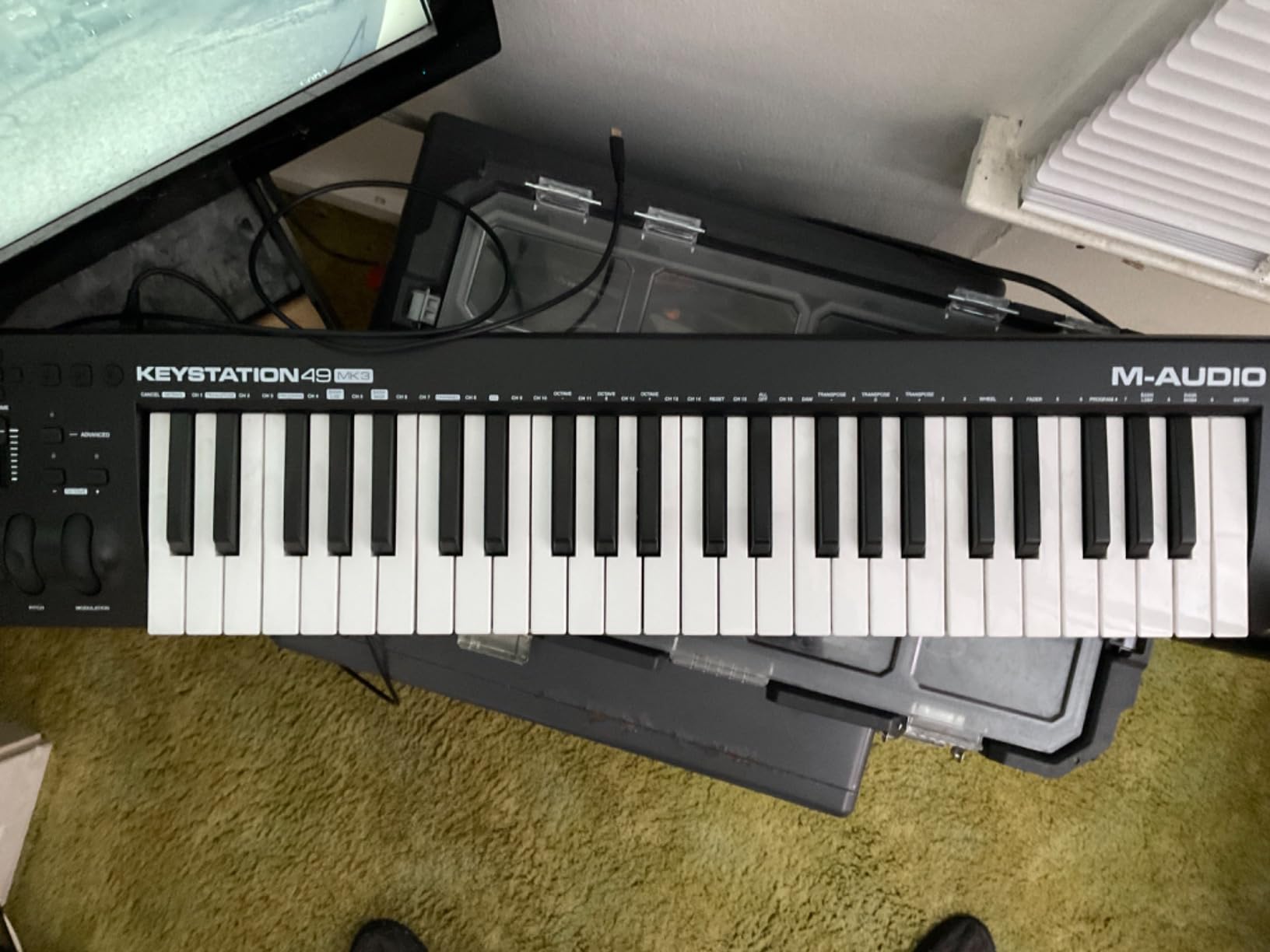
Full-size keys are the reason to look here. The Keystation 49 MK3 gives you standard piano key dimensions across two and a half octaves plus, and for someone who learned on an acoustic or digital piano, that removes the adjustment period that mini boards create. At 4.5 stars from close to 6,800 reviews, it is also one of the most consistently reported-on boards in the category.
It measures 32.3 inches wide and 7.4 inches deep, so it fits a normal desk without pushing your monitor off the edge. The action is velocity-sensitive synth action: light, responsive and unweighted. Nothing about it simulates hammer action, and we will cover why that matters a few sections below.
Because there is no separate power supply and no driver to install, setup is genuinely plug-and-play on Mac or Windows. iOS devices work through an Apple to USB Camera Adapter, which is sold separately, but the adapter route is reliable once configured.
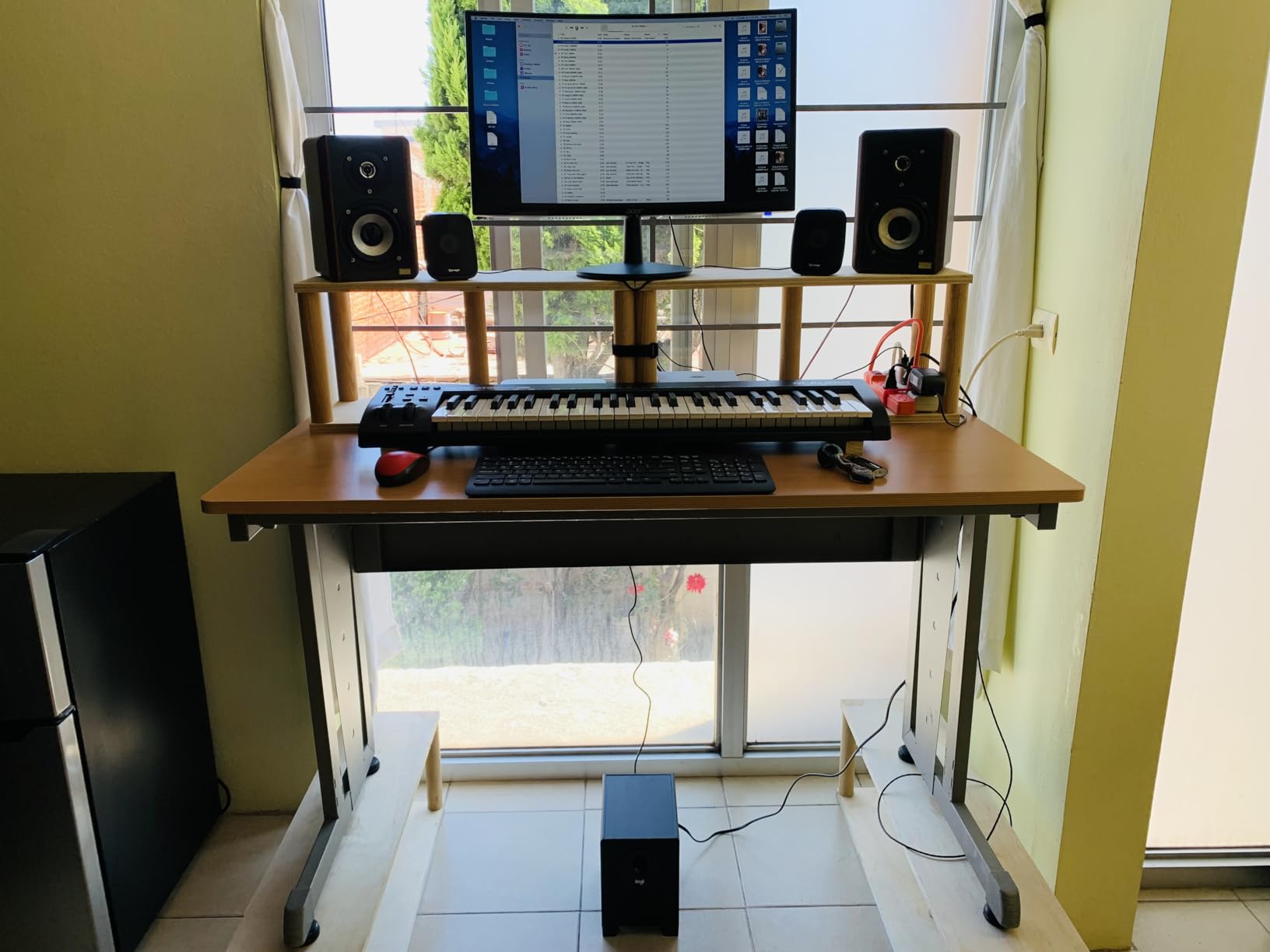
Traditional pitch and modulation wheels are the standout here. They are the only expression controls on the board, and owners repeatedly describe the bend as precise rather than twitchy. For lead lines, filter sweeps and vibrato, that beats a touchstrip, and it is a real advantage over the two compact boards above it.
You also get a volume fader, dedicated transport and directional buttons, octave up and down, and a sustain pedal input. The pedal jack is the detail most home studio owners appreciate first, because holding sustain with a button on a controller is a workaround, not a solution.
Who the Keystation 49 MK3 suits
It suits songwriters and producers who play as part of the process and want piano-sized keys without a weighted action. The bundled MPC Beats, Ableton Live Lite, Velvet and XPand2 also make it a complete starting point for someone who has no software at all yet.
It suits anyone who wants a set-and-forget board that survives being moved between rooms, since it needs nothing but a USB port. If your DAW is Cubase, Logic Pro or Ableton Live, the transport and octave buttons cover the basics without configuration.
Where it falls short
There is no assignable control surface. No knobs, no pads, no encoders means plugin parameters still need the mouse, which is the trade-off for the lower weight and simpler setup. If you mix by hand on a controller, that will frustrate you within a week.
The bundled software has aged compared with newer bundles, and the synth-action keys will feel thin to anyone moving from a weighted digital piano such as a Yamaha P-45 or a Roland FP-10. Long-term owners also mention that the case scuffs easily for the same reason it is light.
4. Novation FLkey 49: Best MIDI Controller for FL Studio Home Studios
Novation FLkey 49 USB MIDI Controller Keyboard
49 semi-weighted velocity-sensitive keys
16 RGB backlit pads
9 faders and 8 encoders
Pitch and mod wheels plus 5-pin MIDI Out
Pros
- Seamless no-setup integration with FL Studio mixer
- channel rack and transport
- Pads that respond well with sequencer mode and note repeat
- 9 faders and 8 encoders that feel solid and well laid out
- Scale and chord modes help producers avoid wrong notes
- Usable with external hardware synths as well as FL Studio
Cons
- Pots cannot be MIDI-learn mapped to third-party plugins without script editing
- Keys are stiff and unweighted
- Included USB B to USB A cable needs an adapter on modern laptops
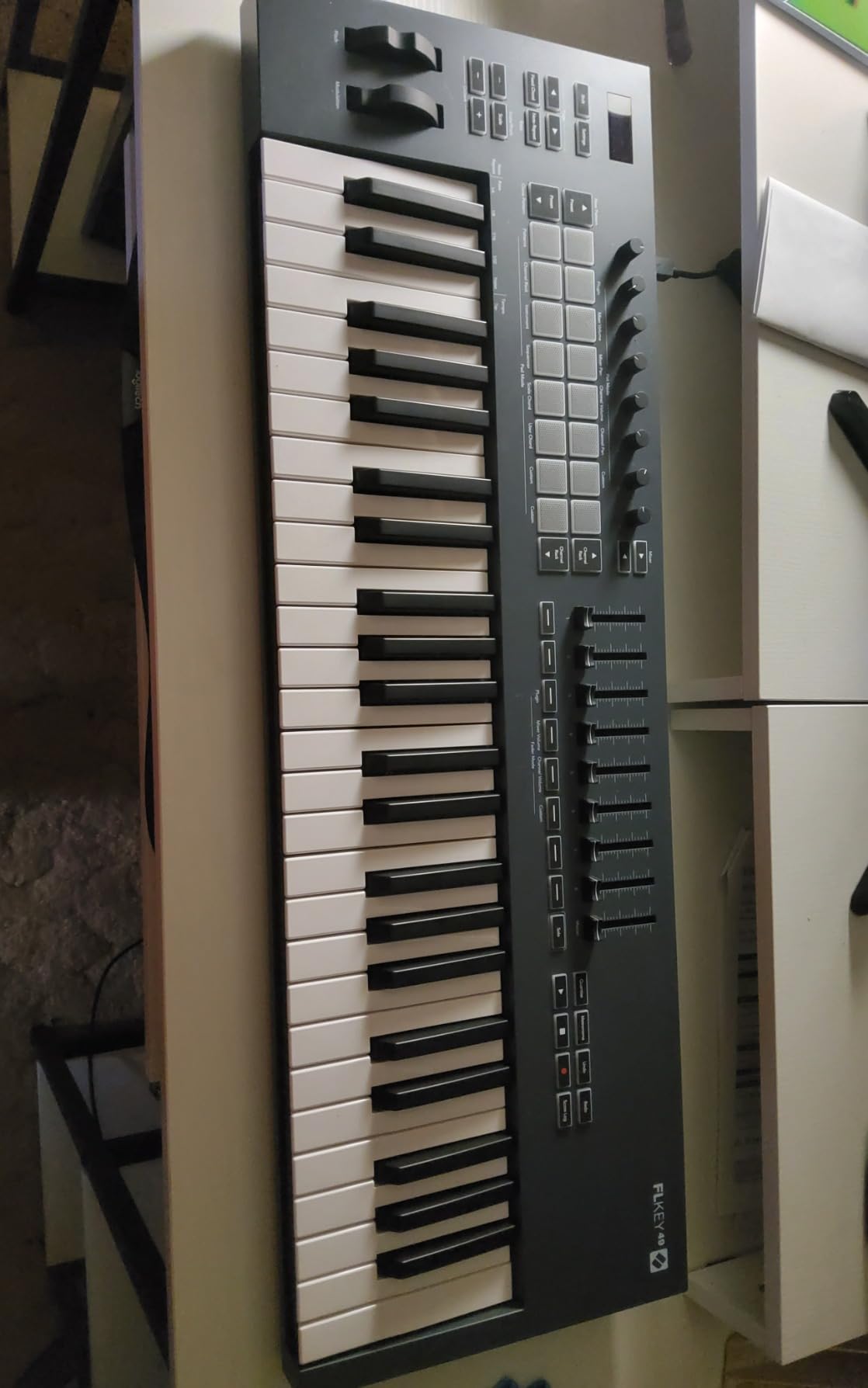
If your home studio runs on FL Studio, the FLkey 49 removes work rather than adding configuration. The mixer, channel rack and transport map on connection, with no template loading and no MIDI learn session. At 4.6 stars from 1,263 reviews, FL users are consistent about the fact that nothing needs setting up.
The 49 semi-weighted keys are a step up in feel from unweighted synth action. They are not weighted like a piano, but the extra resistance makes chords and bass lines feel more deliberate, and reviewers who play regularly tend to notice the difference within an hour.
The control surface is the strongest here: 16 RGB backlit velocity-sensitive pads, 9 faders and 8 rotary encoders. That is enough to mix a full track and trigger clips without the mouse, which is more than any other 49-key board in this roundup offers.
Sequencer Mode maps the pads to the FL Studio step sequencer so you can build patterns directly, and Two Pad mode gives you humanised timing rather than a rigid grid. Scale mode keeps your notes in key, and three chord modes let one finger trigger full voicings, which is the fastest way to sketch harmony ideas.
The pads also trigger FPC and SliceX, so beat slicing and instrument control happen from the same surface. Pitch and mod wheels are present, and a 5-pin MIDI Out means you can drive hardware from the same box at 6.8 pounds.
Who the FLkey 49 suits
It suits FL Studio users who want their hands on the mixer and channel rack rather than on a mouse. The three-year manufacturer warranty also stands out in this roundup, which matters for a board you will use daily for years.
It suits anyone pairing a computer with external synths, because the 5-pin MIDI Out makes it a two-device workstation rather than a single-purpose controller. Scale and chord modes are genuinely useful for producers who are not trained and do not want to read music.
Where it falls short
The encoders cannot be MIDI-learn mapped to non-stock plugin parameters without editing Novation’s Python scripts. If you switch instruments often or use third-party plugins heavily, that turns a one-minute task into an afternoon, and it is the most repeated complaint in reviews.
The keys are stiff and unweighted, which pianists find hard going, and the included USB B to USB A cable needs an adapter on a modern laptop. Owners also report the cable being short for a desk setup, so plan on buying a longer run.
5. M-Audio Oxygen 49 MKV: Best MIDI Controller for Plugin Control
M-AUDIO Oxygen 49 MKV USB MIDI Keyboard Controller
49 full-size velocity-sensitive keys
8 assignable knobs and 9 assignable faders
16 backlit drum pads with note repeat
NKS with three Komplete 15 Select bundles
Pros
- Full-size velocity-sensitive keys that suit virtual instruments
- Large control surface with 8 knobs
- 9 faders and 16 backlit pads
- NKS integration plus three complimentary Komplete 15 Select bundles
- Auto-mapping and Smart Chord and Smart Scale helpers speed up setup
Cons
- Keys are unweighted synth action rather than weighted
- Bundled DAW and expansion software requires account setup and downloads
The Oxygen 49 MKV is the board we reach for when the job is controlling plugins rather than playing them. Eight assignable knobs and 9 assignable faders give you a channel strip worth using, and with 49 full-size velocity-sensitive piano-style keys on a chassis measuring 32 inches wide, it stays playable while you mix.
Native Kontrol Standard integration is the quiet headline. You can browse and control Native Instruments presets and libraries from the hardware with no template, and you choose one of three Komplete 15 Select bundles: Beats, Band or Electronic. At 4.6 stars from 1,028 reviews, owners consistently rate that software value as exceptional.
Two banks of 8 backlit velocity-sensitive drum pads handle beat programming, clip launching and soundboard triggering, with note repeat for roll passages. At 6.7 pounds it is substantial on the desk but still lighter than the Launchkey, and it stays stable rather than sliding.
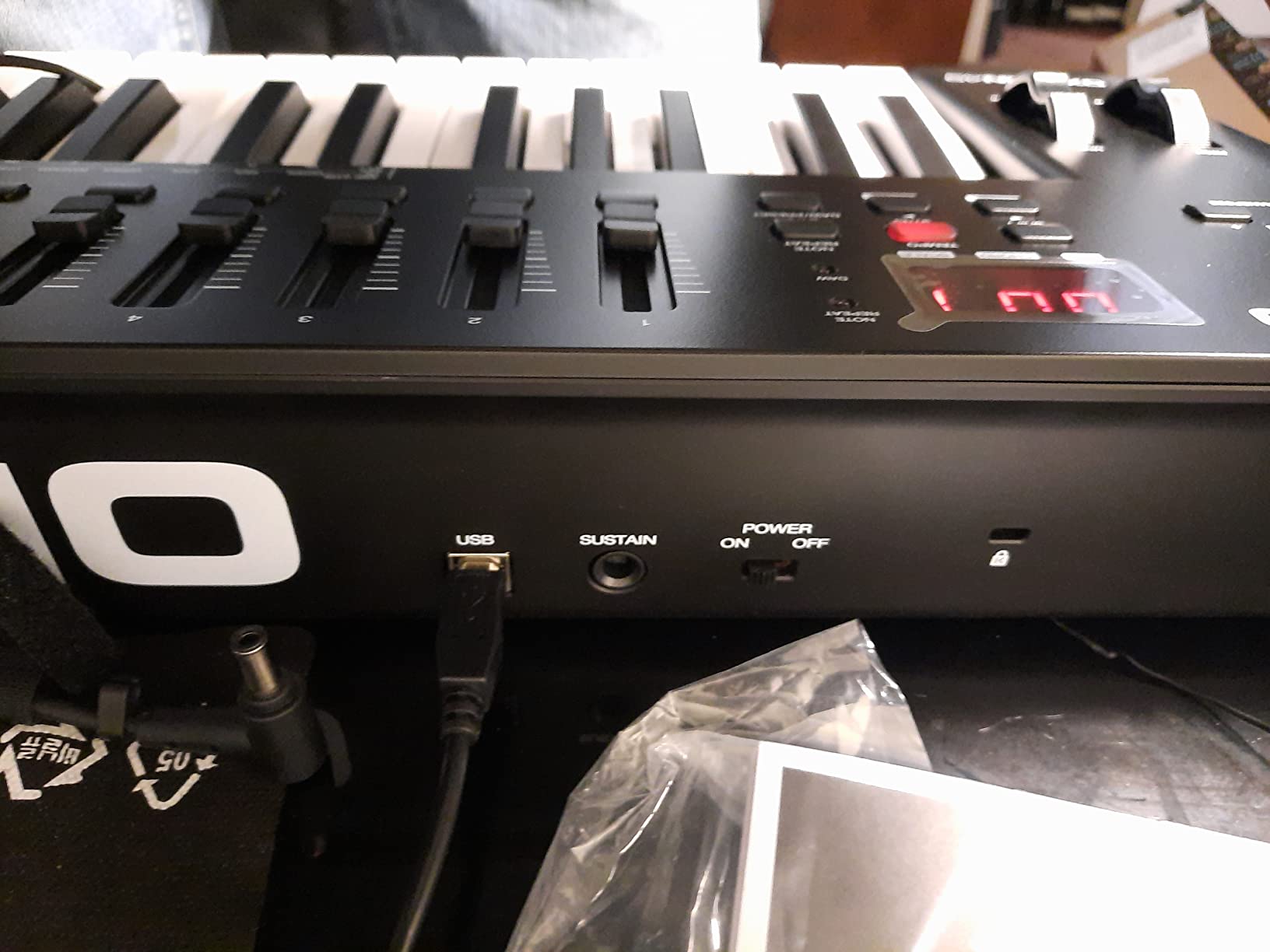
Smart Chord and Smart Scale modes plus the arpeggiator cover the same idea-writing tools as the Arturia board, without taking your attention off the DAW. Pitch and mod wheels and a sustain pedal input handle expression, and the USB MIDI cable is included.
The rest of the bundle covers a lot of ground: MPC Beats, Ableton Live Lite, two AIR Music Tech instruments and five Akai Professional MPC Expansion packs. For a producer starting from an empty hard drive, that is a genuine head start rather than filler.
Who the Oxygen 49 MKV suits
It suits producers already invested in Native Instruments software, because NKS support turns the faders and knobs into real control of Komplete and Maschine presets. Anyone working with virtual instruments in a genre-agnostic way will get more use from 8 knobs and 9 faders than from pads alone.
It suits anyone who wants full-size keys with a modern control surface and does not need aftertouch. The auto-mapping handles common DAWs quickly, and the Smart Chord and Smart Scale helpers speed up sketching for players who are not formally trained.
Where it falls short
The keys are unweighted synth action, so pianists will feel the difference immediately and long-term owners rate that as the main limitation. Anyone coming from a weighted digital piano should factor that into the decision rather than assume a 49-key board behaves like a stage piano.
The bundled DAW and expansion software needs an account and downloads, and the initial setup is the part new owners mention most often as a hurdle. Allow an evening for the download card process before you judge the hardware.
6. M-Audio Oxygen Pro Mini 32: Best Portable MIDI Controller for a Home Studio
M-AUDIO Oxygen Pro Mini 32 USB MIDI Keyboard Controller
32 velocity-sensitive semi-weighted mini keys
8 RGB backlit drum pads with note repeat
OLED screen with auto-mapping
NKS integration
Pros
- Compact and portable while still offering real pitch and mod wheels
- 8 RGB pads that respond well and support note repeat
- Clearly labeled controls and discrete transport buttons
- Good value with a broad bundled software package
- NKS integration and complimentary Komplete 15 Select bundles
Cons
- Mini keys feel thin
- light and noisy for melodic playing
- 32 keys is an awkward middle ground between 25 and 37
- OLED display has no off switch and is subject to burn-in
- 1/8 inch MIDI Out requires a separate dongle
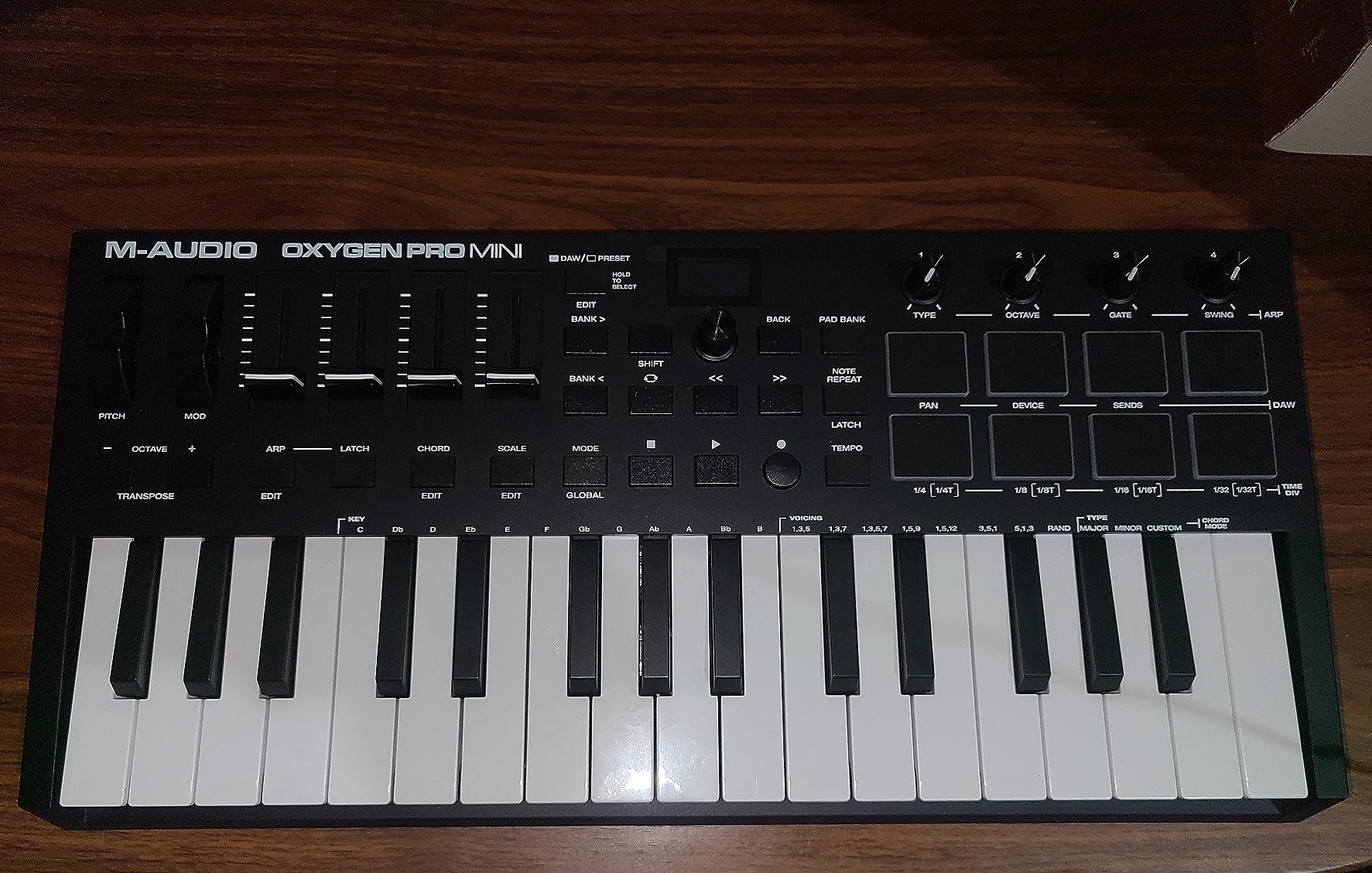
This is the board that travels. At 2.7 pounds and 15.7 inches wide, the Oxygen Pro Mini 32 disappears into a bag, and it still carries real pitch and modulation wheels rather than touchstrips. That combination is rare at this weight, and it is why the board holds a 4.4 average from 1,599 reviews.
One point of contact: 32 keys is not a standard size. You get a range that is neither the 25 of a laptop-friendly board nor the full-size 49 of a desk controller, and owners describe it as an awkward middle ground. With octave buttons it is workable for melodies, but the layout is unusual to adapt to.
The keys themselves are velocity-sensitive and semi-weighted, and that description flatters them slightly. Reviewers describe them as thin, light and noisy, with a clacky response that suits drum-style triggering far better than melodic playing.
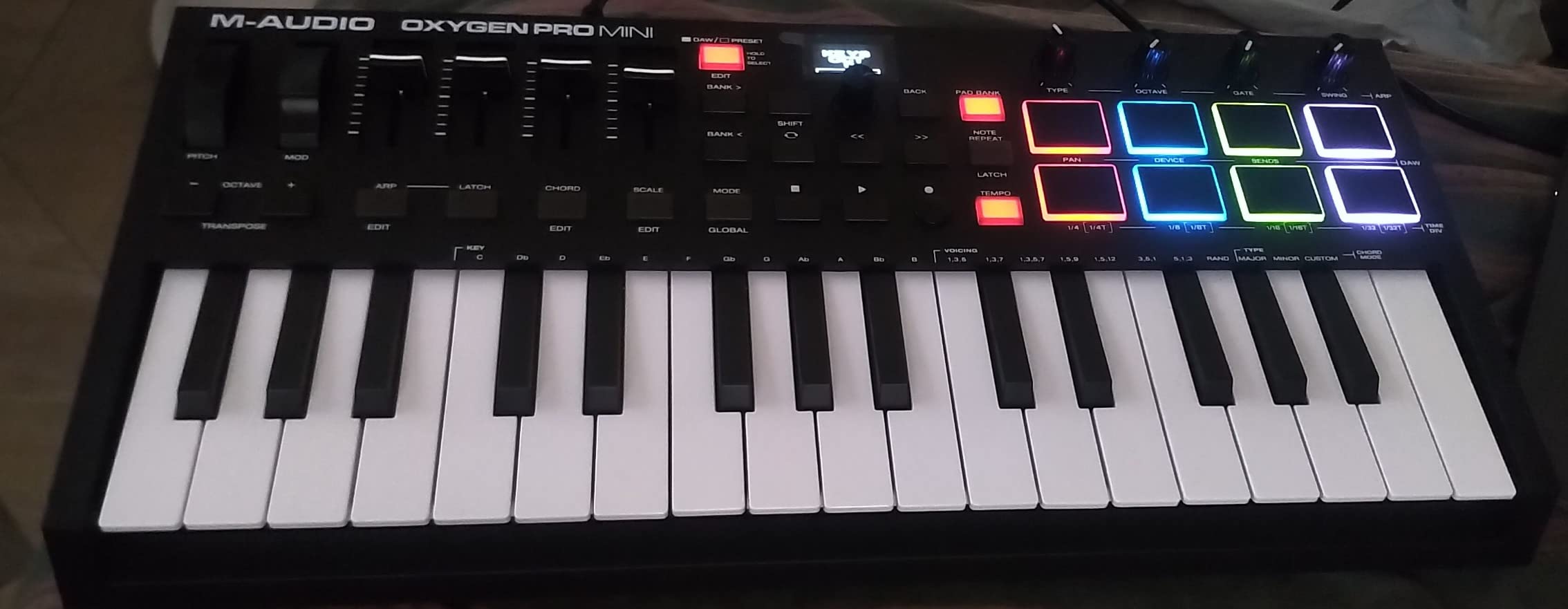
What compensates is the OLED screen. You select a map for MPC Beats, Ableton Live, Cubase or Logic directly from the panel and the controls reassign, which is far more useful than guessing which unlabelled knob does what. The layout is clearly labelled, and transport gets discrete buttons rather than pad sharing.
Eight RGB backlit MIDI-assignable velocity-sensitive pads handle beat production, clip launching and soundboard triggering, with note repeat for rolls. Four assignable knobs plus buttons and faders cover the remaining parameters, and NKS integration comes with the same three Komplete 15 Select options as the larger Oxygen.
Who the Oxygen Pro Mini 32 suits
It suits producers who write away from the desk and want more control than a laptop keyboard gives. Discrete transport controls, an OLED with auto-mapping and pitch and mod wheels in a 2.7 pound body is a genuinely useful travel package.
It suits anyone setting up a home studio on a small desk or a shared surface, since the rubberised case resists sliding. The 8 RGB pads also make it a decent finger-drumming surface when your main controller has no pads at all.
Where it falls short
Three issues come up repeatedly in reviews. The mini keys feel thin and noisy for melodic playing, which matters if melody is your main job. The OLED has no off switch and can burn in over years of sitting on the same menu screen.
The 1/8-inch MIDI Out needs a separate adapter cable to reach a standard 5-pin DIN port, which is an extra purchase and an extra failure point. And the bundled MPC Beats is widely reported as confusing for arranging full songs rather than making beats, so treat it as a sketchpad.
7. Novation Launchkey 49 MK4: Best MIDI Controller for Ableton Live Home Studios
Novation Launchkey 49 MK4 USB MIDI Keyboard Controller
49 semi-weighted velocity-sensitive keys
16 FSR pads with polyphonic aftertouch
9 faders and 9 encoders with OLED display
Works across all major DAWs
Pros
- All-in-one DAW controller with a premium semi-weighted keybed
- 16 responsive FSR pads with polyphonic aftertouch that also act as step sequencers and clip launchers
- Scale and chord modes plus arpeggiator for creative performance
- Works across all major DAWs and is NKS-ready
- Substantial bundled software including Ableton Live Lite and Cubase LE
Cons
- Large and heavy footprint for a 49-key board
- Deep learning curve for the pads
- faders and modes
The Launchkey 49 MK4 is the most capable controller here and the one most likely to outgrow a home studio. Novation lists compatibility with Ableton Live, Logic, Cubase, Reason, Reaper, FL Studio and Ardour, and NKS support covers Native Instruments software. At 4.7 stars, though, the rating rests on 273 reviews, so treat it as a newer model with a shorter track record.
The 16 FSR pads are the differentiator. They respond to pressure with polyphonic aftertouch, meaning each finger’s pressure registers independently, and they double as step sequencers, clip launchers and chord triggers. That is a feature set no other board in this roundup matches.
Nine faders and 9 encoders sit under an OLED display for real-time feedback, with scale mode, chord modes and an arpeggiator that can be mutated as it plays. Pitch and mod wheels handle the expression that aftertouch does not cover.
Is it worth the size in a bedroom studio?
At 9 pounds and 31.7 inches wide, this is the heaviest and deepest controller here, and that bulk is the reason to think twice. If your desk is the size of a standard office desk and you sit two metres from a monitor, you will use the pads more than you expect, because they remove the need to look at the screen.
If your space is tighter or you move between locations, the same features become friction. Several owners describe the learning curve for the pads, faders and modes as steep, and that cost is real for someone on their first controller.
What you get in the box
Ableton Live Lite and Cubase LE both come bundled, along with Novation Play and sounds from GForce, Klevgrand, Orchestral Tools and Native Instruments, plus free Melodics lessons. That is one of the more generous software packages on any 49-key board, and it is the reason the price gap over a generic board is defensible.
The three-year manufacturer warranty also runs longer than the one-year cover on most competitors here. For a board intended to last a decade, that difference matters more than it sounds at purchase time.
8. Samson Carbon 49: Best MIDI Controller with Traditional MIDI Out
Samson Carbon 49 USB MIDI Controller
49 velocity-sensitive semi-weighted keys
Assignable data encoder and volume slider
3-digit LED display
Traditional MIDI Out and sustain pedal input
Pros
- Solid
- weighty build quality that resists flex
- Precise
- smooth pitch bend and modulation wheels
- Useful on-board MIDI editing lets any control be assigned to a CC code
- Simple uncluttered design with dedicated octave and transpose buttons
- MIDI Out and sustain pedal input included
Cons
- Key action is ribbery and tight with occasional bounced retriggering
- Plastic construction with light-feeling knobs and wheels
- Included USB cable is thin and short
- Some listings still advertise bundled software that is not included
The Carbon 49 is the oldest board in this roundup, and its age shows in the best possible way: at 4.3 stars from 343 reviews it still has owners reporting it works. It weighs 8.1 pounds and the case resists flex, which is exactly the durability feedback missing from several lighter boards here.
What makes it distinctive is on-board MIDI editing. You assign any control to a CC code directly from the panel, adjust up to 14 parameters with the Shift key, and read feedback on a 3-digit 7-segment LED display. No computer, no driver, no configuration window, which matters in a hybrid hardware setup.
The 49 keys are velocity-sensitive and semi-weighted, with four selectable velocity curves including Normal, Soft, Hard and Fixed. Fixed velocity is a genuinely useful option for pad-style triggering and for anyone who plays with a light touch and wants consistent levels.
Is the build quality worth a second look?
At 8.1 pounds the Carbon feels substantial rather than cheap, and owners consistently rate the pitch bend and modulation wheels as precise and smooth. For anyone coming from a stage keyboard, real wheels with a defined throw are more usable than touchstrips, and that is where this board holds up.
The honest caveat is that the metal in the chassis does not extend to the controls. Knobs and wheels feel light, and the key action is described as ribbery and tight, with occasional bounced retriggering on fast playing. If you play fast passages with both hands, that will show up.
What to check before you buy
Some listings still advertise a bundled Native Instruments Komplete Elements package that recent buyers report is not included. Verify the current box contents rather than trusting the listing copy, because several owners bought expecting a software bundle and found a hardware-only box.
The included USB cable is thin and short, and owners recommend replacing it before relying on the board. Beyond that, the design is deliberately plain: traditional MIDI Out, sustain pedal input and USB, with no pads, no screen and no bundled DAW to learn.
9. Arturia KeyLab Essential mk3 49: Best Software Bundle for a Home Studio
Arturia KeyLab Essential mk3 — 49 Key USB MIDI Keyboard Controller with Analog Lab V Software Included
49 Fatar synth-action keys
9 faders and 9 encoders
2.5 inch LCD screen for real-time feedback
Analog Lab V with 2000 presets included
Pros
- Fatar keybed with solid
- springy synth action
- Excellent bundled software with Analog Lab
- Ableton Live Lite and two piano instruments
- 9 faders and 9 encoders that feel smooth and solid
- Large readable display with easy navigation
Cons
- Software installation and configuration can be difficult
- Keys are unweighted so the feel is springy rather than piano-like
- Controls are not natively addressable for non-USB MIDI instruments
- Decorative faux-wood side panels are widely disliked
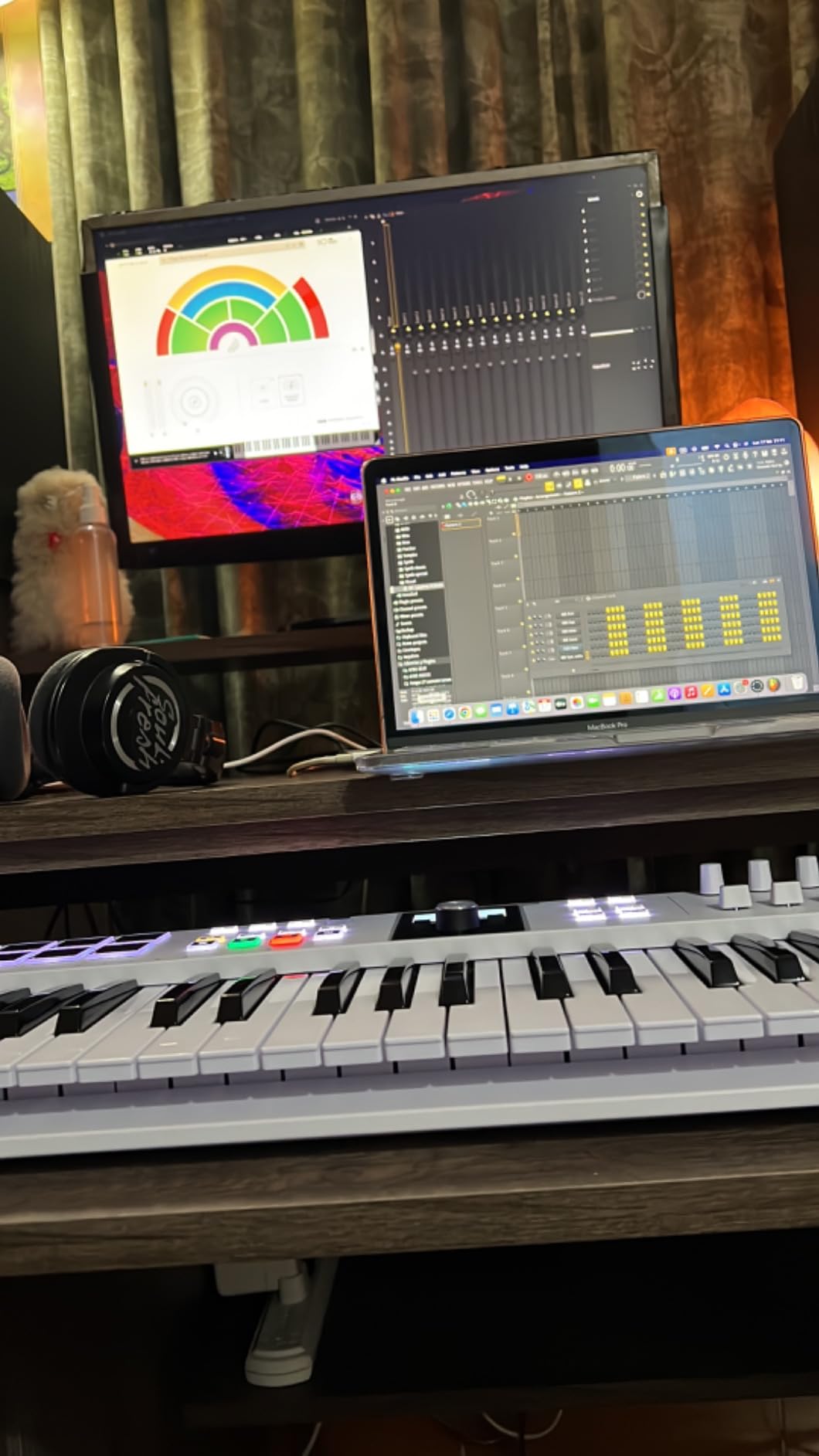
The reason to buy the KeyLab Essential mk3 is the software. Analog Lab V with more than 2000 presets, Ableton Live Lite, UVI Model D, Native Instruments The Gentleman, plus Loopcloud and Melodics subscriptions, means the sounds are already on the machine when you sit down. At 4.6 stars from 626 reviews, that bundle is the message that repeats in almost every review.
The hardware holds its own. Arturia’s Fatar synth-action keybed is the best-regarded action among the unweighted 49-key boards here, and at 6.1 pounds the chassis weighs enough to feel planted without being a problem to move between rooms.
Nine faders and 9 encoders give you a proper control surface, and the 2.5 inch LCD screen shows real-time feedback with a contextual button for navigation. Eight velocity- and pressure-sensitive RGB-backlit pads cover beat triggering and clip launching, with Scale Mode, Chord Mode and a multi-mode arpeggiator on top.
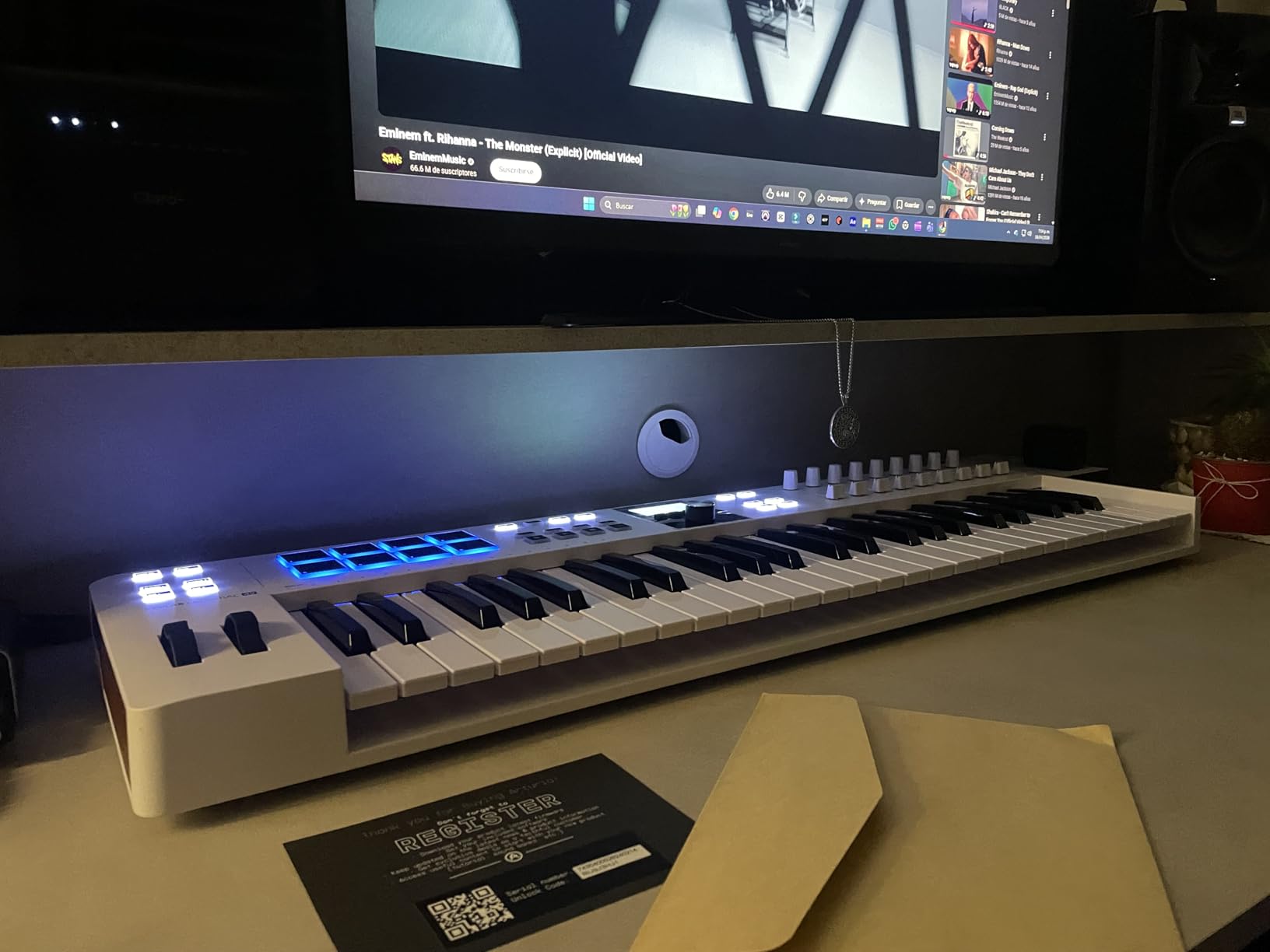
Custom integration scripts cover Ableton Live, Logic Pro X, FL Studio and more, so mapping is deeper than a generic MIDI learn table. Owners also report the board working well with hardware like the Akai Force, MPC One and Roland MC-707 via MIDI learn.
It measures 31.1 inches wide and 9.5 inches deep, with a two-year manufacturer warranty, which is longer than most of the M-Audio boards here. The build is plastic, with the chassis doing the structural work rather than the panels.
Is the bundled software actually usable?
Yes, with a caveat, and the caveat is setup. The most repeated complaint in reviews is that installation and configuration can be difficult, and that support may not resolve setup issues quickly. The Analog Lab V presets are described as broader than earlier versions, with hybrids, modern synths and orchestral sounds rather than vintage-only content.
Once installed, owners treat the bundle as worth more than the hardware on its own. For a beginner, that removes the blank-browser problem entirely, and for a producer who wants instruments rather than controllers, it changes the value calculation completely.
Who should look past this board
Pianists should note the keys are unweighted, so the feel is springy rather than piano-like. Anyone running a modular or CV/Gate setup should also check carefully, because the controls are not natively addressable for non-USB MIDI instruments and that means extra routing work.
The decorative faux-wood side panels divide opinion sharply, and plenty of owners dislike them outright. It is cosmetic, but on a board that lives on a desk in plain sight it is the kind of detail that either matters to you or does not.
10. Akai LPK25: Best Budget MIDI Controller for a First Home Studio
Akai Professional LPK25 25-Key USB MIDI Keyboard Controller
25 velocity-sensitive mini keys
Built-in arpeggiator and internal clock
8 programmable preset slots
USB-powered plug-and-play
Pros
- Very low cost with genuinely useful bundled software such as Hype and BFD Player
- Small enough to sit on top of a laptop for travel and jam sessions
- Arpeggiator
- octave buttons and 8 programmable preset slots add real function
- Good key travel and response despite the mini size
- Works with essentially every major DAW out of the box
Cons
- Mini keys are too small for players with larger hands or serious piano playing
- Key feel can feel muddy and white keys may twist when pressed hard
- Black keys feel loosely fitted
- USB socket has some give
The LPK25 is the cheapest way into this category and, at 4.7 stars from 1,111 reviews, one of the highest-rated. It weighs 0.48 kg, measures just under 13.7 inches wide and 1.44 inches deep, and it is the only board here small enough to sit on a closed laptop.
The 25 keys are velocity-sensitive with more key travel than most mini boards, which is the single thing that separates it from a toy. For songwriters wanting to sketch a melody on a sofa, that is the feature that makes it work.
The arpeggiator and internal clock work against any sound source over a single USB cable, including USB-enabled modular gear. Eight programmable preset slots store your DAW and virtual instrument mappings, and you create and edit those presets from the computer, then recall them with one button press.
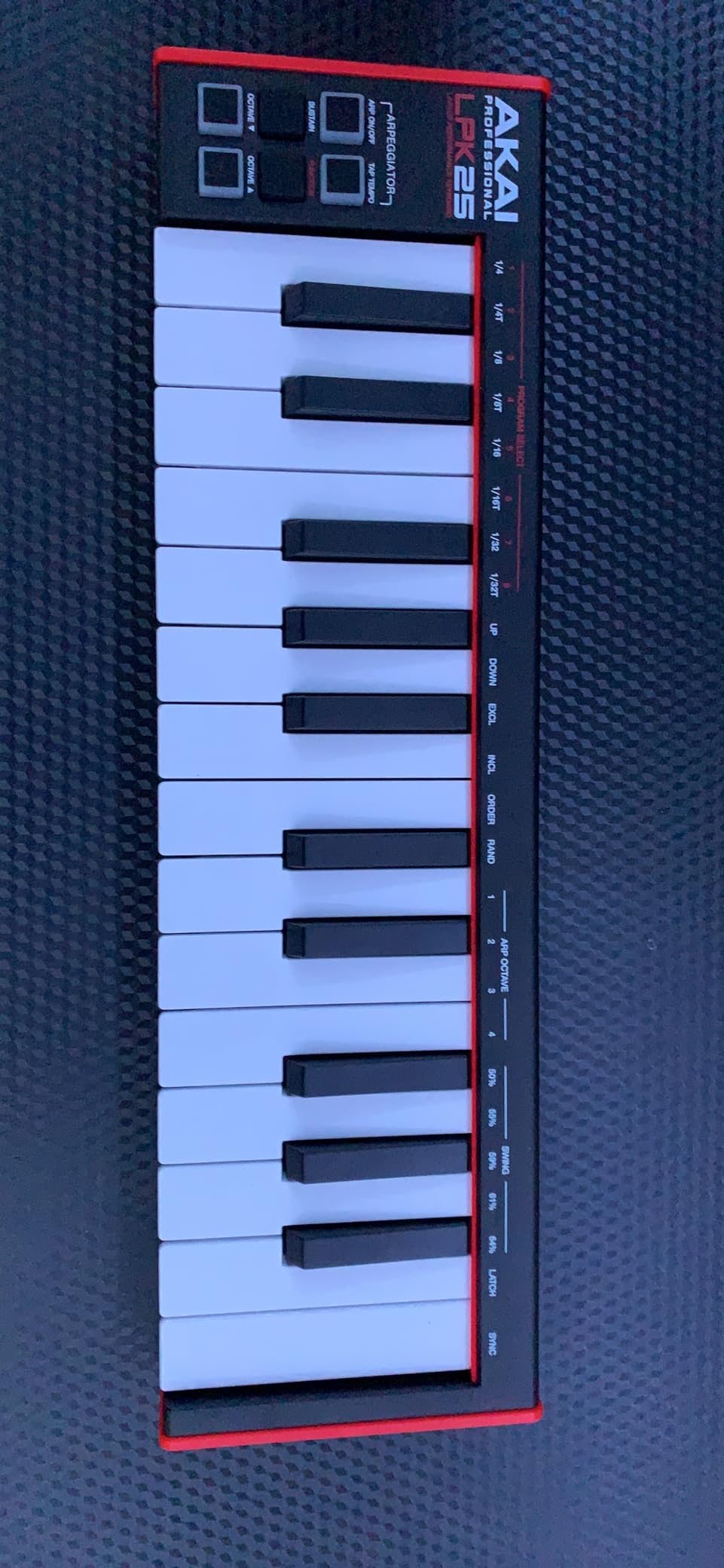
Compatibility is the quiet strength. It works with GarageBand, Logic, Studio One, Cubase, Ableton Live, Pro Tools, FL Studio, Digital Performer and Adobe Audition, so a beginner does not have to check whether their DAW is supported before buying. The bundled software includes Hype and BFD Player, which owners rate more highly than expected.
Octave up and down buttons give you the full range on a 25-key body, and a sustain button covers held notes. USB power and plug-and-play mean there is no driver, no adapter and no setup process at all.
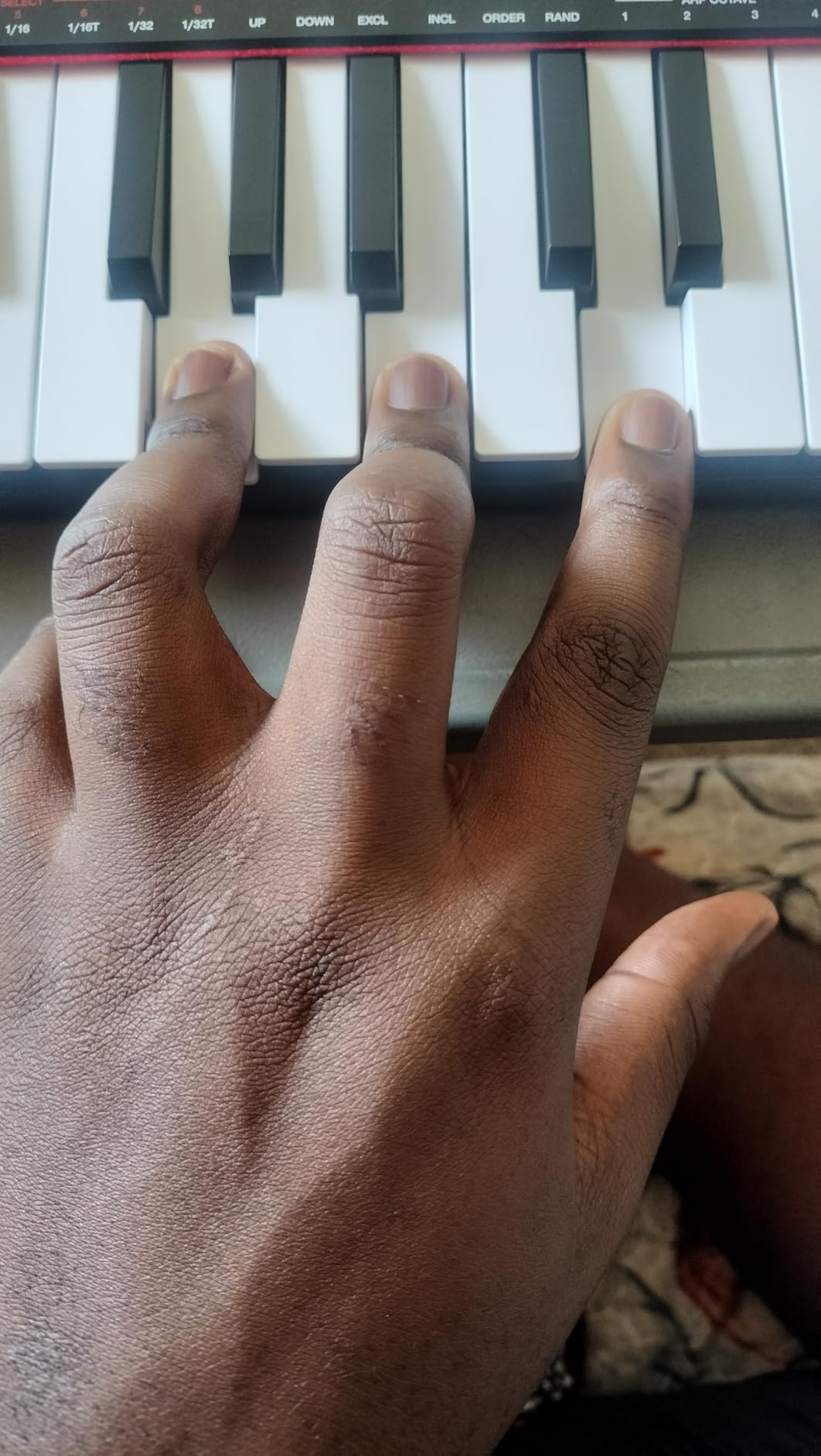
Is the key feel good enough to learn on?
For melody, bass lines and song sketching, yes, and it holds up for practice in a way that cheaper 25-key boards do not. It will not develop piano technique, but neither will any 25-key synth-action board, and the price gap to a 49-key model is real money for a first purchase.
Where it falls down is physical construction. Reviewers report that white keys may twist when pressed hard, that black keys feel loosely fitted, and that the USB socket has some give. The sustain button is also awkward to reach with your left hand while playing, which is a genuine ergonomic complaint rather than a nitpick.
When to step up instead
If you write music that needs two hands on the keyboard, this is the wrong board and no software fixes it. Move up to a 49-key model with full-size keys, and the difference in what you can express is immediate from the first session.
The 8 preset slots are also the limit to plan around. They are enough for one or two setups, so if you switch between a writing DAW and a live rig you will be editing presets on the computer rather than at the desk. Within one workflow, though, the recall speed is genuinely quick.
Key Action Explained: Synth-Action vs Semi-Weighted vs Weighted
Key action is the specification that matters most and gets explained least. In short: synth-action is light and fast, semi-weighted adds some resistance for a more deliberate feel, and weighted simulates a piano with a heavier hammer action. Which one you want depends almost entirely on whether you learned piano.
Synth-action keys appear on the Keystation 49 MK3, the Oxygen 49 MKV and the KeyLab Essential mk3. They respond quickly to light touch, which is ideal for chord progressions and fast melodic work, and they are the standard choice for a home studio because nothing feels sluggish.
Semi-weighted keys add a light spring-back, and appear on the FLkey 49, the Launchkey 49 MK4 and the Samson Carbon 49. Owners describe them as a noticeable step up in deliberateness without becoming heavy, and they are the most common choice among producers who play rather than sequence.
No controller in this roundup is fully weighted, and that is a deliberate limit of the home studio format. A weighted 88-key board starts at several times the cost of everything here, and community consensus among home studio owners is that it only becomes necessary for pianists and film scoring. Players moving from a weighted digital piano such as a Yamaha P-45 or Roland FP-10 report that mini keybeds in particular damage technique, so weight your existing experience above any spec sheet.
How Many Keys Do You Need? 25, 32, 49 or 61
Forty-nine keys is enough for most home studios, and the community consensus is that 49 to 61 keys is the sweet spot. Twenty-five keys covers a two-octave range and suits beatmaking, sketching and travel. Forty-nine gives you just over four octaves, which is enough for most chord progressions without constant octave jumping.
The rule of thumb we use is simple: if you write with both hands on the keyboard, buy 49 keys. If you trigger loops, play single lines and sketch ideas, 25 keys with octave buttons will not slow you down.
The important caveat is that octave buttons are not a substitute for more keys. Every compact board here moves the range in software, so a mid-song change of octave interrupts what your hands are doing, and you cannot play a bass line under a chord. The 32-key Oxygen Pro Mini 32 sits awkwardly between the two sizes and is the one layout we would think hardest about.
A second caveat: check the keys are full-size. All four 49-key boards here use piano-sized keys, but the three compact boards do not, and mini keys are the reason reviewers of those products repeatedly warn pianists away.
DAW Integration: What Actually Matters
DAW integration is where controllers differentiate, and depth matters more than the length of the compatibility list. Four levels show up in this roundup, and each suits a different workflow.
Native Kontrol Standard is the deepest for Native Instruments users. The MPK Mini IV, Oxygen 49 MKV and Oxygen Pro Mini 32 all support NKS, and the Launchkey 49 MK4 is NKS-ready, meaning you control Komplete and Maschine presets from the hardware with no template.
Dedicated DAW mapping is the second level, and the FLkey 49 is the clearest example. Its mixer, channel rack, transport and step sequencer map on connection with no manual assignment, which is why FL users rate it above generic boards in the same price bracket.
Custom scripts come next. The KeyLab Essential mk3 ships with integration for Ableton Live, Logic Pro X, FL Studio and more, giving deeper control than a stock map without editing anything yourself.
Auto-mapping and MIDI learn are the baseline. The Oxygen Pro Mini 32 picks a map from its OLED screen, while the Keystation 49 MK3 and the LPK25 rely on DAW auto-mapping or preset slots. Both are fine, with one honest limitation worth knowing: the FLkey 49 encoders cannot be MIDI-learn mapped to third-party plugins without editing Novation’s Python scripts, and the KeyLab Essential mk3 controls are not natively addressable for non-USB MIDI instruments.
Connectivity Checklist for a Home Studio
Check four things before buying, because upgrading connectivity later means buying a different controller.
USB-C is universal across all ten boards here and needs no drivers, except that the FLkey 49 includes a USB B to USB A cable that requires an adapter on a modern laptop, and several owners report it being short.
Five-pin MIDI Out matters if you drive hardware. The MPK Mini IV, FLkey 49, Keystation 49 MK3, Launchkey 49 MK4, Oxygen 49 MKV and Samson Carbon 49 all include it. The Oxygen Pro Mini 32 has a 1/8-inch MIDI Out that needs a separate dongle.
Sustain pedal input is on every board except the two compact Arturia-style units, and it is the input most home studio owners use within a week. None of the ten include a pedal, so budget for one if you care about held notes.
Power is the last check. Every board here runs on USB bus power with no external adapter, which is exactly what you want in a home studio. Boards that need a separate power supply break plug-and-play expectations, and none of these ten do.
On durability, owner reports across this roundup cluster around loose encoders, flexing plastic cases, thin included cables and screens with no off switch. If you are buying used, a second-hand 49-key controller does the job for a serious setup at a fraction of the cost, and checking the encoder wobble, the key action and the screen for burn-in covers the most common failure points.
Frequently Asked Questions
Is 49 keys enough for a MIDI controller?
Yes for most home studios. Forty-nine keys gives you just over four octaves, which covers most chord progressions without constant octave jumping, and owner consensus puts 49 to 61 keys as the sweet spot. Twenty-five keys is enough for beatmaking and single-line work but not for two-handed playing. The catch is that 25-key boards reach extra range with octave buttons, which interrupts what your hands are doing mid-phrase.
Which MIDI controller has the best keybed?
Among these ten, the Novation Launchkey 49 MK4 and FLkey 49 have the most premium semi-weighted action, and the Arturia KeyLab Essential mk3 has the best-regarded unweighted Fatar keybed. The Arturia MiniLab 3 stands out at 25 keys, where its key feel beats most compact controllers. If you learned on a weighted digital piano, none of these fully replicate that feel and you should test a weighted board first.
Do I need weighted keys for a home studio?
Usually not. Weighted action is only worth the extra cost for pianists and film scoring, and none of the ten controllers here are weighted. What matters more is whether the keys are full-size and velocity-sensitive. Players moving from a weighted digital piano such as a Yamaha P-45 often find mini keybeds ruin their technique, so test the key travel in person if piano is part of your background.
What are common problems with MIDI controllers?
The most common complaints across owner reviews are loose or light-feeling encoders, flexing plastic cases and thin included cables. Other recurring issues are stiff or wobbly drum pads causing accidental double-taps, and OLED screens with no off switch that can burn in over years. Key action is a frequent letdown too: unweighted synth-action keys disappoint anyone moving from a weighted piano.
Is MIDI outdated?
No. MIDI remains the standard protocol between controllers, software instruments and DAWs, and every controller in this roundup depends on it. MIDI 2.0 exists and adds finer control, but adoption in home studio software is still partial, so MIDI 1.0 hardware works exactly as it always has. A modern controller is a long-lived purchase precisely because the protocol underneath it has not changed.
What MIDI controller works best with Ableton Live?
The Novation Launchkey 49 MK4 is the strongest all-round Ableton controller here, with 16 FSR pads that include polyphonic aftertouch, 9 faders and 9 encoders, and Ableton Live Lite bundled. The Arturia MiniLab 3 and Arturia KeyLab Essential mk3 also include Live Lite with custom integration scripts, and the Akai MPK Mini IV comes with Ableton Live Lite 12 and pre-mapped transport controls.
What MIDI controller works best with FL Studio?
The Novation FLkey 49 is built for it. Its mixer, channel rack, transport and step sequencer map automatically with no manual assignment, Sequencer Mode programs patterns from the 16 RGB pads, and Two Pad mode adds humanised timing. Scale mode and three chord modes help you avoid wrong notes, and a 5-pin MIDI Out lets it drive hardware synths too.
What kind of MIDI controller should I buy for making unique sounds?
Buy on expression and control depth rather than key count. Polyphonic aftertouch on the Novation Launchkey 49 MK4 pads gives per-finger pressure control, and the 16 velocity-sensitive pads on the FLkey 49 and Oxygen 49 MKV are the most useful for beatmaking. For sound design without a mouse, choose a board with 8 or more assignable knobs and faders plus a screen, such as the Oxygen 49 MKV.
Conclusion
For most home studios in 2026, the Akai MPK Mini IV is the best MIDI controller to start with: 25 velocity-sensitive keys, 8 assignable knobs, RGB MPC pads, a full-colour screen and a full-size MIDI Out in a body that weighs about 1 kg. If you want full-size keys, the M-Audio Keystation 49 MK3 is the cleanest 49-key entry, and the Arturia KeyLab Essential mk3 wins on bundled software.
Check the key action against your playing history first, then the control surface, then the DAW mapping. Get those three right and the best MIDI controllers for home studios feel like an extension of your hands rather than another device to configure.