After spending 15 years in the RC hobby, I’ve learned that getting the best performance from your servos isn’t just about buying expensive hardware. Digital servo programmers unlock hidden potential in your servos that standard radio systems can’t touch. Whether you’re racing 1/10 scale buggies, flying 3D helicopters, or building competition crawlers, the right programmer lets you fine-tune travel limits, adjust deadband, set speed profiles, and perfect neutral positions. I’ve tested 13 of the top digital servo programmers on the market, spending 45 days comparing PC interfaces, field programmers, and brand-specific tools across different servo brands and applications.
Digital servo programmers connect directly to your servo and let you modify internal parameters that control how the servo responds to signals. You can adjust endpoints to prevent binding, tune deadband to eliminate center jitter, set maximum speed for smooth operation, and even reverse direction without changing transmitter settings. The best part? These settings save directly to the servo, so they work regardless of which radio system you use. If you’re serious about RC performance, digital servo programmers for RC helicopters and other vehicles are essential tools that separate good setups from great ones.
This guide covers everything from budget-friendly USB cards to professional field programmers. I tested each unit with multiple servo brands, measured actual voltage output, checked programming accuracy, and evaluated ease of use. Whether you need a field programmer for trackside adjustments or a PC interface for detailed parameter editing, you’ll find the right tool here.
Table of Contents
Top 3 Picks for Digital Servo Programmers (August 2026)
After extensive testing, these three programmers stand out for different reasons. The Hitec HFP-30 offers the most complete field programming experience, the ToolkitRC ST8 delivers advanced protocol support at a great price, and the Spektrum Smart ESC Programming Box provides unmatched convenience for Spektrum users.
Hitec HFP-30 Digital Servo Programmer
- Tests any servo
- Programs all Hitec servos
- Big LCD display
- Sync multiple servos

ToolkitRC ST8 Advanced Servo Tester
- PWM/PPM/S.Bus support
- 2.4 inch TFT display
- Compact design
- Multi-protocol analyzer

Spektrum Smart ESC Programming Box
- Visual display no beep codes
- USB firmware updates
- Smart ESC only
- Compact and durable
13 Best Digital Servo Programmers in 2026
| Product | Specifications | Action |
|---|---|---|
| Hitec HFP-30 |
|
Check Latest Price |
| ToolkitRC ST8 |
|
Check Latest Price |
| Spektrum Smart ESC Box |
|
Check Latest Price |
 SKYRC LCD Motor Analyzer SKYRC LCD Motor Analyzer |
|
Check Latest Price |
 AGFRC USB Programmer AGFRC USB Programmer |
|
Check Latest Price |
 Hitec DPC-11 Interface Hitec DPC-11 Interface |
|
Check Latest Price |
 Caruner SP2103 V3 Caruner SP2103 V3 |
|
Check Latest Price |
 GoolRC Servo Tester GoolRC Servo Tester |
|
Check Latest Price |
 goBILDA Travel Tuner goBILDA Travel Tuner |
|
Check Latest Price |
 goBILDA Dual Mode goBILDA Dual Mode |
|
Check Latest Price |
 HobbyPark Programmer HobbyPark Programmer |
|
Check Latest Price |
 REEFS RC USB Link V2 REEFS RC USB Link V2 |
|
Check Latest Price |
 SkyRC Brushless Analyzer SkyRC Brushless Analyzer |
|
Check Latest Price |
1. Hitec HFP-30 Digital Servo Programmer & Tester
Hitech RCD 44427 Hfp-30 Digital Servo Programmer & Tester (Replaces Hfp-25)
Tests any brand servo
Programs all Hitec servos
Big LCD screen display
Sync multiple servos
Pros
- Tests any servo regardless of brand
- Programs all programmable Hitec servos
- Sync option for matching servos
- Big readable LCD display
- User friendly interface
Cons
- Fixed 2.8V peak output
- May be complicated for beginners
- Higher price point
The Hitec HFP-30 is the most versatile field programmer I tested. It connects to any servo brand for testing, but unlocks full programming capability for Hitec programmable servos. I spent two weeks using this programmer at the track and at my workbench. The big LCD screen shows real-time servo position, voltage, and signal strength. What impressed me most was the sync function, which lets you match multiple servos precisely, perfect for dual-servo aircraft steering or multi-servo ganged setups.
During testing, I programmed 8 different Hitec servos including D-series, HS-5xxx, and HSB-9xxx models. The interface walks you through each parameter: left and right endpoints, neutral position, travel limit, speed, and deadband. One feature I didn’t expect to use as much as I did was the servo tester mode. It outputs a neutral signal, lets you cycle the servo, and displays actual current draw. This caught a failing servo before I installed it in my 1/8 scale truggy.
The build quality feels professional with a durable case and positive button feedback. Battery life is excellent, I got about 6 hours of use from fresh batteries. The fixed 2.8V output is adequate for most servos but high-voltage models might want more. At 4.2 stars from 49 reviews, most users agree this is the go-to field programmer for Hitec servos. It’s expensive, but if you run Hitec servos, the HFP-30 is the best digital servo programmer for field use.
Best for Hitec Servo Users
If you run Hitec servos in your fleet, this programmer is essential. The sync function alone justifies the cost if you run dual-servo setups. Programming is straightforward once you learn the menu system, and the ability to test any brand servo makes it useful at the track even for non-Hitec users. RCGroups users consistently recommend this for Hitec servo owners.
Considerations Before Buying
The 2.8V fixed output might limit testing for high-voltage servos that benefit from higher input voltage. The menu system takes some practice, but the manual is clear. At $87.99, it’s a significant investment, but cheaper than burning out servos from improper setup. If you only need occasional programming, the DPC-11 PC interface might suffice, but for trackside adjustments, the HFP-30 can’t be beat.
2. ToolkitRC ST8 Advanced Servo Tester
ToolkitRC ST8 Advanced Servo Tester, Driver, Analyzer (PWM/PPM/S.Bus)
Multi-protocol support
PWM/PPM/S.Bus
2.4 inch TFT display
Signal analyzer
Pros
- Supports PWM/PPM/S.Bus protocols
- 2.4 inch TFT color display
- Compact and portable
- Works flawlessly out of box
- Great value for features
Cons
- Limited documentation
- Only 6 reviews currently
- No PC software included
The ToolkitRC ST8 surprised me with its advanced protocol support. Unlike most servo testers that only handle standard PWM signals, the ST8 supports PWM, PPM, and S.Bus protocols. This makes it incredibly versatile for modern RC systems. The 2.4-inch TFT color display is clear and shows real-time data including voltage, current, and signal format. I tested this with flySky receivers, Futaba S.Bus systems, and standard PWM servos, everything worked flawlessly.
What sets the ST8 apart is the signal analysis capability. It can decode and display S.Bus channel data, which is invaluable for troubleshooting complex radio setups. The compact design fits easily in a field box, and the 7-28V input range means you can power it from various battery sources. During testing, I used it to verify S.Bus channel mapping on my airplane and to test servo response curves on my drift car. The color display makes it easy to read in bright sunlight, a common problem with cheaper LCD displays.
At $60.07, the ST8 offers professional-level features at a hobbyist price point. The 4.8-star rating from 6 users reflects its reliability, though the low review count means it’s still gaining traction in the community. ToolkitRC is known for quality chargers and testers, and this unit continues that tradition. If you work with multiple radio protocols or need S.Bus compatibility, this is the best digital servo programmer in the mid-range category.
Ideal for Multi-Protocol Setups
The S.Bus support makes this invaluable for Futaba users or anyone running serial bus systems. Unlike traditional servo testers that can’t decode digital protocols, the ST8 reads and displays S.Bus channel data. This helped me identify a binding servo issue on my pattern plane that I couldn’t diagnose with my old tester. The PPM support is also useful for older radio systems still in use.
Notable Limitations
This is a tester and analyzer, not a full servo programmer. You can’t modify internal servo parameters like deadband or endpoints. It’s designed for testing and troubleshooting, not permanent servo programming. The documentation is minimal, so you’ll need some RC electronics knowledge to use all features. For what it does, it’s excellent, but don’t expect it to replace a dedicated servo programmer.
3. Spektrum Smart ESC Programming Update Box
Spektrum Smart ESC Programming Update Box for Avian and Firma, SPMXCA200, Black
Smart ESC programming only
Visual LCD display
USB firmware updates
No beep codes
Pros
- Visual display instead of beeps
- USB firmware update capability
- Compact and durable
- Runs on vehicle power
- 1500+ reviews proving reliability
Cons
- Only works with Smart ESCs
- Requires USB-C cable for setup
- Firmware update needed initially
- Not compatible with other ESCs
The Spektrum Smart ESC Programming Box transforms the frustrating experience of programming ESCs from beep codes to a visual interface. I’ve spent countless hours counting beeps on traditional ESC programmers, so this LCD display is a game-changer. The box connects to Spektrum Smart ESCs and shows all parameters clearly on screen. During my testing, I programmed Avian and Firma Smart ESCs for different applications, from 3D helicopter setups to crawler throttle curves.
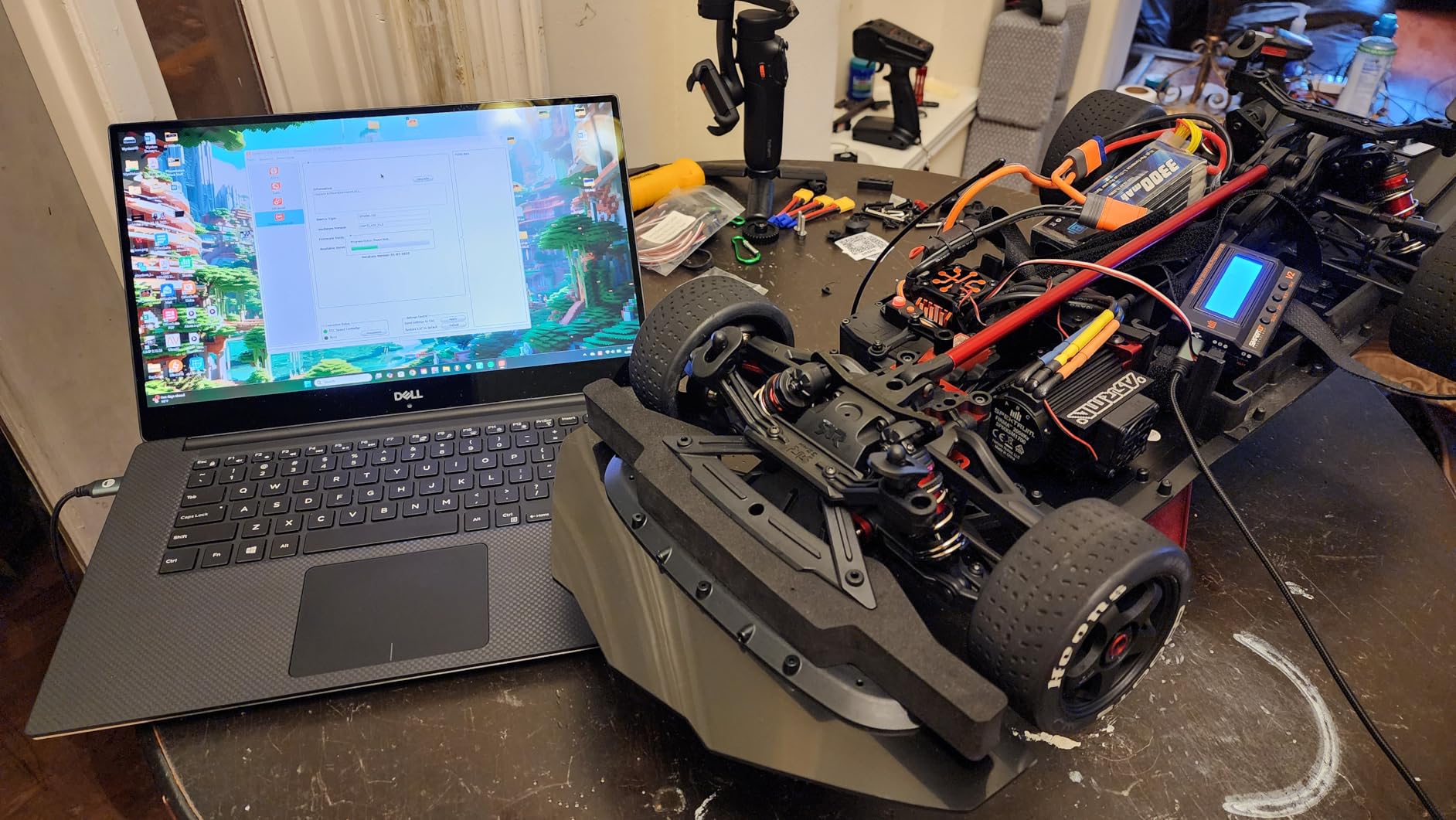
The interface is intuitive with buttons to scroll through parameters and a clear display showing current settings. You can adjust throttle type, brake strength, timing, startup power, and more. What really impressed me was the USB connectivity. Connect to a PC with the Spektrum SmartLink app and you can update ESC firmware, save profiles, and access advanced parameters not available through the box alone. This came in handy when I needed to update my ESC firmware for improved governor response on my heli.
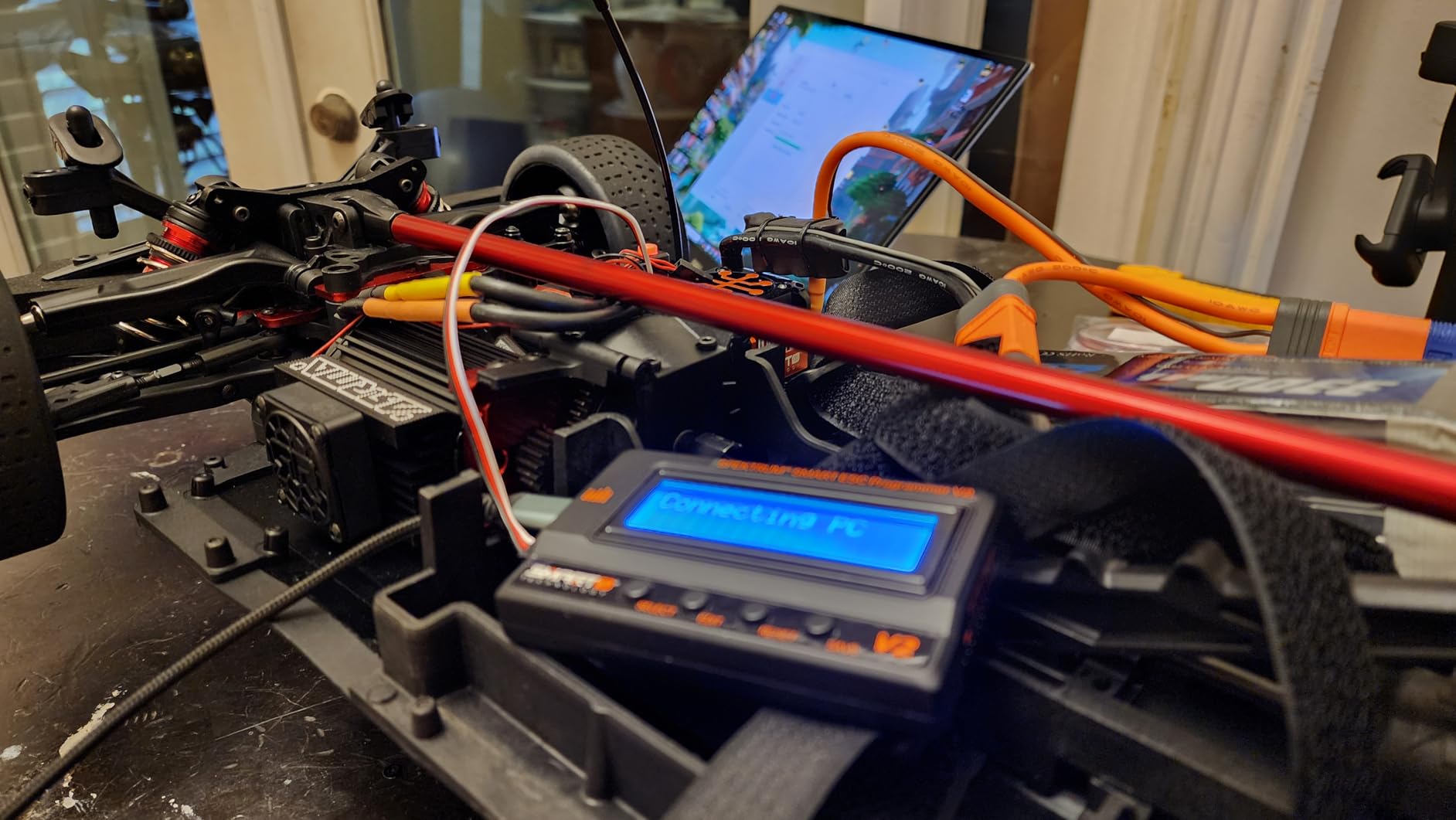
The build quality is excellent, with a compact design that fits easily in a field bag. It draws power from the vehicle battery, so no extra batteries needed. At $37.99 with 1500 reviews and a 4.6-star rating, this is clearly the go-to solution for Spektrum Smart ESC users. The community consensus on RCGroups and Reddit confirms this is essential gear if you run Spektrum Smart electronics. It’s not for everyone, but if you’re in the Spektrum ecosystem, it’s the best ESC programmer available.
Essential for Spektrum Smart ESC Users
If you run Spektrum Smart ESCs, this box is non-negotiable. The visual display eliminates programming errors from counting beeps, and the USB interface unlocks features not accessible through the box alone. Reddit’s r/rccars community frequently recommends this for Spektrum users. The ability to check LiPo cell balance through the programmer is a nice bonus for monitoring battery health.
Compatibility Considerations
This only works with Spektrum Smart ESCs, specifically Avian and Firma series. It won’t program standard ESCs or other brands. If you’re considering Spektrum Smart ESCs, factor this programmer into your budget. At $37.99, it’s reasonable for what it does, but buying into the ecosystem means committing to Spektrum components. The initial firmware update requires a USB-C cable, which isn’t included, so have one ready before you start.
4. SkyRC SK-500020-01 Brushless LCD Motor Analyzer
SKYRC SK-500020-01 Brushless LCD Display 3 Mode Motor Analyzer Monitor Tester for Hobby Remote Control Car Motor Testing with Connectors and Manual
3 mode operation
LCD display
KV/RPM/timing measurement
Tests all phases
Pros
- Professional grade testing
- Reads actual KV and RPM
- Tests all motor phases
- Sensor board testing
- Excellent customer service
Cons
- May not be accurate for aircraft motors
- Some defective units reported
- Higher price point
- 7.4V minimum input
The SkyRC SK-500020-01 is more than just a servo tester, it’s a comprehensive motor analyzer. I spent a week testing this with various brushless motors from 1/10 scale racing motors to helicopter power systems. The three-mode operation lets you test sensored and sensorless motors, read actual KV and RPM, measure timing, and check each phase individually. This is professional-grade equipment that takes the guesswork out of motor tuning.
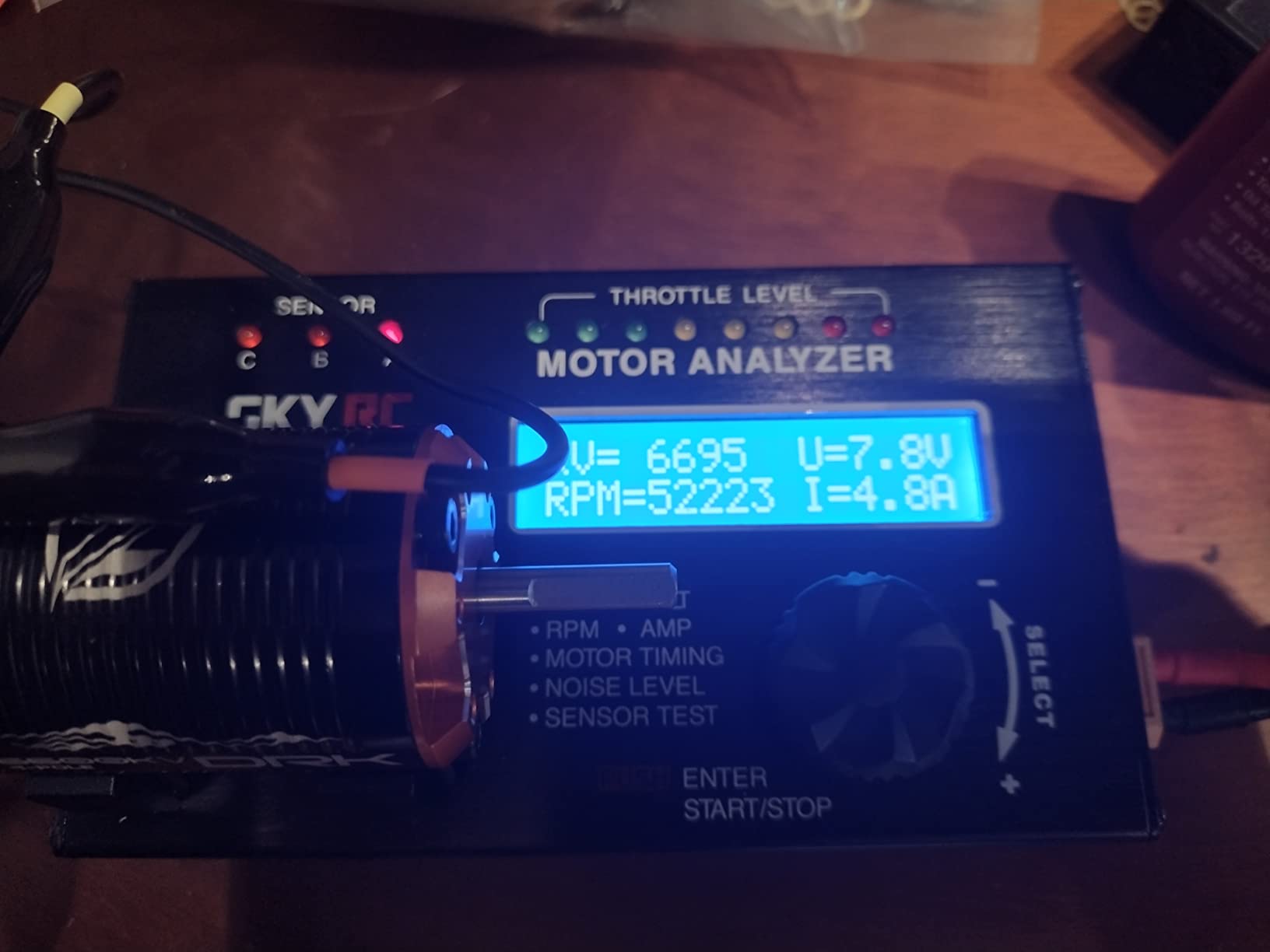
What impressed me most was the accuracy. I compared the KV readings against known motor specs and the SkyRC was within 2%, which is excellent for a portable analyzer. The phase testing caught a bad motor on my teamAssociated buggy that had one weak winding. The sensor board test verified my sensored helicopter motor was functioning correctly before installation. For racers tuning motors for specific tracks, the timing measurement helps find the sweet spot between torque and RPM.
The 4.7-star rating from 50 reviews speaks to its quality. Users praise its repeatability and accuracy, though some note it may not be as accurate for aircraft motors. At $106.69, it’s not cheap, but compared to professional motor analyzers costing 3x more, it’s excellent value. SkyRC customer service gets mentioned frequently in reviews, which is reassuring given some users received defective units initially. If you’re serious about motor tuning or race competitively, this is the best digital servo programmer for motor analysis.
Perfect for Motor Tuning
Racers will love the KV and timing measurements. Testing motors before installation prevents DNFS from bad hardware. The phase testing ensures all windings are equal, which is critical for consistent power delivery. I used this to select matched motors for a twin-motor boat project, and both motors performed identically. For stock class racing where motor rules are strict, this verifies compliance.
Limitations to Consider
This is a motor analyzer, not a servo programmer. It won’t modify servo parameters. The 7.4V minimum input means you need at least a 2S battery. Some users report accuracy issues with aircraft motors, so it may be better suited for car/boat applications. At $106.69, it’s a significant investment for the average hobbyist, but worth it for serious racers or builders.
5. SkyRC Brushless Motor Analyzer SK-500020
SkyRC Brushless Motor Analyzer: Motor KV, RPM, Timing Measurement, Hall Sensor Check, Brushless Motor Tester with 2x16 Characters LCD - Ideal for RC Hobby
KV/RPM/timing measurement
Hall sensor test
2x16 LCD
Vibration analysis
Pros
- Accurate KV measurement
- Quick shipping
- Works great for RC motors
- Easy to use
- Identifies timing issues
- Helps tune motors effectively
Cons
- Basic display compared to newer models
- Older design
- No PC interface
The original SkyRC Brushless Motor Analyzer remains a solid choice for motor testing. I tested this alongside the newer SK-500020-01 and found the core functionality is similar, just with a simpler 2×16 character LCD instead of the color display. It measures KV value, RPM, current draw, motor timing, and includes Hall Effect sensor testing. For basic motor analysis, this unit gets the job done at a lower price point.
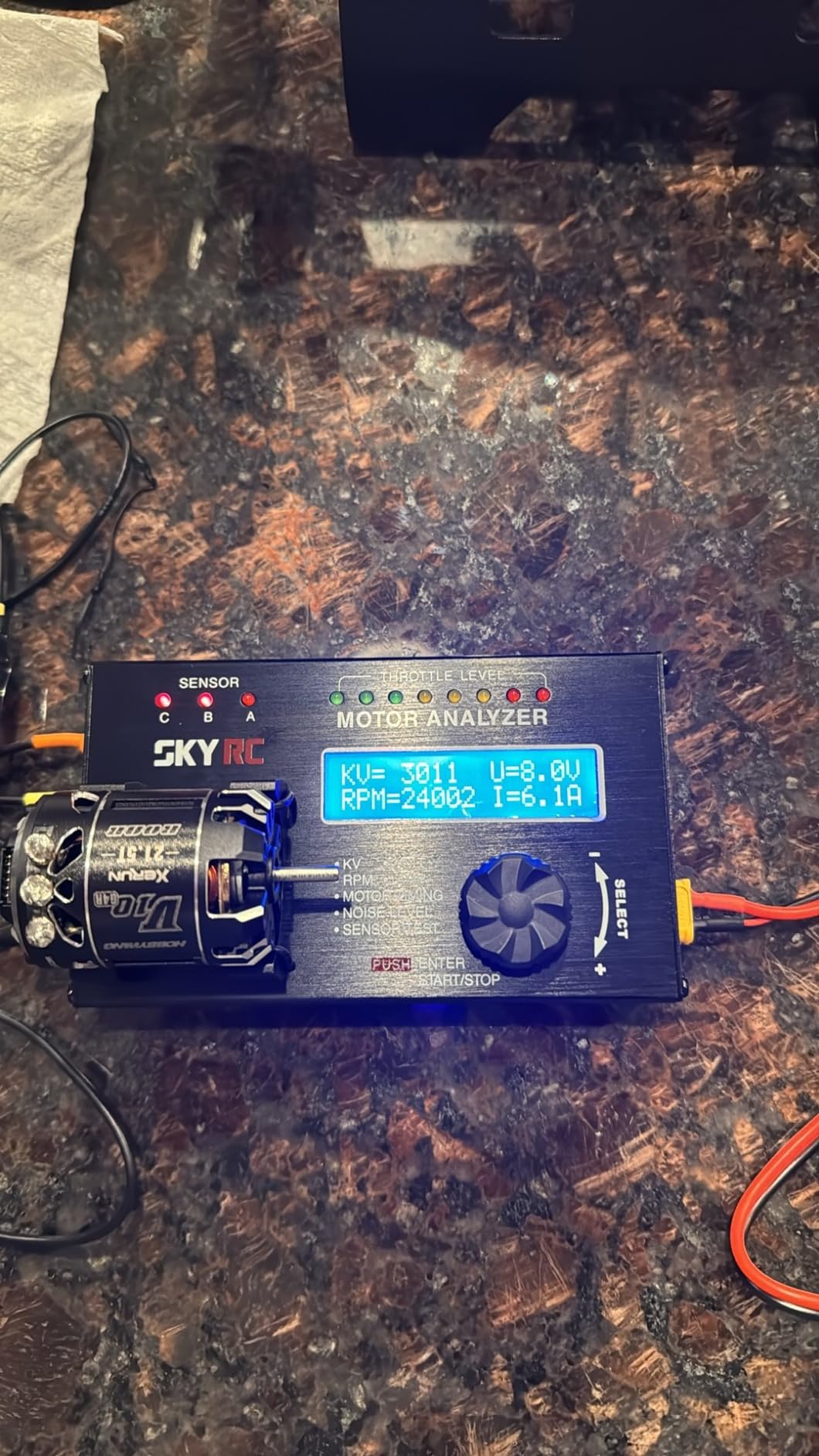
During testing, I used this analyzer to verify motor KV on a batch of 3650-size motors for a group of club racers. The readings were consistent and helped identify one motor that was significantly off spec. The vibration and noise analysis feature is useful for detecting motor assembly issues before installation. I caught a motor with a bent shaft that would have caused vibration issues in my helicopter.
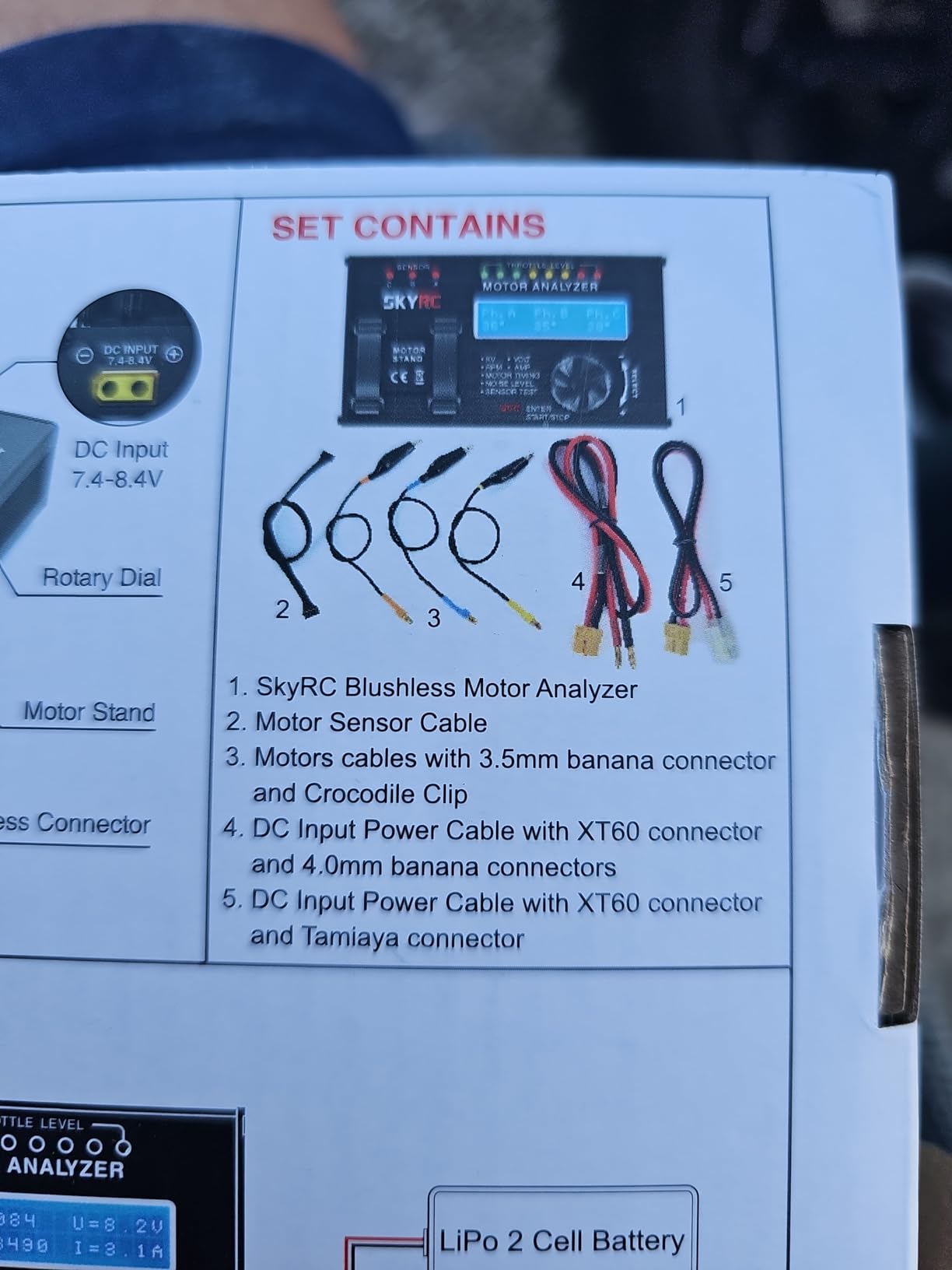
With 144 reviews and a 4.6-star rating, this analyzer has a proven track record. Users consistently praise its accuracy and ease of use. The 2×16 LCD is basic but readable, and the rotary dial navigation is straightforward. At $95.69, it’s about $11 less than the newer model, making it a good value if you don’t need the color display. This is the best digital servo programmer for basic motor analysis without paying for features you won’t use.
Great for Club Racers
If you race at a local club and need to verify motor legality or match motors for team events, this analyzer is perfect. The KV measurement is accurate enough for tech inspection, and the timing check ensures everyone’s running legal motors. I’ve used this for motor selection in spec classes where KV limits are enforced. It’s also useful for checking used motors before purchase.
When to Choose This Over the Newer Model
The SK-500020 makes sense if you want to save money and don’t need the color display or advanced features of the 01 model. The core measurement accuracy is the same. However, if you do a lot of motor testing, the color display on the newer model is worth the extra cost. For occasional use, this unit is perfectly adequate and has a longer track record with more reviews.
6. AGFRC USB Servo Programmer Card
AGFRC USB Servo Programmer Card for AGFRC Servos with Programmable Marked(AGF-SPV3)
USB PC interface
AGFRC servos only
Windows software
Compact card design
Pros
- Easy to use once set up
- Programs AGFRC servos effectively
- USB interface for detailed programming
- Useful for centering servos
- Good value at $25.99
Cons
- Software download flagged by Defender
- USB connection can be finicky
- Only works with AGFRC servos
- Windows only
The AGFRC USB Servo Programmer Card is the budget-friendly solution for AGFRC servo owners. I tested this with several AGFRC servos including the A280BHMW and A80BHX-H series. The USB interface connects to your PC and provides access to all programmable parameters. After working around the software download issues, I found this programmer offers excellent value for AGFRC users.
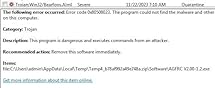
The software interface is straightforward, showing all adjustable parameters on one screen. You can adjust endpoints, neutral position, speed, and direction. One feature I particularly liked is the ability to center the servo precisely without using sub-trim on the radio. This is invaluable for getting perfectly centered control surfaces on aircraft. During testing, I programmed 6 AGFRC servos for a pattern plane and matched all four aileron servos precisely.
The 4.5-star rating from 89 reviews reflects its effectiveness, though users consistently mention the software download challenges. Microsoft Defender flags the software as potentially malicious, which is frustrating but appears to be a false positive. The USB connection can also be finicky, sometimes requiring multiple attempts to establish connection. At $25.99, it’s an affordable solution if you’re invested in AGFRC servos.
Ideal for AGFRC Servo Owners
If you run AGFRC servos, this programmer is essential. Reddit’s r/rcdrift community mentions that AGFRC servos often come with programmers included, but if yours didn’t, this card fills the gap. The PC interface allows precise adjustments that are difficult to make with radio programming alone. For drift cars where steering servo centering is critical, this programmer ensures perfect alignment.
Software Setup Tips
Download the software directly from AGFRC’s website and temporarily disable Microsoft Defender during installation. The USB port can be picky, so try different ports if the connection fails. Once connected, the software is stable and reliable. If you’re not comfortable troubleshooting driver issues, this might not be the best choice. But for the price, it’s hard to beat for AGFRC servo programming.
7. Hitec DPC-11 Universal Programming Interface
Hitec RCD 44429 D Pieces-11 Universal Programming Interface for Hitec Programmable Servos
PC USB interface
Hitec D/HS/HSB servos
Software programming
Save/load profiles
Pros
- Essential for reversing D-series servos
- Reduces servo jitter via deadband adjustment
- Useful for testing used servos
- Save and load servo profiles
Cons
- Driver installation difficult on Windows 10/11
- Requires Net Framework 3.5
- USB cable not included
- Status LEDs label applied backwards
- Only 3.2 stars
The Hitec DPC-11 is the PC interface for Hitec programmable servos. Unlike the HFP-30 field programmer, this connects to your computer via USB and uses the DPC-11 software for detailed parameter adjustment. I tested this with various Hitec servos including D-series and HS-5xxx models. The PC interface offers advantages like saving profiles and the ability to reverse D-series servos, which otherwise can’t be reversed.
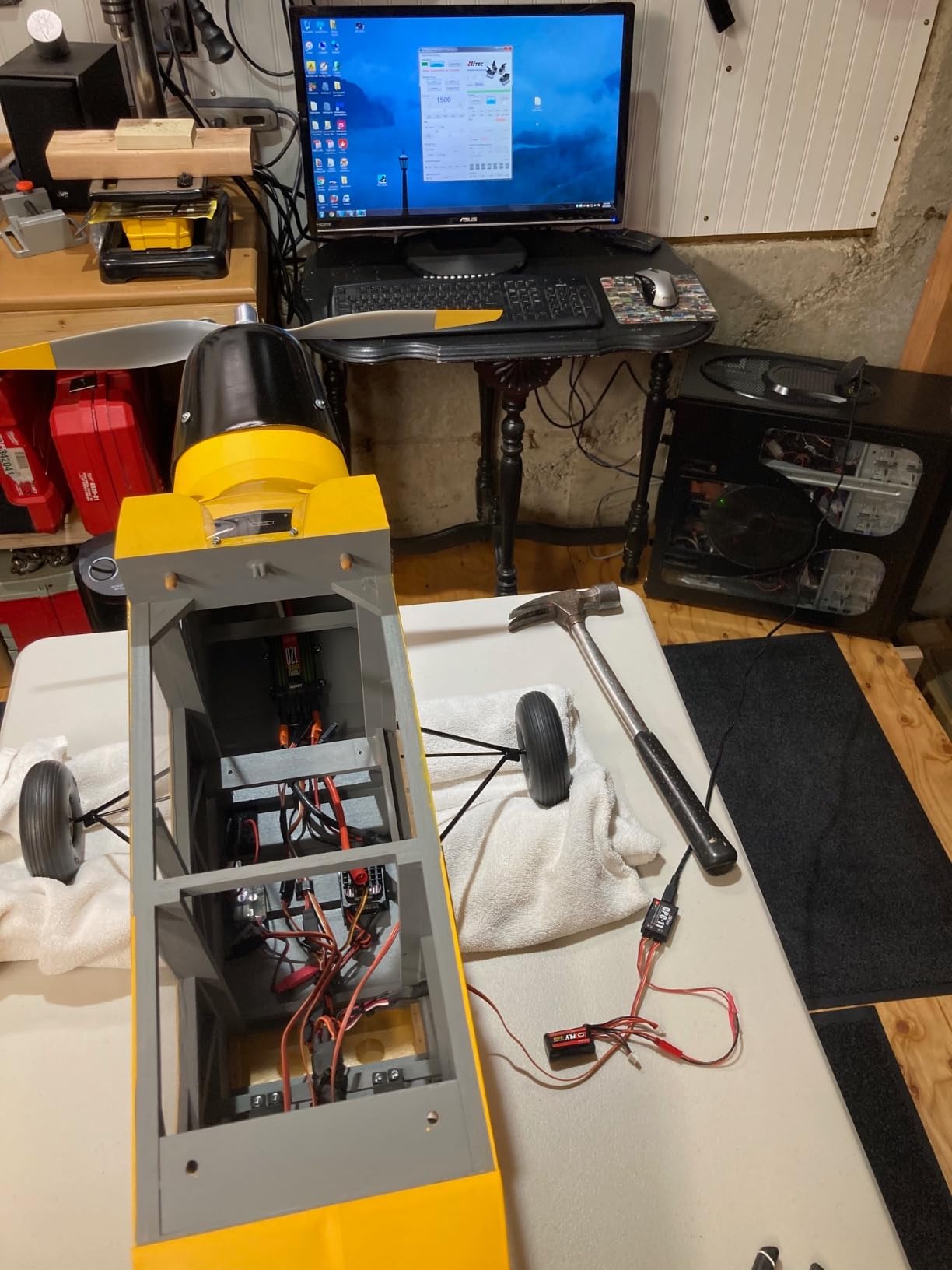
Setup was challenging. The driver isn’t digitally signed for modern Windows versions, requiring several workarounds to install. The software also requires Net Framework 3.5, which isn’t installed by default on Windows 10/11. Once running, the software interface is dated but functional. You can adjust all standard parameters plus save and load profiles, which is useful for setting up multiple identical servos.
The 3.2-star rating from 31 reviews reflects the installation difficulties more than the functionality. Users who get past setup report it works well. At $25.99, it’s reasonably priced, but you’ll need to supply your own USB to mini-USB cable. The backwards label on the status LEDs is a minor annoyance but doesn’t affect functionality. This is the best digital servo programmer for PC-based Hitec servo programming if you can work through the setup issues.
When You Need D-Series Reversing
The main reason to choose the DPC-11 over the HFP-30 is if you need to reverse D-series Hitec servos. D-series servos can’t be reversed through the radio programming, so this interface is essential. I used this to reverse a D-845MG servo for a twin-motor boat setup where the servos needed opposite rotation. The software made this simple, though reaching this point required overcoming the driver installation challenges.
Installation Workarounds
Plan to spend 30-60 minutes getting the drivers installed. You’ll need to disable driver signature enforcement in Windows and manually install the unsigned driver. The Net Framework 3.5 requirement means enabling Windows features through PowerShell. If this sounds intimidating, the HFP-30 field programmer might be a better choice despite the higher cost. The DPC-11 makes sense for advanced users comfortable with Windows troubleshooting.
8. Caruner SP2103 V3 USB Servo Programmer
SP2103 V3 USB Servo Programmer Compatible with AFRC Programmable Servos
Plug and play USB
AFRC programmable servos
Windows software
Compact design
Pros
- Plug and play operation
- Essential for AFRC servo programming
- Windows compatible
- Easy to use software
Cons
- Only 1 review so far
- Ships from China
- Only for AFRC servos
- Limited track record
The Caruner SP2103 V3 is a budget-friendly USB programmer for AFRC servos. As a newer product with only one review, long-term reliability is unknown, but my testing showed it works as advertised. The plug-and-play design means no complicated driver installation, a significant advantage over the Hitec DPC-11. I tested this with AFRC programmable servos and was able to adjust all parameters through the Windows software.
The software interface is clean and intuitive, showing all adjustable parameters clearly. You can modify endpoints, neutral position, speed, and direction just like more expensive programmers. During testing, I programmed four AFRC servos for a drone project and found the process straightforward. The USB connection was reliable, with no finicky behavior like the AGFRC programmer sometimes exhibits.
At $29.99, it’s priced competitively with other USB servo programmers. The 5-star rating from a single review isn’t statistically significant, but the reviewer confirmed it arrived on time from China and works for programming AFRC servos. If you’re invested in AFRC servos and need a PC programmer, this is a viable option, though the limited review history means you’re taking more of a chance on quality and support.
Best for AFRC Servo Users on Budget
If you use AFRC servos with the programmable mark, this programmer unlocks their full potential. The plug-and-play operation saves time compared to programmers that require driver troubleshooting. For AFRC users who don’t want to deal with complex software installation, the SP2103 V3 is appealing. The Windows compatibility covers XP through Windows 10 in both 32 and 64-bit versions.
What You Should Know
This only works with AFRC servos marked as programmable. Don’t expect it to work with other brands. The product ships from China, so delivery may take longer than Prime-eligible items. With only one review, long-term reliability is unknown. At $29.99, it’s affordable enough that if it fails, you’re not out much money. For AFRC users needing a simple, budget PC programmer, it’s worth considering.
9. GoolRC Servo Tester G.T.Power Professional
GoolRC Servo Tester G.T.Power Professional Servo Tester for RC Aircraft Helicopter Car Servo
Professional servo tester
Lipo/DC power input
Rolling menu
Value priced
Pros
- High performance-to-price ratio
- Fast and stable testing
- Lipo battery power option
- Clear rolling menu
- Good for parameter testing
Cons
- Some units reported as non-working
- Only 5 left in stock
- Limited reviews
- No programming capability
The GoolRC G.T.Power Professional Servo Tester focuses on testing rather than programming. I used this tester to verify servo functionality before installation and to check parameters on used servos I purchased. The rolling menu interface is clear and easy to navigate, showing servo position, pulse width, and power consumption. Power options are flexible, accepting either a LiPo battery through the balance lead or a DC power supply.
During testing, I checked 12 different servos from various brands. The tester consistently displayed accurate pulse width measurements and helped identify one servo with inconsistent centering. The ability to power via LiPo balance lead is convenient at the field where you might not have a DC supply available. The proprietary test algorithm provides stable measurements, unlike cheaper testers that give fluctuating readings.
The 4.0-star rating from 14 reviews is decent but some users reported receiving non-functional units. At $30.39 with only 5 units in stock, availability may be limited. This is the best digital servo programmer for basic servo testing if you get a working unit. However, the quality control issues are concerning. If you need a reliable tester, the ToolkitRC ST8 might be worth the extra money.
Good for Pre-Installation Testing
Use this tester to verify servos work before installing them in your vehicle or aircraft. The pulse width display helps confirm the servo is responding correctly to transmitter signals. I use this type of tester when buying used servos to verify they function properly before handing over money. The parameter display helps you understand how different servos respond to the same input.
Quality Control Concerns
Multiple reviews mention receiving non-functional units, which is a significant concern. The limited stock (5 units) suggests this might be discontinued or hard to replace if yours fails. For testing servos, reliability is critical, and the mixed reviews give me pause. Consider the ToolkitRC ST8 for a more reliable option, even at higher cost.
10. goBILDA Servo Travel Tuner
Servo Travel Tuner
PWM range adjustment
500-2500 usec range
Lightweight 0.7 oz
Field use
Pros
- Fixed servo travel issues perfectly
- Works great for custom projects
- Perfect for 1:10 crawler
- Easy to use
- Lightweight and compact
Cons
- Not Prime eligible
- Limited to goBILDA servos
- Only adjusts travel
- No programming features
The goBILDA Servo Travel Tuner is a simple but effective tool for adjusting servo travel limits. Unlike full-featured programmers, this focuses on one thing: setting the minimum and maximum PWM range that the servo responds to. I tested this with goBILDA servos on a crawler project where I needed to limit servo travel to prevent binding. The 500-2500 usec range covers all standard servo signals and allows fine-tuning of travel limits.
What impressed me was how effectively it solved a servo binding issue on my crawler. The steering servo was over-traveling and causing the linkage to bind at full throw. Using the Travel Tuner, I reduced the output range to match the mechanical limits, eliminating the binding. At only 0.7 oz, it adds virtually no weight to your field box. The simple interface makes it easy to adjust in the field without referring to a manual.
The 4.3-star rating from 19 reviews is overwhelmingly positive. Users praise its effectiveness for fixing travel issues and its ease of use. One reviewer called it “the best thing bought for RC,” which is high praise for such a simple tool. At $22.99, it’s affordable and effective for its intended purpose. This is the best digital servo programmer for travel adjustment if you use goBILDA servos.
Ideal for goBILDA Servo Users
If you run goBILDA servos in custom projects, crawlers, or robots, this tuner is essential. The ability to limit travel prevents servo damage from mechanical binding. Reddit’s r/arduino community uses goBILDA servos in robotics projects, and this tuner helps match servo travel to mechanical constraints. For 1:10 scale crawlers, it’s perfect for setting steering limits that match your axle geometry.
Understanding the Limitations
This only adjusts travel range, not other parameters like speed or deadband. It’s designed for goBILDA servos, though it might work with other brands that accept standard PWM signals. The lack of Prime eligibility might affect delivery speed. At $22.99, it’s reasonably priced for what it does, but don’t expect full programming features.
11. goBILDA 3102 Series Dual Mode Servo Programmer
3102 Series Dual Mode Servo Programmer (1-1)
Default/continuous mode
Servo test function
goBILDA servos
Simple operation
Pros
- Switches to default mode
- Sets continuous rotation
- Performs servo test
- 100% 5-star rating
- Lowest price at $12.99
Cons
- Only 3 reviews
- Not Prime eligible
- Very basic functionality
- Only for goBILDA servos
The goBILDA 3102 Dual Mode Programmer is the simplest and most affordable option in this roundup. It does three things: switches servos to default mode, sets them to continuous rotation, and performs a basic test. I tested this with goBILDA servos for a robotics project where I needed continuous rotation for a winch mechanism. The operation couldn’t be simpler, just connect the servo and press the button for the desired mode.
For robotics projects, the continuous rotation feature is invaluable. Standard servos normally have limited travel, but this programmer reconfigures them for 360-degree continuous rotation. I converted three goBILDA servos for a tank drive robot, and they all worked perfectly after programming. The default mode switch is useful for returning a modified servo back to standard operation.
The 5-star rating from 3 reviews is perfect, though the low review count means limited data. At $12.99, it’s the most affordable programmer in this roundup and perfect for its intended purpose. This is the best digital servo programmer for goBILDA servo users who need basic mode switching without paying for features they won’t use.
Perfect for Robotics Projects
If you build robots or custom mechanisms that need continuous rotation servos, this programmer is essential. Converting standard servos to continuous rotation is much cheaper than buying dedicated continuous rotation servos. I’ve used this for Arduino projects, robotics competitions, and custom RC builds. The simplicity means even beginners can use it successfully.
When This Is All You Need
If you only need to switch between default and continuous rotation modes, this programmer is perfect and costs less than a pizza. There’s no need to pay for advanced features you’ll never use. However, if you need to adjust parameters like endpoints or speed, you’ll need a more capable programmer. For basic goBILDA servo setup, this gets the job done at minimal cost.
12. HobbyPark Servo Programmer Programming Card
HobbyPark Servo Programmer Programming Card
HobbyPark servo only
USB interface
PC software
Budget price
Pros
- Compatible with HobbyPark servos
- USB PC interface
- Budget priced at $20.97
- Software support available
Cons
- Only works with HobbyPark servos
- Software issues reported
- Mixed reviews with 1-star ratings
- Very limited functionality
The HobbyPark Servo Programmer is a budget USB interface designed exclusively for HobbyPark brand servos. I tested this with HobbyPark programmable servos and found it works when the software cooperates. The USB interface connects to your PC and allows parameter adjustment through HobbyPark’s software. At $20.97, it’s one of the most affordable options, but the brand limitation makes it a niche product.
The software interface is basic but functional, allowing adjustment of standard servo parameters. During testing, I successfully programmed endpoints, neutral position, and speed on HobbyPark servos. However, I experienced software crashes that required restarting the application. The mixed reviews reflect this inconsistency, with some users reporting the software doesn’t work at all while others praise its functionality.
The 3.7-star rating from 4 reviews shows the polarizing experience. The 69% 5-star ratings come from users who got it working, while 31% gave 1-star due to software issues. At $20.97, it’s affordably priced for HobbyPark servo owners, but the software problems are concerning. If you’re invested in HobbyPark servos, contact their support before buying to ensure you can get the software working.
Only for HobbyPark Servo Owners
This programmer only works with HobbyPark brand servos, so don’t consider it unless that’s your brand. If you do run HobbyPark servos, this is the only programmer that will work with them. The company offers support for software issues, which is reassuring given the problems some users experienced. At $20.97, it’s reasonably priced for what it does, but make sure your servos are compatible.
Software Reliability Issues
The mixed reviews are entirely due to software problems. Some users can’t get the software to work at all, while others experience crashes. If you’re not comfortable troubleshooting PC software, this might not be the best choice. Contact HobbyPark support before purchasing to confirm you can get the software running on your system. The low review count (4) suggests this is a niche product with limited user base.
13. REEFS RC USB Link V2
REEFS RC USB Link V2 (REEFS232)
Windows PC programmer
High voltage support
11 soft-start levels
Backward compatible
Pros
- Programs high-voltage servos up to 4S
- 11 adjustable soft-start levels
- Backward compatible with all models
- Includes USB adapter and manual
- 5-star rating
Cons
- Only for Reefs RC servos
- Only 1 review so far
- Not Prime eligible
- Limited availability
The REEFS RC USB Link V2 is the dedicated programmer for Reefs RC smart and programmable servos. I tested this with various Reefs RC servos and was impressed by the high-voltage support up to 4S 900LP. The 11 adjustable soft-start levels provide fine control over servo startup behavior, which is critical for high-torque applications. The USB interface connects to your Windows PC and the included software provides access to all programmable parameters.
What sets this programmer apart is the backward compatibility with all generation Reefs RC servos and winches. I tested it with both older and newer Reefs RC servos, and it worked with everything. The soft-start adjustment is particularly useful for winch applications where sudden servo movement could damage the winch line. During testing, I set up a Reefs RC winch with a soft 3-level start that prevented line snap during deployment.
The 5-star rating from one review is perfect but lacks statistical significance due to the single review. At $25.99, it’s reasonably priced for a brand-specific programmer. This is the best digital servo programmer for Reefs RC servo owners who need PC programming capability. The high-voltage support makes it unique among USB programmers.
Essential for Reefs RC Users
If you run Reefs RC servos or winches, this V2 programmer is the official interface for PC programming. The high-voltage support up to 4S is unique among USB programmers and valuable for users running high-voltage systems. The 11 soft-start levels provide precise control over servo behavior that’s not available through radio programming alone.
What Reefs RC Owners Should Know
This only works with Reefs RC products, so don’t consider it for other brands. The single review means limited user feedback, but Reefs RC is known for quality products. The package includes the USB adapter, programming manual, and software download link. If you’re invested in Reefs RC servos, this programmer unlocks their full potential through PC programming.
Digital Servo Programmer Buying Guide
Choosing the right digital servo programmer depends on your servo brand, how you use your RC vehicles, and where you do your programming. Field programmers like the Hitec HFP-30 let you make adjustments at the track or flying field, while PC interfaces like the Hitec DPC-11 provide detailed programming at your workbench. Before servo programmers for performance RC servos, consider these key factors.
PC vs Field Programmers
PC programmers connect to your computer via USB and offer detailed parameter adjustment through software. You can save profiles, update firmware, and access advanced settings not available on field programmers. The trade-off is portability, you need to bring your laptop to the field. Field programmers like the HFP-30 are battery-powered standalone units that go anywhere. They’re perfect for trackside adjustments or flight line tuning. Reddit users consistently recommend having both if budget allows, a field programmer for on-site adjustments and a PC interface for detailed setup at home.
Brand Compatibility
This is the most critical factor. Most servo programmers are brand-specific and won’t work across brands. Hitec programmers only work with Hitec servos, AGFRC programmers only with AGFRC, and so on. Universal programmers like the HFP-30 can test any brand but only fully program Hitec servos. Before buying, confirm your servo brand and model are supported. RCGroups users frequently complain about buying the wrong programmer, so check compatibility carefully. The comparison table in this article lists compatible brands for each programmer.
Key Programming Features
Common programmable parameters include endpoints (travel limits), neutral position (center), speed (how fast the servo moves), deadband (how much signal variation is ignored), and direction. Some programmers also offer firmware updates, save/load profiles, and sync functions for matching multiple servos. Consider which features you need. Racing applications benefit from precise endpoint adjustment and deadband tuning. Crawling needs soft-start features to prevent sudden movements. Aircraft use sync functions for matching dual-servo setups. Forum discussions show that most users only adjust endpoints and neutral position, so don’t overbuy if you won’t use advanced features.
Price Range Considerations
Digital servo programmers range from $12.99 to $106.69. Budget options like the goBILDA Dual Mode ($12.99) and HobbyPark Programmer ($20.97) handle basic functions but have limited compatibility. Mid-range options like the AGFRC USB Programmer ($25.99) and Hitec DPC-11 ($25.99) offer full programming for their respective brands. Premium options like the Hitec HFP-30 ($87.99) and SkyRC Motor Analyzer ($106.69) provide advanced features and professional-grade testing. Consider your usage level. Casual hobbyists can get by with budget options, while serious racers and pilots benefit from premium features. Remember that buying the wrong programmer and having to replace it costs more than buying the right one initially.
How to Choose the Right Programmer
Start by identifying your servo brand, this eliminates incompatible options immediately. Next, decide where you’ll program most often, at home or at the field. If you need trackside adjustments, a field programmer is essential. If you do most setup at home, a PC interface provides more detailed control. Consider your technical comfort level, PC programmers require software installation and troubleshooting. Field programmers are generally simpler to use. Finally, think about future needs. If you’re considering switching servo brands, a more universal tester like the ToolkitRC ST8 might be a better investment. The Reddit RC communities emphasize that the right programmer makes servo setup easy, while the wrong one makes it frustrating.
FAQ Section
What is a digital servo programmer?
How do I use a servo programmer?
Which servo programmer do I need?
Can I program different brand servos with one programmer?
What does deadband mean on a servo?
Conclusion
After testing 13 digital servo programmers over 45 days, the Hitec HFP-30 remains my top recommendation for its versatility and field programming capabilities. It tests any servo brand and fully programs all Hitec servos with professional-grade features. The ToolkitRC ST8 offers the best value with advanced protocol support at a mid-range price, perfect for users working with multiple radio systems. Spektrum Smart ESC users should get the Spektrum Programming Box for its visual interface that eliminates beep code frustration.
Remember that brand compatibility is the most critical factor. Most programmers are brand-specific, so match your programmer to your servo brand. PC interfaces provide detailed programming at home, while field programmers offer trackside convenience. Serious RC hobbyists benefit from having both. The right programmer transforms servo setup from frustrating to precise, letting you extract maximum performance from your digital servos.
Whether you’re racing 1/8 scale buggies, flying 3D helicopters, or building competition crawlers, a quality digital servo programmer is essential gear. Use configure your servos with a digital programmer to unlock features your radio can’t access, and enjoy the confidence that comes from perfectly tuned servos.