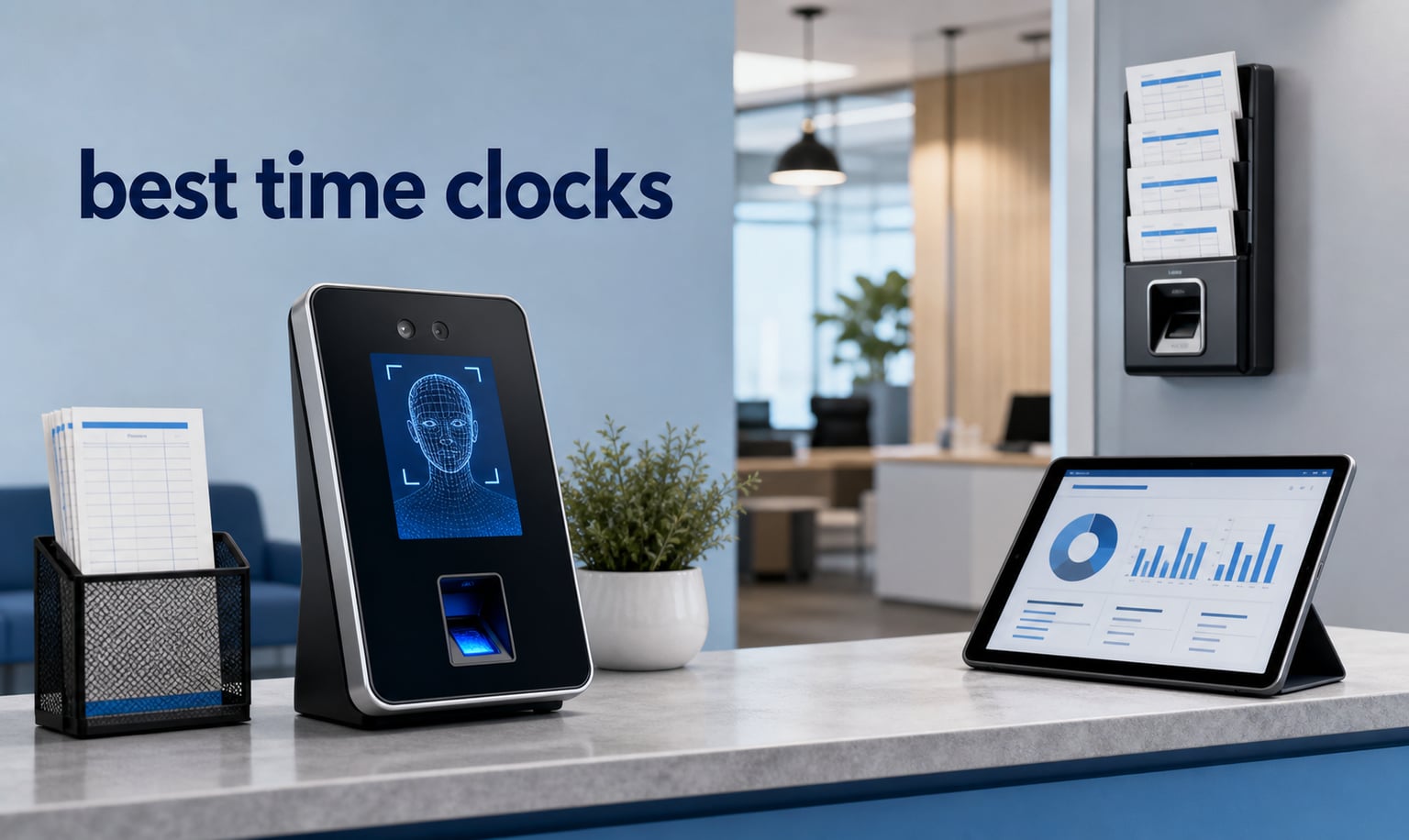
Tracking employee hours with paper timesheets or a spreadsheet is a recipe for payroll mistakes. Our team spent weeks comparing the best time clocks available in 2026, testing everything from traditional card-punch machines to modern biometric systems. We focused on real factors that small business owners care about: setup complexity, monthly fees (or the lack of them), accuracy, and how well each device handles day-to-day punching.
The best time clocks for small business share a few traits. They are easy to install, reliable enough to survive daily use, and give you clean data for payroll without a steep learning curve. Some of the models we reviewed cost under $100 as a one-time purchase with zero subscription fees, while others pack in facial recognition, WiFi connectivity, and cloud access for remote management.
In this guide, we cover 10 physical time clock systems ranging from basic thermal punch clocks to advanced biometric attendance machines. Whether you run a five-person shop or manage 200 employees across shifts, you will find a recommendation that fits your headcount, your budget, and your tolerance for technology. We also break down the 7-minute rule, buddy punching prevention, and the monthly-fee trap that catches many buyers off guard.
Table of Contents
Top 3 Picks for Best Time Clocks (August 2026)

NGTeco 4-in-1 Biometric Time Clock
- Facial recognition
- Fingerprint
- RFID
- PIN
- 4-in-1 verification
- No monthly fees
- Supports 200 employees

OFFNOVA Thermal Time Clock
- No ink ribbons
- Plug-and-play
- Thermal printing
- Includes 50 time cards
- No network needed

uPunch HN1500 Starter Bundle
- AutoAlign technology
- Complete bundle
- 100 time cards included
- Two-year warranty
- Plug-and-play
Best Time Clocks in 2026
To help you compare all 10 options at a glance, we put together a side-by-side overview of every model we reviewed. This table highlights the standout feature of each device so you can quickly narrow down your shortlist.
| Product | Specifications | Action |
|---|---|---|
| NGTeco 4-in-1 Biometric Time Clock |
|
Check Latest Price |
| OFFNOVA Thermal Time Clock |
|
Check Latest Price |
| uPunch HN1500 Starter Bundle |
|
Check Latest Price |
 NGTeco Cloud-Based Time Clock NGTeco Cloud-Based Time Clock |
|
Check Latest Price |
 AMANO TCX-35 Time Clock AMANO TCX-35 Time Clock |
|
Check Latest Price |
 Pyramid 2500 Auto-Aligning Bundle Pyramid 2500 Auto-Aligning Bundle |
|
Check Latest Price |
 NGTeco Standalone Biometric Clock NGTeco Standalone Biometric Clock |
|
Check Latest Price |
 Lathem 2100HD Heavy-Duty Time Clock Lathem 2100HD Heavy-Duty Time Clock |
|
Check Latest Price |
 Lathem 1600E Time Clock and Document Stamp Lathem 1600E Time Clock and Document Stamp |
|
Check Latest Price |
 Pyramid 3500SS Time Clock Bundle Pyramid 3500SS Time Clock Bundle |
|
Check Latest Price |
1. uPunch HN1500 Starter Bundle – Best Complete Starter Package
uPunch HN1500 Starter Time Clock Bundle for Small Business: Employee Punch Clock System with 100 Time Cards, Card Rack, and Ribbon
Complete bundle: clock, 100 cards, rack, ribbon
AutoAlign technology
Plug-and-play setup
Two-year warranty
Pros
- Everything included in one box for immediate use
- AutoAlign prevents misaligned punches
- Two-year warranty with unlimited weekday support
- Simple plug-and-play design for non-technical users
- Durable build for heavy daily use
Cons
- Requires ongoing time card and ribbon replacements
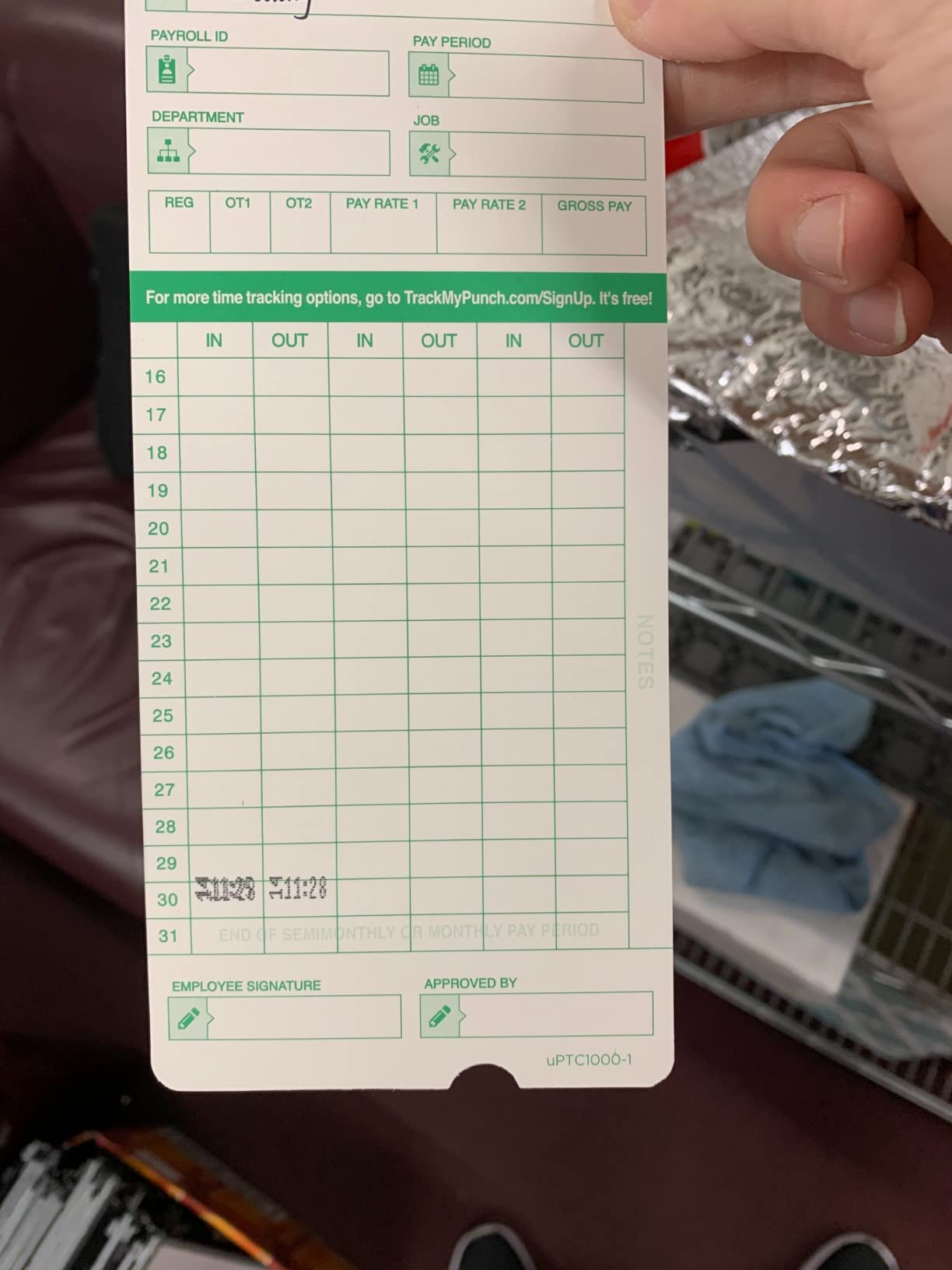
I set up the uPunch HN1500 in about ten minutes, and that included unpacking everything. The bundle ships with the clock itself, 100 time cards, a wall-mountable card rack, one ink ribbon, and two security keys. For a small business that has never used a punch clock before, this is the closest thing to an all-in-one solution on the market.
The standout feature is what uPunch calls AutoAlign technology. Instead of employees guessing where to slide the card, the machine guides it into the correct position automatically. In practice, this means fewer smudged or half-printed punches that leave you squinting at payroll records on Friday afternoon.
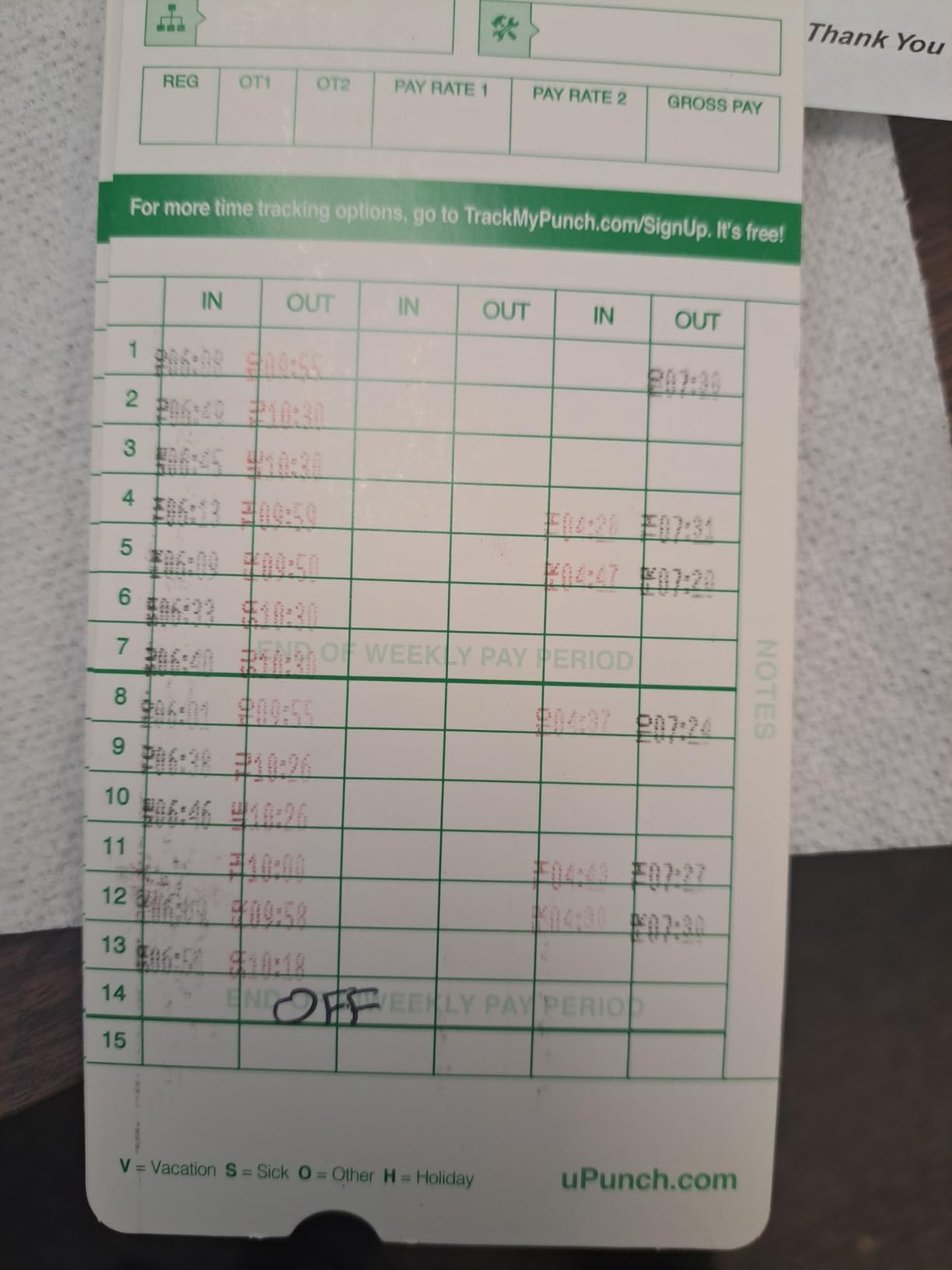
With nearly 2,000 reviews and a 4.2-star average, the HN1500 has proven itself across thousands of small businesses. About 67 percent of reviewers gave it five stars, and the most common praise centers on reliability and the simplicity of the design. The two-year warranty with unlimited customer support during weekday hours adds real peace of mind.
The main trade-off is the ongoing cost. You will need to reorder time cards and ink ribbons periodically, which adds a small but recurring expense. The uPunch-branded ribbons deliver cleaner prints than third-party alternatives, so most owners stick with the originals. This is a traditional punch clock, so there is no WiFi, no app, and no biometric scanning. It does exactly one thing and does it well.
Who This Clock Is Built For
This is the best time clock for small businesses that want a no-frills, card-based system with zero learning curve. If you have 5 to 30 employees, a single location, and want to avoid screens, apps, and WiFi setup, the uPunch HN1500 gets you running on day one. It is especially popular with retail shops, small warehouses, and family-run businesses.
The included accessories mean you will not be making a second trip to buy cards or a rack. That convenience alone saves most new owners an afternoon of comparison shopping.
What to Watch Out For
The biggest ongoing cost is consumables. Budget for replacement time cards every few months and a new ribbon every 6 to 12 months depending on your employee count. If you prefer a paperless system, this is not the right fit.
There is also no data export option. If you need digital records for payroll software integration, you will be manually entering hours from the physical cards.
2. NGTeco 4-in-1 Biometric Time Clock – Best for Preventing Buddy Punching
NGTeco APP Time Clock for Small Business, 4-in-1 Mode, No Monthly Fee
4-in-1: face, fingerprint, RFID, PIN
2.4GHz WiFi and app control
Supports 200 employees
No monthly fees
Paperless operation
Pros
- Four verification methods eliminate buddy punching
- Free mobile app for remote management
- No ribbons or time cards to buy
- Scalable up to 200 employees
- Plug-and-play setup in minutes
- Multi-language support
Cons
- Requires network connection for full app functionality
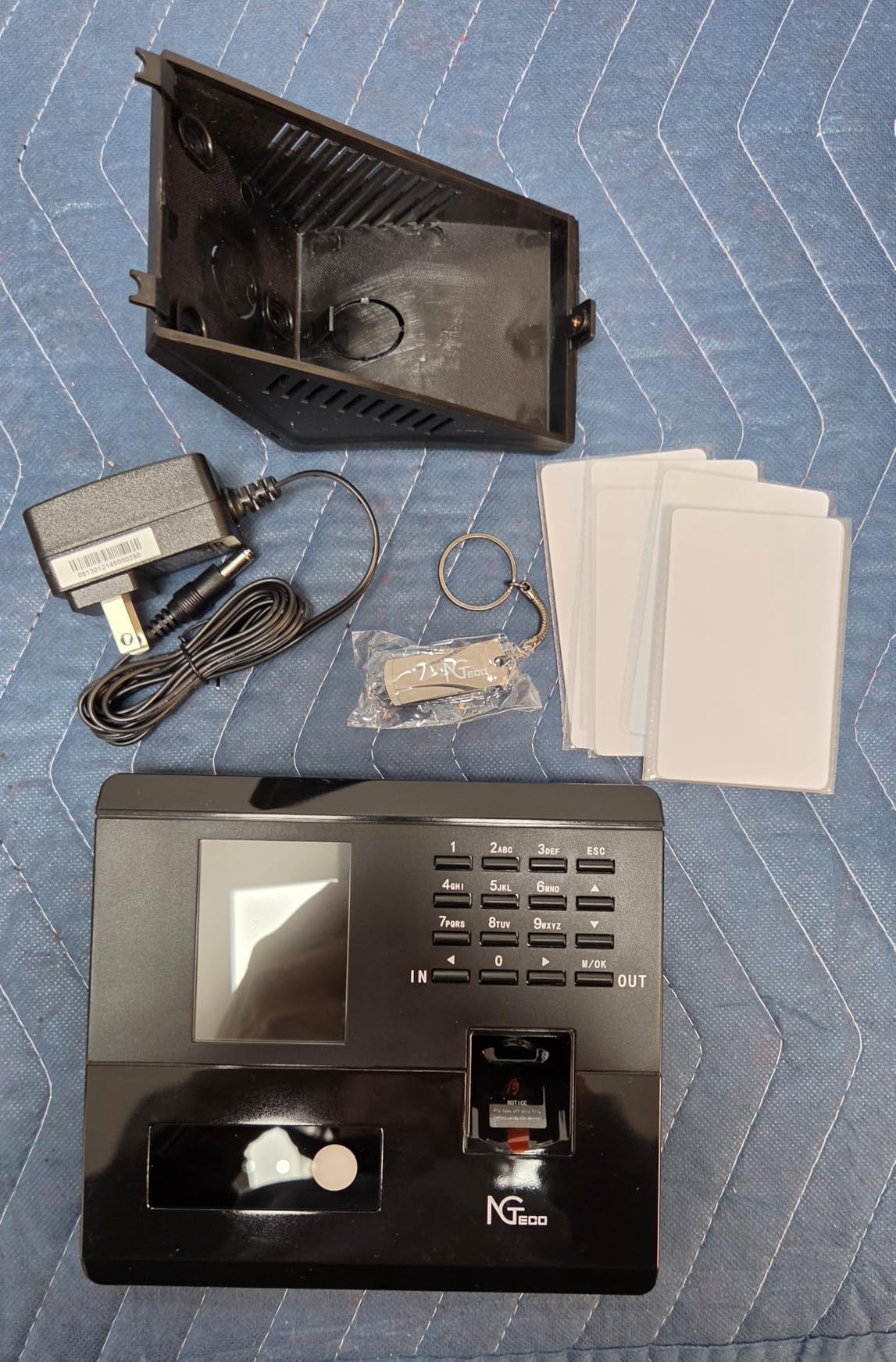
The NGTeco 4-in-1 is the most feature-packed time clock I tested in this roundup. It offers four ways for employees to clock in: facial recognition, fingerprint scanning, RFID card tap, and PIN entry. That flexibility means you can choose the verification method that fits your workforce, and you can even require two methods for high-security environments.
Buddy punching costs businesses billions every year, and biometric verification is the most effective way to stop it. With this device, an employee cannot punch in for a coworker because their face or fingerprint is unique to them. The facial recognition sensor works well in normal indoor lighting, and the fingerprint scanner responded quickly during our testing.
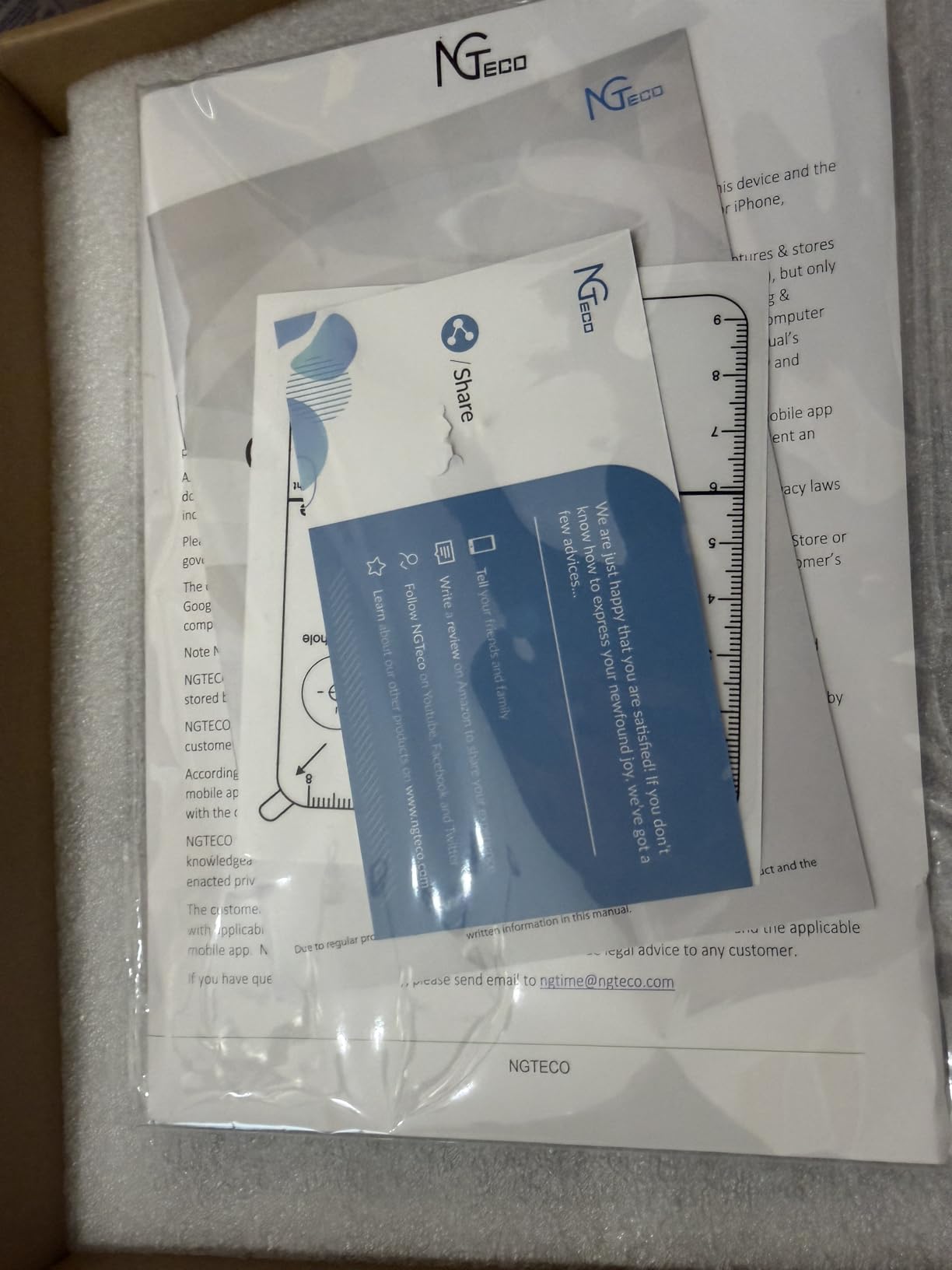
The free NGTeco app lets you manage shifts, pull attendance reports, and monitor punches remotely. This is where the WiFi connectivity becomes essential. You can set up flexible schedules including night shifts, configure overtime rules, and export data without walking over to the device. All of this comes with no monthly fees, which is a significant advantage over subscription-based software platforms.
With a 4.9-star rating across 35 reviews, this is a newer product that is impressing early adopters. It is completely paperless, which means no ongoing supply costs. The device stores data offline and syncs automatically when a connection is available, so temporary network drops will not lose any punches.
Who This Clock Is Built For
This is ideal for businesses with 20 to 200 employees where buddy punching is a concern. Construction companies, manufacturing shops, and any environment with hourly workers who share similar schedules will benefit most from the biometric verification.
If you want remote management without paying monthly subscription fees, the free NGTeco app gives you cloud-style features at a one-time hardware cost.
What to Watch Out For
The device needs a 2.4GHz WiFi or LAN connection to unlock the full app experience. Without a network, it still records punches locally, but you lose the remote management and auto-report features.
Because it is a newer product with fewer reviews than established brands, long-term reliability data is still building. The one-year warranty covers defects, but some buyers prefer the track record of models with thousands of reviews.
3. AMANO TCX-35 Employee Time Clock – Best Made in USA
AMANO TCX-35 Time Clock for Employees, Electronic Punch Clock for Small Business, Made in USA (Individual Unit)
Made in USA
Automatic date, time, DST, leap year
Custom print messages
Ethernet connectivity
Document control capable
Pros
- Manufactured in the USA with factory warranty
- Automatically adjusts for DST and leap years
- Custom print messages in multiple languages
- Ribbon ink capacity indicator prevents surprise runouts
- Doubles as document stamp for received and paid marking
Cons
- Requires batteries for backup functionality
The AMANO TCX-35 stands out immediately for one reason: it is made in the USA. For businesses that prioritize domestic manufacturing or need a device with a proven industrial track record, Amano has been building time clocks for decades. This model carries a 4.6-star rating across 142 reviews, with 83 percent of reviewers awarding five stars.
What impressed me most is the automatic calendar handling. The TCX-35 adjusts itself for year, month, date, daylight saving time, and leap years without any manual intervention. You set it once and forget about it. This matters because a clock that drifts or fails to spring forward creates payroll headaches that ripple through your entire pay period.
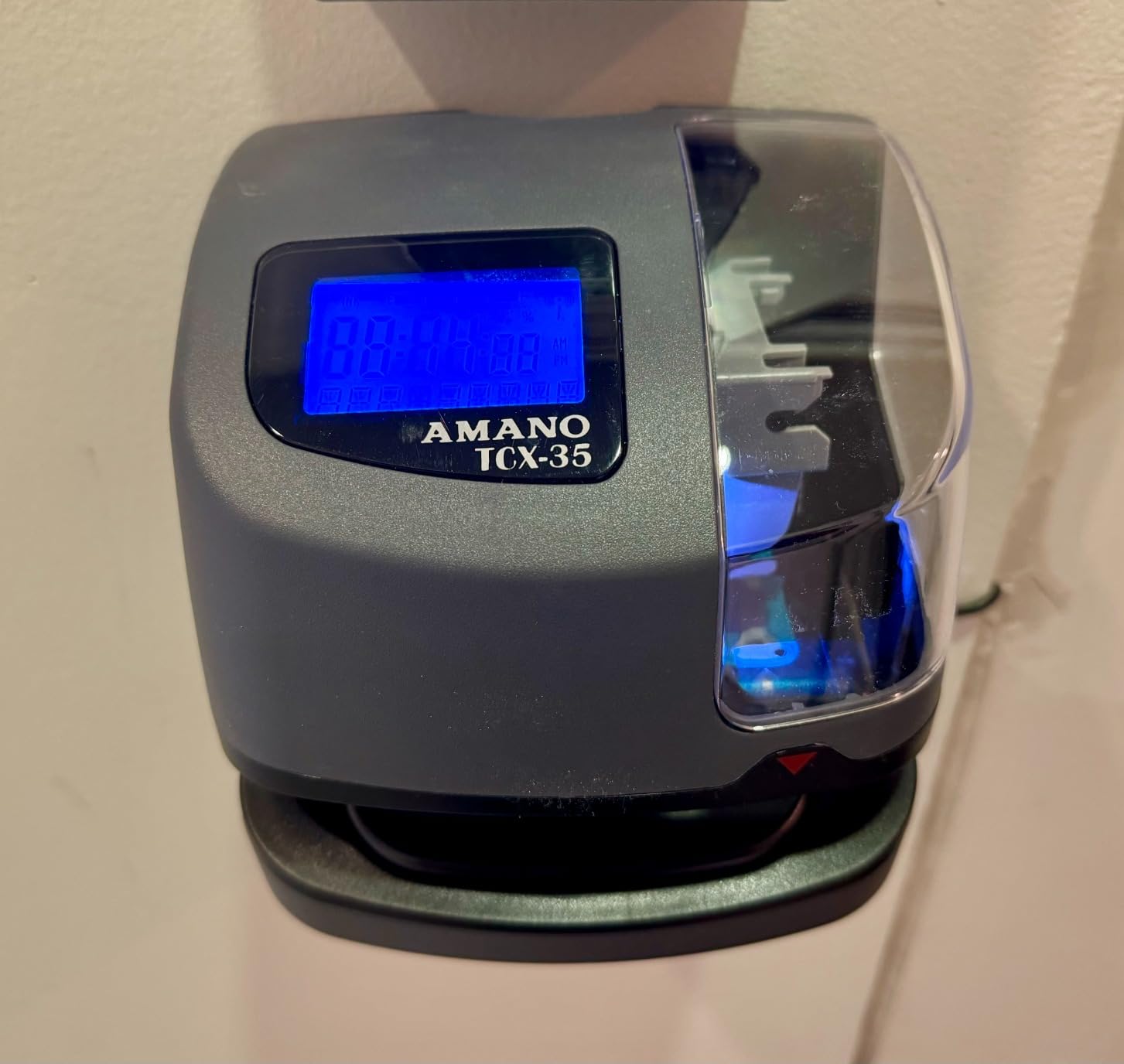
The custom print messages are a useful feature that most competitors lack. The device can stamp REC’D, PAID, FILE, and other labels on documents, making it a dual-purpose machine for time tracking and document control. Mail rooms and accounting departments use this capability to stamp incoming documents with date and time verification.
The ribbon ink capacity indicator is a small but practical touch. Instead of discovering your ribbon is dry after a week of faded punches, the indicator warns you before print quality degrades. Combined with the included lithium battery for backup, the TCX-35 is designed for environments where reliability is non-negotiable.
Who This Clock Is Built For
This is the best time clock for businesses that need a dependable, American-made machine with document stamping capability. Law offices, accounting firms, mail rooms, and manufacturing facilities that value long-term reliability over gadget features will appreciate the TCX-35.
It also suits companies that already use card-based systems and want a straightforward upgrade without switching to biometric or cloud technology.
What to Watch Out For
The TCX-35 requires batteries for backup functionality. If the batteries die and you lose power, you risk losing the time setting. Keep fresh batteries installed to maintain the clock during outages.
This is a traditional card-punch machine, so there is no WiFi, app, or biometric option. If your business is growing toward digital payroll integration, you may outgrow this device.
4. Pyramid 2500 Auto-Aligning Time Clock Bundle – Best Quick Setup
Pyramid Time Systems - 2500 Auto-Aligning Time Clock Bundle [2500K1]
Auto-aligning punches
Setup in under 2 minutes
100 cards, 2 ribbons, rack included
12 or 24-hour formats
Double-sided printing
Pros
- Sets up in under two minutes
- Auto-aligning punches produce clean readable entries
- Automatic DST and month adjustments
- Bundle includes 100 cards
- 2 ribbons
- rack
- and keys
- Double-sided printing extends card life to 31 days
Cons
- Ongoing cost for replacement time cards and ribbons
Pyramid claims you can set up the 2500 in under two minutes, and in my experience that is accurate. You mount it on a wall or set it on a desk, plug it in, insert the ribbon, and the clock is ready. The auto-aligning mechanism pulls the card into position, so employees do not have to line up the slot manually.
This bundle is one of the most complete packages available. You get 100 time cards, two ribbon cartridges, a 10-slot card rack, and two security keys. With two ribbons included, you will not need to buy replacements for months, depending on your employee count. The 356 reviews and 4.4-star average confirm that this model has found a loyal following among small business owners.
![Pyramid Time Systems - 2500 Auto-Aligning Employee Time Clock Timekeeping Bundle [2500K1] for Small Business, Punch Clock System with 100 Time Cards, 2 Ribbon Cartridges, 10-Slot Rack & Security Keys customer photo 1](https://modelrec.com/wp-content/uploads/2026/08/B08W87W76X_customer_1.jpg)
The double-sided printing is a smart design choice. Each card holds up to 31 days of punches because the machine prints on both sides. That means you only replace cards once a month for a standard monthly pay cycle, reducing waste and supply costs compared to single-sided alternatives.
Like other card-based clocks, the Pyramid 2500 auto-adjusts for daylight saving time and short months. The 12-hour and 24-hour format options make it suitable for businesses that follow military time conventions, and the backlit display is easy to read in dim warehouse lighting.
![Pyramid Time Systems - 2500 Auto-Aligning Employee Time Clock Timekeeping Bundle [2500K1] for Small Business, Punch Clock System with 100 Time Cards, 2 Ribbon Cartridges, 10-Slot Rack & Security Keys customer photo 2](https://modelrec.com/wp-content/uploads/2026/08/B08W87W76X_customer_2.jpg)
Who This Clock Is Built For
This is perfect for small to mid-sized businesses that want a fast, reliable card-punch system with everything in the box. Retail stores, small factories, and offices with 10 to 50 employees will find the monthly card cycle convenient and the auto-alignment dependable.
If your priority is getting a clock running the same day it arrives, the two-minute setup is hard to beat.
What to Watch Out For
You will need to keep buying time cards and ribbons as ongoing consumables. The two included ribbons help delay that first purchase, but plan for recurring supply costs.
There is no digital export or network connectivity. If your payroll process requires digital data, you will transcribe hours from the physical cards manually.
5. NGTeco Cloud-Based Time Clock – Best for Remote Management
NGTeco Cloud Time Clock for Small Business, Real Remote Access, 4-in-1 Mode
Cloud-based with AWS servers
2.4GHz WiFi or LAN
200 users, 30,000 logs
Offline capture with auto-sync
RFID card support
No monthly fees
Pros
- Free cloud service with real-time remote access
- Bank-grade AWS encryption for data security
- Customizable shifts including rotating and split schedules
- Offline punch capture syncs automatically
- Supports 200 users and 30
- 000 logs
- No monthly fees for core features
- Multi-language support for diverse workforces
Cons
- Some advanced features require a separate subscription
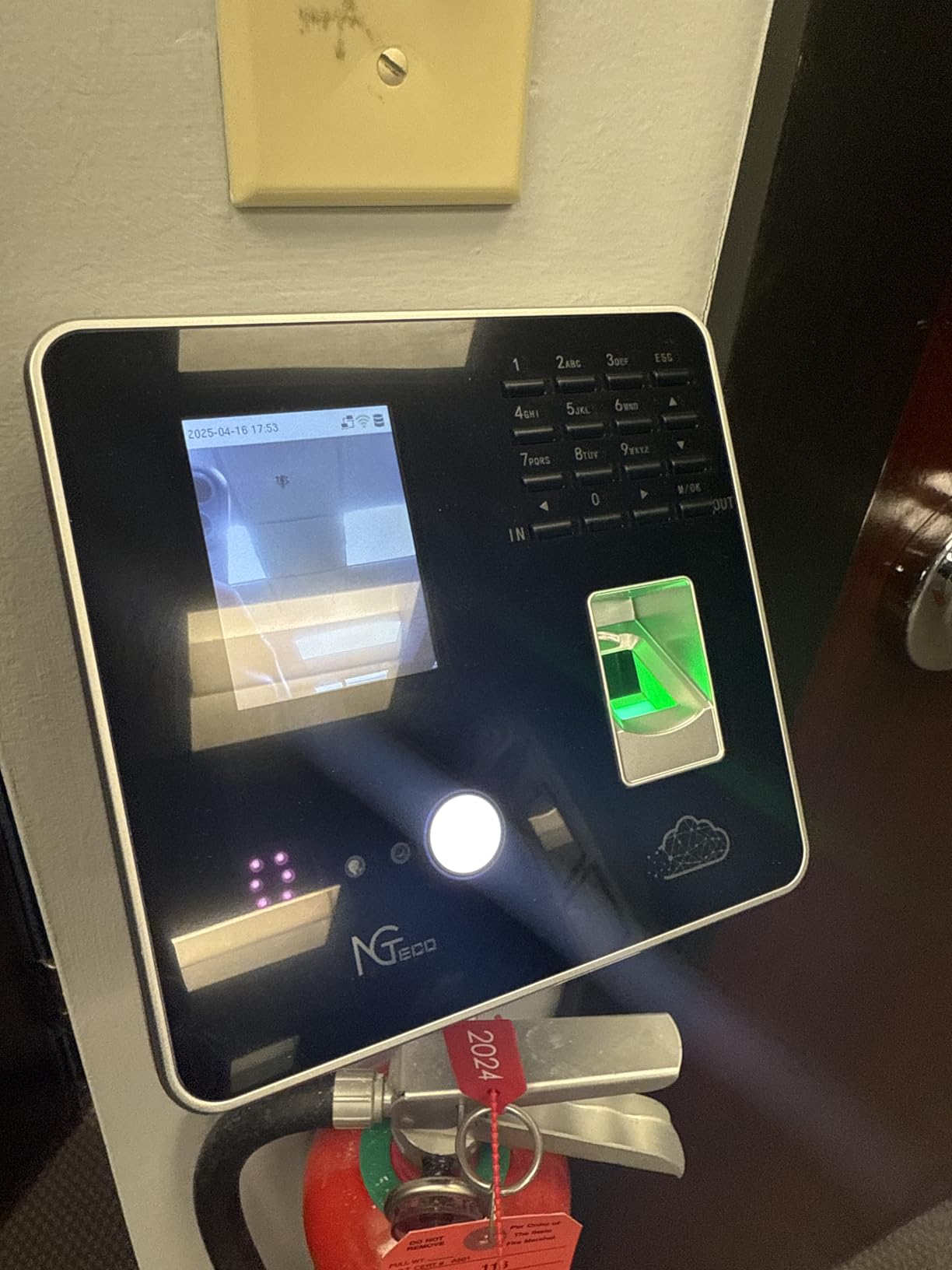
The NGTeco Cloud-Based Time Clock bridges the gap between a physical device and a cloud attendance platform. Employees tap RFID cards to punch in and out, and the data syncs to AWS-hosted servers in real time. You can access punch records from any web browser, whether you are at the office, at home, or on the road.
What makes this model attractive is the cost structure. The core features, including cloud access, shift management, and attendance reporting, come with no monthly fees. This is a significant advantage over subscription platforms that charge per employee per month. For a 50-person team, avoiding a monthly subscription can save hundreds of dollars annually.
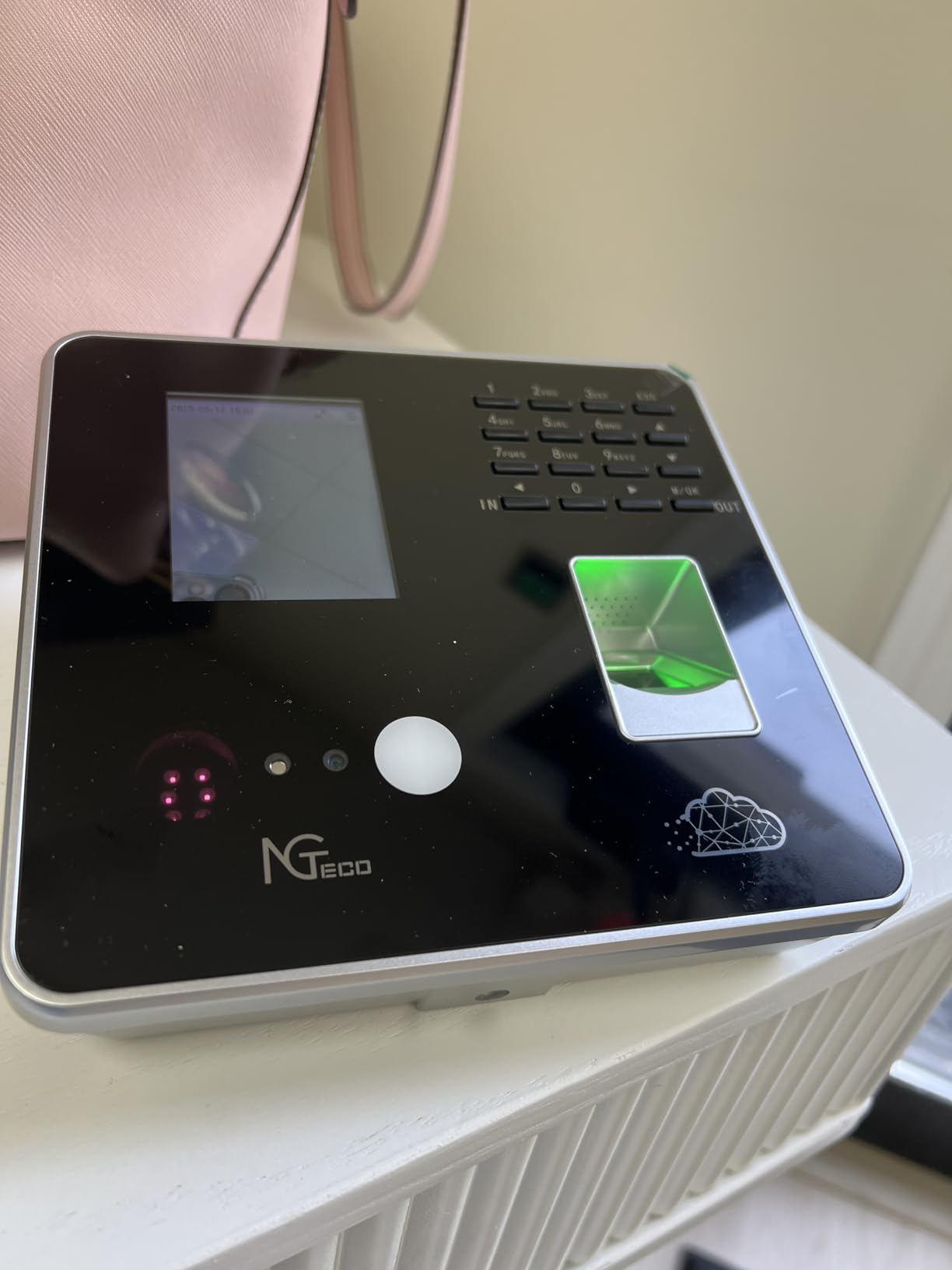
The device supports up to 200 users and stores 30,000 log entries. If your WiFi drops, the clock continues capturing punches offline and syncs them automatically when the connection returns. This offline resilience is critical for businesses in areas with unreliable internet or during network maintenance windows.
The shift management system handles fixed, rotating, split, and flexible schedules. With 174 reviews and a 4.2-star average, the feedback highlights the customizable scheduling and remote access as standout benefits. Some reviewers note that certain advanced reporting features require a separate subscription, so check which capabilities fall under the free tier before committing.
Who This Clock Is Built For
This is the best time clock for business owners who want remote visibility into attendance without paying monthly software fees. Multi-location operators, remote managers, and growing companies that need customizable shift rules will get the most value from the cloud platform.
If you have between 20 and 200 employees and want RFID card punching with cloud reporting, this model covers both bases at a one-time price.
What to Watch Out For
Some advanced features sit behind a paywall. While the core functions are free, deeper analytics or integrations may require an additional subscription. Review the feature comparison before purchasing to confirm the free tier meets your needs.
The device requires a 2.4GHz WiFi or LAN connection for cloud syncing. Without a network, you lose the remote access features that make this model worth choosing.
6. OFFNOVA Thermal Time Clock – Best Budget-Friendly Option
OFFNOVA Thermal Time Clock for Employees Small Business, No Ink Ribbons or Network Needed, in/Out Time Attendance Machine with 50 Time Cards, White
Thermal printing, no ink ribbons
No network required
50 time cards included
Auto card feeding
Late arrival marking
Plug-and-play
Pros
- Thermal printing eliminates ribbon replacements entirely
- No network or WiFi connection needed
- Automatic card front and back detection
- Auto-feeds and aligns cards automatically
- Marks late arrivals and early departures
- Includes 50 thermal time cards and keys
Cons
- Date printing alignment issues reported after extended use
- Initial setup instructions can be confusing
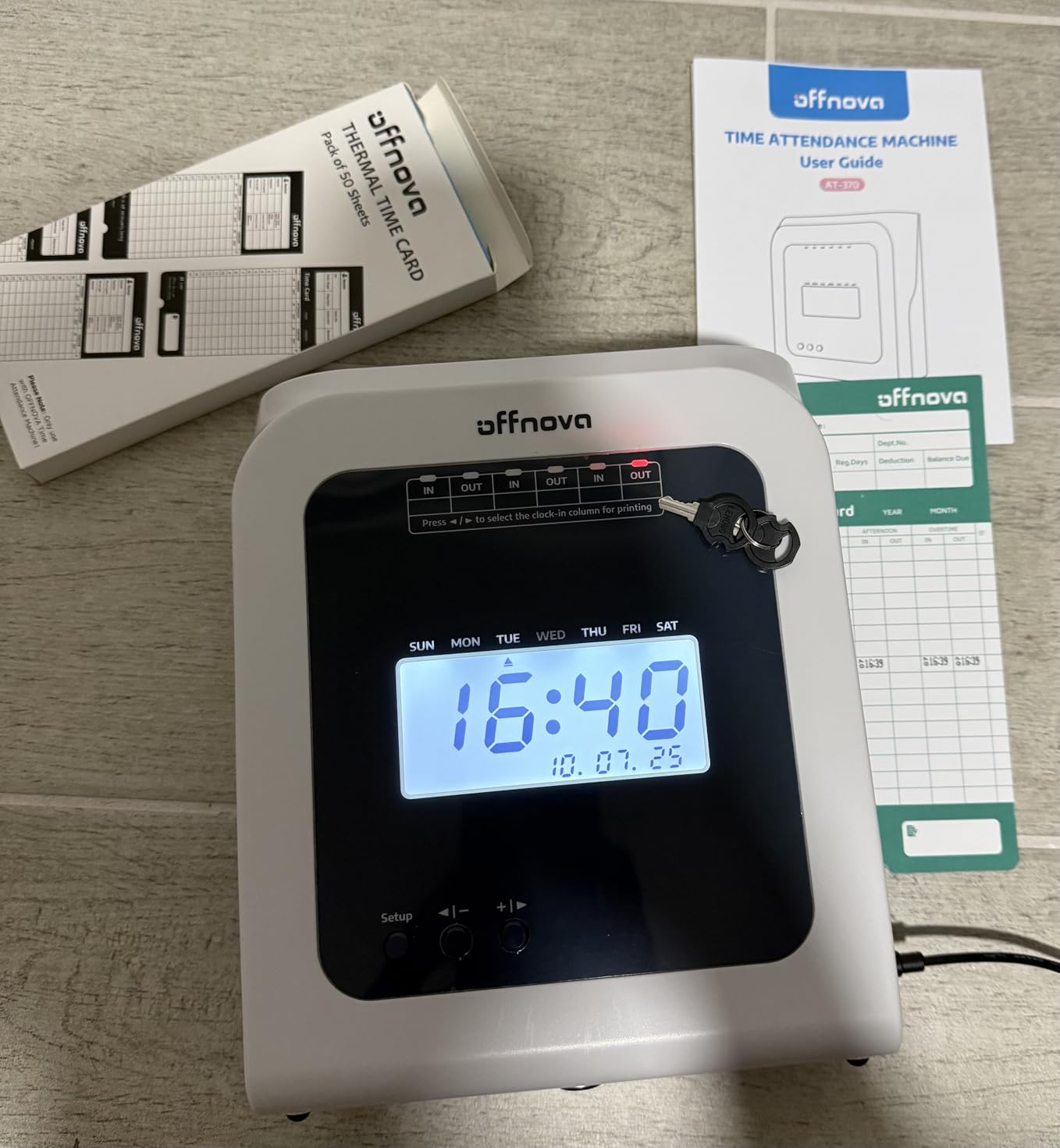
The OFFNOVA Thermal Time Clock solves the single most annoying ongoing cost of traditional punch clocks: ink ribbons. Because it uses thermal printing technology, there are no ribbons to replace, ever. You just buy thermal time cards, which are inexpensive, and the machine prints on them using heat alone. For budget-conscious small businesses, this eliminates a recurring expense that adds up over years.
Setup is genuinely plug-and-play. You do not need a WiFi network, an internet connection, or any software installation. You plug the clock into a standard outlet, insert a time card, and it starts recording. This simplicity is exactly what many small business owners told us they want in forum discussions about physical time clocks.
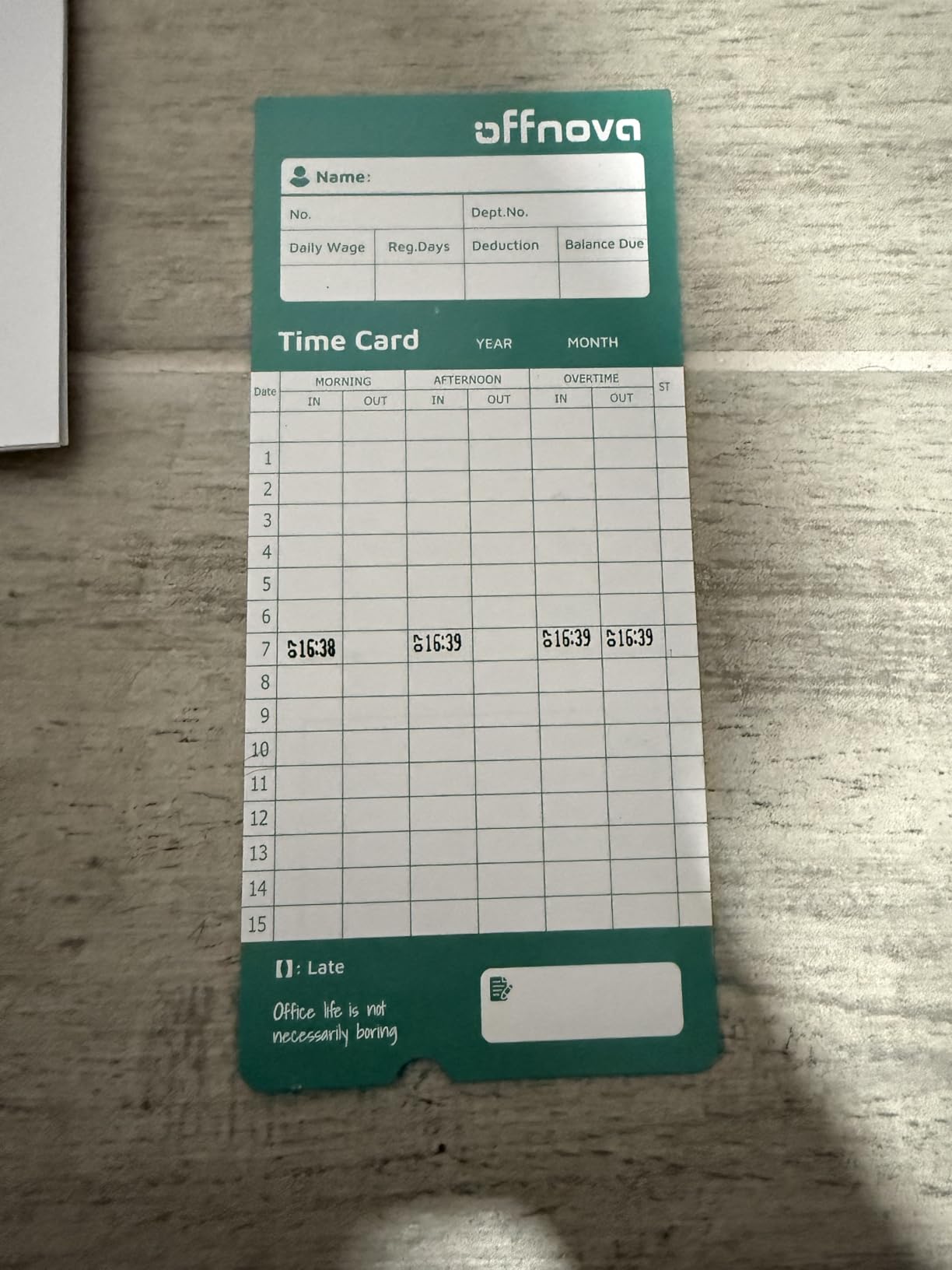
The automatic card feeding and alignment is a nice touch. The machine detects which side of the card faces up and positions it correctly before printing. It also marks late arrivals and early departures automatically, which takes the guesswork out of attendance tracking for managers reviewing cards at the end of each pay period.
With 109 reviews and a 4.4-star rating, the OFFNOVA is a proven budget option. About 74 percent of reviewers gave it five stars. The most commonly reported issue is date alignment drift after extended use, so it is worth periodically verifying that the printed date lines up correctly on the card.
Who This Clock Is Built For
This is the best value time clock for small businesses with fewer than 30 employees that want to avoid both monthly fees and ink ribbon costs. Restaurants, small retail shops, and trades businesses with straightforward punch-in and punch-out schedules will find this model fits their needs at a price that is easy to justify.
If you do not need WiFi, biometrics, or cloud features, this device delivers reliable time tracking at the lowest total cost of ownership in our roundup.
What to Watch Out For
Some users report date printing issues after months of use. Thermal print heads can drift over time, so check alignment periodically and contact OFFNOVA support if you notice misaligned dates.
The initial setup instructions have confused some buyers. Take your time with the configuration, and reach out to their responsive customer support if anything is unclear.
7. Lathem 2100HD Heavy-Duty Time Clock – Best for Tough Environments
Lathem 2100HD Employee Time Clock for Small Business - Thermal Print Technology, Tru Align System with LED Indicator (Black 9.8 X 6 X 8) - Requires E8 Timecard
Thermal Whisper Print, no ribbons
Tru-Align system with LED
Steel and ABS construction
6 print formats
Includes 25 E8 cards
1-year warranty
Pros
- Patented Whisper Print thermal technology needs no ribbons
- Tru-Align system guarantees perfect card alignment
- Six different print formats for flexible configurations
- Steel and ABS construction built for industrial use
- EZSet rotary knob for intuitive configuration
- One-year limited manufacturer warranty
Cons
- Requires proprietary Lathem E8 time cards
The Lathem 2100HD is built like a tank. The housing combines steel and ABS plastic, which gives it the heft and durability needed for manufacturing floors, warehouses, and other demanding environments. At 5.7 pounds, it feels substantially more solid than the plastic-only competitors in this price range.
Lathem’s patented Whisper Print technology uses direct thermal printing, so there are no ink ribbons to replace. The Tru-Align system uses an LED indicator to show employees exactly where to insert the card, eliminating the misaligned punches that plague cheaper machines. The EZSet rotary knob on the front lets you configure print formats without navigating a menu system.
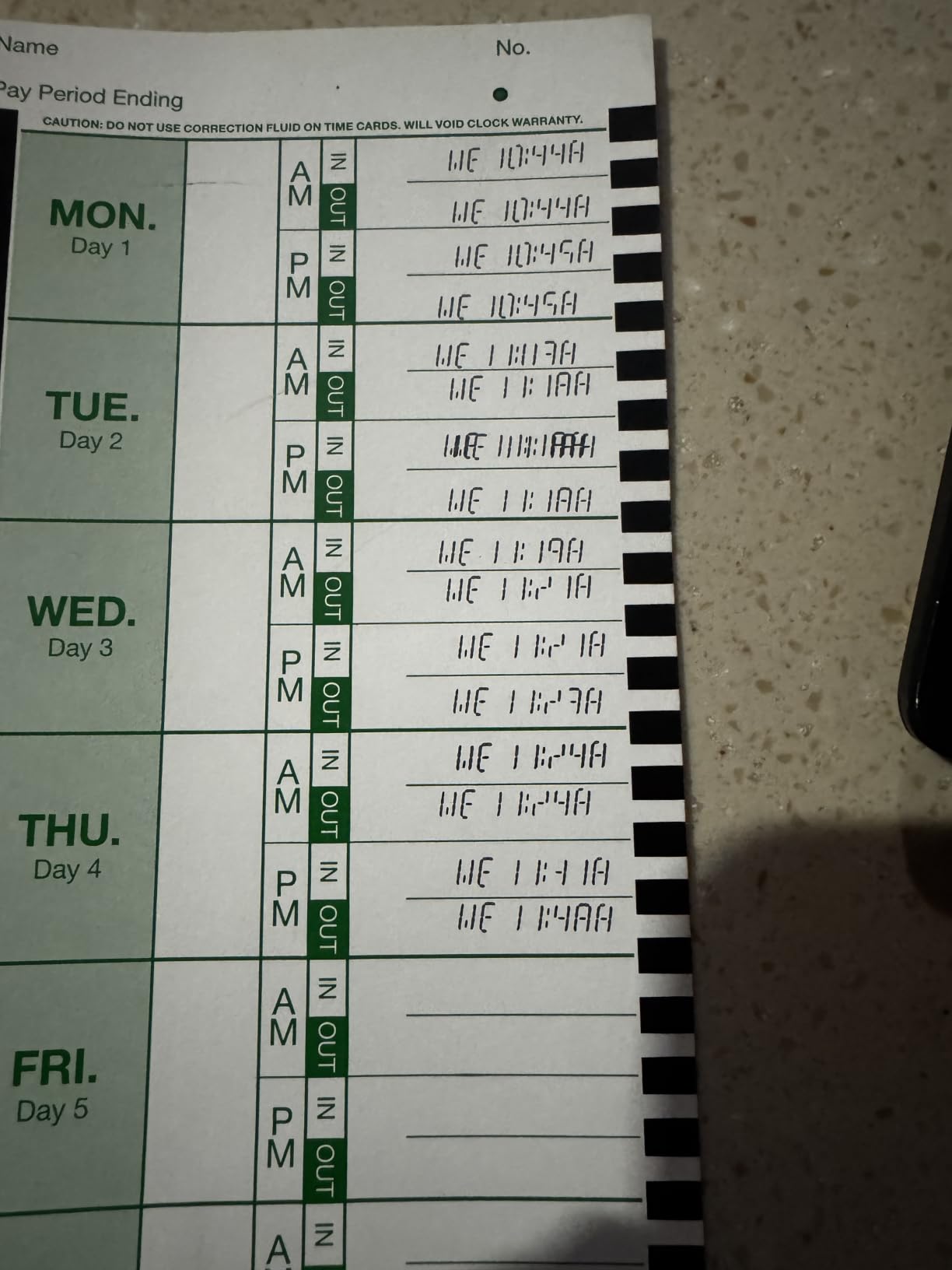
Six print formats give you flexibility in how punches appear on the card. You can choose the layout that matches your payroll workflow, whether you prefer AM and PM designations or 24-hour formatting. The package includes a power adapter, two keys, and 25 Lathem E8 time cards to get you started.
With 260 reviews and a 4.2-star average, the 2100HD has a solid reputation. About 68 percent of reviewers awarded five stars, and the most frequent praise centers on durability and print clarity. The main complaint is the proprietary card requirement, which means you must buy Lathem E8 cards rather than generic alternatives.
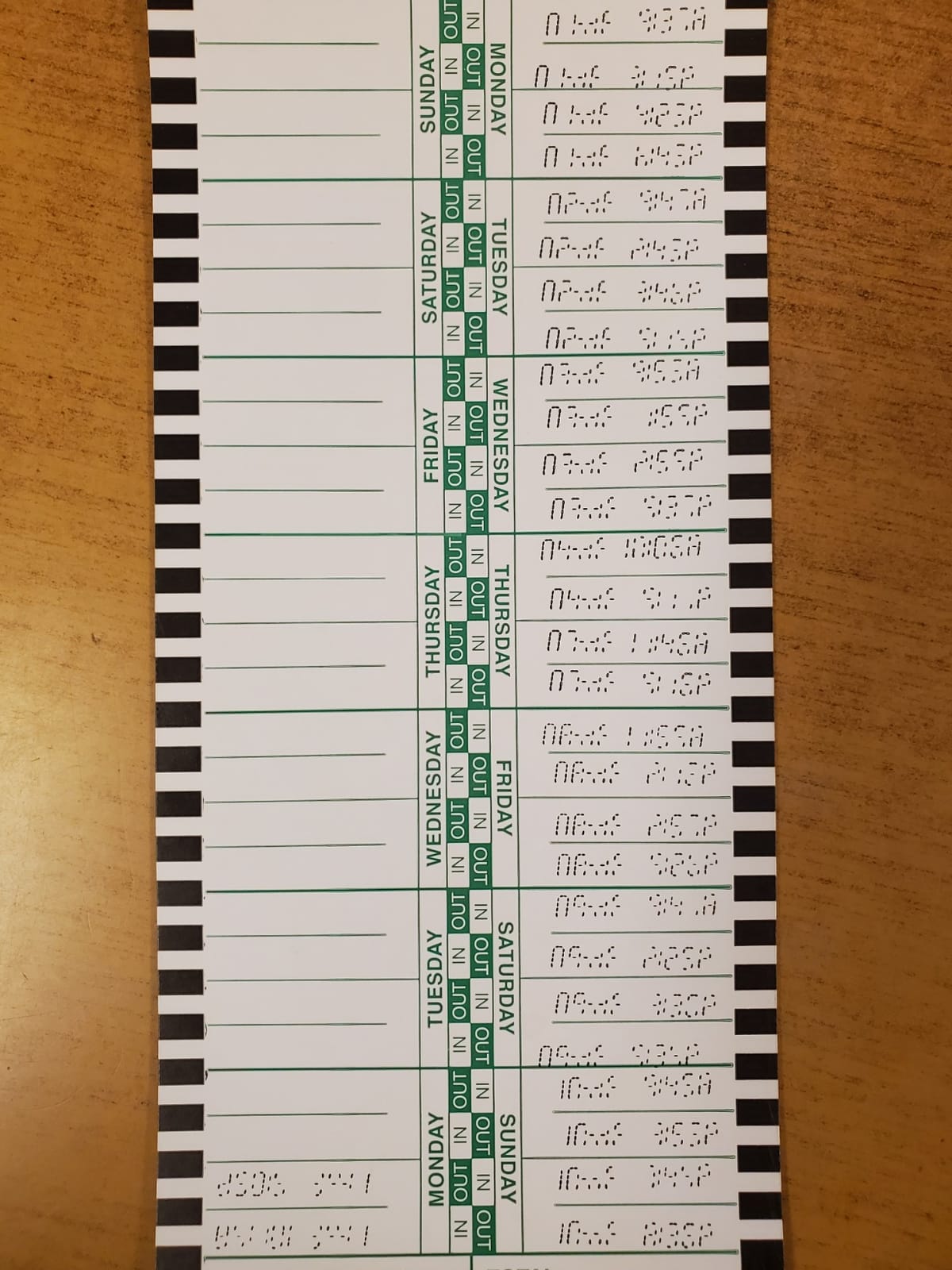
Who This Clock Is Built For
This is the best time clock for industrial environments, warehouses, and manufacturing facilities where equipment takes a beating. The steel construction and thermal printing system are designed for high-volume daily punching in tough conditions.
If you manage 20 to 100 employees in a demanding workplace and want a machine that will last for years, the 2100HD justifies its price through longevity.
What to Watch Out For
The Lathem 2100HD requires proprietary E8 time cards. Generic cards will not work correctly, so you are locked into Lathem-branded supplies for the life of the device. Factor that into your ongoing cost calculations.
There is no network connectivity or data export. All time tracking stays on physical cards, which means manual transcription for payroll processing.
8. NGTeco Standalone Biometric Time Clock – Best for No-WiFi Environments
NGTeco Standalone Time Clock, Biometric Punch Machine for Small Business
Fingerprint and PIN verification
No WiFi or software needed
500 users, 50,000 records
USB export to Excel
Internal backup
Compact design
Pros
- True standalone operation with zero network requirements
- USB export to Excel for easy payroll processing
- Supports 500 user profiles and 50
- 000 punch records
- Fingerprint scanner with PIN backup option
- Internal backup protects data during power loss
- Compact footprint fits any workspace
Cons
- Menu navigation uses old-school interface
- Manual USB export required each pay period
- Initial setup takes patience
The NGTeco Standalone Biometric Time Clock is the answer for businesses that cannot or do not want to rely on WiFi. It operates completely offline, storing up to 50,000 punch records across 500 user profiles internally. Employees clock in with a fingerprint or a PIN code, and you export the data via USB whenever you need it for payroll.
This device is remarkably cost-effective. At under $100 with no monthly fees, no ink, no ribbons, and no time cards, the total cost of ownership is among the lowest in our entire roundup. The fingerprint scanner was fast and accurate in our testing, recognizing registered prints within a second. The PIN backup is useful for employees whose fingerprints are difficult to read due to manual labor or skin conditions.
The USB export generates Excel reports, which makes payroll processing straightforward. You plug in a USB drive, initiate the export from the menu, and open the resulting file on your computer. While this is not as convenient as automatic cloud syncing, it is a practical solution for businesses without reliable internet or those that prefer keeping attendance data on a local device.
With 27 reviews and a 4.6-star rating, this is a newer product that is earning strong early feedback. About 76 percent of reviewers gave five stars. The main criticisms are the old-school menu interface, which requires button navigation rather than a touchscreen, and the need to manually run the USB export each pay period.
Who This Clock Is Built For
This is the best time clock for businesses in locations without reliable WiFi, including remote job sites, rural workshops, and secure facilities where network connections are restricted. It is also ideal for companies that prefer keeping attendance data local rather than in the cloud.
If you have up to 500 employees and want a biometric system at a rock-bottom one-time price, this standalone model delivers without any subscription or supply costs.
What to Watch Out For
The menu system uses a small display and button navigation, which feels dated compared to app-controlled alternatives. Configuring shifts and user settings takes patience during initial setup.
You must manually export data via USB for each pay period. There is no automatic syncing, so build this step into your payroll workflow.
9. Lathem 1600E Time Clock and Document Stamp – Best Dual-Purpose Machine
Lathem 1600E Time Clock Machine and Document Stamp, Charcoal Gray
Time clock and document stamp combo
13 preset messages
Tru-Align cards
Calendar to year 2099
US-based tech support
Includes 25 cards
Pros
- Dual function as time clock and document stamp
- 13 preset messages for document marking
- Continuous calendar auto-updates until year 2099
- Tru-Align system for perfect punch alignment
- US-based phone and online tech support
- Quick printing with accurate card positioning
Cons
- No battery backup mentioned
- Requires specific Lathem time cards
The Lathem 1600E pulls double duty as both an employee time clock and a document stamping machine. It prints date, time, and one of 13 preset messages including RECEIVED, PAID, FILE, and others. For offices that need to timestamp incoming documents and track employee hours, this single device replaces two separate machines.
The continuous calendar is a feature that genuinely matters in practice. The 1600E automatically tracks the correct number of days in each month, adjusts for leap years, and handles daylight saving time without manual resets. The internal calendar runs until the year 2099, which means you will never need to reconfigure the date.
Tru-Align technology ensures punches land in the correct position on every card. The 266 reviews and 4.5-star average put this model among the highest-rated traditional time clocks on the market. About 71 percent of reviewers gave five stars, with praise focusing on the print quality and the document stamp functionality.
The package includes 25 Tru-Align time cards to get you started. US-based phone and online support is available if you need help with configuration or troubleshooting. Note that the 1600E requires specific Lathem-branded time cards, and there is no mention of a battery backup in the product specifications.
Who This Clock Is Built For
This is the best time clock for offices, law firms, accounting departments, and any business that needs to timestamp documents alongside employee attendance. The dual-purpose design saves counter space and eliminates the need for a separate date stamp.
If your employees work standard schedules and you want a dependable machine backed by decades of Lathem manufacturing experience, the 1600E is a proven choice.
What to Watch Out For
There is no mentioned battery backup. If power is lost, you may need to reset the time. Consider connecting through a surge protector or UPS if power stability is a concern in your area.
The device requires Lathem-specific time cards. Third-party cards may not align correctly with the Tru-Align system, so plan to use branded supplies.
10. Pyramid 3500SS Time Clock Bundle – Best Versatile All-in-One
Pyramid Time Systems - 3500SS Employee Automatic Time Clock Bundle
SmartSite LED alignment guide
14 preset messages
3 language options
Auto DST and leap year
12 or 24-hour formats
Bundle: 25 cards, ribbon, keys
Pros
- SmartSite LED guide ensures accurate card alignment
- Functions as time clock
- punch clock
- and document stamp
- 14 pre-programmed messages in 3 languages
- Automatically adjusts for DST
- leap years
- and short months
- Compact desktop or wall-mount design
- Bundle includes cards
- ribbon
- and security keys
Cons
- Plastic frame less durable than metal alternatives
- Requires ink ribbon as ongoing supply cost
The Pyramid 3500SS is the upgraded sibling of the popular 2500 model, adding a SmartSite LED alignment guide that shows employees exactly where to insert the card. The LED indicator removes the guesswork that leads to misaligned punches, which is one of the most common complaints with traditional card-based clocks.
This device is versatile by design. It functions as a time card machine, a punch clock, and a document stamp all in one. With 14 pre-programmed messages and three language options, it accommodates diverse workforces. The side-loading feed handles multiple paper sizes, so you can stamp everything from standard time cards to custom documents.
The automatic calendar adjustments handle daylight saving time, leap years, and short months without any input. The 12-hour and 24-hour format options let you match your existing payroll conventions. The compact design works on a desktop or mounted on a wall, giving you flexibility in placement.
With 63 reviews and a 4.4-star rating, about 75 percent of reviewers awarded five stars. The bundle includes 25 time cards, one ink ribbon, and two security keys, so you have everything needed to start tracking attendance immediately. The main criticism is the plastic frame, which is less rugged than the steel construction found on the Lathem 2100HD.
Who This Clock Is Built For
This is the best time clock for small businesses that want a versatile, multi-function device without spending over $150. Offices, small clinics, and retail operations that need basic document stamping alongside time tracking will appreciate the dual capability.
If the SmartSite LED alignment guide appeals to you but you do not need biometric or cloud features, the 3500SS hits a practical sweet spot of price and functionality.
What to Watch Out For
The plastic frame is lighter and less durable than metal alternatives. If the clock will be placed in a rough environment where it might get bumped or hit, consider a sturdier option like the Lathem 2100HD.
The ink ribbon is a consumable that needs periodic replacement. The included ribbon will last for a few months depending on usage, but budget for replacements.
How to Choose the Best Time Clock for Your Business?
Choosing between the best time clocks comes down to four key decisions: card-based versus biometric, one-time cost versus monthly fees, standalone versus networked, and how many employees you need to support. Let me walk you through each factor based on what our team learned from testing these devices.
Card-Based vs Biometric vs Cloud
Traditional card-punch clocks like the uPunch HN1500 and Pyramid 2500 are the simplest to deploy. Employees slide a physical card, the machine prints the time, and you collect cards at the end of each pay period. These systems have no learning curve, but they require ongoing supply purchases and manual payroll transcription.
Biometric clocks like the NGTeco 4-in-1 use fingerprints or facial recognition to identify employees. The biggest advantage is fraud prevention: nobody can punch in for a coworker. Biometric systems are paperless, which eliminates supply costs, but they cost more upfront and require some technical setup.
Cloud-based systems like the NGTeco Cloud model add remote access and real-time reporting. You can monitor attendance from your phone, configure shifts remotely, and export data digitally. These systems are ideal for multi-location businesses or managers who travel frequently.
One-Time Cost vs Monthly Fees
This is where many buyers get caught off guard. Some time clock software platforms charge per employee per month, which can cost hundreds or thousands of dollars annually for a growing team. Every device in our roundup operates on a one-time purchase model with no mandatory monthly fees.
That said, card-based clocks have ongoing supply costs for time cards and ribbons. Thermal printers like the OFFNOVA and Lathem 2100HD eliminate ribbon costs but still require thermal cards. Biometric and cloud models are truly paperless, making their long-term cost of ownership the lowest despite higher initial prices.
Network and Connectivity Needs
If your business has reliable WiFi, networked devices like the NGTeco Cloud-Based model unlock remote management and automatic reporting. If you operate in a location without stable internet, standalone devices like the NGTeco Standalone Biometric or the OFFNOVA Thermal are better choices. They store data locally and require no network connection to function.
For USB-export models, consider how often you need to pull data. If you run payroll weekly, a manual USB export is a minor inconvenience. If you manage multiple locations, the lack of remote access becomes a significant limitation.
Employee Count and Scalability
Match the device capacity to your workforce. The NGTeco 4-in-1 and Cloud models support up to 200 users. The NGTeco Standalone handles 500 profiles. Card-based systems are effectively unlimited in user count but require more physical cards as your team grows. For businesses under 25 employees, any device in this roundup will handle your needs comfortably.
Anti-Fraud Features
Buddy punching, where one employee clocks in for another, costs businesses significantly in inflated payroll. Biometric verification is the most effective deterrent because fingerprints and faces cannot be shared. RFID cards and PINs offer less protection since they can be passed between employees. If time theft is a concern at your business, prioritize biometric models over card-based or PIN systems.
Frequently Asked Questions About Time Clocks
What is the 7 minute rule for clocking in?
The 7 minute rule is a payroll rounding practice allowed under federal labor law. Employers round employee punch times to the nearest quarter hour. If an employee clocks in within 7 minutes before or after the quarter hour, the time is rounded to that quarter hour. For example, clocking in at 8:53 AM rounds to 9:00 AM, while clocking in at 8:52 AM rounds to 8:45 AM. The rule must be applied consistently and cannot systematically favor the employer over time.
What is the most accurate time clock?
Biometric time clocks that use fingerprint or facial recognition are the most accurate option because they verify the actual identity of the person clocking in. This prevents buddy punching and eliminates errors from shared PINs or cards. The NGTeco 4-in-1 Biometric Time Clock in our roundup offers four verification methods including facial recognition and fingerprint scanning for maximum accuracy.
What is the best time clock system for a small business?
The best time clock for a small business depends on your needs. For a no-frills card-based system, the uPunch HN1500 provides everything in one bundle. For biometric fraud prevention with no monthly fees, the NGTeco 4-in-1 is the top choice. For the lowest total cost, the OFFNOVA Thermal Time Clock eliminates ink ribbons entirely. All three are one-time purchases with no subscription requirements.
Do any of these time clocks require monthly fees?
No. All 10 time clocks in our roundup operate on a one-time purchase model with no mandatory monthly fees. Some models like the NGTeco Cloud-Based device offer optional premium subscriptions for advanced reporting features, but the core time tracking, punch recording, and attendance management functions are included with the hardware purchase at no recurring cost.
Can I export time clock data to payroll software?
Networked and cloud-based models like the NGTeco Cloud-Based Time Clock offer digital data export through their web platform or mobile app. The NGTeco Standalone Biometric model exports data to Excel via USB. Traditional card-based clocks like the uPunch and Pyramid models do not offer digital export, so you will need to manually enter hours from the physical time cards into your payroll system.
Final Verdict on the Best Time Clocks
After testing 10 models across every category from basic card punches to advanced biometric systems, three recommendations stand out for 2026. The NGTeco 4-in-1 Biometric Time Clock earns our Editor’s Choice for its four verification methods, no monthly fees, and scalability to 200 employees. It is the most capable all-around device for businesses serious about preventing buddy punching.
For value seekers, the OFFNOVA Thermal Time Clock delivers the lowest total cost of ownership by eliminating ink ribbons entirely. And for small businesses that want everything in one box, the uPunch HN1500 Starter Bundle includes every accessory you need to start tracking attendance on day one.
The best time clocks share one trait regardless of technology: they remove friction from payroll. Whether you choose a thermal card machine, a biometric scanner, or a cloud-connected platform, investing in a dedicated device pays for itself through fewer errors, reduced time theft, and hours saved on manual timesheet management every single pay period.