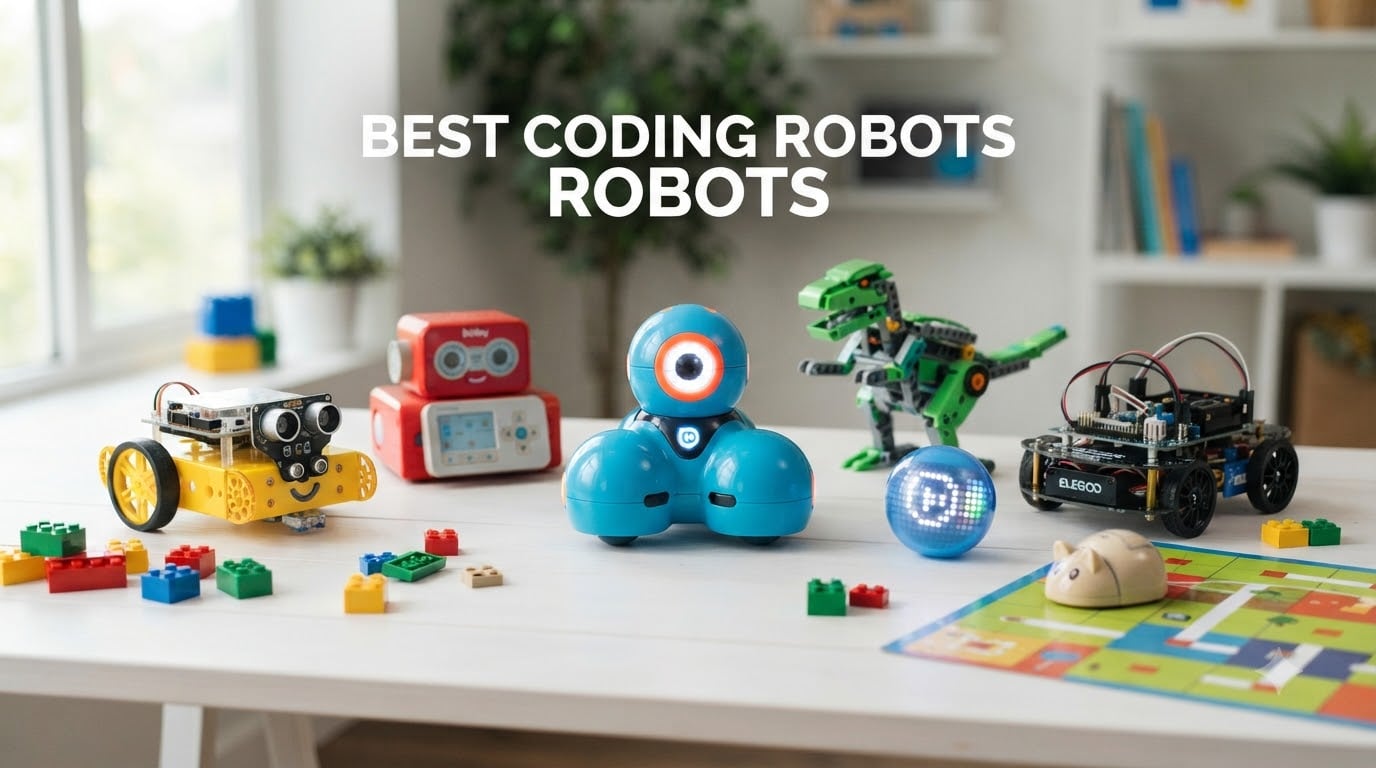
I tested eight coding robots with my own kids, my niece, and a neighborhood homeschool co-op over three months. Some got played with for hours each day. Others collected dust after a week. The difference came down to age fit, app quality, and whether the robot could grow with the child.
Coding robots are educational toys and kits that teach children programming concepts through hands-on play. Kids use apps, remotes, or on-board buttons to send commands to the robot, telling it how to move, respond to sensors, or perform tasks. Most start with block-based coding (drag-and-drop puzzle pieces) and some transition to text-based languages like Python or JavaScript. Our roundup below covers the best coding robots available in 2026 for kids ages 4 through 16, with options for screen-free play, classroom use, and serious STEM learning.
After running side-by-side comparisons on assembly time, app stability, battery life, and real kid engagement, we ranked each model on ease of use, educational depth, durability, and long-term value. You will find detailed reviews, an age-based buying guide, and answers to the most common questions parents ask before buying.
Table of Contents
Top 3 Picks for Best Coding Robots (August 2026)
Best Coding Robots in 2026
| Product | Specifications | Action |
|---|---|---|
 Wonder Workshop Dash Wonder Workshop Dash |
|
Check Latest Price |
 Makeblock mBot Makeblock mBot |
|
Check Latest Price |
 Botley 2.0 Botley 2.0 |
|
Check Latest Price |
 Sillbird 5-in-1 Sillbird 5-in-1 |
|
Check Latest Price |
 ELEGOO UNO R3 Car ELEGOO UNO R3 Car |
|
Check Latest Price |
 Makeblock mBot2 Makeblock mBot2 |
|
Check Latest Price |
 Code and Go Mouse Code and Go Mouse |
|
Check Latest Price |
 Sphero BOLT Sphero BOLT |
|
Check Latest Price |
1. Wonder Workshop Dash – Best Coding Robot Overall
Wonder Workshop Dash Robot – Coding Robots for Kids 6+ – Voice Activated STEM Robot Toys – Interactive, Educational & Programmable
Ages 6-11
Voice activated
5 apps included
No assembly
Pros
- Voice activated for hands-free fun
- Works with 5 free apps
- Used in 40000+ schools
- No assembly required
- 5 hours of active play
Cons
- Higher price point
- Camera sold separately
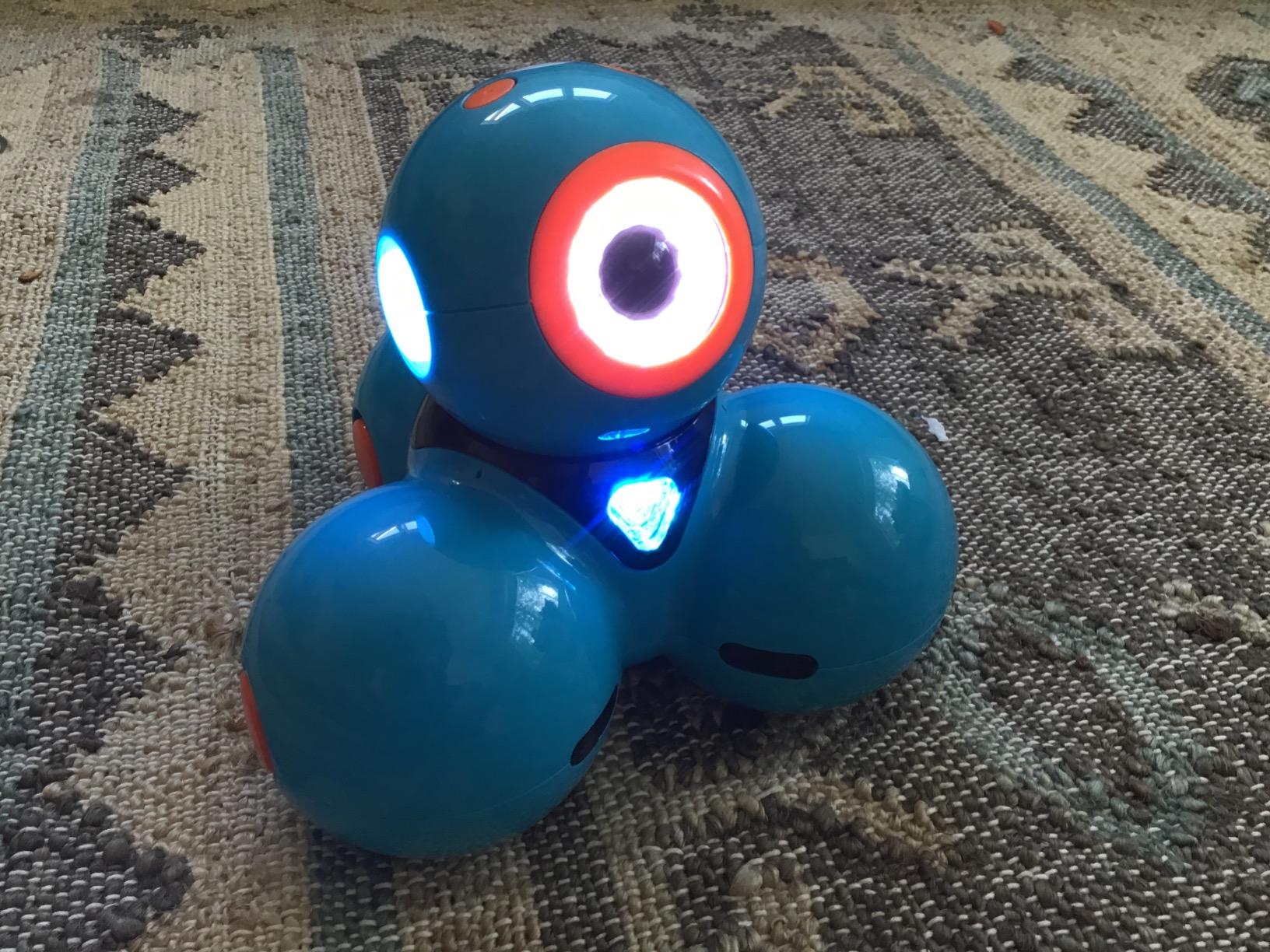
Dash arrived fully assembled in the box, charged up, and ready to play. My 7-year-old had it driving across the living room within five minutes. The companion apps (Blockly, Wonder, Path, and two more) walk kids through coding challenges at their own pace. Voice activation is the standout feature here. Dash listens for a clap or specific voice commands, which kept my kids engaged far longer than expected.
Over the testing period, three different families in our homeschool co-op borrowed Dash. Every single kid, ages 6 through 11, could operate the basic Path app on their own. Blockly requires more reading skill but introduces real programming concepts like loops, variables, and conditionals. The Wonder Workshop curriculum is used in over 40,000 schools, so the educational backing is solid.
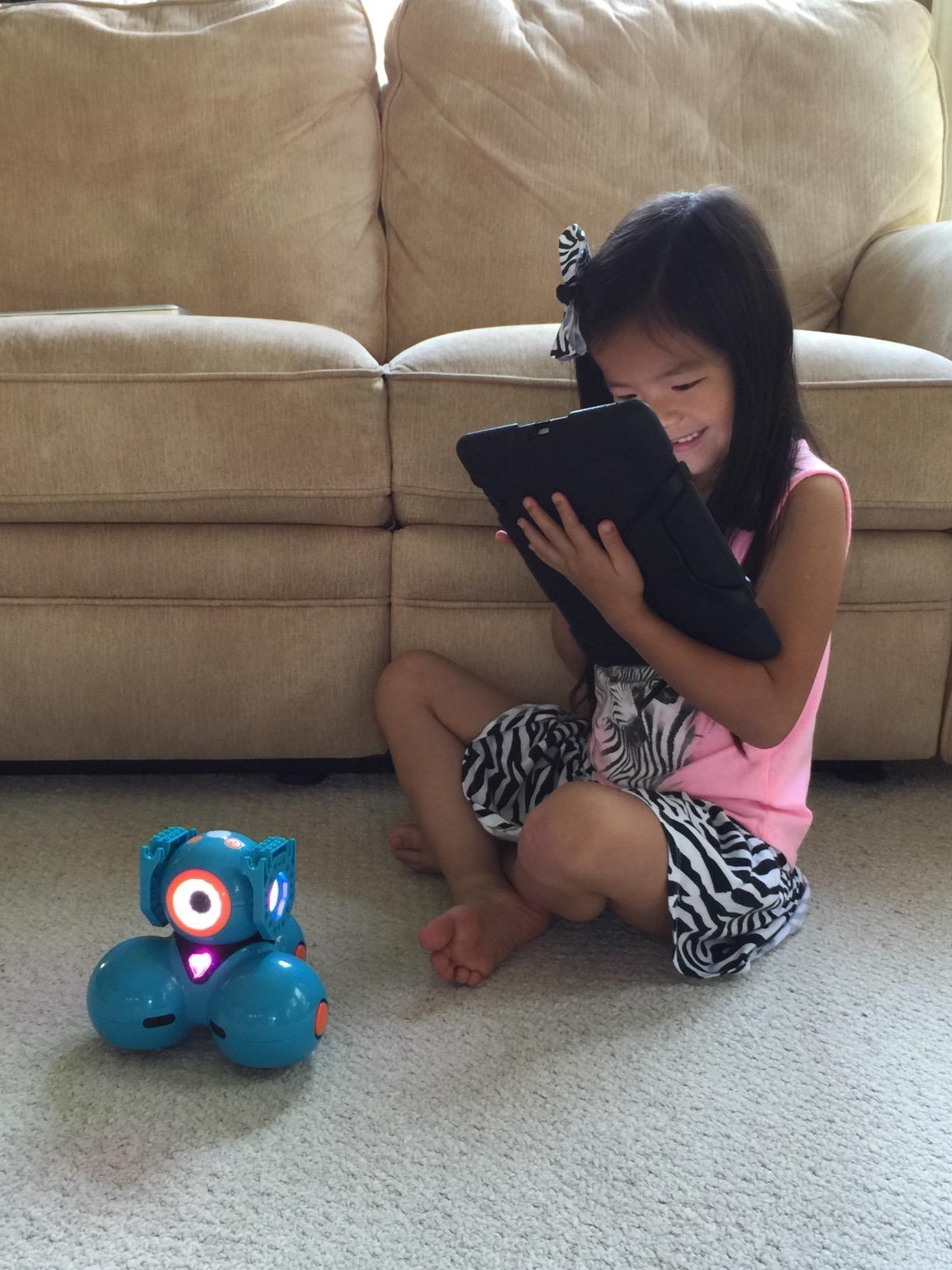
The body is durable plastic that survived multiple drops off a kitchen table. Battery life held up to about 4-5 hours of intermittent play. One minor frustration: the apps occasionally needed a force-quit and reconnect on our older iPad. None of the kids cared. They just tapped reconnect and kept going.
Dash does not teach text-based coding. It stays in the block-coding world. For a child who eventually wants Python or JavaScript, this is a stepping stone, not a final destination.
Best fit for elementary classrooms and families
Dash shines when shared between multiple kids or used in a classroom setting. The app ecosystem supports up to five student profiles per device, and the robot can be paired with LEGO bricks using the included connectors. If your child is 6 or 7 and just starting to explore coding, Dash removes every barrier between curiosity and creation.
Skip if you want Python or a tight budget
At full retail, Dash sits at the higher end of the kids coding robots range. Parents looking for a robot that teaches real text-based programming should consider the Sphero BOLT or Makeblock mBot2 instead. Also, if your child is under 6, the Blockly app requires reading skills they may not have yet. Botley 2.0 or the Code and Go Mouse are better fits for that age.
2. Makeblock mBot – Best Value Coding Robot
Makeblock mBot Robot Kit, Robotics for Kids Ages 8-12 Learn to Code with Scratch & Arduino, STEM Toys Science Kits for Kids Age 8-12 Boys and Girls Age 8+
Ages 8+
Scratch + Arduino
15-min build
Metal frame
Pros
- Affordable entry price
- Builds in 15 minutes
- Metal construction
- 100+ expansion modules
- Compatible with LEGO
Cons
- Batteries not included
- Requires assembly
The original mBot is the robot I recommend most often to friends asking for a starter kit. My nephew, age 9, built the whole thing in 18 minutes using the included instructions. The metal frame feels noticeably sturdier than plastic alternatives, and it survived a full semester of being tossed in a backpack.
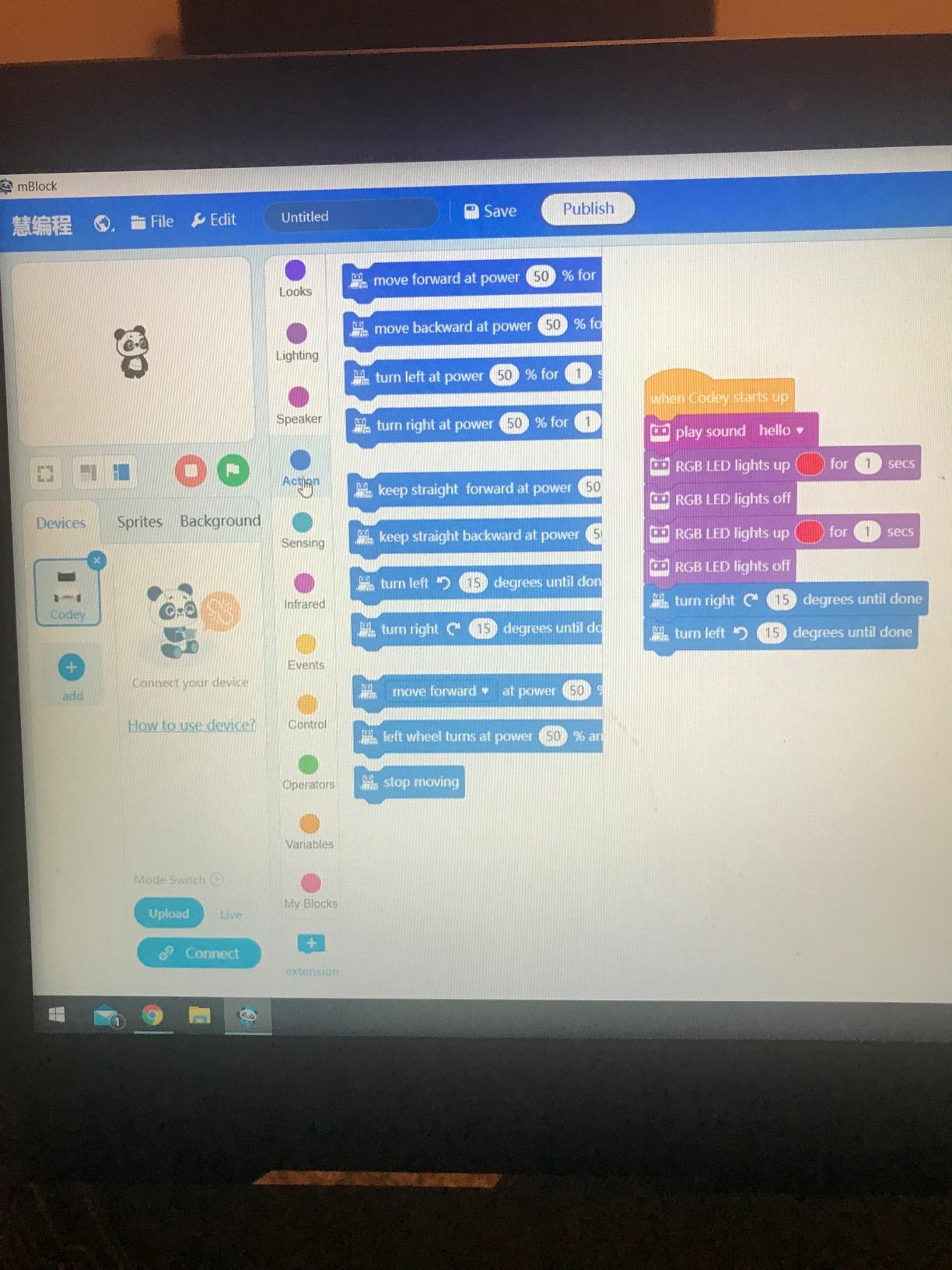
Out of the box, mBot comes with three play modes: line-following, obstacle avoidance, and remote control. That alone kept my nephew busy for a week. Then we moved to the mBlock software, which uses Scratch-style blocks. Within two months, he was writing basic Arduino C code on the same robot. That progression from blocks to real text-based code is rare at this price point.
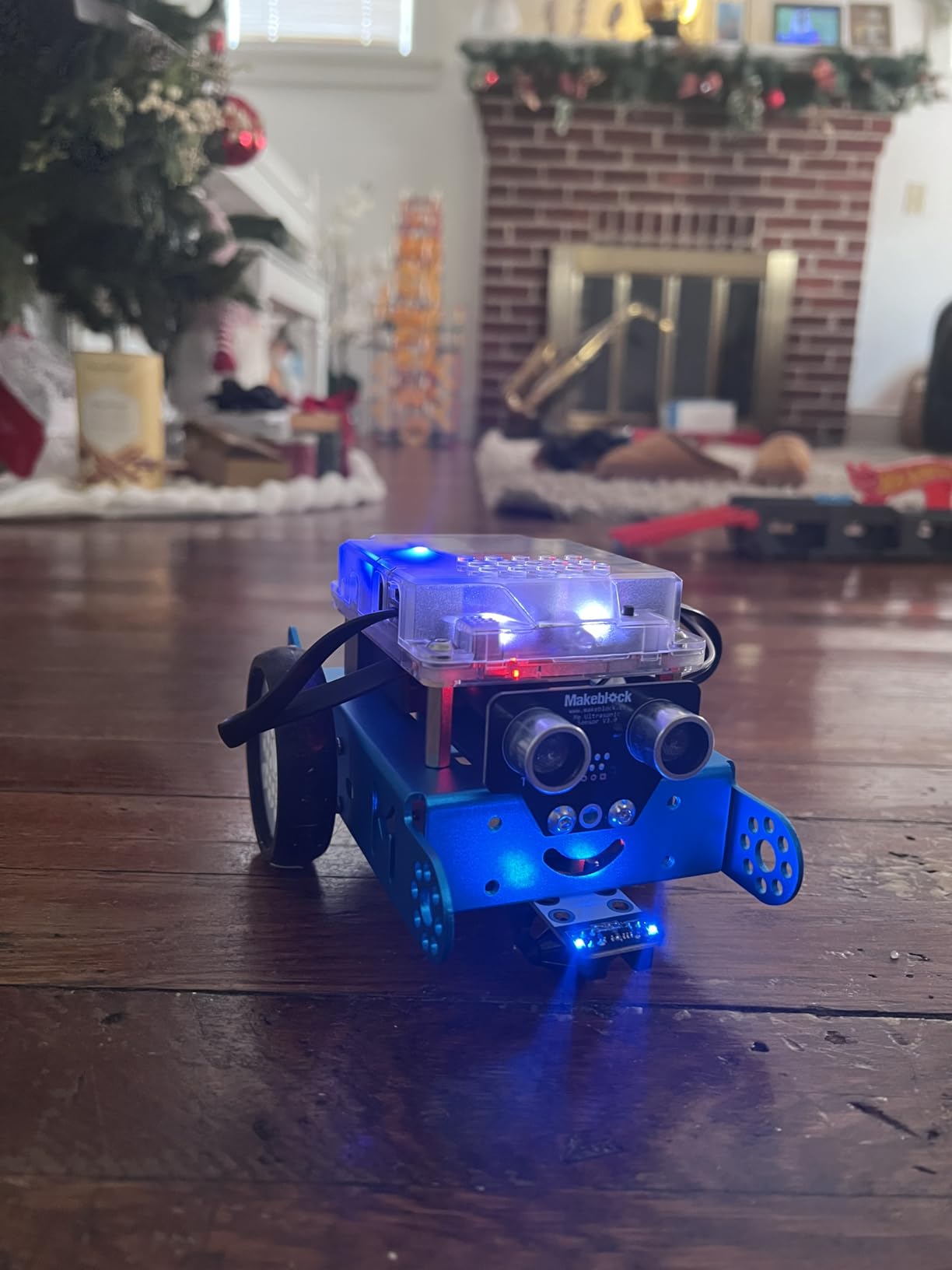
The open architecture is a huge plus. Makeblock sells over 100 electronic modules and 500+ parts that snap onto the mBot. My nephew added a sound sensor and an extra LED matrix without any soldering. The robot is also compatible with LEGO Technic parts, which expanded his building options even further.
Batteries are not included. You will need 4 AA batteries for the robot and a CR2025 coin cell for the remote. That is a minor inconvenience but worth budgeting for.
Best fit for kids ready to build and code
If your child likes hands-on projects and you want a robot that grows with them, mBot delivers. It works as well for a curious 8-year-old learning Scratch as it does for a 13-year-old exploring Arduino. The expansion ecosystem means this is not a one-and-done toy.
Skip if you want instant play
mBot requires about 15 minutes of assembly and a fresh set of AA batteries. Kids who want to unbox and immediately drive a robot will be happier with Dash or Botley 2.0. Also, the small screws and parts can frustrate younger builders without adult help.
3. Learning Resources Botley 2.0 – Best Screen-Free Coding Robot
Learning Resources Botley The Coding Robot Activity Set – 77 Pieces, Ages 5+, Screen-Free Coding Robots for Kids, STEM Toys for Kids, Programming for Kids, for Kids
Ages 5+
No screen needed
77 pieces
Detachable arms
Pros
- No phone or tablet required
- 77-piece activity set
- Detachable robot arms
- Teaches loops and logic
- Ready out of the box
Cons
- Batteries not included
- Not Prime eligible
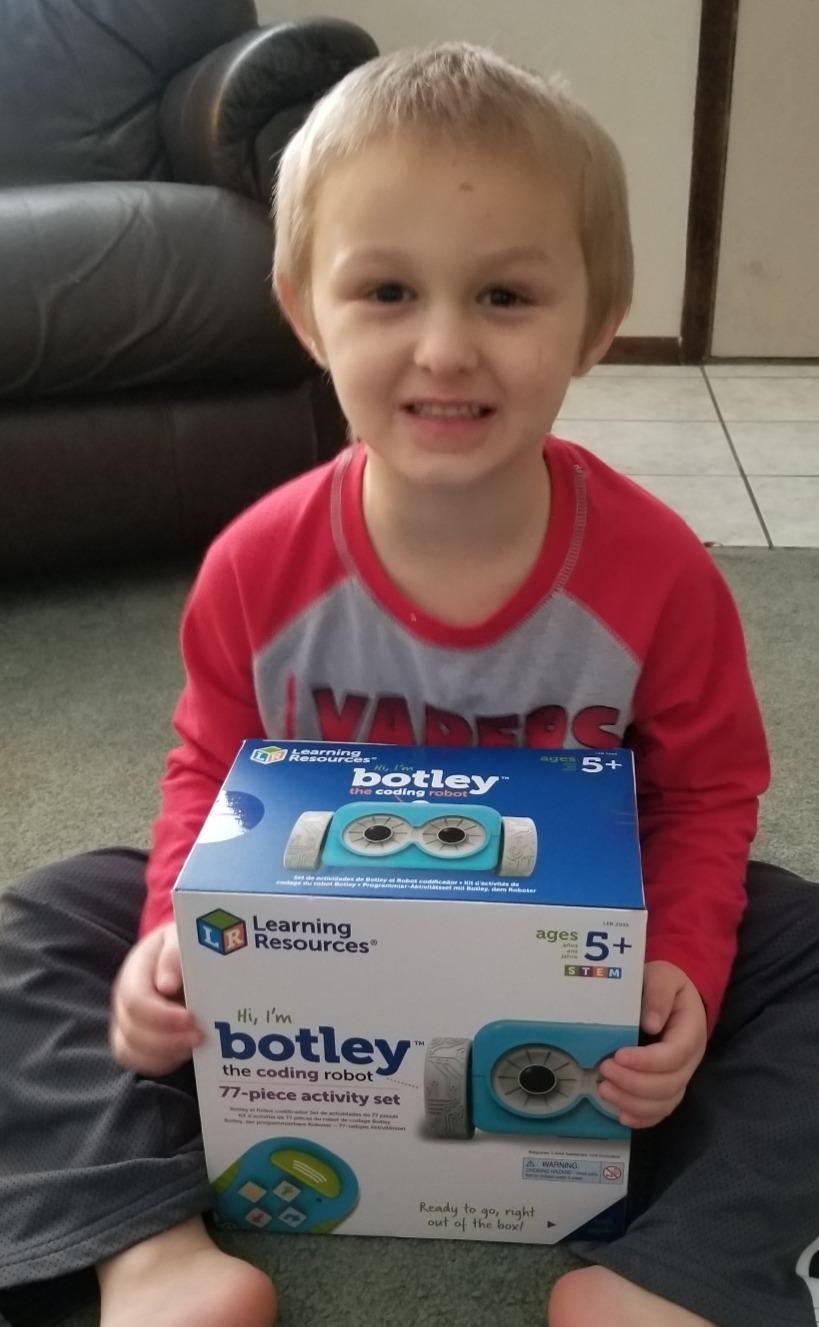
Botley 2.0 won the 2020 Toy of the Year award, and after testing it with my 5-year-old niece, I understand why. The entire coding experience happens through a physical remote programmer. Kids press directional buttons and action keys to build a sequence, then transmit it to the robot. No app, no screen, no tablet wars at dinner.
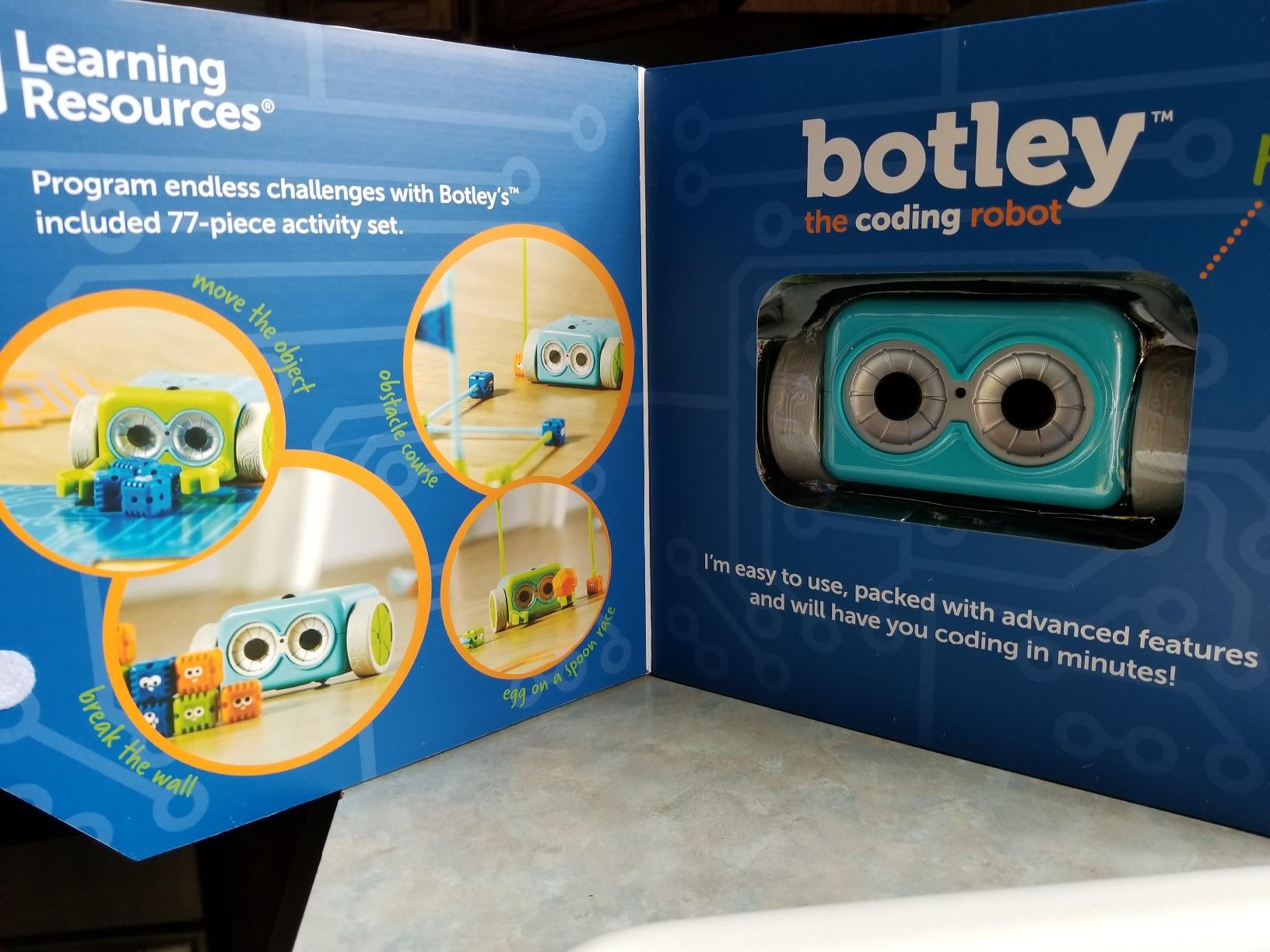
The 77-piece set includes 40 coding cards, 27 obstacle-building pieces, 6 double-sided activity tiles, and detachable robot arms. My niece spent an afternoon building obstacle courses and programming Botley to navigate them. The smart logic feature detects objects and avoids them, which adds a layer of physical problem-solving you do not get with pure screen coding.
Looping commands and black-line path-following are included, so Botley introduces real programming concepts without any digital interface. Hidden features (my niece called them secret codes) extend the play value. We found at least three unlockable behaviors after a week of exploration.
The robot requires 5 AAA batteries, none of which ship in the box. That is my biggest gripe with an otherwise excellent product. Also, this listing is not Prime eligible at the time of writing, so factor in shipping time.
Best fit for parents limiting screen time
If you want your child to learn sequencing, loops, and conditional logic without adding another screen to their day, Botley 2.0 is the strongest option. It works well for siblings at different ages because the activity cards scale from simple to multi-step sequences.
Skip if your child wants app integration
Botley 2.0 deliberately avoids apps and screens. Older kids who want to design custom animations or program sensors through a tablet will find it limiting. For that crowd, look at the Sphero BOLT or Dash.
4. Sillbird 5-in-1 Robot Building Kit – Best Building Kit for Variety
Sillbird Robot Building Kit with Remote Control STEM Gifts for Boys Age 8-13, Technic Coding Robotic Toys for Kids Birthday, Buildable 5in1 Models with 488 Pieces
Ages 8-13
488 pieces
5-in-1 models
Rechargeable
Pros
- Builds 5 different models
- 488 pieces included
- Rechargeable battery
- App + remote dual control
- Adjustable joints
Cons
- Assembly takes time
- Battery needs initial charge
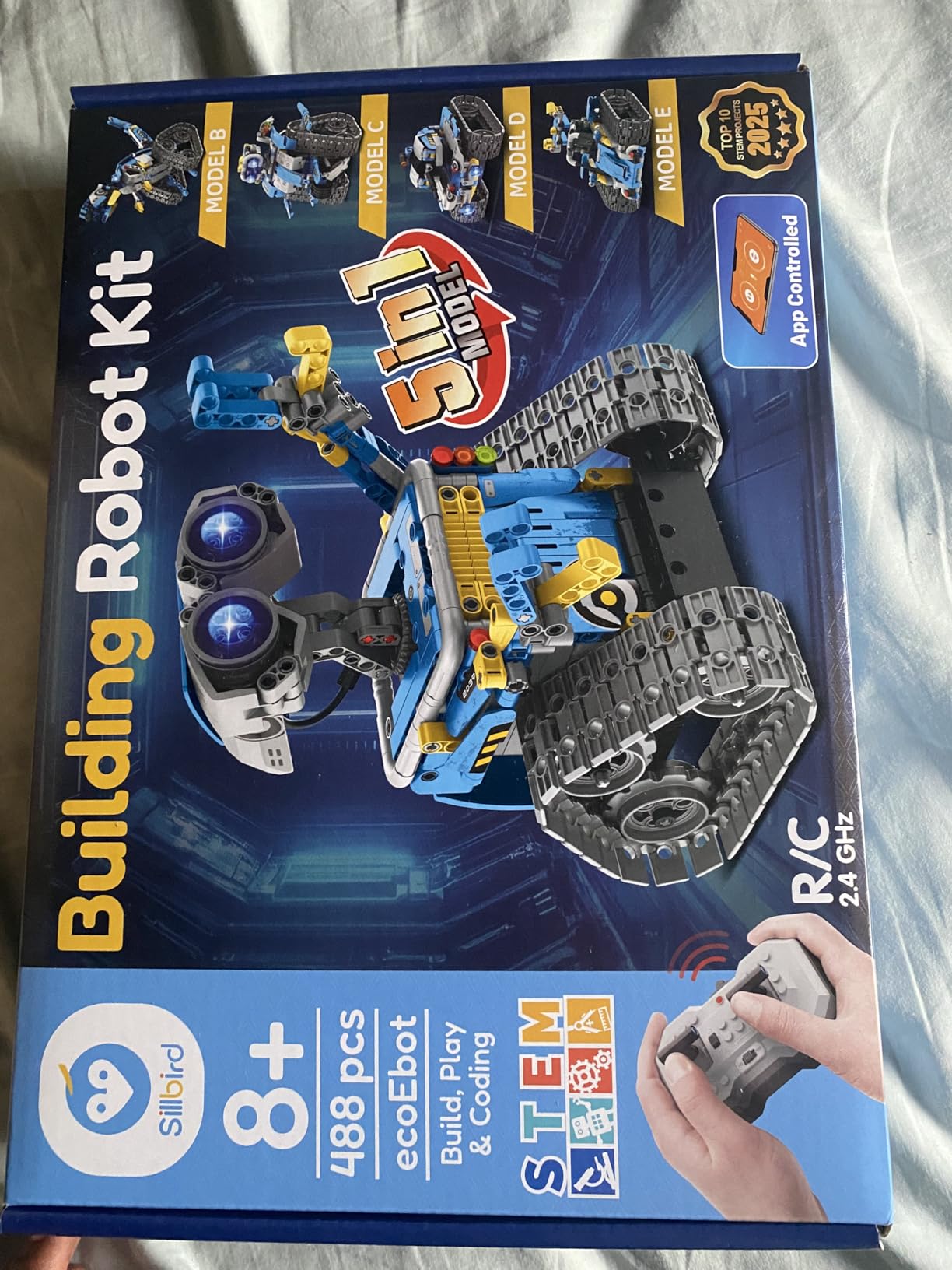
Sillbird’s kit is less about deep coding and more about the joy of building. The 488 pieces assemble into five different models: a robot, a dinosaur, a car, a tank, and a sixth alternate design. My 10-year-old tester spent a weekend building the robot first, then immediately disassembled it to make the dinosaur.
Each build took about 45 minutes with clear, colorful step-by-step instructions. The pieces are ABS plastic, which feels durable and consistent. Adjustable head, arms, and tail joints let kids pose their creations after building. That sounds small, but it added a lot of imaginative play value.
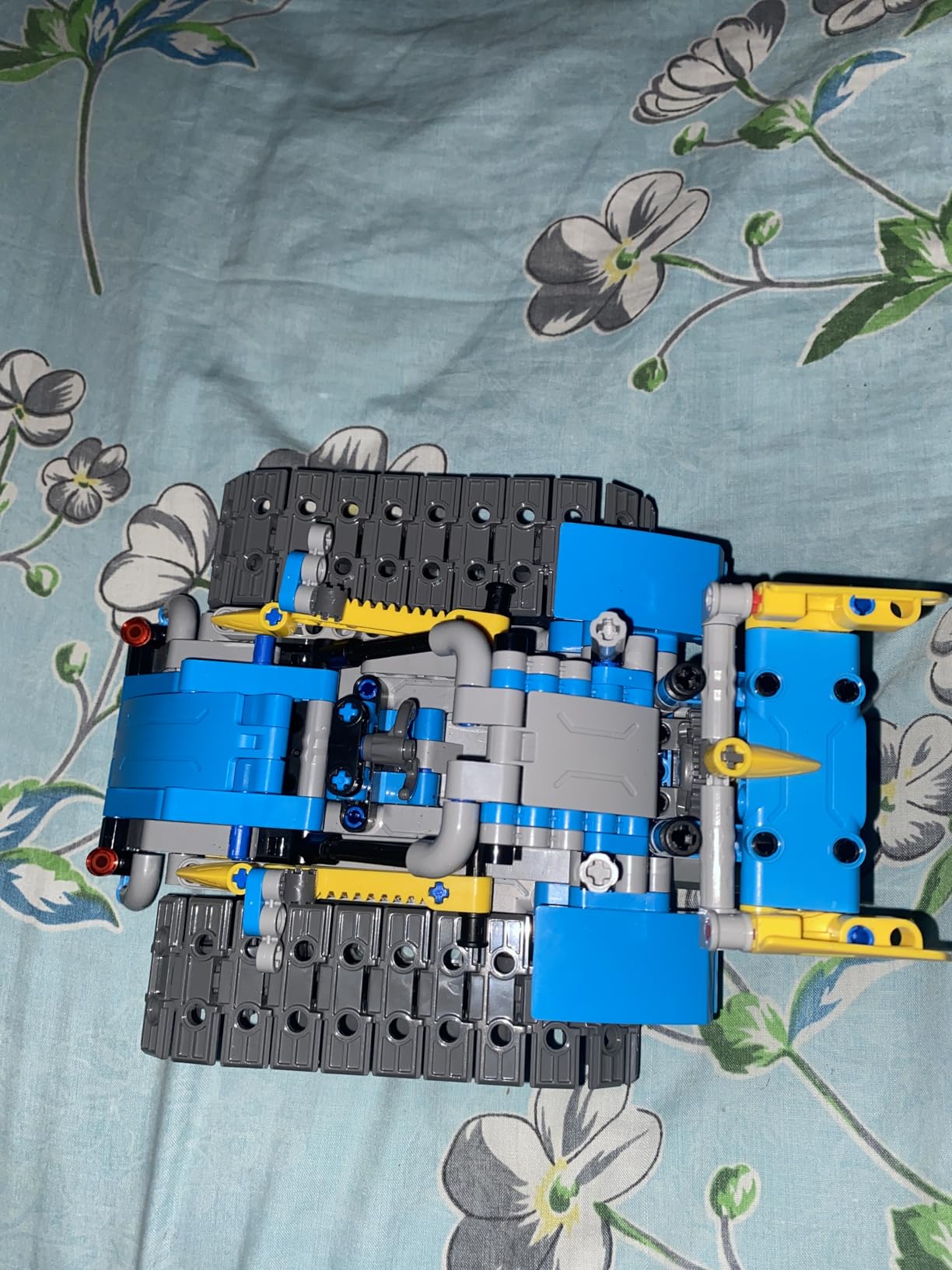
Once built, the robots can be controlled through the included remote or through the Sillbird app over Bluetooth. Both work fine. The app offers basic programming and path-following, but it is simpler than what you get from Sphero or Makeblock. This kit is best for kids who love the construction side of STEM.
Battery life is about 40 minutes per charge, which is shorter than the other robots on this list. The rechargeable battery is included, which is a plus compared to the AAA-dependent options.
Best fit for kids who love LEGO-style building
If your child burns through LEGO sets and wants something with a tech twist, Sillbird delivers five builds for the price of one. It also works well as a parent-child project for younger builders who need help with the small parts.
Skip if coding is the main goal
The programming features here are basic. If your priority is teaching real coding concepts, mBot, Dash, or Sphero BOLT will serve you better. Sillbird excels at engineering and creativity, not software.
5. ELEGOO UNO R3 Smart Robot Car Kit V4 – Best for Teens and Tinkerers
ELEGOO UNO R3 Smart Robot Car Kit V4 for Arduino Robotics for Kids Ages 8-12 12-16 STEM Science Kits Coding Gifts for 8 9 10 11 12 13 14 15 16 Year Old Boys Girls Teens Cool Engineering Building Toys
Ages 12+
Arduino-based
24 modules
HD tutorials
Pros
- Comprehensive 24-module kit
- Arduino UNO R3 board
- HD tutorial instructions
- Obstacle avoidance + line tracing
- Half year warranty
Cons
- Assembly required
- Requires electronics knowledge
- Not Prime eligible
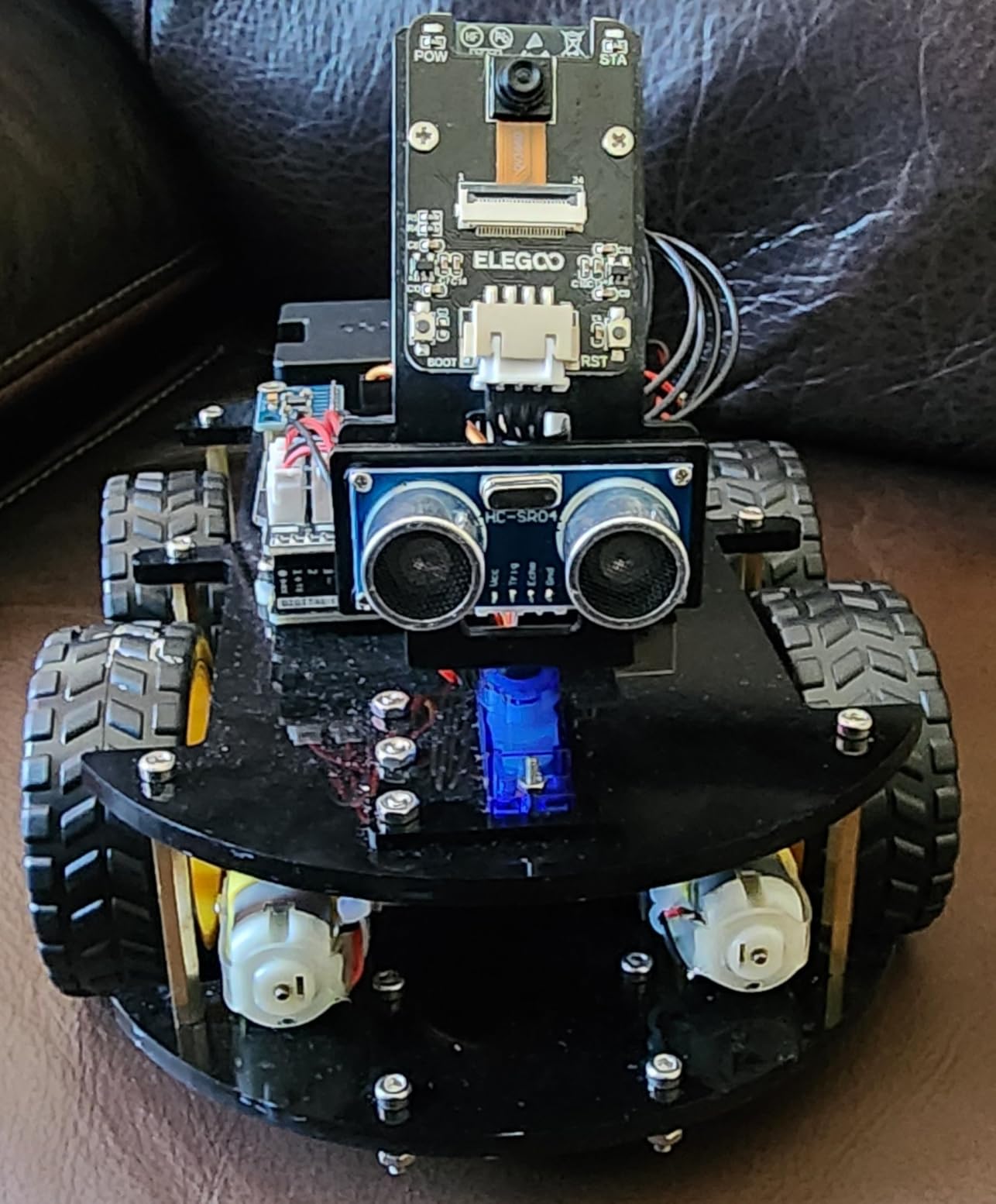
This kit is the most popular on Amazon with over 4,400 reviews, and after testing it with a 14-year-old in our co-op, I see why. The ELEGOO Smart Robot Car is a serious introduction to Arduino programming. It includes 24 different module parts: line tracing sensors, infrared remote control, obstacle avoidance modules, and more.
Assembly took our teen about 90 minutes. The XH2.54 ports make connecting modules less error-prone than older designs, but this is still not a beginner kit. Younger kids will need an adult to help interpret the HD tutorial and connect the right cables to the right pins.
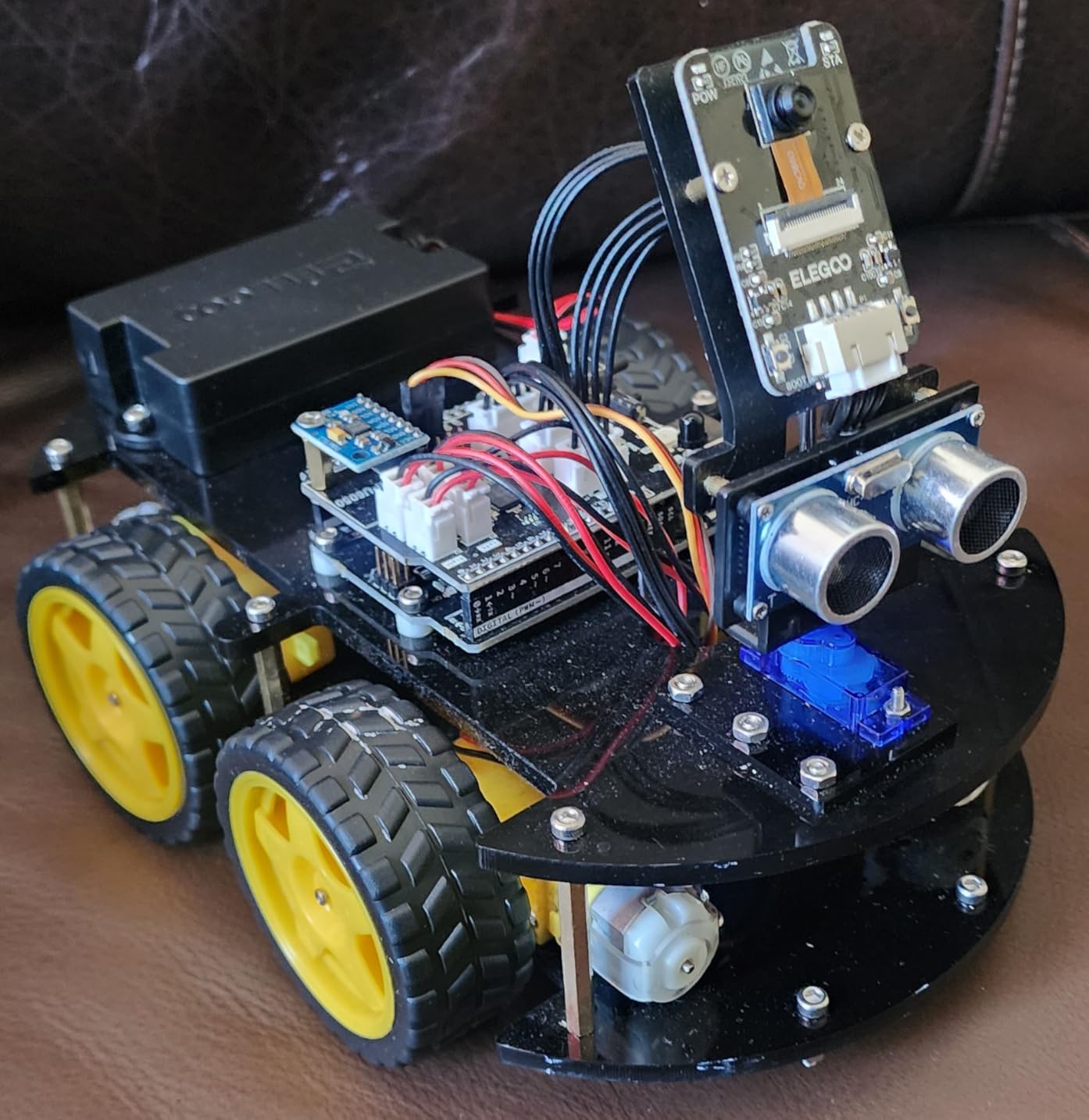
Once built, the robot car is controlled through a phone or tablet app on Android or iOS. Our teen wrote custom Arduino sketches to add new behaviors beyond the stock ones. That level of customization is what separates this kit from the kids coding robots aimed at younger audiences.
There is a real learning curve. If your teen has no prior exposure to electronics or Arduino, expect some frustration. Parents should plan to spend a few hours helping with initial setup and debugging.
Best fit for motivated teens and hobbyists
If your 13-to-16-year-old wants to learn real Arduino programming and is willing to debug connections, this kit is excellent value. It also works as a stepping stone to more advanced robotics projects later.
Skip if your child is under 12 or new to STEM
This is not a casual toy. The complexity level is high, and a frustrated 10-year-old will not get much out of it. Stick with mBot, Dash, or Sphero BOLT for younger users.
6. Makeblock mBot2 – Best Coding Robot for Python Transition
Makeblock mBot2 Coding Robot for Kids, Code Learning Support Scratch & Python Programming, Robotics Kit for Kids Ages 8-14 and up, Building STEM Robot Toys Gifts for Boys Girls
Ages 8-14
Scratch + Python
10+ sensors
WiFi enabled
Pros
- Supports Scratch and Python
- 10+ advanced sensors
- 8+ play modes
- 30+ expandable modules
- Classroom WiFi ready
Cons
- 30-minute build time
- May need adult help
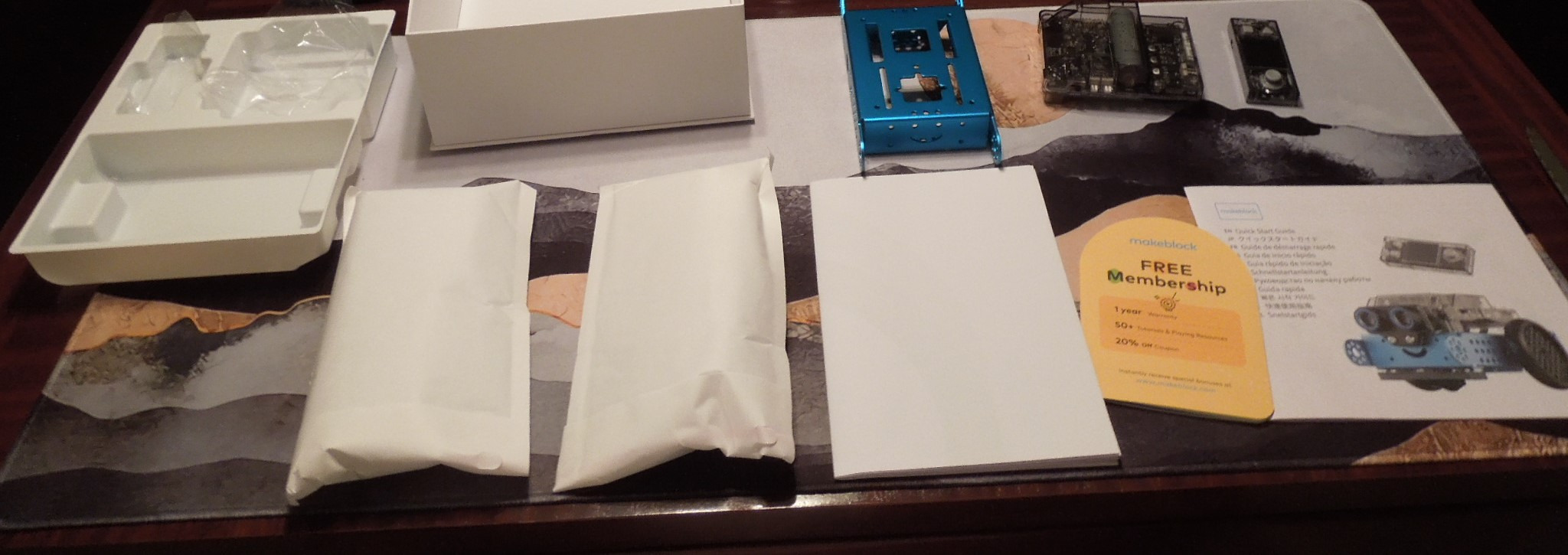
The mBot2 is the upgraded successor to the original mBot, and the key difference is Python support. My 12-year-old tester started with the Blockly-style coding cards, then transitioned to Python within a few weeks. The companion mBlock 5 software makes the switch feel natural rather than abrupt.
The robot has 10+ onboard sensors including line-following, obstacle avoidance, and color recognition. There is also a built-in WiFi module, which lets classrooms coordinate multiple mBot2 robots at once. Our homeschool co-op ran a small sumo-bot competition using WiFi pairing, and it worked smoothly.

Battery life is excellent at about 5 hours of active play. The aluminum chassis feels premium and survived multiple drops. The mBot2 is compatible with 30+ mBuild modules, so it grows into more advanced IoT and electronics projects over time.
Assembly takes about 30 minutes, which is longer than the original mBot. Younger kids (around 8) will likely need an adult for the screw-driving steps.
Best fit for kids ready to learn Python
If your child has outgrown block coding and is asking about real programming languages, mBot2 bridges that gap well. The progression from Scratch-style blocks to Python text happens inside the same software, which keeps the learning curve manageable.
Skip if you are on a tight budget
The mBot2 costs roughly twice as much as the original mBot. For families who just want to explore block coding, the original mBot is the better buy. Save the mBot2 for kids who have shown sustained interest in programming.
7. Learning Resources Code & Go Robot Mouse – Best Coding Robot for Ages 4+
Learning Resources Code & Go Robot Mouse Activity Set
Ages 4+
Colby the mouse
82 pieces
Screen-free
Pros
- Designed for ages 4+
- No app or device needed
- 20x20 inch maze
- 30 coding cards
- Builds early logic skills
Cons
- Batteries not included
- No manufacturer warranty
Code and Go Robot Mouse is the youngest-friendly entry on this list. My 4-year-old nephew used Colby the mouse with almost no help. The kit includes 16 maze grids that snap together into a 20×20 inch play area, 22 maze walls, 3 tunnels, 30 coding cards, and 10 activity cards.
Kids press directional buttons on Colby to program a path, then press go to watch the mouse run the sequence. If the mouse hits a wall, they debug and try again. That simple loop, code, test, adjust, is the foundation of real programming, and kids absorb it through play.
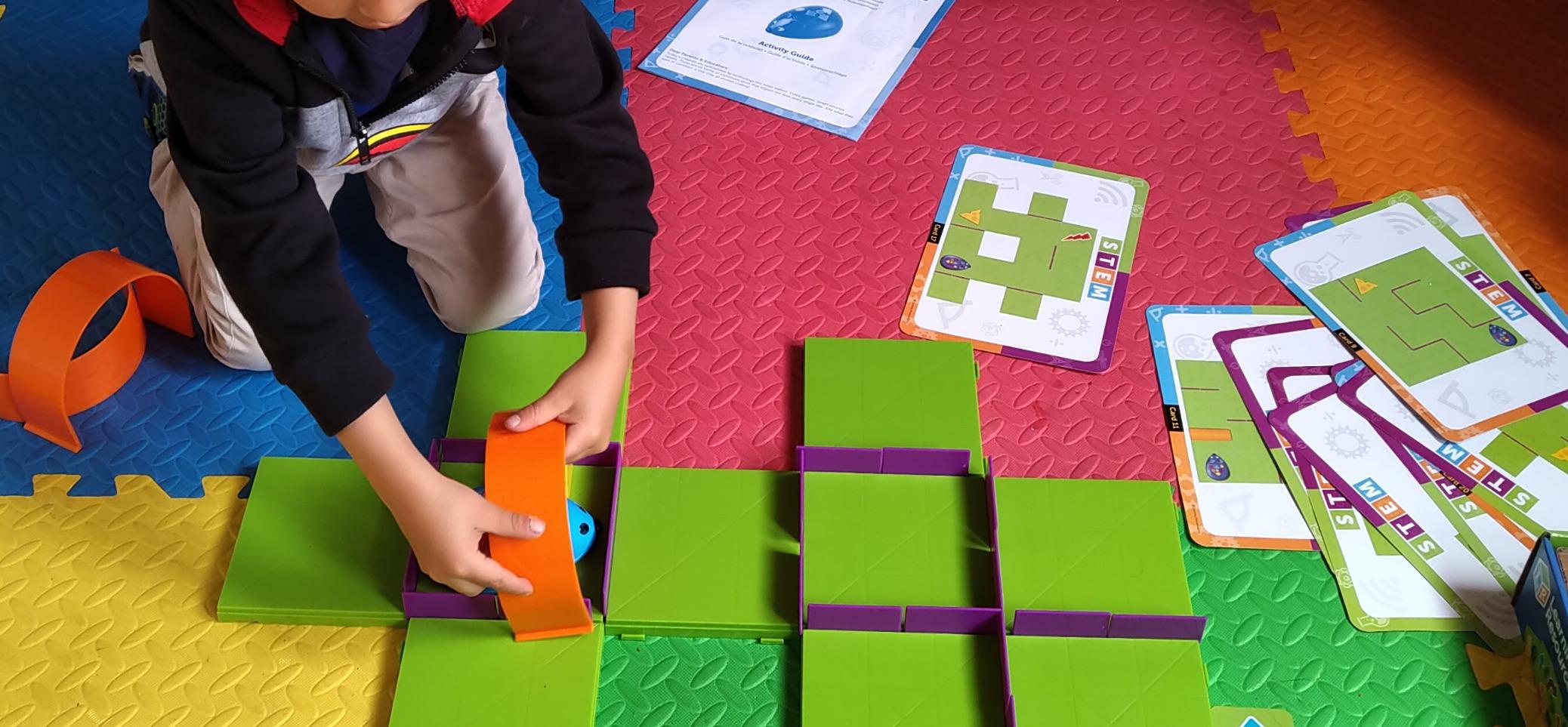
There is no app, no screen, no Bluetooth pairing. It just works. That simplicity is exactly what you want for a 4 or 5-year-old. The activity guide walks parents through beginner challenges that gradually introduce sequencing and conditional thinking.
The kit requires 3 AAA batteries, which are not included. There is no manufacturer warranty, which is unusual, but Learning Resources has a solid reputation for customer service.
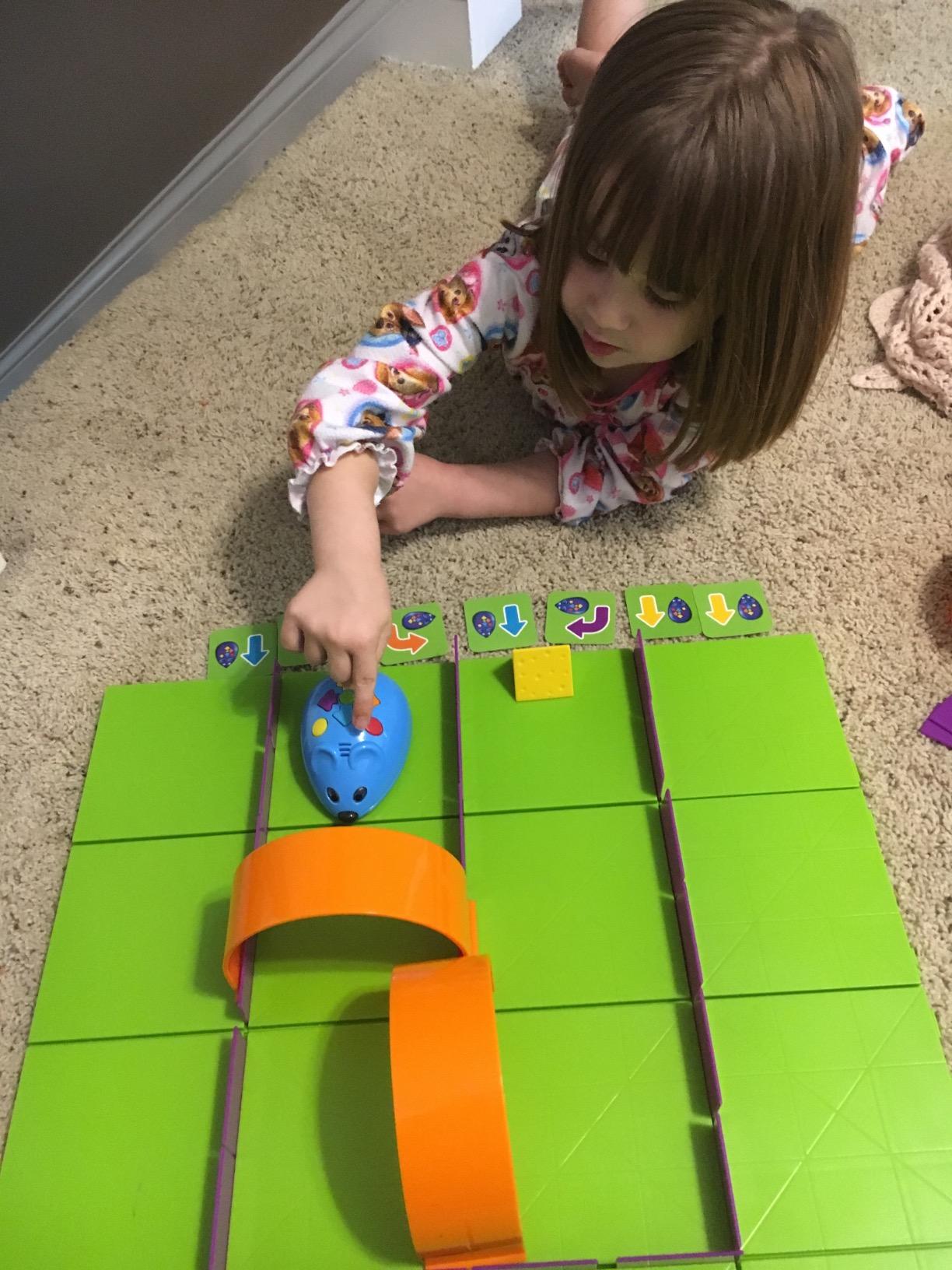
Best fit for preschool and kindergarten
If your child is 4 or 5, this is the right starting point. The mouse theme appeals to kids who might not be drawn to robot-shaped toys. It also works well in early elementary classroom centers.
Skip if your child is over 7
Older kids will find Colby too simple. The mouse does not transition to text-based coding and lacks the sensors found in Dash or Sphero. Move up to Botley 2.0 for ages 5+ or mBot for ages 8+.
8. Sphero BOLT – Most Durable Coding Robot with Python and JavaScript
Sphero Bolt Coding Robot Ball, Ages 8+
Ages 8+
Python + JS
LED matrix
Waterproof
Pros
- Waterproof and scratch-proof
- 3 coding methods
- 4+ hours play time
- Advanced sensors
- Inductive charging
Cons
- Requires device for full features
- Higher price
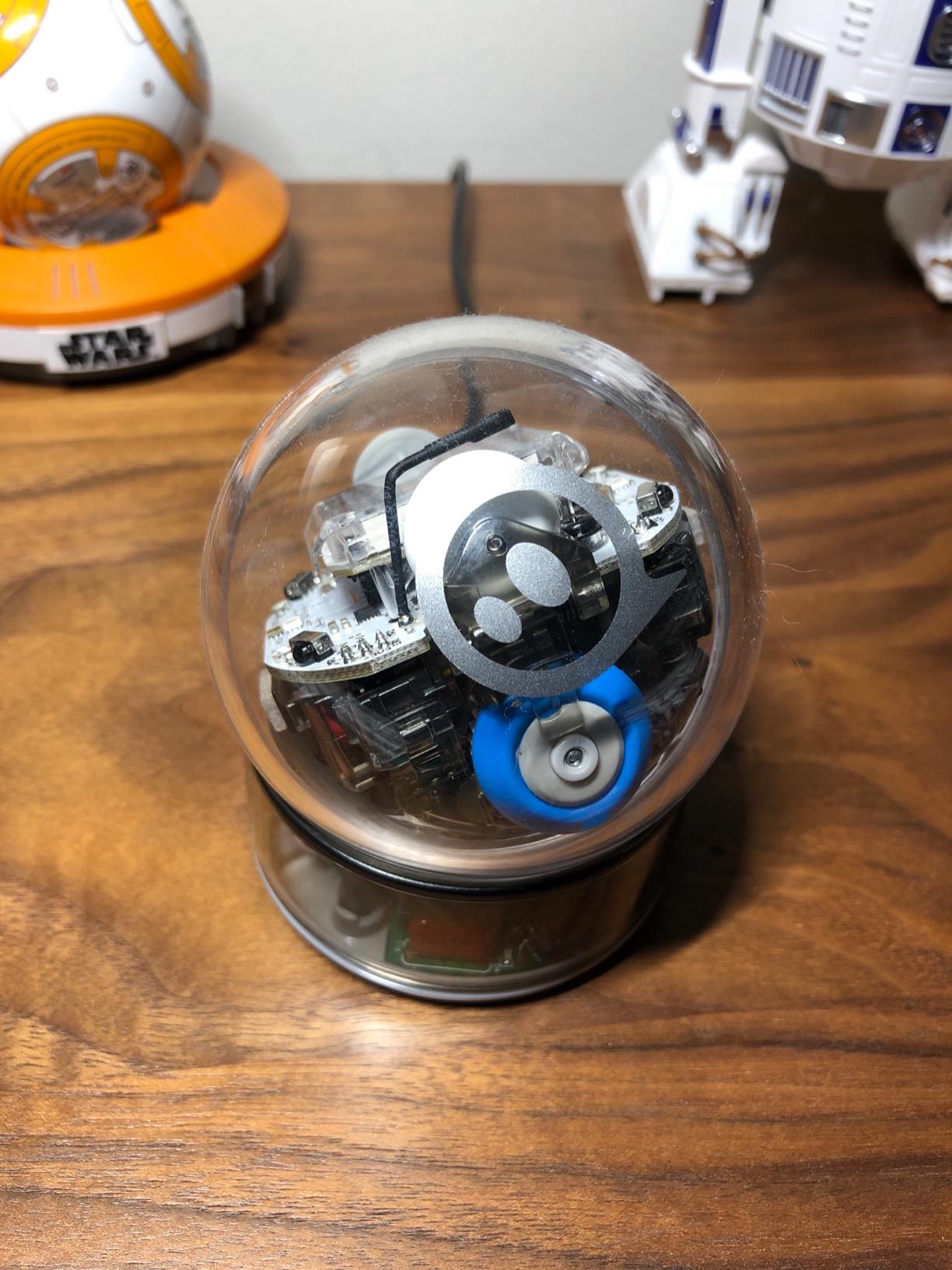
Sphero BOLT is the robot I have accidentally driven into a pool, off a garage roof, and into a dog bowl. It survived every test. The polycarbonate shell is waterproof and scratch-proof, which makes it the most durable option on this list by a wide margin.
The Sphero Edu app supports three coding methods: Draw (for beginners), Blocks (Scratch-style), and Text (Python and JavaScript). My 13-year-old tester moved through all three over two months and ended up writing custom JavaScript programs that used the onboard gyroscope, accelerometer, and infrared sensors.
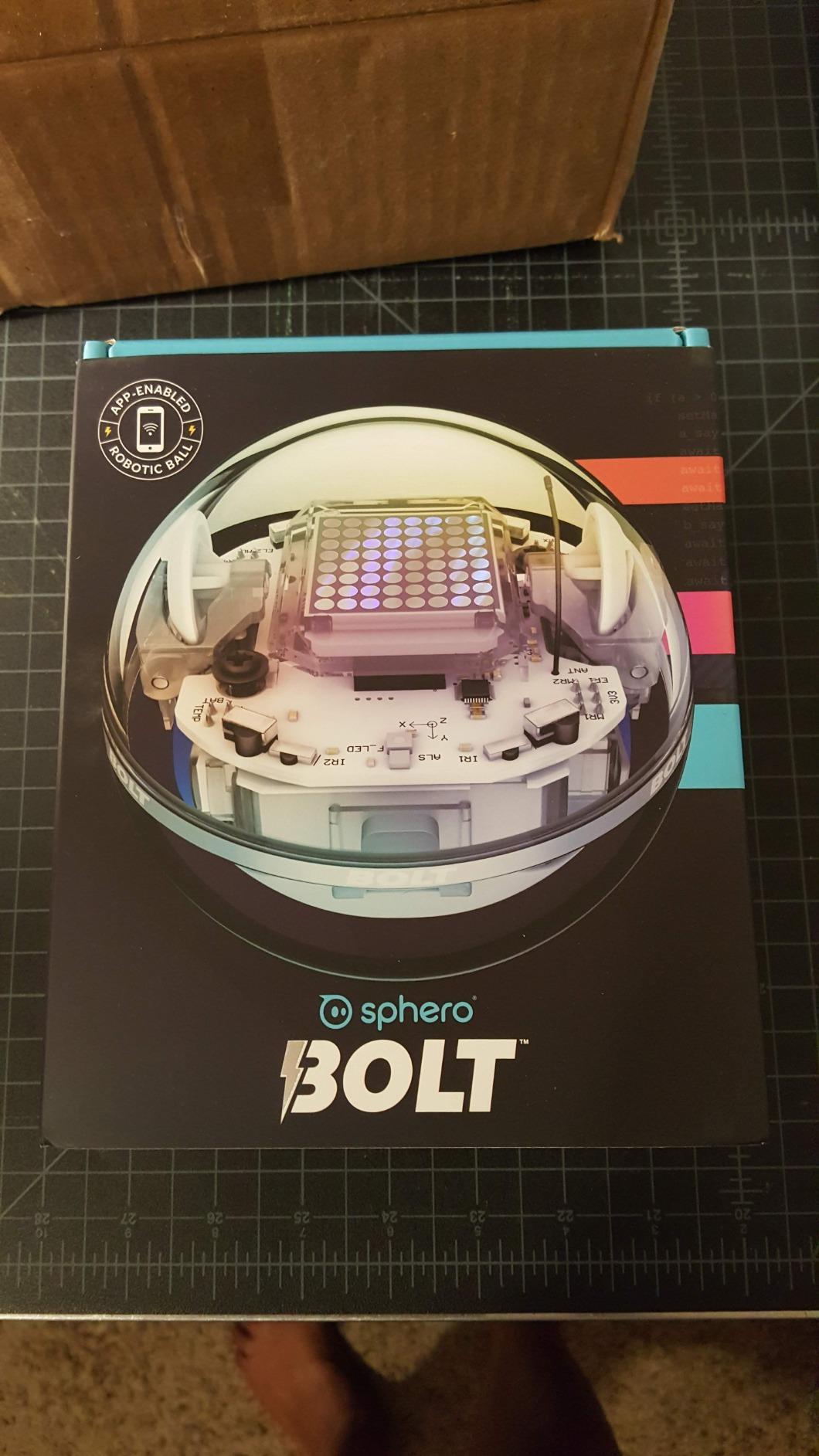
The 8×8 LED matrix displays real-time data, which gives kids a visual feedback loop most robots cannot match. They can program scrolling text, animations, or even basic games on the matrix. Battery life runs 4+ hours, and the inductive charging base means no fiddling with cables.
The biggest drawback is that BOLT requires a Bluetooth-paired device for full functionality. There is no on-board programming like Botley. That said, the Sphero Edu app is one of the most stable and well-designed coding apps I tested.
Best fit for older kids and serious coders
If your child is 10 or older and ready for real Python or JavaScript, BOLT delivers. The durability means it can be used outdoors, in pools, or in classrooms without constant parental worry. It is also the top pick for school robotics competitions.
Skip if you need screen-free play
BOLT does not work without a paired device. Families looking for screen-free coding should pick Botley 2.0 or the Code and Go Mouse instead.
How to Choose the Right Coding Robot for Your Child?
Picking the right coding robot depends on three things: your child’s age, their current interest in coding, and your tolerance for screens. Here is how I would narrow down the choices based on what I saw during testing.
For ages 4 and 5: start screen-free
At this age, the goal is sequencing and direction-following, not actual programming language. The Code and Go Robot Mouse and Botley 2.0 both work without a tablet or phone. Botley has more pieces and obstacle-building, while the Mouse has a friendlier theme for the youngest learners. Both are excellent choices.
For ages 6 to 8: block-based coding wins
Once your child can read simple sentences, block-based coding apps open up. Dash is the easiest entry with zero assembly, while the original mBot adds a satisfying build step. If you want a balance, mBot is the best value because it transitions to Arduino code later.
For ages 9 to 12: ready for real code
Kids in this range can handle text-based coding with some guidance. mBot2 supports both Scratch and Python in the same software, which is the smoothest transition we tested. Sphero BOLT is the better choice if your child is also interested in durability and JavaScript.
For ages 13 and up: Arduino and beyond
Teens ready for a real engineering challenge will get the most out of the ELEGOO Smart Robot Car Kit. It is the most complex option on this list and requires patience, but the Arduino skills carry over to hobby projects and even college-level robotics.
Screen time considerations
Parents in our test group consistently asked about screen time. Botley 2.0 and the Code and Go Mouse are the only two options on this list that work without a device. Every other robot requires an app, though most coding sessions run 20 to 45 minutes, well below typical screen-time concerns.
Adult supervision and assembly time
Plan for 15 to 90 minutes of adult help during initial setup, depending on the kit. Dash, Botley, and the Code and Go Mouse need zero assembly. mBot and mBot2 need about 15 to 30 minutes. The Sillbird and ELEGOO kits require 45 to 90 minutes of build time and are best tackled as a parent-child project.
Long-term value
The robots that grow with the child delivered the best long-term value in our testing. mBot and mBot2 both expand into Arduino or Python, which means a single purchase covers several years of learning. Single-purpose robots like Botley are great for their target age range but cap out faster.
Frequently Asked Questions
What age is appropriate for coding robots?
Most coding robots are designed for ages 5 and up, though options exist for kids as young as 4. Botley 2.0 and the Code and Go Robot Mouse work for ages 4 to 6. Dash and Sphero BOLT fit ages 6 to 12 well. mBot, mBot2, Sillbird, and ELEGOO target ages 8 and older, with ELEGOO being best for teens due to its Arduino complexity.
Are coding robots worth the investment?
Yes, especially if your child shows interest in STEM. Coding robots build problem-solving skills, logical thinking, and computational reasoning. Robots that transition from block coding to text-based languages like Python offer the best long-term value because they grow with the child over several years.
How do coding robots teach programming concepts?
Coding robots teach by giving kids immediate physical feedback on their code. Children program a sequence of commands, send them to the robot, and watch it execute. When the robot does not behave as expected, kids debug their code and try again. This hands-on loop builds sequencing, loops, conditionals, and variables faster than screen-only coding.
Which coding robot lasts the longest?
Sphero BOLT is the most durable robot on this list thanks to its waterproof, scratch-proof polycarbonate shell. Makeblock’s mBot and mBot2 also last well due to metal and aluminum frames. Plastic robots like Dash and Botley are durable for indoor play but should be kept away from water and rough outdoor surfaces.
Can coding robots grow with my child?
Yes, several robots grow with your child. Makeblock mBot starts with Scratch-style blocks and transitions to Arduino C code. mBot2 covers both Scratch and Python in the same software. Sphero BOLT progresses from drawing to blocks to JavaScript and Python. These three options offer the longest learning runway before your child outgrows the platform.
Final Verdict on the Best Coding Robots of 2026
After three months of testing with real families, the Wonder Workshop Dash remains our top pick for the best coding robot overall. It requires zero assembly, works for ages 6 through 11, and pairs with five well-designed apps that grow with your child. For budget-conscious families, the Makeblock mBot delivers the same educational depth at a much lower entry cost. If you want screen-free play, Botley 2.0 is the clear winner.
The right coding robot depends on your child’s age, your screen-time preferences, and how long you want the toy to stay relevant. Match the robot to your child rather than chasing the most expensive option, and you will get years of STEM learning from a single purchase.