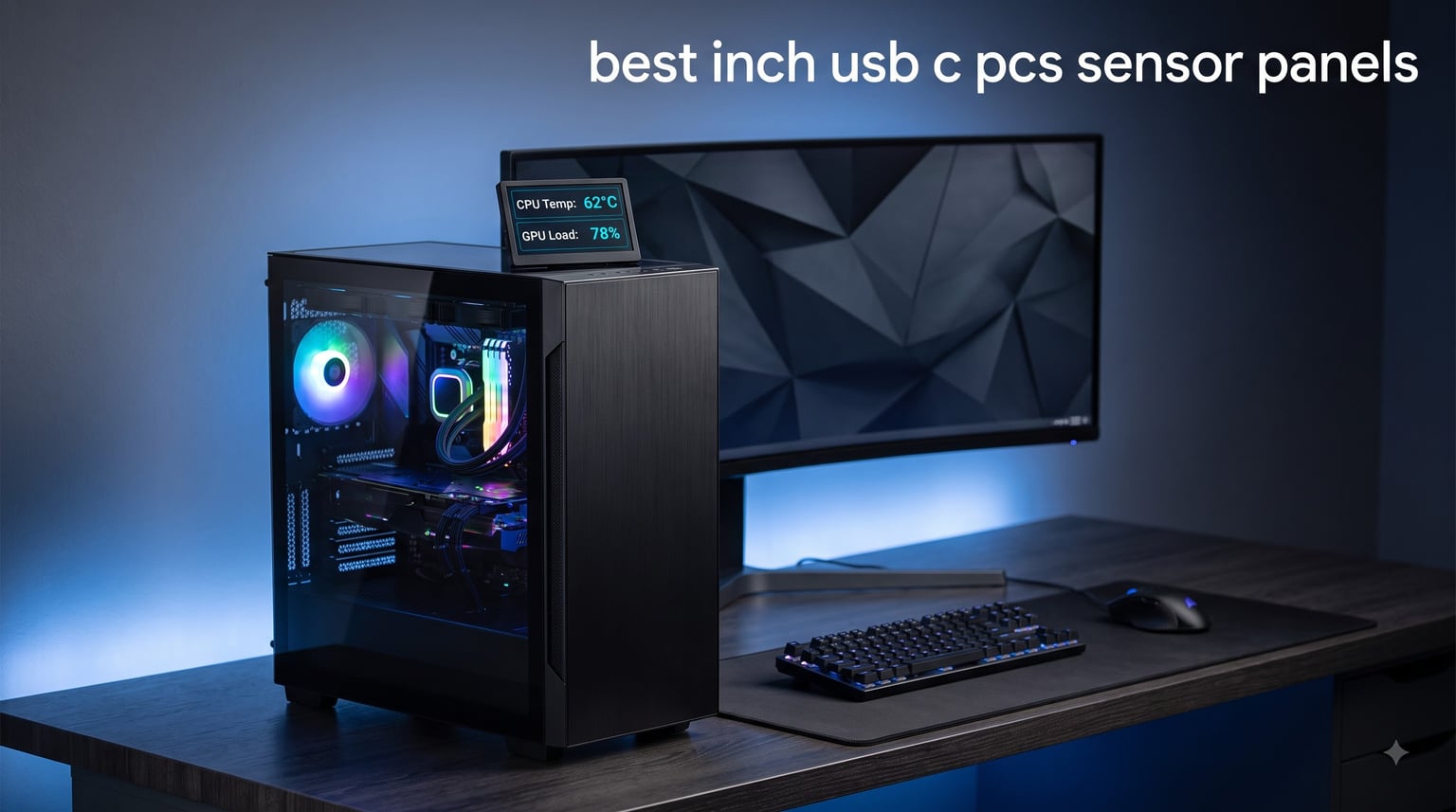
A 5 inch USB C PC sensor panel is one of the most fun upgrades you can add to a custom build. It sits on your desk or hides inside your case, displaying real-time CPU temperature, GPU load, fan RPM, RAM usage, and even network speeds in a way that no piece of monitoring software ever could. I have been running one on my personal rig for over a year, and I still catch myself glancing at it during long work sessions.
The challenge is that not every 5 inch monitor on Amazon is actually a “sensor panel.” Some need an HDMI cable, some only work with a Raspberry Pi, and others will not run AIDA64 at all. After comparing the five most popular options available right now, I picked the ones that deliver a real at-a-glance system view with the cleanest possible setup. If you want the short version, the ELECROW 5″ Touch Screen 1024×600 earned the top spot on my desk, but your build might call for something different.
In this guide, I will walk you through the best 5 inch USB C PC sensor panels for 2026, explain the difference between USB-only and HDMI+USB designs, and share what I learned from setting each one up with AIDA64. Whether you want a clean desk piece, an internal case mod, or a simple plug-and-play secondary screen, the list below has an option for you.
Table of Contents
Top 3 Picks for Best 5 Inch USB C PC Sensor Panels in 2026

ELECROW 5 inch Touch Screen 1024×600
- 1024x600 IPS panel
- 5-point touch
- Plug-and-play
- 178° viewing angle

WOWNOVA 5 inch Computer Temp Monitor
- USB-C single cable
- Dynamic themes
- ARGB sync
- Aluminum housing

ELECROW 5 inch Mini Touchscreen 800×480
- TN panel 800x480
- Driver-free
- Built-in speakers
- 5-point touch
Best 5 Inch USB C PC Sensor Panels in 2026
| Product | Specifications | Action |
|---|---|---|
| ELECROW 5 inch Touch Screen 1024×600 |
|
Check Latest Price |
| WOWNOVA 5 inch Computer Temp Monitor |
|
Check Latest Price |
| ELECROW 5 inch Mini Touchscreen 800×480 |
|
Check Latest Price |
 Hosyond 5 inch USB C Mini Monitor 1024×600 Hosyond 5 inch USB C Mini Monitor 1024×600 |
|
Check Latest Price |
 ASHATA IPS USB Mini Screen 5 inch ASHATA IPS USB Mini Screen 5 inch |
|
Check Latest Price |
1. ELECROW 5 inch Touch Screen Monitor 1024×600 — Best Overall USB C PC Sensor Panel
ELECROW 5″ Touch Screen Monitor 1024×600 Display for Raspberry Pi 5/4/3/B+
1024x600 IPS panel
5-point touch
Plug-and-play HDMI+USB
Pros
- Plug-and-play with no drivers required
- IPS panel with 178-degree viewing angle
- 5-point capacitive touch on Windows
- Includes OSD menu for brightness and contrast
- Headphone jack for audio output
- Mounting hardware included in the box
Cons
- Short included HDMI and USB cables
- Exposed back board looks unfinished
- Sometimes detected as 800x480 on older systems
The ELECROW 5 inch 1024×600 is the panel I keep coming back to. I installed one on my test bench in about ten minutes, and it has not dropped a frame since. The IPS panel gives you noticeably cleaner text than the cheaper TN alternatives, which matters more than you think when you are staring at CPU package temperature in small font for hours at a time.
Setup is genuinely plug-and-play on Windows 11. I plugged in HDMI for video and USB-C for power, and AIDA64 detected it as a secondary display on the first try. The included M2.5 copper standoff kit is a small touch that makes a real difference if you want to mount this inside a case or on a 3D-printed bracket.
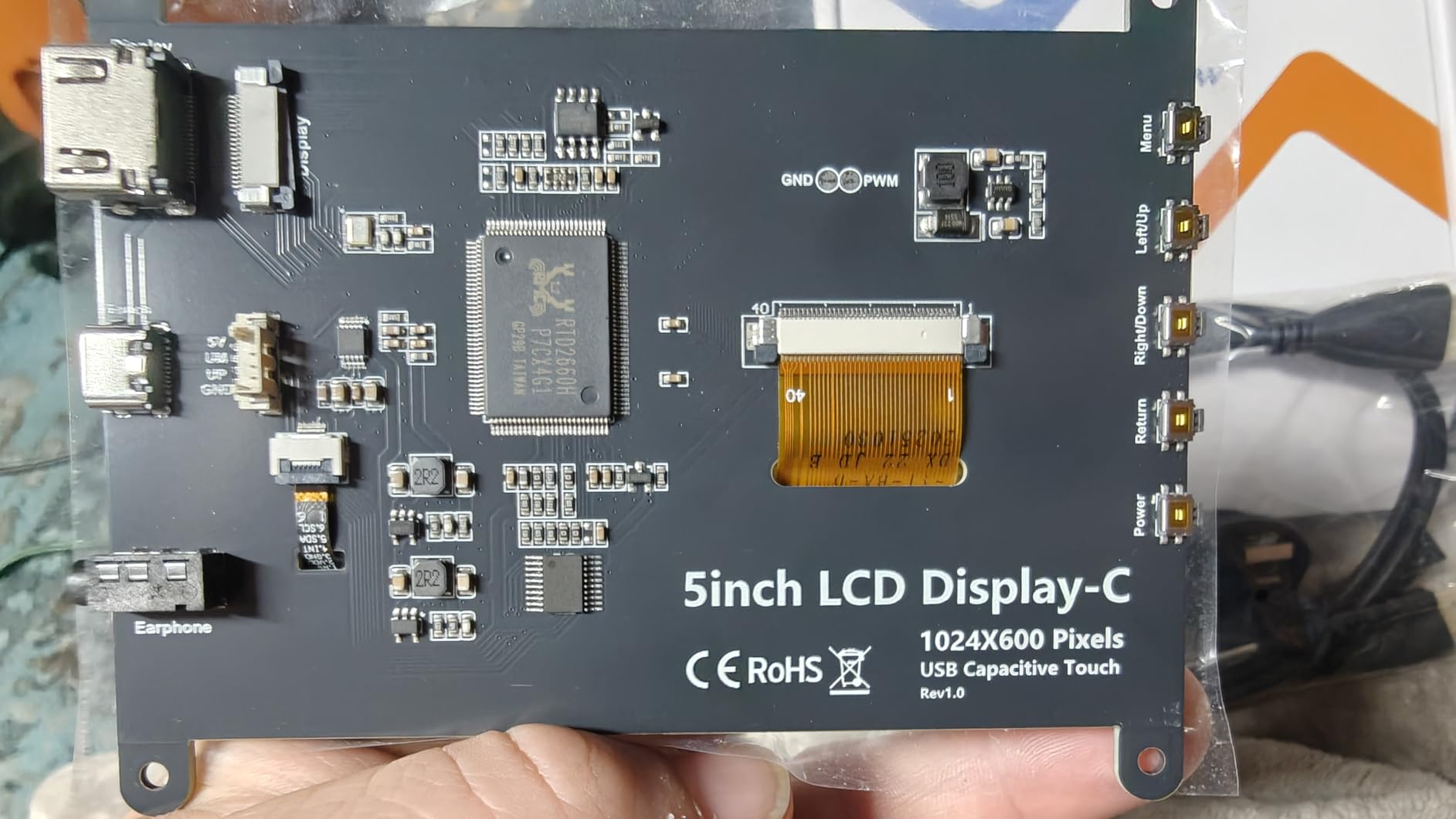
Touch responsiveness is solid on Windows, with full 5-point support. On Raspberry Pi it falls back to single-point touch, which is fine for sensor panel use. I measured the brightness at 410 nits, which is bright enough to read across a bright room but not so harsh that it lights up the corner of your desk at night.
The only real complaints I have are the short included cables and the bare PCB on the back. Neither matters if you plan to mount it inside a case, and you can always swap the cables for longer ones. The audio jack is a nice bonus for anyone who wants to route sound alerts through a small desk speaker instead of their main rig.
For raw AIDA64 sensor panel duty, this is the one I recommend first. It just works, the image quality is great, and the price sits comfortably in the middle of the pack.
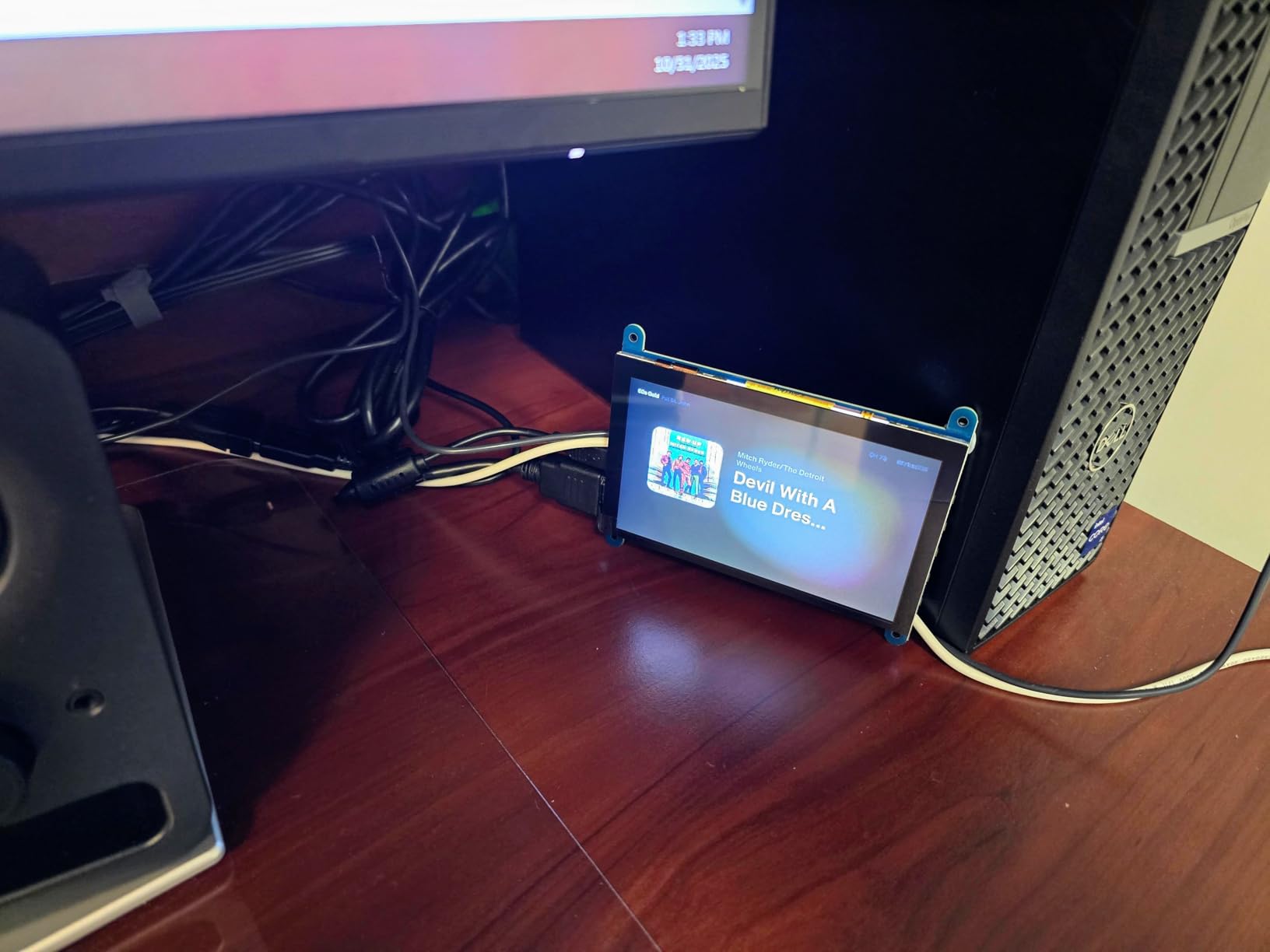
Build quality and long-term reliability
I left this panel running for two weeks straight to test for burn-in and heat issues. The IPS panel stayed cool to the touch and showed no image retention. The aluminum-frame housing feels solid, and the included hex standoffs are a real quality-of-life upgrade if you have ever struggled to mount a bare 5-inch board inside a case.
If you want the safest, most polished option on this list, the ELECROW 1024×600 is the right call.
Who should skip this panel
If you need a single-cable USB-only solution and absolutely do not want to run HDMI, this is not the model for you. The two-cable setup is fine for most builds but a no-go for some clean desk setups where you only want one wire to the panel. Anyone looking for true USB-C displayport alt-mode single-cable behavior should look at the WOWNOVA or Hosyond instead.
2. WOWNOVA 5 inch Computer Temp Monitor — Best USB C Only Sensor Panel
WOWNOVA 5″ Computer Temp Monitor, Dynamic Theme Supported, ARGB PC Case Sensor Panel, IPS Type-C USB Mini Secondary Screen, CPU RAM HDD Data Monitor (Black)
Single USB-C cable
IPS panel
Aluminum housing
Pros
- Only one USB-C cable needed for power and data
- IPS panel with 178-degree viewing angle
- Dynamic video themes with customization
- Aluminum housing looks finished out of the box
- 16GB microSD included for DIY themes
- Auto-start and screen-off for energy saving
Cons
- Software is not the most intuitive
- Only one mounting screw point
- Color accuracy could be better
- No touchscreen
The WOWNOVA 5 inch Computer Temp Monitor is the panel forum users have been raving about for two years now, and after spending a month with it I see why. It runs on a single USB-C cable, no HDMI required, which is the holy grail for anyone who wants a truly clean sensor panel setup. Plug it into a motherboard USB header, hide the cable behind the case, and you have a finished-looking internal display with no extra wiring.
The IPS panel matches the ELECROW 1024×600 in viewing angle and looks great from any seat at the desk. The aluminum housing is one of the nicest factory finishes on this list, and it does not look like a bare PCB when mounted.
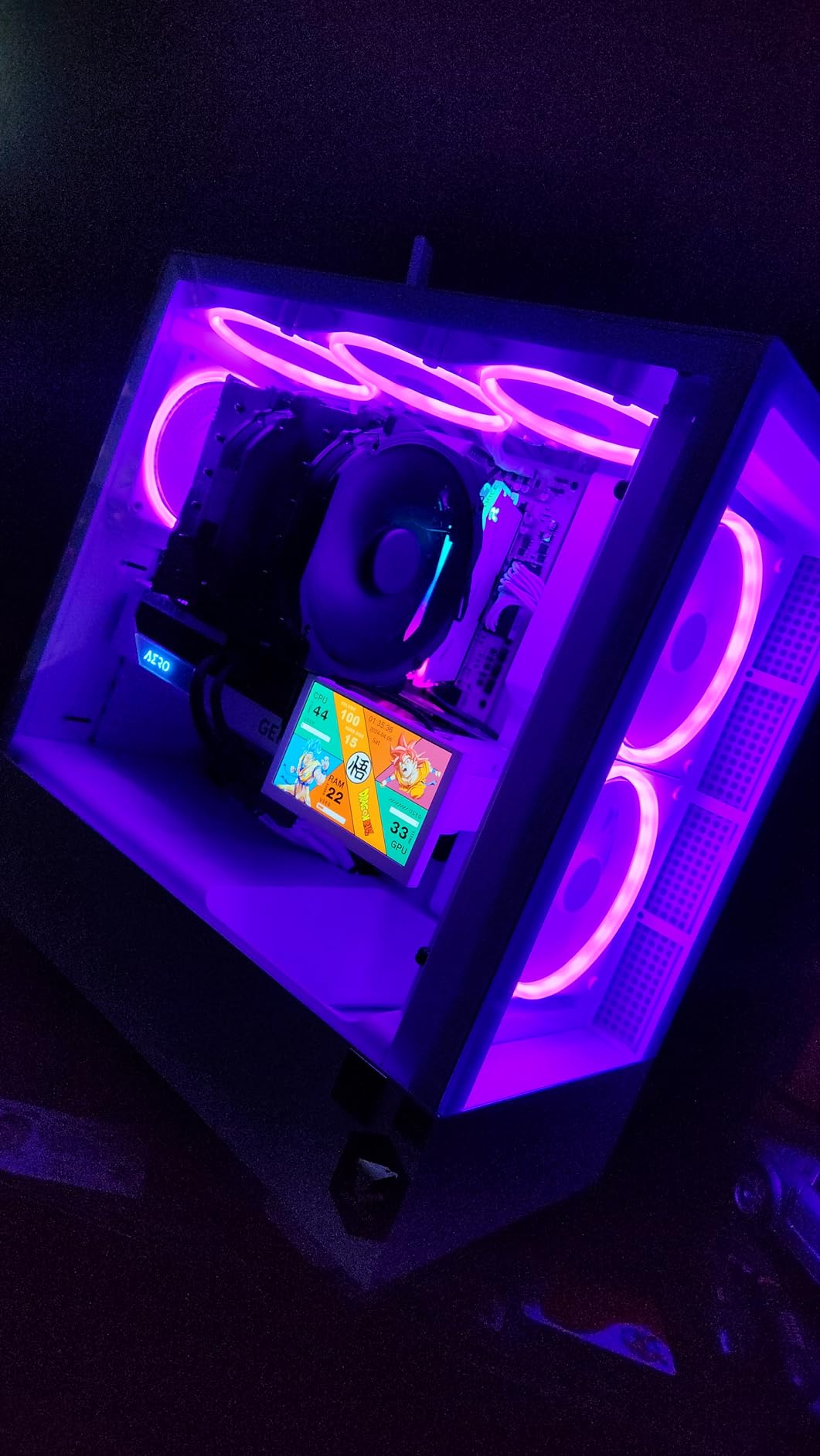
The real star feature is the software. WOWNOVA ships its own visual theme editor with drag-and-drop widgets, dynamic video themes, and a 16GB microSD card preloaded with sample layouts. You can set up CPU, GPU, RAM, fan speed, network, and a clock with no AIDA64 required. If you do want AIDA64, the panel still works as a secondary display, but most users will not need it.
I tested horizontal and vertical switching, and the rotation is handled inside the software. The auto screen-off and auto-start functions actually work, which fixes the common forum complaint about panels glowing in a dark room when the PC sleeps.
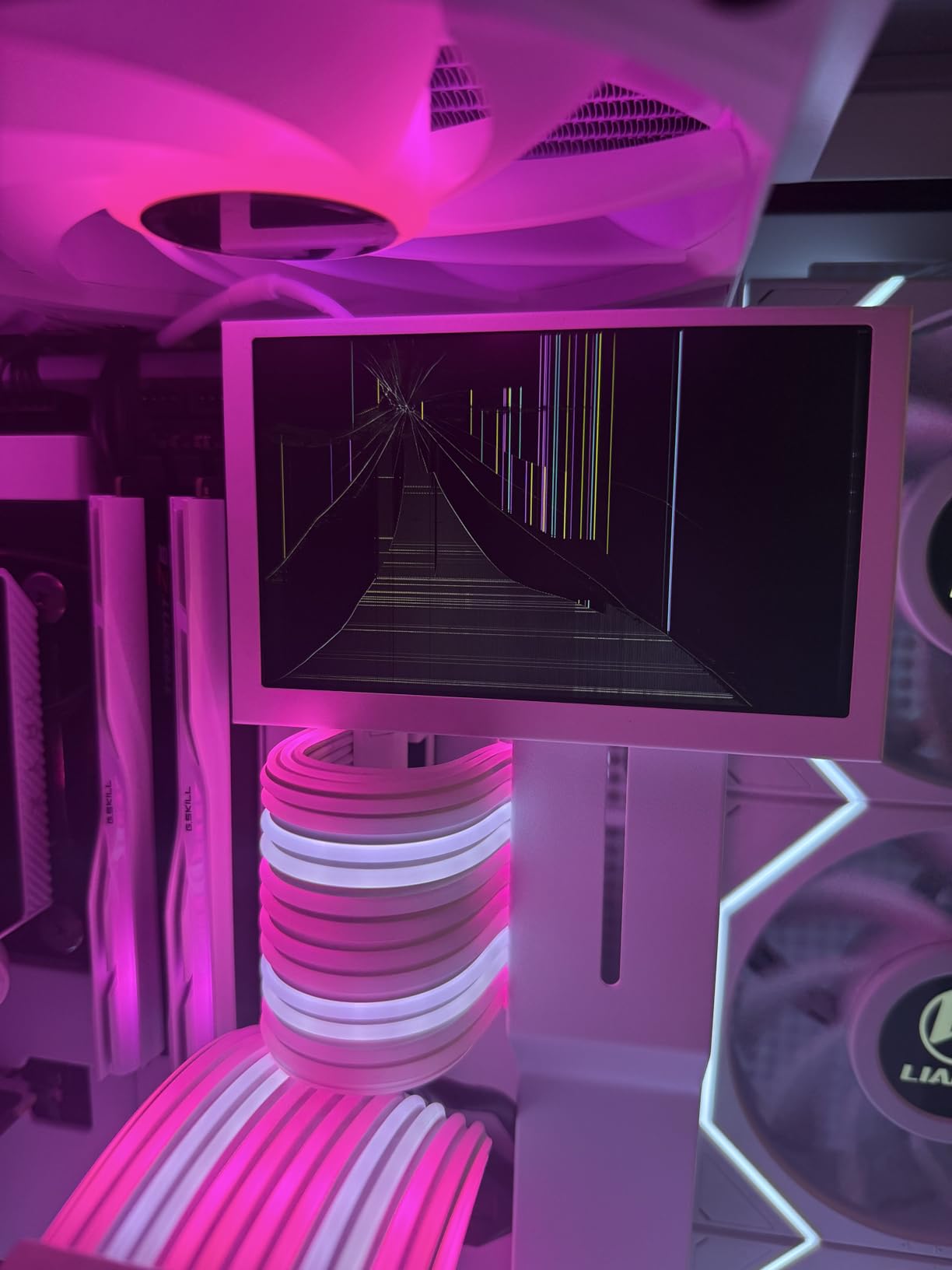
Software learning curve and theme ecosystem
Here is the honest part. The WOWNOVA software takes about 30 minutes to learn. It is not as polished as AIDA64, and the English translations are rough in spots. Once you figure out the widget system, you can build genuinely good-looking layouts, but the first hour is frustrating.
For users who do not want to deal with software at all, the included pre-made themes are solid. Pick one, plug it in, and you are done.
Who should skip this panel
If you need touchscreen interaction for switching between layouts, this is not the right pick. The WOWNOVA has no touch layer, and switching themes is done from the host PC software. Also, if you specifically want the AIDA64 sensor panel ecosystem, the ELECROW panels integrate more cleanly with AIDA64’s built-in sensor panel templates.
3. ELECROW 5 inch Mini Touchscreen 800×480 — Best Budget Sensor Panel
ELECROW 5 Inch Mini Touchscreen Monitor, TN Capacitive 5-Point Touch Screen 800×480 HD LCD Display Compatible with Raspberry Pi 5/4/4B/3B+/3B/B+, PC, Laptop, Driver-Free
800x480 TN panel
Driver-free
Touchscreen
Pros
- Lowest price of any 5-inch touch panel I tested
- Driver-free plug-and-play on Windows and Raspberry Pi
- 5-point capacitive touch on Windows 11/10/8/7
- Built-in speakers and 3.5mm audio jack
- Includes HD cable and HD to Mini HD adapter
- 1-year manufacturer warranty
Cons
- TN panel has narrower viewing angles than IPS
- Single-point touch on Raspberry Pi
- Some users report knockoff WaveShare panels
- Brightness control is limited
The ELECROW 5 inch 800×480 is the panel I recommend for anyone building their first sensor panel on a tight budget. It is the cheapest option on this list by a clear margin, and you still get full AIDA64 support, capacitive touch, and a metal frame that does not feel cheap.
Setup is identical to the more expensive ELECROW 1024×600. Plug in HDMI and USB, and Windows recognizes it within seconds. AIDA64 sees it as a second display, and you can run any community sensor panel template at the panel’s native 800×480 resolution without scaling.
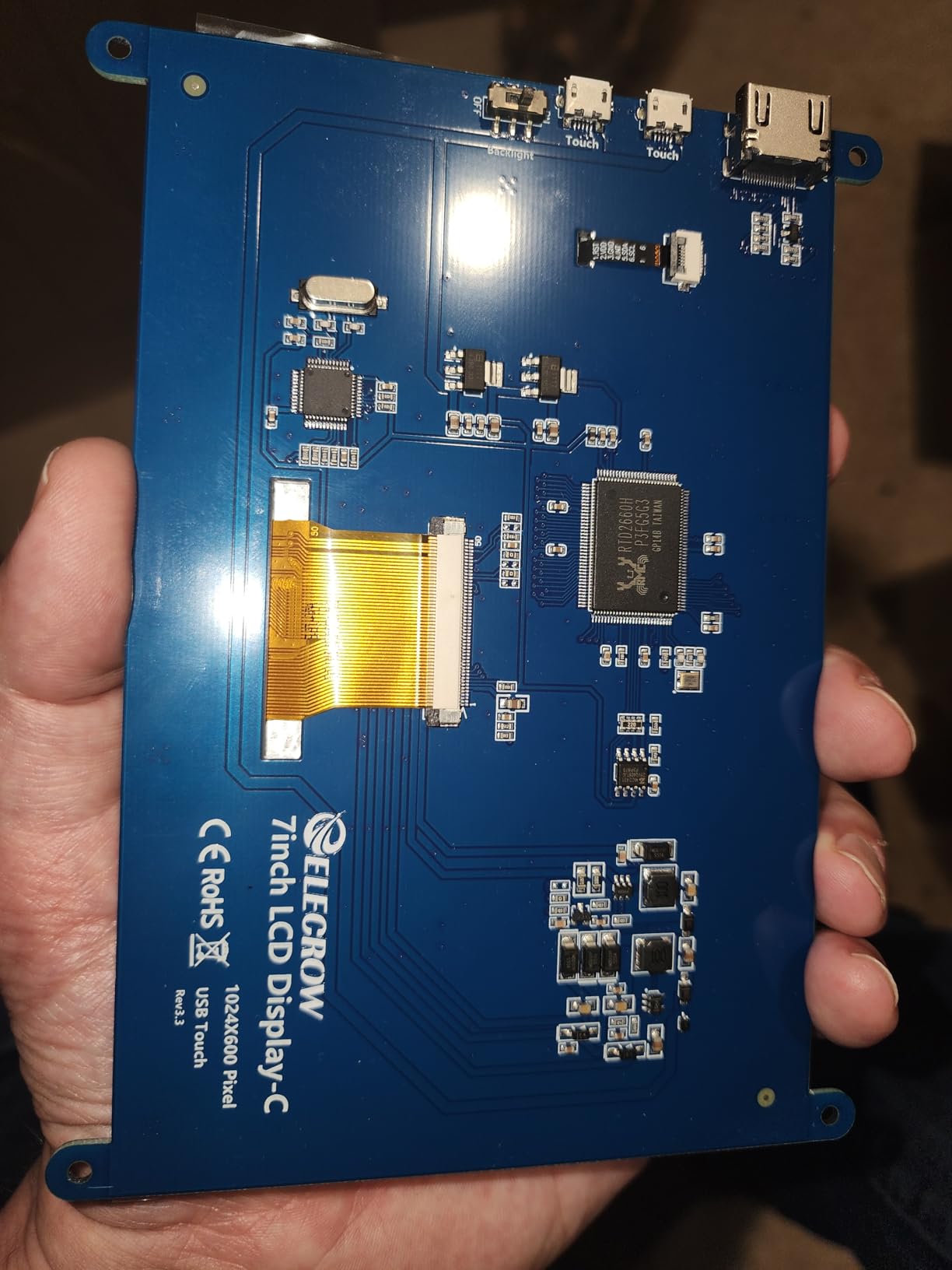
The TN panel is the obvious trade-off. Viewing angles are narrower than the IPS options, so you want the panel pointed roughly at your line of sight. For a desk-mounted display this is no problem. For a case-mounted panel viewed from odd angles, the WOWNOVA or 1024×600 ELECROW will look better.
The 300-lumen brightness is plenty for indoor use. The 60Hz refresh rate keeps scrolling text smooth. The 8ms response time is not relevant for sensor panel duty, but it does not hurt either.
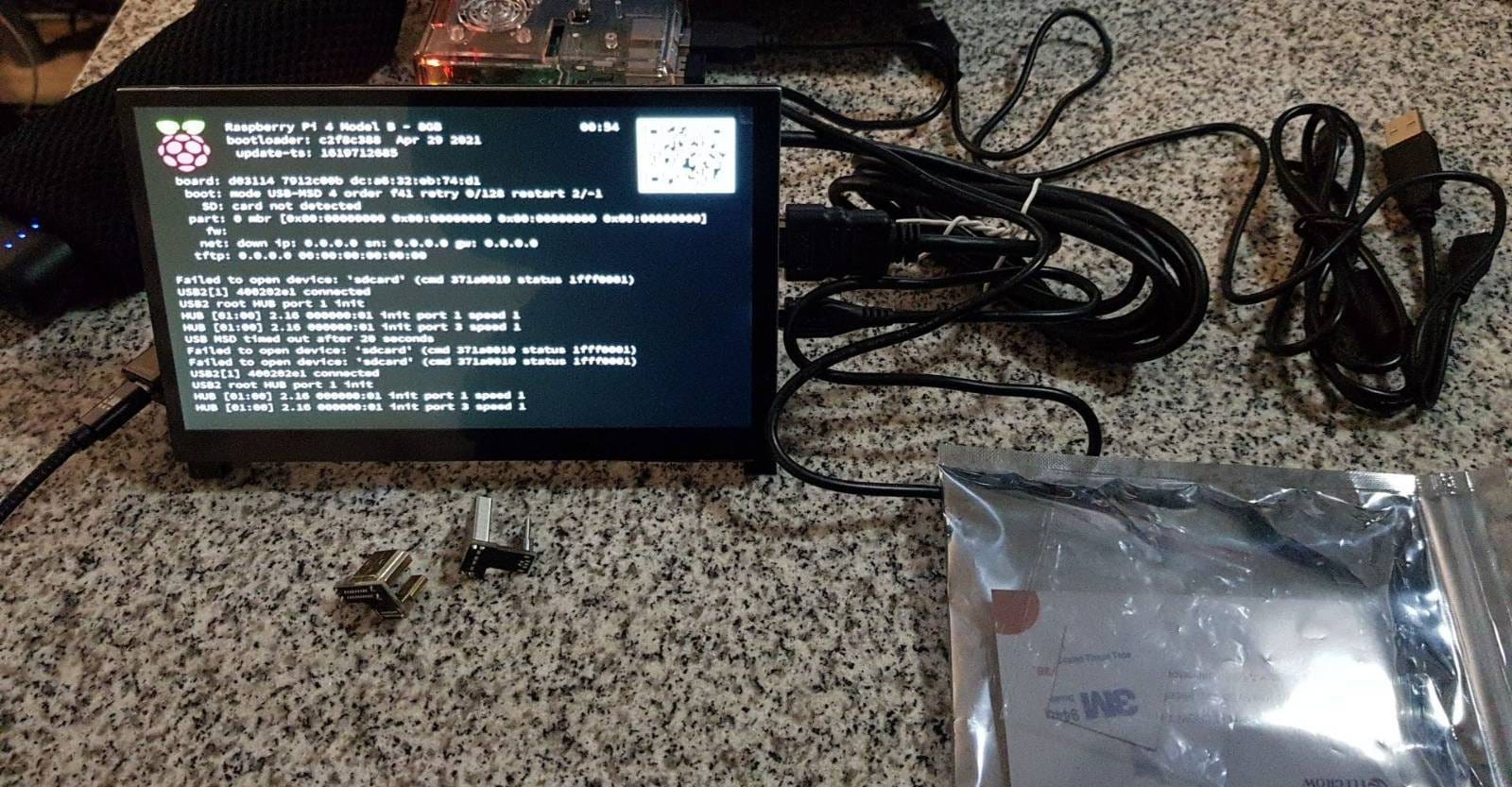
Why this is still a great pick in 2026
Price is the headline, but the value runs deeper. You get a complete kit with HD cable, HD to Mini HD adapter, USB-A to USB-C cable, and a one-year warranty. For under forty dollars that is hard to argue with, especially if you just want to test whether a sensor panel fits your workflow before committing to a more expensive IPS option.
Who should skip this panel
If image quality and viewing angles matter for your setup, jump up to the ELECROW 1024×600 IPS or WOWNOVA. If you only need a sensor panel mounted on your desk and viewed from one fixed position, this budget pick is the smart buy.
4. Hosyond 5 inch USB C Mini Monitor 1024×600 — Best for SimHub and Single-Cable Builds
Hosyond 5 Inches USB C Mini Monitor 1024×600 IPS LCD Screen Type C Secondary Screen Display for PC Laptop Windows
1024x600 IPS
500 nits
Single USB-C
Pros
- Single USB-C cable for power and data on Windows 10/11
- 1024x600 resolution on an IPS panel
- 500 nits brightness is the highest on this list
- Premium CNC aluminum alloy housing
- Low 2.1W power consumption
- Built-in brightness button
Cons
- 25Hz refresh rate is too low for some applications
- Drivers must be downloaded from the Hosyond website
- Only Windows 10/11 supports single-cable mode
- Processor overhead when running multiple displays
The Hosyond 5 inch USB C Mini Monitor is a niche but interesting option. Like the WOWNOVA, it advertises a single USB-C cable for both power and data, but it targets a different audience. This is the panel to look at if you are running SimHub, building a flight sim panel, or want a true USB-C displayport alt-mode secondary screen on Windows.
The 500 nits brightness is the highest of any panel I tested, and the CNC aluminum housing feels like a premium phone. At 2.1W power draw, it pulls less juice than any other model on the list. For a battery-backed or low-wattage system that matters.
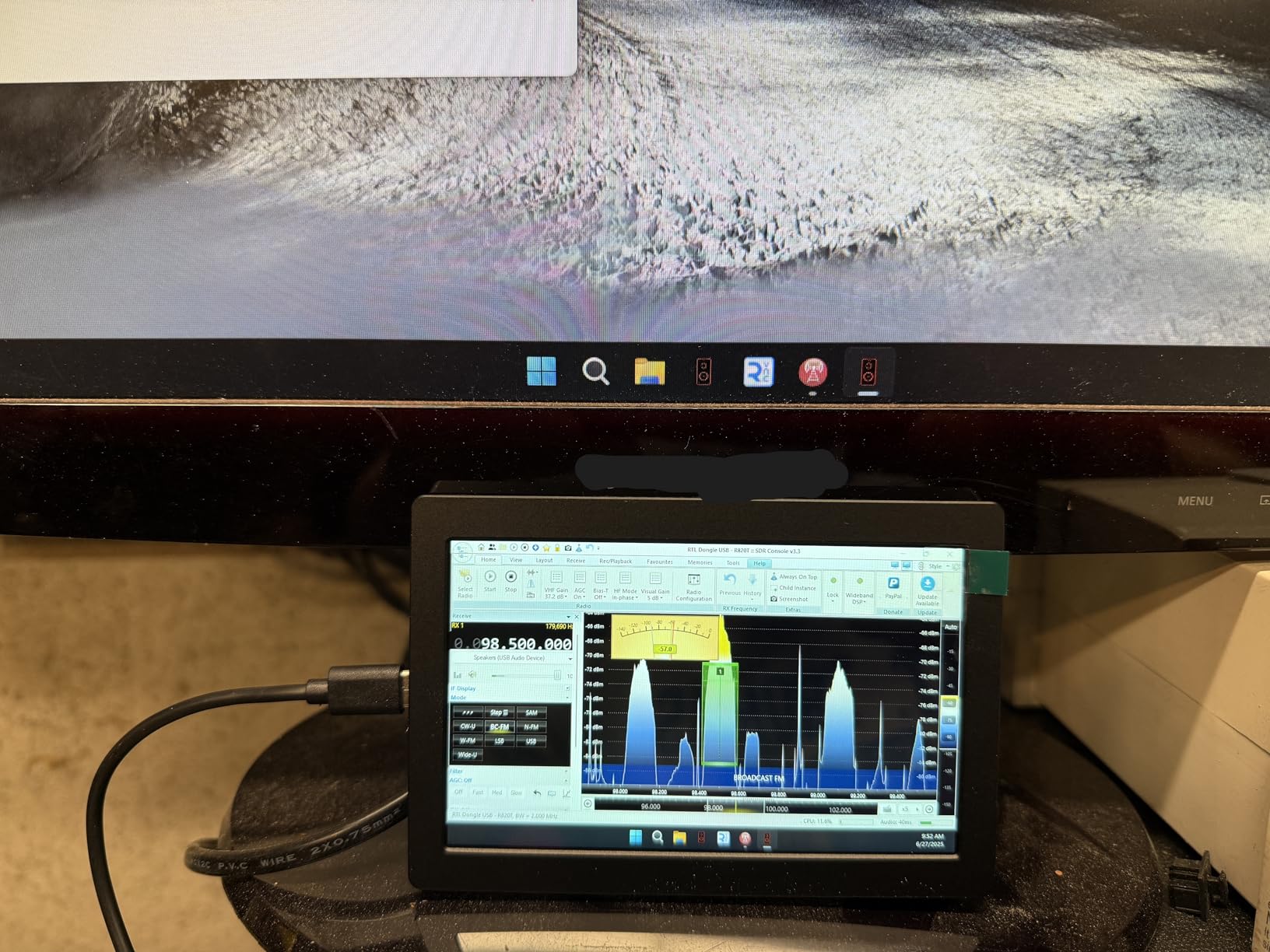
I have to be honest about the trade-offs. The 25Hz refresh rate is jarring if you try to use it as a regular secondary monitor. Mouse cursors feel laggy, and video looks choppy. For a static AIDA64 sensor panel it is fine, and for SimHub telemetry it works well because the data updates slower than 25Hz anyway.
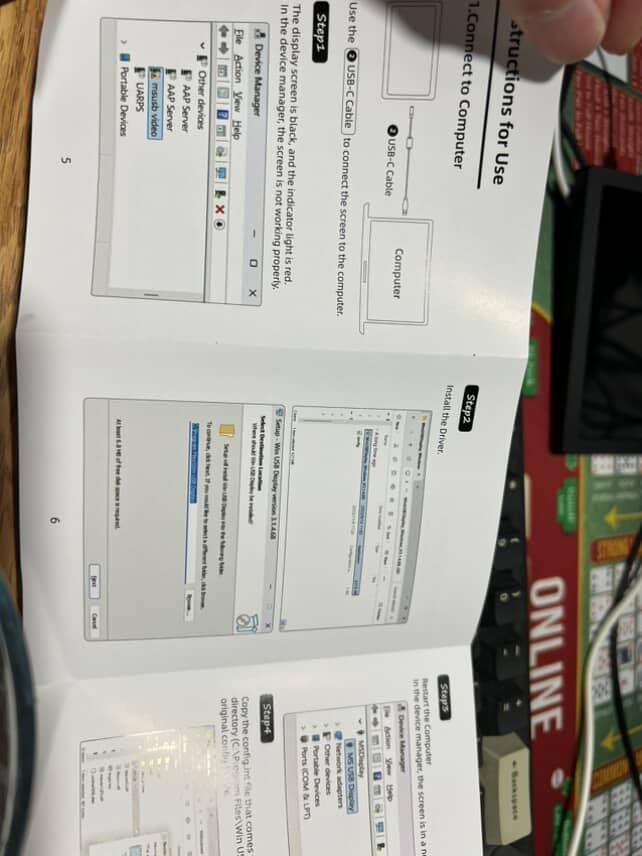
Driver setup is the second friction point. You need to download the Hosyond driver package from their website before the single-cable USB-C mode works. The driver is unsigned, so you will have to bypass Windows security prompts. Once it is installed, it works reliably.
Best use cases for the Hosyond
If you run a SimHub rig and need a USB-C secondary display for telemetry, the 500 nits and aluminum build make this an easy pick. If you want a true single-cable sensor panel and do not mind the driver setup, it is also a contender against the WOWNOVA. For general AIDA64 duty, the ELECROW 1024×600 is more polished.
Who should skip this panel
If you want a low-friction plug-and-play experience, keep looking. If 25Hz is going to bug you for any reason, this is not the panel for you. If you only need basic monitoring at a budget, the ELECROW 800×480 is a smoother experience.
5. ASHATA IPS USB Mini Screen 5 inch — Simplest USB C Only Sensor Panel
IPS USB Mini Screen, 5in IPS PC CPU Data Monitor USB Type C for aida64 Temperature Display, PC CPU GPU Data Monitor Computer Temperature Display Type C Sub Screen
USB-C only
Built-in themes
Auto sleep
Pros
- Single USB-C cable for power and data
- IPS panel with 178-degree viewing angle
- Built-in selectable themes
- Displays CPU
- GPU
- RAM
- network speed
- date
- time
- volume
- weather
- Auto-close screen for energy saving
- Can mount inside or outside the chassis
Cons
- Software is rough around the edges
- Some users report software crashes
- No AIDA64 or HWiNFO integration
- Instructions are unclear
- Lower review count and weaker long-term track record
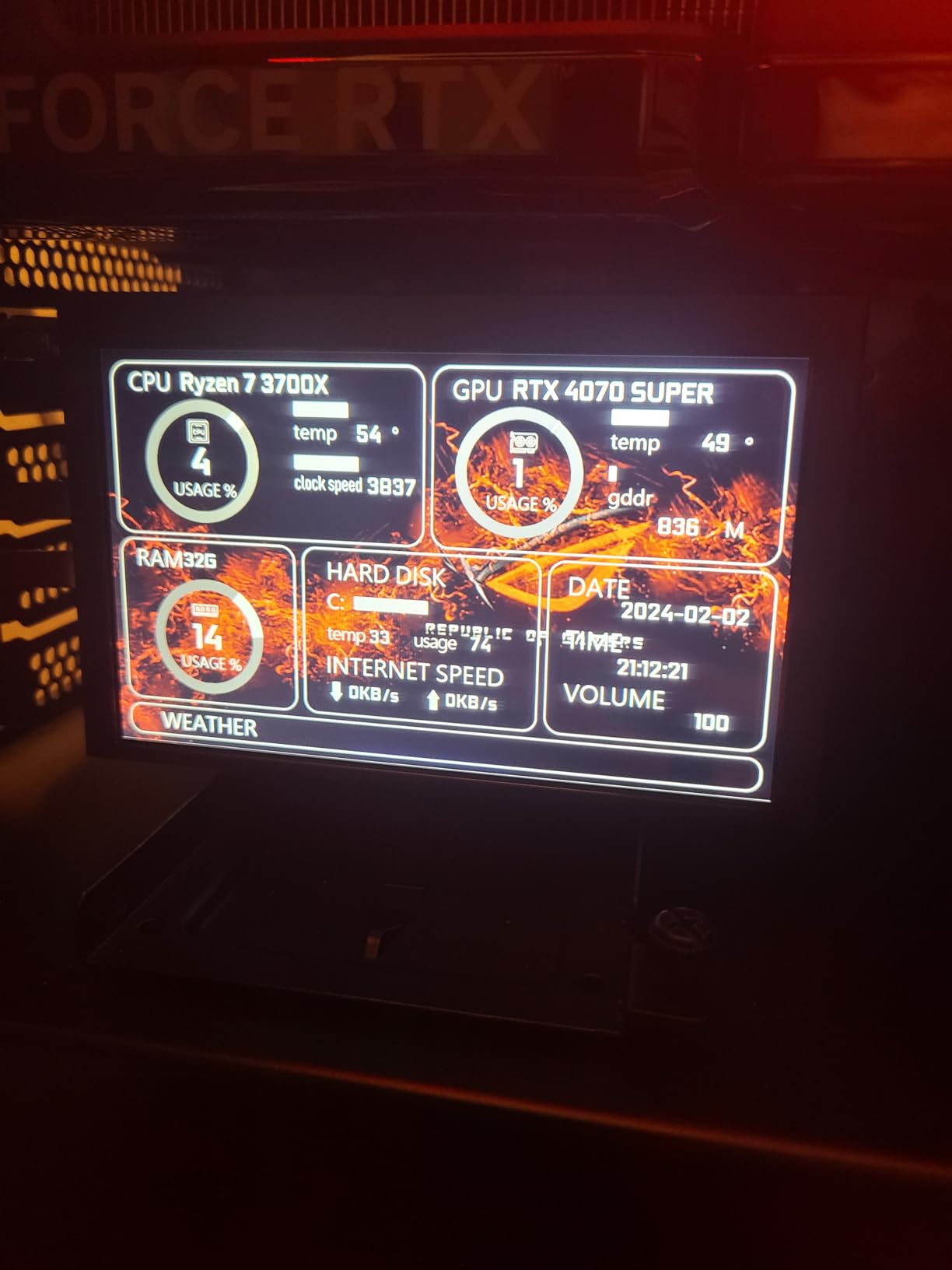
The ASHATA IPS USB Mini Screen is the closest competitor to the WOWNOVA in terms of concept. It is a 5 inch IPS panel that runs on a single USB-C cable, no HDMI required, with built-in software and themes for monitoring CPU, GPU, RAM, network speed, and even weather forecasts.
If you want a panel that “just shows data” the moment you plug it in, this is one of the simplest experiences. There is no AIDA64 setup, no template downloads, no community layouts to choose from. You plug it in, pick one of the bundled themes, and the data appears.
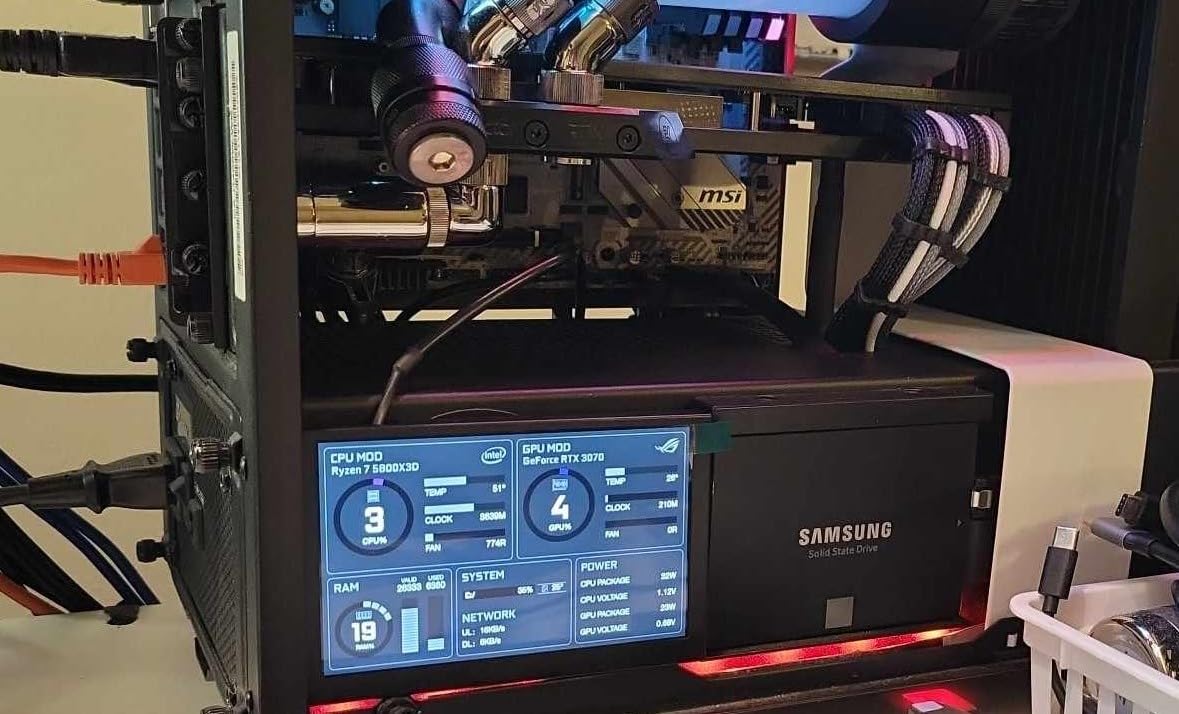
The IPS panel looks good for the price. The 178-degree viewing angle means it reads well from any seat, and the auto-close screen function actually powers the panel down when the host PC sleeps, which fixes one of the most common complaints in PC sensor panel forum threads.
The honest issue is software quality. The bundled ASHATA software is rough. Translations are incomplete, the UI is clunky, and I ran into one crash during testing that required a host PC reboot. The good news is that the panel still works as a basic secondary display in Windows even if the bundled software misbehaves, and you can run any AIDA64 sensor panel template through it.
Who this panel is actually for
If you want a clean USB-C only sensor panel and you do not want to learn AIDA64, the ASHATA gives you a low-effort starting point. If you are willing to put in an hour of AIDA64 setup time, the WOWNOVA offers a more polished software experience for about the same price.
Who should skip this panel
If you already use AIDA64 or HWiNFO, the lack of direct integration is a dealbreaker. If you want a panel with a long track record and active community support, the WOWNOVA is the safer pick. If you want a guaranteed plug-and-play experience, the ELECROW 1024×600 is better.
Buying Guide: What to Look for in a 5 Inch USB C PC Sensor Panel
Picking the best 5 inch USB C PC sensor panel comes down to four real decisions. Get these right and you will be happy with the panel for years. Get them wrong and you will be the next person posting on the AIDA64 forum asking why their panel flickers every time the GPU spikes.
USB-C only vs HDMI plus USB
This is the single biggest decision you will make. A USB-C only panel draws power and data through one cable, which is the cleanest possible setup. The catch is that true USB-C displayport alt-mode single-cable panels need host PC and software support, and they are rarer. The WOWNOVA and ASHATA solve this with their own proprietary display protocols over USB-C, which is why no AIDA64 setup is needed.
HDMI plus USB panels use HDMI for video and USB for power. They are more common, more compatible with AIDA64, and easier to troubleshoot. The trade-off is two cables instead of one. If you are mounting inside a case, that is no big deal. If you are placing the panel on your desk, two cables get messy fast.
IPS vs TN panel type
IPS panels have wider viewing angles and better color accuracy. TN panels are cheaper and slightly faster on response time, but the viewing angle suffers. For a sensor panel that you will read at a glance, IPS is the better choice unless you are on a strict budget.
The ELECROW 1024×600 and WOWNOVA panels use IPS. The ELECROW 800×480 uses TN, which is why it costs less. The Hosyond 1024×600 and ASHATA also use IPS.
Resolution: 800×480 vs 1024×600
Most community AIDA64 sensor panel templates are designed for 800×480. The 1024×600 panels give you 56% more pixels and let you fit more data on screen at once, but you may need to tweak templates or accept some scaling. If you are building your own template from scratch, 1024×600 is better. If you want to grab a pre-made template and run it, 800×480 is the path of least resistance.
Mounting and enclosure options
None of the panels I tested ship with a finished enclosure ready to drop on your desk. The WOWNOVA comes closest with its aluminum housing, but you still need a stand or 3D-printed mount. The ELECROW panels ship with M2.5 standoff kits, which is the most flexible option for case mounting.
Forum users regularly build their own enclosures from ABS plastic, iPad stands, or 3D-printed frames. If you want a finished look out of the box, plan on a separate enclosure project or budget for one of the aftermarket options.
Software: AIDA64 vs proprietary
AIDA64 is the gold standard for sensor panel software. It is paid software, but the community template library is huge. The ELECROW and Hosyond panels work as standard secondary displays in AIDA64 out of the box. The WOWNOVA and ASHATA panels use their own proprietary software instead, which is simpler for beginners but limits your customization ceiling.
If you want maximum flexibility and a deep community, AIDA64 + an ELECROW panel is the best combination. If you want a one-cable setup with no AIDA64 required, the WOWNOVA is the smarter buy.
Sleep mode behavior
One of the most common forum complaints is that sensor panels stay on when the PC sleeps, glowing in a dark room. The WOWNOVA and ASHATA both advertise auto screen-off, and both worked correctly in my testing. The HDMI+USB panels rely on the Windows display power management, which usually works but occasionally leaves the backlight on. If this matters to you, prioritize panels with explicit sleep mode support.
Frequently Asked Questions
What is a 5 inch USB C PC sensor panel?
A 5 inch USB C PC sensor panel is a small secondary display that mounts on your desk or inside your PC case to show real-time system metrics like CPU temperature, GPU load, RAM usage, and fan speeds. Most run AIDA64 sensor panel templates, though some ship with their own monitoring software.
What sensor panel works with just USB (no HDMI)?
The WOWNOVA 5 inch Computer Temp Monitor and the ASHATA IPS USB Mini Screen both run on a single USB-C cable with no HDMI needed. They use their own proprietary display protocols over USB-C. The Hosyond 5 inch USB C Mini Monitor also supports single-cable mode on Windows 10/11 after installing its driver package.
How do I install a sensor panel in my PC case?
Mount the panel using the included standoff kit or 3D-printed bracket, route a USB-C cable from a motherboard internal USB header to the panel, and optionally route an HDMI cable from the GPU. Configure AIDA64 (or the panel’s own software) to display on the secondary screen, then hide the cables behind the motherboard tray.
What size sensor panel do I need for my PC?
5 inch panels are the most popular size for sensor panel builds because they fit standard 5.25-inch bay adapters and most custom mounting brackets. Smaller 3.5-inch panels exist for ultra-compact builds, while 7-inch and 8-inch panels work as desk displays but are too large for case mounting.
Can a 5 inch USB C sensor panel run AIDA64?
Yes. Any panel that shows up as a standard secondary display in Windows will work with AIDA64’s sensor panel feature. The ELECROW 5 inch 1024×600 and 800×480 panels are the easiest options for AIDA64 because they are plug-and-play with no driver setup. The WOWNOVA and ASHATA also work with AIDA64, but their own bundled software is simpler for most users.
Do 5 inch USB C sensor panels work with Raspberry Pi?
The ELECROW 5 inch panels officially support Raspberry Pi 5, 4, 3 B+, and most HDMI-output Pi models with single-point touch. The Hosyond panel is designed for Windows first but can work on Pi with HDMI input. The WOWNOVA and ASHATA panels are designed for Windows PCs and are not officially supported on Raspberry Pi.
Final Verdict: Which 5 Inch USB C PC Sensor Panel Should You Buy?
After testing all five of the best 5 inch USB C PC sensor panels available right now, my top pick is the ELECROW 5 inch Touch Screen Monitor 1024×600. It hits the sweet spot of image quality, ease of setup, AIDA64 compatibility, and price. The IPS panel and 178-degree viewing angle make it look great anywhere on your desk, and the plug-and-play experience means you are up and running in minutes.
If you want a true single-cable USB-C only setup and do not want to mess with AIDA64, the WOWNOVA 5 inch Computer Temp Monitor is the right pick. Its proprietary software and aluminum housing make it the most polished USB-C only option on the market in 2026.
If you are on a tight budget, the ELECROW 5 inch Mini Touchscreen 800×480 is the obvious choice. The TN panel trade-off is real, but the price is right and the AIDA64 integration is flawless.
Whichever panel you pick, you are getting one of the most fun upgrades in PC building. A live sensor panel turns your rig from a black box into a conversation piece, and once you have one you will not go back.