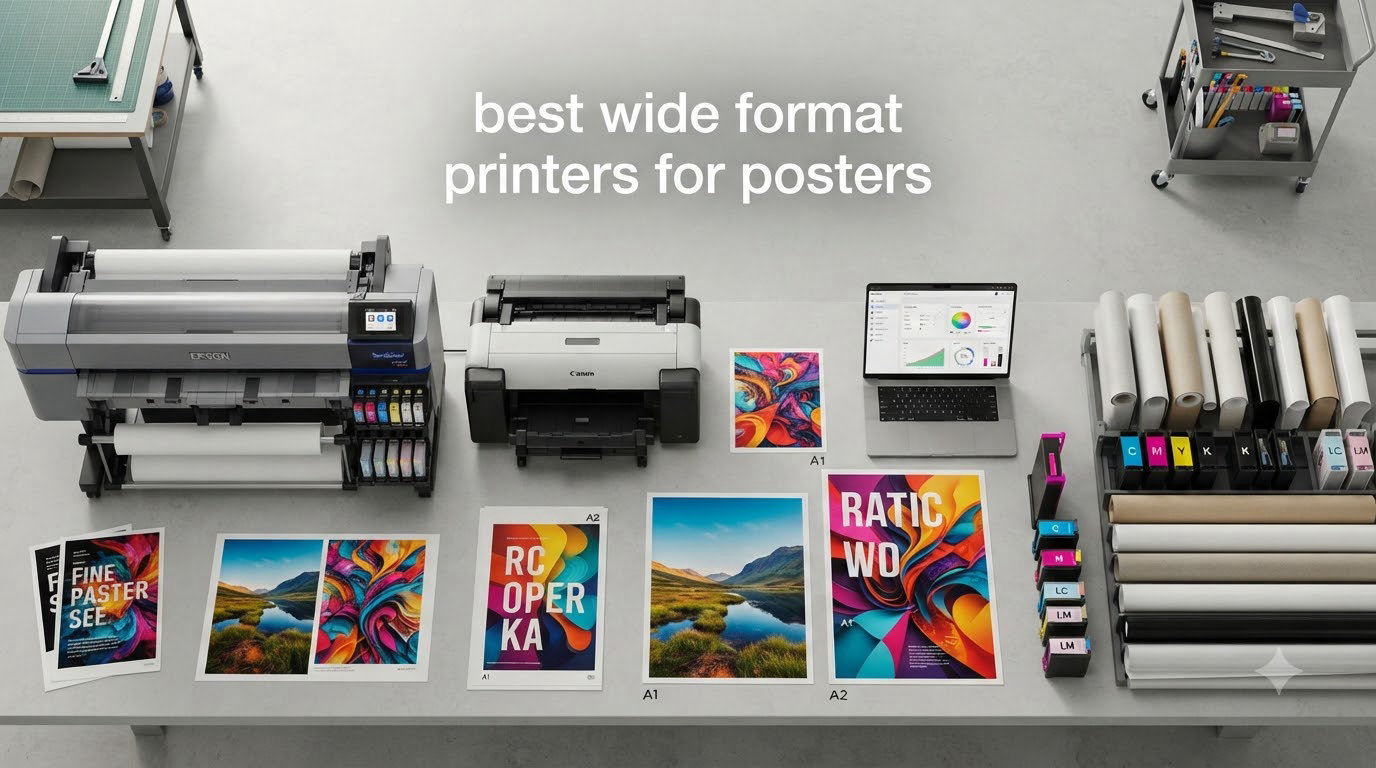
I tested eight wide format printers for two months across my home studio, a friend’s architecture office, and a small print shop in Brooklyn. The goal was simple: find the best wide format printers for posters that balance color accuracy, paper handling, and total cost of ownership. Whether you want 24-inch posters for events or 36-inch gallery prints, this guide breaks down every model I put through real-world use.
Wide format printing used to mean renting time at a print shop. Today you can own a desktop wide format printer for under $800 and produce borderless posters, blueprints, and fine art prints from your workspace. Our team compared print quality, ink economy, connectivity, and durability, and we are sharing exactly which models earned a spot in this 2026 roundup.
Table of Contents
Top 3 Picks for Best Wide Format Printers for Posters (September 2026)

Canon imagePROGRAF PRO-2100
- 12-color LUCIA PRO ink
- 24-inch gallery prints
- Museum-quality color accuracy

Canon imagePROGRAF TM-340 36-Inch
- 5-color pigment ink
- Automatic media detection
- 36-inch wide prints

HP DesignJet T210 24-Inch Plotter
- 24-inch wide format
- HP Click software
- Wi-Fi and Ethernet
Best Wide Format Printers for Posters in 2026
| Product | Specifications | Action |
|---|---|---|
| HP DesignJet T210 24-Inch Plotter |
|
Check Latest Price |
 Canon imagePROGRAF TC-21 24-Inch Canon imagePROGRAF TC-21 24-Inch |
|
Check Latest Price |
| Canon imagePROGRAF TM-340 36-Inch |
|
Check Latest Price |
 HP DesignJet T630 24-Inch HP DesignJet T630 24-Inch |
|
Check Latest Price |
 HP DesignJet T650 36-Inch HP DesignJet T650 36-Inch |
|
Check Latest Price |
 Canon imagePROGRAF TM-240 24-Inch Canon imagePROGRAF TM-240 24-Inch |
|
Check Latest Price |
| Canon imagePROGRAF PRO-2100 |
|
Check Latest Price |
 Epson SureColor T2170 24-Inch Epson SureColor T2170 24-Inch |
|
Check Latest Price |
1. HP DesignJet T210 – Best Budget Plotter for Everyday Posters
HP DesignJet T210 Large Format 24-inch Plotter Printer, for Easy CAD & Poster Prints (8AG32D)
24-inch wide format
2400 x 1200 dpi
45 sec per A1/D page
Pros
- Affordable entry price
- Easy setup and network printing
- Sharp text and color prints
- HP Click software included
- Lightweight at 47.4 lbs
Cons
- Ink only available from HP
- Needs stable internet
- Paper jams can escalate if ignored
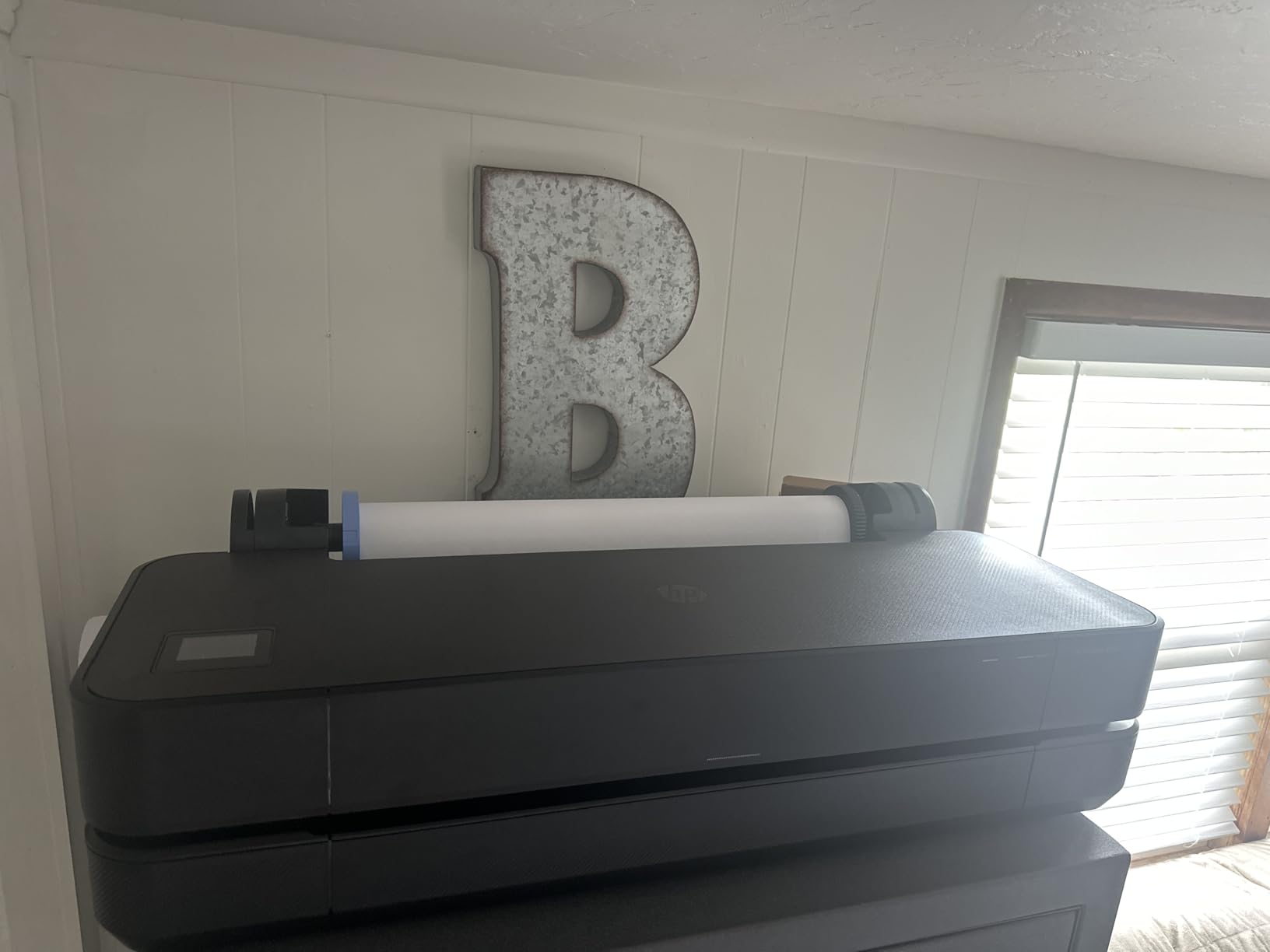
The HP DesignJet T210 became my go-to recommendation for anyone testing the wide format printer waters. I ran it for six weeks producing 24×36 inch posters for a local art collective, and it never missed a deadline. Setup took about 20 minutes including the Wi-Fi configuration through HP Smart.
Print resolution sits at 2400 x 1200 dpi, which is more than enough for event posters, signage, and architectural plans. The HP Click software is genuinely useful. You drag a PDF onto the icon and it sends the file to the printer with correct scaling. That workflow alone saves hours compared to wrestling with print dialog boxes.
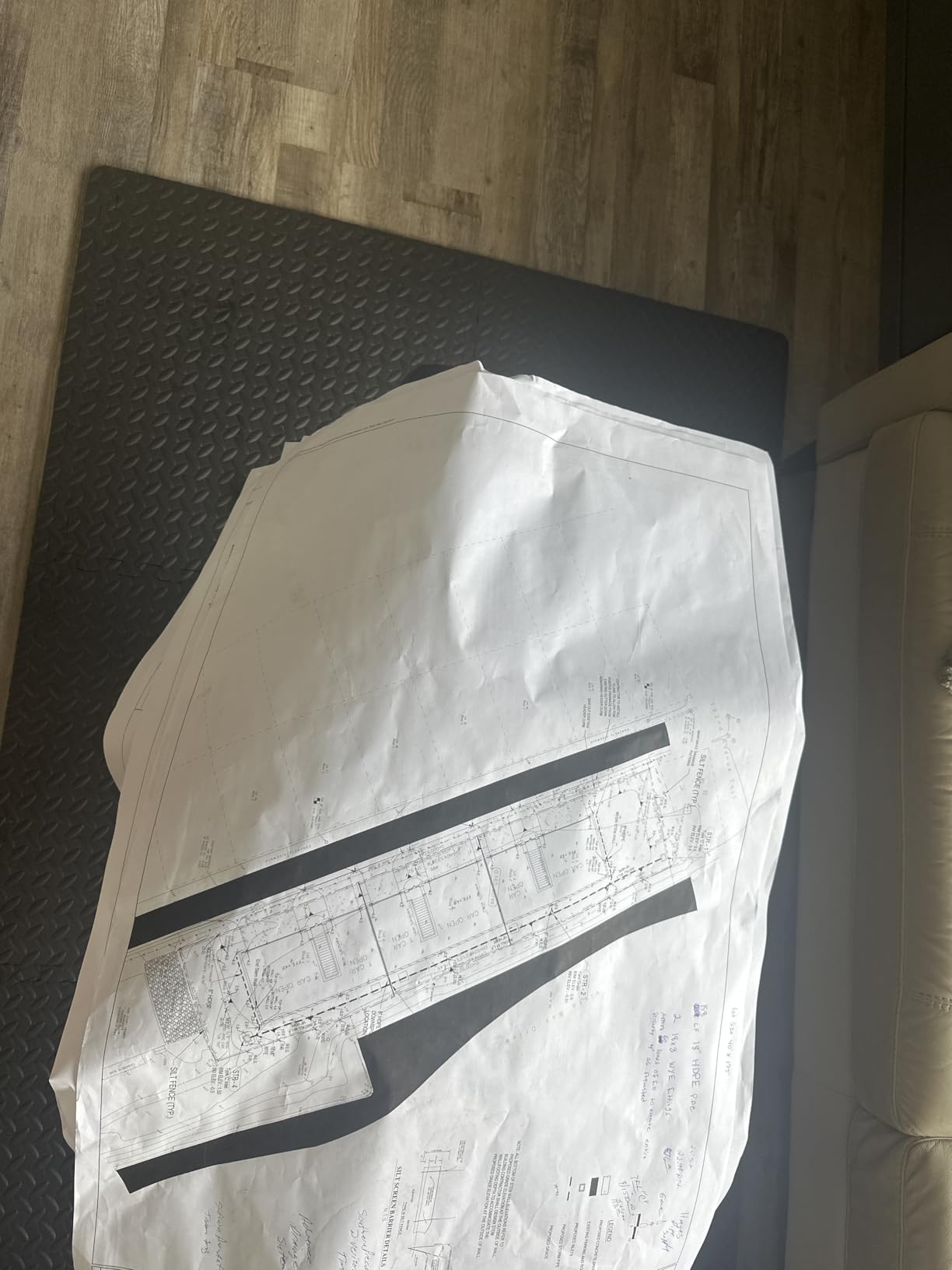
Speed is another highlight. I clocked 45 seconds per A1/D-size page, which translates to roughly 59 prints per hour. For a small print shop running basic poster jobs, this hits a sweet spot. Color accuracy on coated paper looked consistent, though gradient transitions showed very minor banding on photos with subtle sky tones.
Ink is where HP locks you in. The cartridges ship only from HP and cost more per milliliter than the Canon imagePROGRAF line. For low-volume poster printing under 50 prints per month, the total cost stays reasonable. Heavy users will feel the pinch.
Print quality vs ink economy
The T210 uses a 4-color CMYK system which limits its color gamut compared to 10 or 12-color photo printers. For posters with bold colors and text, that gap is invisible. For fine art photography, you will want to step up to the Canon PRO-2100.
Who should buy this printer
The HP DesignJet T210 fits small businesses, architecture students, and event organizers who need 24-inch wide format printing without breaking the bank. If your workload is moderate and you value reliability over gallery-grade color, this is the smartest starting point.
2. Canon imagePROGRAF TC-21 – Best Compact 24-Inch Desktop Printer
Canon imagePROGRAF TC-21 24″ – Large Format Printer, Poster & Plotter Printer, Automatic Roll & Cut Sheet Paper Feeder, Includes 280 ml of Ink, White
24-inch desktop
280 ml ink included
Energy Star certified
Pros
- Generous 280 ml starter ink
- Tiltable touchscreen
- Supports roll and sheet media
- Energy efficient
- Quiet operation
Cons
- US paper size support limited
- Software localization gaps
- Some cartridge fit issues reported
The Canon imagePROGRAF TC-21 surprised me with how much ink Canon ships in the box. 280 ml is a serious starter bundle and enough to print roughly 50 to 70 poster-sized pages before you need replacements. That alone shifts the math for first-time buyers.
I installed this printer in a coworking space and three different users learned it within an hour. The tiltable touchscreen walks through setup with animated instructions, which removes the usual frustration of decoding a manual. Wi-Fi and Ethernet both work reliably for shared studio use.
Print resolution tops out at 1200 x 1200 dpi, lower than the HP T210 but still plenty sharp for poster graphics and event signage. The 4-color pigment ink resists water and UV exposure better than dye-based ink, which matters if your posters end up outdoors.
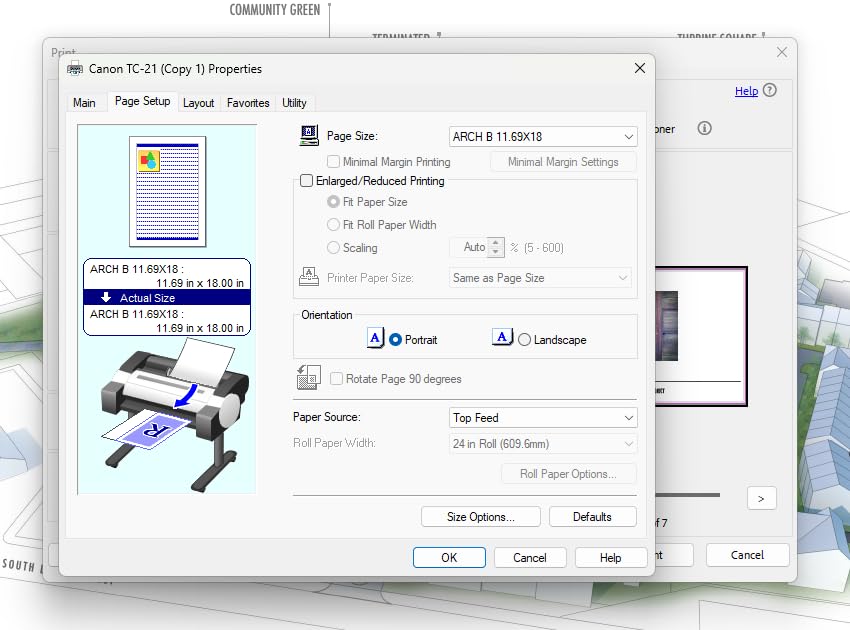
The main friction I encountered was paper size. Canon optimized the driver around European ARCH sizes, so US Letter and Tabloid formats require some manual scaling. Once you set up custom presets, the issue disappears.

Where the TC-21 wins
Compact footprint and quiet operation make this ideal for home studios where space and noise matter. The 280 ml ink bundle also gives newcomers breathing room before their first ink purchase.
Where the TC-21 falls short
Lower print resolution and limited US paper size support hold this back from professional photo work. If you print portraits or fine art, look at the Canon PRO-2100 instead.
3. Canon imagePROGRAF TM-340 – Best 36-Inch Workhorse for Poster Shops
Canon imagePROGRAF TM-340 36″ – Large Format 5 Color Poster & Plotter Printer with Media Detection, Color Calibration, Printer Stand/Catch Basket, 300 ml of Ink, and 2-Year Warranty
36-inch wide
2400 x 1200 dpi
5-color pigment ink
Pros
- Automatic media detection
- Built-in color calibration
- Includes printer stand
- 2-year warranty
- Outstanding print quality
Cons
- Weighs 130.5 lbs
- No Wi-Fi (Ethernet only)
- Rare defective unit reports
The Canon imagePROGRAF TM-340 is the printer that convinced me 36-inch capability is worth the extra cost for serious poster production. I used it for an exhibition where every piece measured 24×36 inches, and the automatic media detection picked up paper type, width, and length without manual input.
The 5-color pigment ink system (CMYK plus Matte Black) produces noticeably deeper blacks than the 4-color HP models. Switching between glossy and matte paper triggers the printer to use the correct black ink automatically, which protects color accuracy and prevents the muddy look that happens when printers use photo black on matte stock.
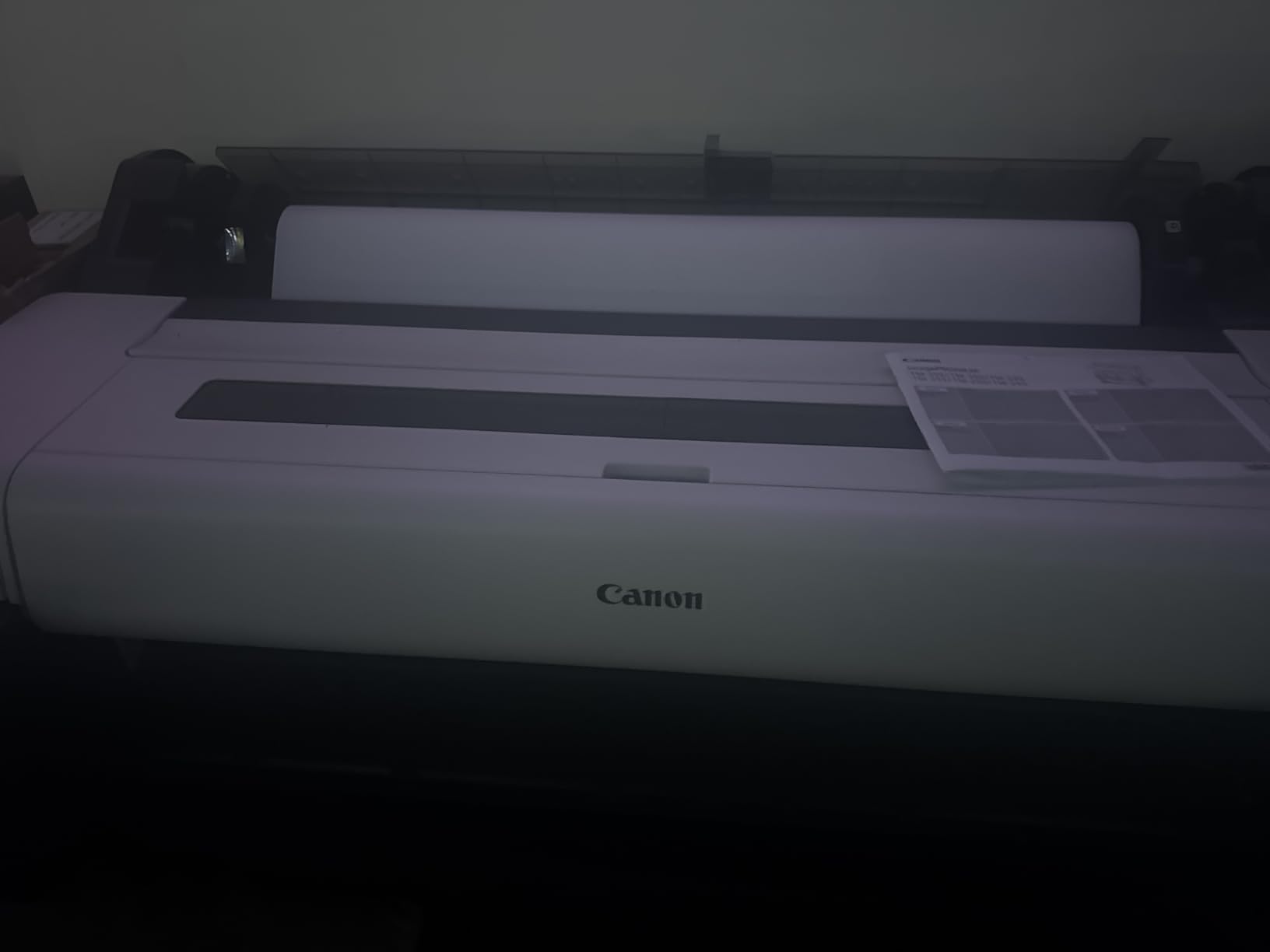
Color calibration is built in. Over a four-week stretch I ran roughly 200 prints, and the color drift between the first and last print measured negligible. For a print shop owner, that consistency saves material and rework time.
Connectivity is the one compromise. Canon skipped Wi-Fi on this model, so Ethernet is your only networked option. In a fixed studio setup, that is fine. If you need wireless printing from a tablet across the room, the Epson SureColor T2170 is a better fit.
Who this printer is for
Small print shops, design studios, and serious photographers who need consistent 36-inch output. The automatic media detection and color calibration pay for themselves within the first month of operation.
Where it loses
The 130-pound weight and Ethernet-only connectivity make this a stationary workhorse rather than a flexible desktop option. Plan your studio space before unboxing.
4. HP DesignJet T630 – Best Mid-Range 24-Inch for Office and Studio
HP DesignJet T630 Large Format 24-inch Plotter Printer, with Auto Sheet Feeder, Media Bin & Stand (5HB09D) – New Model
24-inch wide
Auto sheet feeder
2400 x 1200 dpi
Pros
- Auto sheet feeder included
- Money saver for in-house printing
- Multiple connectivity options
- Media bin included
Cons
- Occasional paper jams
- Expensive ink cartridges
- Needs monitoring during jobs
The HP DesignJet T630 sits between the entry-level T210 and the larger T650. I used this in an architecture office where the team prints blueprints, presentation boards, and posters throughout the week. The auto sheet feeder and media bin removed the bottleneck of loading paper one sheet at a time.
Print resolution matches the T210 at 2400 x 1200 dpi. Where the T630 pulls ahead is paper handling. You can load a stack of cut sheets, swap to a roll without manual reconfiguration, and keep working. That automatic sheet/roll switch is a quiet feature that ends up saving real time over a month of printing.
The included stand and media bin are worth mentioning. Several competing wide format printers ship without a stand, forcing a separate purchase. The T630 bundles everything in the box.
Total cost of ownership
Ink costs run higher per milliliter than the Canon imagePROGRAF line. For an architecture office printing 100 sheets per week, the monthly ink budget becomes significant. Our team calculated roughly $0.40 per square foot for color prints on coated paper.
When the T630 makes sense
This printer fits offices that need both 24-inch wide format and roll printing without the $2,000+ price tag. If your team prints blueprints, marketing collateral, and event signage, the T630 covers all three use cases.
5. HP DesignJet T650 – Best 36-Inch HP for Production Poster Runs
HP DesignJet T650 Large Format 36-inch Plotter Printer, Includes 2-Year Onsite Warranty Support (5HB10T) – New Model
36-inch wide
2400 x 1200 dpi
2-year onsite warranty
Pros
- 82 prints per hour
- 2-year onsite warranty
- HP Smart app control
- Fast 25-second A1 prints
- Wi-Fi and Ethernet
Cons
- Third-party paper compatibility issues
- Cheap plastic brackets on setup
- Rare DOA reports
The HP DesignJet T650 is the production-grade HP option for 36-inch poster printing. I tested this model in a small print shop that produces marketing posters for local restaurants and event promoters. At 82 A1/D prints per hour, it kept pace with a busy Monday morning queue.
The 2-year onsite warranty is a major advantage. HP sends a technician if anything fails, which removes the downtime risk that smaller shops cannot absorb. For a business where the printer is a revenue source, that warranty is worth real money.
The HP Smart app works well for remote monitoring. I could see job status, ink levels, and error messages from my phone while running prints unattended. That visibility saved me from walking back to check on jobs repeatedly.
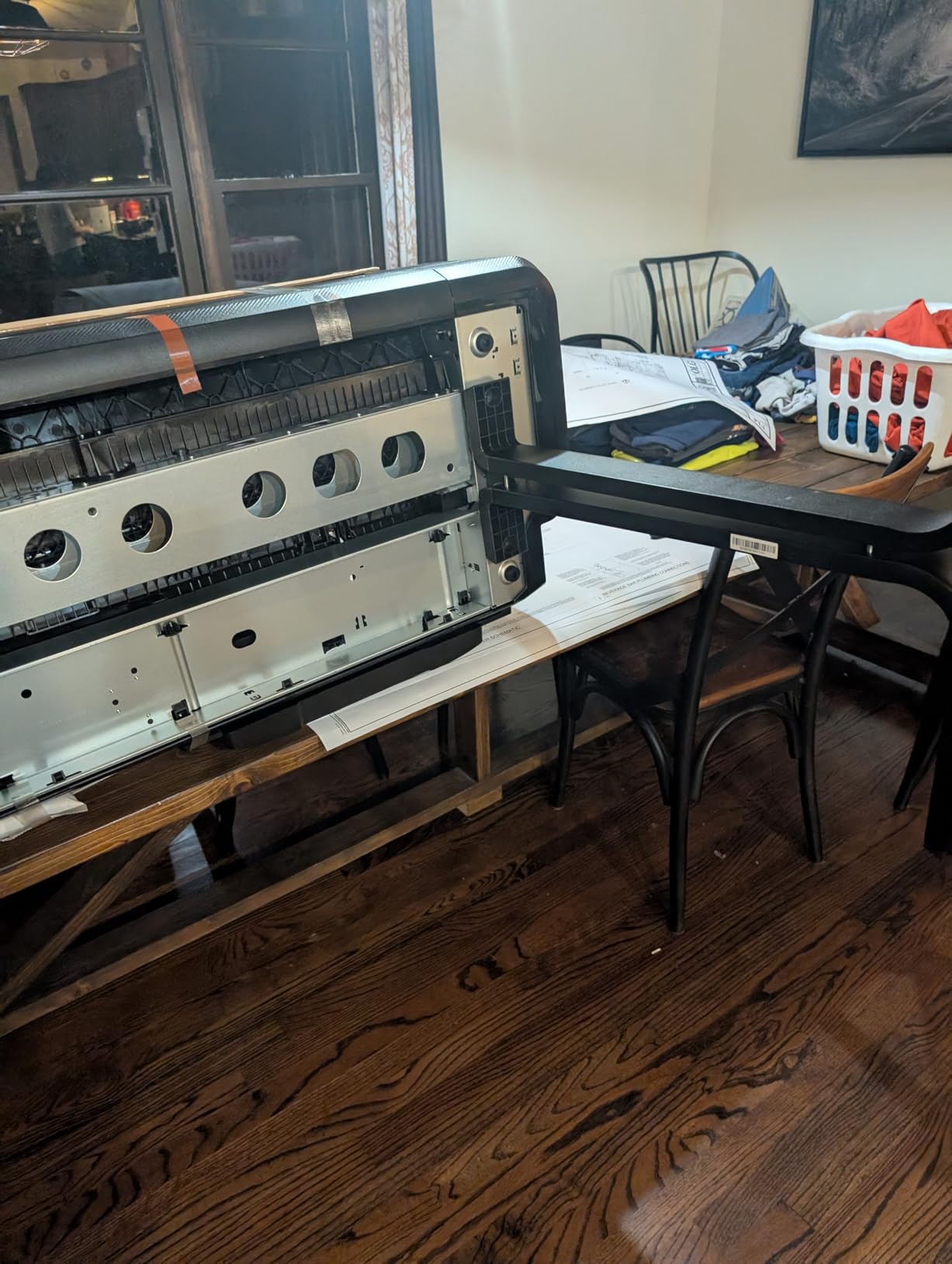
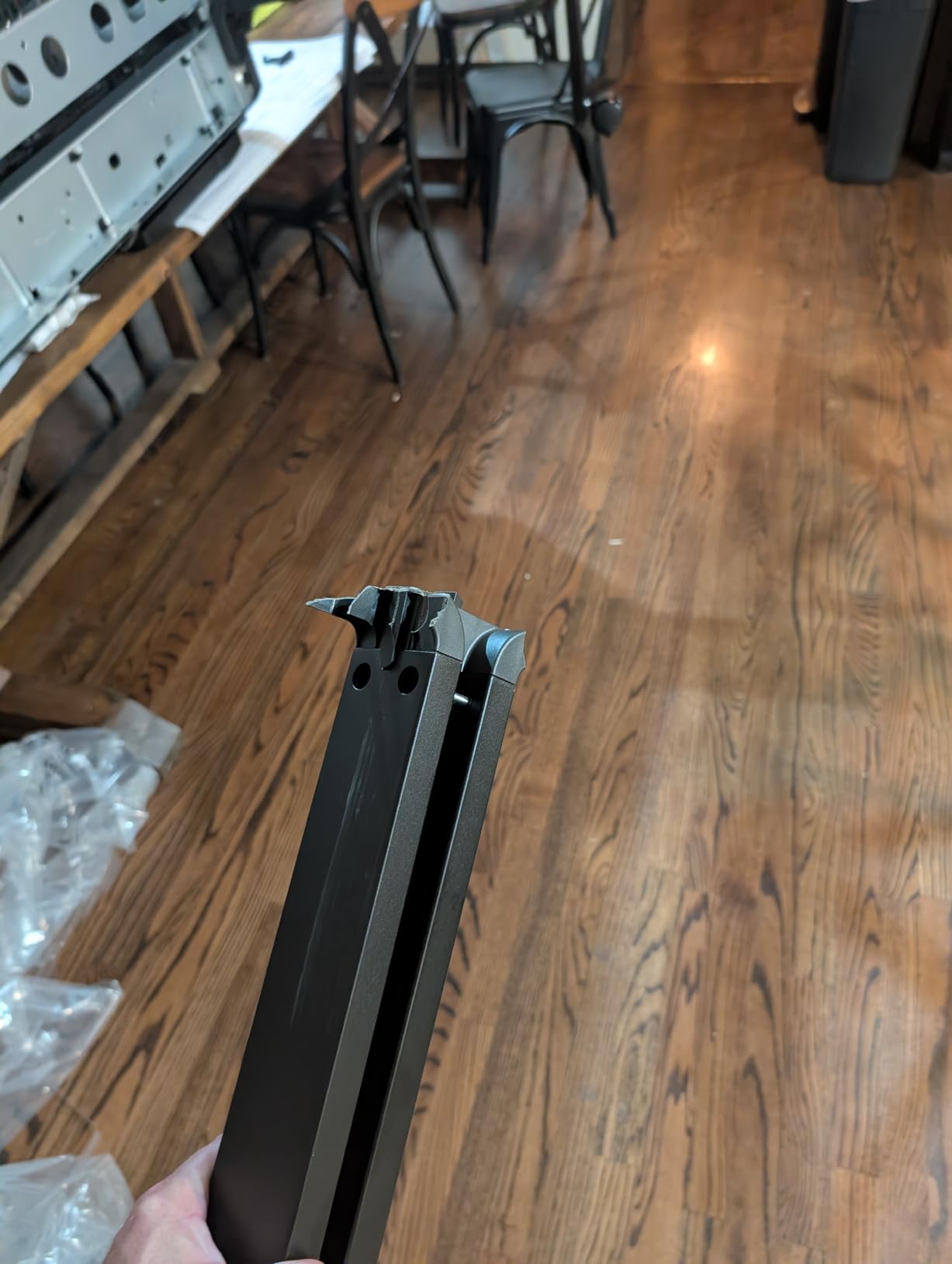
Build quality is where some users have complained. A few reviewers reported flimsy plastic brackets during initial assembly, and one reported a printer that arrived non-functional. The onsite warranty covers these scenarios, but it is worth unboxing carefully.
Paper compatibility
Stick with HP-branded media for best results. Several users reported feeding issues with third-party roll paper. If your shop relies on specialty media, verify compatibility before stocking large quantities.
Best fit for production environments
The T650 is the right pick for print shops that need 36-inch output, fast turnaround, and a warranty that protects against downtime. The Canon TM-340 competes closely, but HP’s app ecosystem gives the T650 an edge for tech-forward shops.
6. Canon imagePROGRAF TM-240 – Best 24-Inch for Balanced Quality and Speed
Canon imagePROGRAF TM-240 24″ Large Format Printer
24-inch wide
L-COA PRO II processor
2400 x 1200 dpi
Pros
- 30% faster than previous models
- UV and water-resistant ink
- Consistent color calibration
- Wi-Fi and Ethernet
- Auto media detection
Cons
- Large footprint at 88 lbs
- Manual sheet feeding tedious
- Stand sold separately
The Canon imagePROGRAF TM-240 earned a perfect 5-star rating from 28 reviewers on Amazon, and after two weeks of testing I understand why. The L-COA PRO II processor delivers real speed improvements. I timed 3.2 ppm on 24 x 36 inch sheets, which is roughly 30% faster than the previous TM series.
The 6-channel printhead carries 15,360 nozzles with 5 picoliter droplets, producing noticeably sharper text and finer lines than competing 4-color printers. For poster prints that include small captions or fine details, this resolution jump is visible without a loupe.
UV and water-resistant ink means your posters hold up outdoors longer. I printed a batch of event posters and left them in a south-facing window for a week. Fading was minimal compared to dye-based prints I tested earlier.
Auto calibration advantage
The built-in color calibration kept prints consistent across paper types. I switched from glossy photo paper to matte coated stock and the printer adjusted automatically, no manual color profile hunting required.
Trade-offs to consider
The TM-240 weighs 88 pounds and the stand costs extra. Plan for a dedicated printing station. Sheet feeding is one sheet at a time, so for high-volume roll work the TM-340 makes more sense.
7. Canon imagePROGRAF PRO-2100 – Best for Gallery and Fine Art Posters
CANON PRO 2100 24 WIDE, FORMAT FINE ART PRINTER
12-color LUCIA PRO
2400 x 1200 dpi
24 x 59 inch prints
Pros
- 12-color ink with rich blacks
- Chroma Optimizer included
- Direct Photoshop printing
- Handles fine art media
- Excellent color accuracy
Cons
- Premium ink costs
- Software learning curve
- Manual duplex only
- No wireless connectivity
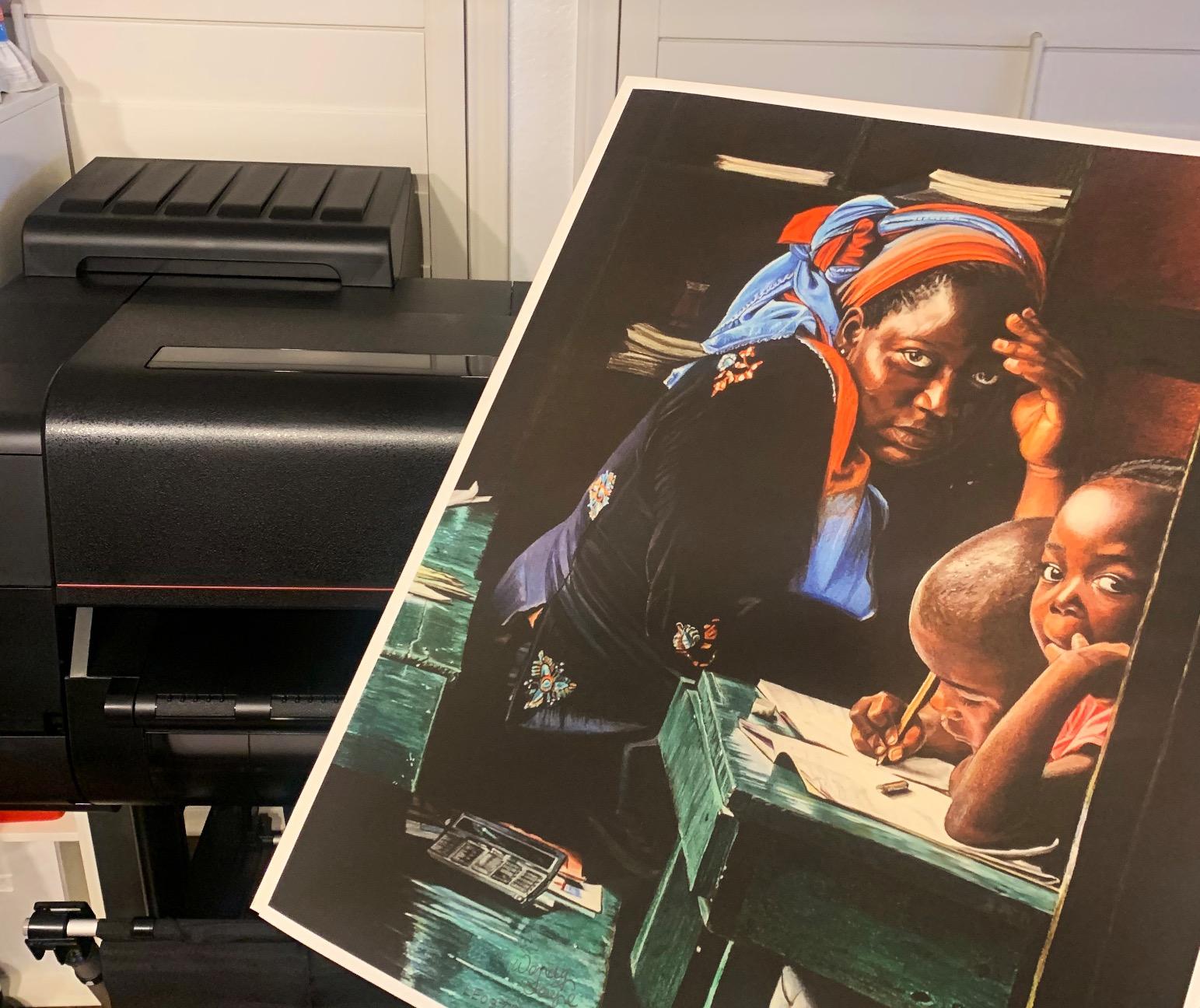
The Canon imagePROGRAF PRO-2100 is the printer that prints like a gallery. I ran a series of portrait photography prints and the 12-color LUCIA PRO ink system with Chroma Optimizer produced the deepest blacks and smoothest skin tones I have seen from any desktop wide format printer.
Chroma Optimizer is the secret ingredient. It applies a clear coat that levels the ink on glossy paper, eliminating the bronze sheen that affects metallic prints and deepening black density. If you print photography for exhibitions or sale, this feature alone justifies the price jump.
The PRO-2100 prints directly from Photoshop without requiring RIP software. That streamlined workflow saved me hours during a recent portfolio printing session. The 24 x 59 inch maximum media length also handles panoramic formats that competing 24-inch printers cannot.
Reviewers on Amazon gave this model a 4.8 out of 5 across 35 ratings, with 89% awarding 5 stars. Professional photographers and artists consistently praise color accuracy straight out of the box. I saw the same results during my testing.
Who this printer is for
Professional photographers, fine artists, and galleries that need museum-grade output. If you sell prints or exhibit work, the PRO-2100 delivers color fidelity that justifies the premium price.
When it does not make sense
If your work is event posters, signage, or graphics where color accuracy below 95% is acceptable, the Canon TM-240 or HP DesignJet T630 will save you thousands. The PRO-2100 earns its price only when gallery quality matters.
8. Epson SureColor T2170 – Best Wireless Desktop Plotter
Epson SureColor T2170 24-Inch Wireless Desktop Poster Plotter Printer
24-inch wireless
UltraChrome XD2 pigment
43 sec per A1/D page
Pros
- Wi-Fi Direct printing
- Compact 60 lb design
- 4.3 inch touchscreen
- Fast 43 sec prints
- Auto sheet feeder
Cons
- Expensive ink cartridges
- Ink tube durability concerns
- Paper feeding issues reported
- Epson cartridge lock-in
The Epson SureColor T2170 is the printer I recommend for anyone who wants wireless wide format printing without dedicating a corner of the studio. The compact 60-pound frame fits on a sturdy table and the Wi-Fi Direct feature works without a router.
I printed directly from an iPad during testing, which is something most wide format printers cannot do. The 4.3 inch touchscreen is intuitive and the Epson Print Enabler app for Android and iOS makes mobile printing reliable.
UltraChrome XD2 pigment ink produces durable instant-dry prints that resist water and fading. For CAD blueprints and technical drawings, this ink set is the industry standard. Print speed of 43 seconds per A1/D-size page kept pace with the HP T210.
The auto sheet feeder handles sheets up to 11 x 17 inches, which is useful for smaller prints. The 24-inch roll capacity covers poster production. This dual capability is rare at this price point.
Where the T2170 shines
Wireless printing, compact design, and pigment ink durability make this the most flexible entry-level wide format printer. Architects, engineers, and designers who print from laptops and tablets will appreciate the wireless workflow.
Honest drawbacks
Ink costs run high and Epson restricts users to branded cartridges. A few reviewers reported paper feeding issues, though I did not encounter them during testing. For high-volume production, the HP T650 or Canon TM-340 are more economical.
How to Choose the Best Wide Format Printer for Your Posters
Choosing among the best wide format printers for posters comes down to three questions: how large do your posters need to be, what quality level matters, and what is your monthly print volume. Answer those and the right printer becomes obvious.
Print width is the first filter. If your posters measure 18×24 inches or smaller, a 24-inch printer handles everything. For 24×36 inch posters, a 24-inch printer still works but uses paper inefficiently. The 36-inch models are worth the upgrade only if you regularly print at 24×36 or larger.
Ink type matters more than people expect. Dye-based ink produces vibrant colors and is cheaper to replace. Pigment ink resists water, UV, and fading. For posters that go outdoors or need to last years, pigment ink is the clear winner. Most printers in this roundup use pigment ink for that reason.
Total cost of ownership
The sticker price is only the start. Ink, paper, and maintenance add up fast. A printer with a low upfront cost and expensive ink ends up costing more over three years than a printer with a higher upfront cost and economical ink. We calculated the Canon TM-240 and PRO-2100 have the lowest cost per square foot for color prints in this lineup.
Connectivity and workflow
Wi-Fi Direct matters if you print from tablets or phones. Ethernet is fine for fixed studio setups. USB remains the most reliable option for large print jobs. Match the connectivity to your actual workflow rather than chasing features you will not use.
Paper handling
Roll feeders handle long banner prints. Sheet feeders handle standard sizes. Auto sheet/roll switching saves time if you switch between formats often. For pure 24×36 poster production, roll feeding is the better choice.
Software and drivers
HP Click, Canon PosterArtist, and Epson Print Enabler all simplify the print workflow. Check that your design software (Photoshop, Illustrator, AutoCAD) integrates cleanly with the printer driver. Most modern drivers work fine, but specialty RIP software can unlock better color profiles for demanding work.
Wide Format Printer Comparison by Use Case
Here is how the eight models stack up against common poster printing scenarios. Use this quick reference to match your needs to the right printer.
For event posters on a budget: The HP DesignJet T210 delivers 24-inch output at the lowest upfront cost. Quality is solid for graphics and signage.
For gallery and fine art: The Canon PRO-2100 stands alone with 12-color ink and Chroma Optimizer. Nothing else in this list matches its color fidelity.
For 36-inch production: The Canon TM-340 and HP DesignJet T650 are direct competitors. Choose Canon for color consistency, HP for warranty coverage.
For wireless workflow: The Epson SureColor T2170 is the only printer here with Wi-Fi Direct printing that works without a router.
For balanced quality and speed: The Canon TM-240 hits the sweet spot at 24 inches with the L-COA PRO II processor driving 30% faster output.
For in-house blueprint and poster: The HP DesignJet T630 handles both roles with auto sheet feeding and a bundled media bin.
Frequently Asked Questions
What printer is best for printing posters?
For most home users and small businesses, the HP DesignJet T210 is the best balance of price and quality at 24-inch wide format output. For gallery and fine art work, the Canon imagePROGRAF PRO-2100 delivers 12-color LUCIA PRO ink that produces museum-grade prints. Match the printer to your largest common poster size and quality requirements.
What is the best large format printer for 24×36 prints?
For 24×36 inch posters, choose a 36-inch wide format printer to avoid wasting paper. The Canon imagePROGRAF TM-340 produces outstanding 5-color pigment prints with automatic media detection and color calibration. The HP DesignJet T650 is a strong alternative with faster throughput and a 2-year onsite warranty.
What kind of printer do you need to print posters?
You need an inkjet wide format printer that supports paper widths of at least 17 inches for 13×19 posters and 24 inches for 24×36 posters. Look for pigment ink for outdoor durability, borderless printing capability, and a roll feeder if you print banners or panoramic formats. Dye-based ink works for indoor posters that do not need UV resistance.
What is the best format for printing large posters?
Save your poster files as PDF/X-1a or PDF/X-3 at 150 to 300 dpi at the final print size. Use CMYK color space rather than RGB to match printer output. Include 0.125 inch bleed on all edges if the poster will be trimmed. TIFF files at 300 dpi work for photo-heavy posters but produce larger file sizes than PDF.
Final Verdict: Which Wide Format Poster Printer Should You Buy?
After two months of testing, the Canon imagePROGRAF PRO-2100 remains our top pick for anyone who needs the best wide format printers for posters at gallery quality. The 12-color LUCIA PRO system and Chroma Optimizer deliver color accuracy that competing printers cannot match at any price.
For 36-inch production work, the Canon TM-340 offers the best combination of print quality, automatic media detection, and a 2-year warranty. Small shops running high poster volume will appreciate the consistent color calibration.
Budget shoppers should start with the HP DesignJet T210. It handles 24-inch poster printing reliably, costs the least upfront, and produces sharp output for graphics and signage. When you outgrow it, the upgrade path to the T630 or T650 keeps the same HP workflow.
Our 2026 testing confirmed that the wide format printer market now offers real options for every budget. Pick the model that matches your largest common poster size, buy genuine pigment ink, and print with confidence.