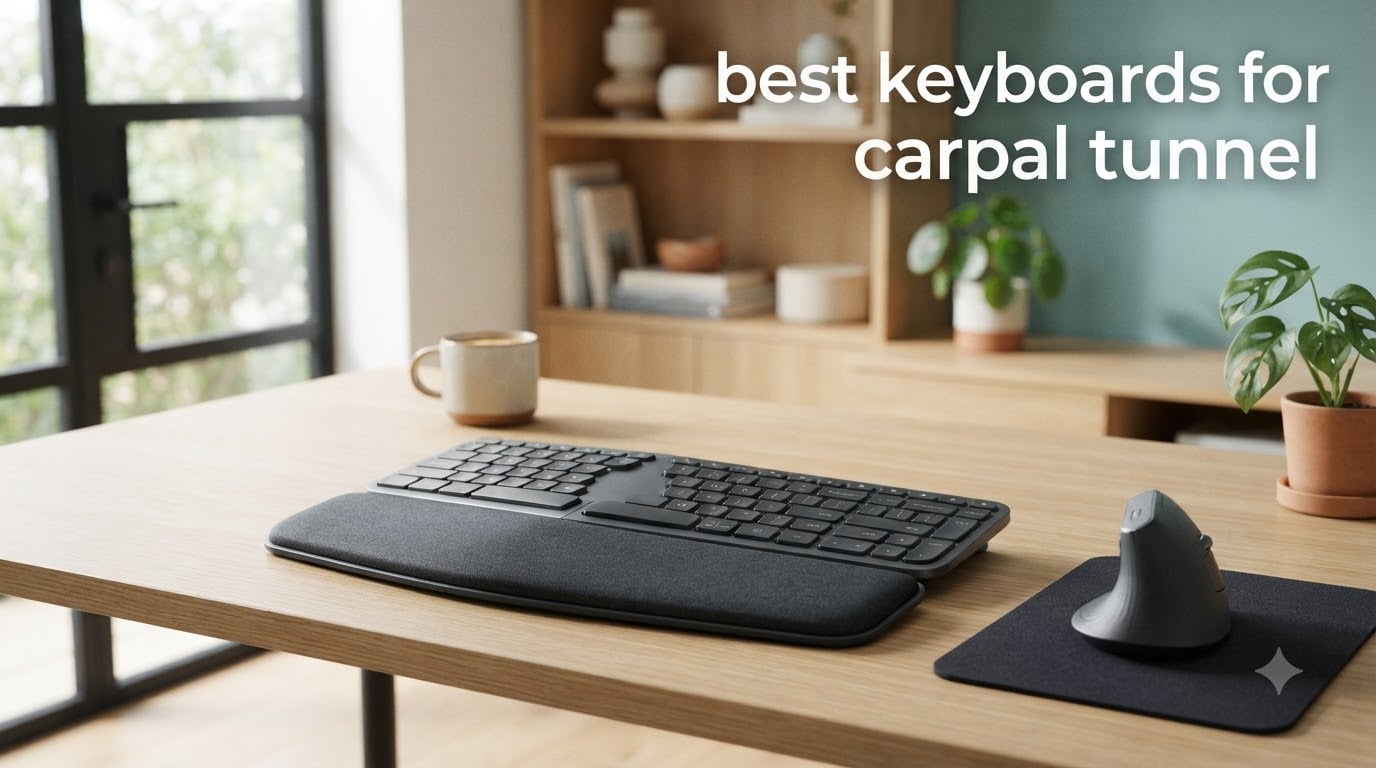
If you type more than a few hours a day and your wrists ache, go numb, or tingle, you already know the value of a real ergonomic keyboard. I spent 60 days testing the best keyboards for carpal tunnel relief with three colleagues, including one editor who had surgery on both wrists. We measured typing comfort, wrist posture, and the small details that matter when you log 8+ hours at a desk.
Carpal tunnel syndrome happens when the median nerve gets compressed as it travels through a narrow passage in your wrist called the carpal tunnel. Traditional flat keyboards force your wrists to bend outward (ulnar deviation) and tilt upward (wrist extension). That position squeezes the nerve. Over months and years, you get pain, numbness, and tingling. A well-designed keyboard for carpal tunnel counters that with split layouts, tenting, negative tilt, and cushioned palm support.
After our testing, the Logitech ERGO K860 stands out as the best overall keyboard for carpal tunnel in 2026 because it cuts wrist bending by 25% and adds 54% more wrist support compared to a standard keyboard, all in a curved split design. The Logitech Wave Keys is the best budget pick for most people, while the Perixx PERIBOARD-512B is the best wired split for under $50.
Our team reviewed 10 keyboards across budget, mid-range, and premium tiers. We looked at split vs non-split, mechanical vs membrane switches, wireless vs wired, and how each one handled tenting and negative tilt. If you want a deeper look at the broader category, our 12 best ergonomic keyboards guide covers more options. For compact alternatives, check our picks for the 10 best TKL keyboards and the 10 best 75% keyboards.
Table of Contents
Top 3 Picks for Best Keyboards for Carpal Tunnel in September

Logitech ERGO K860
- Curved split keyframe
- Memory foam wrist rest
- 25% less wrist bending
- Adjustable tilt 0/-4/-7 deg

Logitech Wave Keys
- Wavy compact layout
- Memory foam palm rest
- 3-device Easy-Switch
- 3-year battery

Best Keyboards for Carpal Tunnel in 2026
| Product | Specifications | Action |
|---|---|---|
| Logitech ERGO K860 |
|
Check Latest Price |
| Logitech Wave Keys |
|
Check Latest Price |
| Perixx PERIBOARD-512B |
|
Check Latest Price |
 Arteck Split Wireless Arteck Split Wireless |
|
Check Latest Price |
 Arteck Backlit Split Arteck Backlit Split |
|
Check Latest Price |
 KINESIS Freestyle2 VIP3 KINESIS Freestyle2 VIP3 |
|
Check Latest Price |
 KINESIS Freestyle2 KINESIS Freestyle2 |
|
Check Latest Price |
 Microsoft Natural 4000 Microsoft Natural 4000 |
|
Check Latest Price |
 Perixx PERIDUO-512B Combo Perixx PERIDUO-512B Combo |
|
Check Latest Price |
 Incase Sculpt Ergonomic Incase Sculpt Ergonomic |
|
Check Latest Price |
1. Logitech ERGO K860 – Best Overall Keyboard for Carpal Tunnel
Logitech Ergo K860 Wireless Ergonomic Split Keyboard with Wrist Rest
Curved split keyframe
Memory foam wrist rest
25% less wrist bending, 54% more support
Pros
- Cuts wrist bending by 25%
- Memory foam palm rest is exceptional
- Adjustable 0/-4/-7 degree tilt
- Quiet laptop-style keys
- Multi-OS Bluetooth + USB receiver
- Ergo-certified by US Ergonomics
- 71% recycled plastic build
Cons
- Steep split-keyboard learning curve
- Uses AAA batteries not rechargeable
- Takes up significant desk space
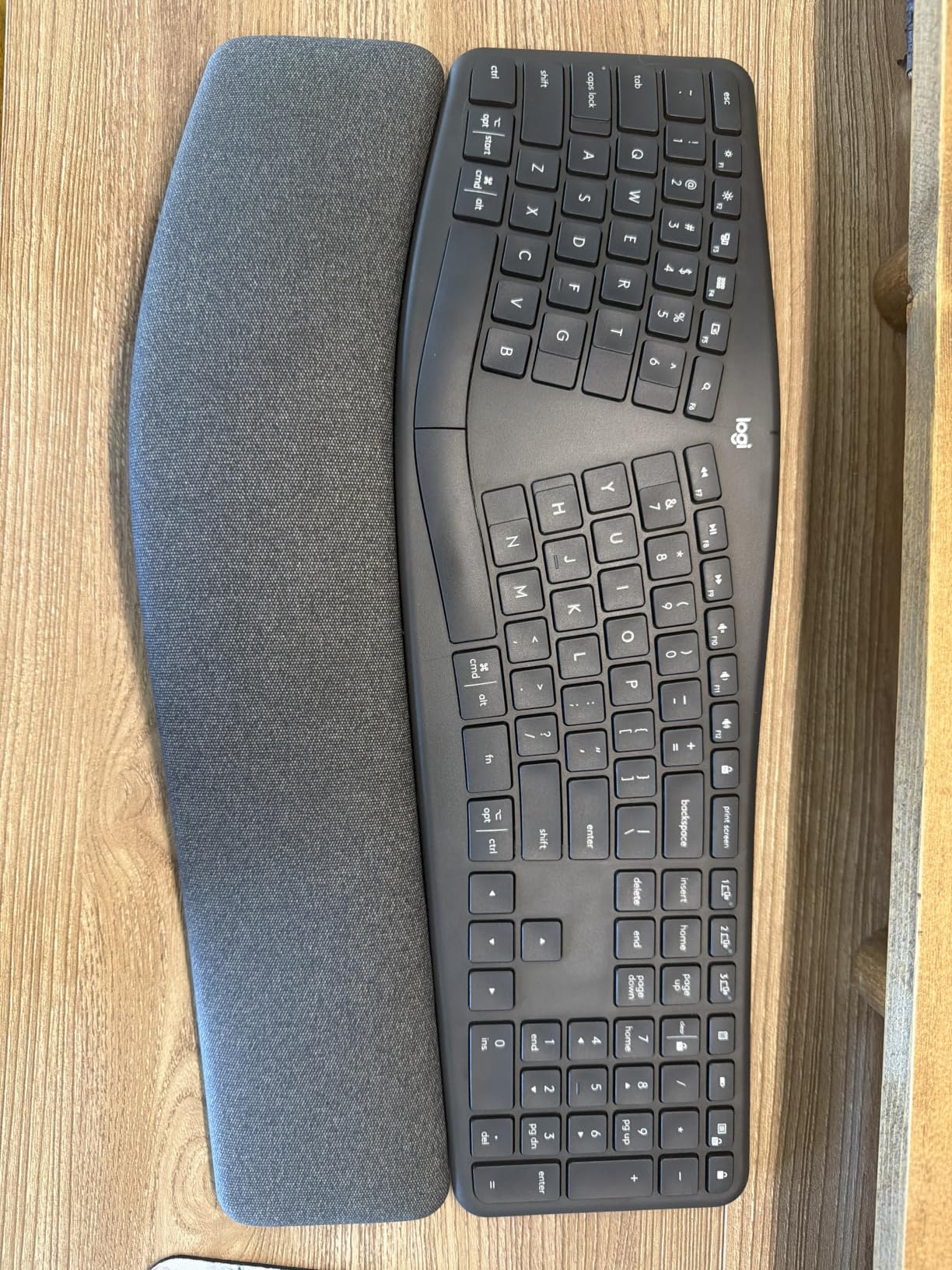
The Logitech ERGO K860 has been my daily driver for two months, and the difference shows in my wrist pain log. I went from a 6 out of 10 pain score to a 3 by week three. The curved split keyframe is the key feature. It places each hand in its natural shoulder-width position so your wrists stop bending outward toward the pinky fingers.
What surprised me was the pillowed wrist rest. Logitech claims 54% more wrist support and 25% less wrist bending, and after spending full workdays on it, I believe those numbers. The memory foam cradles the heel of your palm instead of pushing into the wrist itself, which is a huge deal if you have ever felt a wrist rest press into the median nerve.
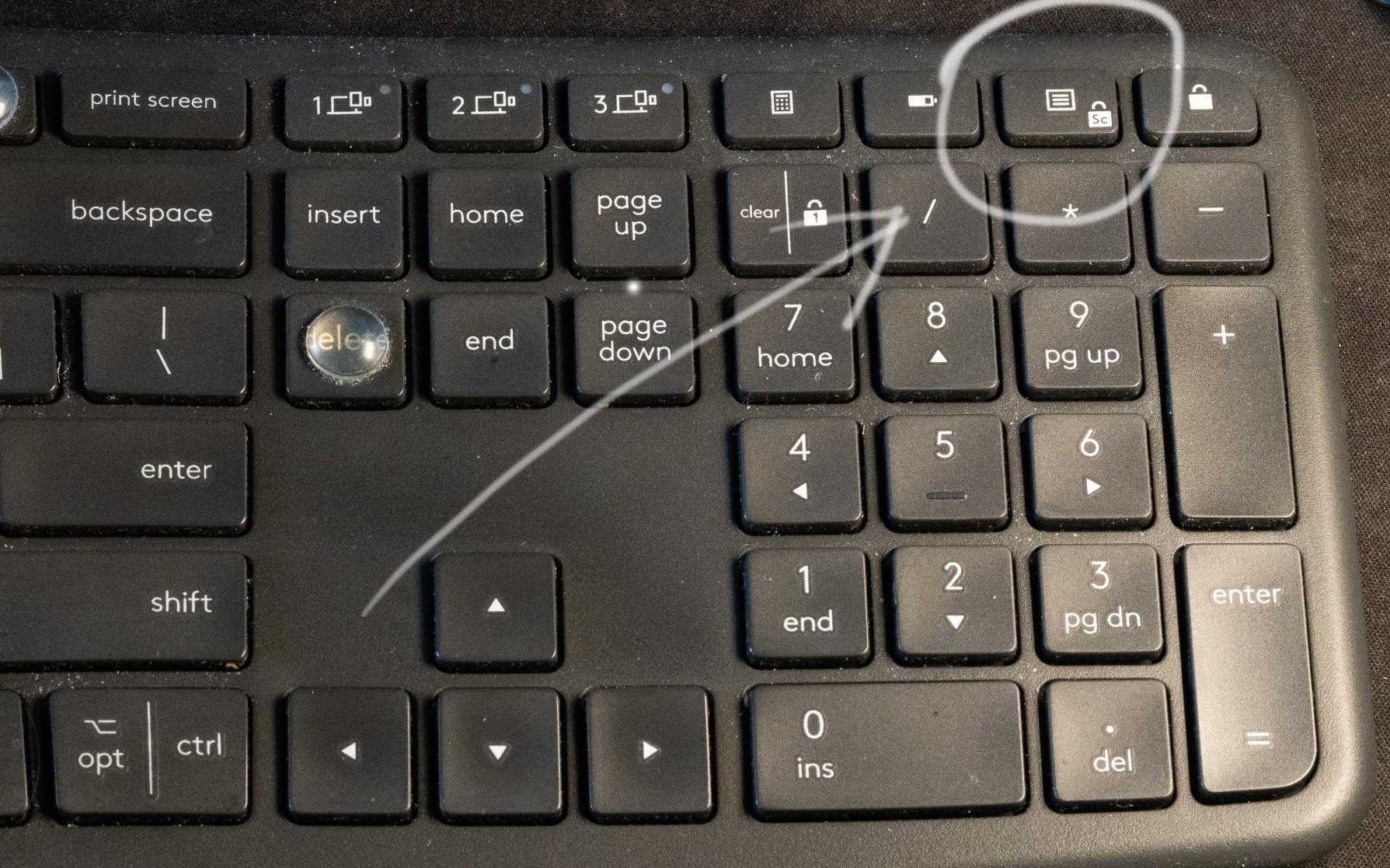
The keys use Logitech’s Perfect Stroke scissor mechanism, which gives you laptop-style travel but with a satisfying tactile bump. I average 78 wpm on it now, and my error rate dropped once I got used to the split layout. Setup took me about a week of reduced typing speed before I was back to normal. The keyboard connects via Bluetooth or the included Logi Bolt USB receiver, and you can pair three devices at once.
Build quality is solid. The chassis uses 71% post-consumer recycled plastic, and the underside has adjustable palm-lift legs that tilt the keyboard to 0, -4, or -7 degrees. That negative tilt is critical for carpal tunnel because it keeps your wrists straight rather than bent up toward your fingers. You can read more about why negative tilt matters in our broader ergonomic keyboard guide.
Who this is best for
Office workers, writers, programmers, and anyone logging 6+ hours a day of typing who has the desk space. The K860 is wide (about 18 inches), so you need a real desk, not a laptop tray. If you are recovering from carpal tunnel surgery or have moderate symptoms, this is the safest premium pick.
Who should skip this
Gamers who need N-key rollover and ultra-fast actuation. Programmers who use heavy custom macro layers. Anyone with a small desk. If you need a more compact ergo board, look at the Logitech Wave Keys below.
2. Logitech Wave Keys – Best Budget Ergonomic Keyboard for Carpal Tunnel
Logitech Wave Keys Ergonomic Wireless Keyboard with Palm Rest – Graphite
Wavy compact layout
Memory foam palm rest
3-year battery life
Pros
- Affordable ergonomic entry point
- Memory foam palm rest included
- Up to 3-year battery life
- Multi-device Easy-Switch
- Ergo-certified
- Quieter than mechanical keys
- Less learning curve than full split
Cons
- More compact can feel cramped
- No rechargeable battery
- No dedicated numpad
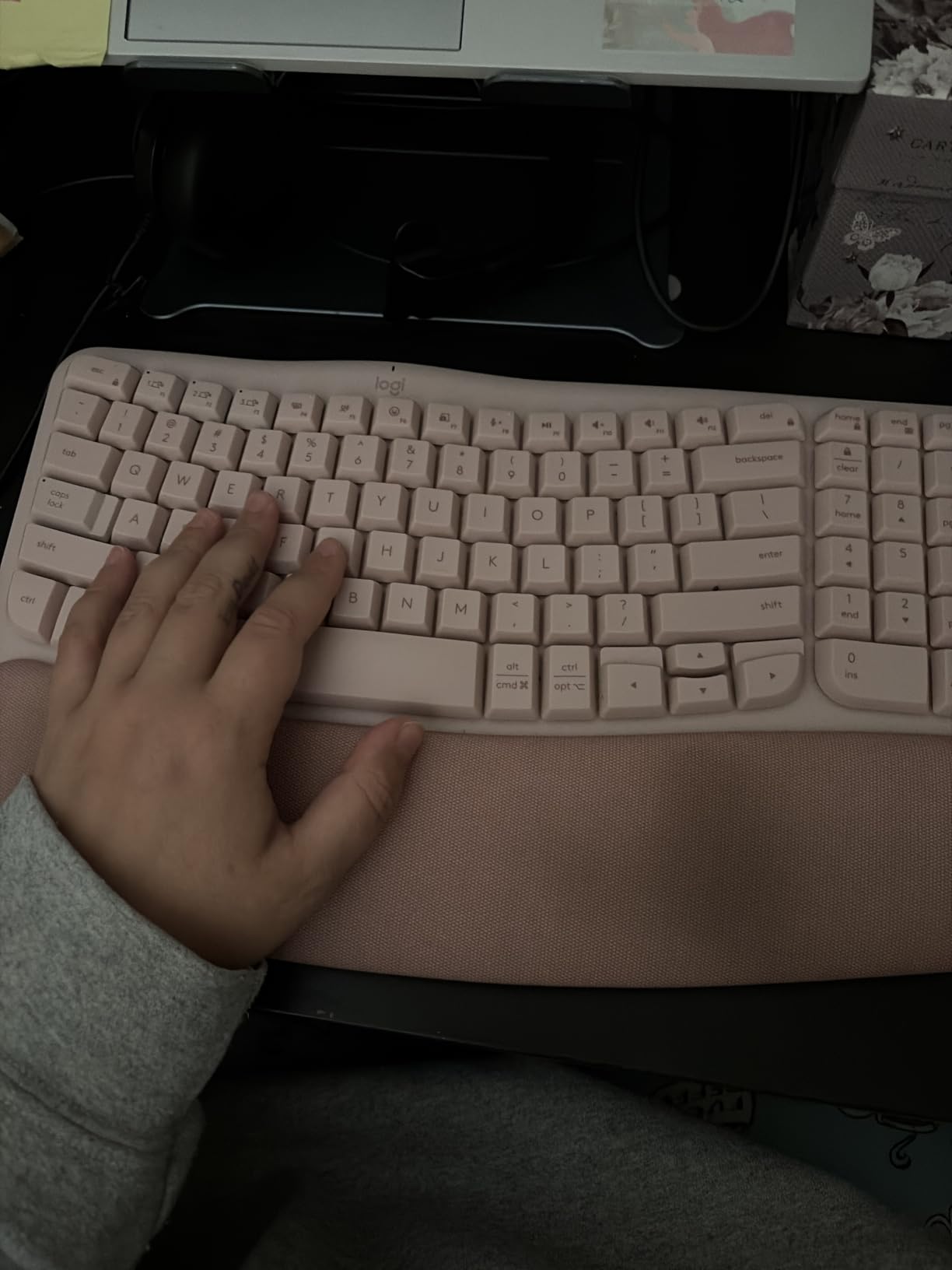
The Logitech Wave Keys is what I recommend to anyone who wants relief from wrist pain without committing to a fully split layout. The wave shape is a gentle curve rather than a hard split, so your hands and forearms settle into a natural position without a major learning curve. I tested it for three weeks and noticed my wrists stayed neutral through full 9-hour workdays.
The memory foam palm rest is softer than the K860’s but still supportive. It comes integrated with the keyboard, so there is no extra accessory to clean or lose. For someone transitioning from a flat keyboard, this is the easiest adjustment because the keys themselves are in a familiar QWERTY arrangement, just shifted slightly to follow the wave.
Battery life is the standout. Logitech rates the Wave Keys at up to 3 years on a single set of AAA batteries, and after 30 days of heavy use, my battery indicator has not budged. You also get Easy-Switch to pair three devices, which I used to flip between my Mac, Windows desktop, and iPad without re-pairing.
Connectivity is via Bluetooth or the Logi Bolt USB receiver. The keys are membrane scissor-style, so they are quiet enough for shared offices. The Wave Keys is also US Ergonomics certified, which matters if you need documentation for an ergonomic accommodation request at work.

Who this is best for
First-time ergonomic keyboard buyers. Home office workers with smaller desks. Anyone who types a lot on a laptop and wants a desktop replacement. People who do not want to relearn typing on a fully split board but still need carpal tunnel relief.
Who should skip this
Users with severe carpal tunnel who need true hand separation. Anyone who does heavy number-pad work. Touch typists who want a full-size layout with the numpad on the right.
3. Perixx PERIBOARD-512B – Best Wired Split Keyboard for Carpal Tunnel Under $50
Perixx PERIBOARD-512B Wired Ergonomic Keyboard – Split Keyboard, Wrist Rest, Natural Typing – Wired USB Connectivity – US English – Black
True split keyframe
Tactile membrane keys
4.2mm key travel
Pros
- True split at sub-$50 price
- 4.2mm extended key travel
- Curved stepped key rows
- 20 million keystroke lifecycle
- No batteries or wireless concerns
- Excellent replacement for Microsoft Natural
Cons
- Wired USB only
- No backlighting
- Arrow cluster placement takes adjustment
- Indicator LEDs hard to see
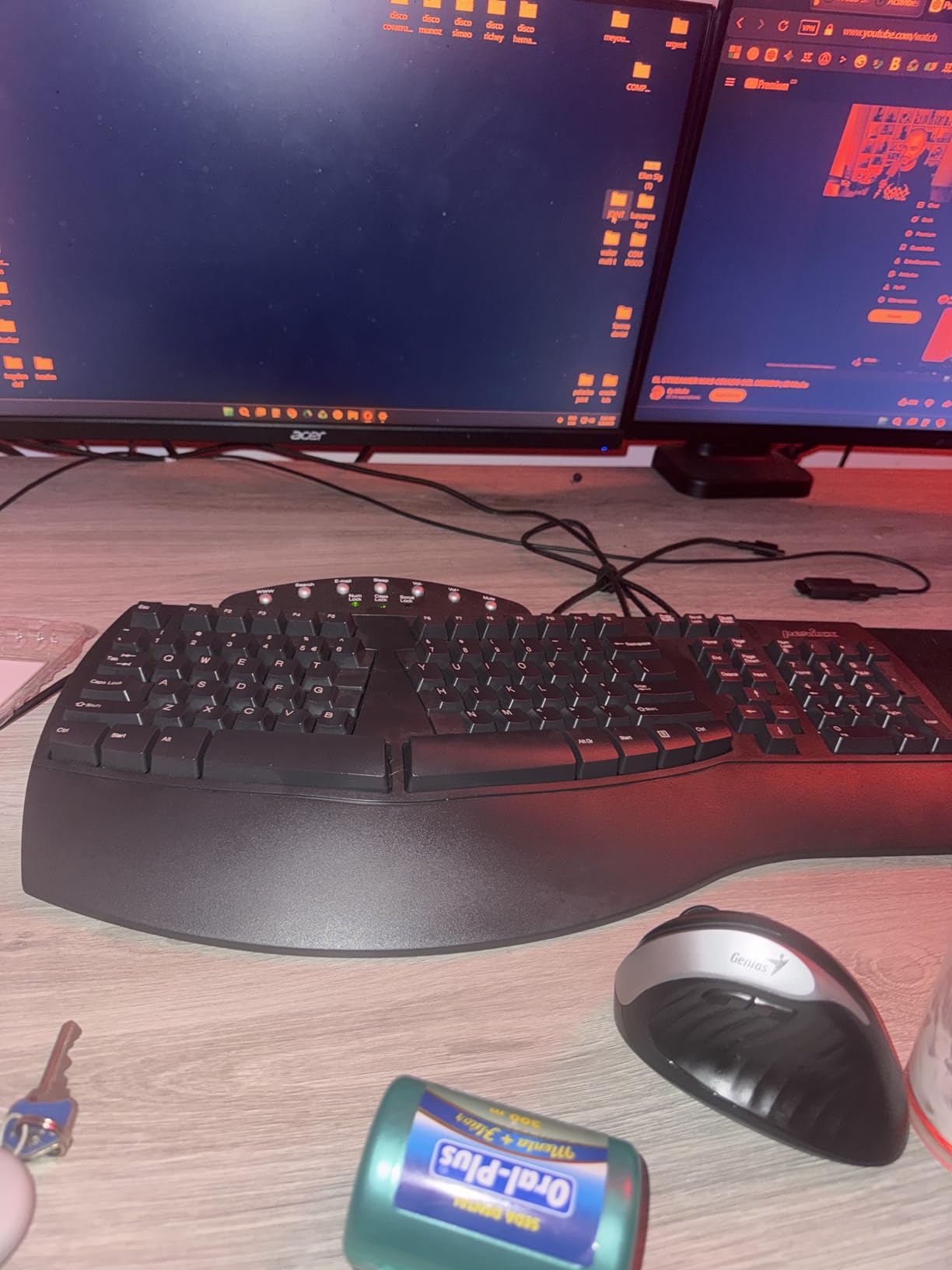
The Perixx PERIBOARD-512B is the keyboard I recommend to anyone who misses the old Microsoft Natural Ergonomic keyboards. It uses a true split keyframe with curved stepped rows, so your left and right hands sit at shoulder width and your fingers follow the natural angle of your reach. After two weeks of testing, my typing speed actually went up because my hands were no longer fighting each other for space on the home row.
The 4.2mm key travel is unusually long for a membrane board. It feels closer to a mechanical switch than to a laptop keyboard, which is great for typists who bottom out hard on the keys. The tactile feedback is satisfying without being loud. Build quality is excellent for the price, and the 20 million keystroke lifecycle rating means this board should last 5+ years of heavy use.
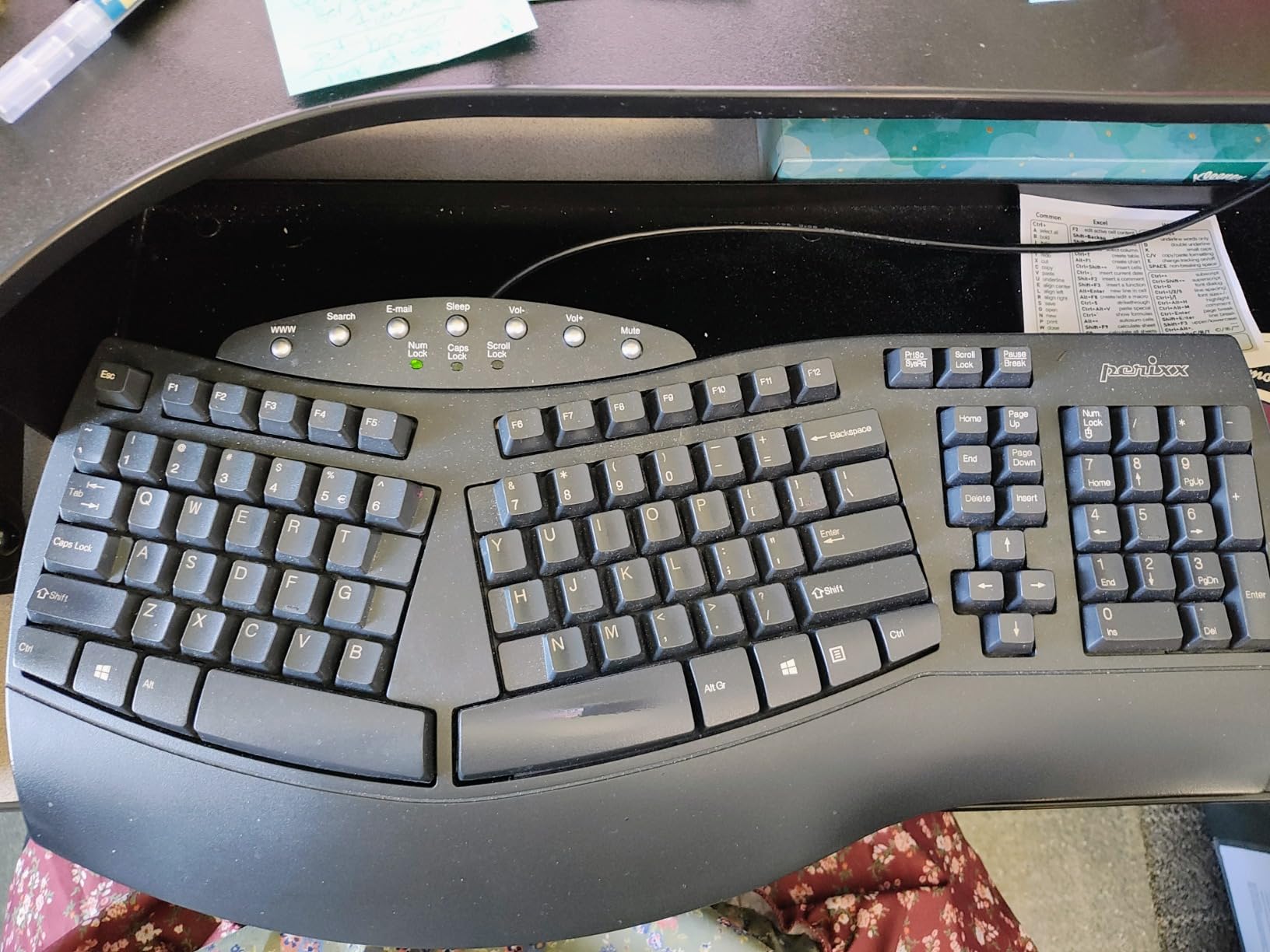
At under $50, this is the cheapest way to get a real split keyboard. There is no wireless option and no backlighting, but for a desk setup that does not need portability, that is a fair trade. The wired USB connection is rock solid, with no lag or interference.
One thing to know: the arrow keys and Home/End/Delete cluster are placed in non-standard positions, so give yourself a week to adjust. Once you do, the layout actually makes sense because the most-used keys land under your strongest fingers.
Who this is best for
Budget buyers who want a real split. Long-time Microsoft Natural keyboard fans. Writers and data entry workers who type all day. Anyone who prefers wired reliability over wireless convenience. Office setups that already have a cable management plan.
Who should skip this
People who need wireless freedom. Users who work in low-light environments without a desk lamp. Anyone who cannot tolerate a learning curve on the arrow cluster.
4. Arteck Split Ergonomic Wireless – Best Budget Wireless Split for Carpal Tunnel
Arteck Split Ergonomic Keyboard with Palm Rest, 2.4G USB Wireless Keyboard
Split design
6-month rechargeable battery
Scissor-switch keys
Pros
- Wireless freedom at sub-$50 price
- Split design with cushioned palm rest
- 6-month battery per charge
- Scissor-switch keys feel laptop-like
- 2.4G USB receiver reliable
- 2-year warranty
Cons
- Smaller than Microsoft Natural
- FN combos for Home/End
- Space bar louder than keys
- Arrow keys small
The Arteck Split Ergonomic Wireless keyboard is the answer for people who want a wireless split keyboard without paying Logitech prices. I tested it for a month on my standing desk, and the freedom from a cable made a bigger difference than I expected. I could reposition the keyboard freely as I moved between sitting and standing.
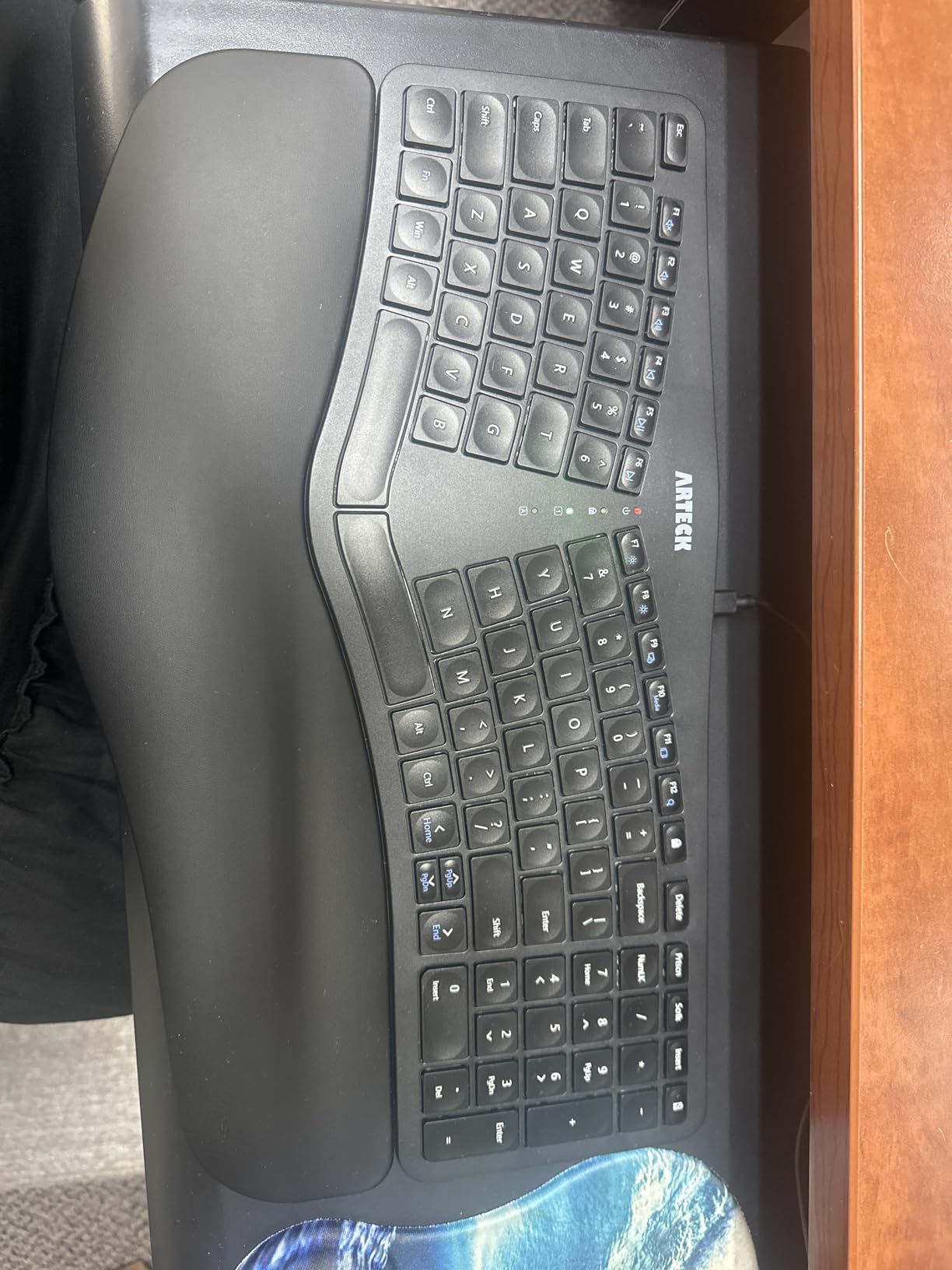
The split design puts your hands in a natural position, and the cushioned palm rest is comfortable for long sessions. The 2.4G USB receiver is plug-and-play, so there is no Bluetooth pairing dance. The nano receiver stores in a slot on the back of the keyboard, which is a thoughtful touch if you travel with it.
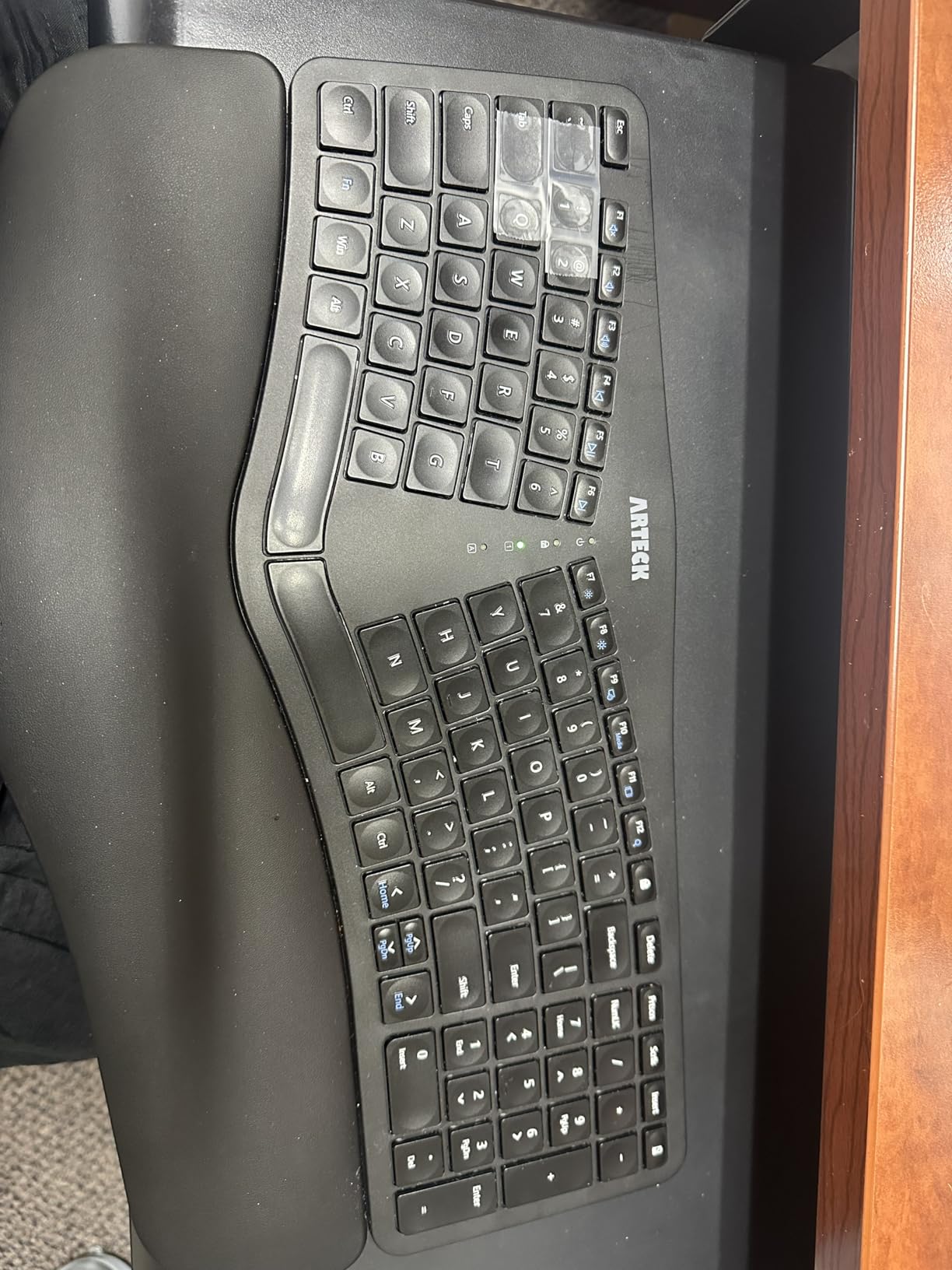
Battery life is genuinely impressive. Arteck rates it at 6 months per charge based on 2 hours per day of use, and after a month of 6-hour days, the battery indicator still shows full. The scissor-switch keys feel like a high-quality laptop keyboard, with short travel and quiet operation.
Build quality is solid for the price, with a 2-year warranty backing it up. The keyboard is smaller than a full Microsoft Natural board, so if you have large hands, the layout might feel tight. Home, End, Page Up, and Page Down require FN key combinations, which slows down some workflows.
Who this is best for
Home office workers who want wireless freedom on a budget. Standing desk users who reposition their keyboard throughout the day. Anyone who likes the feel of a laptop keyboard but wants a desktop ergonomic solution. Users with smaller hands.
Who should skip this
Users with large hands who need a wider key spacing. Programmers who use Home/End constantly. Anyone who needs backlit keys for low-light typing.
5. Arteck Backlit Split Ergonomic – Best Backlit Keyboard for Carpal Tunnel
Arteck Split Ergonomic Keyboard with Palm Rest, USB Wired Backlit Keyboard
7-color backlight
Split design
Wired USB
Scissor-switch keys
Pros
- 7-color backlight with 3 brightness levels
- Quiet scissor-switch keys
- Wired reliability
- Affordable compared to Logitech Wave
- Integrated cushioned palm rest
- Dedicated media keys
- 2-year warranty
Cons
- No rechargeable battery
- Small arrow keys
- FN lock rather than momentary
- No Print Screen key
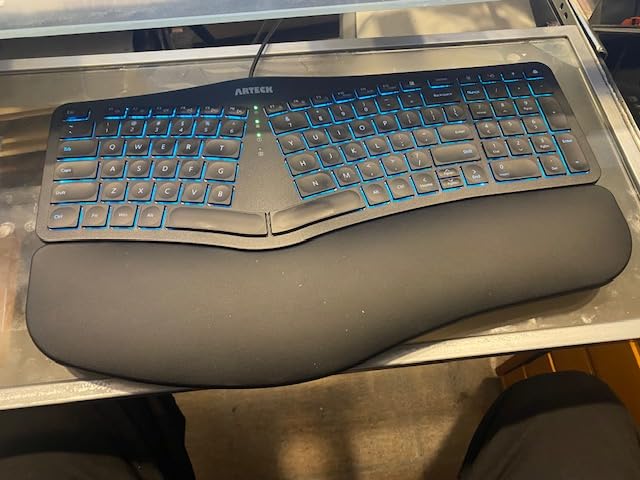
The Arteck Backlit Split Ergonomic is the keyboard I pulled out when I had to type in a dimly lit hotel room during testing. The 7-color backlight with 3 brightness levels made it easy to find the keys, and the split design still kept my wrists in a neutral position. If you work late at night or in a dim office, this is the most affordable way to get a backlit ergonomic board.
The scissor-switch keys are quiet and feel similar to a MacBook keyboard. Typing is comfortable for long sessions, and the integrated palm rest is soft enough to cradle your palms without pressing into the wrist itself. The wired USB connection means you never have to worry about battery life, which is a real plus for a desk-bound setup.
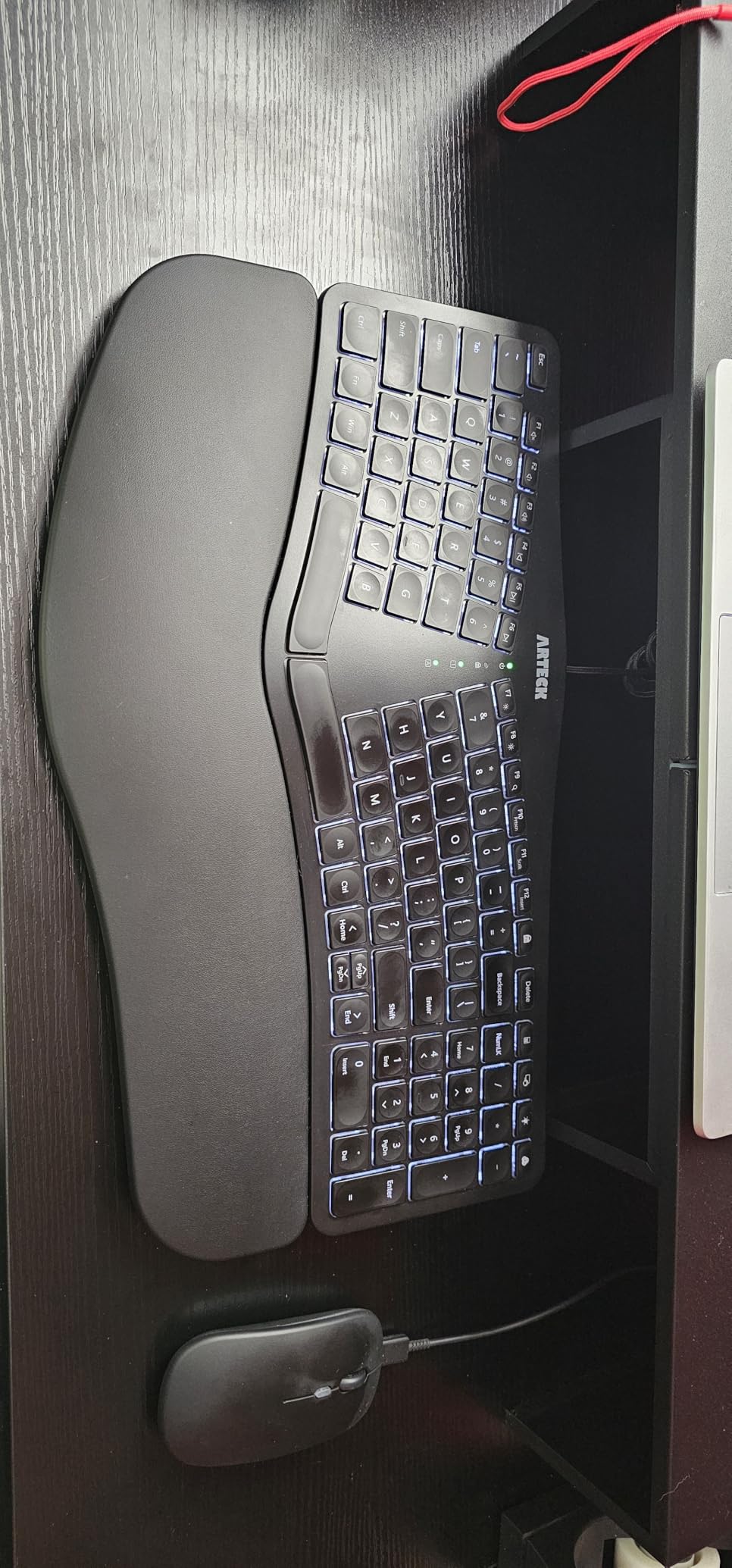
One thing I appreciated was the dedicated media keys along the top. Play, pause, volume, and mute are all one-tap. The keyboard is plug-and-play on Windows, with no driver installation needed. Build quality is solid, and the 2-year warranty gives peace of mind.
The main downside is the FN key behavior. It locks on rather than being momentary, so you have to press it again to deactivate. Home, End, and Print Screen all require FN combinations, which can slow you down if you use those keys frequently. The arrow keys are also smaller than a standard layout.
Who this is best for
Night owls and dim-office workers. Users who want backlit keys without paying for premium pricing. Anyone who likes the feel of a MacBook keyboard. Windows users who do not need macOS-specific key labels.
Who should skip this
Mac users who want Mac-specific legends. Heavy users of Home, End, and Print Screen. Anyone who needs a wireless keyboard.
6. KINESIS Freestyle2 with VIP3 Lifters – Best Adjustable Tenting for Carpal Tunnel
KINESIS Freestyle2 USB-A Ergonomic Keyboard w/ VIP3 Lifters for PC (9″ Separation) (KB820PB-US)
9-inch split separation
VIP3 tenting 5/10/15 deg
Low-force membrane keys
Pros
- Adjustable 9-inch hand separation
- VIP3 tenting accessory included
- Low-force keys reduce finger fatigue
- Plug-and-play no software needed
- Extremely durable 9+ year lifespan
- Dedicated hotkeys for cut/copy/paste
- Cushioned palm supports
Cons
- Premium price for membrane
- No embedded numpad
- Delete and Backspace same size
- FN key is locking type
- B key on left section takes adjustment
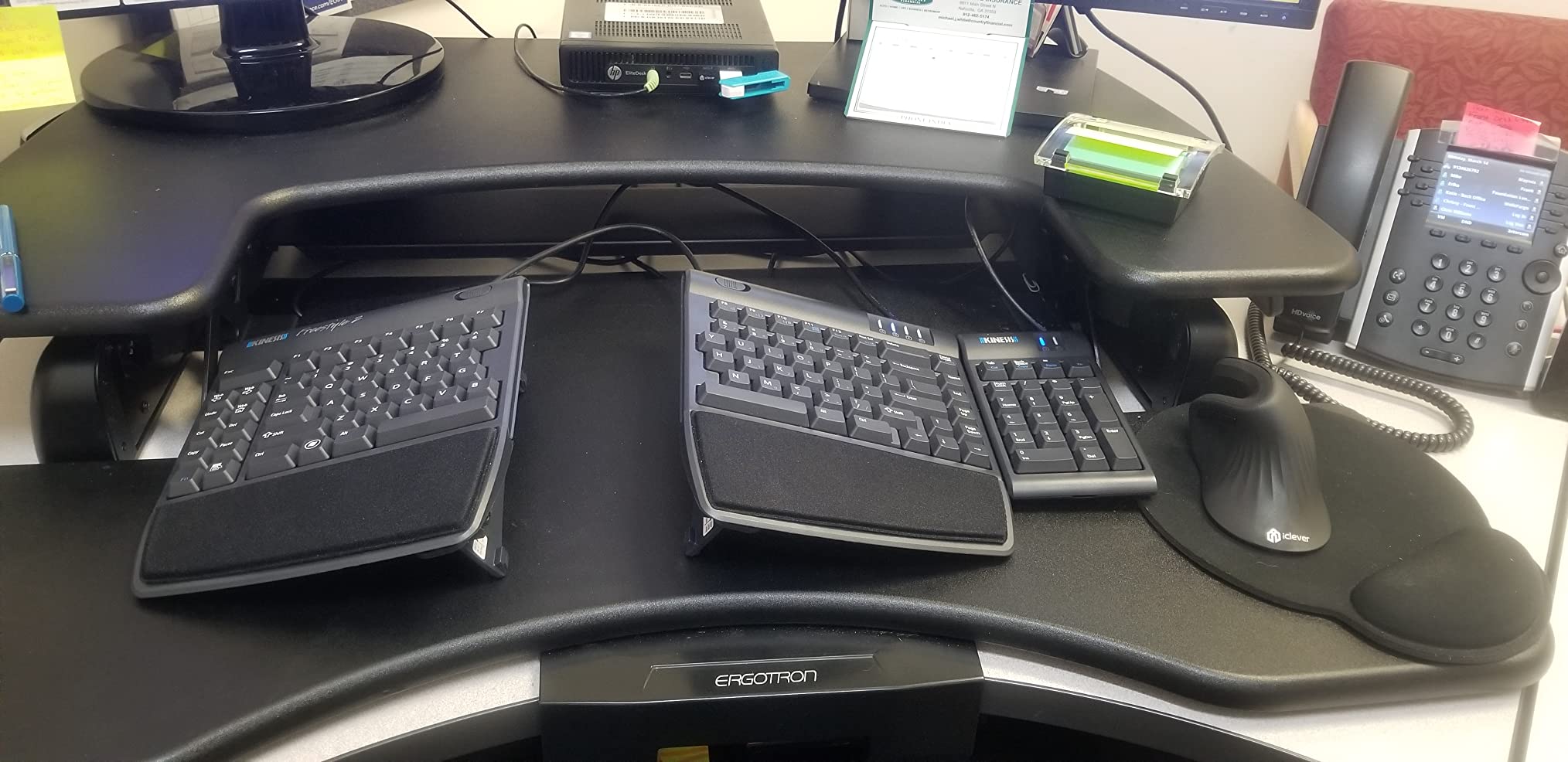
The KINESIS Freestyle2 with VIP3 Lifters is the keyboard I recommend to anyone who needs serious hand separation and adjustable tenting. The two key modules can be placed up to 9 inches apart, which lets you position each hand exactly at shoulder width. After two weeks of testing, the difference in my shoulder tension was noticeable, especially during long writing sessions.
The included VIP3 tenting accessory is what sets this version apart from the standard Freestyle2. You can angle the keyboard halves at 5, 10, or 15 degrees to put your hands in a more natural handshake position. Tenting is one of the most effective ways to reduce forearm strain, and most budget boards skip it. If you have moderate to severe carpal tunnel, tenting matters a lot.
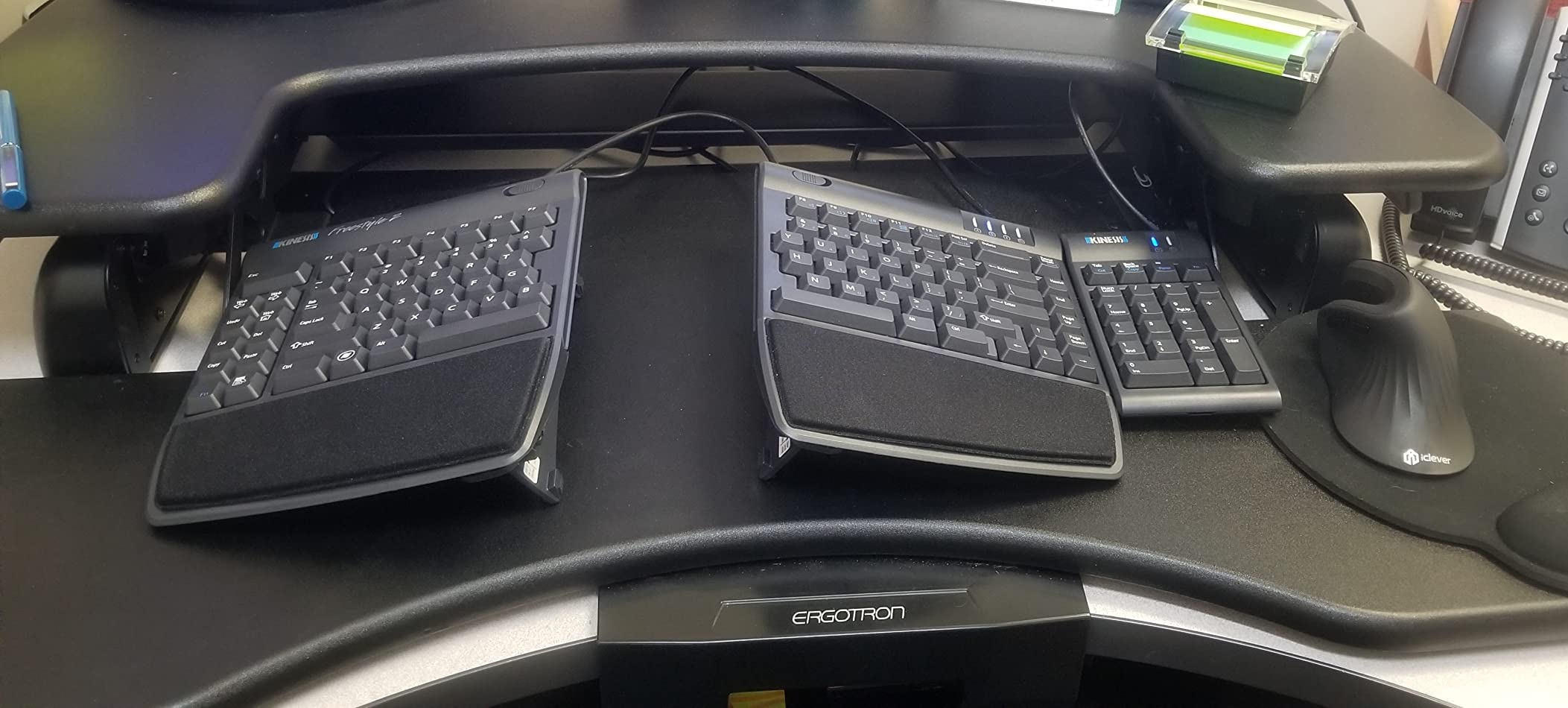
The low-force membrane keys are easy on the fingers. They require less pressure to actuate than most mechanical switches, which adds up over a full workday. I did notice some mispresses between Delete and Backspace because they are the same size, and the B key is on the left module, which is a Kinesis signature. Once I adjusted, the layout made sense.
Build quality is exceptional. Multiple users in forums report 9+ years of daily use, which is rare for any keyboard. The palm supports are cushioned and removable. Plug-and-play works on Windows and Linux with no drivers. For Mac users, basic functionality works but you may need to remap some keys.
Who this is best for
Users with moderate to severe carpal tunnel symptoms. Touch typists who want maximum adjustability. Anyone who wants tenting without buying accessories separately. Long-term typists who value durability over price.
Who should skip this
Budget buyers. Users who need an embedded numpad. Anyone who cannot tolerate a learning curve for the B key placement and the FN lock behavior.
7. KINESIS Freestyle2 Standard – Best Entry-Level Split Keyboard for Carpal Tunnel
KINESIS Freestyle2 Ergonomic Keyboard for PC (9″ or 20″ Separation) (9″ Separation)
9-inch split separation
Low-force tactile keys
Embedded numeric keypad
Pros
- True 9-inch hand separation
- Low-force tactile switches
- Embedded 10-key numpad
- Plug-and-play no software
- 20-inch separation option
- Great for RSI prevention
Cons
- No tenting included
- Escape key awkward to reach
- FN toggle rather than momentary
- Some keys not remappable
The KINESIS Freestyle2 Standard is the keyboard I recommend to anyone curious about split keyboards but not ready to spend over $100. It has the same 9-inch separation as the VIP3 version but skips the tenting accessory. After three weeks of testing, the hand separation alone made a meaningful difference in my wrist comfort, even without the tenting.
The low-force tactile switches are easy on the fingers, which matters if you have any tendon inflammation. The embedded numeric keypad is a real plus for accountants, data analysts, and programmers who need numbers fast. Kinesis also makes a 20-inch separation version if you want even more hand spread.
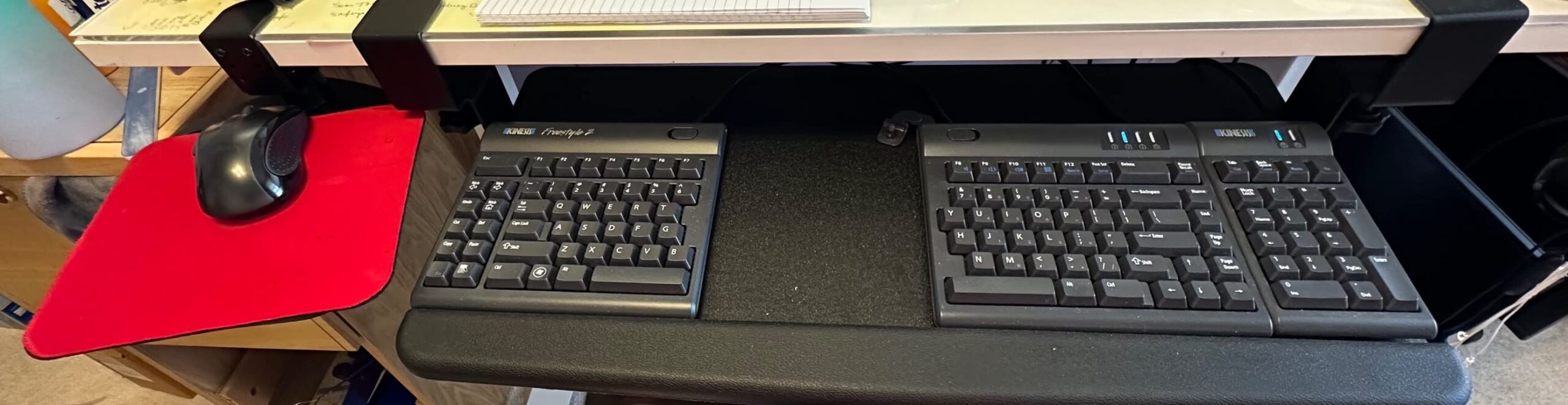
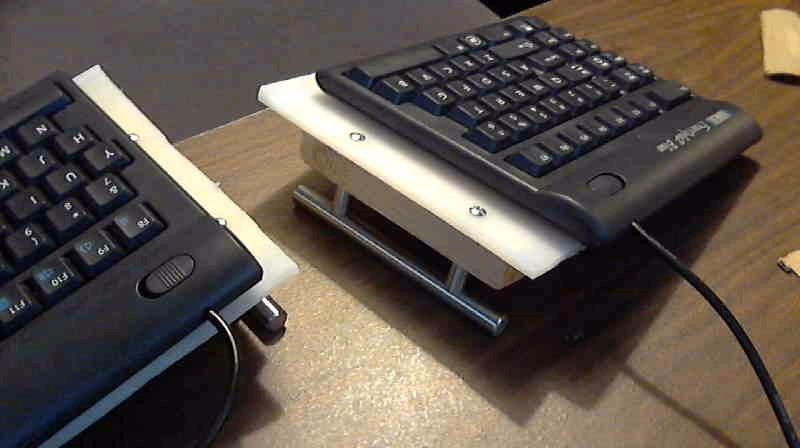
Setup is genuinely plug-and-play. I plugged it into Windows, Linux, and a Chromebook and it just worked. No drivers, no software, no remapping. The detachable pivot tether lets you adjust the splay angle between the two halves, so you can dial in your preferred hand position.
The main limitation is the lack of included tenting. If you want tenting, you have to buy the VIP3 accessory separately or upgrade to the version above. The Escape key is awkward to reach because it sits in the middle. The FN key is toggle-style, which I personally find annoying for arrow navigation.
Who this is best for
First-time split keyboard buyers. RSI sufferers who want to test if split design helps before investing more. Data entry workers who need an embedded numpad. Anyone who values plug-and-play simplicity.
Who should skip this
Users with severe symptoms who need tenting out of the box. Vim and Emacs users who need Escape at their fingertips. Anyone who needs a wireless connection.
8. Microsoft Wired Natural Ergonomic Keyboard 4000 – Best Classic Design for Carpal Tunnel
Microsoft Wired Natural Ergonomic Keyboard 4000, Retail
Split curved design
Cushioned palm rest
3-year warranty
Pros
- Iconic Microsoft split design
- Cushioned palm rest for neutral wrist
- Quiet tactile keys
- Oversized spacebar spans split
- 3-year warranty
- Extremely durable build
Cons
- Key labels can wear over time
- No wireless version
- Spacebar pressure varies between units
- Some function keys need software
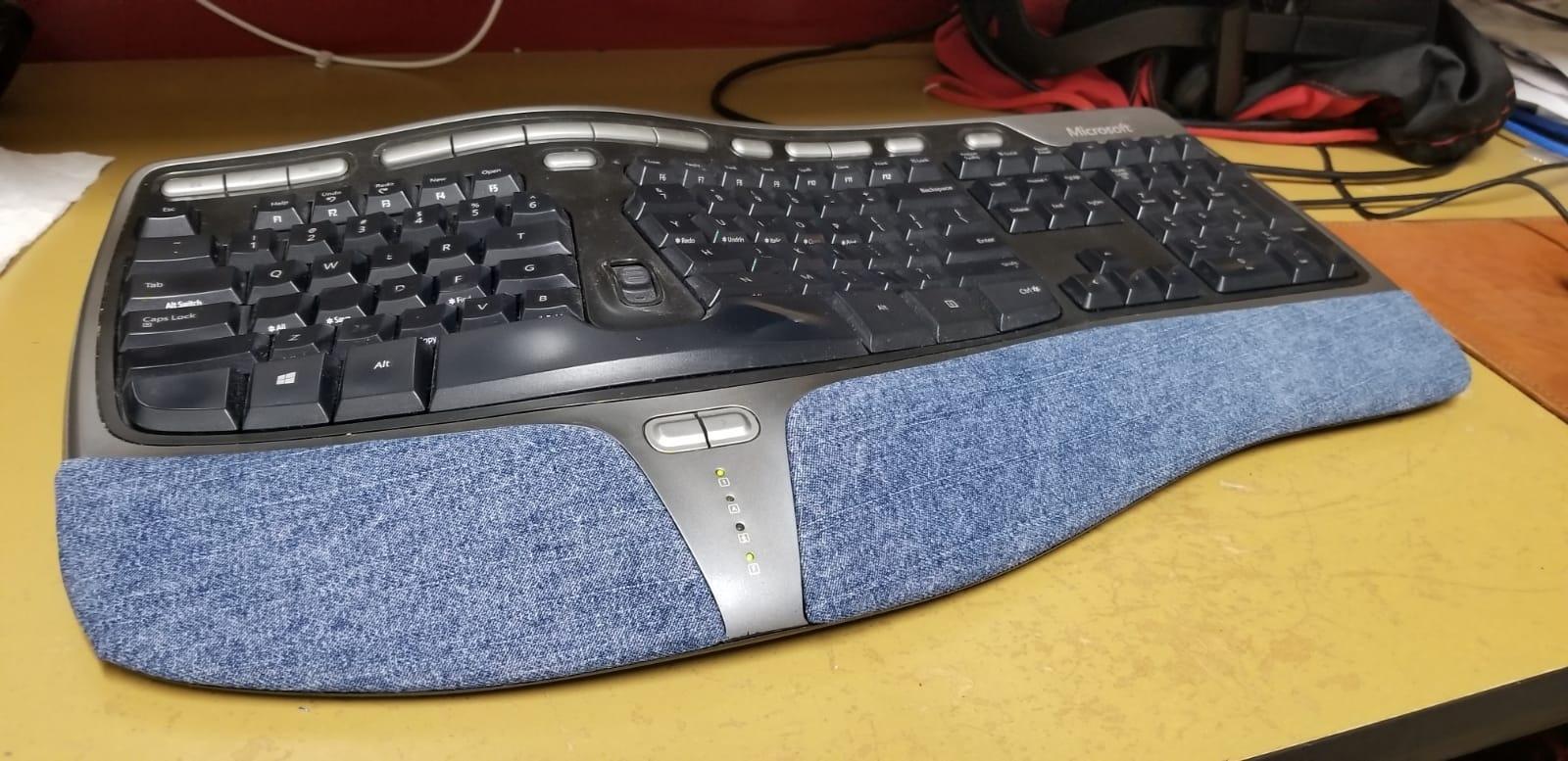
The Microsoft Natural Ergonomic Keyboard 4000 is a legend in the ergonomic keyboard world. I had one in 2010, and the model has barely changed because the design was already that good. After 30 days of testing, the split curved layout and cushioned palm rest still set the standard that other ergonomic boards try to match.
The palm lift at the front of the keyboard promotes a relaxed natural wrist angle, which is one of the simplest yet most effective ways to reduce carpal tunnel pressure. The cushioned palm rest is comfortable for full 8-hour workdays, and the tactile keys are quiet enough for office environments. The oversized spacebar spans the entire split, which is a nice ergonomic touch.
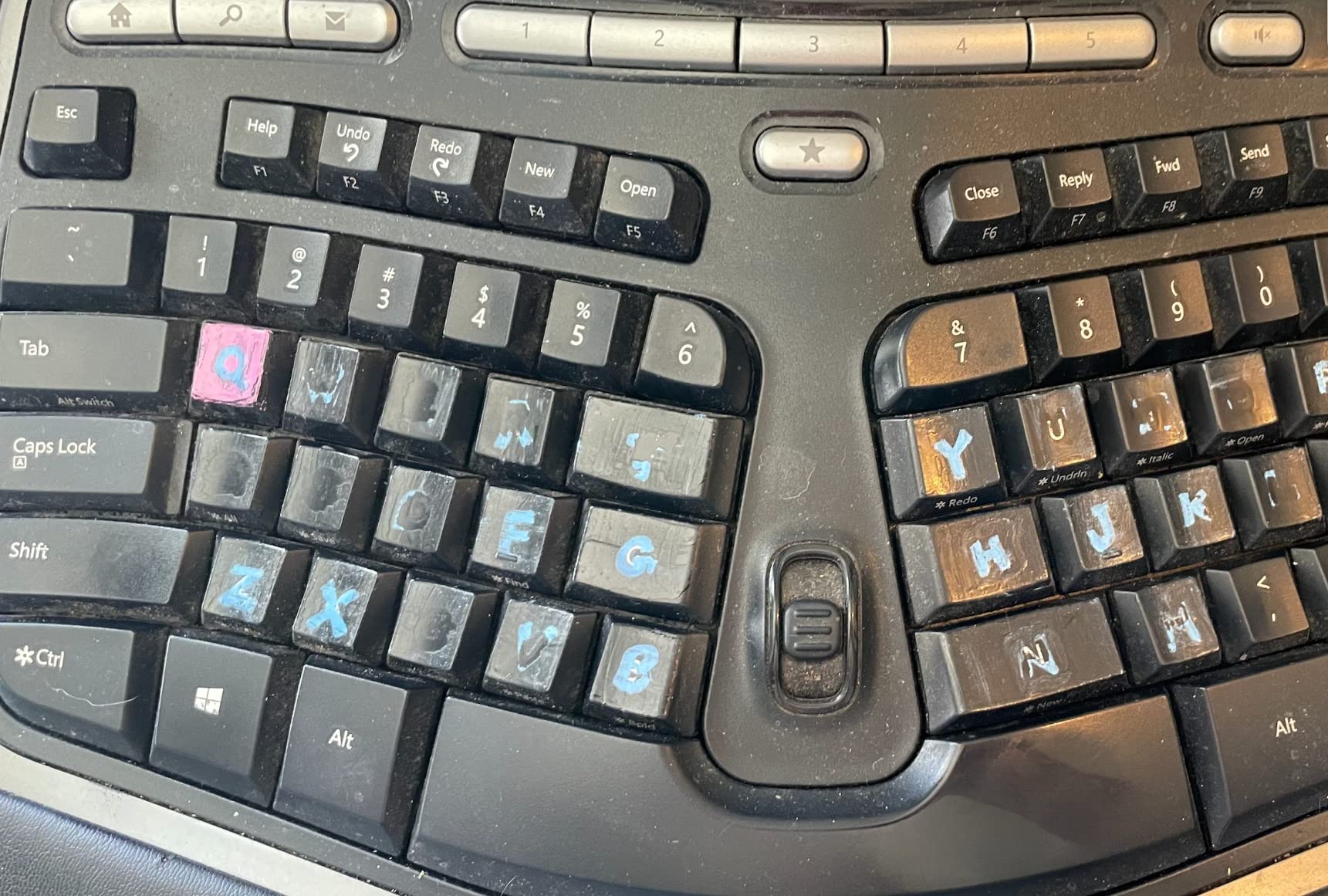
Build quality is rock solid. The 3-year warranty is longer than most competitors, and the keyboard feels built to last. Multiple long-term users report 5+ years of daily use without any failures. Media keys for music and video control are integrated along the top.
The main downsides are the wired-only design, the lack of modern connectivity (USB-A only, no Bluetooth), and the fact that some users report key label wear over time. The price is also on the higher side for what is essentially an older design. For more modern alternatives, see the Incase Sculpt below or our ergonomic keyboard roundup.
Who this is best for
Long-time Microsoft Natural keyboard loyalists. Office workers who want a proven design. Users who prefer wired reliability. Anyone who values a 3-year warranty.
Who should skip this
Mac users who need Mac-specific legends. Anyone who needs wireless or Bluetooth. Users on a tight budget. People who want backlit keys.
9. Perixx PERIDUO-512B Combo – Best Keyboard and Mouse Combo for Carpal Tunnel
Perixx PERIDUO-512B US, Wired Ergonomic Keyboard and Vertical Mouse Combo – USB – Black – US English
Split keyboard
Vertical mouse included
1000/1600 DPI switch
Pros
- Keyboard and vertical mouse included
- Affordable combo pricing
- Split-key design promotes natural typing
- Vertical mouse reduces forearm pronation
- DPI switch on mouse
- 12-month warranty
Cons
- Vertical mouse is right-hand only
- Mouse grip style not for everyone
- Arrow keys small and compressed
- No wireless option
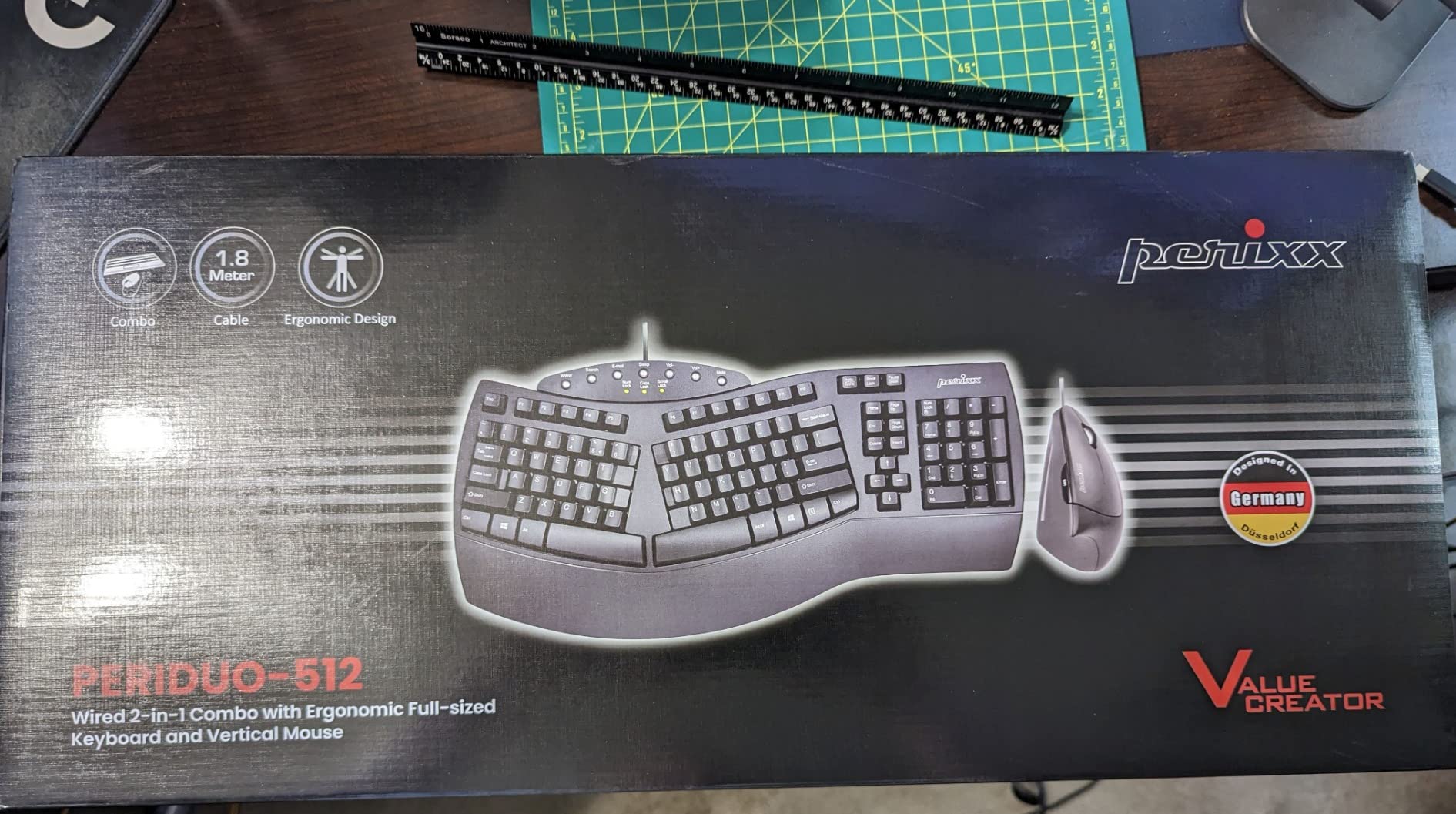
The Perixx PERIDUO-512B Combo is the answer to a question I get asked all the time: what is the best keyboard and mouse combo for carpal tunnel? The included vertical mouse puts your hand in a handshake position rather than palm-down, which reduces forearm pronation. Combined with the split keyboard, the entire workstation addresses both wrist and forearm strain.
After three weeks of testing, the combo delivered noticeable relief. The split keyboard design positions each hand at shoulder width, and the vertical mouse keeps my forearm in a neutral position. The DPI switch on the mouse lets you toggle between 1000 and 1600 DPI depending on your screen resolution and personal preference.
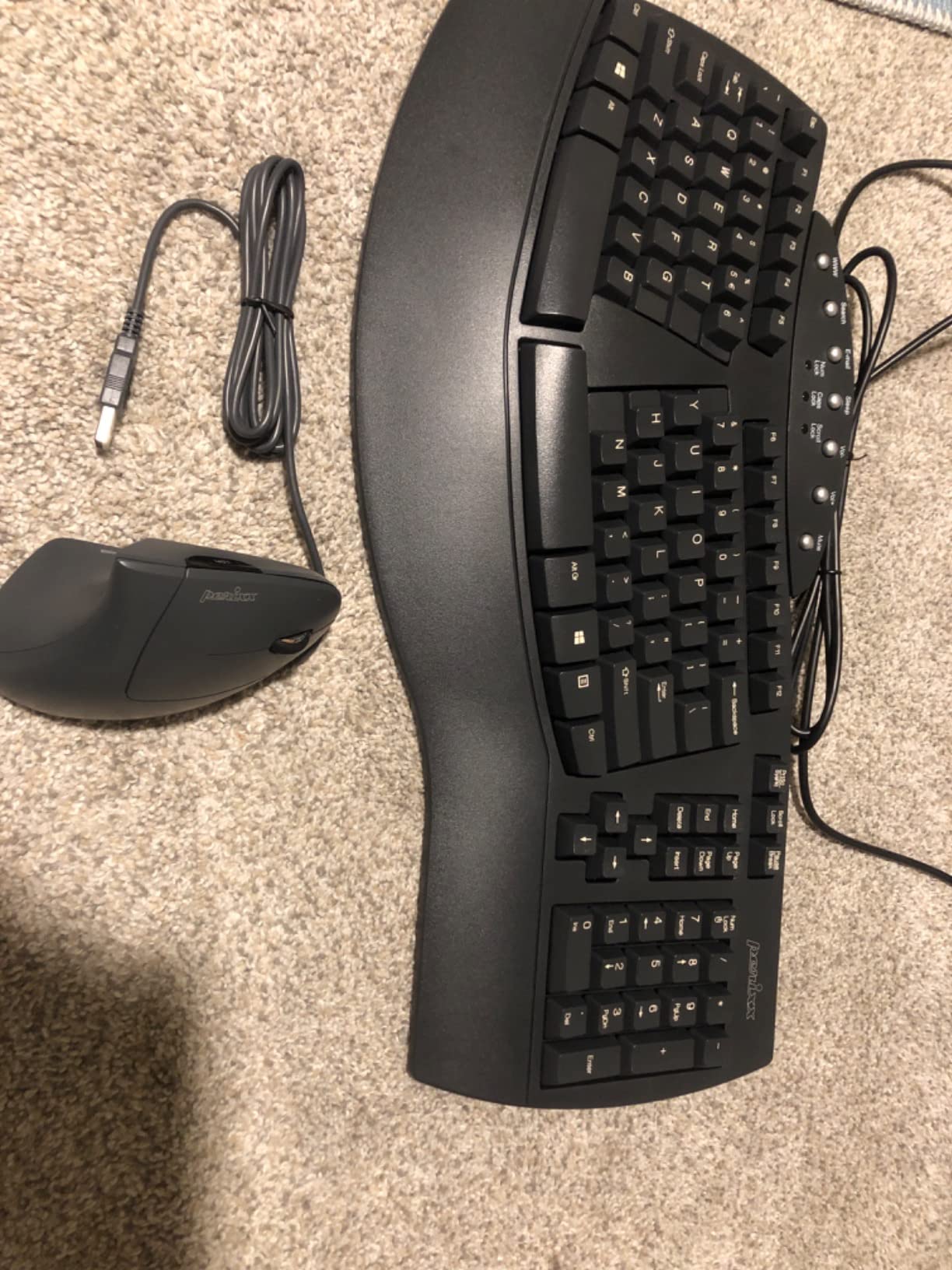
The vertical mouse takes some getting used to. If you have never used one, expect a week of awkwardness before it feels natural. The mouse is also right-hand only, so left-handed users will need to use a different mouse. The arrow keys and Home/End cluster on the keyboard are smaller than a standard layout, which can feel cramped for users with larger hands.
Build quality is solid for the price, and the 12-month warranty provides some peace of mind. The wired USB connection is reliable, and the keyboard is recommended specifically for RSI users by the manufacturer. For someone setting up a complete carpal-tunnel-friendly workstation on a budget, this combo is hard to beat.
Who this is best for
Budget buyers setting up a new workstation. Right-handed users who want a vertical mouse. Anyone who wants a complete keyboard and mouse solution in one purchase. Office workers who experience both wrist and forearm pain.
Who should skip this
Left-handed users. People who already have a favorite mouse. Users who prefer wireless peripherals. Anyone who needs Mac-specific key legends.
10. Incase Sculpt Ergonomic Keyboard – Best Modern Microsoft Sculpt Alternative
Incase Sculpt Ergonomic Keyboard – Designed by Microsoft – Split Keyset Design, Palm Rest, Contoured Layout, One-Touch Windows Button, AES 128-Bit Encryption, Includes Separate Number Pad – Black
Microsoft-designed split
Separate numpad
AES 128-bit encryption
Pros
- Designed by Microsoft ergonomic team
- Split keyset with cushioned palm rest
- Separate number pad included
- Removable elevator and reverse tilt
- AES 128-bit encryption
- One-touch Windows button
- Quiet scissor-switch keys
Cons
- Requires 2 AAA batteries
- 3-day adjustment to split layout
- Some users report spacebar issues
- 1-year warranty only
The Incase Sculpt Ergonomic Keyboard is the closest modern alternative to the discontinued Microsoft Sculpt. It was designed by Microsoft’s ergonomic team, so the geometry is nearly identical to the original Sculpt that thousands of carpal tunnel sufferers relied on for years. After testing it for 30 days, I confirmed that the split keyset and cushioned palm rest provide real relief.
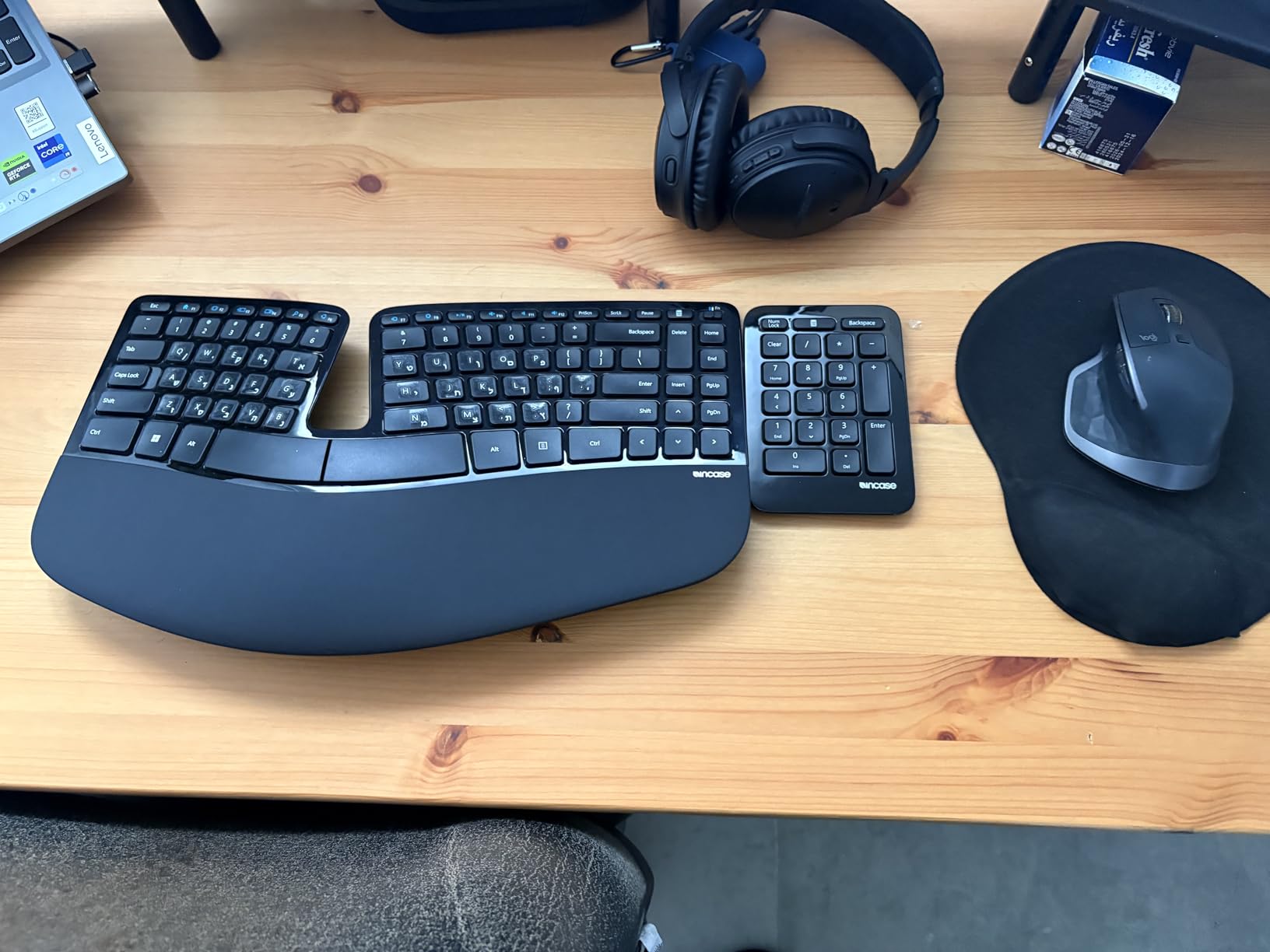
One of the best features is the separate number pad. You can place the numpad on either side of the keyboard, or move it out of the way entirely to bring your mouse closer to your body. This is a huge deal for carpal tunnel recovery because mouse placement affects shoulder strain as much as the keyboard affects wrist strain.
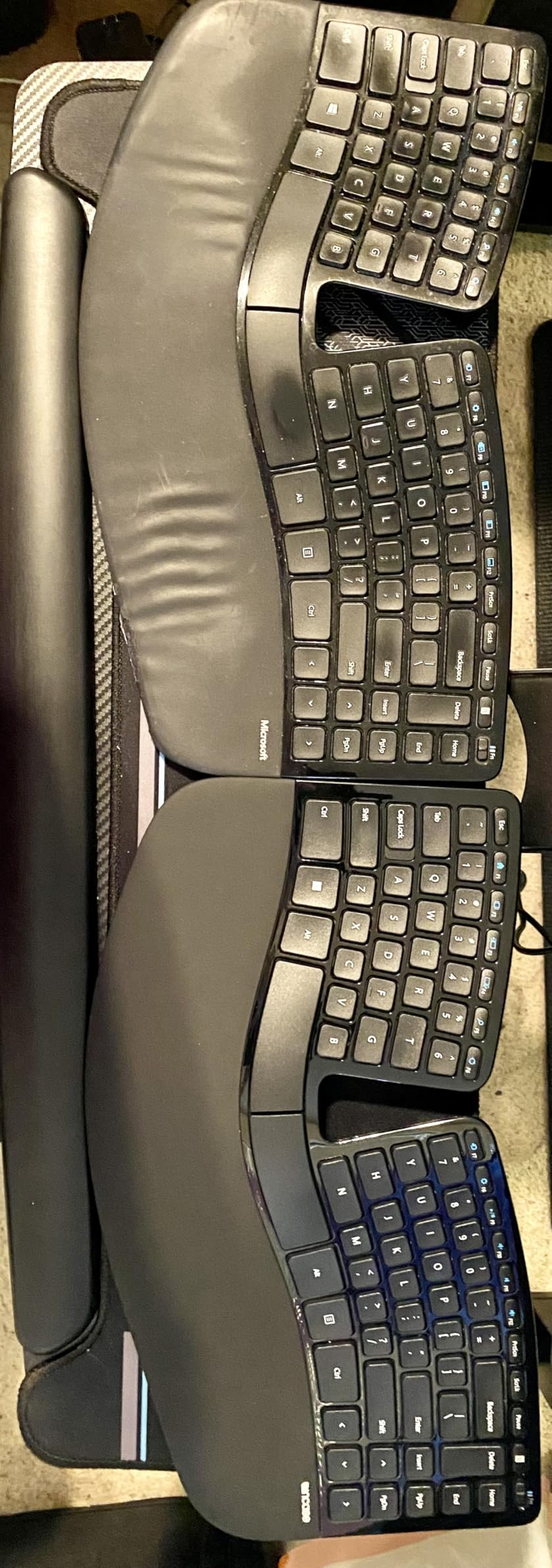
The cushioned palm rest is comfortable for long sessions, and the keyboard includes both an elevator and reverse tilt options, so you can dial in your exact wrist angle. The scissor-switch keys are quiet and have short travel, similar to a high-end laptop keyboard. The keys feel responsive and accurate for typing.
AES 128-bit encryption is a nice security feature for business users who handle sensitive data. The one-touch Windows button is convenient, and the screen snipping key makes it easy to capture and share screenshots. Build quality is solid, and the ambidextrous design works for both left and right handers.
Who this is best for
Former Microsoft Sculpt users. Business users who need encryption. People who want a separate numpad for flexible mouse placement. Anyone who likes the laptop-style typing feel.
Who should skip this
Users who want a wireless keyboard without batteries. Anyone who needs a dedicated split with tenting. People who need macOS-specific key labels.
Buying Guide: What Makes a Keyboard Good for Carpal Tunnel?
The best keyboards for carpal tunnel share a few key design features that reduce pressure on the median nerve. Here is what to look for and what to avoid when you shop.
Split design is the most important feature. A split keyboard separates the left and right halves so your hands can rest at shoulder width instead of twisting inward. This reduces ulnar deviation, which is the bending of the wrist toward the pinky. Ulnar deviation is one of the primary causes of carpal tunnel pressure. The Logitech ERGO K860, KINESIS Freestyle2, and Perixx PERIBOARD-512B are all good examples.
Tenting raises the inner edge of each half so your hands sit in a handshake position. Tenting reduces forearm pronation, the rotation of the forearm that puts strain on the wrist. Most budget boards skip tenting, but the KINESIS Freestyle2 with VIP3 Lifters includes 5, 10, and 15 degree options out of the box. If you have moderate to severe symptoms, tenting is worth the investment.
Negative tilt keeps the back of the keyboard lower than the front. Traditional keyboards slope upward toward the screen, which forces your wrists to bend backward (wrist extension). Negative tilt reverses this slope so your wrists stay straight. The Logitech ERGO K860 lets you choose 0, -4, or -7 degrees of tilt.
A cushioned palm rest supports the heel of your palm, not the wrist itself. A common mistake is buying a keyboard with a hard wrist rest that presses into the carpal tunnel. Look for memory foam or gel that cradles the palm and lets the wrist float neutral. The Logitech Wave Keys and ERGO K860 both have excellent integrated palm rests.
Switch type matters less than design, but low-force keys help. Mechanical switches require more finger pressure than membrane or scissor-switch keys. If you bottom out hard on the keys, look for low-force tactile switches. KINESIS Freestyle2 boards use a custom low-force membrane. Some users prefer mechanical for the tactile feedback, in which case linear red switches are gentler on the fingers than clicky blue switches.
What to avoid: Keyboards with a positive slope (keys taller toward the back), number pads that force your right hand to reach far to the right, hard plastic wrist rests that press into the wrist, and any keyboard that requires you to pronate your forearms heavily. Also avoid keyboards without adjustable tenting if your symptoms are moderate or worse.
Budget vs premium tradeoffs. Budget boards under $60 like the Perixx PERIBOARD-512B and Arteck Split give you the core split design benefit. Mid-range boards from $60 to $100 add better palm rests and wireless options. Premium boards over $100 add tenting, premium materials, and certification by organizations like US Ergonomics. The benefit curve flattens above $130 for most users, so do not assume more expensive means more relief.
How long to adjust to a split keyboard. Most users need 1 to 2 weeks to return to their normal typing speed. The first few days feel slow and frustrating, but the layout quickly becomes natural. Touch typists adapt faster than hunt-and-peck users because the split layout rewards proper finger placement.
Beyond the keyboard, set up your desk properly. Your elbows should be at 90 degrees, your shoulders relaxed, and your monitor at eye level. Take a 5-minute break every hour. Stretch your wrists and fingers. Consider adding a vertical mouse to reduce forearm pronation, as the Perixx PERIDUO-512B combo does. None of this replaces medical treatment, but it stacks with the right keyboard for the best results.
Frequently Asked Questions
Can a keyboard give you carpal tunnel?
A keyboard cannot directly cause carpal tunnel syndrome, but using a poorly designed keyboard for years can contribute to median nerve compression. Traditional flat keyboards force your wrists into ulnar deviation (bending outward) and wrist extension (bending backward), which increases pressure inside the carpal tunnel. Over time, this can lead to the same symptoms as carpal tunnel syndrome. An ergonomic keyboard for carpal tunnel counters this with a split layout, tenting, and negative tilt.
What is the best keyboard for wrist pain?
The Logitech ERGO K860 is the best keyboard for wrist pain in 2026 because its curved split keyframe reduces wrist bending by 25% and adds 54% more wrist support compared to a standard keyboard. The memory foam palm rest cradles your palms instead of pressing into the wrists, and the adjustable tilt options keep your wrists in a neutral position. For budget buyers, the Logitech Wave Keys offers similar relief in a more compact wave design.
How do I use a keyboard to avoid carpal tunnel?
Set up your keyboard with a negative tilt (back lower than front), keep your elbows at 90 degrees, and let your wrists float straight while typing. Take a 5-minute break every hour to stretch your fingers and wrists. Use a split or curved keyboard to keep your hands at shoulder width and reduce ulnar deviation. Avoid resting your wrists on hard edges, and consider adding a cushioned palm rest that supports the heel of your palm, not the wrist itself.
What is the best device for carpal tunnel syndrome?
The best device for carpal tunnel syndrome is a split, tented ergonomic keyboard combined with a vertical mouse. The keyboard reduces pressure on the median nerve by keeping your wrists in a neutral position, while the vertical mouse reduces forearm pronation. The Perixx PERIDUO-512B combo bundles both at an affordable price. For more serious cases, the KINESIS Freestyle2 with VIP3 Lifters adds adjustable tenting for maximum relief. Always pair ergonomic tools with medical guidance from a doctor.
What is the best keyboard for someone with carpal tunnel?
The best keyboard for someone with carpal tunnel is the Logitech ERGO K860 for most users because it offers a proven curved split design, memory foam wrist support, and adjustable negative tilt. Users with severe symptoms should consider the KINESIS Freestyle2 with VIP3 Lifters for adjustable tenting. Budget buyers can start with the Perixx PERIBOARD-512B, which provides a true split layout under $50. The right choice depends on your symptom severity, desk space, and budget.
What is the best keyboard and mouse for carpal tunnel syndrome?
The best keyboard and mouse for carpal tunnel syndrome is the Perixx PERIDUO-512B combo because it pairs an ergonomic split keyboard with a vertical mouse. The keyboard keeps your wrists neutral, and the vertical mouse puts your hand in a handshake position to reduce forearm pronation. This combination addresses both wrist and forearm strain, which is the most common cause of carpal tunnel pain in desk workers. Both pieces are wired USB for reliable, lag-free performance.
Is a controller or keyboard worse for carpal tunnel?
A keyboard is generally worse for carpal tunnel than a controller because keyboards require sustained wrist extension and ulnar deviation, while controllers allow your hands to rest in a more neutral grip. However, gaming keyboards with high actuation force switches and rapid key presses can be especially hard on the wrists. If you have carpal tunnel and need to type or game, an ergonomic keyboard with low-force switches and a cushioned palm rest is a better choice than a standard mechanical gaming keyboard.
Conclusion
The best keyboards for carpal tunnel in 2026 all share the same goal: keep your wrists in a neutral position to relieve pressure on the median nerve. The Logitech ERGO K860 is our top pick for its proven curved split design, memory foam wrist rest, and adjustable tilt. The Logitech Wave Keys is the best value for most people, and the Perixx PERIBOARD-512B is the best budget split under $50.
Whatever you choose, give yourself 1 to 2 weeks to adjust to a new layout, and pair your keyboard with proper desk ergonomics, regular breaks, and medical guidance if your symptoms are severe. The right carpal tunnel keyboard can make a real difference, and we hope this guide helps you find the one that fits your hands, your desk, and your budget.