
The Redragon K556 is the mechanical keyboard worth watching first during this sale, because a brushed aluminum chassis, hot-swappable sockets and tactile Brown switches rarely arrive in the same low-cost full-size board. The Redragon K671 is the alternative if you want a full-size layout for the least money, and the Redragon K617 is the one to look at if your desk is small and every centimetre of mouse space matters.
Prime Big Deal Days runs October 6-7, 2026, and most offers in it need a Prime membership. Prices shift through the event, so treat the picks below as boards worth keeping an eye on rather than fixed numbers.
Table of Contents
Our Top 3 Picks for Best Amazon Prime Big Deal Days Mechanical Keyboard Deals

Redragon K556
- Aluminum full-size chassis
- Hot-swappable 3-pin and 5-pin sockets
- Tactile Brown switches
- 104 keys with RGB


Redragon K617
- 60% 61-key layout
- Hot-swappable sockets
- 20 RGB lighting modes
- Detachable USB-C cable
Best Amazon Prime Big Deal Days Mechanical Keyboard Deals Compared (October 2026)
| Product | Specifications | Action |
|---|---|---|
| Redragon K556 |
|
Check Deal Price |
| Redragon K671 |
|
Check Deal Price |
| Redragon K617 |
|
Check Deal Price |
 AULA F99 AULA F99 |
|
Check Deal Price |
 AULA F75 Pro AULA F75 Pro |
|
Check Deal Price |
 Logitech G413 SE Logitech G413 SE |
|
Check Deal Price |
 Royal Kludge R75 Royal Kludge R75 |
|
Check Deal Price |
 Razer BlackWidow V4 X Razer BlackWidow V4 X |
|
Check Deal Price |
 EPOMAKER AULA F65 EPOMAKER AULA F65 |
|
Check Deal Price |
 Logitech MX Mechanical Logitech MX Mechanical |
|
Check Deal Price |
How We Chose
We compared the specifications that decide whether a mechanical keyboard is worth owning: switch type, layout, chassis material, keycap plastic, hot-swap sockets, wireless modes and battery capacity. We also weighed owner ratings and the recurring themes in their reviews, and we checked the listings on Amazon during October 2026.
1. Redragon K556: Best All-Round Full-Size Board
Redragon K556 Wired RGB Mechanical Gaming Keyboard, 104-Key Aluminum Board
Keys: 104
Layout: full-size
Switch: tactile Brown
Connectivity: USB wired
Hot-swap: yes
Pros
- Brushed aluminum frame that does not wobble
- Hot-swap socket takes 3-pin and 5-pin switches
- Solid Brown bump suits long typing sessions
- 20 RGB modes with brightness and speed control
- Full anti-ghosting across all keys
Cons
- Bundled RGB software is Windows-oriented and poorly documented
- Large footprint beside compact boards
- Keycap legends are not shine-through
The most convincing all-round board on this list, and the one most people should end up buying.
What earns it that spot is the combination owners keep mentioning: a brushed aluminum alloy frame and aluminum plate that do not flex under pressure, plus hot-swappable sockets that accept both 3-pin and 5-pin switches. That pairing rarely turns up on a 104-key board at this level, and it means you can change switch feel later without a soldering iron.
The stock Brown switches give a soft tactile bump that suits a full working day of typing, which is why this is the pick if your day is spent in documents rather than in matches. Sound dampening foam sits inside the case, and the 20 preset RGB modes cover everything from a static colour to a flow effect.
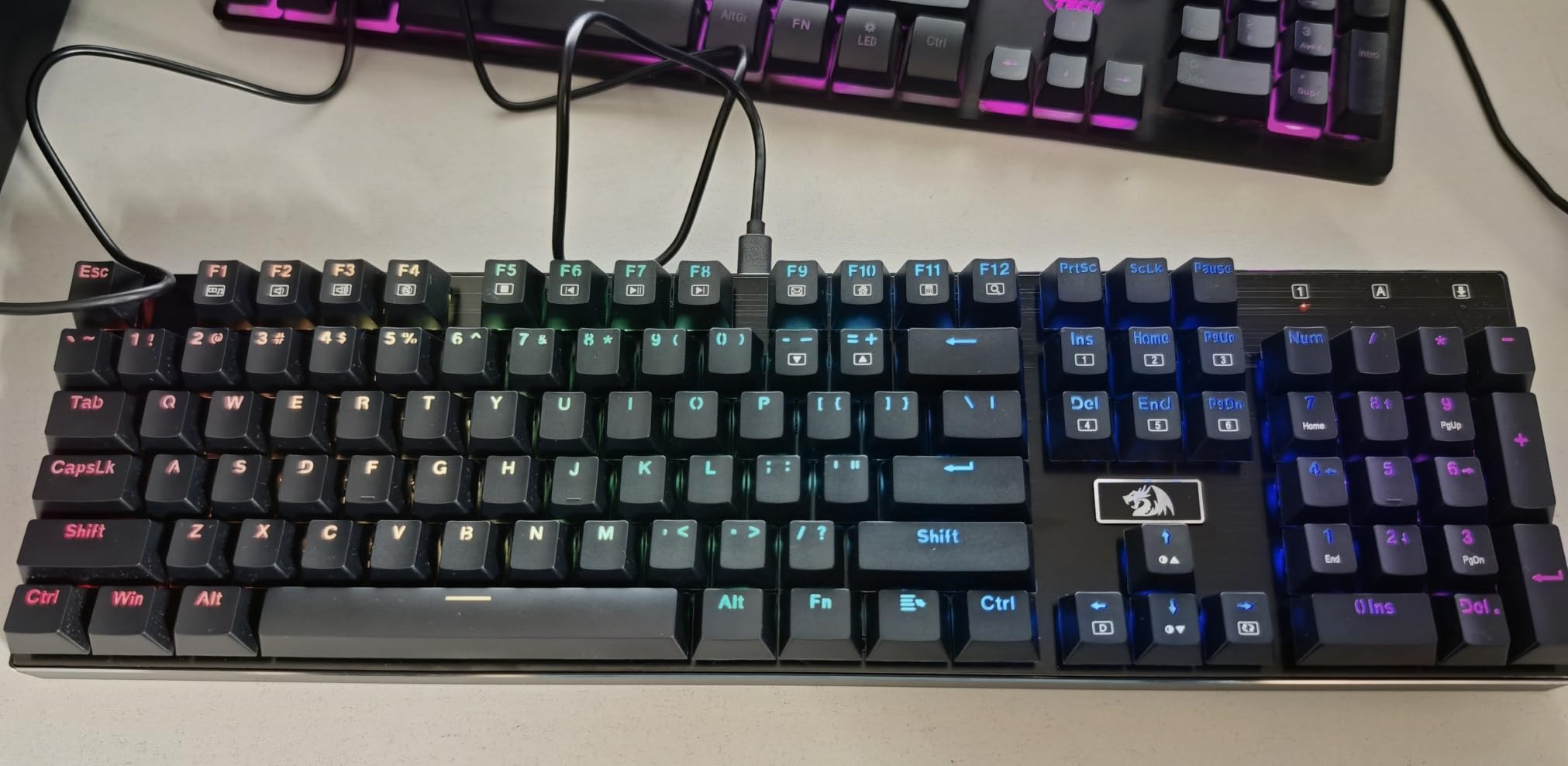
The trade-off owners report most often is the companion software. It handles macro programming and custom lighting, but it is written for Windows and the documentation is thin, so expect a little patience the first time you open it.
Size is the other thing to plan around. At 17.13 by 4.88 inches, this is a full 104-key board and it will take real desk space next to a mouse. If you would rather claw that space back, the Redragon K617 does the same job in a 60% footprint, and the AULA F99 adds wireless while keeping a numpad.
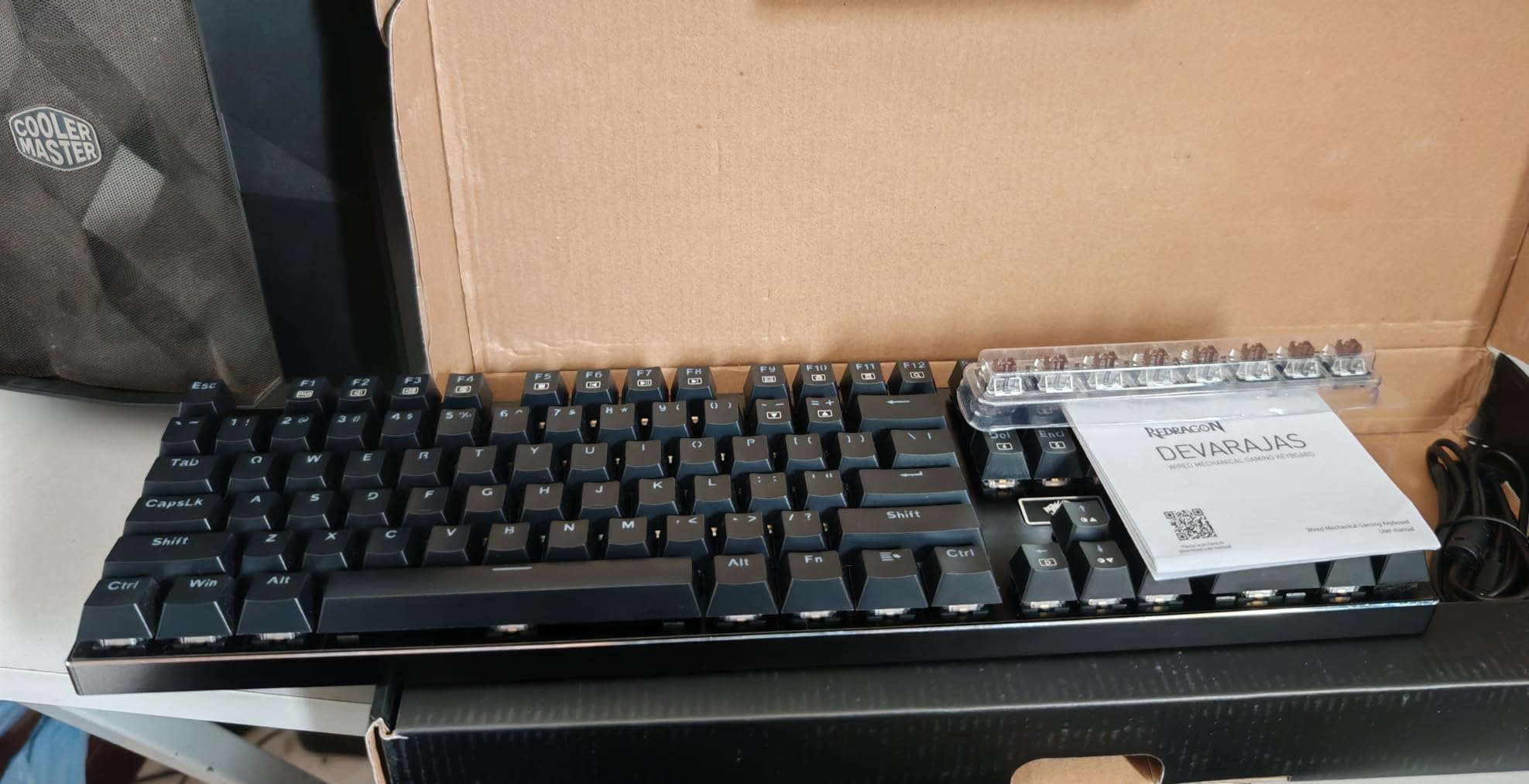
One detail that catches people out: the keycap legends are printed rather than shine-through, so the backlight glows around the characters instead of through them. It looks different from an RGB board with transparent caps, and owners who care about that effect usually end up with the AULA F75 Pro.
2. Redragon K671: Best Full-Size Board on a Starter Budget
Redragon Mechanical Gaming Keyboard Wired, 11 Programmable Backlit Modes, Hot-Swappable Red Switch, Anti-Ghosting, Double-Shot PBT Keycaps, Light Up Keyboard for PC Mac
Keys: 104
Layout: full-size
Switch: linear Red
Connectivity: USB wired
Hot-swap: yes
Pros
- Lowest entry point for a full-size mechanical board
- Light smooth linear Red switches
- Hot-swappable with four spare switches and spare keycaps
- Full anti-ghosting plus 12 multimedia shortcuts
- Double-shot keycaps that resist wear
Cons
- Lighting is largely fixed to a rainbow preset
- Macro software is Windows-only and clunky
- Full 104-key layout eats a lot of desk space
Buy the Redragon K671 if the goal is a first mechanical keyboard and the budget is the first thing you think about.
It is the cheapest way on this list to get a genuine full-size mechanical board with hot-swappable sockets, and the socket ships with four spare switches and two spare Red keycaps in the box, along with a puller. Very few boards at this price let you change switch type on day one, which is exactly what most first-time buyers want to try.
Double-shot keycaps are the other quiet win. The legends are moulded into both sides of the cap rather than printed on the surface, so they will not wear off the way printed legends do, and the PBT plastic keeps its texture longer than glossier ABS.
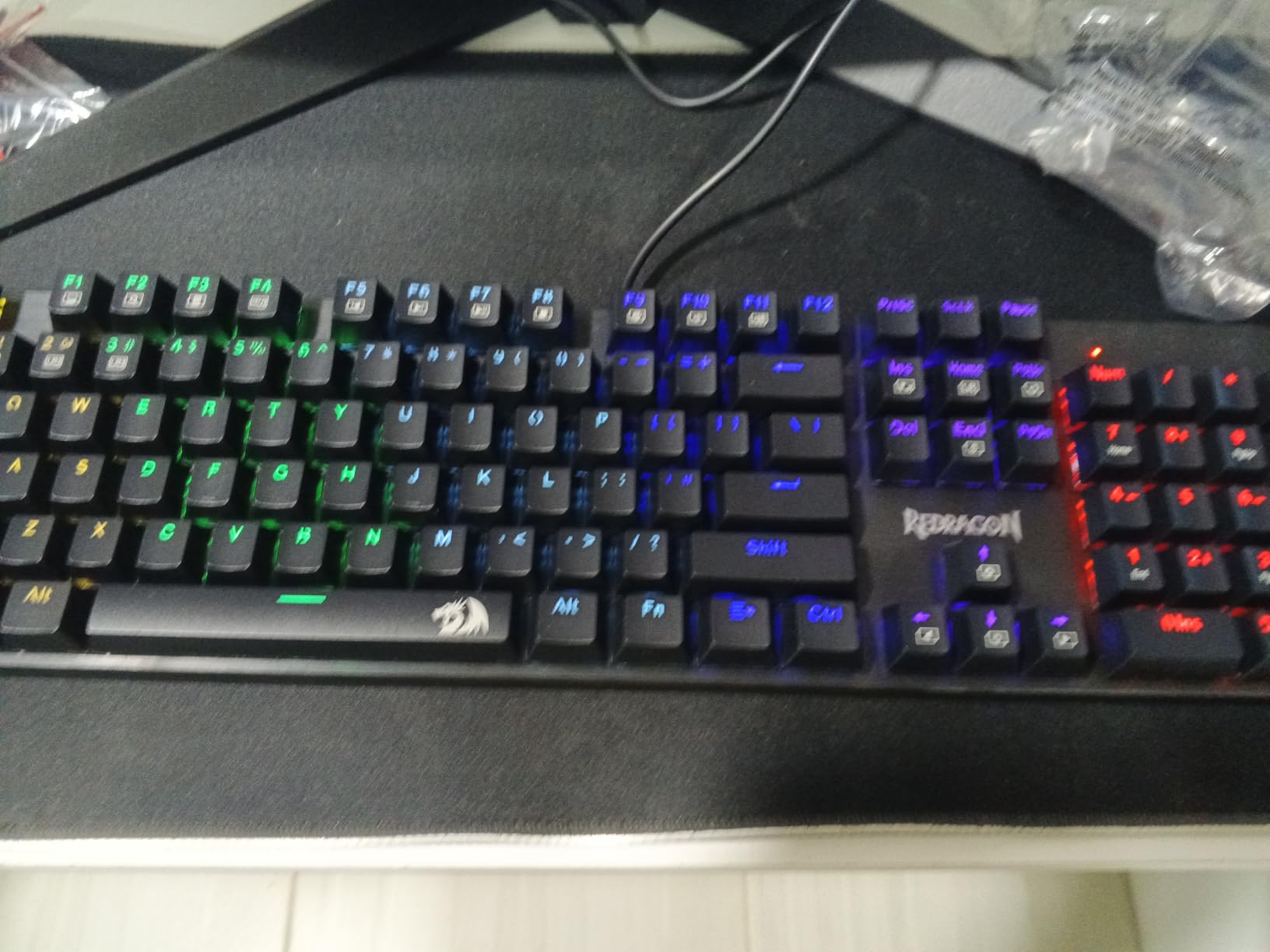
Where the 4.3 average comes from is predictable. The lighting is tied mostly to a rainbow preset rather than a free colour choice, the bundled macro and lighting software works properly on Windows only, and some users describe the switches as mushy with a loud overall typing sound. Those are real limitations, not deal-breakers, but they are the reason this sits second rather than first.
It also runs at the same low price as the Redragon K617, so the choice between them is a layout decision. The K617 is 60% and frees up desk space for aiming; the K671 keeps the function row, arrows and numpad in a familiar arrangement. Compare it with the Redragon K556 if you want the same full-size layout in an aluminum case instead of plastic.
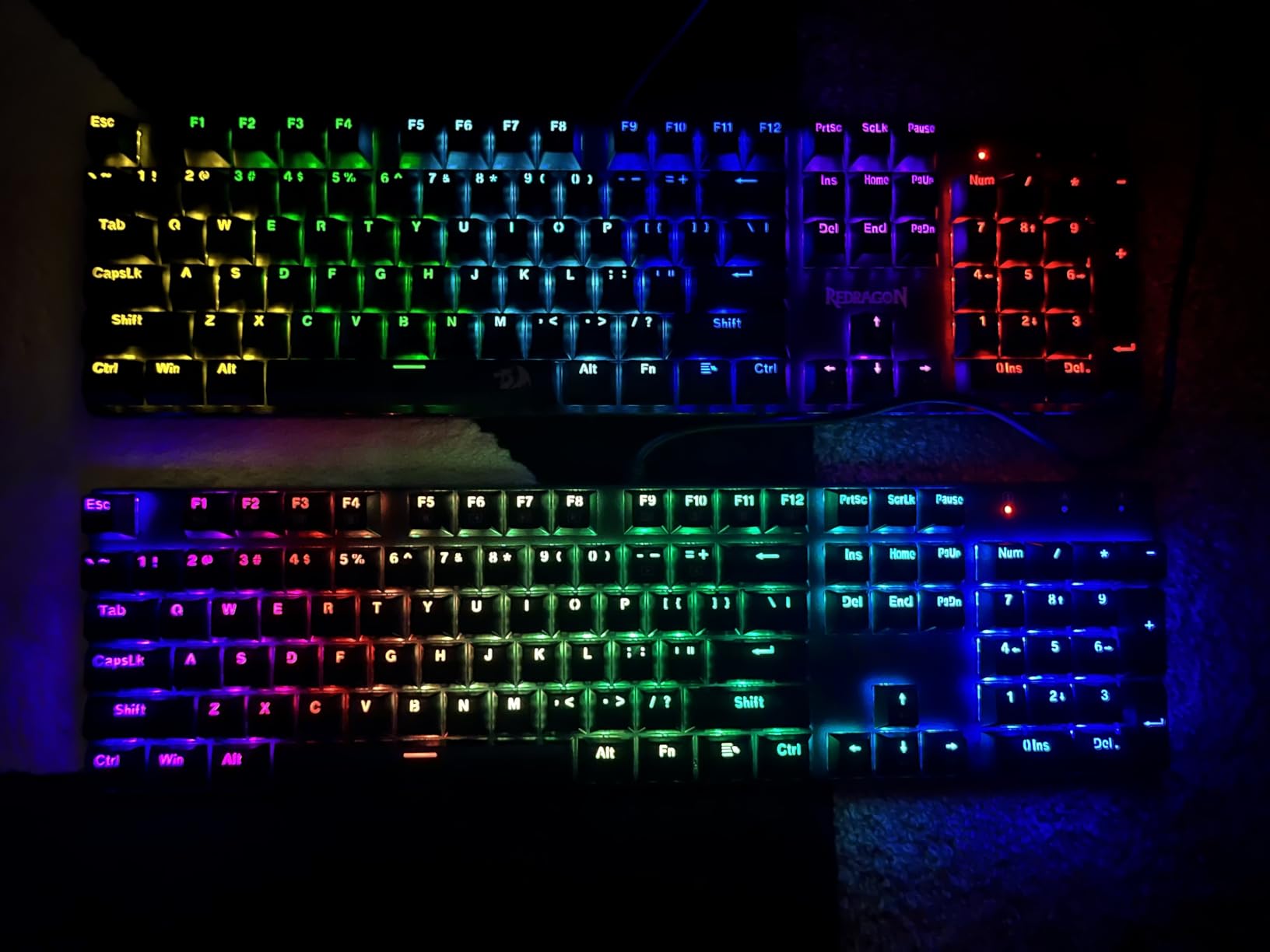
Worth noting that the warranty here runs 24 months, longer than most boards in this roundup, and owners report responsive service when a key fails. That matters more on a first board than most buyers expect.
3. Redragon K617: Best for Small Desks
Redragon K617 Wired 60% Compact Hot-Swap RGB Gaming Mechanical Keyboard
Keys: 61
Layout: 60%
Switch: linear Red
Connectivity: USB-C
Hot-swap: yes
Pros
- 60% layout frees a large amount of mouse space
- Real hot-swap sockets make switch changes easy
- 20 RGB modes with per-key assignment
- Detachable USB-C cable
- Light at 9.6 ounces
Cons
- Stock Red switches are loud and clacky
- No arrow or function rows so the layout takes adjusting
- White and grey caps show dirt quickly
Skip this one if you need arrow keys. Everything else about the Redragon K617 is aimed at the person whose desk is too small for a full-size board.
At 61 keys and 12.2 by 5.31 inches, it gives back a surprising amount of arm space, and that matters more for competitive shooters than any switch specification. The rest of the spec sheet is competitive for the money: hot-swappable 3-pin and 5-pin sockets, 20 RGB lighting modes with per-key assignment in software, and switches rated for 50 million keystrokes.
The detachable USB-C cable is longer than most cables at this price and the board weighs 9.6 ounces, so it packs easily if you move between a desk and a couch. That combination makes it a reasonable travel board as well as a gaming one.
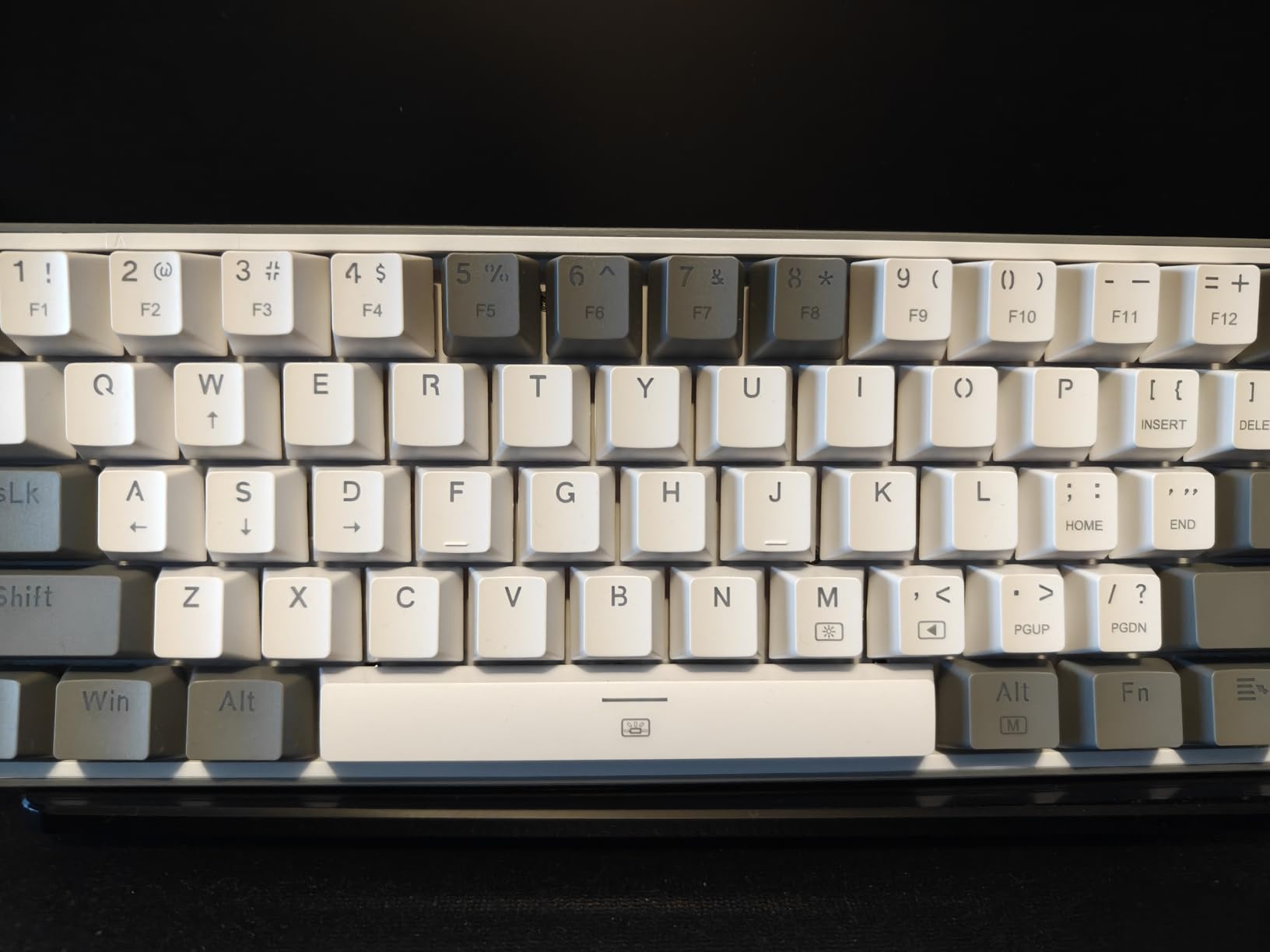
A 4.6 average across thousands of reviews puts this among the best-rated boards in the roundup, and the praise concentrates on the hot-swap sockets and the clean grey colorway. Owners also like the volume of the stock Red switches, which is the opposite of what you want in a quiet room, so the Razer BlackWidow V4 X and the Logitech MX Mechanical are the calmer picks here.
The AULA F75 Pro is the compact compromise if you want keys back without giving up the small footprint. Its 75% layout keeps the arrow cluster and function row, adds a control knob and runs wirelessly.
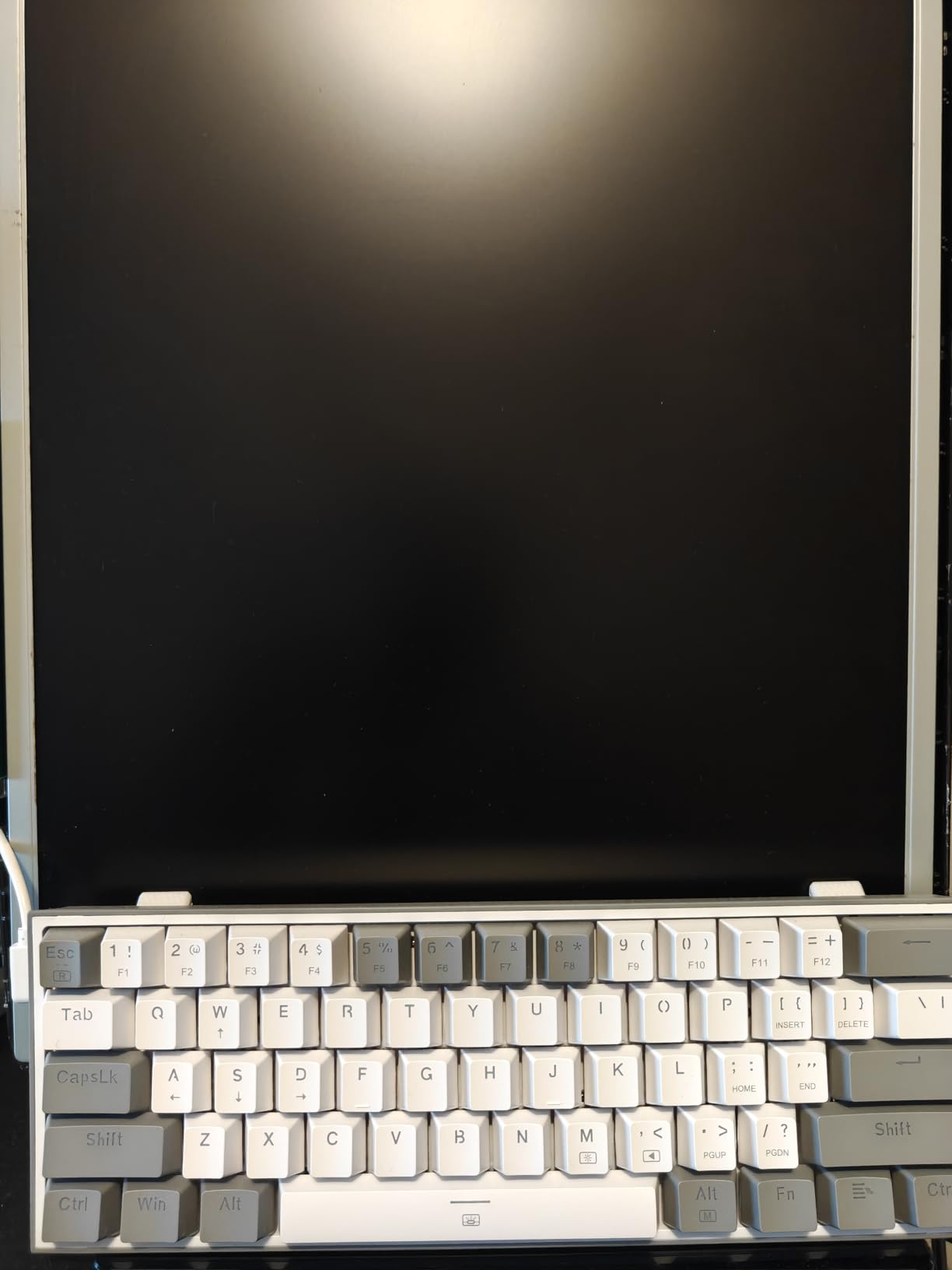
Skip it if the light colorway puts you off: white and grey caps show grease faster than darker ones, and buyers who dislike that often swap a few caps rather than replace the board.
4. AULA F99: Best Value for Wireless With a Numpad
AULA F99 Wireless Mechanical Keyboard,Tri-Mode BT5.0/2.4GHz/USB-C Hot Swappable Custom Keyboard,Pre-lubed Linear Switches,RGB Backlit Computer Gaming Keyboards for PC/Tablet/PS/Xbox
Keys: 99
Layout: 96%
Switch: pre-lubed linear
Connectivity: tri-mode
Hot-swap: yes
Pros
- Creamy low-hollow sound from the gasket mount and foam
- Tri-mode wireless with up to five paired devices
- 8000mAh battery rated for weeks of use
- Hot-swap PCB with pre-lubed linear switches
- Weighs 1500 grams and sits very stable
Cons
- Keycaps are not shine-through so RGB misses the legends
- Customization software does not support Mac
- Battery indicator stays red even when charged
The AULA F99 is the pick if you want a numpad and wireless in one board without moving up a price band.
It packs three connection methods: Bluetooth 5.0, 2.4GHz wireless and USB-C, with room to pair up to five devices. The 8000mAh rechargeable battery is the largest here, and owners describe weeks of wireless use between charges. For anyone switching between a laptop and a desktop, that combination removes the cable juggling entirely.
Sound is the reason enthusiasts mention this board. The gasket mount sits over five layers of internal silencer filling, and owners describe the result as creamy with very little hollow echo, and it comes up often enough in the reviews to be the single most repeated comment on this board.
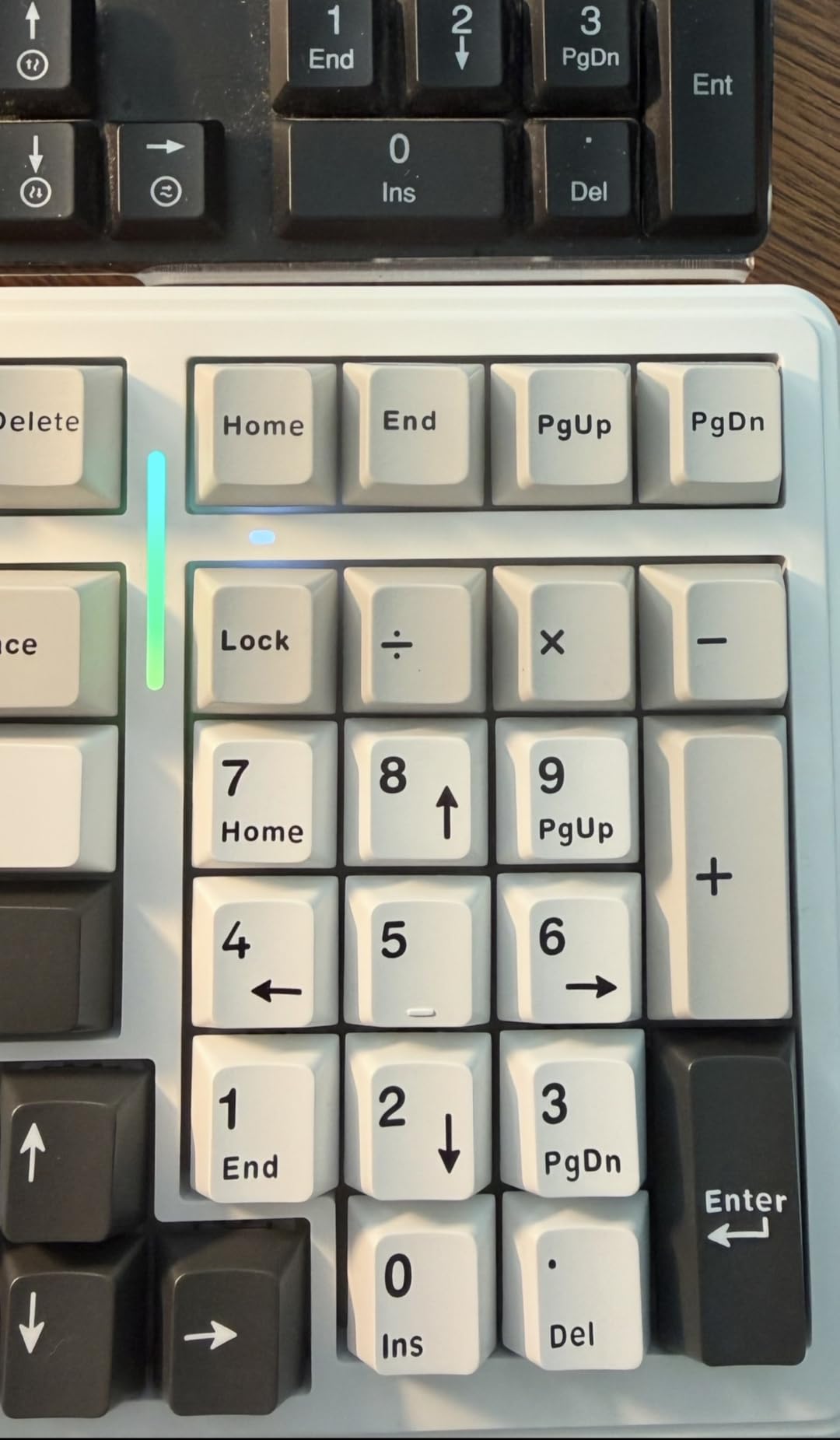
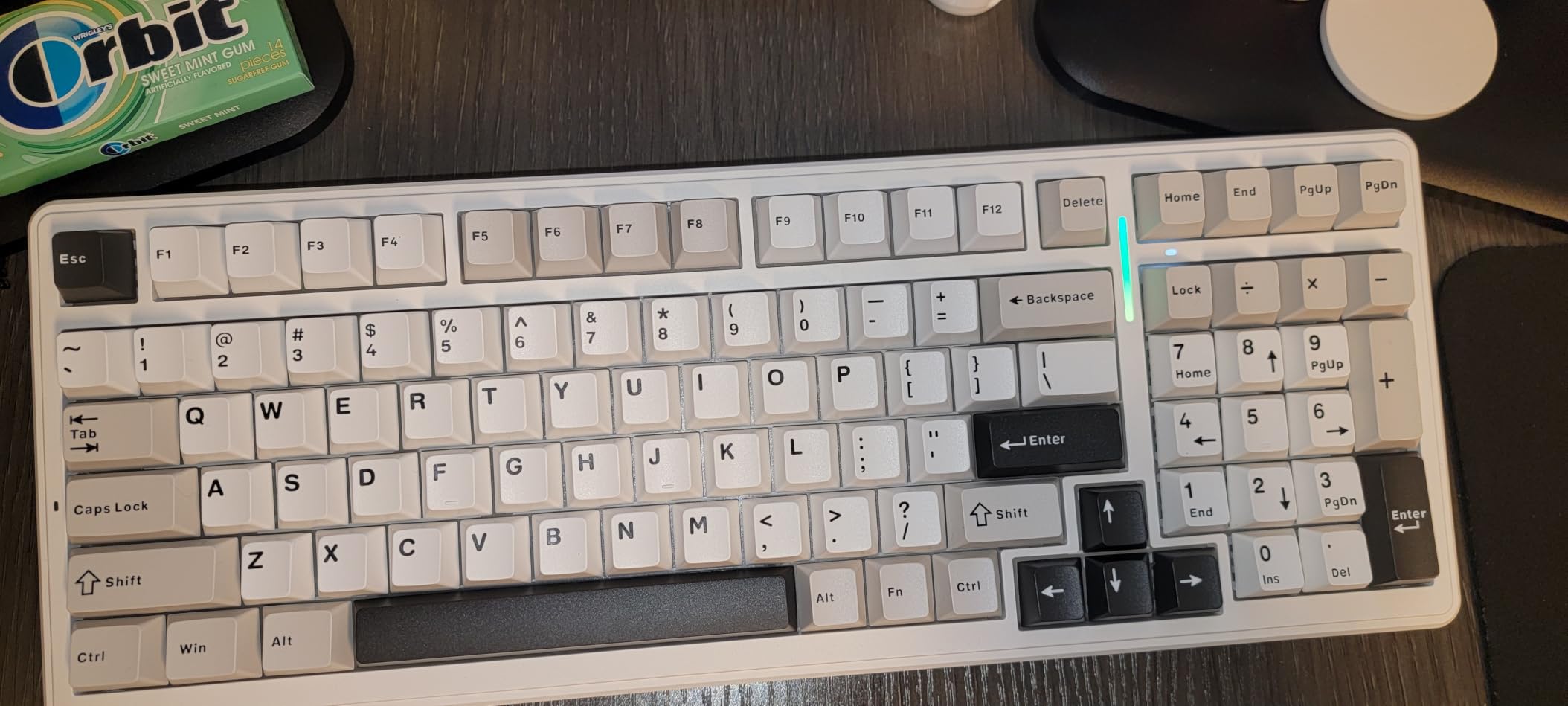
The compromises are real and worth knowing. The keycaps are not shine-through, so the RGB lighting glows around the keys rather than lighting the legends. The customization software is Windows-only, and the battery indicator light stays red even when the board is fully charged, which unsettles people who check it carefully.
Some users also find the compressed 96% layout awkward, since the numpad and arrow cluster are squeezed together and take a few days to learn. If arrow keys matter, the AULA F75 Pro is the same idea with a more conventional 75% arrangement. For a Mac user, read the Mac-specific picks first, because this board’s software will not help you there.
Owners also raise the 6-month warranty as the weakest point on an otherwise generous board, and the F75 Pro matches it. Since that is the shortest cover on this list, keep the purchase date somewhere you will find it.
5. AULA F75 Pro: Best for a Knob in a Compact Footprint
AULA F75 Pro Wireless Mechanical Keyboard,75% Hot Swappable Custom Keyboard with Knob,RGB Backlit,Pre-lubed Reaper Switches,Side Printed PBT Keycaps,2.4GHz/USB-C/BT5.0 Mechanical Gaming Keyboards
Keys: 81
Layout: 75%
Switch: pre-lubed linear Reaper
Connectivity: tri-mode
Hot-swap: yes
Pros
- Knob handles brightness volume and mode switching
- Side-printed PBT caps let the light through the legends
- Hot-swap socket with pre-lubed Reaper linear switches
- 75% layout keeps arrows and function keys
- Side-printed caps resist shine
Cons
- Linear switches feel light and creamy to some hands
- Plastic enclosure despite a premium-feeling weight
- Only a 6-month warranty
The AULA F75 Pro takes the parts people actually use on bigger boards and squeezes them into 75%.
The multi-function knob is the reason to pick it. It adjusts backlight brightness, controls volume, handles media playback, and switches between a gaming mode and an office mode. The Royal Kludge R75 has a knob too, but that board is wired only, so if you plan to sit out of USB range the F75 Pro is the one.
The keycaps are the other differentiator. Side-printed PBT means the character legends sit on the side walls of the cap, so the backlight shines through them directly rather than glowing around the edge. On a desk that is dim at the evening end of the day, that difference is obvious.
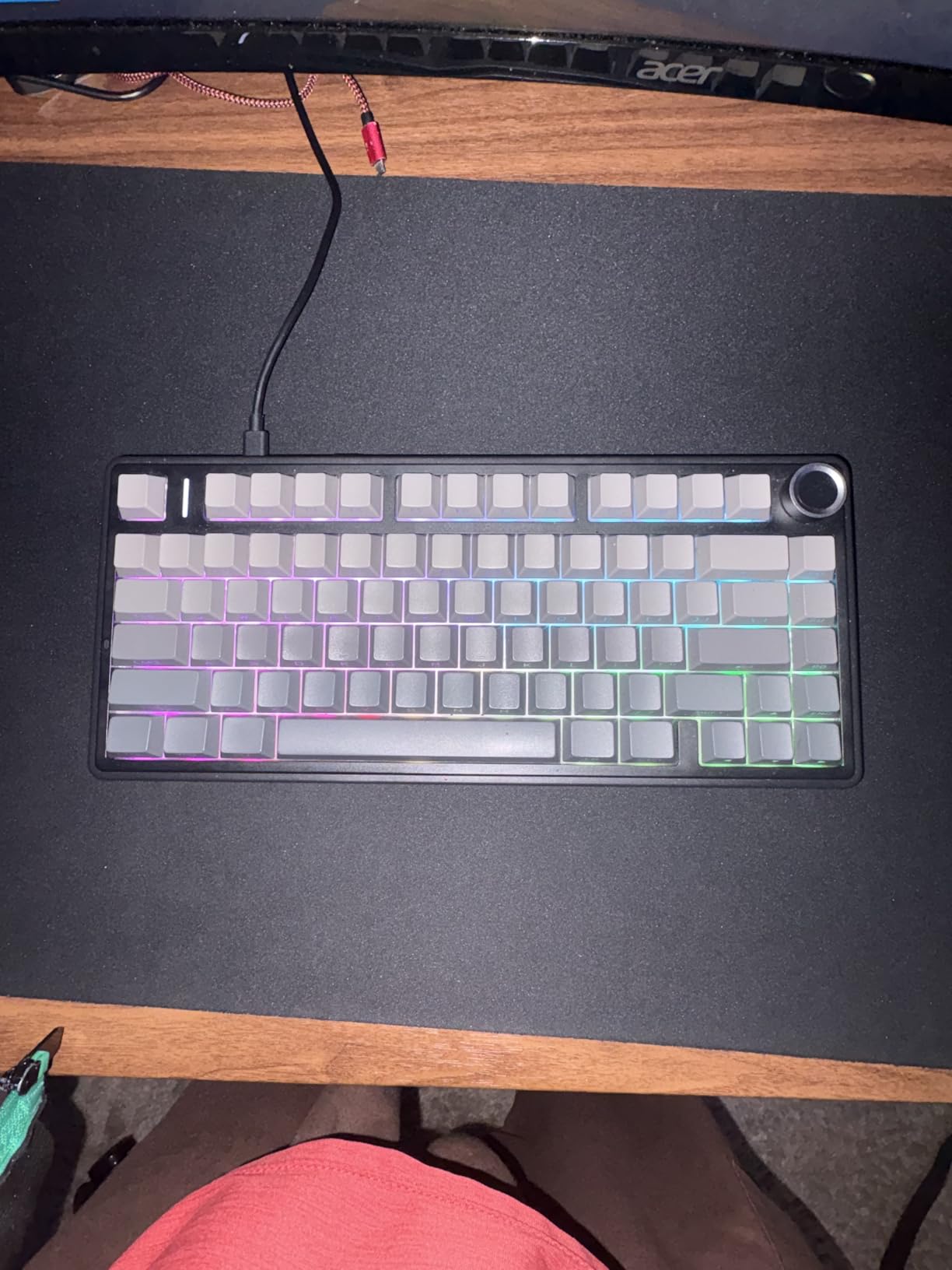
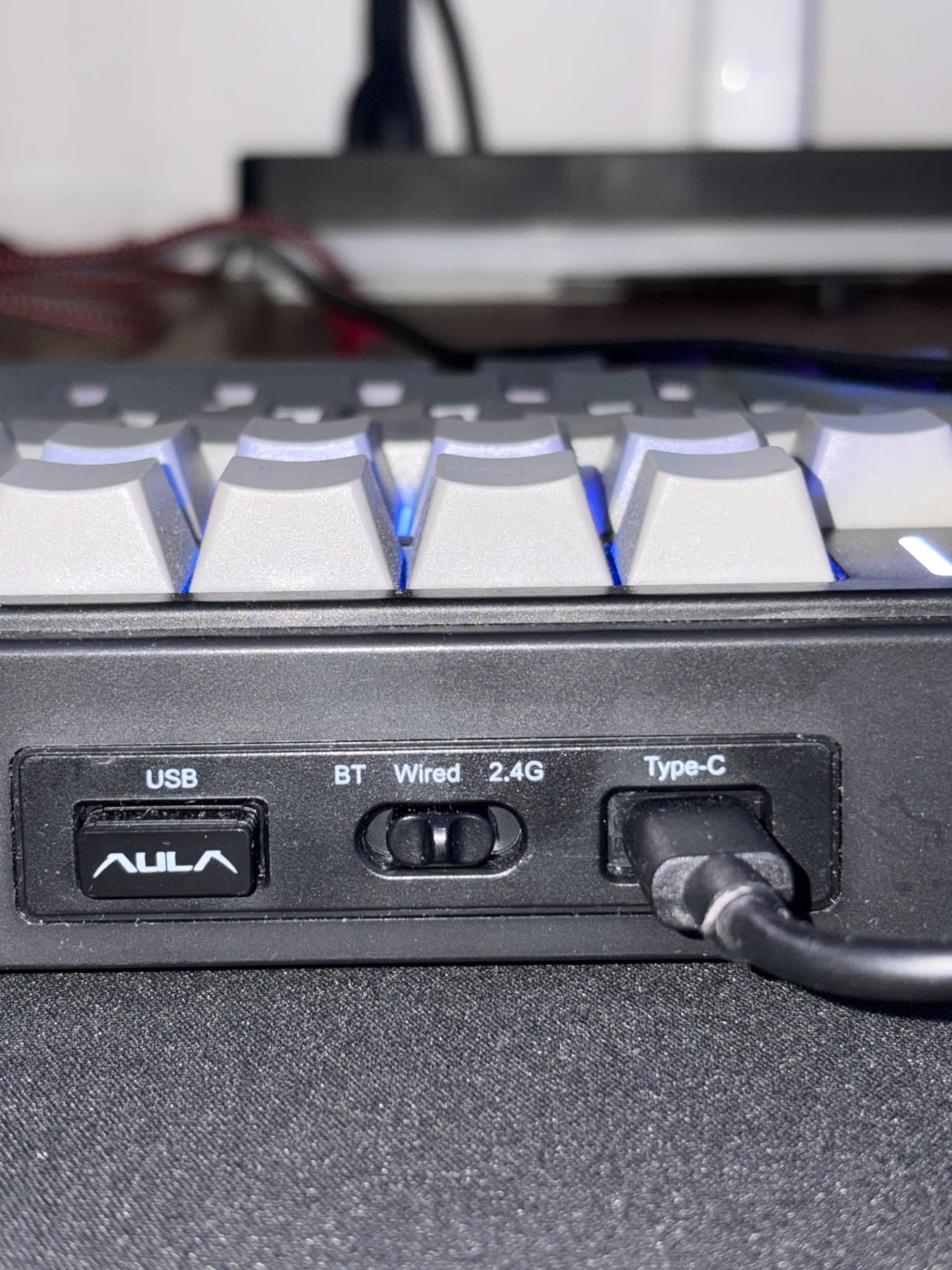
Under the caps are pre-lubed LEOBOG Reaper linear switches in a hot-swap socket, a gasket-style structure with five layers of sound-dampening fill, and a 4000mAh battery. The layout keeps both arrow keys and the function row, which is the compromise that makes 75% work as a daily driver.
Criticism is light. Some buyers find the Reaper linears a little creamy for their taste and prefer a firmer tactile bump, the enclosure is plastic despite a weight of about a kilogram, and the lighting and macro software behaves best on Windows. The warranty is 6 months, matching the AULA F99.
Compared with the Redragon K617, the F75 Pro keeps the keys you would otherwise lose and adds wireless and a knob, at the cost of a larger footprint. If your desk is genuinely tiny, the EPOMAKER AULA F65 drops the function row entirely to reclaim the width.
6. Logitech G413 SE: Best for Brand-Name Reliability
Logitech G413 SE Full-Size Mechanical Gaming Keyboard – Black
Keys: 108
Layout: full-size
Switch: tactile
Connectivity: USB
Hot-swap: no
Pros
- Brushed aluminum-magnesium top case with minimal flex
- PBT keycaps resist heat and wear
- Consistent tactile feel across the board
- Six-key rollover for reliable multi-key input
- 12 FN media keys cover volume and playback
Cons
- White LED backlighting only with no per-key RGB
- Switches are fixed and cannot be hot-swapped
- Fixed non-removable USB cable
Choose the Logitech G413 SE when you want a mechanical board with a major brand behind it and nothing else to think about.
There is no configuration here. The switches are tactile, the keycaps are PBT, the top case is brushed aluminum-magnesium with very little flex, and the backlight is plain white. It is the least clever board in the roundup and, for a lot of people, the most reliable choice, because there is no firmware to update and no app to install.
Anti-ghosting is handled through six-key rollover, which covers almost everything except a five-finger shortcut plus a modifier. Twelve FN keys handle volume, playback, lighting brightness and the Windows key lock, so the multimedia layer is there without taking row space away from the layout.
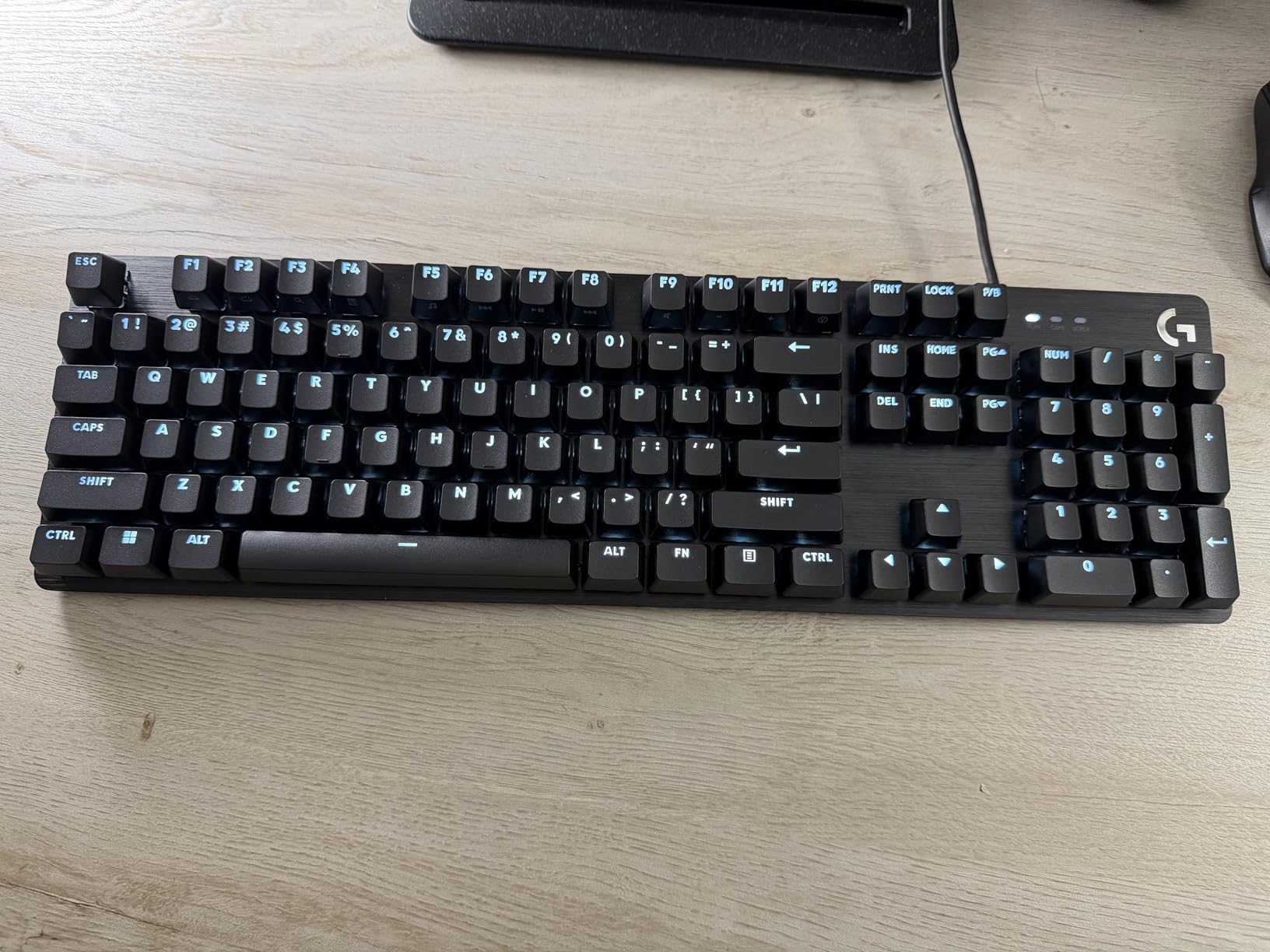
The limitation owners name most is the absence of hot-swap sockets. Once the switches are soldered in, the feel is fixed for the life of the board, and there is no path to a quieter switch later. That single fact rules it out for anyone in a shared room.
The white-only backlight is the second limitation, and it matters if the RGB is part of the appeal. Compared with the Redragon K556, the G413 SE trades 20 RGB lighting modes and hot-swap for a stiffer brand-name build and 108 keys. Compared with the Logitech MX Mechanical further down, it is the wired, cheaper option in the same family.
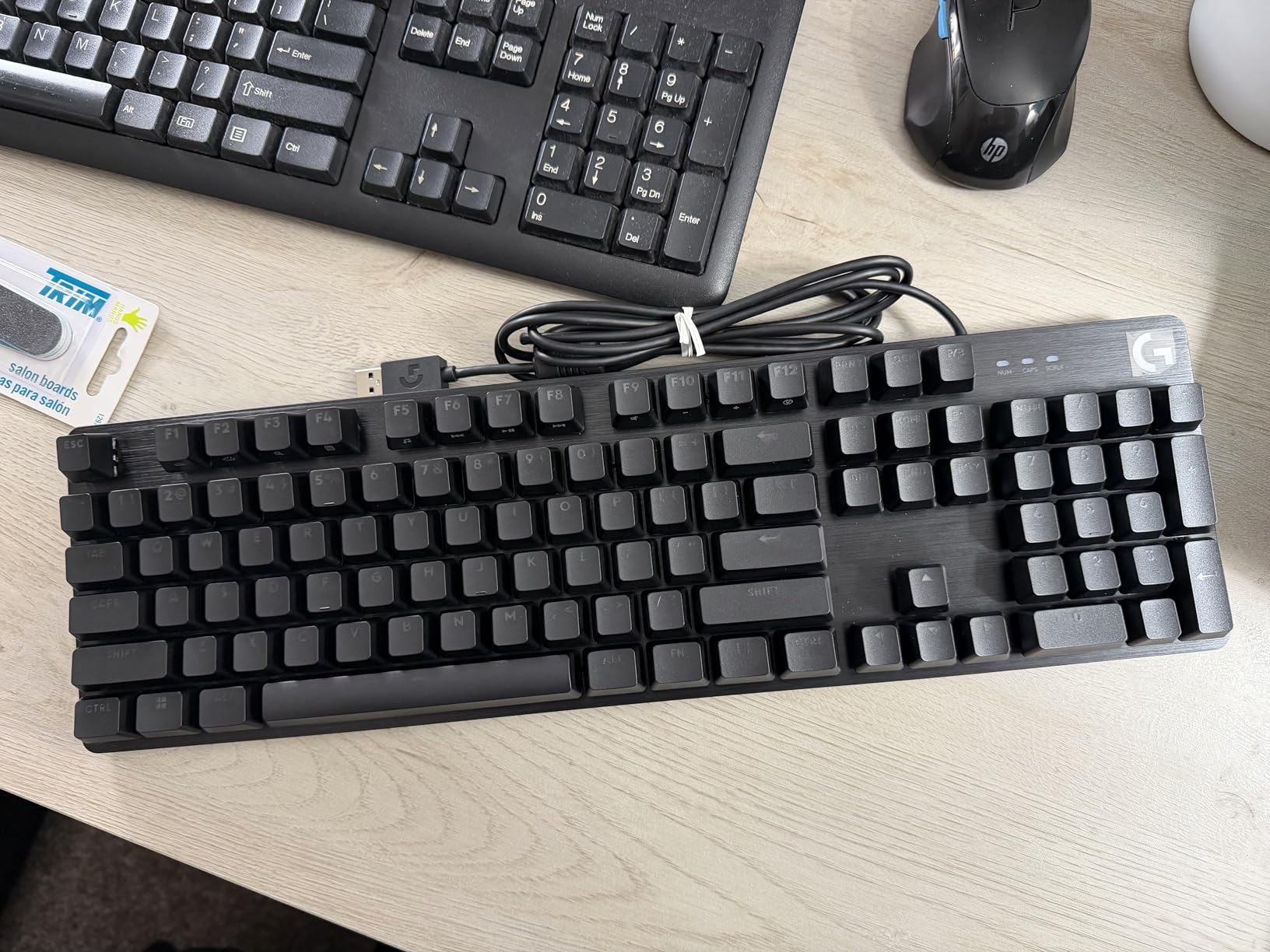
A tenkeyless version of this board exists, and the fixed USB cable cannot be replaced with a coiled or detachable one. If desk space is the problem, check that variant before committing to full-size.
7. Royal Kludge R75: Best for Sound
RK ROYAL KLUDGE R75 Wired Mechanical Keyboard with Volume Knob, 75% Mechanical Gaming Keyboard Gasket Mount, Hot Swappable Silver Switch, MDA Profile PBT Keycaps, Creamy Keyboards, Black
Keys: 81
Layout: 75%
Switch: linear Silver
Connectivity: USB-C
Hot-swap: yes
Pros
- Deep creamy sound with almost no hollow echo
- Weighty build that resists flex
- CNC aluminum knob turns firmly
- Hot-swap PCB with four spare switches
- Double-shot PBT caps in a stepped MDA profile
Cons
- Wired only with no Bluetooth or 2.4GHz
- Older revisions lack QMK and VIA support
- Bundled USB cable is mediocre
If the sound of your keyboard matters more than the wireless, the Royal Kludge R75 is the board to watch.
It is a gasket mount with three absorption layers: poron cotton, IXPE foam and sponge case foam, sitting on an aluminum plate. Owners describe the result as deep and creamy with very little hollow echo, and that description comes up often enough that it is the single most repeated comment on this board.
The 1.7-pound weight is doing real acoustic work here. A heavy chassis with an aluminum plate damps resonance instead of amplifying it, and this board feels planted rather than light. The CNC aluminum volume knob is a genuine step up from a plastic one, and the double-shot PBT keycaps in a stepped MDA profile are thick and durable.
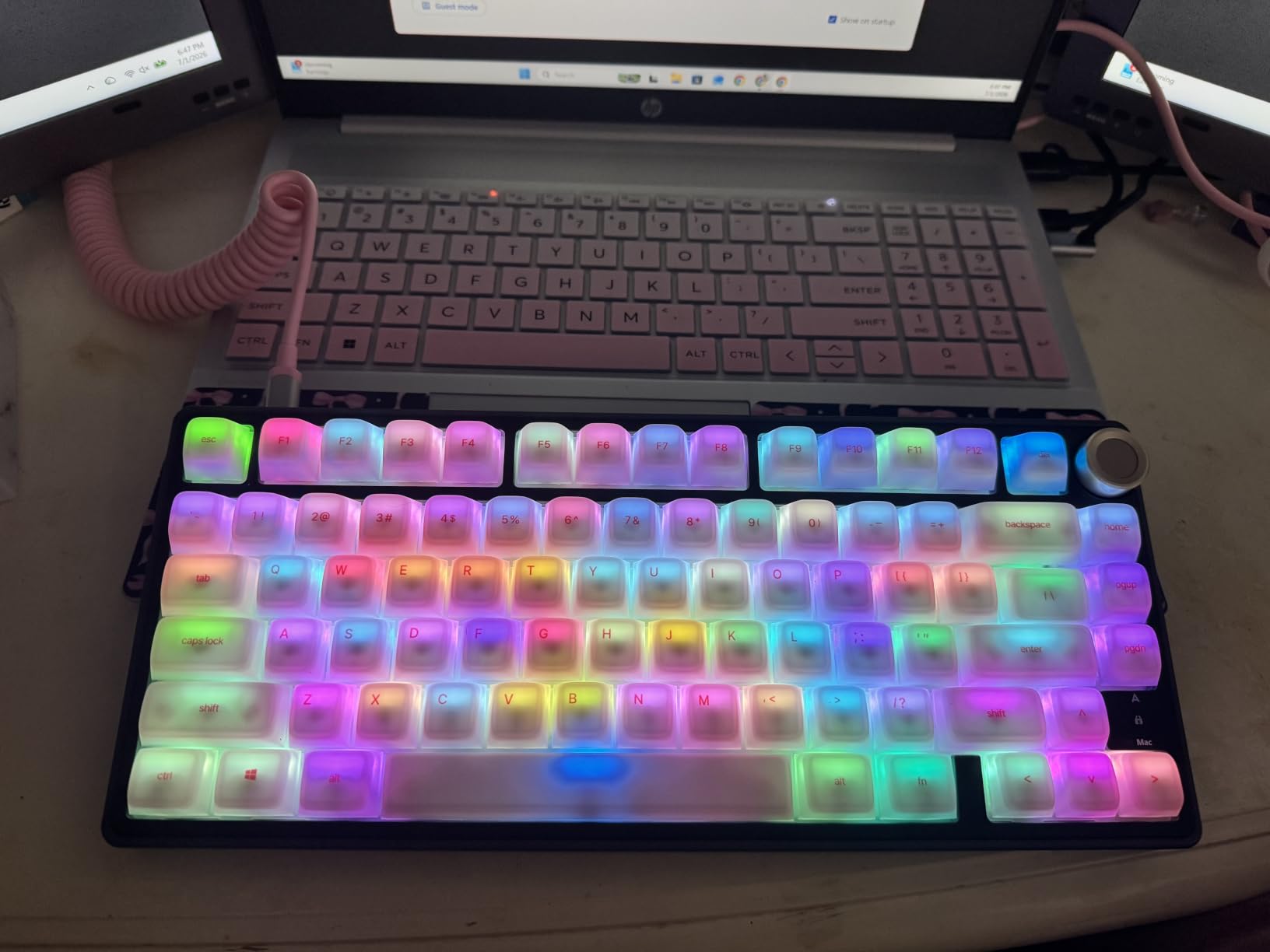
Hot-swap sockets accept 3-pin and 5-pin switches and four spare switches are in the box, alongside a removable dust cover that is worth keeping if you type in a dusty room. That last detail is unusual at this level and matters more than people expect.
The honest trade-off is that this board is wired only. There is no Bluetooth and no 2.4GHz receiver, so it stays on your desk. Owners of earlier hardware revisions also point out that QMK and VIA support, which allows advanced remapping, was not present on those revisions. And despite the soft marketing language around it, a number of buyers find it louder than they expected.
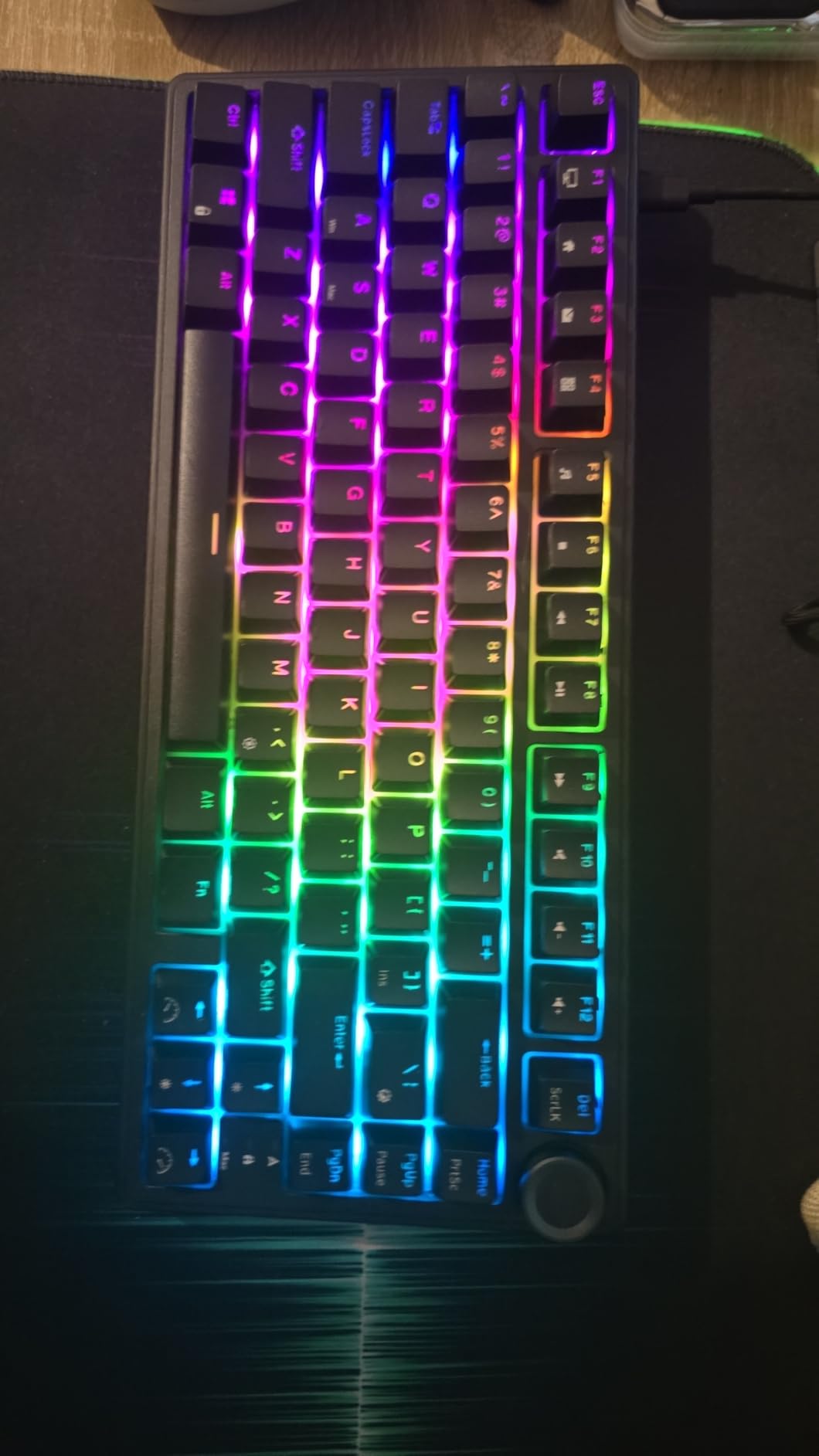
Compared with the AULA F75 Pro, the two are close cousins: same 75% footprint, same knob, same hot-swap idea. The R75 is wired and sounds deeper; the F75 Pro runs wirelessly and has shine-through keycaps. Head to head with the Redragon K556, the R75 wins on sound and desk space while the K556 wins on chassis material and key count.
8. Razer BlackWidow V4 X: Best for Gaming Macros
Razer BlackWidow V4 X Mechanical Gaming Keyboard, Yellow Switches, Black
Keys: 104
Layout: full-size
Switch: linear Yellow
Connectivity: wired
Hot-swap: no
Pros
- Yellow linear switches actuate at 1.2mm with 45g force
- Built-in dampeners keep a mechanical board quiet
- Six macro keys plus a multi-function roller
- Chroma RGB per-key lighting across 16.8 million colors
- Two-year manufacturer warranty
Cons
- Column of macro keys disrupts hand position
- Very light switches cause accidental keystrokes
- Not hot-swappable
The Razer BlackWidow V4 X is the fastest board to a keypress on this list, and that is exactly what some players want.
Razer Yellow linear switches actuate at 1.2mm with 45 grams of force, and both numbers sit at the light, quick end. Foam under the PCB and lubricated stabilisers take the sharp edge off the noise, which is why owners can call it a quiet mechanical board at the same time as using linear switches. Most people can press keys faster without thinking about it, though that is exactly the risk, because resting hands can send unintended input.
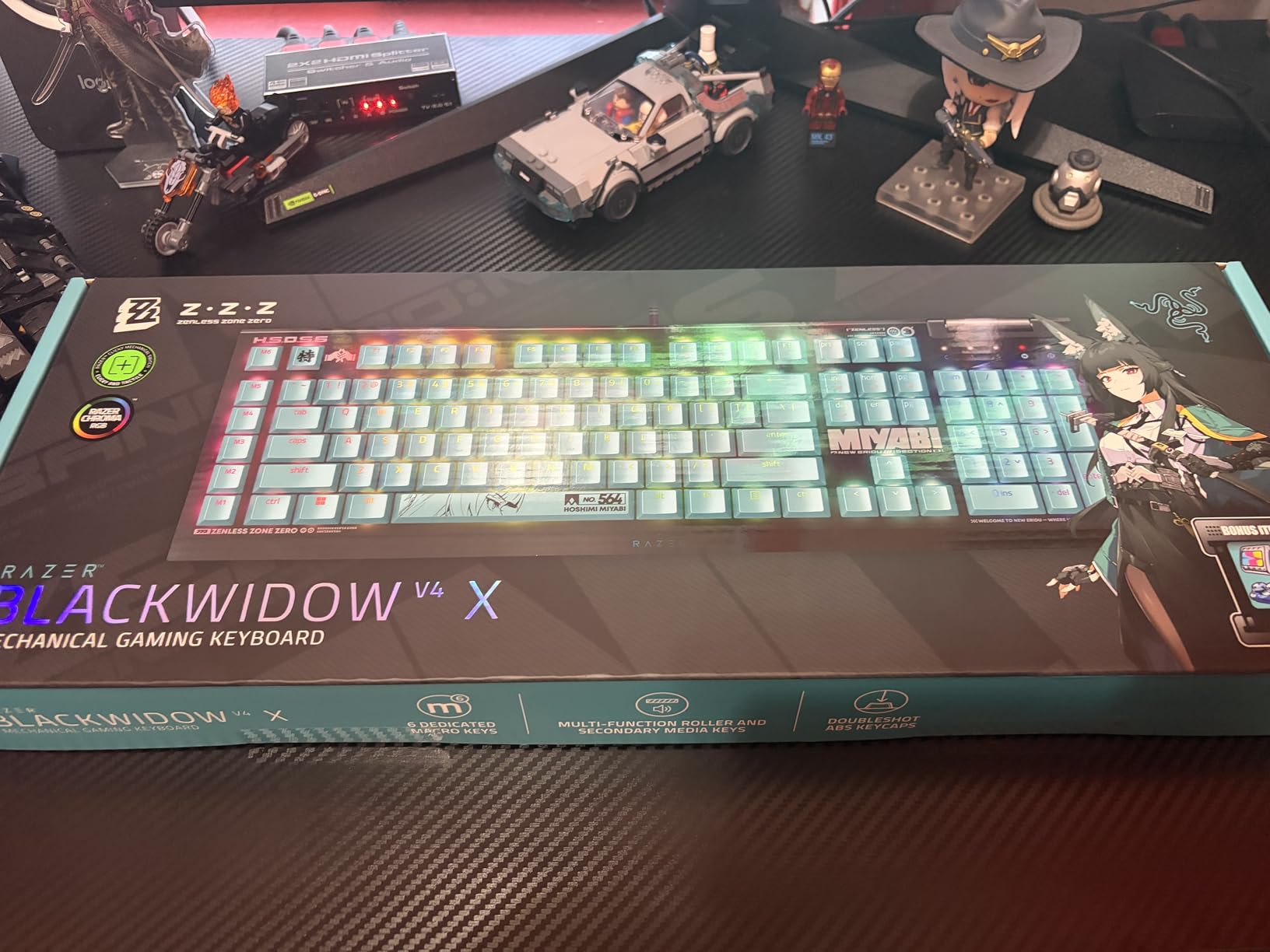
For setups and macros, there are six dedicated macro keys and a multi-function roller with secondary media keys. Chroma RGB runs per key across 16.8 million colours, and the doubleshot ABS keycaps have thick walls that resist legend wear.
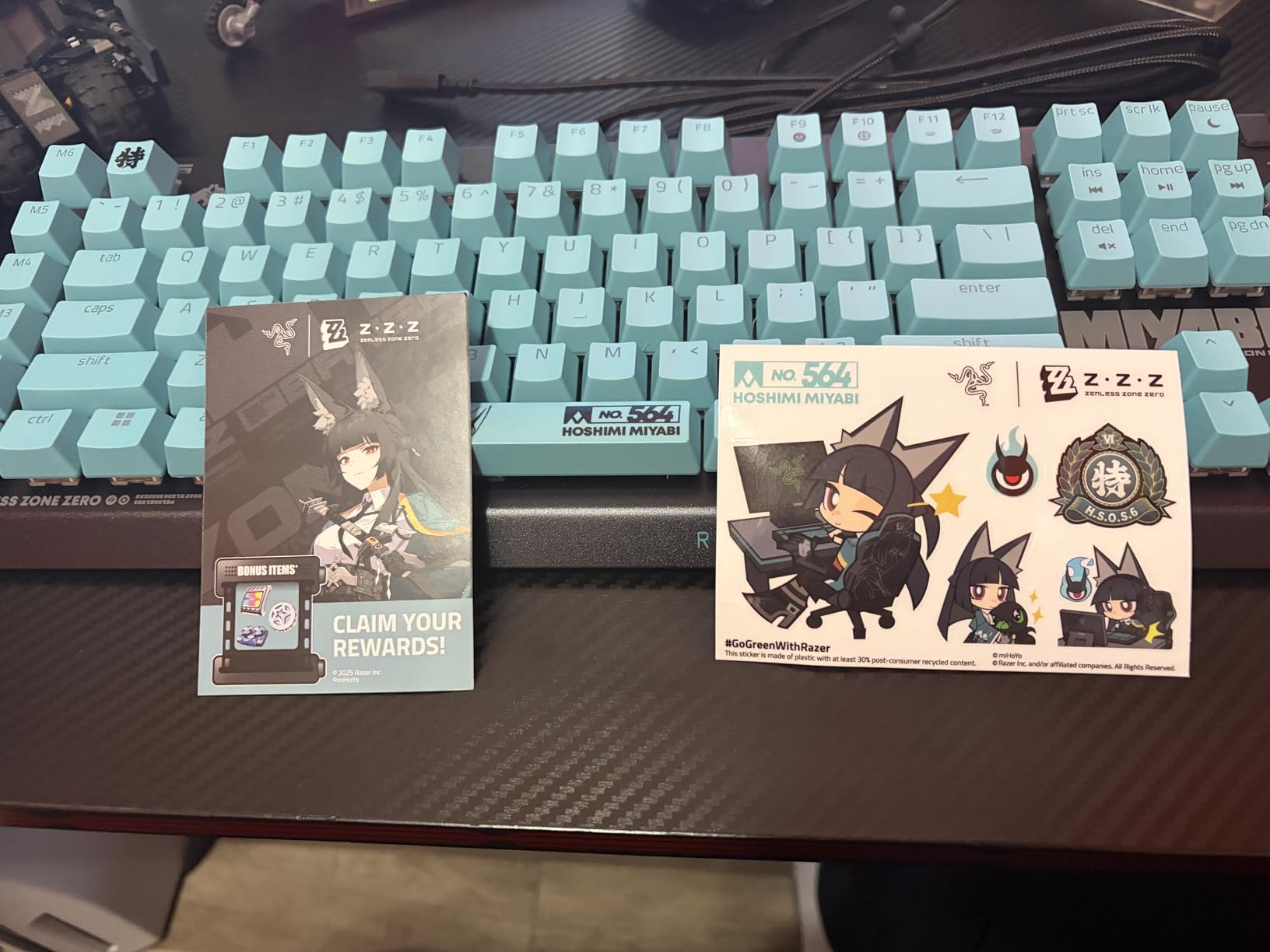
The complaint that comes up most is layout, not hardware. The column of six macro keys runs down the outer edge of the board, which shifts hand position and takes a couple of weeks to stop tripping over. If you are coming from a standard 104-key board, budget for that adjustment rather than discovering it on day one.
Two more limits. There are no hot-swap sockets, so the switches are fixed, and at 20.5 inches wide this is the widest board here by some distance. The two-year manufacturer warranty is among the longest in the roundup, and Razer ships other themed editions of the same board if the colorway is not to your taste.
If the macro column is a dealbreaker, the Redragon K556 gives you a full-size layout with a metal chassis and hot-swap sockets in the same money class. If the width is the problem, the Redragon K617 gives up the numpad and halves the footprint.
9. EPOMAKER AULA F65: Best for Compact Wireless
EPOMAKER x Aula F65 65% Wireless Hot-Swappable Gasket Mechanical Keyboard
Keys: 67
Layout: 65%
Switch: linear
Connectivity: tri-mode
Hot-swap: yes
Pros
- Deep thocky sound from gasket mount and five dampening layers
- Flex-cut polycarbonate plate for a softer feel
- Pre-lubed stabilisers remove rattle
- Full-key hot-swap sockets
- 1000Hz polling rate for gaming
Cons
- One owner reported 2.4GHz failure after a firmware update
- VIA setup is difficult for beginners
- No static monochrome lighting option
The EPOMAKER AULA F65 is the most compact wireless board here, and the internal construction is the most ambitious for its size.
Five layers of dampening sit inside the case: two poron foam layers, an IXPE switch pad, a PET sound pad and a bottom silicone pad. Under that is a flex-cut polycarbonate plate with pre-lubed stabilisers, a pairing you would not normally expect in a 65% case. The result is a deep, thocky sound profile and a softer bottom-out than a rigid plate gives you.
Connectivity covers Bluetooth, 2.4GHz wireless and USB wired, with a 4000mAh battery and a 1000Hz polling rate on the 2.4GHz connection. At 67 keys in a 65% layout it keeps arrow keys and squeezes the function row into secondary positions, and the south-facing RGB sits behind side light bars rather than above the switches.
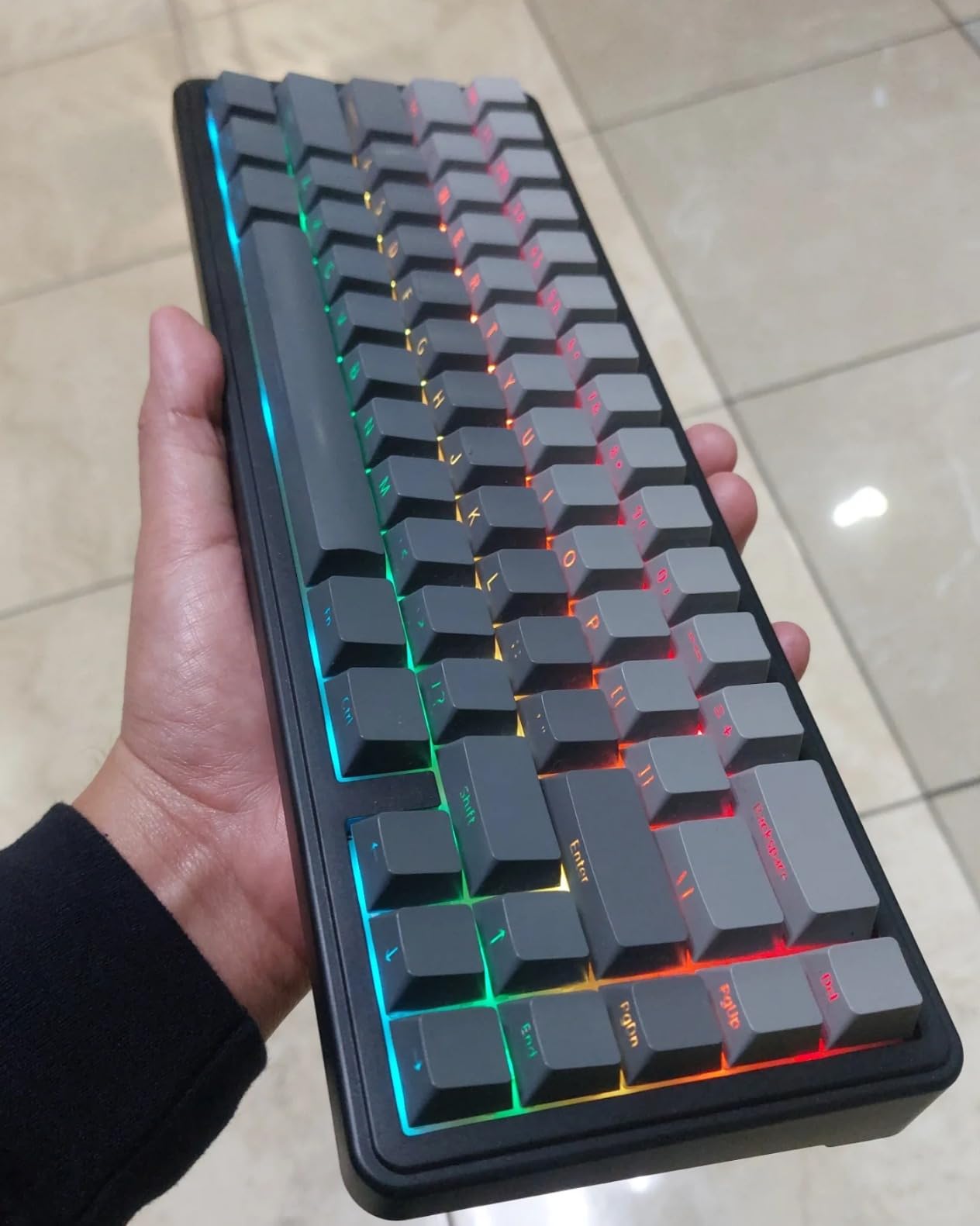
Reported drawbacks are narrower here, which is a good sign. One owner described a board that stopped working in 2.4GHz mode after a firmware update, the VIA remapping setup is fiddly for a first-timer, there is no static monochrome lighting option, and a full shift on 2.4GHz drains the battery noticeably.
Buyers also rate the support team highly on firmware and VIA questions, which matters given how much software setup this board asks for. Against the AULA F75 Pro, the F65 is narrower with no knob and a 1000Hz polling rate; the F75 Pro has the knob, bigger battery and better keycap lighting.
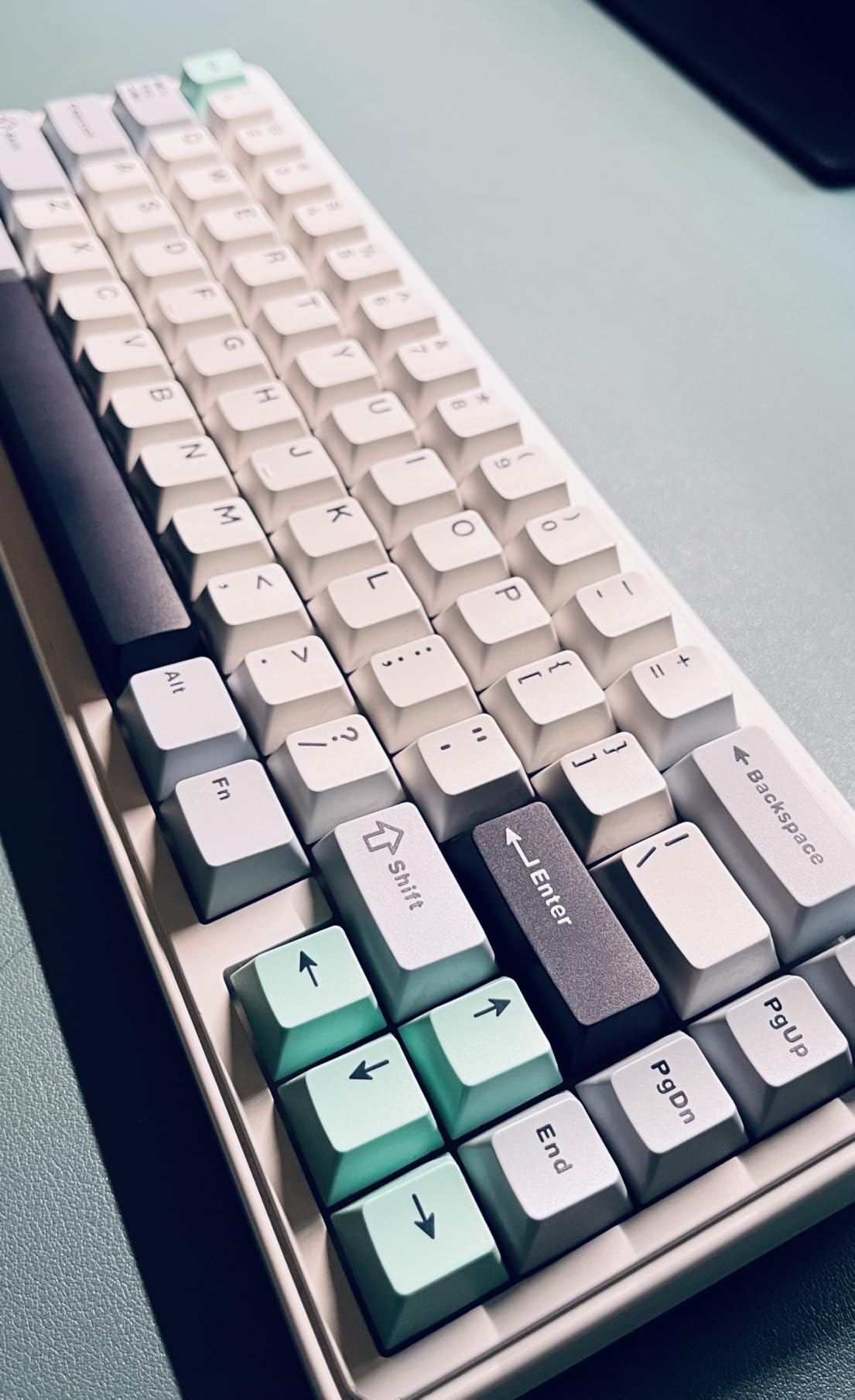
The stock switches are not listed by model here, so hot-swapping is the practical way to change the feel on this board rather than ordering a specific switch type up front.
10. Logitech MX Mechanical: Premium Pick for Office Work
Logitech MX Mechanical Wireless Illuminated Keyboard Tactile – Graphite
Keys: 104
Layout: low-profile full-size
Switch: Romer-G tactile
Connectivity: Bluetooth
Hot-swap: no
Pros
- Low-profile tactile feel with a quiet satisfying bump
- Smart backlight reacts to hands and ambient light
- Pairs with three devices and supports Logitech Flow
- Battery runs up to 15 days with the backlight on
- Keycaps sit proud so crumbs brush out
Cons
- The most expensive board in the roundup and the lowest average rating at 4.2
- Switches are fixed and need soldering to replace
- Cramped Fn row with no Print Screen key
The Logitech MX Mechanical is the board to consider when the keyboard lives in an office and the laptop goes in a bag every evening.
It pairs with up to three devices over Bluetooth LE or the Logi Bolt receiver, and Logitech Flow moves your cursor and keymap between computers, so the same board serves a work laptop and a home machine without re-pairing. The smart backlight triggers when your hands approach and adjusts to ambient light, which sounds minor until you have used a board that lights every key at once in a dark room.
Low-profile Romer-G tactile switches give a shorter travel with a quiet, rounded bump, and the chassis is metal with keycaps that sit proud of the case so crumbs can be brushed out. The graphite model uses 45 percent certified post-consumer recycled plastic.
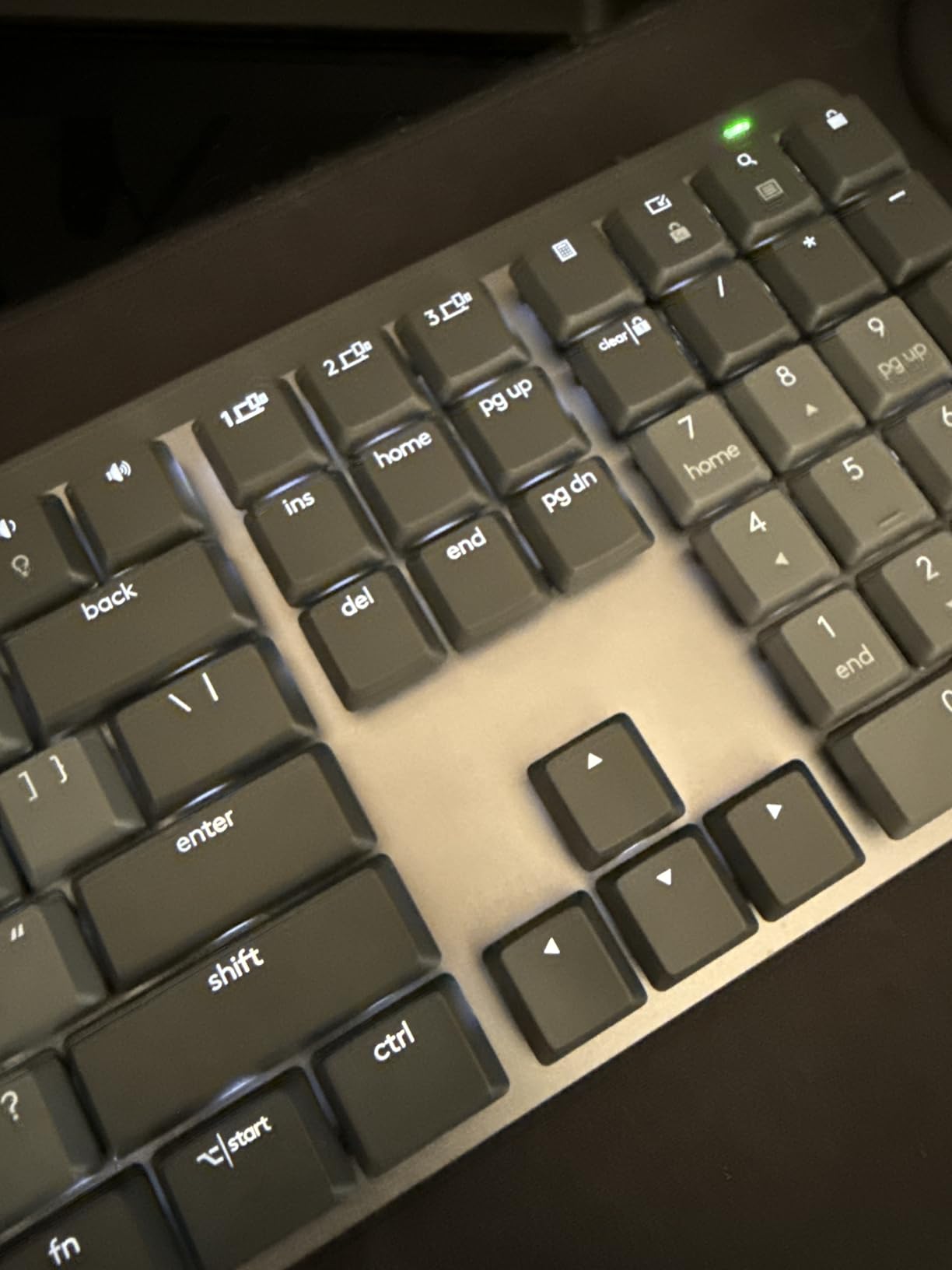
This is the most polarising board in the roundup, and the 4.2 average reflects that. It is the most expensive pick here by a wide margin, the switches are soldered in and cannot be replaced, the Fn row is cramped with no separation from the number row, and there is no Print Screen key. Several owners also report a squeaky space bar or backspace out of the box, and the backlight switching off seconds after you stop typing gets called out repeatedly.
The switches actuate high in the travel, which means accidental keystrokes and double inputs during the first days. That is a real cost for someone who types all day. If the multi-device switching is what you need, the AULA F99 gives you three connection methods and hot-swap sockets for far less, though without the Flow software.
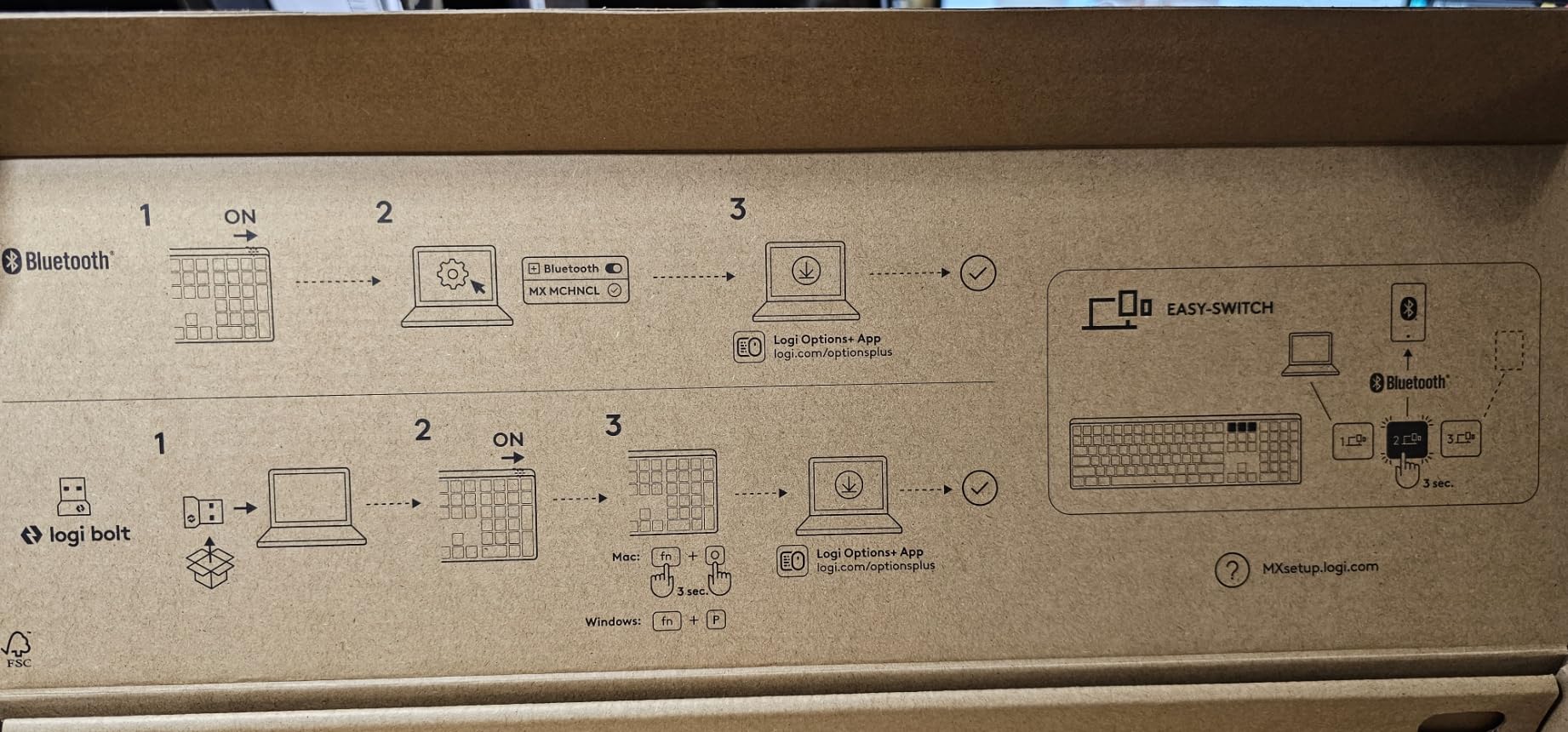
Battery life is the quiet strength: up to 15 days with the backlight on and up to 10 months with it off, charged over USB-C. Worth knowing that the USB port charges rather than carries data, so the board is effectively Bluetooth-only in daily use.
How to Choose Mechanical Keyboards During Prime Big Deal Days
Choose the Right Switch Type
Switch type decides the feel more than any other part of a keyboard. Linear switches press down with no bump and suit gaming and fast typing, tactile switches have a rounded bump you can feel without looking and suit long typing sessions, and clicky switches add an audible click that most people either love immediately or cannot tolerate.
First-time buyers are usually served best by a tactile board, because the bump makes typing legible without extra force. Writers who spend whole days on long documents tend to end up preferring quieter linears or silent variants, and our guide to mechanical keyboards for writers covers the feel differences in more depth.
On this list, the Redragon K556 and the Logitech G413 SE are tactile, the Redragon K617, the Redragon K671 and the Royal Kludge R75 are linear, and the Razer BlackWidow V4 X uses light linear switches with built-in dampeners.
Consider Noise and Shared Workspaces
In an open office or a shared flat, keyboard noise decides whether people around you tolerate your typing. Roughly 45 grams of actuation and no hollow case resonance is a reasonable target, and anything labelled silent or dampened is worth a look before anything else.
Two picks stand out. The Razer BlackWidow V4 X has 45-gram linear switches with foam under the PCB and lubricated stabilisers, and the Logitech MX Mechanical uses low-profile switches with a short travel that simply makes less noise. The Razer BlackWidow V4 X also actuate at 1.2mm, which is quick but is exactly why it can register accidental keys when hands rest on it.
For a deeper look at quieting things down, our picks for silent switches for apartment gaming explain the main approaches. Owners of the Redragon K617, by contrast, specifically like the volume of its stock Red switches, so it is the wrong pick for a quiet room.
Check Connectivity and Compatibility
Decide how many devices you need to switch between before anything else. A wired USB or USB-C board is the simplest and has no battery to manage, a 2.4GHz receiver is the best choice for gaming because it avoids pairing steps, and Bluetooth is the most convenient for a laptop-centric desk with three or more machines.
Compatibility matters as much as connectivity. Several boards here list Windows as the only supported system, which matters more for Mac and Linux users than the switch type does. Our roundup of mechanical keyboards for Mac sets out which boards here handle Mac properly.
The AULA F99 supports Bluetooth 5.0, 2.4GHz and USB-C with room for five paired devices, and the AULA F75 Pro and the EPOMAKER AULA F65 cover the same three modes. The Logitech MX Mechanical pairs with three devices over Bluetooth LE or the Logi Bolt receiver.
Evaluate Build Quality and Keycaps
Chassis material and keycap plastic decide how a board feels and how it looks after a year. Aluminum plates and cases weigh more, resist flex and damp resonance, while plastic cases are lighter and cheaper but ring more when the case is hollow.
Keycaps are usually PBT or ABS. PBT is denser, resists the greasy shine that develops on ABS, and takes dye-sublimated or double-shot legends well. ABS is smoother and often cheaper, and a glossy one looks good for a few months before the shine sets in. The Redragon K556 and the Royal Kludge R75 pair aluminum construction with double-shot PBT caps, which is the combination to aim for.
Mounting style also changes the sound. Gasket mount suspends the plate on flexible strips for a softer feel, and tray mount is firmer and louder. For wrist and hand comfort while typing, our notes on keyboards for carpal tunnel cover keycap profile, wrist rests and switch force in more detail.
How to Shop Mechanical Keyboard Deals During the Sale
Deals during a keyboard sale are usually tied to a specific colourway, switch type or size, so open the listing and confirm the variant you actually want carries the offer. Check that the board is new rather than renewed, read what is in the box, since spare switches and pullers are often the difference between two similar listings, and note whether the brand or a third party seller is the one fulfilling it, because that changes who handles returns.
Most offers in the event need a Prime membership, and a free trial counts, and prices move through the two days. Buttons below each pick show the current price.
- Decide your layout first, because sizes are not interchangeable once bought
- Check whether the deal covers your colour and switch variant, not just the product
- Confirm hot-swap sockets if you expect to change switches later
- Verify the seller and fulfilment method before ordering
- Read the included accessories, since spares and pullers vary by listing
- Keep the purchase date, because some boards here carry only a 6-month warranty
Frequently Asked Questions
When does Amazon Prime Big Deal Days run, and do I need Prime for the keyboard deals?
Prime Big Deal Days runs October 6-7, 2026, dates Amazon has confirmed. Most keyboard offers in the event need a Prime membership, and a free trial counts toward it. Offers change through the two days, so check the listing on the day you plan to buy rather than trusting a price you saw earlier in the week.
What are the best Amazon Prime Big Deal Days mechanical keyboard deals right now?
Three boards come up repeatedly for different reasons. The Redragon K556 is the all-rounder, with an aluminum chassis, hot-swappable sockets and tactile Brown switches across 104 keys. The Redragon K617 covers small desks in a 60 percent layout. The AULA F99 adds tri-mode wireless, a numpad and a large battery. Use the buttons on each pick to see the current price.
What is the best cheap mechanical keyboard on Amazon?
The Redragon K617 and the Redragon K671 sit at the cheapest end of this list, and both ship with hot-swappable sockets. The K617 is a 60 percent board that frees up mouse space for gaming, while the K671 keeps a full 104-key layout with double-shot PBT keycaps. Expect some compromise on lighting configuration and bundled software at this level.
Where is the cheapest place to buy a mechanical keyboard?
Amazon is the most convenient place to buy the boards here during Prime Big Deal Days, and it keeps returns and warranty claims inside one system. Brand websites sometimes run their own offers outside big sale events. Boards that only ship from overseas marketplaces can look cheaper but leave you without a straightforward warranty path, and a local shop is still the only place to try switch feel before buying.
Is there a 50% keyboard?
There is no standard 50 percent form factor. Compact sizes cluster around 60 percent and 65 percent, with 75 percent as the next step up, and some split or Alice-style boards are described that way loosely. The EPOMAKER AULA F65 is the closest to that idea here at 65 percent and 67 keys, while the Redragon K617 is the smallest at 60 percent and 61 keys.
Final Verdict: Best Amazon Prime Big Deal Days Mechanical Keyboard Deals
Buy the Redragon K556 if you want one board that covers typing, gaming and a full-size layout without compromise on chassis or switch options, and it is the pick worth watching most closely through the sale. If the budget is the deciding factor, the Redragon K617 is the cheaper route into hot-swap sockets in a footprint that leaves your mouse room.
Other needs point elsewhere: the Redragon K671 for a full-size board at the entry level, the AULA F99 for wireless with a numpad and the largest battery here, the AULA F75 Pro for a knob and shine-through keycaps in 75%, the EPOMAKER AULA F65 for the most compact wireless option and a five-layer dampening stack, the Royal Kludge R75 for sound, the Logitech G413 SE for a low-maintenance brand-name board, the Razer BlackWidow V4 X for macro keys and the quickest switches, and the Logitech MX Mechanical for multi-device office work.
Check the price on the listing before you commit, since offers in Prime Big Deal Days shift through October 6-7, 2026.