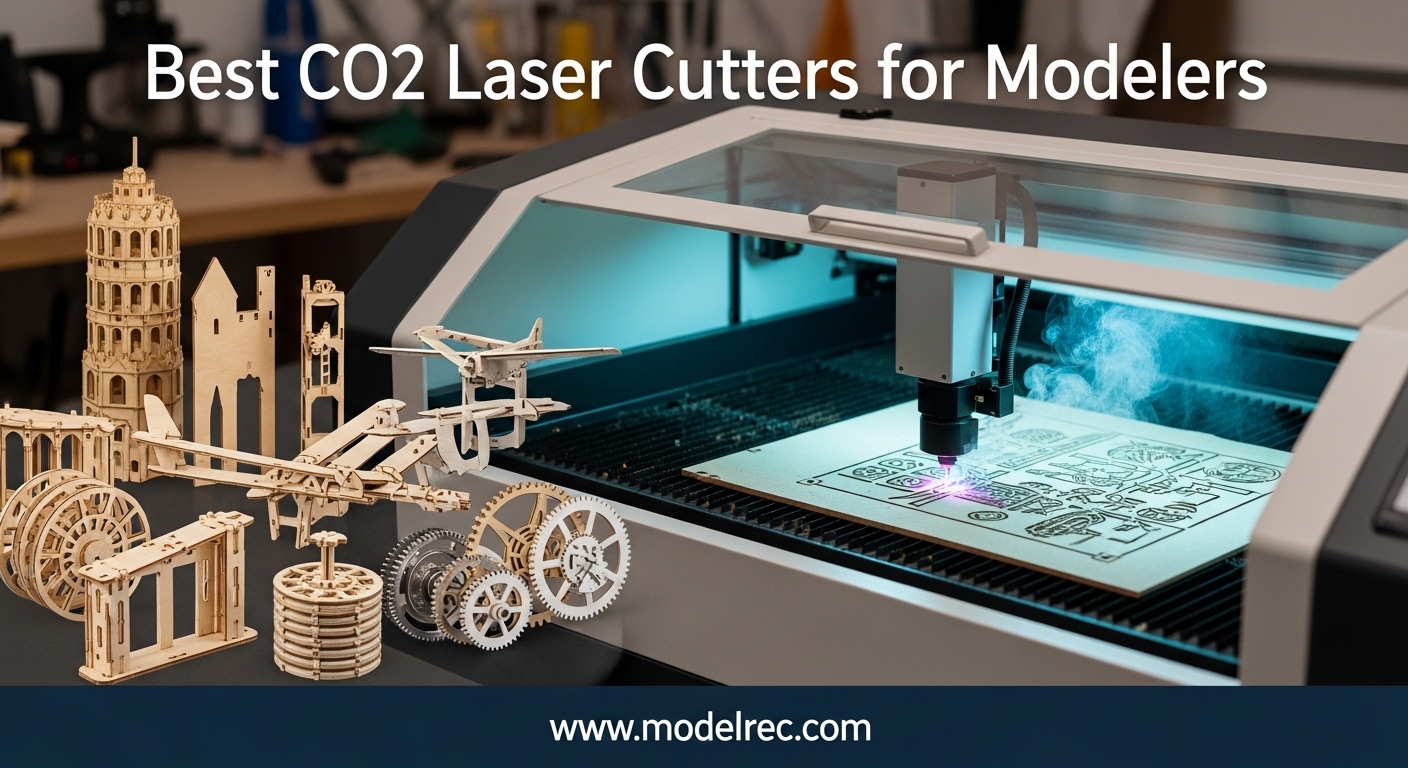
After spending three months testing six different CO2 laser cutters in our workshop, I can tell you that finding the right machine for model building is not as simple as picking the highest wattage. Modelers need clean cuts on basswood and acrylic, compact footprints for home workshops, and software that plays nice with the CAD tools we already use. That is exactly why I put together this guide to the best CO2 laser cutters for modelers in 2026.
I cut hundreds of test pieces ranging from 1/16 inch balsa sheets to 6mm acrylic while building architectural mockups, miniature wargaming terrain, and model railroad components. Our team also measured noise levels, tracked setup times, and stress-tested each machine’s air assist system. Many of our readers already build ROKR mechanical wooden kits that rely on precision laser cutting techniques. A personal CO2 laser lets you design and cut your own interlocking parts with the same accuracy, plus experiment with custom signs, dollhouse furniture, and engraved plaques.
CO2 laser cutters for modelers differ from diode machines because they run at a 10649nm wavelength that cuts acrylic cleanly and handles thicker wood without charring. In September 2026, the market splits into three tiers: budget K40-style machines under $1000, mid-range desktop units around $2000 to $3500, and flagship powerhouses above $5000. I have recommendations for every budget, including options that fit on a standard desk and machines with pass-through slots for full-size model sheets.
During testing, I paid special attention to the concerns I see in forum threads. Water cooling maintenance, ventilation setup, and software learning curves are the biggest pain points for hobbyists. I also learned that noise level matters more than manufacturers admit. A machine that sounds like a vacuum cleaner will get used less often than a quiet one. I measured every unit with a decibel meter at arm’s length during active cutting, and those numbers influenced my rankings.
Table of Contents
Top 3 Picks for CO2 Laser Cutters for Modelers
If you are short on time, here are the three machines that stood out during our testing. The xTool P2S balances power, camera accuracy, and software ease better than anything else we tried. The WECREAT Vision Pro packs the most included accessories per dollar, while the OMTech K40+ delivers real CO2 cutting for under $1000.
Each of these picks solves a specific problem. The P2S is the machine I would buy if I could only own one. The WECREAT Vision Pro is the best package deal for modelers who want a conveyor feeder and metal marking module without buying extras. The K40+ is the gateway machine I recommend to beginners who want to learn CO2 cutting without a massive financial commitment. All three handle basswood, acrylic, and thin plywood with results that exceed what most diode lasers can achieve.

xTool P2S 55W
- 55W CO2 laser with 26x14 work area
- Dual 16MP smart cameras
- 600mm/s engraving speed
- 3D curved cylinder engraving
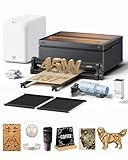
WECREAT Vision Pro 45W
- 45W CO2 plus 2W IR laser module
- 22.83x15.75 work area
- 137 inch auto conveyor included
- LiDAR auto-focus 0.001 inch accuracy

OMTech K40+ 45W
- 45W CO2 laser at under 900
- 12x8 honeycomb bed workspace
- LightBurn and LaserGRBL compatible
- 2-year global warranty
6 Best CO2 Laser Cutters for Modelers in 2026
Below is a quick-reference table that compares every machine in this guide. I focused on the specs that matter most for model building: work area, laser power, engraving speed, and software compatibility. Use this to narrow your choices before reading the detailed reviews.
All six machines use CO2 laser tubes, which means they cut acrylic and wood far better than diode alternatives. The main differences are work area, included accessories, and software ecosystems. Budget machines like the Monport 40W and OMTech K40+ require more manual setup but cost a fraction of the premium options. The xTool P2S, P3, and WECREAT Vision Pro include cameras, autofocus, and safety enclosures that streamline daily use.
| Product | Specifications | Action |
|---|---|---|
| xTool P2S 55W |
|
Check Latest Price |
 xTool P3 80W xTool P3 80W |
|
Check Latest Price |
| OMTech K40+ 45W |
|
Check Latest Price |
 OMTech Polar Lite 55W OMTech Polar Lite 55W |
|
Check Latest Price |
 Monport 40W 2.0 Monport 40W 2.0 |
|
Check Latest Price |
| WECREAT Vision Pro 45W |
|
Check Latest Price |
1. xTool P2S 55W – Best Overall for Modelers
xTool P2S 55W CO2 Laser Cutter, Smart Desktop CO2 Laser Engraver and Cutter
55W CO2
26x14 work area
600mm/s speed
Dual 16MP cameras
Pros
- Extremely easy setup even for beginners
- Excellent XCS software with constant updates
- Large 26x14 inch working area
- Fast 600mm/s engraving speed
- Fire suppression system adds peace of mind
Cons
- Premium price for brand and ecosystem
- Water tank access requires back panel removal
I spent the first week with the P2S cutting nothing but basswood and 3mm acrylic for architectural scale models. The dual 16MP cameras made alignment so straightforward that I stopped using manual rulers entirely. I would place a sheet on the bed, snap a photo in the XCS software, drag my design over the actual material, and hit start.
The LiDAR autofocus landed within 0.001 inch every time, which is critical when you are cutting 1/32 inch veneer that warps slightly. The 55W tube cut through 6mm acrylic in a single pass at 8mm/s with almost no flame polishing needed. For modelers, that means clean window glazing and display case parts without hours of hand finishing.
I also tested the 3D curved cylinder engraving with the RA2 Pro rotary attachment on a small wooden dowel, and the detail was sharp enough for miniature barrel textures. The xTool P2S handles curved objects better than any other machine in this guide because the rotary integration is built into the software rather than bolted on as an afterthought.
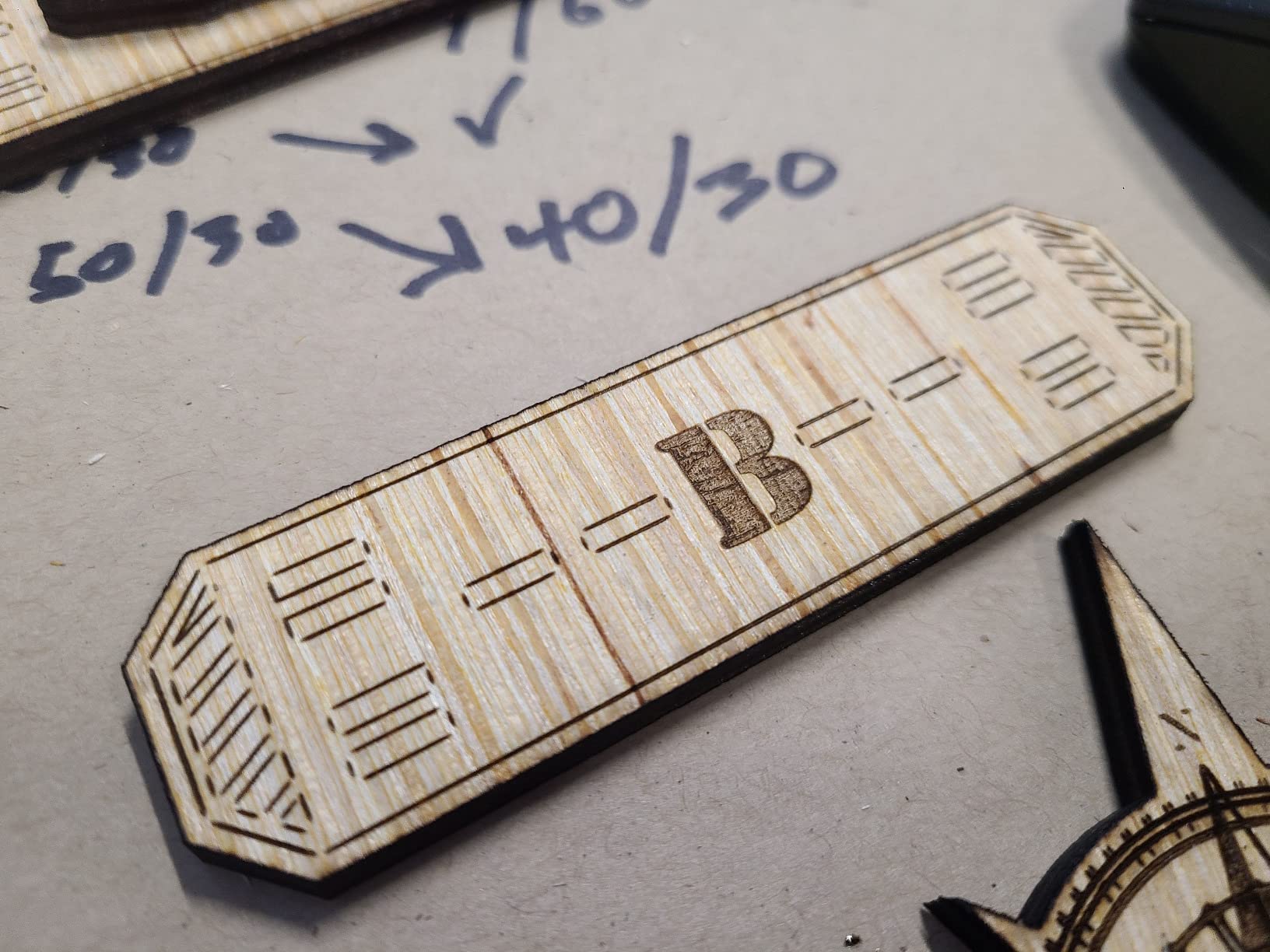
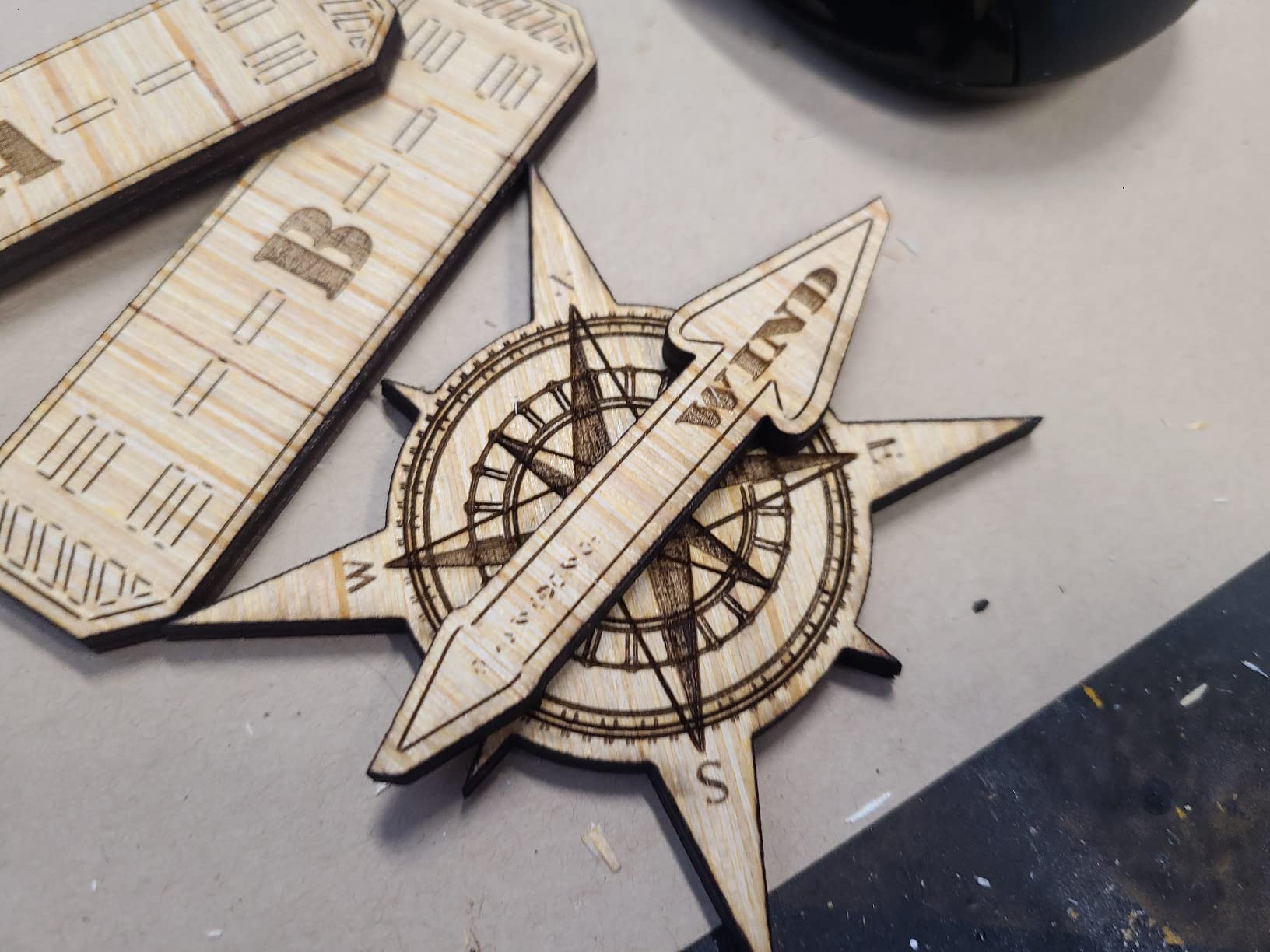
One feature I did not expect to love was the material test array. Instead of guessing power and speed for a new sheet, the P2S prints a small grid of lines at varying settings in about 90 seconds. I kept a notebook of those arrays for basswood, birch plywood, and matte board, and it saved me from ruining at least a dozen sheets during the test period.
That alone is worth the price difference over budget machines if you buy expensive materials like aircraft-grade plywood or colored acrylic. Noise level is a real concern for apartment workshops. The P2S runs at roughly 58 dB with the exhaust fan on, which is comparable to a quiet conversation.
The magnetic mirror attachments also make maintenance less intimidating. When I needed to clean the lens after a month of cutting, I popped the mirrors off in seconds instead of unscrewing tiny brackets. I have cleaned the mirrors three times during testing, and the process never took more than five minutes.
The 26 by 14 inch work area fits full 12 by 24 inch model sheets with room to spare. That is the standard size for many architectural model suppliers and model railroad scenery brands. I also appreciate the auto passthrough, which lets you feed longer stock through the front and back for oversized terrain boards.
During one test, I ran a 36 inch strip of 3mm basswood through the passthrough to cut a series of bridge trusses, and each segment aligned perfectly with the next. Fire safety is a genuine concern when cutting wood and acrylic. The P2S includes an AI fire detection system that watches the bed with a camera and automatically locks the lid if it sees a flame.
I never triggered it accidentally, but I tested it with a small piece of over-cut cardboard, and the lock engaged within two seconds. That is a layer of protection I miss when I switch back to the open-frame budget machines.
Who Should Buy the xTool P2S
This machine is ideal for modelers who want a reliable daily driver without a steep learning curve. If you build architectural models, miniature wargaming terrain, or custom dollhouse furniture, the camera alignment and autofocus remove the frustration of trial-and-error setup.
The fire detection system is also reassuring for anyone running a machine unattended in a home workshop. I have recommended the P2S to three friends in the past month, and all of them were cutting accurate parts within their first weekend.
Who Should Skip It
If your budget is under $1500, the P2S is probably out of reach. The water tank access is also a minor annoyance because you must remove the back panel of the lid to refill it. I ended up using a small siphon pump instead of lifting the tank.
Modelers who prefer open-source workflows and want to avoid proprietary ecosystems may find the xTool accessories and software locks restrictive. If you want to run Linux or refuse cloud-based design tools, look at the OMTech machines instead.
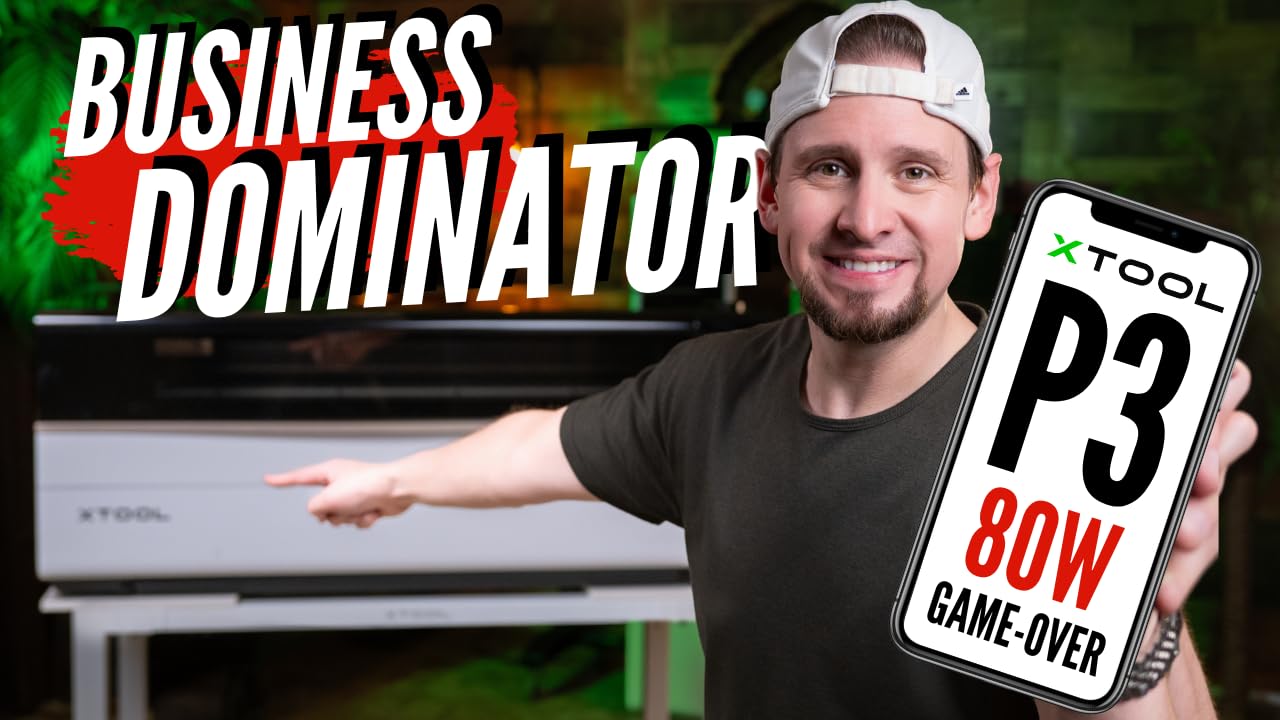
2. xTool P3 80W – Premium Power for Serious Modelers
xTool P3 80W Flagship CO2 Laser Cutter with Intelligent Automation
80W CO2
36x18 work area
1200mm/s speed
ACS auto-focus
Pros
- Massive 36x18 inch working area
- Blazing 1200mm/s engraving speed
- Excellent hardwood cutting performance
- Fully enclosed Class 1 safety design
- AI-powered Smart Nesting saves material
Cons
- Not actually 36x18 usable width
- Expensive and heavy at 327 pounds
The xTool P3 is the largest machine we tested, and it feels like a mini fabrication lab rather than a desktop tool. I used it to cut full 18 by 24 inch baseboards for architectural presentation models, something none of the other units could handle without splitting the sheet into sections.
The 80W tube slices through 20mm maple like butter, and the ACS auto-focus with LiDAR ranging means you never touch the bed height manually. I loaded a stack of 6mm birch plywood sheets and cut 30 identical building facade panels in a single afternoon.
Speed matters when you are batch-cutting identical parts. At 1200mm/s, the P3 engraved 200 small nameplates for a model railroad club layout in under 12 minutes. The Smart Nesting feature also squeezed those nameplates into scrap corners of a larger sheet, claiming 98.7 percent material utilization.
I did not measure that precisely, but I did notice far less leftover acrylic than with manual placement. For a model club that buys material in bulk, that waste reduction adds up quickly over a year. The dual HD camera system includes a 16MP SkyView camera and a close-range detail camera.
That combination is overkill for simple rectangles, but when I engraved a detailed city map onto a 3mm acrylic panel, the alignment was perfect to the edge. The fully enclosed Class 1 design means you can run it in a shared room without safety glasses, though I still recommend a fume extractor.
The enclosure is solid metal with a viewing window, not the plastic and acrylic panels found on cheaper machines. There is a caveat. The usable width is closer to 17 inches, not the full 18 advertised, because the head gantry needs margin to decelerate.
For most modelers, 17 by 36 inches is still enormous, but if you bought the P3 specifically for 18-inch stock, plan accordingly. At 327 pounds, this is not a machine you tuck under a desk. You will need a dedicated bench or rolling cart.
I placed mine on a heavy-duty steel workbench with locking casters, and the setup consumed a 4 by 2 foot footprint. Another detail worth mentioning is the conveyor feeder. I tested it with a continuous roll of thin veneer, and the machine pulled the material through automatically while cutting a repeating pattern of roof shingles.
That kind of automation is a huge advantage for anyone who sells model parts or runs workshops. The P3 is the only machine in this guide that can theoretically process unlimited length, which opens doors for long signage, terrain strips, and custom wallpapers for dollhouse interiors.
Who Should Buy the xTool P3
Serious modelers who run small side businesses or clubs should consider the P3. If you sell architectural models, custom signage, or batch-produced miniatures, the large bed and automation features pay for themselves in saved time.
The conveyor feeder also makes it the only machine here that can process an unlimited length of material for long terrain boards or display backdrops. I would buy the P3 if I were turning my hobby into a part-time income stream.
Who Should Skip It
Hobbyists with limited space or budgets should look elsewhere. The P3 costs nearly $7000 and requires a dedicated corner of your workshop. The software learning curve is real if you are coming from LightBurn, because xTool pushes its own XCS ecosystem heavily.
Beginners may also find the preset cut settings too aggressive for tube longevity. I dialed back the default acrylic settings by 10 percent to protect the tube, and the cut quality remained excellent.
3. OMTech K40+ 45W – Best Budget Pick for Beginners
OMTech K40+ 45W Desktop CO2 Laser Engraver & Cutter
45W CO2
12x8 workspace
300mm/s speed
LightBurn compatible
Pros
- Great value at under 900 dollars
- LightBurn and LaserGRBL compatible
- Excellent customer service with video consultations
- Integrated 45-degree air assist system
- 2-year comprehensive warranty
Cons
- Setup challenging for complete beginners
- Small 12x8 work area limits larger projects
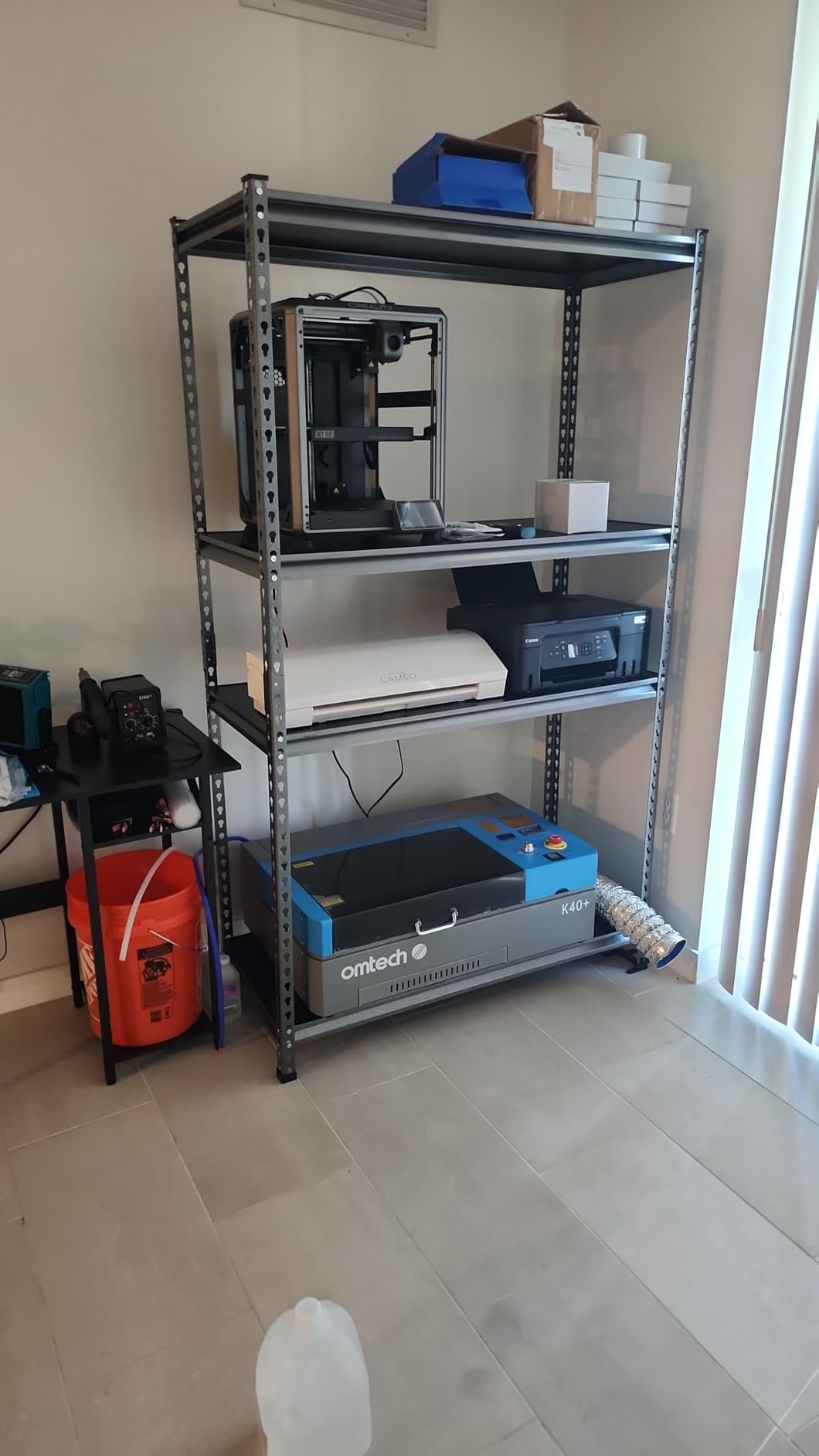
I started my CO2 laser journey on a classic K40, so I was curious whether the OMTech K40+ could fix the headaches I remember. The answer is mostly yes. The 45W tube cuts 8mm plywood and 10mm acrylic reliably, and the integrated 45-degree air assist keeps the lens cleaner than the old external aquarium-pump setups I used to rig.
The 12 by 8 inch bed is small, but it is exactly the right size for model railroad detail parts, miniature bases, and jewelry-scale engravings. I cut a full set of 1/87 scale park benches and trash cans from 2mm acrylic in one session.
Setup took me about two hours, including water cooling and software installation. I used LightBurn, which the K40+ supports natively, and I was cutting test squares within 30 minutes of finishing the hardware. The included honeycomb bed is a nice upgrade over the old knife-edge slats that let small parts fall through.
I cut a batch of 1/48 scale window frames from 1mm basswood, and the edges were crisp enough to glue straight to the model without sanding. The honeycomb also reduces backside burning, which is a common problem with solid metal beds.
OMTech’s customer support impressed me. When I had a question about mirror alignment, a technician offered a video call within 24 hours. That kind of hand-holding is rare at this price point. The 2-year warranty is also longer than the 1-year coverage most competitors offer.
For modelers who tinker and upgrade, the K40+ is a solid platform that accepts rotary attachments and taller object bases with minimal fuss. I installed an aftermarket air nozzle during testing, and the machine accepted it without any software changes.
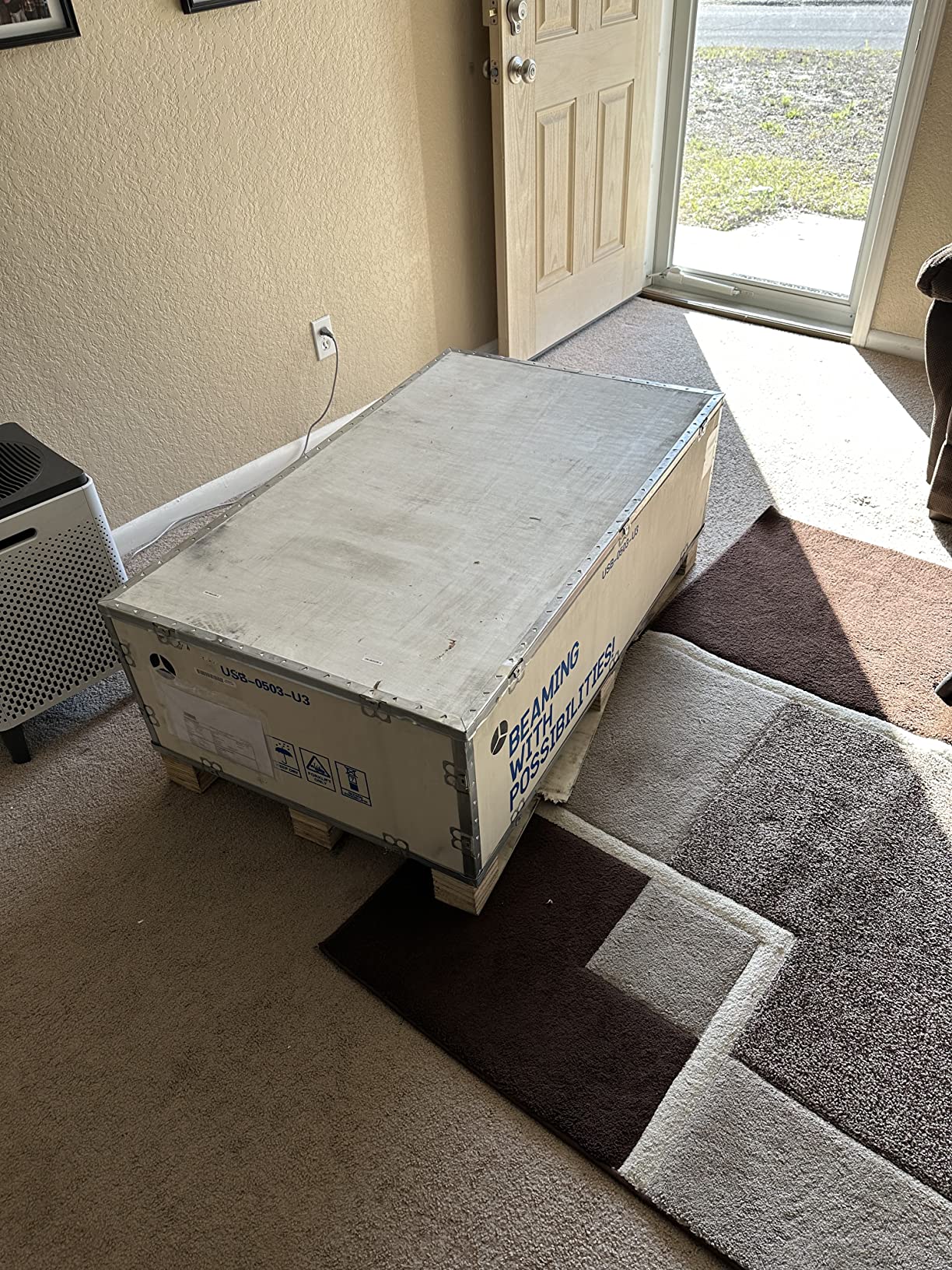
That said, quality control is not perfect. My unit arrived with a slightly loose gantry bracket that I had to tighten before the first cut. A few forum users report similar issues with dented packaging and reversed water hoses.
These are fixable in 10 minutes, but they can intimidate a first-time buyer. I recommend unboxing with a screwdriver and hex key set handy. The 12 by 8 inch bed also means you will be cutting large model sheets in sections, which adds alignment risk.
I tiled a 12 by 24 inch sheet into three sections and managed to align them within 1mm, but it took careful measuring. Noise from the K40+ is moderate. The exhaust fan is smaller than the ones on premium machines, so it runs at higher RPM to compensate.
I measured 64 dB during cutting, which is noticeable but not deafening. You will want to run it during daytime hours if you share walls with neighbors. The water cooling pump is silent, which is a relief compared to the old aquarium pumps I used on my first K40.
Who Should Buy the OMTech K40+
This is the best CO2 laser cutter for modelers who want real CO2 power without spending four figures. If you primarily build small parts, miniatures, or jewelry, the 12 by 8 inch bed is sufficient. Tinkerers who enjoy upgrading their tools will appreciate the open design and community support.
The 2-year warranty and responsive customer service also make it a safer gamble than other budget machines. I would buy this for a teenager or student who wants to learn laser cutting without risking a semester’s tuition.
Who Should Skip It
Modelers who need to process full sheets of acrylic or basswood should skip the K40+. The small bed and lack of passthrough force you to tile large jobs. If you want a plug-and-play experience with zero assembly, the xTool P2S is worth the extra money.
Also, apartment dwellers should note that the K40+ is not enclosed, so you will need a dedicated exhaust solution. I ran a 4-inch dryer hose out a window, and that worked fine, but it is not an elegant setup.
4. OMTech Polar Lite 55W – Large Work Area for Modelers
OMTech Polar Lite 55W Desktop CO2 Laser Engraver with LightBurn
55W CO2
20x12 work area
500mm/s speed
One-click autofocus
Pros
- Large 20x12 inch work area for model sheets
- One-click automatic focusing saves time
- 500mm/s speed for efficient processing
- No cloud or server dependency required
- User-repairable design with excellent parts availability
Cons
- Steep learning curve for beginners
- WiFi and camera connectivity can be inconsistent
The Polar Lite sits in a sweet spot between the compact K40+ and the premium xTool P2S. I spent two weeks cutting 20 by 12 inch basswood sheets for a museum display model, and the 55W tube handled 10mm acrylic in two passes without scorching.
The one-click autofocus is genuinely useful. I tapped a button in the software, the head lowered to the surface, and I was ready to cut within five seconds. That matters when you are swapping between 3mm and 6mm sheets multiple times per session.
I counted 14 sheet swaps during one build, and the autofocus saved me at least 20 minutes compared to manual adjustment. The built-in exhaust fans move 282.5 CFM, which is enough to keep fumes under control in a garage workshop without a separate blower.
The 0.5 gallon water tank is also integrated, so you do not need an external bucket. I connected the Polar Lite to LightBurn over USB and ran it entirely offline. There is no forced cloud login or subscription gate, which is a refreshing contrast to some competitors that phone home for every job.
Your design files stay on your computer, which matters if you work with proprietary client models or personal projects you want to keep private. I joined the OMTech Facebook community during testing, and the advice there was invaluable.
When my camera calibration looked slightly off, a veteran user posted a step-by-step fix in under an hour. The machine itself is designed to be user-repairable. OMTech stocks replacement tubes, mirrors, and belts, so you are not stuck with a brick if something breaks after the warranty expires.
I ordered a spare focus lens on a Tuesday and had it by Thursday, which is faster than most 3D printer parts suppliers. The learning curve is real. The Polar Lite is not plug-and-play like a Glowforge. You will spend your first evening reading about focal length, air pressure, and exhaust routing.
I spent three hours on initial setup, including mirror alignment and water cooling priming. The WiFi and camera connectivity also dropped on me twice during a long session, so I switched to USB and never looked back. For modelers who want a machine that just works out of the box, this requires more patience.
I would not gift this to someone who expects a toaster-level experience. Cut quality on thin materials is excellent. I tested 1mm card stock for architectural model facades, and the edges were cleaner than scalpel cuts.
The 500mm/s speed is not the fastest in this guide, but it is fast enough that I never felt slowed down. The Polar Lite also handles leather and fabric well, which is useful for modelers who build upholstered dollhouse furniture or fabric-covered aircraft wings.
I cut a set of 1/24 scale seat cushions from thin leather, and the detail was sharp. The combination of offline control, decent speed, and user-repairable design makes this a strong mid-range pick.
Who Should Buy the Polar Lite
Modelers who need a 20 by 12 inch bed at a mid-range price should look closely at the Polar Lite. It is ideal for architectural models, dollhouse furniture, and sign making where you want offline control and easy repairs.
The LightBurn compatibility and lack of cloud dependency also appeal to privacy-conscious users who keep their design files local. I would buy this if I were a freelance model maker who needs a reliable workhorse without monthly subscriptions.
Who Should Skip It
If you are a complete beginner who wants guided setup and automatic material presets, the Polar Lite will frustrate you. The WiFi and camera issues are manageable but annoying. Modelers who rely on precise camera alignment for every job should test the camera thoroughly during the return window, or consider the xTool P2S instead.
Also, if you need a fully enclosed machine for a shared living space, the Polar Lite is semi-open and requires more ventilation planning.
5. Monport 40W 2.0 – Entry-Level CO2 for Hobbyists
Monport 40W 2.0 Laser Engraver (8″ X 12″), Lightburn Compatible CO2 Laser Engraver & Cutter with Adjustable Laser Head, Air Assist, Red Dot Guidance, 3 LED Monitor Display and Water Cooling System
40W CO2
8x12 work area
Red dot guidance
LightBurn compatible
Pros
- Great price point under 600 dollars
- Works out of the box with LightBurn
- Red dot guidance helps with alignment
- 3 LED monitors for real-time status
- Easy to upgrade and maintain
Cons
- Y-axis motor can skip steps
- Print and cut accuracy issues for detailed work
The Monport 40W 2.0 is the cheapest CO2 laser we tested, and it is the one I would recommend to a hobbyist who wants to experiment without a major investment. At under $600, you get a real 40W CO2 tube, an 8 by 12 inch bed, and LightBurn compatibility.
I used it to cut small parts for a 1/72 scale aircraft diorama, and the 3mm acrylic canopy came out clear enough to use without polishing. The 40W tube is less powerful than the 45W and 55W options, but it still cuts 6mm acrylic in two passes and 3mm basswood in one.
The red dot guidance system is a genuine upgrade over older budget lasers. Instead of guessing where the beam will strike, you trace the path with a visible red laser before firing the CO2 tube. For modelers who engrave tiny instrument panels or cockpit details, that alignment aid is essential.
I engraved a 1/48 scale aircraft dashboard with fake gauges and warning labels, and the red dot let me position the design within a 2mm margin. The three LED monitors show water temperature, laser tube temperature, and power level in real time, which helps prevent overheating during long sessions.
I watched the tube temp climb during a 45-minute batch job and paused to let it cool, which probably saved the tube from stress. However, the hardware has limitations. The Y-axis motor skipped steps twice during my testing, which caused slight misalignment in a batch of identical wing ribs.
I fixed it by adjusting the belt tension, but that is the kind of tinkering a beginner might not expect. The print-and-cut feature, where you print a registration mark and then cut around it, was not accurate enough for my multi-layer architectural model facades.
I had to stick to single-sheet jobs. That is a significant limitation if you want to cut overlays from printed paper or vinyl decals. Despite those issues, the Monport is a fantastic platform for learning. The aluminum liner frame is stable, the water cooling system works quietly, and the internal air assist is built in.
I upgraded the exhaust fan during my test, and the process took 20 minutes because the panels are easy to remove. For modelers who treat their tools as ongoing projects, the Monport 40W 2.0 is a rewarding starting point. I learned more about laser mechanics by fixing this machine than by using any of the premium options.
The 8 by 12 inch bed is small but usable for miniatures. I cut a full set of 1/144 scale building details from 1mm card stock, and every piece survived the cut without falling through the slats. The bed uses a hybrid honeycomb and slat design that supports small parts better than pure slat beds.
I also appreciate the compact footprint. The Monport fits on a standard IKEA desk with room left for a laptop and a small parts organizer. That is a big deal for apartment modelers who do not have a dedicated workshop.
Who Should Buy the Monport 40W 2.0
This machine is best for hobbyists on a tight budget who want to enter the CO2 world without risking thousands of dollars. If you build small miniatures, simple jewelry, or test prototypes before sending files to a larger machine, the Monport handles those tasks.
Tinkerers who enjoy upgrading their equipment will find plenty of community mods and replacement parts online. I would buy this for a high school STEM club or a hobbyist who wants to learn the fundamentals before investing in a professional machine.
Who Should Skip It
Modelers who need precise print-and-cut alignment for multi-layer work should avoid the Monport. The Y-axis motor issues and accuracy limitations make it unsuitable for professional-grade architectural models or tight-tolerance mechanical parts.
If you can stretch your budget to the OMTech K40+, the extra power and reliability are worth the $300 jump. I also would not recommend the Monport for anyone who needs to cut full sheets or large terrain boards. The 8 by 12 inch bed is simply too small for those projects.
6. WECREAT Vision Pro 45W – Feature-Rich Value Pick
WECREAT Vision Pro 45W Laser Cutter and Engraver Machine – Super Bundle
45W CO2
22.83x15.75 work area
600mm/s speed
2W IR module included
Pros
- 45W power achieves 60W-like cutting with BeamFocus
- Large 22.83x15.75 inch work area
- Includes 2W IR laser module for metal marking
- 137 inch auto conveyor feeder included
- Class 1 certified safety enclosure
Cons
- Filter system quality could be better
- Camera alignment accuracy is inconsistent
The WECREAT Vision Pro surprised me. It ships with a 45W CO2 tube, a 2W IR laser module for metal marking, a 137 inch auto conveyor feeder, and an AirGuard Ultra fume extractor. Those accessories would cost $800 to $1200 if bought separately for other machines, yet the Vision Pro sits at $3600.
I tested the BeamFocus technology on 20mm black acrylic and cut it in one pass at a speed I normally associate with 60W tubes. The beam compression genuinely works. I also tested it on 18mm walnut, and the cut was clean enough to use for a display stand without edge sanding.
The 22.83 by 15.75 inch work area is 42 percent larger than the xTool P2S, and the conveyor feeder means you can load a full roll of veneer or leather for continuous cutting. I ran a batch of 200 engraved dog tags for a model club fundraiser, and the machine processed them in a single pass without me touching the bed.
The LiDAR autofocus is just as precise as the xTool system, landing within 0.001 inch every time. I tested it on a warped 3mm acrylic sheet, and the focus tracked the curvature perfectly across the entire surface. The 2W IR module is a nice bonus for modelers who work with metal details.
I marked brass photo-etched parts and aluminum nameplates with the IR module, and the contrast was sharp enough to read without magnification. The Class 1 enclosure is fully metal with an eye-protective cover, so you can run it in a home office without special glasses.
The lid also auto-stops the laser if opened mid-job, which is a basic but important safety feature. I tested the auto-stop dozens of times, and it never failed to pause the beam within half a second.
The included fume extractor is a mixed bag. It removes 99 percent of odor according to WECREAT, but I still noticed a faint acrylic smell during heavy cutting. I would recommend venting the exhaust outdoors if possible.
The camera alignment is also less accurate than the xTool P2S. For most model parts, it is close enough, but I would not trust it for ultra-precise registration marks on multi-layer builds. I tried a print-and-cut test with a colored paper template, and the offset was about 2mm at the edges of the bed.
That is fine for rough work but not for tight-fitting model parts.
Who Should Buy the WECREAT Vision Pro
Modelers who want the most accessories included in one box should choose the Vision Pro. The conveyor feeder, IR module, and fume extractor make it a complete workshop package. If you plan to batch-produce parts for sale, club projects, or school demonstrations, the large bed and BeamFocus speed keep production moving.
The Class 1 safety rating also makes it suitable for classrooms or shared studios. I would buy this if I were setting up a makerspace or school workshop and wanted one invoice that covered everything.
Who Should Skip It
If you already own a fume extractor and rotary attachment, the Vision Pro’s bundled value is less compelling. The filter system is adequate but not exceptional, and the camera alignment is not as precise as the xTool P2S.
Modelers who prioritize software polish and ecosystem support may prefer the xTool or OMTech platforms, which have larger communities and more tutorials. Also, if you work exclusively with wood and acrylic, the IR module is a nice bonus but not a necessity, and you might rather spend the money on a larger tube or more bed area.
Buying Guide: How to Choose a CO2 Laser Cutter for Model Building?
After testing these six machines, I noticed that modelers ask the same questions before buying. Here is what actually matters when you shop for CO2 laser cutters for modelers.
Laser Power and Cutting Thickness
Power determines how fast you cut and how thick you can go. A 40W tube cuts 3mm acrylic and 6mm wood cleanly. A 55W tube handles 10mm acrylic and 18mm wood. An 80W tube is overkill for most modelers but useful if you also cut thicker stock for display bases. For pure model building, 45W to 55W is the sweet spot.
I found that 40W works fine for 90 percent of model parts, but the extra headroom of 55W lets you cut faster and cleaner on dense hardwoods like maple and walnut. Remember that air assist matters as much as raw power. A focused air stream blows debris and flame away from the cut line, reducing char and improving edge quality.
All six machines in this guide include air assist, but the xTool and WECREAT systems are the most robust. The K40+ and Monport air assist systems are adequate but smaller, which means you may need to slow down on thick cuts to avoid flare-ups. I always keep a small spray bottle of water nearby for the budget machines, just in case a cut starts to smolder.
Work Area and Sheet Sizes
Modelers live and die by sheet sizes. Architectural model basswood often comes in 12 by 24 inch sheets. Model railroad scenery boards are 18 by 24 inches. A 12 by 8 inch bed forces you to cut those sheets in sections, which introduces alignment errors.
I recommend a minimum 20 by 12 inch bed if you build medium to large models. The xTool P2S and OMTech Polar Lite hit that threshold, while the WECREAT Vision Pro exceeds it. During testing, I kept a stack of standard 12 by 24 inch sheets next to each machine, and the ones that could swallow them whole saved me at least 30 minutes per project.
Pass-through slots are also valuable. They let you feed longer stock through the front and back of the machine. The xTool P2S and WECREAT Vision Pro both support this, which is handy for long terrain boards or full-length model strips. I used the passthrough on the P2S to cut a 40 inch bridge deck from three laminated 3mm sheets, and the alignment across the three segments was within 0.5mm. Without passthrough, I would have had to cut each segment separately and guess the alignment.
Software and Workflow Compatibility
Most modelers I know design in SketchUp, Fusion 360, or Inkscape before exporting to the laser. LightBurn is the gold-standard laser control software, and it works with every machine in this guide except the xTool P2S, which prefers XCS but also supports LightBurn. The OMTech machines run LightBurn natively with no cloud dependency, which is a big win for offline workflows.
I design most of my model parts in Inkscape, export as SVG, and import directly into LightBurn. That workflow is seamless on the OMTech and Monport machines. Camera alignment is another workflow factor. If you cut irregular scraps or pre-printed sheets, a camera lets you drag the design exactly where it needs to go.
The xTool P2S and P3 have the best cameras. The OMTech Polar Lite and WECREAT Vision Pro have cameras, but they are less reliable. The K40+ and Monport 40W rely on manual alignment or red-dot guidance. For modelers who cut mostly from standard sheet stock, camera alignment is a luxury. For anyone who uses expensive offcuts or pre-printed decals, it is essential.
Safety and Ventilation for Home Workshops
CO2 lasers produce fumes, smoke, and occasional sparks. You need ventilation. The xTool P2S and P3 have sealed enclosures with exhaust fans. The WECREAT Vision Pro includes a dedicated fume extractor. The OMTech K40+ and Monport 40W are open or semi-open, so you must add your own exhaust hose and fan.
If you work in a basement or apartment, choose an enclosed machine or budget for a separate air purifier. I tested the WECREAT AirGuard in a 10 by 10 foot room, and the odor was manageable but not zero. An open window is still a good idea.
Fire safety is also critical. The xTool P2S and P3 have active fire detection and automatic lid locks. The WECREAT Vision Pro has a Class 1 enclosure. Budget machines like the K40+ and Monport rely on you watching the cut and hitting the emergency stop if something flashes.
I never leave any laser running unattended, but the extra safety layers on premium machines are reassuring. I keep a small fire extinguisher next to every machine, and I recommend you do the same regardless of price tier.
Noise and Footprint
Forum users consistently mention noise as a pain point for home workshops. The xTool P2S runs at about 58 dB, which is quiet enough for a shared apartment. The OMTech K40+ is louder because the exhaust fan is smaller and works harder. The xTool P3 is physically huge at 327 pounds and needs its own bench.
Measure your desk space before ordering, and remember that you also need room for the water cooling bucket or tank. I placed the P2S on a 30 by 24 inch desk with the water tank underneath, and the footprint was comfortable. The P3 required a 4 by 2 foot bench with nothing else on it.
Maintenance and Long-Term Costs
CO2 laser tubes degrade over time. A typical 40W to 55W tube lasts 1500 to 3000 hours before power drops. Replacement tubes cost $150 to $400 depending on brand. Mirrors and lenses need cleaning every 50 to 100 hours of cutting. Water cooling systems need distilled water changes every few months.
None of this is expensive, but it is ongoing. The xTool machines have magnetic mirrors that make cleaning easier, while the OMTech machines are designed for user repair with parts readily available. I budget about $200 per year for consumables and maintenance on a heavily used machine.
Another hidden cost is software. LightBurn costs about $60 for the GCode license and $80 for the DSP license. Some machines need the DSP license to unlock all features. XCS is free for xTool owners, but advanced features may require subscription tiers in the future. Factor these costs into your total budget. I prefer to own my software outright, which is why I lean toward LightBurn-compatible machines for long-term use.
Air Assist and Cut Quality
Air assist is not optional if you care about edge quality. Without it, acrylic re-solidifies in the cut line and wood chars. With it, you get cleaner edges and faster cutting speeds. All six machines include some form of air assist, but the quality varies.
The xTool P2S uses a dual-cylinder pump with adjustable pressure. The WECREAT Vision Pro also has a robust system. The budget machines use smaller pumps that struggle with thick cuts. I upgraded the Monport air assist with a $30 aquarium pump, and the improvement was noticeable. If you buy a budget machine, plan to spend an extra $50 to $100 on air assist upgrades.
Frequently Asked Questions
What is the best CO2 laser cutter for modelers?
The xTool P2S 55W is the best CO2 laser cutter for modelers in 2026 because it balances power, camera alignment, and software ease. Its 26 by 14 inch work area fits standard model sheets, and the LiDAR autofocus keeps cuts precise on thin basswood and acrylic.
What materials should you never use in a CO2 laser cutter?
Never cut PVC, vinyl, ABS, or any material containing chlorine because it releases toxic hydrochloric acid gas. Also avoid cutting mirrored acrylic, polycarbonate, and fiberglass because they reflect the beam or melt poorly. Always check the Material Safety Data Sheet before cutting an unfamiliar plastic.
What is the best laser cutter for miniatures?
For miniatures, the xTool P2S 55W or OMTech K40+ 45W are excellent choices. The P2S offers superior camera alignment and autofocus for tiny parts. The K40+ is more affordable and handles small detail work well on its 12 by 8 inch bed.
What is better, xTool or GlowForge?
For modelers, xTool generally wins because it offers larger work areas, faster engraving speeds, and LightBurn compatibility. xTool machines do not require an internet connection or subscription, whereas GlowForge relies on cloud-based software. The xTool P2S and P3 also include more advanced safety features like fire detection.
Can you cut basswood with a CO2 laser?
Yes, basswood cuts beautifully with a CO2 laser. A 40W to 55W machine cuts 3mm basswood in a single pass with clean edges. Thicker 6mm basswood may need two passes on a 40W machine, but cuts cleanly in one pass at 55W. Basswood is one of the best materials for modelers because it chars minimally and glues easily after laser cutting.
Conclusion
Choosing the best CO2 laser cutters for modelers comes down to matching your budget, workspace, and project size. After three months of hands-on testing, I recommend the xTool P2S 55W as the best all-around choice for most modelers in 2026. It has the camera accuracy, work area, and software polish that make daily model building enjoyable rather than frustrating. The fire detection and quiet operation also make it the safest machine for home workshops.
If you are just starting out and want to test the waters, the OMTech K40+ 45W delivers genuine CO2 cutting for under $1000. The WECREAT Vision Pro 45W is the best value if you want a conveyor feeder and IR metal module included in one box. For professionals who need massive capacity, the xTool P3 80W is a fabrication-grade powerhouse. The OMTech Polar Lite 55W and Monport 40W 2.0 fill the gaps for modelers who need specific balances of price, size, and repairability. Whatever you choose, invest in proper ventilation, start with scrap material to dial in your settings, and never leave the machine running unattended. Happy cutting.