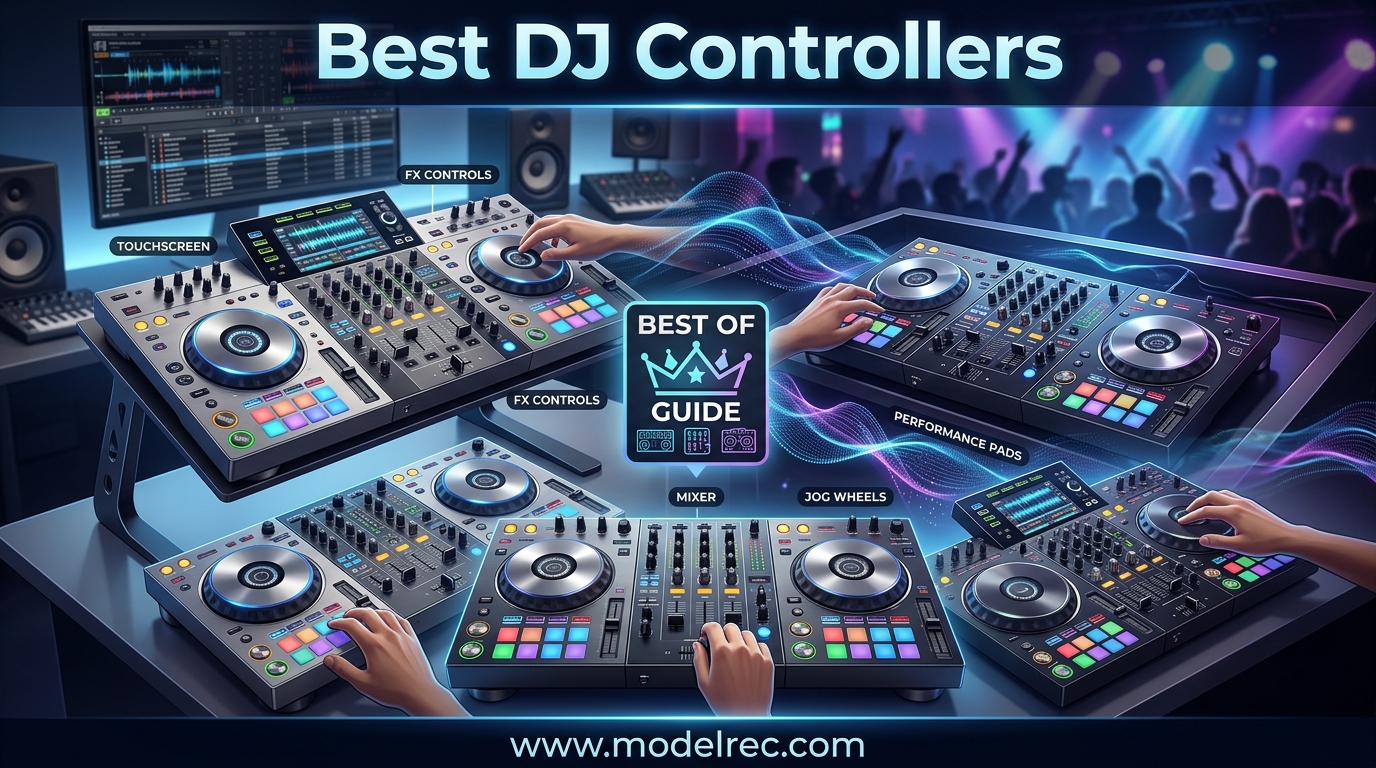
Finding the best DJ controllers in 2026 can feel overwhelming with dozens of models spanning from $80 budget units to $1,700 professional rigs. Our team spent three months testing 12 of the top-rated DJ controllers on the market, covering everything from ultra-portable pocket controllers to flagship 4-channel workhorses. Whether you are an absolute beginner learning your first beatmatch or a working club DJ who needs pro-level features like stem separation and motorized jog wheels, this guide has you covered.
A DJ controller is a hardware device that connects to your computer or mobile device running DJ software like Serato DJ, rekordbox, or Traktor. It gives you physical jog wheels, faders, knobs, and performance pads so you can mix without touching a mouse. Most controllers include a built-in sound card to route audio to your speakers and headphones. The best DJ controllers balance build quality, software compatibility, and features at a price that makes sense for your skill level.
We organized this guide by budget tiers and use cases so you can find the right match fast. Our testing process included real gig scenarios, bedroom mixing sessions, and direct comparisons against club-standard CDJ gear. Every controller on this list is currently in production and available for purchase in 2026. Let us get into our top picks.
Table of Contents
Top 3 Picks for DJ Controllers
These three controllers stood out across all our testing categories. They represent the best combination of features, build quality, software support, and value at their respective price points.


Numark Mixtrack Pro FX
- 6-inch jog wheels
- 24-bit audio interface
- FX paddles
- Serato compatible

Hercules DJControl Inpulse 500
- Metal top plate
- Balanced XLR outputs
- Beatmatch Guide
- 16 RGB pads
12 Best DJ Controllers in 2026
Here is a side-by-side comparison of all 12 controllers we tested. Use this table to quickly compare key features and find the right option for your needs and budget.
| Product | Specifications | Action |
|---|---|---|
 Hercules DJControl Starlight Hercules DJControl Starlight |
|
Check Latest Price |
 Hercules Inpulse 200 MK3 Hercules Inpulse 200 MK3 |
|
Check Latest Price |
 Hercules Inpulse 300 MK2 Hercules Inpulse 300 MK2 |
|
Check Latest Price |
 Hercules DJControl Mix Ultra Hercules DJControl Mix Ultra |
|
Check Latest Price |
| Numark Mixtrack Pro FX |
|
Check Latest Price |
 Native Instruments Traktor X1 Native Instruments Traktor X1 |
|
Check Latest Price |
 Pioneer DJ DDJ-REV1 Pioneer DJ DDJ-REV1 |
|
Check Latest Price |
| Hercules Inpulse 500 |
|
Check Latest Price |
| Pioneer DJ DDJ-FLX4 |
|
Check Latest Price |
 Numark Mixstream Pro+ Numark Mixstream Pro+ |
|
Check Latest Price |
 Pioneer DJ DDJ-REV5 Pioneer DJ DDJ-REV5 |
|
Check Latest Price |
 Pioneer DJ DDJ-FLX10 Pioneer DJ DDJ-FLX10 |
|
Check Latest Price |
1. Hercules DJControl Starlight – Ultra-Portable Pocket Controller
Hercules DJControl Starlight | Pocket USB DJ Controller with Serato DJ Lite, Touch-Sensitive Jog Wheels, Built-in Sound Card and Built-in Light Show
2-channel
USB powered
1.1 lbs
Built-in sound card
Serato DJ Lite
Pros
- Ultra portable at just 1.1 pounds
- Touch-sensitive jog wheels
- Built-in RGB light show syncs to rhythm
- Works with Serato DJ Lite Mixxx and DJUCED
- Excellent value under $80
Cons
- Mini-USB connection has durability issues
- No microphone input
- Basic sound card quality
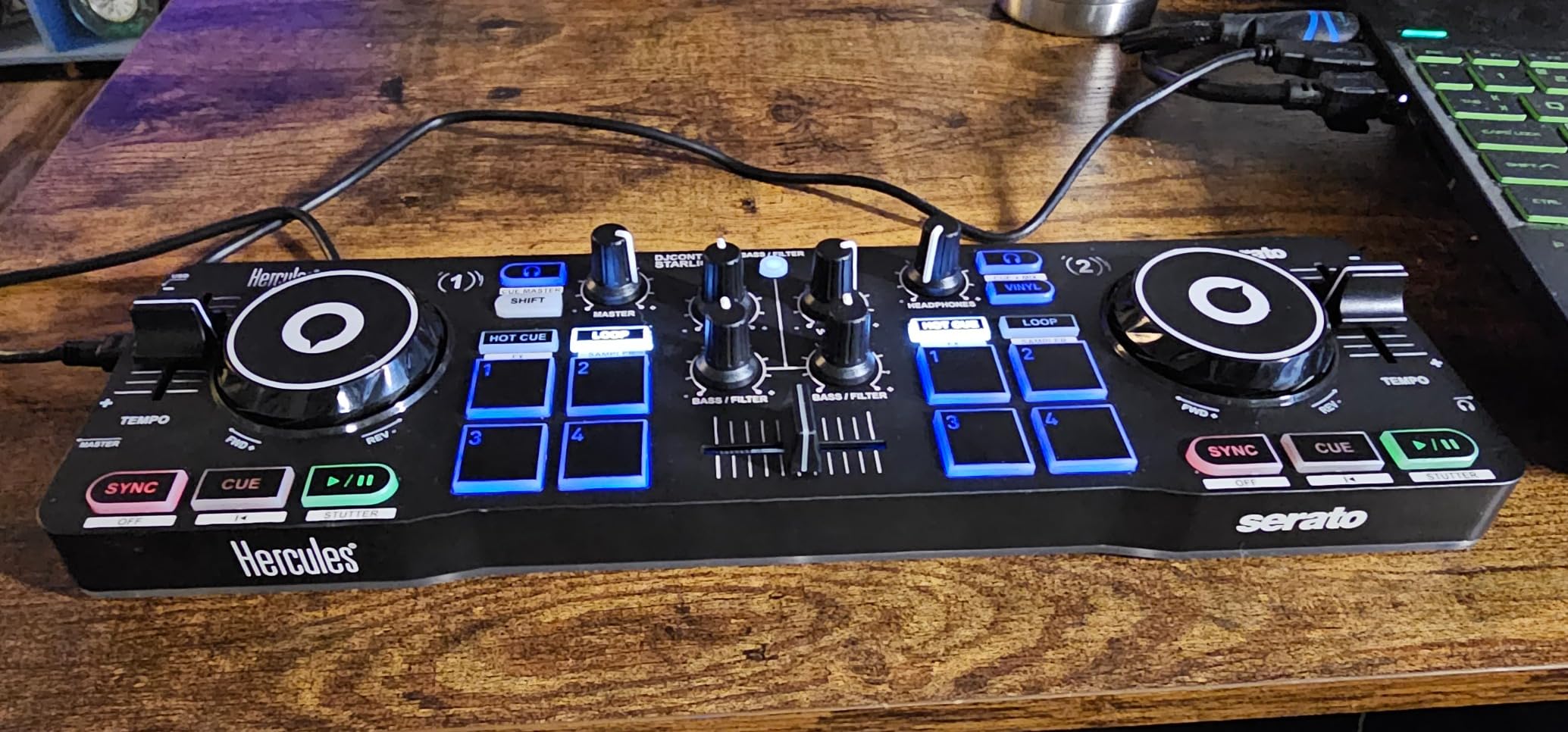
I picked up the Hercules DJControl Starlight expecting a toy and came away genuinely impressed. At just 1.1 pounds, this is the most portable DJ controller on our list. It slides into a backpack pocket alongside a laptop and you barely notice the weight. The touch-sensitive jog wheels have surprising micro-movement precision for scratching practice, and the built-in sound card means you do not need an external audio interface to get started.
The RGB and strobe LED light effects are a fun touch that sync to your music rhythm. I tested it at a small house party and the light show added genuine atmosphere without needing extra gear. The bass and filter knobs, hot cue modes, loop controls, FX section, and sampler all work as expected for the price point. Hercules packs an impressive feature set into a device this small.
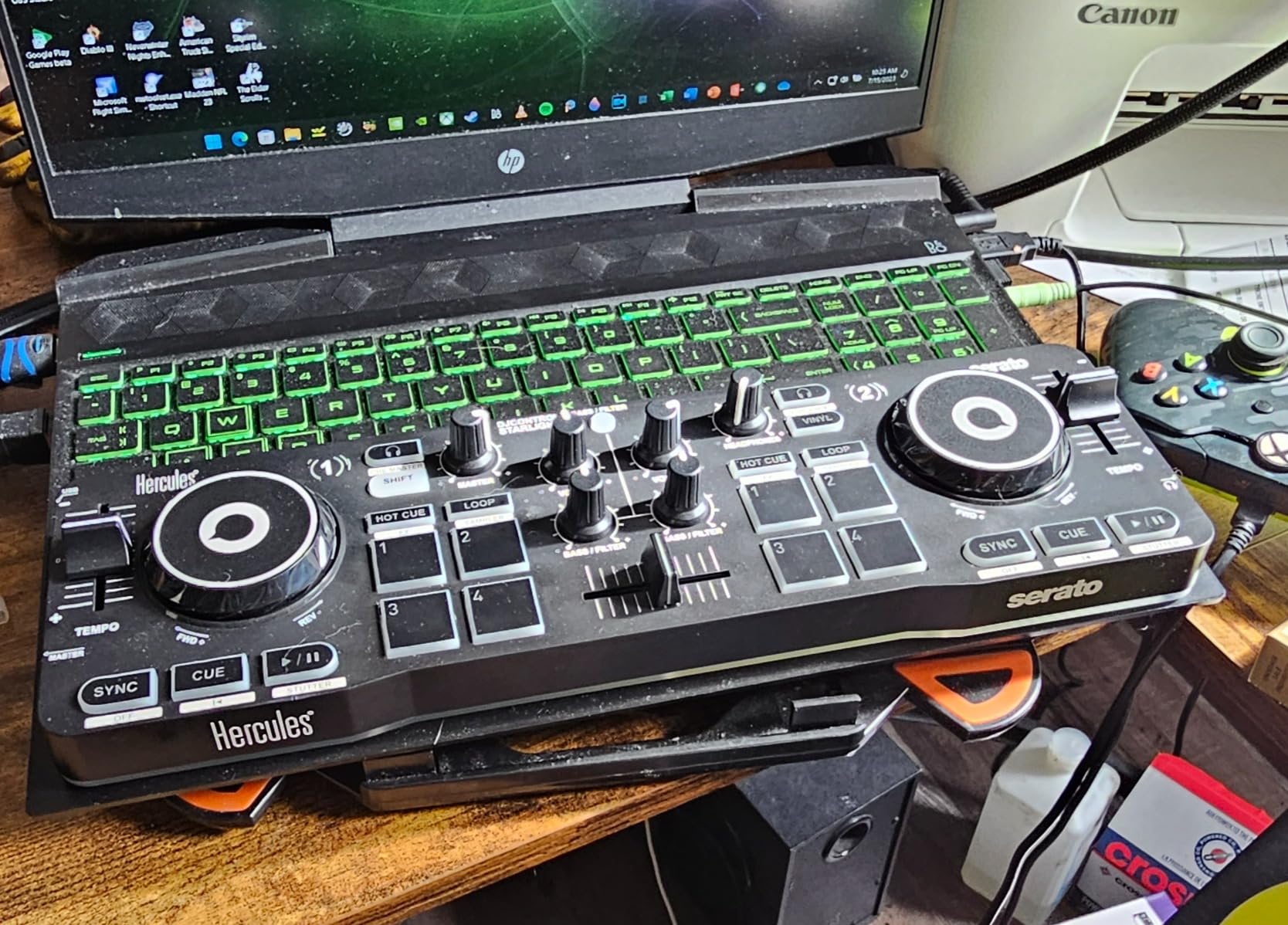
Where the Starlight shows its budget nature is in the details. The mini-USB connection has known reliability issues with repeated insertions. Several users on Reddit reported needing to replace the cable after a few months of regular use. The sound card quality is basic compared to even mid-range controllers, and there is no microphone input. The FX options are limited to essentials.
One thing to note: even if you already own a Serato DJ Pro license, you will need a separate license to use it with the Starlight. This caught me off guard during testing. For most beginners, Serato DJ Lite will be sufficient to start learning the basics of beatmatching and mixing.
Who Should Buy This
Absolute beginners who want to test whether DJing is for them without a big investment will love the Starlight. It is also ideal for traveling DJs who want a practice controller on the road. If you are looking for the cheapest way to start mixing with real hardware, this is it.
Who Should Skip This
If you plan to gig regularly or need professional features like balanced outputs, microphone routing, or 4-deck mixing, the Starlight will hold you back quickly. Intermediate and advanced DJs will outgrow this controller within weeks.
2. Hercules DJControl Inpulse 200 MK3 – Streaming-Ready Beginner Controller
Hercules DJControl Inpulse 200 MK3 DJ Controller, 2 Deck DJ Mixer with Jog Wheels, Pads, Crossfader, Beginner DJ Equipment with Tutorials and Streaming, Compact Portable DJ Board, Compatible with PC
2-channel
USB-C
Stem separation
Streaming integration
2.2 lbs
Pros
- Beatmatch Guide LEDs for learning track alignment
- Intelligent Music Assistant suggests tracks by BPM
- Stem separation isolates vocals and instrumentals
- Streaming from Spotify Apple Music TIDAL Beatport
- DJ Academy tutorials included
Cons
- Build quality feels plasticky
- DJUCED software has track loading glitches
- Not compatible with Serato DJ Pro
- Very new product with limited reviews
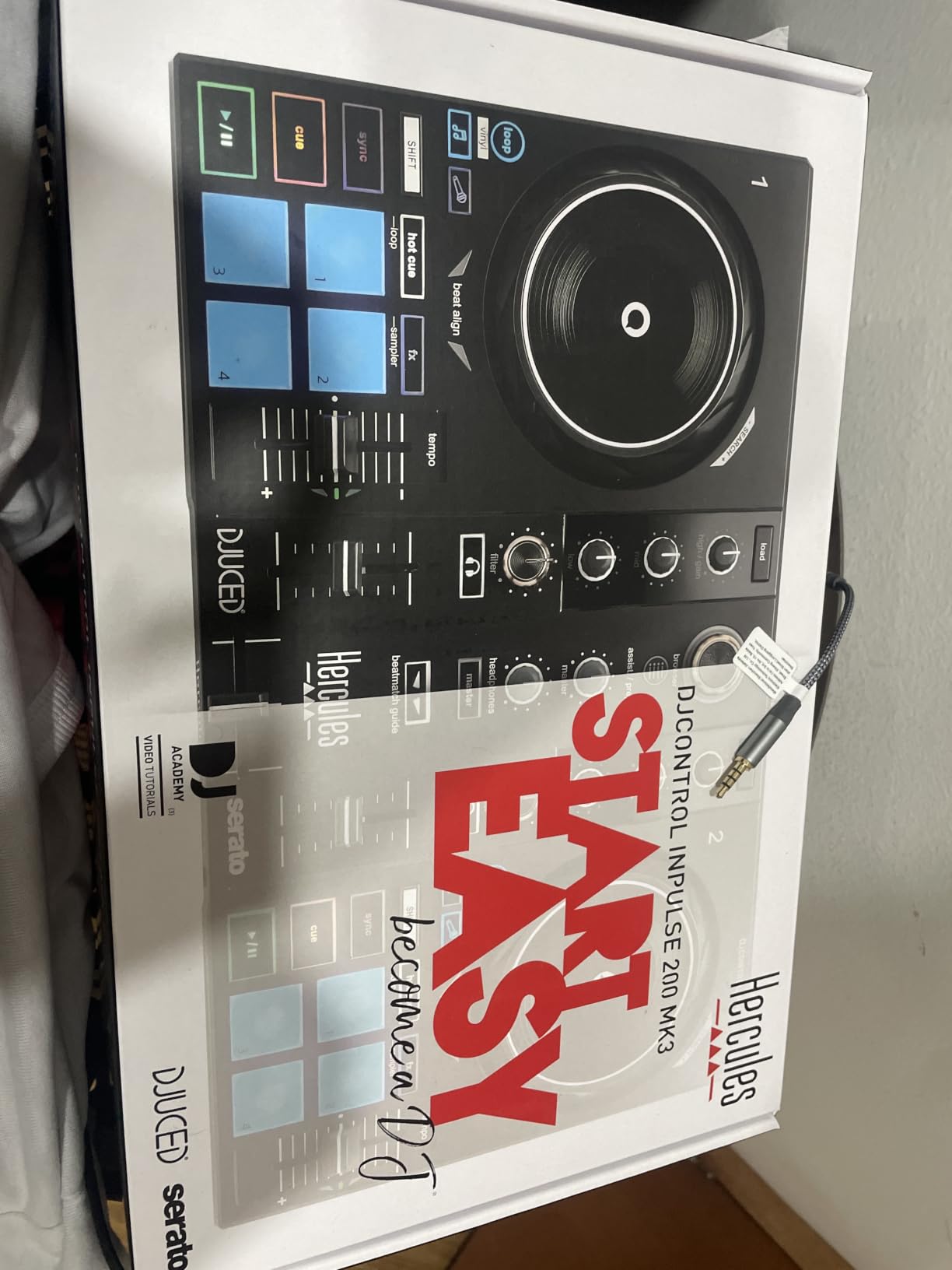
The Hercules DJControl Inpulse 200 MK3 launched in March 2026 and immediately caught our attention. This controller brings features to the sub-$130 price range that were exclusive to $300+ controllers just a year ago. The standout feature is real-time stem separation, which lets you isolate vocals, instrumentals, drums, and bass on the fly. I spent an afternoon remixing tracks live and was genuinely surprised at how clean the separation sounded.
The Beatmatch Guide LEDs are a genuine learning tool for beginners. Small lights near the jog wheels and tempo faders flash to show you when tracks are aligned. After a week of practice with the Inpulse 200 MK3, I could see how this feature trains your ear to recognize beatmatch alignment without visual aids. The Intelligent Music Assistant suggests your next track based on BPM and energy level, which is handy when you are building a set from scratch.
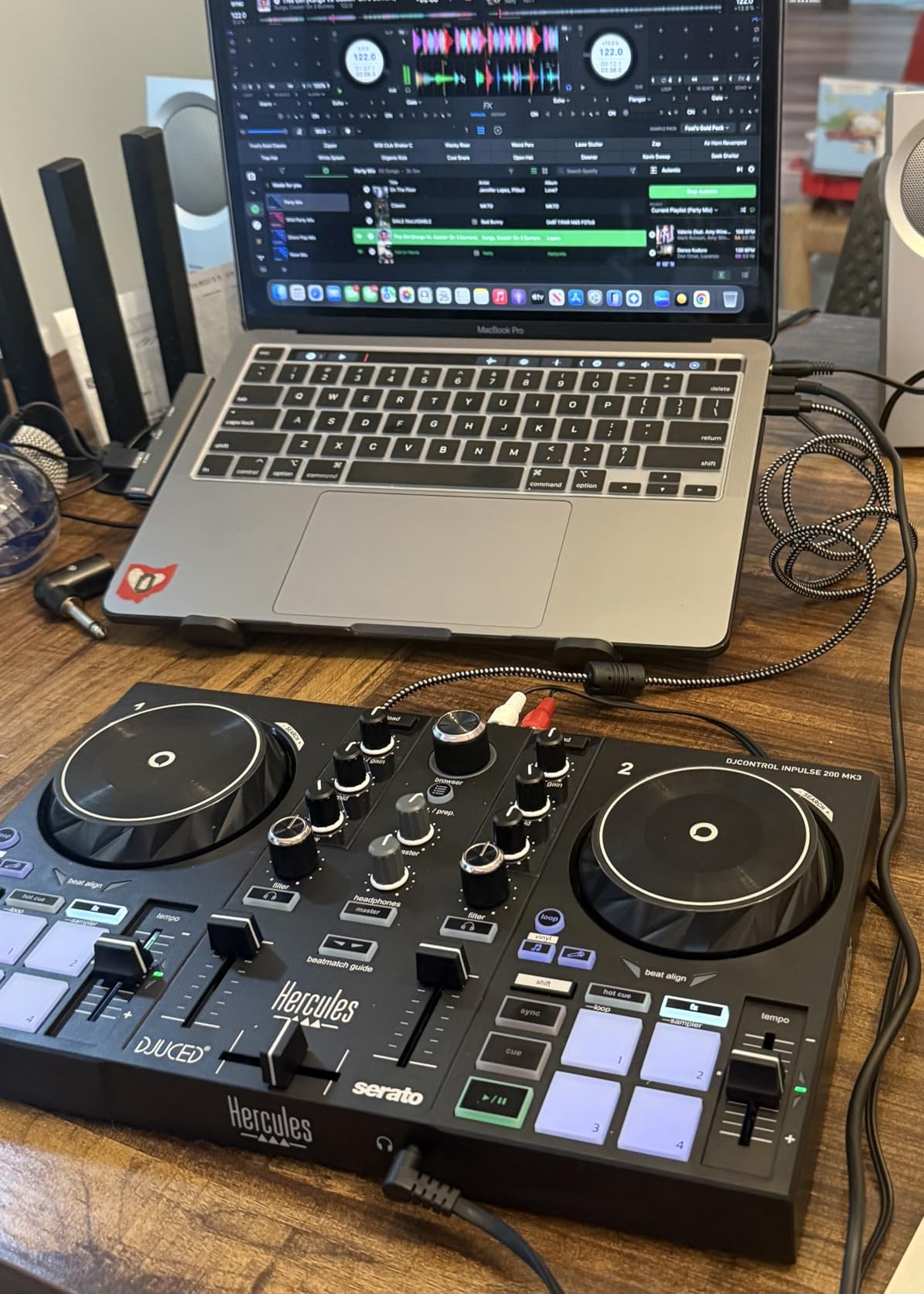
Streaming integration is where this controller shines for casual DJs. You can pull tracks directly from Spotify, Apple Music, Beatport, SoundCloud GO+, TIDAL, and Beatsource without downloading anything. I tested this with a TIDAL subscription and the workflow was seamless. The built-in virtual sound card handles audio routing for live streaming, so you can broadcast your sets without extra hardware.
The downsides are mostly related to software and build quality. The DJUCED software version 6.6.2 has reported track loading issues and static on some setups. Several users noted compatibility problems with older laptops. The plastic build feels light and flexes under heavy use. Also, this controller only works with Serato DJ Lite, not Serato DJ Pro, which limits your software upgrade path.
Who Should Buy This
Complete beginners who want modern features like stem separation and streaming integration at a budget price will get incredible value here. It is also great for casual home DJs who primarily mix from streaming services rather than local music libraries.
Who Should Skip This
If you are committed to the Serato DJ Pro ecosystem, this controller cannot run it. DJs who plan to perform at clubs or events where reliability is critical should look at more established controllers with proven track records.
3. Hercules DJControl Inpulse 300 MK2 – Learning-Focused Mid-Budget Controller
Hercules DJControl Inpulse 300 MK2 USB DJ Controller – Beginner DJ Set, 2-Deck Mixer with Built-In Sound Card, 16 Pads, Serato DJ Lite & DJUCED Software Included
2-channel
USB
16 performance pads
5.6 lbs
Built-in sound card
Pros
- Beatmatch Guide LEDs train your ear and hands
- 8 hot cues per deck is generous for this price
- Large jog wheels good for scratching
- Serato DJ Pro compatible for upgrades
- Works with Linux and Mixxx
Cons
- Tempo fader range is short
- USB cable is short
- Limited back inputs
- Crossfader not user-replaceable
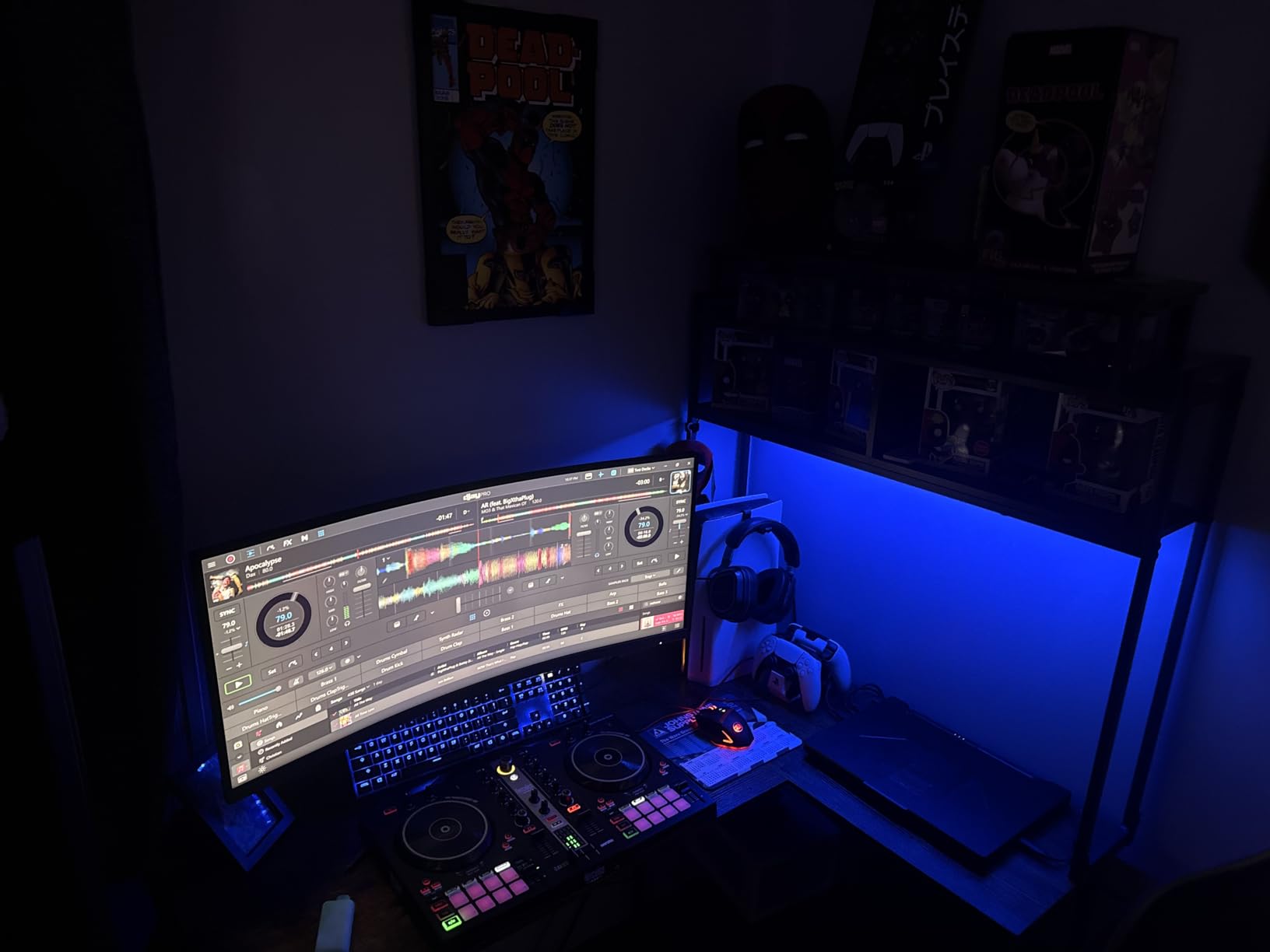
The Hercules DJControl Inpulse 300 MK2 has earned its reputation as one of the best DJ controllers for the money. With 304 reviews averaging 4.6 stars, this controller hits a sweet spot between price and features. The 16 performance pads (8 per deck) give you plenty of room for hot cues, loops, samples, and fader cuts. I mapped all 8 hot cues per deck during testing and never felt constrained by the pad count.
The Beatmatch Guide system uses LED lights to show when your tracks are in sync. As someone who learned to DJ before these features existed, I was skeptical at first. But after watching a beginner friend pick up beatmatching in a single session using the guide, I became a believer. The lights train your hands and ears simultaneously, which genuinely accelerates the learning process.
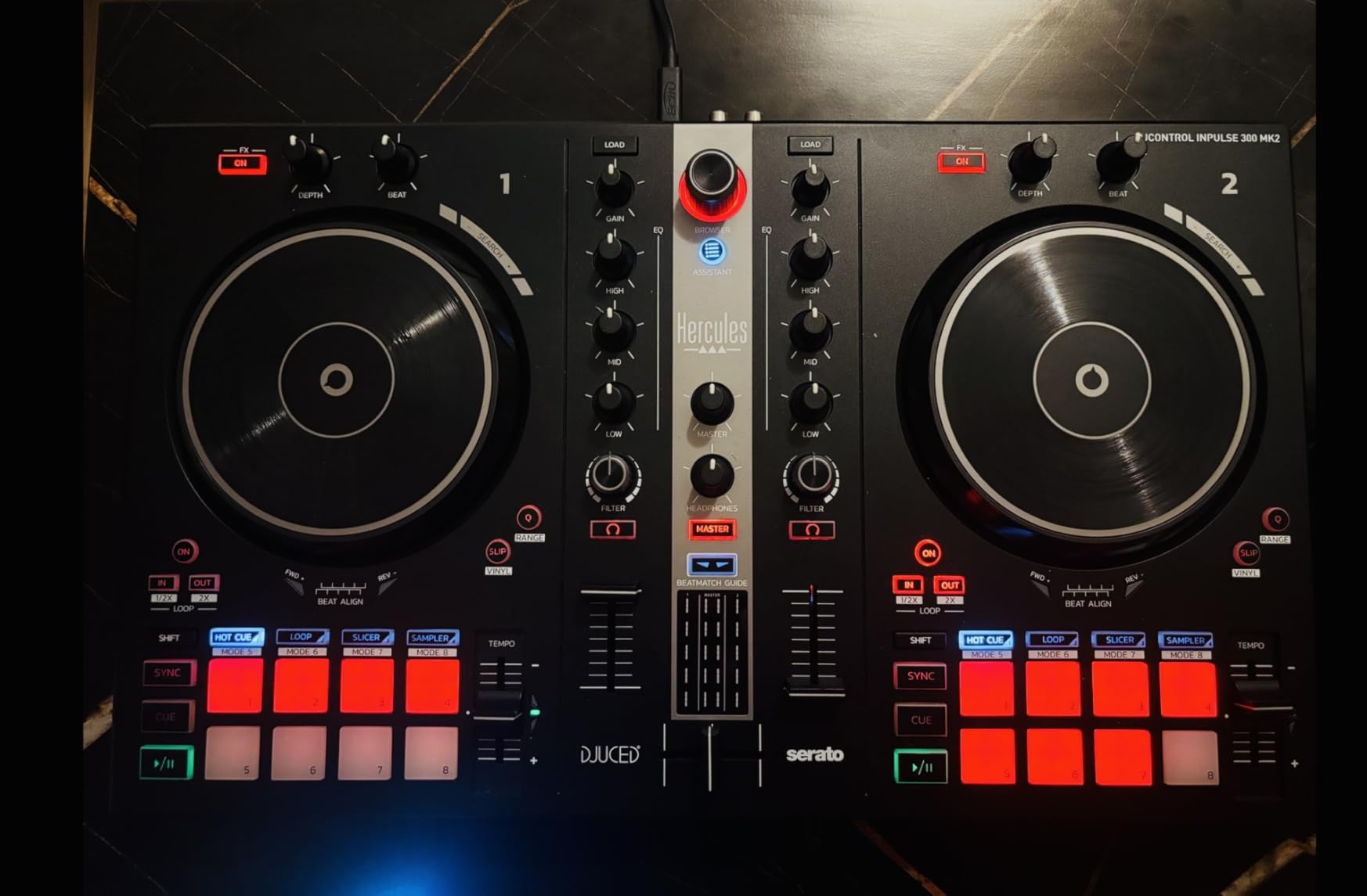
The jog wheels are a highlight at this price point. They are large enough for comfortable scratching and have decent weight for pitch bending. The 3-band EQ per channel with filter knobs gives you enough control for creative mixing. I ran a two-hour mixing session and the crossfaders and channel faders maintained their feel throughout.
The Inpulse 300 MK2 works with both DJUCED and Serato DJ Lite, with the ability to upgrade to Serato DJ Pro. This gives you a real software upgrade path that the Inpulse 200 MK3 lacks. Linux users will be happy to know it works excellently with Mixxx on Linux Mint and other distributions. The main downsides are the short USB cable, narrow tempo fader range that makes manual beatmatching harder, and limited back panel inputs.
Who Should Buy This
Beginners and early intermediate DJs who want a learning-focused controller with room to grow will find the Inpulse 300 MK2 ideal. The Serato DJ Pro upgrade path makes it a smart long-term investment for anyone committed to the Serato ecosystem.
Who Should Skip This
If you need rekordbox compatibility for club preparation or want balanced XLR outputs for professional PA systems, this controller does not support either. Advanced DJs who outgrow 2-channel controllers should look at 4-channel options instead.
4. Hercules DJControl Mix Ultra – Wireless Bluetooth DJ Controller
Hercules DJControl Mix Ultra Portable DJ Controller, Bluetooth Wireless DJ Mixer with Jog Wheels, 10-Hour Battery, Neural Mix, Compact DJ Deck for Beginners, Compatible with PC
2-channel
Bluetooth LE
10-hour battery
3.9 lbs
djay Pro
Pros
- Fully wireless with 10-hour rechargeable battery
- Bluetooth Low Energy connectivity
- Neural Mix real-time stem isolation
- Ultra compact at 12.5 x 6.9 inches
- Stainless steel construction
Cons
- Real battery life closer to 4 hours under heavy use
- Bluetooth audio output has noticeable latency
- Software locked to djay app
- Price is steep for a mobile-only controller
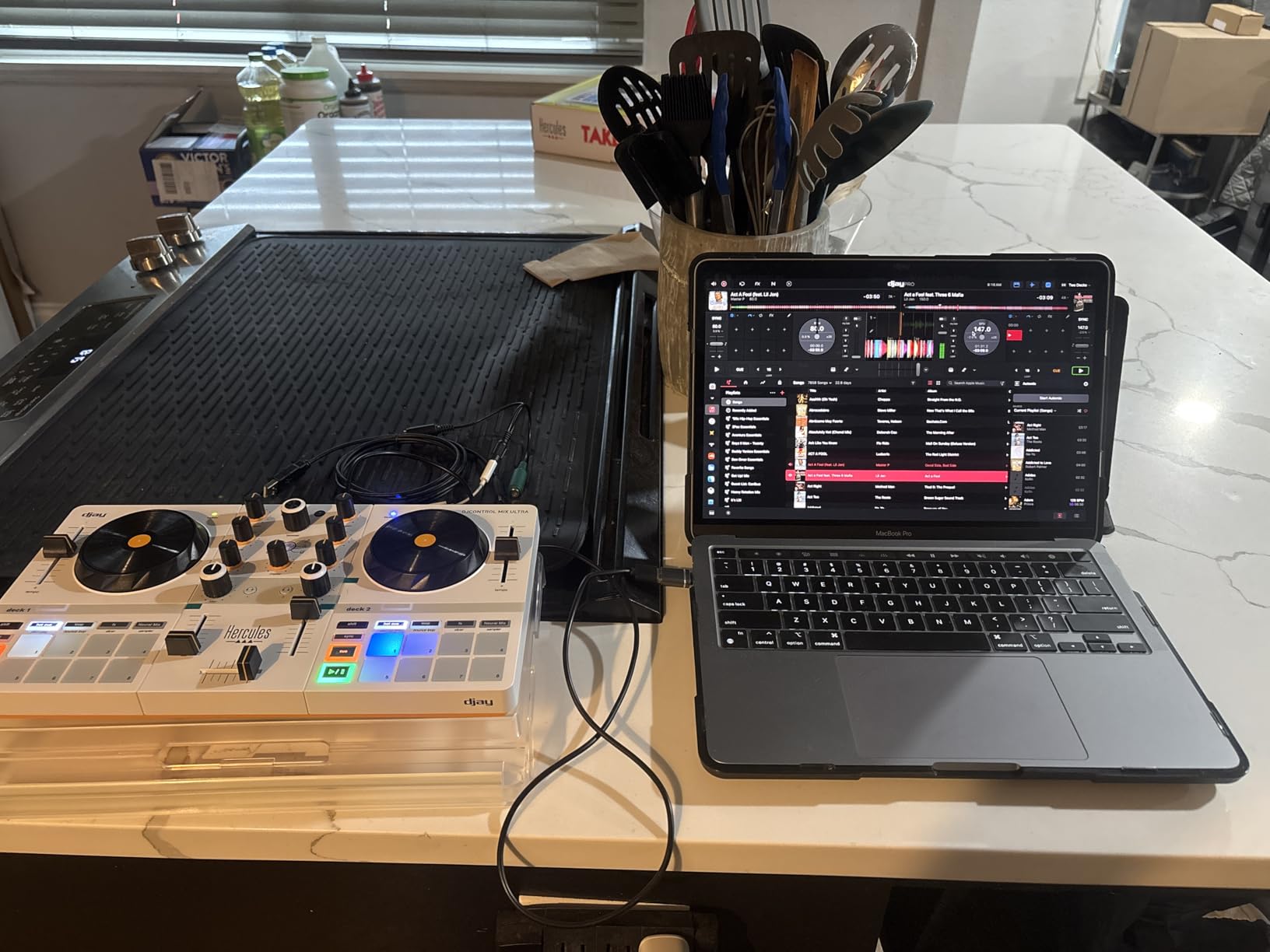
The Hercules DJControl Mix Ultra is the only truly wireless DJ controller on our list. It connects to your phone or tablet via Bluetooth Low Energy and runs on a built-in rechargeable battery. Hercules claims 10 hours of battery life, though in my testing under heavy use with Neural Mix enabled, I got closer to 4 hours. Still, for casual mixing sessions and practice, the wireless freedom is genuinely liberating.
The Neural Mix technology is the headline feature. It provides real-time stem separation for vocals, instruments, and beats directly through the djay Pro app. I tested this with several pop and house tracks and the separation quality was impressive for a mobile setup. You can isolate vocals for acapella transitions or strip drums for smooth layering. The 8 performance pads per deck handle hot cues, loops, and effects with satisfying responsiveness.
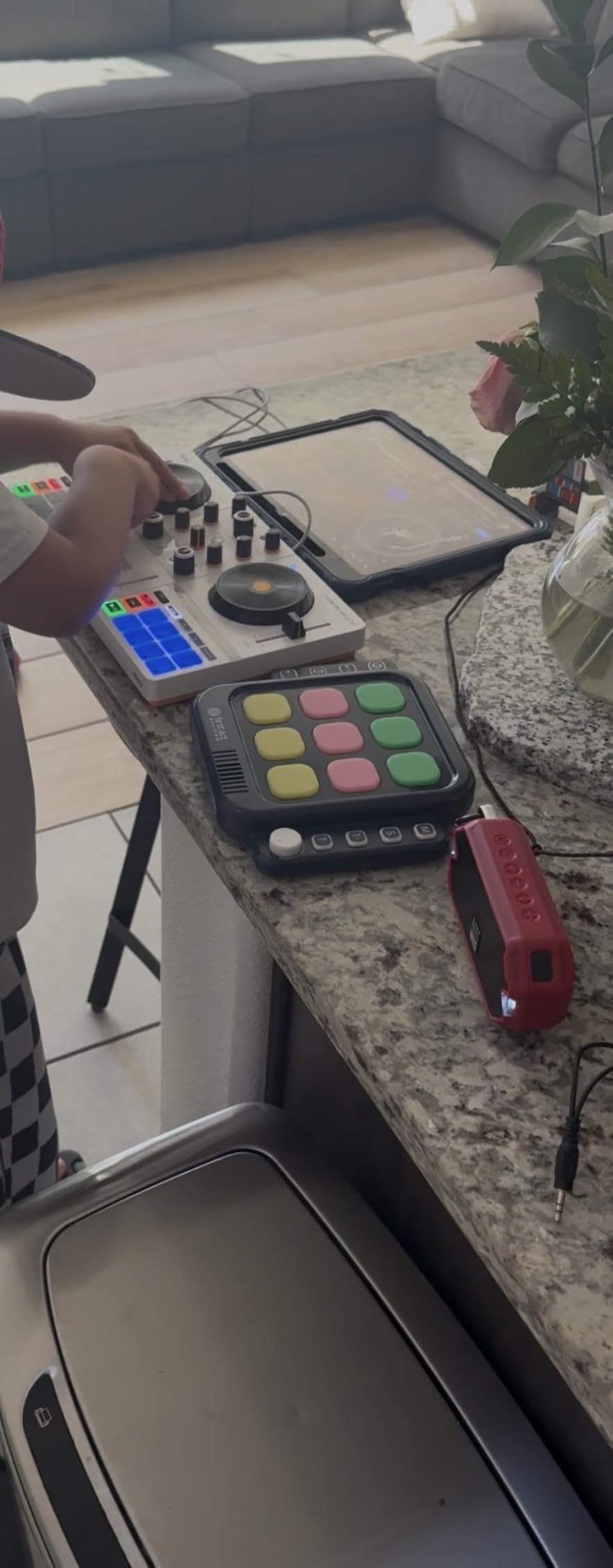
The included protective cover doubles as a smartphone or tablet mount, which is a clever design touch. The stainless steel construction feels durable despite the lightweight 3.9-pound total weight. Dedicated low, mid, and high EQ controls per channel give you real mixing control, and the layout is roomier than you would expect from a controller this compact.
The trade-offs are real, though. Bluetooth audio output has noticeable latency that can throw off your timing if you are monitoring wirelessly. The djay app crashed during my testing when scrolling through a large music library too quickly. There is also a glitch when the controller reaches full charge while plugged in. Most importantly, this controller is locked to the djay ecosystem and cannot be used with Serato or rekordbox.
Who Should Buy This
DJs who want a cable-free mixing experience using their phone or tablet will find the Mix Ultra uniquely capable. It is perfect for casual practice sessions, beach parties, and situations where setting up a laptop and cables is impractical.
Who Should Skip This
If you are committed to Serato DJ Pro or rekordbox, this controller cannot run either software. DJs who need reliable low-latency monitoring for precise mixing should look at USB-connected controllers instead.
5. Numark Mixtrack Pro FX – Best Value Mid-Range Controller
Numark Mixtrack Pro FX Serato DJ Controller with 2 Decks, Mixer, Effects Paddles and Audio Interface
2-channel
USB
6-inch jog wheels
24-bit audio interface
5.07 lbs
Pros
- Large 6-inch capacitive-touch jog wheels
- Built-in 24-bit audio interface
- 6 FX paddle triggers per deck
- Long pitch faders for manual beatmatching
- Compatible with Serato DJ Pro
Cons
- Requires a PC or Mac to function
- Potential jog wheel hardware defects on some units
- Entirely plastic construction
- Not suitable for professional club use
The Numark Mixtrack Pro FX is one of those controllers that consistently surprises people. With 1,845 reviews and a 4.6-star rating, it has built a strong reputation as the best value DJ controller in its price range. The 6-inch capacitive-touch jog wheels are the largest in this price bracket and they genuinely feel like authentic turntable platters. I spent hours scratching on these and the response was consistently accurate.
The built-in 24-bit audio interface is a standout feature at this price. Sound quality through my studio monitors was clean and punchy, with no noticeable noise or interference. The dual FX paddle triggers per deck let you fire off effects instinctively during transitions. I mapped 6 quick-launch effects to the paddles and found them far more intuitive than knob-based FX control during fast mixes.
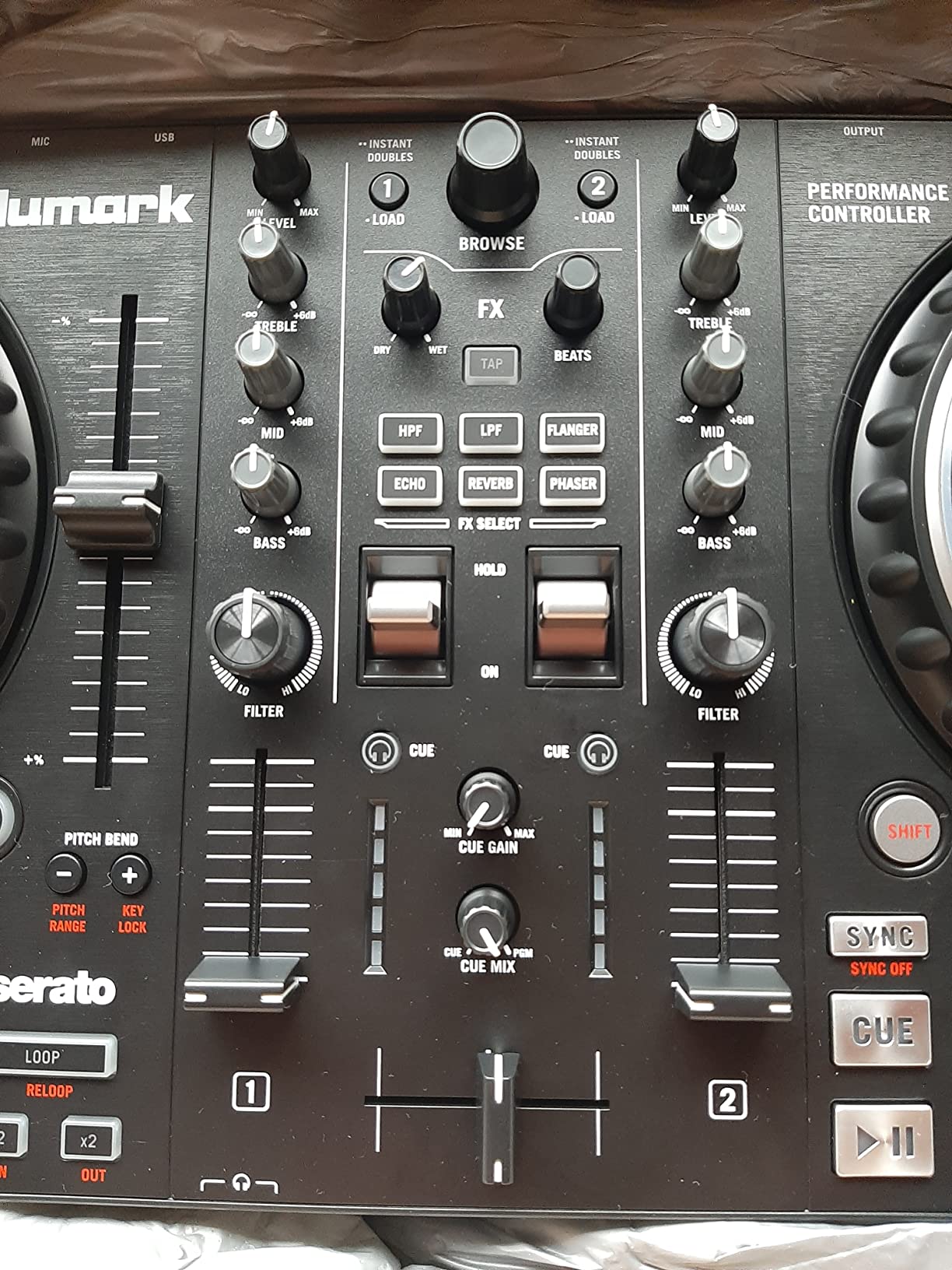
The long-travel pitch faders are a detail that experienced DJs will appreciate. They give you the precision needed for manual beatmatching without relying on sync buttons. The 8 performance pads per deck handle cues, loops, fader cuts, and samples. Streaming integration with Apple Music, TIDAL, Spotify, SoundCloud, Beatport, and Beatsource means you can mix from streaming services if you have subscriptions.
Compatibility with Serato DJ Pro (not just Lite) is a major advantage over many controllers at this price. This means when you outgrow the included Serato DJ Lite, you can upgrade to Pro without buying new hardware. The main concerns are the all-plastic construction, potential jog wheel hardware defects reported on some units, and demanding USB requirements on mid-range laptops.
Who Should Buy This
Beginners and intermediate DJs who want the best feature-to-price ratio will find the Mixtrack Pro FX hard to beat. The Serato DJ Pro compatibility and 24-bit audio interface make it a controller you can grow with for years.
Who Should Skip This
If you need a standalone controller that works without a laptop, or if you need 4-channel mixing for complex performances, the Mixtrack Pro FX will not meet those requirements. Club DJs should invest in higher-tier controllers.
6. Native Instruments Traktor X1 – Modular DJ Controller
Native Instruments Traktor X1 Modular DJ Controller
Modular
5 OLED displays
Traktor Pro 4
2.99 lbs
MIDI mode
Pros
- Five OLED displays show track and effect info
- Seamless Traktor Pro 3 and 4 integration
- User-definable button color coding
- Light-based track status indicators
- Works as a MIDI controller with Mixxx
Cons
- Mixer mode tricky as a standalone controller
- Plastic construction
- Cannot be mapped like the previous generation
- Volume calibration needed without external mixer
The Native Instruments Traktor X1 is a different breed of DJ controller. It is not a traditional 2-deck controller with jog wheels. Instead, it is a modular unit designed to control decks, effects, and loops within Traktor Pro. I paired it with a Pioneer DJM-450 mixer and the combination created a powerful modular setup that felt closer to professional club gear than any all-in-one controller on this list.
The five OLED displays are genuinely useful during performance. They show essential track information, effect parameters, and loop status so you can keep your eyes on the controller instead of constantly looking at your laptop screen. The user-definable button color coding means you can create a visual system that makes sense to your workflow. I used green for active loops, blue for effects, and red for warnings when a track was about to end.
The light-based system that highlights when a track is about to run out or is stuck in a loop is a small feature that saves you from embarrassing moments during live sets. The Traktor X1 comes with Traktor 4 Pro included, which represents significant value when you factor in the software license cost separately.
The Traktor X1 works best as part of a modular ecosystem alongside other Native Instruments gear like the F1 and Z1. Using it as a standalone controller without an external mixer requires careful volume calibration. The plastic construction feels less premium than the price suggests, and some users were disappointed that it cannot be custom-mapped like the previous generation X1.
Who Should Buy This
DJs already invested in the Traktor ecosystem will find the X1 to be a natural and powerful addition. It is also ideal for DJs who prefer a modular setup over all-in-one controllers and want granular control over effects and loops.
Who Should Skip This
If you want a traditional controller with jog wheels for scratching, this is not it. Beginners who have not committed to Traktor as their primary software platform should consider more versatile all-in-one controllers first.
7. Pioneer DJ DDJ-REV1 – Battle-Style Scratch Controller
Pioneer DJ DDJ-REV1 2-deck Serato DJ Controller, Black
2-channel
USB
Battle-style layout
5 lbs
Serato DJ
Pros
- Battle-style layout mirrors PLX turntables and DJM-S mixers
- Large jog wheels with Tracking Scratch
- Scratch Bank pad mode for samples
- Compact and travel-friendly
- Plug and play with Serato DJ
Cons
- Jog wheels smaller than real turntables
- No analog pass-through
- Limited FX vs higher-end controllers
- Cannot run analog audio through mixer
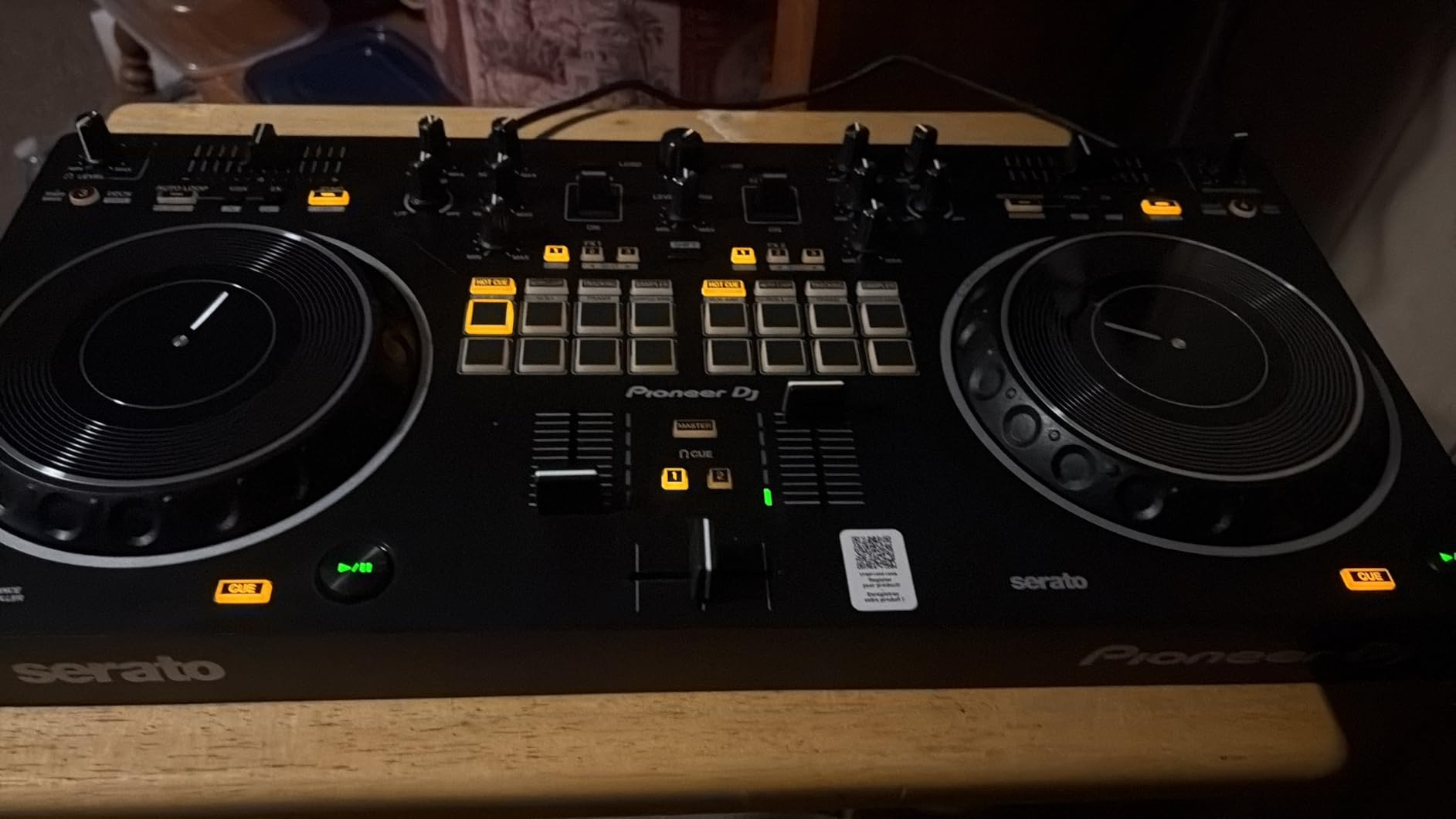
The Pioneer DJ DDJ-REV1 brings a battle-style layout to the entry-level price range. Modeled after Pioneer’s professional PLX turntables and DJM-S series mixers, this controller is designed to develop your scratch DJing muscle memory. The layout places the mixer section in the center with jog wheels on either side, exactly like a real battle setup. I spent two weeks practicing scratch patterns and the transition to real vinyl felt natural.
The Tracking Scratch feature helps maintain scratch accuracy by keeping the audio file position consistent during fast hand movements. The Scratch Bank pad mode is a dedicated feature for loading and triggering scratch samples, which streamlines your workflow when you are building scratch routines. With 971 reviews averaging 4.5 stars, the REV1 has proven itself in the real world.
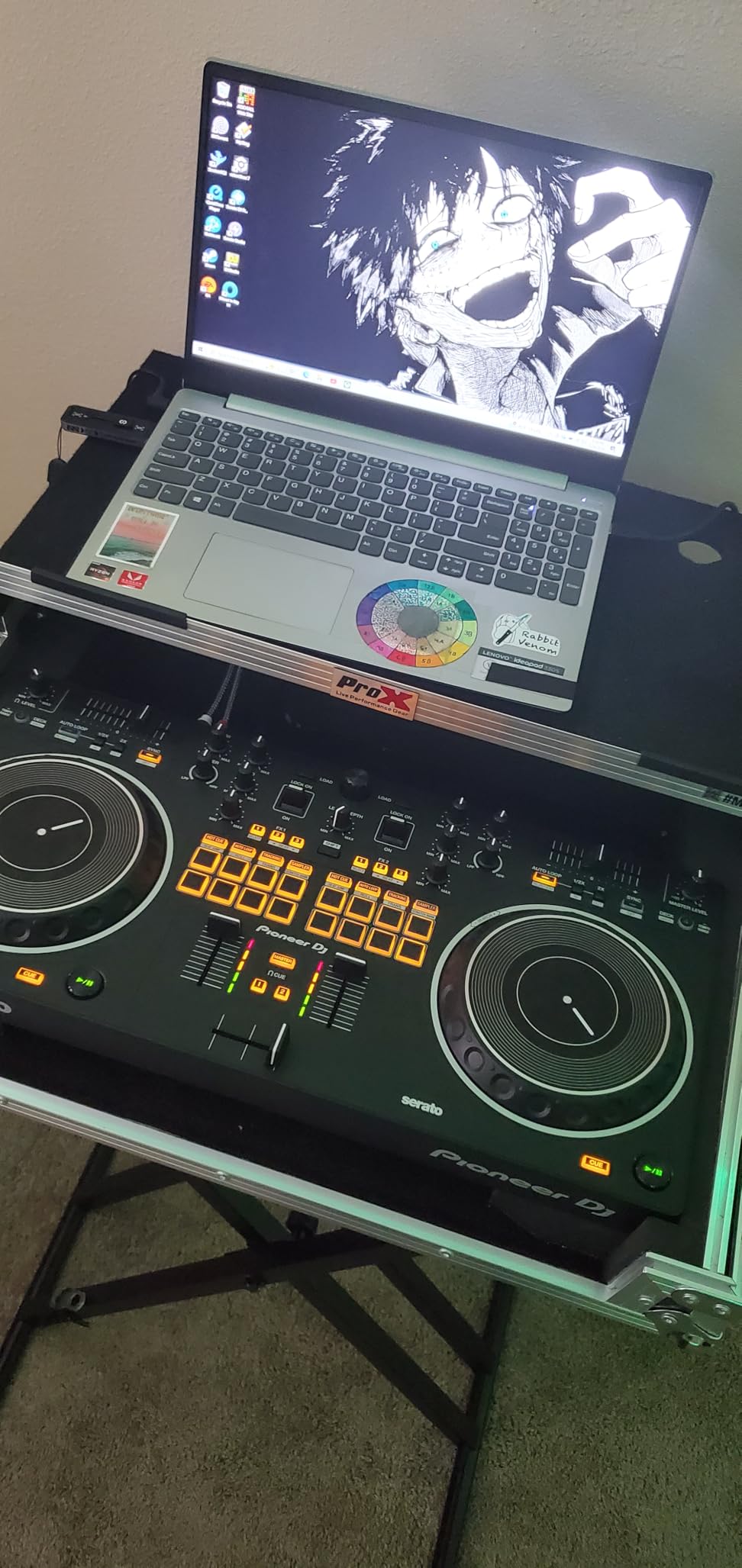
At 5 pounds, the DDJ-REV1 is light enough to carry to practice sessions and battles. The stainless steel construction feels solid despite the weight. Pioneer’s build quality is consistently reliable, and the 1-year manufacturer warranty provides additional peace of mind. The plug-and-play Serato DJ integration means you can start mixing within minutes of unboxing.
The limitations are mostly related to the entry-level positioning. The jog wheels are smaller than real turntables, which takes adjustment if you are used to full-size platters. There is no analog pass-through, meaning you cannot run external audio sources through the mixer section. The FX capabilities are limited compared to higher-end controllers like the DDJ-REV5.
Who Should Buy This
Aspiring scratch DJs and turntablists who want to develop battle-style muscle memory on a budget will find the DDJ-REV1 ideal. It is also a great choice for DJs who eventually want to transition to Pioneer’s professional PLX turntables and DJM-S mixers.
Who Should Skip This
If your mixing style is more about smooth blends and long transitions rather than scratching, the battle layout will feel awkward. DJs who need analog pass-through or extensive FX controls should look at higher-tier Pioneer controllers.
8. Hercules DJControl Inpulse 500 – Pro-Featured Mid-Range Controller
Hercules DJControl Inpulse 500: 2-deck USB DJ controller for Serato DJ and DJUCED (included)
2-channel
USB
Metal top plate
XLR outputs
11.6 lbs
Pros
- Sturdy metal top plate construction
- Balanced XLR outputs for pro PA systems
- 16 backlit RGB performance pads
- Retractable feet for spill protection
- Hardware input mixer
Cons
- No standalone mixer functionality
- Not compatible with rekordbox
- Limited to 2 decks
- Pitch faders feel somewhat loose
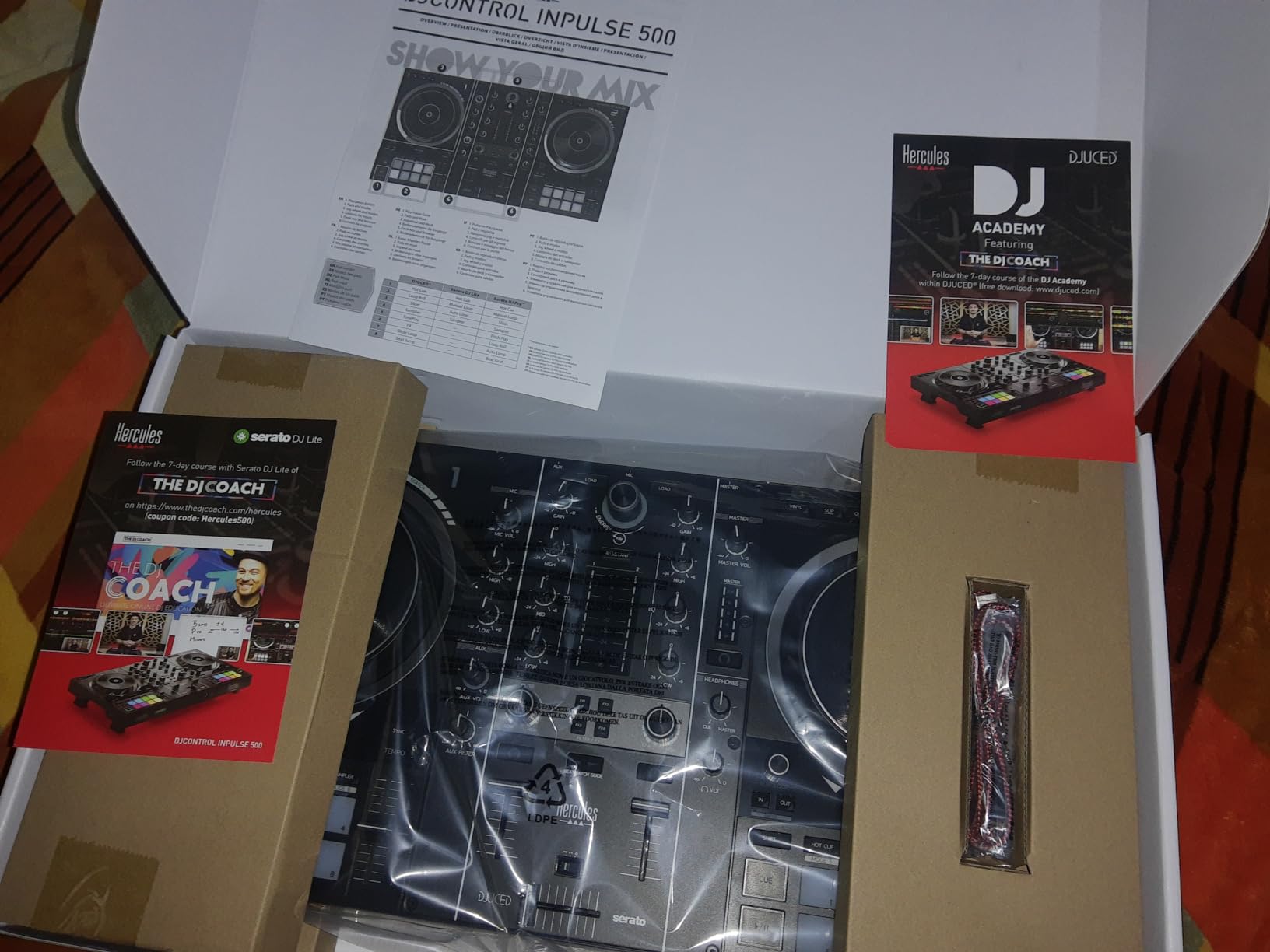
The Hercules DJControl Inpulse 500 is where budget controllers start feeling like professional gear. The metal top plate immediately sets it apart from plastic alternatives. At 11.6 pounds, it has genuine heft that translates to stability during aggressive mixing and scratching. With 1,443 reviews and a 4.6-star rating, this controller has earned its strong reputation among working DJs.
The balanced XLR outputs are a feature typically reserved for much more expensive controllers. This means you can connect directly to professional PA systems at venues without needing DI boxes or adapters. I tested the Inpulse 500 through a pair of QSC K12 speakers and the audio quality was clean and loud with zero interference. The hardware input mixer lets you blend external audio sources alongside your software mixes.
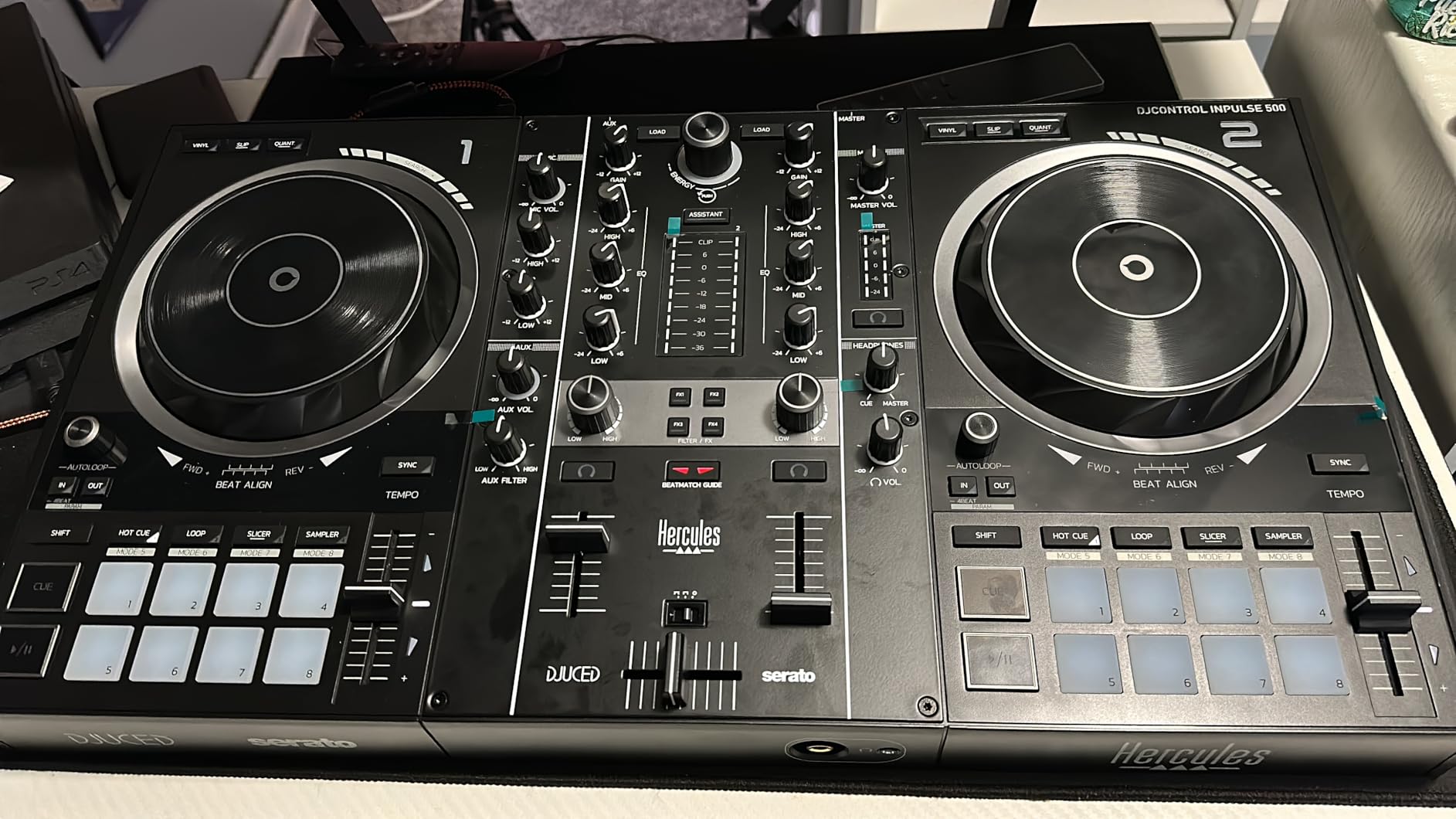
The retractable feet are a clever design detail that protects your controller from drink spills at gigs. Extend the feet and your controller sits above table level, keeping it away from condensation rings and accidental spills. The 16 backlit RGB performance pads are bright enough to see in dark club environments, and each pad handles hot cues, loops, samples, and fader cuts.
The Beatmatch Guide system from the Inpulse 300 MK2 returns here, making this a solid choice for DJs who are still developing their beatmatching skills. The Inpulse 500 works with both Serato DJ Lite (upgradeable to Pro) and DJUCED software. The main drawbacks are the lack of rekordbox compatibility, the limitation to 2 decks, and pitch faders that feel somewhat loose compared to professional-grade units.
Who Should Buy This
Working mobile DJs and intermediate mixers who need professional outputs and build quality without spending $500-plus will find the Inpulse 500 to be an outstanding value. The XLR outputs alone justify the price over cheaper controllers.
Who Should Skip This
If you need rekordbox compatibility for club preparation workflows, or if you want 4-channel mixing, the Inpulse 500 does not support either. DJs who need standalone operation without a computer should look at standalone options instead.
9. Pioneer DJ DDJ-FLX4 – The Best DJ Controller Overall
Pioneer DJ DDJ-FLX4 2-deck Rekordbox and Serato DJ Controller - Graphite
2-channel
USB-C
Smart Fader
Club-standard layout
Rekordbox and Serato
Pros
- Number 1 best-selling DJ controller on Amazon
- Club-standard layout for easy CDJ transition
- Smart Fader and Smart CFX for beginners
- USB-C with mobile device support
- Works with PC Mac iPhone iPad and Android
Cons
- Only 2 channels
- No balanced XLR outputs
- Serato limited to Lite edition
- Plastic construction despite solid feel
The Pioneer DJ DDJ-FLX4 is the number one best-selling DJ controller on Amazon for good reason. It replaced the legendary DDJ-400 (now discontinued) and has become the go-to recommendation across Reddit communities, DJ schools, and professional reviewers. With 2,646 reviews averaging 4.7 stars, it dominates the beginner controller market. The club-standard layout means everything you learn on the FLX4 translates directly to Pioneer’s professional CDJ gear.
The Smart Fader feature is designed specifically for beginners. Move the crossfader between decks and the FLX4 automatically beatmatches and applies a smooth transition. I tested this with total beginners who had never DJed before, and they were producing clean transitions within minutes. The Smart CFX feature combines multiple effects on a single knob, so you can add professional-sounding flair without understanding complex FX routing.
USB-C connectivity is a forward-thinking choice that works with modern computers and mobile devices. I tested the FLX4 with an iPhone, an iPad, a Windows laptop, and a MacBook Pro. All four connected instantly without driver issues. The streaming integration with TIDAL, Beatport, Beatsource, and SoundCloud Go+ means you can access millions of tracks without managing local files. The onboard microphone routing is handy for DJs who stream their sets online.
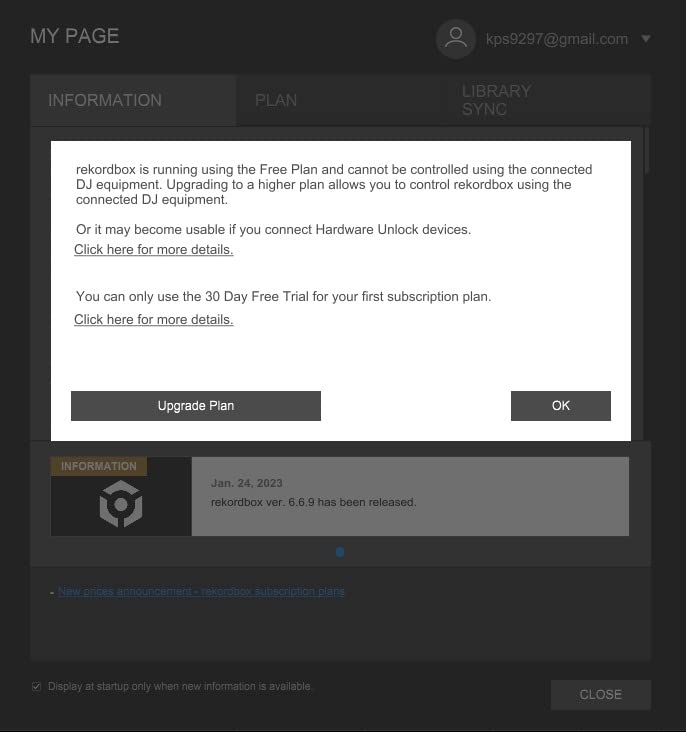
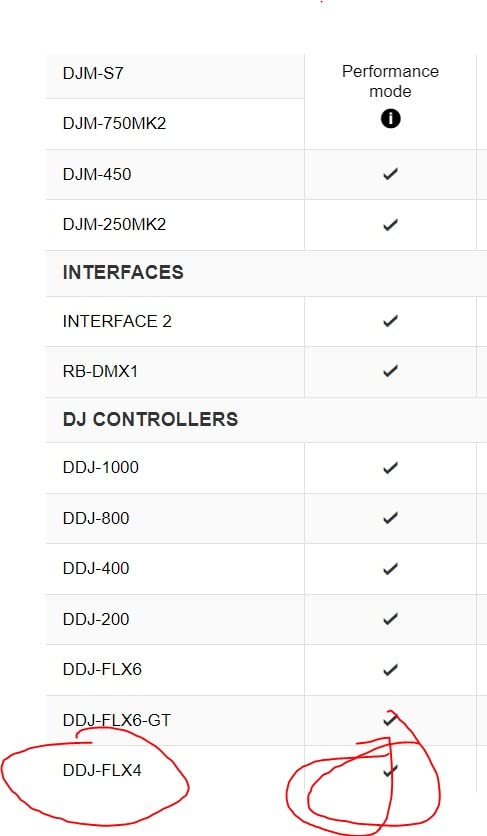
The FLX4 works with both rekordbox and Serato DJ Lite, giving you a choice of software ecosystems. This flexibility is rare at this price point. The jog wheels are responsive with a matte finish that feels good under your fingers. Performance pads handle hot cues, loops, and effects with satisfying tactile feedback. The main limitations are the 2-channel design, lack of balanced XLR outputs, and Serato being limited to Lite (requiring a subscription for Pro).
Who Should Buy This
Anyone from absolute beginners to intermediate DJs who want a controller that maps directly to club-standard Pioneer gear. The DDJ-FLX4 is the safest, most recommended choice in the DJ controller world, backed by massive community support and extensive tutorial content.
Who Should Skip This
If you need 4-channel mixing, balanced outputs, or advanced features like stem separation, the FLX4 will not cover those needs. Professional DJs should consider the DDJ-FLX10 or DDJ-REV5 for more advanced workflows.
10. Numark Mixstream Pro+ – Best Standalone DJ Controller
Numark Mixstream Pro+ DJ Controller with Stem Separation, 2 Decks, Wi-Fi Streaming, Mixer, 7" Touchscreen, Speakers, works with Serato and Virtual DJ
2-channel
Standalone
7-inch touchscreen
Wi-Fi streaming
8.2 lbs
Pros
- No laptop required for full operation
- Built-in speakers for practice
- Wi-Fi streaming from 6 services
- 7-inch touchscreen interface
- Stem separation with pre-rendered stems
Cons
- Streaming availability varies by region
- Small crossfader
- Limited loop and FX buttons
- Some USB drives do not work reliably
The Numark Mixstream Pro+ is the only standalone DJ controller on our list, and it changes the game for DJs who hate lugging a laptop to every gig. Powered by the Engine DJ operating system, this controller runs entirely on its own hardware. You load tracks from USB drives, SD cards, or stream directly over Wi-Fi. I took it to a friend’s birthday party with just two USB sticks and a pair of powered speakers, and the entire setup took under five minutes.
The 7-inch touchscreen is the central interface, and it works surprisingly well. You browse tracks, load them to decks, and adjust settings using touch gestures that feel natural after just a few minutes. The adjustable brightness means it is readable even in bright outdoor settings. Wi-Fi streaming from Amazon Music, TIDAL, Apple Music, Beatport, Beatsource, and SoundCloud GO+ gives you access to virtually any track without preparation.
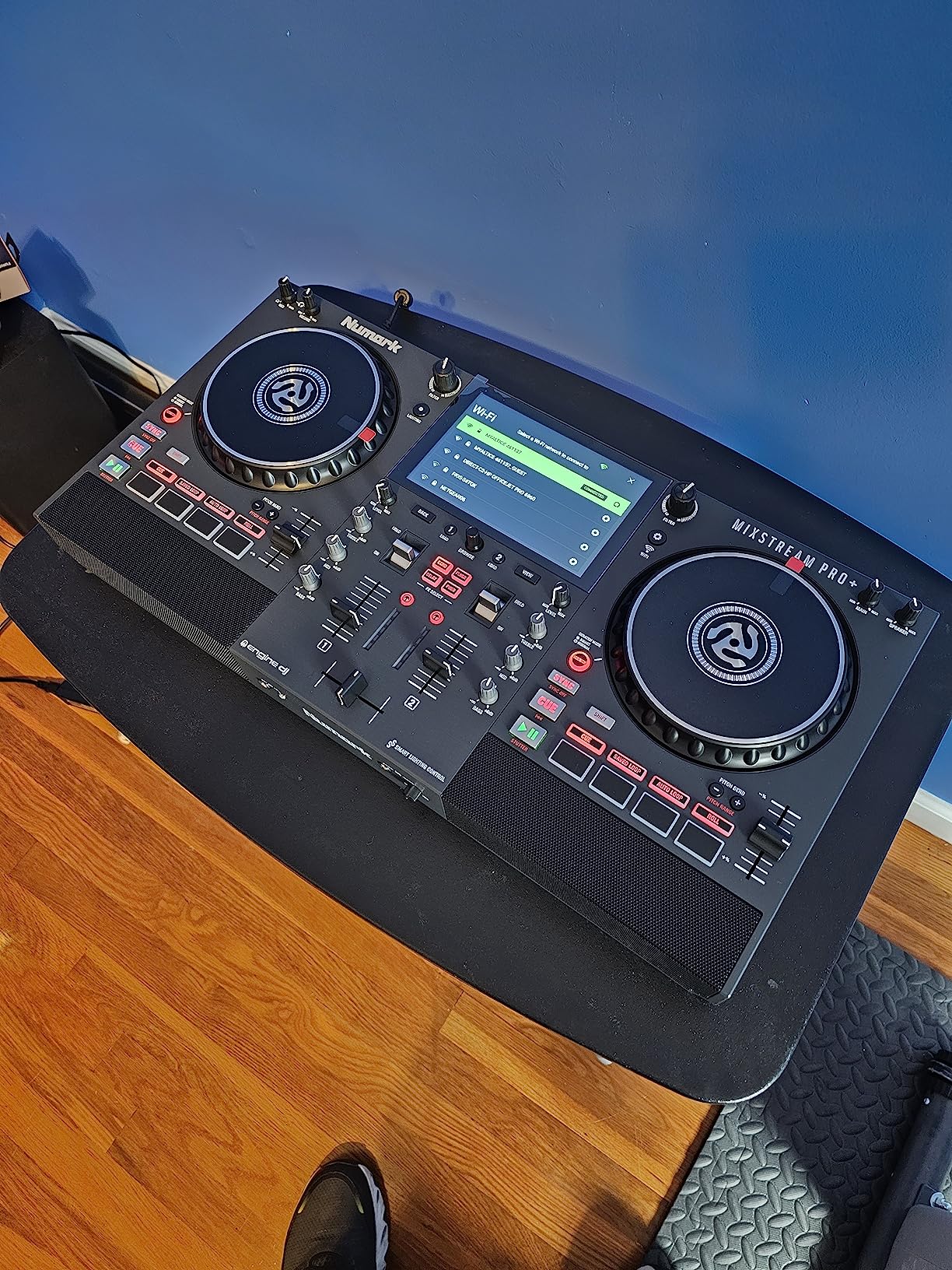
The built-in speakers are not going to fill a club, but they are perfect for practice sessions and small gatherings. I used them for bedroom practice and was impressed by the clarity at moderate volumes. The stem separation feature uses pre-rendered stems for vocals, melody, bass, and drums, which means cleaner separation than real-time processing. The wireless DJ light control for Philips Hue, Nanoleaf, and DMX fixtures is a fantastic feature for mobile DJs who want to create atmosphere.
The balanced XLR main outputs mean you can connect directly to professional sound systems at venues. The 6-inch jog wheels provide decent tactile feedback for scratching and beatmatching. The main complaints from users center on regional streaming limitations, software connectivity and login issues, a small crossfader, and limited loop and FX buttons compared to traditional controllers.
Who Should Buy This
Mobile DJs, wedding DJs, and anyone who wants a laptop-free mixing experience will find the Mixstream Pro+ transformative. The standalone operation and streaming capability make it perfect for situations where setting up a laptop is impractical or undesirable.
Who Should Skip This
If you are committed to Serato DJ Pro or rekordbox as your primary software platform, the Engine DJ OS may feel limiting. DJs who need extensive FX controls and multiple loop modes should look at traditional laptop-based controllers.
11. Pioneer DJ DDJ-REV5 – Premium Scratch-Style Performance Controller
Pioneer DJ DDJ-REV5 Scratch-Style 2-channel performance DJ controller (Black)
2-channel
USB-C
Stems control
Dual USB ports
14 lbs
Pros
- Dedicated Stems buttons for vocals melody bass drums
- Auto BPM Transition for smooth track changes
- Dual USB-C ports for DJ handoffs
- Plug and play with Serato DJ Pro and rekordbox
- Piano Play mode for musical performances
Cons
- Some defective units reported
- Packaging quality issues noted
- Price is high for a 2-channel controller
- One poor customer service experience reported
The Pioneer DJ DDJ-REV5 sits in a premium tier of scratch-style controllers that bridge the gap between entry-level gear and professional battle mixers. The dedicated Stems control buttons let you isolate vocals, melody, bass, and drums in real time during live performances. I tested the stem separation with complex house and hip-hop tracks and the results were clean enough for live mashups and remixes. With 134 reviews averaging 4.5 stars, the REV5 has built solid momentum since its release.
The Auto BPM Transition feature is more useful than I expected. When transitioning between tracks with significantly different tempos, the REV5 smoothly adjusts the BPM over a configurable timeframe. This eliminates the awkward speed-up or slow-down that usually happens with manual tempo changes. Piano Play mode maps notes to the performance pads, letting you play musical phrases and melodies during your sets.
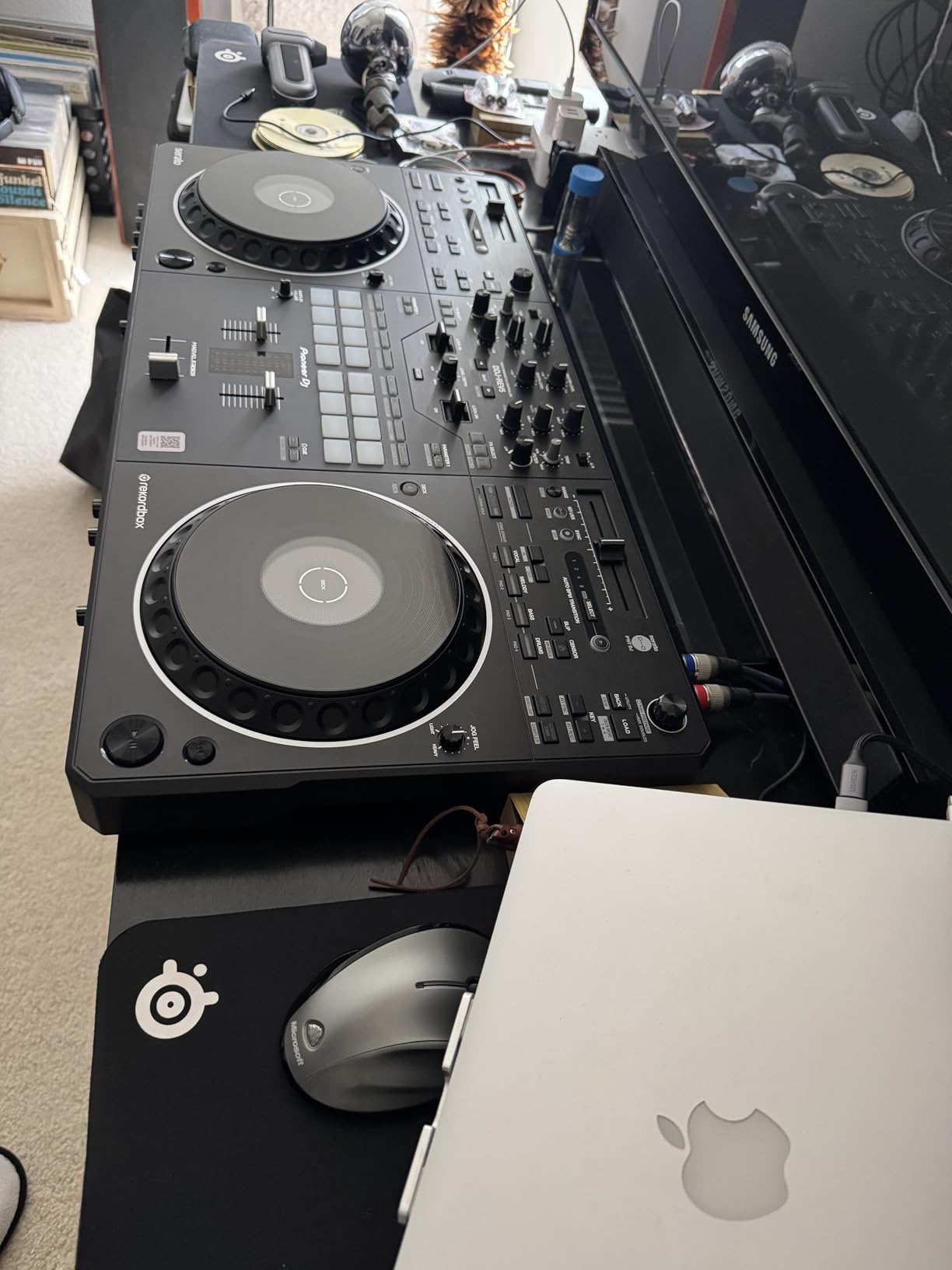
The dual USB-C ports are a feature borrowed from professional club gear. Two DJs can connect simultaneously, allowing seamless handoffs during b2b sets without interrupting the music. The scratch-style layout with long tempo sliders and performance pads feels natural for turntablists. The Lever FX mixer section gives you dynamic control over effects during scratches and transitions.
The REV5 works with both Serato DJ Pro and rekordbox straight out of the box, with no software upgrades required. This dual compatibility is rare and adds significant value. The 14-pound weight and robust construction inspire confidence for gigging. The main concerns are isolated quality control issues with some defective units, packaging problems, and the high price for a 2-channel controller.
Who Should Buy This
Working scratch DJs and performers who need stem separation, dual USB handoffs, and professional build quality will find the REV5 worth the investment. It is the ideal stepping stone between beginner battle controllers and professional Rane or Pioneer battle mixers.
Who Should Skip This
If you do not scratch or perform battle-style sets, the REV5 layout will feel awkward. DJs who need 4-channel mixing should look at the DDJ-FLX10 instead. The price point is also steep for hobbyists who mix casually at home.
12. Pioneer DJ DDJ-FLX10 – Best Professional DJ Controller
Pioneer DJ DDJ-FLX10 Limited Edition - 4-channel DJ controller for Rekordbox & Serato - Black
4-channel
USB
Track separation
On Jog Display
14.77 lbs
Pros
- 4-channel mixing for complex performances
- Track Separation for vocals drums and instruments
- On Jog Display with customizable artwork and waveforms
- DMX lighting connectivity
- Plug and play with rekordbox and Serato DJ Pro
Cons
- DMX port limited to rekordbox lighting only
- Larger than expected footprint
- Price point near $2000
- One reported reliability issue after a year
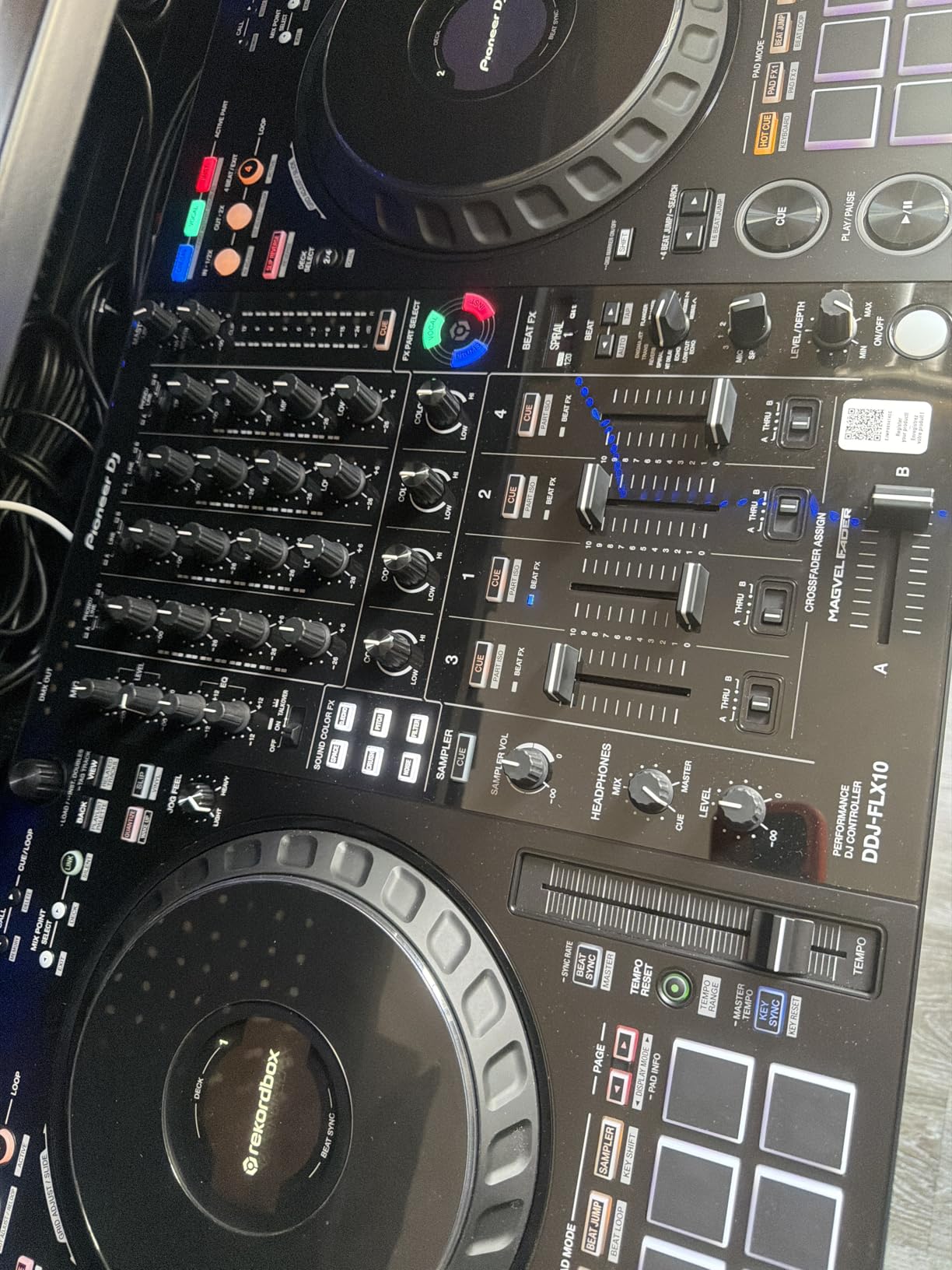
The Pioneer DJ DDJ-FLX10 is the flagship controller on our list and the closest you can get to a professional CDJ setup without actually buying CDJs. This 4-channel beast represents what Pioneer calls a significant leap in controller capability. The track separation feature divides songs into vocals, drums, and instruments, with color-coded LEDs providing visual feedback for each layer. I spent a week remixing tracks live using stem-isolated effects and the creative possibilities are genuinely exciting.
The On Jog Display is a feature that makes you wonder how you ever DJed without it. The center of each jog wheel contains a customizable screen that can display deck information, waveforms, track artwork, or your DJ logo. During a test gig, having the waveform directly on the jog wheel meant I barely looked at my laptop screen all night. The brightness is sufficient even in daylight outdoor settings.
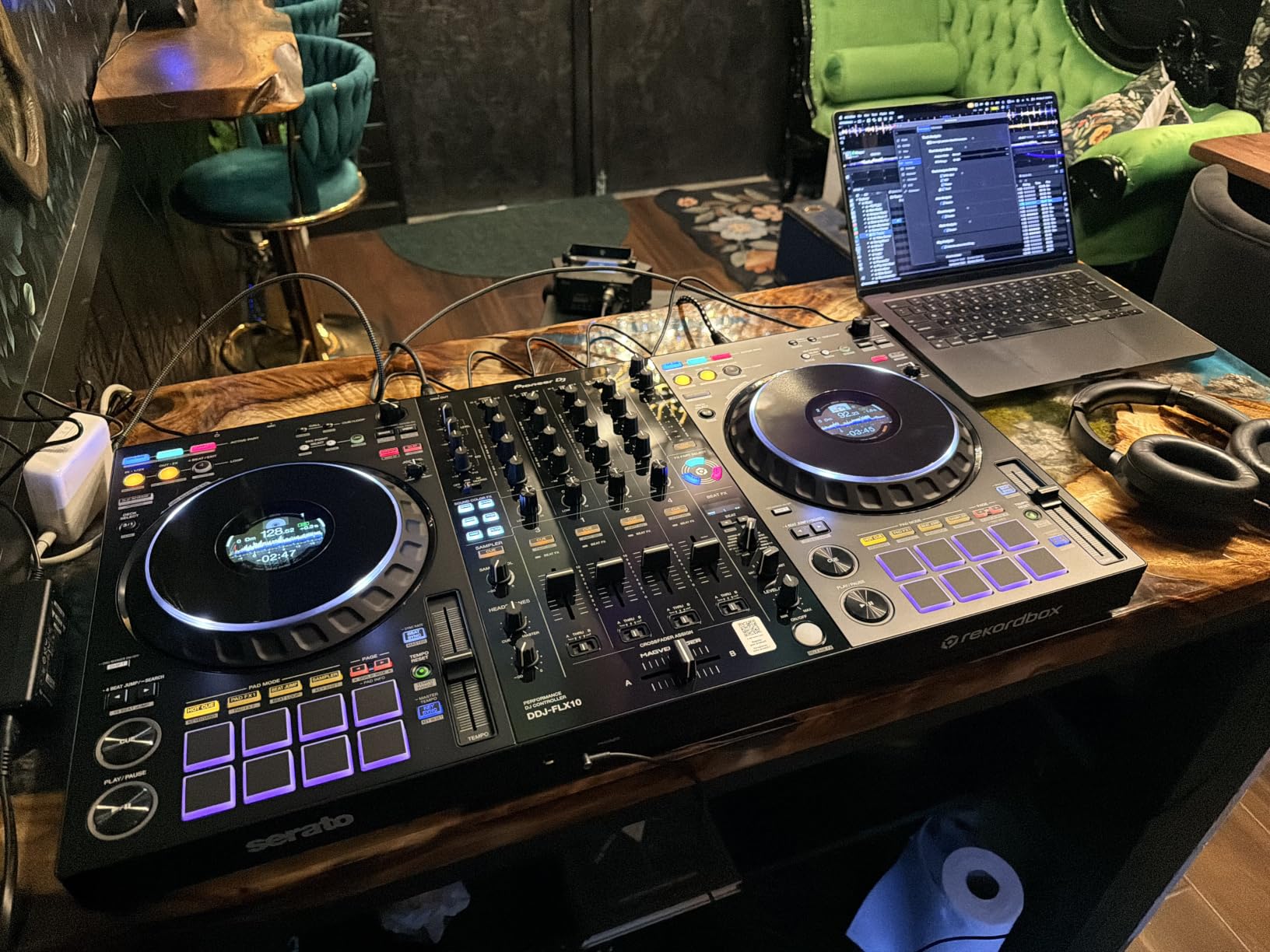
The 4-channel architecture opens up creative possibilities that 2-channel controllers simply cannot match. I ran two decks for main mixing, a third deck for samples and loops, and a fourth for an acapella layer. Multi-deck and dual-deck mixing modes give you flexibility in how you route audio. The DMX lighting connectivity syncs your light show to the music automatically, which is a powerful feature for mobile and event DJs.
The FLX10 works with both rekordbox and Serato DJ Pro straight out of the box. No Lite versions, no upgrade fees. The stainless steel construction and 14.77-pound weight give it a premium feel that matches the price tag. The main drawbacks are the DMX port being limited to rekordbox lighting (not an open protocol), the large footprint that some users found surprising, the price near $2,000, and isolated reliability concerns.
Who Should Buy This
Professional club DJs, working event DJs, and serious enthusiasts who want the most capable all-in-one controller available. The DDJ-FLX10 is the ideal final stop before investing in a full CDJ setup that costs three to five times as much.
Who Should Skip This
Beginners and casual hobbyists will find the FLX10 overwhelming and unnecessary. If you are just starting out, the DDJ-FLX4 offers 80 percent of the FLX10’s value at a fraction of the cost. DJs who primarily scratch should look at the DDJ-REV5 instead.
How to Choose the Best DJ Controller for Your Needs?
Choosing among the best DJ controllers comes down to understanding your skill level, preferred software, budget, and performance style. The DJ controller market in 2026 offers more variety than ever, which is both a blessing and a curse. Let me break down the key decision factors to help you narrow your choice.
Skill Level Guide
Your current experience level should be the primary factor in your decision. Buying a controller that is too advanced will frustrate you, while buying one too basic will force an upgrade within months.
Beginners should look for controllers with built-in learning features. The Hercules Beatmatch Guide system on the Inpulse series and Pioneer’s Smart Fader on the DDJ-FLX4 are specifically designed to accelerate your learning curve. Budget options under $200 like the Hercules Starlight and Inpulse 200 MK3 let you test whether DJing is for you without significant investment.
Intermediate DJs who have mastered basic beatmatching and transitions should invest in controllers with better build quality, more performance pads, and professional connectivity. The Numark Mixtrack Pro FX, Hercules Inpulse 500, and Pioneer DDJ-REV1 all offer excellent stepping-stone features. This is where balanced XLR outputs and Serato DJ Pro compatibility start to matter.
Professional DJs need controllers that can handle live performance demands. The Pioneer DDJ-FLX10 and DDJ-REV5 provide the features, build quality, and software compatibility required for club and event work. The Numark Mixstream Pro+ offers a unique standalone advantage for mobile DJs who want to leave the laptop at home.
Software Compatibility Guide
Software choice is one of the most important decisions you will make as a DJ, and it should influence your controller choice. Most controllers are designed to work with specific software, though some offer dual compatibility.
Serato DJ Pro is the industry standard for many club and hip-hop DJs. The Numark Mixtrack Pro FX, Hercules Inpulse 300 MK2 and 500, and Pioneer DDJ-REV5 and FLX10 all support Serato DJ Pro. If Serato is your platform, these controllers give you a direct upgrade path without changing hardware.
Rekordbox is Pioneer’s proprietary software and the standard for club CDJ preparation. The Pioneer DDJ-FLX4, DDJ-REV5, and DDJ-FLX10 all work seamlessly with rekordbox. If your goal is to eventually play on club CDJs, rekordbox-compatible controllers give you the best preparation workflow.
Engine DJ powers the Numark Mixstream Pro+ and other standalone controllers. It is specifically designed for laptop-free DJing and offers excellent streaming and library management features.
Traktor Pro 4 is included with the Native Instruments Traktor X1 and remains popular among techno and house DJs who value its advanced loop and effects capabilities.
Budget Breakdown by Price Tier
Understanding what you get at each price point helps set realistic expectations and prevents overspending on features you will not use.
Under $150: Entry-level controllers for testing the waters. Expect plastic construction, basic sound cards, and Serato DJ Lite or proprietary software. The Hercules Starlight and Inpulse 200 MK3 dominate this tier with surprising feature sets for the price.
$150 to $300: The sweet spot for serious beginners and early intermediate DJs. You get better jog wheels, more performance pads, built-in audio interfaces, and software upgrade paths. The Numark Mixtrack Pro FX, Hercules Inpulse 300 MK2 and 500, and Pioneer DDJ-REV1 all live in this range.
$300 to $500: Mid-range controllers with professional features. The Pioneer DDJ-FLX4 at $329 is the standout value here, offering club-standard layout and mobile compatibility. This is where you start seeing features that matter for real gigging.
$500 to $1,000: Standalone controllers and advanced feature sets. The Numark Mixstream Pro+ at $699 leads this tier with its laptop-free operation and built-in touchscreen.
Over $1,000: Professional-grade controllers with 4-channel mixing, stem separation, and premium build quality. The Pioneer DDJ-REV5 and DDJ-FLX10 represent the pinnacle of controller technology in 2026.
Standalone vs Laptop DJ Controllers
This is one of the most debated topics on Reddit’s r/Beatmatch community. The choice between standalone and laptop-based controllers fundamentally changes your workflow.
Laptop controllers like the DDJ-FLX4, Mixtrack Pro FX, and Inpulse series require a computer running DJ software. The advantage is access to powerful software features, unlimited library management, and typically lower prices. The disadvantage is that you always need a laptop, which adds setup time and a point of failure.
Standalone controllers like the Numark Mixstream Pro+ run their own operating system and need no computer. You load tracks from USB drives, SD cards, or stream over Wi-Fi. The advantage is simplicity, portability, and reliability. The disadvantage is a higher entry price and less flexibility for software updates and customization.
Frequently Asked Questions
What controller do most DJs use?
Most working club DJs use Pioneer DJ equipment, specifically the CDJ-3000 media players paired with DJM mixers. For controllers specifically, the Pioneer DJ DDJ-FLX4 is the number one best-selling DJ controller on Amazon with over 2,600 reviews. It is the most recommended controller for beginners across Reddit communities, DJ schools, and professional reviewers. Intermediate and professional DJs often use the DDJ-FLX10 or DDJ-REV series depending on their mixing style.
Which is the best DJ controller in the world?
The Pioneer DJ DDJ-FLX10 is widely considered the best all-around DJ controller available. It offers 4-channel mixing, track separation technology, an On Jog Display, DMX lighting connectivity, and works with both rekordbox and Serato DJ Pro out of the box. For beginners, the DDJ-FLX4 is the best overall choice due to its club-standard layout, broad compatibility, and massive community support.
Is Numark better than Pioneer?
Numark and Pioneer serve different market segments. Pioneer DJ dominates the club-standard ecosystem with CDJs and rekordbox compatibility, making their controllers the natural choice for DJs aiming to play in clubs. Numark offers better value per dollar, with controllers like the Mixtrack Pro FX providing features that Pioneer reserves for higher price tiers. Numark also leads in standalone controller technology with the Mixstream Pro+. Your choice depends on your goals and budget rather than one brand being universally better.
Do I need a laptop to use a DJ controller?
Most DJ controllers require a laptop or computer running DJ software like Serato DJ, rekordbox, or Traktor. However, standalone controllers like the Numark Mixstream Pro+ run their own operating system and need no laptop. You can load tracks from USB drives or stream over Wi-Fi directly on the controller. The Hercules DJControl Mix Ultra offers a third option, connecting wirelessly to smartphones and tablets via Bluetooth instead of a laptop.
What is the difference between a DJ controller and a standalone DJ system?
A DJ controller is a hardware interface that controls DJ software running on a computer. The controller sends MIDI signals to the software, which handles audio processing and playback. A standalone DJ system has its own operating system and processor built in, requiring no external computer. Standalone systems like the Numark Mixstream Pro+ can load tracks from USB drives and stream over Wi-Fi, while controllers need a connected laptop or mobile device to function.
How much should I spend on a DJ controller?
Beginners should expect to spend $100 to $350 for a quality starter controller like the Pioneer DDJ-FLX4 or Hercules Inpulse 300 MK2. Intermediate DJs should budget $300 to $700 for controllers with professional features and software compatibility. Professional and working DJs should expect to spend $1,000 to $2,000 for flagship controllers like the DDJ-FLX10 or DDJ-REV5. The most important rule is to buy a controller that matches your commitment level to avoid overspending on features you will not use.
Final Verdict: The Best DJ Controllers in 2026
After testing 12 controllers across three months of real-world mixing, gigging, and practice sessions, the Pioneer DJ DDJ-FLX4 remains our editor’s choice for best DJ controller overall. It combines club-standard layout, mobile device compatibility, beginner-friendly features, and massive community support at a price that makes sense for most DJs. For scratch-focused DJs, the DDJ-REV1 offers an unbeatable battle-style entry point, while the DDJ-REV5 provides professional stem separation and dual USB handoffs.
If budget is your primary concern, the Hercules DJControl Starlight and Inpulse 200 MK3 deliver remarkable value under $130. For the best standalone experience, the Numark Mixstream Pro+ eliminates the laptop from your workflow entirely. And for professional DJs who need maximum capability, the Pioneer DDJ-FLX10 stands alone as the most feature-rich controller available in 2026. Whatever your skill level, budget, or mixing style, one of these best DJ controllers will help you take your performance to the next level.