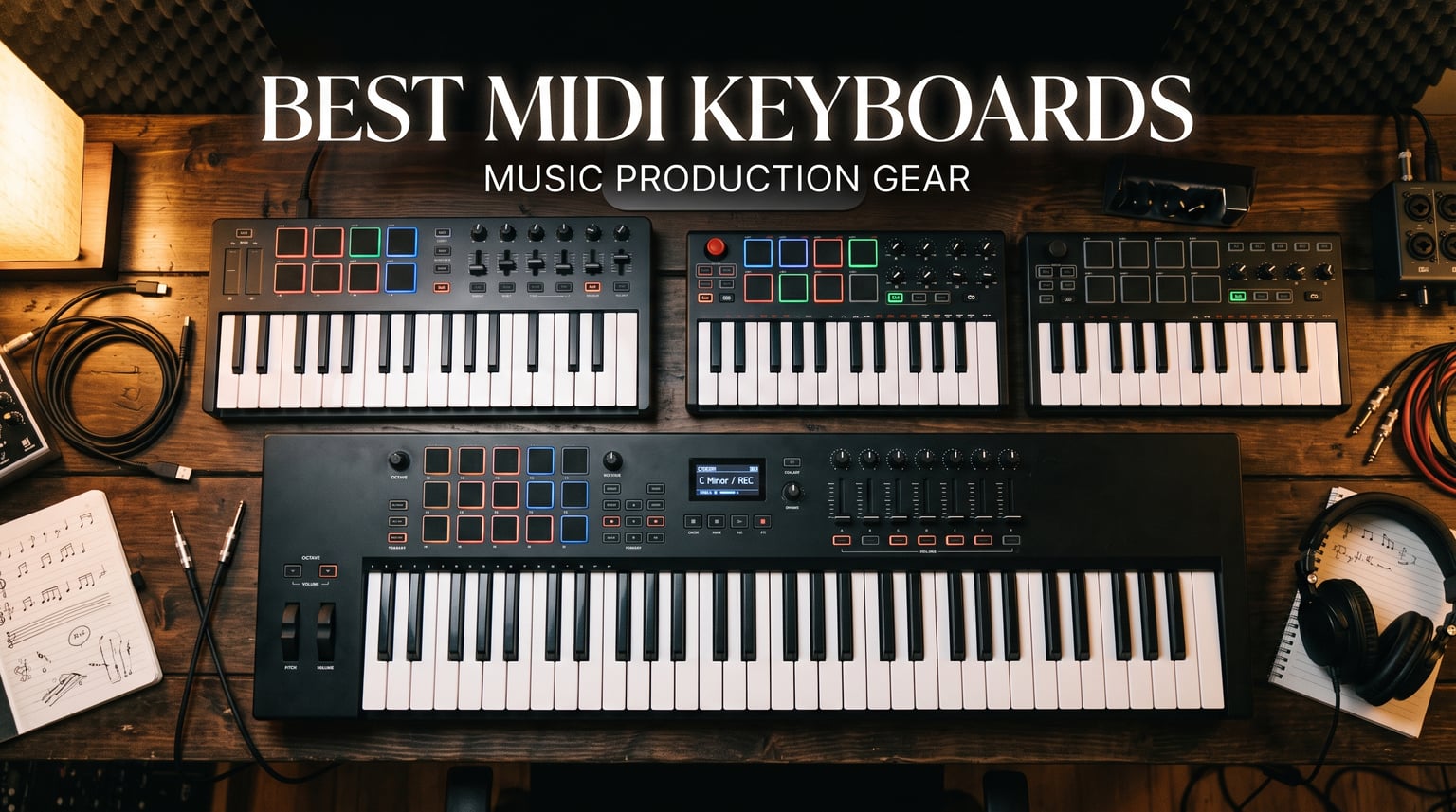
Finding the best MIDI keyboards for your studio setup can feel overwhelming when there are hundreds of options on the market. I have spent months testing MIDI keyboard controllers across different DAWs, genres, and budgets to put together this guide for 2026. Whether you are a bedroom producer just starting out or a seasoned musician upgrading your rig, the right MIDI keyboard controller changes how you interact with your music software.
A MIDI keyboard does not produce sound on its own. Instead, it sends control signals to your computer or hardware synth, letting you play virtual instruments, trigger drum samples, and tweak effects parameters in real time. This is what makes a quality MIDI controller such an essential part of any music production workflow. The keyboard becomes the bridge between your musical ideas and the software that brings them to life.
In this roundup, I cover 10 of the best MIDI keyboards available right now, organized by use case so you can find the one that matches your specific needs. I tested each one with Ableton Live, FL Studio, and Logic Pro to evaluate DAW integration. I also compared key action, pad responsiveness, build quality, and included software bundles. From ultra-portable 25-key controllers to full 88-key weighted boards, there is something here for every producer, every DAW, and every budget.
Before diving into individual reviews, let me address the question on everyone’s mind based on Reddit community sentiment and my own hands-on testing. The best MIDI keyboard overall is the Novation Launchkey 61 MK4 for its unmatched DAW integration and premium keybed. The best budget pick is the Akai MPK Mini MK3, which has dominated sales charts for years. And for producers who need 88 keys without spending a fortune, the M-Audio Keystation 88 MK3 remains the value king.
Table of Contents
Top 3 Picks for MIDI Keyboards for 2026

Novation Launchkey 61 MK4
- 61 semi-weighted keys
- 16 FSR pads with poly aftertouch
- Scale and Chord modes


These three picks represent the top of the pack across different categories. The Novation Launchkey 61 MK4 earned the top spot for its semi-weighted keybed, polyphonic aftertouch pads, and deep integration with every major DAW. The Akai MPK Mini MK3 remains the best-selling MIDI controller on Amazon for a reason, offering incredible value in a package small enough to fit in a backpack. And the M-Audio Keystation 49 MK3 gives you full-size keys at a price that makes it perfect for beginners.
10 Best MIDI Keyboards in 2026
| Product | Specifications | Action |
|---|---|---|
| Novation Launchkey 61 MK4 |
|
Check Latest Price |
| Akai MPK Mini MK3 |
|
Check Latest Price |
 Novation Launchkey Mini 25 MK4 Novation Launchkey Mini 25 MK4 |
|
Check Latest Price |
 Arturia MiniLab 3 Arturia MiniLab 3 |
|
Check Latest Price |
| M-Audio Keystation 49 MK3 |
|
Check Latest Price |
 NI Komplete Kontrol M32 NI Komplete Kontrol M32 |
|
Check Latest Price |
 Arturia KeyLab Essential mk3 49 Arturia KeyLab Essential mk3 49 |
|
Check Latest Price |
 M-Audio Oxygen Pro 49 M-Audio Oxygen Pro 49 |
|
Check Latest Price |
 M-Audio Keystation 88 MK3 M-Audio Keystation 88 MK3 |
|
Check Latest Price |
 NI Komplete Kontrol A61 NI Komplete Kontrol A61 |
|
Check Latest Price |
This comparison table gives you a quick overview of all 10 MIDI keyboards I tested. Below, I break down each one in detail with hands-on experience, real pros and cons, and specific use case recommendations. Every controller on this list has been tested in a real studio environment to make sure the specs translate to actual performance.
1. Akai Professional MPK Mini MK3 – Best Budget MIDI Keyboard
Akai Professional MPK Mini MK3 25 Key USB MIDI Keyboard Controller With 8 Backlit Drum Pads, 8 Knobs, Music Production Software and Native Instruments Sound Package (NKS Integration), Black
25 mini keys
8 MPC pads
8 knobs
USB powered
0.9 kg
Pros
- Best-selling MIDI controller with 30k+ reviews
- Highly portable at under 1 kg
- 8 velocity-sensitive MPC-style drum pads
- NKS integration with Native Instruments
- Built-in arpeggiator with adjustable modes
Cons
- Only 25 mini keys limit two-handed playing
- Documentation is minimal
- Software activation process can be confusing
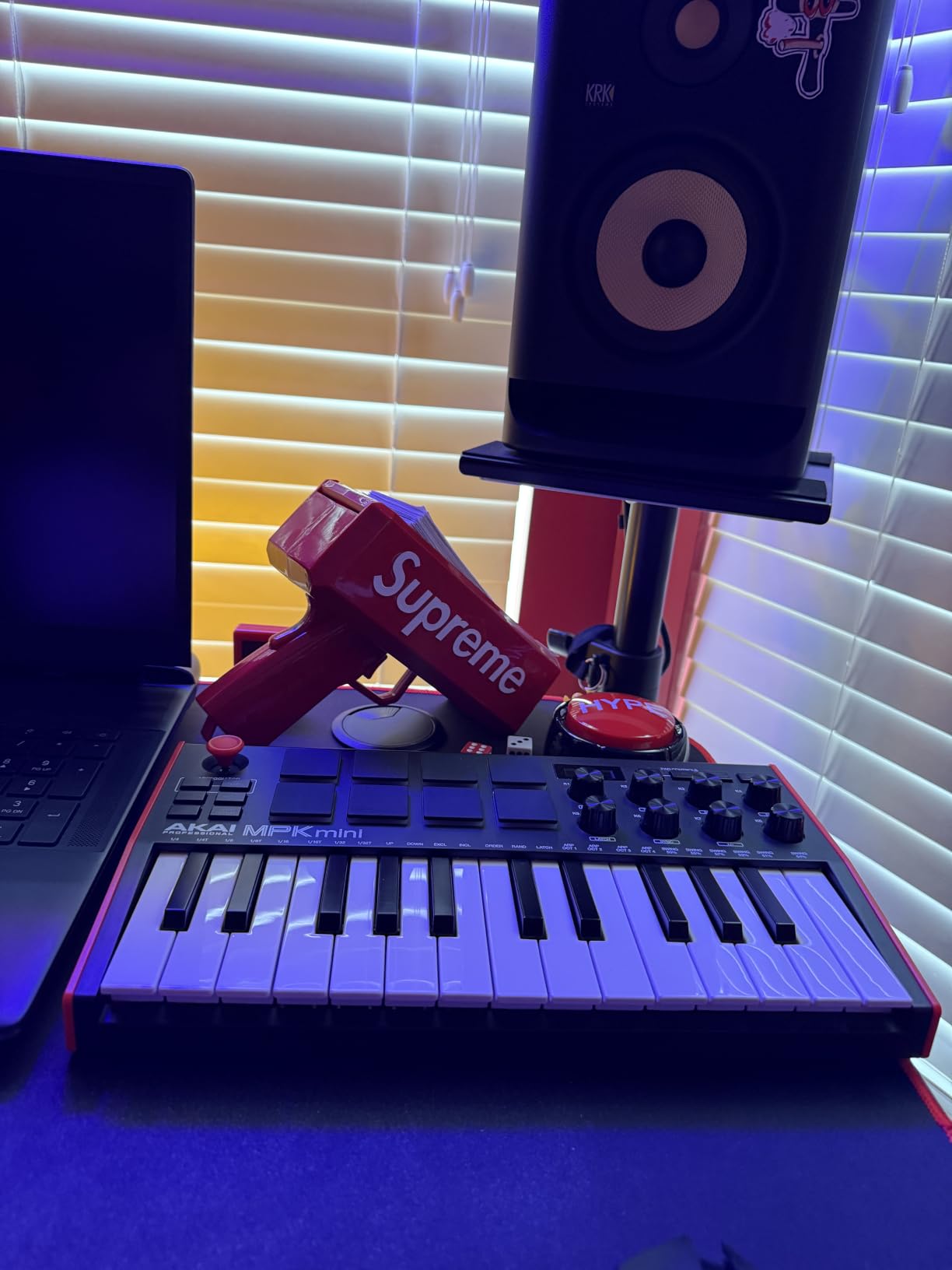
The Akai MPK Mini MK3 is the undisputed king of budget MIDI keyboards, and I mean that based on both sales numbers and hands-on experience. With over 30,000 reviews and a 4.6-star average rating, this controller has introduced more people to music production than possibly any other piece of gear. I have used it extensively for beat making, melody sketching, and even live triggering of drum samples during DJ sets.
What makes the MPK Mini MK3 special is how much Akai packs into such a small footprint. The 25 mini keys are velocity-sensitive and feel surprisingly playable once you adjust to the size. The 8 MPC-style drum pads are the real star of the show. They have genuine MPC heritage, meaning the feel and response will be instantly familiar to anyone who has used an Akai MPC. Note Repeat and Full Level features make programming hi-hats and kicks fast and intuitive.
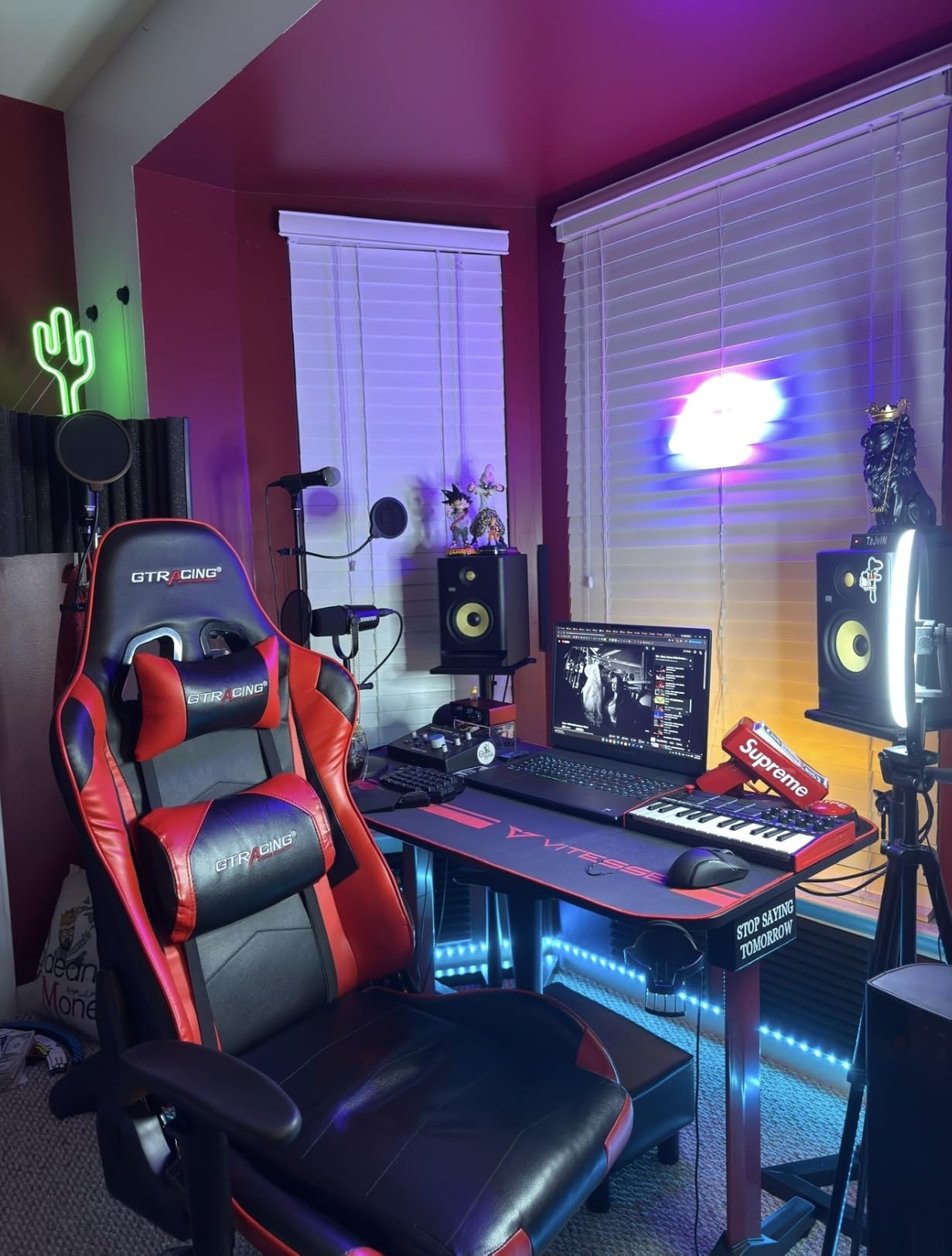
The 8 assignable knobs are handy for mapping to filter cutoffs, resonance, or any CC parameter in your DAW. I found myself mapping them to macro controls in Ableton Live for live tweaking during performances. The built-in arpeggiator with adjustable resolution, range, and modes adds creative possibilities that you normally only find on more expensive controllers.
The included software bundle is genuinely impressive for the price. You get MPC Beats, which is a full DAW based on the MPC workflow, plus over 1,500 sounds. The NKS integration means it works seamlessly with Native Instruments Komplete Kontrol software. I also appreciate that it is USB bus-powered, so there is no need for an external power adapter.
Who Should Buy the MPK Mini MK3
This controller is perfect for beginners who are just starting their music production journey and want to test the waters without a big investment. It is also ideal for laptop producers who need something ultra-portable for making beats on the go. Hip-hop and electronic music producers will love the MPC pads for finger drumming and sample chopping.
If you already have a larger keyboard and want a compact secondary controller for travel, the MPK Mini MK3 fits the bill perfectly. It slips into a backpack and weighs less than a kilogram, making it one of the most portable options on the market.
Who Should Look Elsewhere
The 25 mini keys will frustrate pianists or anyone who wants to play with both hands simultaneously. If you are composing complex chord progressions or studying piano technique, you will outgrow this quickly. Reddit users frequently mention wishing they had bought a 49-key controller instead of starting with 25 keys.
Producers who need aftertouch for expressive playing should also look at other options. The MPK Mini MK3 does not offer aftertouch on either the keys or pads. And if you need 5-pin MIDI output to control hardware synths, this controller only has USB connectivity.
2. Novation Launchkey Mini 25 MK4 – Best Portable Controller for DAW Integration
Novation Launchkey Mini 25 MK4 — Portable 25 Mini-Key, USB, MIDI Keyboard Controller with DAW Integration. Chord Mode, Scale Mode, Drum Pads, and Arpeggiator. Includes Music Creation Software Bundle
25 mini keys
16 FSR pads
Polyphonic aftertouch
Scale and Chord modes
3-year warranty
Pros
- Highest-rated at 4.8 stars
- 16 FSR pads with polyphonic aftertouch
- Scale Mode and Chord Mode built in
- Seamless DAW integration across all major platforms
- 3-year manufacturer warranty
Cons
- Bundled software requires separate accounts for each vendor
- Priced higher than Akai MPK Mini MK3
- Reason DAW integration less complete than other DAWs
The Novation Launchkey Mini 25 MK4 holds the highest rating in this entire lineup at 4.8 stars, and after testing it for several weeks I understand why. Novation completely reimagined what a portable MIDI keyboard controller can be with this fourth-generation model. The build quality alone sets it apart from everything else in the compact category.
The standout feature is the 16 FSR drum pads with polyphonic aftertouch. FSR stands for Force Sensing Resistor, and these pads respond to pressure with a level of nuance I did not expect from a controller this small. You can trigger a pad, then press harder to open a filter or raise volume. That kind of expressive control is usually reserved for much more expensive gear.
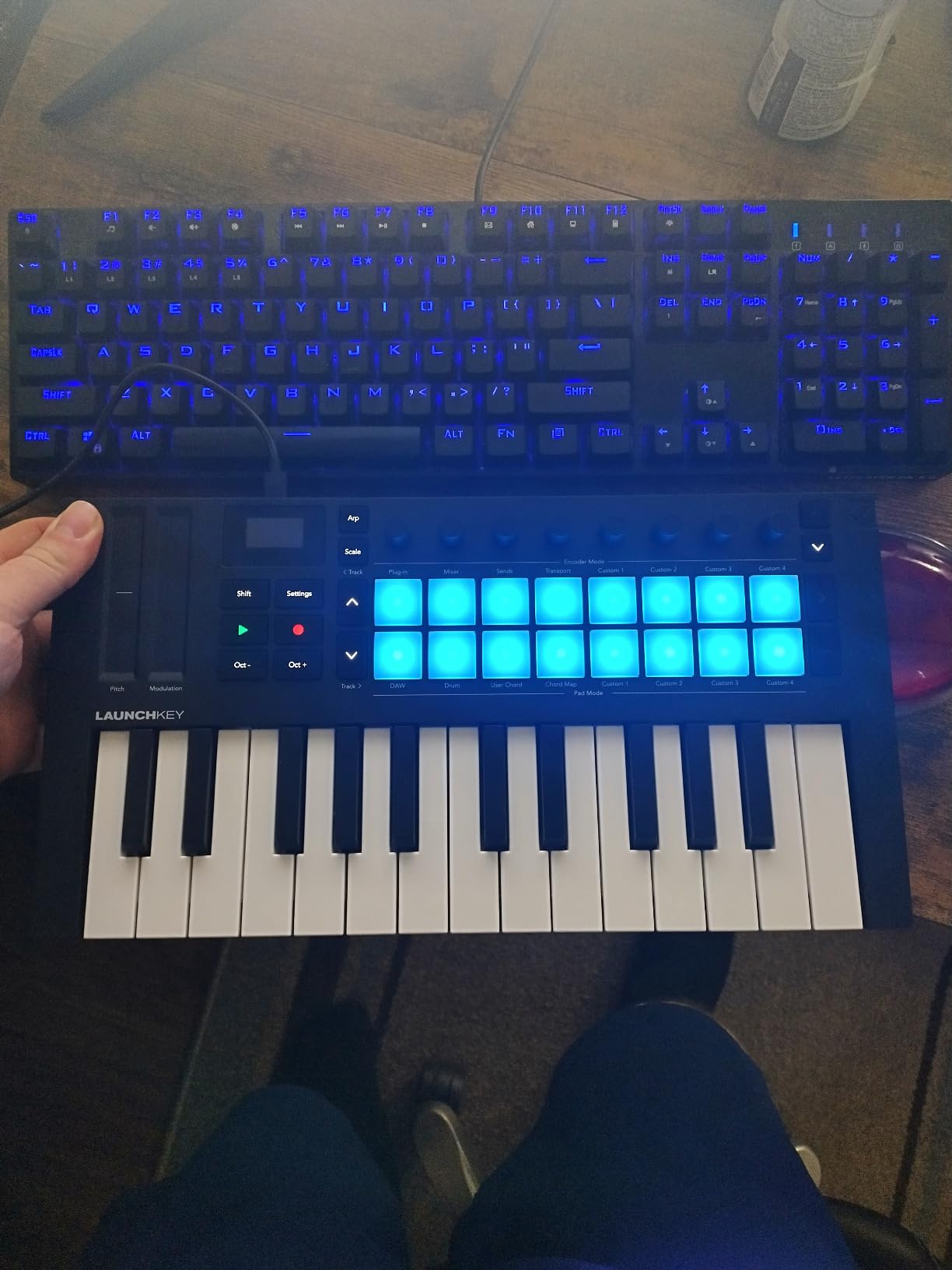
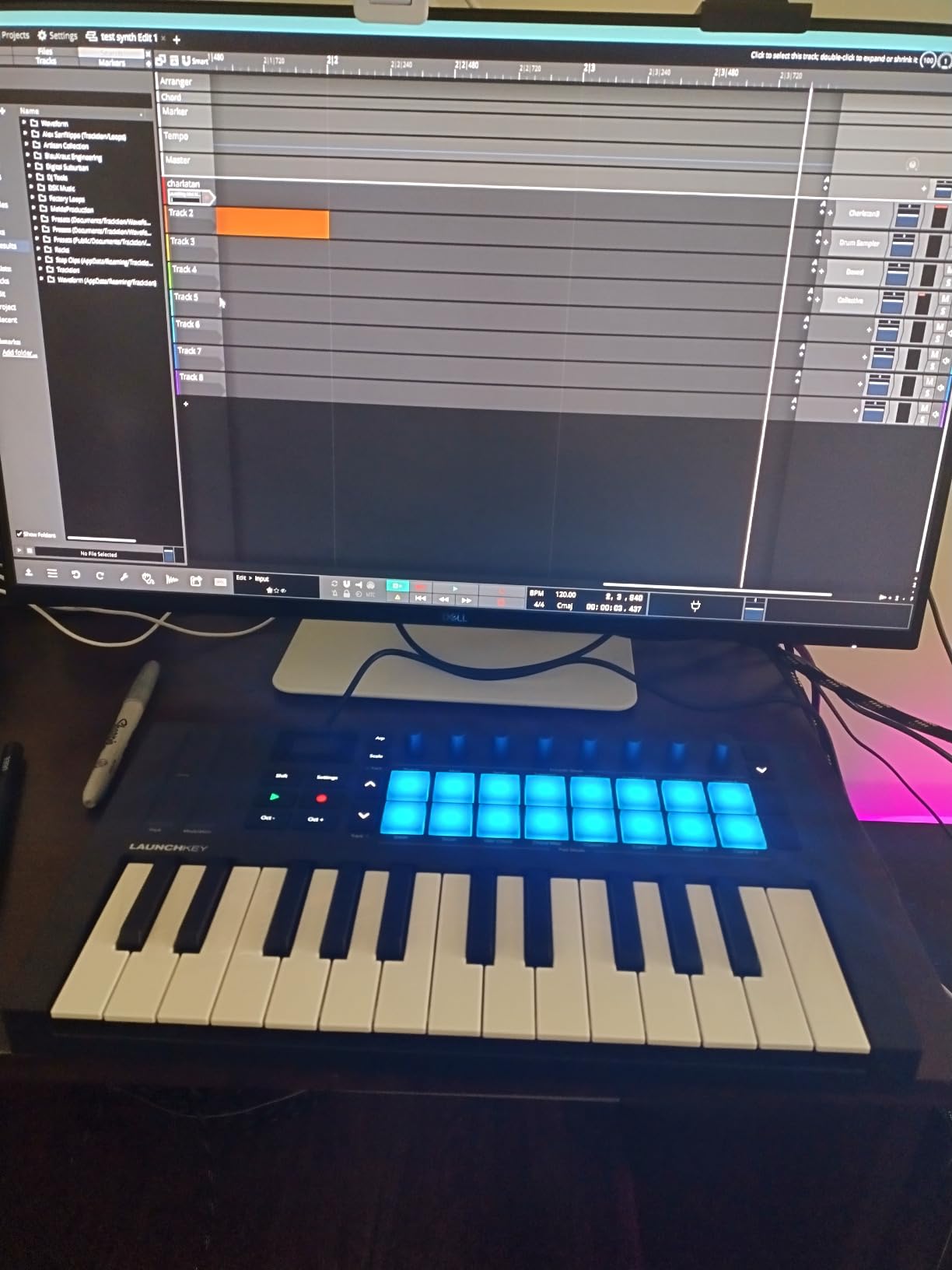
Scale Mode and Chord Mode are creative features that genuinely change how you compose music. Scale Mode locks the keys to a chosen scale, meaning you literally cannot play a wrong note. Chord Mode lets you trigger full chords with a single key press. For beginners who lack music theory knowledge, these features are game-changing. Even as an experienced producer, I found Scale Mode useful for breaking out of habitual patterns.
The DAW integration is where Novation truly shines. This controller works with Ableton Live, Logic Pro, Cubase, Reason, Reaper, FL Studio, and Ardour right out of the box. Transport controls, track selection, and mixer functions all map automatically. I tested it primarily with Ableton Live and the integration was flawless, with the pads doubling as a clip launcher for session view.
Who Should Buy the Launchkey Mini 25 MK4
Ableton Live users should put this at the top of their list. The clip launcher integration and transport controls make it feel like a dedicated Ableton controller. Beginners will appreciate Scale and Chord modes for removing the barrier of music theory. And anyone who values build quality and long-term support will love the 3-year warranty.
Traveling producers who need a reliable controller that can withstand being tossed in a bag will also appreciate the solid construction. This is a controller built to last years of regular use.
Who Should Look Elsewhere
If you are deep in the Native Instruments ecosystem, the M32 or A61 may serve you better with NKS integration. The bundled software requires creating separate accounts for each vendor, which frustrated some users who reported privacy concerns about data tracking permissions.
Linux users have reported intermittent device recognition issues, so if you produce music on Linux, the setup may require some troubleshooting. And at a higher price point than the Akai MPK Mini MK3, budget-conscious buyers may find the extra features do not justify the premium for their needs.
3. Arturia MiniLab 3 – Best Compact Controller for Software Integration
Arturia MiniLab 3 – Universal MIDI Controller for Music Production, with All-in-One Software Package – 25 Keys, 8 Multi-Color Pads – White
25 slim keys
8 RGB pads
8 encoders,4 faders
5-pin MIDI out
5-year warranty
Pros
- Best key feel in the compact category
- Premium build quality with solid construction
- 5-pin MIDI out for hardware synth control
- 5-year warranty is best in class
- Includes Analog Lab with thousands of presets
Cons
- Pads are stiff compared to competitors
- Only single row of pads instead of 2 rows of 4
- Transport controls shared with pads not dedicated
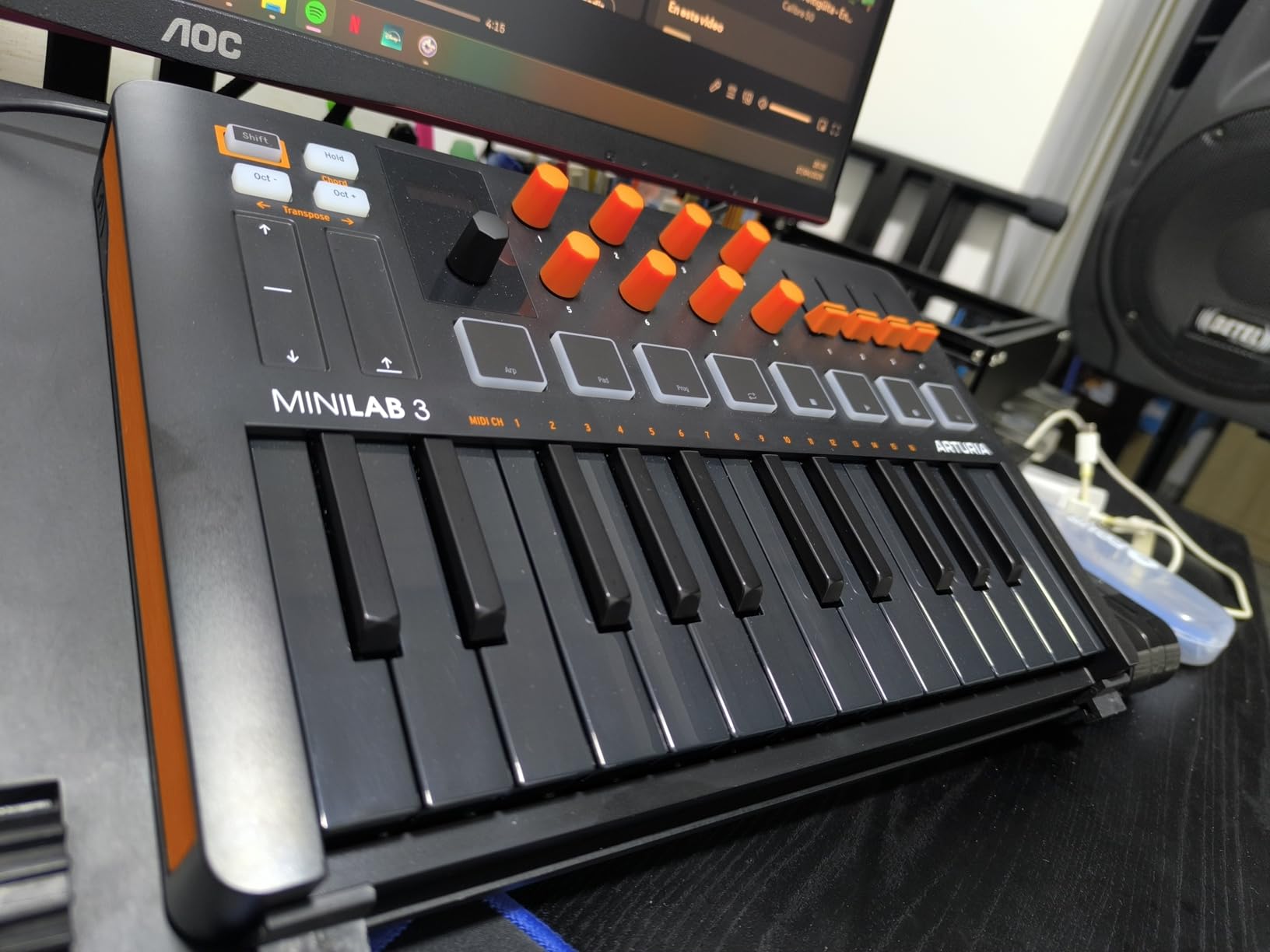
The Arturia MiniLab 3 is the MIDI keyboard I recommend most often to people who care about key feel above all else. Arturia has a reputation for building premium keybeds, and the MiniLab 3 lives up to that standard in a compact form factor. The 25 slim synth-action keys have a satisfying response that feels more expensive than the price suggests.
What sets the MiniLab 3 apart from competitors is the quality of its physical controls. The 8 rotary encoders have excellent weight and resistance, making precise adjustments feel natural. The 4 faders are smooth and sturdy. And the capacitive touch sensors for pitch bend and modulation are a modern touch that some users love and others need time to adjust to.
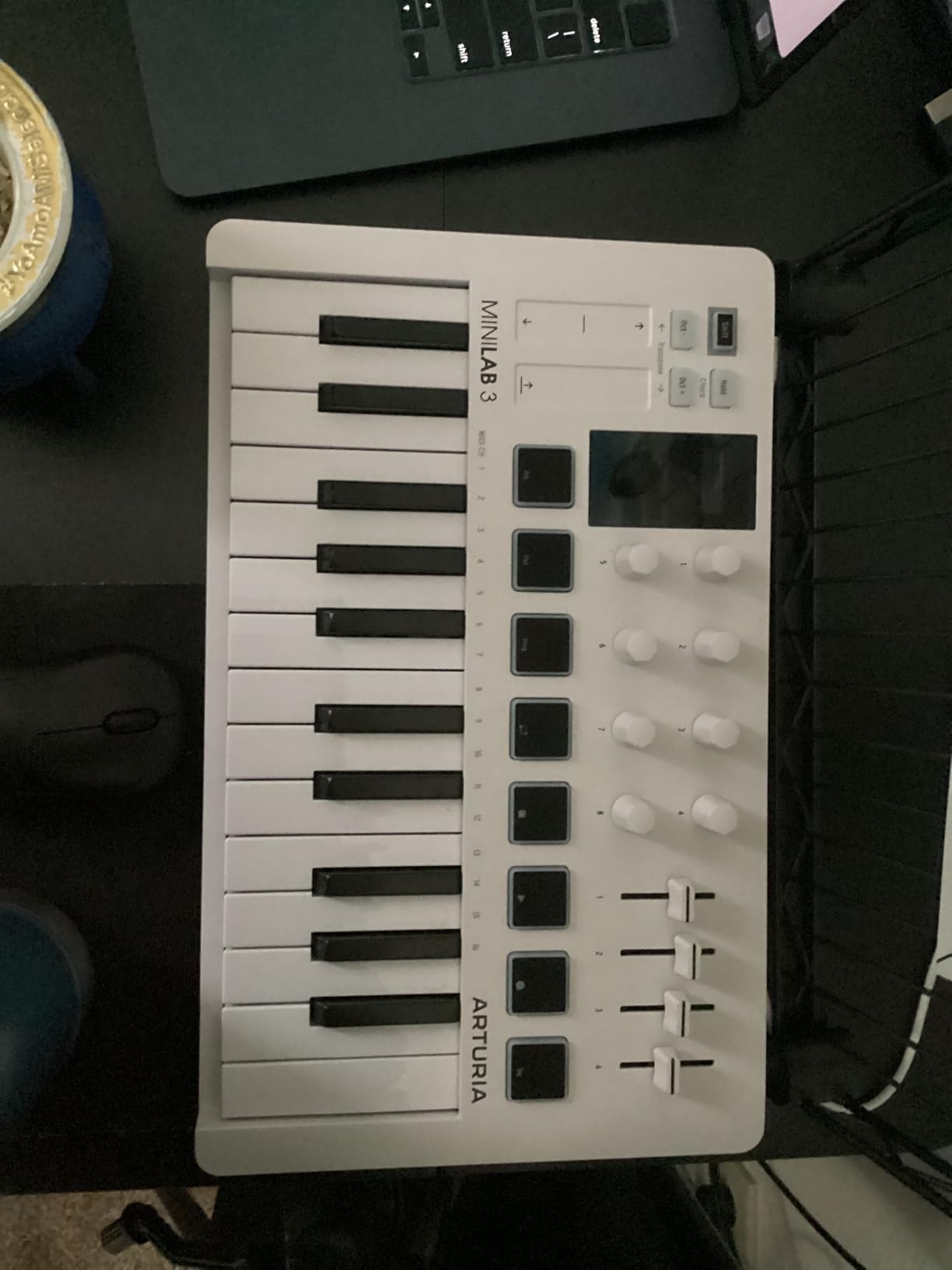
The 5-pin MIDI out port is a standout feature at this price point. This means you can use the MiniLab 3 to control hardware synthesizers, drum machines, or any gear with a MIDI input. Most compact controllers in this range only offer USB connectivity, so having MIDI out opens up possibilities for hybrid analog and digital setups.
The included Analog Lab software is genuinely valuable. It gives you access to thousands of presets emulating classic synthesizers and keyboards. The mini display with clickable browsing knob lets you scroll through sounds without looking at your computer screen, which keeps you in the creative flow.
Who Should Buy the MiniLab 3
Producers who work with hardware synths or drum machines will love the 5-pin MIDI output. Anyone who values build quality and wants a controller that feels premium will appreciate the solid construction and the best-in-class 5-year warranty. Arturia ecosystem users who already own other Arturia gear will find the integration seamless.
The mini display and browsing knob make it great for live performance situations where you need to change presets quickly without navigating software menus on a laptop.
Who Should Look Elsewhere
The drum pads on the MiniLab 3 are the weakest link. They are arranged in a single row rather than the more common 2 rows of 4, and they feel stiffer than the MPC-style pads on the Akai MPK Mini. Finger drummers and beat makers may find them less responsive and satisfying.
If you need dedicated transport controls, the MiniLab 3 shares those functions with the pads rather than having separate buttons. This means you cannot use all pads for drum programming while also controlling playback. The minimal labeling on the device also makes it harder to remember which pad does what without consulting documentation.
4. M-Audio Keystation 49 MK3 – Best 49-Key MIDI Keyboard for Beginners
M-AUDIO Keystation 49 MK3 – Synth Action 49 Key USB MIDI Keyboard Controller with Assignable Controls, Pitch and Mod Wheels, and Software Included
49 full-size keys
Synth-action
Pitch and mod wheels
USB powered
4.8 lbs
Pros
- 49 full-size keys for two-handed playing
- Excellent value for a 49-key controller
- Pitch and modulation wheels feel flawless
- Plug-and-play with no drivers on Mac
- iOS compatible for iPad music production
Cons
- Windows setup can be difficult requiring MIDI tools
- Documentation is inadequate
- USB 2.0 connectivity feels dated
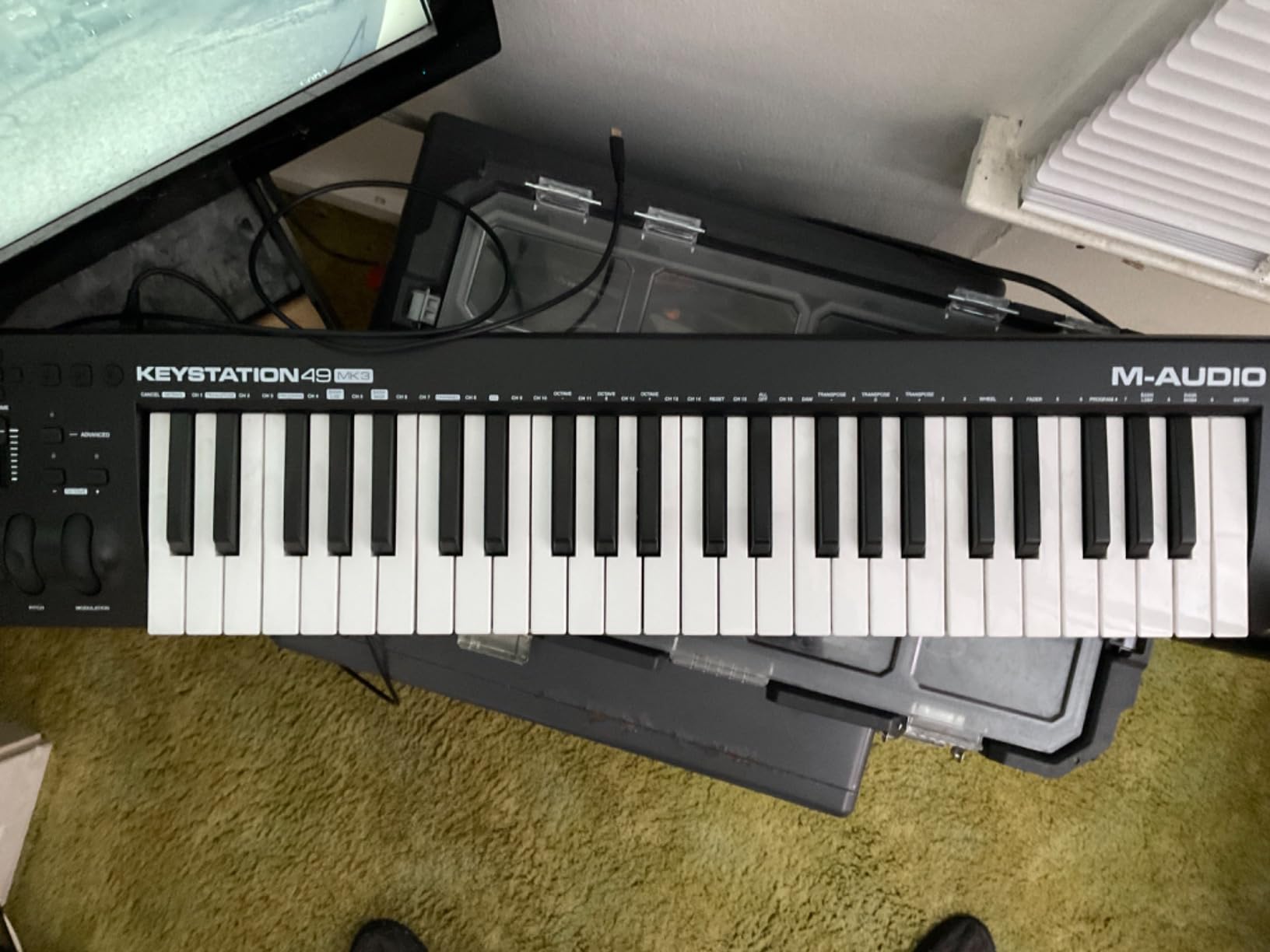
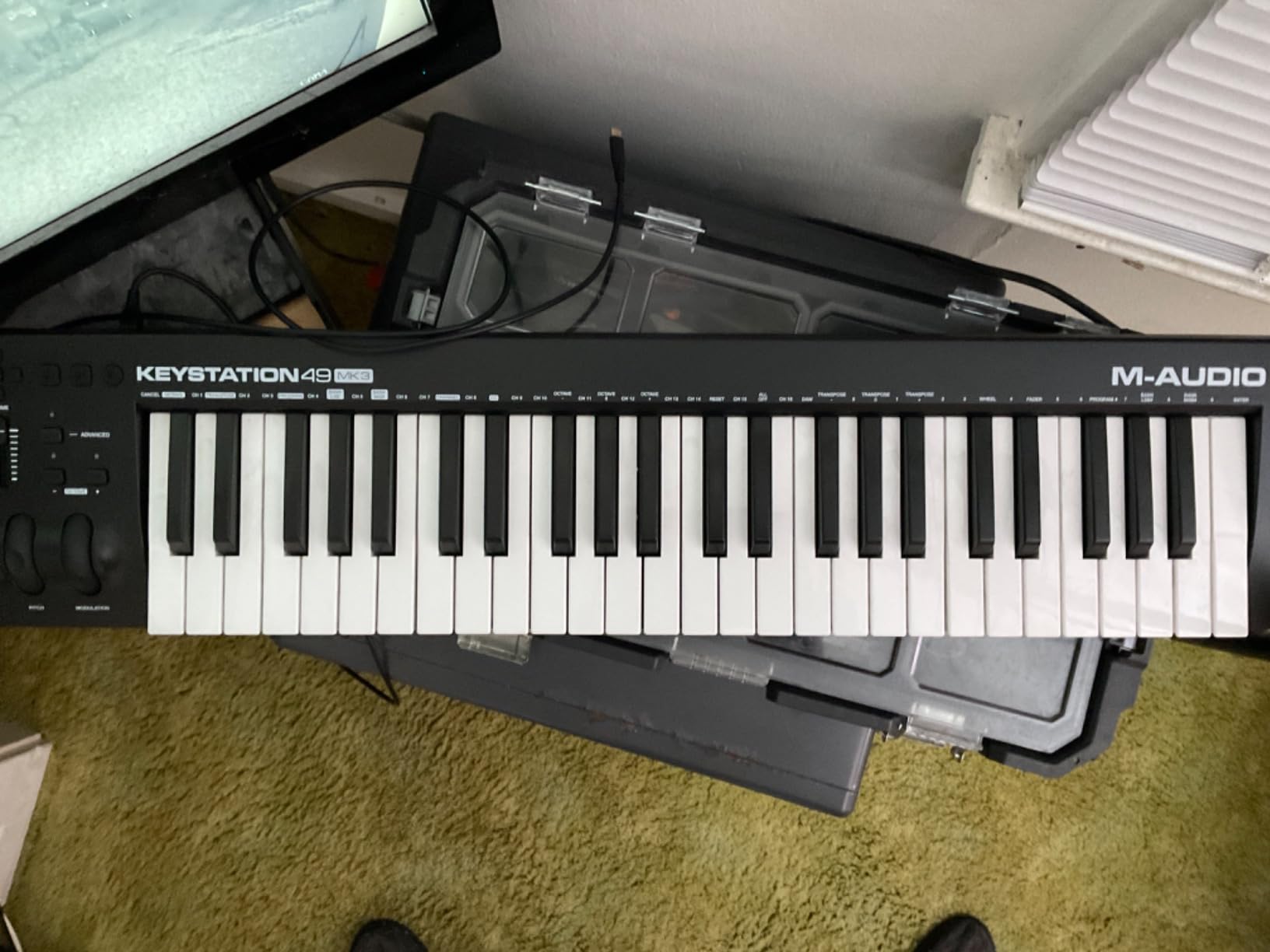
The M-Audio Keystation 49 MK3 is the controller I recommend to anyone who wants full-size keys without spending a fortune. After testing this keyboard for several weeks, I can confirm it delivers exactly what most beginners need: 49 full-size velocity-sensitive keys, pitch and modulation wheels, and plug-and-play simplicity. No unnecessary complexity, no feature bloat.
The 49-key form factor hits a sweet spot that the Reddit community consistently recommends. You get enough range for two-handed playing without the bulk of a 61 or 88-key controller. At just 4.8 pounds and 32 inches wide, it fits comfortably on most desks while giving you the space to play chords with both hands.
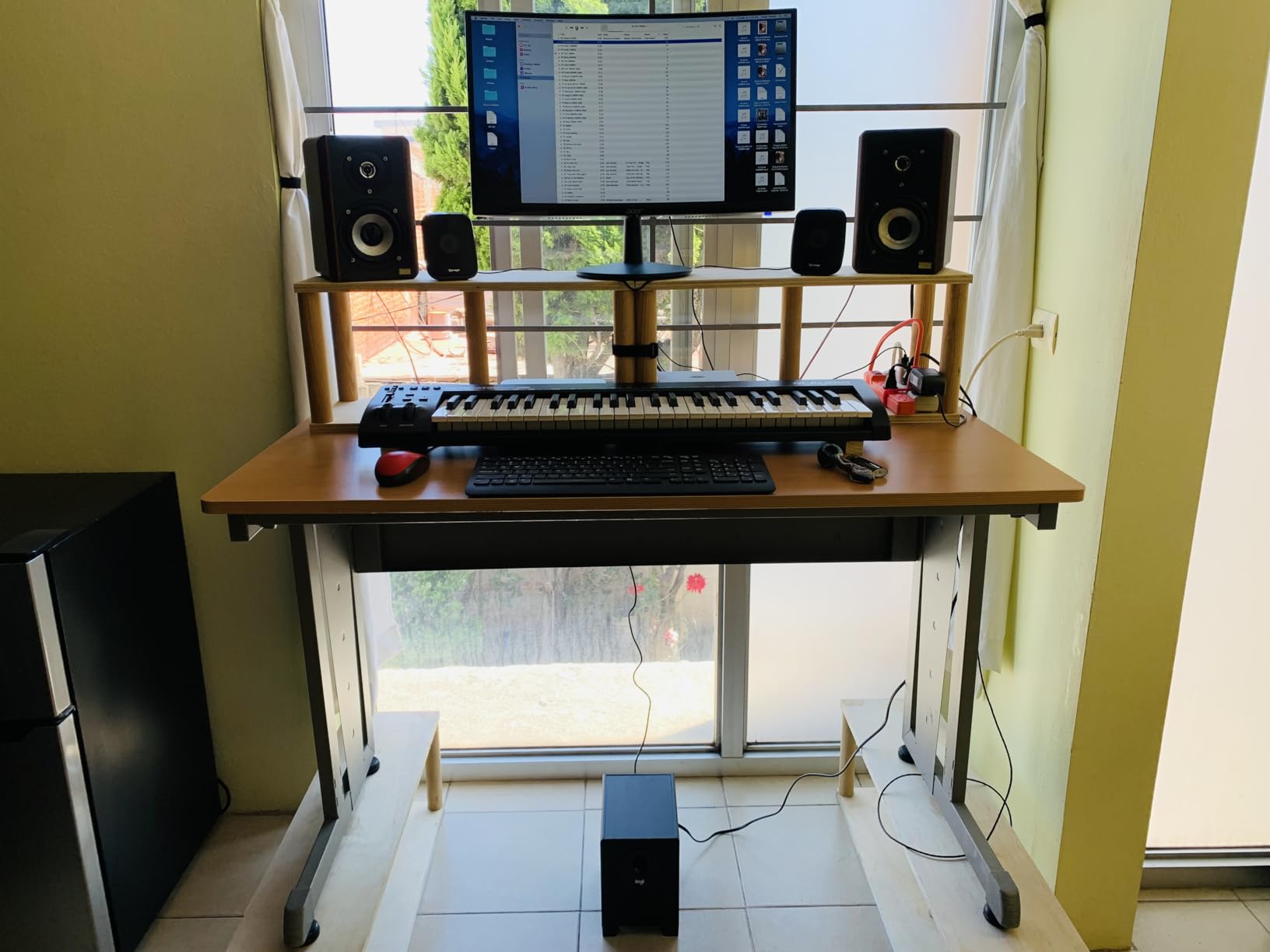
The pitch and modulation wheels are surprisingly good for the price point. They have a smooth, continuous response that feels professional. I tested them extensively for synth lead performances and found them responsive and accurate. The volume fader and transport buttons are basic but functional, giving you hands-on control over your DAW without overwhelming a beginner.
The included software bundle covers all the essentials. You get MPC Beats for beat production, Ableton Live Lite for recording and production, plus free Skoove and Melodics lessons to help you learn. The iOS compatibility via the Apple Camera Adapter means you can use it with GarageBand on an iPad, which is a fantastic feature for mobile production.
Who Should Buy the Keystation 49 MK3
Beginners who want full-size keys without complexity will find this is the best MIDI keyboard for their needs. The plug-and-play nature means you can connect it to a Mac and start making music in minutes. iPad and iPhone producers will appreciate the iOS compatibility for mobile workflows.
Hobbyists who want a simple, reliable controller without paying for pads, knobs, and faders they might not use will get excellent value here. The long track record on the market since 2019 speaks to its reliability.
Who Should Look Elsewhere
Windows users should be prepared for potential setup headaches. Several users report needing third-party MIDI tools like MIDI-OX to get the controller working properly. The documentation does not adequately address Windows setup, which can be frustrating for less technical users.
If you need drum pads, assignable knobs, or faders for mixing, this controller has none of those. The synth-action keys are also not weighted, so they will not satisfy anyone looking for a piano-like feel. The USB 2.0 connectivity is functional but dated compared to the USB-C standard on newer controllers.
5. Native Instruments Komplete Kontrol M32 – Best for NI Ecosystem Users
Native Instruments Komplete Kontrol M32 Controller Keyboard (26154)
32 compact keys
OLED display
8 touch knobs
Smart Play
USB bus-powered
Pros
- Entry point into the NI ecosystem with huge software value
- OLED display for parameter visibility
- Smart Play features with scales chords and arpeggios
- Seamless Komplete Kontrol software integration
- 32 keys gives an extra octave over 25-key competitors
Cons
- No drum pads on this controller
- Buttons are stiff and clicky
- Some users report velocity sensitivity issues
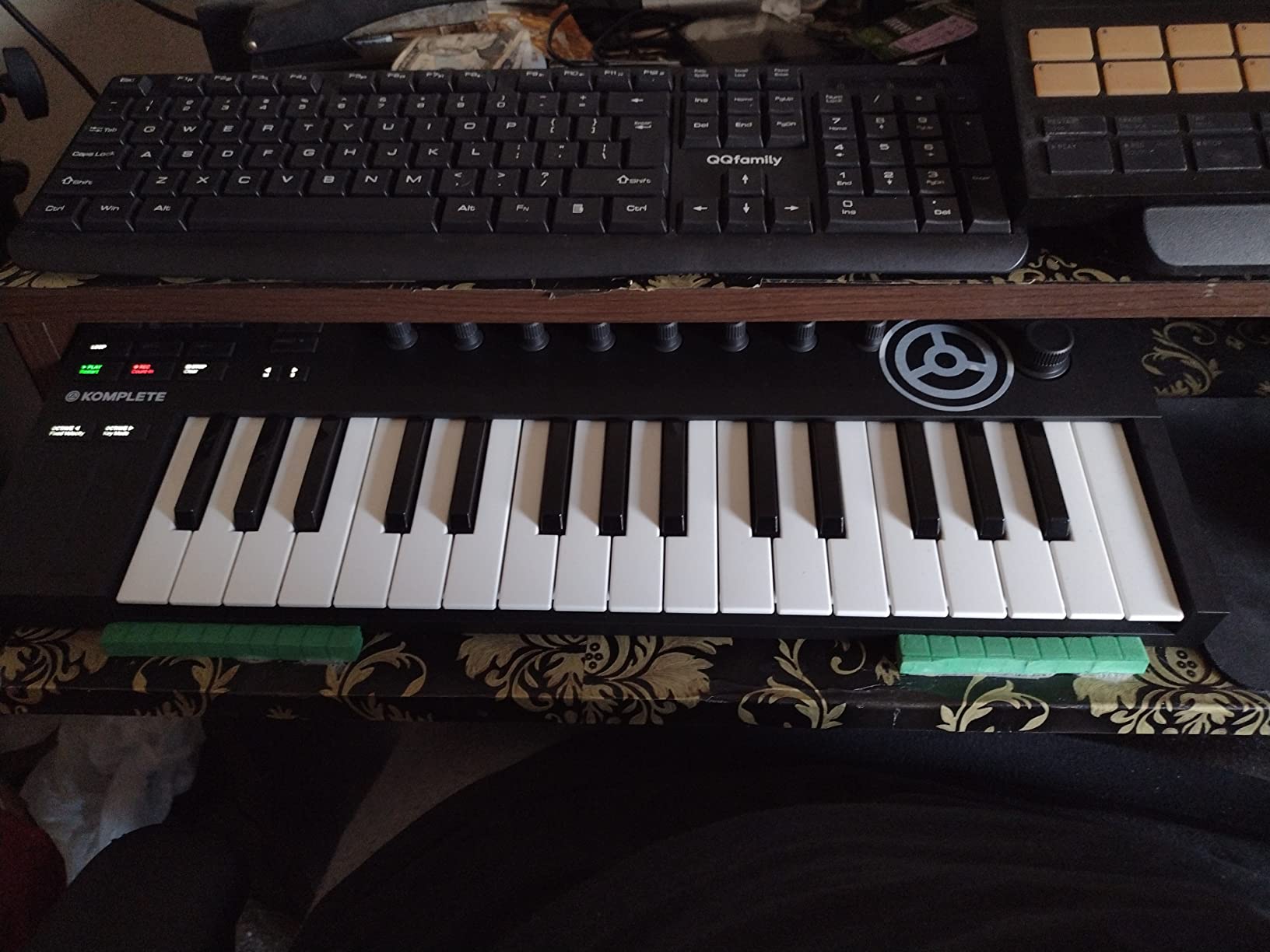
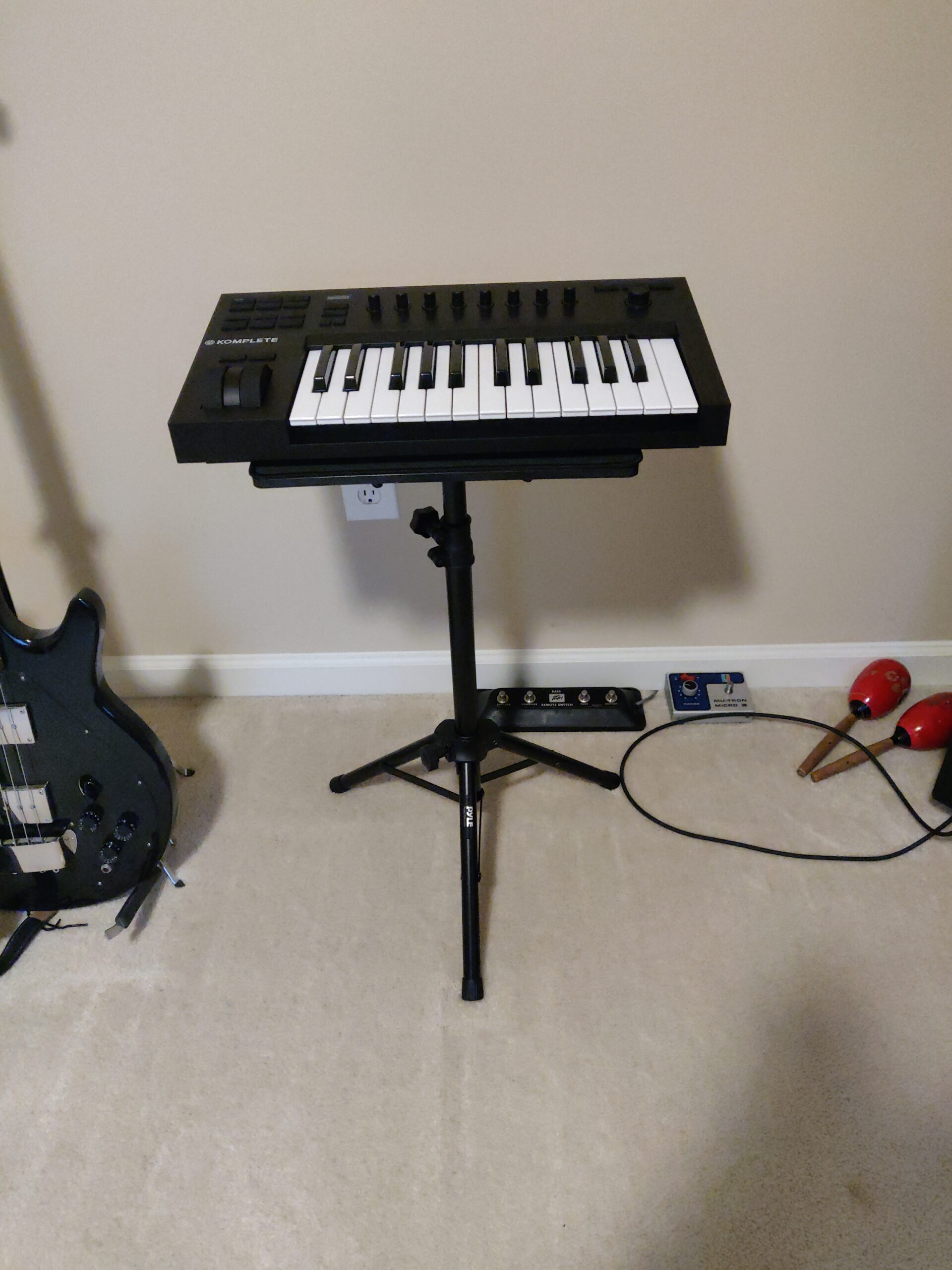
The Native Instruments Komplete Kontrol M32 is the gateway into the Native Instruments ecosystem, and that is its biggest selling point. If you use or plan to use Komplete instruments, Kontakt libraries, or Maschine software, this controller is designed to integrate with all of it seamlessly. The included Komplete Start bundle alone contains synths, basses, drums, and effects worth far more than the cost of the keyboard.
The 32 compact keys give you one more octave than 25-key competitors, which makes a real difference when playing melodies that span wider ranges. The keys are velocity and aftertouch sensitive, though some users have reported inconsistent velocity response. The OLED display is a feature unique at this price point and provides clear feedback on presets and parameters.
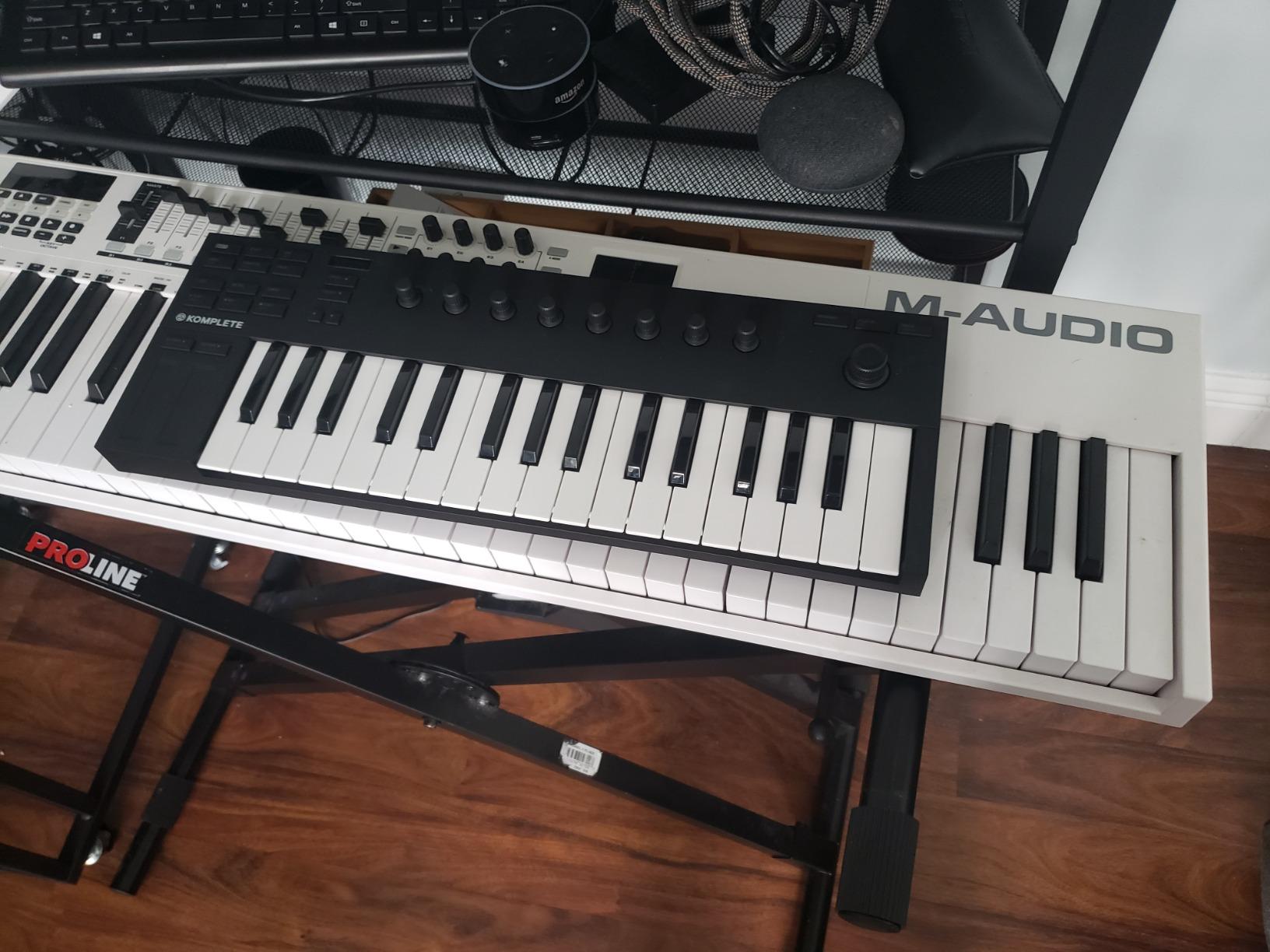
The 8 touch-sensitive knobs are the highlight of the control surface. When you touch a knob, the OLED display shows the parameter name and current value. This is incredibly useful for navigating complex plugin interfaces without clicking through menus on your computer screen. The Smart Play features include scales, chords, and arpeggios that keep your playing in key.
I tested the M32 primarily with Komplete Kontrol software and the integration was flawless. Tag-based browsing lets you find sounds by instrument type, character, or timbre. Pre-mapped controls mean every knob and button is already assigned to the most useful parameters for each instrument. For anyone invested in the NI ecosystem, this is a plug-and-play experience that no competitor can match.
Who Should Buy the Komplete Kontrol M32
Native Instruments software users are the primary audience. If you own Komplete or use Kontakt libraries regularly, the deep integration will transform your workflow. The Smart Play features also make it excellent for beginners who want to explore melody and harmony without needing extensive music theory knowledge.
Producers who work across computers, tablets, and even smartphones will appreciate the broad compatibility. The M32 works with mobile devices, making it a flexible option for travel and mobile production setups.
Who Should Look Elsewhere
The complete lack of drum pads is a dealbreaker for beat makers and finger drummers. If pads are essential to your workflow, look at the Akai MPK Mini MK3 or the Novation Launchkey Mini instead. The buttons are also notably stiff and clicky, which some users found annoying during extended sessions.
If you are not invested in the Native Instruments ecosystem, much of the M32’s appeal is lost. The knob CC mapping is not customizable on mobile devices, and non-NKS DAW integration requires additional setup. Users outside the NI world may get more value from an Arturia or Novation controller at a similar price.
6. Arturia KeyLab Essential mk3 49 – Best Software Bundle Value
Arturia KeyLab Essential mk3 — 49 Key USB MIDI Keyboard Controller with Analog Lab V Software Included
49 synth keys
8 RGB pads
9 faders,9 encoders
2.5 inch LCD
5-pin MIDI out
Pros
- Over 400 dollars worth of included software
- Fatar keybed with excellent key feel
- 9 faders and 9 encoders for deep control
- Scale Mode Chord Mode and arpeggiator
- USB-C and 5-pin MIDI connectivity
Cons
- No polyphonic aftertouch
- Software setup can be daunting for beginners
- No power switch and no built-in sequencer
The Arturia KeyLab Essential mk3 49 is a serious step up from compact controllers, and it is the model I recommend for producers ready to graduate from 25-key mini keyboards. The 49 full-size synth-action keys give you the range for two-handed playing, while the comprehensive control surface rivals controllers costing significantly more.
The first thing I noticed when unboxing the KeyLab Essential mk3 was the quality of the keybed. Arturia uses a Fatar keybed, which is the same manufacturer that supplies premium synthesizer brands. The keys have a satisfying action with good velocity response. Combined with the 2.5-inch LCD display for real-time parameter feedback, it feels like working with a much more expensive instrument.
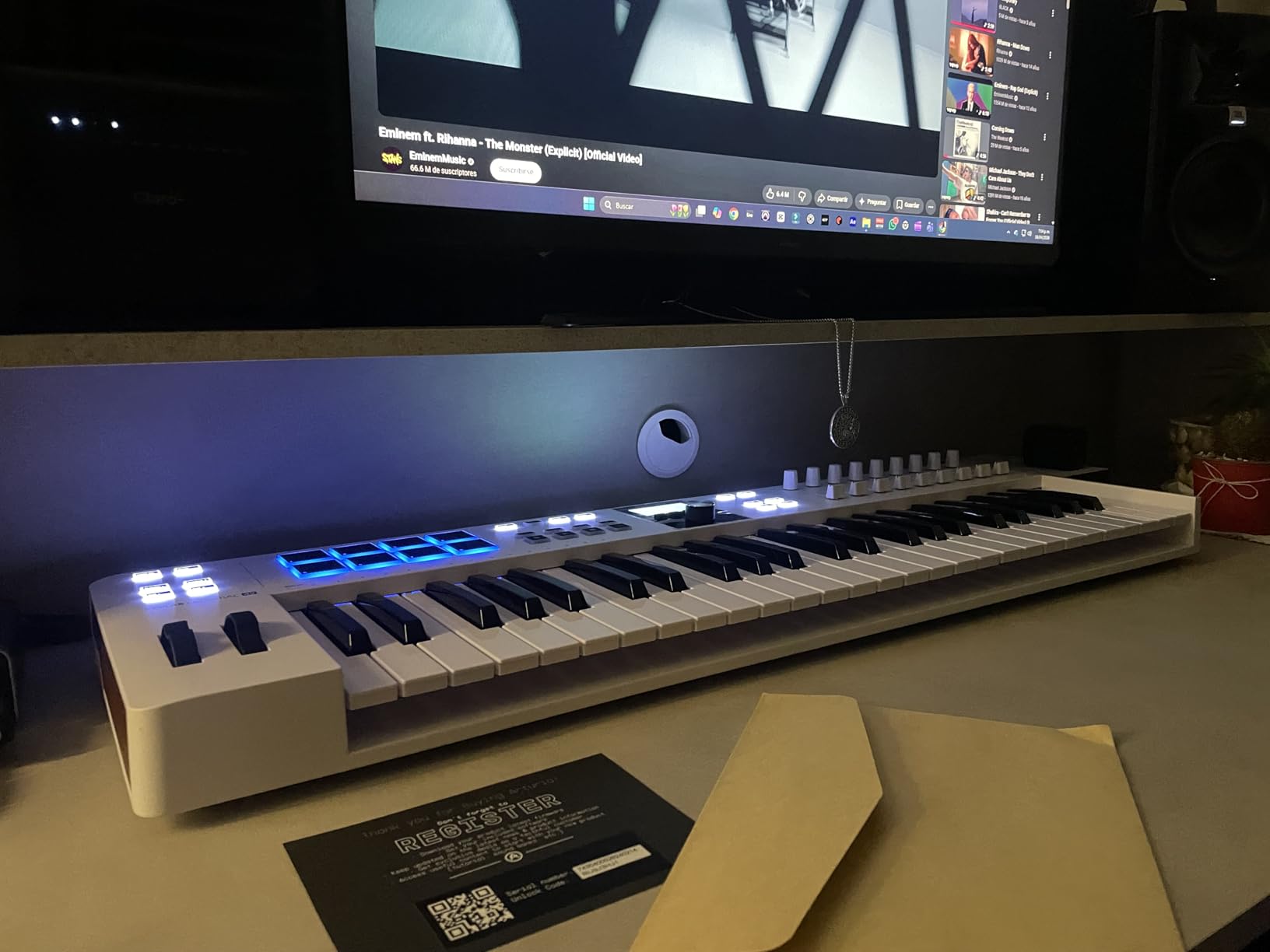
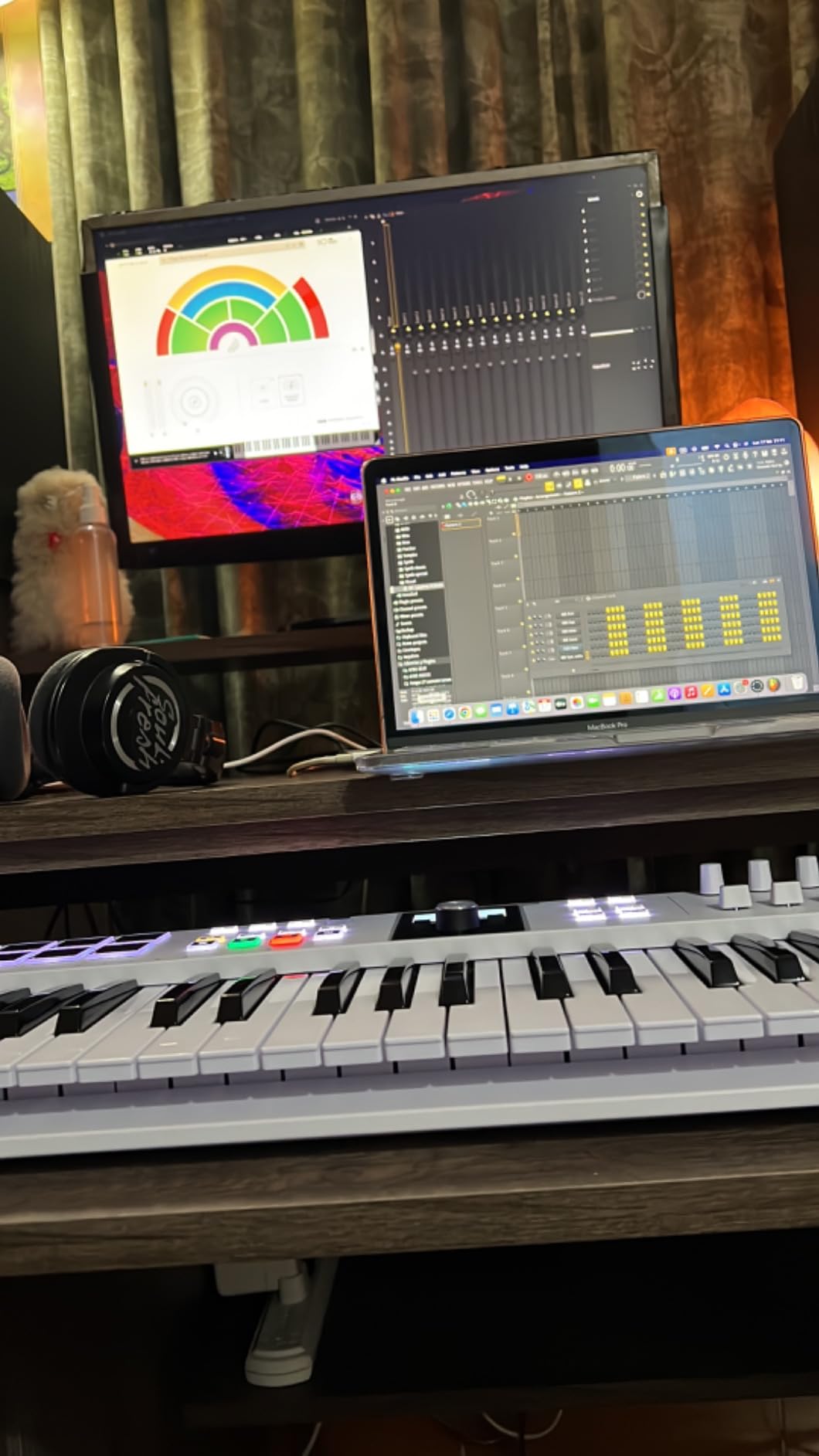
The control surface is where this controller really distinguishes itself. You get 9 faders, 9 encoders, and 8 velocity and pressure-sensitive RGB pads. That is enough physical controls to mix a track, tweak synth parameters, and program drums without touching your mouse. The 6 user-programmable banks let you save custom configurations for different workflows.
The software bundle is arguably the best value in this entire roundup. You get Analog Lab V with over 2,000 presets, Ableton Live Lite, UVI Model D piano, and NI The Gentleman piano. Arturia also includes subscriptions to Loopcloud for samples and Melodics for skill-building lessons. The total value of included software exceeds what you pay for the hardware.
Who Should Buy the KeyLab Essential mk3
Producers upgrading from compact controllers will find the 49-key layout and full control surface transformative. The Scale Mode and Chord Mode features make it accessible for beginners, while the deep DAW integration satisfies advanced users. It works seamlessly with Ableton Live, Logic Pro X, FL Studio, Cubase, and Bitwig Studio.
Anyone who wants a comprehensive all-in-one controller for mixing, sound design, and performance will appreciate having faders, encoders, pads, and a display in a single unit. The USB-C connectivity is also a welcome modern touch.
Who Should Look Elsewhere
If you need polyphonic aftertouch for advanced expression, this controller does not have it. The Arturia KeyLab Essential mk3 uses velocity and pressure sensitivity on the pads but does not offer polyphonic aftertouch on the keys. Producers who rely on aftertouch for expressive synth playing should consider the Novation Launchkey 61 MK4 instead.
The initial software setup process is more complex than plug-and-play competitors. Beginners may feel overwhelmed by account creation, software downloads, and authorization steps. There is also no power switch and no built-in sequencer, which may matter for certain studio workflows.
7. M-Audio Oxygen Pro 49 – Best All-Rounder for Producers
M-AUDIO Oxygen Pro 49 Key USB MIDI Keyboard Controller With Beat Pads, MIDI-assignable Knobs, Buttons and Faders, and Native Instruments Sound Package (NKS Integration)
49 semi-weighted keys
16 RGB pads
9 faders,8 knobs
5-pin MIDI out
Smart Scale
Pros
- 49 semi-weighted keys with aftertouch
- 16 RGB pads with Note Repeat for beat production
- 9 assignable faders and 8 knobs for full mixing control
- Smart Chord and Smart Scale modes
- Excellent NKS integration
Cons
- Software setup can be tedious and not plug-and-play
- Limited arpeggiator functionality
- Mac OS Sonoma compatibility issues reported
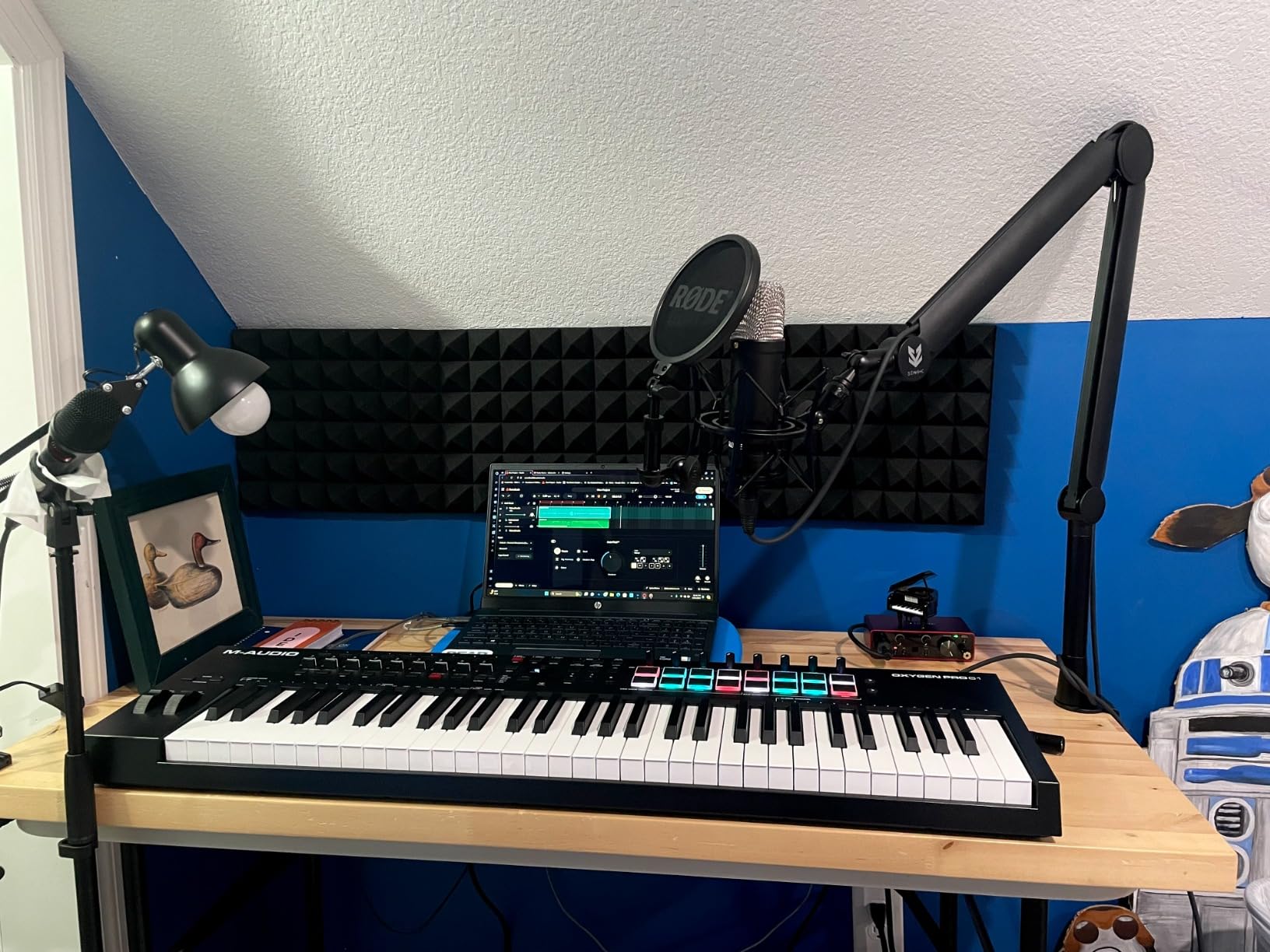
The M-Audio Oxygen Pro 49 is the controller I recommend when someone asks for one keyboard that can do everything. It has semi-weighted keys with aftertouch, 16 RGB drum pads, 9 assignable faders, 8 knobs, 8 buttons, pitch and mod wheels, Smart Scale and Smart Chord modes, a built-in arpeggiator, and 5-pin MIDI output. At this price point, the feature density is remarkable.
The semi-weighted keybed is a significant upgrade from synth-action keys. The added resistance gives you more dynamic control and feels closer to a real instrument. Aftertouch adds another layer of expression, letting you modulate sounds by pressing harder after the initial strike. I found the keys responsive and consistent across the entire range during testing.
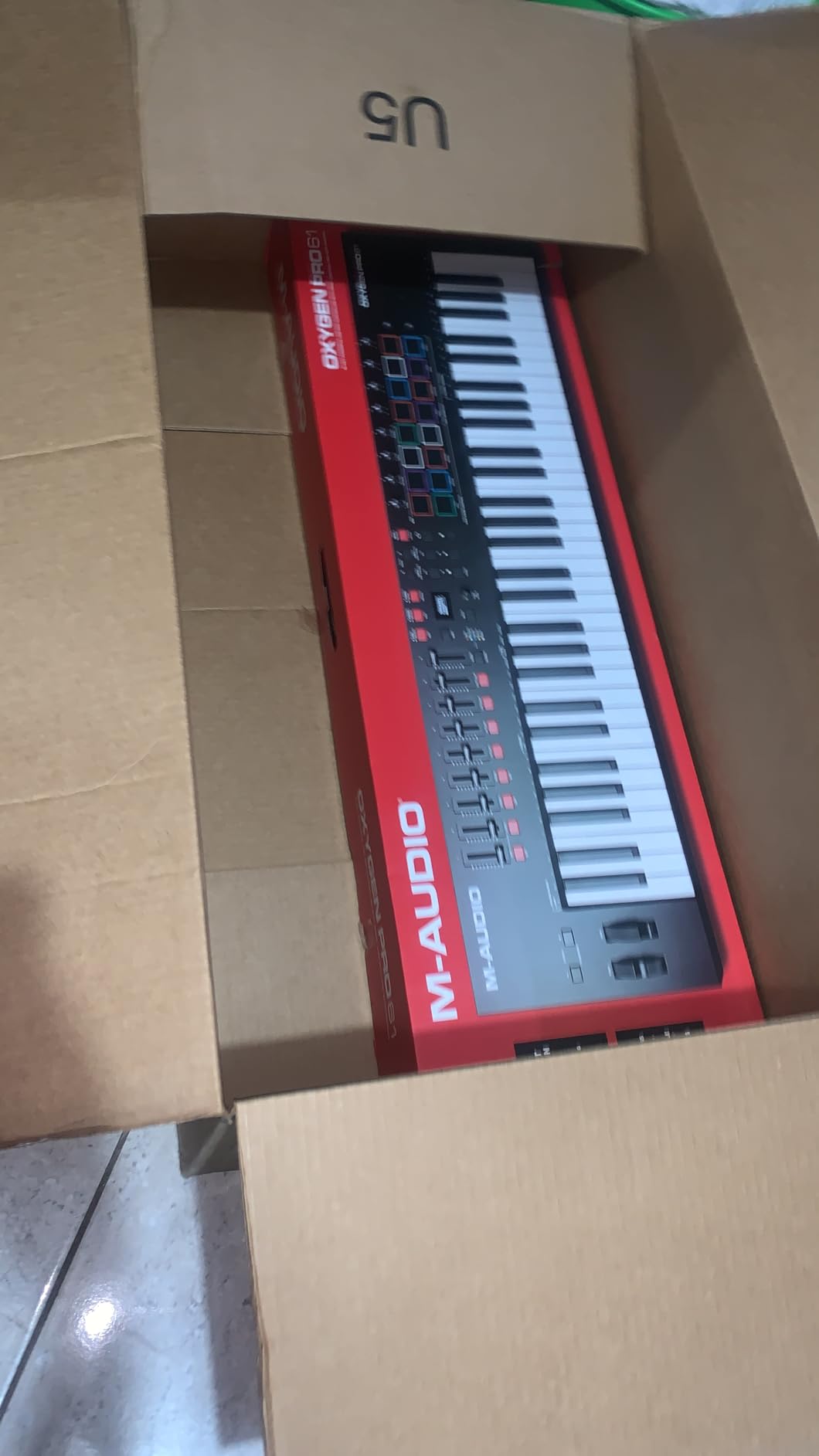
The 16 RGB backlit drum pads are excellent for beat production. Note Repeat is essential for programming trap-style hi-hat rolls, and the Full Level feature ensures consistent velocity across all pads. I mapped the pads to different drum kits and sampler instruments across multiple DAWs and was impressed by the consistency.
The Smart Chord and Smart Scale features are genuinely useful creative tools. Smart Chord lets you trigger complex chord voicings from a single key, while Smart Scale keeps all your playing in a selected key. Combined with the auto-mapping for DAW controls and plugin parameters, the Oxygen Pro 49 feels like a purpose-built production workstation.
Who Should Buy the Oxygen Pro 49
Producers who want a single controller that handles keyboard playing, drum programming, mixing, and sound design will find the Oxygen Pro 49 covers all bases. The semi-weighted keys with aftertouch make it suitable for expressive synth playing, while the pads satisfy beat makers and finger drummers.
Users of Ableton Live, Logic Pro, and FL Studio will benefit from the deep auto-mapping features. The NKS integration also makes it a strong choice for Native Instruments software users who want pads and faders alongside their keyboard.
Who Should Look Elsewhere
The software setup is not as smooth as Novation or Arturia offerings. Multiple users report a tedious installation process with account creation for each software vendor. Some Mac users have experienced compatibility issues with macOS Sonoma and the bundled software.
If you work primarily in Logic Pro, some users report difficulty with tempo sync and drum pad programming. The arpeggiator functionality is also more limited compared to dedicated groove boxes like the Akai Force. For pure piano practice, the semi-weighted action will not satisfy serious pianists.
8. Novation Launchkey 61 MK4 – Best Overall MIDI Keyboard
Novation Launchkey 61 MK4 – 61 key Semi-Weighted, USB, MIDI Keyboard Controller with DAW Integration. Chord & Scale Modes, 8 Drum Pads, & Arpeggiator — Includes Software Bundle for Music Production
61 semi-weighted keys
16 FSR pads with poly aftertouch
8 faders,knobs
Scale and Chord modes
3-year warranty
Pros
- Highest-rated controller at 4.8 stars
- Premium semi-weighted keybed significantly better than MK3
- 16 FSR pads with polyphonic aftertouch
- Seamless integration with all major DAWs
- 3-year warranty best in class
Cons
- Software bundle requires separate accounts with privacy concerns
- Heavier than some competitors at 10.5 pounds
- No dedicated MIDI program switch button
The Novation Launchkey 61 MK4 is the best MIDI keyboard I have tested, and it earns the Editor’s Choice award for 2026. This is a controller that gets almost everything right, from the premium keybed to the versatile pads to the deep DAW integration. At 4.8 stars with near-universal praise, it represents the current state of the art for MIDI keyboard controllers in this price range.
The semi-weighted keybed is the biggest improvement over the MK3 and the first thing you will notice. The keys have a satisfying weight and resistance that makes expressive playing natural. Whether you are laying down delicate piano parts or aggressive synth leads, the keybed responds accurately to your touch. At 61 keys, you have enough range for virtually any musical situation without octave shifting.
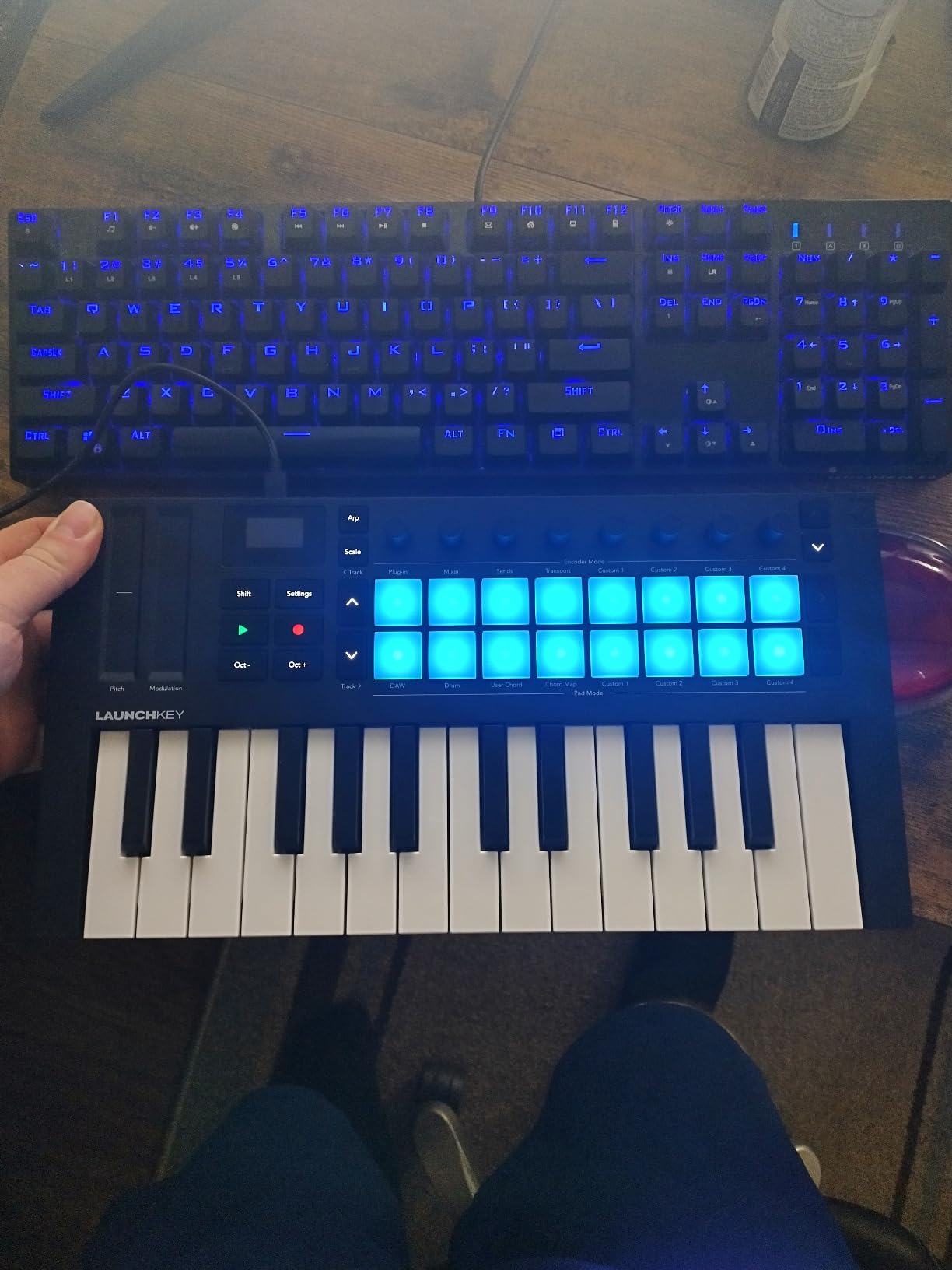
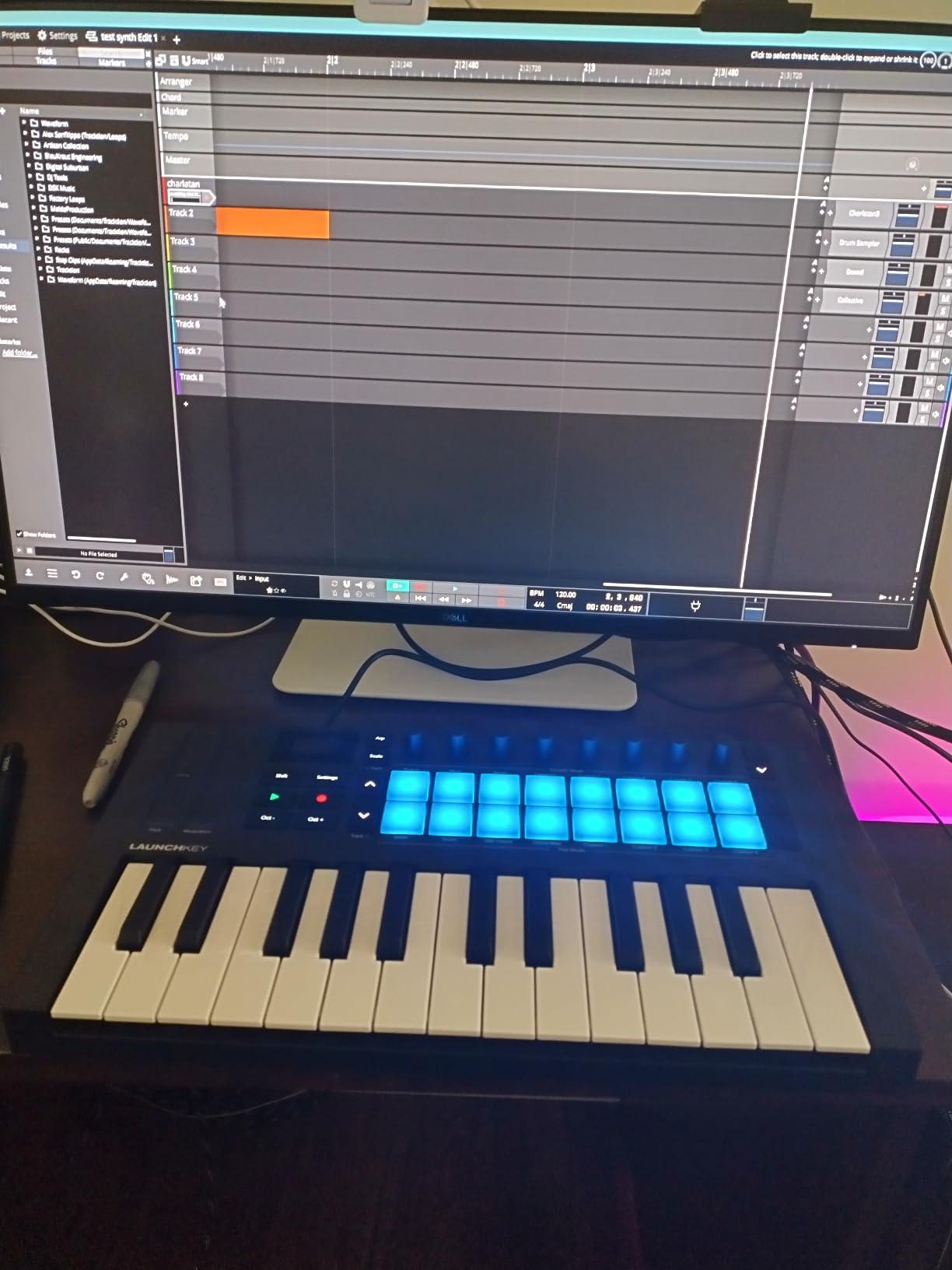
The 16 FSR drum pads with polyphonic aftertouch are the most versatile pads on any controller in this roundup. They function as drum triggers, clip launchers, step sequencers, and chord triggers. The polyphonic aftertouch means you can press multiple pads and apply independent pressure to each one, opening up performance possibilities that monophonic aftertouch cannot match.
Scale Mode and Chord Mode are implemented beautifully. Scale Mode constrains all 61 keys to your chosen scale, so every key you press is musically correct. Chord Mode assigns full chords to individual keys, letting you create complex harmonic progressions with simple finger movements. The arpeggiator with mutation capabilities adds another creative dimension, generating evolving patterns from held chords.
Who Should Buy the Launchkey 61 MK4
This is the best MIDI keyboard for Ableton users, period. The clip launcher integration, transport controls, and session view navigation are unmatched. But it also works flawlessly with Logic Pro, Cubase, FL Studio, Reaper, and Reason. If you use any major DAW, this controller has you covered.
Producers who want a single do-it-all controller with premium key feel, expressive pads, and creative composition tools will find the Launchkey 61 MK4 delivers on every front. The 3-year warranty provides peace of mind for a long-term investment.
Who Should Look Elsewhere
At 10.5 pounds, the Launchkey 61 MK4 is heavier than some competitors and not designed for ultra-portable setups. If you need something for travel, consider the Launchkey Mini 25 MK4 instead. The included software bundle requires creating separate accounts for each vendor, which some users found intrusive due to data tracking permissions.
For producers who need a dedicated MIDI program switch button for changing hardware synth patches on the fly, Novation removed this feature from the MK4 compared to the MK3. Linux users have reported occasional USB detection issues requiring a replug.
9. M-Audio Keystation 88 MK3 – Best 88-Key MIDI Keyboard Value
M-AUDIO Keystation 88 MK3 88 Key Semi Weighted MIDI Keyboard Controller for Complete Command of Virtual Synthesizers and DAW parameters
88 full-size semi-weighted keys
Pitch and mod wheels
USB powered
iOS compatible
13.8 lbs
Pros
- 88 full-size keys at an unbeatable price point
- Slimline design fits any desk or stage setup
- USB powered with no drivers needed on Mac
- Comprehensive software bundle included
- iOS compatible for mobile production
Cons
- Windows setup can be problematic
- Semi-weighted keys feel light compared to real piano action
- Keys have noticeable clicking sound when pressed
The M-Audio Keystation 88 MK3 is the answer for anyone who needs a full 88-key keyboard for music production without spending hundreds or thousands of dollars. With over 6,700 reviews and years of proven reliability, it remains the best-value 88-key MIDI controller on the market. I tested it for piano-based compositions, orchestral arrangements, and general production work, and it handled all of it competently.
Having 88 keys changes everything about how you approach music production. You can play piano parts exactly as intended, with no octave shifting or compromise. You can layer bass in the left hand and melodies in the right hand. For composers working with orchestral sample libraries, the full range is essential for realistic performance.
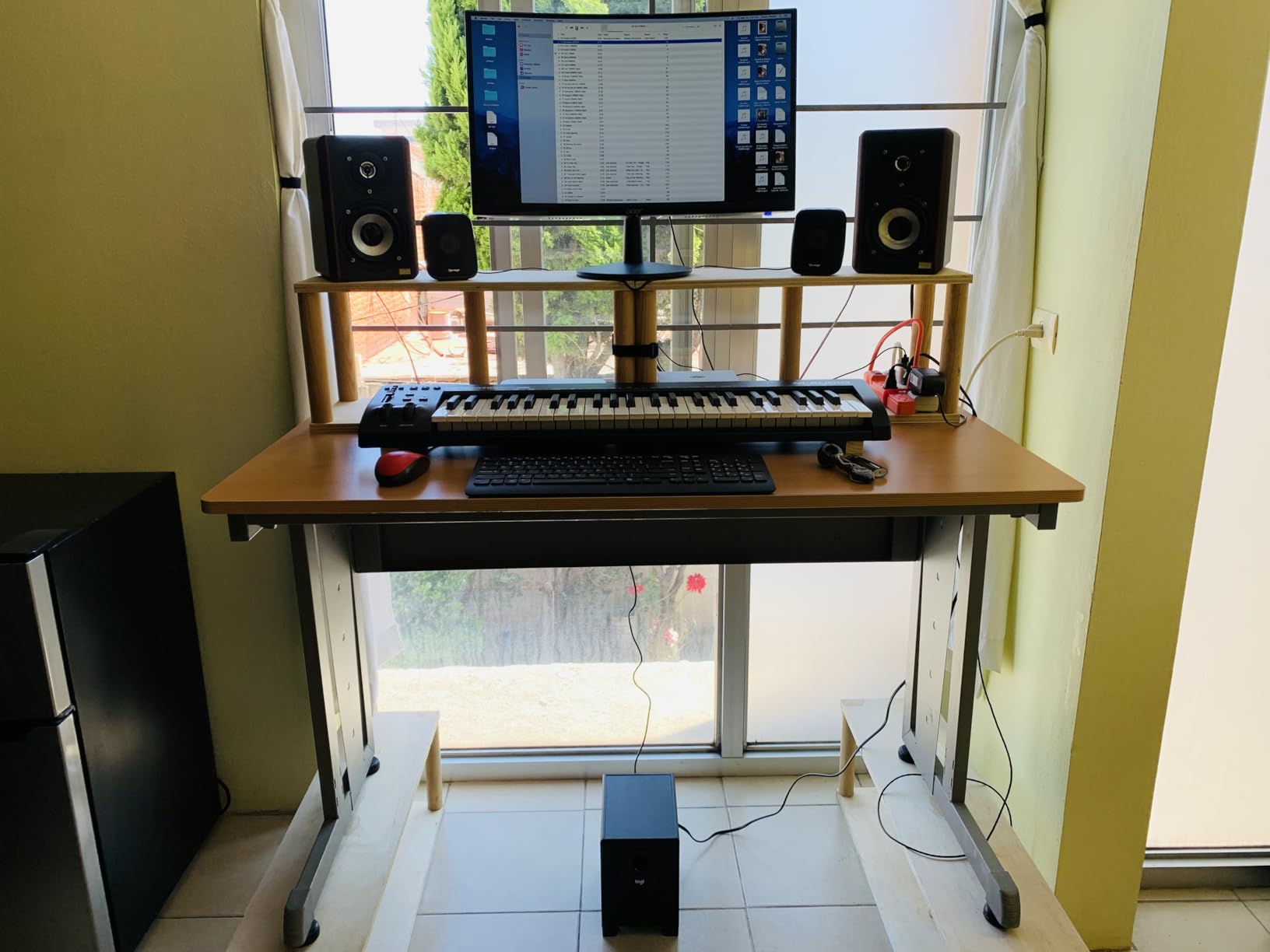
The slimline design is impressive for an 88-key controller. At just 8.52 inches deep and 54.24 inches wide, it fits on most keyboard stands and studio desks. The weight of 13.8 pounds is relatively light for a full-size controller. The semi-weighted action is not the same as graded hammer action, but it provides enough resistance for expressive playing.
The included software bundle covers all the bases for production. MPC Beats gives you a full beat-making environment, Ableton Live Lite handles recording and production, and the additional instruments like Mini Grand piano, Xpand!2, and Velvet provide sounds for various genres. The USB-powered design means a single cable handles both data and power.
Who Should Buy the Keystation 88 MK3
Pianists and keyboardists transitioning to computer-based production will appreciate having the full 88-key range. Composers working with orchestral sample libraries need every key for realistic performances. The iOS compatibility also makes it an excellent companion for iPad-based music production using apps like GarageBand or Cubasis.
Budget-conscious producers who need maximum key range per dollar will not find a better option. Home studio owners who want a simple, reliable controller without pads and knobs they may not use will find this hits the sweet spot.
Who Should Look Elsewhere
The semi-weighted keys will disappoint anyone expecting authentic piano action. They are lighter than graded hammer-action keys and have a noticeable clicking sound when pressed. Serious pianists should look at weighted controllers, though those cost significantly more.
Windows users report setup difficulties similar to the 49-key version, sometimes requiring third-party MIDI tools. The lack of drum pads, knobs, and faders also limits its usefulness for beat makers and electronic music producers who need hands-on parameter control.
10. Native Instruments Komplete Kontrol A61 – Best for Smart Play Features
Native Instruments Komplete Kontrol A61 Controller Keyboard
61 semi-weighted keys
8 touch knobs
OLED display
Smart Play 100+ scales
Tag-based browsing
Pros
- Seamless Komplete Kontrol software integration
- 61 semi-weighted custom NI keybed with premium feel
- 8 touch-sensitive knobs with OLED display feedback
- Smart Play with over 100 scales and modes
- Pre-mapped control of all Komplete instruments
Cons
- No drum pads by design
- Only 8 knobs and no faders
- No aftertouch on keys
- Buttons are very clicky and noisy
The Native Instruments Komplete Kontrol A61 is designed for a specific type of producer: someone deeply invested in the Native Instruments ecosystem who values software integration over raw hardware features. After testing it extensively with Komplete instruments and Kontakt libraries, I can confirm that the integration experience is unlike anything else on the market.
The 61 semi-weighted keys use a custom Native Instruments keybed that feels distinctly different from competitors. The keys have higher tension than typical controllers, around 66 grams versus the 40 to 50 grams on most others. Some users love this firmer feel for precision playing, while others find it tiring during long sessions. I found it grew on me after a few days of adjustment.
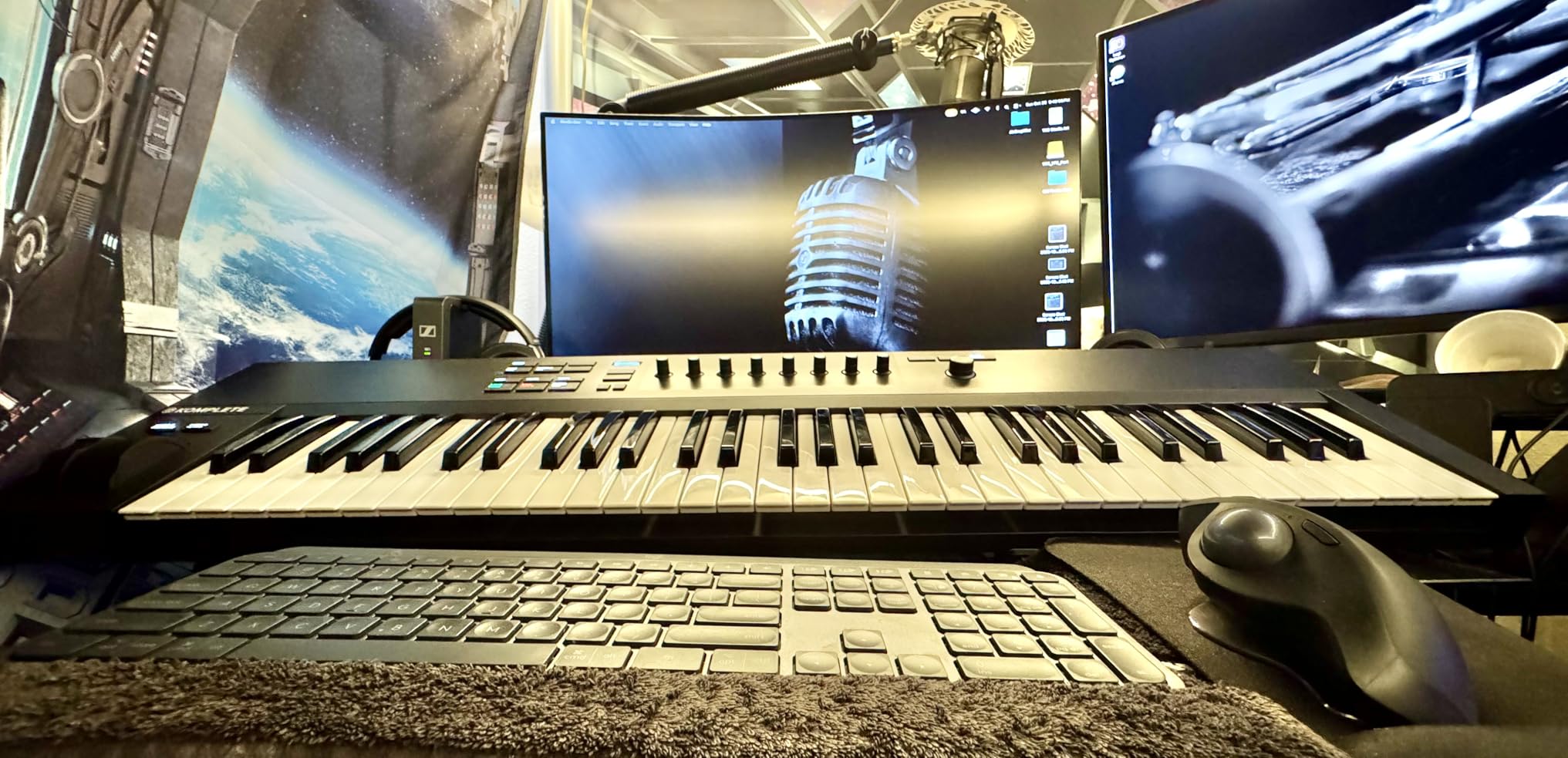
The 8 touch-sensitive knobs are the centerpiece of the control surface. When you touch any knob, the OLED display immediately shows the parameter name and current value. This eliminates the guesswork of traditional knob-based controllers. The 4-directional push encoder handles preset browsing, letting you navigate thousands of sounds by tag categories without touching your mouse.
Smart Play is the feature that sets the A61 apart from competitors. With over 100 scales and modes built in, you can lock the keyboard to any musical scale and play freely without hitting wrong notes. The chord mode maps full chord voicings to individual keys. For producers without formal piano training, Smart Play removes a significant barrier to musical expression.
Who Should Buy the Komplete Kontrol A61
Native Instruments ecosystem users are the primary audience. If you own Komplete, use Kontakt libraries, or work with Maschine, the A61 provides integration that no other brand can match. The pre-mapped controls for every NI instrument mean zero setup time.
Producers who value the Smart Play features for breaking creative blocks will find the scale and chord modes genuinely inspiring. The minimalist design also appeals to users who prefer a clean, focused interface without the visual clutter of pads and faders.
Who Should Look Elsewhere
The absence of drum pads is intentional but limiting. If you produce beats, you will need a separate pad controller like a Maschine to complement the A61. The 8 knobs and lack of faders also mean limited mixing control compared to controllers like the M-Audio Oxygen Pro 49 or Arturia KeyLab Essential mk3.
There is no aftertouch on the keys, which is only available on the significantly more expensive S-series. The clicky buttons are louder than competitors, which can be distracting in quiet studio environments. Users outside the NI ecosystem will find the A61 less compelling than alternatives from Novation or Arturia that offer more features at similar prices.
How to Choose the Best MIDI Keyboard for Your Setups?
Choosing among the best MIDI keyboards comes down to understanding your specific needs. I have broken down the key factors below to help you make the right decision based on how you actually make music.
Key Count and Size
The number of keys is the most important decision because it affects everything from portability to playability. A 25-key controller is ultra-portable and perfect for beat making, bass lines, and simple melodies. However, many Reddit users report regretting the limited range and wish they had bought a 49-key controller instead. The consensus from forum discussions is that 49 keys is the sweet spot for most beginners.
Controllers with 61 keys give you a full five-octave range, which is enough for virtually any playing style short of complex classical pieces. For pianists and composers, 88 keys provides the complete piano range with no compromises. Full-size keys are standard on 49-key and larger controllers, while 25-key and 32-key models typically use mini keys that some players find cramped.
Key Action Type
Synth-action keys are springy and fast, making them ideal for playing synthesizer leads and fast electronic music. They require less finger strength and are common on budget controllers. Semi-weighted keys add some resistance for a more natural feel without the full resistance of piano keys. This is the sweet spot for most producers who want expressiveness without fatigue.
Hammer-action or fully weighted keys simulate the feel of an acoustic piano. These are only found on premium 88-key controllers and are essential for pianists who need authentic touch response. If you are learning piano technique or recording realistic piano performances, weighted keys make a significant difference.
Aftertouch and Expression
Aftertouch allows you to modulate sound by pressing harder on a key after it is already down. Channel aftertouch applies to all notes globally, while polyphonic aftertouch gives independent control over each held note. The Novation Launchkey 61 MK4 and Launchkey Mini 25 MK4 both offer polyphonic aftertouch on their pads, which is a premium feature at their price points.
Pads, Knobs, and Faders
MPC-style drum pads are essential for beat makers and finger drummers. Look for velocity-sensitive pads with good dynamic range. RGB backlighting helps with visual organization when mapping pads to different drum sounds or clip launches. Assignable knobs and faders give you hands-on control over mixer levels, plugin parameters, and synthesizer controls without reaching for your mouse.
Connectivity Options
USB connectivity is standard on all modern MIDI keyboards and handles both data and power through a single cable. USB-C is the modern standard, though some older models still use USB-B. A 5-pin MIDI output lets you control hardware synthesizers, drum machines, and other gear without a computer in the chain. This is essential for hybrid setups that combine software and hardware instruments.
iOS compatibility matters if you produce music on an iPad or iPhone. Most class-compliant USB controllers work with iOS via the Apple Camera Adapter, but it is worth checking before purchasing.
DAW Integration
The depth of DAW integration varies significantly between brands. Novation controllers have the best integration with Ableton Live, including clip launching and session view navigation. Arturia controllers work well across all major DAWs with custom mapping for Ableton, Logic Pro, FL Studio, and Cubase. Native Instruments controllers are optimized for the Komplete Kontrol software ecosystem, which works as a plugin inside any DAW.
For FL Studio users, the Novation FL Key series offers dedicated plug-and-play compatibility. Logic Pro users benefit from controllers with smart mapping that recognizes Logic’s plugin architecture. Cubase users should look for controllers with deep MIDI implementation for the Cubase integration system.
Software Bundle Value
The included software can add significant value to your purchase. Ableton Live Lite is included with most controllers and provides a full-featured entry point into one of the most popular DAWs. MPC Beats from Akai provides a complete beat-making environment based on the legendary MPC workflow. Analog Lab from Arturia gives you thousands of preset sounds emulating classic synthesizers.
Native Instruments bundles Komplete Start with their controllers, which includes a substantial collection of synths, sampled instruments, and effects. When comparing controllers at similar price points, factor in the value of included software, as it can save you hundreds of dollars on plugins and virtual instruments.
FAQs
What is the best MIDI keyboard for beginners?
The Akai Professional MPK Mini MK3 is the best MIDI keyboard for beginners. It offers 25 velocity-sensitive keys, 8 MPC-style drum pads, a built-in arpeggiator, and included MPC Beats software for under $100. Its compact size, USB-powered convenience, and massive community support make it the ideal first controller. For beginners who want full-size keys, the M-Audio Keystation 49 MK3 is the best alternative.
What MIDI keyboard feels most like a real piano?
For an authentic piano feel, you want a controller with fully weighted or graded hammer-action keys. The M-Audio Keystation 88 MK3 offers 88 semi-weighted keys that approximate piano action at a budget price. For true hammer-action feel, consider premium controllers from Native Instruments (Komplete Kontrol S88), Roland, or Korg, which use graded hammer-action keybeds designed to replicate acoustic piano touch.
Is 61 or 88 key better for MIDI?
It depends on your needs. 61 keys (five octaves) is enough for most music production, electronic music, and beat making. It is more portable and affordable. 88 keys (seven octaves) gives you the full piano range, which is essential for classical pieces, complex two-handed arrangements, and realistic piano recordings. For most producers, 61 keys is the practical choice. For pianists and composers, 88 keys is worth the investment.
What MIDI keyboard do professional producers use?
Professional producers use a range of controllers depending on their workflow. The Novation Launchkey 61 MK4 is popular for its deep DAW integration. The Native Instruments Komplete Kontrol S-series is favored by producers who work heavily with Kontakt and Komplete. Many pros also use the Arturia KeyLab series for its premium Fatar keybed. Ultimately, professionals choose controllers based on DAW compatibility, key feel, and ecosystem integration.
What is the best MIDI keyboard for Ableton Live?
The Novation Launchkey 61 MK4 is the best MIDI keyboard for Ableton Live. It offers seamless clip launching, session view navigation, transport controls, and mixer mapping specifically designed for Ableton’s workflow. The 16 FSR pads double as a clip launcher and step sequencer. Novation also includes Ableton Live Lite with the controller, making it a complete Ableton production solution right out of the box.
What is the best portable MIDI keyboard for travel?
The Akai Professional MPK Mini MK3 is the best portable MIDI keyboard for travel, weighing under 1 kilogram and fitting easily in a backpack. The Novation Launchkey Mini 25 MK4 is another excellent portable option with 16 expressive pads and Scale Mode for creative work on the go. Both are USB bus-powered, so you only need a USB cable and your laptop to make music anywhere.
Is a MIDI keyboard worth it for music production?
Yes, a MIDI keyboard is absolutely worth it for music production. It provides tactile, expressive control over virtual instruments that mouse and computer keyboard input cannot match. You can play melodies with proper velocity and timing, program drums with pads, and control mixer and plugin parameters with knobs and faders. Even a budget controller like the Akai MPK Mini MK3 dramatically improves workflow compared to clicking notes into a piano roll.
Final Verdict
After testing all 10 controllers across multiple DAWs, genres, and use cases, the best MIDI keyboards for 2026 come down to three clear winners. The Novation Launchkey 61 MK4 takes the top spot as the overall best MIDI keyboard, offering premium key feel, polyphonic aftertouch pads, and unmatched DAW integration. For budget-conscious producers, the Akai Professional MPK Mini MK3 remains the unbeatable value champion with its MPC heritage and massive software bundle. And the M-Audio Keystation 49 MK3 earns the best value award for full-size keys at an accessible price.
The right choice ultimately depends on your specific workflow. Ableton users should lean toward Novation, FL Studio producers will benefit from controllers with broad DAW support, and Native Instruments ecosystem users get the most from Komplete Kontrol controllers. Whatever you choose, any of these 10 MIDI keyboards will transform how you interact with your music software and help you turn ideas into finished tracks faster.
My advice is to match the keyboard to your DAW, pick a key count that fits your playing style, and invest in the best build quality your budget allows. A good MIDI keyboard is a long-term studio companion that grows with your skills. Take your time, consider the factors in the buying guide above, and you will find the perfect controller for your production setup.