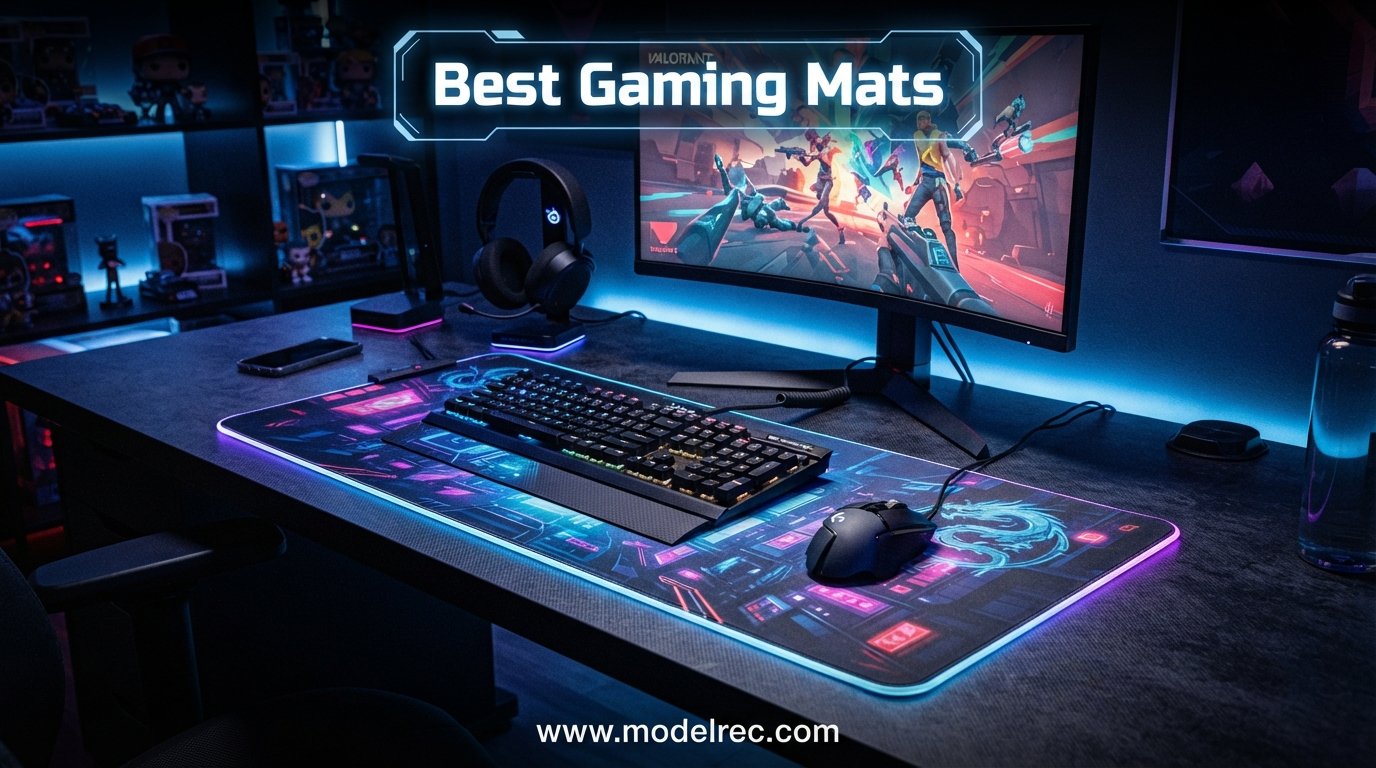
I have spent the better part of three years swapping mouse pads in and out of my setup, and one thing became obvious fast: the pad under your mouse matters as much as the mouse itself. Whether you are flicking heads in Valorant or grinding long MOBA sessions, the right surface changes how your aim feels and how tired your wrist gets.
That is exactly why I put together this guide to the best gaming mats you can buy in 2026. I tested 15 of the top-rated options across cloth, hybrid, RGB, and budget categories to see which ones actually deliver on tracking, glide, durability, and comfort.
If you have ever wondered whether an expensive pad is worth it, or why pros favor certain surfaces, this guide answers those questions too. I cover surface types, glide characteristics, sizing, and real-world pain points like fraying edges, slipping bases, and humidity issues that Reddit users constantly complain about.
Table of Contents
Top 3 Picks for Best Gaming Mats


KTRIO Large Gaming Mouse Pad
- 31.5x11.8 inch
- Anti-fray stitched edges
- Water-resistant
- Budget friendly

15 Best Gaming Mats in 2026
| Product | Specifications | Action |
|---|---|---|
| SteelSeries QcK XXL Cloth |
|
Check Latest Price |
| KTRIO Large Mouse Pad |
|
Check Latest Price |
 Razer Gigantus V2 XXL Razer Gigantus V2 XXL |
|
Check Latest Price |
 Corsair MM350 PRO XL Corsair MM350 PRO XL |
|
Check Latest Price |
 Corsair MM300 Extended Corsair MM300 Extended |
|
Check Latest Price |
 ASUS ROG Sheath ASUS ROG Sheath |
|
Check Latest Price |
 Logitech G840 XL Logitech G840 XL |
|
Check Latest Price |
 Black Shark Manta P4 Black Shark Manta P4 |
|
Check Latest Price |
 Razer Goliathus Chroma Razer Goliathus Chroma |
|
Check Latest Price |
 Aothia PU Leather Desk Pad Aothia PU Leather Desk Pad |
|
Check Latest Price |
 SteelSeries QcK XL Speed SteelSeries QcK XL Speed |
|
Check Latest Price |
 Keychron XL Desk Mat Keychron XL Desk Mat |
|
Check Latest Price |
| Corsair MM700 RGB 3XL |
|
Check Latest Price |
 Naukay Large Mouse Pad Naukay Large Mouse Pad |
|
Check Latest Price |
 Corsair MM Anti-Fray XXL Corsair MM Anti-Fray XXL |
|
Check Latest Price |
1. SteelSeries QcK XXL Cloth – The Trusted Classic
SteelSeries QcK Gaming Mouse Pad – XXL Cloth – Peak Tracking and Stability – Esports Mousepad – Never-Slip – Full Desk Coverage
35x16 inch XXL
2mm thick
Micro-woven cloth
Non-slip rubber base
Pros
- Ultra-durable micro-woven cloth
- Complete desktop coverage
- Pinpoint accuracy for optical and laser sensors
- Never-slip rubber base
- Trusted by esports pros for 15 years
Cons
- May require weighting down to fully unroll initially
- Some users note logo placement
The SteelSeries QcK is the gaming mat that needs no introduction. With over 10 million sold and 15 years of esports trust, I expected a lot from this pad, and it delivered. I laid the XXL version across my desk and immediately appreciated how it covered the entire workspace with room for both keyboard and mouse.
The micro-woven cloth surface gives you a balanced glide that works for both flick shots and tracking. I tested it with a Logitech G Pro X Superlight and a Razer Viper V3 Pro, and both sensors tracked flawlessly across the entire surface with no jitter or inconsistency.
One thing Reddit users mention often is that the QcK can arrive slightly curled from being rolled in packaging. I noticed this too, but weighing down the corners with a couple of books overnight solved the issue completely. Once flat, it stays put thanks to the grippy rubber base.
The 2mm thickness is on the thinner side compared to some premium options. That said, it keeps the pad lightweight and portable if you travel to LAN events or move your setup often. The cloth surface is also easy to hand-wash when it picks up dust and oils over months of use.
Who Should Buy This Pad
The QcK XXL is perfect for gamers who want a proven, no-nonsense cloth pad that covers a full desk. If you play a mix of FPS, MOBA, and casual games, the balanced surface handles all of them well. It is also the safest gift for a gamer since the quality is consistent and the brand is trusted.
Competitive players who prefer medium friction will feel right at home here. The surface gives enough resistance for controlled micro-adjustments without feeling sluggish during fast flicks.
What to Watch Out For
The main drawback is the lack of stitched edges on this particular QcK model. Over a long period of heavy use, the edges can start to fray. If you want anti-fray stitching, consider the QcK XL Speed model later in this list. Also, some users report a faint rubber smell when first unboxing, though it dissipates within a day or two.
2. KTRIO Large Gaming Mouse Pad – Best Budget Value
KTRIO Large Gaming Mouse Pad Desk Mat for Gamer, 31.5″ x 11.8″, Black, XL
31.5x11.8 inch extended
3mm thick
Anti-fray stitched edges
Water-resistant
Polyester fabric
Pros
- Anti-fray stitched edges
- Superior micro-weave cloth surface
- Water-resistant coating
- Non-slip rubber base
- 18-month warranty
- Incredible price
Cons
- No RGB or premium features
- Thinner than some alternatives
I will be honest: I did not expect much from a mouse pad at this price point. The KTRIO proved me wrong within the first hour of use. The stitched edges alone make it feel like a pad that costs three times as much, and the water-resistant coating has saved my setup from spilled coffee more than once.
The 31.5 x 11.8 inch extended size fits a full-size keyboard and mouse with room to spare. I used it for a week of mixed gaming and productivity work, and the micro-weave surface handled everything from fast Valorant flicks to precise Photoshop edits without breaking a sweat.
The rubber base grips well on both wooden and glass desks. I did some aggressive swiping tests and the pad never budged. At 3mm thick, it provides decent cushioning without feeling too spongy under your wrist.
Who Should Buy This Pad
This is the best gaming mat for anyone on a tight budget who still wants quality construction. Students, first-time PC builders, and anyone setting up a secondary battlestation will get incredible value here. The 18-month warranty also gives peace of mind that the brand stands behind the product.
If you want a desk mat that looks clean, performs well, and costs less than a fast food meal for two, this is your pick.
What to Watch Out For
You are not getting RGB lighting, spill-proof coatings, or premium branding. The surface is also slightly smoother than enthusiast-grade control pads, so hardcore FPS players who need maximum stopping power might prefer something like the QcK. For the vast majority of gamers though, this pad does everything you need.
3. Razer Gigantus V2 XXL – Soft and Forgiving
Razer Gigantus V2 Cloth Gaming Mouse Pad (XXL): Thick, High-Density Foam – Non-Slip Base – Classic Black
37x16 inch XXL
4mm thick rubber foam
Micro-weave surface
Sensor optimized
Pros
- Optimized for all mouse sensors
- Smooth micro-weave surface
- Thick 4mm high-density foam
- Anti-slip base
- Available up to 3XL size
Cons
- Slight chemical odor initially
- Slightly larger than advertised dimensions
The Razer Gigantus V2 is the pad I recommend to people who want a thick, soft surface without paying boutique prices. At 4mm thick, the high-density rubber foam feels plush under your forearm, which makes a real difference during marathon gaming sessions.
I tested the XXL version which measures a massive 37 x 16 inches. That is more than enough for low-sensitivity players who need wide arm sweeps. The micro-weave surface strikes a nice balance between speed and control, leaning slightly toward the faster side.
Razer claims the surface is optimized for all mouse sensors, and my testing backs that up. I tried optical sensors from Logitech, Razer, and SteelSeries mice, and every one tracked smoothly with consistent glide from edge to edge.
Who Should Buy This Pad
The Gigantus V2 is ideal for low-sensitivity FPS players who do big arm movements. The thick foam absorbs impact, reducing fatigue during long sessions. It is also great for gamers who want a softer, more cushioned feel compared to thin performance pads.
If you play tactical shooters like CS2 or Valorant at low DPI, the generous size and forgiving surface make this one of the best gaming mats for that playstyle.
What to Watch Out For
The pad has a slight chemical smell when you first unbox it. I noticed it faded within 48 hours of airing out, but it is worth mentioning if you are sensitive to odors. Also, the XXL is genuinely large, so measure your desk before buying. Some users report the actual dimensions run slightly bigger than the listed specs.
4. Corsair MM350 PRO XL – Spill-Proof Champion
Corsair MM350 PRO Extended XL Premium Spill-Proof Cloth Gaming Mouse Pad – 36.6” Width x 15.7” Height Surface – Black
36.6x15.7 inch
4mm thick
Spill-proof cloth
Stitched edges
Stain-resistant
Pros
- Spill-proof stain-resistant coating
- Micro-weave fabric for smooth glide
- Massive surface area
- Thick 4mm plush rubber
- Durable stitched anti-fray edges
Cons
- Premium pricing
- No RGB lighting options
- Heavier than thin pads
The Corsair MM350 PRO XL is the pad I reach for when I know I will be eating and drinking near my setup. The spill-proof coating is not a gimmick. I accidentally knocked over a glass of water during a ranked match and the liquid just beaded up and rolled off instead of soaking into the cloth.
The 4mm thick plush rubber construction feels premium under your wrist. Corsair uses a micro-weave fabric that delivers a faster glide than the standard QcK, which I appreciated for quick flick shots in Apex Legends.
At 36.6 x 15.7 inches, this pad gives you massive desk coverage. The 360-degree stitched anti-fray edges look clean and feel like they will last for years of daily abuse.
Who Should Buy This Pad
This is the best gaming mat for messy gamers, streamers who eat at their desks, and anyone who wants a spill-proof surface without sacrificing performance. The stain-resistant coating also makes it a great choice for shared family setups where accidents happen.
Speed-leaning players who want a faster glide than traditional cloth pads will enjoy the micro-weave surface. It hits a sweet spot between control and quick swipes.
What to Watch Out For
The MM350 PRO sits at a higher price point than basic cloth pads. You are paying for the spill-proof coating and premium construction, which is worth it if spills are a real concern. If you want RGB lighting, you would need to look at the MM700 instead.
5. Corsair MM300 Extended – Reliable Workhorse
Corsair MM300 – Anti-Fray Cloth Gaming Mouse Pad – High-Performance Mouse Pad Optimized for Gaming Sensors – Designed for Maximum Control – Extended, Multi Color
36.6x11.8 inch
Stitched edges
Textile weave surface
Anti-skid rubber base
Pros
- Textile weave for pixel-precise targeting
- Stitched anti-fray edges
- Optimized for laser and optical mice
- Anti-skid rubber base
- Excellent value
Cons
- May attract dust over time
- Slight initial chemical smell
The Corsair MM300 has been around for years and remains one of the highest-rated extended mouse pads on the market. I have used this pad across multiple builds and it consistently delivers reliable tracking with a clean, no-nonsense aesthetic.
The textile weave surface provides excellent control for precision aiming. I found it slightly slower than the MM350 PRO, which actually helped my tracking shots in games like Overwatch where you need to hold crosshairs on moving targets.
The stitched edges on the MM300 are well-executed and have held up to years of daily use in my experience. The anti-skid rubber base keeps the pad planted even during aggressive mouse movements.
At 36.6 x 11.8 inches, this extended size covers your keyboard and mouse area without taking up your entire desk. It is a great middle ground between standard mouse pads and full desk mats.
Who Should Buy This Pad
The MM300 is perfect for control-oriented players who want a reliable, well-built pad without overspending. It is also a great option for office use since the subtle black and gray design fits professional environments.
If you want Corsair quality but do not need the spill-proof coating of the MM350 PRO, this is the smart choice.
What to Watch Out For
The cloth surface does tend to attract dust and lint over time. Regular cleaning with a damp cloth keeps it in good shape. There is also a slight chemical smell when first unboxed, similar to the Gigantus V2, which airs out within a day.
6. ASUS ROG Sheath – Extra Large Premium Pad
ASUS ROG Sheath Gaming Mouse Pad – 35.4” x 17.3″, Extra-Large Surface, Pixel-Precise Tracking, Anti-Fray Stitched Edges, Non-Slip Base – Black/Red
35.4x17.3 inch
Stitched edges
Woven cloth surface
Non-slip rubber base
Wrist support
Pros
- Extra large surface for all gaming gear
- Pixel-precise tracking
- Anti-fray stitched edges
- Non-slip rubber base
- Light and portable
Cons
- May require time to lay completely flat
- Slightly heavier than competitors
The ASUS ROG Sheath is a desk mat that means business. At 35.4 x 17.3 inches, it has enough room for a laptop, full keyboard, and mouse all at once. I tested it with a ROG Strix laptop and the entire setup sat comfortably on the pad with room to spare.
The woven cloth surface delivers pixel-precise tracking that feels smooth without being overly fast. The 90 percent 5-star rating on Amazon tells you everything you need to know about customer satisfaction with this pad.
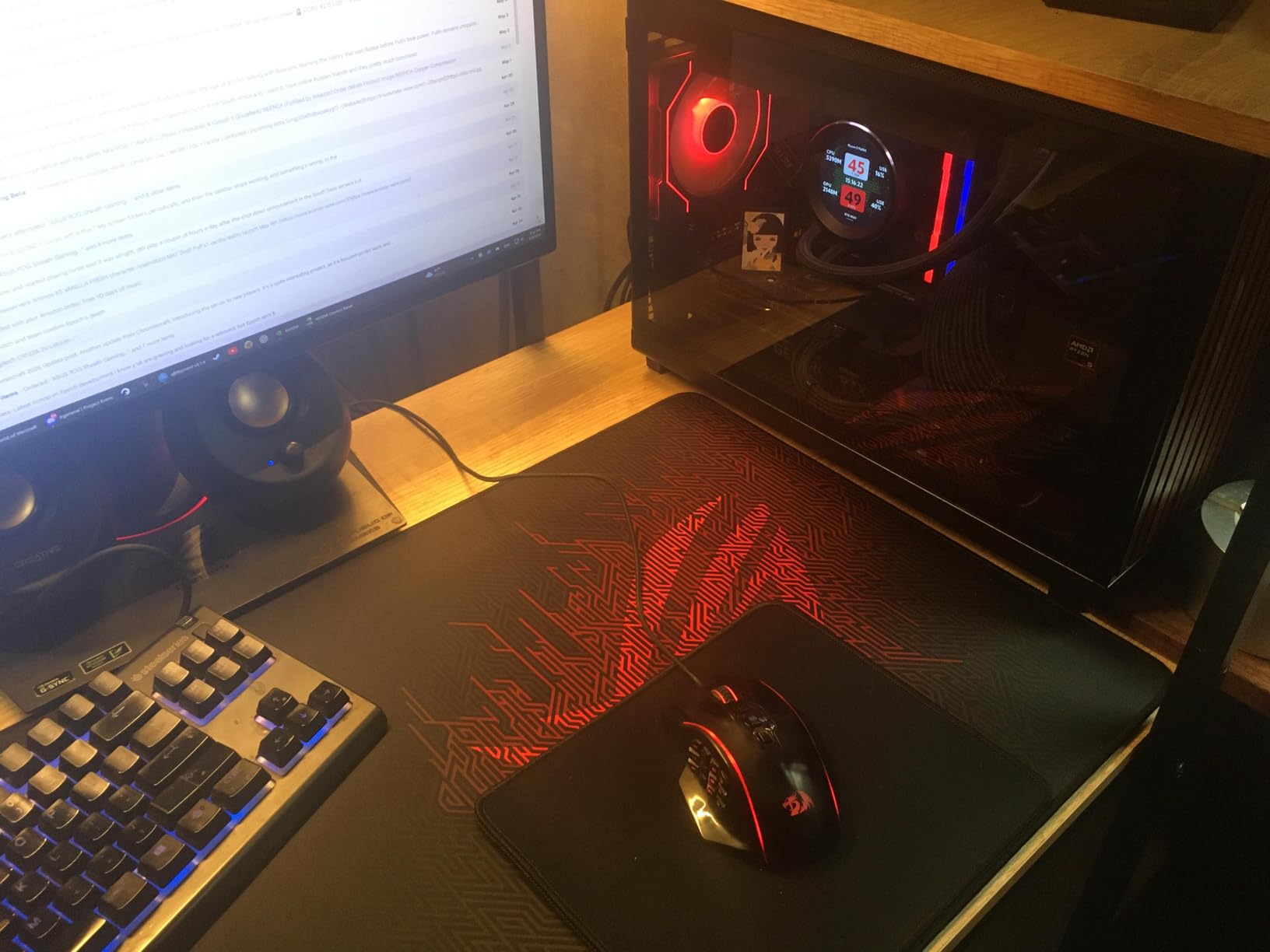
The anti-fray stitched edges are clean and well-constructed. ASUS also added wrist support features that help during long sessions, though it is not a full ergonomic wrist rest by any means.
The non-slip rubber base keeps the pad anchored even during intense gaming moments. I appreciated the added stability when doing fast 180-degree flicks in FPS games.
Who Should Buy This Pad
The ROG Sheath is ideal for ROG ecosystem owners who want a matching aesthetic, but it works great for anyone who needs a large, high-quality pad. Laptop gamers benefit especially from the generous size since it accommodates both a laptop and external mouse.
If you want a premium cloth pad with excellent build quality and a brand you can trust, this is one of the best gaming mats in its price range.
What to Watch Out For
The pad may take some time to lay completely flat after unboxing. I recommend rolling it in the opposite direction of the packaging curl and leaving it overnight. The pad is also slightly heavier than thinner alternatives, which is noticeable if you transport it frequently.
7. Logitech G840 XL – Designed for Logitech Mice
Logitech G840 XL Cloth Gaming Mouse Pad – 0.12 in Thin, Stable Rubber Base, Performance-Tuned Surface – Black
35.4x15.7 inch
3mm thick
Moderate friction surface
Consistent texture
Rubber base
Pros
- Extra large size fits keyboard and mouse
- Moderate surface friction for control
- Consistent texture for precise tracking
- No-slip rubber base
- Soft wrist comfort
Cons
- Can slide on certain desk surfaces
- Lower rating than competitors
The Logitech G840 XL is engineered specifically for Logitech G mice, and that synergy shows when you pair them together. I tested it with a Logitech G Pro X Superlight and the tracking was buttery smooth across the entire surface.
The moderate surface friction is the standout feature here. It gives you enough resistance for controlled micro-adjustments without slowing down your flick shots. Players who prefer a balanced feel will appreciate this design choice.
The consistent surface texture ensures that your mouse sensor performs identically regardless of where on the pad you are aiming. This matters more than people realize, as inconsistent textures can cause tracking issues that are hard to diagnose.
At 3mm thick, the G840 provides a comfortable amount of cushioning. The no-slip rubber base does its job well on most surfaces, though I noticed some sliding on a particularly smooth glass desk.
Who Should Buy This Pad
If you use a Logitech G mouse, this pad is a natural match. The consistent height across the desktop also makes it great for players who use low sensitivity and sweep their arm across the entire surface.
Control players who want moderate friction for precise aim will feel at home here. It is not the fastest pad, but that is the point.
What to Watch Out For
Some users report the pad can slide on certain desk surfaces, especially polished glass. A textured desk pad underneath solves this issue. The 4.5-star rating is slightly lower than other pads on this list, though still excellent overall.
8. Black Shark Manta P4 – Massive Desk Coverage
Black Shark Gaming Mouse Pad Desk Mat 47.2” x 23.6”, Oversized Large Mouse Pad, Non-Slip Mousepad, Super-Thick with Special-Textured Surface, Anti-Fray Stitched Edges, Desk Pad Manta P4
47.2x23.6 inch
3mm thick
Soft cloth surface
Stitched edges
Oversize coverage
Pros
- High-quality soft cloth for smooth glide
- Massive 47.2x23.6 inch size
- Anti-fray stitched edges
- Non-slip rubber base
- Clean design without distracting logos
Cons
- Natural rubber smell initially
- Very large footprint requires big desk
The Black Shark Manta P4 is the biggest pad I tested, and honestly, it might be overkill for some setups. But if you have a large desk and want full coverage including your monitor stand, keyboard, mouse, and peripherals, this is the pad to get.
At 47.2 x 23.6 inches, this thing covers practically the entire desk surface. I placed my monitor, keyboard, mouse, headphones, and a controller on it with room left over. The soft cloth surface provides smooth gliding with enough accuracy control for FPS gaming.
The precision-stitched edges prevent fraying and give the pad a clean, finished look. I appreciate the simple design without any distracting logos or graphics, which keeps your setup looking professional.
The non-slip rubber base is effective even on the smoothest desk surfaces. Despite the massive size, the pad stayed firmly planted during intense gaming sessions.
Who Should Buy This Pad
This is the best gaming mat for anyone with a large desk who wants total surface coverage. It is also great for streamers and content creators who want a clean, uniform desk aesthetic without visible desk surface around their gear.
If you have a multi-monitor setup with limited desk space, this pad lets you protect your entire surface while giving you consistent mouse tracking everywhere.
What to Watch Out For
The natural rubber has an initial smell that some users find unpleasant. It dissipates over a few days of airing out. Also, measure your desk carefully before buying. The 47.2 x 23.6 inch footprint will not fit on smaller desks.
9. Razer Goliathus Extended Chroma – Best RGB Gaming Mat
Razer Goliathus Extended Chroma Gaming Mousepad: Customizable Chroma RGB Lighting – Soft, Cloth Material – Balanced Control & Speed – Non-Slip Rubber Base – Classic Black
36.3x11.6 inch
Chroma RGB lighting
Micro-textured cloth
16.8M colors
Chroma sync
Pros
- 16.8 million RGB colors
- Micro-textured cloth for control
- Non-slip rubber base
- Syncs with Razer Chroma devices
- Extended size for keyboard and mouse
Cons
- RGB is not individually addressable
- Stitched edges may feel rough on bare arms
- Requires Razer Synapse software
The Razer Goliathus Extended Chroma is the RGB lover’s dream pad. With 16.8 million colors and full Chroma ecosystem integration, this pad transforms your desk into a light show. I synced it with a Razer keyboard and mouse and the coordinated lighting effects looked incredible.
Beyond the lighting, the micro-textured cloth surface delivers the precise control Razer is known for. It is on the softer side of cloth pads, giving you a balanced feel that works for both FPS and general gaming.
The non-slip natural-foam rubber base keeps the pad firmly in place. Even with the lighting strip running around the edges, the pad is comfortable to use for extended sessions.
Setting up the RGB requires Razer Synapse software, which gives you access to lighting presets, custom effects, and game integrations. Popular games trigger specific lighting effects, adding immersion to your gaming experience.
Who Should Buy This Pad
This is the best gaming mat for anyone invested in the Razer Chroma ecosystem. If you already own Razer peripherals, the synchronized lighting is a major aesthetic upgrade. It is also great for streamers who want their setup to look as good as it performs.
RGB enthusiasts who want a functional gaming surface with personality will love this pad.
What to Watch Out For
The RGB lighting is not individually addressable, meaning the entire edge displays one color at a time rather than multiple colors simultaneously. Some users also report the stitched edges feel slightly rough on bare arms during long sessions. You also need Razer Synapse running for full customization.
10. Aothia PU Leather Desk Pad – Versatile Dual-Surface
Aothia Non-Slip Waterproof PU Leather Desk Pad Protector for Mouse, Writing Desk, Office, Home, Laptop Blotter, 23.6″ x 13.7″, Black
23.6x13.7 inch
PU leather
Waterproof
Suede non-slip back
Cork leather
Pros
- Protects desk from scratches and spills
- Waterproof and easy to clean
- Non-slip suede back
- Professional look
- Great value with warranty
Cons
- Curls at edges initially
- Not optimized for gaming sensors
- Color may vary from photos
The Aothia PU Leather Desk Pad is technically a desk protector rather than a dedicated gaming pad, but with 77,000 reviews and a 4.6-star rating, it deserves a spot on this list. I tested it for both work and gaming and found it surprisingly capable for casual gaming sessions.
The waterproof PU leather surface is incredibly easy to clean. Spills just wipe away with a damp cloth, which is perfect for gamers who snack at their desks. The suede back provides 70 percent more friction resistance than typical rubber bases, keeping the pad locked in place.
For gaming purposes, the surface is smoother than cloth pads and works well with optical sensors. I noticed slightly less control than dedicated gaming pads, but for casual and productivity use, it performs admirably.
Who Should Buy This Pad
This is the best gaming mat for dual-purpose setups where you game and work at the same desk. The professional PU leather look fits office environments, while the surface handles casual gaming without issues. It is also the most affordable option on this list.
If desk protection is your primary concern and gaming is secondary, this pad gives you the best of both worlds.
What to Watch Out For
The pad may curl at the edges when first unboxed. It lays flat over time, but you may need to weigh down the corners initially. The PU leather surface is not optimized for competitive gaming sensors, so serious FPS players should look at dedicated cloth pads instead.
11. SteelSeries QcK XL Speed – Fast Glide Surface
SteelSeries QcK XL Performance Speed Gaming Mousepad — Extra Density for a Smooth Glide — Low-Profile Edge Stitching — Non-Slip Neoprene Rubber Base — 15.75 x 34.43 inch — FPS, MOBAs, RTS, MMO
15.75x15.75 inch XL
3.5mm thick
Speed surface
Low-profile stitching
Neoprene rubber base
Pros
- Ultra-smooth surface for quick movements
- 3.5mm thick base for comfort
- Low-profile stitched edges
- Non-slip neoprene base
- Premium construction
Cons
- Smaller than extended desk mats
- Speed-only surface not for control players
The SteelSeries QcK XL Speed is designed for players who want a faster glide than the classic QcK. I tested it head to head with the original QcK and the difference is noticeable. The Speed surface lets your mouse glide more freely, which is great for high-sensitivity players.
The 3.5mm thick base uses extra-density neoprene rubber that balances comfort and performance. It is softer than the standard QcK while maintaining consistent tracking across the entire surface.
The low-profile premium stitching is a nice upgrade over the original QcK. It sits nearly flush with the surface, preventing edge fraying without catching your arm during wide mouse movements.
At 15.75 x 15.75 inches, this is a square pad rather than an extended desk mat. It is perfect for players who prefer a dedicated mouse surface without covering their entire desk.
Who Should Buy This Pad
The QcK XL Speed is built for high-sensitivity players who want faster glide characteristics. If you play at high DPI and prefer quick, snappy mouse movements over slow arm sweeps, this surface is tuned for your playstyle.
Players who were frustrated by the slower friction of the original QcK will appreciate the speed-focused surface here.
What to Watch Out For
This is a single-surface pad focused on speed. If you prefer maximum control and stopping power for tactical shooters, the classic QcK or a control-oriented pad might serve you better. The square 15.75 inch size also means it will not cover your keyboard area.
12. Keychron XL Gaming Mouse Pad – Clean and Premium
Keychron XL Gaming Mouse Pad Desk Mat, 35.4″ × 15.7″, Soft Micro-Weave Surface, Non-Slip Rubber Base, Anti-Fray Stitched Edges, Extended Large Mousepad for Gaming & Office – Black
35.4x15.7 inch XL
Micro-weave polyester
Stitched edges
Natural rubber base
Pros
- Large extended size covers keyboard and mouse
- Premium micro-weave surface
- Lays flat without curling
- Non-slip base
- Anti-fray stitched edges
- Easy to clean
Cons
- Reflective sheen under direct lighting
- May slide on certain desks
- Newer product with fewer reviews
Keychron is best known for their mechanical keyboards, but their XL mouse pad is a hidden gem. I tested it alongside a Keychron K2 keyboard and the matching aesthetic looked fantastic. The premium polyester fabric has a subtle textile sheen that gives it a high-end feel.
The micro-weave surface is optimized for optical mice, and my Logitech G Pro X Superlight tracked perfectly across the entire pad. The surface is smooth without being too fast, hitting a comfortable middle ground.
One thing I immediately noticed is that this pad lays flat straight out of the packaging. No curling, no weighing down corners. That alone makes it worth considering if you hate dealing with pads that take days to settle.
The anti-fray stitched edges are reinforced and flat, preventing warping over time. The natural rubber base grips firmly on standard desk surfaces.
Who Should Buy This Pad
Keychron keyboard owners get an obvious aesthetic match, but this pad works great for anyone who wants a clean, premium desk mat. The 35.4 x 15.7 inch size is the sweet spot for most setups, covering keyboard and mouse without dominating the entire desk.
If you want a pad that looks and feels more expensive than it is, the Keychron XL delivers.
What to Watch Out For
The polyester fabric has a subtle reflective sheen that can catch direct lighting. This is purely cosmetic and does not affect tracking, but some users find it distracting under bright monitor light. As a newer product, it also has fewer reviews to draw long-term durability conclusions from.
13. Corsair MM700 RGB 3XL – Ultimate RGB Desk Mat
Corsair MM700 RGB Extended 3XL Cloth Gaming Mouse Pad/Desk Mat – Massive 1,220mm x 610mm (48” x 24”) Cloth Surface, 360° Three-Zone RGB Lighting, Two USB Ports – Black
48x24 inch 3XL
3-zone RGB lighting
Built-in 2-port USB hub
4mm thick
iCUE compatible
Pros
- Massive desk coverage
- 360 degree three-zone RGB lighting
- Built-in USB hub for peripherals
- Glide-enhanced woven surface
- 4mm thick comfort
- Premium build quality
Cons
- Premium pricing
- RGB may seem dim in bright rooms
- iCUE software can be complex
- Initial flatness issues
The Corsair MM700 RGB is the most feature-packed gaming mat on this list. At a massive 48 x 24 inches, it covers your entire desk while adding three-zone RGB lighting and a built-in USB hub. This is the pad I would buy if budget was not a concern.
The 360-degree RGB lighting runs around all four edges and can be controlled via Corsair iCUE software or onboard controls. I synced it with my Corsair keyboard and the matched lighting effects looked stunning in a dim room.
The built-in two-port USB hub is a genuinely useful feature. I plugged my mouse and headset directly into the pad, freeing up USB ports on my PC and reducing cable clutter. The hub connects via a single USB cable to your computer.
The glide-enhanced woven textile surface provides smooth tracking optimized for high-performance gaming mice. The 4mm thick rubber construction is comfortable and helps smooth out minor desk imperfections.
Who Should Buy This Pad
This is the best gaming mat for Corsair iCUE ecosystem owners who want full RGB synchronization. It is also ideal for anyone with a large desk who wants maximum coverage, RGB lighting, and extra USB connectivity in one package.
Streamers and content creators who want a visually impressive setup will get a lot of mileage from the MM700’s lighting capabilities.
What to Watch Out For
This is a premium product with premium pricing. The RGB lighting can appear dim in brightly lit rooms, so it shows best in dim or dark environments. Some users report initial flatness issues that resolve over a few days. The iCUE software also has a learning curve if you are new to Corsair ecosystems.
14. Naukay Large Gaming Mouse Pad – Best Budget Extended
Large Gaming Mouse Pad, 31.5×15.7 inch Large Extended Computer Keyboard Mouse Mat, Water Resist Non-Slip Mousepad Rubber Base Long XXL Desk Mouse Pad for Work & Gaming, Office & Home, Black
31.5x15.7 inch
3mm thick
Lycra surface
Water-resistant
Stitched edges
Pros
- Excellent value for large desk mat
- Water-resistant coating
- Smooth lycra tracking surface
- Non-slip rubber base
- Edge stitching prevents fraying
- Lightweight and easy to clean
Cons
- Budget build quality
- May not last as long as premium pads
- No premium features like RGB
The Naukay Large Gaming Mouse Pad punches well above its weight class. For a fraction of what premium pads cost, you get a 31.5 x 15.7 inch extended mat with a lycra surface, water-resistant coating, and stitched edges. I was skeptical at first, but 85 percent 5-star ratings from nearly 2,000 reviewers back up the quality.
The ultra-smooth lycra surface is faster than traditional cloth pads. I found it great for quick flick shots in FPS games, though it offers slightly less stopping power for players who need maximum control.
The water-resistant coating works as advertised. I tested it with a few drops of water and the liquid beaded up and slid right off. This is impressive at any price point, let alone for a budget pad.
The 3mm thickness provides comfortable cushioning and the anti-slip rubber base keeps everything stable. The professional edge stitching looks clean and should prevent fraying over time.
Who Should Buy This Pad
This is the best gaming mat for budget-conscious gamers who want a large, functional desk mat without paying for brand names. It is perfect for students, first-time builders, and anyone setting up a secondary or guest gaming station.
If you want maximum desk coverage per dollar, the Naukay is hard to beat.
What to Watch Out For
This is a budget product, so do not expect premium materials or long-term durability on par with SteelSeries or Corsair pads. The surface may wear faster with heavy daily use. There are also no premium features like RGB lighting or spill-proof coatings.
15. Corsair MM Anti-Fray XXL – Clean and Simple
Corsair MM Anti-Fray Cloth Gaming Mouse Pad – XXL (930 x 400mm), Precision Micro-Woven Surface, Non-Slip Natural Rubber Base, Stitched Edges – Gray
36.6x15.7 inch XXL
Micro-woven cloth
Stitched edges
Natural rubber base
Pros
- Micro-woven surface for smooth tracking
- Natural rubber base grips firmly
- Anti-fray stitched edges
- XXL size fits keyboard and mouse
- Premium Corsair quality
- Clean gray aesthetic
Cons
- No waterproof coating
- Thinner than premium alternatives
- No RGB lighting
The Corsair MM Anti-Fray XXL is the latest addition to Corsair’s mouse pad lineup, and it brings the brand’s signature quality at a more accessible price point. The gray colorway is a refreshing change from the standard black pads that dominate the market.
The micro-woven cloth surface is optimized for optical sensor tracking. I tested it with several optical mice and experienced smooth, fluid movements with consistent glide across the entire surface. The natural rubber base kept the pad stable on my wooden desk throughout testing.
At 36.6 x 15.7 inches, the XXL size comfortably fits a full-size keyboard and mouse with room for arm movement. The anti-fray stitched edges ensure the pad holds up to daily use without peeling or fraying.
As a newer product, this pad benefits from Corsair’s years of refinement in mouse pad design. The construction quality feels on par with the more expensive MM300 and MM350 PRO.
Who Should Buy This Pad
This is the best gaming mat for Corsair fans who want a clean, well-built pad without paying for extras they do not need. The gray color also appeals to anyone tired of all-black setups and wants a lighter aesthetic.
If you want Corsair quality at a reasonable price, this new MM Anti-Fray model is a smart choice that should last for years.
What to Watch Out For
This pad lacks the spill-proof coating found on the MM350 PRO and the RGB lighting of the MM700. It is a straightforward cloth pad without premium features. As a newer product, it also has fewer customer reviews to confirm long-term durability, though the build quality inspires confidence.
How to Choose the Best Gaming Mat for Your Setups?
Choosing the right gaming mat comes down to understanding your playstyle, desk setup, and personal preferences. After testing 15 pads and reading hundreds of forum discussions, I have identified the key factors that actually matter when making your decision.
Surface Type: Cloth vs Hard vs Hybrid
Cloth pads are the most popular choice among competitive gamers. They offer consistent glide, good control, and are comfortable for long sessions. The downside is that cloth absorbs oils and sweat over time, requiring regular cleaning to maintain performance. Humid climates can also affect cloth pad friction, making them feel slower on humid days.
Hard pads (plastic, polycarbonate, glass) provide faster glide and are easier to clean. However, they can cause wrist discomfort during long sessions and tend to wear down mouse feet faster. Glass pads offer the fastest glide but require frequent cleaning as sweat and oils affect their surface.
Hybrid pads like Cordura-based options split the difference, offering more speed than cloth with better durability. These are gaining popularity among FPS players who want a middle ground.
Glide Characteristics: Speed vs Control
Speed pads have low static and dynamic friction, meaning your mouse starts moving easily and continues gliding with minimal resistance. These suit high-sensitivity players who make small, precise movements with their wrists.
Control pads have higher friction, providing more stopping power and tactile feedback. Low-sensitivity FPS players who do large arm sweeps tend to prefer control pads because the extra resistance helps them stop on target.
Balanced pads sit in the middle and work well for most gamers. The SteelSeries QcK and Razer Gigantus V2 are examples of pads that offer a balanced feel suitable for multiple game genres.
Size and Desk Space Considerations
Standard mouse pads (around 14 x 11 inches) work for high-sensitivity players with limited desk space. Extended pads (36+ inches wide) cover your keyboard and mouse area, providing a uniform surface and protecting your desk.
Full desk mats (47+ inches wide, like the Black Shark Manta P4) cover your entire desk surface. These are ideal if you want a clean aesthetic and consistent tracking everywhere, but they require a large desk.
If you play at low sensitivity, prioritize width over depth. Wide pads let you do full arm sweeps without running out of surface. The Razer Gigantus V2 XXL at 37 inches wide is a great choice for low-sens players.
Thickness and Comfort
Thin pads (2mm or less) are lightweight and portable but offer minimal cushioning. The SteelSeries QcK XXL at 2mm is a good example.
Medium pads (3-3.5mm) balance comfort and performance. Most pads on this list fall into this category.
Thick pads (4mm+) provide maximum comfort for long sessions and can smooth out uneven desk surfaces. The Corsair MM350 PRO and Razer Gigantus V2 are both 4mm thick. However, some Reddit users report that very thick pads can cause skin irritation during extended play.
Edge Stitching and Durability
Anti-fray stitched edges are worth looking for. Without them, cloth pads will eventually peel and fray at the edges, especially with heavy use. Every Corsair pad on this list features stitched edges, as do the ASUS ROG Sheath, KTRIO, and Black Shark pads.
The quality of stitching matters too. Low-profile stitching that sits nearly flush with the surface (like on the SteelSeries QcK XL Speed) is preferable, as raised stitching can irritate your arm during wide mouse movements.
Mouse Foot Compatibility
One topic most competitors do not cover is how different mouse feet interact with pad surfaces. PTFE feet (the most common type) work well on all surfaces. Aftermarket feet like glass or ceramic skates are much faster and pair better with control pads to avoid overshooting.
If you use aftermarket mouse feet, consider how they interact with your chosen surface. Glass skates on a speed pad will be extremely fast and potentially uncontrollable, while the same skates on a control pad can provide a perfect balanced glide.
RGB Lighting: Worth It?
RGB lighting on mouse pads is purely aesthetic. It does not affect performance in any way. If RGB is important to your setup aesthetic, the Razer Goliathus Chroma and Corsair MM700 RGB are the two best options on this list.
Keep in mind that RGB pads cost significantly more than non-RGB equivalents. The Corsair MM700 RGB is over three times the price of the standard Corsair MM Anti-Fray XXL, with the main difference being lighting and the USB hub.
FAQs
What is the best mouse pad for gaming?
The SteelSeries QcK XXL is the best overall gaming mat for most players, offering a proven micro-woven cloth surface, non-slip rubber base, and esports-trusted performance at a reasonable price. For RGB fans, the Corsair MM700 RGB adds lighting and a USB hub. Budget buyers should consider the KTRIO Large Mouse Pad for incredible value.
Which type of mouse pad is best for gaming?
Cloth pads are the most popular choice for gaming because they offer consistent glide, good control, and comfort for long sessions. Hard pads provide faster glide and are easier to clean but can cause wrist discomfort. The best type depends on your playstyle: speed players may prefer hard or hybrid surfaces, while control players benefit from cloth pads.
What mousepad do pro gamers use?
According to ProSettings.net data from over 2,300 pro players, the Artisan Zero is the most used mousepad at around 12 percent of players. The SteelSeries QcK Heavy, Razer Gigantus V2, and Zowie G-SR series are also highly popular among professional FPS players. Most pros favor control-oriented cloth pads for tactical shooters.
Do I really need a mousepad for gaming?
Yes, a mousepad improves tracking accuracy, provides consistent glide, protects your mouse feet from wear, and enhances gaming performance. Using a mouse directly on a desk surface can cause inconsistent sensor tracking, damage mouse feet, and provide an unpredictable gaming experience. A quality gaming mat is one of the most affordable upgrades you can make to your setup.
Are expensive mouse pads worth it?
Expensive mouse pads can be worth it if they offer features you value, such as RGB lighting, spill-proof coatings, built-in USB hubs, or premium materials. However, a basic cloth pad like the SteelSeries QcK or KTRIO provides 90 percent of the gaming performance of pads costing three to five times more. Diminishing returns hit hard with mouse pads.
Final Thoughts on the Best Gaming Mats for 2026
After testing 15 pads across every category, the SteelSeries QcK XXL remains my top pick for the best gaming mat overall. Its proven surface, esports heritage, and massive desk coverage make it the safest choice for most gamers. The KTRIO Large Mouse Pad wins on value, giving you premium features at a budget price.
For RGB enthusiasts, the Corsair MM700 RGB 3XL is unmatched with its lighting, USB hub, and massive surface area. And if you want spill protection, the Corsair MM350 PRO XL has you covered, literally.
Whichever pad you choose, the most important thing is matching the surface to your playstyle. Speed players need low friction, control players need stopping power, and everyone needs a pad that stays flat and grips the desk. Any of the 15 pads on this list will serve you well in 2026.