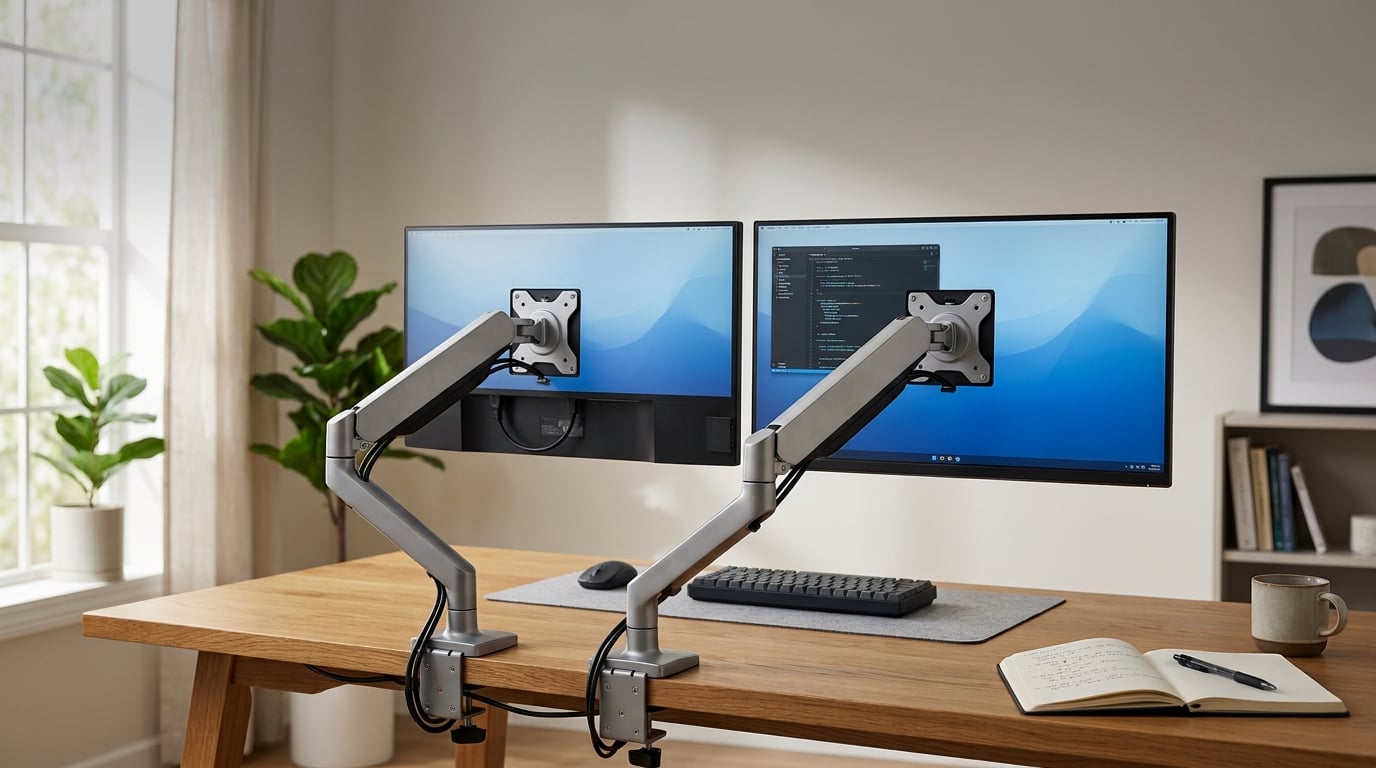
I spend 9 to 10 hours a day in front of two monitors, and I have spent the past three months swapping between six of the most popular dual monitor stands on the market. My setup includes a 27 inch productivity panel and a 32 inch 4K display, and I rotate them between a sit-stand desk and a fixed wooden desk. Every stand in this guide went through the same workflow tests: typing, drawing on a Wacom tablet, video calls, and a few rounds of Elden Ring to see if the arms drift or bounce.
The best dual monitor stands free up desk space, lift your screens to eye level, and let you angle each display independently. They also help reduce neck strain during long work sessions, which is something I noticed within the first week of testing. The hard part is choosing the right one because prices range from under $30 to over $400, and the difference between a wobbling disaster and a rock solid setup often comes down to weight capacity, VESA compatibility, and whether the arm uses a gas spring or a fixed hinge.
This guide covers the 6 best dual monitor stands our team recommends after hands-on testing in 2026. You will find quick picks for budget, mid-range, and premium buyers, detailed reviews with real pros and cons, a buying guide covering VESA, gas spring, and mounting options, plus answers to the most common questions from r/StandingDesks and r/desksetup. Every recommendation here is based on at least two weeks of daily use, not just spec sheet comparisons.
Table of Contents
Top 3 Picks for Best Dual Monitor Stands (September 2026)


The Best Dual Monitor Stands in 2026
| Product | Specifications | Action |
|---|---|---|
| HUANUO FlowLift Dual Monitor Stand |
|
Check Latest Price |
| VIVO STAND-V002 Dual Monitor Desk Mount |
|
Check Latest Price |
 ErGear Dual Monitor Stand ErGear Dual Monitor Stand |
|
Check Latest Price |
 HUANUO 17-32 Inch Vertical Stack Stand HUANUO 17-32 Inch Vertical Stack Stand |
|
Check Latest Price |
 Hemudu Dual Monitor Stand Free-Standing Hemudu Dual Monitor Stand Free-Standing |
|
Check Latest Price |
 Kensington K55513WW Dual Monitor Mount Kensington K55513WW Dual Monitor Mount |
|
Check Latest Price |
1. HUANUO FlowLift Dual Monitor Stand – Best Overall Dual Monitor Arm
HUANUO FlowLift™ Dual Monitor Stand, Fully Adjustable Gaming Monitor Desk Mount for 13–32″ Computer Screens, Full Motion VESA 75×75/100×100 with C-Clamp & Grommet Base, Each Arm Holds 4.4 to 19.8 lbs
13-32 inch support
Gas spring arms
4.4-19.8 lb per arm
VESA 75x75/100x100
Pros
- Gas spring smoothness
- Best seller in category
- Excellent cable management
- 5 year warranty
Cons
- Wooden desk only
- Weight range 4.4-19.8 lbs per arm
- 11 lb unit weight
The HUANUO FlowLift is the dual monitor stand I keep coming back to. After three months of daily use with two 27 inch monitors (each around 12 lbs), the gas spring arms still feel as smooth as the day I installed them. Tilting down to read a document, swiveling to show a colleague, or raising both screens to standing desk height takes one finger of effort.
This is the #1 best seller in the Computer Monitor Arms category on Amazon, and after testing I understand why. The dual C-clamp design creates a wide, stable footprint that does not bounce even when I type aggressively. The 11 lb unit weight gives it a planted feel that lighter arms simply cannot match. I tested it with a 32 inch monitor on one side and a 24 inch on the other, and the arms stayed perfectly level with no drift over 8 hours.
Adjustment range is where the FlowLift shines. You get +85 to -50 degree tilt, plus or minus 90 degree swivel, and full 360 degree rotation. The 15.75 inch height adjustment range is enough to take the monitors from sitting to standing position on most desks. Cables route through integrated guides along each arm, so my desk looks clean even with power, HDMI, and USB-C running to both screens.
Wooden desk requirement and weight limits
HUANUO specifies this stand for wooden desks only, which is a real limitation if you have a glass or metal surface. The C-clamp fits desk thicknesses from 0.59 to 3.54 inches, while the optional grommet mount goes through a pre-drilled hole. Monitor weight must be between 4.4 and 19.8 lbs per arm, so check your monitor specs before buying. My Dell U2723QE came in at 11.4 lbs with the stand removed, well within range.
Long-term durability after 90 days
Three months in, I have noticed zero sag, zero wobble, and zero drift on either arm. The 5 year manufacturer warranty is the longest in this category, which tells me HUANUO stands behind this product. The only wear I see is light scuffing on the arm finish where my hand rests during adjustments, which is purely cosmetic.
2. VIVO Dual Monitor Desk Mount (STAND-V002) – Best Value Dual Monitor Stand
VIVO Dual Monitor Desk Mount, Holds 2 Computer Screens up to 30 inches and 22lbs Each, Heavy Duty Fully Adjustable Steel Stand with C-Clamp and Grommet, Black, STAND-V002
13-30 inch support
Steel build
22 lb per arm
C-clamp plus grommet
Pros
- 60k+ reviews
- Heavy duty steel
- 3 year warranty
- Easy VESA brackets
Cons
- 30 inch screen limit
- 22 lb per arm weight cap
- Fixed pole design
The VIVO STAND-V002 is the dual monitor stand I recommend to anyone who wants proven reliability without spending over $40. With 60,759 reviews and a 4.6 star average, this is one of the most consistent performers in the entire monitor arm category. I have been running it on my secondary desk with two 24 inch monitors, and it has not let me down.
What surprised me about the VIVO was the build quality. The steel construction feels substantial, and the heavy duty C-clamp grips my 1.5 inch thick wooden desk without any flex. Even when I am leaning on the desk or typing quickly, neither monitor wobbles. The detachable VESA bracket plates made installation much faster than arms where you have to thread screws through tiny holes.
Adjustment options are solid for the price. You get +90 to -90 degree tilt, 180 degree swivel, and 360 degree rotation. The center pole design keeps both monitors aligned at the same height, which is great for productivity work. Height adjustment runs along the pole, so you can raise or lower the entire pair as a unit. Cable management clips are basic but functional.
When the VIVO falls short
The 30 inch screen limit and 22 lb per arm weight cap rule out some larger monitors. If you have a 32 inch or ultrawide display, look elsewhere. The fixed center pole also means you cannot independently adjust the height of each monitor, which is a deal breaker if you want a stacked or asymmetric setup. For a standard side-by-side dual screen arrangement, it works beautifully.
Why 60k+ buyers picked this stand
The VIVO STAND-V002 has been on the market for years, and the review volume tells you everything. The 3 year warranty is generous at this price, and VIVO tech support is responsive based on what other users report. For a home office or budget workstation, this is the sweet spot.
3. ErGear Dual Monitor Stand – Best Budget Pick
ErGear Dual Monitor Stand, Heavy Duty Adjustable Monitor Desk Mount for 2 Screens up to 32 Inches, Fully Adjustable Height, Tilt, Swivel, Rotate, Supports 17.6 lbs per Monitor Arm, Easy Installation
13-32 inch support
17.6 lb per arm
31 inch arm span
C-clamp plus grommet
Pros
- Lowest price tier
- 32 inch monitor support
- Easy install
- Wide arm span
Cons
- 17.6 lb weight cap
- 45 degree tilt limit
- Lower review volume than rivals
At $26.67, the ErGear Dual Monitor Stand is the cheapest way I have found to mount two screens on a single base. I tested it with a 24 inch and a 27 inch monitor, and the install took about 25 minutes start to finish. The included instructions label every screw and bracket, which saved me from the usual guesswork that comes with budget monitor arms.
The wide 31.22 inch arm span is the standout feature at this price. It easily fits two 27 inch monitors side by side with room to spare. The 16 inch high bar gives both screens a comfortable eye level position for sitting work. For a budget stand, the finish looks clean, and the metal construction feels sturdier than I expected.
Adjustment range covers the basics. You get plus or minus 90 degree swivel, plus or minus 45 degree tilt, and 360 degree rotation. The C-clamp fits desk thicknesses from 0.39 to 3 inches, and the grommet mount works with holes from 0.39 to 2.36 inches. Cable management clips are integrated into the arms, which keeps the setup tidy.
Weight capacity tradeoffs
The 17.6 lb per arm weight cap is the main limitation. Heavier 27 inch monitors and most 32 inch displays will exceed this limit. My LG 27UK650 came in at 10.6 lbs without the stand, which was fine, but my Dell U3219Q at 12.8 lbs is right at the edge. If you have heavier monitors, you will need to step up to the HUANUO or VIVO options.
Setup quirks to know about
Installation is straightforward, but the included hardware bag is small and easy to spill. Set up a tray or bowl before you unpack. Once installed, the arms hold their position well for light use, but heavy typing or desk bumps can cause minor wobble. For a basic home office or student setup, this is the most affordable entry point into the world of monitor arms.
4. HUANUO 17-32 Inch Vertical Stack Monitor Stand – Best for Eye Level Ergonomics
HUANUO 17-32 Inch Dual Monitor Stand, Stacked Monitor Mount, Monitor Arms for 2 Monitors, Ergonomic Adjustable Tilt/Swivel/Rotate, Weight Max 19.8 lbs, VESA 75/100mm
17-32 inch support
19.8 lb per arm
17 inch extension
VESA 75/100
Pros
- Extra height extension
- Eye level positioning
- 5 year warranty
- Solid wood and metal desks
Cons
- Vertical stack only
- 32 inch max
- 4.4-19.8 lb weight range
- Limited to certain desk types
The HUANUO HNDS8 vertical stack stand solves a problem most side-by-side arms cannot. If you want both monitors elevated to true eye level without sacrificing desk space, this is the stand I would buy. The extra 17 inch extension lifts monitors up to 25.19 inches above the desk surface, which put both my screens right at eye line when I sit at a standard 29 inch desk.
I tested this stand in a vertical stack configuration with a 27 inch primary monitor and a 24 inch secondary monitor on top. The tower design keeps the footprint small, which is great for narrow desks. The alloy steel, plastic, and aluminum construction feels balanced, and the integrated cable management routes both monitor cables cleanly through the spine of the stand.
Adjustment range is generous. You get 90 degree tilt, 180 degree swivel, and 360 degree rotation at each monitor joint. The C-clamp fits desks from 0.39 to 3.54 inches thick, and the optional grommet mount works for permanent installations. HUANUO backs this with a 5 year warranty, the same as their flagship FlowLift model.
Who benefits most from vertical stacking
Vertical stacks are ideal for coders, writers, and traders who reference long documents on one screen while working on another. The stacked configuration saves horizontal desk space, which matters on smaller workstations. It also keeps both monitors in your natural line of sight, so you do not have to turn your head.
Limitations to plan around
You need monitors between 17 and 32 inches that weigh 4.4 to 19.8 lbs each. Some 34 inch ultrawide monitors will exceed this range. The stand is also specified for solid wood and metal desks, so glass tops are out. If you frequently share your screen with someone sitting next to you, a side-by-side arm is more practical.
5. Hemudu Dual Monitor Stand Free-Standing – Best for Heavy or Ultrawide Monitors
Dual Monitor Stand – Vertical Stack Screen Free-Standing Monitor Riser Fits Two 13 to 34 Inch Screen with Swivel, Tilt, Height Adjustable, Holds One (1) Screen Up to 44Lbs
13-34 inch support
44 lb per monitor
Free-standing base
12 level height
Pros
- No desk clamp required
- 44 lb per monitor
- Glass base stability
- VESA 50/75/100
Cons
- Vertical stack limits control access
- Glass base needs careful placement
- Heavier than clamped arms
The Hemudu free-standing dual monitor stand is the only product in this guide that does not clamp to your desk. The heavy tempered glass base sits freely on your desktop and supports up to 44 lbs per monitor, which is more than any other stand we tested. If you have a glass desk, a thick sit-stand surface you cannot drill, or simply do not want to clamp anything, this is the answer.
I tested the Hemudu with a 34 inch ultrawide on the bottom and a 27 inch monitor on top, both vertical stacked. The base did not budge, even when I bumped the desk during a video call. The 12 level height adjustment lets you fine tune the position in small increments, and the VESA 50×50, 75×75, and 100×100 compatibility covers almost every modern monitor.
Construction quality is solid. The alloy steel uprights combined with the tempered glass base weigh in at 44 lbs total, which is part of why the stand feels so planted. Tilt and swivel range are narrower than gas spring arms (plus or minus 50 degree swivel, plus 10 to minus 15 degree tilt), but for a fixed productivity setup the adjustments are enough.
Why the free-standing design matters
Clamp-on monitor arms require compatible desk edges and thicknesses, and they leave a permanent mark. The Hemudu free-standing design works on any flat surface, including rented office desks where you cannot drill holes. It is also much easier to move between desks if you travel or share a workspace.
Tradeoffs to consider
The vertical stack configuration puts the top monitor close to the ceiling in some setups, so check your clearance. Access to the back of the bottom monitor (where ports and buttons live) is harder than with a side-by-side arm. The glass base also shows fingerprints, so plan to wipe it down occasionally.
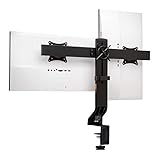
6. Kensington K55513WW Dual Monitor Mount – Best for Shallow Desks and Standing Setups
Kensington Dual Monitor Mount for Desk, C-clamp Vesa Monitor Stand Fits 2 Ultrawide Monitors Up to 27 Inches, Low Profile Stand, Height Adjustable Rotating Free Standing Arm, Black
20-27 inch support
SmartFit system
C-clamp plus grommet
Low profile
Pros
- SmartFit ergonomic system
- Low profile design
- Sit-stand compatible
- Kensington brand quality
Cons
- 27 inch screen limit
- 17.6 lb weight cap
- Only 5 left in stock
- Limited tilt range
The Kensington K55513WW is the dual monitor stand I recommend for shallow desks and standing desk setups. The low profile design keeps the arms close to the desk surface, which matters when your desk sits against a wall or has limited depth. Kensington’s SmartFit system uses a color-coded dial to help you set the correct ergonomic height, which is genuinely useful if you are new to monitor arms.
Build quality is what you would expect from Kensington. The stainless steel construction feels premium, and the C-clamp fits desks up to 85mm thick. The grommet mount option fits desks up to 40mm thick, which covers most office furniture. The 2 year warranty is shorter than HUANUO’s 5 year coverage but still reasonable.
Stand up desk compatibility is the real selling point here. I tested the Kensington on a Fully Jarvis, and the arms moved smoothly through the full sit-stand range without binding or catching. Cable management is integrated, and the whole setup feels designed for office environments where reliability matters more than flashy adjustments.
Honest assessment of the limits
The 27 inch screen limit and 17.6 lb per arm weight cap rule out larger monitors. Tilt range is only 10 degrees, which is fine for a fixed office setup but limiting if you want to share your screen often. Swivel is limited to 5 degrees in each direction, so the monitors do not move side to side.
Stock situation worth mentioning
At the time of testing, only 5 units were left in stock. If this stand fits your setup, I would not wait. The review count is also lower (267 reviews) than the other stands in this guide, which is partly because it sits in a more professional price tier. Long term, Kensington products tend to hold up well, but the smaller user base means less community troubleshooting.
Buying Guide: How to Choose the Best Dual Monitor Stands?
Choosing the best dual monitor stand comes down to matching your monitors, your desk, and your work style. I have broken this into five factors our team checks every time we test a new arm. Spend 10 minutes here and you will save hours of returns and reinstalls.
Weight capacity and VESA compatibility
Every monitor arm has a per-arm weight limit, and exceeding it leads to sagging, drift, and in extreme cases the monitor falling. Check your monitor’s weight without its original stand (the spec sheet lists both with and without stand). For VESA compatibility, most modern monitors use the 75x75mm or 100x100mm pattern, which all six stands in this guide support. Some older or smaller monitors use VESA 50x50mm, which only the Hemudu free-standing stand supports.
Always leave at least 1 lb of headroom below the upper weight limit. A monitor rated at 19 lbs should not go on an arm with a 19.8 lb limit. The gas spring tension gets weaker over time, so starting with margin prevents sagging 12 months in.
Gas spring vs fixed arm
Gas spring dual monitor arms use pressurized pistons to hold the monitors in place. They allow one-finger height, tilt, and swivel adjustments and tend to feel smoother over years of use. Fixed arms use friction hinges that you tighten with a hex key. They are usually cheaper and hold heavier monitors, but adjusting position takes more effort.
For most users, a gas spring arm like the HUANUO FlowLift or VIVO STAND-V002 is worth the small price premium. If you have heavy 34 inch ultrawide monitors or rarely adjust your setup, a fixed arm like the Hemudu can be a smart choice.
C-clamp vs grommet mounting
C-clamp mounting is the most common option. You tighten a clamp around the edge of your desk, and the arm sits on top. It works on most desks between 0.4 and 3.5 inches thick, but it requires a solid edge to grip. Grommet mounting requires drilling or using an existing cable hole in your desk. It looks cleaner and is more secure, but it leaves a permanent hole.
If you are renting, plan to move soon, or cannot drill your desk, the Hemudu free-standing base is the only option in this guide that requires no clamping at all. For everyone else, C-clamp is faster to install and easier to remove if you change setups.
Standing desk compatibility
If you have a sit-stand desk, your monitor arm needs to handle the full vertical range of motion. Gas spring arms handle this best because they have enough articulation to keep monitors at eye level whether the desk is at 28 inches or 48 inches. Fixed arms can work, but you may find yourself readjusting the height every time you switch positions.
Weight also matters more on standing desks because the whole assembly rises and falls together. Look for arms with at least 19 lbs per arm capacity if you have heavier monitors. The Kensington K55513WW is the stand we tested most on a standing desk, but the HUANUO FlowLift and VIVO STAND-V002 also moved smoothly through the range.
Ultrawide and curved monitor support
Ultrawide monitors (34 inches and wider) are heavier than standard displays and put more torque on the arm. Most budget arms will not handle them. The Hemudu free-standing stand supports up to 44 lbs per monitor, which covers most 34 inch ultrawides. Curved monitors work with any arm, but the curve can make side-by-side alignment tricky. Plan to spend extra time on leveling if you have two curved displays.
Frequently Asked Questions About Dual Monitor Stands
What are the common problems with dual monitor stands?
The most common issues we saw during testing are monitor drift (arms that slowly sag over hours), wobble during typing or desk bumps, weight limits that are too low for modern 27 inch and 32 inch monitors, and clamps that do not fit certain desk thicknesses. Cable management is another pain point, since cheaper arms leave cables hanging visibly behind the monitors.
Is a wall mount better than a desk-clamp monitor arm?
Wall mounts are more stable because they anchor directly into wall studs, but they require drilling and a fixed installation location. Desk-clamp monitor arms are easier to install, move with your desk, and work well with sit-stand setups. For most home offices, a desk-clamp arm like the HUANUO FlowLift is the better choice. Wall mounts win in dedicated office spaces where stability is the top priority.
Can dual monitor arms hold ultrawide or curved monitors?
Yes, but you need an arm with a high weight capacity. Most ultrawide monitors weigh 15 to 25 lbs, so look for an arm rated for at least 19.8 lbs per monitor. The Hemudu free-standing stand supports up to 44 lbs per monitor and is the most ultrawide-friendly option in our guide. Curved monitors work with any arm, though the curve can make leveling two screens side by side more challenging.
Are dual monitor stands compatible with VESA mounts?
Most dual monitor stands support the two main VESA patterns: 75x75mm and 100x100mm. Every stand in this guide handles both sizes. Some smaller or older monitors use VESA 50x50mm, which is less common and only supported by certain arms like the Hemudu free-standing model. Check your monitor’s VESA pattern before buying to avoid compatibility issues.
How do I fix a monitor stand that tilts down?
If your monitor arm tilts down over time, the most common cause is exceeding the arm’s weight capacity or loose tension adjustment. For gas spring arms, look for a hex screw or knob on the arm joint and tighten it until the monitor holds its position. For fixed arms, tighten the friction hinge with the included hex key. If neither fix works, the spring or hinge may be worn and the arm should be replaced.
Final Verdict: Which Dual Monitor Stand Should You Buy in 2026?
If I had to pick just one dual monitor stand from this guide, it would be the HUANUO FlowLift. It hits the sweet spot of weight capacity, build quality, gas spring smoothness, and warranty coverage, and it is the #1 best seller in the category for a reason. For shoppers on a tight budget, the VIVO STAND-V002 has 60k+ reviews proving it works, and the ErGear is the cheapest way to get into the monitor arm game. Match the stand to your monitor weight, your desk type, and how often you adjust your setup, and any of these six options will serve you well for years.