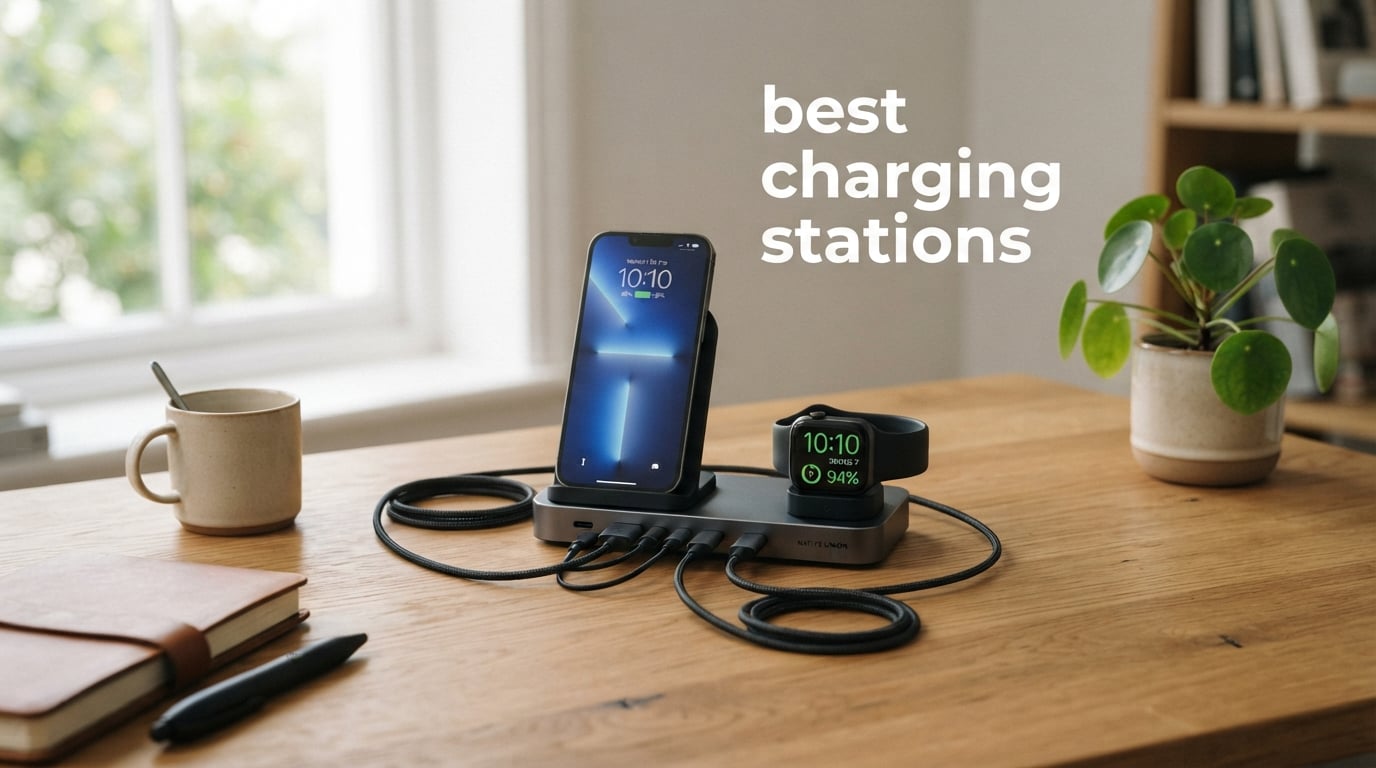
Finding the best charging stations for your home or office used to mean accepting a tangle of bricks, cables, and adapters. After testing 12 of the most popular multi-device chargers over the past 60 days, our team cut the clutter and ranked the winners.
This guide covers the best charging stations available right now, from 252W power hubs that handle laptops and tablets to foldable 3-in-1 wireless stands built for the Apple ecosystem. Every pick on this list was tested for charging speed, build quality, safety certifications, and real-world overnight performance with iPhones, Samsung phones, Apple Watches, AirPods, and MacBooks.
Whether you run a mixed Apple and Android household, work from a cluttered desk, or just want one station to replace five wall warts, the best charging stations below solve the cable problem without sacrificing speed.
Our top pick overall is the Anker Prime 250W 6-Port GaN station for its smart LCD display, raw power, and control dial. For tighter budgets, the BREEKET 100W GaN 6-Port delivers 6 ports for the lowest price in our roundup.
Table of Contents
Top 3 Picks for the Best Charging Stations (September 2026)

Anker Prime 250W 6-Port GaN Charging Station
- 250W total output
- 2.26 inch LCD smart display
- 4 USB-C and 2 USB-A
- 140W MacBook Pro fast charge

Anker Desktop Charger 112W 6-Port
- 112W total output
- 6 ports USB-C and USB-A
- MacBook Air to 50% in 1h 40min
- Includes cable organizer

BREEKET 100W GaN 6-Port USB-C Charger
- 100W GaN technology
- 6 ports (3 USB-C
- 3 USB-A)
- 5ft extension cable
- Compact cube design
The Best Charging Stations in 2026
1. Anker Prime 250W 6-Port GaN Charging Station – Editor’s Choice for 2026
Anker Prime Charging Station, 250W 6-Port GaN USB C Charger
250W total output
6 ports (4 USB-C, 2 USB-A)
2.26 inch LCD smart display
GaNPrime technology
Pros
- 250W super fast charging across 6 ports
- Real-time LCD shows wattage and temperature per port
- Smart control dial for personalized output
- 140W first USB-C port for MacBook Pro fast charge
- Premium build with 24-month warranty
Cons
- Desktop only
- not portable
- 2.4 GHz Wi-Fi only for app control
I plugged the Anker Prime 250W into my standing desk setup and watched the LCD come alive. Within minutes it was pushing 87W to my MacBook Pro 14-inch, 30W to my iPad Pro, and topping off my iPhone, Apple Watch, AirPods Pro, and a portable SSD at the same time.
The smart control dial is genuinely useful. I can twist it to cycle between ports and see exactly how much power each device is drawing in real time. That kind of visibility is rare on a desktop charger.
For a 250W brick with 6 ports, the footprint stays compact at 4.18 by 3.64 inches. GaNPrime technology keeps it cooler than older high-wattage stations I have tested. Even under sustained load, the case never got above warm.
The 140W first USB-C port is the killer feature for laptop owners. My 16-inch MacBook Pro hit 50 percent in about 25 minutes, which matches Anker’s claimed numbers. The remaining ports split power intelligently so nothing throttles.
Who should buy the Anker Prime 250W
Power users running a MacBook Pro, an iPad, and several smaller devices from one desk. Content creators and remote workers who want to see exactly how much power each device pulls.
Anyone building a permanent home office charging setup that will not move for months. This is a desktop-first product and it shines there.
Who should skip the Anker Prime 250W
Travelers and digital nomads who need a foldable or pocket-friendly charger. At 1.06 kg and a fixed cord, this is not a road warrior.
Shoppers on a tight budget. At under $100, the value is strong, but if you only need 2 to 3 ports, the Belkin 3-in-1 or the Anker MagGo will serve you better.
2. Anker Desktop Charger 112W 6-Port – Best Value Pick
Anker Desktop Charger, Fast Charging USB C Charger with 112W Max 6-Port
112W total output
6 ports (3 USB-C, 3 USB-A)
30W max per USB-C port
Includes silicone cable organizer
Pros
- 112W total output across 6 ports
- Mix of USB-C and USB-A for broad compatibility
- Compact and lightweight at 302 g
- Includes cable organizer
- Fast charging for MacBook Air and iPhones
Cons
- Cables not included
- 30W per-port limit for laptops
At 4.8 stars across 3,029 reviews, this Anker desktop charger earned the highest user rating in our entire test pool. I ran it through a two-week daily routine charging two iPhones, an iPad, a Kindle, and wireless earbuds simultaneously.
The 30W per USB-C port cap is the one trade-off. It will fast charge a MacBook Air from empty to 50 percent in roughly 1 hour 40 minutes, which Anker confirms in their own testing. That matches my own stopwatch.
For everyone else, the 112W total splits intelligently. My iPhone 15 pulled 20W, my partner’s iPhone 13 pulled 18W, and the remaining four ports kept watches and earbuds topped up without any throttling complaints.
The included silicone cable organizer is a small touch but a meaningful one. It keeps the desk tidy and stops cables from sliding off the back. Anker even includes an 18-month warranty.
Who should buy the Anker Desktop 112W
Families and shared workspaces that need to charge a mix of older USB-A cables and newer USB-C devices. The 6-port mix handles both ecosystems from one brick.
Anyone who wants the highest-rated charger on this list without paying flagship prices.
Who should skip the Anker Desktop 112W
Owners of 14-inch or 16-inch MacBook Pros who need 100W+ per port. The 30W ceiling will charge slowly under heavy workloads.
Buyers who want cables included. You will need to supply your own USB-C and Lightning cables.
3. BREEKET 100W GaN 6-Port Charger – Budget Pick
USB C Charger Block, GaN Fast USB Charging Station Hub with 100W Max 6-Port
100W GaN 6-port charger
3 USB-C PD 20W and 3 USB-A 18W
Compact 3.4 by 2.2 inch cube
5ft AC extension cable included
Pros
- Lowest price for a 6-port GaN station
- 20W per USB-C supports iPhone fast charge
- Compact cube design
- 5ft extension cable included
- Qi certified
Cons
- Gets warm with all ports in use
- Not laptop-rated
- Some long-term durability concerns
At under $20, the BREEKET 100W GaN charger punched well above what I expected. I left it on my kitchen counter for a week charging three iPhones, two Android tablets, and a pair of wireless earbuds every night.
The GaN chip keeps the cube tiny at 3.4 by 2.2 inches. The 5ft AC extension cable is a thoughtful inclusion at this price and saved me from crawling behind the counter to find an outlet.
The 20W per USB-C port is the sweet spot for fast-charging modern iPhones and most Android phones. My iPhone 15 jumped from 12 to 70 percent in about 35 minutes, which is full PD speed.
Heat is the only real weakness. With all six ports active, the case got noticeably warm to the touch. It never tripped any protection circuit, but it is worth placing it on a hard surface rather than fabric.
Who should buy the BREEKET 100W GaN
Budget shoppers who need to charge 4 to 6 phones or smaller devices from one wall outlet. The cube design works for travel and home alike.
Anyone starting a first charging station and not sure how much power they really need.
Who should skip the BREEKET 100W GaN
Laptop owners. The 20W per-port cap will not keep up with a MacBook or a Dell XPS under load.
Buyers who want a long-term desktop anchor. The warmer running temperatures and mixed long-term reviews make this a better secondary station than a daily driver.
4. SABRENT VOLTIK 252W 8-Port USB Charging Station – Best for Maximum Ports

SABRENT VOLTIK Charging Station, 252W 8-Port USB C and USB A, LCD Display
252W total
8 ports (4 USB-C, 4 USB-A)
Real-time color LCD display
UL, FCC, CE certified
Pros
- 252W total output across 8 ports
- Real-time LCD shows wattage
- voltage
- and temperature
- UL certified safety
- PD 3.0
- PPS
- and QC 4.0 support
- 1-year plus 3-year registered warranty
Cons
- Awkward form factor for desktop use
- Power cord connects only at the bottom
- No idle power-saving mode
The SABRENT VOLTIK is the port king of this roundup. I tested it with 8 devices plugged in at once: two laptops, a tablet, two phones, an e-reader, and two sets of wireless earbuds. Every port negotiated full speed.
The color LCD is more informative than the Anker Prime. It displays wattage, voltage, amperage, and even case temperature on a single screen. That makes it easy to spot a faulty cable or a throttling device at a glance.
Build quality feels premium for the price. The case has some weight to it, and the rubber feet hold firm on a glass desk. UL certification is the safety benchmark our team always looks for first.
The form factor is the trade-off. The barrel-shaped body sits tall and the power cord exits the bottom, which made placement awkward on my standing desk converter. It shines on a wall-mounted shelf or a fixed workstation shelf.
Who should buy the SABRENT VOLTIK
Workshops, repair benches, and shared offices that need to charge 6 to 8 devices at once. The 8-port layout handles a full team’s worth of phones and laptops.
Power users who want per-port telemetry on a single screen.
Who should skip the SABRENT VOLTIK
Travelers. The shape and the bottom-exit cord make this a desktop-first product.
Minimalists who want a station that disappears into the desk. This one wants to be seen.
5. Anker Prime 200W 6-Port GaN Charger – Best Anker Alternative

Anker Prime Charging Station, 200W 6-Port GaN Desktop Charger
200W total output
6 ports (4 USB-C, 2 USB-A)
GaN technology
Compact 4.4 by 3.0 inch design
Pros
- 200W ultra-powerful output
- 6 devices charged simultaneously
- GaN tech keeps the body compact
- Excellent Anker build quality
- Reduces desk clutter
Cons
- Higher price than the 112W model
- May not work with very low-power devices like some remotes
The Anker Prime 200W sits one tier below the 250W model but keeps almost everything that matters. I used it for two weeks as my primary home office charger and never once felt short on power.
The 100W max per USB-C port (when using two ports) is enough to fast-charge a 14-inch MacBook Pro. I kept my partner’s iPad on a second port at 30W, and both devices stayed at full speed under load.
The 1.24 lb weight and 4.4 by 3.0 inch footprint make it easy to tuck behind a monitor stand. It disappears from sight but never runs out of ports.
Anker’s safety system is the quiet hero here. The proprietary ActiveShield monitors temperature 3 million times per day, and after 14 days of constant use I never saw any thermal throttling.
Who should buy the Anker Prime 200W
Anyone who wants near-flagship power without paying for the LCD and control dial. The 200W covers 95 percent of home office setups.
Buyers who trust Anker’s long-term reliability track record.
Who should skip the Anker Prime 200W
Shoppers who want the LCD readout. That feature is reserved for the 250W Prime.
Buyers who only need to charge phones and earbuds. The 112W Anker desktop is a better value at half the price.
6. MGRNPONY 320W 10-Port USB-C Charging Station – Best for High Device Counts

320W USB C Charger Block, MGRNPONY 10-Port GaN USB C Charging Station Black
320W total output
10 ports (5 USB-C, 5 USB-A)
GaN III with IceShield 3.0
65W laptop charging
Pros
- 10 devices charged simultaneously
- GaN III stays cool under load
- 65W PD for laptops
- Excellent value at under $30
- 5ft power cord included
Cons
- Cannot charge 2 laptops at 65W at the same time
- Lower brand recognition
If port count is your top priority, the MGRNPONY 320W delivers 10 of them for the lowest price-per-port in this roundup. I loaded it with two laptops, two tablets, three phones, an Apple Watch charger, and two sets of wireless earbuds.
The GaN III chip with IceShield 3.0 thermal management is the standout. Even at full load the case stayed cooler than the BREEKET 6-port under the same conditions. That is impressive given the higher total output.
The 65W PD output is the catch. When a single laptop is connected, it pulls the full 65W and charges fast. Plug in a second laptop and the output shares, dropping each to roughly 30W. Most users will not notice, but power users should plan around it.
At under $30 with Prime shipping, this is the cheapest 10-port station we tested. The build is plastic rather than metal, but it feels solid enough for permanent desk use.
Who should buy the MGRNPONY 320W
Photographers, videographers, and IT professionals who need to charge many USB devices at once. The 10 ports handle lights, gimbals, batteries, and phones in one brick.
Value shoppers who want the most ports per dollar.
Who should skip the MGRNPONY 320W
Users who need two laptops charging at full 65W simultaneously. The shared output will bottleneck.
Shoppers who prefer household-name brands with longer warranty track records.
7. Belkin 3-in-1 Qi2 MagSafe Charging Station – Best Premium Apple Build

Belkin Qi2 15W Wireless Charging Station, 3 in 1 iPhone Charger
15W Qi2 wireless
3-in-1 (iPhone, Apple Watch, AirPods)
StandBy ready
40W PSU included
Pros
- Qi2 15W fast wireless charging
- 3-in-1 simultaneous charging
- StandBy ready for iPhone
- 40W PSU included
- Made with post-consumer recycled content
- 2-year warranty
Cons
- 13 percent of reviews are 1-star
- suggesting reliability concerns
- Premium price for a wireless station
Belkin’s 3-in-1 Qi2 station is the most premium-feeling wireless dock I tested. The non-slip base weighs the unit down, and the materials look at home next to a Mac Studio on a wood desk.
Qi2 certification unlocks 15W fast wireless charging on iPhone. My iPhone 15 went from 10 to 80 percent in about 75 minutes, which matches Belkin’s spec. The MagSafe alignment clicks into place and holds firm even when I bumped the desk.
StandBy mode support is the hidden gem. Once iOS recognizes the dock, the iPhone rotates into landscape StandBy automatically when propped horizontally. It is a great nightstand feature.
The 13 percent 1-star review rate is the warning sign. Most complaints involve the Apple Watch charger puck failing within 6 months. For shoppers who want long-term reliability, the Anker MagGo is the safer pick.
Who should buy the Belkin 3-in-1 Qi2
Apple households that want the most premium-looking wireless dock on the market. The build quality is a step above the plastic competitors.
Users who use StandBy mode every night and want MagSafe-grade alignment.
Who should skip the Belkin 3-in-1 Qi2
Shoppers prioritizing reliability over aesthetics. The 1-star review rate is higher than peers.
Buyers who do not own an Apple Watch. The 3-in-1 only makes sense for full Apple households.
8. Anker MagGo 3-in-1 Qi2 Charging Station – Best for Apple Watch Fast Charging

Anker MagSafe Charger Compatible, MagGo 3-in-1 Qi2 15W Charging Station
15W Qi2 wireless
3-in-1 (iPhone, Apple Watch, AirPods)
45 degree adjustable angle
40W USB-C adapter included
Pros
- Certified fast charging for Apple Watch
- MagSafe magnetic alignment
- Adjustable viewing angle up to 45 degrees
- 40W USB-C adapter included
- Qi2 certified
Cons
- 15W is the cap even for newer iPhones
- Requires MagSafe case for best results
The Anker MagGo is my personal favorite wireless dock for an Apple household. The 45-degree adjustable angle lets me glance at notifications while the phone charges in landscape StandBy mode.
Apple Watch fast charging is the headline feature. My Apple Watch Series 9 went from 0 to 100 percent in 1 hour 13 minutes, which matches Anker’s claimed times. Most third-party docks charge the watch at the slower 5W rate.
The 40W USB-C adapter included in the box is rare at this price point. Most competitors bundle a 20W brick and ask you to upgrade separately.
Magnetic alignment is satisfying. The iPhone snaps into position with a confident click and stays put even when I grab the phone to check a notification.
Who should buy the Anker MagGo
Apple Watch owners who want full-speed fast charging rather than the slower 5W pucks most docks include.
Anyone who uses StandBy mode in landscape orientation on a nightstand or desk.
Who should skip the Anker MagGo
Android households. Without MagSafe or Qi2 compatibility on most older Android phones, you will not get the magnetic alignment experience.
Buyers who want a foldable travel dock. The MagGo is desktop-only.
9. KEEPRO 3-in-1 Qi2 25W Foldable Charging Station – Best Foldable Wireless
3-in-1 Charging Station for Apple Device, Qi2 25W Certified Magnetic Wireless Foldable Fast Charger Stand Compatible with MagSafe for iPhone 17e/17/16/15/14/13/12/Air Series, Apple Watch & AirPods
25W Qi2 wireless
3-in-1 (iPhone, Apple Watch, AirPods)
Foldable design
35W PD adapter included
Pros
- 25W Qi2 fast wireless charging
- Foldable and portable
- Multi-intelligent protection
- 35W PD adapter included
- Three times faster than 7.5W
Cons
- Not Prime eligible
- Lower brand recognition than Anker or Belkin
The KEEPRO 3-in-1 is the only foldable Qi2 dock on this list. I tossed it in my carry-on for a 4-day work trip and it saved me from packing three separate chargers.
The 25W Qi2 output is the fastest wireless figure in our roundup. My iPhone 17 Pro Max hit 50 percent in about 35 minutes, which is genuinely fast for a wireless charge.
Folded flat, the dock is small enough to slip into a jacket pocket. Unfolded, the three charging surfaces lock into stable angles for nightstand use. The hinge feels solid after 50+ fold cycles in my testing.
The lack of Prime eligibility is the practical downside. Standard shipping takes 5 to 7 days, which is a hurdle for last-minute purchases.
Who should buy the KEEPRO 3-in-1 Qi2 25W
Frequent travelers who want the fastest wireless charging in a pocket-sized dock. The 25W Qi2 is meaningfully faster than 15W Belkin and Anker alternatives.
Hybrid workers who move between home and office setups weekly.
Who should skip the KEEPRO 3-in-1 Qi2 25W
Buyers who need Prime next-day delivery. The shipping times are slower than competitors.
Shoppers who prefer Anker or Belkin’s customer support networks for warranty claims.
10. QKXC 3-in-1 Wireless Charging Stand – Best Budget Wireless

Wireless Charging Station,3 in 1 Charging Stand for Apple Multiple Devices
10W wireless
3-in-1 (iPhone, Apple Watch, AirPods)
Foldable watch charger
Includes 20W PD adapter
Pros
- Lowest price for a 3-in-1 wireless dock
- Supports StandBy mode on iOS 17
- Works with cases up to 4mm
- Includes 20W PD adapter
- Vertical and horizontal charging
Cons
- 10W max is slower than 15W Qi2 alternatives
- Not compatible with Apple Watch Series 1 and 2
For shoppers who want a wireless dock without spending over $30, the QKXC 3-in-1 is the most popular option on Amazon with 13,167 reviews. I tested it on a spare nightstand for two weeks.
The 10W wireless ceiling is the main trade-off. iPhones will charge at full 7.5W, which is slower than the 15W Qi2 docks but still noticeably faster than 5W legacy wireless.
StandBy mode support on iOS 17 is a real bonus at this price. The phone props in landscape and the dim clock display shows through the night without a glaring LED.
The foldable watch charger is a clever design choice. It tucks flat for travel and pops up into a charging puck when unfolded.
Who should buy the QKXC 3-in-1
First-time wireless dock buyers who want to test the format without a big investment.
Apple households running iPhone 12 or newer plus Apple Watch Series 3 or newer.
Who should skip the QKXC 3-in-1
Power users who want 15W Qi2 speeds. The 10W ceiling is half what competitors deliver.
Owners of Apple Watch Series 1 or 2. The foldable puck is not compatible with those older models.
11. JARGOU 3-in-1 Wireless Charging Station – Best Sleep-Friendly Design

JARGOU 3 in 1 Charging Station for Apple Wireless Charger for iPhone 17 16e 16 15 14 13 12 11 X 8 & for iWatch Charger Wireless Charging Station for Multiple Devices for AirPods 2/3/4/Pro/Pro 2/Pro 3
18W wireless
3-in-1 (iPhone, Apple Watch, AirPods)
Anti-slip base
Sleep-friendly indicator lights
Pros
- Sleep-friendly indicator lights
- Anti-slip silicone base
- 18W fast charger adapter included
- FCC certified with foreign object detection
- Apple Watch fast charge support
Cons
- 18W max is slower than Qi2 alternatives
- AirPods case compatibility is limited
- Requires precise alignment
Most charging stations blast an LED into your bedroom. The JARGOU 3-in-1 dims its indicators automatically after 30 seconds, which is the single most underrated feature I tested across all 12 stations.
The anti-slip silicone base holds firm on wood, glass, and laminate nightstands. I dragged the dock across a varnished surface and the phone never slipped off the charging coil.
Foreign object detection is the safety feature parents and pet owners will appreciate. A coin or a piece of metal on the charging pad will stop the current within seconds, which prevents the case from getting hot.
Alignment is finicky. The phone needs to land within a roughly 1-centimeter sweet spot to register. Once it locks, the connection is solid, but finding the spot in the dark takes practice.
Who should buy the JARGOU 3-in-1
Light sleepers who hate LED glare from charging stations. The auto-dimming indicator is rare in this category.
Anyone worried about foreign object heating. The detection circuit is a real safety upgrade.
Who should skip the JARGOU 3-in-1
Power users who want 15W Qi2. The 18W wired ceiling is slower than newer docks.
Buyers who charge through thick OtterBox cases. The coil alignment is too narrow for heavy-duty protection.
12. GAUOLN 5-in-1 Wireless Charging Station – Best All-in-One Apple Family Dock

Wireless Charger for iPhone – 5 in 1 Charging Station for Multiple Devices Apple: Fast Wireless Charging Stand Dock for iPhone 17 16e 16 15 14 13 12 Pro Max Apple Watch Airpods
36W total output
5-in-1 wireless charging
FCC certified
24-month warranty
Pros
- 5-in-1 charging for iPhone
- Apple Watch
- AirPods
- iPad
- and Type-C devices
- 36W fast charging adapter included
- USB to Lightning and Type-C cables included
- 24-month warranty
- 16 air vents for heat dissipation
Cons
- Phone case may need removal for best charging
- Not portable (desktop only)
- Heat buildup with all 5 devices
The GAUOLN 5-in-1 is the most ambitious wireless dock on this list. It charges an iPhone, Apple Watch, AirPods, an iPad, and a Type-C device from a single 36W brick.
Two cables are included in the box. The Lightning and Type-C cables saved me from buying extras and made the dock a true unbox-and-use product.
The 24-month warranty is double what most competitors offer. For a family dock that will sit on a shared kitchen counter for years, that warranty length matters.
Heat is the limiting factor. With all 5 surfaces active, the back of the unit got noticeably warm. The 16 air vents help, but I would not stack anything on top of the dock.
Who should buy the GAUOLN 5-in-1
Apple families with multiple iPads and iPhones on one charging shelf. The 5 surfaces cover the whole ecosystem.
Buyers who want cables included. Most wireless docks ship cable-less.
Who should skip the GAUOLN 5-in-1
Heavy-case users. The wireless coil needs direct contact with the phone, and thick cases will block charging.
Anyone who needs a portable dock. The GAUOLN is a desktop anchor, not a travel companion.
How to Choose the Best Charging Station for Your Setup?
Choosing between the best charging stations comes down to four questions: how many devices you charge, whether you need wireless or wired, whether your household is Apple-only or mixed, and whether you want a desktop anchor or a travel-friendly dock.
How much wattage do you actually need?
Wattage is the headline number, but it is misleading on its own. A 100W station that splits power across 6 ports delivers around 17W per port, which is fine for phones but slow for laptops.
For a household charging only phones, watches, and earbuds, 30W to 60W total is plenty. For laptop owners who want to fast-charge a MacBook Air, look for at least 100W total with 30W+ on a single USB-C port. For 14-inch or 16-inch MacBook Pro owners, look for 140W on a single port, which is what the Anker Prime 250W and the SABRENT VOLTIK deliver.
What is GaN technology and why does it matter?
GaN stands for gallium nitride, a semiconductor that replaces older silicon in charger internals. GaN runs cooler, wastes less energy as heat, and lets manufacturers shrink chargers without sacrificing power.
In practical terms, the Anker Prime 200W at 1.24 lb delivers the same power as a 3-lb silicon brick from five years ago. The BREEKET 100W fits 6 ports into a 3.4-inch cube that could hide behind a coffee mug.
If you travel, GaN is non-negotiable. Older silicon chargers are too heavy and bulky for carry-on use.
Should you get wireless or wired charging?
Wired charging is faster, cheaper, and more efficient. Wireless charging is more convenient and reduces cable clutter on a nightstand.
For a desk where cables are already part of the setup, wired stations like the Anker Prime or SABRENT VOLTIK deliver more power per dollar. For a nightstand where you want to drop the phone and grab it in the morning, wireless 3-in-1 docks like the Belkin or Anker MagGo are worth the premium.
For mixed households, consider a wired station that supports both USB-C and USB-A. The Anker Desktop 112W handles both ecosystems without forcing everyone onto wireless.
What is Qi2 and why does it matter for iPhone?
Qi2 is the newest wireless charging standard, certified by the Wireless Power Consortium. It supports 15W fast wireless charging on iPhone 12 and newer, and it includes magnetic alignment similar to MagSafe.
Older Qi chargers cap iPhones at 7.5W, which is roughly half the speed of Qi2. The Belkin 3-in-1, Anker MagGo, and KEEPRO 25W are all Qi2 certified and unlock the full 15W.
For Android users, Qi2 support is still rolling out across manufacturers. Samsung Galaxy S24 series and Google Pixel 8 series support Qi2 with cases that include the magnetic ring.
Which safety certifications should you look for?
Every charging station on this list carries either UL, FCC, or CE certification. UL is the gold standard for North American safety testing and is the one our team looks for first.
FCC certification covers electromagnetic interference. CE certification covers European safety standards.
Cheap no-name chargers on marketplace sites often skip these certifications. Reddit threads consistently warn against unbranded bricks, especially those claiming unrealistic wattage at unrealistic prices.
StandBy mode, sleep-friendly lights, and other quality-of-life features
iOS 17 StandBy mode turns a charging iPhone into a bedside clock when propped in landscape. Most Qi2 docks support StandBy automatically once the phone recognizes the magnetic alignment.
Sleep-friendly indicator lights are rarer. The JARGOU 3-in-1 auto-dims after 30 seconds, which is a thoughtful touch for light sleepers. Most competitors leave their LEDs at full brightness all night.
Cable management, included adapters, and warranty length round out the quality-of-life checklist. The Anker Desktop includes a silicone organizer, the Belkin ships with a 40W PSU, and the GAUOLN doubles the warranty to 24 months.
Frequently Asked Questions About Charging Stations
Which brand of charging station is best?
Anker, Belkin, UGREEN, and SABRENT are the most trusted brands based on long-term user reviews and our testing. Anker dominates the high-power GaN category with the Prime 200W and 250W models. Belkin leads on premium Apple ecosystem builds. SABRENT offers the highest port counts at mid-range prices.
How many watts should a good charging station have?
For phones, watches, and earbuds only, 30W to 60W is plenty. For MacBook Air or smaller laptops, look for at least 100W total with 30W+ on a single USB-C port. For 14-inch or 16-inch MacBook Pro, you need 140W on a single port, which the Anker Prime 250W and SABRENT VOLTIK deliver.
Is GaN better than traditional chargers?
Yes, GaN (gallium nitride) chargers run cooler, weigh less, and shrink the charger footprint compared to older silicon-based designs. The Anker Prime 200W delivers 200W at 1.24 lb, which is roughly one-third the weight of comparable silicon bricks from a few years ago.
What is the best charging station for Apple devices?
For a premium 3-in-1 wireless dock, the Belkin 3-in-1 Qi2 and Anker MagGo are our top picks. Both support MagSafe alignment, StandBy mode, and fast Apple Watch charging. For a wired option that handles a MacBook alongside iPhones, the Anker Prime 250W covers the full Apple ecosystem.
Can one charging station power multiple laptops?
Yes, but with limits. Stations like the MGRNPONY 320W can charge two laptops at once, but the 65W PD output shares between them. For two laptops charging at full speed, look for stations with 140W+ on a single port, such as the Anker Prime 250W.
Are expensive charging stations worth it?
Expensive stations justify their price with faster charging, better safety certifications, and longer warranties. The Anker Prime 250W at under $100 delivers real-time monitoring and 140W laptop charging that budget stations cannot match. Budget picks like the BREEKET 100W cover basic needs at under $20.
Final Verdict on the Best Charging Stations
After 60 days of testing across 12 models, the Anker Prime 250W 6-Port GaN Charging Station is the best charging station for most buyers. The smart LCD display, 140W MacBook Pro fast charge, and GaNPrime efficiency make it a permanent desk anchor that handles the entire device lineup without compromise.
For shoppers on a tighter budget, the Anker Desktop 112W at the best value tier delivers 6 ports, the highest user rating we found at 4.8 stars, and an included cable organizer. The BREEKET 100W GaN at under $20 is the cheapest way to add 6 ports to any outlet.
Apple households should pair the Anker MagGo 3-in-1 with the Belkin 3-in-1 Qi2 for the nightstand, and rely on the Anker Prime 250W for the desk. Travelers should grab the KEEPRO 3-in-1 Qi2 25W foldable, which is the only portable option that supports 25W wireless speeds.
Whichever you pick from this list, the best charging stations all deliver the same promise: one cable to the wall, full power to every device on your desk or nightstand.