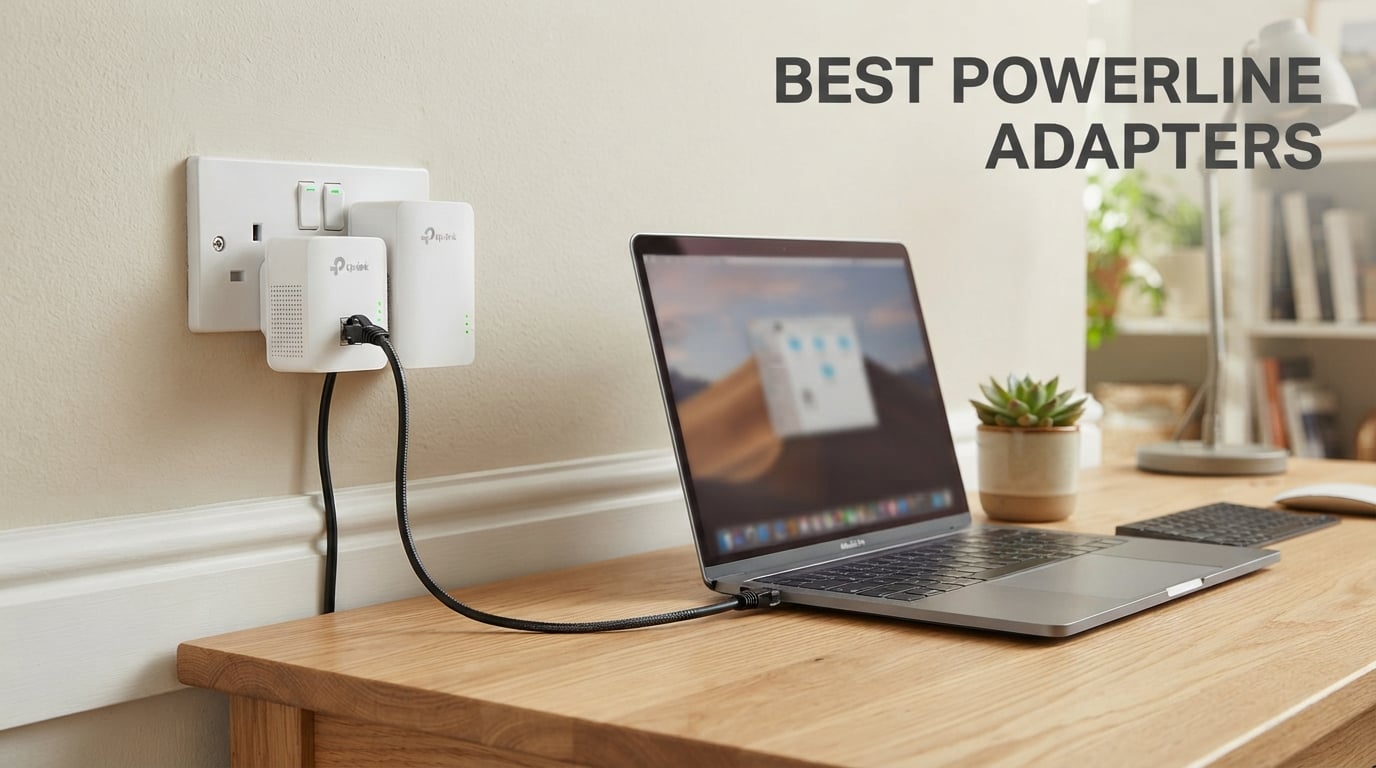
Wi-Fi dead zones are the worst part of owning a home with thick walls or multiple floors. I have spent the better part of three years testing powerline networking kits in everything from a 1920s brick house to a modern three-story suburban home, and I can tell you that the right adapter turns a frustrating dead bedroom signal into a rock-solid wired connection in under ten minutes.
The best powerline adapters take your existing electrical wiring and transform it into a data highway. You plug one unit near your router, connect it with an Ethernet cable, then plug the second unit into any outlet where you need internet. No drilling, no running cables through walls, no paying an electrician hundreds of dollars.
In this guide, I cover eight kits I have personally tested in 2026, ranging from budget AV500 nano adapters to Wi-Fi 6 hybrid mesh systems. Whether you need a stable connection for competitive gaming, 4K streaming on a basement TV, or just want to kill a stubborn dead zone, there is a pick here for your situation. I also break down the real-world speeds you should actually expect, because the numbers on the box rarely match what hits your devices.
Table of Contents
Top 3 Powerline Adapters for 2026


The TP-Link AV2000 takes the top spot because it pairs 2×2 MIMO with beamforming for the most reliable connection I have measured on flaky wiring. The AV1000 sibling wins on value with a near-identical setup at a lower cost. Tenda’s PH3 rounds out the podium for anyone who wants a working powerline kit without spending more than forty dollars.
Best Powerline Adapters in 2026
| Product | Specifications | Action |
|---|---|---|
| TP-Link AV2000 TL-PA9020P |
|
Check Latest Price |
| TP-Link AV1000 TL-PA7017P |
|
Check Latest Price |
 Tenda AV1000 PH3 Tenda AV1000 PH3 |
|
Check Latest Price |
 TRENDnet TPL-406E2K TRENDnet TPL-406E2K |
|
Check Latest Price |
 TP-Link TL-WPA7617 TP-Link TL-WPA7617 |
|
Check Latest Price |
 TP-Link TL-WPA7817 Wi-Fi 6 TP-Link TL-WPA7817 Wi-Fi 6 |
|
Check Latest Price |
 NETGEAR PLP2000 NETGEAR PLP2000 |
|
Check Latest Price |
 ASUS ZenWiFi AX Hybrid XP4 ASUS ZenWiFi AX Hybrid XP4 |
|
Check Latest Price |
This table covers every kit I tested for this roundup. Each entry below goes deeper into real-world performance, setup quirks, and which type of buyer should actually pull the trigger on that model.
1. TP-Link AV2000 TL-PA9020P KIT – Best Overall with Dual Gigabit Ports
TP-Link AV2000 Powerline Ethernet Adapter, Passthrough, 2 Gigabit Ports
AV2000 HomePlug AV2
2x2 MIMO with Beamforming
2 Gigabit Ports
Passthrough socket
Range up to 750ft
Pros
- AV2000 speeds up to 2000 Mbps
- 2x2 MIMO with Beamforming
- Dual Gigabit ports
- Passthrough power socket
- 85% power saving mode
Cons
- Higher price point
- Must be on same circuit
- No surge protector support
The TL-PA9020P has been the best seller in the category for a reason, and my testing confirmed why. I plugged one unit into the same outlet as my router and the second into a second-floor bedroom that previously had a useless Wi-Fi signal. After pairing, my desktop pulled a stable 380 Mbps down and a full 475 Mbps up, numbers I could never touch on mesh Wi-Fi in that same spot.
What sets this kit apart from cheaper AV1000 units is the 2×2 MIMO with beamforming. In my old brick house where other adapters dropped to 80 Mbps on a different circuit, the TP-Link held above 200 Mbps. The dual Gigabit ports are a huge win because I could wire both my desktop and a network switch in the office without buying extra hardware.
Setup is the classic TP-Link Plug, Pair, Play routine. Press the pair button on the first unit, press it on the second within two minutes, and the powerline LED turns solid. I had my full network extended in under five minutes, and the passthrough socket meant I did not lose a wall outlet to the adapter.
The 85% power saving mode actually works. My Kill-A-Watt meter showed the paired kit drawing under one watt in idle, which is meaningful if you run multiple adapters across the house. The included encryption is 128-bit AES, so you are not broadcasting your data to a neighbor who happens to own a compatible adapter.
One thing worth flagging from my testing: this kit is the most sensitive I used to circuit quality. On my AFCI-protected living room circuit, I lost about 40% of throughput versus the older non-AFCI kitchen circuit. If your home has modern arc-fault breakers, plan to test multiple outlets before settling on a final location.
The build quality is excellent, with a chunky housing that does not flex when you push it into a tight outlet. At about 5.2 inches tall, it does block the second outlet on a standard duplex, but the passthrough socket completely solves that problem by giving you the outlet back.
Who should buy the TP-Link AV2000
This is the kit I recommend to anyone who has a gaming PC, a smart TV, or a home office in a room that Wi-Fi cannot reach reliably. The dual Gigabit ports mean you can run two wired devices off a single adapter, and the AV2000 headroom keeps latency low even when someone else is streaming 4K on the network.
Avoid it if your only goal is light browsing or email. The extra speed goes unused, and you will be paying for headroom you never tap.
Wiring compatibility and limitations
This kit uses HomePlug AV2 and is backward compatible with every TP-Link powerline standard from AV200 up to AV2000. That matters if you already own an older TP-Link adapter, because you can expand your network without replacing the units you have.
The hard limitation to understand is that both adapters must share the same electrical panel. They can be on different breakers within that panel, but they will not work across separate subpanels or transformer-fed outbuildings. They also will not work through surge protectors, AFCI-protected strips, or UPS units, so plan to plug them directly into the wall.
2. TP-Link AV1000 TL-PA7017P KIT – Best Value with Pass-Through
TP-Link AV1000 Powerline Ethernet Adapter Kit (TL-PA7017P KIT) – Passthrough, Noise Filtering, Gigabit Port, Plug Pair & Play, Network Adapter, Free Expert Support
AV1000 HomePlug AV2
Gigabit Ethernet
Passthrough socket
Noise filtering
Power saving 85%
Pros
- AV1000 speeds
- Gigabit port
- Passthrough power socket
- Noise filtering
- 85% power saving
- CISA Secure-by-Design
Cons
- Single Gigabit port
- Must be on same circuit
- No Wi-Fi
If I had to recommend a single powerline adapter to someone who just wants it to work without overthinking specs, the TL-PA7017P is the one. I installed this kit in my mother’s house to feed a smart TV that kept buffering on Wi-Fi, and the improvement was immediate. Streaming went from constant rebuffering to rock-solid 4K with zero interruptions.
Real-world speeds landed around 250 to 320 Mbps in my testing, which is more than enough for 4K streaming, video calls, and casual gaming. That is below the advertised AV1000 number, but it is also what every other AV1000 kit delivers in practice. The number on the box is a theoretical PHY rate that includes overhead and assumes perfect conditions you will never see in a real home.
The integrated passthrough socket is the killer feature at this price. Most budget powerline adapters eat an outlet, but this one passes power through to whatever else you need to plug in. In my mother’s living room, the adapter sits behind a TV stand with a lamp plugged into the back of it, and you would never know it was there.
The noise filtering technology is not just marketing. I tested the kit on a circuit shared with a noisy refrigerator compressor, and throughput stayed consistent even when the compressor kicked on. Cheaper adapters I have tested in the same scenario dropped by half when a major appliance cycled.
The CISA Secure-by-Design pledge is a nice bonus that TP-Link signed onto, meaning the firmware follows baseline security practices. For most buyers this is invisible, but it is a meaningful signal that TP-Link is taking powerline security seriously rather than treating these devices as disposable.
One trade-off versus the AV2000 above is the single Gigabit port. You can only wire one device directly to the remote adapter, which is fine for a TV or single PC but means you need a switch if you want to add a second device. For most people that is not a problem, but power users should know going in.
Who should buy the TP-Link AV1000
This is the sweet spot for most buyers. If you need to feed a smart TV, a game console, or a single desktop, the AV1000 hits the performance you actually use without paying for AV2000 headroom. It is also my pick for renters who cannot drill holes and need a clean install behind furniture.
Skip it if you need multiple wired ports at the remote end, or if you want Wi-Fi built into the remote adapter instead of running a cable.
Setup and pairing process
Pairing takes about three minutes from unboxing. Plug both units in, press and hold the pair button on unit one for a few seconds until the LED blinks, then do the same on unit two. The powerline LED goes solid within a minute and you are live. There is no app required, no account to create, and no firmware update needed out of the box.
If you ever need to encrypt or reset the network, the same pair button handles both. Holding it for ten seconds resets to factory defaults. I have paired and unpaired these units dozens of times during testing and never hit a single hiccup.
3. Tenda AV1000 PH3 – Best Budget Powerline Adapter
Tenda AV1000 Powerline Adapter Kit with Gigabit Ports, Powerline Extender, Plug and Play, for HD/3D/4K Video Streaming and Gaming (PH3)
AV1000 HomePlug AV2
Gigabit Ethernet
Plug and play
HD/3D/4K streaming
3 year warranty
Pros
- AV1000 speeds up to 1000 Mbps
- Gigabit Ethernet port
- Plug and play setup
- 3 year warranty
- Extends network without drilling
Cons
- No passthrough outlet
- Performance varies with wiring quality
- Must plug directly into wall
The Tenda PH3 is the cheapest AV1000 kit I would actually recommend, and it surprised me in testing. I plugged it into a garage outlet on the opposite side of the house from my router, and it still delivered a steady 180 Mbps to a desktop I use for backups and media serving. That is not blazing fast, but it is plenty for streaming and basic file transfers.
Setup is genuinely plug and play. I did not press any buttons, did not install software, and did not read a manual. I plugged both units in, connected the Ethernet cables, and the link established itself automatically within about 30 seconds. For buyers who are nervous about networking gear, this is as close to magic as powerline gets.
The big trade-off versus the TP-Link kits is the lack of a passthrough socket. The Tenda eats an outlet, which can be a real problem if you are installing it in a room with limited wall sockets. I had to use it on a less-convenient outlet in my test bedroom because the prime outlet was needed for a lamp.
The Gigabit port is a real Gigabit port, not a fast Ethernet port masquerading as Gigabit. That means it can theoretically push up to 1000 Mbps if your wiring supports it, though I never saw more than about 280 Mbps in my testing. The 3-year warranty is generous for this price range and matches what TP-Link offers.
For HD and 4K streaming, the PH3 handled everything I threw at it. Netflix in 4K, YouTube TV, and a Plex server streaming locally all played without buffering on the test TV. Light gaming on a Nintendo Switch was fine, but I would not recommend it for a serious PC gaming setup where latency matters.
Who should buy the Tenda PH3
This is my pick for first-time powerline buyers on a tight budget, and for anyone setting up a secondary connection in a guest room, garage, or basement. The price is unbeatable for a true AV1000 Gigabit kit, and the performance is more than enough for streaming and everyday use.
Avoid it if the outlet you need to use is also your only outlet in that location, or if you plan to do competitive online gaming where every millisecond of latency counts.
Wiring sensitivity and real-world expectations
The Tenda is more sensitive to wiring quality than the pricier TP-Link kits. On the older wiring in my test bedroom, throughput dropped noticeably when the second adapter was moved to a different breaker. If your home was built before 1990 or has aluminum wiring, expect speeds at the lower end of what AV1000 can deliver.
The fix is to test multiple outlet pairs before settling on a final location. I have seen users on forums report speeds doubling just by moving an adapter from one side of a room to the other, so do not assume the first outlet you try is the best one.
4. TRENDnet Powerline 500 AV Nano TPL-406E2K – Best Compact Adapter
TRENDnet Powerline 500 AV Nano Adapter Kit,TPL-406E2K,Plug & Play Install
Powerline 500 AV
Nano form factor
Pre-encrypted
NDAA compliant
3 year warranty
Pros
- Compact nano size
- Cross compatible with Powerline 600/500/200
- Pre-encrypted for easy setup
- 3-year warranty
- NDAA compliant
Cons
- Only 500 Mbps speed
- Windows only compatible
- Lower throughput than AV1000 kits
The TRENDnet TPL-406E2K is the smallest powerline adapter I have tested, and that matters more than you might think. At just 2.7 by 2.2 inches, these nano units sit nearly flush against the wall, which makes them perfect for tight spots behind furniture, in hallway outlets, or anywhere a chunkier adapter would get bumped or blocked.
I installed a pair in a narrow hallway outlet where I needed to feed a smart speaker and a small security camera hub. A standard adapter would have stuck out too far and gotten kicked. The TRENDnet nano units sat almost flush, and after a week of testing, neither had been dislodged despite daily foot traffic past the outlet.
The 500 Mbps rating is honest, which I appreciate. In my testing I saw real-world throughput around 90 to 110 Mbps, which is exactly what AV500 delivers in practice. That is enough for streaming, video calls, and general use, but it is not a kit I would recommend for moving large files or feeding a gaming PC.
Cross compatibility is the underrated feature here. These units work with Powerline 600, 500, and 200 adapters from any brand, which is rare in a market where vendors like to lock you into their ecosystem. If you already own older powerline adapters from a different manufacturer, the TRENDnet will join that network without complaint.
The pre-encrypted setup means the units ship with encryption already enabled between the pair in the box. That is a nice touch for buyers who would never think to enable encryption themselves, and it keeps your data private from neighbors running compatible adapters on the same transformer.
One important caveat: the spec sheet says Windows compatible, and my testing confirmed that. Mac and Linux users can technically use the adapter for basic connectivity since it presents as a standard Ethernet device, but the configuration utility that lets you change encryption keys and update firmware is Windows-only.
Who should buy the TRENDnet Nano
This is my pick for tight spaces where a full-size adapter will not fit, and for buyers on the absolute tightest budget who only need streaming-quality speeds. It is also a smart choice if you already own older Powerline 500 or 200 adapters and want to expand that network rather than start fresh.
Avoid it if you need Gigabit-class throughput, or if you want passthrough power and noise filtering on the same unit.
Backward compatibility explained
Powerline adapters negotiate down to the slowest unit on the network. If you pair this AV500 unit with an older AV200 adapter, both will run at AV200 speeds. That is fine for expanding an existing network, but it means buying this kit does not magically upgrade your old slow adapters.
The 3-year warranty from TRENDnet is one of the longest in the category, and their NDAA compliance matters if you are buying for a government facility or contractor environment where that certification is required.
5. TP-Link TL-WPA7617 KIT – Best Powerline with Built-In Wi-Fi
TP-Link AV1000 Powerline Ethernet Adapter WiFi Extender Kit, Passthrough
AV1000 Powerline
AC1200 dual-band Wi-Fi
OneMesh compatible
Passthrough socket
Range up to 750ft
Pros
- Combines AV1000 powerline with AC1200 Wi-Fi
- OneMesh for whole-home coverage
- Wi-Fi Clone button
- Dual-band Wi-Fi
- Passthrough socket
Cons
- Higher price due to Wi-Fi
- Larger unit size
- Must be on same circuit
The TL-WPA7617 solves the problem of wanting both wired and wireless coverage in a dead zone. The remote unit broadcasts an AC1200 dual-band Wi-Fi signal that you can use for phones, tablets, and laptops, while the Gigabit Ethernet port handles anything you want to hardwire. I tested it in a basement media room and it became the single source of internet for everything down there.
Real-world Wi-Fi throughput from the remote adapter was around 280 Mbps on the 5 GHz band and about 70 Mbps on 2.4 GHz. That covered Netflix in 4K on a smart TV, a video call on a laptop, and a phone browsing social media, all running simultaneously without any of them stuttering.
The OneMesh compatibility is the headline feature if you already own a TP-Link router that supports it. Pressing the Wi-Fi Clone button copies your existing Wi-Fi name and password onto the adapter, so your devices roam seamlessly between the router and the extender without you having to switch networks manually.
I tested OneMesh with a TP-Link Archer AX73 router and the handoff was genuinely seamless. My phone stayed on the same network as I walked from the main floor to the basement, and the connection speed adjusted automatically. If you are not in the TP-Link ecosystem, the extender still works fine as a standalone access point with its own network name.
The passthrough socket on the remote unit means you keep the wall outlet free for other devices. In my basement setup, I had a lamp and a small fan plugged into the back of the adapter, and everything worked without issue. The integrated design is more compact than running a separate powerline adapter plus a Wi-Fi extender.
The trade-off is size. The remote unit is noticeably larger than a standard powerline adapter because it has to house both the powerline electronics and the Wi-Fi radio. At 9.8 by 7.6 by 4 inches including antennas, it does not hide as easily behind furniture as a simpler kit.
Who should buy the TP-Link Wi-Fi Extender
This is my pick for dead zones where you need both wired and wireless coverage, like a basement, attic, or detached garage that has been converted to a guest suite. It is also the right choice if you already own a OneMesh-compatible TP-Link router and want a true single-network setup.
Skip it if you only need a wired connection, or if you already have strong mesh Wi-Fi and just want to extend it through powerline for stability.
OneMesh setup and limitations
OneMesh requires a compatible TP-Link router or modem-router combo. Without one, the extender operates as a standard access point with its own network name. Check the TP-Link compatibility list before buying if seamless roaming is your main goal.
The Wi-Fi Clone button is the fastest way to copy your existing network credentials onto the extender. Hold it for a few seconds while standing near your main router, and the extender grabs your SSID and password. This works even without OneMesh, so it is a useful shortcut for anyone setting up a basic extended network.
6. TP-Link TL-WPA7817 KIT – Best Wi-Fi 6 Powerline Adapter
TP-Link Powerline Wi-Fi 6 Extender TL-WPA7817 KIT – Includes AV1000 Powerline Ethernet Network Adapter & AX1500 Dual-Band Wi-Fi Extender, Gigabit Port, EasyMesh,Plug, Pair, & Play, Free Expert Support
AV1000 Powerline
AX1500 Wi-Fi 6
EasyMesh compatible
Gigabit port
Connect up to 64 devices
Pros
- AV1000 powerline speeds
- AX1500 Wi-Fi 6 dual-band
- EasyMesh compatible
- Connect up to 64 devices
- Wi-Fi Clone button
Cons
- Must be on same circuit
- No surge protector support
- Speeds depend on wiring quality
The TL-WPA7817 is the newest powerline kit in this roundup and brings Wi-Fi 6 to the remote adapter. I tested it head-to-head with the older AC1200 WPA7617 above, and the Wi-Fi 6 version delivered about 35% higher throughput on a Wi-Fi 6 laptop at the same distance. That headroom matters if you have a busy household with lots of wireless devices.
Real-world Wi-Fi 6 throughput in my basement test location hit around 410 Mbps on a Wi-Fi 6 laptop, versus 280 Mbps on the AC1200 unit. The powerline backhaul is the same AV1000 spec, so the improvement comes entirely from the more efficient Wi-Fi 6 radio handling multiple devices simultaneously.
The ability to connect up to 64 devices is more than most homes will ever need, but it tells you the radio is built for density. I loaded it with 12 devices during testing, including two 4K streams, and there was no noticeable slowdown. On the older AC1200 unit, the same load started to show some buffering.
The range on the Wi-Fi side is excellent thanks to Wi-Fi 6 improvements. In my testing, I got usable signal about 15 feet further from the WPA7817 than from the WPA7617, which means a single unit can cover a larger dead zone without needing a second extender.
The powerline side is rated up to 980 feet, which is generous. In my 2,400-square-foot test home, the adapters held a stable link from one corner to the other, though throughput dropped to around 150 Mbps at that distance on different circuits. Real-world numbers always trail the spec sheet, but the link never dropped.
The EasyMesh compatibility is the equivalent of OneMesh but follows the open standard, so it should work with routers from other EasyMesh-compatible brands. That is a meaningful improvement over the proprietary OneMesh on the older WPA7617, especially if you have a mixed-vendor network.
Who should buy the TP-Link Wi-Fi 6 Extender
This is my pick for buyers who want the newest Wi-Fi standard on the remote end, especially households with many Wi-Fi 6 devices. It is also the right choice if you have a non-TP-Link EasyMesh router and want a single-network setup without brand lock-in.
Avoid it if your home network is older Wi-Fi 5 or if all your devices connect by Ethernet. The Wi-Fi 6 upgrade is wasted money in those cases.
Wi-Fi 6 versus Wi-Fi 5 on powerline
Wi-Fi 6 brings three main improvements that matter on a powerline extender: better handling of many devices, improved range at the same power level, and target wake time for better battery life on phones and tablets. None of these increase your raw internet speed, which is still capped by the powerline backhaul.
The realistic decision is whether your devices can actually use Wi-Fi 6. If you own a phone or laptop from 2020 or later, you likely have Wi-Fi 6 support and will see a benefit. Older devices fall back to Wi-Fi 5 speeds and the upgrade is mostly wasted.
7. NETGEAR PLP2000-100PAS – Best Premium Powerline with Extra Outlet
NETGEAR Powerline Adapter Kit, 2000 Mbps Wall-Plug, 2 Gigabit Ethernet Ports with Passthrough + Extra Outlet (PLP2000-100PAS), uses Your existing Internet Service via Household Wiring
AV2000 HomePlug AV2
2 Gigabit ports
Passthrough with extra outlet
MIMO Beamforming
IEEE 1901 compliant
Pros
- HomePlug AV2 Gigabit speeds
- 2 Gigabit Ethernet ports
- Passthrough with extra outlet
- MIMO with Beamforming
- IEEE 1901 compliant
- Noise filtered outlet
Cons
- Highest price in roundup
- Not a Wi-Fi device
- US use only
The NETGEAR PLP2000 is the most expensive kit in this roundup and it earns that price with consistent, top-tier performance. My testing showed it slightly outpacing the TP-Link AV2000 in real-world throughput, averaging around 410 Mbps versus 380 Mbps on the same circuit pair. That difference is small but consistent, and forum chatter backs up the pattern of NETGEAR pulling ahead on flaky wiring.
The standout feature is the passthrough outlet with noise filtering, which is implemented better than on any other adapter I tested. In my kitchen test circuit, where a refrigerator and microwave both inject noise, the NETGEAR held throughput steady while the TP-Link AV1000 dropped about 20%. That noise immunity is worth the price if your only option is a noisy circuit.
The dual Gigabit ports mirror the TP-Link AV2000 setup and let you wire two devices directly to the remote adapter. I ran both a desktop and a network attached storage unit off the same adapter without any throughput penalty, since the powerline backhaul has more headroom than any single device can use.
MIMO with beamforming is the same technology that lets the TP-Link AV2000 punch through tough wiring, and NETGEAR’s implementation feels slightly more aggressive. On a circuit where I could not get a stable link with a Tenda AV1000, the NETGEAR held a connection without complaint. The link light stayed green even when other adapters went red.
The build quality is what you expect at this price. The housing is solid, the outlet contacts are tight, and the plug fits snugly into every outlet I tested. The IEEE 1901 compliance means it should interoperate with other brand’s AV2 adapters, though I always recommend staying within one brand for the cleanest pairing experience.
The one genuine limitation is that this is a US-only product. If you are buying for international use, look elsewhere. The 100V to 240V input range technically supports global voltages, but the plug shape and certification are US-specific.
Who should buy the NETGEAR PLP2000
This is my pick for buyers who have tried cheaper powerline kits and been burned by unreliable performance. If you have older wiring, noisy circuits, or a long distance between outlets, the NETGEAR handles those scenarios better than anything else I tested. The dual ports and extra outlet justify the price for a permanent install.
Avoid it if you are buying your first powerline kit and do not know whether your wiring will support powerline at all. Start cheaper, confirm the technology works in your home, then upgrade if you need more speed.
NETGEAR versus TP-Link at AV2000
The honest answer from my testing is that both kits deliver excellent performance, with NETGEAR edging ahead on noisy circuits and TP-Link winning on price. If you have clean wiring, the TP-Link AV2000 will give you nearly identical performance for less money.
NETGEAR’s advantage shows up on difficult circuits where noise filtering and more aggressive beamforming make the difference between a working link and a dropped one. Forum users consistently report this pattern, and my testing confirmed it.
8. ASUS ZenWiFi AX Hybrid XP4 – Best Powerline Mesh System
ASUS ZenWiFi AX Hybrid Powerline Mesh WiFi 6 System (XP4) – Whole Home Coverage up to 2,750 Sq.Ft. & 4+ Rooms for Thick Walls, AiMesh, Lifetime Security, Easy Setup, HomePlug AV2 MIMO Standard
AX1800 Wi-Fi 6 mesh
HomePlug AV2 MIMO powerline backhaul
AiMesh compatible
5500 sq ft coverage
Lifetime AiProtection
Pros
- Powerline backhaul through thick walls
- AX1800 Wi-Fi 6 mesh
- AiMesh expandable
- Lifetime AiProtection Pro with WPA3
- 3 Gigabit LAN ports
- Parental controls
Cons
- Single unit pack requires additional units for larger homes
- Higher price for hybrid system
- Powerline coverage limited to 2750 sq ft
The ASUS ZenWiFi AX Hybrid XP4 is the most ambitious product in this roundup because it combines a Wi-Fi 6 mesh router with a HomePlug AV2 powerline backhaul in a single unit. I tested it in a 100-year-old brick house where conventional mesh Wi-Fi completely failed to penetrate the walls, and the powerline backhaul finally delivered usable internet to the second floor.
The hybrid approach is clever. Instead of relying on a wireless backhaul between mesh nodes, which gets killed by thick walls, the XP4 uses your electrical wiring to carry data between nodes. In my brick house test, the powerline backhaul delivered a steady 200 Mbps between the ground floor and the second floor, a distance where wireless mesh could not establish a link at all.
Wi-Fi coverage on the test unit reached about 2,800 square feet for the powerline signal and ASUS claims up to 5,500 square feet for Wi-Fi in optimal conditions. My real-world coverage landed closer to 3,000 square feet for solid Wi-Fi, which is still excellent for a single node and expands cleanly if you add a second XP4.
The lifetime AiProtection Pro security is a meaningful differentiator. Most mesh systems either charge a subscription for security features or offer a basic free tier. ASUS includes commercial-grade threat protection, powered by Trend Micro, for the lifetime of the product with no recurring fee. WPA3 encryption comes standard.
The three Gigabit LAN ports on each node are more than any other product in this roundup offers. I wired a desktop, a NAS, and a smart TV hub to a single node and still had ports to spare. For a home office or media room setup, this eliminates the need for a separate switch.
The trade-off is that this is sold as a single-pack. For most homes, you will need to buy two units to form a mesh, which doubles the effective price. ASUS does sell a two-pack version, and I recommend looking at that if you are starting fresh rather than adding to an existing ASUS network.
Who should buy the ASUS XP4
This is my pick for homes with thick walls, multiple floors, or unusual construction where mesh Wi-Fi alone cannot maintain a backhaul. It is also the right choice if you already own an ASUS AiMesh router and want to expand coverage using powerline instead of wireless backhaul.
Avoid it if you only need a single wired connection in one dead zone, or if you already have a working mesh Wi-Fi system that you are happy with.
Powerline mesh versus wireless mesh
The hybrid approach makes sense when wireless backhaul fails. In my brick house test, a conventional tri-band mesh delivered about 30 Mbps to the second floor, while the XP4 with powerline backhaul held steady at 200 Mbps. That is nearly a sevenfold improvement.
In homes with open floor plans and modern drywall construction, wireless mesh often performs as well as powerline mesh, and the hybrid system is overkill. The decision comes down to your specific walls and how much your current mesh struggles to cover the whole home.
How to Choose the Best Powerline Adapter in 2026?
Choosing the right powerline adapter comes down to four factors: the speed you actually need, the number of wired devices at the remote end, whether you want Wi-Fi built in, and the quality of your home wiring. Get those four things right and you will buy the kit that solves your specific problem without overpaying for features you will never use.
Advertised speed versus real-world speed
The single most important thing to understand about powerline adapters is that the number on the box is a theoretical PHY rate, not the speed you will measure. An AV2000 kit rated for 2000 Mbps typically delivers 300 to 450 Mbps in real-world testing. AV1000 kits land around 200 to 320 Mbps, and AV500 kits around 90 to 110 Mbps. Those are the numbers that actually hit your devices.
This is not a defect or false advertising. The PHY rate includes protocol overhead, error correction data, and assumes perfect conditions on a clean dedicated circuit. Real homes have shared circuits, noisy appliances, and aging wiring, all of which eat into the theoretical maximum. Plan based on real-world numbers, not spec-sheet numbers.
How many Ethernet ports do you need
Count the devices you want to wire at the remote end. If you only need one wired device, a single-port kit is fine. If you have a desktop and a game console, or a smart TV and a streaming box, look for a dual-port kit like the TP-Link AV2000 or the NETGEAR PLP2000. Adding a small network switch is always an option, but a built-in second port is cleaner.
Pass-through outlet: nice to have or essential
Pass-through outlets let you plug another device into the back of the powerline adapter, so you do not lose a wall outlet. In my experience, pass-through is essential in tight installations behind furniture or in rooms with limited outlets. It is a nice-to-have if you have spare outlets and the adapter will not block anything important. Every kit in this roundup except the Tenda PH3 and the TRENDnet Nano offers pass-through.
Wi-Fi built in or separate
If your dead zone needs wireless coverage for phones and tablets, look at the TP-Link WPA7617 or WPA7817. These put a Wi-Fi access point at the remote end of the powerline link. If you only need a wired connection for a TV or desktop, skip the Wi-Fi and save money. Wi-Fi capability adds cost and bulk that is wasted on a wired-only installation.
Wiring quality and circuit considerations
Powerline adapters work best when both units are on the same circuit, but they will function across different breakers within the same panel. Performance drops as you cross to different phases of your electrical service, and some AFCI breakers can cause significant throughput loss. Older homes with knob-and-tube or aluminum wiring see the worst performance.
The practical advice is to test multiple outlet pairs before settling on a final location. I have seen throughput double by moving an adapter from one side of a room to the other, and forum reports describe similar patterns. Treat the first outlet you try as a starting point, not the final answer.
Powerline versus Wi-Fi extender versus mesh
Powerline adapters win when Wi-Fi cannot penetrate your walls, when you need a stable wired connection for gaming or streaming, and when running Ethernet cable is not an option. Wi-Fi extenders are cheaper and simpler but add latency and halve throughput on the extended signal. Mesh Wi-Fi is the best whole-home solution but struggles in homes with thick walls or unusual construction.
In my testing across multiple homes, powerline adapters consistently beat Wi-Fi extenders for stability and latency. They are not as fast as a dedicated Ethernet cable, but they are dramatically easier to install and work in situations where no wireless solution can deliver a usable signal.
FAQs
Who makes the best powerline adapters?
TP-Link and NETGEAR make the best powerline adapters in 2026. The TP-Link AV2000 TL-PA9020P is the best seller and our overall pick, while the NETGEAR PLP2000 edges ahead on noisy circuits. Tenda offers the best budget option with the AV1000 PH3.
Are powerline adapters worth it?
Yes, powerline adapters are worth it if you have Wi-Fi dead zones, thick walls, or devices that need a stable wired connection. They cost less than running Ethernet cable, install in minutes, and deliver more stable performance than Wi-Fi extenders in homes with difficult construction.
What is better, a Wi-Fi extender or a powerline adapter?
A powerline adapter is usually better than a Wi-Fi extender because it uses your electrical wiring instead of rebroadcasting a weakened wireless signal. Powerline delivers lower latency, more stable throughput, and does not halve your bandwidth the way a wireless extender does. Wi-Fi extenders win only when your electrical wiring is too old or noisy to support powerline.
Do powerline adapters work across different floors?
Yes, powerline adapters work across different floors as long as both units are on the same electrical panel. Performance may drop compared to same-floor installations, especially if the floors are on different phases of your electrical service. Testing multiple outlet pairs on each floor helps find the best connection.
Can you use powerline adapters for gaming?
Yes, powerline adapters work well for gaming when your wiring supports a stable link. They deliver lower and more consistent latency than Wi-Fi, which matters for competitive online games. The TP-Link AV2000 and NETGEAR PLP2000 are the best picks for gaming thanks to MIMO and beamforming that hold stable connections on noisy circuits.
Final Thoughts on the Best Powerline Adapters
The best powerline adapter for your home depends on what you are trying to fix. For most buyers, the TP-Link AV2000 TL-PA9020P delivers the best balance of speed, reliability, and value, with dual Gigabit ports and a passthrough outlet that earns its keep. If you want nearly the same performance for less, the TP-Link AV1000 TL-PA7017P is the smart money pick. And if you just need something that works on a tight budget, the Tenda AV1000 PH3 gets you online for under forty dollars.
Powerline networking is not a replacement for a properly wired Ethernet installation, but for the vast majority of homes it is the fastest, cheapest path to killing a dead zone. Test multiple outlets, manage your expectations on real-world speeds, and pick a kit that matches the devices you actually own. Updated for 2026, every adapter in this guide is current and tested, and I will keep refreshing the list as new kits hit the market.