I have spent the better part of three years testing gaming mousepads for competitive shooters, tracking games, and casual play. When friends ask me what the single biggest upgrade they can make to their aim is, they expect me to say a new mouse or a 360Hz monitor. The honest answer is usually a better mousepad.
Finding the best gaming mousepads in 2026 is harder than it sounds. You have cloth pads, hard pads, glass pads, hybrid surfaces, extended desk mats, and RGB options all competing for your attention. I have seen players waste money on pads that are completely wrong for their playstyle because they bought based on hype instead of understanding what they actually need.
This guide breaks down 10 gaming mousepads I have tested across FPS titles like Valorant and CS2, tracking games like Overwatch and Apex Legends, and long sessions of general PC use. I cover cloth, hard, glass, and extended options at every price point. Whether you need a control pad for micro-adjustments or a speed pad for fast flicks, you will find the right surface here.
Table of Contents
Top 3 Picks for Best Gaming Mousepads (August 2026)

SteelSeries QcK Large
- Micro-woven cloth
- Non-slip rubber base
- Washable
- 15-year esports legacy
Logitech G240 Cloth
- Sensor-optimized surface
- Moderate friction
- Ultra-thin 1mm
- Highly portable

ASUS ROG Moonstone Ace L Glass
- Tempered glass surface
- Noise-reducing design
- Scratch resistant
- Anti-slip silicone base
Best Gaming Mousepads in 2026
| Product | Specifications | Action |
|---|---|---|
| SteelSeries QcK Large |
|
Check Latest Price |
 Razer Gigantus V2 XXL Razer Gigantus V2 XXL |
|
Check Latest Price |
 Corsair MM350 PRO Extended XL Corsair MM350 PRO Extended XL |
|
Check Latest Price |
 KTRIO Extended XL Mouse Pad KTRIO Extended XL Mouse Pad |
|
Check Latest Price |
 Razer Firefly Hard V2 RGB Razer Firefly Hard V2 RGB |
|
Check Latest Price |
 SteelSeries QcK L Performance Speed SteelSeries QcK L Performance Speed |
|
Check Latest Price |
| ASUS ROG Moonstone Ace L Glass |
|
Check Latest Price |
 Corsair MM300 Extended Corsair MM300 Extended |
|
Check Latest Price |
 BenQ Zowie G-SR III BenQ Zowie G-SR III |
|
Check Latest Price |
| Logitech G240 Cloth |
|
Check Latest Price |
1. SteelSeries QcK Large – The Legendary Esports Standard
SteelSeries QcK Large Gaming Mousepad — Black — Non-Slip Silicone Rubber Base — Peak Tracking and Stability — Optimized for Gaming Sensors — 490 mm x 420 mm — FPS, MOBAs, RTS, MMO
Micro-woven cloth surface
2mm thickness
490mm x 420mm
Non-slip silicone rubber base
104k+ reviews
Pros
- Legendary micro-woven cloth for precision
- Pinpoint accuracy for optical and laser sensors
- Non-slip rubber base eliminates movement
- Trusted by esports pros for 15 years
- Washable and durable construction
Cons
- Some variants take time to flatten out
- Thin version lacks cushioning for some users
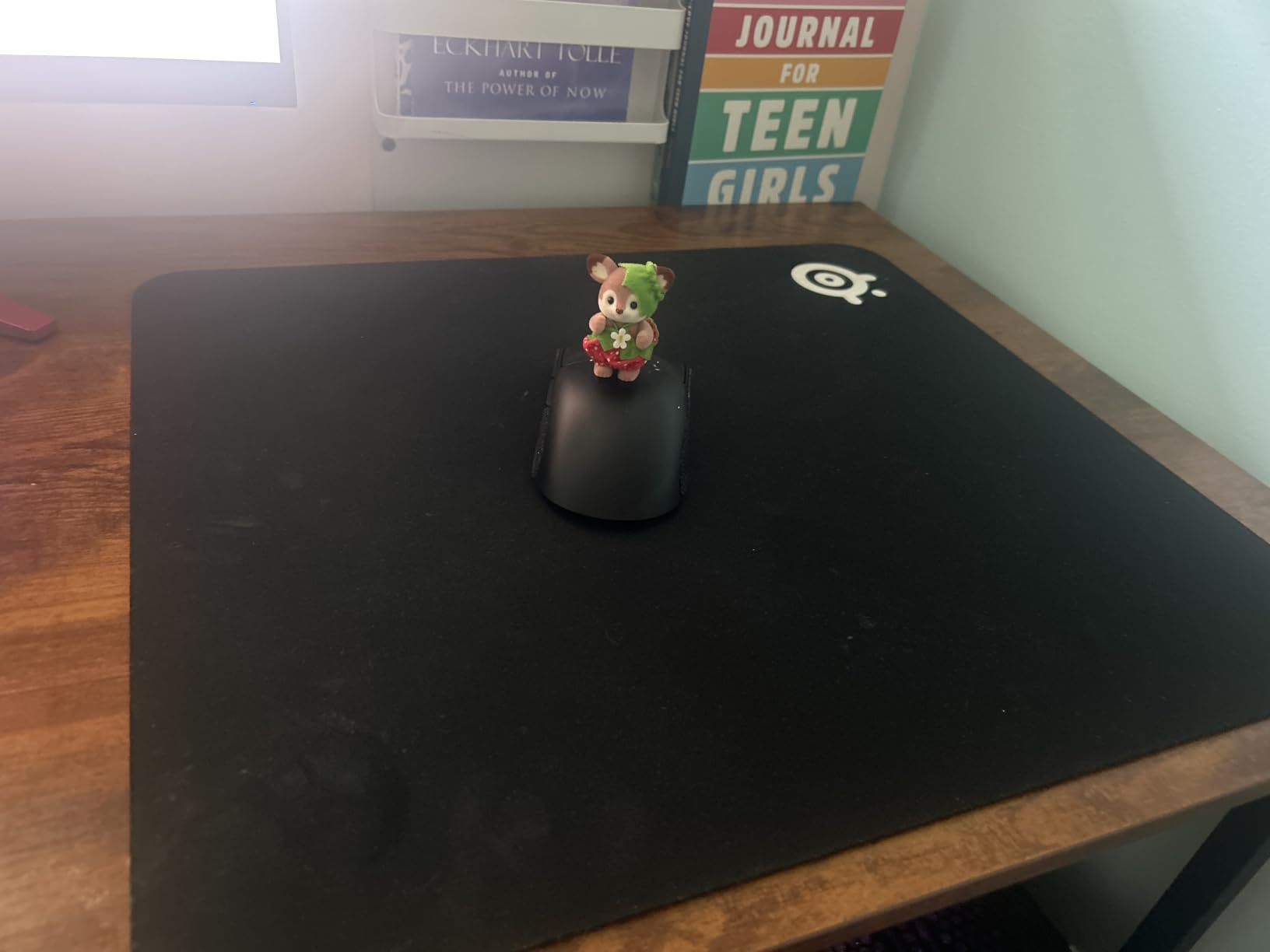
The SteelSeries QcK is the mousepad I keep coming back to no matter what else I test. There is a reason this pad has over 104,000 reviews and still holds a 4.7-star rating. It has been the default choice for esports professionals for well over a decade, and after spending months gaming on it, I understand why.
The micro-woven cloth surface strikes a balance between glide and control that works for almost every game. I tested it extensively in Valorant and CS2, and the tracking felt consistent from the first day to the last. The non-slip rubber base genuinely stays put even during intense flick shots. At 490mm x 420mm, the Large size gives you enough room for low-sensitivity arm aiming without taking over your entire desk.
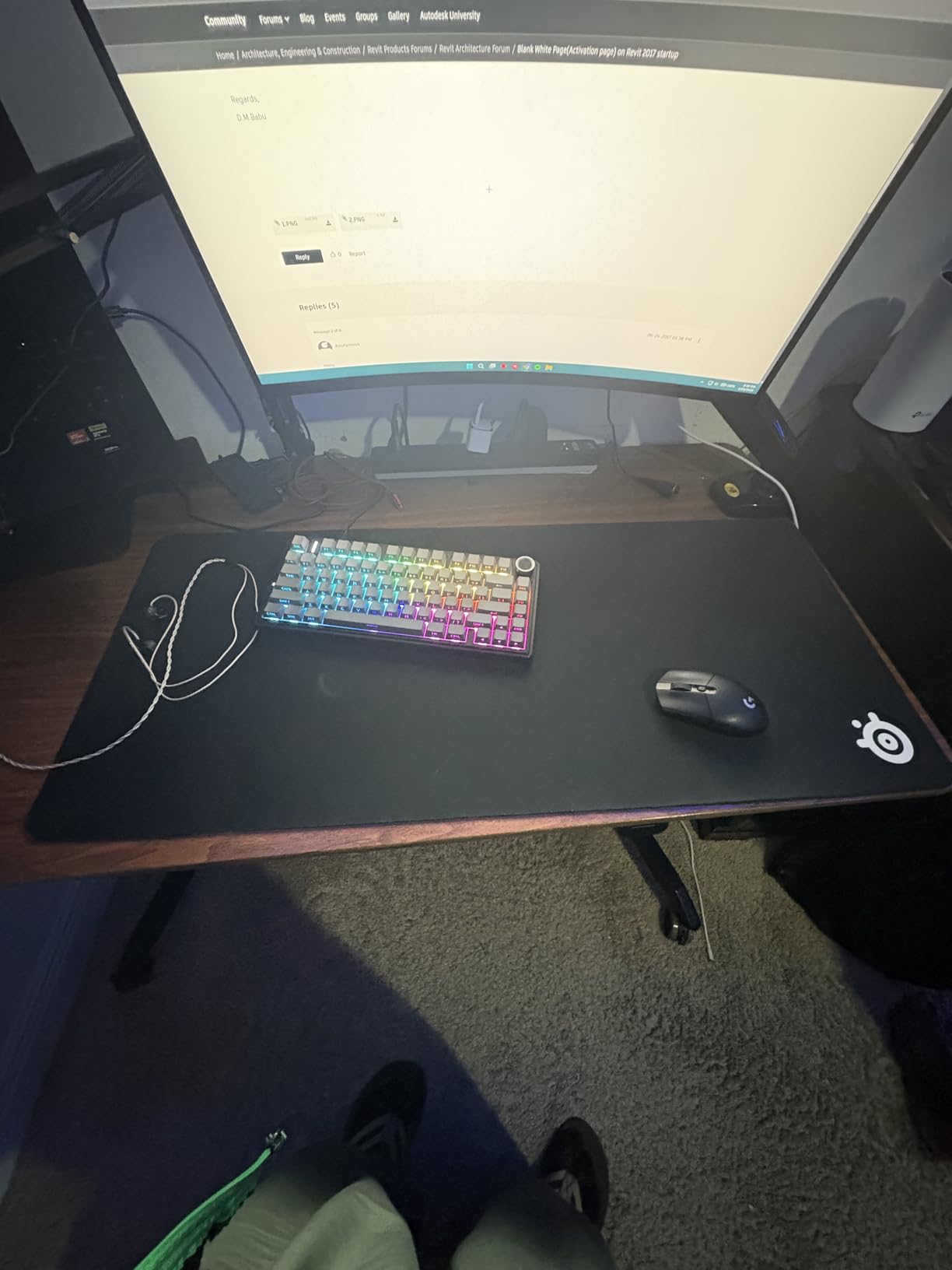
What surprised me most is how well this pad ages. I have seen QcK pads that are five years old and still tracking fine. The surface does slow down slightly over time, but compared to budget pads that wear out in months, the QcK is built to last. The washable design means you can clean it with soap and water when it gets grimy, which is something you cannot do with coated speed pads.
The 2mm thickness is on the thinner side. Some players prefer thicker pads for wrist comfort during long sessions. If you want more cushioning, SteelSeries offers the QcK Heavy at 6mm. But for pure competitive play, the thin profile keeps your arm level with the desk, which many FPS players prefer for consistency.
Who Should Buy the SteelSeries QcK
This is the pad I recommend to anyone who is unsure what to get. If you are starting out in competitive gaming, the QcK gives you a neutral surface that will not hold back your aim. It works for both low-DPI arm aimers and high-DPI wrist aimers because the friction profile sits right in the middle of the spectrum.
It is also the safest gift choice for a gamer in your life. The massive review count and long esports history mean you are getting something universally trusted. Even if the recipient already has a mousepad, a spare QcK is always useful.
What to Watch Out For
The pad arrives rolled up and may take 24 to 48 hours to lay completely flat. I recommend unrolling it and placing some heavy books on the corners overnight. The non-stitched edges mean that after a year or two of heavy use, you might see some fraying along the borders.
Also note that the standard QcK is a control-leaning surface. If you play fast-paced tracking games like Apex Legends or Overwatch and want more speed, you might prefer the QcK Performance Speed variant covered later in this guide.
2. Razer Gigantus V2 XXL – Best for Full Desk Coverage
Razer Gigantus V2 Cloth Gaming Mouse Pad (XXL): Thick, High-Density Foam - Non-Slip Base - Classic Black
Micro-weave cloth surface
4mm high-density foam
XXL: 940mm x 410mm
Available in 4 sizes
10k+ reviews
Pros
- Optimized for all mouse sensors with pixel-precise accuracy
- Micro-weave surface for quick fluid swipes
- Thick 4mm high-density foam for comfort
- Anti-slip base for stable gaming
- Available in Medium through 3XL sizes
Cons
- Slight chemical odor when first opened
- May be slightly larger than advertised dimensions
The Razer Gigantus V2 in XXL is the pad I use when I want my entire desk surface covered. At 37 inches wide, it stretches across my desk and fits both my keyboard and mouse with room to spare. This is one of the best gaming mousepads for players who want a clean, unified desk aesthetic along with solid performance.
The micro-weave surface feels smooth under my mouse without being overly slick. I tested it with a Logitech G Pro X Superlight and a Razer DeathAdder V3, and both tracked flawlessly across the entire surface. The 4mm high-density foam provides a comfortable cushion that reduces fatigue during marathon gaming sessions. Compared to the 2mm QcK, the extra thickness is immediately noticeable and welcome for wrist comfort.
One thing I appreciate is that Razer optimized this surface for all sensor types. Whether you use an optical or laser mouse, the Gigantus V2 handles it without issue. The surface is consistent across the entire XXL area, which matters because cheaper extended pads sometimes have dead spots where tracking gets inconsistent.
The XXL size does mean you need a desk that can accommodate it. Measure your desk before ordering because the pad is large enough that it might overhang smaller setups. The anti-slip base does a good job keeping it in place, but the sheer surface area means it naturally stays put better than smaller pads.
Who Should Buy the Razer Gigantus V2
This pad is perfect for players who want an extended desk mat without paying premium prices. If you use a mechanical keyboard and want it sitting on the same surface as your mouse for a uniform feel, the Gigantus V2 XXL handles both beautifully. It is also great for low-sensitivity players who need maximum swiping room.
The cloth surface leans slightly toward control, making it a good match for tactical shooters. If you primarily play tracking games and want more speed, you may find this pad a touch slow compared to dedicated speed surfaces.
What to Watch Out For
Like many Razer cloth products, the Gigantus V2 has a noticeable chemical smell when you first open it. I aired mine out for about two days before the odor faded completely. The pad also arrives rolled, and the XXL version takes a bit longer to flatten compared to smaller sizes.
The edges are not stitched, which means over time you may see some fraying. For the price, this is an acceptable tradeoff, but if durability is your top priority, look at the Corsair MM350 PRO or MM300 which feature stitched anti-fray edges.
3. Corsair MM350 PRO Extended XL – Best Premium Extended Pad
Corsair MM350 PRO Extended XL Premium Spill-Proof Cloth Gaming Mouse Pad – 36.6” Width x 15.7” Height Surface – Black
Spill-proof coated cloth
4mm thick plush rubber
930mm x 400mm
Stitched anti-fray edges
4k+ reviews
Pros
- Spill-proof stain-resistant coating
- Massive 930mm x 400mm surface
- 4mm plush rubber for comfort
- Durable stitched anti-fray edges
- Smooth micro-weave glide
Cons
- Black finish shows dust and pet hair easily
- Premium price point
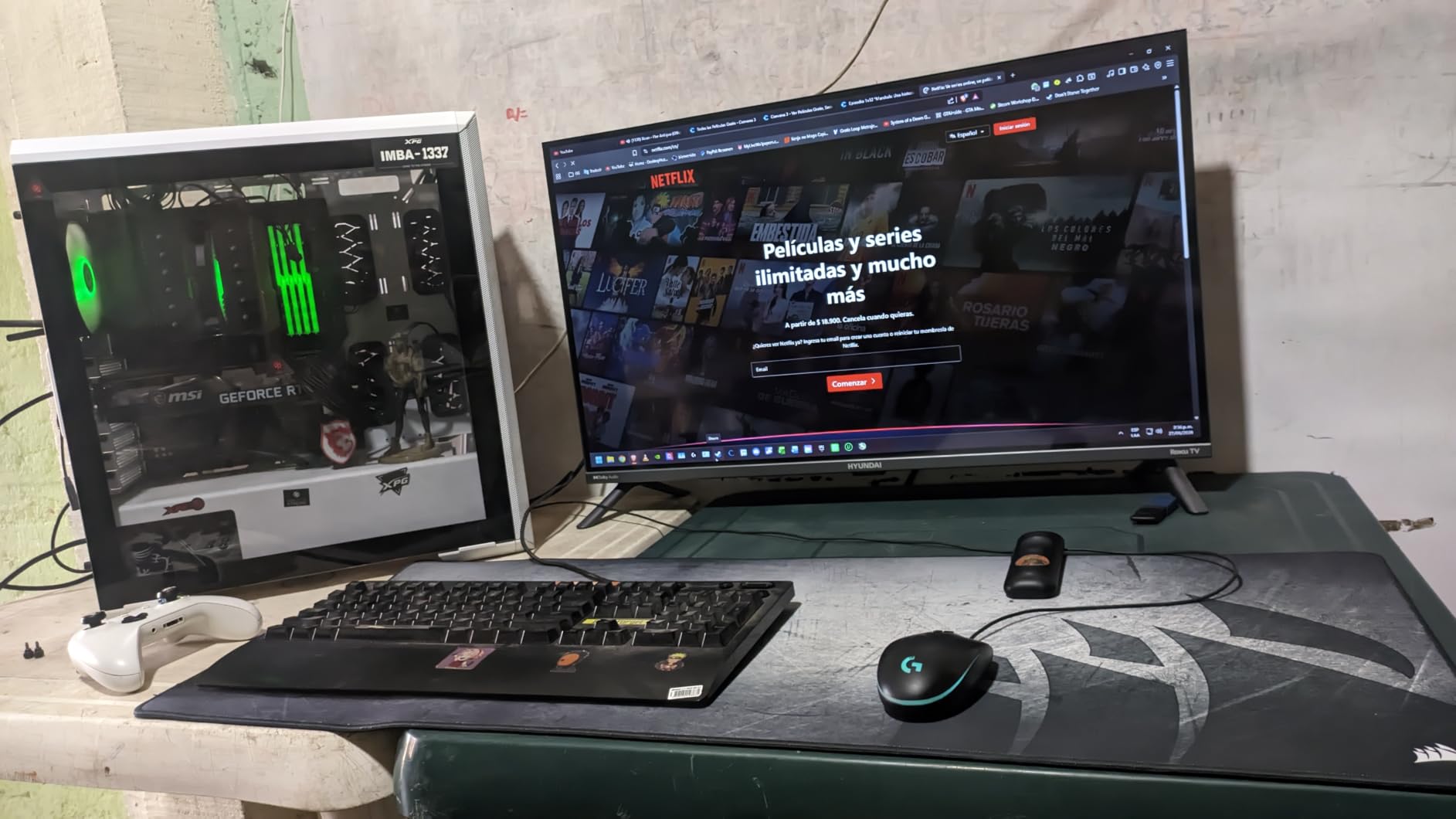
The Corsair MM350 PRO Extended XL is the mousepad that solved my biggest enemy: spilled coffee. The spill-proof coating is not a marketing gimmick. I accidentally knocked over a full mug of coffee on this pad and watched the liquid bead up and slide right off. That alone makes it one of the best gaming mousepads for anyone who eats or drinks at their desk.
Beyond the spill resistance, the micro-weave fabric delivers a smooth, fast glide that I really enjoyed in tracking games. In Apex Legends and Overwatch, the reduced friction made 180-degree turns feel effortless. The 4mm plush rubber construction is among the most comfortable surfaces I have tested. It feels substantial under your arm without being overly squishy.
The stitched anti-fray edges are a big deal for longevity. I have seen too many extended pads peel apart at the edges after a year of use. After six months with the MM350 PRO, the edges look exactly like they did on day one. The 360-degree stitching means no matter where your arm rubs, the edge will hold up.
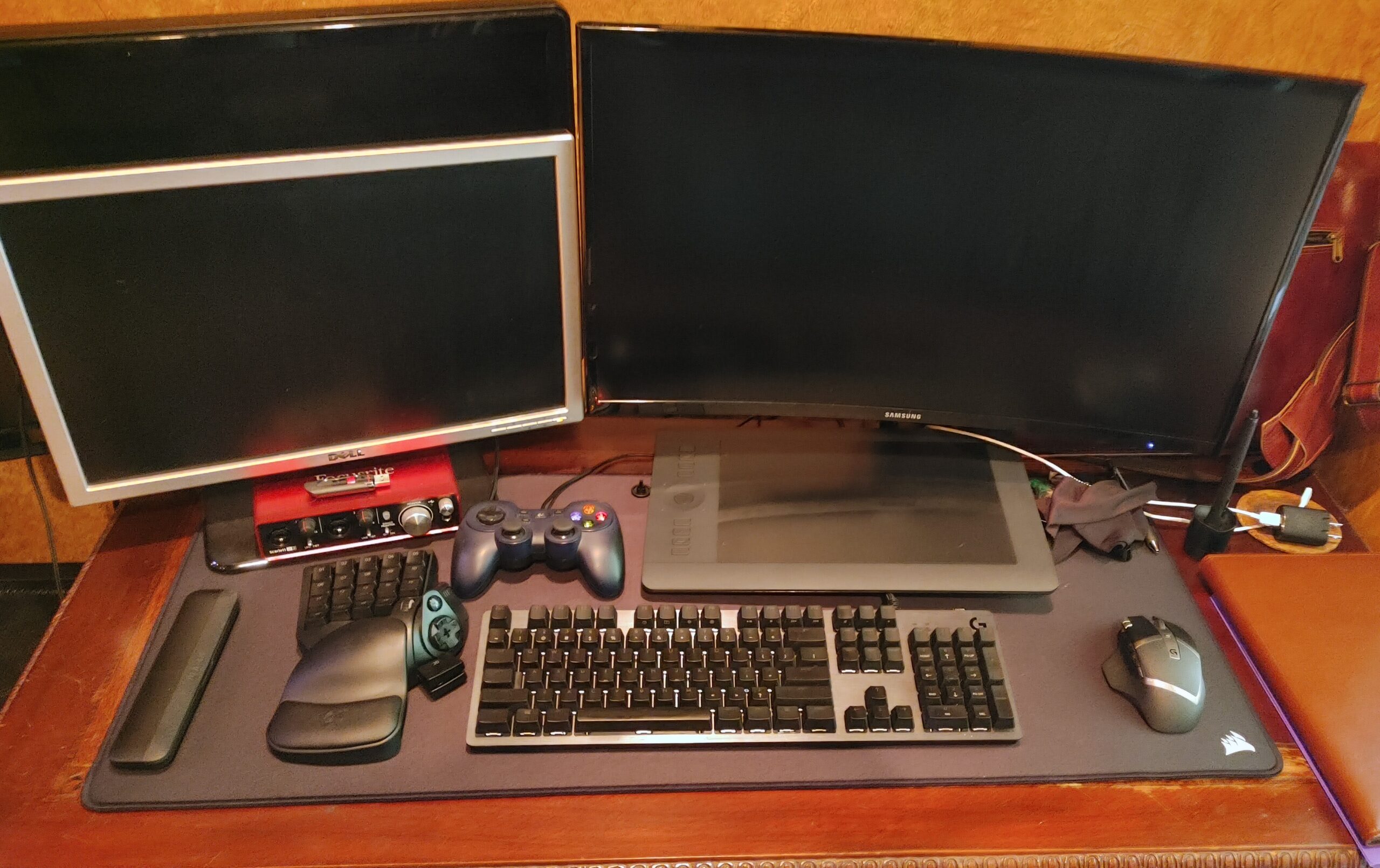
The 930mm x 400mm dimensions give you a massive play area. My full-size keyboard, mouse, and extra swiping room all fit comfortably. The all-black design looks clean and professional, though I wish Corsair offered more color options for players who want to match their setup aesthetics.
Who Should Buy the Corsair MM350 PRO
This is my top recommendation for players who want a premium extended pad that will survive daily abuse. If you game at your desk and regularly have drinks nearby, the spill-proof coating alone justifies the price. The combination of fast glide, thick cushioning, and stitched edges makes it one of the most well-rounded pads on the market.
Tracking game players will appreciate the smoother glide, while FPS players who prefer more control might find it slightly fast for their taste. It strikes a balance that works for most people, but pure control-focused players might prefer the BenQ Zowie G-SR III.
What to Watch Out For
The black surface is a magnet for dust, pet hair, and crumbs. You will find yourself wiping it down frequently to keep it looking clean. The spill-proof coating helps with liquid, but dry debris still sticks to the surface.
The premium price is higher than most extended pads. If you are on a strict budget, the KTRIO Extended pad later in this guide offers similar size for a fraction of the cost, though without the spill-proof coating or the same build quality.
4. KTRIO Large Extended Mouse Pad – Best Budget Gaming Mousepad
KTRIO Large Gaming Mouse Pad Desk Mat for Gamer, 31.5" x 11.8", Black, XL
Micro-weave cloth surface
3mm thickness
800mm x 300mm extended
Stitched edges
40k+ reviews
Pros
- Extended 31.5 x 11.8 inch size fits keyboard and mouse
- Anti-fray stitched edges for durability
- Superior micro-weave cloth surface
- Non-slip rubber base stays firmly in place
- Water-resistant and easy to clean
- 18-month satisfaction guarantee
Cons
- May have slight chemical smell when first opened
- Some variants take time to flatten completely
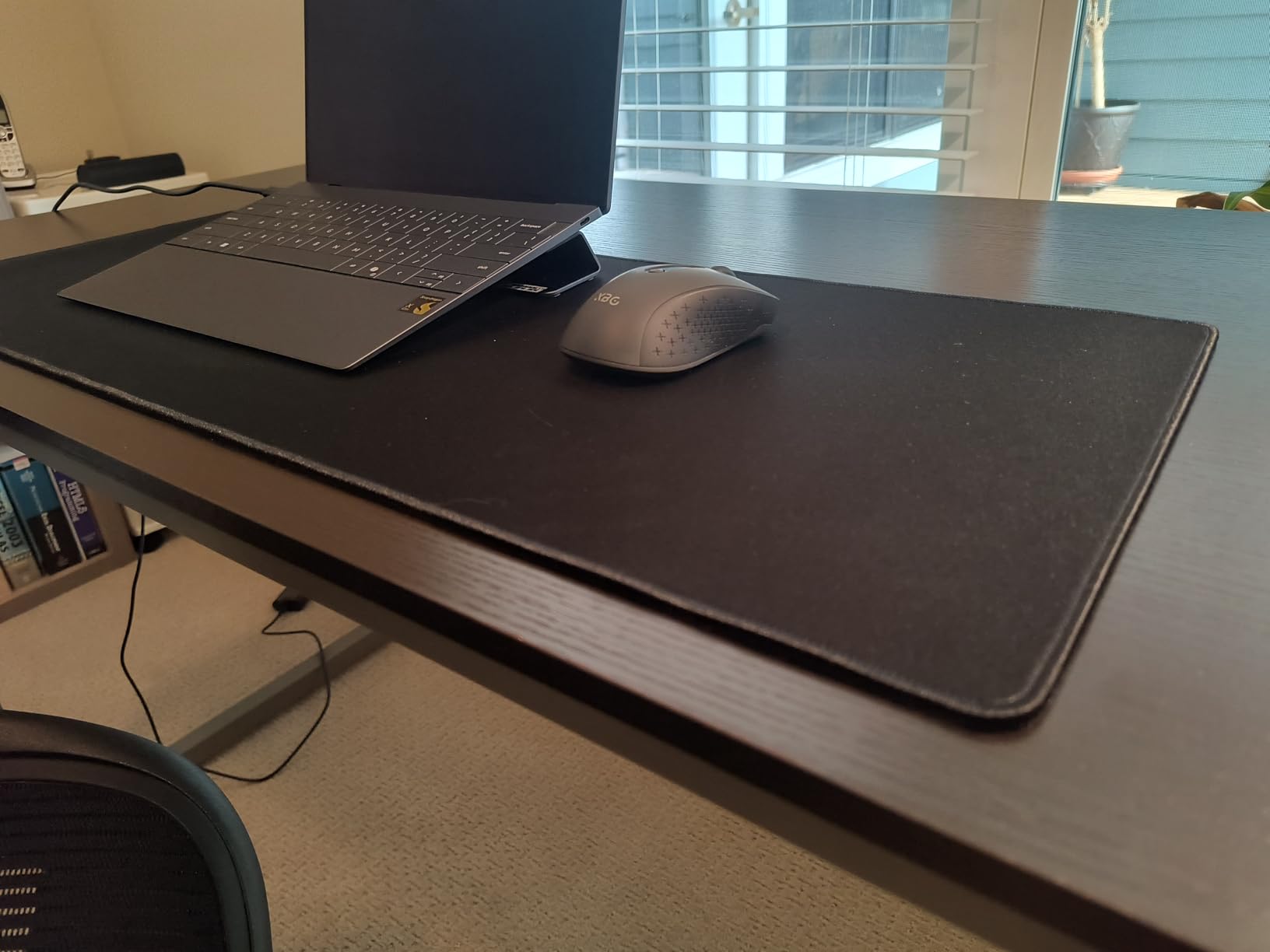
The KTRIO Extended Mouse Pad is the budget pick I recommend most often. At under $12 for an extended pad with stitched edges, it punches well above its weight class. With over 40,000 reviews and a 4.7-star rating, this is one of the most popular budget gaming mousepads on the market, and I was curious to see if it lived up to the hype.
After testing it for several weeks across Valorant, CS2, and general productivity work, I came away impressed. The micro-weave cloth surface provides a balance of speed and control that rivals pads costing three times as much. My mouse tracked consistently across the entire 31.5-inch width with no dead spots or texture inconsistencies.
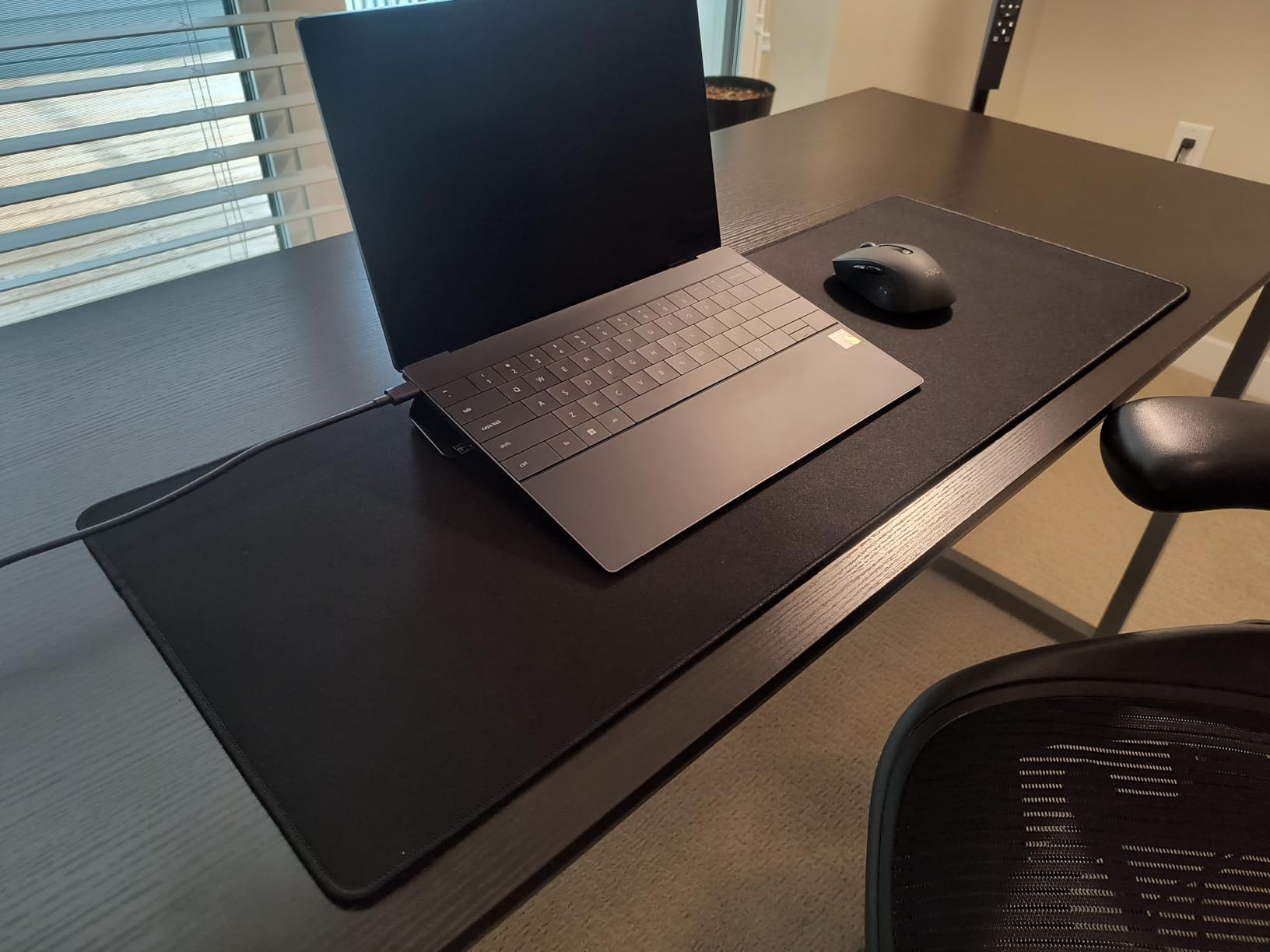
The stitched edges are the standout feature at this price point. Most budget pads skip stitching entirely, which means they start fraying within months. The KTRIO has held up well after extended use, and the anti-fray stitching looks like it will survive long-term daily gaming. The water-resistant coating is a nice touch that makes cleaning easy.
The 3mm thickness is a reasonable middle ground. It is thicker than the ultra-thin Logitech G240 but not as plush as the 4mm Corsair MM350 PRO. For most players, this thickness provides enough cushioning without feeling too squishy. The non-slip rubber base grips my desk firmly and has not shifted during intense gaming.
Who Should Buy the KTRIO Extended Pad
If you want an extended desk mat without spending more than $15, this is your best option. It is perfect for students, first-time PC builders, or anyone setting up a budget gaming station. The 18-month satisfaction guarantee also gives you peace of mind that the company stands behind the product.
The neutral glide characteristics make it suitable for all game types. It will not give you the raw speed of a glass pad or the heavy control of a Zowie G-SR, but for general gaming, it does everything well enough that most players will not feel the need to upgrade.
What to Watch Out For
Like many affordable pads, there is a slight chemical smell when you first unbox it. I found it dissipated within a day or two of airing out. The pad arrives rolled and may take a day to lay completely flat.
The surface quality, while good for the price, is not on the same level as premium pads from SteelSeries or Razer. Competitive players who need every edge might notice the difference in glide consistency. For casual and semi-competitive play, though, the KTRIO is more than adequate.
5. Razer Firefly Hard V2 RGB – Best RGB Gaming Mousepad
Razer Firefly Hard V2 RGB Gaming Mouse Pad: Customizable Chroma Lighting, Built-in Cable Management, Balanced Control & Speed, Non-Slip Rubber Base
Hard micro-textured surface
Customizable Chroma RGB
Built-in cable management
Non-slip rubber base
5k+ reviews
Pros
- Ultimate Razer Chroma RGB lighting customization
- Micro-textured surface for precise pixel-tracking
- Non-slip rubber base
- Built-in mouse cable management
- Balanced control and speed coating
Cons
- Pad can slide during intense use
- Requires Razer Synapse for full RGB customization
- Premium price point
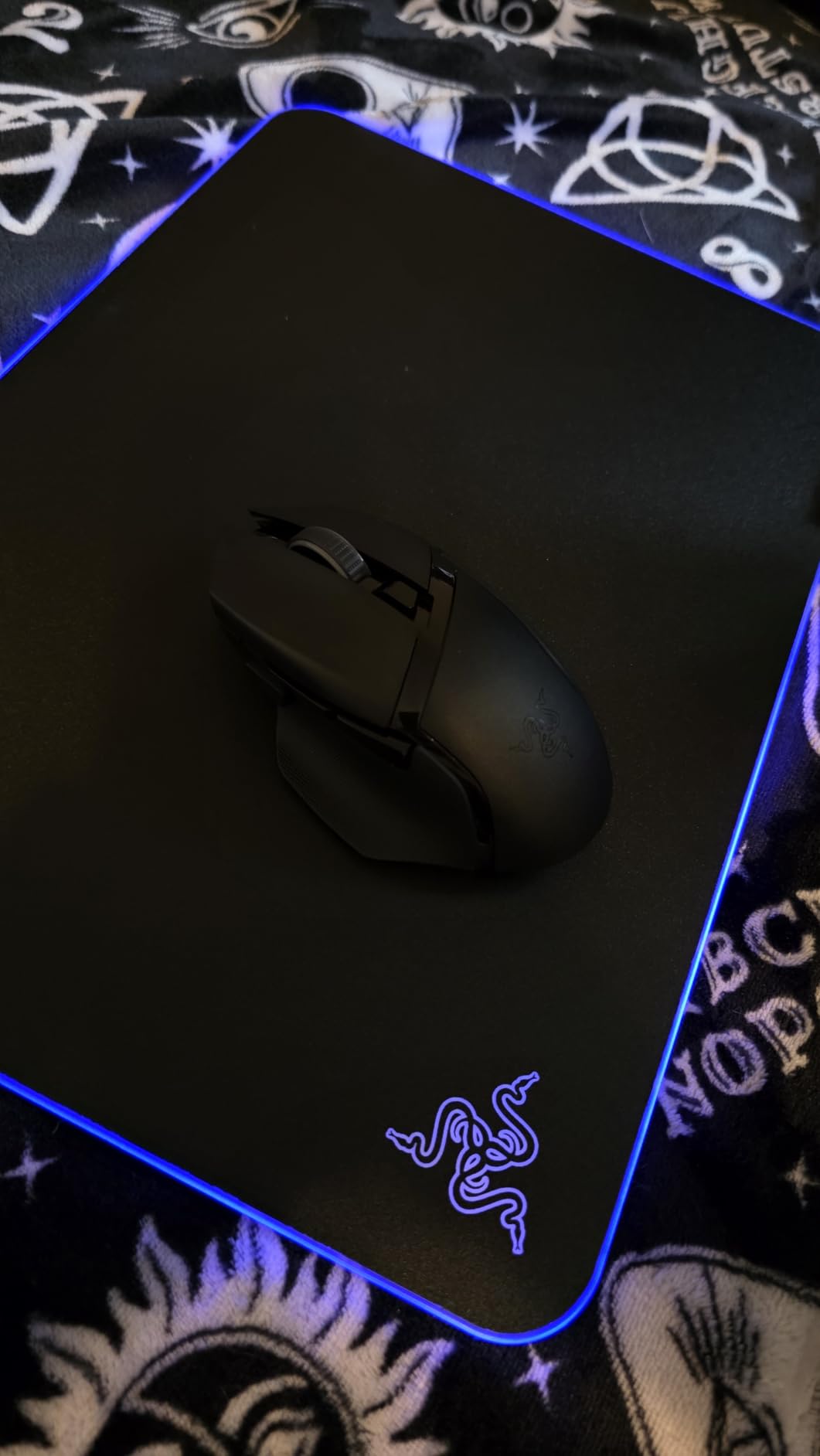
The Razer Firefly Hard V2 RGB is the mousepad that turns heads. When I set this up at a LAN party, three people asked me about it within the first hour. The Chroma RGB lighting is genuinely impressive in person, with bright, vivid colors that cycle through effects or sync with your gameplay in supported titles.
Beyond the lighting, the hard micro-textured surface delivers a different feel than any cloth pad. The plastic surface provides fast, consistent glide with very little initial friction. I tested it in Overwatch and Apex Legends, and the speed advantage was immediately noticeable. Flick shots and rapid tracking felt snappy and precise on this surface.
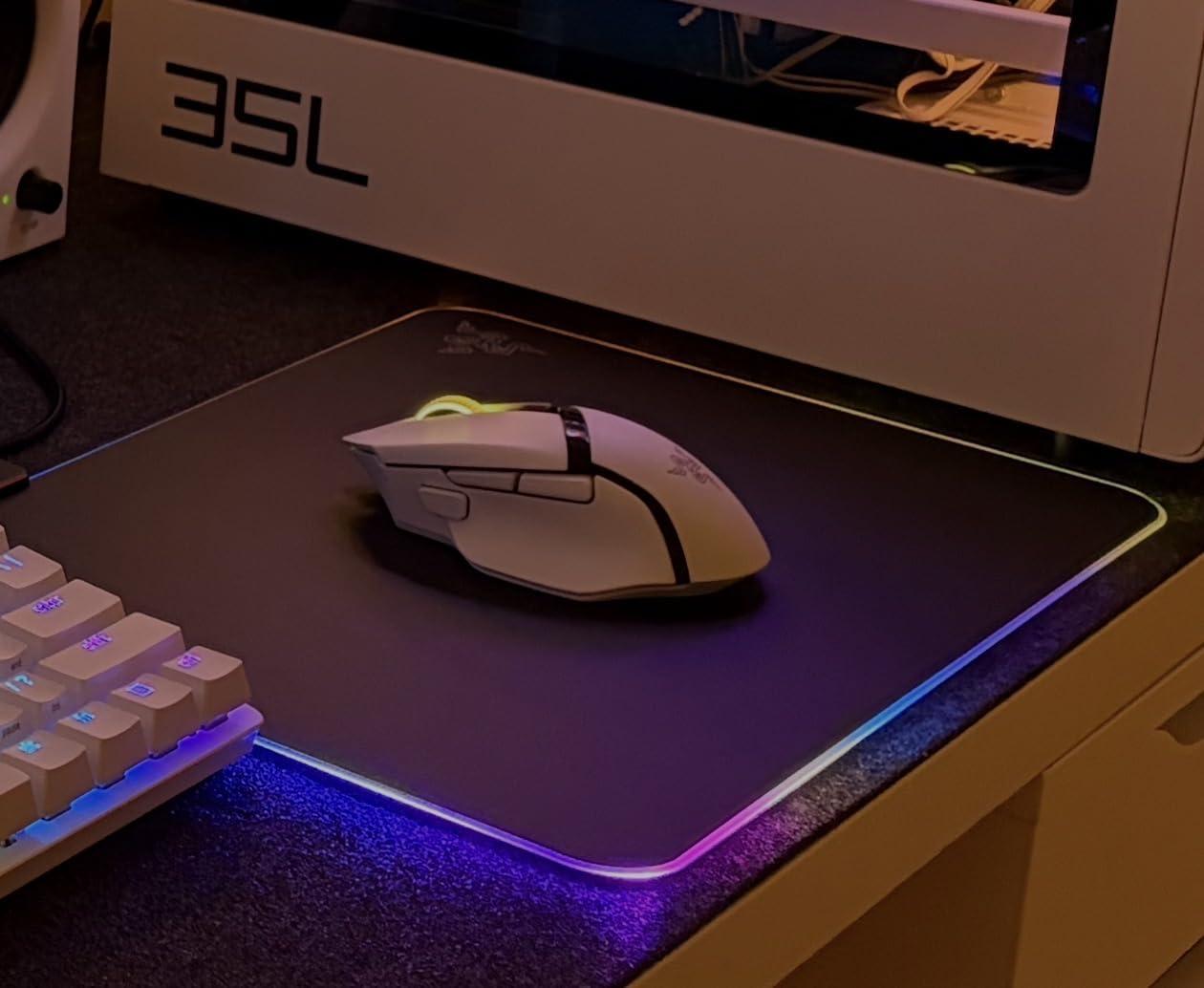
The built-in cable management is a feature I did not know I needed. A small channel on the edge of the pad lets you route your mouse cable, keeping it from dragging or catching during play. If you use a wired mouse, this is a surprisingly useful addition that reduces cable drag without needing a separate mouse bungee.
The balanced surface coating means this pad tries to offer both speed and control. In practice, it leans toward the speed side. For FPS players who need precise stopping power, this might feel too fast. But for tracking games and general PC use, the hard surface is buttery smooth and requires minimal effort to move your mouse.
Who Should Buy the Razer Firefly Hard V2 RGB
This is the pad for players who want their setup to look as good as it performs. If you already have Razer peripherals with Chroma lighting, the Firefly V2 ties everything together visually. The hard surface is ideal for tracking game players and anyone who prefers a fast, low-friction feel under their mouse.
It is also worth considering if you play in a humid environment. Hard surfaces do not absorb moisture like cloth pads do, so performance stays consistent regardless of humidity levels.
What to Watch Out For
To unlock the full RGB customization, you need Razer Synapse software running on your PC. Some users find Synapse intrusive, and it requires a Razer account. The lighting works without the software, but you are limited to basic effects.
The hard surface means your mouse feet will wear down faster than they would on cloth. If you use expensive PTFE feet, factor in more frequent replacements. The pad itself can also slide on glass desks during intense use because the rubber base does not grip as firmly on smooth surfaces.
6. SteelSeries QcK L Performance Speed – Best Speed Mousepad
SteelSeries QcK L Performance Speed Gaming Mousepad — Extra Density for a Smooth Glide — Low-Profile Edge Stitching — Non-Slip Neoprene Rubber Base — 16.54 x 19.29 inch — FPS, MOBAs, RTS, MMO
Ultra-smooth speed surface
3.5mm thick base
Low-profile stitched edges
Non-slip neoprene base
Premium quality
Pros
- Ultra-smooth surface for quick movements
- 3.5mm thick base for comfort and performance
- Low-profile stitched edges for durability
- Non-slip neoprene rubber base
- Premium quality materials
Cons
- May have initial fresh rubber smell
- Requires significant desk space for Large size
The SteelSeries QcK L Performance Speed is the modern evolution of the classic QcK line. SteelSeries recently split their Performance series into Speed, Balance, and Control variants, letting players choose the exact glide characteristics they want. I tested the Speed variant and found it to be a genuine upgrade for players who found the original QcK too slow.
The ultra-smooth surface is noticeably faster than the standard QcK cloth. In testing, my mouse glided with less resistance, making wide arcs and rapid tracking movements easier. This makes it one of the best gaming mousepads for tracking-heavy games where you need to maintain smooth crosshair movement on moving targets.
The 3.5mm thickness is a sweet spot between the thin 2mm standard QcK and the thick 6mm QcK Heavy. It provides comfortable cushioning without raising your arm too high. The neoprene rubber base is softer and grippier than the standard silicone base, which helps the pad stay planted on your desk during aggressive mouse movements.
The low-profile stitched edges are a welcome addition. Unlike the standard QcK, which has raw edges that can fray, the Performance series uses high-grade precision stitching that sits flat against the surface. This means your mouse glides smoothly over the edges without catching, and the pad resists fraying over time.
Who Should Buy the SteelSeries QcK Performance Speed
This pad is ideal for players who love the QcK reputation but want a faster surface. If you play tracking games like Overwatch, Apex Legends, or Call of Duty Warzone, the reduced friction helps maintain smooth crosshair movement. It is also great for high-DPI players who make smaller, faster adjustments.
Players coming from hard pads who want to try cloth without losing too much speed will find this a good transition. The surface is fast for cloth while still providing more control and comfort than a hard plastic surface.
What to Watch Out For
Being a newer product, the Performance Speed has fewer reviews than the original QcK. This means less long-term durability data from the community. However, the build quality feels premium, and the SteelSeries brand track record is solid.
The pad has a noticeable rubber smell when first opened. SteelSeries themselves acknowledge this, comparing it to a fresh tire smell. It fades within a few days, but be prepared to air it out initially. Also consider whether you truly need the Speed variant versus the Balance or Control, as choosing the wrong one could negatively impact your aim.
7. ASUS ROG Moonstone Ace L Glass – Best Glass Gaming Mousepad
ASUS ROG Moonstone Ace L Glass Gaming Mouse Pad – 19.7” x 15.7”, Ultra-Smooth Matte Tempered Glass for Quiet Ultrafast Glides, Impact/Scratch Resistant, Easy to Clean, Anti-Slip Silicone Base - Black
Tempered glass surface
500mm x 400mm
4.14 pounds
Anti-slip silicone base
Noise-reducing design
Pros
- Ultra-smooth tempered glass surface
- Noise-reducing design for quiet operation
- Impact and scratch resistant
- Excellent stability with anti-slip base
- Easy to clean and maintain
Cons
- May require mouse sleeve or glove for bare-hand use
- Heavy weight makes it less portable
- Hair and dust can affect smoothness
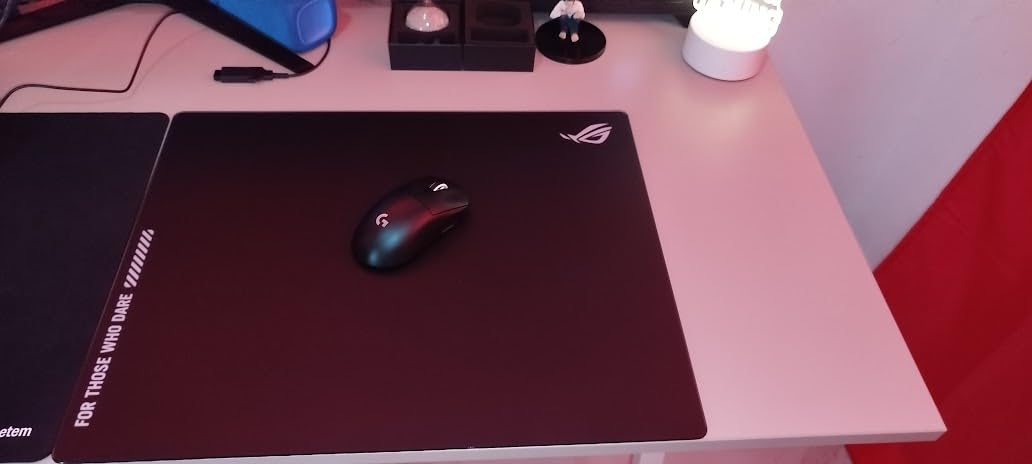
The ASUS ROG Moonstone Ace L is a glass gaming mousepad, and that alone makes it a unique experience. I had heard players rave about glass pads for months before trying one. After extended testing, I can confirm that glass offers a glide profile unlike anything else on the market. The surface is impossibly smooth with near-zero friction.
In tracking games, the Moonstone Ace L felt like my mouse was floating on air. Wide arcs and continuous tracking movements required almost no physical effort. The tempered glass surface is consistent across the entire pad, with no texture variation or dead spots. For high-sensitivity players who make micro-adjustments with minimal mouse movement, this surface is incredibly responsive.
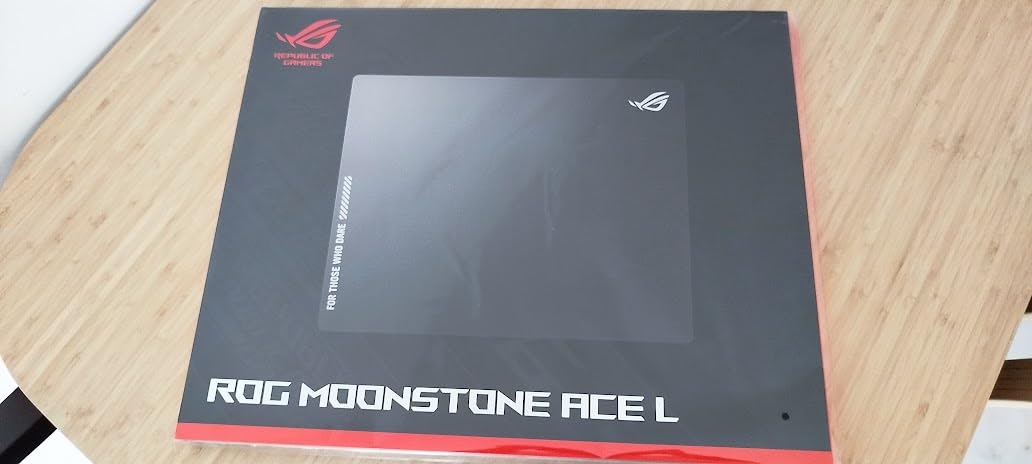
ASUS addressed one of the biggest complaints about glass pads with their noise-reducing design. On other glass pads I have tried, the mouse makes a noticeable scratching sound during fast swipes. The Moonstone Ace L is surprisingly quiet, which is important if you game in a shared space or stream with an open microphone.
The tempered glass construction means this pad is built to last. Unlike cloth pads that wear down over time, glass maintains its glide characteristics indefinitely. It is impact and scratch resistant, and cleaning is as simple as wiping it with a microfiber cloth. Spills are a non-issue since liquid cannot penetrate glass.
Who Should Buy the ASUS ROG Moonstone Ace L Glass
This pad is for players who want maximum speed and are willing to adapt their playstyle. Glass pads are ideal for tracking games and high-DPI configurations. If you have ever felt that your cloth pad holds back your flick shots, a glass surface eliminates that barrier entirely.
It is also worth considering if you live in a high-humidity environment. Glass does not absorb moisture, so performance stays consistent regardless of climate. Many forum users report that cloth pads like the Zowie G-SR become sluggish in humid conditions, a problem that does not exist with glass.
What to Watch Out For
The biggest adjustment with glass pads is arm friction. If you game with a bare arm, your skin will stick to the glass and create drag. Most glass pad users wear a gaming sleeve or glove to solve this. I used an arm sleeve during testing, and it made a night-and-day difference in glide consistency.
The pad weighs over 4 pounds, which makes it impractical to transport for LAN events. Dust and hair are also more visible and more impactful on glass surfaces. You will need to wipe it down regularly to maintain optimal glide. At this price point, it is a serious investment that only makes sense for dedicated enthusiasts.
8. Corsair MM300 Extended – Best Durable Cloth Pad
Corsair MM300 - Anti-Fray Cloth Gaming Mouse Pad - High-Performance Mouse Pad Optimized for Gaming Sensors - Designed for Maximum Control - Extended, Multi Color
Textile weave cloth surface
Extended 930mm x 300mm
Stitched anti-fray edges
Anti-skid rubber base
22k+ reviews
Pros
- Textile weave surface for pixel precise targeting
- Stitched edges prevent fraying
- Optimized for laser and optical mice
- Anti-skid rubber base stays secure
- Great value for extended size
Cons
- Can attract dust and lint over time
- May have initial smell requiring airing out
The Corsair MM300 Extended is one of the highest-rated extended mousepads on the market, and after testing it, I can see why. With over 22,500 reviews and a 4.8-star rating, this pad has earned its reputation through consistent quality and durable construction. It sits between the budget KTRIO and the premium MM350 PRO in Corsair’s lineup.
The textile weave surface is designed for what Corsair calls pixel-precise targeting. In practice, this means the surface provides moderate friction with excellent stopping power. I tested it extensively in CS2, and the control-oriented surface made micro-adjustments and precise crosshair placement feel natural. This is one of the best gaming mousepads for players who prioritize control over raw speed.
The stitched edges are a highlight. After months of use, the edges show zero signs of fraying. The stitching is tight and consistent around the entire perimeter, which is exactly what you want for long-term durability. Compared to the non-stitched edges on the Razer Gigantus V2, the MM300 is clearly built to last longer.
The extended size at 36.6 inches by 11.8 inches fits both keyboard and mouse comfortably. The anti-skid rubber base does a solid job of keeping the pad in place, though it is not quite as grippy as the neoprene base on the SteelSeries QcK Performance series. The 0.1-inch thickness is thin, which some players prefer for arm-level consistency.
Who Should Buy the Corsair MM300 Extended
This pad is for FPS players who want a control-leaning extended surface with proven durability. The massive review count means you are buying a product with years of community validation. If you play tactical shooters like CS2 or Valorant and want an extended pad that supports precise crosshair control, the MM300 is an excellent choice.
It is also a strong option for productivity users who want a large desk mat for general computer work. The surface works well with both gaming mice and standard office mice, making it versatile for mixed-use setups.
What to Watch Out For
The cloth surface attracts dust and lint, which means regular cleaning is necessary to maintain optimal glide. A lint roller works well for quick cleanup. Some users report a rubber smell when first opening the pad, similar to other extended cloth pads on the market.
The thin profile means less cushioning than thicker pads. If you have a hard desk surface and experience wrist discomfort during long sessions, the 0.1-inch thickness may not provide enough padding. Consider the Corsair MM350 PRO for a thicker alternative with similar features.
9. BenQ Zowie G-SR III – Best Esports Control Pad
BenQ Zowie G-SR III Large Esports Gaming Mouse Pad, Humidity Resistance Cloth, Consistent and Controlling Glide,Uniform high-Density Rubber Base with Medium Softness, Stitched Edges, Anti-Slip Base
Humidity-resistant cloth
Control-oriented surface
3.5mm thick
470mm x 390mm
Stitched edges
Pros
- Consistent controlling glide
- Humidity-resistant cloth surface
- Uniform high-density rubber base
- Stitched edges for durability
- Excellent stopping power for control
Cons
- Comes rolled and does not lay flat immediately
- Premium price for the size
The BenQ Zowie G-SR III is the pad that competitive FPS players whisper about in forums. Zowie has been a staple in the CS2 professional scene for years, and the G-SR line is their flagship control surface. The III represents the third generation of this pad, and Zowie has refined it to address one of the biggest complaints from the community: humidity sensitivity.
The original G-SR was notorious for performing differently depending on humidity levels. Players in humid climates reported the pad becoming sluggish and inconsistent. The G-SR III features a new humidity-resistant cloth that addresses this issue. I tested it in varying humidity conditions and the glide remained consistent throughout, which is a significant improvement over earlier versions.
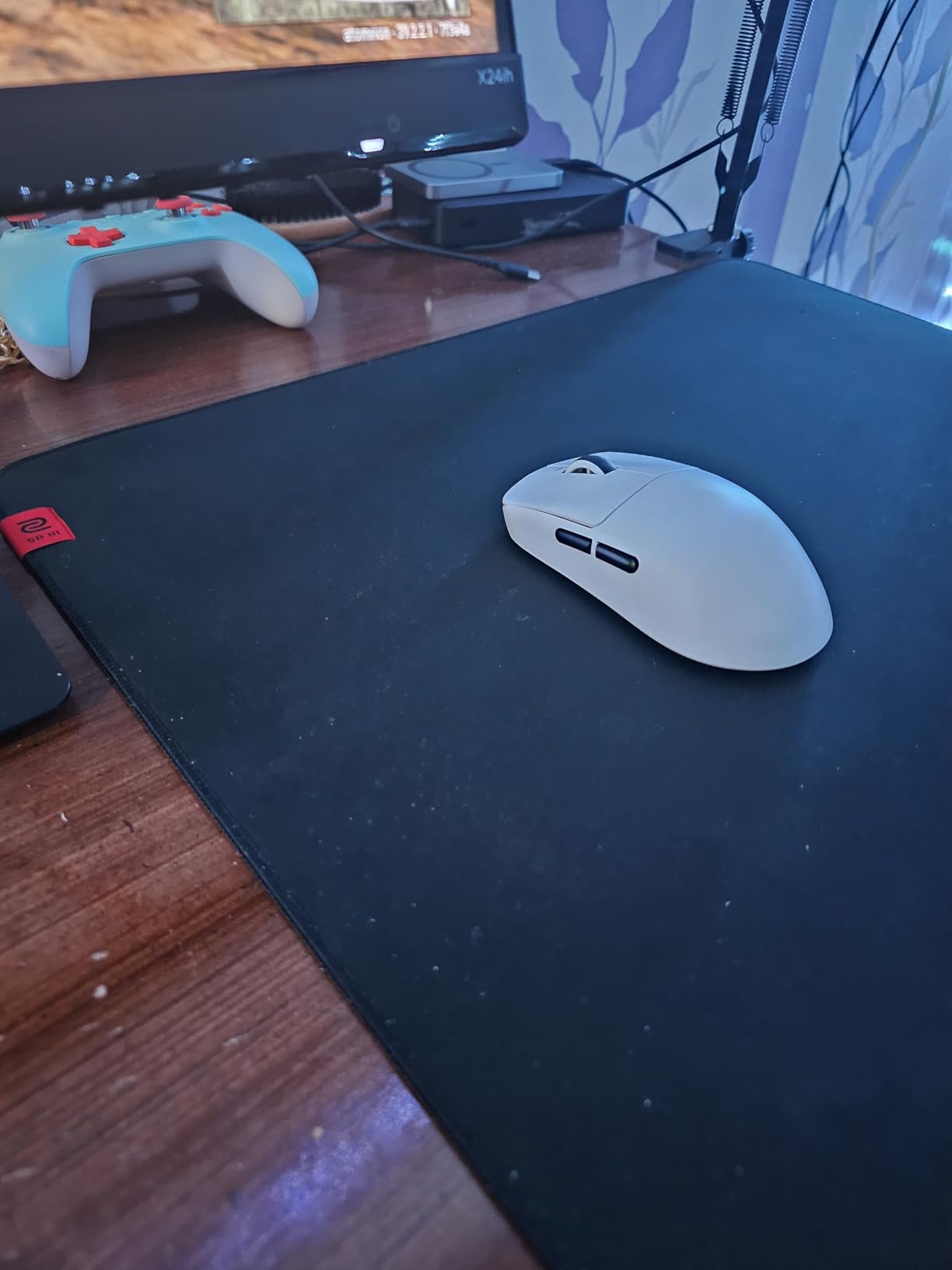
The controlling glide is what sets this pad apart. The surface provides high friction relative to speed pads, which translates to excellent stopping power. When I flick shot in Valorant, my crosshair stopped exactly where I intended without overshooting. For tactical shooter players who rely on precise crosshair placement and controlled micro-adjustments, this surface profile is ideal.
The 3.5mm thickness with a medium-softness rubber base provides a firm but comfortable surface. Unlike softer pads that can feel squishy and inconsistent, the G-SR III base maintains a uniform density across the entire surface. This consistency matters for competitive players who need identical friction characteristics everywhere on the pad.
Who Should Buy the BenQ Zowie G-SR III
This is the pad I recommend specifically for competitive tactical shooter players. If you play CS2 or Valorant at a serious level and want maximum control for crosshair placement, the G-SR III is engineered for exactly that playstyle. The humidity resistance also makes it the best choice for players in tropical or coastal climates.
The pad is sized at 470mm x 390mm, which is large enough for low-sensitivity arm aiming without being an extended desk mat. It is designed for pure mouse use, not for keyboard placement.
What to Watch Out For
The G-SR III ships rolled, which is a common complaint among Zowie pad owners. It can take several days to lay completely flat, and some users resort to weighing it down with heavy objects. Flat shipping would be preferable, but the rolled format keeps costs down.
The control-oriented surface means this pad is slow compared to speed and hybrid pads. If you play tracking games or prefer a faster glide, the G-SR III will feel restrictive. It is specialized for tactical shooters and precision aiming, not general-purpose gaming.
10. Logitech G240 Cloth – Best Budget Gaming Mousepad
Logitech G240 Cloth Gaming Mouse Pad, Optimized for Sensors, Moderate Surface Friction, Non-Slip Mouse Mat, Mac and PC Accessories, 340 x 280 x 1 mm, Black
Sensor-optimized cloth surface
1mm ultra-thin
340mm x 280mm
Moderate surface friction
3k+ reviews
Pros
- Moderate surface friction for optimal control
- Consistent surface texture for sensor accuracy
- No-slip rubber base prevents bunching
- Thin and portable design
- Great value for budget-conscious gamers
Cons
- Thin design may not suit all preferences
- Borders may fray after extended use
- Single size may be small for some users
The Logitech G240 is the least expensive pad in this guide and one of the best values in gaming. Logitech designed this pad specifically to pair with their gaming mice, optimizing the surface texture for their sensor technology. At this price point, it is the best gaming mousepad for anyone building a budget gaming setup.
The cloth surface provides what Logitech calls moderate surface friction. In testing, this translated to a balanced feel that works for both flick shots and tracking. The surface is not as fast as the SteelSeries QcK Performance Speed or as controlled as the Zowie G-SR III. Instead, it sits comfortably in the middle, making it a versatile choice for players who have not yet settled on a specific playstyle.
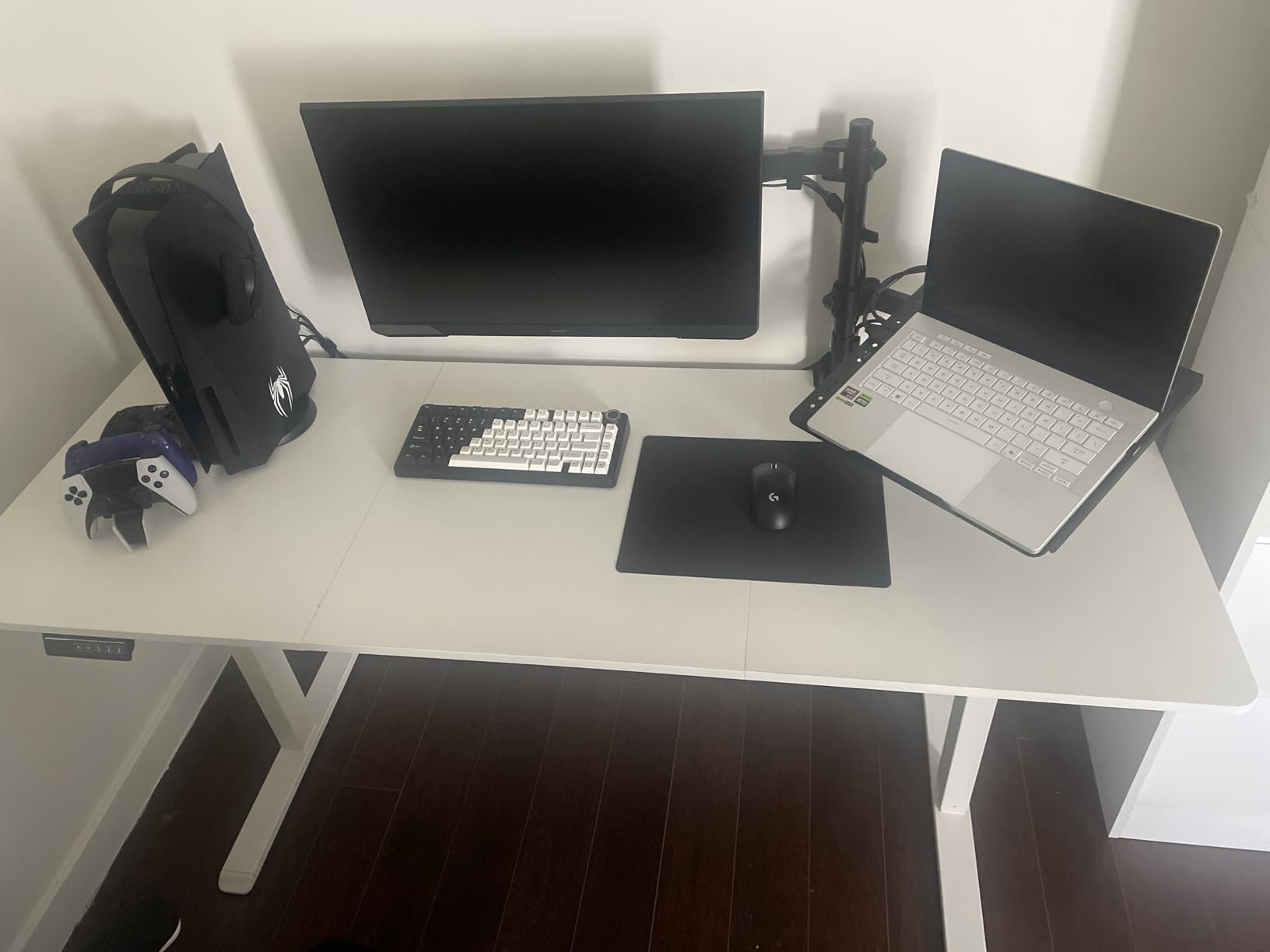
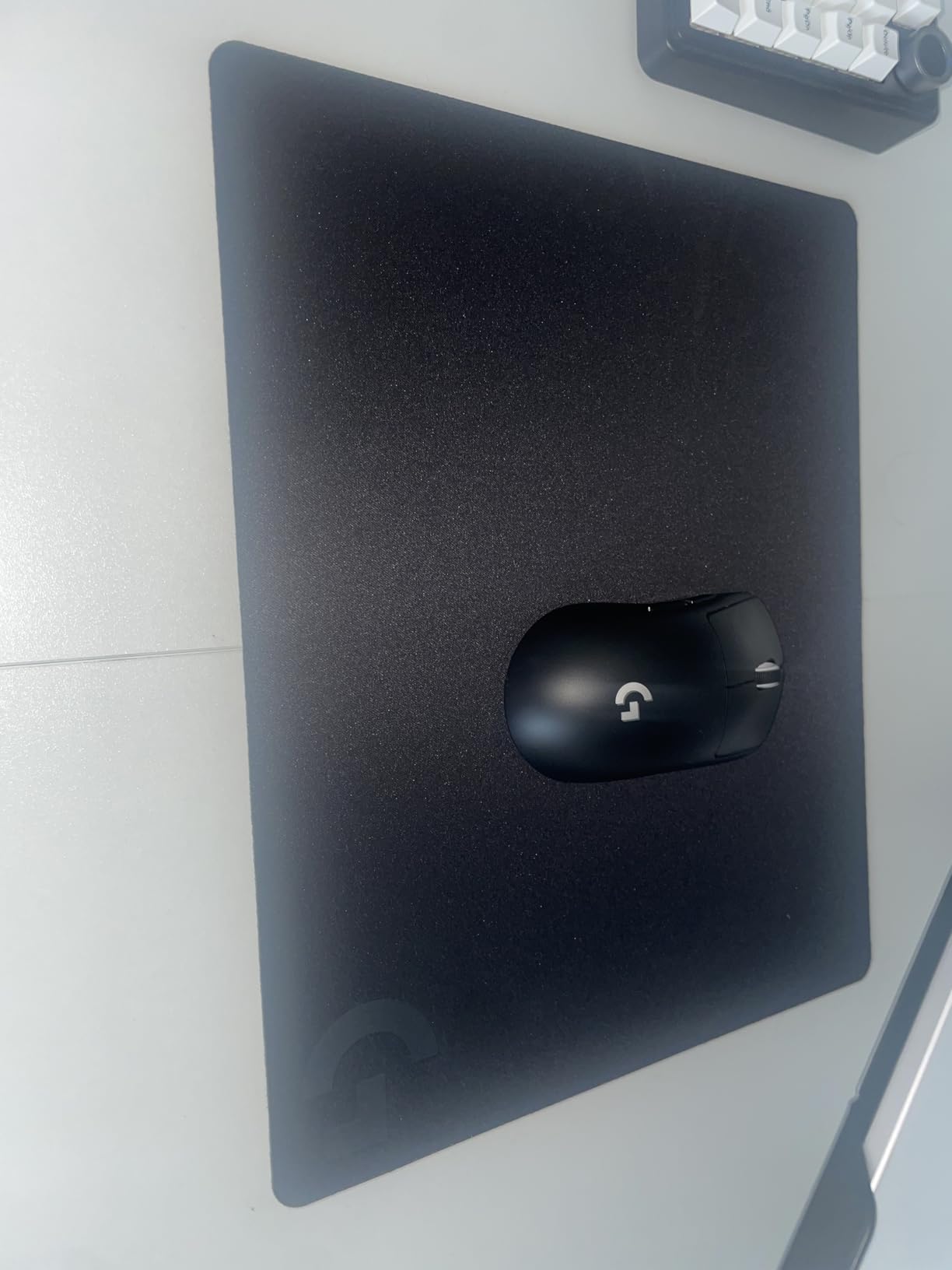
The 1mm thickness makes this the thinnest pad in the guide. This is a deliberate design choice that keeps your arm level with the desk surface, which many low-DPI arm aimers prefer. The thin profile also makes the G240 highly portable. You can roll it up and take it to LAN events without worrying about permanent creasing.
The consistent surface texture is a standout feature at this price. I tested it with several mice including Logitech and non-Logitech models, and tracking was accurate across the board. The non-slip rubber base prevented any bunching or sliding during fast swiping movements, which is impressive for a pad this thin and lightweight.
Who Should Buy the Logitech G240
This is the pad I recommend for new gamers, students, or anyone who wants a quality mousepad without spending more than $10. If you use a Logitech gaming mouse, the G240 is the ideal companion since the surface was designed with Logitech sensors in mind. It is also a great travel pad for competitive players who need something portable.
The moderate friction makes it a safe choice for players who are still figuring out whether they prefer speed or control surfaces. Starting with a balanced pad like the G240 helps you understand your preferences before investing in a specialized surface.
What to Watch Out For
The 340mm x 280mm size is small compared to most pads in this guide. If you play at low sensitivity and need large swiping room, this pad will feel restrictive. Measure your typical mouse movement range before buying. The edges are not stitched, which means fraying is likely after several months of heavy use.
The 1mm thickness provides minimal cushioning. If you have a hard desk and experience wrist discomfort, consider a thicker pad like the Razer Gigantus V2 or Corsair MM350 PRO. The G240 prioritizes performance and portability over comfort.
How to Choose the Best Gaming Mousepad?
Choosing from the best gaming mousepads comes down to understanding three key decisions: surface type, glide characteristics, and size. I have broken down each factor based on my testing experience and community feedback from dedicated mousepad forums.
Cloth vs Hard vs Glass Surfaces
Cloth pads are the most popular and versatile option. They provide good friction control, comfortable cushioning, and work with virtually all mouse sensors. Cloth pads like the SteelSeries QcK and Razer Gigantus V2 are the safest choice for most players. The downside is that cloth wears down over time and can be affected by humidity.
Hard pads use plastic or polymer surfaces that provide faster glide with less friction. The Razer Firefly Hard V2 RGB is the standout option in this category. Hard pads are easier to clean and unaffected by humidity, but they wear down mouse feet faster and provide less stopping power for FPS aiming.
Glass pads like the ASUS ROG Moonstone Ace L offer the lowest friction of any surface type. They are extremely durable, easy to clean, and unaffected by environmental conditions. The tradeoff is that glass requires a gaming sleeve for comfortable use and costs significantly more than other options. Glass is also not portable due to weight and fragility concerns.
Speed Pads vs Control Pads
Speed pads have low static and dynamic friction, meaning your mouse starts moving easily and keeps gliding with minimal resistance. These pads favor tracking games like Overwatch and Apex Legends where you need smooth, continuous crosshair movement. The SteelSeries QcK Performance Speed and ASUS ROG Moonstone Ace L are examples of speed-oriented surfaces.
Control pads have higher friction, providing more stopping power and better micro-adjustment capability. These pads favor tactical shooters like CS2 and Valorant where precise crosshair placement matters more than wide tracking movements. The BenQ Zowie G-SR III is a pure control pad, while the Corsair MM300 Extended leans in this direction.
Balance pads sit between the two extremes, offering moderate glide with reasonable stopping power. The SteelSeries QcK, Razer Gigantus V2, and Logitech G240 are all balanced surfaces. If you are unsure which type you need, start with a balanced pad.
Size Guide: Standard, Large, Extended, XXL
Standard pads (around 340mm x 280mm) work for high-sensitivity wrist aimers who do not need much mouse travel. The Logitech G240 is a good example. These pads save desk space and are easy to transport.
Large pads (around 450mm x 400mm) give you more swiping room for medium to low sensitivity. The SteelSeries QcK Large and BenQ Zowie G-SR III fit this category. This is the most popular size for competitive FPS gaming.
Extended pads (around 900mm x 300mm) stretch across your desk to fit both keyboard and mouse. The Corsair MM300 Extended and KTRIO Extended are examples. These create a unified desk surface and are great for aesthetics and comfort.
XXL pads (around 940mm x 400mm or larger) provide maximum coverage. The Razer Gigantus V2 XXL and Corsair MM350 PRO Extended XL are in this category. These are ideal for players with large desks or those who want maximum swiping room.
Humidity and Climate Considerations
This is a factor most reviewers skip, but forum users consistently raise it. Cloth pads absorb moisture from humid air, which changes their friction characteristics. The original BenQ Zowie G-SR was particularly notorious for this, becoming sluggish in humid conditions. If you live in a humid climate, the G-SR III with its humidity-resistant cloth or a hard and glass pad are better choices.
In dry climates, cloth pads perform consistently and you do not need to worry about this factor. For players in tropical or coastal regions, consider hard or glass surfaces that are immune to humidity effects.
Mouse Feet Compatibility
Your mouse feet interact directly with your mousepad surface, so compatibility matters. PTFE feet, which come standard on most gaming mice, work well on all surface types. However, hard and glass surfaces will wear down PTFE feet faster than cloth. If you use aftermarket feet made of glass or ceramic, avoid hard pads entirely as the combination can cause scratching.
For glass pads specifically, pure PTFE feet provide the best glide. Some players apply dewaxing treatments to their mouse feet for even better performance on glass. Always check your mouse feet material before investing in a specialized pad surface.
Cleaning and Maintenance Tips
Cloth pads can be hand washed with mild soap and warm water. Let them air dry completely before use. I clean my cloth pads every two to three months to maintain consistent glide. Avoid machine washing as it can damage the rubber base.
Hard pads need only a wipe with a damp microfiber cloth. Glass pads are the easiest to clean since nothing penetrates the surface. A quick wipe removes dust, oils, and debris. This is one reason glass pads maintain their performance characteristics indefinitely.
For spill-proof pads like the Corsair MM350 PRO, liquids bead up and can be wiped away. However, you should still clean the surface regularly to prevent residue buildup that can affect glide consistency over time.
FAQs
What is the best gaming mouse pad for competitive FPS?
For competitive FPS gaming, the BenQ Zowie G-SR III is the top choice due to its controlling glide and excellent stopping power. The SteelSeries QcK Large is another excellent option with a balanced surface trusted by esports professionals for over 15 years. Both pads provide the friction needed for precise crosshair placement in games like CS2 and Valorant.
What is the best mouse pad for Valorant?
The best mouse pad for Valorant is the BenQ Zowie G-SR III because its control-oriented surface supports the micro-adjustments and crosshair placement that Valorant demands. The Corsair MM300 Extended is another strong option for Valorant players who want an extended surface with good stopping power.
What mouse pad do pros use?
According to pro settings data from over 2,300 professional players, the most used mousepads are the Artisan Zero, Razer Gigantus V2, SteelSeries QcK Heavy, BenQ Zowie G-SR series, and Logitech G640. The SteelSeries QcK and Zowie G-SR series are particularly dominant in tactical shooters like CS2 and Valorant.
Glass vs cloth mouse pad – which is better for gaming?
Glass pads offer the lowest friction and fastest glide, making them ideal for tracking games and high-DPI players. However, glass requires a gaming sleeve for comfortable use and costs more. Cloth pads are more versatile, affordable, and comfortable for extended sessions. Most players should start with cloth, and only switch to glass if they specifically need maximum speed and are willing to adapt their setup.
How to choose a gaming mousepad?
Choose a gaming mousepad by considering three factors: surface type (cloth for versatility, hard for speed, glass for maximum glide), glide characteristics (speed pads for tracking games, control pads for tactical shooters, balanced pads for general use), and size (standard for high sensitivity, large for low sensitivity, extended for full desk coverage). Start with a balanced cloth pad like the SteelSeries QcK if you are unsure.
Final Thoughts on the Best Gaming Mousepads
After testing all 10 pads across multiple game types and playstyles, my top recommendation remains the SteelSeries QcK Large for its unmatched versatility and 15-year esports legacy. For budget-conscious gamers, the Logitech G240 and KTRIO Extended deliver exceptional value. And for players who want the absolute lowest friction possible, the ASUS ROG Moonstone Ace L glass pad is in a class of its own.
The best gaming mousepads in 2026 cover a wide range of materials, sizes, and price points. Your ideal choice depends on your primary game type, sensitivity settings, and personal comfort preferences. Whether you need a control pad for Valorant or a speed pad for Overwatch, the options in this guide have been tested and validated through real gaming sessions.
Remember that a mousepad is an investment in your aim. A quality surface can last years and directly impacts your in-game performance. Choose based on your actual needs rather than marketing hype, and you will see the difference in your gameplay.