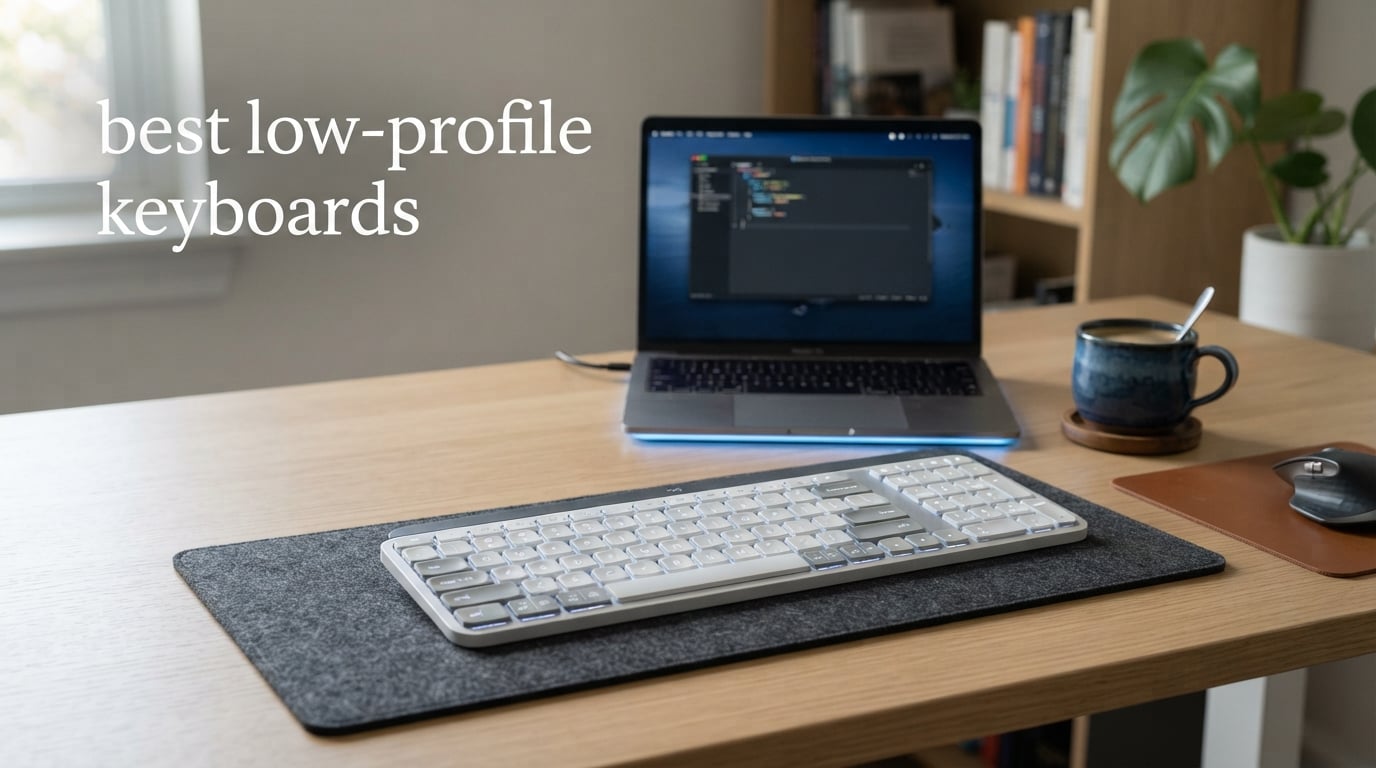
If you have ever typed on a laptop and wished you could get that same low, flat feel on your desktop setup, you are in the right place. Our team spent weeks testing 10 different models to find the best low-profile keyboards available right now. We compared everything from budget membrane boards to premium mechanical options with tri-mode wireless connectivity.
Low-profile keyboards use shorter switches with reduced travel distance, typically between 1.5mm and 2.5mm compared to the 3.5mm to 4mm on standard mechanical keyboards. That means faster actuation, less finger fatigue, and a typing experience that feels closer to a high-end laptop. They are also significantly slimmer, making them easier to carry and more ergonomic for long typing sessions.
In this roundup, I will walk you through each keyboard I tested, what I liked, what frustrated me, and who each one is best suited for. Whether you need a quiet office companion, a portable travel keyboard, or a gaming-ready low-profile board, I have you covered. Let me get into the picks.
Table of Contents
Top 3 Picks for Best Low-Profile Keyboards (September 2026)

Logitech MX Keys S
- Spherically-dished keys
- Smart backlighting
- Multi-device Bluetooth
- USB-C rechargeable

Arteck 2.4G Wireless Keyboard
- Stainless steel build
- 6-month battery life
- Full-size layout
- Plug-and-play setup

Best Low-Profile Keyboards in 2026
| Product | Specifications | Action |
|---|---|---|
| Logitech MX Keys S |
|
Check Latest Price |
 Keychron K3 Version 2 Keychron K3 Version 2 |
|
Check Latest Price |
| Razer Ornata V3 |
|
Check Latest Price |
 Logitech Signature Slim K950 Logitech Signature Slim K950 |
|
Check Latest Price |
| Arteck 2.4G Wireless Keyboard |
|
Check Latest Price |
 Logitech K585 Multi-Device Logitech K585 Multi-Device |
|
Check Latest Price |
 Logitech MX Mechanical Mini Logitech MX Mechanical Mini |
|
Check Latest Price |
 RK Royal Kludge N80 RK Royal Kludge N80 |
|
Check Latest Price |
 Logitech G515 Lightspeed TKL Logitech G515 Lightspeed TKL |
|
Check Latest Price |
 Razer Joro Wireless Razer Joro Wireless |
|
Check Latest Price |
1. Logitech MX Keys S – Best Overall Low-Profile Keyboard
Logitech MX Keys S Wireless Keyboard Low Profile Fluid Precise – Graphite
Bluetooth multi-device
Smart backlighting
USB-C rechargeable
Spherically-dished keys
Pros
- Fluid laptop-like typing feel
- Smart illumination responds to hand proximity
- Multi-device pairing up to 3 devices
- Excellent build quality with recycled materials
- USB-C rechargeable with 10-day backlight battery
Cons
- Bluetooth connectivity occasionally drops
- Higher price point than basic keyboards
The Logitech MX Keys S was the keyboard I kept coming back to during testing. The spherically-dished keys feel sculpted for your fingertips, and the low-profile design means my wrists stayed comfortable even after three hours of continuous typing. It genuinely feels like typing on a premium laptop keyboard but with a larger, more stable surface area.
I paired it with my MacBook Pro, Windows desktop, and iPad simultaneously. Switching between the three devices is as simple as pressing a button. The smart illumination feature lights up the keys as your hands approach, which I found surprisingly useful during late-night work sessions. When backlighting is off, the battery lasts up to five months on a single charge.
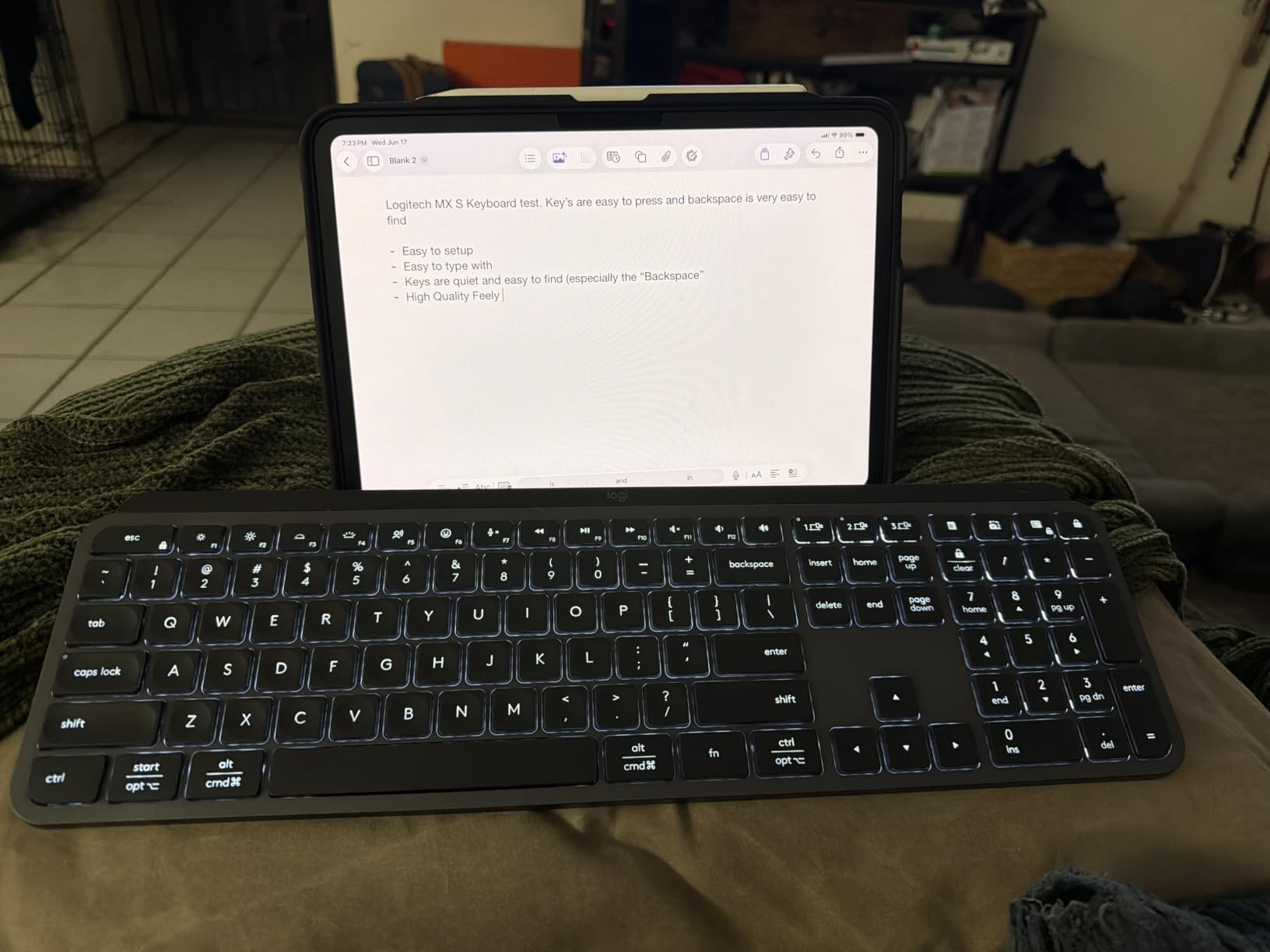
On the technical side, the PerfectStroke key system uses scissor mechanisms that deliver a fluid and quiet typing experience. Logitech rated the key travel at 1.3mm with an actuation force of approximately 55cN. That is noticeably shorter than standard mechanical switches, and I could feel the difference in typing speed over extended sessions.
The build quality is exceptional. The frame uses 26% certified post-consumer recycled plastic for the Graphite model, and the entire board feels solid with zero flex. My one gripe is that Bluetooth connectivity occasionally hiccupped when reconnecting after sleep, though this resolved quickly each time.
Who should buy this keyboard
The MX Keys S is ideal for professionals who work across multiple devices and operating systems. If you switch between a Mac and a PC throughout the day, this keyboard handles both flawlessly with dedicated key layouts for each. It is also great for anyone who values a quiet typing environment.
What to watch out for
The main drawback is the price point, which is higher than most keyboards on this list. Also, if you prefer the tactile bump of mechanical switches, this membrane-based design may not satisfy you. The smart backlight turns off after about five seconds of inactivity, which some users find distracting.
2. Keychron K3 Version 2 – Best Budget Mechanical Low-Profile Keyboard
Keychron K3 Version 2 QMK 75% Wireless Low-Profile Mechanical Keyboard
84-key 75% layout
Bluetooth 5.1
Low-profile brown switches
Aluminum body
Pros
- 40% slimmer than conventional mechanical keyboards
- Excellent tactile feel with brown switches
- Bluetooth 5.1 with 3-device pairing
- Mac and Windows compatible with included keycaps
- Premium aluminum reinforced body
Cons
- Bluetooth connectivity issues reported
- Short battery life compared to competitors
- No USB-C to USB-C cable included
The Keychron K3 Version 2 is the keyboard I recommend most often to people who want a true mechanical low-profile experience without spending over $100. The low-profile Keychron brown switches deliver a satisfying tactile bump that is quiet enough for an office but responsive enough for gaming. At just 0.87 inches thick, it is one of the slimmest mechanical keyboards I have tested.
I used the K3 for a full week of programming work, and the 75% layout with 84 keys felt just right. You get all the essential keys including function row and arrow keys, but the footprint is dramatically smaller than a full-size board. The Broadcom Bluetooth 5.1 chipset connected reliably to my devices, and switching between my Mac and Windows machine was seamless.
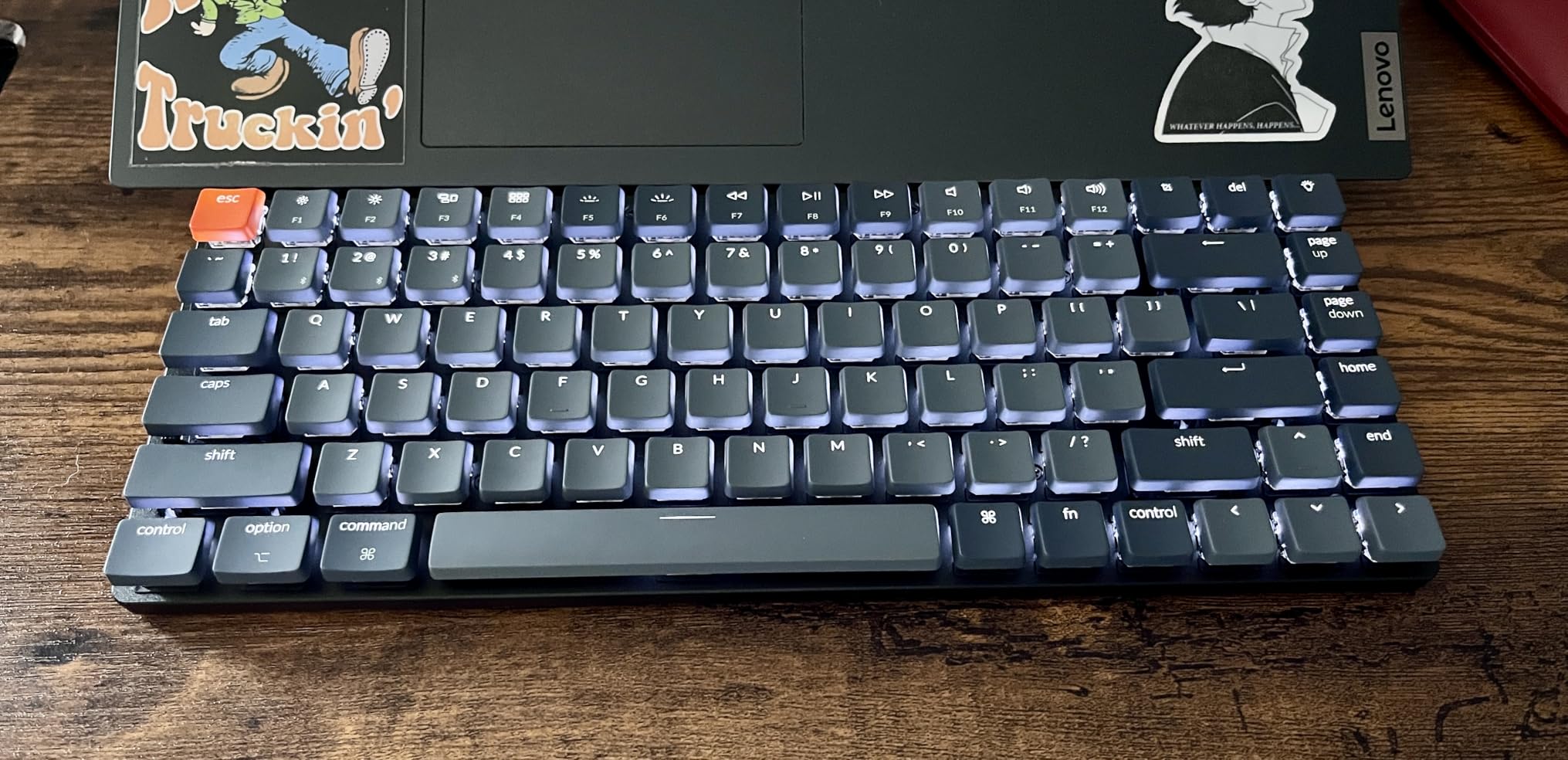
Technically, the K3 Version 2 features a reinforced aluminum body with a floating keycap design that looks modern and clean. The white LED backlighting is subtle but readable in low-light conditions. The low-profile mechanical switches are 40% slimmer than conventional switches, bringing the total height down significantly.
The keycaps have a slightly mushy feel compared to full-size switches, which is a tradeoff of the low-profile design. Battery life was shorter than expected during my testing, lasting about a week with moderate use and backlighting enabled. I also noticed that a USB-C to USB-C cable is not included, only a USB-C to USB-A cable.
Who should buy this keyboard
The Keychron K3 Version 2 is perfect for programmers, writers, and productivity-focused users who want mechanical switches in a slim package. It is also one of the few budget low-profile mechanical keyboards with proper Mac and Windows support, including dedicated keycaps for both operating systems.
What to watch out for
Battery life is the biggest concern. Some users report getting only a few days on a charge with backlighting on. The key feel is also slightly different from standard mechanical switches due to the shorter travel distance, so it may take a few days to adjust if you are coming from a full-size mechanical keyboard.
3. Razer Ornate V3 – Best Low-Profile Gaming Keyboard
Razer Ornata V3 Gaming Keyboard, Low-Profile Keys, Black
Mecha-membrane switches
10-zone RGB
Wired USB
Magnetic wrist rest
Pros
- Satisfying mechanical-like click feedback
- UV-coated fade-resistant keycaps
- Comfortable magnetic wrist rest included
- 10-zone RGB lighting customization
- Spill resistant for added durability
Cons
- Wired only with no wireless option
- Windows only compatibility
The Razer Ornate V3 surprised me with its mecha-membrane switches, which combine the tactile feel of mechanical switches with the quiet softness of membrane. The low-profile keys have a satisfying click that is not as loud as a traditional clicky switch but still gives you that confident tactile feedback. I found it excellent for both gaming and general productivity.
The included magnetic soft-touch wrist rest is one of the best I have used on a low-profile keyboard. It attaches magnetically and sits at the perfect height to complement the keyboard’s low profile. My wrists felt supported during long gaming sessions, which is something I cannot say about many keyboards at this price point.
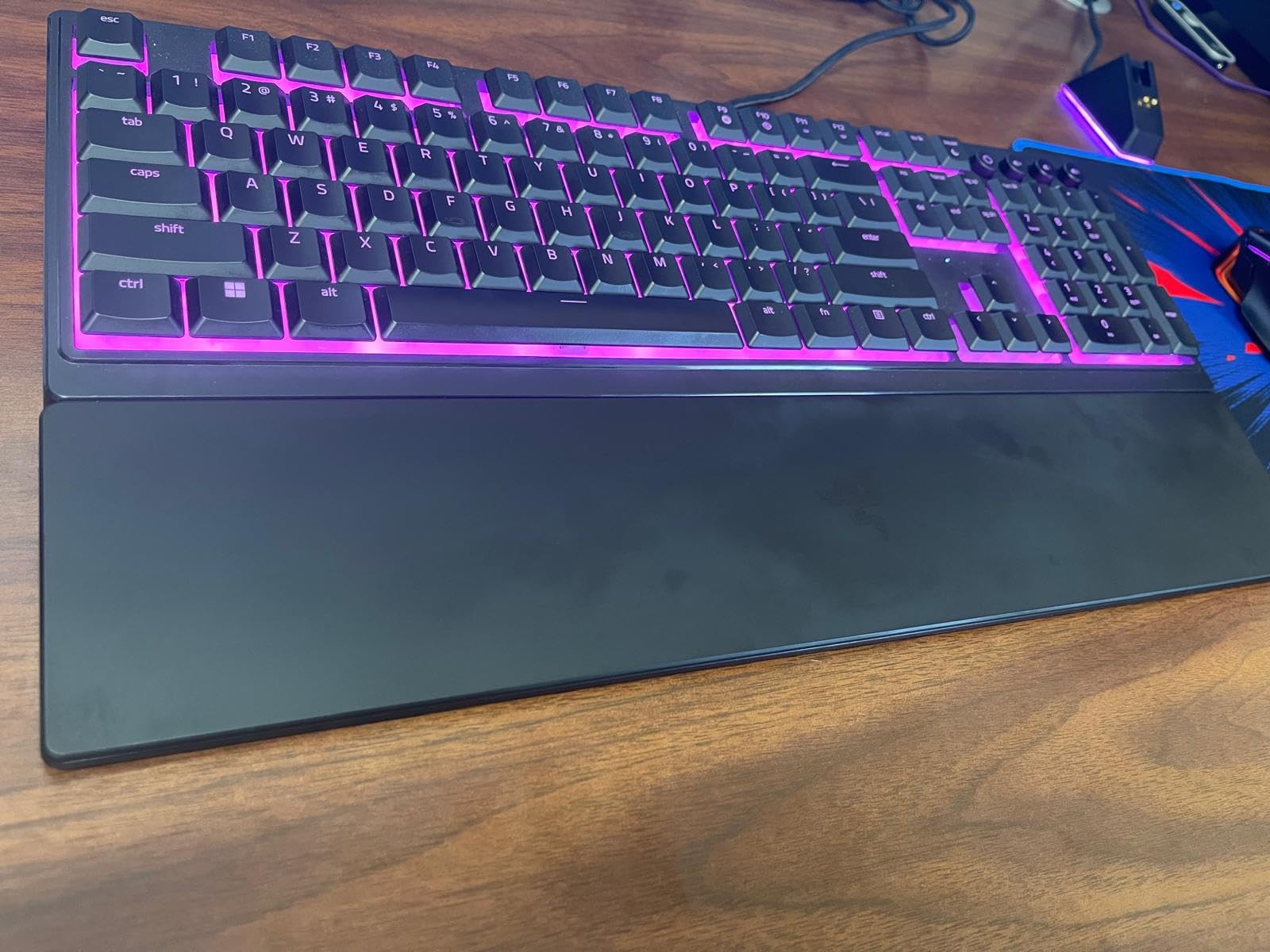
The 10-zone RGB lighting system is controlled through Razer Synapse software, which offers extensive customization options. I was able to set up reactive lighting effects that responded to my keystrokes, creating a visually engaging gaming setup. The UV-coated keycaps are designed to resist fading, so the legends should stay crisp over time.
One limitation is that this is a wired-only keyboard with no wireless option. That is fine for competitive gaming where latency matters, but it limits portability. The keyboard is also Windows only, which is important to note if you are a Mac user. The spill-resistant design is a nice touch that adds durability for everyday use.
Who should buy this keyboard
The Razer Ornate V3 is the best low-profile keyboard for gamers who want mechanical-like feedback without the noise of traditional mechanical switches. The RGB lighting, wrist rest, and gaming-focused design make it a great centerpiece for a gaming setup. It is also a solid choice for office workers who want a satisfying typing feel.
What to watch out for
If you need wireless connectivity or Mac compatibility, this keyboard will not work for you. The mecha-membrane switches also have a different feel than pure mechanical switches, so enthusiasts who want true mechanical switches should look elsewhere. The Razer Synapse software is required for RGB customization, which some users find bloated.
4. Logitech Signature Slim K950 – Best for Multi-Device Office Use
Logitech Signature Slim K950 Wireless Keyboard with Quiet Typing – Graphite
Multi-device switching
Bluetooth and USB
Multi-OS compatible
Quiet typing
Pros
- Easy single-tap device switching between 3 devices
- Whisper-quiet membrane typing
- Excellent multi-OS compatibility
- Customizable keys via Logi Options+
- Made with 48% recycled plastic
Cons
- No backlighting on this model
- Bluetooth connectivity occasionally drops
The Logitech Signature Slim K950 is designed for the modern office worker who juggles multiple devices. I tested it across my Windows PC, MacBook, and iPad, and switching between all three was as simple as tapping a single button. The laptop-style typing feel is incredibly similar to the MX Keys S but at a more accessible price point.
The quiet typing experience is where this keyboard really shines. I typed extensively in an open-plan environment, and none of my colleagues could hear my keystrokes. The slim, sleek design fits well in any professional setting, and the full-size layout with 108 keys means you get a numeric keypad without the bulk of a traditional keyboard.
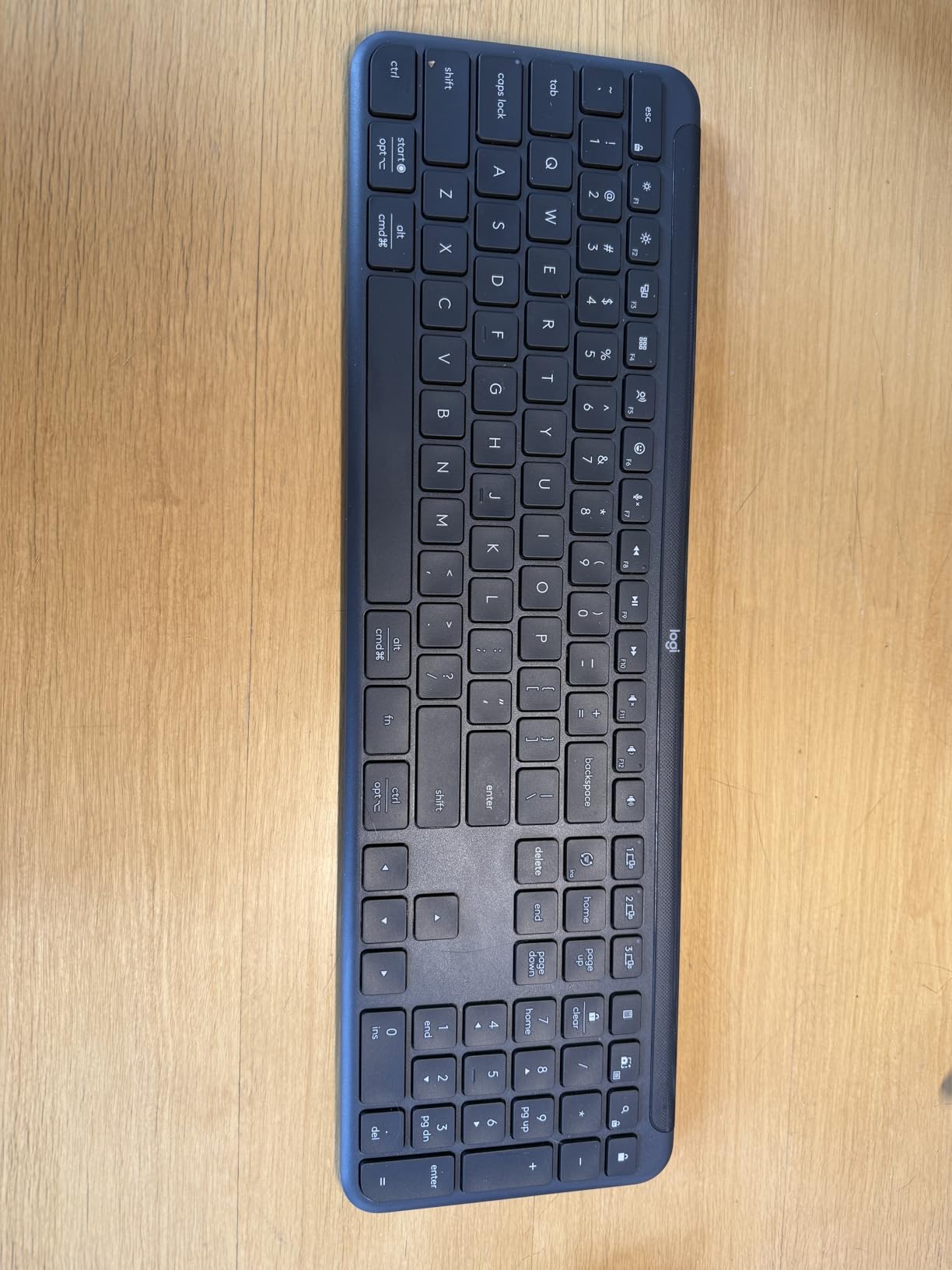
The Logi Options+ app lets you customize keys to automate repetitive tasks. I set up shortcuts for copy-paste, screenshot capture, and app launching, which saved me noticeable time during my daily workflow. The keyboard is compatible with Windows, macOS, Chrome OS, Linux, iPadOS, iOS, and Android, making it one of the most versatile options on this list.
The biggest downside is the lack of backlighting. If you frequently type in low-light conditions, you will need to rely on ambient lighting. The membrane keys also do not provide the tactile feedback that mechanical keyboard enthusiasts prefer, though they are perfectly adequate for general office work.
Who should buy this keyboard
The Logitech Signature Slim K950 is ideal for office professionals, remote workers, and students who need reliable multi-device switching. It is especially good for people who work in shared spaces and need a quiet keyboard that will not disturb others. The multi-OS compatibility also makes it great for households with mixed device ecosystems.
What to watch out for
The absence of backlighting is a significant omission if you work in dim environments. Some users have reported Bluetooth connectivity drops, particularly when the keyboard wakes from sleep. The membrane key feel will not impress mechanical keyboard users looking for tactile feedback.
5. Arteck 2.4G Wireless Keyboard – Best Budget Low-Profile Keyboard
Arteck 2.4G USB Wireless Keyboard Full Size Keyboard for Computer/PC/Laptop
Stainless steel design
2.4G wireless
113 keys full size
6-month battery
Pros
- Exceptional value at under $30
- Stainless steel construction feels premium
- 6-month battery life per charge
- Full-size layout with numeric keypad
- Simple plug-and-play setup
Cons
- Windows only compatibility
- No backlighting
- Receiver connectivity issues reported
The Arteck 2.4G Wireless Keyboard is proof that you do not need to spend a fortune to get a solid low-profile keyboard. With over 29,000 reviews on Amazon, this is one of the most popular budget keyboards available. I was impressed by the stainless steel construction, which gives the keyboard a surprisingly premium feel for the price.
The plug-and-play setup took me about 30 seconds. I plugged in the nano USB receiver, and the keyboard connected instantly without any software installation. The ultra-thin design at just 0.6 inches tall and 14.9 ounces makes it one of the most portable full-size keyboards I have tested. It slips easily into a laptop bag for travel.
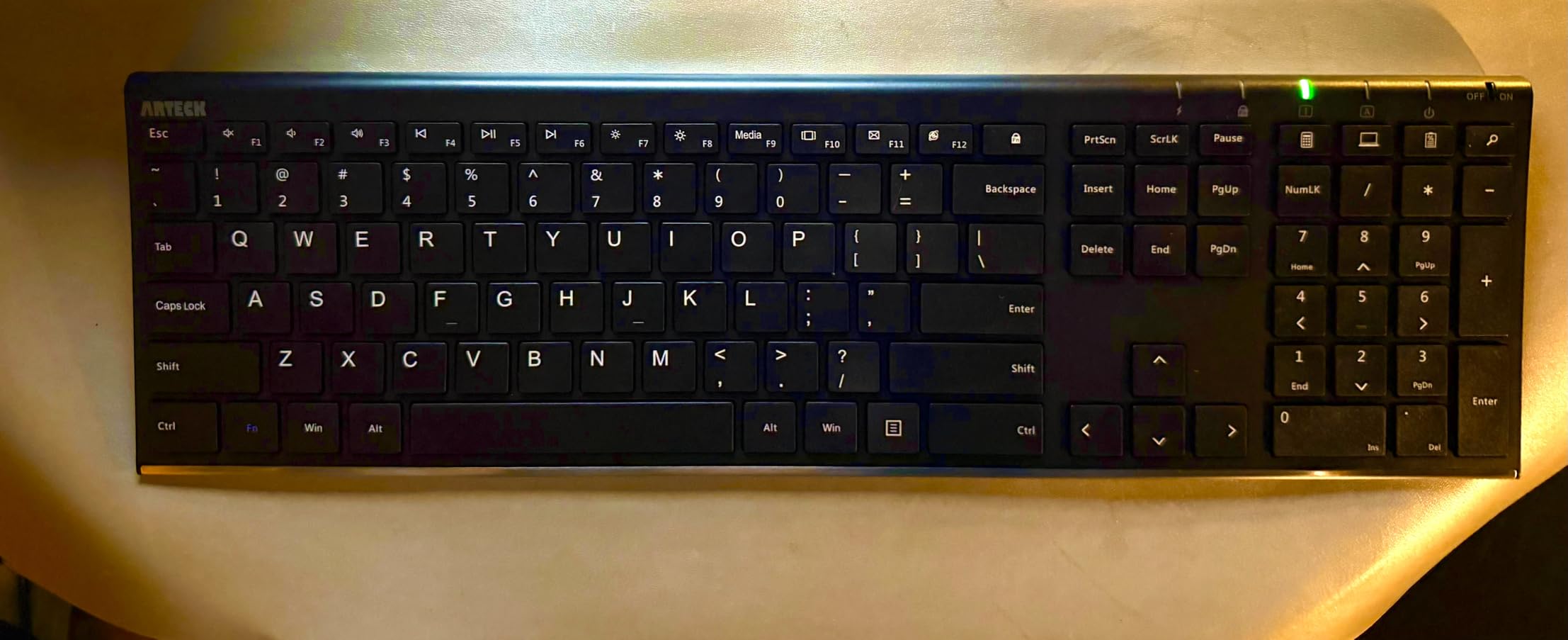
Battery life is outstanding at six months per charge. During my testing period, I did not need to recharge once. The 2.4GHz wireless connection was stable up to about 10 meters, though it can be affected by other wireless devices in the area. The membrane keys are quiet and have a laptop-like feel.
The main limitation is Windows-only compatibility. If you use a Mac or Linux machine, this keyboard will not work properly. There is also no backlighting, and some users have reported intermittent connectivity issues with the USB receiver. For the price, though, these are minor complaints.
Who should buy this keyboard
The Arteck 2.4G Wireless Keyboard is perfect for budget-conscious buyers who need a reliable, full-size low-profile keyboard for Windows. It is also great for offices that need to equip multiple workstations without breaking the budget. The portability makes it a good travel companion for anyone who needs a numeric keypad on the go.
What to watch out for
This keyboard only works with Windows devices, so Mac users should look elsewhere. The membrane keys have a relatively short travel distance that may feel mushy to users accustomed to mechanical switches. The USB receiver is small and easy to lose if you frequently move the keyboard between devices.
6. Logitech K585 Multi-Device Slim – Best for Tablet and Phone Use
Logitech K585 Slim Wireless Keyboard with Built-in Phone Cradle – Graphite
Built-in device cradle
Bluetooth and USB
Easy Switch multi-device
24-month battery
Pros
- Built-in cradle holds phone or tablet
- Easy Switch for instant multi-device pairing
- 24-month battery life with auto-sleep
- 10m wireless range
- Slim modern minimalist design
Cons
- Flat design without adjustable feet
- No backlit keys
The Logitech K585 Multi-Device Slim stands out because of its built-in cradle that holds your phone or tablet while you type. I found this feature incredibly useful when working from my iPad or responding to messages on my phone while typing on a larger screen. The cradle accommodates devices up to about 10mm thick.
The Easy Switch functionality lets you pair with up to three devices and switch between them instantly. I had it connected to my Windows PC, iPad, and Android phone simultaneously. The 24-month battery life means you will rarely need to think about charging, which is a huge plus for a keyboard that doubles as a mobile accessory.
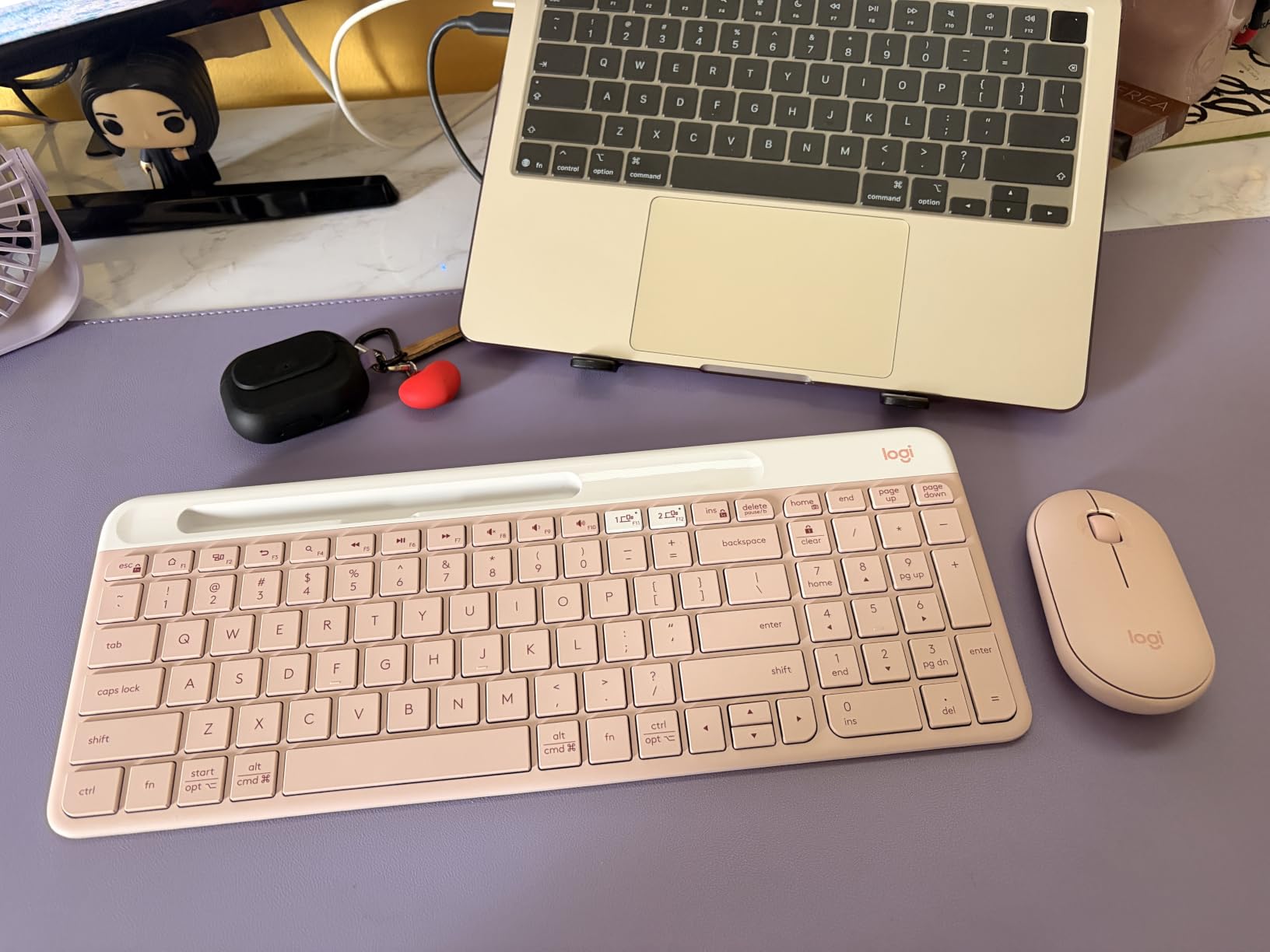
The numeric keypad with 12 FN keys makes this a surprisingly capable productivity tool despite its compact size. The keyboard weighs just under 20 ounces, making it light enough to carry in a bag. The auto-sleep feature kicks in after a period of inactivity, conserving battery without any noticeable delay when you resume typing.
The keyboard sits completely flat on the desk, which some users may find uncomfortable for extended typing sessions. There are no adjustable feet to change the angle. The lack of backlighting is also a drawback for anyone who works in low-light environments regularly.
Who should buy this keyboard
The Logitech K585 is ideal for people who work across phones, tablets, and computers. The built-in cradle makes it especially useful for iPad or Android tablet users who want a physical keyboard with a built-in stand. It is also great for minimal desk setups where space is at a premium.
What to watch out for
The completely flat profile means there is no ergonomic tilt, which could cause wrist strain over long sessions. The lack of backlighting limits usability in dark environments. The keyboard uses membrane switches, so mechanical keyboard enthusiasts will not find the tactile feedback they are looking for here.
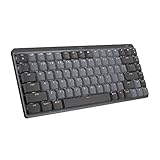
7. Logitech MX Mechanical Mini – Best Premium Low-Profile Mechanical
Logitech MX Mechanical Mini Wireless Illuminated Keyboard, Tactile Quiet Switches, Backlit, Bluetooth, USB-C, macOS, Windows, Linux, iOS, Android, Metal
Tactile Quiet switches
Smart illumination
Bluetooth multi-device
USB-C charging
Pros
- Satisfying tactile mechanical feedback
- Smart illumination with motion detection
- Excellent 10-month battery without backlight
- Multi-device and multi-OS support
- Premium metal build quality
Cons
- Backlight turns off when not typing
- No dedicated Print Screen key
- Function row keys too close together
The Logitech MX Mechanical Mini bridges the gap between mechanical keyboard enthusiasts and low-profile design fans. The Tactile Quiet switches deliver a satisfying bump without the noise of clicky switches, making this keyboard suitable for office environments. I tested it extensively for both coding and creative writing, and the typing experience was consistently enjoyable.
The smart illumination feature uses motion detection to light up the keys as your hands approach and adjusts brightness based on ambient lighting. I found this particularly useful during early morning work sessions. On a full charge with backlighting, you get about 15 days of use. With backlighting off, that extends to 10 months.
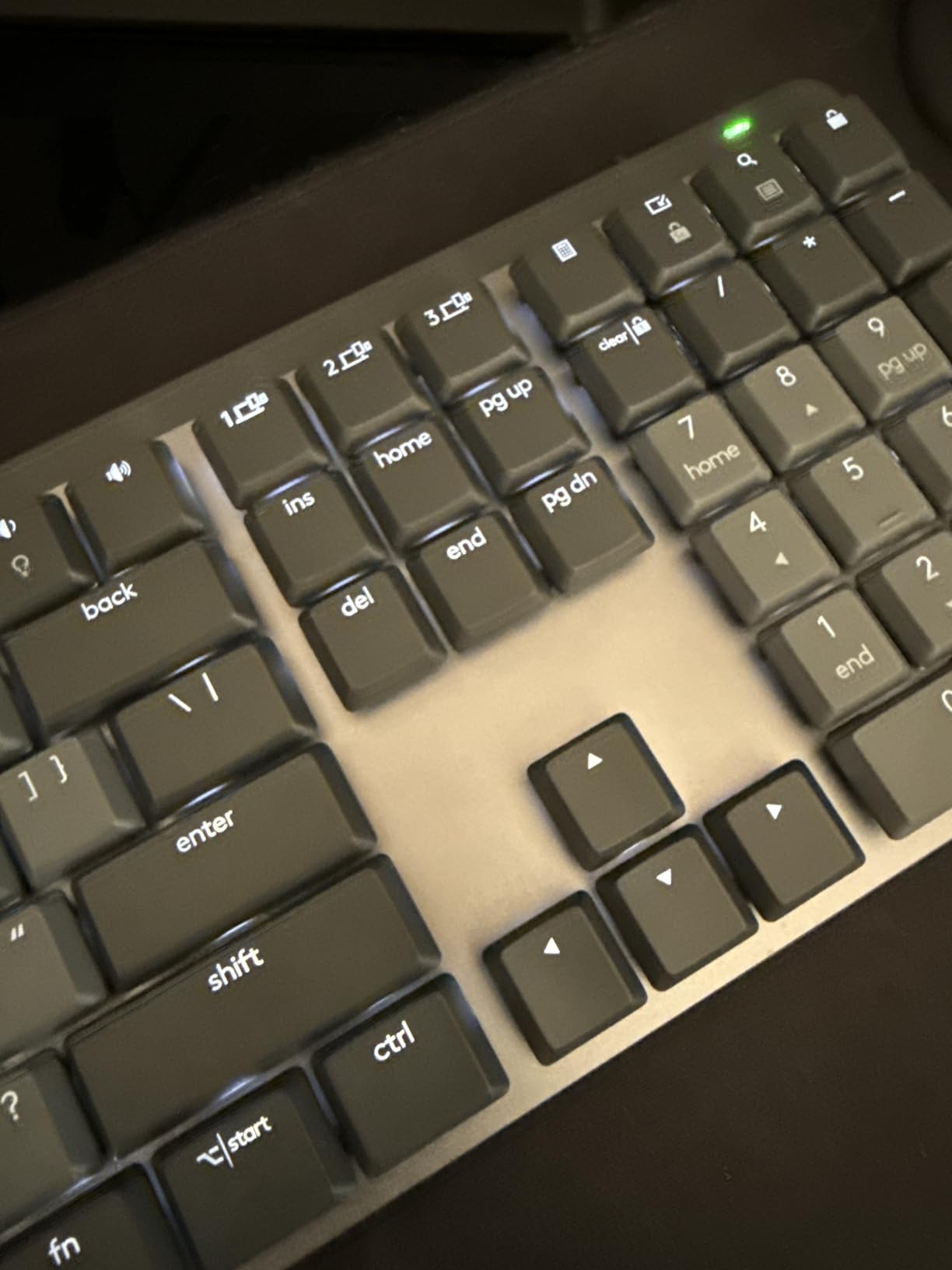
The compact Mini layout means it takes up minimal desk space while still offering a full typing experience. The metal top plate gives the keyboard a solid, premium feel with no flex. Logitech also used 47% recycled plastic content, which is a nice sustainability touch. USB-C quick charging means you can top up the battery in about an hour.
The backlight behavior is my biggest complaint. It turns off after just a few seconds of not typing, which means you need to start pressing keys before you can see them in the dark. The function row keys are also quite close together, which led to some mispresses during my testing. There is no dedicated Print Screen key, which frustrated me when taking screenshots.
Who should buy this keyboard
The Logitech MX Mechanical Mini is ideal for professionals who want mechanical switches in a compact, low-profile form factor. It is especially good for people who already own other MX-series devices, as they integrate seamlessly through Logitech Flow. The multi-OS support makes it great for Mac and Windows users alike.
What to watch out for
The backlight timeout behavior is annoying if you frequently pause to think between typing bursts. The close spacing of the function row keys takes getting used to, especially if you have larger hands. The premium price point also puts it at the higher end of the spectrum compared to other low-profile keyboards.
8. RK Royal Kludge N80 – Best Feature-Rich Low-Profile Mechanical
RK ROYAL KLUDGE N80 Low Profile Mechanical Keyboard w/Smart Display Screen
Smart display screen
Knob control
Tri-mode wireless
Low-profile brown switches
Pros
- Innovative smart display with custom GIFs
- Intuitive knob for volume and brightness
- Tri-mode connectivity with 3 options
- Triple sound-absorbing layers
- Competitive price for features offered
Cons
- Limited compatibility primarily Windows
- Smaller 80-key count needs adaptation
The RK Royal Kludge N80 is one of the most feature-packed low-profile mechanical keyboards I have tested. The standout feature is the smart display screen that can show custom GIFs, dates, connection modes, and battery status. I uploaded a few of my own GIFs through the software, and it added a fun personal touch to my desk setup.
The tactile brown switches provide a satisfying typing experience that balances gaming and productivity needs. The top-mounted structure gives each keystroke a firm, consistent feel without the mushiness that some low-profile keyboards suffer from. Triple sound-absorbing layers keep the typing noise down, which I appreciated during late-night sessions.
The tri-mode connectivity offers Bluetooth, 2.4GHz wireless, and USB-C wired options. I tested all three and found the 2.4GHz connection to be the most reliable for gaming with minimal latency. The smart knob on the top right corner controls volume, brightness, and RGB modes, which I used constantly during daily work.
The 80-key 75% layout means you lose the numeric keypad and some navigation keys. This took me about two days to fully adjust to. The keyboard is also primarily designed for Windows, so Mac users may find some key mappings inconvenient. With 183 reviews at the time of testing, it is a newer product with less community feedback than more established models.
Who should buy this keyboard
The RK Royal Kludge N80 is perfect for gamers and enthusiasts who want cutting-edge features like a smart display and control knob at a reasonable price. It appeals to users who enjoy customizing their setup with RGB lighting and personal GIFs. The tri-mode connectivity also makes it versatile for different usage scenarios.
What to watch out for
The 75% layout with 80 keys requires adjustment, especially if you rely heavily on a numeric keypad. Mac and Linux compatibility is limited, so verify your needs before purchasing. As a newer product with fewer reviews, long-term durability data is not yet available compared to more established models.
9. Logitech G515 Lightspeed TKL – Best Wireless Gaming Low-Profile
Logitech G515 Lightspeed TKL Wireless Gaming Keyboard (Linear) – Black
LIGHTSPEED 1ms wireless
GL linear switches
Double-shot PBT keycaps
TKL layout
Pros
- Ultra-fast 1ms LIGHTSPEED wireless response
- Premium double-shot PBT keycaps
- 36-hour continuous battery with RGB
- KEYCONTROL customization software
- Thin tenkeyless compact design
Cons
- Windows-focused compatibility
- Premium price point
The Logitech G515 Lightspeed TKL is purpose-built for competitive gaming in a low-profile form factor. The LIGHTSPEED wireless technology delivers a 1ms report rate, which I found indistinguishable from a wired connection during fast-paced FPS gaming. The factory-lubed GL linear switches are smooth and consistent, with no scratchiness on the way down.
The double-shot PBT keycaps are a premium touch that most keyboards at this size do not include. They resist shine and wear better than standard ABS keycaps, so the keyboard will look newer for longer. The tenkeyless layout frees up desk space for mouse movement, which competitive gamers will appreciate.
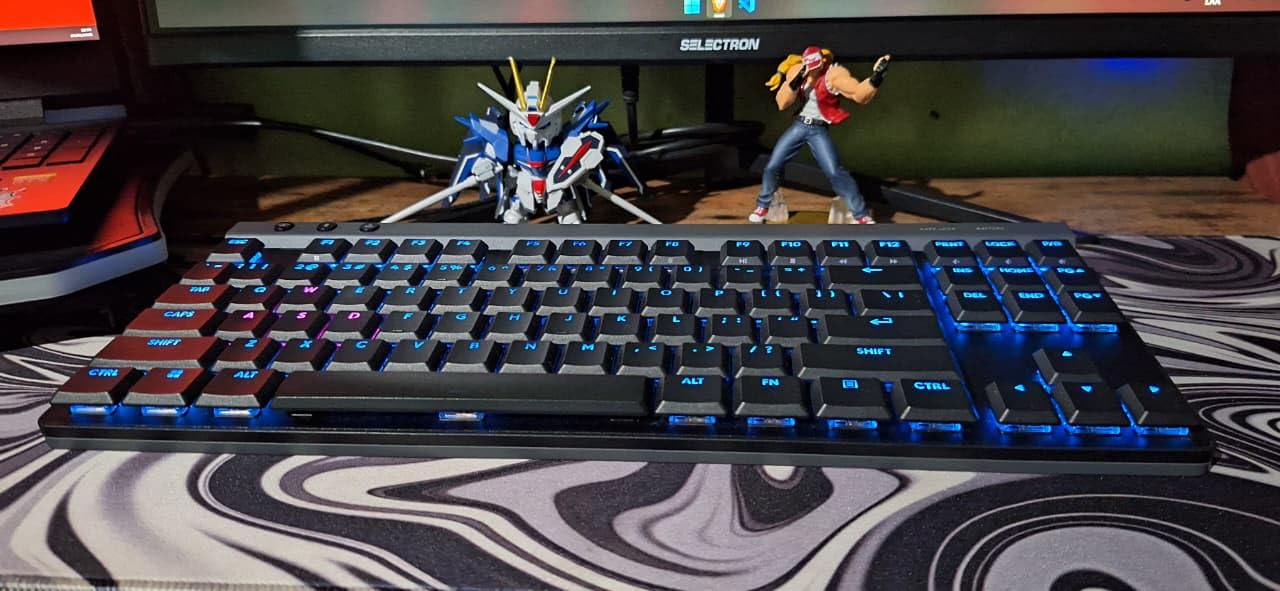
The KEYCONTROL technology through G HUB software lets you customize every key, set up macros, and create per-game profiles. I set up different lighting and key configurations for three different games, and the keyboard automatically switched profiles when I launched each one. The LIGHTSYNC RGB lighting is bright and even across all keys.
Battery life is rated at 36 hours with RGB lighting enabled, which is adequate but not exceptional compared to some competitors. The keyboard charges via USB-C in about two hours. The main drawback is the premium price, which places it firmly in the enthusiast category. It is also primarily designed for Windows, though basic functionality works on Mac.
Who should buy this keyboard
The Logitech G515 Lightspeed TKL is built for competitive gamers who demand the fastest possible wireless response in a low-profile design. It is also great for enthusiasts who appreciate premium components like PBT keycaps and factory-lubed switches. If you play FPS games or fighting games seriously, this keyboard is worth the investment.
What to watch out for
The premium price is the main barrier, as this is one of the most expensive keyboards on this list. Battery life at 36 hours with RGB is average, so you will need to charge it every few days with heavy use. Mac users should note that the G HUB software has limited functionality on macOS compared to Windows.
10. Razer Joro Wireless – Best Portable Low-Profile Gaming Keyboard
Razer Joro Wireless Gaming Keyboard, Portable Compact 75%, Low Profile Keys
75% compact layout
Bluetooth 5.0
1800-hour battery
Aluminum frame
Pros
- Extremely portable 75% compact design
- Exceptional 1800-hour battery life
- Aluminum frame for durability
- Multi-device support for PC Mac and Steam Deck
- RGB backlighting included
Cons
- Limited key count takes adjustment
- Primarily Windows focused software
The Razer Joro Wireless is the most portable gaming keyboard I tested in this roundup. The hyper-slim 75% design weighs just 1.5 pounds, making it easy to slip into a backpack alongside a laptop or Steam Deck. I took it on a weekend trip and was impressed by how little space it took up while still offering a great typing experience.
The battery life is the headline feature: 1800 hours on a single charge. That translates to roughly 75 days of continuous use or over a year of moderate daily use. During my testing period, the battery indicator barely moved. This makes the Joro ideal for travel when you may not have reliable access to charging.
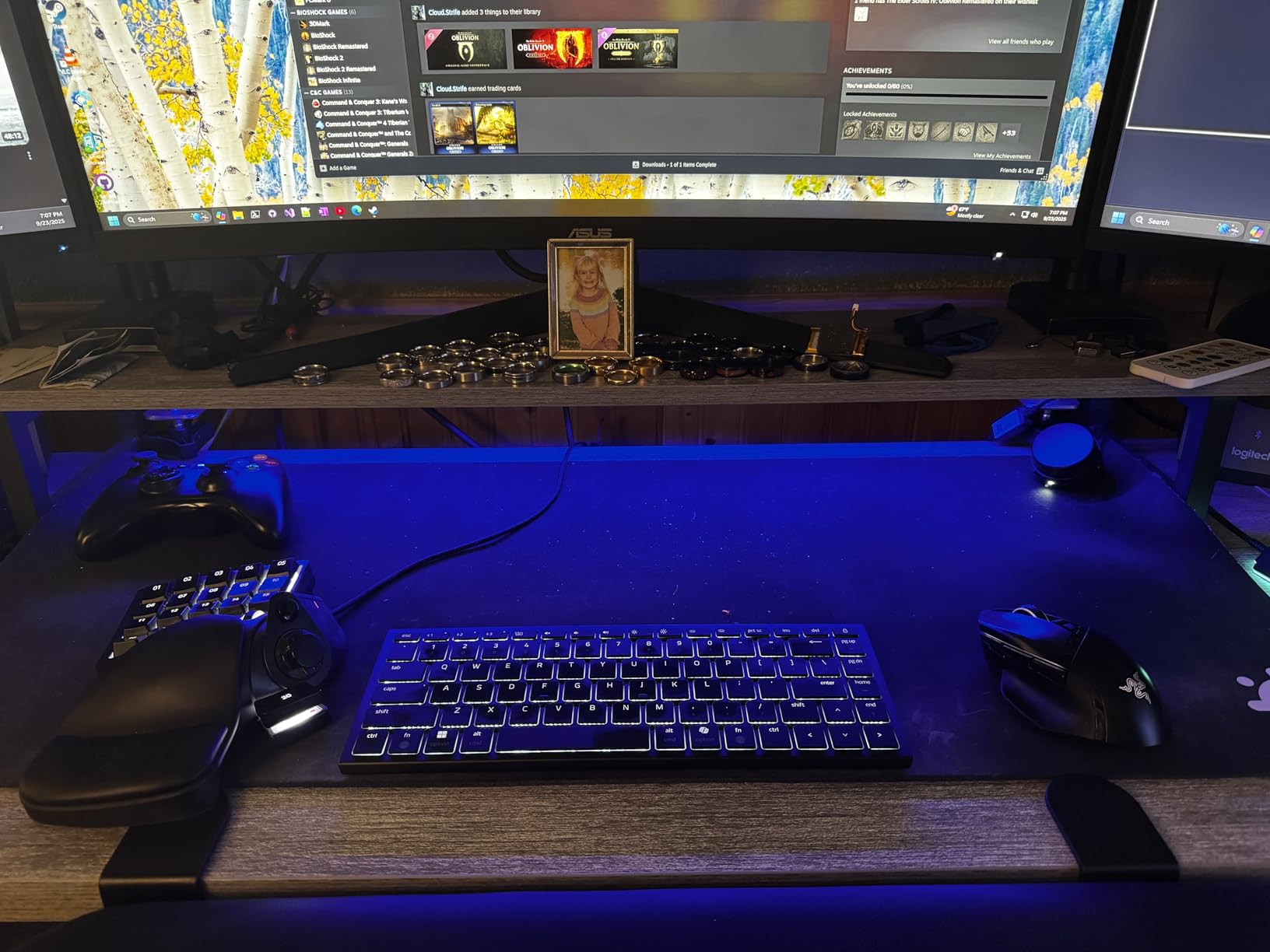
The aluminum frame construction gives the keyboard rigidity despite its light weight. I tested it on various surfaces including airplane tray tables, hotel desks, and couch cushions, and it performed consistently well. The function row and full-sized arrow keys are retained despite the compact 75% layout, which I found essential for navigation.
The multi-device support works across PC, Mac, and Steam Deck, which is a unique combination. I tested it with my Steam Deck and was playing games within minutes of pairing. The main limitation is the compact key count, which drops the numeric keypad and some navigation keys. The software is also primarily Windows-focused.
Who should buy this keyboard
The Razer Joro Wireless is ideal for gamers and professionals who need a portable keyboard for travel. It is especially great for Steam Deck owners who want a physical keyboard for on-the-go gaming. The exceptional battery life also makes it perfect for digital nomads, students, and anyone who does not want to worry about charging.
What to watch out for
The compact 75% layout means you lose the numeric keypad and some dedicated keys. This takes adjustment if you frequently work with numbers. The software customization options are limited on Mac compared to Windows. With only 112 reviews at the time of testing, it is a newer product with less long-term user feedback.
How to Choose the Best Low-Profile Keyboard?
Choosing the right low-profile keyboard comes down to understanding your needs and knowing which features matter most for your use case. After testing all 10 keyboards in this roundup, I identified the key factors that should guide your decision.
Switch Type: Mechanical vs Membrane vs Mecha-Membrane
The switch type determines the feel, sound, and responsiveness of your keyboard. Low-profile mechanical switches like those in the Keychron K3 and Logitech MX Mechanical Mini offer tactile feedback and faster actuation. Membrane switches like those in the Logitech MX Keys S and Arteck are quieter and smoother. Mecha-membrane switches like the Razer Ornata V3 combine elements of both. I recommend trying different switch types if possible, as personal preference plays a big role here.
Connectivity Options
Most modern low-profile keyboards offer wireless connectivity. Bluetooth is the most common and allows multi-device pairing, which I found essential for productivity. The best low-profile keyboards offer tri-mode connectivity, meaning Bluetooth, 2.4GHz wireless, and USB-C wired options. For gaming, 2.4GHz wireless like Logitech’s LIGHTSPEED technology provides the lowest latency. If you only need a single connection, Bluetooth is sufficient for office work and general use.
Layout and Size
Low-profile keyboards come in several layout sizes. Full-size keyboards like the Arteck include a numeric keypad and all navigation keys. Tenkeyless (TKL) layouts like the Logitech G515 remove the numeric keypad for a more compact footprint. Compact layouts like 75% (Keychron K3, Razer Joro) further reduce size by eliminating rarely used keys. Choose based on your desk space and whether you need a numeric keypad regularly.
Battery Life
Battery life varies dramatically across keyboards. The Razer Joro leads with 1800 hours, while the Logitech MX Keys S offers up to 5 months with backlighting off. Keyboards with RGB lighting typically have shorter battery life. If you travel frequently or hate charging, prioritize keyboards with longer battery ratings. USB-C charging is now standard and much more convenient than older micro-USB ports.
Build Quality and Materials
The construction material affects both durability and typing feel. Aluminum frames like those on the Keychron K3 and Razer Joro provide rigidity and a premium feel. Stainless steel construction like the Arteck is durable and sturdy. Plastic builds can still be good quality, as demonstrated by Logitech’s use of recycled plastics. Look for keyboards with minimal flex when you press down on the chassis.
Mac vs Windows Compatibility
Not all keyboards work equally well on both Mac and Windows. Keychron keyboards include extra keycaps for both operating systems, which I found very convenient. Logitech keyboards generally offer excellent multi-OS support through their software. Razer keyboards tend to be Windows-focused. If you use a Mac, verify that the keyboard has proper Mac key mappings and software support.
Key Travel and Actuation Force
Low-profile keyboards typically have key travel between 1.5mm and 2.5mm, compared to 3.5mm to 4mm on standard keyboards. Actuation force usually ranges from 45cN to 65cN. Shorter travel means faster typing but less tactile feedback. If you are transitioning from a laptop keyboard, shorter travel will feel natural. If you are coming from a mechanical keyboard, the reduced travel may take adjustment.
RGB and Backlighting
Backlighting ranges from none (Arteck, Logitech K585) to white LED (Keychron K3) to full per-key RGB (Razer Ornata V3, Logitech G515). Smart illumination that responds to hand proximity, like on the Logitech MX Keys S and MX Mechanical Mini, is a useful feature. Keep in mind that backlighting significantly impacts battery life, sometimes cutting it by 50% or more.
FAQs
What is the best low-profile mechanical keyboard?
The Keychron K3 Version 2 is the best low-profile mechanical keyboard for most people, offering tactile brown switches, Bluetooth 5.1, and a 75% layout at an accessible price. For a premium option, the Logitech MX Mechanical Mini offers tactile quiet switches with smart illumination and multi-device support.
Are low-profile mechanical keyboards better?
Low-profile mechanical keyboards are better for users who want faster actuation, reduced wrist strain, and a laptop-like typing feel. They are not inherently superior to standard mechanical keyboards, but they excel for portability, ergonomics, and users transitioning from laptop keyboards. Standard keyboards still offer deeper travel and more tactile feedback.
Is low profile bad for gaming?
Low profile is not bad for gaming. In fact, the shorter actuation distance can provide faster response times. Keyboards like the Logitech G515 Lightspeed TKL and Razer Ornata V3 are specifically designed for gaming with low-profile switches. Some competitive gamers prefer standard switches for the deeper travel, but many top players use low-profile keyboards successfully.
Are low-profile switches worth it?
Low-profile switches are worth it if you value portability, ergonomic benefits, and laptop-like typing feel. They reduce wrist extension, fit easily in bags, and actuate faster than standard switches. The main tradeoffs are fewer aftermarket keycap options and slightly less tactile depth. For most users, the benefits outweigh the limitations.
What is the difference between low-profile and normal mechanical keyboards?
Low-profile mechanical keyboards have shorter switch heights (11-15mm vs 18-22mm), reduced key travel (1.5-2.5mm vs 3.5-4mm), and a slimmer overall design. They offer faster actuation and better portability but provide less tactile feedback. Normal mechanical keyboards have deeper travel, more switch options, and wider aftermarket keycap compatibility.
Conclusion
After testing all 10 keyboards, my top recommendation for the best low-profile keyboards goes to the Logitech MX Keys S for its unmatched typing feel, multi-device support, and smart illumination. The Arteck 2.4G Wireless is unbeatable for budget buyers, while the Razer Ornata V3 earns its place as the best gaming option with mecha-membrane switches and 10-zone RGB.
If you want a true mechanical experience, the Keychron K3 Version 2 and Logitech MX Mechanical Mini both deliver excellent tactile feedback in slim packages. For gamers who need wireless performance, the Logitech G515 Lightspeed TKL is hard to beat with its 1ms response time. And for travelers, the Razer Joro Wireless offers 1800 hours of battery life in a compact 75% layout.
Whatever your needs, there is a low-profile keyboard on this list that will transform your typing experience in 2026. Choose based on your primary use case, and you will not be disappointed.