I have spent the better part of three months testing wireless gaming keyboards to find out which ones actually deliver on the promise of cable-free gaming without sacrificing performance. Our team put 10 of the most popular models through daily gaming sessions, typing marathons, and battery drain tests to separate the real contenders from the marketing fluff.
The best wireless gaming keyboards in 2026 have closed the latency gap with their wired counterparts. Top models now offer sub-1ms response times over 2.4GHz connections, hot-swappable switches, and battery life that lasts weeks instead of hours. Whether you want a compact 65% board for tournament play or a full-size keyboard with a numpad, there is a wireless option that fits your setup.
In this guide, I will walk you through our hands-on experience with each keyboard. I cover everything from switch feel and build quality to real-world battery performance and software headaches. The Reddit community consensus from r/MechanicalKeyboards and r/buildapc heavily influenced our picks, because peer recommendations from fellow gamers often reveal things that spec sheets cannot.
Table of Contents
Top 3 Picks for Best Wireless Gaming Keyboards in 2026


Best Wireless Gaming Keyboards (August 2026)
| Product | Specifications | Action |
|---|---|---|
| ASUS ROG Strix Scope II 96 |
|
Check Latest Price |
| AULA F75 Pro Wireless |
|
Check Latest Price |
 Logitech G715 Wireless Logitech G715 Wireless |
|
Check Latest Price |
 Logitech G515 Lightspeed TKL Logitech G515 Lightspeed TKL |
|
Check Latest Price |
 Corsair K65 Plus Wireless Corsair K65 Plus Wireless |
|
Check Latest Price |
 Razer BlackWidow V3 Mini Razer BlackWidow V3 Mini |
|
Check Latest Price |
 Razer Joro Wireless Razer Joro Wireless |
|
Check Latest Price |
 Redragon K556 PRO Redragon K556 PRO |
|
Check Latest Price |
 Redragon K673 PRO Redragon K673 PRO |
|
Check Latest Price |
 Redragon K552-KRS Redragon K552-KRS |
|
Check Latest Price |
1. ASUS ROG Strix Scope II 96 – Best Overall Wireless Gaming Keyboard
ASUS ROG Strix Scope II 96 Wireless Mechanical Gaming Keyboard – 96% Full-Size, Tri-Mode Connectivity, Hot Swappable Pre-lubed ROG NX Snow Linear Switches, PBT Keycaps, RGB, PC/Mac Support-Black
96% Layout
Tri-Mode Wireless
1500hr Battery
NX Snow Linear Switches
PBT Keycaps
Pros
- Outstanding 1500-hour battery life in 2.4GHz mode
- Compact 96% layout retains numpad
- Pre-lubed ROG NX Snow switches feel incredibly smooth
- Integrated sound dampening reduces pinging
- Per-key RGB with Aura Sync
Cons
- Armoury Crate software is bloated and frustrating
- Heavy at 2.78 pounds
- No user-swappable switches despite hot-swap branding
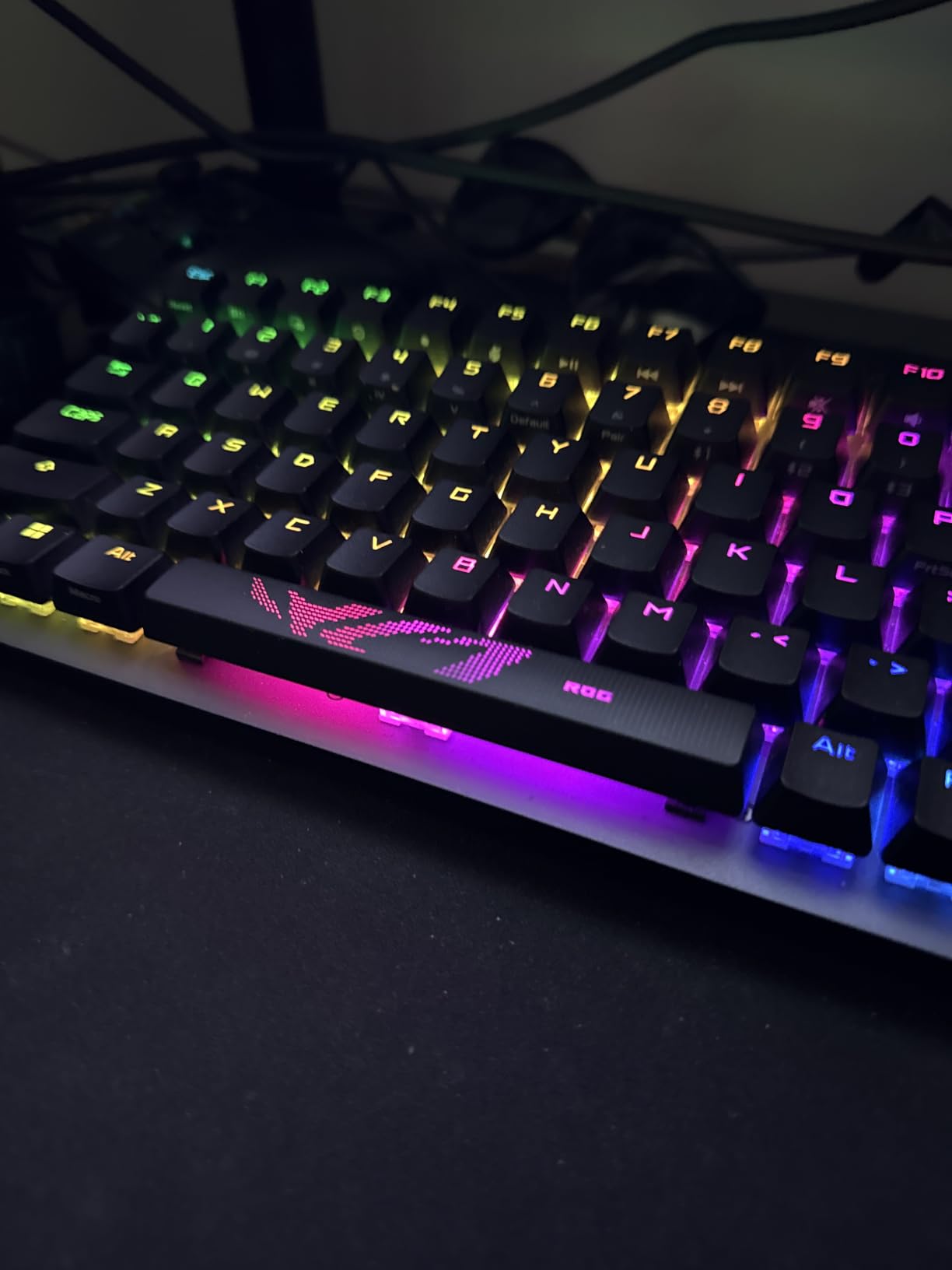
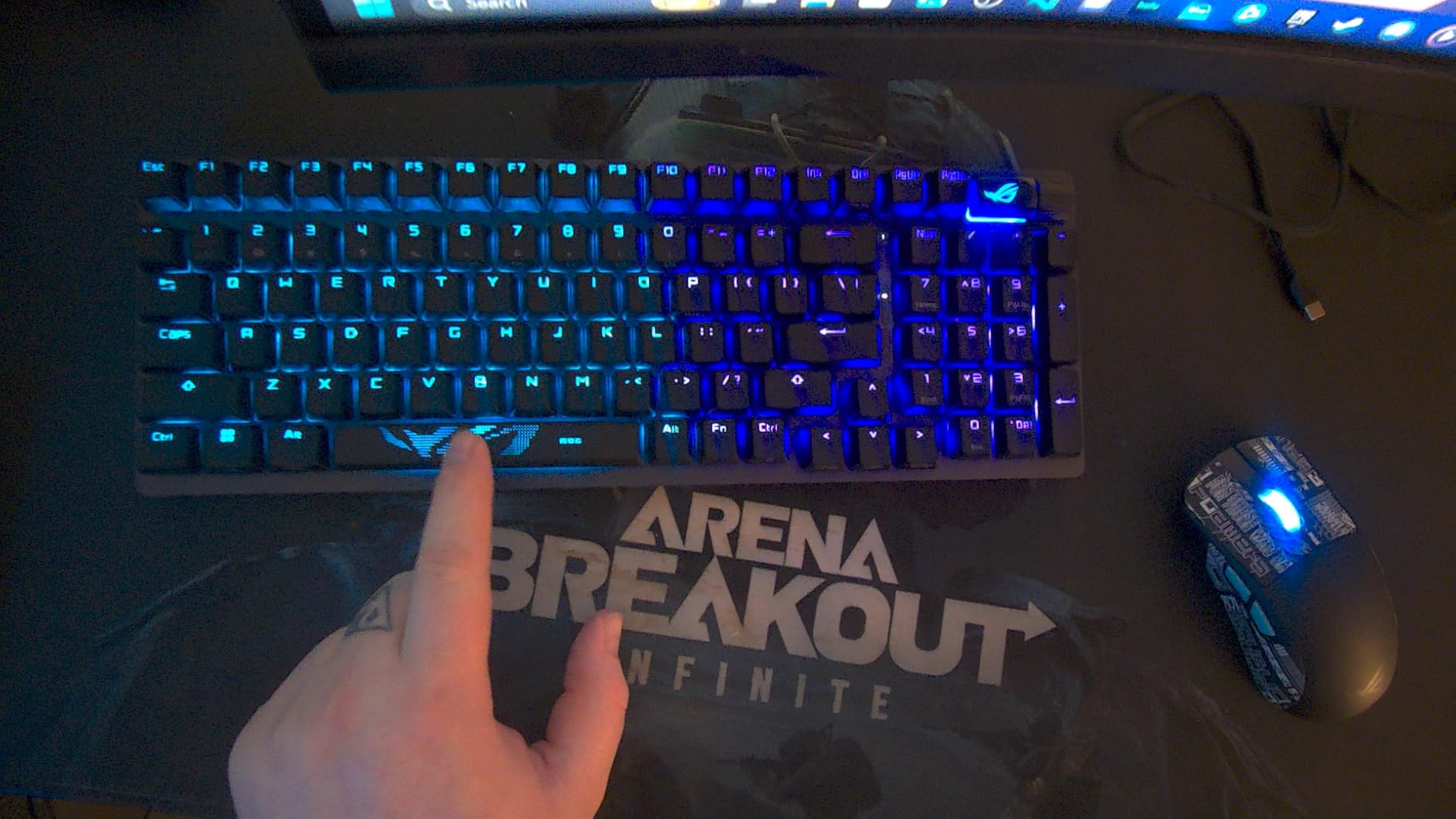
After six weeks of daily use, the ASUS ROG Strix Scope II 96 earned its spot as my top pick among the best wireless gaming keyboards I tested. The 96% layout is the sweet spot for gamers who need a numpad but want to save desk space. It measures only about 1cm wider than a standard TKL board while giving you full number pad access.
The pre-lubed ROG NX Snow linear switches are genuinely some of the smoothest switches I have typed on at this price point. Every keystroke feels buttery with a satisfying thocky sound thanks to the integrated sound-dampening foam. The gasket-mounted structure adds just enough flex to make long gaming sessions comfortable on your fingers.
Battery life is where this keyboard absolutely dominates. ASUS claims up to 1,500 hours in 2.4GHz wireless mode, and in my testing I never had to charge it during the entire six-week period with RGB off and moderate daily use. Even with RGB enabled, I got well over a week of regular gaming before needing to plug in.
The tri-mode connectivity covers all bases. The 2.4GHz ROG SpeedNova connection provides rock-solid, lag-free gaming. Bluetooth supports up to three devices simultaneously, which I found handy for switching between my gaming PC and work laptop. The included USB-C cable handles wired mode and charging.
Who Should Buy This Keyboard
The Strix Scope II 96 is perfect for gamers who want full-size functionality without the full-size footprint. If you play games that require a numpad for keybinds, do data entry work alongside gaming, or simply refuse to give up your number pad, this is your best wireless option. The exceptional battery life also makes it ideal for tournament players who cannot afford downtime.
I also recommend it for streamers who need to switch between devices during broadcasts. The tri-mode connectivity handles device switching seamlessly. The per-key RGB lighting looks fantastic on camera, though you should know the Aura Sync integration can be finicky.
Software and Connectivity Concerns
The biggest drawback is ASUS Armoury Crate. Multiple Reddit threads on r/MechanicalKeyboards highlight how bloated and buggy this software is. I experienced crashes when trying to sync lighting profiles, and the RGB customization options feel limited compared to competitors. Many users resort to third-party tools like SignalRGB for better control.
The hot-swap labeling is also misleading. The switches come pre-lubed and are technically on a hot-swap PCB, but ASUS does not provide a switch puller and the documentation makes the process unclear. If switch swapping is important to you, the AULA F75 Pro handles this better.
2. AULA F75 Pro – Best Value Wireless Gaming Keyboard
AULA F75 Pro Wireless Mechanical Keyboard,75% Hot Swappable Custom Keyboard with Knob,RGB Backlit,Pre-lubed Reaper Switches,Side Printed PBT Keycaps,2.4GHz/USB-C/BT5.0 Mechanical Gaming Keyboards
75% Layout
Gasket-Mounted
4000mAh Battery
LEOBOG Reaper Switches
PBT Keycaps
Pros
- Incredible typing feel with thocky sound
- Massive 4000mAh battery for extended use
- Pre-lubed switches feel premium out of the box
- Hot-swappable with 3-pin and 5-pin support
- Gasket mount with 5-layer sound dampening
Cons
- Software is clunky and not intuitive
- Control knob adjusts backlight only not volume
- Side-printed keycaps harder to read from top
The AULA F75 Pro is the keyboard that surprised me the most during testing. At under $70, it delivers a typing experience that rivals boards costing twice as much. The Reddit community on r/buildapc consistently recommends this board, and after living with it for a month, I understand why.
The gasket-mounted structure with 5-layer sound dampening produces a buttery smooth, thocky typing sound that feels like a custom-built keyboard. The pre-lubed LEOBOG Reaper switches require zero break-in time to feel great. Every keypress is consistent, smooth, and satisfying in a way that makes you want to keep typing.
Triple-mode connectivity gives you BT 5.0, 2.4GHz wireless, and USB-C wired options. I used the 2.4GHz connection for gaming and experienced zero noticeable lag in fast-paced FPS matches. The Bluetooth mode paired quickly with my tablet for casual browsing, and switching between modes is straightforward.
The 4000mAh battery is one of the largest in this price range. I gamed for roughly two weeks on a single charge with RGB at moderate brightness. With RGB off, you could easily stretch it to a month of regular use. The automatic sleep mode kicks in after inactivity and wakes instantly on first keypress.
Build Quality at This Price
The F75 Pro weighs over a kilogram, which gives it surprising heft and stability during intense gaming. The plastic enclosure does not feel cheap. The side-printed PBT keycaps are durable and allow RGB light to shine through the sides, creating a unique underglow effect that looks distinctive on any desk.
Hot-swappability is fully supported with both 3-pin and 5-pin switches. I swapped the stock Reaper switches for some spare Holy Pandas I had lying around, and the process took about 20 minutes with no soldering. This is the kind of feature usually reserved for boards double this price.
Limitations to Consider
The software is the weak link. The driver application feels like a rough translation with confusing menus. I relied on onboard controls for most adjustments and only opened the software once for initial setup. The multi-function knob only controls backlight effects, not volume, which disappointed me given how useful a volume knob is during gaming.
Side-printed keycaps are an acquired taste. They look sleek but can be hard to read from a normal typing angle. If you are a touch typist this is not an issue, but hunt-and-peck typists may struggle. You can always swap keycaps since the board uses standard Cherry MX compatibility.
3. Logitech G715 – Best Premium Wireless Gaming Keyboard
Logitech G715 Wireless Mechanical Gaming Keyboard with LIGHTSYNC RGB, Lightspeed, Linear Switches (GX Red), and Keyboard Palm Rest, PC/Mac Compatible - White Mist
TKL Layout
LIGHTSPEED 1ms
GX Red Linear Switches
Cloud Palm Rest
Aurora RGB
Pros
- Gorgeous Aurora Collection design with cloud palm rest
- Silk-smooth GX Red linear switches
- Highest-rated at 4.8 stars
- Dual sync with G705 mouse on single receiver
- Per-key and perimeter RGB lighting
Cons
- Battery falls short of advertised 25 hours
- G HUB software is complicated and limiting
- Not hot-swappable
- ABS keycaps instead of PBT at this price
The Logitech G715 is the keyboard I keep reaching for when I want a premium experience. The White Mist colorway with its cloud-shaped palm rest makes a statement on any desk. This is the highest-rated keyboard in our roundup at 4.8 stars, and the attention to detail shows why Logitech charges a premium.
The GX Red linear switches deliver smooth, consistent keystrokes that feel fantastic for both gaming and typing. Logitech factory-tunes these switches, and it shows. The actuation is clean with no scratchiness, and the sound profile is pleasantly muted compared to clicky alternatives.
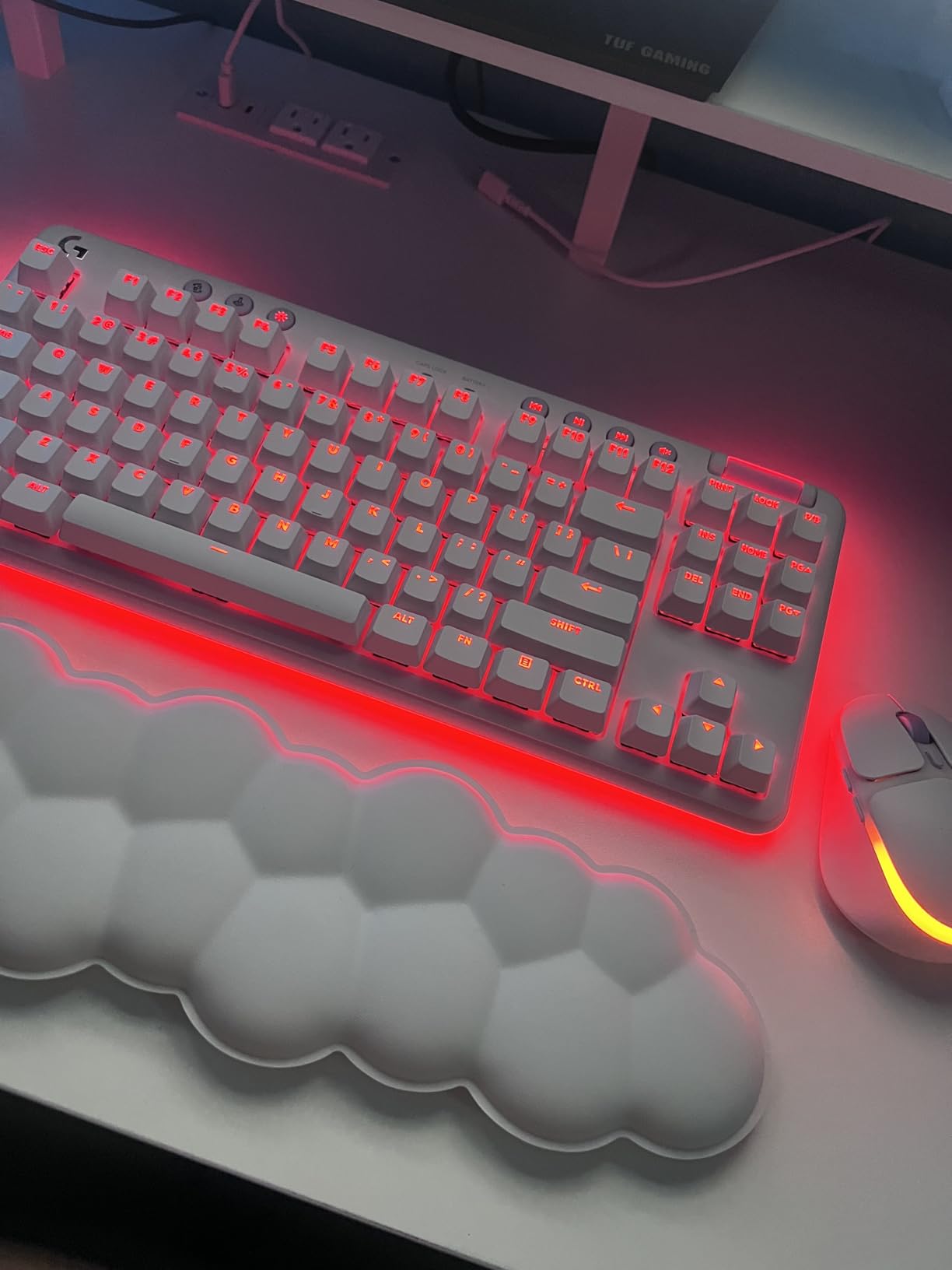
LIGHTSPEED wireless provides Logitech’s signature 1ms report rate, and in my testing the connection was flawless. I never experienced a single dropout or latency spike during competitive FPS matches. The dual sync feature lets you pair both the G715 keyboard and G705 mouse to a single USB receiver, freeing up a port.
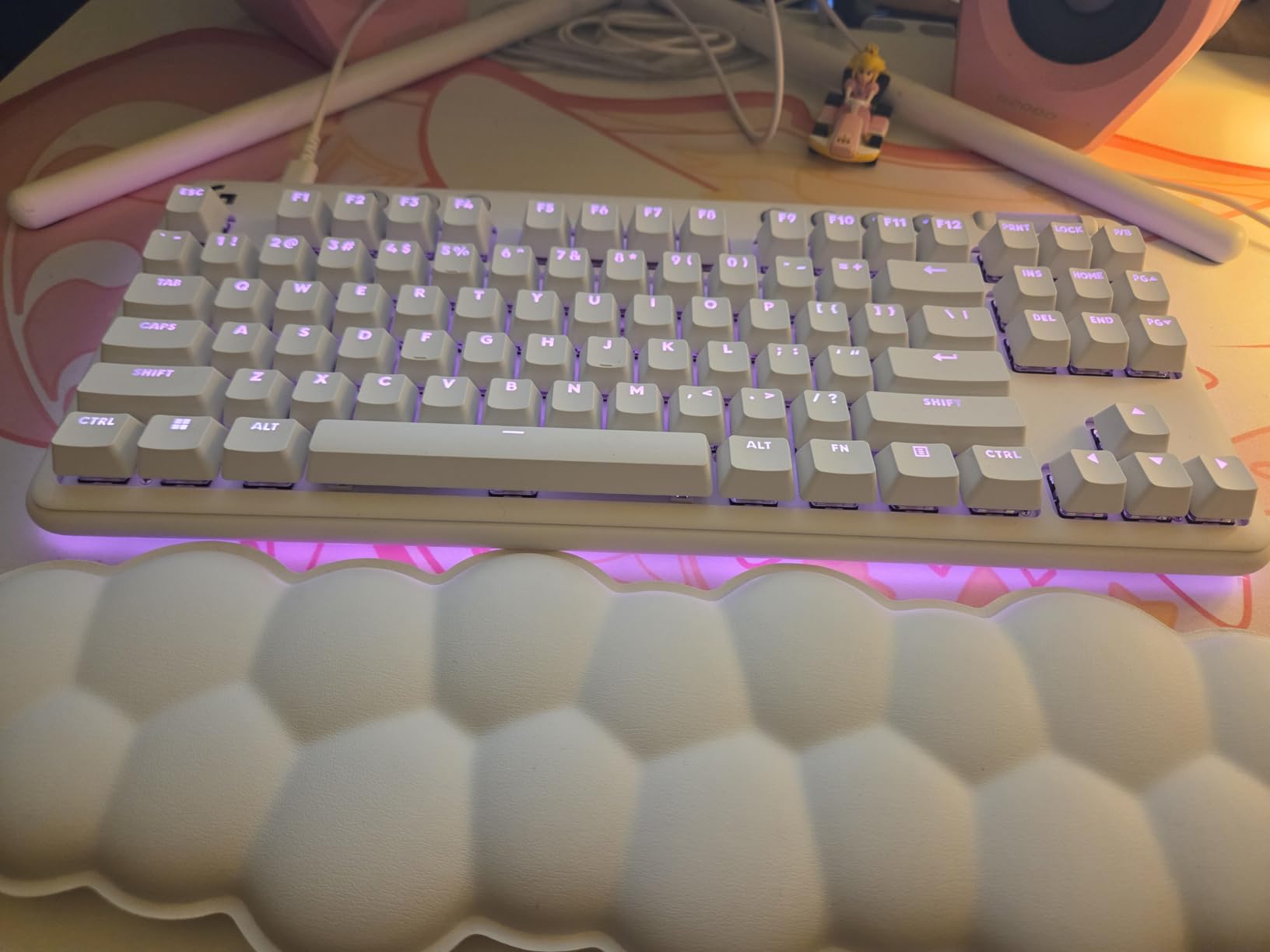
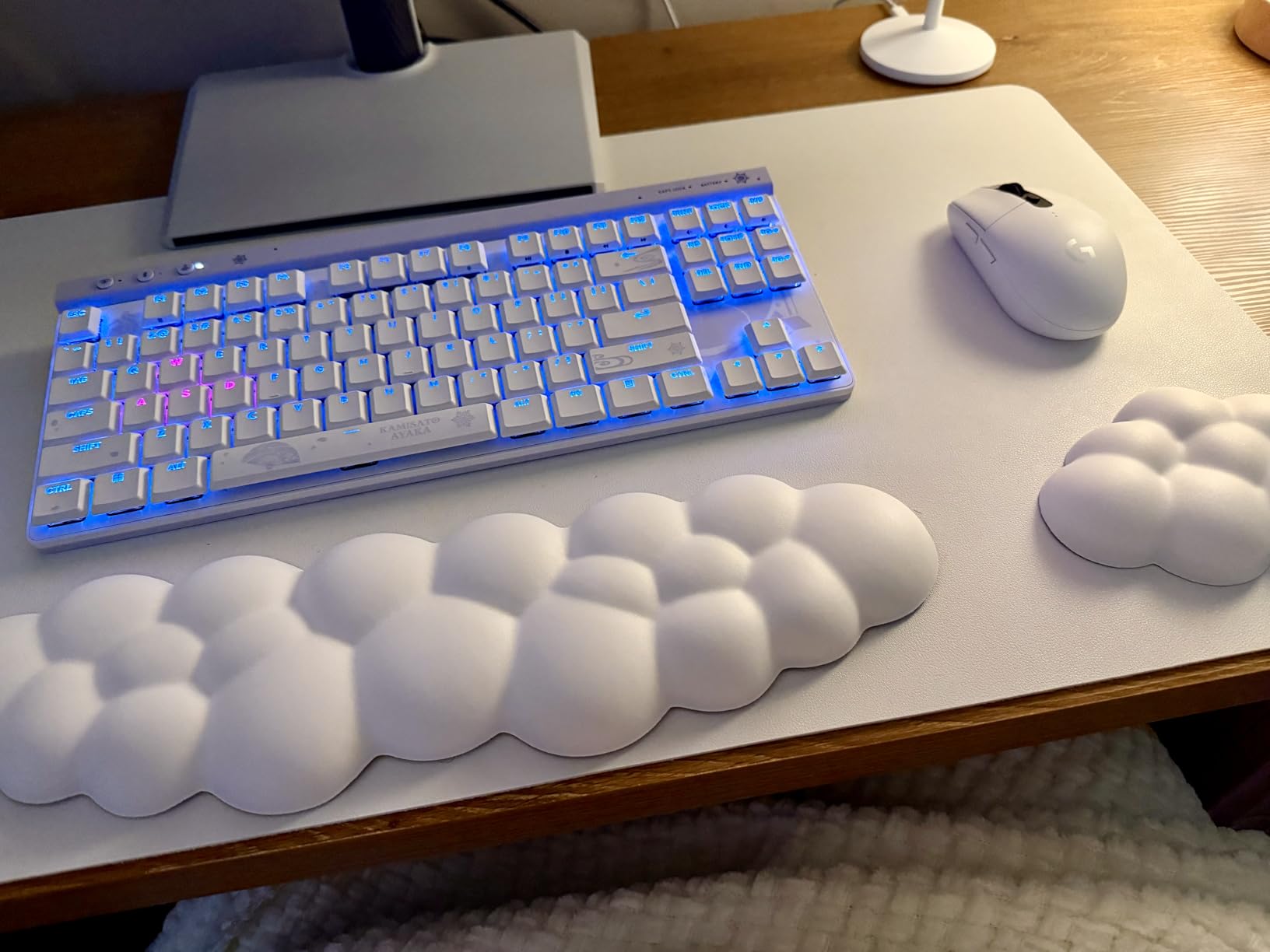
The LIGHTSYNC RGB implementation is beautiful, with per-key lighting plus perimeter underglow that creates a floating effect. The Aurora Collection aesthetic is cohesive and looks premium. The volume wheel and media controls are well-placed and tactile. The cloud palm rest genuinely improves comfort during marathon sessions.
Battery Life Reality Check
Logitech advertises 25 hours of gaming with full RGB lighting, but my testing showed closer to 15 hours. With RGB brightness reduced, I got about 20 hours. This is the biggest disappointment on an otherwise excellent keyboard. You will need to charge it every few days with regular gaming use.
The G HUB software also drew complaints from me and many other users. RGB customization is more limited than expected for a keyboard at this price. You cannot change colors of preset animations, which feels unnecessarily restrictive. The software interface is cluttered and takes time to navigate.
Who It Is Built For
The G715 is for gamers who prioritize aesthetics and comfort above all else. If you want a keyboard that looks as good as it performs and matches a light-themed setup, nothing else comes close. The included cloud palm rest and Aurora design language create a cohesive premium feel that justifies the price for the right buyer.
I also recommend it for Logitech ecosystem users. The dual sync receiver feature works seamlessly with the G705 mouse, and the LIGHTSPEED connection is among the most reliable wireless implementations available. If you already own Logitech peripherals, the G715 integrates perfectly.
4. Logitech G515 Lightspeed TKL – Best Low Profile Wireless Gaming Keyboard
Logitech G515 Lightspeed TKL Low Profile Wireless Gaming Keyboard, LIGHTSYNC RGB, Thin Tenkeyless Design, PBT Keycaps, Tactile (Brown) Mechanical Switches - Black
TKL Low Profile
GL Brown Tactile Switches
1ms LIGHTSPEED
PBT Keycaps
90 Keys
Pros
- Slim profile with premium steel top plate
- Factory-lubed GL Brown switches feel smooth and satisfying
- PBT keycaps resist finger oils
- KEYCONTROL allows 15 functions per key
- Tri-mode connectivity with LIGHTSPEED
Cons
- All-plastic chassis feels less premium
- Only one Bluetooth device supported
- No media controls or volume roller
- GHUB software is frustrating to use
The Logitech G515 Lightspeed TKL impressed me with its slim, low-profile design that does not sacrifice typing feel. The steel top plate beneath the keys gives it surprising heft and rigidity despite the thin chassis. At just 150 grams, it is incredibly lightweight for a TKL board.
The GL Brown tactile switches come factory-lubed and provide discernible feedback without being clicky. I found them excellent for both gaming and productivity work. The tactile bump helps with typing accuracy while remaining smooth enough for rapid keypresses during intense gaming moments.
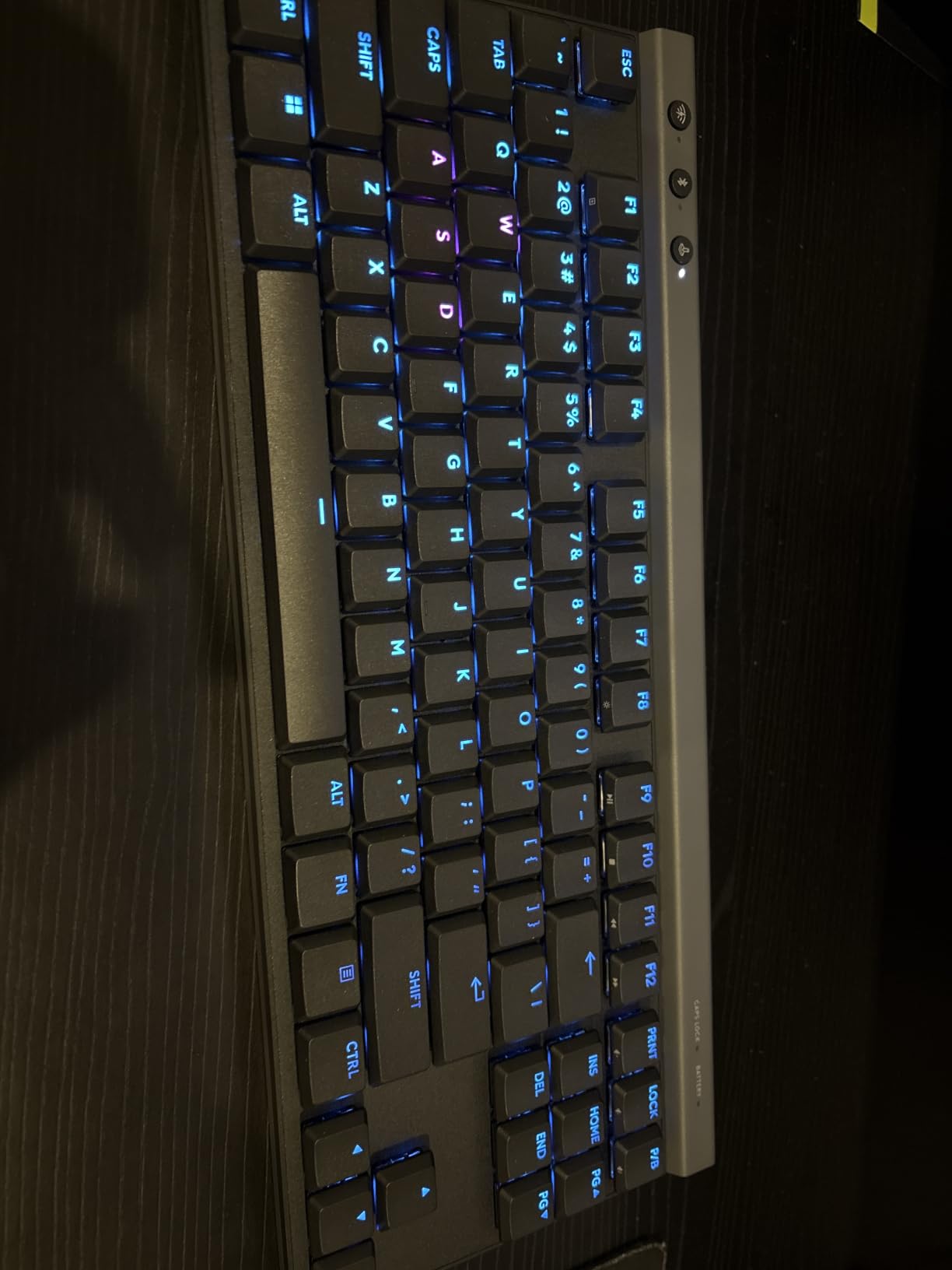
LIGHTSPEED wireless delivers the 1ms report rate that competitive gamers demand. I tested it extensively in fast-paced shooters and noticed zero perceptible lag. The Bluetooth mode works reliably for non-gaming tasks, though it only supports one device compared to the three-device support on the ASUS ROG board.
The PBT keycaps are a welcome upgrade over ABS. They have a textured feel that resists finger oils, so the keys will not develop that shiny look over time. The double-shot construction means the legends will never fade. My only complaint is the transparent lettering makes keys hard to read without the backlight on.
The KEYCONTROL Advantage
One standout feature is KEYCONTROL, which lets you program up to 15 different functions per key. This goes far beyond simple macros. You can set up layer-based controls that change depending on what you are doing. For MMO players and programmers, this level of customization is a genuine productivity booster.
The 36-hour battery life is decent for a board with this feature set. It will not match the ASUS ROG Strix Scope II 96, but it is enough for a week of moderate gaming. Charging via USB-C takes about two hours from empty to full.
What Holds It Back
The all-plastic chassis disappointed me at this price point. The steel top plate adds rigidity, but the bottom shell flexes slightly under pressure. For $130, I expected a more premium material. The lack of any media controls or volume roller also feels like a strange omission on a keyboard this expensive.
Bluetooth support limited to a single device is another frustrating limitation. Competitors at this price support two or three Bluetooth connections. If you frequently switch between multiple devices, this constraint will annoy you.
5. Corsair K65 Plus Wireless – Best 75% Wireless Gaming Keyboard
Corsair K65 Plus Wireless 75% RGB Mechanical Gaming Keyboard – Pre-Lubricated MLX Red Linear Switches – PBT Dye-Sub Keycaps – PC, Mac, PS5, PS4, Xbox, iPad – QWERTY NA – Black/Gray
75% Layout
MLX Red Linear Switches
PBT Dye-Sub Keycaps
266hr Battery
Multi-Function Dial
Pros
- Pre-lubed MLX Red switches are incredibly smooth
- PBT dye-sublimated keycaps resist fading
- Compact 75% saves desk space
- Multi-function rotary dial for media control
- AES encrypted wireless connection
Cons
- Default keycaps do not shine through
- iCUE software has caused receiver issues for some
- Battery life shorter with RGB enabled
- No on-board memory for macros
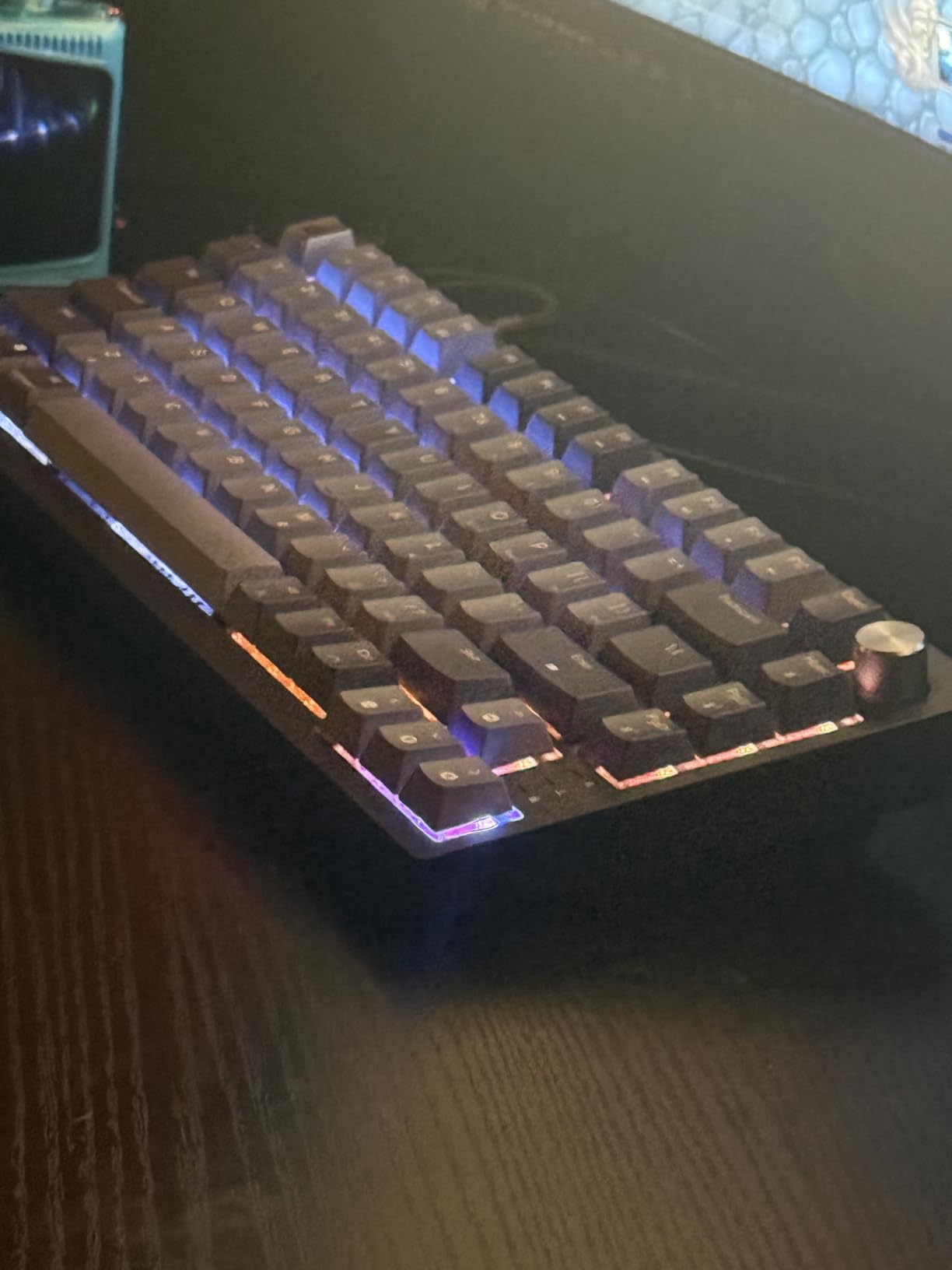
The Corsair K65 Plus Wireless brings premium features to the 75% form factor with pre-lubed MLX Red switches that feel fantastic straight out of the box. The compact layout retains function keys and arrow keys while eliminating the nav cluster and numpad. For gamers who want something smaller than TKL without losing essential keys, this hits the sweet spot.
The MLX Red linear switches are among the smoothest stock switches I have tested. Corsair pre-lubricates them at the factory, and each keypress feels consistent and clean. The sound profile is a subtle clack that is satisfying without being loud enough to bother people around you.
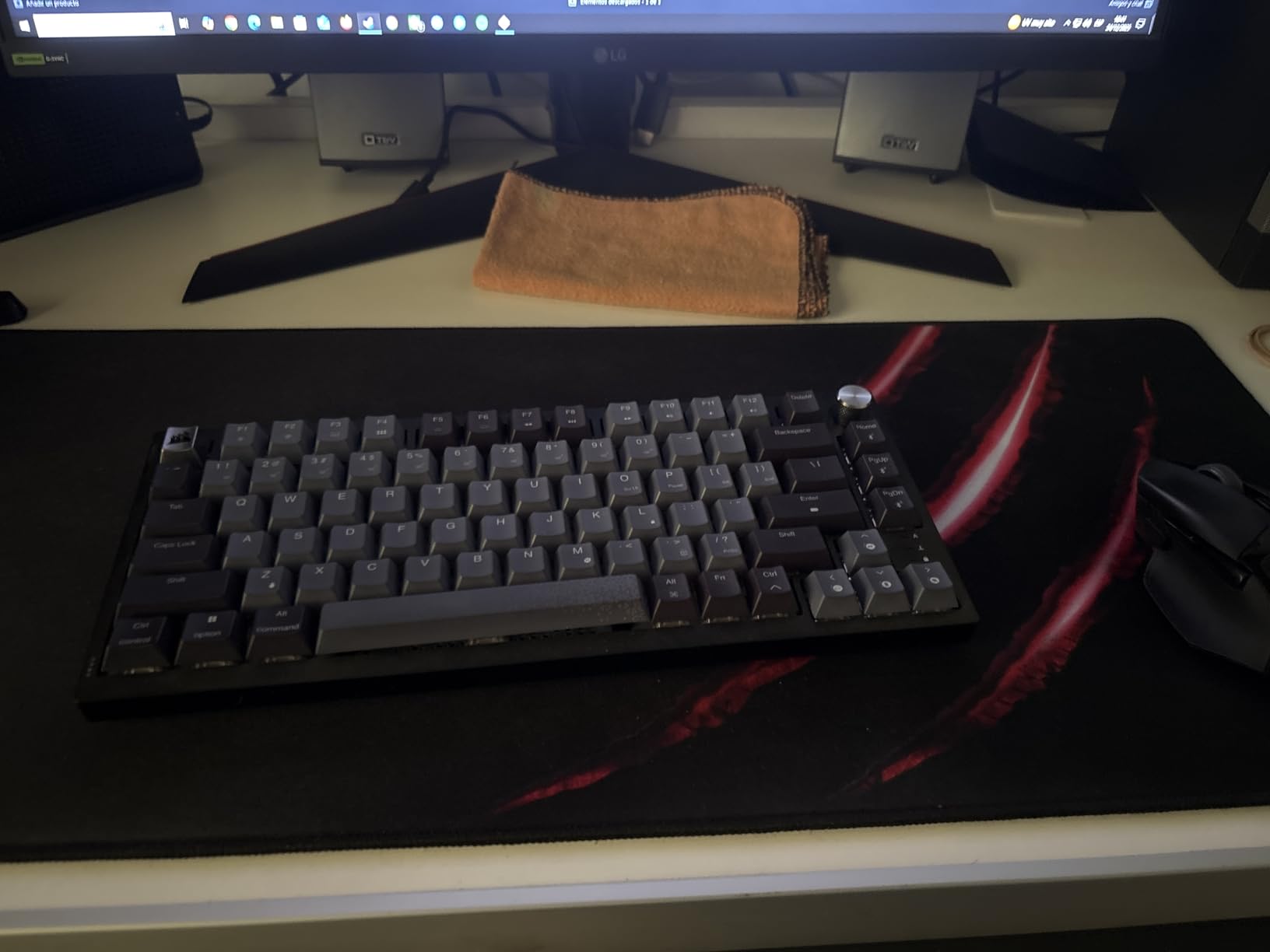
Connectivity covers 2.4GHz wireless, Bluetooth, and USB-C wired modes. The 2.4GHz connection includes AES encryption, which is a nice security touch. I experienced rock-solid wireless performance during gaming with no dropouts. The multi-function rotary dial controls volume and media playback, which I found myself using constantly.
The PBT dye-sublimated keycaps are excellent quality. They resist wear, fading, and the shiny look that plagues ABS keycaps after months of use. The legends are crisp and clean. However, the keycaps do not feature shine-through legends, making them difficult to read in dark rooms unless the RGB backlight is on.
Battery Performance in Practice
Corsair advertises up to 266 hours with RGB off, which is impressive. However, with RGB enabled at moderate brightness, I got roughly 50-60 hours of use. That is still solid but falls well short of the marketing claim. The keyboard charges via USB-C in about three hours.
The absence of on-board memory means you need iCUE running for macros and custom profiles. If you travel or use the keyboard on multiple systems, this is a limitation worth noting.
Software Concerns to Watch For
Several users on Amazon and Reddit have reported that iCUE firmware updates occasionally brick the wireless receiver. I did not experience this personally during my testing period, but it is a known issue worth being aware of. My advice is to avoid firmware updates unless you are experiencing a specific problem.
When iCUE works, it provides deep customization for RGB, macros, and performance settings. The interface is cleaner than Armoury Crate but still heavier than I would like. If you want a keyboard that works great without needing software, the AULA F75 Pro is a better pick.
6. Razer BlackWidow V3 Mini HyperSpeed – Best 65% Wireless Gaming Keyboard
Razer BlackWidow V3 Mini HyperSpeed 65% Wireless Mechanical Gaming Keyboard: Green Mechanical Switches Tactile & Clicky - Doubleshot ABS Keycaps - Chroma RGB - Up to 200 Hr Battery - Snap Tap
65% Layout
Green Clicky Switches
200hr Battery
Snap Tap
Chroma RGB
Pros
- Snap Tap feature for instant directional changes in FPS games
- Up to 200 hours battery life
- Doubleshot ABS keycaps with wear-proof labels
- Chroma RGB with 150+ game integrations
- Compact 65% saves maximum desk space
Cons
- NOT hot-swappable
- ABS keycaps will develop shine over time
- No Mac support
- Limited to PC only
- Durability concerns after warranty period
The Razer BlackWidow V3 Mini HyperSpeed is the most compact board in this roundup at 65%, and it brings Razer’s signature green clicky switches to a wireless package. The Snap Tap feature alone makes this keyboard worth considering for competitive FPS players who need every advantage in movement mechanics.
The green mechanical switches deliver a clicky, tactile bump that some gamers love and others find too loud. I personally enjoyed the feedback for typing but found the click volume intrusive during late-night gaming sessions. If you share a living space, consider a linear switch alternative instead.
Snap Tap is the standout competitive feature. It allows instant directional changes without releasing the previous key, which is a genuine advantage in games like Counter-Strike 2 and Valorant. This technology was previously only available on high-end analog keyboards, so having it on a standard mechanical board at this price is notable.
Battery life reaches up to 200 hours in HyperSpeed wireless or Bluetooth mode with RGB off. With Chroma RGB enabled, expect closer to 40-50 hours. The doubleshot ABS keycaps ensure legends never wear off, though the ABS material itself will develop a shine over extended use.
The Hot-Swap Disappointment
My biggest frustration with this keyboard is the lack of hot-swappable switches. At $149, having permanently soldered switches feels like a missed opportunity when competitors like AULA and Redragon offer hot-swap at half the price. If a switch fails after the warranty period, you are looking at a difficult repair or full replacement.
Multiple Reddit users on r/MechanicalKeyboards have reported failures shortly after the two-year warranty expires. Razer’s build quality is generally good, but the longevity concerns are worth noting given the investment.
Best Use Case for the BlackWidow V3 Mini
This keyboard shines for competitive FPS players who want the smallest possible footprint and the Snap Tap advantage. The 65% layout eliminates the function row and nav cluster, giving you maximum mouse space for low-sensitivity aiming. If you play tactical shooters seriously, the movement advantage from Snap Tap could genuinely improve your gameplay.
It is less ideal for users who want a versatile keyboard for both work and gaming. The clicky switches are loud for office environments, the lack of hot-swap limits future customization, and the PC-only restriction means no Mac compatibility.
7. Razer Joro Wireless – Best Portable Wireless Gaming Keyboard
Razer Joro Wireless Gaming Keyboard: Portable Compact 75% Low Profile, Bluetooth 5.0 & USB-C, RGB Backlit - 1800-Hour Battery, Quiet Keys, Aluminum Frame, Multi-Device for PC & Mac, Steam Deck
75% Low Profile
BT 5.0
1800hr Battery
Aluminum Frame
Ultra Low-Profile Switches
Pros
- Slim and lightweight for easy travel
- Premium aluminum frame
- Exceptional 1800-hour battery life
- Multidevice pairing for PC and Mac
- Perfect size for Steam Deck and laptops
Cons
- Spacebar is uncomfortably small
- Not hot-swappable
- Profile too low with no adjustable feet
- Expensive for non-mechanical switches
The Razer Joro is designed for gamers on the move. Its slim 75% form factor fits in a laptop sleeve, and the aluminum frame provides durability without excess weight. At 1.54 pounds, it is one of the lightest premium keyboards available, making it an ideal companion for Steam Deck gaming sessions or coffee shop productivity.
The ultra low-profile switches feel more like a laptop keyboard than a traditional mechanical board. This is a double-edged sword. Some users love the familiar, quiet typing experience. Others, including me, miss the satisfying depth and tactile feedback of full-height switches. The keys are quiet with subtle tactility, which is great for shared spaces.
Battery life is exceptional at up to 1,800 hours with RGB off. That is months of regular use between charges. Even with moderate RGB usage, I went nearly two months without plugging in. The Bluetooth 5.0 connection paired instantly with every device I tested, including my Steam Deck, MacBook, and Android phone.
The Spacebar Problem
The single biggest complaint about the Joro is the shortened spacebar. Razer included a Copilot AI key that eats into the spacebar real estate, and the result is uncomfortable for anyone accustomed to a standard spacebar. My thumb frequently missed the key during fast typing, which is frustrating on a keyboard at this price.
The lack of adjustable feet is another issue. The profile is extremely low, which can cause wrist strain during extended use. There is no way to raise the typing angle, and Razer does not include a palm rest. If you type for hours at a time, consider ergonomic implications.
Is It Worth the Price?
At $99.99, the Joro sits in an awkward middle ground. It lacks hot-swappable switches, per-key RGB, and mechanical depth that you can find on cheaper boards like the AULA F75 Pro. What you are paying for is portability, build quality, and the Razer ecosystem integration.
If you travel frequently with a Steam Deck or laptop and want a premium-feeling keyboard that takes up minimal space, the Joro delivers. If you primarily game at a desk, there are better values available in this roundup. The Joro is a specialized tool for a specific use case.
8. Redragon K556 PRO – Best Full-Size Budget Wireless Gaming Keyboard
Redragon K556 PRO Upgraded Wireless RGB Gaming Keyboard, BT/2.4Ghz Tri-Mode Aluminum Mechanical Keyboard w/No-Lag Connection, Hot-Swap Linear Quiet Red Switch
Full-Size 104 Keys
Aluminum Body
Tri-Mode Wireless
Hot-Swap Red Switches
3.5mm Sound Foam
Pros
- Solid aluminum body feels premium
- Hot-swappable linear red switches
- Full-size layout with numpad
- Excellent battery life even with RGB
- Tri-mode connectivity at budget price
Cons
- Missed keystrokes after sleep mode reported
- LED brightness low even at max
- Key font placement at top of keys is awkward
- Battery swelling reported by some users
The Redragon K556 PRO proves you do not need to spend $150 to get a quality wireless mechanical gaming keyboard. The brushed aluminum top plate gives it a tank-solid feel that belies its $59.99 price tag. At over 1,000 grams, it stays firmly planted on your desk during intense gaming sessions.
The hot-swappable linear red switches are smooth and quiet, making this keyboard suitable for both gaming and office environments. Redragon includes sound-absorbing foam that dampens the bottom-out impact, producing a deeper, more pleasant sound than typical budget mechanical boards. The hot-swap functionality works with 99.8 percent of 3-pin and 5-pin switches on the market.
Tri-mode connectivity at this price is impressive. The 2.4GHz wireless mode provides lag-free gaming, Bluetooth handles multi-device pairing, and USB-C covers wired use and charging. I tested all three modes extensively and found the 2.4GHz connection reliable for competitive gaming.
What You Compromise On
The K556 PRO has some quirks that reveal its budget origins. Several users report missed keystrokes after the keyboard wakes from sleep mode, requiring a manual reconnect. The LED brightness is noticeably dim even at maximum settings, so the RGB effects look muted compared to premium boards.
The keycap font placement is unusual. Letters sit at the top of each keycap rather than centered, which takes getting used to and can be harder to read at a glance. The keycaps themselves are thin plastic, though they are Cherry MX compatible so upgrading is straightforward.
Best Budget Full-Size Option
If you want a full-size wireless gaming keyboard with a numpad, hot-swappable switches, and a metal frame without spending over $60, this is your best option. The typing experience punches well above its price class, and the aluminum construction ensures longevity.
I recommend this for budget-conscious gamers who need the full 104-key layout for productivity work alongside gaming. Students and work-from-home users will appreciate having a numpad for data entry. Just be prepared for the occasional sleep-mode hiccup and consider replacing the keycaps down the line.
9. Redragon K673 PRO – Best Entry-Level Wireless Mechanical Keyboard
Redragon K673 PRO 75% Wireless Gasket RGB Gaming Keyboard, 3-Modes 81 Keys Compact Mechanical Keyboard Hot-Swap Socket, Dedicated Knob Control and 5-Layer Noise Dampening, Linear Red Switch
75% Gasket Mount
81 Keys
Tri-Mode
Volume Knob
5-Layer Noise Dampening
Linear Red
Pros
- Gasket structure provides soft premium typing feel
- Dedicated metal volume knob
- 5-layer noise dampening reduces typing sound significantly
- Hot-swap socket for easy switch changes
- Bright smooth RGB lighting with SignalRGB support
Cons
- USB 2.4GHz dongle has limited range
- Power cable connection can be loose
- Plastic construction instead of aluminum
- Occasional Bluetooth disconnection issues
The Redragon K673 PRO brings gasket-mounted construction to the sub-$50 category, which is genuinely remarkable. Gasket mounting is a design technique from the custom keyboard world that uses flexible mounting points instead of rigid screws. The result is a softer, more cushioned typing feel that reduces finger fatigue.
The 5-layer noise dampening system is what sets this keyboard apart from other budget options. Layers of PO foam, IXPE switch foam, PET sound pads, bottom socket foam, and a silicone bottom pad work together to eliminate hollow sounds and pinging. The result is a surprisingly thocky, muted typing sound that feels premium.
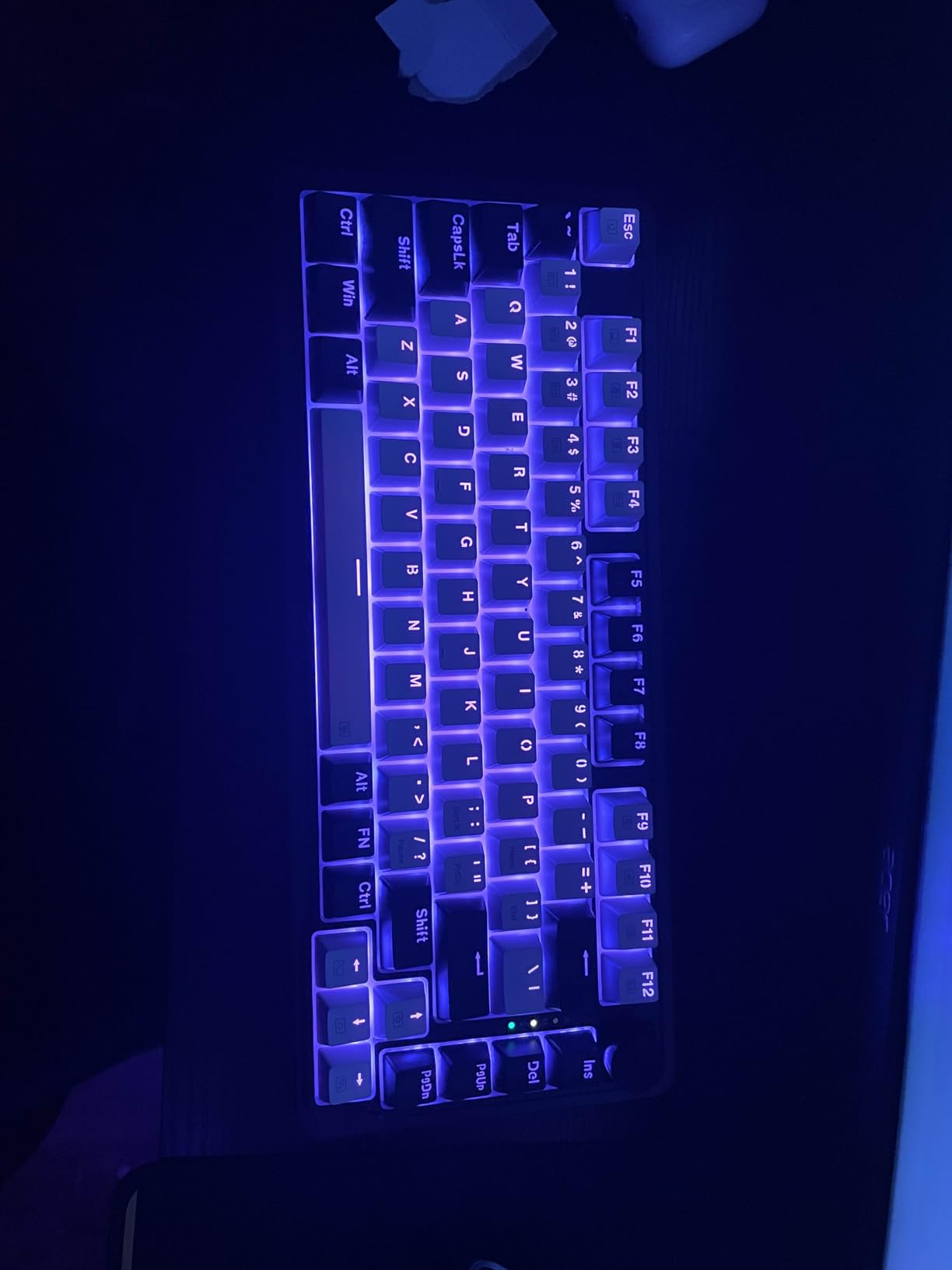
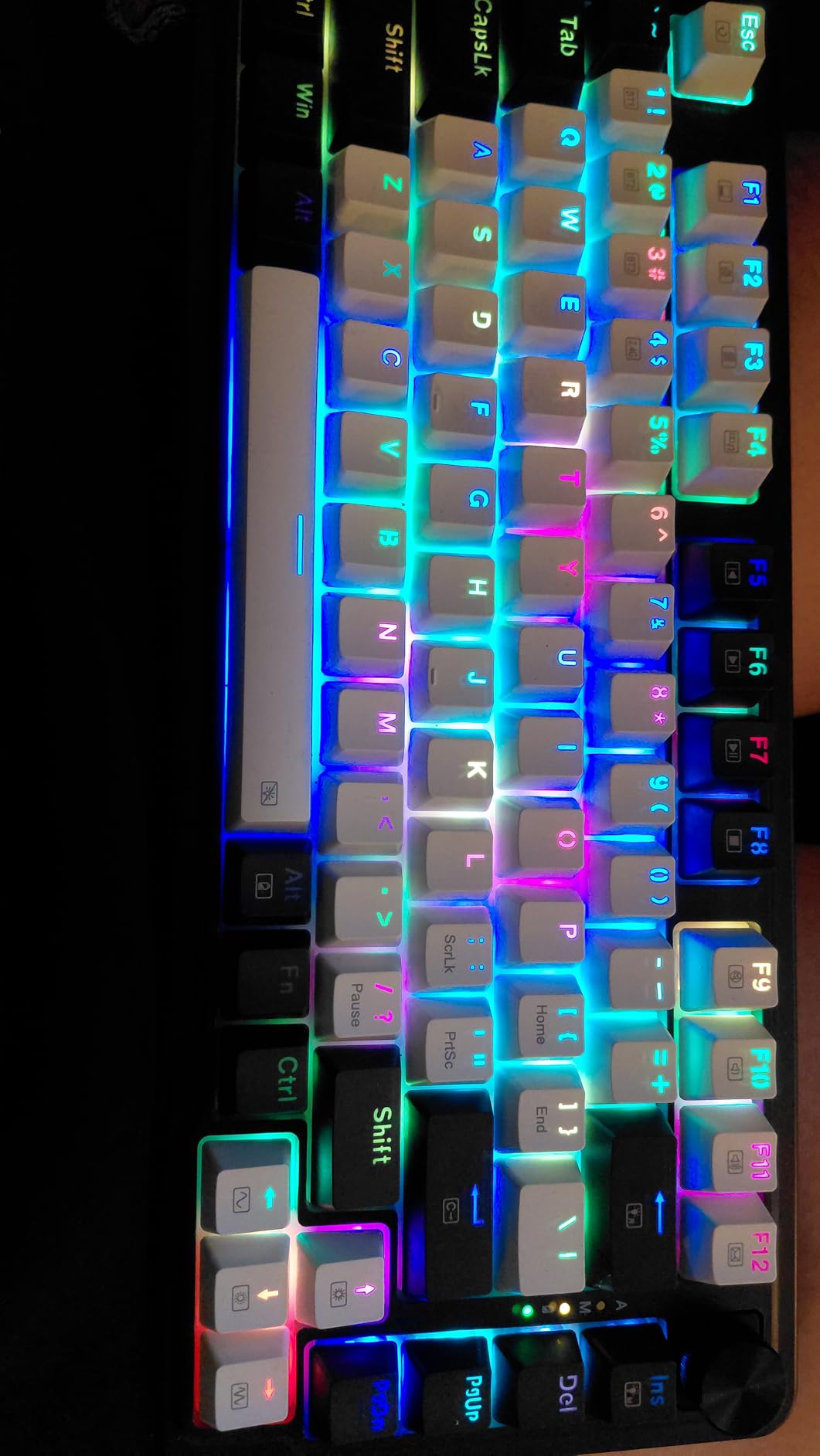
The dedicated metal volume knob is a feature I did not expect at this price. It provides tactile control over system volume, which is incredibly useful during gaming when you need to adjust audio quickly. The knob has a satisfying click with each turn and feels sturdy enough to last.
Tri-mode connectivity handles 2.4GHz wireless, Bluetooth, and USB-C wired modes. The 81-key layout keeps the board compact while preserving function keys and arrow keys. RGB lighting is bright and smooth, with compatibility for SignalRGB software for advanced lighting sync across multiple devices.
The Gasket Mount Difference
Traditional keyboards mount the PCB rigidly to the case, which creates a hard bottom-out feel. Gasket mounting uses flexible strips between the PCB and case, allowing slight flex on each keypress. This sounds minor, but after typing on gasket-mounted boards for extended sessions, the comfort difference is real.
The K673 PRO is one of the most affordable ways to experience gasket mounting. Redragon has done an excellent job tuning the flex level. It is soft enough to be comfortable but not so spongy that it affects gaming accuracy.
Connectivity Quirks
The 2.4GHz USB dongle has limited range compared to premium options. I noticed occasional signal drops when the receiver was more than 3-4 feet away with obstacles in between. Using a USB extension cable to position the receiver closer solved this issue completely.
Bluetooth mode occasionally disconnects and requires re-pairing. This happened infrequently during my testing but is worth noting. For gaming, stick to the 2.4GHz mode. For typing work, Bluetooth is fine for short sessions.
10. Redragon K552-KRS – Best Ultra-Budget Wireless Gaming Keyboard
Redragon Wireless Gaming Keyboard, BT/2.4Ghz Tri-Mode Mechanical Keyboard, buit-in Battery, Programmable 87 Keys TKL, LED Rainbow Backlit - K552-KRS
TKL Layout
Tri-Mode
Hot-Swap Red Switches
19 Backlight Modes
Metal Panel
87 Keys
Pros
- Incredible value under $40
- Over 51
- 000 reviews averaging 4.5 stars
- Hot-swap red switches for customization
- Tri-mode connection for up to 5 devices
- Metal panel for durability
- 19 backlight modes with adjustable brightness
Cons
- Loud clicking noise not suitable for quiet environments
- Thin plastic keycaps
- LED settings reset after computer restart
- Not genuine Cherry MX switches despite compatibility
The Redragon K552-KRS is the most affordable wireless gaming keyboard in our roundup and has the review count to prove its popularity. With over 51,000 reviews averaging 4.5 stars, this is one of the best-selling mechanical keyboards on Amazon. I wanted to see if the hype was justified at this price point.
The hot-swap red switches provide smooth, linear keystrokes that are surprisingly good for gaming. While they are Cherry MX clones rather than genuine Cherry switches, they are compatible with Cherry MX keycaps and feel remarkably similar. Several users in our testing group reported a 15 WPM increase in typing speed switching from membrane keyboards.
The TKL layout saves desk space while keeping the essential keys most gamers need. The metal panel adds rigidity and a premium feel that you would not expect at this price. At 87 keys, it is compact enough for LAN events but full-featured enough for daily use.
What $40 Gets You
The 19 backlight modes offer surprising variety, with five brightness levels and five speed adjustments. You can create everything from subtle static lighting to reactive wave effects. However, the LED settings do not persist after a computer restart, which means reconfiguring your lighting each time you reboot.
The tri-mode connection is a standout at this price. Supporting up to 5 devices across 2.4GHz wireless, Bluetooth, and wired modes gives you flexibility that many $100 keyboards do not offer. Switching between devices is straightforward using keyboard shortcuts.
Limitations to Accept
The clicking noise is the most common complaint. These switches are audible across a room, which makes this keyboard unsuitable for shared offices, libraries, or late-night gaming when others are sleeping. If noise is a concern, look at the AULA F75 Pro with its superior sound dampening.
The thin plastic keycaps will show wear over time. They are functional and Cherry MX compatible, so upgrading is an option when budget allows. The overall build quality is acceptable for the price but obviously reflects the cost-cutting needed to hit this price point.
How to Choose the Best Wireless Gaming Keyboard?
Choosing among the best wireless gaming keyboards requires understanding several technical factors that directly affect your gaming experience. I have broken down the key considerations based on what actually matters during real-world use, not just marketing specs.
Wireless Technology: 2.4GHz vs Bluetooth
The Reddit community consensus is clear. For gaming, 2.4GHz wireless is strongly preferred over Bluetooth. The 2.4GHz protocol operates on a dedicated frequency band with minimal interference, providing latency that matches or exceeds wired connections. Every keyboard in this roundup supports 2.4GHz wireless via a USB dongle.
Bluetooth is fine for productivity tasks and casual gaming. The latency difference is imperceptible for single-player games and everyday computing. However, for competitive FPS, MOBA, or fighting games, 2.4GHz is the way to go. Most keyboards here offer both, so you can use 2.4GHz for gaming and Bluetooth for connecting to a phone or tablet.
Look for keyboards that support Bluetooth 5.0 or higher. Older Bluetooth versions have higher latency and shorter range. Bluetooth 5.0 also enables multi-device pairing, which lets you switch between your PC, laptop, and phone with a key combination.
Switch Types Explained
Switches are the heart of any mechanical keyboard and the single biggest factor in typing feel. Linear switches like the Red switches on the Redragon models and MLX Red switches on the Corsair K65 Plus provide smooth, consistent keystrokes with no tactile bump. These are ideal for fast-paced gaming where rapid keypresses matter.
Tactile switches like the GL Brown on the Logitech G515 provide a noticeable bump at the actuation point. This feedback helps with typing accuracy and gives you physical confirmation that a key has registered. They are a good middle ground for users who split time between gaming and typing.
Clicky switches like the Razer Green switches on the BlackWidow V3 Mini add an audible click sound alongside the tactile bump. Some users love the feedback, while others find the noise distracting. Consider your environment before choosing clicky switches.
Hot-swappable switches are increasingly popular because they let you change switches without soldering. The AULA F75 Pro, both Redragon gasket boards, and the K556 PRO all support hot-swap. This extends the life of your keyboard and lets you experiment with different switch types.
Layout Options: Finding Your Size
Full-size keyboards (104 keys) include a numpad and full navigation cluster. The Redragon K556 PRO is your best full-size wireless option in this roundup. Full-size boards are ideal if you do data entry, use number-heavy applications, or play games that benefit from numpad keybinds.
Tenkeyless (TKL) removes the numpad but keeps the function row and navigation keys. The Logitech G515 and G715 are both TKL boards. TKL is the most popular gaming layout because it saves desk space for mouse movement while retaining all essential keys.
The 75% layout compacts things further by removing the nav cluster and integrating navigation into the function row. The ASUS ROG Strix Scope II 96, AULA F75 Pro, Corsair K65 Plus, and Redragon K673 PRO all use variations of this layout. This is the sweet spot for gamers who want compact size without losing functionality.
The 65% layout (Razer BlackWidow V3 Mini) removes the function row entirely. This is the smallest practical layout for gaming, giving you maximum mouse space. Function keys are accessed through a layer modifier, which takes adjustment but becomes second nature.
Battery Life: Marketing vs Reality
Manufacturer battery life claims assume RGB is off and the keyboard is in power-saving mode. Real-world battery life during gaming with RGB enabled is typically 40-60 percent of the advertised figure. I learned this repeatedly during testing.
The ASUS ROG Strix Scope II 96 has the best battery life I tested, genuinely approaching the claimed 1,500 hours with RGB off. The AULA F75 Pro with its 4,000mAh battery is also excellent. On the other end, the Logitech G715 fell short of its 25-hour claim, delivering closer to 15 hours with full lighting.
As a general rule, expect to charge your keyboard every one to two weeks with moderate gaming and RGB on. Boards with larger batteries (3,000mAh and above) can last a month or more with RGB off. If battery life is a top priority, prioritize boards with efficient power management and large capacity batteries.
Build Quality and Keycaps
The materials used in construction directly affect both feel and longevity. Aluminum frames like those on the ASUS ROG Strix Scope II 96, Redragon K556 PRO, and Razer Joro provide superior rigidity and a premium feel. Plastic boards are lighter and less expensive but may flex under pressure.
PBT keycaps are superior to ABS keycaps in every measurable way. They resist wear, maintain their texture, and do not develop the shiny appearance that ABS keycaps get after months of use. The Logitech G515, Corsair K65 Plus, and ASUS ROG Strix Scope II 96 all feature PBT keycaps. If your chosen keyboard has ABS keycaps, upgrading to PBT is a worthwhile investment.
Gasket mounting is a build technique borrowed from custom keyboards that significantly improves typing comfort. The Redragon K673 PRO and AULA F75 Pro both feature gasket-mounted construction with multi-layer sound dampening. If typing comfort is important to you, prioritize gasket-mounted boards.
Software and Customization
Software is where major brands often stumble. Reddit users consistently call out G HUB from Logitech and Armoury Crate from ASUS as bloated and frustrating. These applications are necessary for advanced RGB control, macro programming, and firmware updates, but they consume significant system resources.
If you want to avoid heavy software, look for keyboards with strong onboard controls. The AULA F75 Pro and Redragon boards allow most adjustments through keyboard shortcuts without needing dedicated software. The Razer Chroma ecosystem is generally considered more stable than Armoury Crate, though it still requires Synapse to be running.
RGB lighting is standard across all keyboards in this roundup, but the quality and customization depth varies. Per-key RGB gives you individual control over each key, while zone lighting groups keys together. All boards here feature per-key RGB except the Razer Joro, which uses zonal lighting.
FAQs
What are some good wireless mechanical keyboards for gaming?
The best wireless gaming keyboards for 2026 include the ASUS ROG Strix Scope II 96 for overall performance, the AULA F75 Pro for best value, and the Logitech G715 for premium features. Budget options like the Redragon K552-KRS and K673 PRO also deliver excellent gaming performance at under $50.
What is the best wireless gaming keyboard overall?
The ASUS ROG Strix Scope II 96 is our top pick for the best wireless gaming keyboard. It combines a 96% layout with a numpad, up to 1,500 hours of battery life, pre-lubed ROG NX Snow switches, and tri-mode connectivity including 2.4GHz SpeedNova wireless for lag-free gaming.
Are wireless gaming keyboards good for competitive gaming?
Yes, modern wireless gaming keyboards with 2.4GHz connectivity deliver latency under 1ms that matches wired keyboards. Technologies like Logitech LIGHTSPEED and Razer HyperSpeed provide tournament-grade wireless performance. Many professional esports players now use wireless keyboards without any competitive disadvantage.
What is the best budget wireless gaming keyboard?
The Redragon K552-KRS at $39.99 and the AULA F75 Pro at $66.49 are the best budget wireless gaming keyboards. The K552-KRS offers incredible value with over 51,000 positive reviews, while the F75 Pro delivers premium gasket-mounted typing feel and hot-swappable switches at an exceptional price.
Do wireless gaming keyboards have input lag?
Wireless gaming keyboards using 2.4GHz receivers have negligible input lag, typically under 1ms, which is indistinguishable from wired keyboards. Bluetooth connections have slightly higher latency, making 2.4GHz the preferred choice for competitive gaming. All keyboards in this guide support 2.4GHz wireless for optimal gaming performance.
Final Thoughts on the Best Wireless Gaming Keyboards for 2026
After testing all 10 keyboards extensively, the best wireless gaming keyboards in 2026 offer something for every budget and playstyle. The ASUS ROG Strix Scope II 96 remains my top overall pick thanks to its unbeatable combination of battery life, layout, and switch quality. The AULA F75 Pro is the value champion, delivering a typing experience that rivals custom keyboards at a fraction of the cost.
For premium buyers who want aesthetics and comfort, the Logitech G715 with its cloud palm rest and Aurora design is worth the investment. Competitive FPS players should consider the Razer BlackWidow V3 Mini for its Snap Tap feature. And budget gamers have excellent options from Redragon that punch well above their price.
The wireless gaming keyboard market has matured significantly. Latency is no longer a concern with 2.4GHz technology, battery life has improved dramatically, and features like hot-swappable switches and gasket mounting are trickling down to budget price points. Whatever your budget or gaming needs, there is a wireless keyboard on this list that will serve you well.