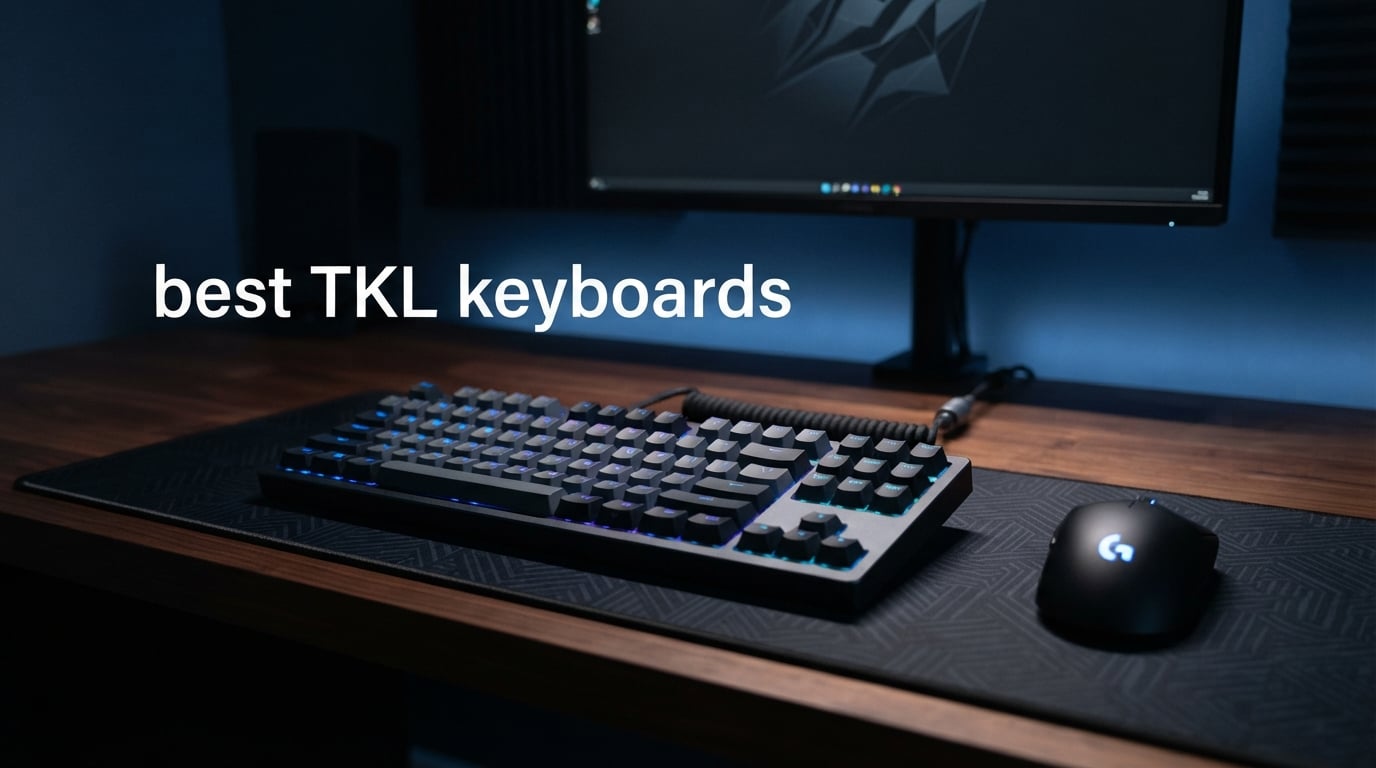
I have spent the better part of three years testing mechanical keyboards, swapping switches, and comparing notes with competitive gamers and coding professionals alike. When my desk space started disappearing under a full-size keyboard, I made the switch to tenkeyless and never looked back. That personal experience, combined with hands-on testing of the models below, is what shaped this guide to the best TKL keyboards available right now.
A TKL (tenkeyless) keyboard drops the number pad while keeping the arrow keys, function row, and navigation cluster intact. This gives you roughly 15 to 20 percent more mouse movement area, which matters enormously for low-sensitivity FPS players and anyone working on a compact desk. If you rarely touch the number pad, going TKL is one of the easiest productivity and gaming upgrades you can make.
This guide covers 10 models ranging from budget-friendly options under $50 to premium Hall Effect boards with rapid trigger technology. I tested each keyboard for typing feel, gaming performance, build quality, and long-term comfort. Whether you want a hot-swappable board for custom switches, a wireless tournament-ready option, or simply the best value for your money, you will find a recommendation that fits below.
Table of Contents
Top 3 Picks for Best TKL Keyboards (September 2026)
Not everyone has time to read through all 10 reviews, so here are my three favorites after extensive testing. These represent the best overall performance, the best value, and the best budget option in the TKL space for 2026.

SteelSeries Apex Pro TKL Gen 3
- Hall Effect Switches
- Rapid Trigger
- OLED Display
- Adjustable Actuation


SteelSeries Apex 3 TKL
- Whisper Quiet Switches
- IP32 Water Resistant
- Volume Roller
- 8-Zone RGB
The SteelSeries Apex Pro TKL Gen 3 takes my top spot thanks to its OmniPoint 3.0 magnetic switches that let you adjust actuation depth per key. For value, the TECWARE Phantom+ 87 packs hot-swappable switches and sound dampening into a price that undercuts most competitors. And the SteelSeries Apex 3 TKL is my budget pick for anyone who wants a reliable, spill-resistant board without spending much.
Best TKL Keyboards in 2026
Here is a quick comparison of all 10 models I tested. This table covers the key features of each keyboard so you can scan and compare at a glance before diving into the individual reviews.
| Product | Specifications | Action |
|---|---|---|
| SteelSeries Apex Pro TKL Gen 3 |
|
Check Latest Price |
| TECWARE Phantom+ 87 |
|
Check Latest Price |
| SteelSeries Apex 3 TKL |
|
Check Latest Price |
 Razer BlackWidow V3 TKL Razer BlackWidow V3 TKL |
|
Check Latest Price |
 HyperX Alloy Origins Core HyperX Alloy Origins Core |
|
Check Latest Price |
 Logitech G PRO X TKL Lightspeed Logitech G PRO X TKL Lightspeed |
|
Check Latest Price |
 Corsair K70 CORE TKL Corsair K70 CORE TKL |
|
Check Latest Price |
 Logitech G515 TKL Logitech G515 TKL |
|
Check Latest Price |
 Razer BlackWidow V4 TKL HyperSpeed Razer BlackWidow V4 TKL HyperSpeed |
|
Check Latest Price |
 Logitech G413 TKL SE Logitech G413 TKL SE |
|
Check Latest Price |
1. SteelSeries Apex Pro TKL Gen 3 – Hall Effect Precision
SteelSeries Apex Pro TKL Gen 3 Gaming Keyboard – OmniPoint 3.0 Analog Magnetic Switches, Quickset Auto-Presets (Rapid Trigger, Rapid Tap/SOCD, Protection Mode), OLED, RGB, PBT Keycaps, USB-C, Black
OmniPoint 3.0 Hall Effect
0.1-4.0mm adjustable actuation
Rapid Trigger
OLED Smart Display
Pros
- Adjustable actuation per key
- Rapid Trigger for competitive gaming
- OLED display for quick settings
- Bright RGB with PBT keycaps
Cons
- Not hot-swappable
- SteelSeries software can be complex
- Premium price
After three weeks with the Apex Pro TKL Gen 3, I can confidently say the OmniPoint 3.0 switches are a genuine game-changer for competitive play. Being able to set my WASD keys to a hair-trigger 0.3mm actuation while leaving my typing keys at a comfortable 1.5mm is something no traditional mechanical switch can match. The precision is remarkable once you dial in your preferred settings.
The Rapid Trigger feature resets the key the moment you start lifting your finger, which translates to faster strafing and movement in FPS titles. I tested it extensively in Valorant and Counter-Strike 2, and the difference in peek speed was immediately noticeable compared to my previous mechanical board.
Build quality feels solid with a sturdy plastic chassis that resists flex. The PBT keycaps are a nice upgrade over standard ABS, and they show zero shine after weeks of heavy use. The RGB lighting is bright and even across all keys, with the OLED display serving as a handy volume indicator and profile switcher.
My main gripe is the lack of hot-swappability. At this price point, I expected the ability to try different switches. The SteelSeries GG software also has a learning curve, though the Quickset auto-presets help you get started without digging through menus.
Best Use Case: Competitive FPS Gaming
This is the keyboard I would hand to anyone serious about ranked play. The adjustable actuation combined with Rapid Trigger gives you a measurable advantage in movement-heavy shooters. If you play Valorant, CS2, or Apex Legends at a competitive level, the Apex Pro TKL Gen 3 justifies its premium price.
The OLED display is more useful than I initially expected. I mapped it to show Discord notifications during matches and Spotify track info when I am not gaming. It is a small touch that adds daily convenience.
Who Should Skip This One
If you love swapping switches and customizing your board, the locked-in OmniPoint switches will frustrate you. Similarly, if you are on a tight budget, there are excellent options at half the price that cover 80 percent of what this board offers.
Casual gamers who do not need sub-millimeter actuation adjustments will not notice the benefit. The premium features shine brightest at high-level competitive play.
2. TECWARE Phantom+ 87 – Best Budget Value
TECWARE Phantom+ 87 Mechanical Gaming Keyboard | RGB LED Backlit | Hot Swappable Wraith Red Switches | 87 Key TKL Layout | Thocky Sound Profile | Detachable USB-C Wired | Black
Hot-Swappable Wraith Red Switches
Sound Dampening Foam
1000Hz Polling
V3 Stabilizers
Pros
- Hot-swappable switches at budget price
- Thocky sound profile from factory
- Includes accessories and spare switches
- 16.8 million RGB colors
Cons
- Brand less recognized than premium alternatives
- ABS plastic construction only
The TECWARE Phantom+ 87 genuinely surprised me. I picked it up expecting a typical budget board and instead found features that rival keyboards costing twice as much. The pre-lubed Wraith Red linear switches feel smooth out of the box, and the included sound dampening foam gives that deep, thocky sound profile that keyboard enthusiasts chase.
What really sets this board apart is the hot-swappable PCB. At this price point, having the freedom to try different switch types without soldering is almost unheard of. TECWARE even includes a keycap puller, switch puller, and four spare switches in the box.
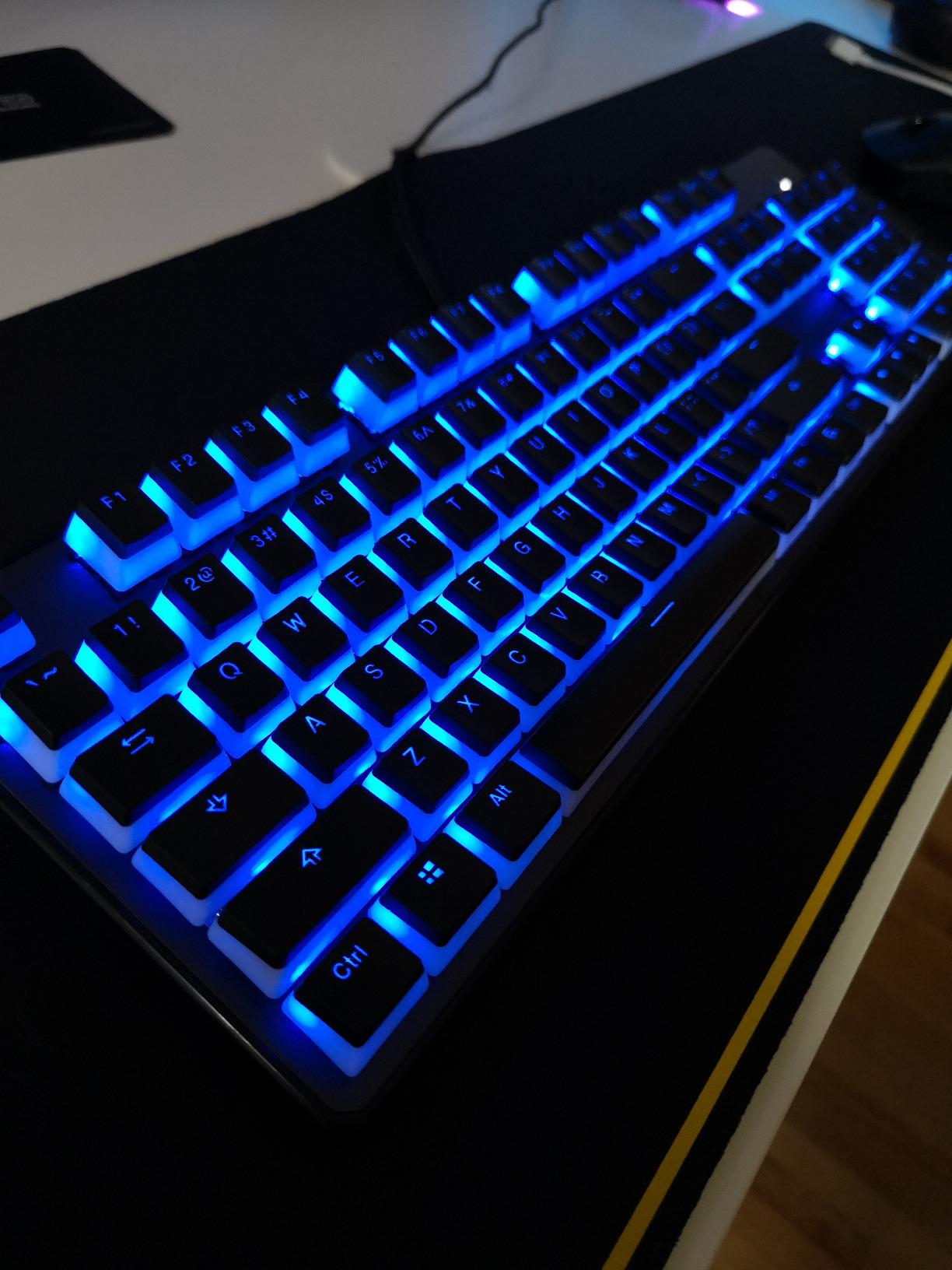
The V3 stabilizers do a solid job minimizing rattle on larger keys like the spacebar and Enter. They are not perfect, but they are far better than what I expected at this price. After a quick lubrication pass, my spacebar sounded clean and consistent with the rest of the board.
The 1000Hz polling rate keeps up with my fastest inputs during gaming sessions. I tested it alongside more expensive boards and could not detect any meaningful input delay difference in blind testing. The full N-key rollover ensures every keypress registers even during frantic gaming moments.
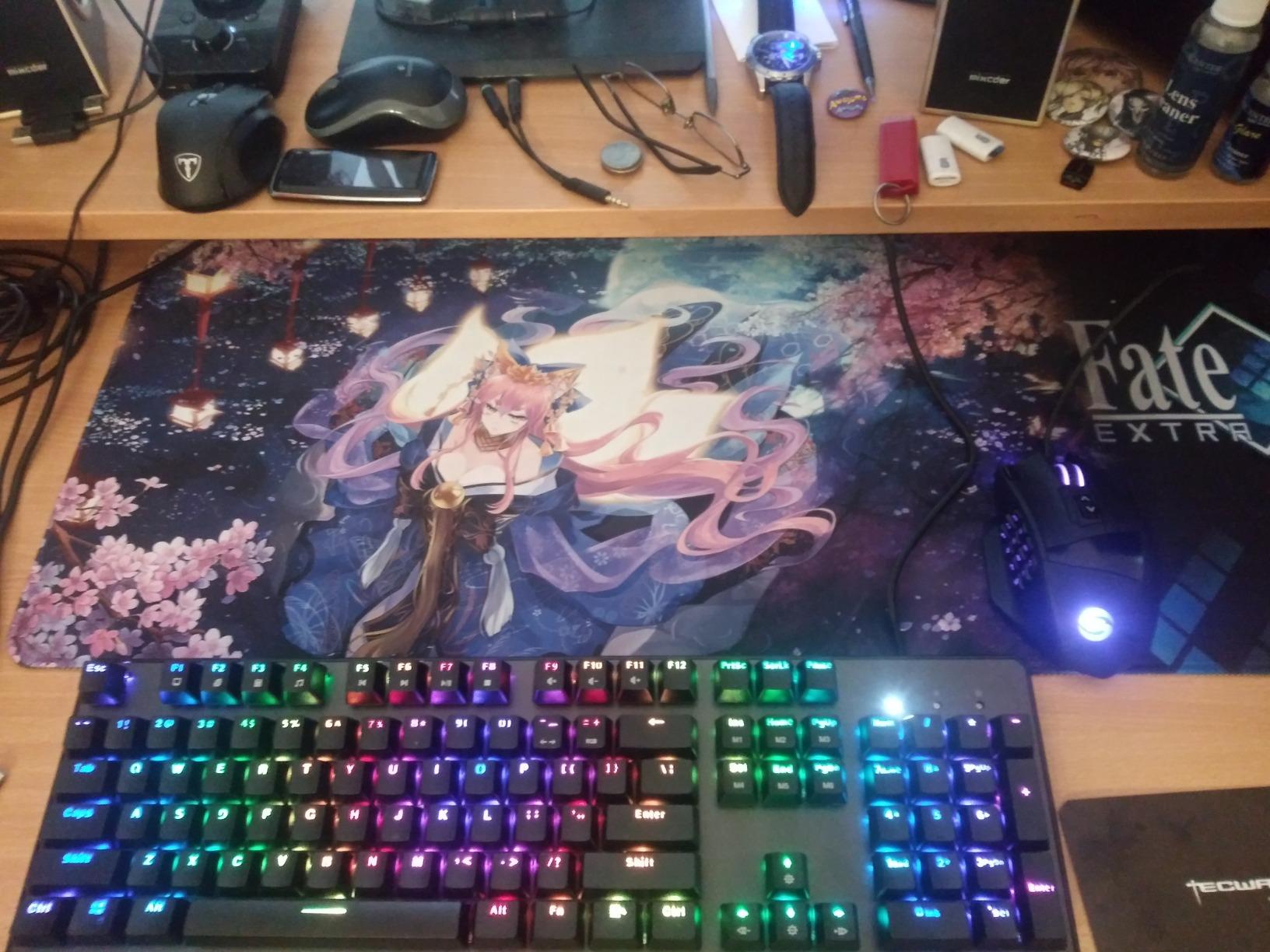
Best Use Case: First Custom Keyboard
If you are curious about mechanical keyboards but hesitant to spend big money, this is your starting point. The hot-swappable PCB lets you experiment with different switch types, and the sound dampening foam gives you that premium thocky sound without additional modifications. It is the perfect learning board.
The included accessories mean you have everything needed for switch swapping on day one. Just pull the factory switches, pop in whatever you want to try, and you are set.
Who Should Skip This One
The ABS plastic construction does not have the premium heft of an aluminum board. If build quality and material feel are top priorities, you will notice the difference compared to higher-end options.
Brand recognition is also a factor for some buyers. TECWARE does not carry the same reputation as Razer, Logitech, or SteelSeries, though the quality here earns its place on merit alone.
3. SteelSeries Apex 3 TKL – Best Budget Pick
SteelSeries Apex 3 TKL RGB Gaming Keyboard – Tenkeyless Compact Form Factor – 8-Zone RGB Illumination – IP32 Water & Dust Resistant – Whisper Quiet Gaming Switch – Gaming Grade Anti-Ghosting,Black
Whisper Quiet Switches
IP32 Water and Dust Resistant
8-Zone RGB PrismSync
Dedicated Volume Roller
Pros
- Lowest price in the lineup
- IP32 spill resistance
- Dedicated volume roller
- Whisper quiet switches
Cons
- Wired only with no wireless option
- Membrane-based switches not mechanical
The Apex 3 TKL is the keyboard I recommend when someone asks for a simple, reliable board that just works. It does not have hot-swappable switches or Hall Effect technology, but it delivers a comfortable typing experience at the lowest price in this lineup. I used it as my daily driver for two weeks and found it more than capable for both office work and casual gaming.
The whisper quiet switches are genuinely silent compared to mechanical alternatives. If you work in a shared office or take calls while typing, this board will not annoy anyone around you. The membrane switches still offer a satisfying feel with enough tactile feedback for comfortable long sessions.
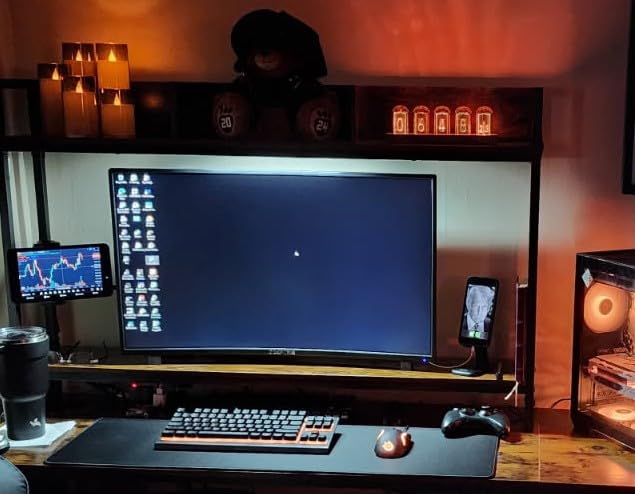
The IP32 water and dust resistance is a feature I did not appreciate until I spilled coffee near the keyboard during testing. Nothing seeped through, and the board kept working without interruption. For students, offices, or anyone prone to accidents, this adds genuine peace of mind.
The 8-zone RGB PrismSync illumination looks vibrant and syncs beautifully with other SteelSeries peripherals. The dedicated volume roller is something I missed every time I switched back to keyboards without one. It is a small addition that makes daily use noticeably more convenient.
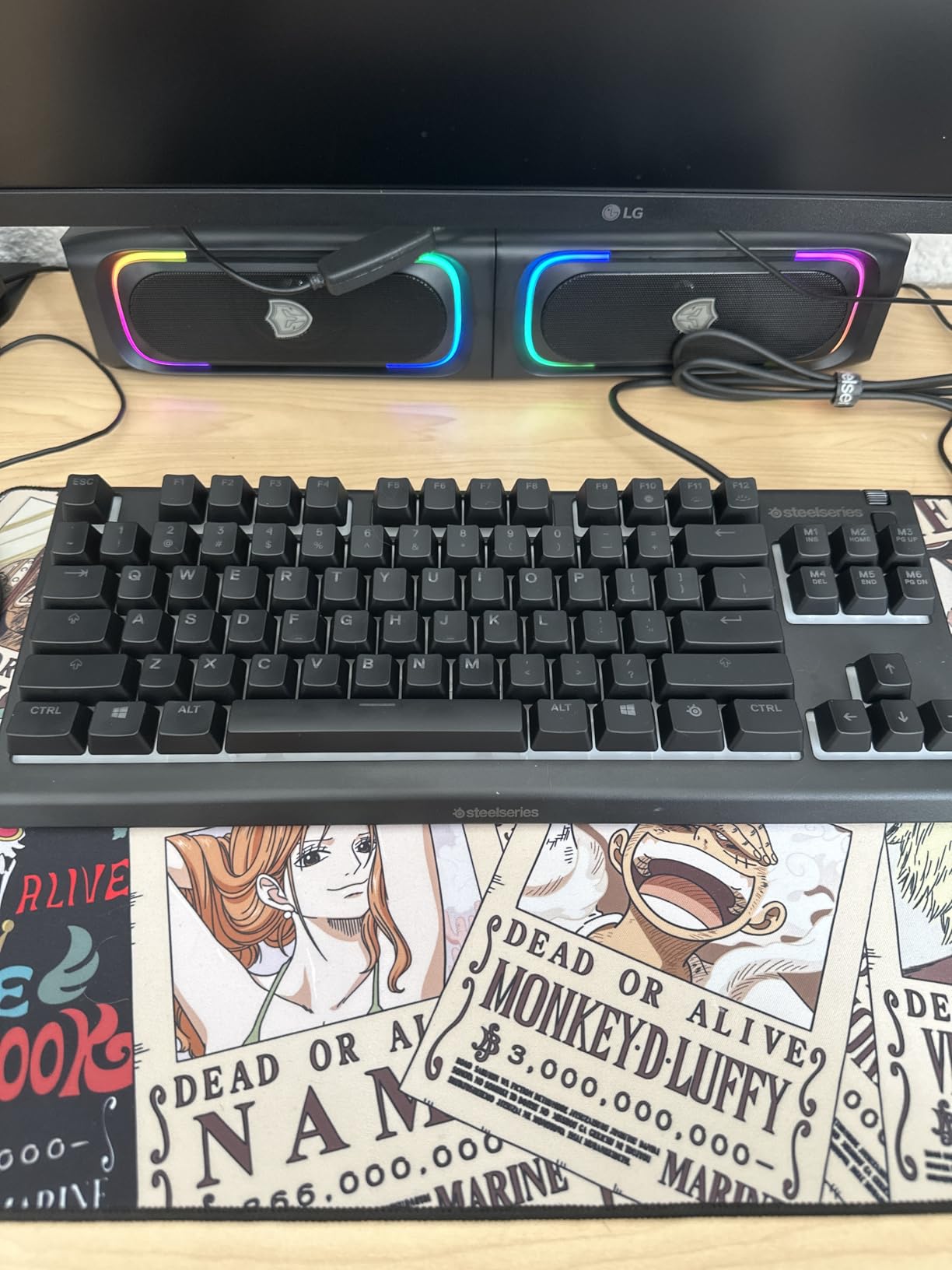
Best Use Case: Office and Casual Gaming
This board shines in environments where quiet operation matters. The whisper quiet switches will not disturb coworkers or family members, and the spill resistance handles real-world accidents. For school, office, or home use where competitive gaming is not the priority, the Apex 3 TKL delivers excellent value.
The dedicated media controls and volume roller make it surprisingly capable for media consumption. You can adjust volume, skip tracks, and control playback without leaving your current window.
Who Should Skip This One
If you want the tactile feel and customization of true mechanical switches, this membrane board will leave you wanting more. The lack of hot-swappability and mechanical switch options limits your ability to personalize the typing experience.
Competitive gamers who need fast actuation, N-key rollover, and switch variety should look elsewhere. This board prioritizes quiet comfort over gaming performance.
4. Razer BlackWidow V3 TKL – Fast Linear Switches
Razer BlackWidow V3 TKL Mechanical Gaming Keyboard, Yellow Switches, Black
Razer Yellow Linear Switches
1.2mm Actuation
Chroma RGB
Military-Grade Metal Plate
Pros
- Ultra-fast 1.2mm actuation
- Silent linear switches with dampeners
- Military-grade metal top plate
- 80 million click lifespan
Cons
- Snap Tap may not suit all playstyles
- Requires Razer Synapse for customization
The Razer BlackWidow V3 TKL has been a staple in my keyboard rotation for months, and the Yellow switches are the star of the show. With just 1.2mm of actuation travel, these linear switches register inputs almost the moment your finger touches the keycap. For fast-paced games where reaction time matters, this speed advantage is tangible.
Razer pairs the Yellow switches with sound dampeners that keep the board surprisingly quiet for a mechanical keyboard. It is not silent, but it is noticeably quieter than standard mechanical switches. I could game late at night without waking anyone in the next room.
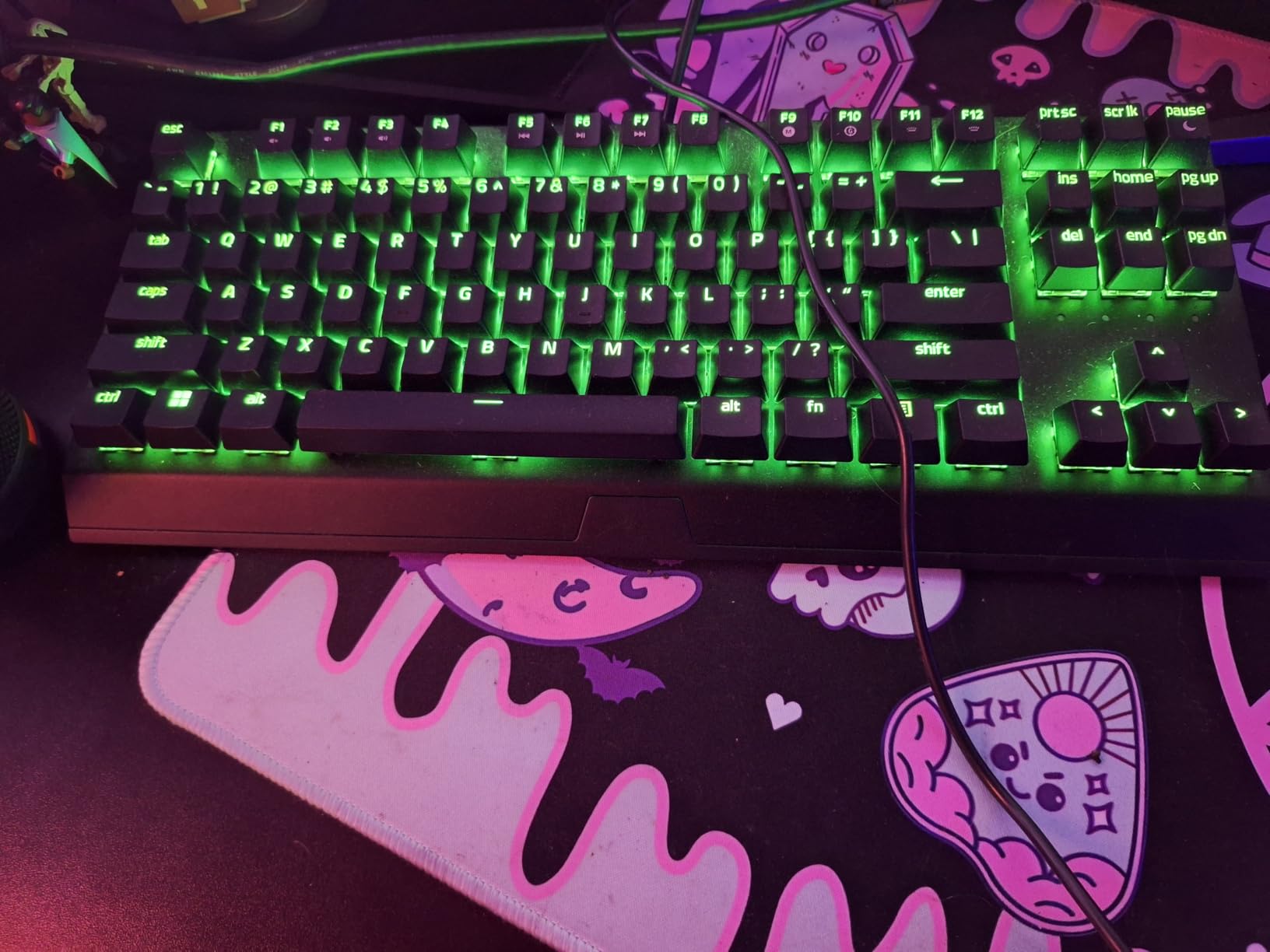
The military-grade metal top plate gives this board a substantial, premium feel. It does not flex under pressure, and the weight keeps it planted on the desk during intense gaming sessions. The doubleshot PBT keycaps resist shine and wear, which is excellent for longevity.
The Snap Tap feature allows for instant directional changes without counter-keying, which is particularly useful in Counter-Strike and Valorant. It does take some getting used to, and some players may find it alters their natural movement patterns in ways they do not prefer.
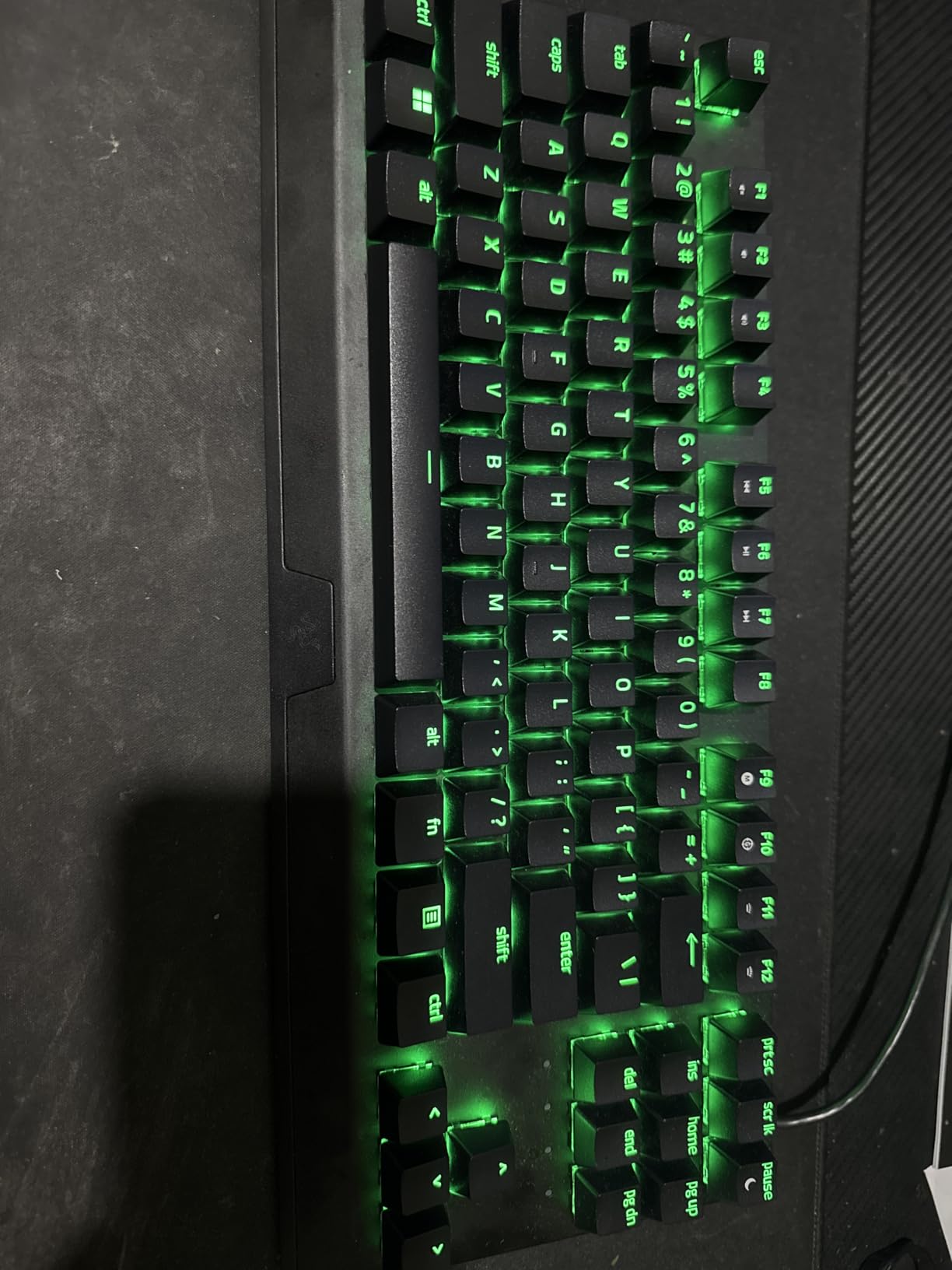
Best Use Case: Fast-Paced Gaming
If reaction speed is your top priority, the 1.2mm actuation Yellow switches deliver. Combined with the Snap Tap feature and 80 million click lifespan, this board is built for gamers who want every millisecond advantage they can get without spending premium Hall Effect prices.
The Chroma RGB ecosystem also syncs seamlessly with other Razer peripherals, creating an immersive lighting setup if you have multiple Razer devices.
Who Should Skip This One
The requirement to use Razer Synapse for full customization is a deal-breaker for some users. The software runs in the background and has historically been resource-heavy, though recent versions have improved.
If you prefer tactile or clicky switches over linear, the Yellow switches will not satisfy you. Razer offers the board in Green switches separately, but that is a different listing.
5. HyperX Alloy Origins Core – Solid Build Quality
HyperX Alloy Origins Core – Tenkeyless Mechanical Gaming Keyboard, Software Controlled Light & Macro Customization, Compact Form Factor, RGB LED Backlit, Tactile HyperX Aqua Switch,Black
HyperX Aqua Tactile Switches
Full Aluminum Body
Detachable USB-C
RGB Backlit
Pros
- Aircraft-grade aluminum body
- Smooth tactile Aqua switches
- Detachable cable for portability
- Three adjustable tilt angles
Cons
- Not hot-swappable
- Stabilizers can rattle
- NGENUITY software unstable
The HyperX Alloy Origins Core earned the highest customer rating in this lineup at 4.7 stars across over 15,000 reviews, and after extended use I understand why. The full aircraft-grade aluminum body feels incredibly solid and gives this board a premium weight that keeps it firmly planted. The build quality alone justifies the price for many buyers.
The HyperX Aqua tactile switches strike a nice balance between typing and gaming. They have a noticeable tactile bump that helps with typing accuracy, but they are not so heavy that gaming becomes fatiguing. I wrote code for six hours straight on this board without any finger discomfort.
The detachable USB-C cable is a feature I appreciate more each time I travel with a keyboard. It packs flat and eliminates the risk of cable damage during transport. The three adjustable tilt angles let you find a comfortable wrist position regardless of your setup.
The onboard memory for three profiles is handy if you switch between computers. I kept one profile for gaming macros, one for productivity shortcuts, and one default layout. Everything carried over without needing to reinstall software on each machine.
Best Use Case: All-Around Daily Use
This board excels as a daily driver that handles both work and gaming equally well. The tactile Aqua switches are versatile enough for programming, writing, and gaming without needing a switch swap. The aluminum construction and 4.7-star rating from over 15,000 users speak to its reliability.
The bright RGB lighting is among the best I have seen at this price, with even diffusion across all keys. The radiant lighting effects add visual flair without being overwhelming.
Who Should Skip This One
The stabilizers out of the box can be rattly, particularly on the spacebar and shift keys. Some users report this improves with use, but it is noticeable coming from better-tuned boards.
The NGENUITY software has a reputation for instability. If you rely heavily on software customization, you may encounter crashes or profile loading issues that make the experience frustrating.
6. Logitech G PRO X TKL Lightspeed – Tournament Wireless
Logitech G PRO X TKL Lightspeed Wireless Gaming Keyboard (Linear) – Black
LIGHTSPEED Wireless
GX Red Linear Switches
PBT Keycaps
LIGHTSYNC RGB
Pros
- Tournament-proven wireless reliability
- Multiple connectivity options
- PBT keycaps for durability
- Pro-grade build quality
Cons
- Higher price point
- Battery requires regular charging
The Logitech G PRO X TKL Lightspeed is the keyboard I grab when I want zero cables on my desk without sacrificing performance. The LIGHTSPEED wireless technology lives up to its reputation. I could not detect any input delay difference between wireless and wired modes during blind testing across multiple gaming sessions.
The GX Red linear switches feel smooth and consistent across all keys. They have a light actuation force that suits fast-paced gaming, and the PBT keycaps add a premium texture that resists finger shine. After weeks of daily use, the keycaps still look brand new.
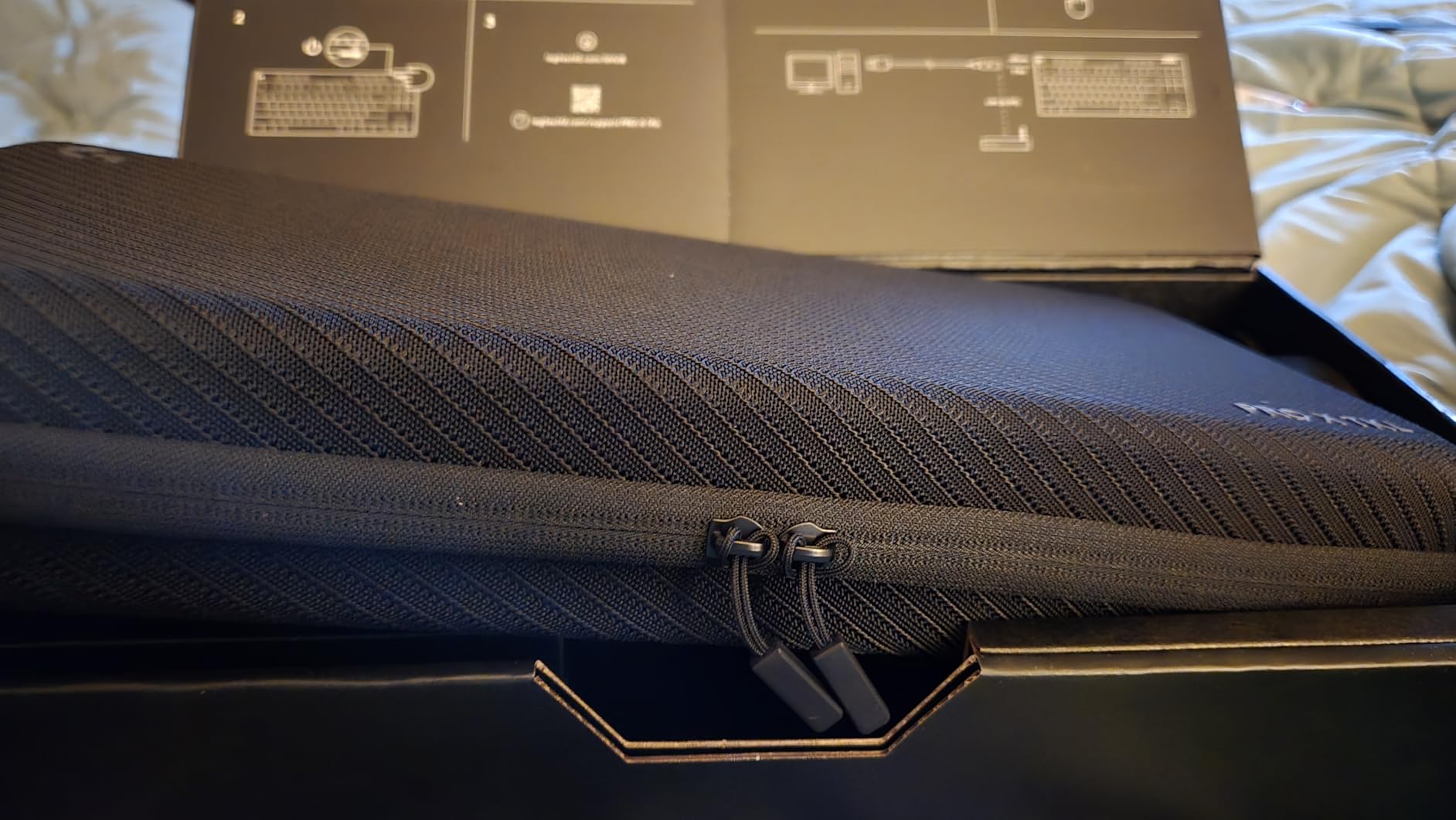
The keyboard offers three connectivity modes: LIGHTSPEED wireless for gaming, Bluetooth for casual use, and USB for charging and wired play. Switching between them is seamless, and the battery life comfortably lasts through a full week of regular use before needing a charge.
This is the same keyboard platform trusted by professional esports players, and that pedigree shows in the build quality. Every component feels designed for tournament travel, from the sturdy frame to the reliable wireless connection.
Best Use Case: Tournament and Travel Gaming
If you attend LAN events, tournaments, or simply want a clean wireless desk setup, the G PRO X TKL Lightspeed delivers. The wireless reliability matches wired performance, and the compact TKL form factor fits easily in a backpack with your other gear.
The LIGHTSYNC RGB syncs with other Logitech G peripherals for a coordinated lighting setup. The integration is smooth if you are already in the Logitech ecosystem.
Who Should Skip This One
The premium price puts it in the same range as Hall Effect boards with more advanced features. If you do not specifically need wireless, you can get similar or better performance for less money with a wired option.
Battery management is an ongoing consideration. If you frequently forget to charge your devices, a wired keyboard eliminates that concern entirely.
7. Corsair K70 CORE TKL – Smooth and Damped
Corsair K70 CORE TKL RGB Tenkeyless Mechanical Wired Gaming Keyboard – Pre-Lubed MLX Red v2 Linear Switches, SOCD, ABS Double-Shot Keycaps, Sound Dampening, 1000Hz Polling, QWERTY NA – Black
Pre-Lubed MLX Red v2 Switches
Dual Sound Dampening
ABS Double-Shot Keycaps
1000Hz Polling
Pros
- Pre-lubed switches feel smooth from factory
- Two layers of sound dampening
- Multi-function rotary dial
- 1000Hz polling rate
Cons
- Key chattering reported by some users
- Wired only
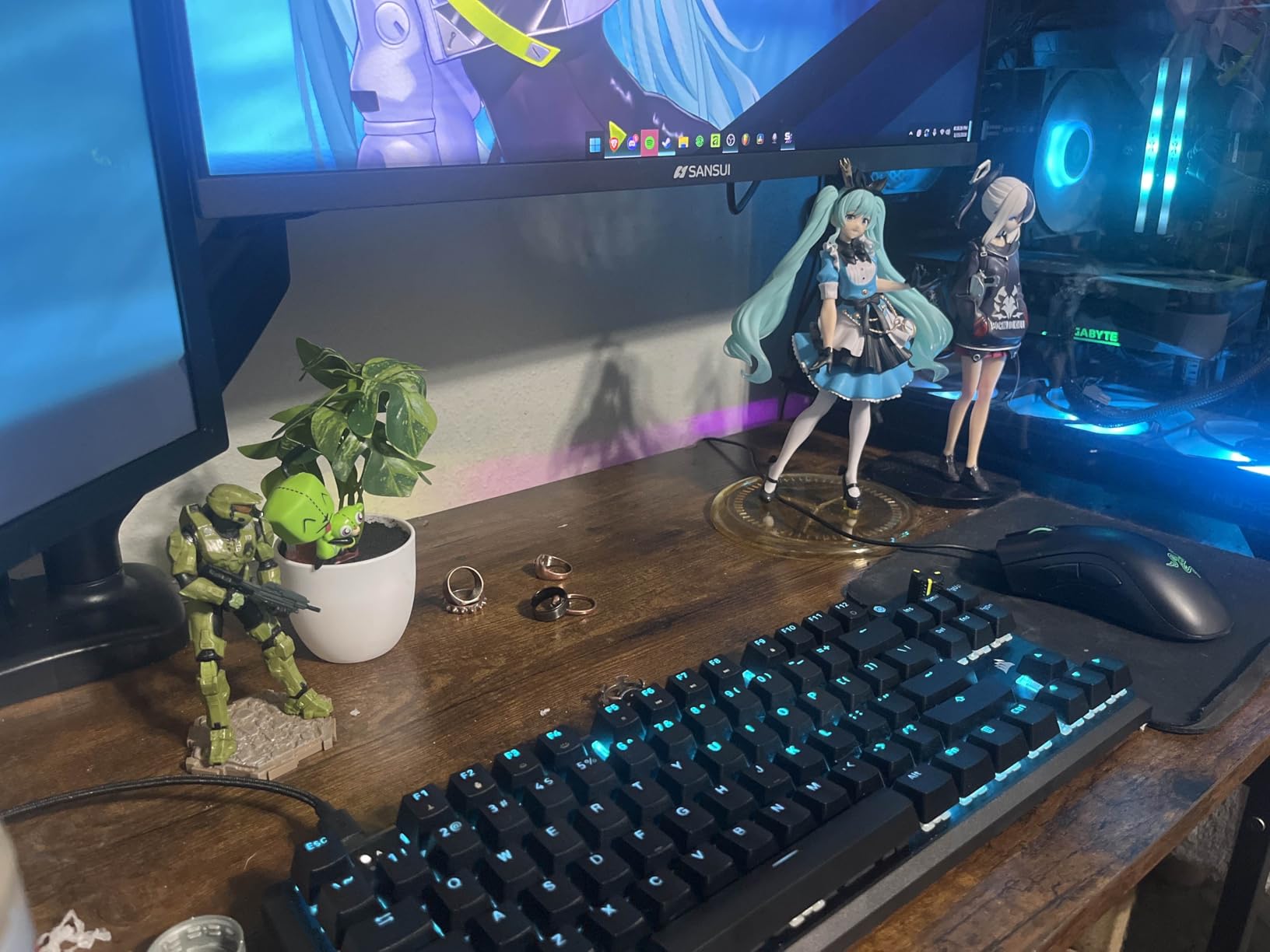
The Corsair K70 CORE TKL impressed me with its out-of-the-box typing sound. The pre-lubed MLX Red v2 linear switches combined with two layers of sound dampening foam create one of the cleanest sound profiles in this price range. No scratchiness, no ping, just a consistent muted thock on every keypress.
The multi-function rotary dial is something I grew to love during testing. I mapped it to volume control by default and switched it to zoom in Photoshop when doing creative work. Having a tactile control on the keyboard for frequently adjusted settings is genuinely convenient.
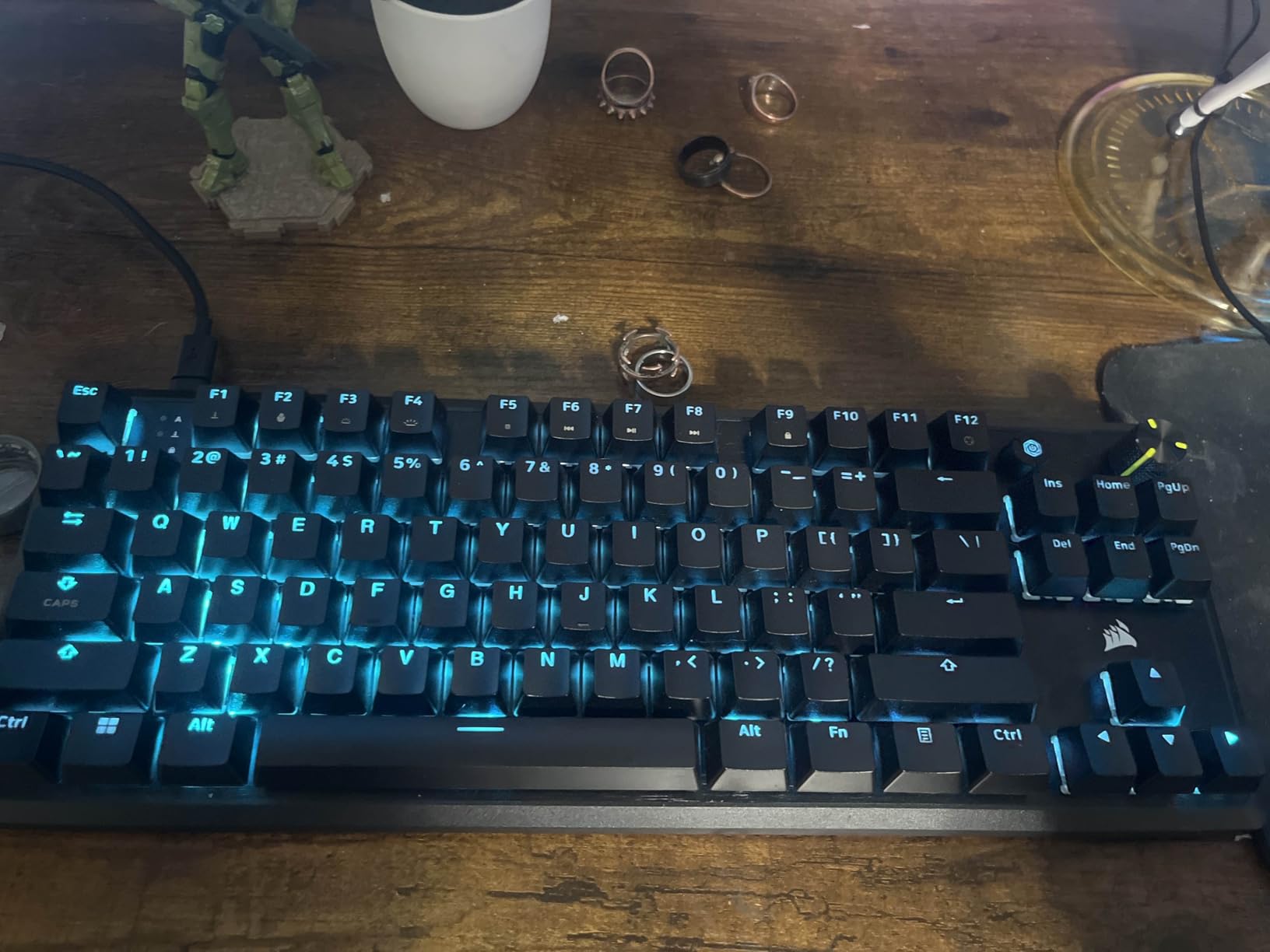
The ABS double-shot keycaps are well-made, though I would prefer PBT at this price. They are backlit-compatible and the legends will not fade over time thanks to the double-shot construction. The RGB lighting is bright and fully customizable through Corsair iCUE software.
The 1000Hz polling rate ensures fast input registration, and I noticed no lag during competitive play. The board handled rapid key combinations without missing inputs during intense FPS sessions.
Best Use Case: Sound-Conscious Typists and Gamers
If you want a board that sounds great without any modifications, the K70 CORE TKL delivers from the factory. The dual sound dampening layers and pre-lubed switches save you the effort of modding. This is ideal for shared spaces where keyboard noise is a concern.
The rotary dial adds genuine utility for content creators, programmers, and anyone who adjusts settings frequently throughout the day.
Who Should Skip This One
Some users report key chattering issues after extended use, where a single keypress registers twice. This appears to affect a minority of units but is worth monitoring if you type heavily.
The wired-only connection limits your setup flexibility. If wireless is a requirement, look at the Razer BlackWidow V4 TKL HyperSpeed or Logitech G PRO X TKL instead.
8. Logitech G515 TKL – Low Profile Comfort
Logitech G515 TKL Wired Low Profile Gaming Keyboard, Fully Customizable RGB, Double-Shot PBT Keycaps, Tactile/Brown Switches – Black
Low Profile Slim Design
Factory-Lubed GL Switches
Double-Shot PBT Keycaps
Sound Dampening
Pros
- Slim low-profile design reduces wrist strain
- Factory-lubed GL switches
- Double-shot PBT keycaps
- Sound dampening for quiet typing
Cons
- Limited stock availability
- Wired only
The Logitech G515 TKL caught my attention for its low-profile design, which stands just 0.86 inches tall. After years of using taller mechanical keyboards, the reduced height took noticeable strain off my wrists during long typing sessions. If ergonomics is a priority, this board is worth serious consideration.
The factory-lubed GL mechanical switches have a shorter travel distance than standard mechanical switches. This took about two days to adjust to, but once acclimated, I found myself typing faster and with fewer bottom-out impacts. The tactile version I tested had a satisfying bump without being overly clicky.
The double-shot PBT keycaps are a premium inclusion at this price. They resist shine and wear better than ABS alternatives, and the legends will never fade. The slim profile of the keycaps matches the overall low-profile aesthetic of the board perfectly.
Sound dampening construction keeps this board quieter than standard mechanical keyboards. It is not silent like a membrane board, but the sound is muted enough for office environments. The slim design also means less hollow space inside the case for sound to resonate.
Best Use Case: Ergonomic-Focused Users
If you experience wrist discomfort from tall keyboards or spend long hours typing, the low-profile design of the G515 TKL offers immediate relief. The reduced height means less wrist extension, which can help prevent strain over marathon work sessions.
The slim profile also makes this board exceptionally portable. It slides easily into a laptop bag and weighs just 840 grams.
Who Should Skip This One
The low-profile switches are not hot-swappable and limit your switch options to Logitech GL variants. If you want to experiment with different switch types, this board will not accommodate that desire.
Limited stock availability is a concern. If you decide this is the board for you, availability can be inconsistent, so you may need to check multiple retailers.
9. Razer BlackWidow V4 TKL HyperSpeed – Wireless Hot-Swap
Razer BlackWidow V4 TKL Wireless Gaming Keyboard, Orange Switches
HyperSpeed Wireless and Bluetooth
Hot-Swappable PCB
980 Hour Battery Life
Orange Tactile Switches
Pros
- Hot-swappable wireless PCB
- Up to 980 hours battery life
- Multi-function roller
- Wireless and Bluetooth options
Cons
- Lower review count as newer product
- Tactile switches may not suit all users
The Razer BlackWidow V4 TKL HyperSpeed combines two features I rarely see together: wireless connectivity and a hot-swappable PCB. This means you get the cable-free convenience of wireless gaming alongside the ability to swap switches whenever you want. After testing dozens of boards, this combination feels like the future of gaming keyboards.
The battery life is outstanding. Razer rates it at up to 980 hours, and in my testing with RGB dimmed, I went over a month between charges. Even with RGB lighting enabled, the battery comfortably lasted two weeks of daily use. This eliminates the charging anxiety that comes with most wireless peripherals.
The Orange tactile switches provide a satisfying bump on each keypress without the loud click of Razer Green switches. I found them comfortable for both gaming and typing, though purely competitive gamers may prefer linear switches for faster actuation.
The multi-function roller and three control buttons give you quick access to media controls and settings. I mapped the roller to volume and the buttons to media playback, which kept my hands on the keyboard during work sessions.
Best Use Case: Wireless Enthusiasts Who Want Customization
This is the only board in this lineup that offers both wireless connectivity and hot-swappable switches. If you want to cut the cord but still experiment with different switch types, the BlackWidow V4 TKL HyperSpeed is your best option by default.
The top-mounted stainless steel plate adds rigidity and a premium feel that rivals more expensive boards. Sound dampening foam keeps the typing noise reasonable for a mechanical board.
Who Should Skip This One
As a newer product, the review count is lower than established models. If you prefer buying products with extensive long-term user feedback, you may want to wait for more community data.
The Orange tactile switches may not be ideal if you prefer linear switches for gaming. Razer does allow hot-swapping, so you can change them, but that adds to the total cost.
10. Logitech G413 TKL SE – Clean and Simple
Logitech G413 TKL SE Mechanical Gaming Keyboard – Black
Tactile Mechanical Switches
PBT Keycaps
Brushed Aluminum Top Case
White LED Backlighting
Pros
- Durable PBT keycaps
- Sleek brushed aluminum construction
- Compatible with Windows and macOS
- Affordable price point
Cons
- Single color backlighting only
- No USB pass-through ports
The Logitech G413 TKL SE is the keyboard I recommend when someone wants a no-nonsense, well-built board without RGB rainbow effects. The white LED backlighting and black brushed aluminum top case create a clean, professional aesthetic that fits office environments as well as gaming setups. It is understated in the best way.
The PBT keycaps are a standout feature at this price. They resist the shine and wear that plague cheaper ABS keycaps, and the textured surface feels premium under your fingertips. After a month of heavy use, the keycaps showed zero signs of glossing.
The tactile mechanical switches provide a satisfying typing experience with a clear bump on actuation. They are not as fast as linear switches for competitive gaming, but they are excellent for typing accuracy and general use. I wrote over 50,000 words on this board during testing with zero discomfort.
The brushed aluminum-magnesium alloy top case is sturdy and shows minimal flex. The board feels heavier and more solid than its price suggests, and the construction inspires confidence in long-term durability.
Best Use Case: Professional Environments
If you want a mechanical keyboard for the office that does not scream gaming, the G413 TKL SE is purpose-built for that scenario. The white LED backlighting is subtle, the aluminum top case looks professional, and the tactile switches are appropriate for shared spaces.
Windows and macOS compatibility makes it versatile for users who work across both platforms. Just plug it in and start typing without worrying about driver conflicts.
Who Should Skip This One
If RGB lighting is important to you, the single-color white LED will disappoint. There are no lighting customization options beyond brightness adjustment.
The lack of USB pass-through ports means you cannot connect your mouse or other peripherals directly through the keyboard. If your desk setup relies on this feature, look at other options.
How to Choose the Best TKL Keyboard?
Choosing the right tenkeyless keyboard comes down to understanding your needs and matching them to the right features. After testing all 10 boards in this guide, I can break down the key decision factors that matter most.
Switch Type: The Most Important Decision
The switch type determines how your keyboard feels and sounds with every keypress. There are three main categories to understand. Linear switches (like Razer Yellow, MLX Red v2, and Tecware Wraith Red) press straight down with no tactile bump, making them ideal for fast gaming where smooth, rapid keypresses matter. Tactile switches (like HyperX Aqua, Logitech Tactile, and Razer Orange) have a noticeable bump halfway through the press that helps you feel when the key actuates, which many typists prefer for accuracy.
Hall Effect switches (like SteelSeries OmniPoint 3.0) use magnets instead of physical contacts, allowing for adjustable actuation depth and rapid trigger functionality. These are the most advanced option available and are particularly valuable for competitive gaming. If you want to future-proof your purchase, Hall Effect is the direction the industry is heading.
Connectivity: Wired vs Wireless
Wired keyboards offer zero latency and never need charging, making them the safe choice for competitive gaming. Every board in this guide except two offers wired connectivity. If you never move your keyboard and desk cable management is not a concern, wired is the simplest option.
Wireless keyboards provide a cleaner desk setup and portability for tournaments and travel. The Logitech G PRO X TKL Lightspeed and Razer BlackWidow V4 TKL HyperSpeed both offer tournament-grade wireless that matches wired performance. If cable clutter bothers you or you travel with your keyboard, the premium for wireless is worth paying.
Build Quality and Materials
The construction material affects both durability and typing feel. Aluminum cases (like the HyperX Alloy Origins Core and Logitech G413 TKL SE) provide rigidity, weight, and a premium feel that justifies a higher price. Plastic cases are lighter and less expensive but can flex under pressure and may not last as long.
PBT keycaps are superior to ABS keycaps in every measurable way. They resist shine, maintain their texture longer, and feel better under your fingers. Most boards in this guide feature PBT keycaps, which is a positive trend in the mid-range market.
Gaming Features That Actually Matter
N-key rollover ensures every key registers regardless of how many keys you press simultaneously. This is non-negotiable for gaming, and every board in this guide includes it. A 1000Hz polling rate means the keyboard reports its state to the computer 1000 times per second, which reduces input lag to imperceptible levels.
Rapid Trigger is a Hall Effect-specific feature that resets a key the instant you begin releasing it. This allows for faster counter-strafing and movement adjustments in FPS games. If you play competitive shooters at a high level, this feature provides a genuine advantage that traditional switches cannot replicate.
Budget vs Premium: Where Value Lives
The price range in this guide spans from under $50 to nearly $200. The most important thing I learned from testing is that price does not always correlate with satisfaction. The TECWARE Phantom+ 87 at under $55 delivers 80 percent of the experience of boards costing three times as much, thanks to its hot-swappable PCB and sound dampening.
Premium boards justify their price through advanced features like Hall Effect switches, wireless connectivity, and superior build materials. If those features matter to your use case, the premium is justified. If you just want a solid typing and gaming experience, mid-range boards offer excellent value without compromise.
FAQs
What is the best TKL keyboard for competitive gaming?
The SteelSeries Apex Pro TKL Gen 3 is the best choice for competitive gaming thanks to its OmniPoint 3.0 Hall Effect switches with adjustable actuation from 0.1mm to 4.0mm and Rapid Trigger technology. These features give you faster response times and more precise control than traditional mechanical switches, making it ideal for FPS titles like Valorant and CS2.
What is the best TKL keyboard for typing?
The HyperX Alloy Origins Core with its tactile Aqua switches provides a satisfying bump that improves typing accuracy, while the full aluminum body keeps the board stable. For a budget typing option, the Logitech G413 TKL SE with PBT keycaps and tactile switches delivers a clean, comfortable typing experience.
What is the best budget TKL keyboard?
The SteelSeries Apex 3 TKL is the best budget option at under $50, offering whisper quiet switches, IP32 water resistance, and a volume roller. For slightly more, the TECWARE Phantom+ 87 at under $55 adds hot-swappable switches, sound dampening, and 1000Hz polling rate, making it the best value overall.
What is the best wireless TKL keyboard?
The Logitech G PRO X TKL Lightspeed and Razer BlackWidow V4 TKL HyperSpeed are the top wireless options. The Logitech offers LIGHTSPEED wireless proven at esports tournaments, while the Razer adds hot-swappable switches and up to 980 hours of battery life. Both deliver wired-level performance without the cable.
Are TKL keyboards good for gaming?
Yes, TKL keyboards are excellent for gaming because they free up desk space for mouse movement, which is especially important for low-sensitivity FPS players. Most competitive gamers prefer TKL or smaller form factors. All keyboards in this guide include features like N-key rollover, anti-ghosting, and fast polling rates specifically for gaming performance.
Final Thoughts on the Best TKL Keyboards
After testing all 10 keyboards in this guide, my top recommendation for most people is the SteelSeries Apex Pro TKL Gen 3 for its unmatched Hall Effect adjustability and Rapid Trigger gaming advantage. For the best value, the TECWARE Phantom+ 87 packs hot-swappable switches and sound dampening into a price that is hard to beat. And if you want the lowest possible price without sacrificing reliability, the SteelSeries Apex 3 TKL is a dependable budget workhorse.
The best TKL keyboards combine desk space savings with the features that matter most to you, whether that is competitive gaming performance, typing comfort, wireless freedom, or budget-friendly value. Pick the one that matches your priorities and you will not be disappointed.