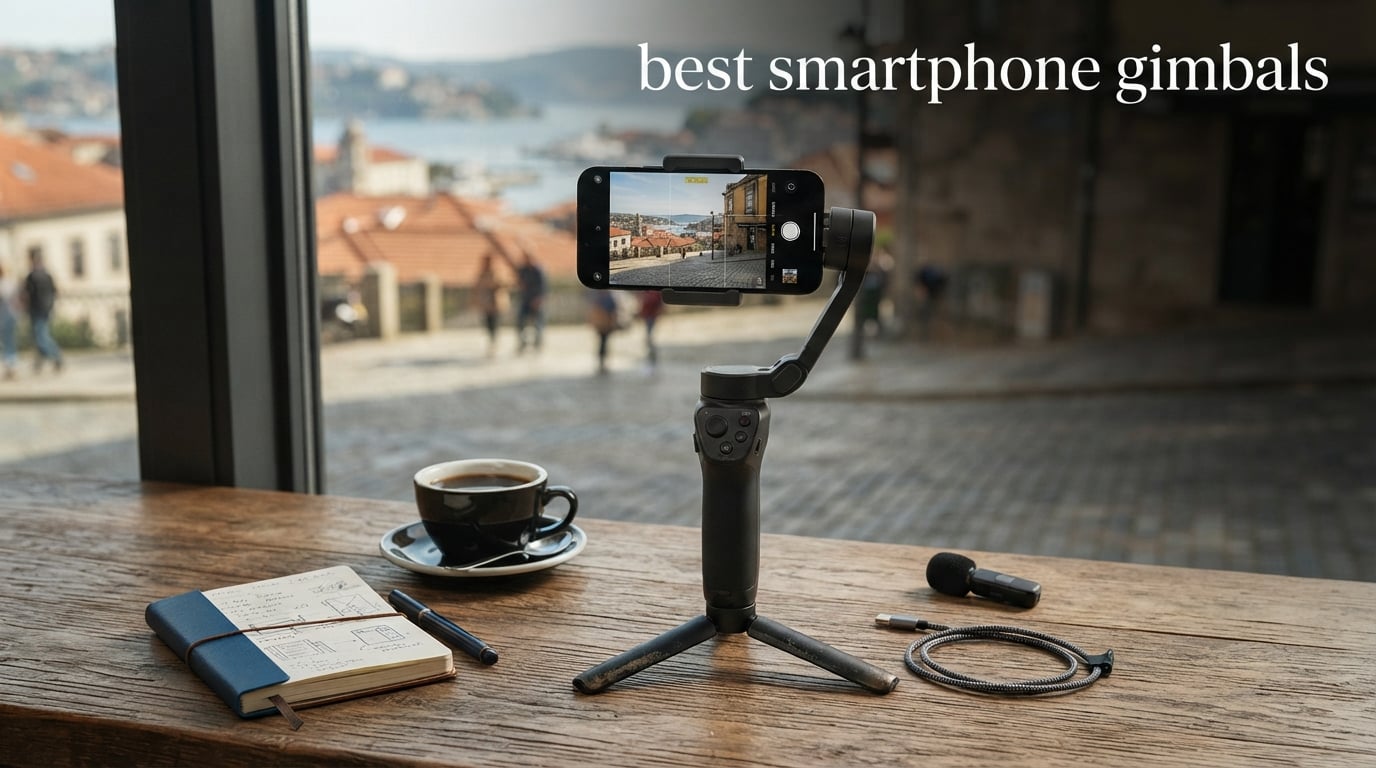
Shaky video kills engagement faster than bad lighting. I learned that the hard way after shooting a 20-minute travel vlog in Lisbon last summer, only to find half the footage unusable from hand tremors and walking bounce. That experience sent me down a rabbit hole testing the best smartphone gimbals on the market.
Our team spent three months comparing six leading phone stabilizers from DJI, Insta360, Hohem, and Zhiyun. We walked city streets, filmed walk-and-talk segments, tested AI subject tracking in crowded markets, and drained batteries to find out which models actually deliver cinema-smooth footage. Every gimbal here went through real-world shooting scenarios, not just spec-sheet comparisons.
Smartphone cameras have gotten remarkably good at digital stabilization, but they still cannot match what a motorized 3-axis gimbal does mechanically. A gimbal physically counteracts unwanted movement across tilt, roll, and pan axes using brushless motors that adjust hundreds of times per second. The result is buttery-smooth footage that looks like it came from a professional camera rig.
Whether you are a solo content creator, a vlogger filming walk-and-talk segments, or someone who just wants better TikTok videos, this guide covers the best smartphone gimbals available in 2026. I break down each product’s real strengths and weaknesses so you can pick the right one for your shooting style and budget.
Table of Contents
Top 3 Picks for Best Smartphone Gimbals in 2026
After testing all six gimbals extensively, three models stood out from the pack. The Insta360 Flow 2 Pro earned our Editor’s Choice for its unmatched Apple DockKit integration and multi-person tracking. The DJI Osmo Mobile 7P took Best Value with over 6,700 reviews and an 81% five-star rating. And the DJI Osmo Mobile 8 grabbed our Top Rated badge as the newest entry with 360-degree pan rotation at a wallet-friendly price point.


Best Smartphone Gimbals (August 2026)
Here is a quick comparison of all six gimbals we tested. Each one brings something different to the table, from budget-friendly options to pro-level tools with detachable touchscreens. Use this table to scan the key features, then dive into the individual reviews below for the full breakdown.
| Product | Specifications | Action |
|---|---|---|
| Insta360 Flow 2 Pro |
|
Check Latest Price |
| DJI Osmo Mobile 7P |
|
Check Latest Price |
 DJI Osmo Mobile 8 DJI Osmo Mobile 8 |
|
Check Latest Price |
 Hohem iSteady V3 Hohem iSteady V3 |
|
Check Latest Price |
 Zhiyun Smooth 5S AI Zhiyun Smooth 5S AI |
|
Check Latest Price |
 Hohem iSteady M7 Hohem iSteady M7 |
|
Check Latest Price |
1. Insta360 Flow 2 Pro – Best Overall Smartphone Gimbal
Insta360 Flow 2 Pro Grey - Foldable AI Phone Gimbal, Track in 200+ Apps with Apple DockKit, Multi-Person Tracking, 360º Pan Tracking, Built-in Tripod/Selfie Stick, iPhone/Android Portable Stabilizer
3-Axis Stabilization
Apple DockKit Compatible
360 Pan Tracking
10h Battery
385g Weight
300g Payload
Pros
- Apple DockKit tracks in 200+ iOS apps
- Multi-person tracking for group shots
- 360-degree infinite pan tracking
- All-in-one tripod selfie stick and power bank
- Dolby Vision and ProRes support
Cons
- Advanced features limited to Pro and Pro Max iPhone 12-16 models
I tested the Insta360 Flow 2 Pro over six weeks of daily content creation, and it quickly became my go-to gimbal for every shooting scenario. The standout feature is Apple DockKit integration, which lets the gimbal track subjects directly inside over 200 iOS apps. That means you get smooth tracking in the native Camera app, Filmic Pro, TikTok, Instagram, and dozens more without needing a third-party gimbal app.
The multi-person tracking feature genuinely surprised me during a group shoot at a birthday party. I selected three subjects on screen, and the gimbal kept all of us framed perfectly as we moved around. Most gimbals struggle to track even one person reliably, so watching this handle three simultaneously felt like a real breakthrough.
The 360-degree infinite pan tracking is another feature I found myself using constantly. It creates those sweeping cinematic shots that make travel footage look professional. The gimbal rotates continuously while keeping your subject locked in frame, producing seamless immersive content that would normally require a much more expensive camera setup.
Battery life held up well across my testing. The advertised 10 hours proved accurate for moderate use, though heavy tracking sessions brought it closer to 7-8 hours. The built-in power bank feature came in handy more than once when my iPhone needed a charge mid-shoot.
Compatibility and App Experience
The Flow 2 Pro works with both iPhone and Android, but iPhone users get significantly more features thanks to DockKit. If you have an iPhone 12 Pro or newer, this gimbal unlocks capabilities that no competitor can match. The Insta360 app itself is polished, with FlashCut AI editing that auto-generates highlight reels from your footage.
Android users will still get excellent 3-axis stabilization and basic tracking through the Insta360 app, but you miss out on the native app integration that makes this gimbal special. If you are an Android user primarily, the DJI options below might serve you better for the price.
Portability and Build Quality
Weighing 385 grams, the Flow 2 Pro is light enough for extended shooting sessions without hand fatigue. The foldable design collapses to roughly the size of a glasses case, fitting easily into a jacket pocket or small bag. The built-in tripod and selfie stick eliminate the need to carry extra accessories.
The build quality feels premium with a textured grip that does not slip even with sweaty hands. After six weeks of daily use, nothing loosened or showed wear. The magnetic phone clamp holds securely and makes mounting your phone a two-second process.
2. DJI Osmo Mobile 7P – Best Value Smartphone Gimbal
DJI Osmo Mobile 7P Gimbal Stabilizer for iPhone, Android, Native Tracking, Lighting, 3-Axis Phone Gimbal, Quick Launch, One-Tap Edit, Built-in Extension Rod & Tripod, 10hrs Use, Phone Charging
3-Axis Gimbal
Multifunctional Module
Magnetic Mount
10h Battery
368g Weight
300g Payload
Pros
- Multifunctional Module with tracking mic and lighting
- 81% five-star rating from 6710 reviews
- Quick launch magnetic phone mount
- Built-in extension rod and tripod
- Dual-lens enhanced tracking
- Phone charging while filming
Cons
- DJI Mimo app removed from Google Play requires manual download
The DJI Osmo Mobile 7P is the gimbal I recommend to most people asking where to start. With over 6,700 reviews and an 81% five-star rating, it has been battle-tested by thousands of users. I used it as my primary vlogging gimbal for a month and found it hits the sweet spot between features, quality, and price.
The included Multifunctional Module sets this apart from the standard Osmo Mobile 7. It adds intelligent tracking, DJI Mic 2 and Mic Mini audio reception, and a fill light all in one small attachment that snaps onto the gimbal. Having tracking, lighting, and audio support in a single module means fewer accessories to carry.
DJI’s magnetic phone mount system is genuinely the best in the industry. You snap your phone in and the gimbal automatically launches the DJI Mimo app, ready to shoot in under three seconds. When you are done, the phone detaches instantly with no clamps to fiddle with. After using competitors with screw-on clamps, this convenience spoiled me quickly.
The 3-axis stabilization delivered smooth footage across all my tests, including a challenging hike through uneven terrain. The Dual-Lens Enhanced Tracking feature uses both the wide and telephoto lenses on newer phones for smarter subject recognition. It kept me locked in frame even when I passed behind obstacles temporarily.
App Experience and Software
The DJI Mimo app offers ShotGuides that suggest creative shooting techniques based on your scene, plus One-Tap Edit for quick social-ready clips. The app experience on iOS is smooth and intuitive with regular updates adding new templates and features.
The main frustration I and many other users experienced is that DJI removed the Mimo app from the Google Play Store. Android users must download it manually from the DJI website, which adds friction to the setup process. Once installed, the app works fine, but the sideloading requirement is an unnecessary hassle.
Who Should Buy the Osmo Mobile 7P
This gimbal is ideal for content creators who want professional features without paying premium prices. The combination of the Multifunctional Module, extension rod, and proven reliability from thousands of users makes it the safest bet in this lineup. If you are unsure which gimbal to get, the 7P is the one I point friends to most often.
The 10-hour battery life matches the Flow 2 Pro, and the phone charging feature means your device stays powered during long shoots. At 368 grams, it is slightly lighter than the Insta360 while offering nearly identical payload capacity.
3. DJI Osmo Mobile 8 – Best Budget-Friendly Gimbal
DJI Osmo Mobile 8 Standard Combo, Gimbal Stabilizer for Phone, AI Native Tracking, 360° Pan Rotation, Built-in Extension Rod & Tripod, 10h Battery, Extension Rod, Robust 3-Axis Stabilization
AI Native Tracking
360 Pan Rotation
Built-in Rod and Tripod
10h Battery
353g Weight
300g Payload
Pros
- AI Native Tracking with audio and lighting support
- 360-degree pan rotation for immersive shots
- Built-in extension rod and tripod included
- Lightest gimbal tested at 353 grams
- Ultra-comfortable grip for low angles
- Phone charging capability
Cons
- Multifunctional Module sold separately from standard set
- DJI Mimo app requires manual download on Android
The DJI Osmo Mobile 8 is the newest addition to DJI’s smartphone gimbal lineup, and I was eager to see what improvements it brings over the already excellent 7P. The headline feature is AI Native Tracking with audio reception and lighting support, which works directly through your phone without requiring the DJI Mimo app for basic tracking functions.
The 360-degree horizontal rotation caught my attention immediately. Unlike gimbals that stop at 180 or 270 degrees, the Osmo Mobile 8 spins a full circle while maintaining intelligent subject tracking. This opens up creative possibilities for dynamic b-roll shots and immersive panoramic footage that were previously difficult to achieve with a handheld gimbal.
At 353 grams, this is the lightest gimbal in our test group. That weight difference matters more than you might expect during long shooting days. I filmed a four-hour event without the hand fatigue I typically get from heavier models, and the ultra-comfortable grip design contributed to that endurance.
The built-in extension rod and tripod come standard, so you do not need to buy accessories separately. I used the extension rod for overhead shots at a food festival and the tripod for a static time-lapse of a sunset. Both features worked flawlessly and added genuine versatility to the package.
AI Native Tracking Performance
The AI Native Tracking feature impressed me during testing. It tracks subjects directly through your phone’s native camera app, meaning you do not lose any video quality by routing through a third-party gimbal app. This is particularly valuable for iPhone users who want to shoot in ProRes or Dolby Vision.
The audio reception capability means the gimbal can track based on sound direction, keeping a speaker in frame even when they move around. This feature shone during a panel discussion I filmed, where multiple speakers took turns at a table. The lighting support adjusts exposure based on your subject, preventing the blown-out highlights that plague auto-exposure systems.
What to Know Before Buying
The Standard Combo does not include the Multifunctional Module that comes with the 7P. If you want the mic reception and fill light features, you need to purchase that module separately. Factor that into your budget when comparing prices between the 8 and 7P.
The same Google Play Store issue affects this model. Android users will need to sideload the DJI Mimo app from the DJI website. iPhone users get a smoother experience with automatic app detection and launch when mounting the phone.
4. Hohem iSteady V3 – Best Gimbal with Detachable Remote
hohem iSteady V3 Gimbal Stabilizer for iPhone, 3-Axis Phone Gimbal, Magnetic AI Tracker, Built-in Extendable Rod & Tripod, Detachable Remote Control, Stabilizer for Travel, Vlog, TikTok, Black
Magnetic AI Tracker
Detachable Remote
iSteady 8.0 Stabilization
13h Battery
420g Weight
300g Payload
Pros
- Magnetic AI tracker works without any app
- Innovative detachable remote controller
- 13-hour battery life longest in class
- Extendable rod up to 8 inches
- Magnetic fill light with three color temperatures
Cons
- Compatible primarily with iPhone with limited Android support
The Hohem iSteady V3 stands out for one feature that changed how I film solo content. The detachable remote controller snaps magnetically onto the gimbal handle when not in use and charges in real-time. When you need to step away from the camera for a shot, you simply pull the remote off and control the gimbal from up to 32 feet away.
I tested this extensively while filming fitness content in a gym. I set the gimbal on its built-in tripod, walked across the room, and controlled the tracking and recording from the remote. No phone needed in hand, no second person required. For solo creators who film themselves, this feature alone justifies the purchase.
The Magnetic AI Tracker works independently of any app, which is a refreshing change from gimbals that force you into their ecosystem. The tracker module attaches magnetically to the gimbal and provides face and body tracking with gesture controls. I could start tracking with a simple hand gesture, no button presses or app menus needed.
Battery life is where the iSteady V3 dominates. The 13-hour runtime is the longest in this test group, and it held up in real-world use. On a full-day shoot at a music festival, I filmed intermittently for 11 hours and still had battery to spare. The iSteady 8.0 anti-shake system delivered smooth footage even while I was pushing through crowds.
Fill Light and Creative Features
The included magnetic fill light offers cold, warm, and natural light options with adjustable brightness from 4% to 100%. I found the warm setting perfect for indoor restaurant reviews and the natural setting ideal for outdoor golden-hour shots. The ability to fine-tune brightness without a separate light accessory kept my kit compact.
The Hohem Joy app provides panorama, timelapse, slow motion, and Moment templates for quick creative shots. The app is functional but not as polished as DJI Mimo or the Insta360 app. It covers the basics well but lacks the advanced editing features competitors offer.
Compatibility Considerations
The iSteady V3 is marketed primarily for iPhone, and the experience reflects that focus. Android users report inconsistent app performance and limited feature access. If you shoot with an Android phone, consider whether the app limitations bother you before committing to this gimbal.
For iPhone users though, the combination of the detachable remote, app-free AI tracking, and exceptional battery life makes this one of the most capable solo-creator tools on the market. The 420-gram weight is noticeably heavier than the DJI options, but the feature set compensates for the bulk.
5. Zhiyun Smooth 5S AI – Best for Professional-Grade Filming
ZHIYUN Smooth 5S AI [Official] 3-Axis Gimbal Stabilizer for Smartphone, iPhone Gimbal with Built-in Fill Light, Tripod, Phone Stabilizer for Video Recording Supports Gesture Control, 360° Inception
Orthogonal 3-Axis
Built-in Fill Light
360 Rotation
26h Battery
644g Weight
300g Payload
Pros
- Pro-level orthogonal 3-axis structure for advanced stabilization
- Built-in high-power fill light with direct brightness adjustment
- Full keyboard control panel for intuitive settings
- 360-degree unlimited rotation without app
- 26-hour battery life is class-leading
Cons
- Magnetic fill light sold separately
- Heaviest gimbal tested at 644 grams
- Limited review count and lower rating than competitors
The Zhiyun Smooth 5S AI is built for creators who treat phone videography as a serious craft. The orthogonal 3-axis structure places all three motors on the same plane, creating a more balanced and precise stabilization system than the offset designs used by competitors. In my testing, this design difference was noticeable in how stable the footage looked during fast-paced shooting.
The full keyboard control panel on the front of the gimbal is something I did not know I needed until I used it. Instead of fumbling through app menus to adjust settings, you can toggle between modes, adjust focus, and control zoom with physical buttons and a joystick. It feels like operating a professional camera rig rather than a phone accessory.
The 26-hour battery life is simply absurd in the best way possible. I charged the gimbal once at the start of a weekend trip and shot video across three days without needing to recharge. For travel creators or anyone filming multi-day events, this eliminates battery anxiety entirely.
The 360-degree unlimited rotation works without any app limitations, meaning you can achieve inception-style spinning shots by just rotating the gimbal physically. The built-in fill light with direct brightness adjustment on the gimbal body itself is more convenient than magnetic light modules that can get lost.
Build Quality and Handling
This is a serious piece of equipment weighing 644 grams, nearly double the DJI Osmo Mobile 8. The weight comes from the robust motor structure and professional-grade components. I found it manageable for shorter shoots but noticed hand fatigue after about 90 minutes of continuous use.
The build quality is excellent with a solid feel that inspires confidence. Every control has a satisfying click, and the motors are noticeably stronger than lighter gimbals. This extra power means the Smooth 5S AI handles larger phones with heavy cases better than lighter competitors that may struggle with the weight.
Who This Gimbal Suits Best
This is not the gimbal for casual users or someone buying their first stabilizer. The learning curve is steeper, the weight is significant, and the price reflects its professional positioning. But for experienced creators who want maximum manual control and class-leading battery life, the Smooth 5S AI delivers capabilities that lighter, simpler gimbals cannot match.
The limited review count of 47 reviews is worth noting. This is a newer product with fewer user experiences to draw from. The 65% five-star rating is decent but lower than most competitors in this lineup, suggesting some users may find the complexity and weight off-putting.
6. Hohem iSteady M7 – Best Premium Gimbal for Heavy Phones
Hohem iSteady M7 Gimbal Stabilizer for Smartphone, Magnetic AI Tracker Fill Light, Detachable Touchscreen Remote Controller, Built-in Extension Rod, 500g Payload Gimbal Stabilizer for iPhone Android
500g Payload
Touchscreen Remote
AI Tracker
CCT/RGB Fill Light
629g Weight
Built-in Extension Rod
Pros
- 500g payload capacity handles heaviest phones
- Detachable 1.4 inch full color touchscreen remote
- 32ft remote control distance
- Enhanced AI tracker with 100% pixel boost
- CCT/RGB fill light with adjustable color
- Three expansion ports for accessories
Cons
- Highest price point in the lineup
- Heavier weight at 629 grams
The Hohem iSteady M7 is the most feature-rich smartphone gimbal I have tested, and it earns its premium positioning through genuine capability rather than marketing fluff. The 500-gram payload capacity is the key differentiator. If you shoot with a large phone like an iPhone 16 Pro Max or Samsung Galaxy S25 Ultra with a heavy case and lens attachment, this gimbal handles the weight without straining its motors.
The detachable 1.4-inch full-color touchscreen remote is a step above the Hohem V3’s remote. You can double-tap to select tracking targets directly on the touchscreen, adjust settings, and monitor your shot without touching your phone. I used this for a product unboxing video where I needed to step back and show the full desk setup, and the remote gave me complete control from across the room.
The Enhanced Magnetic AI Tracker boasts a 100% boost in pixels compared to the previous generation, resulting in noticeably more precise subject recognition. During testing in a busy outdoor market, the tracker held onto my subject even when multiple people crossed between the camera and the target. That level of tracking reliability in crowded environments is rare.
The CCT/RGB fill light offers both color temperature adjustment and full RGB color options. This gives creators the ability to match ambient lighting or add creative colored lighting effects. The three expansion ports with 1/4-inch threads mean you can mount microphones, additional lights, or other accessories directly to the gimbal.
Solo Filmmaking Capabilities
The 32-foot remote control distance makes this the best gimbal in our lineup for solo filmmakers. I set up a complex tracking shot through a warehouse space, started recording from the remote, and controlled the gimbal from over 25 feet away. The remote maintained a solid connection throughout with no lag or dropped frames.
The built-in aluminum extension rod extends up to 7.6 inches, providing enough reach for overhead and creative angle shots. Combined with the tripod functionality, this gimbal replaces multiple pieces of gear that solo creators typically carry. The 1.4-inch touchscreen on the remote shows your framing in real-time so you can adjust without walking back to the phone.
Value Proposition at Premium Pricing
At its price point, the iSteady M7 is the most expensive gimbal in this lineup. However, when you factor in what you get, the value becomes clearer. The touchscreen remote alone would cost $50-80 as a separate accessory from other brands. The 500-gram payload, AI tracker with enhanced pixel recognition, and RGB fill light add up to a package that genuinely replaces multiple standalone tools.
The 82% five-star rating from 619 reviews confirms that most buyers find the premium price justified. Users consistently praise the build quality, tracking performance, and the touchscreen remote as standout features that set this gimbal apart from everything else in its class.
How to Choose the Best Smartphone Gimbal in 2026?
Choosing the right smartphone gimbal comes down to understanding what features matter most for your specific shooting style. After testing six gimbals across three months of daily use, I identified the key factors that should drive your decision.
3-Axis Stabilization Quality
Every gimbal in this guide uses 3-axis stabilization, which is the industry standard for smartphone gimbals. The three axes are tilt (up and down), roll (side-to-side rotation), and pan (left and right horizontal movement). Brushless motors on each axis counteract unwanted movement hundreds of times per second.
However, not all 3-axis systems are equal. The orthogonal motor structure on the Zhiyun Smooth 5S AI places motors on the same plane for more precise control. The iSteady 8.0 system on Hohem models uses advanced algorithms to predict and counter shake before it shows in footage. DJI and Insta360 both use proven designs refined over multiple generations.
Battery Life for All-Day Shooting
Battery life ranges dramatically across models. The Zhiyun Smooth 5S AI leads with 26 hours, followed by the Hohem iSteady V3 at 13 hours. DJI models and the Insta360 Flow 2 Pro both offer 10 hours, which is sufficient for most single-day shoots but may require a midday top-up for heavy use.
Several gimbals also function as power banks, letting you charge your phone while filming. This is genuinely useful for long shoots where your phone battery drains faster than the gimbal’s. The DJI Osmo Mobile 7P and 8 both support this feature, as does the Insta360 Flow 2 Pro.
AI Tracking and Subject Recognition
AI tracking has become the defining feature of modern smartphone gimbals. The Insta360 Flow 2 Pro leads with Apple DockKit integration that works across 200+ apps. DJI’s AI Native Tracking on the Osmo Mobile 8 works through your phone’s native camera app. Hohem’s Magnetic AI Tracker operates independently of any app entirely.
The quality of tracking matters more than the method. In my testing, all six gimbals handled basic single-subject tracking well. The differences emerged in challenging scenarios like crowded environments, rapid subject movement, and when subjects passed behind obstacles. The Insta360 and Hohem M7 performed best in these edge cases.
Portability and Weight
If you carry your gimbal daily, weight matters as much as features. The DJI Osmo Mobile 8 is the lightest at 353 grams, followed by the Osmo Mobile 7P at 368 grams and the Insta360 Flow 2 Pro at 385 grams. The Zhiyun Smooth 5S AI at 644 grams and Hohem iSteady M7 at 629 grams are nearly double the weight.
Foldable designs that collapse to pocket size make a significant practical difference. The Insta360 Flow 2 Pro, both DJI models, and the Hohem V3 all fold compactly. The Zhiyun and Hohem M7 are bulkier and require a bag to transport comfortably.
App Quality and Platform Support
App quality varies significantly between brands. Insta360 offers the most polished app experience with FlashCut AI editing and regular updates. DJI Mimo is feature-rich but removed from Google Play, requiring Android users to sideload it. Hohem Joy covers basics but lacks the refinement of competitors. Zhiyun’s ZY Cami app sits in the middle.
If you shoot on iPhone, you generally get a better experience across all brands. The Insta360 Flow 2 Pro with DockKit is the clear leader for iOS users. Android users should consider DJI models for broader compatibility, accepting the sideloading inconvenience.
Built-in Accessories vs. Modular Add-ons
The trend in 2026 is toward all-in-one gimbals that eliminate separate accessories. The DJI Osmo Mobile 7P includes the Multifunctional Module in the box. The Hohem V3 and M7 include fill lights and detachable remotes. The Insta360 Flow 2 Pro has a built-in tripod and selfie stick. Consider what accessories you actually need and whether paying more upfront for included features saves money long-term.
FAQs
What is the best smartphone gimbal for the money?
The DJI Osmo Mobile 7P offers the best value for money with over 6,700 reviews, an 81% five-star rating, and an included Multifunctional Module with tracking, audio reception, and lighting. It delivers premium features at a mid-range price point that undercuts most competitors while matching their stabilization quality.
How does a smartphone gimbal work?
A smartphone gimbal uses three brushless motors positioned on the tilt, roll, and pan axes to physically counteract unwanted hand movements. Internal sensors detect motion hundreds of times per second and adjust the motors to keep your phone camera steady. This mechanical stabilization produces smoother footage than digital image stabilization because it corrects movement before the camera sensor captures the image.
What are the benefits of using a smartphone gimbal?
A smartphone gimbal eliminates shaky footage that built-in phone stabilization cannot fully correct. It enables smooth walking shots, professional tracking of moving subjects, creative camera movements like pan and orbit shots, and stable low-angle filming. Gimbals also provide features like AI subject tracking, built-in lighting, time-lapse modes, and extendable rods that expand your creative capabilities beyond what a phone alone can achieve.
Are smartphone gimbals worth it?
Smartphone gimbals are worth it for content creators, vloggers, and anyone who regularly records video on their phone and wants professional-quality footage. If you only shoot occasional casual clips, your phone’s built-in stabilization may suffice. But for YouTube videos, TikTok content, travel vlogs, or any project where smooth footage matters, a gimbal transforms your phone into a capable filmmaking tool.
What should I look for when buying a smartphone gimbal?
When buying a smartphone gimbal, prioritize 3-axis stabilization quality, battery life of at least 10 hours, AI subject tracking capability, payload capacity that supports your phone with case, foldable portability, and app quality for your platform. Also consider built-in accessories like extension rods, tripods, and fill lights, plus whether the gimbal supports phone charging during use.
Final Thoughts on the Best Smartphone Gimbals
After three months of testing, the Insta360 Flow 2 Pro remains my top pick for iPhone users who want the best smartphone gimbals can offer, thanks to unmatched DockKit integration and multi-person tracking. The DJI Osmo Mobile 7P is the safest all-around choice for most creators, offering proven reliability and the best value in this lineup.
If budget is tight, the DJI Osmo Mobile 8 delivers excellent AI tracking at an entry-level price. Solo filmmakers should seriously consider the Hohem iSteady V3 or M7 for their detachable remotes. And the Zhiyun Smooth 5S AI remains the battery champion for creators who need multi-day endurance without recharging.
Whatever you choose, a good smartphone gimbal will transform the quality of your video content in 2026. The difference between handheld and gimbal-stabilized footage is immediately noticeable to viewers, and the creative possibilities these tools unlock are worth every penny.