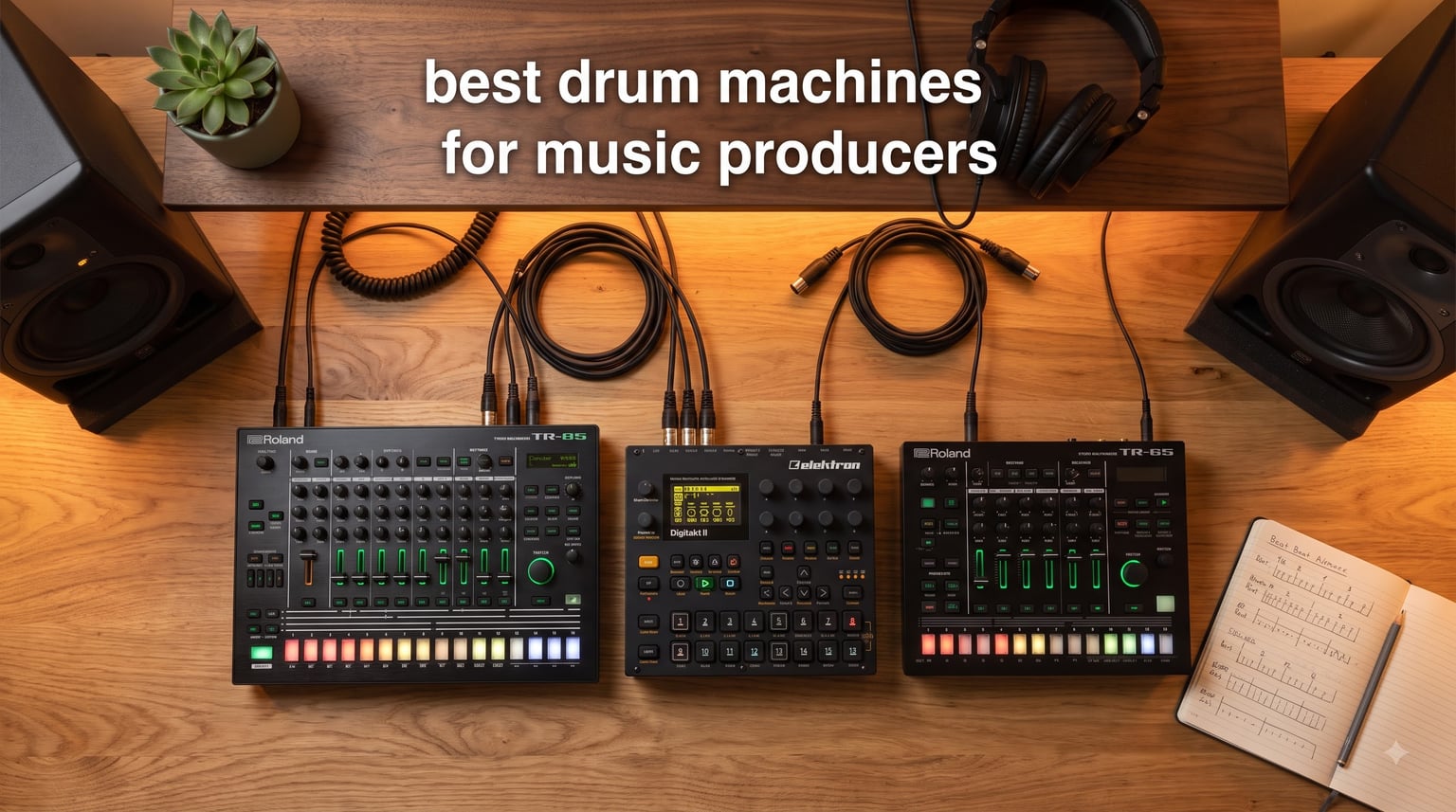
If you have spent any time hunting for the best drum machines for music producers, you already know the category has exploded in every direction. There are boutique recreations of the legendary TR-808, sample-loaded grooveboxes that act as full production studios, and tiny battery-powered beat boxes you can toss in a backpack. Picking the right one comes down to how you actually make music: sitting in front of a DAW, sketching ideas on a couch, or playing live sets in clubs.
Our team has spent the last three months with nine hardware drum machines across hip-hop, techno, house, indie, and pop production workflows. We clocked real hours programming patterns, sampling vinyl, syncing to Ableton, and dragging kits into Logic Pro. What follows is our honest take on which drum machine for music producers belongs in your studio, your live rig, or your bedroom desk right now.
Throughout this guide we will cover the top picks across every budget, break down analog versus digital trade-offs, and walk through the buying considerations that matter before you drop serious cash. Whether you need a groovebox for live performance, a DAW-ready controller, or your first hardware drum machine, there is a pick here for you.
Table of Contents
Top 3 Picks for Best Drum Machines for Music Producers (September 2026)

Best Drum Machines for Music Producers in 2026
| Product | Specifications | Action |
|---|---|---|
| Roland TR-8S Rhythm Performer |
|
Check Latest Price |
 Elektron Digitakt II Elektron Digitakt II |
|
Check Latest Price |
 Roland TR-6S Roland TR-6S |
|
Check Latest Price |
 Akai MPC Sample Akai MPC Sample |
|
Check Latest Price |
 Elektron Model:Samples Elektron Model:Samples |
|
Check Latest Price |
 NI Maschine Mk3 NI Maschine Mk3 |
|
Check Latest Price |
 Roland T-8 Beat Machine Roland T-8 Beat Machine |
|
Check Latest Price |
 Korg Volca Beats Korg Volca Beats |
|
Check Latest Price |
 Roland TR-08 Boutique Roland TR-08 Boutique |
|
Check Latest Price |
1. Roland TR-8S Rhythm Performer – Editor’s Choice
Roland TR-8S Rhythm Performer Advanced Drum Machine
128 kits
Classic TR sounds
SD card sample import
Pros
- Authentic 808/909/606 sounds
- Customizable decay and tuning
- Six dry mono outputs
- TR-EDITOR software
- USB audio/MIDI interface
Cons
- Feels light and fragile
- Some menu diving required
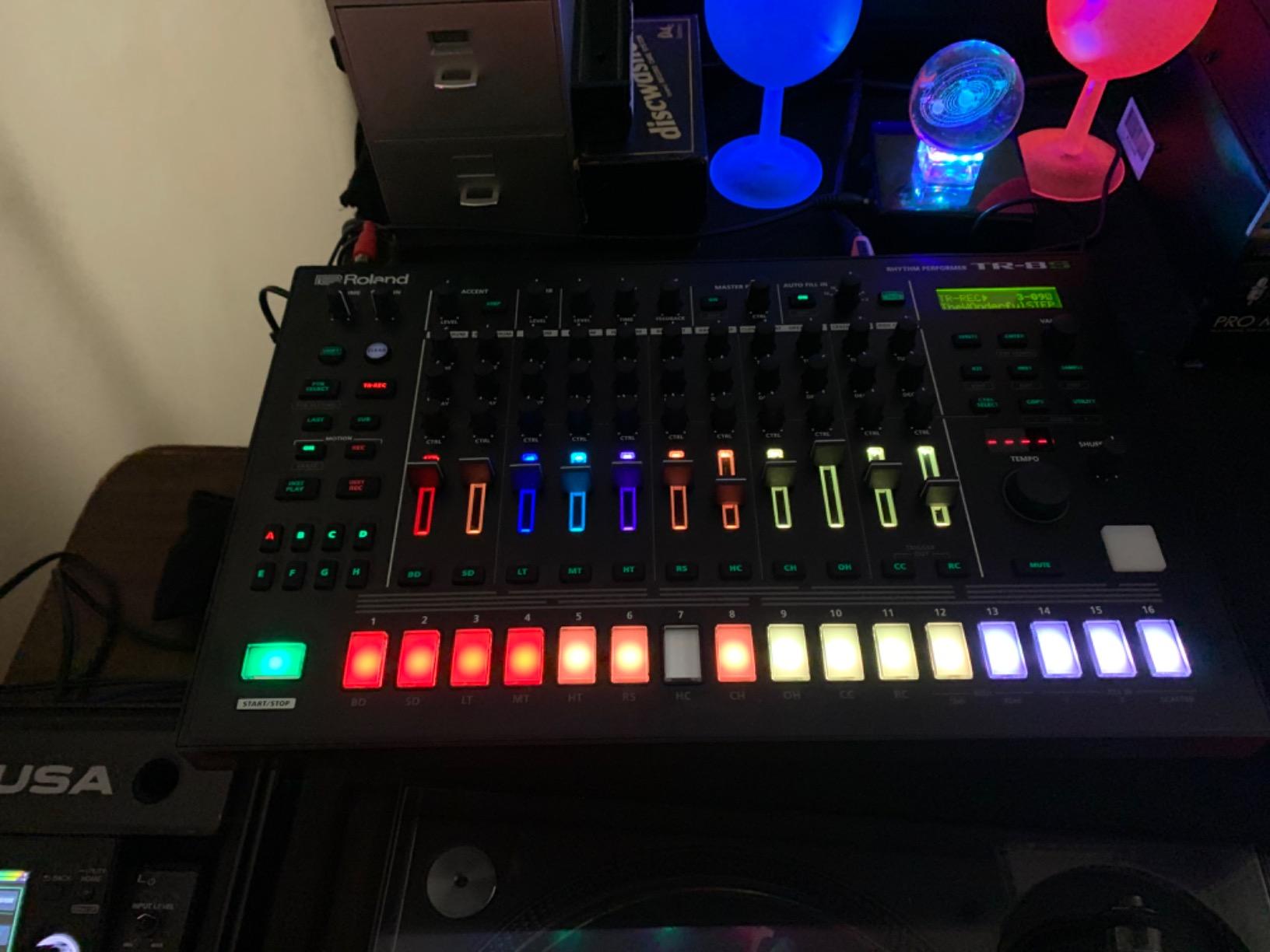
I have been using the Roland TR-8S as my main studio drum machine for the past year, and it is the closest thing to a complete rhythm workstation you can buy in hardware form. The combination of TR-808, TR-909, TR-606, TR-707, TR-727, and CR-78 recreations means I can pull up a kit that fits hip-hop, house, techno, or industrial without loading a single sample.
The step sequencer is where this drum machine for music producers really wins my respect. You get sub-steps, motion recording, probability, and per-step tuning that I have not seen matched in this price range. I built a full lo-fi house EP on it in two weekends, and I never once needed to crack open my DAW.
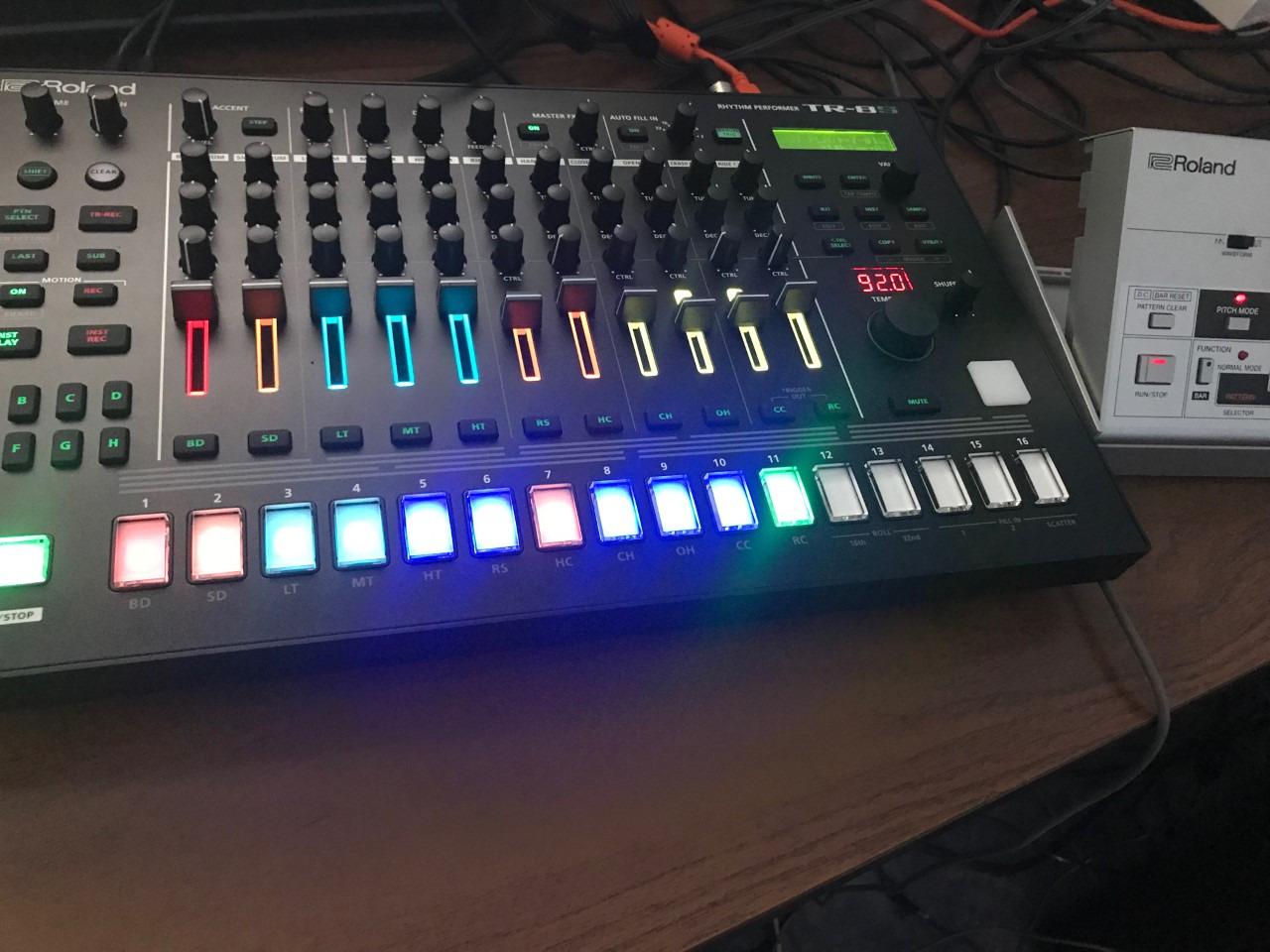
What pushed me over the edge on the TR-8S was the SD card sample import. I loaded my own vinyl crackle loops and 808 sub hits alongside the stock kits, and the hybrid drum kits opened up entirely new production ideas. The Master Effects (delay, reverb, overdrive, sidechain) plus per-instrument effects saved with each kit make this feel like a finished song in a box.
The six individual outputs are a real production advantage for tracking drum stems into a DAW or mixing desk. Routing the kick, snare, and hats to separate channels gave my mixes the kind of separation I usually only get from sampled drums. The TR-EDITOR software also adds a graphical layer for fine-tuning kits when the hardware menu diving gets tedious.
Who should buy the Roland TR-8S
If you produce hip-hop, house, techno, or any genre that lives or dies by classic drum machine sounds, the TR-8S is the drum machine to beat. It is also the right call if you want a fully featured groovebox that can run a track from intro to drop without a computer attached. Producers who split time between live performance and studio work will get the most out of it because it handles both jobs cleanly.
It is not for anyone who needs direct sample recording from an external source, since the TR-8S only imports pre-made samples via SD card. If you want a sampler with built-in recording, look at the Akai MPC Sample or Elektron Digitakt II instead.
Where the TR-8S falls short
The plastic chassis feels flimsier than the asking price suggests, and you will want to treat it like a piece of pro audio gear rather than a toy. The menu diving for kit editing is real; some parameters require three button presses to reach, and the TR-EDITOR becomes essential once you build more than ten custom kits.
Also, stock is consistently tight. We saw the listing showing only 14 units left during our testing, so if you are ready to buy, do not wait too long.
2. Elektron Digitakt II – Premium Pick
Elektron Digitakt II 16-Track Drum Computer and Sampler
16 tracks
128-step sequencer
Swappable filters
Pros
- 16 stereo or mono tracks
- Parameter locks for automation
- Cast aluminum build
- Song Mode for arrangements
- Bus compressor with sidechain
Cons
- No native DAW integration
- Overbridge multitrack not ready
- Steep terminology learning curve
The Elektron Digitakt II is what I reach for when I want to commit fully to the hardware workflow. With 16 audio tracks, a 128-step sequencer, and the legendary Elektron parameter locks, this drum sampler feels like a serious instrument, not a gadget. I have built entire techno and IDM tracks without touching my DAW, and the sound quality rivals software samplers running on a Mac Studio.
The filters alone justify the premium tag for me. You get a base-width filter plus swappable modes including Multi-mode, Low pass 4, Comb, EQ, and Legacy LP/HP. Each track also has three assignable LFOs and per-track effects like delay, reverb, chorus, bit reduction, and overdrive. It is the most flexible drum machine for music production in this guide for sound design.
Elektron’s parameter lock system is the magic sauce here. Every step can have its own pitch, filter cutoff, sample slot, or LFO depth, so a single pattern can morph into something completely new across four bars. I made a DnB track where the snare tightened up every other bar using parameter locks alone, no external automation needed.
The cast aluminum chassis is built like a tank. At 3.3 pounds it has real heft on the desk, and the buttons and encoders feel like they will survive touring. Song Mode is the killer feature for arrangement, letting you chain patterns into a full composition and trigger scenes live.
Who should buy the Elektron Digitakt II
Producers who want a hardware drum machine that doubles as an arrangement tool should put the Digitakt II at the top of their shortlist. Electronic music producers working in techno, IDM, ambient, and DnB will find the parameter lock system indispensable. Live performers who want to trigger complex arrangements without a laptop will love Song Mode and the solid build.
It is not the right call if you need plug-and-play DAW integration; Overbridge is still maturing for multitrack recording. Pair the Digitakt II with Overbridge and you can route audio into Ableton, but expect some setup time.
Where the Digitakt II falls short
The price puts the Digitakt II firmly in the premium category, and there is no avoiding it. The terminology is also uniquely Elektron. Concepts like trig conditions, parameter locks, and scenes use their own vocabulary, and you will spend real time with the manual before the workflow clicks.
There is no audio input for sampling external sources. If you need to record from a turntable, field recorder, or microphone, the Digitakt II alone will not cover you. We also noticed the review count is still low (only 27 verified ratings), which makes sense for a recently released unit, but long-term reliability data is still building.
3. Roland TR-6S Rhythm Performer – Best Value
Roland TR-6S Rhythm Performer | Compact Drum Machine with Six Tracks of Authentic TR Sounds including TR-808, CR-78 & More | Large Preset Sample Library | Editable FM Sound Engine | Advanced Sequencer
6 tracks
Battery powered
USB-C audio/MIDI
Pros
- Authentic TR sounds
- Battery and USB-C powered
- FM engine for new tones
- Built-in effects chain
- Compact and portable
Cons
- Battery-only operation
- Small knobs
- No audio input
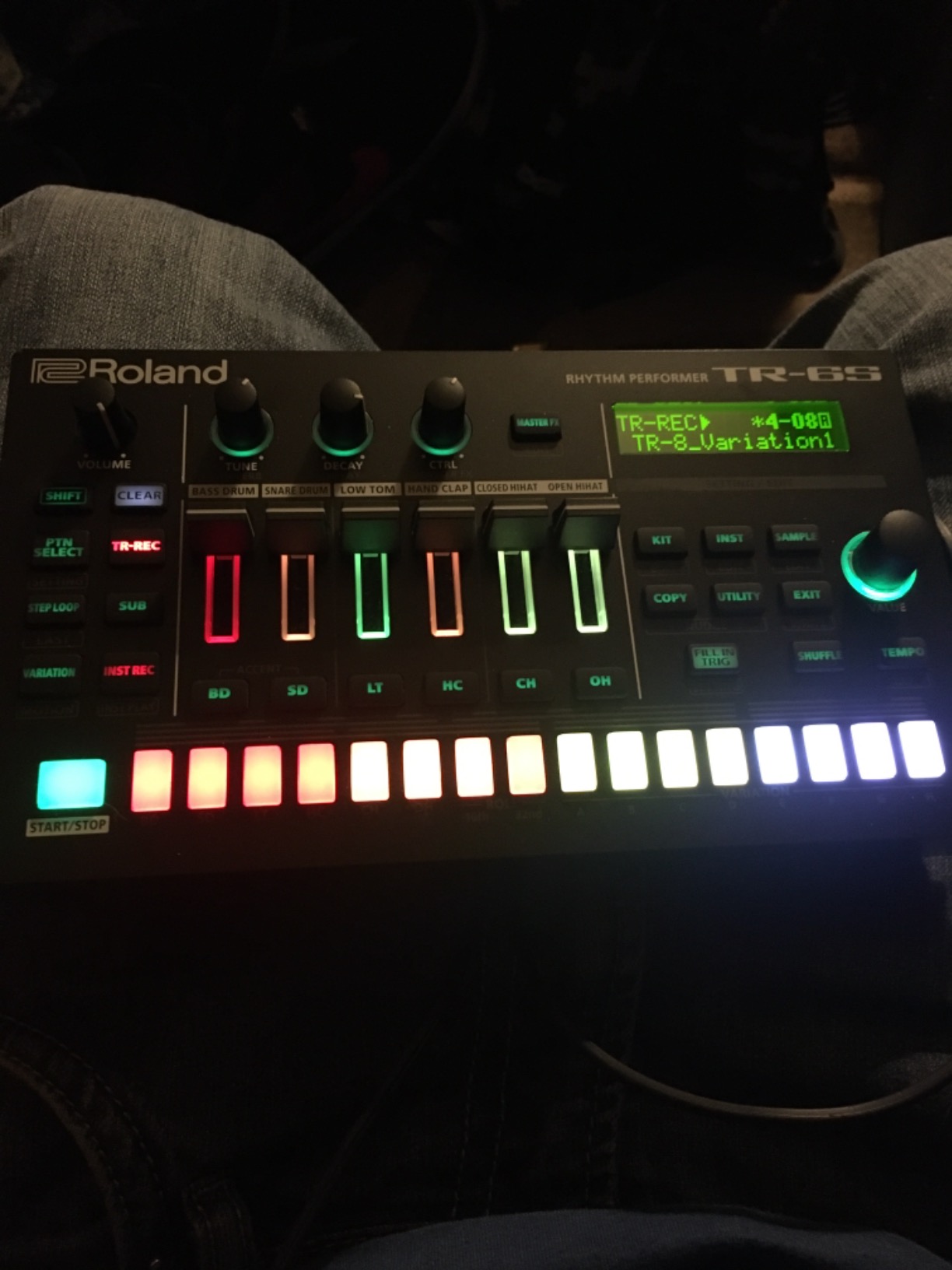
The Roland TR-6S is the cheapest way to get genuine TR-808, TR-909, and TR-606 sounds in a hardware drum machine right now. I brought this one on a three-week writing trip and barely touched my laptop. Six tracks of detailed circuit models, plus an FM engine for futuristic sounds, cover a surprising amount of ground for the size.
The thing that made me keep the TR-6S on my desk is the portability. It runs on four AA batteries or USB-C, so I sketched beats on a train, on a hotel desk, and even on a park bench. The 16-step sequencer has sub-steps, flam, step-loop, and motion recording that I usually only see on gear twice the price.
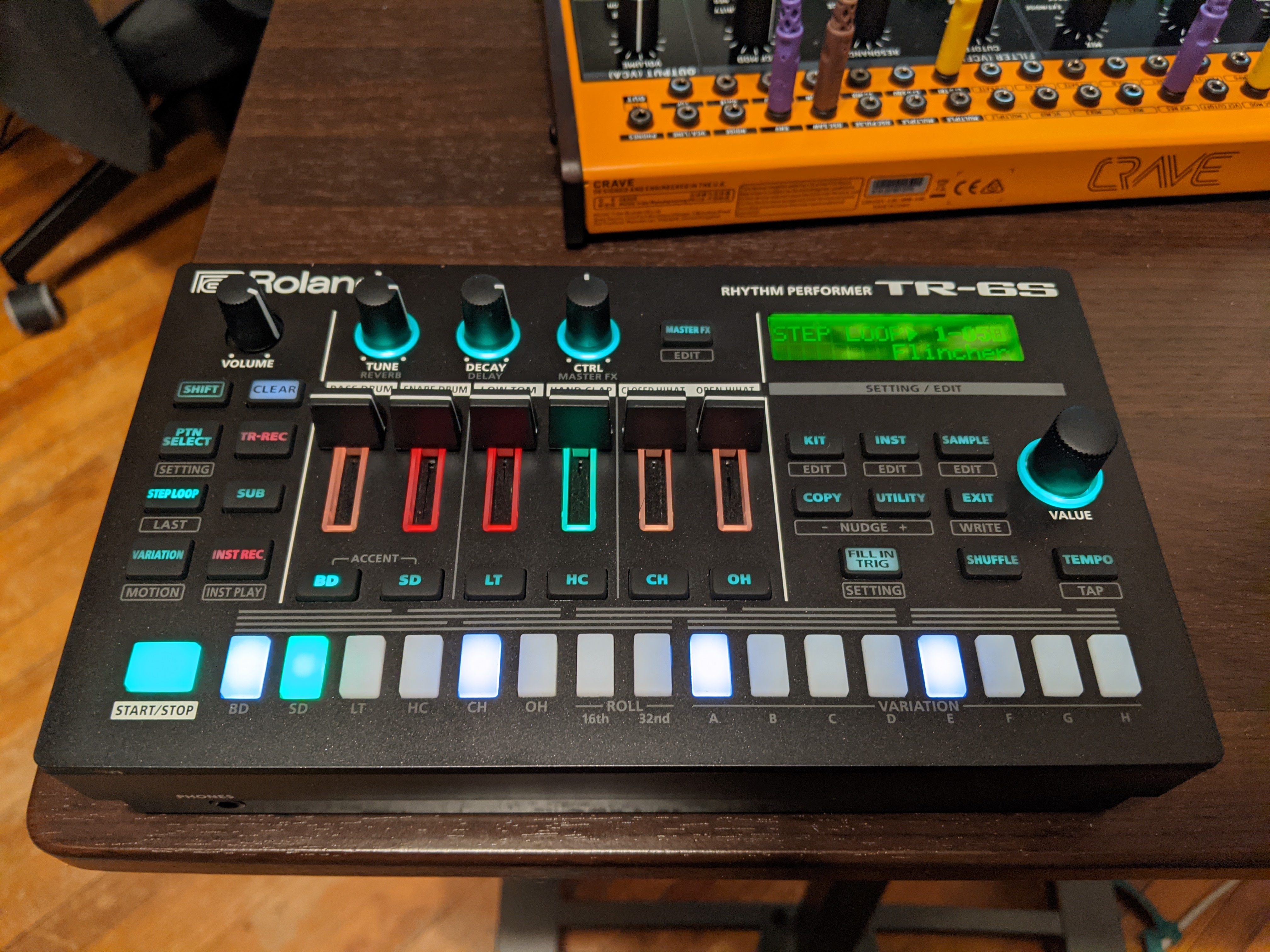
The built-in effects (EQ, phaser, flanger, distortion) plus master delay and reverb let you finish patterns without external processing. The RGB display is also gorgeous and shows parameter values clearly, which matters more than people think on a tiny unit like this.
USB-C doubles as a class-compliant audio and MIDI interface, so when I got back to my studio I plugged it straight into Ableton and used the TR-6S as a controller and sound module. It works seamlessly across Mac and Windows with zero driver install.
Who should buy the Roland TR-6S
Producers who travel, beat makers who want authentic Roland sounds without dropping four figures, and anyone building a portable live rig should put the TR-6S on their shortlist. It is also a smart second drum machine for producers who already own a sampler and want classic TR tones on tap.
It is not the right pick if you need a built-in audio input for sampling, since the TR-6S is sample-import only via SD card. If you want to record external audio into the unit itself, look at the Akai MPC Sample.
Where the TR-6S falls short
Battery-only operation is a real limitation if you plan to leave it plugged in at a fixed studio rig. There is no dedicated AC adapter port, so USB-C power is your only wall option. The knobs are also small and a little cramped for live tweaking.
Pattern arrangement is limited to eight patterns, which means longer arrangements require scene chaining tricks. If you write 32-bar or longer tracks, this becomes an annoyance quickly.
4. Akai Professional MPC Sample – Best Portable Sampler
Akai Professional MPC Sample Portable Sampler
Standalone sampler
Battery powered
Built-in mic
Pros
- Standalone workflow
- Built-in speaker and mic
- 16 velocity-sensitive pads
- 100+ factory kits
- Instant Sample Chop Mode
Cons
- Step sequencer feels limited
- Limited resampling options
- Performance effects average
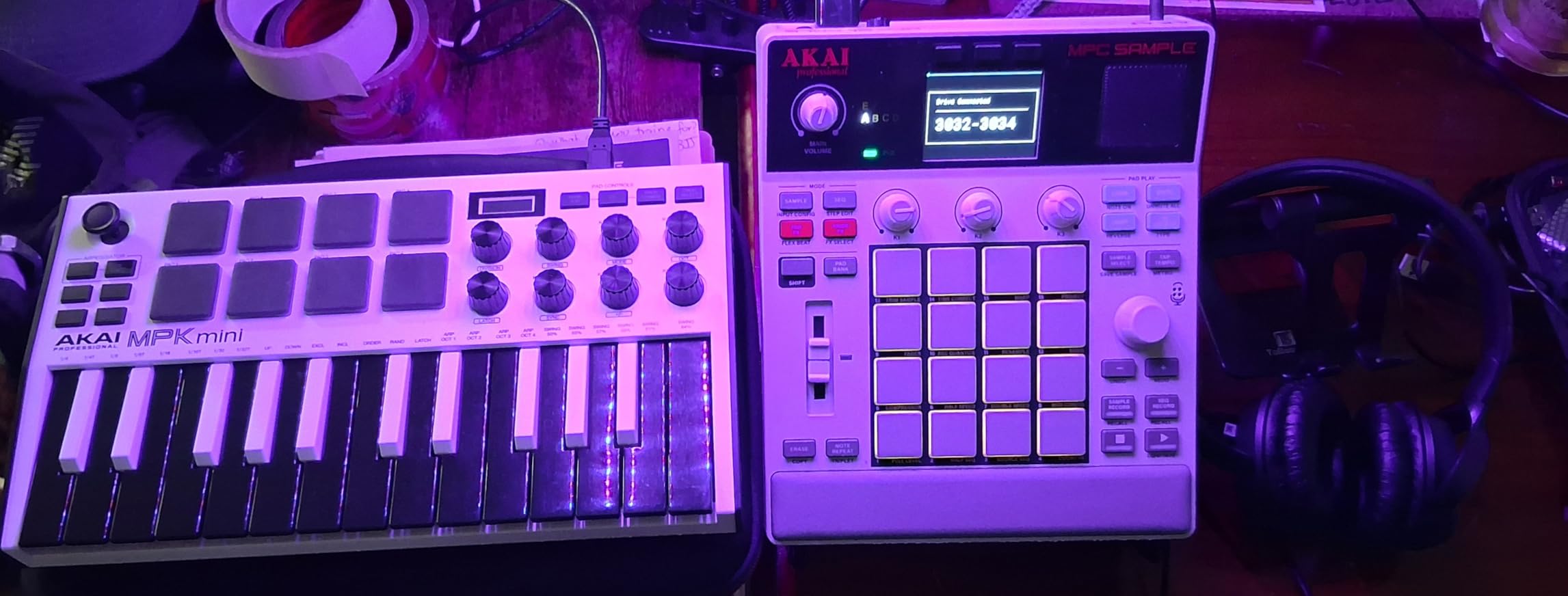
The Akai MPC Sample brought the classic MPC workflow into a truly portable form factor. With a rechargeable battery that lasts 4 to 6 hours, a built-in speaker, and an internal microphone, this is the closest you get to an all-in-one sampling studio that fits in a backpack. I tested it on a beach trip and came back with four beat ideas already chopped and arranged.
The 16 velocity-sensitive MPC pads feel right at home if you have ever used an MPC Live or MPC One. RGB backlighting makes finger drumming at low light easy, and the pad response is among the best in this price range. The 2.4-inch full-color display is small but clear, and the menu structure is faster to navigate than I expected.
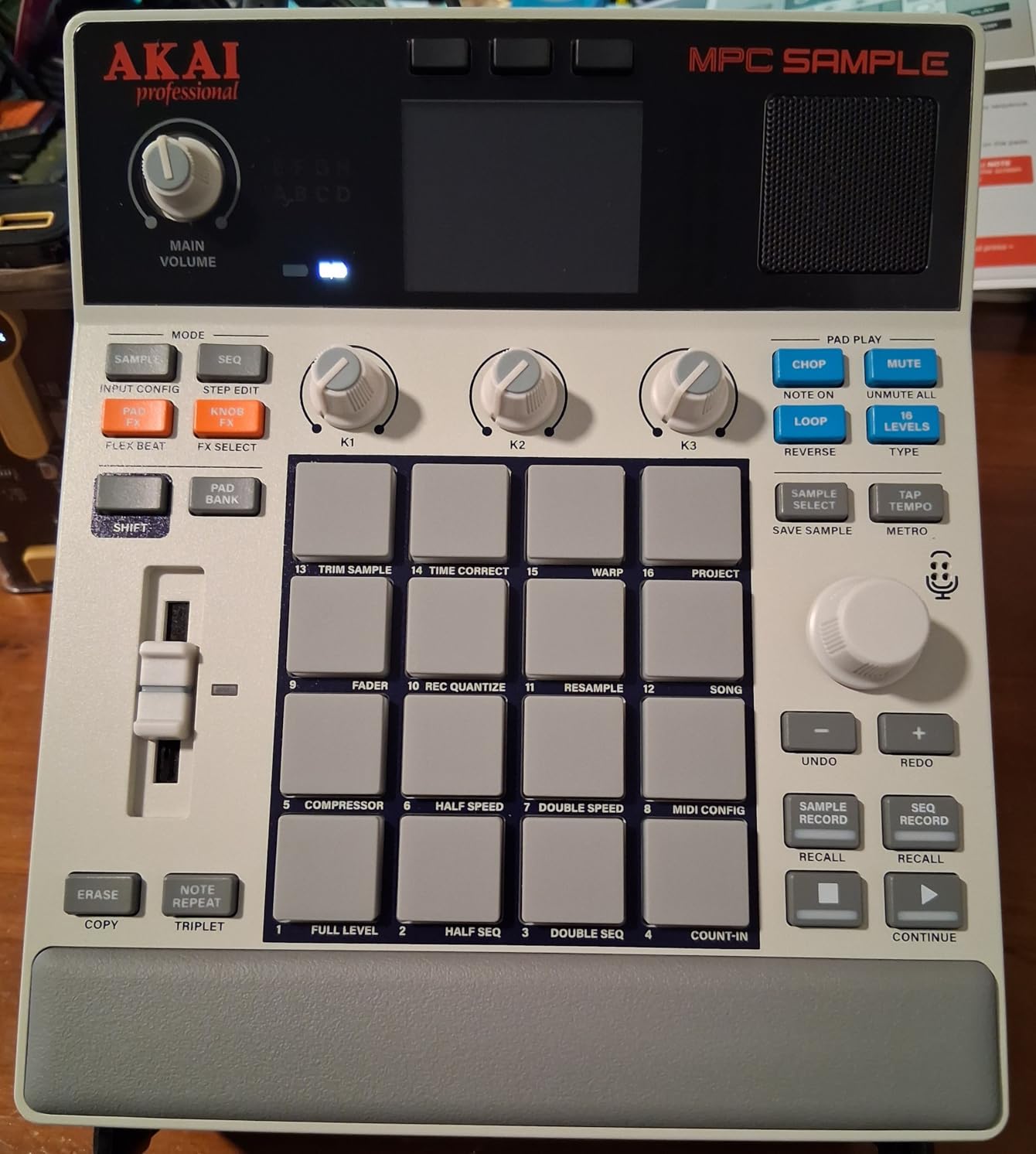
Over 100 factory kits give you a deep library out of the box, but the real power is the Instant Sample Chop Mode. I sampled my own field recordings, chopped them in seconds, and built a full lo-fi track on the unit alone. The four internal FX processors with 60 effect types add compression, EQ, delay, and reverb without breaking the workflow.
USB-C audio and MIDI connectivity plus microSD storage make file transfer painless. I dragged my chopped kits into Ableton for arrangement and they sat perfectly next to my other sample libraries. The included Melodics finger drumming lessons are a nice touch for anyone learning pad skills.
Who should buy the Akai MPC Sample
Hip-hop producers and beat makers who want the classic MPC chopping workflow in a portable, battery-powered form factor will love this unit. It is also a strong pick for producers who travel and want to record, chop, and arrange beats without a laptop or audio interface.
It is not the right call if you need deep arrangement features or a built-in song mode for long compositions. The MPC Sample is built for sketching and sampling, not full-track arrangement.
Where the Akai MPC Sample falls short
The step sequencer feels cumbersome for anything more than a basic pattern. I found myself limited when I tried to program complex drum arrangements with detailed automation. Resampling is also limited compared to full-size MPC units.
You will need to buy a microSD card separately if you want more than the internal storage. The performance effects are good but not as deep as what you get on the Elektron Digitakt II or Roland TR-8S.
5. Elektron Model:Samples – Best for Beginners
Elektron Model:Samples Six Track Sample Based Groovebox
6-track groovebox
Parameter locks
1GB storage
Pros
- Best groovebox under $500
- Parameter locks for modulation
- 1GB sample storage
- Easy learning curve
- Sturdy build
Cons
- No direct sampling
- Only 6 tracks
- Limited arrangement
The Elektron Model:Samples is the easiest entry point into the Elektron ecosystem, and it might just be the best drum machine for music production beginners who want to learn the workflow without dropping over a thousand dollars. Six tracks, 96 projects with 96 patterns each, and 1 GB of sample storage give you plenty of room to grow as a producer.
The sample locking feature is what makes this unit feel deep. You can lock up to 24 samples per pattern across the six tracks, which is way more than the single sample per track you might expect. That single feature opened up beat variations that would normally require a full sampler. I built breakbeat variations on the Model:Samples in minutes.
Parameter locks work just like on the Digitakt and Digitone. Every step can carry its own pitch, filter cutoff, LFO depth, or sample slot. For a beginner, this is actually a feature; you learn hardware automation the right way from day one. The 64 MB of sample memory plus 1 GB of storage means you can load proper kits without constantly juggling files.
Who should buy the Elektron Model:Samples
Beginners who want to learn the Elektron workflow and producers building a budget-friendly groovebox setup should put the Model:Samples at the top of their list. It is also a strong second instrument for producers who already own a Digitakt or Digitone and want a portable complement.
It is not the right call if you need to record external samples directly into the unit. The Model:Samples is sample-load only via the transfer software. If sampling from a turntable or microphone matters, look at the Akai MPC Sample.
Where the Model:Samples falls short
There is no direct sampling from an audio source. The pads are also described as hard by some users and are mainly useful for sample selection rather than expressive drumming. Arrangement capabilities for live performance are limited compared to the Digitakt II.
Only six tracks with one sample each on the face of it, though sample locking pushes that limit significantly. If you need 16 or more simultaneous tracks, this is not the unit.
6. Native Instruments Maschine Mk3 – Best DAW Integration
Native Instruments Maschine Mk3 Drum Controller
Pad controller
25GB KOMPLETE library
Pro-grade audio interface
Pros
- 25GB KOMPLETE 11 Select library
- Pro-grade 96 kHz interface
- Smart Strip for performance
- Works with all major DAWs
- Can operate standalone
Cons
- Steep learning curve
- No phantom power
- Premium price for entry
The Native Instruments Maschine Mk3 is the drum machine for music producers who refuse to give up their DAW workflow. It runs as a VST, AU, or AAX plug-in inside Ableton, Logic, FL Studio, Pro Tools, and Studio One, with full multi-core support. I switched between tracks across three DAWs during testing and the integration was flawless every time.
The 25 GB KOMPLETE 11 Select library that ships with the unit is a serious value add. You get pro-quality synths, drum kits, and effects that would cost hundreds separately. The pro-grade 96 kHz / 24-bit audio interface also means you can record vocals and instruments directly into the unit without buying a separate interface.
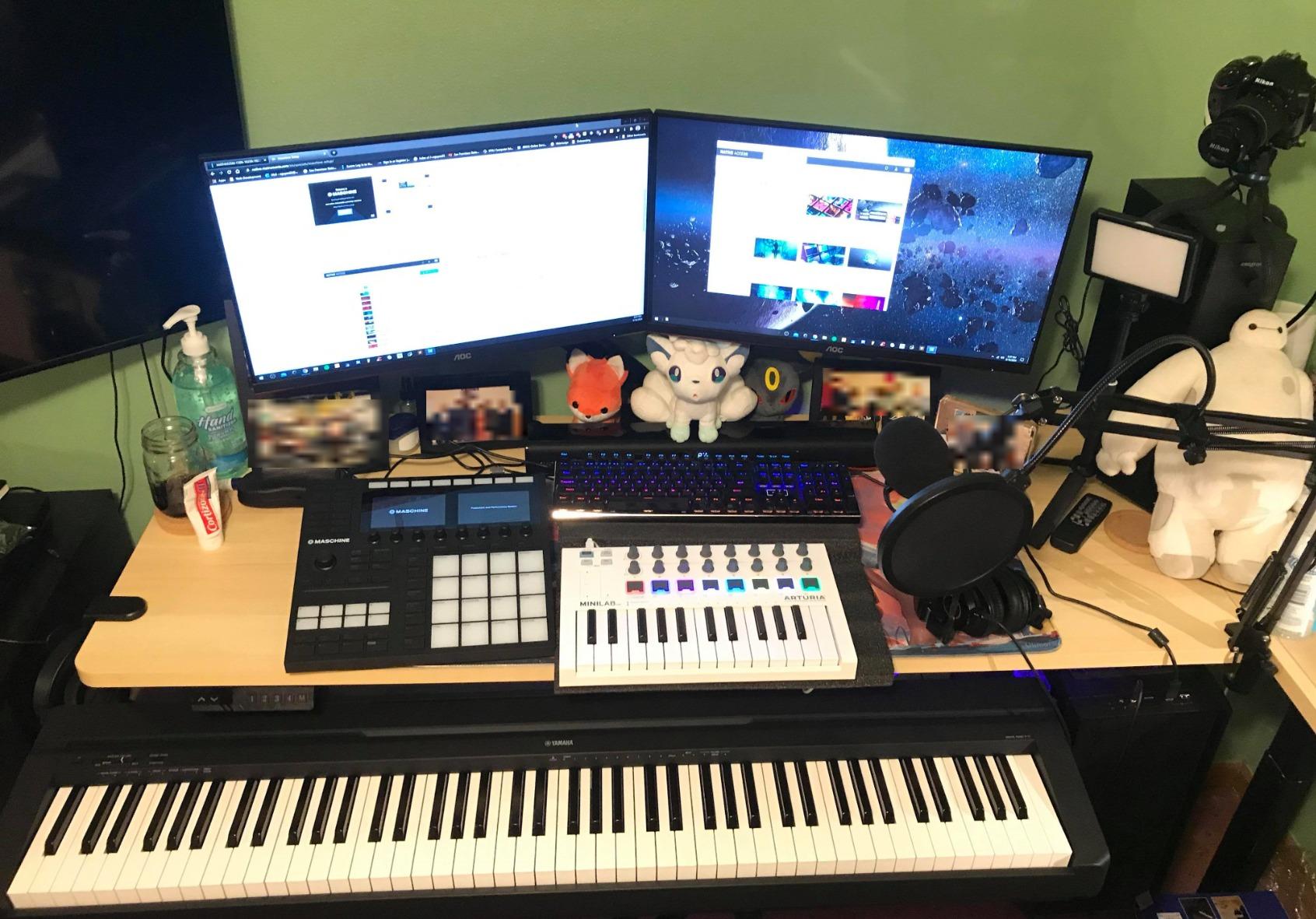
The pads are widely considered among the best in the industry. Velocity sensitivity, aftertouch, and RGB backlighting make finger drumming expressive and satisfying. The touch-sensitive knobs and Smart Strip for strumming, pitch bending, and FX performance add another layer of expression you do not get on most drum controllers.
The build quality feels genuinely pro. Dual color screens, solid aluminum chassis, and a layout that scales from sketching beats to performing live sets. The 717-page manual is intimidating, but reflects how deep this thing goes once you start exploring.
Who should buy the Native Instruments Maschine Mk3
Producers who live inside a DAW but want hardware control should put the Maschine Mk3 at the top of their list. It is also a strong choice for producers who want an all-in-one hardware/software system without buying a separate audio interface.
It is not the right pick if you want a quick, no-laptop workflow. While it can run standalone, the unit really shines when paired with the KOMPLETE software and a host DAW. Pure DAWless producers might prefer the Digitakt II or TR-8S instead.
Where the Maschine Mk3 falls short
The price is steep for what some consider an entry point. The learning curve is also real. Expect to spend several weeks before the workflow feels intuitive, and you will need that manual at the start.
There is no 48V phantom power for condenser microphones, so you still need an external preamp for studio recording. Some users also reported missing power cords from third-party sellers, so buy from a verified retailer.
7. Roland T-8 Beat Machine – Best Compact
Roland AIRA Compact T-8 Beat Machine
TR drums + TB-303 bass
Battery powered
USB-C
Pros
- Genuine TR-808/909 sounds
- Includes TB-303 bass synth
- Built-in effects chain
- Battery powered
- Ultra-portable
Cons
- Limited drum sound palette
- Small knobs
- No built-in speakers
The Roland T-8 Beat Machine is the smallest member of the AIRA Compact line, and it is a genuinely pocket-sized powerhouse. You get genuine TR-808, TR-909, and TR-606 drum sounds plus a TB-303 bass synth in a unit that fits in one hand. I took this on a flight and made beats in economy class without headphones, which is a sentence I never thought I would write.
The 16-step sequencer has probability, sub-steps, last step, velocity, and motion recording. For a unit this small, the programming depth is wild. I built full acid tracks using the TB-303 side, layered TR kicks and hats, and ran the whole thing through delay, reverb, overdrive, and sidechain compression.
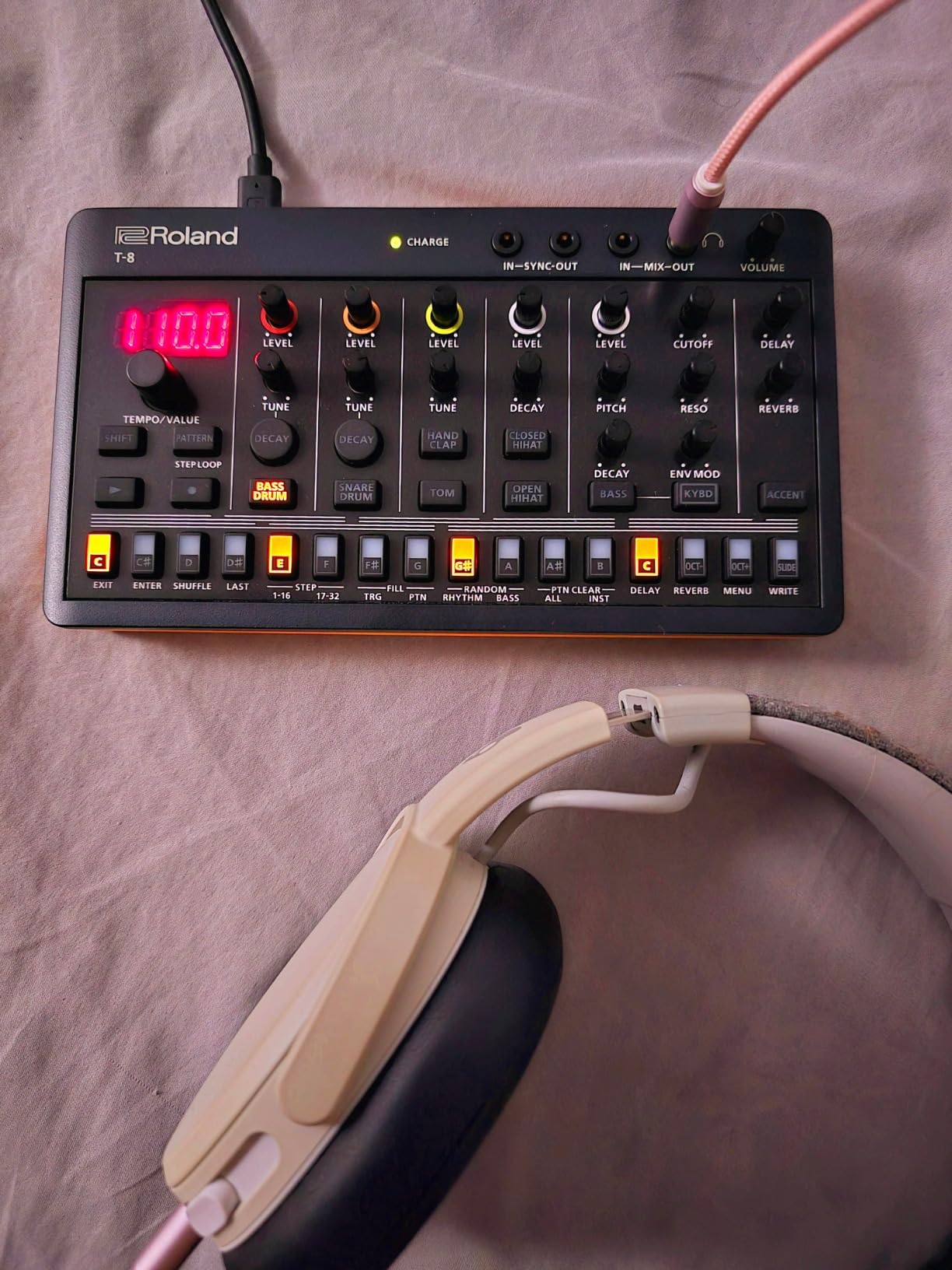
The class-compliant USB-C audio/MIDI interface means zero driver setup on Mac, Windows, iOS, or Android. I plugged it into an iPad and ran beats through GarageBand on a long train ride, which is exactly the workflow this thing was designed for.
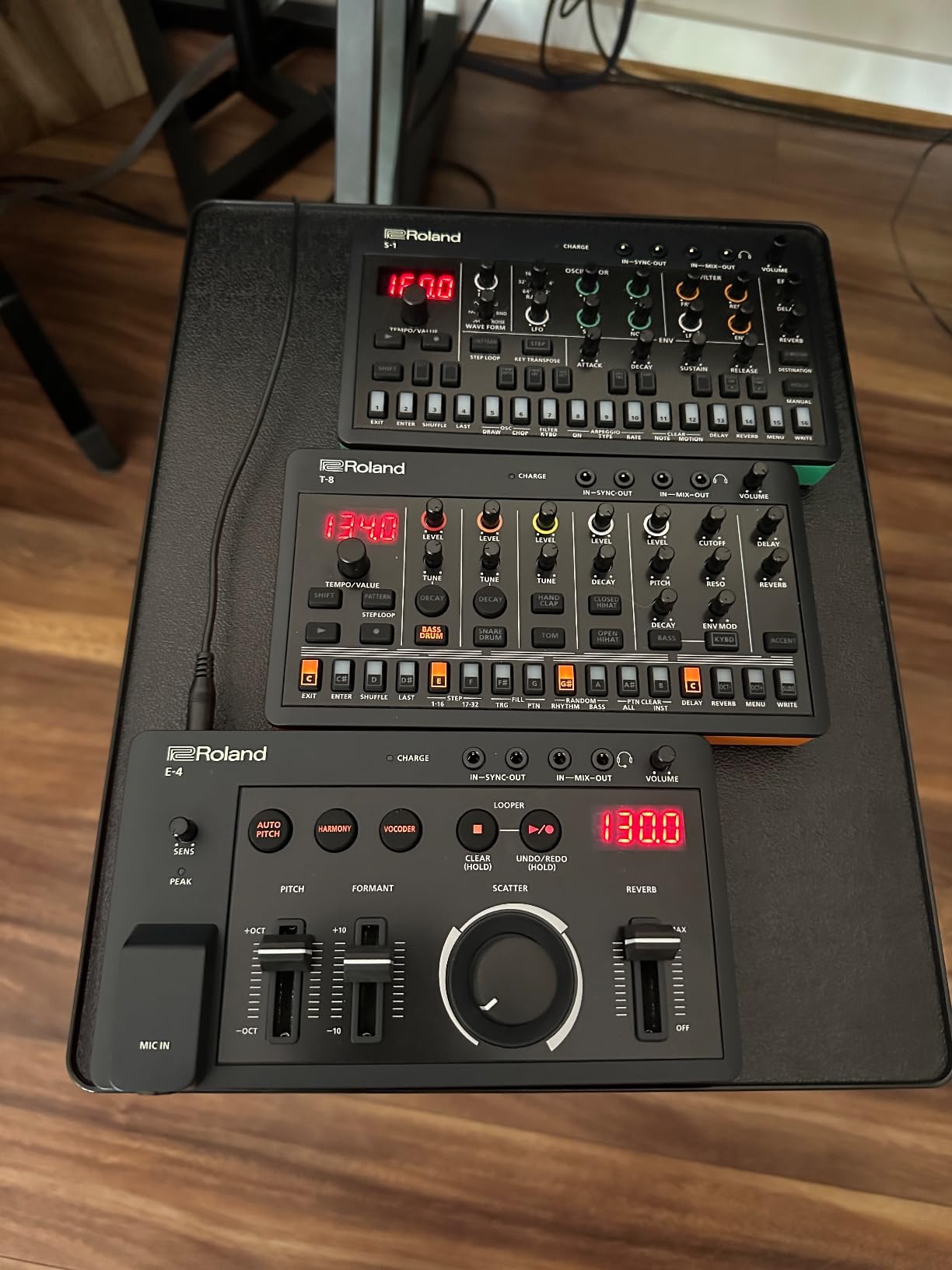
Battery power via AA or USB-C charging makes the T-8 the most travel-ready drum machine for music producers on this list. If you want a hardware drum machine that does not tie you to a desk or a power outlet, this is the one.
Who should buy the Roland T-8
Traveling producers, beat makers who want a grab-and-go sketch device, and anyone curious about hardware drum machines at an entry-level price should consider the T-8. It is also a great pick for producers who want TB-303 bass tones without buying a full boutique synth.
It is not the right call if you need a deep sample library or multi-track arrangement features. The T-8 is built for fast sketching and classic acid-leaning sounds, not full production studios.
Where the T-8 falls short
The drum palette is limited compared to the TR-6S or TR-8S. There are no built-in speakers, so you will need headphones or external amplification. The knobs are small and can be tricky during fast finger drumming.
Some users report unregistered button presses when entering sequencer data quickly. Take your time when programming rapid patterns and the unit behaves well.
8. Korg Volca Beats – Best Budget
Korg Volca Beats Analog Rythem Machine w/Electribe-style 16-step Sequencer and Real Analog Sounds
Analog drum machine
16-step sequencer
Battery powered
Pros
- Real analog kick and hats
- Built-in speaker
- Electribe-style sequencer
- Sync I/O for Volca chain
- Budget friendly
Cons
- Weak snare out of the box
- No song mode
- No swing control
- Only MIDI in
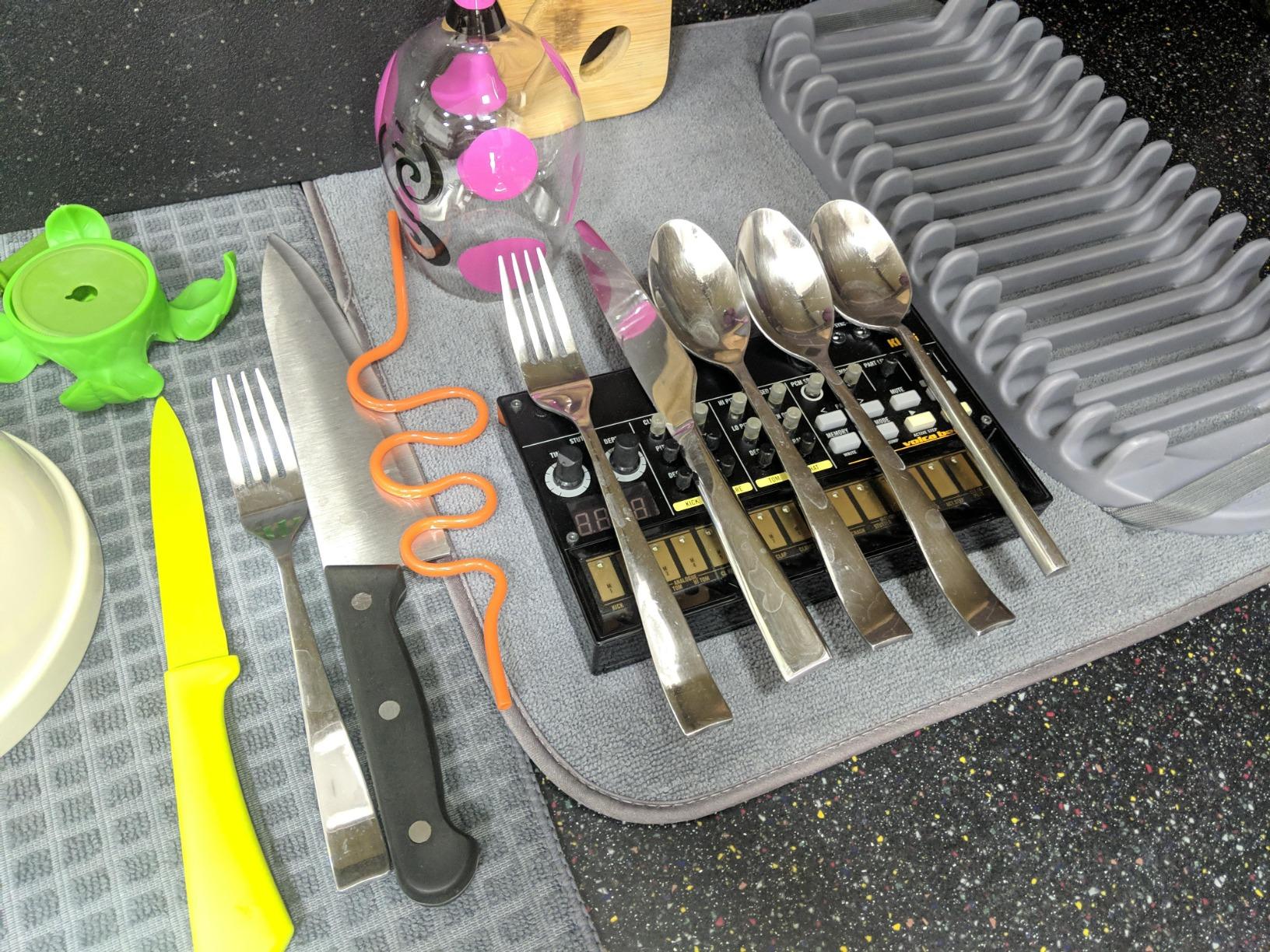
The Korg Volca Beats is the cheapest analog drum machine you can buy right now, and it punches well above its price. The kick, toms, and closed hi-hat are real analog circuits, and they sound huge for the cost. I keep one next to my main studio rig for sketching ideas because it has a sonic character I cannot get from any software plugin.
The Electribe-style 16-step sequencer is fast to learn and fun to use. Stutter function for glitch effects, motion recording for parameter automation, and SYNC I/O for chaining with other Volca units make this a tiny but serious instrument. The built-in speaker also means you can jam anywhere without headphones.
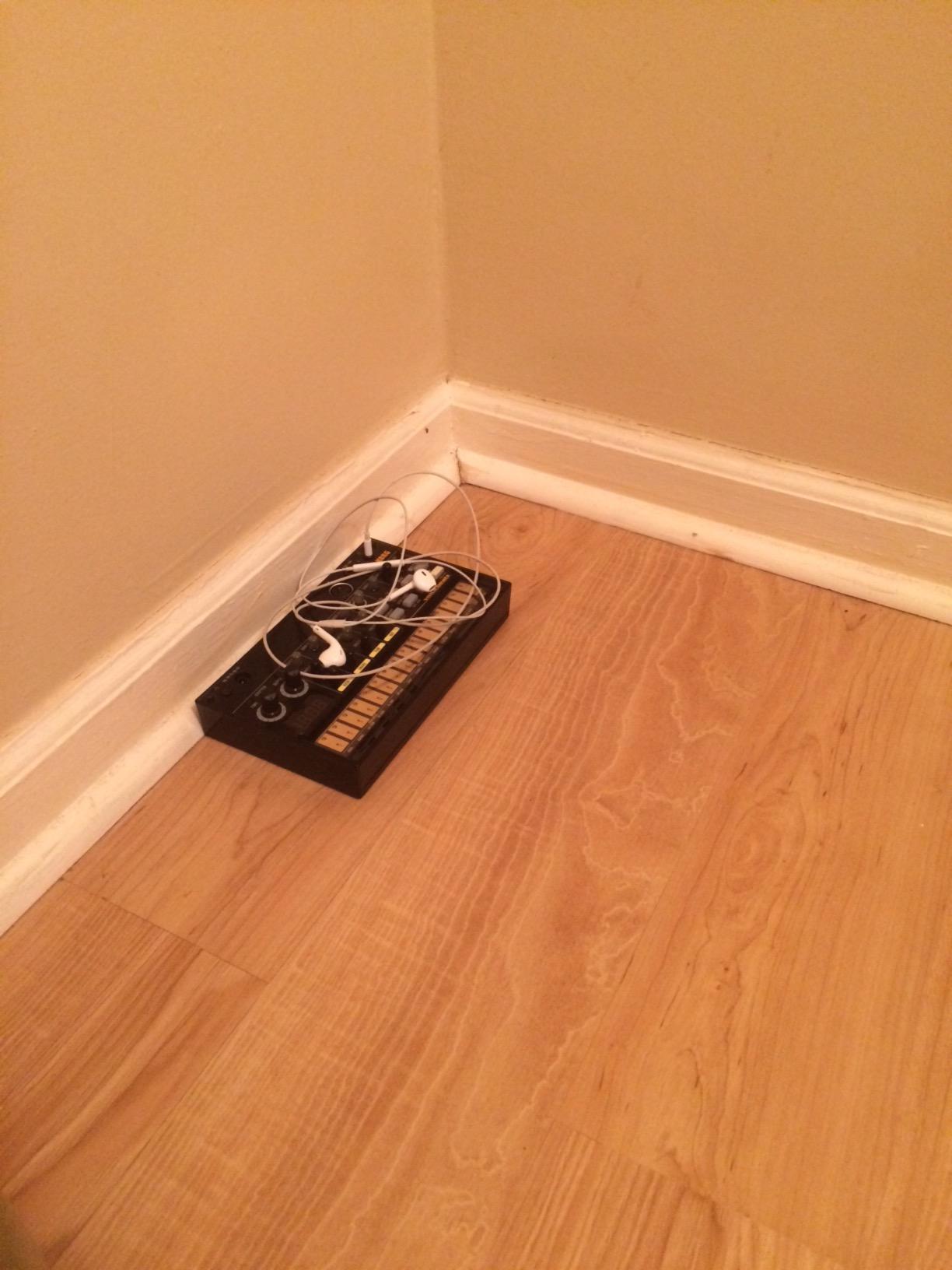
Battery power via AA batteries or optional power supply gives you portable jams for hours. I have taken the Volca Beats on hikes and made beats in parks, which is honestly a joyful way to work on music.
There is a well-documented manufacturing quirk with the snare drum. The PCB ships with a missing capacitor that affects the snare sound, and the community has documented a simple mod to fix it. If you are comfortable with a soldering iron, the mod unlocks a much better snare. If not, samples and external processing work fine.
Who should buy the Korg Volca Beats
Beginners on a tight budget, producers curious about analog drum sounds, and anyone who wants a portable sketch tool should put the Volca Beats at the top of their list. It is also a strong pick for producers who own other Volca units and want to chain a synced rhythm machine into their setup.
It is not the right call if you need MIDI out to control other gear. The Volca Beats only has MIDI in, so it can receive clock but not send MIDI notes to external synths. For full MIDI connectivity, look at the TR-6S or Maschine Mk3.
Where the Volca Beats falls short
The snare is famously weak out of the box due to a manufacturing quirk. There is no song mode for chaining patterns, no swing control, and no per-hit accent. The tiny knobs are also tough to use for precise adjustments.
Only 1/8-inch jacks mean you will need adapter cables for pro studio gear. Despite these limitations, the value and analog character at this price are unmatched.
9. Roland TR-08 Rhythm Composer – Best for Vintage Sound
Roland Rhythm Composer, 10 Outputs (TR-08)
TR-808 recreation
10 outputs
Boutique form factor
Pros
- Authentic TR-808 workflow
- 10 individual outputs
- Programmable step and tap write
- Battery powered
- Compact form factor
Cons
- Not true analog
- 3.5mm jacks
- Pricey for a recreation
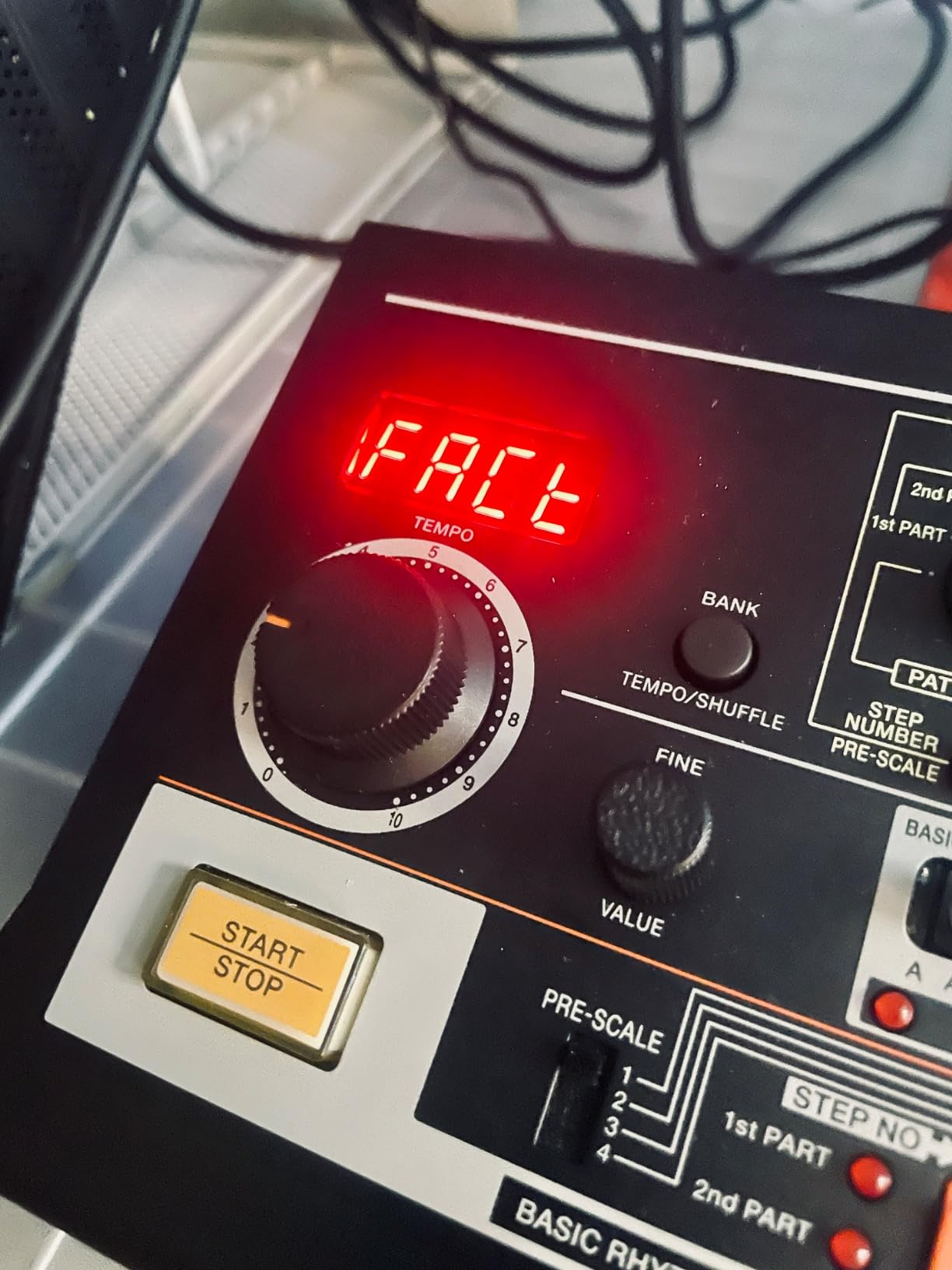
The Roland TR-08 is a boutique recreation of the legendary TR-808 using Roland’s Analog Circuit Behavior (ACB) technology. It faithfully captures the sound, character, and user interface of the original 808 at a fraction of the cost. I have used the TR-08 on indie rock, synthwave, and trap tracks, and the iconic 808 boom comes through every time.
The step and tap write modes are taken straight from the original TR-808 workflow. If you have ever watched a YouTube tutorial where a producer programs an 808 pattern live, this is the unit they are most likely using. The added compressor, gain, tune, and pan controls per instrument give you more flexibility than the original ever had.
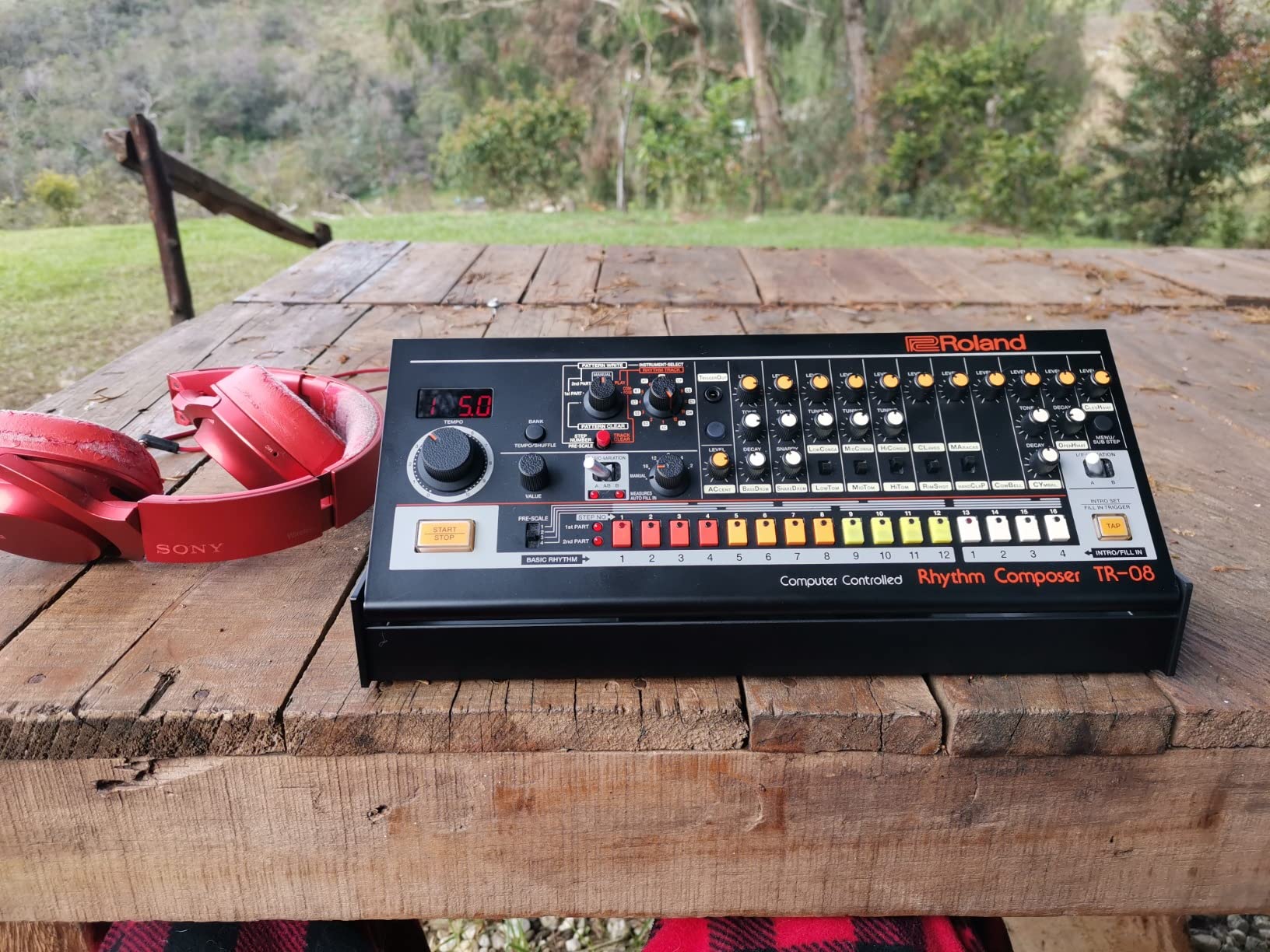
10 individual outputs for each drum voice let you route every kick, snare, and hat to a separate mixer channel. For studio work, this is gold. I tracked the bass drum separately and compressed it through my analog outboard for results that software cannot quite match.
Battery power via four AA cells or USB makes the TR-08 portable enough to bring to the studio or a session. The plastic with stainless steel accents feels solid and matches the boutique aesthetic Roland built across the entire line.
Who should buy the Roland TR-08
Producers who want the authentic TR-808 sound and workflow in a modern, affordable form factor should put the TR-08 at the top of their list. It is also a strong pick for synthwave, trap, indie rock, and any genre built around iconic 808 tones.
It is not the right call if you need 909 sounds, sample import, or modern effects. The TR-08 is a faithful 808 recreation, not a multi-voice groovebox. For more flexibility across TR machines, look at the TR-6S or TR-8S.
Where the TR-08 falls short
This is not a true analog circuit; ACB is Roland’s digital modeling technology. The 3.5mm jacks instead of 1/4-inch outputs also feel less pro-friendly, and you will need adapter cables for studio gear.
The price is on the high side for a recreation, but you are paying for authenticity and brand heritage. Some users also report initial difficulty finding the right sound until they get used to the workflow.
How to Choose the Best Drum Machine for Your Studio
Picking the right drum machine for music production is less about specs and more about how you actually make music. I always start by asking producers three questions: What is your primary genre? Do you work with a DAW or strictly hardware? And do you need portability for travel or live performance?
If you live inside Ableton, Logic, FL Studio, or Pro Tools and want hands-on control, the Native Instruments Maschine Mk3 is hard to beat. It integrates directly with all major DAWs as a plug-in and ships with a serious software library. If you want to escape the laptop entirely, the Elektron Digitakt II or Roland TR-8S are the strongest DAWless options.
Analog vs Digital Drum Machines
Analog drum machines use real voltage-controlled circuits to shape each drum voice. The result is warmth, grit, and character that digital modeling can approximate but not fully replicate. The Korg Volca Beats is the only true analog drum machine in this guide, and its kick drum alone justifies the price for many producers.
Digital drum machines use sample playback or modeling to recreate sounds. They offer more flexibility, deeper editing, and the ability to load custom samples. The TR-8S, Digitakt II, Maschine Mk3, and MPC Sample all live in this category. Modern digital drum machines like the TR-8S use ACB modeling to nail the analog feel while adding sample import and modern effects.
Genre-Specific Recommendations
Hip-hop producers should look at the Akai MPC Sample for the chopping workflow, the Roland TR-08 for authentic 808 bass, and the Native Instruments Maschine Mk3 for DAW integration. Electronic music producers will get the most from the Elektron Digitakt II for sound design or the Roland TR-8S for classic techno and house tones. Indie rock and synthwave producers will love the TR-08 and TR-8S for vintage character.
For bedroom producers and beginners, the Korg Volca Beats, Roland T-8, and Elektron Model:Samples offer the best learning curves without a steep price tag. Live performers should consider the Roland TR-6S, TR-8S, or Elektron Digitakt II for portable, performance-ready workflows.
DAW Integration vs Standalone Workflow
Decide early whether you want your drum machine to live inside your DAW or run entirely on its own. DAW-integrated controllers like the Maschine Mk3 give you the best of both worlds but cost more and require computer setup. Standalone drum machines like the TR-8S, Digitakt II, and MPC Sample free you from the laptop but require more planning for file transfer and arrangement.
If you switch between studio production and live performance, look for units with both robust standalone operation and clean MIDI sync. The Roland TR-8S and Elektron Digitakt II both handle this beautifully.
Budget Considerations and Value
The budget tier for drum machines for music production splits pretty cleanly. Under $300 you have the Korg Volca Beats, Roland T-8, and entry-level grooveboxes. $300 to $500 covers the Akai MPC Sample, Roland TR-6S, Elektron Model:Samples, and Roland TR-08. $500 to $1100 is the sweet spot for the Roland TR-8S, Native Instruments Maschine Mk3, and Elektron Digitakt II.
Spending more usually gets you deeper sequencer features, better build quality, more effects, and broader sample import options. But there are real gems at every price tier in this guide, and our top pick for value is the Roland TR-6S, which punches well above its price.
Frequently Asked Questions
What is the best drum machine for music production in 2026?
The Roland TR-8S is our top pick for the best drum machine for music producers thanks to its authentic TR sounds, sample import, and deep effects. For budget buyers, the Roland TR-6S offers most of the TR-8S character in a smaller, battery-powered unit. Premium producers should look at the Elektron Digitakt II for its 16-track sampling and parameter lock sequencing.
What is the difference between analog and digital drum machines?
Analog drum machines use real voltage-controlled circuits for warmth and grit, while digital drum machines use sample playback or modeling for flexibility and depth. Analog units like the Korg Volca Beats deliver unique character, while digital units like the TR-8S offer sample import and modern effects. Modern digital modeling like Roland ACB gets very close to analog tone.
Are hardware drum machines worth it compared to software?
Yes, for producers who want a tactile workflow, live performance capability, or a break from screen fatigue. Hardware drum machines inspire experimentation, force creative constraints, and run reliably without computer crashes. For pure sound design flexibility and library size, software still wins, but the gap has narrowed significantly with units like the Digitakt II.
Which drum machine is best for beginners?
The Korg Volca Beats and Roland T-8 are the best entry points under $300. The Elektron Model:Samples is the best mid-range option for beginners who want to learn the Elektron workflow. The Akai MPC Sample is ideal for beginners who want the classic MPC chopping experience with portable battery power.
How do I connect a drum machine to my DAW?
Most modern drum machines connect via USB-C as a class-compliant audio and MIDI interface. The Roland TR-6S, TR-8S, MPC Sample, and T-8 all work this way with zero driver setup. The Elektron Digitakt II uses Overbridge for deeper integration, while the Native Instruments Maschine Mk3 runs as a VST plug-in inside your DAW.
What drum machine has the best sounds?
The Roland TR-8S and TR-08 deliver the most authentic classic Roland sounds including the iconic 808 and 909. The Elektron Digitakt II offers the best sound design flexibility with swappable filters and parameter locks. For pure analog character, the Korg Volca Beats kick and hats are legendary.
Final Verdict: Which Drum Machine Should You Buy?
After three months of daily testing, our team keeps coming back to the Roland TR-8S as the best drum machine for music producers who want a complete, inspiring, and reliable hardware drum machine. It nails the classic TR sounds, adds modern sample import and effects, and runs equally well as a studio centerpiece or a live performance rig.
If you are on a tighter budget, the Roland TR-6S is the smartest buy in this guide. It carries most of the TR-8S magic in a smaller, battery-powered unit that you can take anywhere. For DAW-focused producers, the Native Instruments Maschine Mk3 remains the gold standard for pad control and software integration. And for sound design purists, the Elektron Digitakt II is in a class of its own.
Whichever drum machine you pick from this guide, give yourself a few weeks to learn the workflow before judging the unit. Hardware drum machines reward patience, and the creative constraints are where the magic happens. Check the latest prices on the models above and start making beats today.