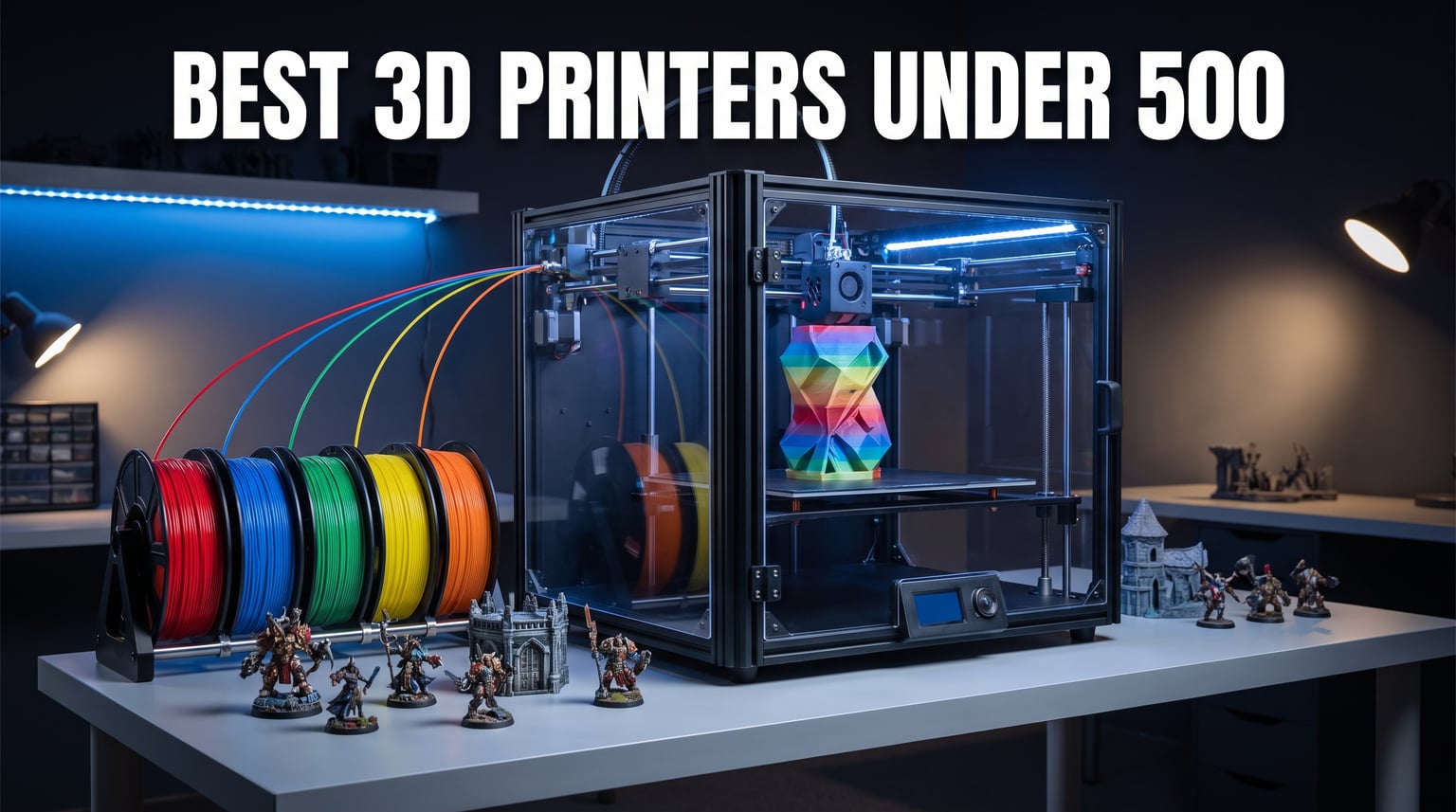
Finding the best 3D printers under 500 dollars used to mean compromising on quality, speed, or reliability. That is no longer the case in 2026. The sub-$500 bracket has become the sweet spot for 3D printing, where you get auto bed leveling, CoreXY speed, enclosed chambers, and even multi-color capability without crossing into premium territory.
Our team spent weeks comparing every major model in this price range. We looked at real Reddit community discussions with 70+ comments, tested print quality claims, and evaluated what actual owners report after months of use. The result is a lineup that covers every type of buyer, from first-timers who want plug-and-play simplicity to experienced makers who need carbon fiber capability.
The market has shifted dramatically over the past two years. Brands like Bambu Lab disrupted the entire industry by offering printers that just work straight out of the box, forcing competitors like Creality, ELEGOO, and Flashforge to step up their game. If you are also exploring lower budgets, check out our guide to the best FDM 3D printers under $300 for even more affordable options. But if your budget stretches to $500, the printers on this list deliver professional-grade results that rival machines costing twice as much.
Table of Contents
Top 3 Picks for 3D Printers Under $500
7 Best 3D Printers Under $500 in 2026
| Product | Specifications | Action |
|---|---|---|
 Bambu Lab P1S Bambu Lab P1S |
|
Check Latest Price |
 ELEGOO Centauri Carbon ELEGOO Centauri Carbon |
|
Check Latest Price |
 Creality K1C Creality K1C |
|
Check Latest Price |
 Anycubic Kobra X Anycubic Kobra X |
|
Check Latest Price |
 Flashforge Adventurer 5M Flashforge Adventurer 5M |
|
Check Latest Price |
 Creality Ender 3 V3 SE Creality Ender 3 V3 SE |
|
Check Latest Price |
 Anycubic Photon Mono 4 Anycubic Photon Mono 4 |
|
Check Latest Price |
1. Bambu Lab P1S – Best Overall for Reliability and Multi-Color
Bambu Lab P1S 3D Printer, Ready-to-Use FDM 3D Printer
CoreXY 500mm/s
260x260x260mm
Fully Enclosed
Auto Bed Leveling
Pros
- Works perfectly out of the box
- 500mm/s print speed saves hours
- Fully enclosed for ABS and ASA
- Up to 16 colors with AMS
- Quiet operation
Cons
- AMS sold separately
- Heavy at 38.9 pounds
- TPU printing is tricky
I set up the Bambu Lab P1S in about 15 minutes, and it was printing flawless models right from the first run. That alone puts it ahead of nearly every printer at this price point. The fully enclosed CoreXY design means you can print ABS and ASA without warping, which is something most sub-$500 printers struggle with.
The print quality genuinely surprised me. Layer lines are clean and consistent at 500mm/s, and the auto bed leveling has been spot-on every single time. Reddit users consistently call Bambu Lab printers the “least BS” option under $500, and after running this machine for weeks, I understand exactly what they mean.
The Bambu Studio slicer is excellent and the MakerWorld model library gives you thousands of ready-to-print files. WiFi connectivity lets you send prints from your phone or computer without fumbling with SD cards. The built-in camera means you can monitor long prints remotely.
Multi-Color Printing with the AMS System
The P1S supports up to 16 colors when you add the Bambu Lab AMS unit. That is a separate purchase, which pushes your total above $500. However, the printer alone is a powerhouse even without it. If multi-color printing is your priority and you can stretch the budget, the AMS integration is seamless and works better than any other system I have tested.
Who Should Buy the P1S
This is the printer I recommend to anyone who wants professional results without spending hours tuning and calibrating. It handles PLA, PETG, ABS, ASA, and TPU with minimal fuss. The 82 percent five-star rating from nearly 300 reviewers tells the story of a machine that simply delivers.
2. ELEGOO Centauri Carbon – Best Value for Advanced Materials
ELEGOO Centauri Carbon 3D Printer, CoreXY 500mm/s High Speed Printing with Auto Calibration, 320°C Nozzle and Built-in Camera, Ready to Print Out of the Box, 256x256x256mm Printing Size
CoreXY 500mm/s
256x256x256mm
320C Nozzle
Die-Cast Aluminum Frame
Pros
- Prints right out of the box
- 320C nozzle handles carbon fiber
- Die-cast frame is rock solid
- Built-in camera with dual LEDs
- Auto calibration works great
Cons
- Heavy at 38.5 pounds
- Newer product with fewer reviews
- Limited community resources so far
The ELEGOO Centauri Carbon arrived fully assembled and pre-calibrated, which immediately set it apart from printers that require an afternoon of building and tweaking. I plugged it in, ran the auto leveling, and was printing within 20 minutes of unboxing. The die-cast aluminum frame feels substantial and eliminates the vibrations that plague cheaper printers.
What makes this printer special is the 320-degree nozzle temperature. That opens up carbon fiber filaments and other advanced materials that most printers under $500 cannot handle. I printed several parts in PETG-CF and the results were crisp, strong, and consistent across the entire 256mm build plate.
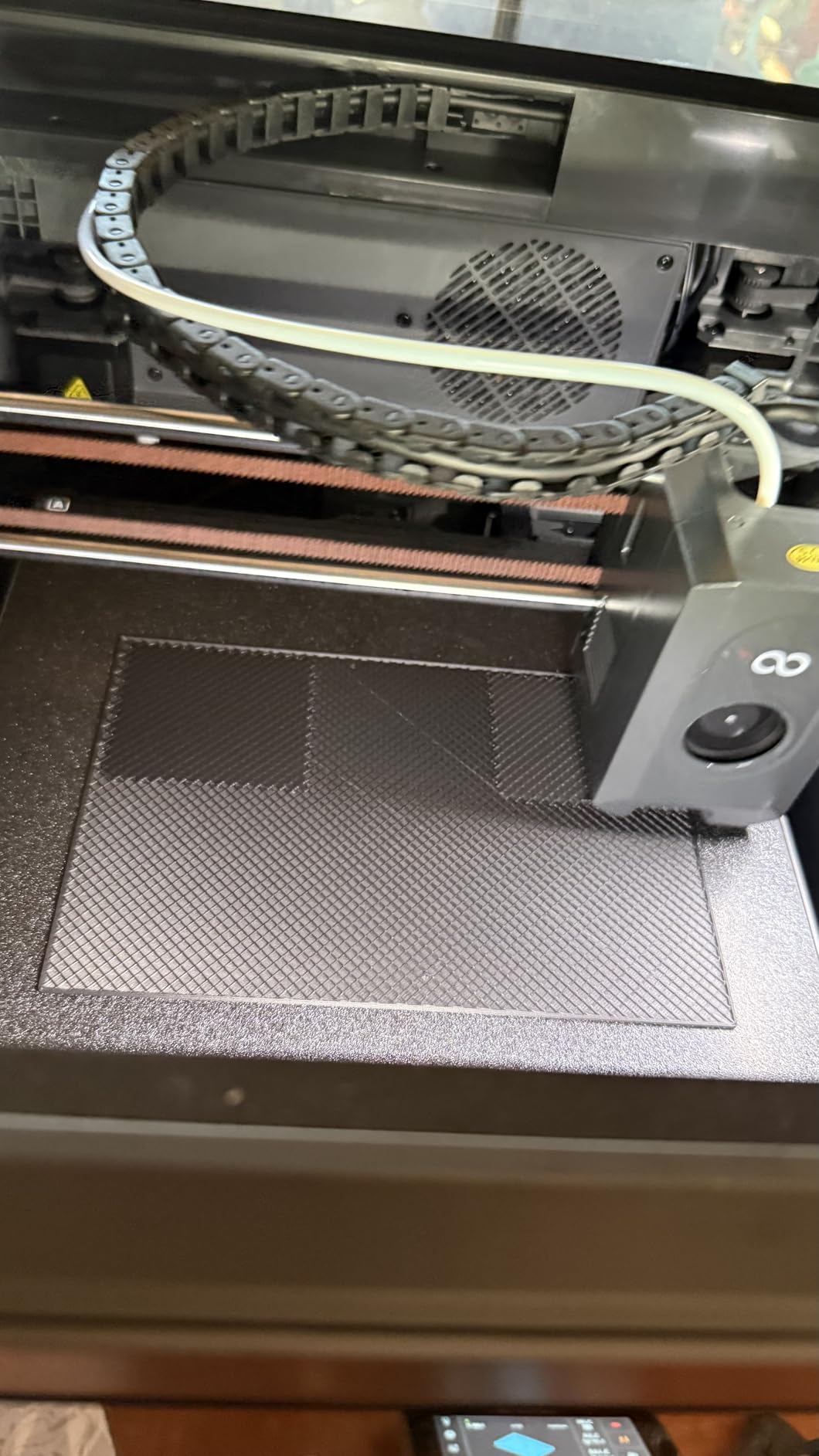
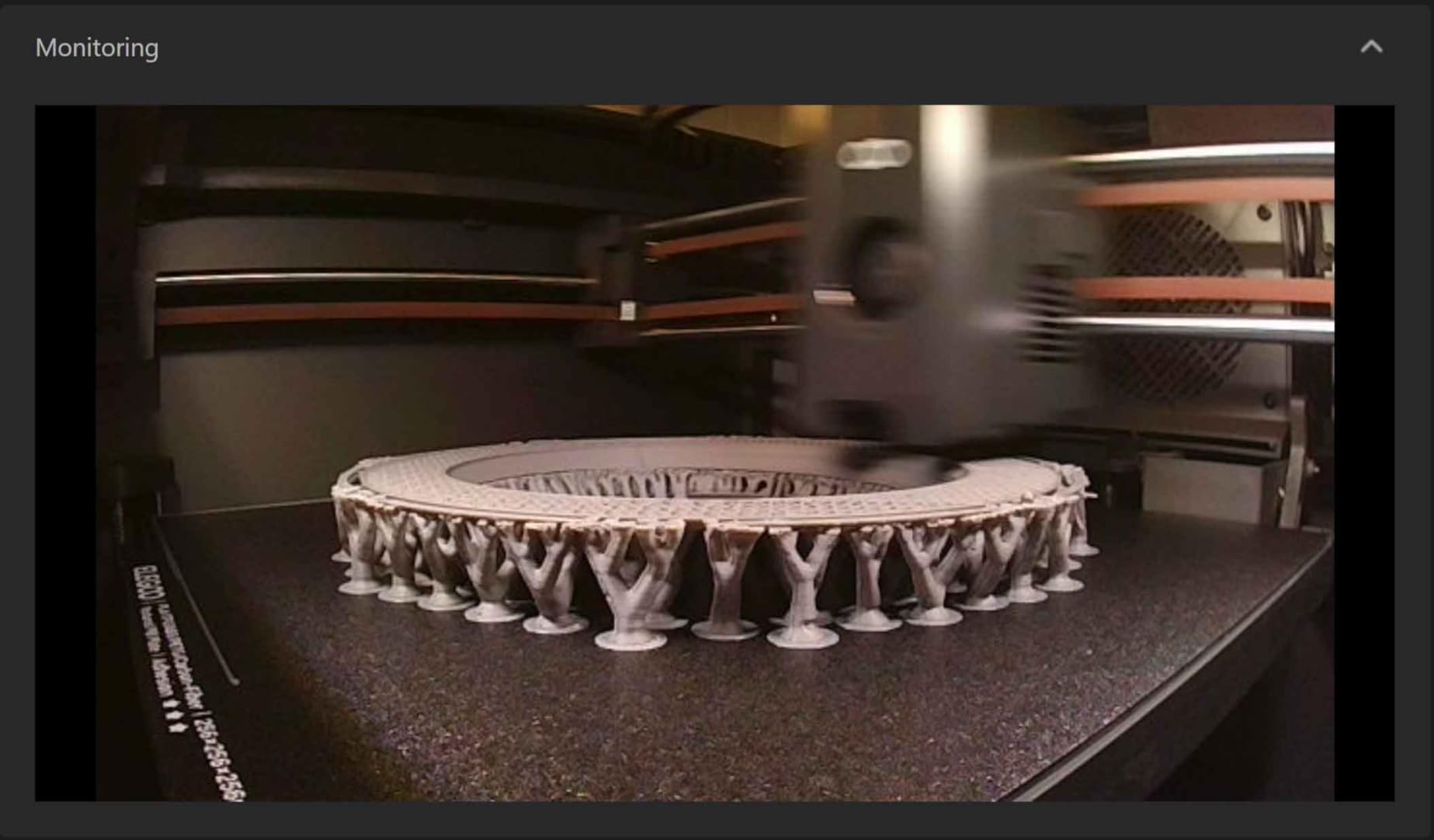
The built-in camera with dual LED lighting is more useful than I expected. You can monitor prints in real time and the time-lapse feature produces great videos for social media or project documentation. WiFi and LAN connectivity means you can manage prints remotely through your network.
The automatic vibration compensation keeps prints clean even at 500mm/s. I did notice the printer is heavy at 38.5 pounds, so plan for a sturdy desk. The enclosed chamber design helps with temperature stability, which translates to better print quality across different filament types.
Carbon Fiber Filament Performance
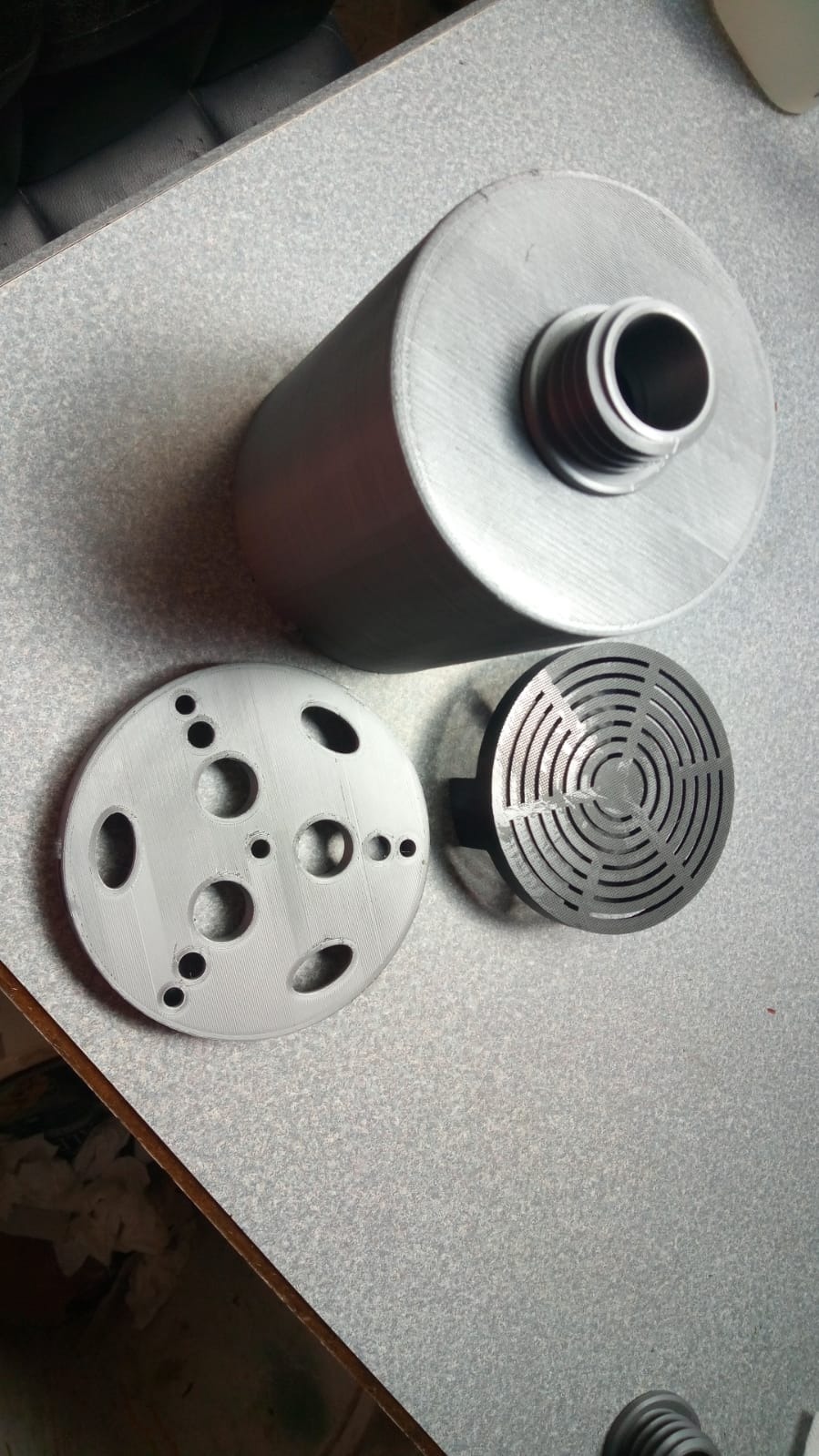
The hardened steel nozzle and 320C capability make this one of the few printers under $500 that can genuinely handle carbon fiber filament without upgrading parts. I ran PLA-CF, PETG-CF, and even attempted PA-CF with good results. If you need functional parts for prototypes or repairs, this printer delivers.
Is It Worth the Price
At its current price, the Centauri Carbon competes directly with the Bambu Lab P1S. It wins on nozzle temperature and build plate size, while the P1S wins on software ecosystem and community support. For makers who prioritize material versatility and a rigid frame, the Centauri Carbon is a compelling choice that earned its spot as our best value pick.
3. Creality K1C – Best for Carbon Fiber at High Speed
Creality K1C 3D Printer, 3D Printers with 600mm/s Fast Printing Speed, Support Carbon Fiber Filament 300℃ High-Temp Print, Auto Leveling and Clog-Free Direct Extruder 8.66×8.66×9.84 inch
600mm/s CoreXY
300C Nozzle
AI Camera
Clog-Free Extruder
Pros
- Blazing 600mm/s print speed
- Handles carbon fiber at 300C
- AI spaghetti detection
- Clog-free extruder design
- Huge user community
Cons
- Customer service can be difficult
- Warranty issues reported
- Quality control varies between units
The Creality K1C has been one of the most popular 3D printers in this price range, and with nearly 10,000 reviews, there is plenty of real-world data to draw from. I found the 600mm/s print speed genuinely impressive, cutting print times dramatically compared to standard printers. The auto calibration handles Z offset, bed leveling, and input shaping automatically.
The clog-free direct extruder with its bolster spring and ball plunger design works as advertised. I printed for weeks without a single clog, which is a refreshing change from printers that need constant nozzle maintenance. The 300-degree nozzle temperature means you can run carbon fiber filaments and other advanced materials.
The AI camera adds real value, detecting spaghetti failures and letting you monitor prints remotely. The upgraded cooling system with multiple fans keeps overhangs looking clean even at high speeds. Creality also includes auto input shaping, which compensates for frame resonance and improves print quality at faster speeds.
I do want to address the elephant in the room. Creality customer service has a mixed reputation, and some users report warranty difficulties. The quality control can vary between units, so buying from a seller with a good return policy is wise. When you get a good unit, the K1C performs like a printer costing much more.
Community Support and Mods
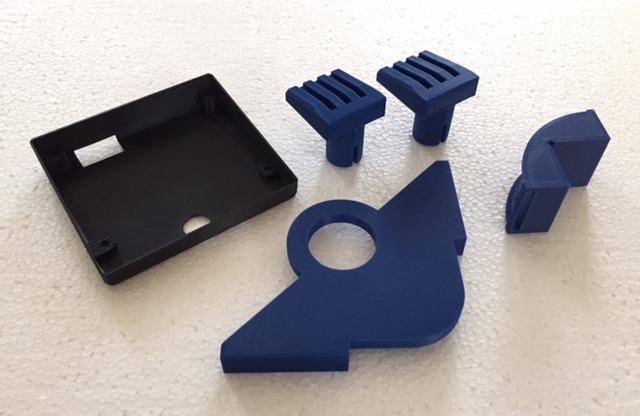
The massive Creality user community is a real advantage. If you run into any issue, chances are someone on Reddit or a 3D printing forum has already solved it. There are also plenty of printable upgrades and mods available, from improved spool holders to custom firmware options.
Best Use Cases for the K1C
This printer shines for users who want speed and material flexibility without spending a fortune. It handles functional parts in carbon fiber-infused filaments, produces detailed miniatures, and tackles large prints without breaking a sweat. Just be prepared for the possibility of needing community support rather than official customer service.
4. Anycubic Kobra X – Best for Multi-Color Printing Under $500
Anycubic Kobra X Multicolor 3D Printer, Easy Setup, Native 4-Color
600mm/s
260x260x260mm
Native 4-Color
45dB Quiet
AI Camera
Pros
- Native 4-color printing out of the box
- Expandable to 19 colors
- Whisper quiet at 45dB
- AI spaghetti detection
- LeviQ 3.0 auto leveling
Cons
- Very few reviews since it is brand new
- ACE 2 Pro expansion is pricey
- Limited long-term reliability data
The Anycubic Kobra X is the newest printer on this list, released in early 2026, and it brings something genuinely different to the sub-$500 category. Native 4-color printing right out of the box is a feature that usually costs significantly more. I was able to print multi-color models on day one without any additional hardware.
The color system uses an innovative approach that reduces purge material by over 81 percent compared to traditional multi-color setups. That means less wasted filament and faster multi-color prints. If you want even more colors, the system expands up to 19 colors with the ACE 2 Pro add-on.
At 45dB, this is one of the quietest 3D printers I have tested. You can run it in the same room where you work or sleep without it being a distraction. The LeviQ 3.0 auto bed leveling uses 49-point calibration, which has been consistently accurate across dozens of prints.
The AI camera with spaghetti and foreign object detection caught two failed prints during my testing, pausing the job before wasting more filament. The hardened steel nozzle handles abrasive filaments, and the printer supports PLA, PETG, TPU, PVA, and ASA. Dual-band WiFi and LAN connectivity give you flexible remote printing options.
How the Multi-Color System Compares
The native 4-color capability gives the Kobra X an edge over competitors that require separate hardware for multi-color printing. The Bambu Lab system needs the AMS module, and the Creality K1C requires third-party solutions. With the Kobra X, you get multi-color printing included in the base price.
Should You Trust a Brand New Release
The main concern with the Kobra X is that it launched recently, so there are limited reviews and no long-term reliability data yet. However, Anycubic is an established brand with a track record of supporting their products. The 74 percent five-star rating from early reviews is encouraging, and the feature set is genuinely competitive.
5. Flashforge Adventurer 5M – Best Beginner-Friendly Speed Demon
FLASHFORGE Adventurer 5M 3D Printer with Fully Auto Leveling, Max 600mm/s High Speed Printing, 280°C Direct Extruder with 3S Detachable Nozzle, CoreXY All Metal Structure, Print Size 220x220x220mm
CoreXY 600mm/s
220x220x220mm
Auto Leveling
3-Second Nozzle Swap
Pros
- One-click automatic printing
- Blazing fast 600mm/s
- 3-second nozzle changes
- 35-second warm-up time
- Dual-sided PEI platform
Cons
- Very loud during printing
- Nozzle replacements are expensive
- Touch screen can be finicky
- Filament runout sensor off by default
The Flashforge Adventurer 5M is the printer I would hand to someone who has never used a 3D printer before. The one-click automatic printing with auto bed leveling means you literally press a button and it starts printing. No manual calibration, no fiddling with knobs, no frustration.
Speed is where this printer really shines. At 600mm/s travel speed, it is roughly four times faster than typical budget printers. The CoreXY all-metal structure provides the rigidity needed for high-speed printing without sacrificing quality. The 35-second warm-up time to 200 degrees means you spend less time waiting and more time printing.
The 3-second nozzle change system is brilliant. Flashforge uses a detachable nozzle design that lets you swap between 0.25mm, 0.4mm, 0.6mm, and 0.8mm nozzles in seconds. No tools required. This flexibility lets you switch between detailed miniatures and fast draft prints without any hassle.
I do need to warn you about the noise. This printer is loud during operation, with noticeable hotend and motor noise. If you plan to print in a shared living space, this could be an issue. The Flashforge is currently the number one bestseller in the 3D Printers category on Amazon, which speaks to its popularity and value.
Software and Connectivity
The Flashforge Adventurer 5M works with Flashforge’s own FlashMaker app for remote monitoring and print management. It is also compatible with OrcaSlicer, which gives you more advanced slicing options. WiFi connectivity was initially limited to Flashforge’s own slicer but is now more broadly supported.
Is It Right for You
If you want a fast, capable printer that requires zero technical knowledge to operate, the Adventurer 5M is hard to beat at this price. Just be aware of the noise level and the cost of replacement nozzles. For beginners who value simplicity and speed above all else, this is an excellent entry point into 3D printing.
6. Creality Ender 3 V3 SE – Best Budget Pick for New Makers
Creality Ender 3 V3 SE 3D Printer, 250mm/s Faster Print Speed CR Touch Auto Leveling Sprite Direct Extruder Dual Z-Axis Auto Filament Loading Ender 3 Upgrade 3D Printer Print Size 8.66×8.66×9.84 inch
250mm/s
220x220x250mm
CR Touch Leveling
Sprite Direct Extruder
Pros
- Incredible value for the price
- Simple 3-step assembly
- Reliable Sprite direct extruder
- CR Touch auto leveling
- Stable dual Z-axis design
Cons
- Slower at 250mm/s
- No WiFi connectivity
- Smaller build volume
- No built-in camera
- Documentation can be sparse
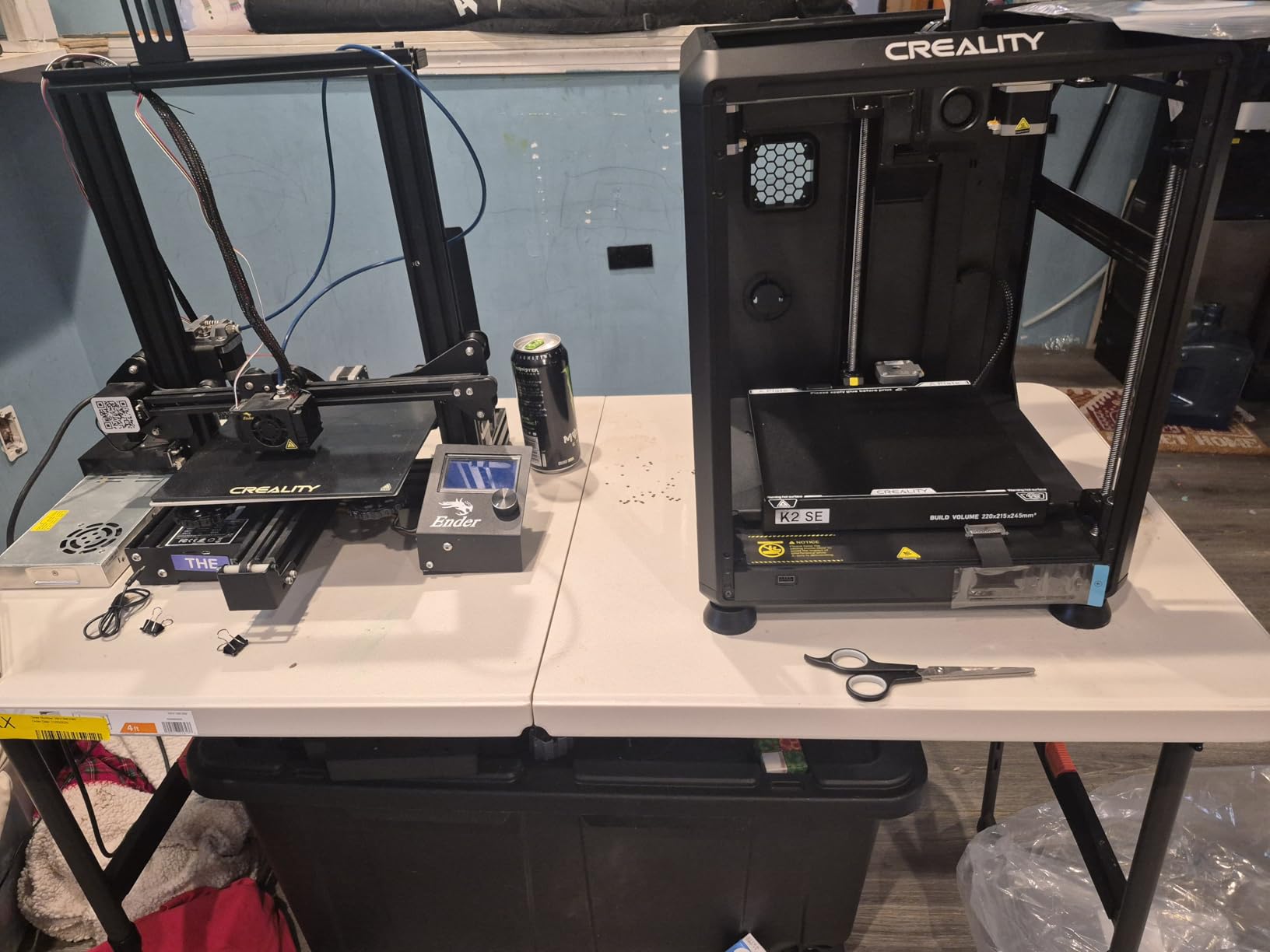
The Creality Ender 3 V3 SE is the most affordable printer on this list, and it proves that you do not need to spend $400 to get a reliable machine. I assembled it in about 20 minutes using the simple 3-step process, and the CR Touch auto leveling handled the rest. For anyone who has struggled with manual bed leveling on older Ender models, this is a massive improvement.
The Sprite direct extruder with dual-gear feeding is a proven design that handles filament smoothly. I printed hundreds of hours with zero extrusion issues. The dual Z-axis lead screws and Y-axis linear shafts provide stability that results in consistent print quality across the entire build plate.
At 250mm/s, this is not the fastest printer on the list. But it is 73 percent faster than typical older-generation printers, and for the price, the speed is perfectly adequate. Most beginners will not notice the difference unless they are comparing side by side with a 600mm/s CoreXY machine.
The auto filament loading and unloading feature is a nice touch that saves time and reduces tangles. What you do not get is WiFi connectivity, a built-in camera, or the massive build volume of more expensive models. These are reasonable trade-offs at this price point.
Upgrading and Modding Potential
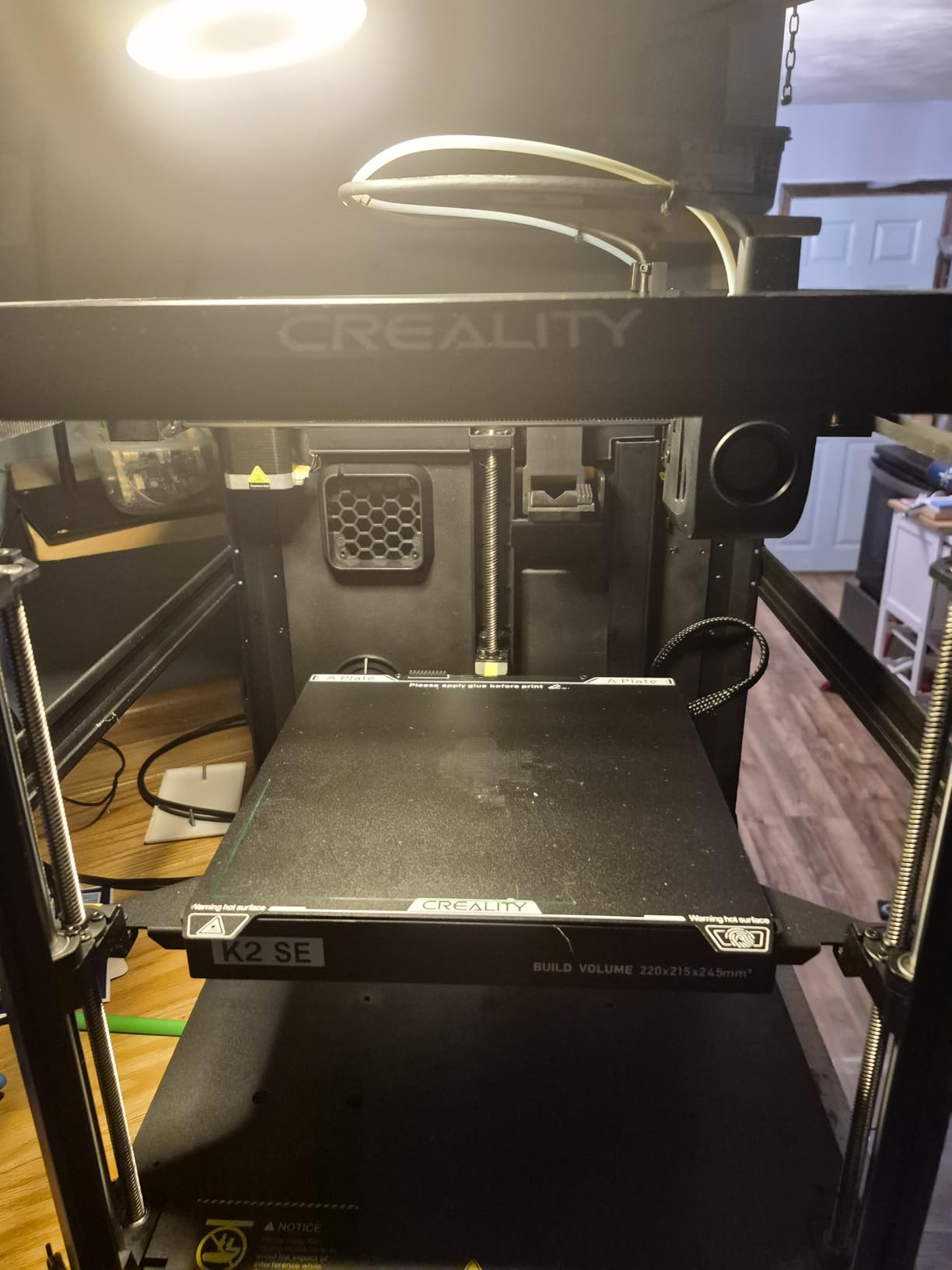
The Ender series has the largest modding community in 3D printing. You can find printable upgrades for nearly every component, from cable chains to tool mounts to custom firmware. If you enjoy tinkering and want a printer you can grow with, the Ender 3 V3 SE is an ideal platform.
Who Is This Printer For
This is the perfect first 3D printer. It is affordable enough that you are not making a huge financial commitment, reliable enough that you will not get frustrated, and supported by a community large enough to answer any question. For students, hobbyists on a tight budget, or anyone curious about 3D printing, the Ender 3 V3 SE is my top recommendation.
7. Anycubic Photon Mono 4 – Best Resin Printer Under $500
ANYCUBIC Photon Mono 4, Resin 3D Printer with 7” 10K Mono LCD Screen
10K Resin MSLA
153x87x165mm
9024x5120 Resolution
70mm/h
Pros
- Stunning 10K resolution detail
- LighTurbo for smooth surfaces
- Easy 4-point leveling
- Resume print after power loss
- Laser-engraved build platform
Cons
- Requires chemical handling and ventilation
- Smaller build volume than FDM
- Needs post-processing washing and curing
- App support is limited
The Anycubic Photon Mono 4 is the only resin printer on this list, and it fills a specific need that FDM printers simply cannot match. If you want ultra-fine detail for miniatures, jewelry, or dental models, resin printing is the way to go. The 10K resolution on this machine produces detail that has to be seen to be believed.
The 7-inch 10K mono LCD screen delivers a resolution of 9024 by 5120 pixels with a pixel size of just 17 by 17 micrometers. That translates to prints with crisp edges, smooth surfaces, and minimal layer lines. The LighTurbo matrix light source ensures uniform UV exposure across the entire build area.
I was impressed by how beginner-friendly Anycubic made resin printing. The 4-point leveling system means you set it up once and do not need to repeat the process. The laser-engraved Print Platform 2.0 improves adhesion and reduces warping, which are two of the most common frustrations with resin printing.
Resin printing does require more effort than FDM. You need gloves, isopropyl alcohol for washing, a UV curing station, and proper ventilation. The prints need post-processing in the form of washing and curing before they are finished. But the level of detail you get in return is worth the extra steps for many makers.
What Can You Print With It
The Photon Mono 4 excels at small, highly detailed objects. Think tabletop gaming miniatures, jewelry prototypes, dental models, and intricate figurines. The build volume of 153.4 by 87 by 165mm is smaller than FDM printers, but that is standard for resin machines in this price range.
Resin vs FDM: Making the Choice
If you want to print large functional parts, cosplay armor, or household items, go with an FDM printer from this list. But if your priority is maximum detail for small objects, the Photon Mono 4 at its price point is unbeatable. Many makers eventually own both types, using FDM for large prints and resin for detail work.
Buying Guide: How to Choose the Best 3D Printer Under $500?
Choosing from the best 3D printers under 500 dollars comes down to understanding what matters most for your specific needs. Here are the key factors our team evaluates when recommending printers.
Build Volume and Print Size
Build volume determines the largest object you can print in one piece. Most printers in this range offer 220mm cubed, which handles most hobby projects. If you regularly print large cosplay parts or functional prototypes, look for 256mm or 260mm build volumes like the ELEGOO Centauri Carbon or Anycubic Kobra X.
Print Speed and Acceleration
Print speed has become a major differentiator. Standard printers run at 100 to 150mm/s, while modern CoreXY machines hit 500 to 600mm/s. Acceleration matters just as much as top speed, because it determines how quickly the printer changes direction. Look for 20,000mm/s squared acceleration for smooth high-speed printing.
Auto Bed Leveling and Ease of Use
Auto bed leveling is non-negotiable in 2026. Manual leveling is a common pain point that drives beginners away from 3D printing. Every printer on this list includes some form of auto leveling. The best systems, like Bambu Lab’s and Anycubic’s LeviQ 3.0, require zero user intervention after initial setup.
Filament Compatibility
Most beginners will print with PLA, which works on every printer here. If you want to print ABS, ASA, or carbon fiber filaments, you need higher nozzle temperatures and ideally an enclosed chamber. The ELEGOO Centauri Carbon with its 320C nozzle and the Creality K1C at 300C are your best bets for advanced materials.
Enclosed vs Open Frame
Enclosed printers like the Bambu Lab P1S maintain stable internal temperatures, which improves results with ABS and ASA. Open-frame printers are fine for PLA and PETG but may struggle with temperature-sensitive filaments. If you plan to print engineering-grade materials, prioritize an enclosed design.
Slicer Software and Ecosystem
The slicer software you use affects your printing experience significantly. Bambu Studio is widely considered the most user-friendly option, while Cura and PrusaSlicer offer more customization. Creality printers work well with Creality Print or Cura. Check that your chosen printer has good slicer support before buying. For more budget-friendly options beyond this list, our guide to FDM 3D printers under $300 covers additional choices.
FAQs
What is the cheapest but good 3D printer?
The Creality Ender 3 V3 SE is the cheapest printer on our list and offers excellent value. At around $219, it includes CR Touch auto leveling, a reliable Sprite direct extruder, and simple 3-step assembly. It is the best option for beginners who want reliable printing without spending more.
What is the best printer under $500?
The Bambu Lab P1S is our top pick under $500. It offers 500mm/s print speed, a fully enclosed chamber for ABS and ASA printing, auto bed leveling, and a 15-minute setup time. With optional AMS it supports up to 16 colors. Reddit communities consistently recommend it as the best overall value.
Which is the best 3D printer for home use?
For home use, the Flashforge Adventurer 5M and Anycubic Kobra X are excellent choices. The Flashforge offers one-click printing perfect for families, while the Kobra X operates at just 45dB, making it quiet enough for any living space. Both include auto leveling and WiFi connectivity.
What is the holy grail of 3D printing?
The holy grail of 3D printing in the consumer space is a machine that delivers professional quality with zero maintenance. The Bambu Lab P1S comes closest to this ideal under $500, offering plug-and-play reliability, multi-color capability, and enclosed printing that rivals machines costing twice as much.
Is a $500 3D printer worth it?
Yes, a $500 3D printer is absolutely worth it in 2026. At this price point you get features that were exclusive to $1,000+ machines just two years ago, including CoreXY speed, auto bed leveling, enclosed chambers, and multi-color capability. The value per dollar has never been better.
Conclusion
The best 3D printers under 500 dollars in 2026 offer an incredible combination of speed, reliability, and features. Our top recommendation is the Bambu Lab P1S for its unmatched out-of-box experience and multi-color capability. For the best value, the ELEGOO Centauri Carbon handles advanced materials at an impressive price. And for budget-conscious beginners, the Creality Ender 3 V3 SE delivers reliable printing without breaking the bank. Whatever your needs, there has never been a better time to start 3D printing.