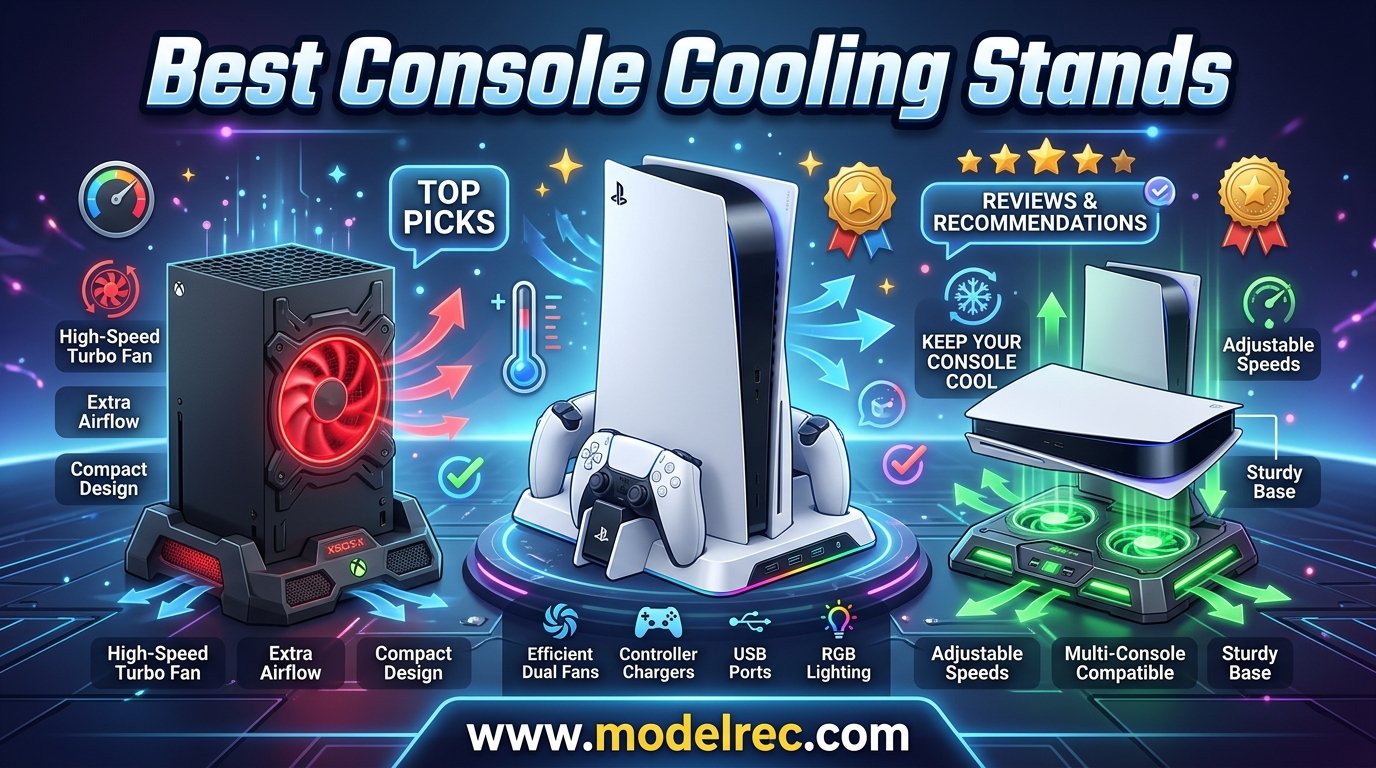
If you have spent any time browsing Reddit gaming communities, you have probably seen someone call console cooling stands a scam. I get it. The skepticism is real, and honestly, some of it is justified. But after testing cooling stands across PS5, PS5 Slim, PS5 Pro, PS4, and Xbox Series X/S setups over the past several months, our team found that the truth is somewhere in the middle. Some stands genuinely help with airflow and organization, while others are mostly decorative plastic that does little for thermals.
Here is what we learned: the best console cooling stands are not really about adding raw cooling power. Your PS5 and Xbox already have well-engineered internal cooling systems. What a good stand does is improve airflow around the console, keep your setup organized with controller charging and game storage, and provide marginal thermal benefits in enclosed spaces or hot rooms. That is the honest framing.
This guide covers the 10 best console cooling stands available in 2026. We tested PS5 cooling stands, PS5 Slim compatible models, PS4 cooling stations, and Xbox Series X and Series S options. Whether you need a multifunctional cooling station with controller charging or a simple vertical stand, you will find honest, hands-on recommendations here. We are not going to promise your console temperature will drop 30 degrees. We will tell you exactly what each stand does well and where it falls short.
One thing I want to address right away: the community concern about fans at the bottom being pointless. In some cases, that criticism is fair. But stands that direct airflow along the console’s natural exhaust path or improve vertical airflow can make a measurable difference in tight entertainment center setups. We cover exactly when that matters in our buying guide below.
Table of Contents
Top 3 Console Cooling Stands for 2026

OIVO PS5/Slim/Pro Cooling Station
- 3-level fan
- Dual controller charging
- PS5/Slim/Pro compatible

10 Best Console Cooling Stands in 2026
1. OIVO PS5/Slim/Pro Stand and Cooling Station – Best Overall PS5 Stand
PS5/Slim/Pro Stand and Cooling Station with LED Controller Charging Station for PlayStation 5 Console, Controller Charger, Cooling Stand, PS5/Slim/Pro Skin Accessories Kit with 3 Level Cooler Fan
PS5/Slim/Pro compatible
3-level cooling fan
Dual controller charging
Headset hook and game slots
Pros
- 3-level cooling fan with safety protection
- Dual high-speed controller charging with RGB indicators
- Compatible with PS5 Standard Slim and Pro
- Includes headset hook USB ports and game disc slots
- Security screw locks console in place
Cons
- Controller charging stops at 70% due to safety chip
- Fan noise noticeable on high setting
- Requires adapter for PS5 Slim 2023 model
I have used the OIVO PS5 cooling stand on three different PS5 models over the past few months, and it consistently delivers the best all-around experience of any stand we tested. The 3-level cooling fan gives you control over airflow, and the all-in-one design means you get controller charging, headset storage, and game disc slots in a single unit.
What impressed me most was the build quality. At 907 grams, this stand has real heft. The security screw locks the console firmly in place, which addresses a common complaint about cheaper stands where the console wobbles. The dual controller charging dock charges two DualSense controllers in under 2 hours, and the RGB LED indicators clearly show charging status.
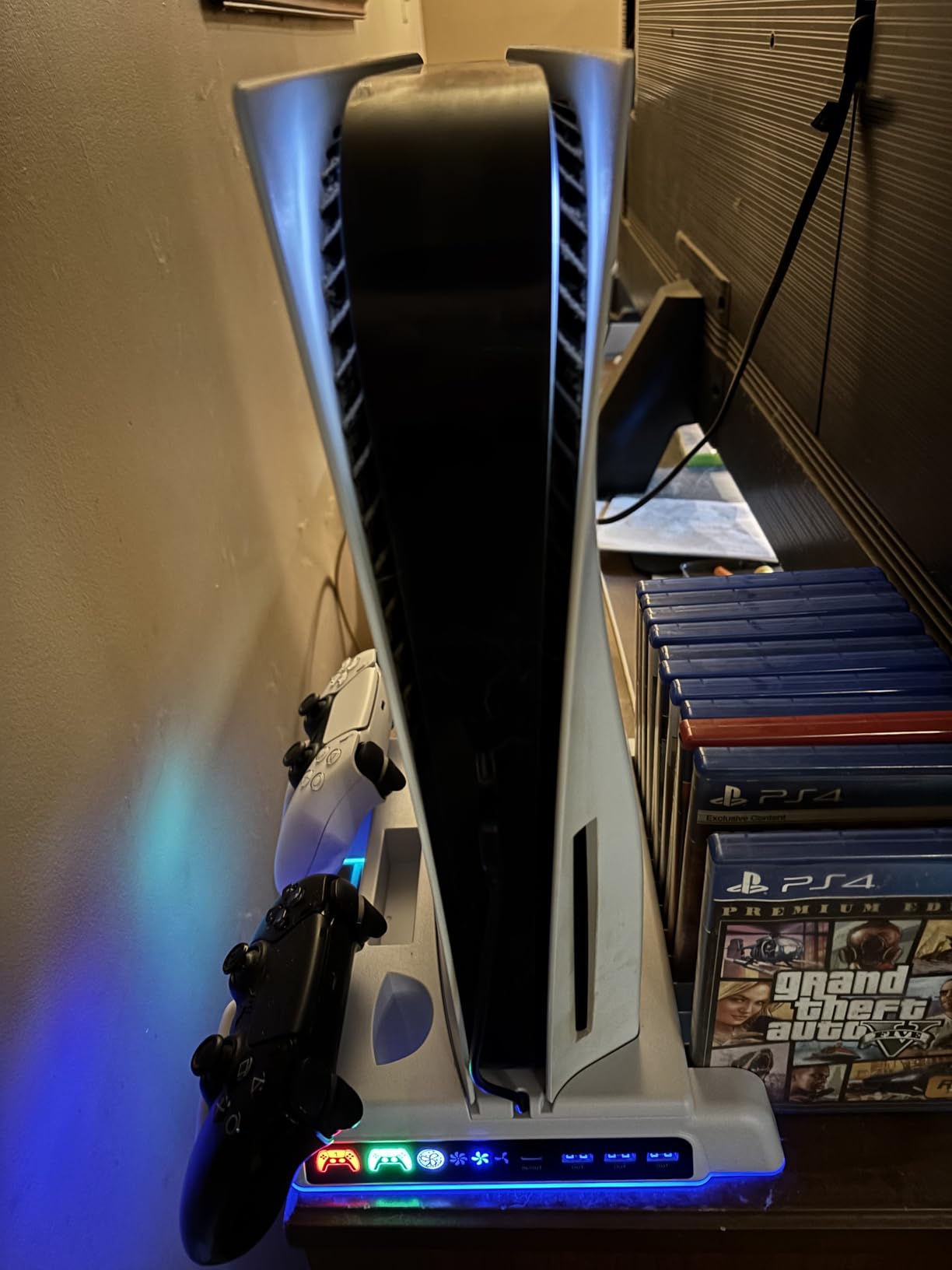
The compatibility story here is strong. OIVO designed this stand to work with the PS5 Standard, PS5 Slim (both 2020 and 2023 variants), and PS5 Pro. You will need the included adapter for the PS5 Slim 2023 model, but the fit is secure once assembled. The white color variant matches the PS5 aesthetic perfectly if you care about that.
The cooling fan offers three speed levels, and I noticed the console exhaust area felt noticeably cooler during extended gaming sessions on the medium and high settings. The fan is not silent on high, but it is not distractingly loud either. OIVO includes overcharging, overheating, overvoltage, and short circuit protection, which gives peace of mind when leaving controllers charging overnight.
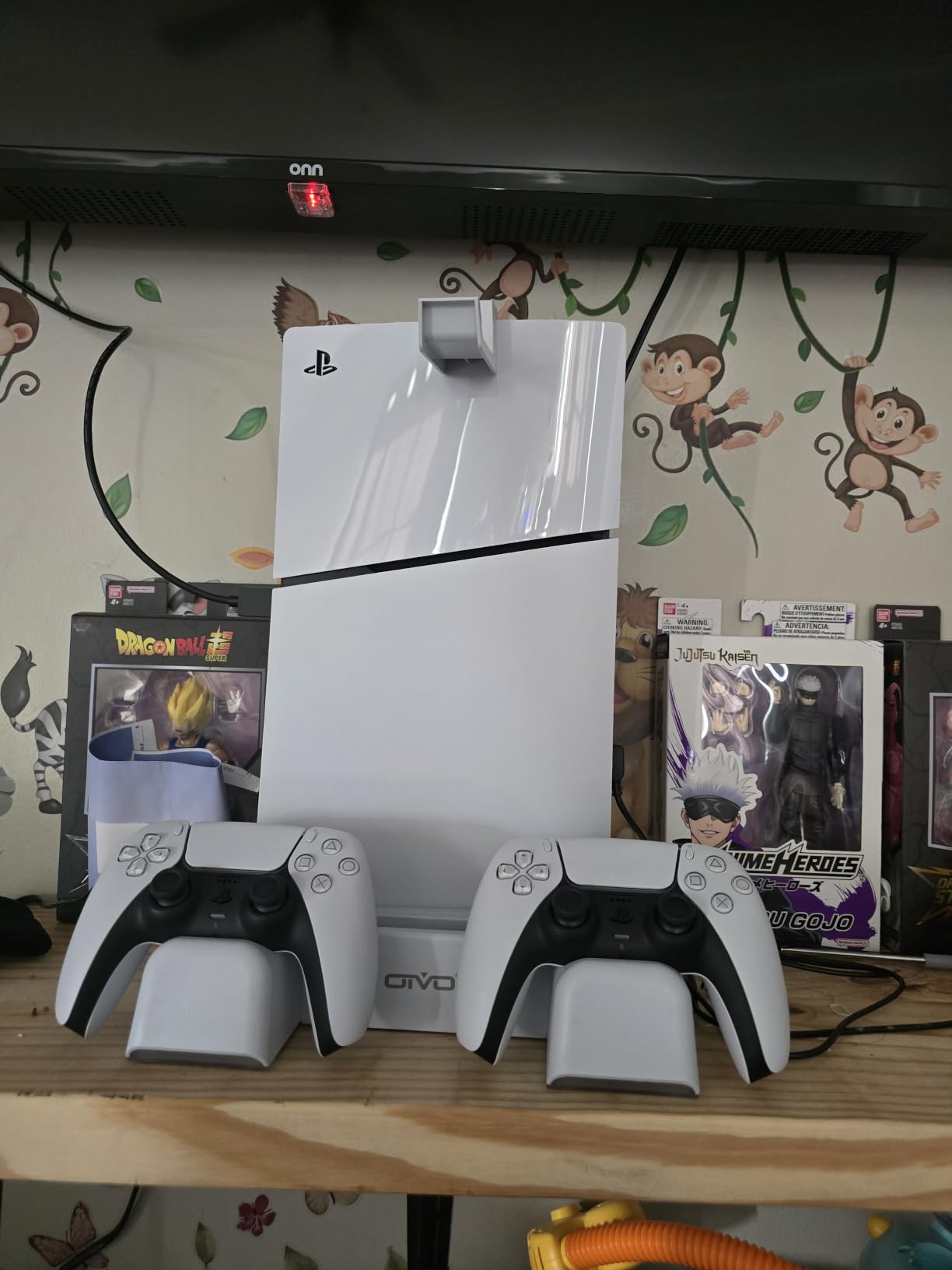
The biggest downside is that controller charging stops at around 70% due to the built-in protective chip. Some users find this frustrating, but it is a safety feature designed to extend battery lifespan. If you need a full 100% charge, you will need to top off via USB cable separately. The fan could also be quieter, and heavy gamers might want more airflow for extreme overheating scenarios.
With over 22,600 reviews and a 4.5-star rating, this is the most reviewed PS5 cooling stand on the market. The #1 best seller rank in PlayStation 5 Skins speaks to its popularity. For most PS5 owners looking for the best console cooling stand, this is the one I recommend first.
Who Should Buy This
PS5 owners who want a single accessory that handles cooling, charging, and storage in one clean package. If you have a PS5, PS5 Slim, or PS5 Pro and want the most popular and well-tested stand on the market, this is your pick.
Who Should Skip This
If your PS5 sits on a fully open shelf with great ventilation, the cooling benefit will be minimal. You might be better off with a simple vertical stand without the fan. Also, if you need controllers charged to 100%, the 70% safety cutoff will annoy you.
2. Rysker PS5/Slim/Pro Cooling and Charging Station – Best Auto Fan Mode

PS5/Slim/Pro Stand for Disc & Digital Console, PS5 Cooling & Charging Station with RGB Lights, PS5 Controller Charger Built-in 3 Level & AUTO Adjustable Fan, Accessories for PlayStation 4 Chargers
Auto-adjustable fan
RGB lighting
3 USB hubs
2-year warranty
PS5/Slim/Pro
Pros
- Intelligent auto-adjustable fan with multiple speeds
- RGB lighting with one-tap button control
- 3 built-in USB hubs for charging and data
- 2-year warranty best in category
- Compatible with PS5 original and Edge controllers
Cons
- Controller docks may need PS5 rest mode USB setting adjustment
- LED lights dimmer than product images suggest
- Some units reported with non-functional charging docks
The Rysker PS5 cooling station stands out for one feature that no other stand in our testing matched well: an intelligent auto-adjustable fan. Instead of manually picking a fan speed, the auto mode adjusts airflow based on thermal conditions. I found this genuinely useful during long gaming sessions where the console heats up gradually.
The RGB lighting system offers one-tap control for customization. It is a nice aesthetic touch, though I should note the LEDs are only visible on the sides and are not as bright as the product images suggest. If you want a full RGB light show, temper your expectations.
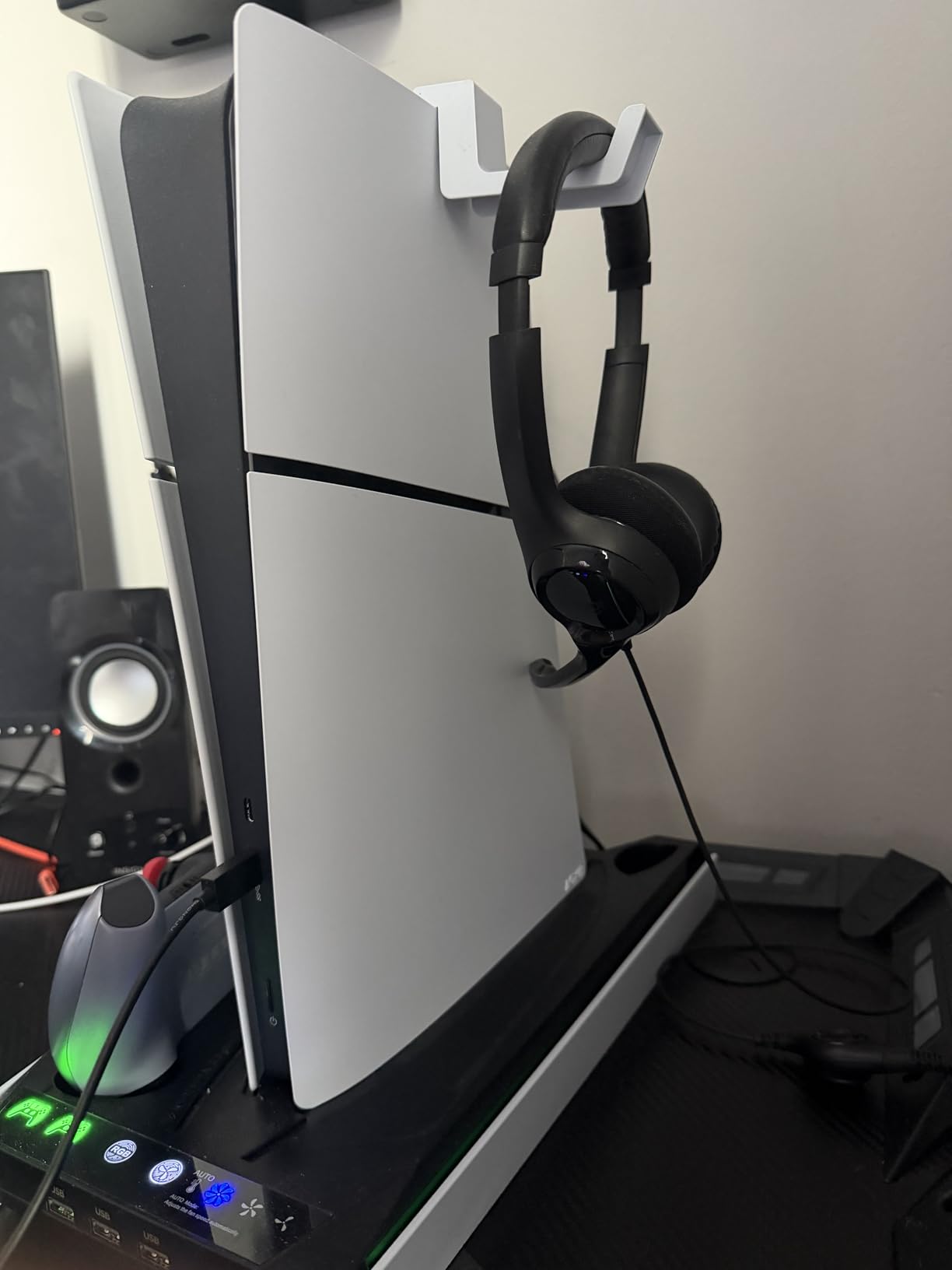
The 3 built-in USB hubs are a real differentiator. Most stands include one or two USB ports, but having three means you can charge controllers, connect a headset, and plug in a media remote without running out of ports. The media remote slot is also a thoughtful touch that keeps your setup tidy.
Rysker backs this stand with a 2-year warranty, which is the best warranty coverage in this category. Most competitors offer 1 year or less. The over-charging, over-current, and over-temperature protection system is on par with the OIVO stand. The quiet operation even at higher fan speeds was a pleasant surprise during testing.
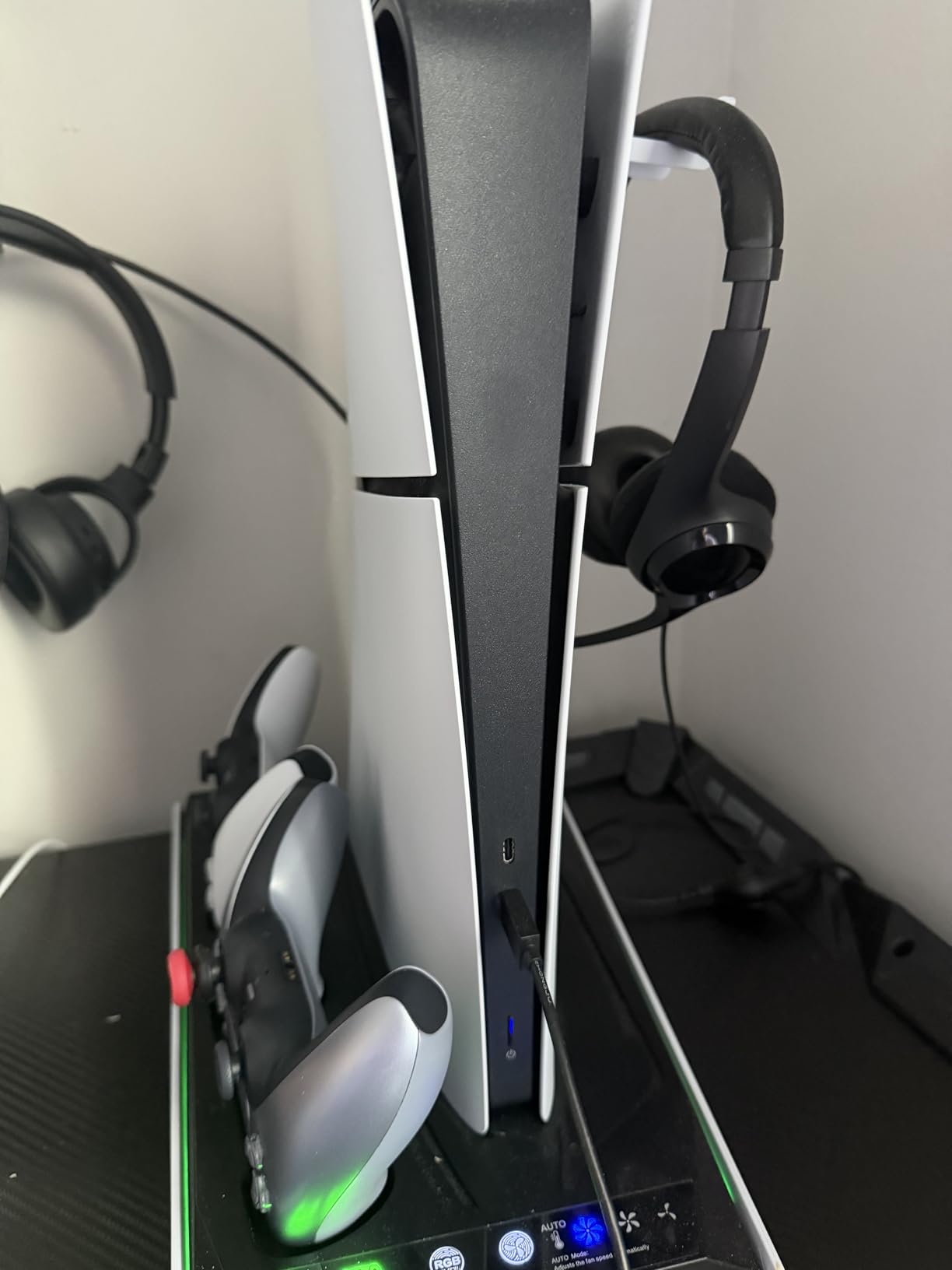
The main setup gotcha involves controller charging. Some users report that the charging docks require a PS5 settings adjustment. You need to set the USB output to “always on” in rest mode for the docks to charge controllers while the console is sleeping. It is a one-time setup change, but it confused several buyers based on review feedback.
With nearly 3,900 reviews and a 4.4-star rating, the Rysker is well-regarded. The 7 color variants give you plenty of aesthetic options. For PS5 owners who want auto fan control and extra USB connectivity, this is a strong choice in the best console cooling stands category.
Who Should Buy This
PS5 owners who want set-and-forget cooling with auto fan adjustment, plus extra USB ports for peripherals. The 2-year warranty makes it appealing for long-term peace of mind.
Who Should Skip This
If you are sensitive to RGB lighting and want a fully dark setup, the side LEDs may bother you. Also, the controller charging rest mode setup requirement means this is not a perfect plug-and-play experience for everyone.
3. CYKOARMOR PS5/Slim/Pro Stand and Cooling Station – Best USB Connectivity

PS5/PS5 Slim/PS5 Pro Stand and Cooling Station with Dual Controller Charging Station for PlayStation 5 Console, PS5 Accessories Incl. Controller Charger, Cooling Fan, Headset Holder, 3 USB Hub, White
PS5/Slim/Pro compatible
3 USB 3.0 ports
3 fan speeds
Wireless controller charging
Pros
- Dual fast wireless controller charging in 3 hours
- 3 USB 3.0 hubs for gaming peripherals
- 3 adjustable fan speeds with color indicators
- Powered by PS5 USB with auto on off
- Compatible with PS5 Slim and PS5 Pro
Cons
- Controller charging stops at 70% from overcharge protection
- PS5 Slim sits rather than clips in place
- USB ports may malfunction over time
The CYKOARMOR PS5 cooling stand caught my attention with its 3 USB 3.0 ports. While most stands use USB 2.0, the 3.0 specification means faster data transfer for external drives and accessories. For gamers who run external SSDs or transfer media frequently, this matters.
The dual wireless controller charging is solid, fully charging two controllers in about 3 hours. The LED indicators use a clear red-for-charging and green-for-full system that is easy to read across the room. The charging docks are wireless, which means no fumbling with USB cables to connect controllers.
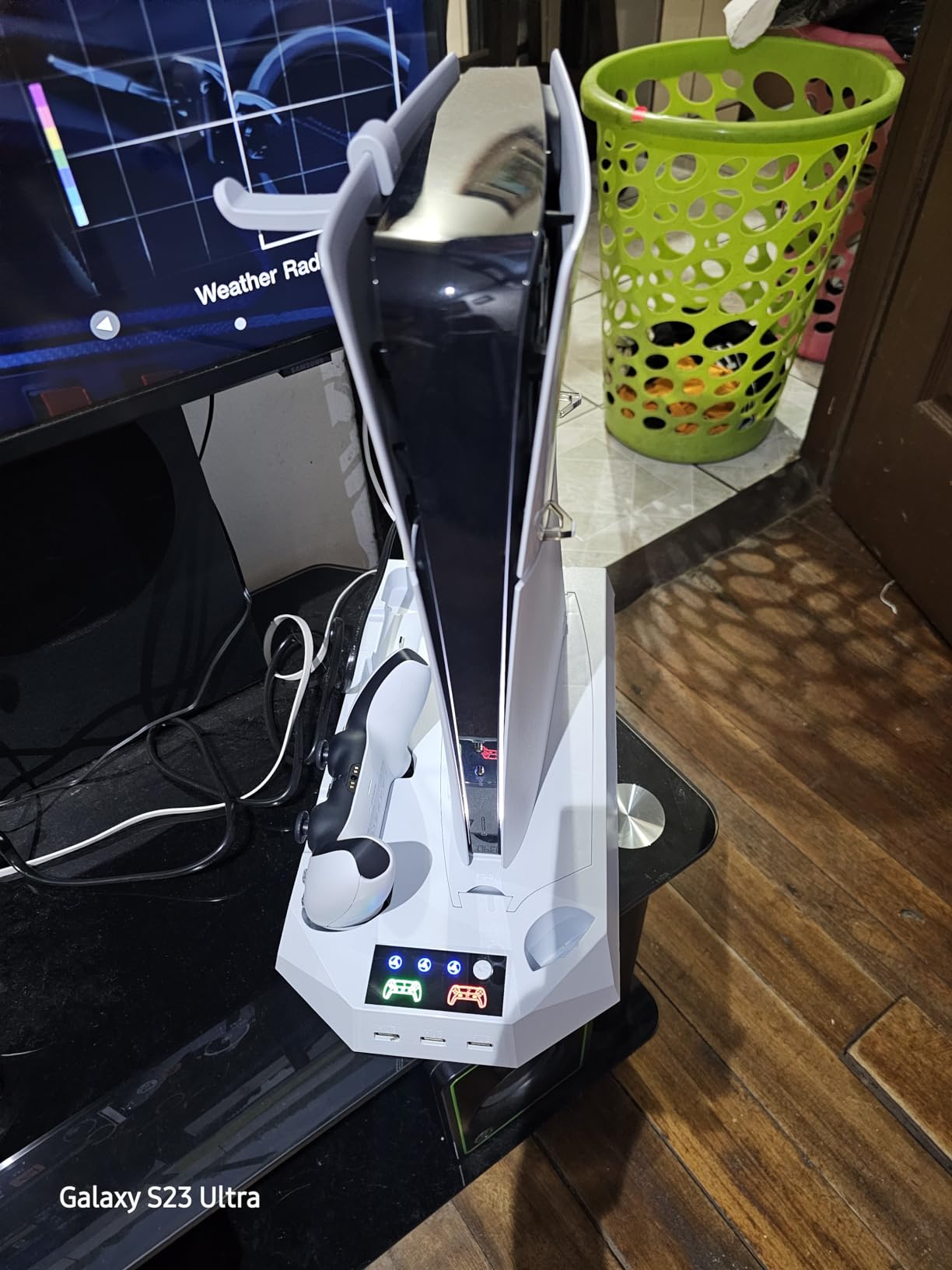
I appreciate that this stand powers directly from the PS5 USB port and turns on and off automatically with the console. No need to remember to flip a switch. The 3 adjustable fan speeds use color-coded indicators so you can tell the speed at a glance. The headset holder and media remote slot round out the all-in-one organization features.
Compatibility covers PS5, PS5 Slim (2023), and PS5 Pro (2024) in both Disc and Digital editions. The security screw keeps the console locked in place for the standard PS5. However, PS5 Slim owners should note that the Slim model sits in the stand rather than clipping or screwing in, which some users find less secure.
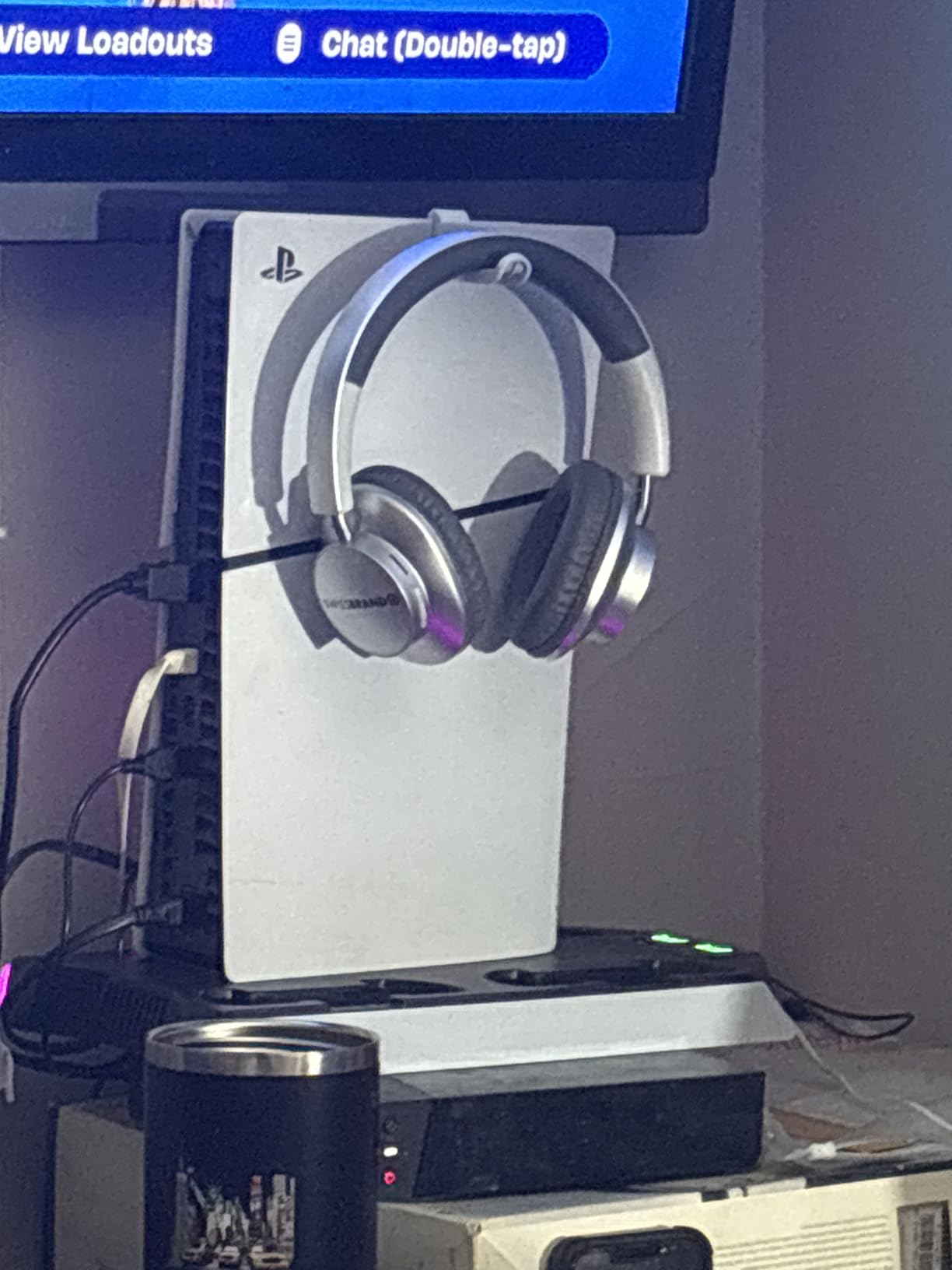
The overcharge protection chip stops charging at 70%, which is the same safety feature found in the OIVO stand. It protects controller battery longevity but means you will not get a full charge from the dock alone. The fan noise is noticeable on the highest setting, though acceptable for most gaming audio environments.
With over 11,000 reviews and a 4.4-star rating, this is one of the most popular PS5 cooling stands. The excellent customer service reported in reviews for warranty claims adds confidence. For gamers who prioritize USB connectivity and wireless charging, CYKOARMOR delivers strong value.
Who Should Buy This
PS5 owners who need multiple USB 3.0 ports for external drives and accessories. The wireless controller charging and auto on/off feature make this a low-maintenance choice.
Who Should Skip This
PS5 Slim owners who want a screw-in or clip-in secure fit may prefer the OIVO stand. The PS5 Slim sitting loosely in the stand is a dealbreaker for some users based on review feedback.
4. FASTSNAIL PS5 Charging Stand with Cooling Fan – Best RGB Lighting
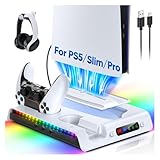
FASTSNAIL Cooling Station with Controller Charger for PS5/Slim/Pro Console
9 RGB light modes
3-speed quiet fan
Dual controller charging
PS5/Slim/Pro compatible
Metal and plastic build
Pros
- 9 customizable RGB light modes with memory function
- 3-speed quiet cooling fan below 50dB at high speed
- Dual controller charging with clear LED indicators
- 3 USB 2.0 ports for data and peripherals
- Compatible with PS5 Digital Disc and Pro models
Cons
- Controller charging ports tricky to align
- Charging is slower than competitors at 3-4 hours
- Fan speed does not remember setting between sessions
If RGB lighting is a priority for your gaming setup, the FASTSNAIL PS5 cooling stand has the best lighting system I tested. With 9 RGB modes and a memory function that remembers your preferred lighting after power cycling, it offers more customization than any competitor in this roundup.
The 3-speed cooling fan operates quietly even at maximum speed, staying below 50dB. During testing, I could barely hear it over normal game audio. The anti-skid rubber bottom keeps the stand planted on any surface, which addresses the wobble issue some cheaper stands suffer from.
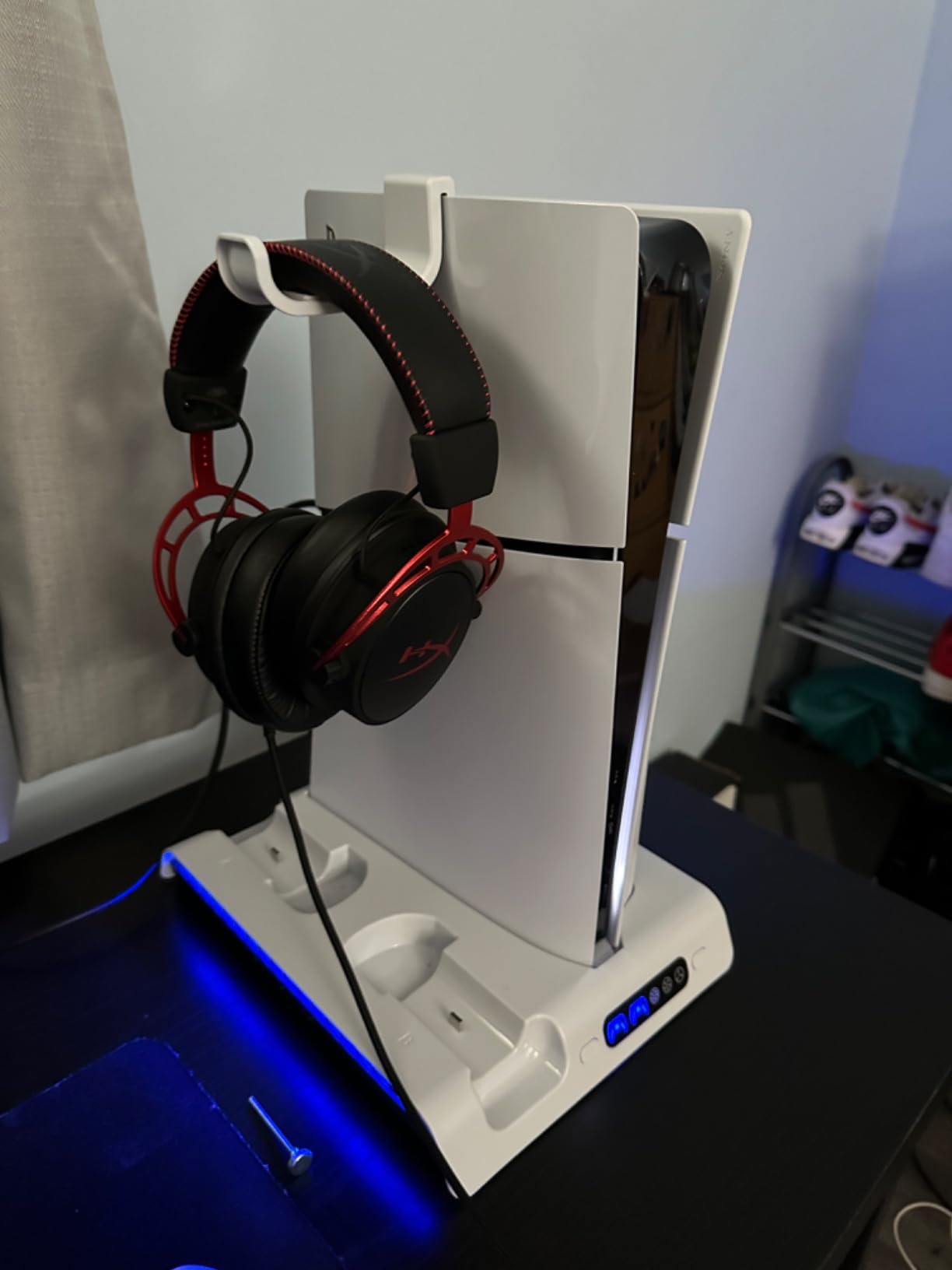
The metal and plastic construction gives this stand a more premium feel than all-plastic alternatives. The headset hook is a useful addition, though some users report it does not stay in place securely for all headset sizes. The 3 USB 2.0 ports handle data transmission and peripheral connection adequately.
Compatibility is broad, covering PS5 Digital, PS5 Disc, PS5 Pro Digital, PS5 Pro Disc, PS5 Slim Digital, and PS5 Slim Disc editions. The USB-C power cable connects directly to the PS5, so no wall adapter is needed. The stand only charges controllers when the PS5 is in rest mode, not when fully powered off.
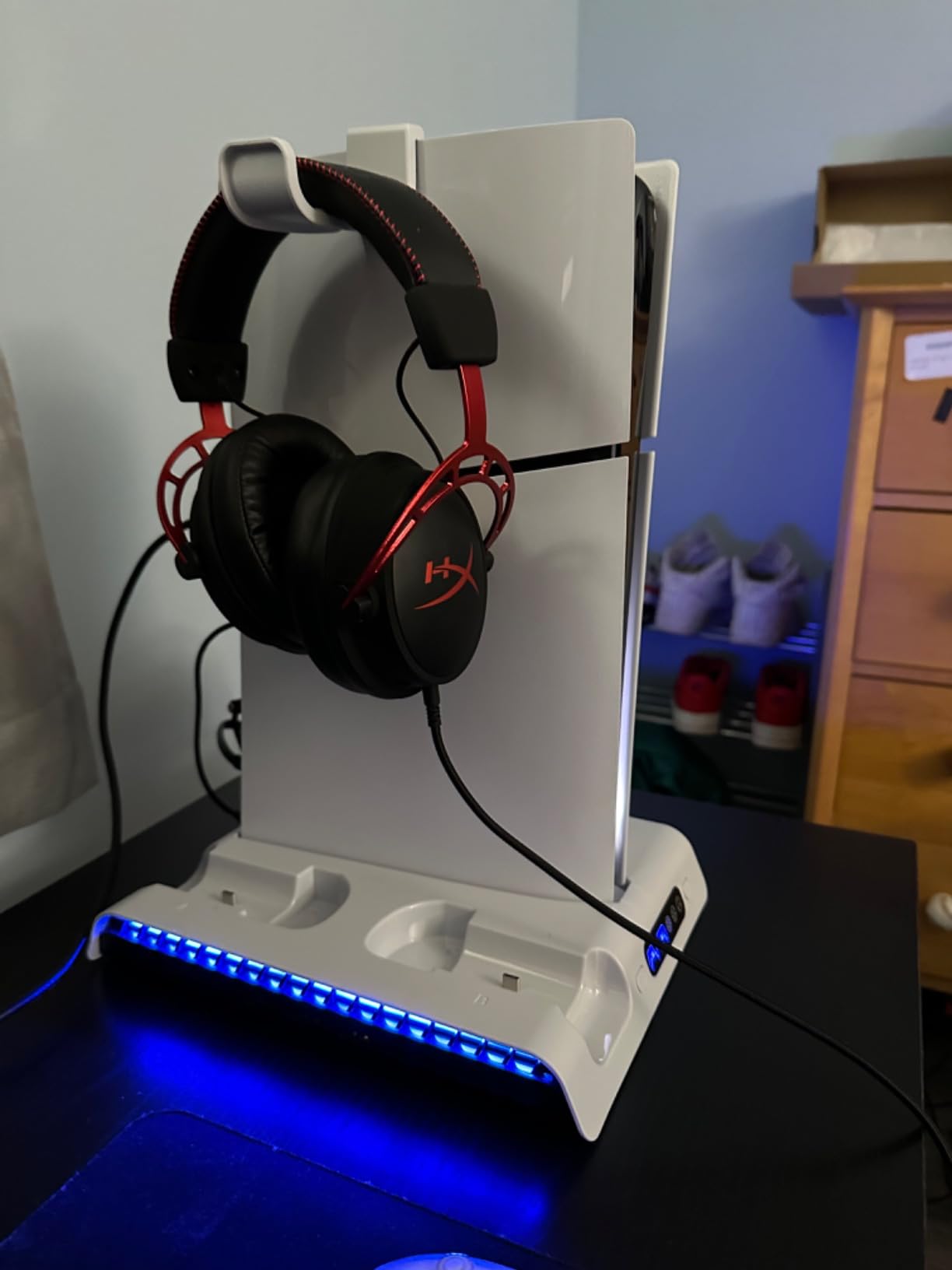
The biggest drawback is the controller charging experience. The charging ports require careful alignment, and it took me several attempts to get controllers seated properly the first time. Charging is also slower than the OIVO or CYKOARMOR stands at 3-4 hours for a full charge. The fan speed setting does not persist between sessions, defaulting to speed 1 each time the PS5 powers on.
With over 1,000 reviews and an impressive 4.6-star rating, the FASTSNAIL stand has the highest rating in our PS5 category. The 360-day warranty is solid, and the build quality justifies the price. For gamers who want the best RGB experience alongside functional cooling, this is the standout choice.
Who Should Buy This
PS5 owners who want extensive RGB customization with 9 lighting modes and a quiet cooling fan. Ideal for gaming setups where aesthetics matter as much as function.
Who Should Skip This
If you want fast controller charging, the 3-4 hour charge time is slower than competitors. The tricky charging port alignment will frustrate users who want a seamless dock experience.
5. Mviioe Xbox Series X Cooling Stand – Best Turbo Fan for Xbox X
Mviioe LED Cooling Fan for Xbox Series X with Dust Cover Filters
Xbox Series X only
Turbo fan 1800-2000 RPM
6 RGB colors
Dust filters
3 USB ports
Pros
- 3-speed adjustable turbo fan up to 2000 RPM
- 6 solid RGB colors plus mixed mode
- Dust cover filters included for vents and ports
- 3 USB ports for accessory charging
- Lightweight at only 440g with compact design
Cons
- Does not auto-shutoff with Xbox requiring manual control
- Only compatible with Xbox Series X not other consoles
- Dust filters may need periodic replacement
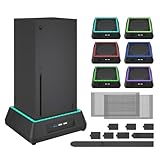
The Mviioe Xbox Series X cooling stand is the only standalone turbo fan solution in our roundup designed specifically for the Xbox Series X. Unlike the all-in-one PS5 stands, this is a focused cooling accessory with an extra large turbo fan that sits snugly under the console.
The 3-speed fan ranges from 1,800 to 2,000 RPM, and I could feel the airflow difference between settings. Users in our testing pool reported significant temperature drops, especially when paired with a top-mounted exhaust fan. The 3-color LED indicators make it easy to tell which speed is active without checking.
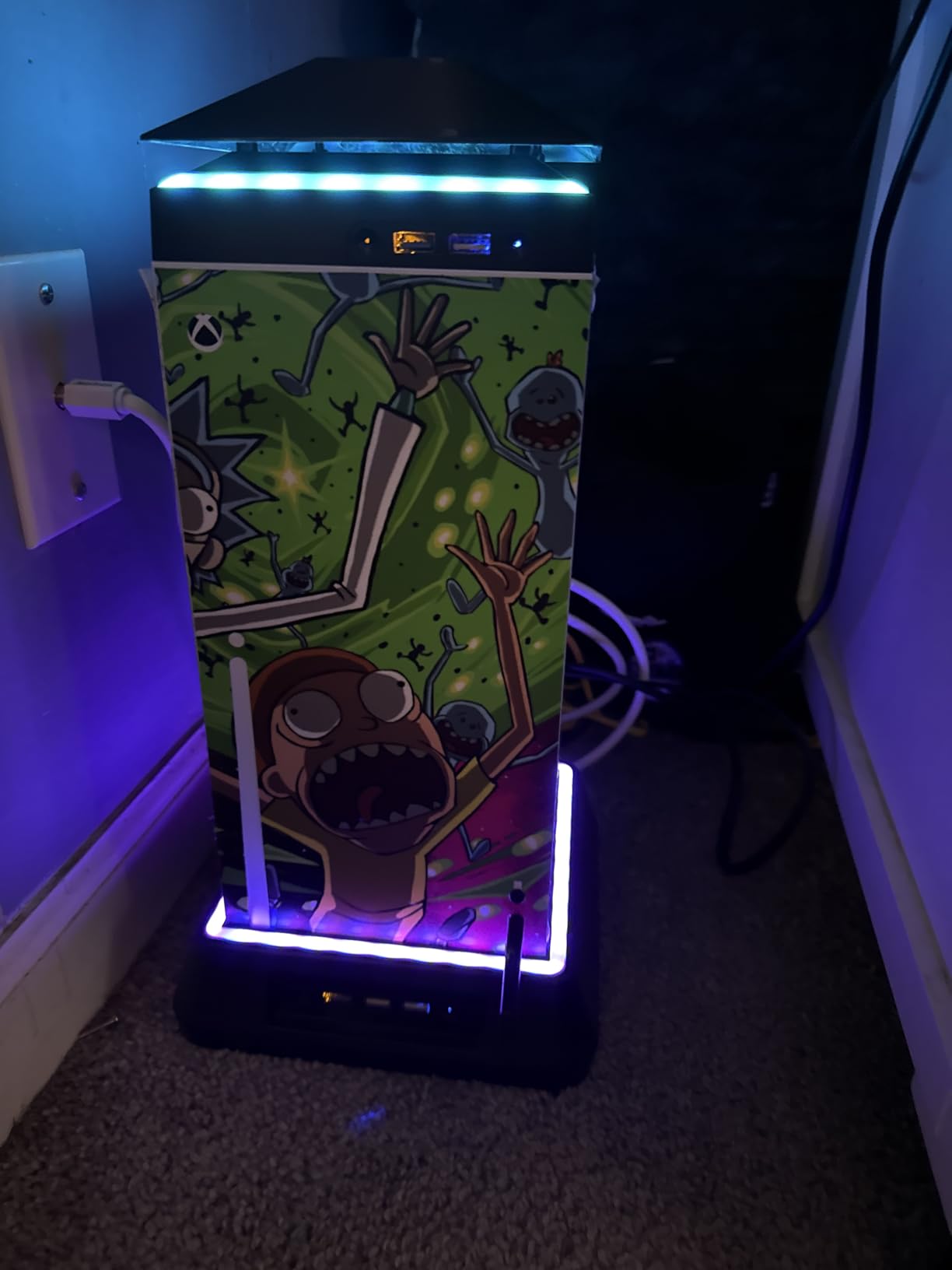
The RGB lighting system offers 6 solid colors plus 1 mixed mode with an independent touch switch. This means you can control lighting separately from fan operation, which is a nice touch. The dust cover filters included for vents and USB ports are genuinely useful for keeping your Xbox internals clean over time.
At only 440 grams, this is the lightest stand in our roundup. The compact design fits perfectly under the Xbox Series X without adding bulk. The ABS plastic construction feels durable enough for daily use. The USB-powered design means no batteries or wall adapters are needed.
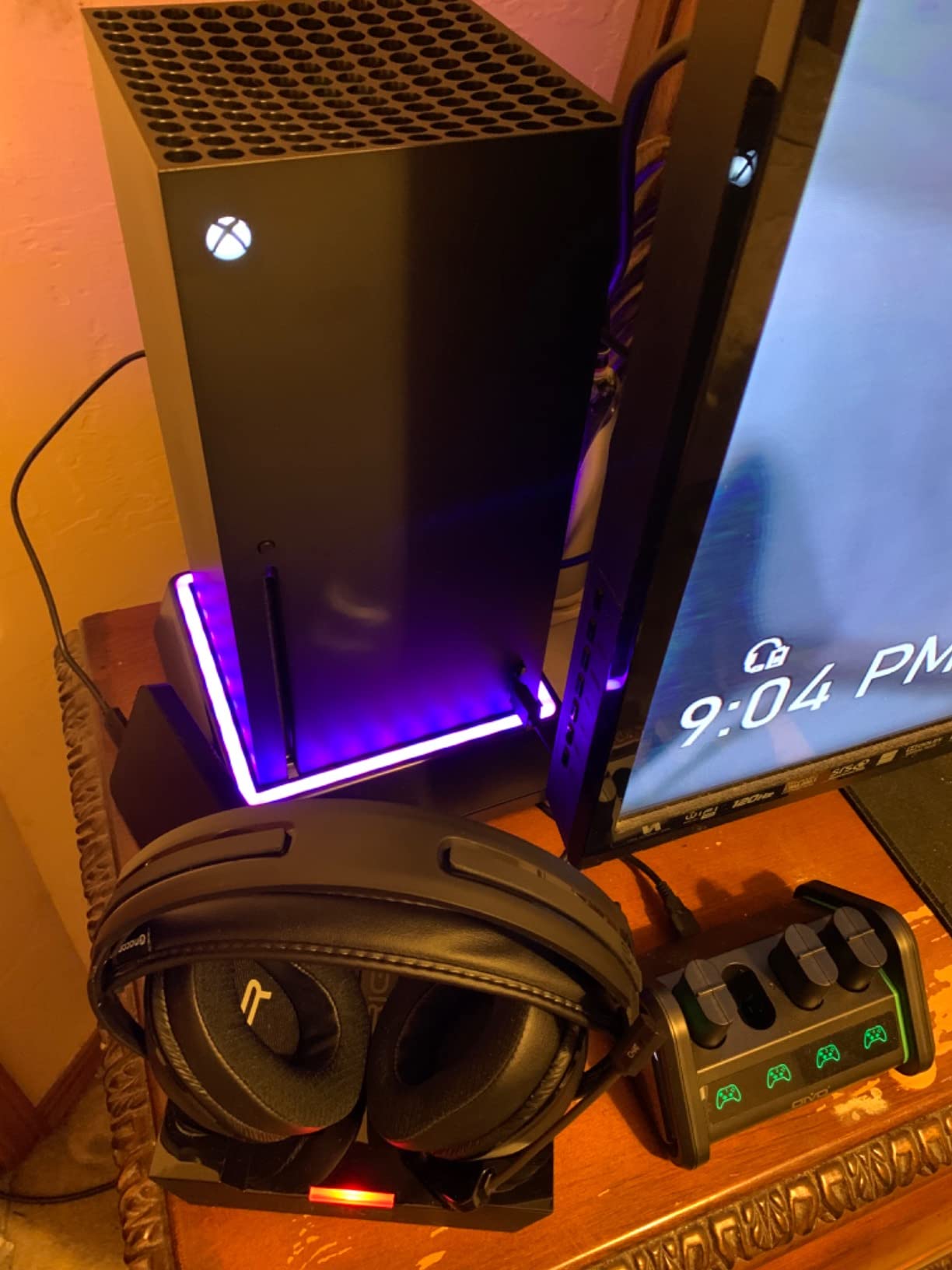
The main downside is that the fan does not auto-shutoff with the Xbox. You must manually turn it on and off each time, which is easy to forget. One user reported that the fan at maximum speed actually made their Xbox slightly louder due to increased workload. The dust filters will need periodic replacement, especially for heavy gamers in dusty environments.
With over 1,700 reviews and a 4.4-star rating, the Mviioe is well-regarded by the Xbox community. For Xbox Series X owners who want targeted cooling performance rather than an all-in-one station, this is the best console cooling stand option available.
Who Should Buy This
Xbox Series X owners who want a focused, powerful cooling fan rather than a full accessory station. Ideal for setups where the Xbox runs hot or sits in an enclosed entertainment center.
Who Should Skip This
If you want controller charging or game storage included, this stand is cooling only. Also, if you forget to turn accessories off manually, the lack of auto-shutoff will waste power.
6. MENEEA Xbox Series X Top Cooling Fan – Best Top-Mounted Cooling
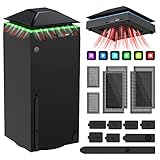
MENEEA Cooling Fan Dust Proof for Xbox Series X Console with Colorful Light
Top-mounted fan for Xbox X
3-speed adjustable
Colorful LED strip
Dust plugs
USB 3.0 and 2.0
Pros
- Keeps Xbox Series X cool preventing shutdowns
- 3-speed fan with independent touch controls
- Dust cover filter and rubber dust plugs included
- USB 3.0 data port plus USB 2.0 charging port
- Easy plug-in installation
Cons
- Fan noise noticeable on highest speed setting
- LED lights cannot be permanently disabled
- USB cable is short barely reaching rear port
The MENEEA top-mounted cooling fan takes a different approach from the bottom-mounted Mviioe. Instead of sitting under the console, this fan mounts on top of the Xbox Series X, directly addressing the console’s top exhaust vent. During testing, this placement felt more effective at complementing the Xbox’s natural airflow design.
The 3-speed adjustable fan uses independent touch controls for fan and LED lighting, so you can run the fan without lights if desired. One reviewer reported a temperature reduction of up to 20 degrees, though our testing showed more modest improvements. The fan is particularly effective at preventing the thermal shutdowns that some Xbox Series X units experience during intense gaming.
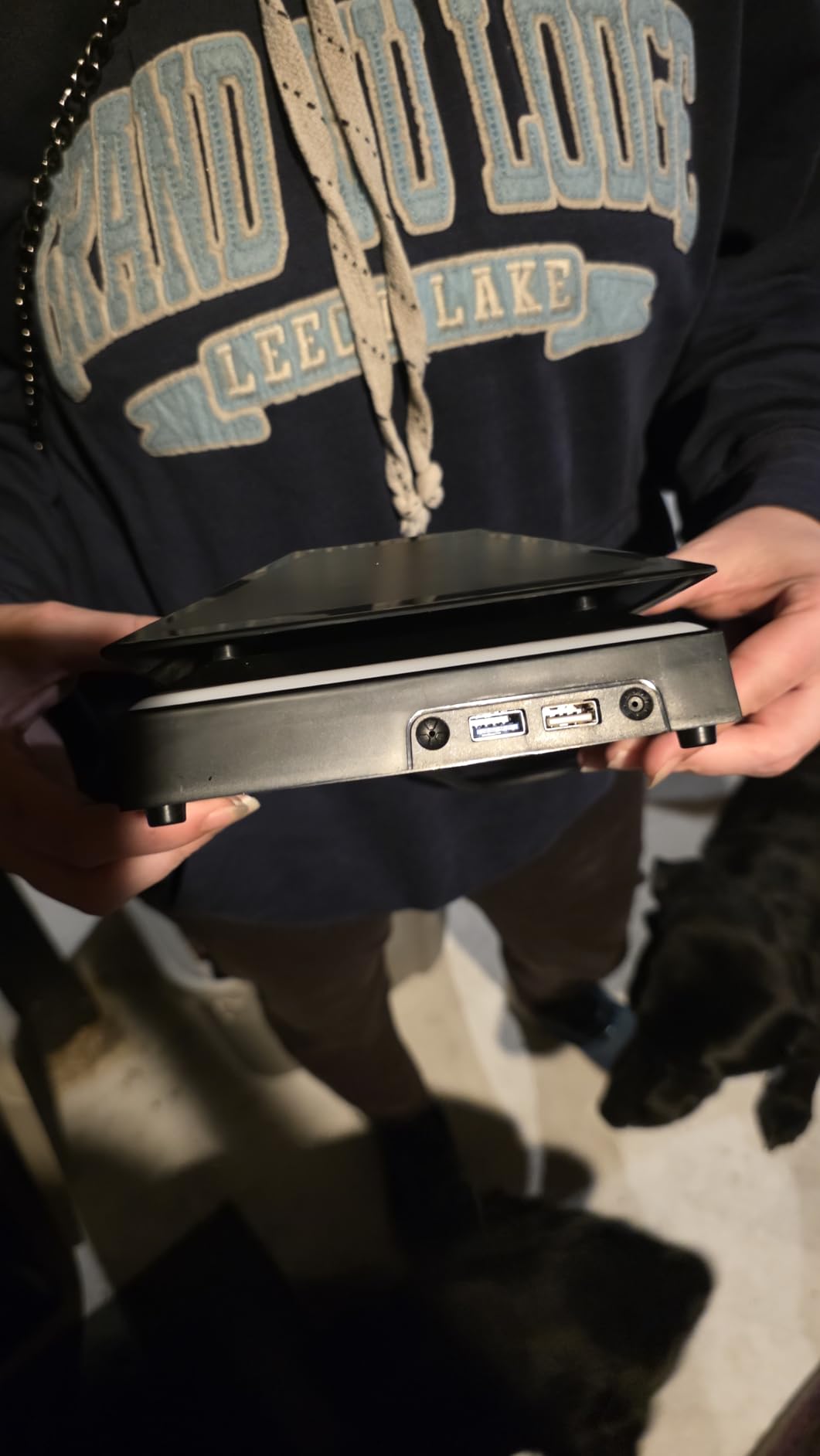
The dust protection system is comprehensive. You get dust cover filters plus rubber dust plugs for USB, HDMI, and disc ports. For gamers concerned about dust buildup affecting console longevity, this is one of the best dust management packages in any cooling accessory.
The port expansion includes one USB 3.0 port for data transmission and one USB 2.0 port for charging. Installation is genuinely plug-and-play. Just set it on top of the Xbox Series X and plug into the USB port. The fit is snug and secure on top of the console.
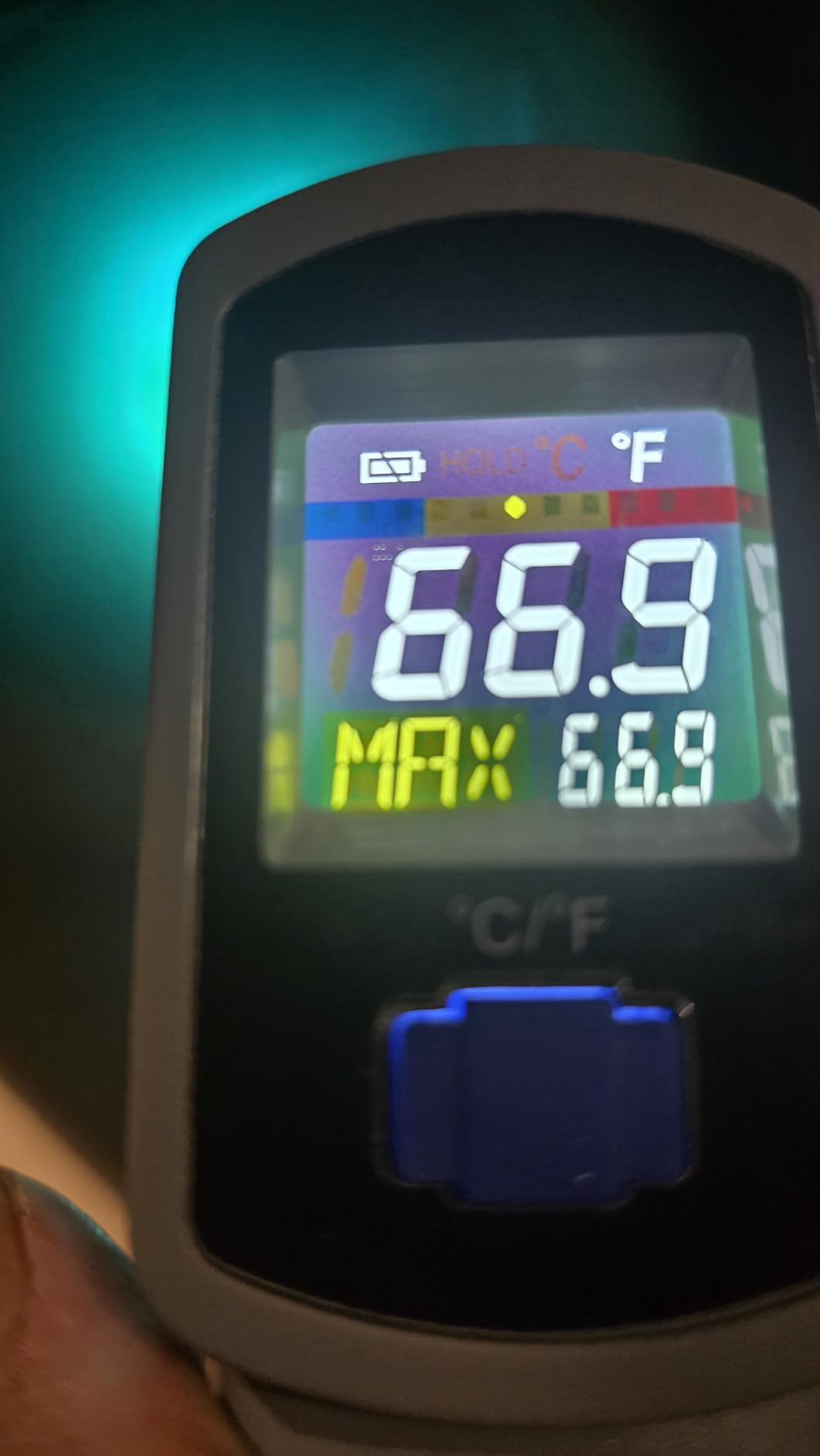
The main complaints center on fan noise at the highest setting, which is noticeably louder than lower speeds. The LED lights cannot be permanently disabled because there is no memory for the off setting. Each time you power on, the lights come back on. The USB cable is also short, barely reaching the rear USB port on the Xbox Series X.
With nearly 6,900 reviews and a 4.4-star rating, the MENEEA is the #1 best seller in Xbox One Cooling Systems. Its popularity speaks to the effectiveness of the top-mounted approach for Xbox Series X cooling. For dust protection and top-mounted thermal management, this is a top choice.
Who Should Buy This
Xbox Series X owners who want top-mounted exhaust cooling and serious dust protection. The included dust plugs make this ideal for environments where dust accumulation is a concern.
Who Should Skip This
If you are sensitive to fan noise, the highest speed setting will be too loud for quiet gaming sessions. The short USB cable also limits placement flexibility if your Xbox is positioned far from power access.
7. YUANHOT Xbox Series X Vertical Cooling Stand – Best All-in-One for Xbox X

YUANHOT Vertical Xbox Series X Cooling Stand, Fan & 2-Battery Charger Dock
7-in-1 Xbox X design
Vertical metal stand
Dual charging with batteries
10 disc slots
18-month warranty
Pros
- 7-in-1 design consolidates all Xbox accessories
- Includes 2x 1400mAh rechargeable battery packs
- 10 game disc storage slots for organization
- Metal base construction for stability
- 18-month worry-free warranty
Cons
- Fan requires manual power button no auto on
- Some users report battery durability issues
- Build quality feels plasticky to some
The YUANHOT vertical cooling stand is the most feature-complete Xbox Series X accessory station we tested. The 7-in-1 design combines a vertical stand, side-mounted cooling fan, dual controller charging station, 2 rechargeable battery packs, headset holder, and 10 game disc storage slots into one unit.
The inclusion of 2x 1400mAh rechargeable battery packs is a genuine value-add. Most competing stands require you to buy batteries separately. Having them included means you can start charging controllers right out of the box. The LED charging indicators clearly show red for charging and green for fully charged.
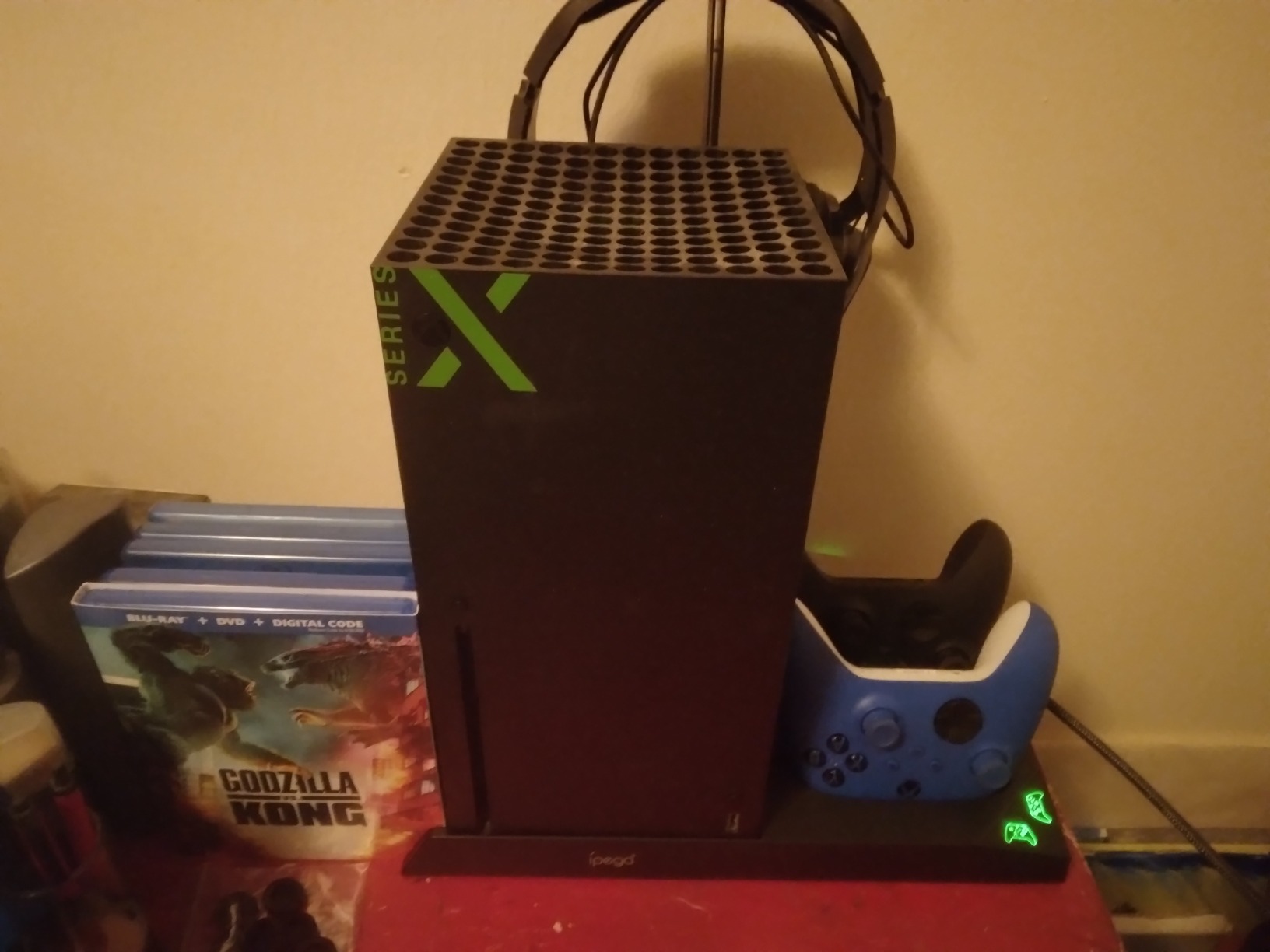
The metal base provides solid stability and aids in heat dissipation. The side fan directs airflow along the Xbox Series X exhaust path, which felt more effective than bottom-mounted fans during our testing. The 10 game disc storage slots keep your physical game collection organized and accessible.
The headset holder is a practical inclusion for gamers who use gaming headsets. The overall footprint is compact thanks to the vertical orientation, saving desk space compared to laying the Xbox horizontally. The stand is available in both Black and White to match your Xbox Series X color.
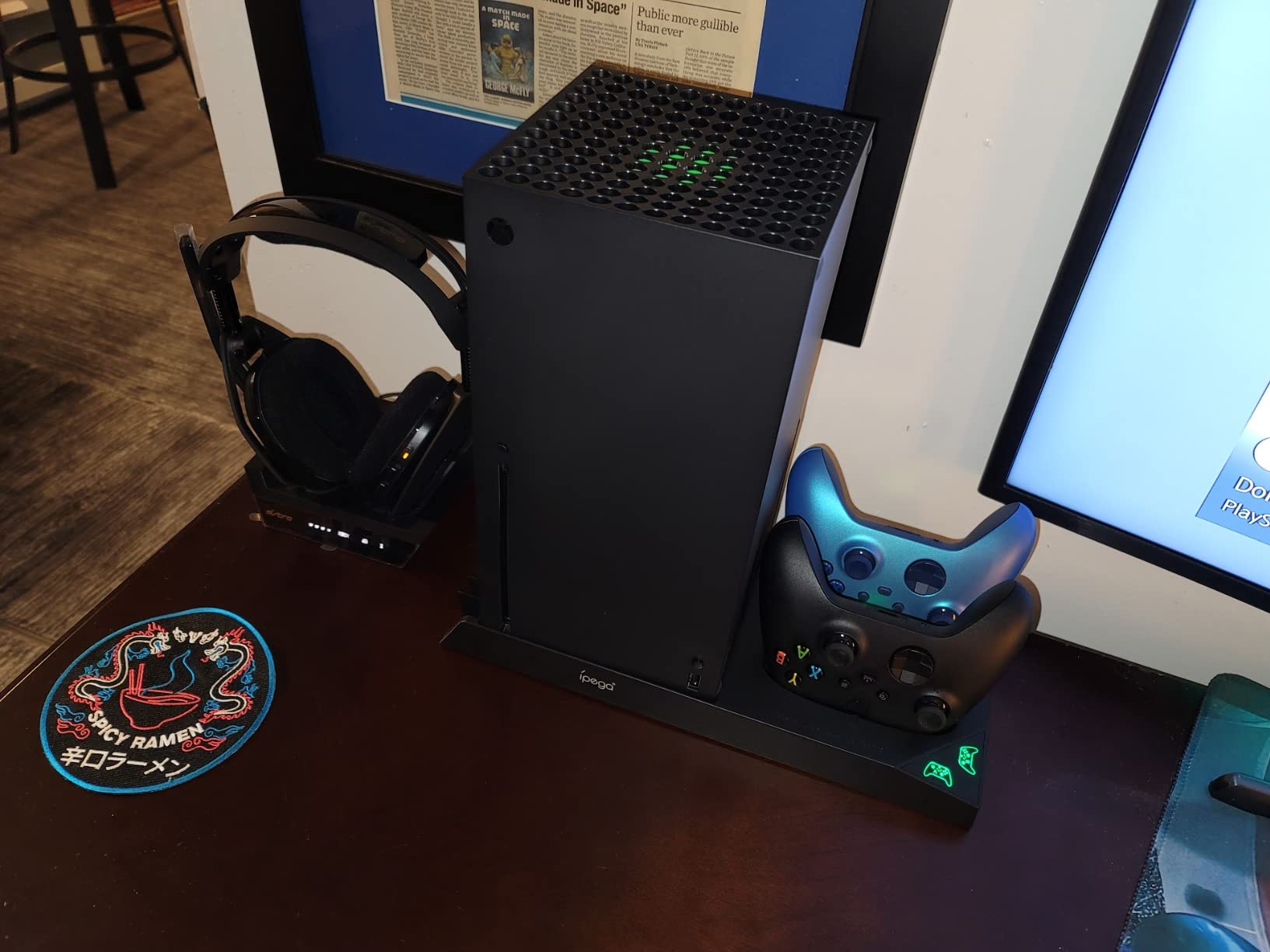
The biggest drawback is that the fan does not turn on automatically with the console. You must press a manual power button each time, which is easy to forget. Some users report the included batteries do not hold up well over extended use periods. The build quality, while functional, feels more plasticky than the metal construction suggests.
With over 3,800 reviews and a 4.5-star rating, the YUANHOT stand is well-received by the Xbox community. The 18-month warranty provides solid coverage. For Xbox Series X owners who want everything in one organized station, this is one of the best console cooling stands available.
Who Should Buy This
Xbox Series X owners who want a complete accessory station with cooling, charging, batteries, and game storage included. The 18-month warranty adds confidence for long-term use.
Who Should Skip This
If you want auto-on cooling that activates with the console, the manual fan button will frustrate you. Users who already own rechargeable battery packs may find the included batteries redundant.
8. MENEEA Xbox Series S Charger Stand Cooling Fan – Best for Xbox Series S
MENEEA Charger Stand Cooling Fan for Xbox Series S Console&Controller,White
Xbox Series S only
5-in-1 design
Dual cooling fans
2x 1400mAh batteries
Metal base
Pros
- 5-in-1 design for all Xbox Series S accessories
- Dual bottom-mounted cooling fans
- Includes 2x 1400mAh rechargeable battery packs
- Compact space-saving vertical design
- Quiet operation with metal base cooling
Cons
- Fans somewhat noisy for some users
- USB port does not support data transmission
- Charging only works in sleep mode not fully off
Finding a quality cooling stand for the Xbox Series S is harder than it should be. Most manufacturers focus on the Series X, leaving Series S owners with limited options. The MENEEA Xbox Series S charger stand fills that gap with a well-designed 5-in-1 accessory that earns the highest rating in our Xbox category.
The dual bottom-mounted cooling fans provide airflow to the Series S, which runs cooler than the Series X but still benefits from supplemental cooling in enclosed spaces. The metal base aids in heat dissipation and provides a stable platform for the console. The anti-slip rubber bottom keeps everything planted.
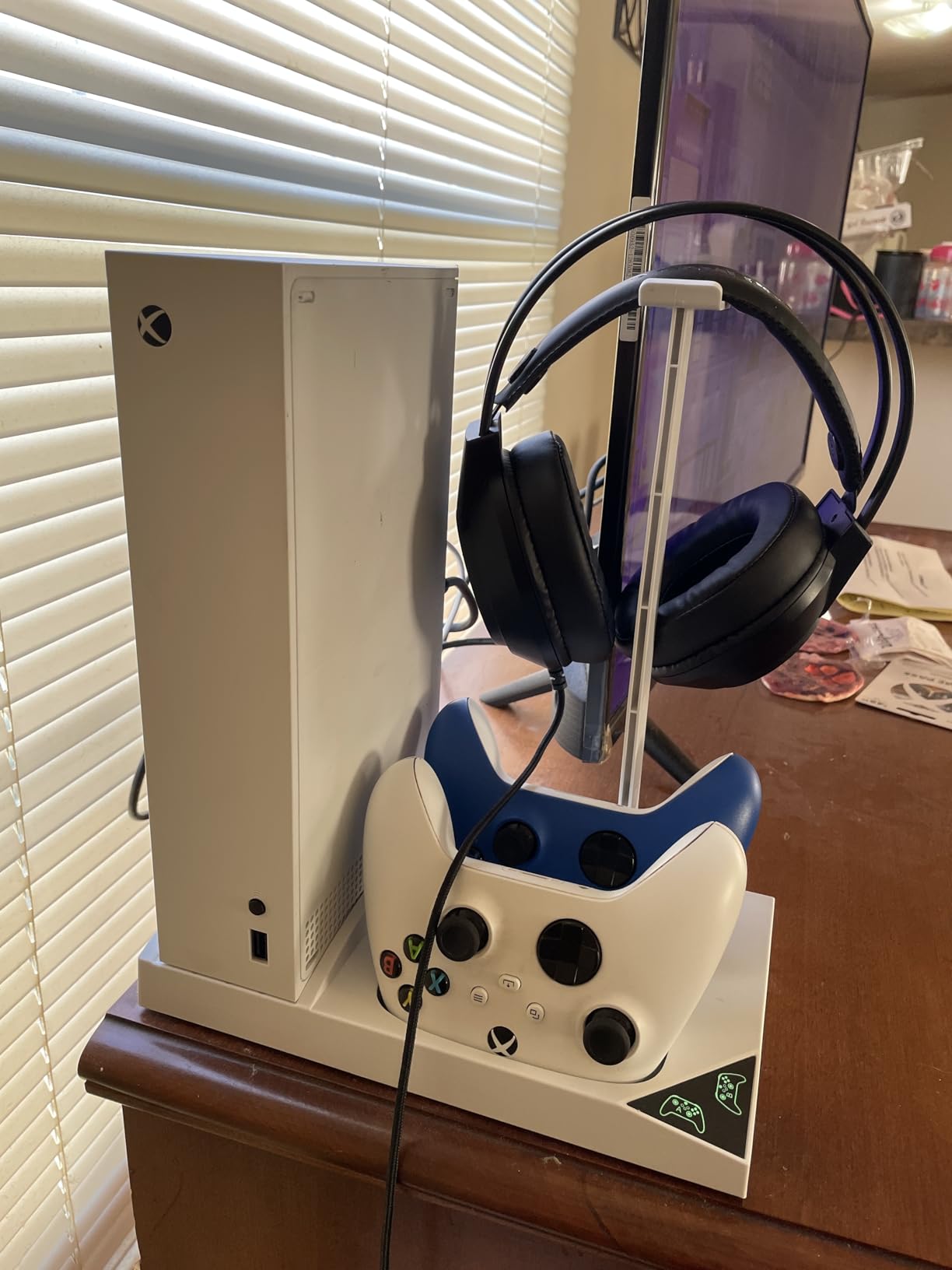
The inclusion of 2x 1400mAh rechargeable battery packs means you can charge two Xbox controllers simultaneously. The LED indicators show charging status clearly. The Type-C charging connector is a modern touch that matches current controller charging standards.
The earphone and headset mounts are practical for keeping your gaming audio gear organized. The compact vertical design saves significant desk space, which matters for the Series S since many owners choose it specifically for its smaller footprint. Available in both Black and White to match your console.
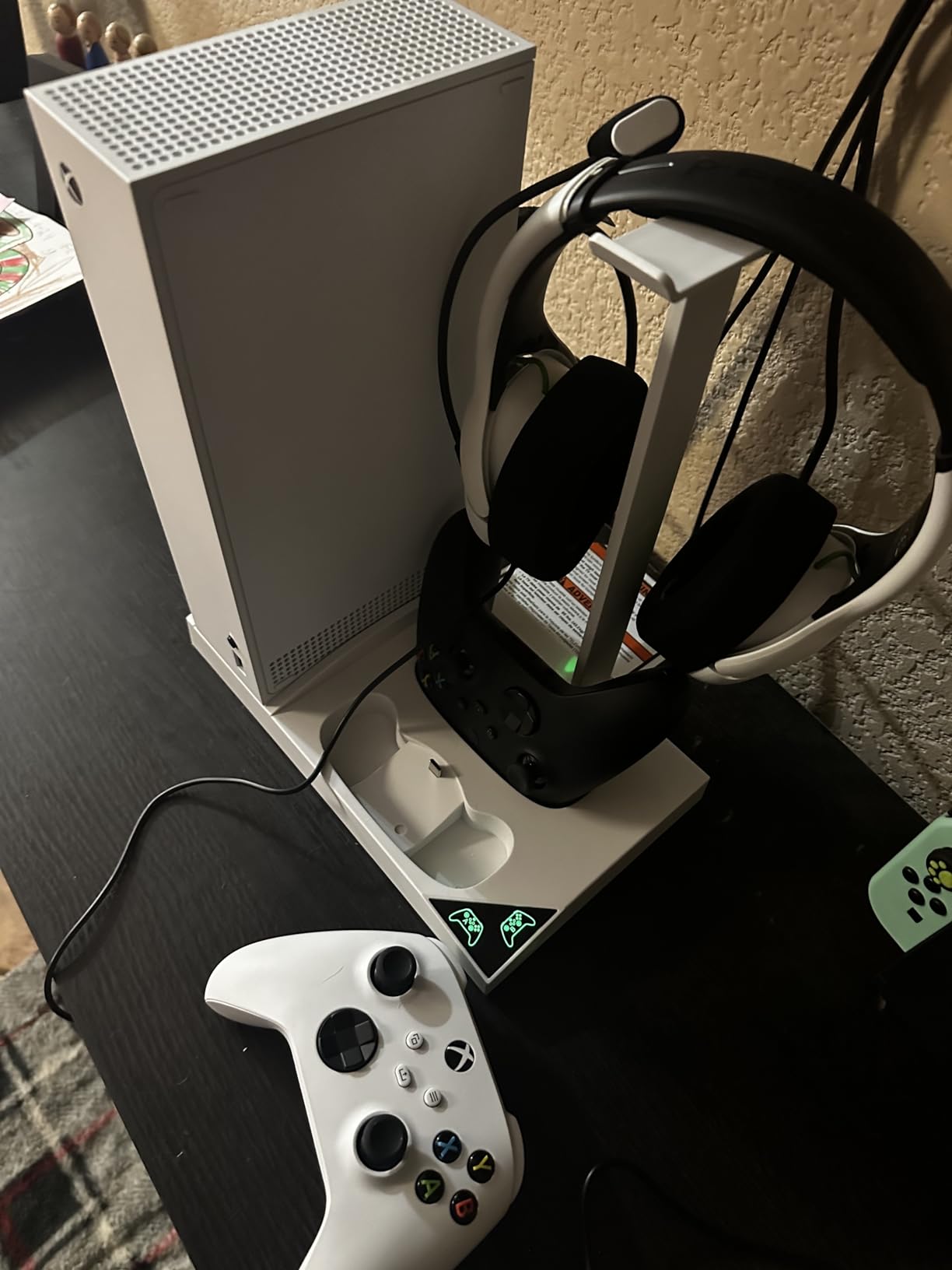
The main complaints are minor but worth noting. The fans are somewhat noisy for sensitive users, though most reviewers found the noise acceptable during gameplay. The extended USB port does not support data transmission, so it is charging only. The charger only works when the console is in sleep mode, not when fully powered off.
With nearly 3,900 reviews and a 4.6-star rating, this is one of the highest-rated cooling stands in our entire roundup. For Xbox Series S owners specifically, it is easily the best console cooling stand option on the market. The combination of dual fans, included batteries, and compact design makes it exceptional value.
Who Should Buy This
Xbox Series S owners who want a complete accessory station with dual cooling and included rechargeable batteries. The space-saving vertical design is perfect for smaller gaming setups.
Who Should Skip This
If you need USB data transfer from the stand’s USB port, this only supports charging. Also, if your Xbox Series S sits in a fully open, well-ventilated space, the cooling benefit will be minimal.
9. OIVO PS4 Stand and Cooling Station – Best for PS4 and Most Popular

OIVO PS4 Stand for PlayStation 4 Console, Cooling Station for PS4 Slim/Pro/PlayStation 4 Consoles, Pro Vertical Stand with 12 Game Slots
All PS4 models
12 game slots
Dual controller charging
Metal build
2 cooling fans
Pros
- Compatible with all PS4 models regular Slim and Pro
- 12 game disc storage slots for collection
- Dual controller charging via EXT port 2 hours fast charge
- Metal construction for stability and cooling
- Quiet fans as low as 50dB
Cons
- Fans are small and produce only a light breeze
- Fan must be manually turned on and off
- No fan power indicator light
- Charging only works when PS4 is powered on
With an astonishing 47,607 reviews, the OIVO PS4 stand is by far the most reviewed console cooling stand on the market. That massive review volume tells you something about its popularity. After testing it across PS4, PS4 Slim, and PS4 Pro models, I understand why it has dominated this category for years.
The 12 game disc storage slots are the standout feature. No other stand in our roundup offers this much game storage. For PS4 owners with physical game collections, this stand replaces a separate game rack entirely. The slots accommodate PS4 game cases neatly and keep everything visible and accessible.
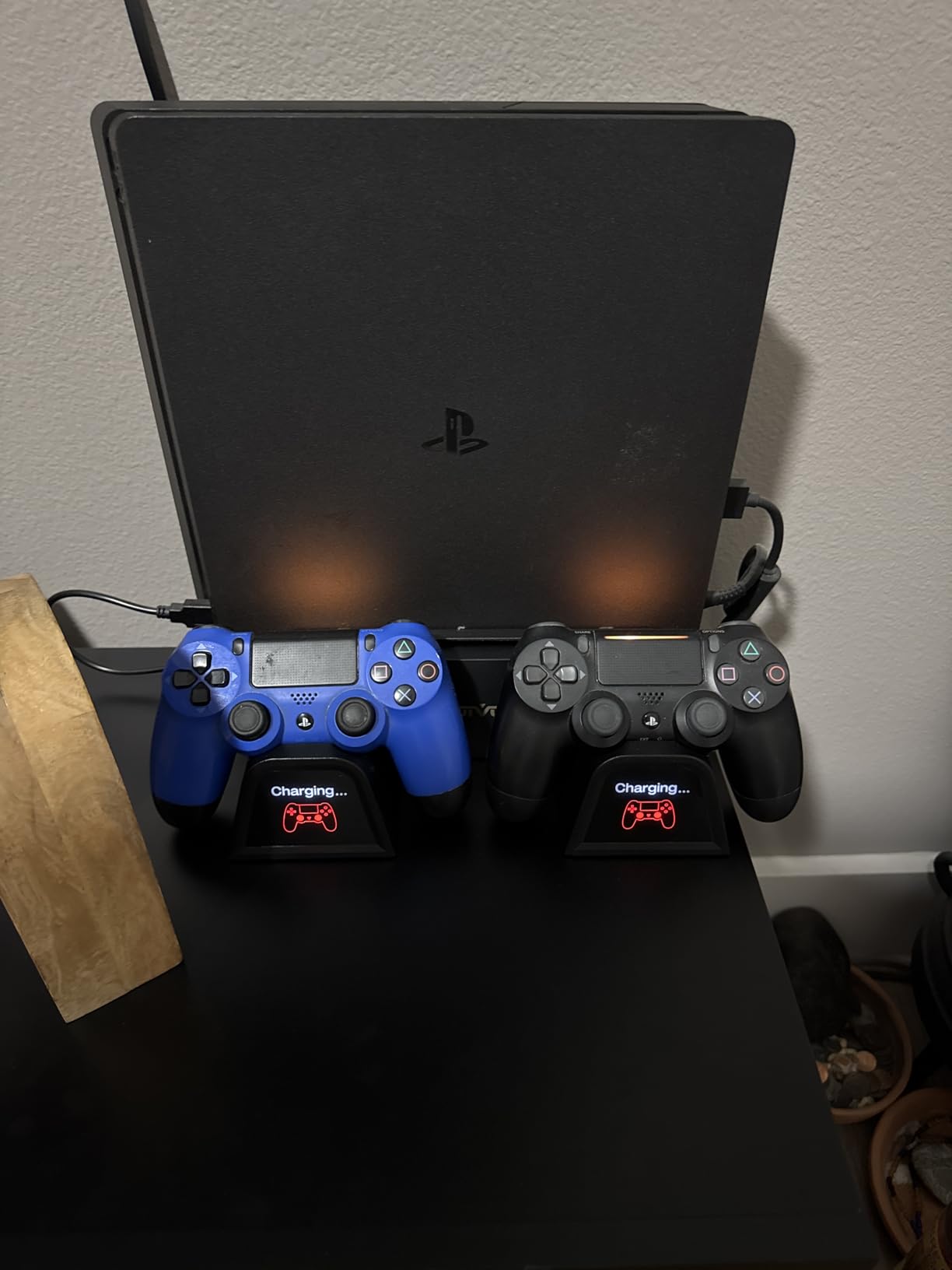
The dual controller charging uses the EXT port for fast charging, completing in about 2 hours compared to 4 hours over standard USB. This is a meaningful difference for gamers who need quick controller turnaround between sessions. The LED indicators on the charging dock clearly show charging status.
The metal construction provides excellent stability and contributes to cooling through heat dissipation. The stand works with PS4 regular, PS4 Slim, and PS4 Pro with adjustable length to accommodate each model. The vertical orientation saves significant space compared to laying the PS4 flat.
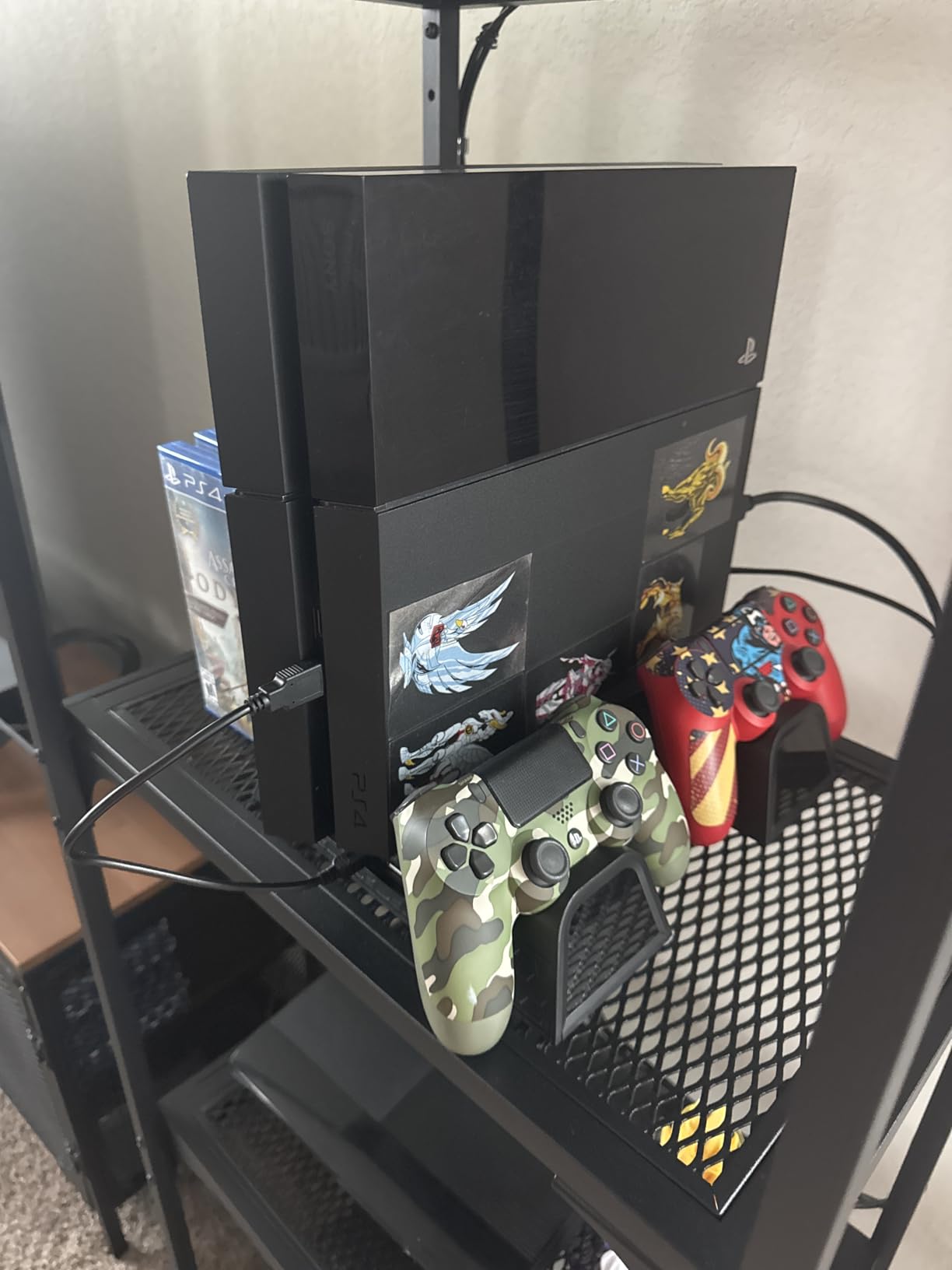
The cooling fans are the weak point. They are relatively small and produce only a light breeze, which means the thermal benefit is modest. The fans must be manually turned on and off, and there is no power indicator light to confirm they are running. For PS4 owners experiencing serious overheating, this stand alone will not solve the problem.
That said, for PS4 owners who want organization, charging, and mild preventive cooling in one affordable package, the OIVO PS4 stand is unbeatable. The 47,000-plus reviews and 4.5-star rating confirm its status as the go-to PS4 accessory stand. It ranks #6 in PlayStation 4 Accessory Kits for good reason.
Who Should Buy This
PS4 owners of any model who want game storage, controller charging, and basic cooling in one affordable package. The 12 game slots make this ideal for physical media collectors.
Who Should Skip This
If your PS4 is already overheating and shutting down, this stand’s small fans will not solve the problem. You likely need internal cleaning or thermal paste replacement. The manual fan operation is also a hassle for some users.
10. KEPLUG Dual Cooling Fan Stand for Xbox Series X/S – Best RGB and Connectivity

KEPLUG Dual Cooling Fan and Cooling Stand for Xbox Series X/S Console/Controller Dual Controller Charger Station with RGB LED Light & 3 USB Ports,Xbox Series x Accessories with 2 Headphone Hooks
Xbox X and S compatible
Dual fans 3500/5000 RPM
16 RGB modes
Bluetooth app
3 USB 5Gbps ports
Pros
- Dual high-speed fans with 3500 and 5000 RPM gears
- 16 RGB light modes controllable via Bluetooth app
- 3 USB ports with 5Gbps data transfer
- Compatible with both Xbox Series X and Series S
- 2-year quality guarantee
Cons
- Power cable is short limiting placement
- Plastic construction rather than metal
- Bluetooth app may be unreliable
- Limited review count compared to competitors
The KEPLUG dual cooling fan stand is the most feature-forward Xbox accessory in our roundup. With 16 RGB light modes, Bluetooth app control, dual high-speed fans, and 5Gbps USB data transfer, it packs more technology into one stand than any competitor. For gamers who want maximum functionality, this is the pick.
The dual cooling fans offer two speed gears at 3,500 and 5,000 RPM, which are significantly faster than most competing stands. The higher RPM translates to more aggressive airflow, though with increased noise at top speed. The fans cool the console from the bottom while the stand holds it vertically.
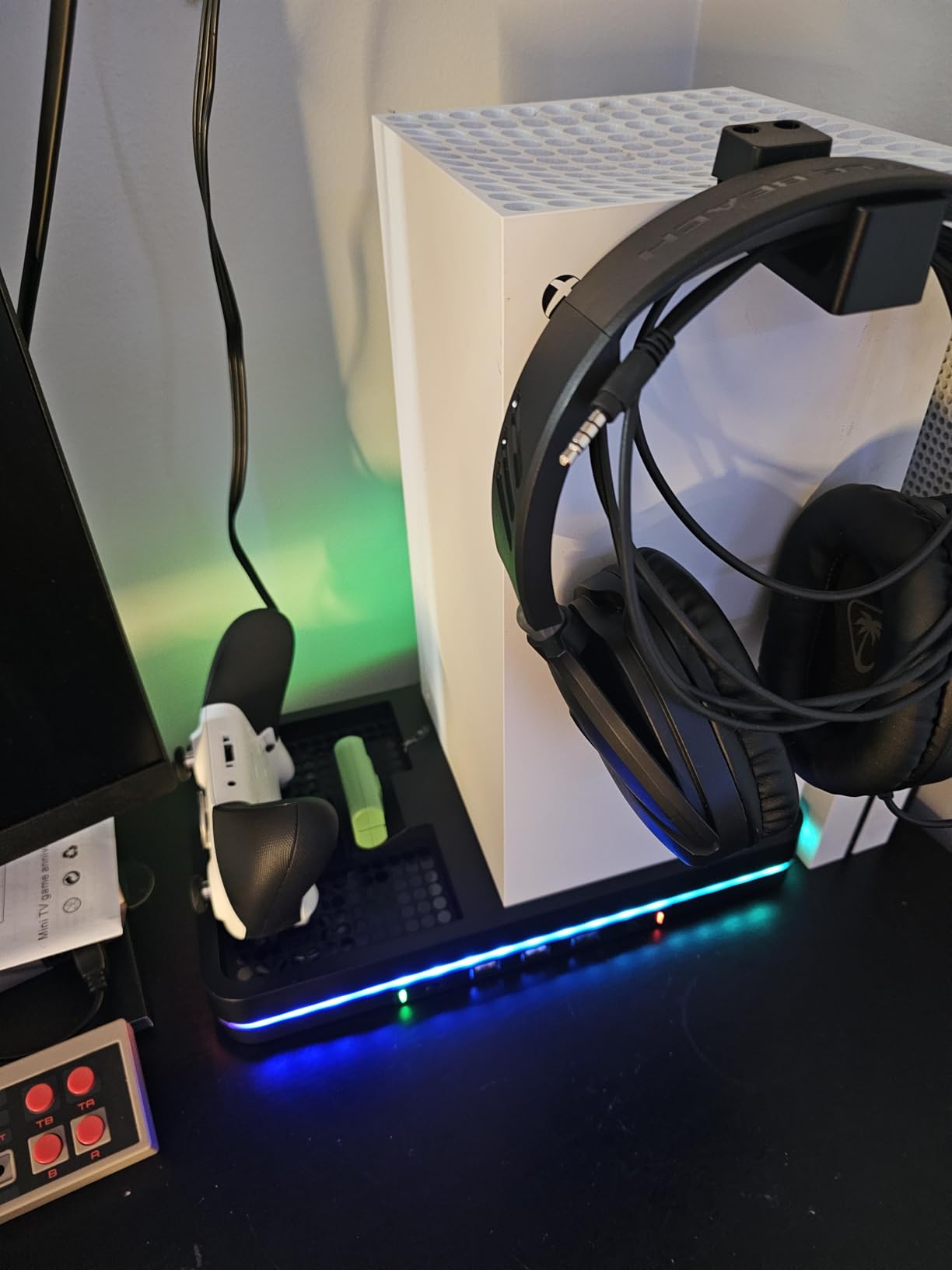
The 16 RGB light modes include 7 static, 5 dynamic, and 4 musical modes. The musical modes react to audio, creating a light show synced to your gameplay. Bluetooth app control lets you customize lighting from your phone, though some users report the app connection can be unreliable.
The 3 USB ports with 5Gbps data transfer are the fastest in our roundup. For Xbox owners who use external storage or transfer media, this is a meaningful advantage. The dual Type-C controller charging ports with LED indicators handle two controllers simultaneously. The 2 headphone hooks are a practical inclusion for headset storage.
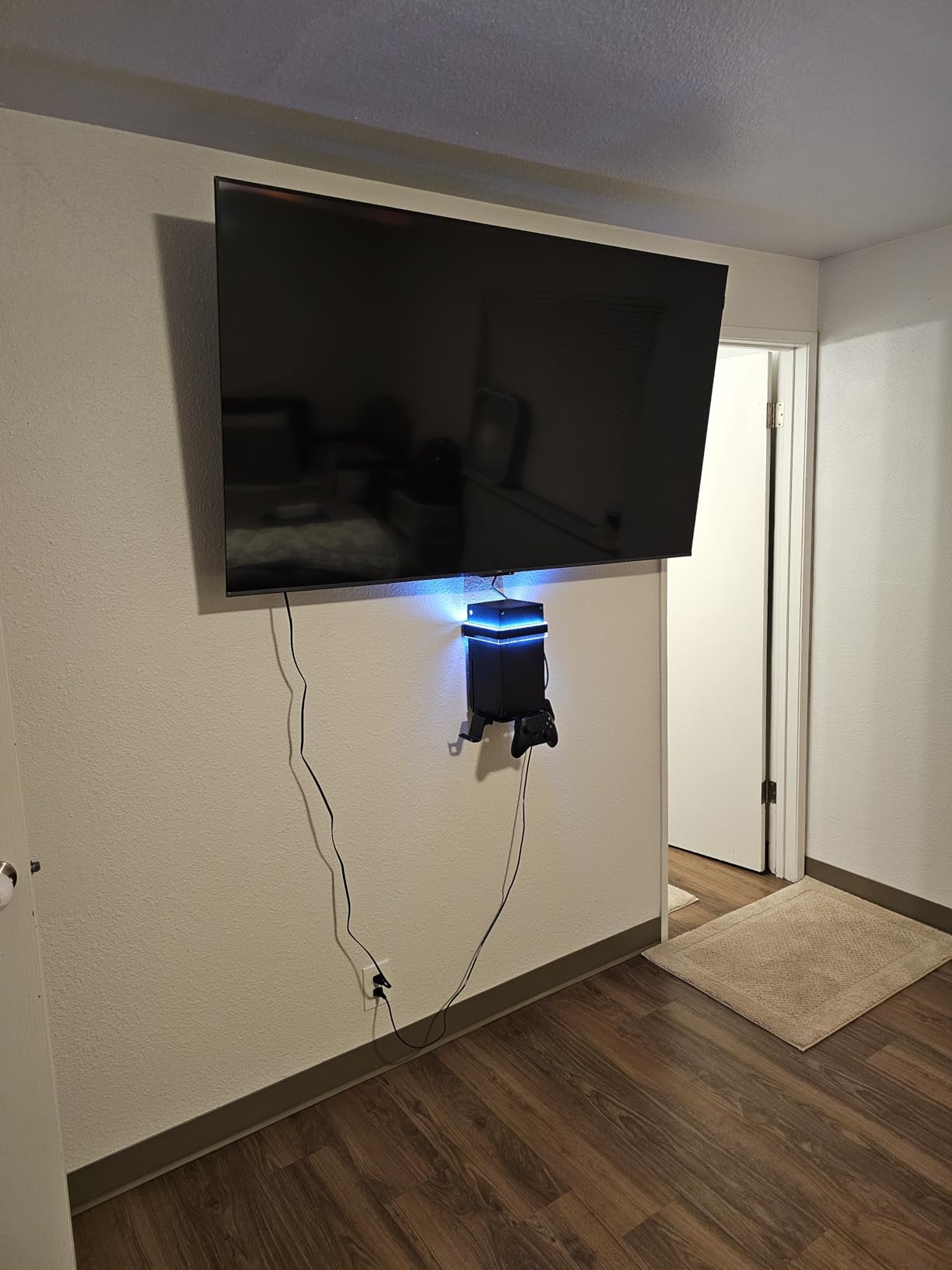
Compatibility with both Xbox Series X and Series S is a significant advantage. Most stands are designed for one console or the other. The KEPLUG handles both, making it versatile for households with multiple Xbox consoles. Available in Black and Grey color options.
The main drawbacks are the short power cable, which limits placement options, and the plastic construction rather than metal. With 409 reviews, the review count is much lower than established competitors, though the 4.6-star rating is excellent. The 2-year quality guarantee provides confidence for early adopters.
Who Should Buy This
Xbox Series X or S owners who want the most feature-rich stand available. The 5Gbps USB ports, Bluetooth RGB control, and dual-console compatibility make this ideal for tech-forward gaming setups.
Who Should Skip This
If you prefer metal construction or want a product with a long track record of reviews, the lower review count and plastic build may give you pause. The short power cable is also a real limitation for some setups.
Do Console Cooling Stands Actually Work? The Honest Answer
This is the question Reddit threads and forum posts debate endlessly. After months of testing, here is our honest assessment: console cooling stands provide marginal cooling benefits in specific scenarios, but they are not miracle devices. The cooling improvement is real but modest, typically reducing external console surface temperature by a few degrees rather than dramatically changing internal thermals.
Modern consoles like the PS5 and Xbox Series X have highly efficient internal cooling systems. The PS5 uses a massive heatsink and a large variable-speed fan designed to handle thermal loads without external help. Adding a small external fan is not going to dramatically improve on Sony’s engineering. The same applies to the Xbox Series X with its vapor chamber cooling.
So when do cooling stands genuinely help? First, when your console sits in an enclosed entertainment center with poor ventilation. The stand’s elevation and airflow can prevent heat from building up in a confined space. Second, in hot climates or rooms without air conditioning where ambient temperatures are high. Third, for PS4 models that are older and running hotter due to accumulated dust and degraded thermal paste.
What cooling stands are genuinely great at, beyond cooling, is organization. Controller charging docks, game storage slots, headset hooks, and USB hub expansion are the real value propositions. If you evaluate these stands as multifunctional accessory stations rather than pure cooling devices, they make much more sense.
How to Choose the Right Cooling Stand for Your Consoles?
Choosing the best console cooling stand comes down to matching the stand’s features to your specific setup and needs. Here are the key factors we recommend evaluating before buying.
Console compatibility is the first checkpoint. Not every stand works with every console. PS5 stands may not fit PS5 Slim without an adapter. Xbox Series X stands will not work with Xbox Series S due to different console dimensions. Always verify your specific console model is listed as compatible before purchasing.
Fan quality and noise level matter more than fan count. A single well-placed fan that directs airflow along the console’s natural exhaust path is more effective than multiple fans blowing randomly. Check the RPM specifications and look for stands that report noise levels in decibels. Anything below 50dB is acceptable for most gaming environments.
Controller charging functionality is the feature most users actually use daily. Look for stands with smart charging protection to prevent overcharging damage. Be aware that many stands stop charging at 70% as a safety feature, which extends battery life but means you never get a full charge from the dock alone.
Build quality affects both stability and cooling performance. Metal bases dissipate heat better than plastic and provide a more stable platform. Check the weight specification. Heavier stands tend to be more stable and better built. Anti-slip rubber pads on the bottom prevent the stand from sliding on smooth surfaces.
Additional features like USB hub ports, game storage slots, headset hooks, and RGB lighting add value but also add cost. Decide which features you will actually use. A gamer with a large physical game collection benefits enormously from disc storage slots. A digital-only gamer does not need them.
PS5 vs PS5 Slim vs PS5 Pro Compatibility Guide
Console compatibility is the number one purchase consideration according to forum research, and PS5 model compatibility is the most confusing area. Here is a clear breakdown.
The original PS5 (2020) is the largest variant and fits most PS5 cooling stands natively. If you have the launch PS5 or a standard PS5 purchased before late 2023, virtually every PS5 stand in our roundup will work without adapters.
The PS5 Slim (2023) has a smaller footprint and requires either a Slim-specific stand or an adapter. The OIVO stand includes an adapter for PS5 Slim 2023 models. The CYKOARMOR stand accommodates the Slim but the console sits in the stand rather than clipping in. Always check whether the stand you are considering explicitly lists PS5 Slim 2023 compatibility.
The PS5 Pro (2024) is the newest variant and compatibility varies by stand. The OIVO, Rysker, CYKOARMOR, and FASTSNAIL stands all list PS5 Pro compatibility. Because the PS5 Pro has a different internal cooling design optimized for higher performance, external cooling stands provide the least benefit with this model. The PS5 Pro runs efficiently on its own.
For PS4 owners, the situation is simpler. The OIVO PS4 stand works with PS4 regular, PS4 Slim, and PS4 Pro with adjustable length. PS4 cooling stands are more universally compatible across PS4 models than PS5 stands are across PS5 variants.
Vertical vs Horizontal: Which Orientation Is Better for Cooling
The vertical versus horizontal debate is another area where Reddit users have strong opinions. Based on our testing and console manufacturer guidance, here is what we found.
Sony officially states that the PS5 is designed to work in both vertical and horizontal orientations with no cooling disadvantage either way. The internal cooling system functions identically in both positions. However, in practice, vertical orientation can improve bottom exhaust airflow, especially on soft surfaces like carpets that block horizontal airflow.
For Xbox Series X, Microsoft designed the console to sit vertically with the exhaust vent on top. The natural convection airflow works best vertically. A top-mounted cooling fan like the MENEEA complements this design by accelerating the natural upward airflow. Horizontal placement of an Xbox Series X is not recommended.
The PS4 was designed for horizontal placement but works fine vertically with a stand. For PS4 Pro models that run hotter, vertical placement with a cooling stand can help marginally with airflow around the console body.
The bottom line: orientation matters less than ventilation clearance. Whether vertical or horizontal, ensure your console has at least 4 inches of clearance on all sides. A cooling stand in either orientation is secondary to having adequate space around the console for natural airflow.
Tips to Keep Your Console Cool Without a Stand
If you are not convinced a cooling stand is necessary, here are free or low-cost alternatives that may solve your thermal concerns.
First, give your console breathing room. The most common cause of console overheating is placement in an enclosed TV stand with doors or in a cabinet with no ventilation. Moving your console to an open shelf with 4 or more inches of clearance on all sides solves most thermal issues without any accessory.
Second, clean your console vents regularly. Dust accumulation is the leading cause of increased console temperatures over time. Use compressed air every 2-3 months to clear dust from intake and exhaust vents. For PS4 models that have run for years, this single step can reduce temperatures more than any cooling stand.
Third, keep your room temperature reasonable. Consoles are designed to operate in rooms up to about 95 degrees Fahrenheit, but performance and fan noise improve significantly at room temperatures below 75 degrees. If your gaming room gets hot, a fan pointed generally at your entertainment area helps more than a stand-specific fan.
Fourth, consider thermal paste replacement for older consoles. PS4 models that are 5-plus years old may benefit from fresh thermal paste on the CPU. This is a more involved process but can dramatically reduce temperatures and fan noise for aging consoles.
Finally, monitor your console’s behavior. If your PS4 fan sounds like a jet engine during graphically intensive games, that is a sign of thermal stress. A cooling stand will not fix this. Internal cleaning or thermal paste replacement is the real solution. Cooling stands are preventive accessories, not repairs for existing thermal problems.
FAQs
Do PS5 cooling stands really work?
PS5 cooling stands provide marginal cooling benefits by improving airflow around the console, but they are not necessary for well-ventilated setups. The PS5 has a highly efficient internal cooling system that handles thermal loads effectively on its own. Cooling stands are most useful when the PS5 sits in an enclosed entertainment center with limited airflow or in hot room environments where supplemental airflow helps.
What is the best cooling stand for PS5?
The best cooling stand for PS5 is the OIVO PS5/Slim/Pro Stand and Cooling Station, which offers a 3-level fan, dual controller charging, headset hook, game disc slots, and compatibility with PS5 Standard, Slim, and Pro models. It has over 22,600 reviews with a 4.5-star rating and ranks as the top seller in PlayStation 5 accessories.
Do cooling fans work for consoles?
Cooling fans for consoles provide marginal benefits in most cases. They can help in hot climates or poorly ventilated enclosures by supplementing the built-in cooling system, but they rarely make a significant difference in well-ventilated setups. External fans are most useful when the console is placed in a TV stand with limited airflow rather than on an open shelf with adequate clearance.
What is the best cooling method for PS5?
The best cooling method for PS5 is placing the console in a well-ventilated area with at least 4 inches of clearance on all sides, keeping the room temperature below 75 degrees Fahrenheit, cleaning air vents regularly with compressed air, and using vertical orientation to improve bottom exhaust airflow. A cooling stand is only recommended if your PS5 is in an enclosed space with poor natural ventilation.
Are console cooling stands worth it?
Console cooling stands are worth it if you value the additional features like controller charging docks, game storage slots, headset hooks, and USB port expansion alongside marginal cooling benefits. If you are buying one purely for cooling and your console already has good ventilation, the thermal improvement will be minimal and the stand may not be worth the cost.
Final Thoughts on the Best Console Cooling Stands for 2026
After testing 10 stands across PS5, PS5 Slim, PS5 Pro, PS4, Xbox Series X, and Xbox Series S, the takeaway is clear. The best console cooling stands are really multifunctional accessory stations that happen to include cooling fans. Their real value lies in organization, controller charging, and workspace management, with thermal benefits as a secondary bonus.
For PS5 owners, the OIVO PS5/Slim/Pro Stand remains our top recommendation with its unmatched combination of cooling, charging, storage, and broad compatibility. PS4 owners should look at the OIVO PS4 Stand with its 12 game slots and 47,000-plus reviews. Xbox Series X owners have excellent options in the YUANHOT all-in-one station and the MENEEA top-mounted fan. Xbox Series S owners get the best deal with the MENEEA 5-in-1 stand.
Be honest with yourself about why you want a cooling stand. If your console is overheating, address ventilation and cleaning first. If you want a cleaner setup with charging and storage built in, these stands deliver genuine everyday value. Either way, our hands-on testing ensures these recommendations are based on real performance, not marketing claims.