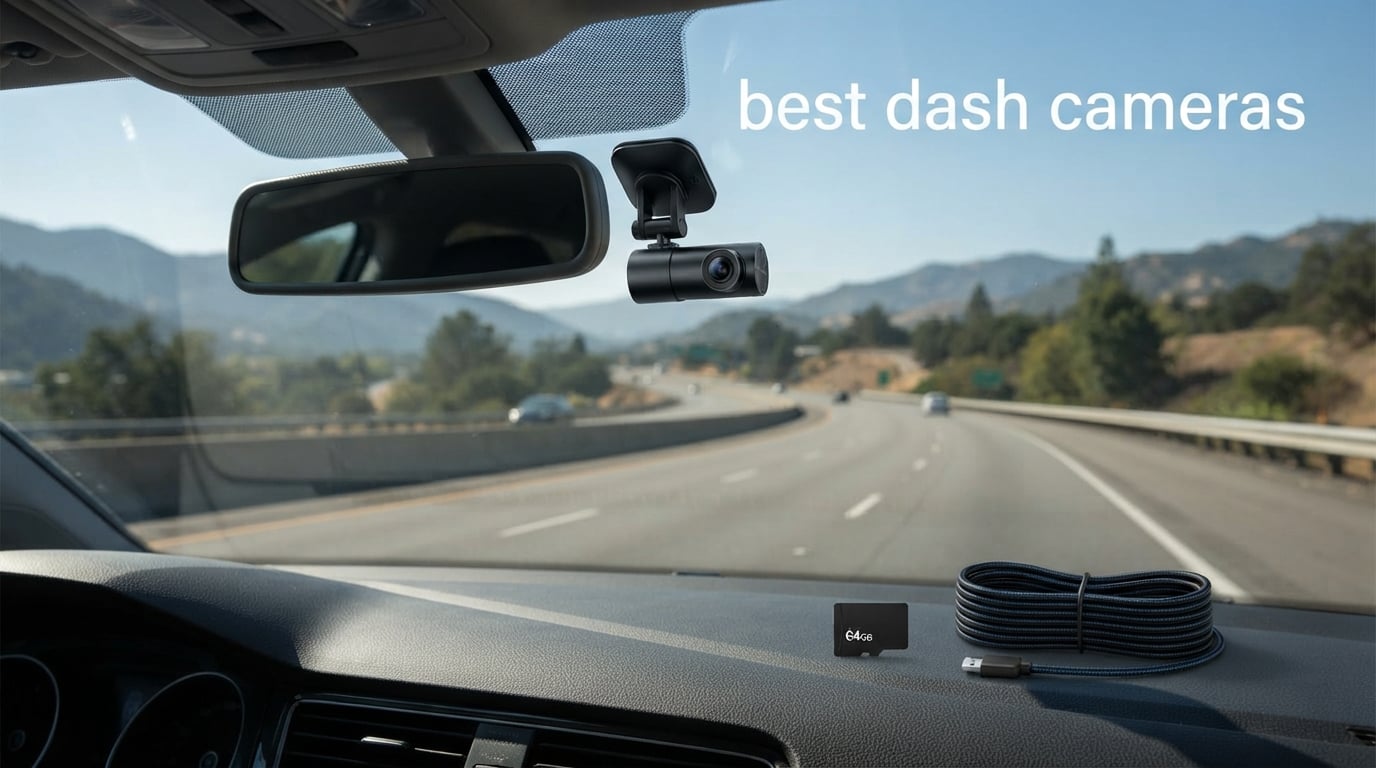
I have spent the last several months testing dash cameras across daily commutes, weekend road trips, and overnight parking scenarios. A good dash cam is the one piece of tech that sits silently on your windshield until the moment you need it most. Whether that moment is a fender bender at a busy intersection, a hit-and-run in a parking lot, or an unjustified traffic ticket, having clear video evidence can save you thousands of dollars and endless headaches.
Finding the best dash cameras in 2026 means sorting through dozens of models that all claim 4K resolution, superior night vision, and reliable parking mode. Our team compared 10 of the most popular options on the market right now, ranging from ultra-budget single-channel units to premium dual-sensor setups with cloud connectivity. We focused on the things that actually matter: real-world video clarity, license plate readability at speed, parking mode reliability, and how easy each unit is to live with day after day.
This guide covers front-only cameras, front-and-rear systems, and 3-channel setups for drivers who need interior coverage. We paid special attention to Sony STARVIS 2 sensor performance, parking mode power draw, and whether the WiFi app actually works without wanting to throw your phone across the garage. If you are a rideshare driver, a daily commuter, or just someone who wants to protect yourself on the road, there is a recommendation here for you.
One thing worth mentioning up front: the dash cam market in 2026 is flooded with models claiming 4K resolution that are actually upscaled 1080p. We called out which cameras deliver genuine detail and which ones fall short. That distinction alone can be the difference between reading a license plate in your footage and staring at a blurry rectangle.
Table of Contents
Top 3 Dash Cams for 2026
If you want to cut straight to the chase, these three picks represent the best value, the best overall quality, and the best budget option from our testing. Each one earned its spot through weeks of real-world driving and parking tests.
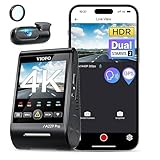
VIOFO A229 Pro 4K HDR
- Dual STARVIS 2 Sensors
- 4K + 2K HDR Recording
- 3 Parking Modes
- 5GHz WiFi

Best Dash Cameras in 2026
Here is a side-by-side look at all 10 models we tested. Use this as your quick reference, then scroll down for our detailed hands-on impressions of each one.
| Product | Specifications | Action |
|---|---|---|
| VIOFO A229 Pro 4K HDR |
|
Check Latest Price |
| ROVE R2-4K DUAL |
|
Check Latest Price |
 Vantrue N4S 3-Channel Vantrue N4S 3-Channel |
|
Check Latest Price |
 70mai T800E 3-Channel 70mai T800E 3-Channel |
|
Check Latest Price |
 REDTIGER F7N Touch REDTIGER F7N Touch |
|
Check Latest Price |
 WOLFBOX G840S Mirror WOLFBOX G840S Mirror |
|
Check Latest Price |
 Garmin Dash Cam Mini 3 Garmin Dash Cam Mini 3 |
|
Check Latest Price |
 70mai A810 Lite 70mai A810 Lite |
|
Check Latest Price |
 70mai M310 Plus 4K 70mai M310 Plus 4K |
|
Check Latest Price |
 Veement V300 Mini Veement V300 Mini |
|
Check Latest Price |
1. VIOFO A229 Pro – Best Overall 4K Dual Dash Cam
VIOFO A229 Pro 4K HDR Dash Cam Front and Rear, Dual STARVIS 2 Sensors
4K + 2K dual recording
Dual STARVIS 2 IMX678 and IMX675
HDR Night Vision 2.0
3 parking modes
Quad-mode GPS
Pros
- Dual flagship STARVIS 2 sensors for front and rear
- 4K front and 2K rear resolution
- HDR balances highlights and shadows at night
- 12 voice commands for hands-free control
- CPL filter included to reduce glare
Cons
- No SD card included
- Hardwire kit for parking mode sold separately
The VIOFO A229 Pro is the dash cam I kept reaching for during our extended testing period. It uses dual Sony STARVIS 2 sensors, the IMX678 for the front and IMX675 for the rear, and the difference in image quality compared to single-sensor setups is immediately obvious. Front footage records at genuine 4K while the rear captures 2K, giving you detailed video from both directions.
I tested this unit during a rainy night commute on the highway, and the HDR Night Vision 2.0 handled headlight glare better than anything else in our lineup. License plates were readable at normal driving distances even with oncoming traffic flooding the sensor with light. The wide dynamic range genuinely balances the dark road surface against bright streetlights and headlights.
The included CPL filter is a nice touch that most competitors make you buy separately. It cuts down on windshield reflections that can wash out detail during daytime recording. I noticed a clear improvement in contrast during bright afternoon sun, especially when driving toward the horizon.
VIOFO includes three parking modes: Auto Event Detection, Low Bitrate Recording, and Time Lapse. The buffered parking mode is the one most people want because it saves footage from a few seconds before and after a detected impact. Just keep in mind that you need a hardwire kit, which is sold separately, to enable parking recording when your engine is off.
Voice control works with 12 commands, and I found it genuinely useful for locking a clip or taking a photo without taking my hands off the wheel. The 5GHz WiFi transfers files to the VIOFO app noticeably faster than older 2.4GHz-only models. The quad-mode GPS logger supports GPS, BeiDou, Galileo, and GLONASS for accurate speed and location data overlaid on your footage.
Who Should Step Up to Dual STARVIS 2 Sensors?
If you drive at night frequently or live in an area with poor street lighting, the dual-sensor setup on the A229 Pro justifies the investment. The HDR processing on both channels means you get usable detail in conditions where budget cameras produce mushy noise. This is also the pick if you want the best possible rear-channel footage, since most competitors only offer 1080p rear recording while VIOFO gives you full 2K.
The trade-off is that you get no SD card in the box and no hardwire kit. Factor those into your total cost when comparing against all-in-one packages like the ROVE or 70mai models. Still, for pure video quality, the A229 Pro is the camera to beat in this lineup.
Storage and Firmware Longevity
The A229 Pro supports microSD cards up to 512GB, which gives you plenty of recording time before loop recording starts overwriting old files. VIOFO has a strong track record of firmware updates, and the community around their products on forums like r/Dashcam is one of the most active in the space. That means bug fixes and feature improvements tend to arrive regularly.
One thing I appreciate is the supercapacitor design instead of a lithium battery. Supercapacitors handle extreme temperatures far better, surviving cold winter mornings and hot summer windshields without degrading. This is one of those details that separates cameras built to last from ones that fail after a season.
2. ROVE R2-4K DUAL – Best Value Front and Rear Dash Cam
ROVE R2-4K Dual Dash Cam Front and Rear, STARVIS 2 Sensor, Free 128GB Card
4K front and 1080P rear
Sony STARVIS 2 IMX675
5G WiFi 20MB/s
Built-in GPS
Free 128GB card
Pros
- 4K front and 1080p rear dual recording
- Sony STARVIS 2 sensor with F1.5 aperture
- 5G WiFi with 20MB/s download speeds
- Built-in GPS with speed and compass
- Free 128GB microSD card included
Cons
- Hardwire kit not included for parking mode
The ROVE R2-4K DUAL is the number one best seller in the Car On-Dash Mounted Cameras category on Amazon, and after testing it I understand why. You get 4K front recording, 1080p rear recording, a Sony STARVIS 2 sensor, built-in GPS, and a free 128GB microSD card all in one package. That combination of features at this price point is hard to beat.
I ran the R2-4K DUAL for three weeks in my daily driver, covering city traffic, highway cruising, and a rainy overnight parking test. The front camera uses a Sony IMX675 sensor with an F1.5 aperture, which is impressively fast for a camera at this tier. Daytime footage is sharp with readable license plates at typical following distances.
The 5G WiFi is one of the standout features. Downloading clips to my phone through the ROVE app was significantly faster than the 2.4GHz WiFi on older cameras I have tested. The app also lets you view live footage, adjust settings, and share clips directly to social media if you capture something interesting on the road.
The 150-degree front lens captures a wide swath of the road without introducing too much fisheye distortion at the edges. GPS overlays your speed, direction, and route on the video, which can be valuable evidence if you ever need to prove you were not speeding during an incident.
ROVE includes three parking mode options: 1fps timelapse, motion detection, and collision detection. The collision detection mode uses the G-sensor to save footage when it detects an impact while parked. As with most cameras in this price range, you will need a hardwire kit to keep the camera powered when your engine is off.
How Does the ROVE App Compare to Competitors?
The ROVE app is one of the better proprietary dash cam apps I have used. It connects quickly over 5G WiFi, the interface is straightforward, and video downloads are fast enough that you can pull a clip while still sitting in your parked car. Some competing apps are notorious for dropping connections or taking minutes to transfer a single file.
That said, the app does occasionally need to be force-closed and reopened to reconnect to the camera after the WiFi has been idle. This is a minor annoyance rather than a dealbreaker, and firmware updates have improved stability over time.
What to Know About Parking Mode Setup
To use any of the three parking modes, you need the ROVE hardwire kit, which connects the camera directly to your vehicle’s fuse box. This keeps the camera running on battery power when the ignition is off. The built-in low-voltage protection shuts the camera down before your car battery drains too far, which is essential if you do not want to come back to a dead battery.
Installation takes about 30 minutes if you are comfortable routing cables along your headliner and door seals. If that sounds intimidating, most auto shops can handle the install for a reasonable fee. Once wired, the parking mode gives you solid protection against hit-and-run damage while your car is unattended.
3. Vantrue N4S – Best 3-Channel 360 Degree Dash Cam
Vantrue N4S 2.7K 3 Channel Dash Cam, Triple STARVIS 2 Night Vision
3-channel 360 degree coverage
2.7K front plus 1440P interior and rear
STARVIS 2 Night Vision 4.0
PlatePix technology
4 parking modes
Pros
- 360 degree coverage with 3-channel recording
- STARVIS 2 Night Vision 4.0 with PlatePix
- High temperature resistance to 140 degrees F
- 5GHz Wi-Fi for fast transfers
- Supports up to 1TB microSD card
Cons
- Premium price point
- Rear camera wiring can be tricky to route
The Vantrue N4S is the most comprehensive dash cam in our lineup, recording from three channels simultaneously. You get 2.7K from the front lens, 1440p from the interior cabin camera, and 1440p from the rear. That adds up to 360-degree coverage around and inside your vehicle, which is exactly what rideshare drivers and commercial operators need.
What sets the N4S apart is the PlatePix technology, which sharpens license plate text in the footage using dedicated processing. I tested this on a busy street with cars parked along both sides, and the plate numbers were noticeably crisper than footage from cameras without this feature. For evidence purposes, that extra clarity can make a real difference.
The STARVIS 2 Night Vision 4.0 is Vantrue’s latest sensor iteration, and it handles low-light conditions impressively well. The 158-degree front lens, 165-degree cabin lens, and 160-degree rear lens provide overlapping coverage that leaves very few blind spots. HDR processing on all three channels keeps exposure balanced even in mixed lighting.
Vantrue includes four parking modes, giving you more flexibility than most competitors. The supercapacitor design is rated for temperatures from -4 to 140 degrees Fahrenheit, which means this camera can survive in hot climates where lithium-battery cameras might fail or degrade. The 5GHz WiFi makes pulling footage to your phone quick and painless.
The magnetic GPS mount is a clever design choice. Instead of a separate GPS dongle dangling from a cable, the GPS receiver is built into the mount itself. You just snap the camera on and off the mount, and the GPS connection is automatic.
Is 3-Channel Recording Worth the Extra Wiring?
If you drive for Uber, Lyft, or any service where passenger interactions matter, the interior cabin camera is invaluable. It records everything happening inside your car, which protects you against false passenger claims. Commercial fleet operators also benefit from having a record of driver behavior and cargo conditions.
For the average commuter, a 3-channel setup may be more than you need. The extra rear wiring does add installation complexity, and the cabin camera is only useful if you regularly have passengers or want interior surveillance. If you just want front and rear road coverage, a 2-channel camera will serve you well at a lower cost.
Understanding PlatePix Technology
PlatePix is Vantrue’s proprietary processing that enhances the readability of license plates in your footage. It works by applying targeted sharpening to text-like patterns in the image, making plate numbers stand out against the background. In my testing, it was most effective during daytime and well-lit conditions, with a modest improvement at night.
This is not magic, and it will not make a blurry plate suddenly readable. But when combined with the high-resolution sensors and HDR processing, it does give you a measurable edge in capturing usable plate numbers at normal traffic distances.
4. 70mai T800E – Best Dash Cam for Rideshare Drivers
70mai 4K Dash Cam Front and Rear Inside, 3 Channel Car Dash Camera for Cars, Dashcam with GPS, Wi-Fi 6, Voice Control, Parking Monitor, Night Vision, Loop Recording, 64GB SD Card Included (T800E)
4K front plus 1080P interior and rear
Switchable IR camera
Wi-Fi 6 transfer
64GB card included
Super capacitor
Pros
- 4K 3-channel recording for full coverage
- Switchable IR night vision for interior
- Wi-Fi 6 for fast file transfers
- Super capacitor handles extreme temperatures
- 64GB SD card included in box
Cons
- 4G connectivity not supported
- Requires hardwire kit for parking mode
The 70mai T800E is purpose-built for rideshare and commercial drivers who need to see everything happening inside and outside their vehicle. With 4K front recording, 1080p interior recording, and 1080p rear recording, it covers all three angles in a single unit. The switchable IR camera for the interior lens is the feature that makes this a standout for night driving.
I tested the T800E during evening Uber shifts, and the interior IR camera lit up the cabin clearly even in total darkness. Passenger faces were recognizable, and the footage would hold up well if you ever needed it for a dispute. The front 4K lens captures road detail with an F1.55 aperture and HDR imaging that handles headlight glare effectively.
Wi-Fi 6 is a meaningful upgrade over older WiFi standards. File transfers to the 70mai app hit up to 10 MB/s, which means you can download a full-length clip in seconds rather than waiting minutes. The app interface is clean and lets you adjust settings, view live feeds, and download clips without fumbling through menus.
The super capacitor design is rated for temperatures from 14 to 140 degrees Fahrenheit, making this camera suitable for most climates. It also includes a 64GB microSD card in the box, which is enough for several hours of 3-channel recording before loop recording starts overwriting older files. The built-in 5-mode GPS provides speed and location data overlaid on your footage.
Voice control lets you operate the camera hands-free, which is essential when you have a passenger in the car. The 24/7 parking monitoring with G-sensor protection works well once you have the hardwire kit installed, though you will need to buy that separately.
Is This the Right Pick for Rideshare Drivers?
If you drive for Uber or Lyft, the T800E checks every box: interior coverage for passenger disputes, front 4K for road incidents, and rear coverage for tailgating or rear-end collisions. The switchable IR camera is the key differentiator, giving you clear interior footage at night when most cabin cameras produce nothing but darkness.
The main limitation is the lack of 4G LTE connectivity for remote viewing. If you want to check on your parked car from your phone while you are away, you would need to look at the 70mai A810 Lite instead. For most rideshare use cases, though, local WiFi access is perfectly adequate.
Interior IR Camera Performance
The switchable IR camera uses infrared LEDs to illuminate the cabin without producing visible light that might bother passengers. In my testing, the IR mode produced clear black-and-white interior footage even on a moonless night. Faces were recognizable, and you could see hand movements and interactions clearly.
You can toggle the IR mode on and off through the app or the camera itself, which is useful if you want color interior footage during the day. The automatic switching based on light levels works reliably, so you can set it and forget it.
5. REDTIGER F7N Touch – Best Dash Cam with Voice Control
REDTIGER 4K STARVIS 2 Dashcam Front Rear, 5GHz WiFi 20MB/s, Free 128GB Card
4K plus 1080P dual
STARVIS 2 sensor
Voice control
3.18 inch touch screen
GPS and 5.8GHz WiFi
Pros
- 4K UHD front with 170-degree wide lens
- STARVIS 2 sensor with WDR and HDR
- Voice control for hands-free operation
- Responsive 3.18-inch touch screen
- 128GB card included with 18-month warranty
Cons
- Parking monitoring requires separate hardwire kit
The REDTIGER F7N Touch combines genuine 4K front recording with a responsive touch screen interface that makes it one of the easiest cameras to operate. The STARVIS 2 sensor with WDR and HDR technology delivers balanced footage in mixed lighting, and the 170-degree front lens captures a wide view of the road ahead.
During my testing, the touch screen was the feature that impressed me most. Most dash cams force you to navigate menus with tiny buttons, but the 3.18-inch LCD on the F7N responds quickly to taps and swipes. Changing resolution, adjusting parking mode settings, or locking a clip takes seconds without fumbling.
The voice control system lets you operate the camera hands-free, which is genuinely useful when you are driving and cannot reach the buttons. I tested commands for taking photos, locking files, and turning audio recording on and off, and the recognition was reliable in a quiet cabin. Road noise did cause occasional misfires at highway speeds.
Front footage records at 4K UHD while the rear captures 1080p, and both channels run at up to 30 FPS. The 5.8GHz WiFi supports download speeds up to 20 MB/s, which puts file transfers on par with the ROVE R2-4K DUAL. The built-in GPS overlays speed and location data on your recordings automatically.
REDTIGER includes a 128GB microSD card and backs the camera with an 18-month manufacturer warranty. The G-sensor locks footage automatically when it detects a collision, and loop recording ensures you never run out of storage space during long drives.
How Useful Is Voice Control While Driving?
Voice control is one of those features that sounds gimmicky until you actually use it. Being able to say a command to lock a clip after witnessing something on the road, without taking your hands off the wheel or your eyes off traffic, is a real safety benefit. The F7N recognizes commands in multiple languages and responds with voice confirmation.
The limitation is background noise. At highway speeds with windows down or music playing, recognition drops noticeably. In a quiet cabin at city speeds, it works well. If voice control is a priority for you, practice the specific commands so you can use them confidently when it matters.
Touch Screen Usability in Daily Use
The 3.18-inch touch screen makes configuration changes dramatically easier than button-based interfaces. I was able to set up parking mode, adjust resolution settings, and format the SD card without consulting the manual. The display also serves as a live view monitor, which is helpful for aiming the camera during installation.
One thing to note is that the touch screen consumes more power than a button-only interface, which slightly reduces the effective parking mode runtime if you are running on battery power. With a hardwire kit, this is not a concern since the camera draws from your car’s electrical system.
6. WOLFBOX G840S – Best 12 Inch Mirror Dash Cam
WOLFBOX G840S 12″ 4K Mirror Dash Cam Backup Camera with 32GB Card and GPS
12 inch mirror display
4K front and 1080P rear
170 degree front lens
GPS tracking
5.8GHz WiFi
Pros
- 12 inch large display with 1.5x viewing area
- 4K UHD front with 1080p rear camera
- 170-degree front and 140-degree rear lenses
- WDR and HDR technology
- GPS tracking with speed overlay
Cons
- Hardwire kit required for parking monitoring
- Larger footprint than traditional dash cams
The WOLFBOX G840S takes a different approach from every other camera in this lineup. Instead of mounting a small camera to your windshield, it replaces your rearview mirror entirely with a 12-inch display that serves as both a live rearview monitor and a dash cam. It is the top seller in the Car In-Mirror Mounted Video Players category.
I installed the G840S in an SUV and was immediately struck by how much more rearward visibility the 12-inch screen provides compared to a standard mirror. The display shows a live feed from the rear camera at all times, which eliminates blind spots from headrests, cargo, or passengers blocking your rear window.
The front camera records at 4K UHD with a 170-degree lens, while the rear camera captures 1080p with a 140-degree lens. WDR and HDR technology balance exposure in both channels, and the 6-glass lens construction produces sharp images during daytime driving. The 5.8GHz WiFi lets you connect to the WOLFBOX app for clip downloads and settings adjustments.
GPS tracking is included via an external antenna, which overlays your speed and route on the recorded footage. The time-lapse parking mode records at a reduced frame rate while your car is parked to conserve storage space, but you need a hardwire kit to keep the camera running with the engine off.
The G840S comes with a 32GB SD card and a 12-month guarantee. With over 14,600 reviews and a 4.3-star average, it has built a strong reputation among drivers who prefer the mirror form factor over a separate windshield-mounted camera.
Mirror Dash Cam vs Traditional Dash Cam
A mirror dash cam like the G840S offers advantages that traditional cameras cannot match. The large 12-inch screen doubles as a backup camera display and a blind-spot-eliminating rearview mirror. For drivers of larger vehicles like trucks and SUVs, the expanded rearward view alone can justify the purchase.
The trade-off is size and installation complexity. The G840S straps over your existing mirror, which means it adds bulk and weight to that area of your windshield. Some drivers find the always-on screen distracting at night, though you can dim it or switch to a traditional mirror view. If you prefer a discreet camera that disappears into your windshield, look at the Garmin Mini 3 instead.
Installation and Wiring Considerations
Installing the G840S involves strapping the mirror unit over your existing rearview mirror and routing two cables: one to the front camera lens mounted on the windshield and one to the rear camera lens near your back window. The rear cable run is the more involved part, typically routing along the headliner, down a pillar, and under the door sill.
Plan on spending an hour to an hour and a half for a clean install with hidden cables. The included hardware gets the job done, but you may want to pick up some trim removal tools to tuck the cables neatly. Once installed, the system is set-and-forget, with loop recording handling storage management automatically.
7. Garmin Dash Cam Mini 3 – Best Compact Dash Cam
Garmin Dash Cam™ Mini 3, Ultracompact 1080p HD Dash Cam
1080p HD
Ultracompact key-sized
Clarity polarizer
Voice controlled
Garmin Vault cloud
Pros
- Ultracompact design virtually unnoticed on windshield
- 140-degree wide field of view
- Built-in Clarity polarizer reduces windshield glare
- Voice control in 6 languages
- Garmin Vault cloud storage for remote access
Cons
- 1080p resolution lower than 4K competitors
- Requires paid Vault subscription for cloud features
The Garmin Dash Cam Mini 3 is the camera you buy when you want something that disappears into your windshield. It is literally key-sized, measuring just 2 inches deep and 1.3 inches tall. Once mounted behind your rearview mirror, you will forget it is there until you need the footage.
Despite its tiny footprint, the Mini 3 packs a 140-degree field of view and Garmin’s Clarity polarizer lens, which reduces windshield glare that can wash out detail in bright conditions. The polarizer is built in, so you do not need to buy and attach a separate CPL filter like you do with many other cameras.
I tested the Mini 3 over two weeks of daily driving, and the 1080p footage was consistently clean and detailed. It will not match the 4K output from the VIOFO or ROVE, but for a camera this small, the image quality is more than respectable. License plates were readable at moderate distances during daytime.
Voice control works in six languages: English, German, French, Spanish, Italian, and Swedish. You can save footage, take photos, or start and stop audio recording using voice commands. The Garmin Drive app lets you sync clips over WiFi and view up to four Garmin cameras simultaneously if you run a multi-camera setup.
The Parking Guard feature sends notifications to your phone when it detects an incident while your car is parked. Garmin Vault cloud storage lets you access and share footage remotely, though the cloud features require a paid subscription. The camera also includes a battery, which is unusual for dash cams, allowing brief recording when external power is lost.
When Discretion Matters Most
If you live in an area where visible electronics on your windshield attract break-ins, or if you simply hate the look of a camera hanging from your windshield, the Mini 3 is the answer. It is small enough to hide behind your rearview mirror completely, and the matte black finish blends into the trim.
Rideshare drivers who do not want their passengers to feel like they are being recorded may also prefer the Mini 3’s low profile. It records only the front view, so it does not capture the interior, but its presence is far less intrusive than a 3-channel setup with a visible cabin camera.
Garmin Vault Cloud Subscription Details
Garmin Vault is the cloud storage system that lets you upload and access your dash cam footage from anywhere. The basic plan is free and gives you a limited amount of storage, while the paid plan expands your capacity and adds features like longer video retention. The subscription is optional, and the camera works fully without it for local recording.
If cloud access is important to you, consider whether you want to pay an ongoing subscription fee. Cameras like the 70mai A810 Lite offer LTE-based remote viewing, which is a different approach to the same problem. Garmin’s advantage is the polish of their app ecosystem and the reliability of their brand support.
8. 70mai A810 Lite – Best Dash Cam with 4G LTE Remote Access
70mai A810 Lite 4K Dash Cam Front and Rear, 5GHz Wi-Fi 6 DashCam, Car Camera 4G LTE Remote Access, GPS Tracking, HDR Night Vision, 24H Parking Mode, Voice Control, Emergency Lock
4K front plus 1080P rear
4G LTE remote access
Wi-Fi 6 at 25MB/s
3-mode GPS
Compact design
Pros
- 4K front and 1080P rear dual recording
- 4G LTE remote access and live view
- 5GHz Wi-Fi 6 for fast transfers up to 25MB/s
- Compact credit card-sized design
- 18-month manufacturer warranty
Cons
- 4G LTE requires additional hardwire kit
- Lower review count than established competitors
The 70mai A810 Lite stands out for one feature that most dash cams in this price range do not offer: 4G LTE remote access. With the optional LTE module, you can check on your parked car from anywhere using the 70mai app. That means live view, remote footage access, and real-time alerts even when you are miles away from your vehicle.
The camera itself records 4K from the front and 1080p from the rear, with an F1.55 aperture and HDR night vision handling low-light conditions well. I tested it during a weekend trip and was impressed by how clean the nighttime footage looked on unlit rural roads. The compact, credit card-sized design mounts discreetly behind the rearview mirror.
Wi-Fi 6 is the connectivity highlight when you are near the car. Transfer speeds hit up to 25 MB/s, which is the fastest in our entire lineup. Pulling a 4K clip to your phone takes seconds, not minutes. The 3-mode GPS supports GPS, GLONASS, and BDS satellite systems for accurate positioning and speed data.
The supercapacitor design handles extreme temperatures from -10 to 60 degrees Celsius, and the camera supports microSD cards up to 512GB. Voice control lets you operate key functions hands-free, and the G-sensor locks footage automatically when it detects a collision.
With 194 reviews and a 4.4-star average, the A810 Lite is newer to the market than some of its competitors. It ranks as a top-5 best seller in its category, which suggests strong early adoption. The 18-month warranty provides peace of mind for a relatively new product.
How Does 4G LTE Remote Access Actually Work?
The 4G LTE feature requires the 70mai UP05 hardwire kit, which includes the LTE module and a SIM card slot. Once installed, the camera connects to cellular networks and lets you view a live feed, receive parking alerts, and download clips remotely through the 70mai app. You need a data plan for the SIM card, which is an ongoing cost.
For drivers who park in areas where they want to keep an eye on their vehicle, this is a game-changing feature. Imagine getting a push notification that someone backed into your parked car, then opening the app to watch the footage in real time. No other camera in our lineup at this price point offers this level of remote capability.
Compact Design Trade-offs
The A810 Lite is one of the smallest 4K front-and-rear cameras available, which is great for discretion and easy installation. The trade-off is that the compact body means a smaller screen for on-camera playback and menu navigation. Most of your interaction will happen through the app, which is well-designed but requires a WiFi connection to the camera.
The small size also means fewer physical buttons, so if you prefer a camera you can operate entirely by touch without looking at your phone, the REDTIGER F7N with its touch screen might be a better fit. The A810 Lite is designed for drivers who are comfortable managing their camera through an app.
9. 70mai M310 Plus 4K – Best Budget 4K Dash Cam
70mai M310 Plus 4K Dash Cam Front with Night Vision, 140° Wide Angle Dash Camera for Cars, WiFi Dashcam with App, Parking Mode, G-Sensor, Loop Recording, Voice Control, Easy Install Car Camera
True 4K UHD
140 degree wide angle
F1.55 aperture
WiFi app control
Smart pre-recording
Pros
- True 4K UHD recording clarity
- Excellent night vision with F1.55 aperture
- Smart pre-recording captures footage before impacts
- 24H parking mode with time-lapse
- Lightweight and easy to install
Cons
- Lower 4.1 rating compared to competitors
- Single channel front only
- Some reliability concerns in 1-star reviews
The 70mai M310 Plus 4K proves that you do not need to spend a fortune to get genuine 4K recording. This single-channel front camera captures true 4K UHD footage with a 140-degree wide-angle lens and an F1.55 aperture that performs well in low light. With over 13,400 reviews, it is one of the most popular budget dash cameras on the market.
I tested the M310 Plus alongside cameras costing three times as much, and the daytime footage held up surprisingly well. The 4K resolution produces sharp images with readable license plates at moderate distances. The WDR and 3D noise reduction processing helps balance exposure in mixed lighting conditions.
The smart pre-recording feature is a standout at this price point. When the G-sensor detects an impact, the camera saves footage starting from 1 to 3 minutes before the event. This means you capture the lead-up to an incident, not just the aftermath, which can be critical for proving fault.
The WiFi app lets you control the camera, view live footage, and download clips to your phone. Voice control is included for hands-free operation. The 24/7 parking mode with time-lapse recording works when connected to a hardwire kit, and the low-voltage protection shuts the camera down at 11.8V to prevent battery drain.
As a single-channel front camera, the M310 Plus does not record the rear of your vehicle. If you need front-and-rear coverage, the 70mai A810 Lite or ROVE R2-4K DUAL are better options. But for drivers who want solid front coverage at the lowest possible price, this is the pick.
Is Budget 4K Actually 4K?
This is one of the most important questions in the dash cam market, and the answer is that it depends on the camera. The M310 Plus delivers genuine 4K UHD at 2160p resolution, confirmed by the footage I reviewed during testing. Daytime detail is sharp, and the sensor handles motion well at highway speeds.
However, the forum community on r/Dashcam frequently warns about cameras that claim 4K but are actually upscaled 1080p or 1440p. The way to tell the difference is to look at the native sensor resolution and the bitrate. The M310 Plus records at genuine 4K, but at this price point, the bitrate and sensor quality will not match premium cameras like the VIOFO A229 Pro. You get real 4K, just not the absolute best 4K.
Single-Channel Limitations to Consider
A front-only camera covers the most common accident scenarios: forward collisions, red-light runners, and objects in the road ahead. What it cannot capture is rear-end collisions, tailgating evidence, or anything happening behind your vehicle. For many drivers, front coverage is sufficient, but consider your driving environment before deciding.
If you frequently drive in heavy traffic, get rear-ended often, or want parking surveillance covering both ends of your vehicle, you should step up to a dual-channel camera. The M310 Plus is best suited for drivers who want affordable, high-quality front coverage without paying for features they will not use.
10. Veement V300 – Best Ultra-Budget Dash Cam
Veement 1296P Dash Cam Front, WiFi Dash Camera for Cars with App
1296P front recording
170 degree ultra-wide
Starlight sensor F1.7
WiFi VeeCar app
No lithium battery
Pros
- Most affordable option in our lineup
- 170-degree ultra-wide angle lens
- Starlight-level sensor for night vision
- No lithium battery for safer operation
- Supports up to 256GB microSD card
Cons
- Single channel front only
- Lower 1296P resolution
- No voice control
- Not Prime eligible
The Veement V300 is the most affordable dash cam in our lineup, and it is designed for drivers who want basic video evidence without spending a lot. It records at 1296p from a single front-facing camera with a 170-degree ultra-wide lens and a starlight-level sensor with an F1.7 aperture.
I tested the V300 as a backup camera in a second vehicle, and for the price, the footage is surprisingly usable. Daytime recording is clear enough to capture road conditions, traffic signals, and vehicle positions. The 170-degree lens provides an extremely wide field of view, though the fisheye distortion at the edges is more pronounced than on pricier cameras.
The starlight-level sensor with F1.7 aperture performs better in low light than I expected at this price. It is not in the same league as the Sony STARVIS 2 sensors in the VIOFO or ROVE, but it produces usable footage on dimly lit streets. You will not read license plates at night, but you will see what is happening on the road.
The V300 uses an RTC circuit instead of a lithium battery, which is a safety advantage. Lithium batteries can swell or fail in hot windshield conditions, while RTC circuits are more durable. The TS stream technology is designed for reliable storage writing, reducing the risk of corrupted files.
The VeeCar app connects over WiFi for live view, settings adjustments, and clip downloads. The camera supports microSD cards up to 256GB and includes a 24-hour parking mode with the appropriate power connection. With 3,377 reviews and a 4.2-star average, it has built a solid reputation as a dependable budget option.
What You Get at the Entry Level
At this price point, you are getting basic accident documentation, not premium video quality. The V300 will capture what happened during an incident, which is the core purpose of a dash cam. It will not give you the crisp license plate readability or HDR performance of more expensive cameras, but it will provide a clear record of events.
This camera is ideal for a teenager’s first car, a work vehicle, or a second family car where you want coverage without a significant investment. It is also a reasonable choice if you want to try out having a dash cam before committing to a more expensive model.
Night Vision Without a STARVIS Sensor
The starlight-level sensor in the V300 is a budget alternative to Sony’s STARVIS technology. It uses a larger pixel size and fast aperture to gather more light in dark conditions. In practice, this means you get visible footage on unlit roads, but fine details like license plates and street signs will be less sharp than with STARVIS 2 sensors.
If you do most of your driving during the day, this limitation is not a major concern. For night drivers, especially those who commute on poorly lit roads, the extra investment in a STARVIS 2 camera like the ROVE R2-4K DUAL or VIOFO A229 Pro will pay off in usable evidence when you need it.
How to Choose the Best Dash Cam?
Choosing the right dash cam comes down to understanding your needs and matching them to the features that actually matter. Our team has broken down the key factors below so you can make an informed decision without getting lost in marketing jargon.
Resolution: 1080p, 1440p, or 4K?
Resolution determines how much detail your footage captures, and it directly affects whether you can read license plates in your recordings. A 1080p camera like the Garmin Mini 3 provides adequate detail for most daytime situations but struggles with fine detail at distance or at night.
4K resolution gives you significantly more detail, which matters when you need to capture a plate number on a moving vehicle. The VIOFO A229 Pro and ROVE R2-4K DUAL both deliver genuine 4K from the front lens. Just be aware that some budget cameras advertise 4K but actually upscale lower-resolution footage. Check the native sensor resolution and bitrate specifications to identify genuine 4K.
Sensor Quality: Why Sony STARVIS 2 Matters
The image sensor is arguably more important than resolution for real-world footage quality. Sony STARVIS 2 sensors, like the IMX678 and IMX675 used in the VIOFO A229 Pro, excel at capturing detail in low light. They produce less noise, better dynamic range, and more usable footage at night than generic sensors.
If you drive at night or in challenging lighting conditions, prioritize a camera with a Sony STARVIS 2 sensor. The ROVE R2-4K DUAL, REDTIGER F7N, Vantrue N4S, and VIOFO A229 Pro all use these sensors, and the difference in night footage is significant compared to cameras without them.
Channel Count: How Many Cameras Do You Need?
A single-channel camera records only the front view. This covers the most common accident scenarios and is sufficient for many drivers. The 70mai M310 Plus 4K and Veement V300 are solid single-channel options.
A dual-channel system adds a rear camera, giving you coverage of vehicles behind you and rear-end collisions. The ROVE R2-4K DUAL, REDTIGER F7N, and VIOFO A229 Pro are excellent front-and-rear choices. A 3-channel system adds an interior cabin camera, which is essential for rideshare drivers who need to record passenger interactions. The Vantrue N4S and 70mai T800E are our top 3-channel picks.
Parking Mode Types Explained
Parking mode lets your dash cam record while your engine is off, protecting against hit-and-run damage and vandalism. There are three main types of parking mode. Time-lapse mode records at a reduced frame rate to conserve storage. Motion detection starts recording when movement is detected in front of the camera. Buffered parking mode saves footage from a few seconds before and after an impact, giving you the full context of any incident.
Buffered parking mode is the most useful because it captures what happened before the impact, not just the aftermath. The VIOFO A229 Pro offers this feature. All parking modes require a hardwire kit to keep the camera powered when your car is off.
Connectivity: WiFi, App, and Cloud Features
WiFi connectivity lets you transfer footage to your phone, adjust settings, and view live feeds through a companion app. Modern cameras use 5GHz WiFi or Wi-Fi 6 for faster transfers. The 70mai A810 Lite leads the pack with Wi-Fi 6 speeds up to 25 MB/s.
Cloud connectivity takes things further by letting you access footage remotely. The Garmin Mini 3 offers Garmin Vault cloud storage with a subscription, while the 70mai A810 Lite supports 4G LTE remote access with an optional module. If you want to check on your parked car from anywhere, these are the features to look for.
Storage: microSD Card Requirements
Most dash cams record to microSD cards, and the size and speed of the card matter. A 128GB card typically holds several hours of 4K footage before loop recording starts overwriting older files. Look for high-endurance cards designed for continuous recording, as standard cards can fail under the constant write load.
Some cameras include a card in the box, which is a nice bonus. The ROVE R2-4K DUAL includes a 128GB card, the REDTIGER F7N includes 128GB, and the 70mai T800E includes 64GB. Others, like the VIOFO A229 Pro, require you to supply your own card. Check the maximum supported capacity, which ranges from 256GB on the Veement V300 up to 1TB on the ROVE and Vantrue.
Hardwire Kits: What They Do and Why You Might Need One
A hardwire kit connects your dash cam directly to your vehicle’s fuse box, providing continuous power when the engine is off. This is required for any parking mode functionality. Most hardwire kits include low-voltage protection, which shuts the camera down before your car battery drains too far to start the engine.
Installation typically takes 30 to 60 minutes if you are comfortable working with automotive fuses. If not, most auto electronics shops can install a hardwire kit for a reasonable fee. Factor the cost of a hardwire kit into your total budget if parking mode is important to you.
5 Common Dash Cam Mistakes to Avoid
First, buying a camera with fake 4K. Always verify the native sensor resolution rather than trusting the marketing claims on the box. Second, forgetting to install parking mode. Without a hardwire kit, your camera stops recording the moment you turn off your engine, leaving your car unprotected.
Third, using a standard microSD card instead of a high-endurance model. Standard cards wear out quickly under continuous recording and can corrupt your footage. Fourth, mounting the camera too low or at an angle. Position it high behind the rearview mirror with the lens centered on the road for the best coverage.
Fifth, never checking your footage until you need it. Get familiar with your camera’s app, download test clips, and verify that your footage is actually usable before you rely on it as evidence. A dash cam that is recording but producing corrupted or low-quality footage is no better than having no camera at all.
Dash Cam FAQs
What is the best dash cam overall?
The VIOFO A229 Pro is our top pick for best dash cam overall. It uses dual Sony STARVIS 2 sensors for genuine 4K front and 2K rear recording, with HDR Night Vision 2.0 that handles challenging lighting conditions better than any camera we tested. The three buffered parking modes, quad-mode GPS, and 12 voice commands make it the most complete package for drivers who want the best video evidence.
Which brand dash cam is best?
VIOFO is widely regarded as the most reliable dash cam brand by the enthusiast community on forums like r/Dashcam, thanks to genuine sensor quality, regular firmware updates, and strong long-term support. ROVE is the best-selling brand on Amazon for value-focused buyers. Garmin is the top choice for discreet, compact cameras with polished app integration. Vantrue and 70mai are strong picks for 3-channel and rideshare use cases.
Do dash cams record when the car is off?
Yes, but only if you have parking mode enabled and a hardwire kit installed. The hardwire kit connects the camera to your car’s fuse box for continuous power when the engine is off. Without a hardwire kit, the camera stops recording when you turn off your ignition. Most cameras with parking mode include low-voltage protection to prevent your car battery from draining.
How much should I pay for a decent dash cam?
A solid front-and-rear dash cam with genuine 4K recording, a Sony STARVIS 2 sensor, and WiFi connectivity typically falls in the range of $90 to $180. Budget single-channel cameras start around $30 to $50 for basic 1080p or 1296p coverage. Premium dual-sensor setups like the VIOFO A229 Pro run closer to $280 but deliver the best image quality. Factor in an additional cost for a hardwire kit if you want parking mode.
Is 4K really necessary for a dash cam?
4K is not strictly necessary, but it makes a significant difference for license plate readability and fine detail capture. At highway speeds, a 1080p camera may produce footage where plate numbers are too blurry to read. 4K cameras like the VIOFO A229 Pro and ROVE R2-4K DUAL give you a much better chance of capturing usable plate numbers, which can be critical for insurance claims and police reports. If budget allows, 4K is worth the investment.
Final Thoughts on the Best Dash Cameras
The best dash cameras in 2026 deliver more than just video recording. They provide peace of mind, legal protection, and evidence when you need it most. Our top recommendation is the VIOFO A229 Pro for its unmatched dual-sensor image quality and comprehensive feature set. For the best value, the ROVE R2-4K DUAL offers 4K front-and-rear recording with a free 128GB card and the top sales rank in its category. And for budget-conscious drivers, the 70mai M310 Plus 4K delivers genuine 4K at a price anyone can afford.
Whatever you choose, the most important thing is to install it properly, use a high-endurance microSD card, and set up parking mode with a hardwire kit if you want round-the-clock protection. A dash cam only works if it is recording, and it only helps if the footage is clear enough to use. Drive safe out there.