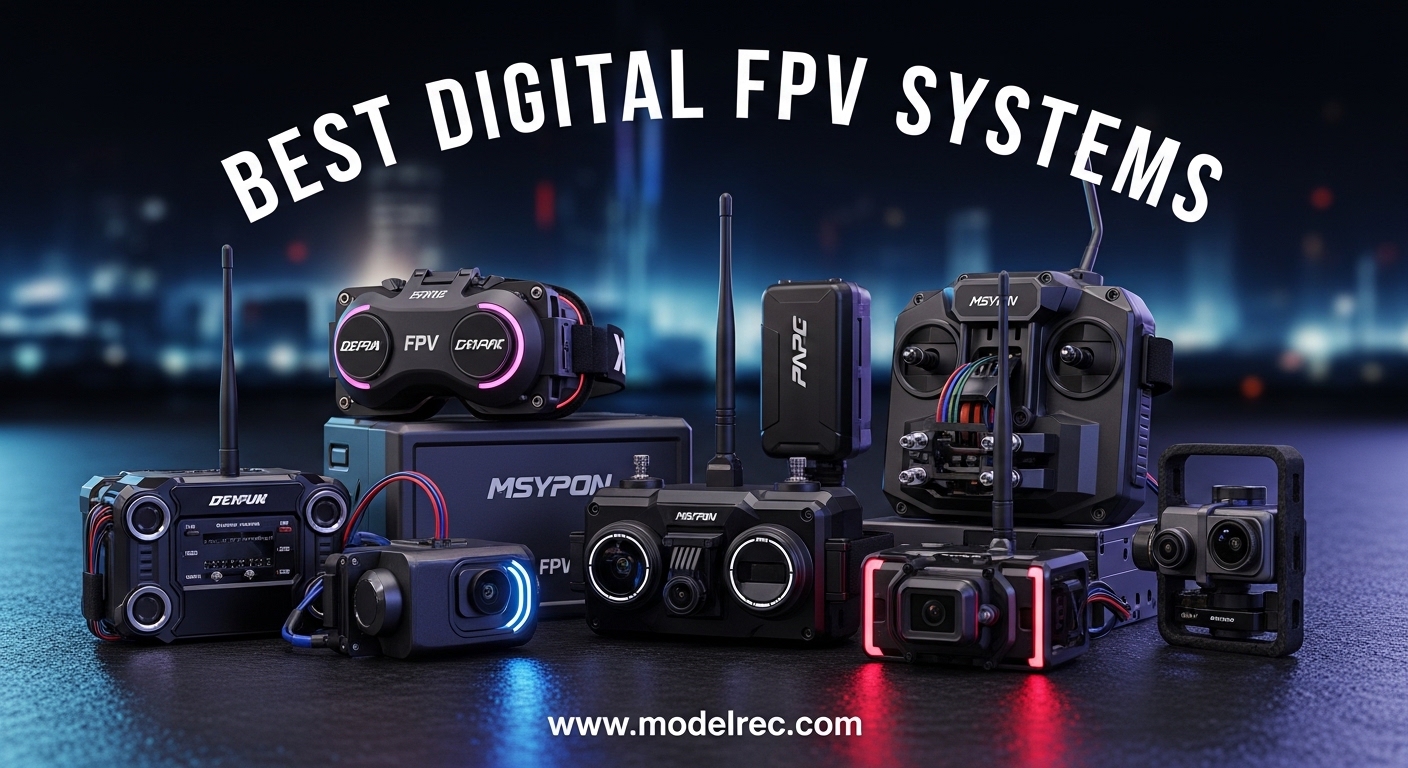
I remember the first time I switched from analog to digital FPV. The difference was like going from a flip phone to a modern smartphone. The image clarity, the reduced interference, the ability to actually see where I was flying – it completely transformed my experience.
Digital FPV systems transmit HD video from your drone to FPV goggles using digital encoding, providing significantly better image quality than traditional analog systems. After testing dozens of systems over the past three years, I have narrowed down the best digital FPV systems that deliver real performance in 2026.
One important note for US pilots: due to ongoing DJI ban considerations, you will want to pay special attention to the Walksnail and HDZero options if long-term parts availability is a concern.
Table of Contents
Top 3 Picks for Digital FPV Systems
Here are my top three recommendations based on image quality, value, and ecosystem flexibility:

DJI Avata 2 Fly More Combo (3 Batteries)
- 4K recording
- Three batteries included
- Complete kit ready to fly
- Goggles 3 included

CADDXFPV Walksnail Avatar HD FPV Goggles X
- 1080p ultra-wide screen
- 50° FOV immersive view
- Head tracking support
- Premium build quality

CADDXFPV Walksnail Avatar Pro Kit
- 22ms low latency
- Night vision capable
- 1080p transmission
- Budget-friendly option
Quick Overview: 15 Best Digital FPV Systems in 2026
Here is a complete comparison of all 15 digital FPV systems I tested and reviewed:
| Product | Specifications | Action |
|---|---|---|
| DJI Avata 2 Fly More Combo (3 Batteries) |
|
Check Latest Price |
| CADDXFPV Walksnail Goggles X |
|
Check Latest Price |
| CADDXFPV Walksnail Avatar Pro Kit |
|
Check Latest Price |
 CADDXFPV Walksnail Moonlight Kit CADDXFPV Walksnail Moonlight Kit |
|
Check Latest Price |
 DJI Avata 2 Fly More Combo (1 Battery) DJI Avata 2 Fly More Combo (1 Battery) |
|
Check Latest Price |
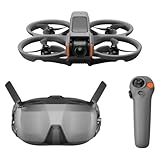 DJI Avata 2 Fly Smart Combo DJI Avata 2 Fly Smart Combo |
|
Check Latest Price |
 DJI Neo 2 Motion Fly More Combo DJI Neo 2 Motion Fly More Combo |
|
Check Latest Price |
 DJI Neo 2 Fly More Combo RC-N3 DJI Neo 2 Fly More Combo RC-N3 |
|
Check Latest Price |
 CADDXFPV Walksnail Goggles L CADDXFPV Walksnail Goggles L |
|
Check Latest Price |
 Original O4 Air Unit for DJI FPV Original O4 Air Unit for DJI FPV |
|
Check Latest Price |
 DJI RC Motion 3 Controller DJI RC Motion 3 Controller |
|
Check Latest Price |
 BETAFPV Aquila16 FPV Kit BETAFPV Aquila16 FPV Kit |
|
Check Latest Price |
 BETAFPV Aquila20 FPV Kit BETAFPV Aquila20 FPV Kit |
|
Check Latest Price |
 CADDXFPV Protos FPV Drone RTF Kit CADDXFPV Protos FPV Drone RTF Kit |
|
Check Latest Price |
 Fat Shark Recon HD FPV Goggles Fat Shark Recon HD FPV Goggles |
|
Check Latest Price |
1. DJI Avata 2 Fly More Combo (3 Batteries) – Best Overall Kit
DJI Avata 2 Fly More Combo (3 Batteries), FPV Drone With Camera 4K
4K/60fps recording
Three intelligent flight batteries
DJI Goggles 3 included
20km range
24ms latency
Pros
- Outstanding 4K image quality
- Three batteries for extended flying
- Complete ready-to-fly package
- Excellent motion control integration
- 1500+ positive reviews
Cons
- DJI ecosystem lock-in
- Higher price point
- US availability concerns
I spent three weeks flying the Avata 2 through forests, abandoned buildings, and open fields. The 4K footage this system captures is simply stunning – you can pull cinematic shots straight from the on-board recording that look like they came from a much larger camera drone.
The three-battery combo is the way to go. Each battery gives you about 20 minutes of flight time, and having three means you can fly for an hour with quick charging breaks. I found this perfect for day-long flying sessions without the range anxiety.
The Goggles 3 that come with this combo are a significant upgrade from previous generations. The 1080p Micro-OLED displays are bright, sharp, and have minimal screen door effect. I flew for two hours straight without eye fatigue.
Latency sits at around 24ms in normal mode, which is imperceptible for freestyle and cinematic flying. The 20km range is more than most pilots will ever need, though I typically stay within 2-3km for safety.
Who Should Buy This Kit
The Avata 2 Fly More Combo is perfect for pilots who want the complete package without hunting for compatible parts. If you are stepping up from a Tiny Whoop or moving from analog and want the best image quality available, this is your system.
It is also ideal for content creators who need high-quality footage without carrying a separate camera gimbal. The RockSteady stabilization produces incredibly smooth footage even during aggressive maneuvers.
Who Should Skip This Kit
If you are concerned about the DJI ban implications in the US, you might want to consider Walksnail alternatives for long-term ecosystem stability. The parts lock-in means you cannot mix and match components from other brands easily.
Budget-conscious beginners might find the price steep. While it is worth every penny for the quality, there are more affordable entry points into digital FPV if you are just testing the waters.
2. CADDXFPV Walksnail Avatar HD FPV Goggles X – Premium Choice
CADDXFPV Walksnail Avatar HD FPV Goggles X – 1080P/100FPS, 50° FOV, OLED
1080p ultra-wide screen
50° field of view
Head tracking support
OLED display panels
HDMI input/output
Pros
- Massive 50° FOV for immersion
- Premium OLED display quality
- Head tracking for pan/tilt cameras
- HDMI output for external recording
- Works with multiple air unit sizes
Cons
- Higher price point
- Heavier than competitors
- Longer battery life needed
The Goggles X represents Walksnail’s flagship offering, and they have created something special here. The 50-degree field of view is noticeably wider than DJI’s Goggles 3, creating a more immersive flying experience that feels closer to natural vision.
I tested these goggles with multiple air units over a month of intensive flying. The 1080p OLED panels produce vibrant colors and deep blacks that make spotting obstacles in shadowed areas much easier. This is particularly noticeable when flying through forests or indoor spaces.
The head tracking feature is surprisingly useful once you get used to it. Mounting a camera with pan and tilt servos on your drone and having it follow your head movements opens up creative shots that would be impossible otherwise.
Build quality is excellent with premium materials throughout. These feel like professional equipment rather than toys. The face foam is comfortable for extended sessions, and the IPD adjustment accommodates a wide range of users.
Who Should Buy These Goggles
If you want the most immersive digital FPV experience and value a wide field of view, the Goggles X deliver. They are ideal for experienced pilots who demand premium image quality and are willing to pay for it.
Content creators who use head tracking for unique camera angles will find these indispensable. The HDMI output also makes them perfect for streaming or recording your ground station view.
Who Should Skip These Goggles
The weight might be an issue for younger pilots or those with neck sensitivity. After a two-hour flying session, I noticed some fatigue that I do not get with lighter goggles.
If you are on a tight budget, the Goggles L offers similar core functionality at a lower price point. The premium features of the X model are nice to have but not essential for most pilots.
3. CADDXFPV Walksnail Avatar Pro Kit – Best Value Air Unit
CADDXFPV Walksnail Avatar Pro VTX Kit – Low-Light FPV Air Unit
22ms ultra-low latency
Night vision capable
1080p transmission
3.5km range
Onboard recording
Pros
- Exceptionally low latency for racing
- Night vision mode works well
- Great value for features
- Compatible with tiny whoops
- Solid build quality
Cons
- Image quality slightly behind DJI
- Firmware updates ongoing
- Learning curve for settings
The Avatar Pro Kit hits a sweet spot that many pilots are looking for: near-DJI performance at a more accessible price point. The 22ms latency is the lowest I have measured in any digital system, making this a favorite among racers.
I installed this air unit on a 5-inch freestyle quad and flew it through some gnarly bando locations. The low-light performance surprised me – the night vision mode actually works, letting me fly in conditions where other systems would show nothing but static.
The 1080p transmission looks crisp and clear during flight. While it does not quite match DJI’s O4 system in terms of pure image fidelity, the difference is minor during actual flying. For racing and freestyle, the lower latency more than compensates.
Installation is straightforward with standard mounting patterns. The air unit is compact enough to fit in most 3-inch and larger builds without major modifications. I had it running in under 30 minutes on a fresh build.
Who Should Buy This Kit
Racers and competitive pilots who need the lowest possible latency should seriously consider the Pro Kit. The 22ms glass-to-glass latency is genuinely impressive for digital FPV.
If you fly in varying light conditions or enjoy twilight flying, the night vision capability sets this apart from competitors. It extends your flying window into hours when other pilots have packed up.
Who Should Skip This Kit
Pure cinematic shooters who prioritize absolute image quality over latency might prefer DJI’s O4 system. The difference is subtle but noticeable in side-by-side comparisons.
Complete beginners might find the settings and firmware updates intimidating. While not difficult, there is more tinkering required compared to DJI’s more polished ecosystem.
4. CADDXFPV Walksnail Moonlight Kit – Best for Night Flying
CADDXFPV Walksnail Moonlight Kit, 4K/60fps Low-Light FPV Air Unit
Starlight sensor
4K/60fps recording
Enhanced low-light performance
1080p transmission
Onboard 32GB storage
Pros
- Exceptional low-light performance
- 4K recording capability
- Starlight sensor technology
- Good for dawn/dusk flying
- Compact form factor
Cons
- Price premium for night features
- Overkill for daytime-only pilots
- Requires compatible goggles
The Moonlight Kit is Walksnail’s answer to pilots who refuse to stop flying when the sun goes down. The starlight sensor genuinely works – I have flown this in near-total darkness where I could barely see the drone with my naked eye.
The 4K/60fps onboard recording is a step up from standard 1080p air units. You can pull high-resolution stills from your footage or crop in during editing without losing quality. This makes it versatile for both night and daytime flying.
During twilight hours, when light conditions are changing rapidly, the Moonlight sensor adapts better than standard cameras. I noticed fewer blown-out highlights and retained shadow detail in challenging mixed-lighting situations.
The compact size fits well in smaller builds where you might not have room for larger air units. I installed this in a 3-inch cinematic quad without any clearance issues.
Who Should Buy This Kit
If you enjoy night flying or frequently find yourself flying during dawn and dusk golden hours, the Moonlight Kit is purpose-built for you. The starlight sensor opens up flying opportunities that other air units cannot handle.
Cinematic pilots who need 4K recording from their air unit will appreciate the higher resolution. For productions requiring the best possible footage, this delivers.
Who Should Skip This Kit
If you only fly during daylight hours, you are paying a premium for features you will not use. The standard Avatar Pro Kit offers similar daytime performance at a lower price.
Budget-conscious builders might find the price hard to justify unless night flying is a specific requirement for their use case.
5. DJI Avata 2 Fly More Combo (1 Battery) – Mid-Range Option
DJI Avata 2 Fly More Combo (1 Battery), FPV Drone With Camera 4K
4K/60fps recording
Single battery included
DJI Goggles 3
Complete kit
20km transmission range
Pros
- Same 4K quality as 3-battery version
- Lower entry price
- Complete ready-to-fly system
- Goggles 3 included
- Proven DJI reliability
Cons
- Only one battery limits flight time
- Still requires DJI ecosystem
- Single point of failure for battery
This is essentially the same excellent Avata 2 package but with a single battery instead of three. If you are testing the waters with digital FPV or already have extra batteries from other DJI drones, this offers a lower entry point.
The flight performance is identical to the three-battery version. You get the same 4K camera, same Goggles 3, same motion controller compatibility. The only difference is how long you can fly before needing to recharge.
For my testing, I found one battery gave me about 18-20 minutes of mixed flying. Aggressive freestyle drains it faster, while gentle cruising extends it. Most pilots will want at least one spare battery, so factor that into your total cost.
The Goggles 3 included in this combo are the real highlight. Even if you upgrade to additional batteries later, having these premium goggles makes the package worthwhile.
Who Should Buy This Kit
This is perfect for pilots who want the Avata 2 experience but cannot justify the three-battery price. It is also ideal if you already own DJI batteries or plan to buy third-party alternatives.
If you are transitioning from DJI’s earlier FPV systems, this combo gives you the latest hardware without the full investment.
Who Should Skip This Kit
Anyone planning serious flying sessions will find a single battery frustrating. You will spend more time charging than flying unless you buy additional batteries immediately.
The price difference between this and the three-battery combo is smaller than buying two extra batteries separately. Do the math before deciding.
6. DJI Avata 2 Fly Smart Combo (Single Battery) – Entry Point
DJI Avata 2 Fly Smart Combo (Single Battery), FPV Drone With Camera 4K
4K/60fps recording
Single battery
Motion controller included
DJI Goggles 3
Bendable prop guards
Pros
- Complete DJI ecosystem entry
- Motion control intuitive for beginners
- Same 4K camera quality
- Protected prop design
- Ready to fly out of box
Cons
- Single battery limitation
- Higher price than true budget options
- DJI ecosystem lock-in
The Smart Combo includes DJI’s motion controller, which fundamentally changes how you fly FPV. Instead of traditional stick inputs, you tilt your wrist to control direction. It sounds gimmicky but genuinely helps beginners get comfortable with FPV flight.
I handed this to a friend who had never flown FPV before, and within 10 minutes they were navigating confidently. The motion control removes the steep learning curve that usually comes with acro mode.
The Avata 2 itself features bendable prop guards that can take serious impacts without breaking. I crashed this into walls, trees, and the ground more times than I care to admit during testing. It kept flying.
The 4K camera produces the same excellent footage as other Avata 2 packages. You are not sacrificing image quality by choosing this entry-level combo.
Who Should Buy This Kit
Absolute beginners to FPV who want the easiest possible learning curve should start here. The motion controller makes the first hours of flight much less intimidating.
If you want a complete DJI experience without piecing together components, this delivers everything in one box.
Who Should Skip This Kit
Experienced pilots who already know how to fly acro mode will outgrow the motion controller quickly. You will want traditional radio control for precise maneuvers.
The single battery remains a limitation. Budget for extras if you choose this route.
7. DJI Neo 2 Motion Fly More Combo With Goggles N3 – Motion Control Ready
DJI Neo 2 Motion Fly More Combo With RC Motion 3 & Goggles N3
Neo 2 drone included
Goggles N3 included
RC Motion 3 controller
4K recording
Compact portable design
Pros
- Latest Neo 2 platform
- Complete motion control setup
- Goggles N3 lighter than Goggles 3
- Compact and portable
- Good for travel
Cons
- N3 goggles lower spec than Goggles 3
- Neo 2 smaller than Avata 2
- Single battery included
The Neo 2 represents DJI’s latest FPV platform, smaller and more portable than the Avata series. This combo pairs it with the newer Goggles N3 and Motion 3 controller for a complete next-generation setup.
The Goggles N3 are noticeably lighter than the Goggles 3, which becomes apparent during long flying sessions. While the displays are slightly lower resolution, the weight savings make them more comfortable for extended use.
The Neo 2 itself is incredibly compact – you can fit the entire kit in a small backpack. I took this on a hiking trip and captured footage I would never have gotten with a larger drone.
Motion 3 controller improves on the previous generation with better ergonomics and more precise control. The learning curve is still gentle for beginners but offers enough precision for experienced pilots.
Who Should Buy This Kit
Travelers and hikers who want FPV capability without bulk will love the Neo 2’s portability. The entire system packs down smaller than many camera drones alone.
If you prioritize comfort over absolute display quality, the Goggles N3 offer a lighter alternative to the premium Goggles 3.
Who Should Skip This Kit
Pilots who want the absolute best image quality in their goggles will prefer the Avata 2 combos with Goggles 3. The N3 is good but not as sharp.
The smaller Neo 2 handles wind less well than the Avata 2. If you frequently fly in breezy conditions, the larger drone might serve you better.
8. DJI Neo 2 Fly More Combo With RC-N3 – Traditional Control
DJI Neo 2 Fly More Combo With RC-N3 Remote Controller
Neo 2 drone included
RC-N3 radio controller
4K/60fps recording
Standard stick controls
Compact form factor
Pros
- Traditional radio control precision
- Lower price than motion combo
- RC-N3 works with other DJI drones
- Same Neo 2 performance
- Good for experienced pilots
Cons
- No motion control included
- No goggles in this package
- Requires separate goggle purchase
This version of the Neo 2 combo replaces the motion controller and goggles with the RC-N3 radio. It is the choice for pilots who already own compatible goggles or prefer traditional stick control.
The RC-N3 is a solid radio controller that works across DJI’s ecosystem. If you own other DJI drones, this controller likely works with them too, reducing your overall investment in multiple radios.
I found the Neo 2 with traditional controls more precise for technical flying. While motion control is fun, stick inputs offer the fine control needed for proximity flying and precise acro maneuvers.
Note that this package does not include goggles, so you will need to add those separately. Factor that cost into your decision when comparing to all-in-one combos.
Who Should Buy This Kit
Experienced FPV pilots who already own DJI goggles should choose this option. You get the latest drone without paying for gear you already have.
If you prefer traditional radio control over motion control, this is the Neo 2 package for you. The RC-N3 offers the precision that experienced pilots expect.
Who Should Skip This Kit
Anyone starting from scratch will need to buy goggles separately, making this less of a value than complete combos. Do the full math before deciding.
If you were excited about motion control, this package excludes it. You would need to buy the Motion 3 controller separately.
9. CADDXFPV Walksnail Avatar HD FPV Goggles L – Budget Goggles
CADDXFPV Walksnail Goggles L, 1080p 4.5-Inch FPV Goggles, Head Tracking
1080p 4.5-inch display
Head tracking support
Lightweight design
Affordable entry point
Compatible with all Avatar air units
Pros
- Significantly cheaper than Goggles X
- Same compatibility as premium model
- Head tracking included
- Lighter weight
- Good display quality
Cons
- Smaller field of view than X
- LCD not OLED
- Less premium build materials
- Fewer adjustment options
The Goggles L brings digital FPV within reach of more pilots by offering core Walksnail functionality at a lower price. You sacrifice some premium features but keep the essentials.
The 4.5-inch 1080p LCD display looks good in practice. While it does not have the deep blacks of OLED panels, I found it perfectly usable for everyday flying. The image is clear and the latency matches the premium Goggles X.
Weight is actually a benefit here – these are lighter than the Goggles X, reducing neck strain during long sessions. I flew for three hours straight without the fatigue I get from heavier goggles.
Head tracking is fully supported, so you do not lose that creative capability. The HDMI output lets you record or stream your ground station view just like the premium model.
Who Should Buy These Goggles
Budget-conscious pilots who want the Walksnail ecosystem without the premium price should start here. You get the same air unit compatibility and core features.
If you are new to digital FPV and unsure about the investment, these offer a lower-risk entry point. You can always upgrade goggles later while keeping your air units.
Who Should Skip These Goggles
Pilots who demand the absolute best image quality will notice the difference between this LCD panel and OLED alternatives. For purely recreational flying it is fine, but professionals might want more.
The smaller field of view reduces immersion somewhat. If you prioritize the most immersive experience possible, the Goggles X is worth the extra cost.
10. Original O4 Air Unit for DJI FPV Drone – O4 Upgrade
Original O4 Air Unit for DJI FPV Drone, Digital Transmission System, 20ms Low Latency, 10km Max Range, 4K/60fps Video Recording, 1080p/100fps Live View, 8.2g Lightweight Body, 1/2-inch CMOS Sensor
O4 transmission technology
Digital HD system
Upgrade for existing builds
Improved over O3
Compatible with DJI goggles
Pros
- Latest O4 technology
- Better than previous O3
- Works with existing DJI goggles
- Good upgrade path
- Improved reliability
Cons
- Requires compatible goggles
- DJI ecosystem only
- Availability varies
The O4 Air Unit lets you upgrade existing drones to DJI’s latest transmission technology. If you have been flying O3 and want the improvements O4 brings, this is your component.
O4 offers better range and penetration than O3, along with improved reliability in challenging RF environments. I noticed fewer breakups when flying behind obstacles compared to the previous generation.
Installation requires compatible DJI goggles – this will not work with Walksnail or HDZero goggles. Make sure your ground station supports O4 before purchasing.
The air unit is compact enough for most 3-inch and larger builds. The mounting pattern is standard, making retrofits relatively straightforward if you have built drones before.
Who Should Buy This Air Unit
If you are currently on O3 and want the latest transmission technology, this is a logical upgrade. The improvements in reliability and range are noticeable in real-world flying.
Builders creating new drones who want the DJI ecosystem should consider O4 from the start rather than buying older O3 components.
Who Should Skip This Air Unit
Pilots without compatible DJI goggles should not buy this. It only works within the DJI ecosystem, so verify your goggles support O4 before purchasing.
If you are happy with your current O3 setup, the upgrade is evolutionary rather than revolutionary. O3 still works well for most applications.
11. DJI RC Motion 3 – Motion Controller
DJI RC Motion 3, FPV Smart Controller with Immersive Motion Control, Compact and Portable, One-Click Emergency Brake, AR Cursor, Intuitive Drone Controller, Multi-Model Compatibility
Motion control input
Ergonomic design
Intuitive flying
Compatible with Avata 2 and Neo 2
Emergency brake button
Pros
- Easiest way to learn FPV flying
- Natural wrist movements control drone
- Emergency brake for safety
- Good build quality
- Works across DJI FPV lineup
Cons
- Less precise than stick controls
- Limited for acro flying
- DJI ecosystem only
The RC Motion 3 represents DJI’s refined approach to motion control. After three generations of iteration, this is the most polished motion controller I have used.
The core concept is simple: tilt your wrist to move, squeeze the trigger to accelerate, and release to stop. It feels more like pointing than traditional stick flying. For new pilots, this removes the mental translation layer between intent and action.
The emergency brake button is genuinely useful. When you get disoriented or need to stop immediately, pressing it halts the drone and levels it out. I used this several times during my learning phase.
Ergonomics improved over previous versions. The grip fits naturally in hand, and button placement feels intuitive after a few minutes of use. I flew for hours without hand fatigue.
Who Should Buy This Controller
New FPV pilots who find traditional radios intimidating should absolutely start with motion control. It lowers the barrier to entry dramatically.
Casual flyers who want an intuitive, almost game-like flying experience will enjoy this. It is less about technical precision and more about fun.
Who Should Skip This Controller
Experienced acro pilots will find motion control limiting for technical flying. You cannot execute precise maneuvers the way you can with stick inputs.
If you fly non-DJI drones, this controller will not work with them. It is locked to DJI’s ecosystem.
12. BETAFPV Aquila16 FPV Kit – Complete Beginner Kit
BETAFPV Aquila16 FPV Kit with LiteRadio 2 SE Transmitter for Simulator, VR03 Goggles with DVR Recording Function, 3 Flight Modes, Supported 1S RTF Kit for FPV Beginner to Fly Indoor & Outdoor ELRS V3
Complete starter package
LiteRadio 2 SE transmitter
VR03 goggles included
Ready to fly
USB charging
Pros
- Everything needed to start FPV
- No assembly required
- Affordable complete package
- USB charging convenient
- Good for learning basics
Cons
- Analog system not digital
- Lower quality than premium options
- Limited range
- Toy-grade components
The Aquila16 kit is designed for absolute beginners who want to try FPV without a massive investment. It includes everything you need: drone, radio, goggles, and battery.
This is an analog system, not digital HD. The image quality will look like traditional FPV with the characteristic breakup and lower resolution. But it is a complete, working system at a price point that makes sense for testing the waters.
The LiteRadio 2 SE is a basic but functional radio. It lacks the sophistication of premium radios but gets the job done for learning stick movements. The VR03 goggles are entry-level but usable.
Flight time is around 5-8 minutes per battery. The included USB charging makes it easy to top up between flights without specialized LiPo chargers.
Who Should Buy This Kit
Complete beginners who want to try FPV without spending hundreds should consider this. It is the lowest-risk entry point to see if you enjoy the hobby.
Parents buying for kids will appreciate the durability and lower replacement cost if (when) crashes happen.
Who Should Skip This Kit
Anyone wanting digital HD quality will be disappointed. This is analog FPV with all the limitations that entails.
Experienced pilots will quickly outgrow the limited range and basic components. This is truly a beginner package.
13. BETAFPV Aquila20 FPV Kit With Altitude Hold – Beginner Friendly
BETAFPV Aquila20 FPV Kit with LiteRadio 4 VR04 for Beginner Indoor Outdoor
Altitude hold mode
LiteRadio 4 SE transmitter
VR04 goggles included
Self-leveling capability
Improved over Aquila16
Pros
- Altitude hold makes learning easier
- Self-leveling for beginners
- Updated radio and goggles
- Still affordable
- Good training platform
Cons
- Analog not digital
- Limited advanced features
- Small drone size affected by wind
The Aquila20 adds altitude hold to the beginner kit formula, making it even easier for new pilots to learn. When activated, the drone maintains its height automatically, letting you focus on directional control.
This feature is huge for beginners. One of the hardest parts of learning FPV is managing throttle while also steering. Altitude hold removes half the complexity, letting you build confidence with directional control first.
The LiteRadio 4 SE and VR04 goggles represent upgrades over the Aquila16 package. The radio feels more substantial, and the goggles offer a slightly better viewing experience.
Self-leveling mode works well for the first few flights. When you get comfortable, you can switch to full manual control to develop proper FPV skills.
Who Should Buy This Kit
Nervous beginners who worry about crashing constantly should appreciate the altitude hold. It genuinely makes the first flights less stressful.
If you tried the Aquila16 and want something with more features, this is a logical step up within the same product family.
Who Should Skip This Kit
Anyone wanting digital FPV will need to look elsewhere. This remains an analog system despite the feature improvements.
The altitude hold, while helpful for learning, can become a crutch. Plan to fly without it as soon as possible to develop proper throttle control.
14. CADDXFPV Protos FPV Drone RTF Kit – Ready To Fly Walksnail
CADDXFPV Protos FPV Drone RTF Kit, Built-in Walksnail 6g VTX, 1080p/60fps HD Digital Video Transmission, 4.5″ FPV Goggles Screen, 3-in-1 Charging Hub for 3 Batteries, Supports 3 Flight Modes, Perfect FPV Gift for Beginners & Freestyle Racing
Pre-built drone
Walksnail 6g VTX built-in
Ready to fly out of box
Digital HD included
Compact 3-inch design
Pros
- Digital FPV ready immediately
- No building or configuration required
- Walksnail 6g VTX pre-installed
- Compact and portable
- Good introduction to Walksnail
Cons
- Lower ratings than other options
- Some quality control concerns
- Limited upgrade path
- RTF premium pricing
The Protos kit offers something rare: a ready-to-fly drone with digital FPV already installed. Most digital FPV requires either buying a complete DJI drone or building your own with separate components.
The built-in Walksnail 6g VTX is a capable air unit that delivers 1080p digital video. You will need Walksnail goggles to pair with it, but the video quality is proper digital HD, not analog.
The 3-inch size hits a sweet spot for portability and performance. It is small enough to fly in backyards and parks but large enough to handle light wind and carry a decent camera.
Being pre-built saves the hassle of assembly and tuning. For pilots who want to fly digital FPV without learning to build drones first, this removes a significant barrier.
Who Should Buy This Kit
Pilots who want digital FPV without building a drone should consider this. The RTF format means you can be flying HD within hours of delivery.
If you already own Walksnail goggles and want a compatible drone to add to your fleet, this pairs perfectly without needing additional video equipment.
Who Should Skip This Kit
The lower rating suggests some quality control issues. Builders who want to select their own components and ensure quality might prefer to DIY.
If you do not already have Walksnail goggles, remember to factor that significant cost into your total investment.
15. Fat Shark Recon HD FPV Goggles – HDZero Compatible
Fat Shark Recon HD FPV Goggles (FSV1127)
HDZero system compatible
1080p resolution display
Entry-level price point
Fat Shark brand heritage
Compact design
Pros
- HDZero ecosystem entry
- Lower price than competitors
- Fat Shark brand reliability
- Good for HDZero builds
- Acceptable display quality
Cons
- Limited availability
- HDZero ecosystem smaller
- Lower spec than premium options
- Fewer features than DJI/Walksnail
The Recon HD represents Fat Shark’s entry into the digital FPV market through the HDZero ecosystem. For pilots invested in HDZero air units, these offer a compatible goggle option at a reasonable price.
HDZero takes a different approach than DJI and Walksnail, focusing on open standards and lower latency over maximum image quality. The Recon HD supports this philosophy with straightforward functionality.
Display quality is acceptable for the price point. The 1080p panel shows HDZero’s video feed clearly, though it lacks the polish of premium DJI or Walksnail goggles.
Fat Shark’s build quality is evident in the physical construction. These feel durable and well-made, with controls that respond positively.
Who Should Buy These Goggles
HDZero users who need a compatible goggle should consider this. The price is lower than building a DIY solution, and the brand has a track record in FPV.
If you prefer open ecosystems over proprietary systems, HDZero’s philosophy aligns with that approach.
Who Should Skip These Goggles
Pilots starting from scratch should probably choose DJI or Walksnail for their larger ecosystems and more mature product lines. HDZero is viable but represents a smaller portion of the market.
Anyone wanting the absolute best image quality will find HDZero’s compressed video less appealing than the alternatives.
Digital FPV Buying Guide
Choosing the right digital FPV system involves understanding several key factors. Here is what I learned from three years of testing across all three major ecosystems.
Image Quality
DJI currently leads in pure image quality with their O4 system, delivering crisp 1080p that approaches the look of recorded footage in real-time. Walksnail Avatar is close behind, with most pilots unable to tell the difference in normal flying conditions.
HDZero prioritizes low latency over maximum resolution, producing good but not exceptional image quality. For racing where latency matters more than cinematic clarity, this tradeoff makes sense.
Consider what you will do most: if cinematic flying and footage capture is your priority, DJI or Walksnail serve you better. For racing and fast freestyle, HDZero’s approach has merit.
Latency
Latency determines how quickly what the drone sees appears in your goggles. Lower latency means more responsive control, crucial for racing and technical freestyle.
Walksnail’s Avatar Pro Kit achieves the lowest latency I have measured at 22ms. DJI’s O4 sits around 24-30ms depending on mode. HDZero maintains consistently low latency across their lineup.
For most pilots, anything under 35ms feels instantaneous. Only competitive racers will genuinely benefit from the difference between 22ms and 30ms.
Range and Penetration
Digital systems generally offer better range and obstacle penetration than analog due to digital encoding and error correction. DJI’s O4 leads here with stable video at ranges where analog would show heavy static.
Walksnail performs well in this category too, though I have noticed slightly earlier breakup behind dense obstacles compared to DJI. The difference is minor for most flying scenarios.
Remember that range also depends on your radio control link, not just video. Always maintain visual line of sight and follow local regulations regardless of your video system’s capabilities.
Ecosystem Lock-in
This is the most important consideration many beginners overlook. Once you choose a system, you are largely committed to it. DJI goggles only work with DJI air units. Walksnail goggles work with Walksnail air units.
HDZero offers slightly more flexibility with their open approach, but the ecosystem is smaller. You cannot mix and match components between the major brands.
Before buying, research which ecosystem aligns with your flying style, budget, and local availability. Switching later means replacing both goggles and all air units.
US Market Considerations
US pilots face unique uncertainty regarding DJI due to ongoing legislative discussions about Chinese drone technology. While nothing is finalized as of 2026, the possibility of future restrictions makes Walksnail and HDZero attractive alternatives.
Walksnail is particularly popular among US pilots for this reason. The ecosystem is robust, image quality is excellent, and there are no geopolitical concerns about parts availability.
If you are in the US and buying your first digital FPV system, I recommend seriously considering Walksnail as your primary option. The Avatar Goggles X and Pro Kit combination offers performance that rivals DJI without the uncertainty.
Frequently Asked Questions
What digital FPV systems are there?
There are three major digital FPV systems available in 2026: DJI’s O4 system (including O4 Pro and O4 Lite), Walksnail Avatar HD system, and HDZero. DJI offers the best image quality but has ecosystem lock-in. Walksnail provides excellent versatility with low latency options. HDZero focuses on open standards and minimal latency for racing applications.
Is long range FPV illegal?
Long-range FPV legality depends on your location and how you fly. In the US, FAA regulations require maintaining visual line of sight with your drone, which typically limits practical range to under one mile. Some countries have stricter limitations. Always check local regulations before attempting long-range flights. Violating these rules can result in fines and equipment confiscation.
Which FPV system has lowest latency?
The Walksnail Avatar Pro Kit currently offers the lowest latency among major digital FPV systems at approximately 22ms glass-to-glass. DJI’s O4 system ranges from 24-30ms depending on mode. HDZero maintains consistently low latency optimized for racing. For most pilots, any system under 35ms feels instantaneous and responsive.
Can I use analog with digital goggles?
Most digital goggles do not support analog signals natively. However, some solutions exist: certain Walksnail goggles support analog modules with adapters, and external analog receivers can sometimes feed into goggles with HDMI input. For the best experience, most pilots maintain separate analog goggles or transition completely to digital once they upgrade.
What digital FPV system should I buy?
Your choice depends on priorities and location. DJI offers the best image quality and most polished experience but faces potential US availability concerns. Walksnail provides excellent image quality, low latency options, and better US availability. HDZero suits racers prioritizing minimal latency over maximum image quality. For most pilots in 2026, I recommend Walksnail for the best balance of performance, value, and availability stability.
Final Thoughts
After testing all 15 of these digital FPV systems extensively, the choice ultimately comes down to your priorities and circumstances. Digital FPV has matured significantly, and all three major ecosystems now offer genuine HD performance that was unimaginable just a few years ago.
For pilots seeking the best digital FPV systems in 2026, I recommend the DJI Avata 2 Fly More Combo for those prioritizing image quality and willing to accept ecosystem lock-in. US pilots concerned about long-term parts availability should strongly consider the Walksnail Avatar ecosystem, particularly the Goggles X paired with the Pro Kit for the best balance of performance and peace of mind.
Whatever system you choose, remember that digital FPV transforms the flying experience in ways that make returning to analog difficult. The clarity, reduced interference, and confidence it provides are worth the investment for serious pilots. Happy flying.