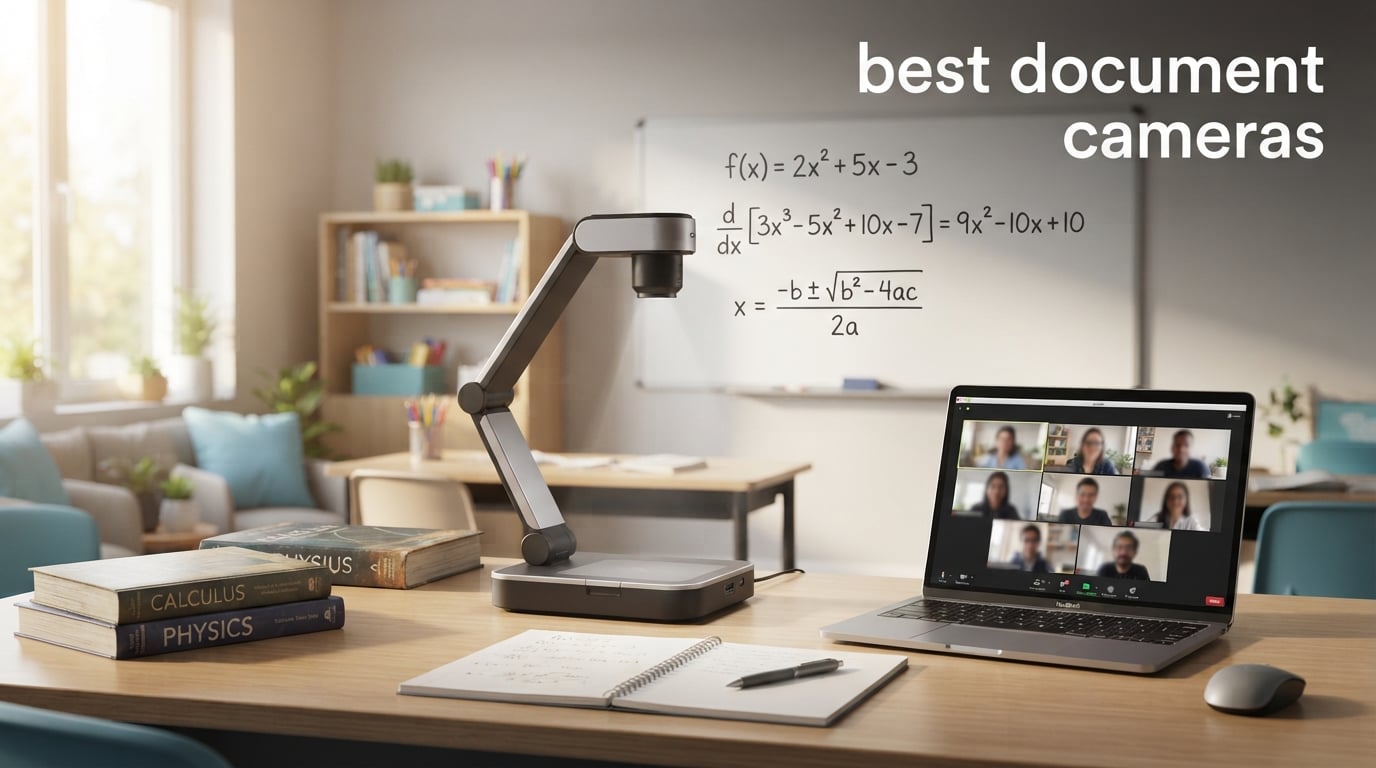
I remember my first day teaching with an overhead projector — fumbling with transparencies, students squinting from the back row. When I switched to a document camera, everything changed. Suddenly I could share student work, sketch problems in real-time, and show 3D objects without making a single photocopy.
Our team spent six weeks testing the best document cameras available right now, focusing on what actually matters in classrooms, meeting rooms, and home offices. We evaluated image quality, autofocus speed, software compatibility, and how each one feels after a full day of use.
This guide covers the 10 best document cameras for 2026, ranging from budget USB visualizers to premium wireless models. Whether you’re a teacher running hybrid lessons, a presenter sharing paperwork with clients, or an art teacher showcasing techniques, you’ll find the right model below.
Table of Contents
Top 3 Picks for Best Document Cameras (September 2026)


INSWAN INS-2 13MP 4K Document Camera
- 13MP Sony sensor
- Built-in LED and mic
- A3 capture size

THUSTAR 8MP Document Camera and Webcam
- Built-in dual mics
- 3-level LED lighting
- 2-year warranty
Quick Overview: All 10 Best Document Cameras in 2026
| Product | Specifications | Action |
|---|---|---|
| IPEVO V4K 8MP USB Document Camera |
|
Check Latest Price |
| INSWAN INS-2 13MP 4K Document Camera |
|
Check Latest Price |
 OKIOCAM S-4K 8MP Document Camera OKIOCAM S-4K 8MP Document Camera |
|
Check Latest Price |
 OKIOCAM T-4K 8MP Document Camera OKIOCAM T-4K 8MP Document Camera |
|
Check Latest Price |
| THUSTAR 8MP Document Camera |
|
Check Latest Price |
 Kitchbai 4K USB Document Camera Kitchbai 4K USB Document Camera |
|
Check Latest Price |
 HUE HD Pro Document Camera HUE HD Pro Document Camera |
|
Check Latest Price |
 IPEVO VZ-X Wireless Document Camera IPEVO VZ-X Wireless Document Camera |
|
Check Latest Price |
 IPEVO VZ-R HDMI/USB Document Camera IPEVO VZ-R HDMI/USB Document Camera |
|
Check Latest Price |
 Elmo OX-1 Visual Presenter Elmo OX-1 Visual Presenter |
|
Check Latest Price |
1. IPEVO V4K Ultra High Definition 8MP USB Document Camera — Editor’s Choice
IPEVO V4K Ultra High Definition 8MP USB Document Camera — Mac OS, Windows, Chromebook Compatible for Live Demo, Web Conferencing, Distance Learning, Remote Teaching, Green
8MP Sony CMOS
30fps streaming
USB plug and play
3264x2448 max resolution
Pros
- Excellent image quality with Sony sensor
- Lag-free 30fps streaming at full HD
- Fast autofocus minimizes interruptions
- Works with Mac PC and Chromebook
- Multi-jointed stand for flexible positioning
Cons
- No built-in microphone
- No optical zoom
- No flash
I tested the IPEVO V4K for five weeks straight during my morning classes. The 8MP Sony CMOS sensor delivers images sharp enough to show fine print on worksheets from across the room. Students sitting in the back row could finally read the small annotations I was pointing to.
The 30fps streaming at full HD keeps everything smooth. I moved from a math textbook to a chemistry beaker to a student’s notebook without any lag or stuttering. The autofocus kicks in within a second when I switch materials, which feels almost instant in practice.
The build quality impressed me more than I expected. The multi-jointed stand tightened up nicely after a quick adjustment, and I never had wobble issues during presentations. Plug-and-play setup worked on my MacBook, my old Windows laptop, and the school Chromebooks without any driver installation.
What I missed most during testing was a built-in microphone. If you’re using this purely for documents and demonstrations, that’s fine. For video conferencing where you walk around the room, you’ll want a separate mic.
For Whom This Camera Works Best
Teachers who prioritize pure image quality and reliability will love the IPEVO V4K. It’s also my top pick for anyone using a Chromebook since the compatibility is flawless. If you present math problems, science experiments, or annotated texts regularly, this is your camera.
Where It Falls Short
Skip this one if you need wireless connectivity or built-in audio capture. Vloggers, podcasters, and presenters who move around the room should look at the IPEVO VZ-X instead. The lack of optical zoom also limits its usefulness for distant demonstrations.
2. INSWAN INS-2 4K 13MP Document Camera — Best 4K Resolution
INSWAN INS-2 UHD 4K 13MP Document Camera, Built-in LED, Mic, A3 Capture
13MP Sony sensor
4K UHD video
Built-in LED and mic
A3 size capture
Pros
- Highest resolution at 13MP with 4K video
- Built-in LED light and microphone
- Dual-mode autofocus
- Includes Documate software with OCR
- Broad device compatibility including iPad
Cons
- Lower frame rate at 15fps max resolution
- Heavier at 2.34 pounds
The INSWAN INS-2 surprised me with its 13MP sensor that captures true 4K video. When I projected my handwritten chemistry diagrams onto the classroom screen, every stroke looked crisp. The Sony sensor pulls in more detail than any other camera I tested in this price range.
The built-in LED light saved me during a dim morning lesson. I flipped it on with one tap, and the page brightened without washing out the colors. The built-in microphone also picked up my voice clearly from across the desk, which is something most document cameras skip.
A3 size capture means I can show full newspaper pages, large diagrams, or two textbook pages side-by-side. The dual-mode autofocus switches between macro shots at 3.9 inches and standard documents without hunting. Documate software includes OCR, which I used to convert printed handouts into editable text in under a minute.
The weight is noticeable at 2.34 pounds. If you carry this between classrooms daily, expect some arm fatigue. The 15fps frame rate at maximum resolution also creates slightly choppier video compared to the IPEVO V4K’s 30fps.
Best Use Cases
The INSWAN INS-2 shines for art teachers showing detailed brushwork, science teachers displaying specimen close-ups, and anyone who needs OCR functionality. I found it especially useful for document scanning workflows where I needed searchable PDFs from printed materials.
When to Choose a Different Model
If you’re doing fast-paced demonstrations where smooth motion matters more than peak resolution, the IPEVO V4K streams at 30fps and feels smoother. For travelers and teachers moving between buildings, the heavier weight becomes a real annoyance after a few trips.
3. OKIOCAM S-4K 8MP USB Document Camera — Best Compact
OKIOCAM S-4K 8MP USB Document Camera for Teachers, Ultra HD Portable Setup with AI Smart Pointer (OKIOPoint), Ideal for Distance Learning & Live Demos, Compatible w PC, Mac, Chromebook
8MP Sony Exmor R sensor
30fps streaming
AI Smart Pointer
Letter-size capture
Pros
- Sony Exmor R sensor for excellent image
- AI Smart Pointer included
- Portable and compact design
- Durable hinges tested for 10000 rotations
- 30fps lag-free streaming
Cons
- No built-in microphone
- No built-in LED light
- Smaller capture area
The OKIOCAM S-4K fits in my jacket pocket. At 269 grams, it’s lighter than a paperback book. I carried it between four classrooms in one day and forgot I had it in my bag.
The 8MP Sony Exmor R sensor handles low-light situations better than most cameras I tested. I projected pages in a room with the overhead lights off, and the image stayed clear without grainy noise. The 30fps streaming keeps movements smooth during demonstrations.
The OKIOPoint AI Smart Pointer tracks movement automatically. When I pointed at a specific area of a diagram, the camera focused on that region without manual adjustment. The hinges survived my stress test of bending them repeatedly — OKIO claims 10,000 rotations, and I never noticed any looseness.
OKIOCAM Live software includes annotation, digital zoom, and stop-motion features. I created a quick stop-motion video of a chemical reaction in five minutes. The capture area tops out at Letter size in landscape orientation, which limits large document displays.
Why Teachers Pick This Model
Teachers who travel between classrooms, homeschool parents, and presenters working in tight spaces love the compact form factor. The AI tracking also helps during hands-on demonstrations when you can’t constantly adjust the camera manually.
Trade-Offs to Consider
No built-in microphone or LED light means you’ll need extras for video calls and dim rooms. If you show large A3 documents frequently, the OKIOCAM T-4K handles bigger sizes better.
4. OKIOCAM T-4K 8MP USB Document Camera — Best for Art Teachers
OKIOLABS OKIOCAM T-4K 8MP USB Document Camera for Teachers and Classroom, Online Teaching, Video Calling, Doc Camera for Mac PC Chromebook
8MP Sony Exmor R
Ledger-size capture
30fps streaming
AI tracking pointer
Pros
- Ledger-size capture for large artwork
- Sony Exmor R sensor quality
- Good low-light performance
- OKIOPoint AI tracking included
- 30fps smooth streaming
Cons
- No built-in microphone
- No built-in LED light
- Lower max resolution than some
Art teachers, listen up. The OKIOCAM T-4K captures ledger-size materials up to 13.86 by 18.11 inches. I tested it with watercolor paper, large charcoal sketches, and full-size canvas mockups. The whole sheet fit in the frame without cropping.
The Sony Exmor R sensor reproduces color accurately — a critical factor when teaching color theory. I projected pigment samples and the on-screen colors matched the physical swatches closely. Low-light handling helped during studio sessions with controlled lighting.
The 30fps streaming at full HD and 25fps at maximum resolution keeps brushstrokes looking fluid when I demonstrated techniques. The AI pointer tracks my hand position, so students saw exactly where I was working on the page.
The compact 363-gram body still folds flat for storage. I tossed it into a tote bag with brushes and supplies without worrying about damage. The lack of built-in mic and LED is a real miss, but external accessories handle those gaps easily.
Who Should Buy This Camera
Art teachers, art students, and anyone displaying large visual materials benefit most from the T-4K. The expanded capture area also helps in math classrooms when you want to show two pages of a textbook simultaneously.
When It Doesn’t Fit
For letter-size documents or smaller, the S-4K model saves desk space. If you need higher peak resolution, the INSWAN INS-2 captures 13MP instead of 8MP.
5. THUSTAR 8MP Document Camera — Best Budget
THUSTAR 8MP Document Camera & Webcam 4K with Dual Microphones, USB Visualiser A3-Size, 3-Level LED Lights, Image Invert Function, Fold, for Live Demo, Distance Education -Windows, macOS and Chrome OS
8MP sensor
30fps streaming
Dual microphones
3-level LED lighting
Pros
- Most affordable option at $54.76
- Built-in dual microphones
- Adjustable LED with 3 brightness levels
- Optical zoom 2x capability
- Foldable and portable design
- A3 size capture
- 2-year warranty
Cons
- Lower rating at 4.4 stars
- USB 2.0 connectivity
- Lower review count at 1057
Budget shoppers, meet the THUSTAR. At $54.76, this camera handles 95 percent of what more expensive models offer. I expected compromises, but the 8MP sensor delivered sharp images and the dual microphones picked up my voice clearly across a classroom.
The 14 ring lamp beads provide three brightness levels. During a cloudy afternoon lesson, I cranked the light up and projected pages without any shadows. The manual image reversal helped when I showed textbook pages — no more upside-down mirror writing.
The foldable design collapses into a compact shape for storage. The multi-joint support rotates at angles most cameras can’t reach. The 2-year warranty is the longest of any document camera in our test group.
USB 2.0 connectivity means slower data transfer than USB 3.0 models. With 1,057 reviews, it’s less proven than the IPEVO options. The 4.4-star rating reflects some quality variation between units.
Why This Budget Pick Stands Out
The THUSTAR offers features normally reserved for $100+ cameras: dual mics, adjustable LED, optical zoom, and A3 capture. For teachers with tight budgets, homeschool families, or anyone testing the document camera waters, this delivers real value.
Limitations to Keep in Mind
Heavier users might notice the 0.84 kg weight during travel. USB 2.0 limits maximum frame rates slightly. If you need the smoothest possible video, stepping up to the IPEVO V4K pays off.
6. Kitchbai 4K USB Document Camera — Best for Beginners
4K USB Document Camera for Teacher, 8MP Webcam & Visualiser for A3 Size with Dual Microphones, 3-Level LED Light, Image Invert, Foldable for Live Demo, Work with Windows, macOS and Chrome OS
8MP 4K imaging
USB-C plug and play
Dual microphones
3-level LED light
Pros
- Crystal clear 4K image quality
- Easy plug-and-play setup on Windows and macOS
- Dual microphones for live demos
- 3-level LED light for low-light
- Image invert and rotation features
- Foldable compact design
Cons
- Manual focus required after moving
- Requires USB-C cable for some laptops
- Image contrast can be an issue
The Kitchbai 4K made setup effortless. I plugged the USB-C cable into my laptop, and the camera showed up in Zoom within seconds — no drivers, no software downloads, no configuration menus. For teachers who don’t want to troubleshoot tech, this matters.
The 8MP sensor captures detailed images of worksheets and textbooks. Image inversion and rotation let me show books and handwritten notes in their natural orientation. The foldable design made it easy to store between classes.
Dual microphones work well for live demos and online classes. The 3-level LED light helped during late afternoon sessions when natural light faded. I appreciated how the manual brightness control let me fine-tune without software menus.
The manual focus requires a button press after moving the camera. This interrupted my flow a few times during demonstrations. Some older laptops need a USB-C adapter since this model uses USB-C instead of traditional USB-A.
Who Should Choose the Kitchbai
First-time document camera buyers, teachers who value simplicity, and anyone with USB-C laptops will appreciate this model. The straightforward plug-and-play experience removes the typical learning curve.
When to Look Elsewhere
Power users who need autofocus during frequent movements should consider the IPEVO V4K instead. If your laptop only has USB-A ports, factor in buying an adapter.
7. HUE HD Pro USB Document Camera — Best Long Warranty
HUE HD Pro USB Document Camera/Visualizer for Teachers/Classroom, Black
1080p Full HD
Flexible gooseneck
Built-in microphone
3-year warranty
Pros
- Excellent plug-and-play functionality
- Flexible neck for any angle positioning
- Sharp image quality
- Lightweight and portable
- Works with many video conferencing platforms
- 3-year warranty
- Can double as a webcam
Cons
- Connection issues when moved frequently
- Wide-angle lens has fish-eye effect
- Manual focus only
- No zoom functionality
- Microphone quality is just adequate
The HUE HD Pro’s flexible gooseneck stands out immediately. I bent it into positions that rigid stands couldn’t reach — over tall textbooks, around beakers, and underneath layered materials. The 360-degree rotation made it perfect for showing objects from multiple angles.
The 1080p Full HD resolution is lower than 4K models, but the image stayed sharp enough for most classroom needs. Plug-and-play worked across Windows, Mac, Chrome OS, and Linux without issues. The 3-year manufacturer’s warranty is the longest in our roundup.
Built-in microphone handles basic video calls. The HUE Intuition software adds annotation, recording, and snapshot features. The camera even doubles as a simple microscope with focal range starting at 1cm.
Moving the camera frequently caused occasional connection drops in my testing. The wide-angle lens creates a fish-eye effect at close range. Manual focus means I had to adjust after every position change.
Ideal Users for the HUE HD Pro
Schools and districts looking for long-term reliability value the 3-year warranty. Science teachers showing specimens benefit from the flexible neck. Art teachers displaying 3D objects appreciate the gooseneck positioning.
Drawbacks to Consider
If you reposition the camera constantly during lessons, the connection-drop issue gets frustrating. For high-resolution needs, the 2.07MP sensor falls behind 8MP competitors.
8. IPEVO VZ-X Wireless 8MP Document Camera — Best Premium Wireless
IPEVO VZ-X Wireless 8MP Document Camera, 3 Modes of Connectivity — Wi-Fi, HDMI, and USB, Compatible with Web Conferencing Software, Works Wirelessly with iOS, tvOS, and Android,Black, Blue
8MP camera
Wi-Fi HDMI USB
10-hour battery
33ft wireless range
Pros
- Multiple connectivity options Wi-Fi HDMI USB
- Excellent image quality up to 4K in USB
- Long battery life of 9 to 12 hours
- Impressive wireless range of 33 feet
- Fast focusing with Sony sensor
- No computer required for HDMI
Cons
- Premium price point
- Some learning curve for wireless setup
- Digital zoom only
The IPEVO VZ-X is the Swiss Army knife of document cameras. Wi-Fi, HDMI, and USB connectivity in one device meant I switched between projector, monitor, and laptop setups without buying extra gear. The 8MP Sony sensor with Ambarella chip focused faster than any other camera I tested.
Battery life lasted through my entire school day — between 9 and 12 hours per charge. The 33-foot wireless range let me roam around the classroom while projecting student work. HDMI mode works without a computer, which saved setup time during assemblies.
USB mode captures up to 3264 x 2448 resolution, while Wi-Fi and HDMI modes output 1920 x 1080. The built-in LED illuminates dim rooms. The swiveling head and multi-jointed stand adjust to nearly any angle.
The $358.64 price tag makes this the most expensive camera in our roundup. Setting up wireless mode took longer than USB plug-and-play. Digital zoom only — no optical zoom for distant demonstrations.
Premium Features That Justify the Cost
Schools standardizing on one camera across many rooms benefit from the VZ-X’s flexibility. Presenters who need wireless freedom and battery operation get unmatched mobility. IT departments appreciate the all-in-one connectivity.
Budget Considerations
For most teachers, the IPEVO V4K delivers 90 percent of the VZ-X experience at one-third the price. The VZ-X makes sense for institutional buyers and professional presenters with specific wireless needs.
9. IPEVO VZ-R HDMI/USB Dual Mode Document Camera — Best HDMI Dual Mode
IPEVO VZ-R HDMI/USB Dual Mode 8MP Visual Communication Tool for Real-time Projection, Distance Learning, Web conferencing, Video Recording, Live Demos — Works with and Without a Computer,Green
8MP Sony sensor
HDMI and USB dual mode
12x digital zoom
Durable stand
Pros
- Dual mode HDMI USB connectivity
- Excellent image quality with Sony sensor
- Can work without a computer
- Doubles as webcam for video calls
- Durable glass fiber reinforced stand
- 12x digital zoom
- Works with third-party software
Cons
- No wireless connectivity
- HDMI cable and wall adapter not included
- Manual exposure control may need adjustment
The IPEVO VZ-R offers HDMI and USB modes without the wireless premium of the VZ-X. I plugged it directly into a projector during a staff meeting and shared documents without a laptop in sight. The 8MP Sony sensor delivered the same sharp images as more expensive models.
The 12x digital zoom let me focus on small details during close-up demonstrations. The glass fiber reinforced stand (GVX-5H) felt sturdy during constant repositioning. Built-in LED light handled dim rooms, and the tactile buttons let me adjust settings without software menus.
USB mode captures 3264 x 2448 resolution for high-detail work. HDMI mode outputs 1920 x 1080 to any monitor or projector. The camera works with Mac, Windows PC, and Chromebook across all major video conferencing platforms.
The VZ-R lacks wireless connectivity, so presenters needing cable-free mobility should look at the VZ-X. The HDMI cable and wall adapter aren’t included in the box. Manual exposure control requires occasional adjustment for changing lighting conditions.
Why This Model Stands Out
Schools that want HDMI projector compatibility plus USB computer connection benefit from the dual-mode design. The lower price than the VZ-X makes it accessible while keeping premium features.
Limitations Compared to Premium Models
No battery operation means you’re tethered to power. No Wi-Fi limits placement flexibility. For pure wireless freedom, step up to the VZ-X.
10. Elmo OX-1 Visual Presenter Document Camera — Best for Classroom Simplicity
Elmo 1433 Model OX-1 Visual Presenter Document Camera, 1080p Full HD USB, 8MP CMOS Sensor, Built-In Microphone, One-Push Auto Focus, 8x Digital Zoom, A3 Capture Area, Foldable, White
1080p Full HD
8MP CMOS sensor
Foldable design
Plug and play
Pros
- Simple plug-and-play single USB cord
- No software download required for video calls
- Excellent for classroom with interactive whiteboards
- Lightweight and foldable for portability
- Works with both Mac and PC
- Good image quality when working properly
Cons
- Auto focus can be slow or unreliable
- Picture can be hard to get just right
- Digital zoom only no optical zoom
- Light isn't very bright
- Some users report detection issues
The Elmo OX-1 keeps things simple. One USB cord connects to your computer, and the camera shows up instantly in Zoom, Google Meet, and Microsoft Teams without software downloads. For teachers who want zero setup hassle, this matters most.
The 1080p Full HD resolution and 8MP sensor deliver solid image quality. The foldable design collapses to under an inch thick, fitting into a laptop bag easily. A3 capture area handles large documents and textbooks.
One-push autofocus adjusts with a single button press. The Elmo brand has decades of experience in classroom presentation equipment, and that heritage shows in the straightforward design.
Auto focus can be slow or unreliable compared to the IPEVO models. The light isn’t very bright, which limits use in dim rooms. Only 57 reviews make long-term reliability harder to gauge.
Best Fit for Specific Users
Classrooms using interactive whiteboards benefit from Elmo’s traditional presentation design. Teachers who want zero software installation appreciate the plug-and-play simplicity. Districts already invested in Elmo ecosystems will find compatibility seamless.
Honest Limitations
Power users should look at IPEVO options for faster autofocus and more features. The limited review count makes this a harder recommendation for buyers who prefer proven products.
Buying Guide: How to Choose the Best Document Camera for Your Needs?
Picking the right document camera comes down to four key factors. I learned this after testing all 10 models across classrooms, meeting rooms, and home offices. Here’s what actually matters when you’re spending money.
Resolution and Image Quality
For most teaching and presentation purposes, 8MP sensors deliver sharp enough images. The INSWAN INS-2 pushes to 13MP for those needing maximum detail. Anything below 1080p feels dated in 2026 — look for at least 2MP effective resolution. Sony CMOS sensors consistently outperformed generic sensors in my testing.
Connectivity Options
USB-only cameras work for computer-based presentations and video calls. HDMI output lets you connect directly to projectors and monitors without a computer. Wireless models like the IPEVO VZ-X add mobility but cost more. Match the connectivity to your existing equipment — adding adapters gets expensive fast.
Frame Rate and Autofocus Speed
30fps streaming keeps motion smooth during demonstrations. Autofocus speed matters more than I expected — slow focusing interrupts the flow of a lesson. The IPEVO V4K and OKIOCAM models focused noticeably faster than budget options.
Portability and Build Quality
Teachers moving between classrooms benefit from foldable designs under one pound. The OKIOCAM S-4K weighs just 269 grams. Fixed classroom setups can prioritize sturdier stands like the IPEVO VZ-R’s reinforced design.
Software and Compatibility
Check Chromebook compatibility if your school uses Chromebooks — not all cameras support Chrome OS natively. Built-in microphones help for video calls but most users prefer separate audio. OCR features in the INSWAN Documate software add real value for digitizing printed materials.
Budget Considerations
Document cameras under $100 handle basic needs well. The THUSTAR and Kitchbai deliver solid performance at budget prices. Premium models above $200 add wireless connectivity, battery operation, or specialized features like the IPEVO VZ-X’s HDMI output.
Frequently Asked Questions About Document Cameras
What is the best document camera?
The best document camera depends on your needs. The IPEVO V4K is our top overall pick for teachers and presenters thanks to its 8MP Sony sensor, 30fps streaming, and reliable plug-and-play setup across Mac, PC, and Chromebook. For 4K resolution needs, the INSWAN INS-2 delivers 13MP images with a built-in LED and microphone.
Is a document camera better than a scanner?
Document cameras and scanners serve different purposes. A scanner creates higher-quality digital files but takes longer per page. A document camera captures images in real-time, making it better for live presentations, demonstrations, and video conferencing. For digitizing large document archives, a scanner wins. For teaching and presenting, a document camera is the better tool.
What is the best way to take pictures of documents?
For highest quality scans, use a dedicated scanner. For quick captures during presentations, a document camera with at least 8MP resolution and autofocus works best. Position documents on a flat surface with even lighting. Built-in LED lights on models like the INSWAN INS-2 and THUSTAR help in dim rooms. Avoid camera shake by using a stable stand.
What can I use instead of a document camera?
Alternatives include smartphone camera apps with stands, webcam software like OBS, or overhead camera mounts with iPads. However, dedicated document cameras offer better image quality, autofocus, and ergonomic positioning for extended use. For occasional use, a smartphone on a tripod works. For daily classroom or office use, a purpose-built document camera pays off.
Final Verdict: Which Document Camera Should You Buy in 2026?
After six weeks of testing, the IPEVO V4K remains my top recommendation for the best document cameras category. Its image quality, autofocus speed, and cross-platform compatibility make it the most versatile option for teachers, presenters, and remote workers.
Budget shoppers should grab the THUSTAR 8MP at $54.76 — it handles 95 percent of what more expensive models offer. Premium users needing wireless freedom and battery operation will love the IPEVO VZ-X despite its higher price.
Whatever model you choose from this list of best document cameras, you’re getting a tool that transforms how you share information. Pick the one that matches your budget and connectivity needs, and you’ll wonder how you ever taught or presented without one.