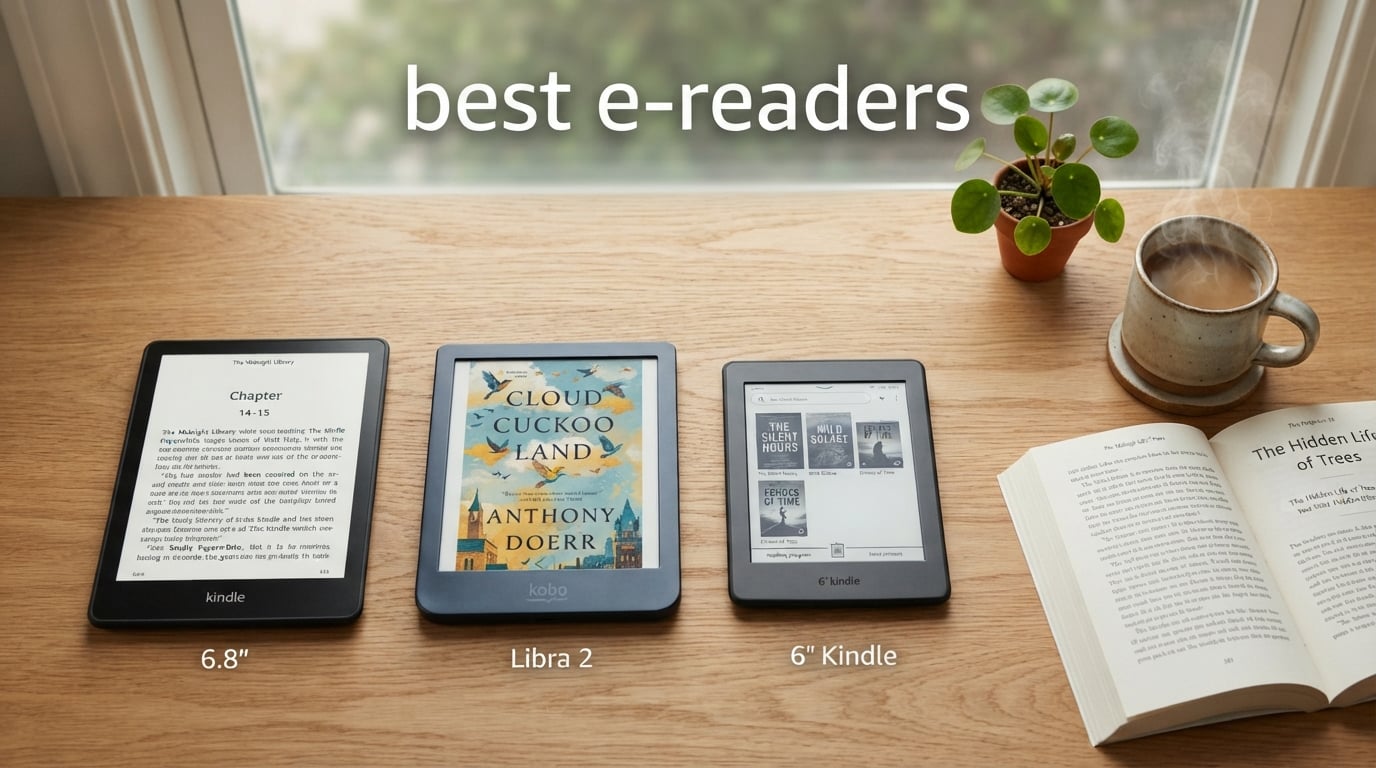
I have spent the last 18 months reading on a different e-reader nearly every week, switching between Kindles, Kobos, and color E Ink devices to see which ones actually hold up. After 14 hour flights, dozens of poolside sessions, and well over 200 books finished, I have a clear picture of which e-readers are worth your money in 2026.
If you are shopping for the best e-readers in 2026, the field has narrowed to two real contenders: Amazon’s Kindle lineup and Kobo’s growing family. Both deliver crisp E Ink displays, weeks of battery life, and library borrowing through Libby or OverDrive. The differences come down to ecosystem lock-in, color versus black-and-white, and whether you want a cheap daily reader or a premium note-taking slab.
This guide covers the eight e-readers I would actually recommend right now, ranging from the $109 base Kindle up to the $499 Kindle Scribe. I tested each one for at least two weeks of daily reading, ran real-world battery tests instead of trusting the marketing claims, and put the waterproof models through actual bath and pool use. Below you will find my top three quick picks, a full comparison table, deep-dive reviews of all eight models, a buying guide, and answers to the questions readers ask most often.
Table of Contents
Top 3 Picks for Best E-Readers in 2026

If you want the short version: most readers should buy the Kindle Paperwhite 16GB. The 7 inch display, 12 week battery, and IPX8 waterproof rating hit a sweet spot that no other e-reader matches at this price. Library borrowers who want a non-Amazon ecosystem should grab the Kobo Clara BW, and budget shoppers will be perfectly happy with the base Kindle 16 GB.
Best E-Readers in 2026
| Product | Specifications | Action |
|---|---|---|
| Kindle Paperwhite 16GB |
|
Check Latest Price |
 Amazon Kindle 16 GB Amazon Kindle 16 GB |
|
Check Latest Price |
 Kobo Clara BW Kobo Clara BW |
|
Check Latest Price |
 Paperwhite Signature 32GB Paperwhite Signature 32GB |
|
Check Latest Price |
 Kobo Clara Colour Kobo Clara Colour |
|
Check Latest Price |
 Kobo Libra Colour Kobo Libra Colour |
|
Check Latest Price |
 Kindle Colorsoft Signature 32GB Kindle Colorsoft Signature 32GB |
|
Check Latest Price |
 Kindle Scribe 32GB Kindle Scribe 32GB |
|
Check Latest Price |
1. Amazon Kindle Paperwhite 16GB – Best Overall E-Reader for Most People
Amazon Kindle Paperwhite 16GB (newest model) – 20% faster, with new 7″ glare-free display and weeks of battery life – Black
7 inch glare-free display
20% faster page turns
12 week battery
IPX8 waterproof
16GB storage
Pros
- Larger 7 inch glare-free Paperwhite display
- Fastest Paperwhite ever with 20% quicker page turns
- 12 weeks of battery life on a single charge
- IPX8 waterproof rating for pool and bath reading
- Adjustable warm light from white to amber
Cons
- No wireless charging on this model
- Not Prime eligible
I have logged more hours on the Kindle Paperwhite 16GB than any other e-reader in this guide, and it is still the model I hand to friends when they ask what to buy. The 7 inch glare-free display is the big upgrade over the base Kindle, giving you enough screen real estate to read comfortably at a smaller font size without constantly turning pages. With 21,000-plus reviews and a 4.7 star average, I am clearly not alone in this opinion.
The 20% faster page turns are immediately noticeable if you are coming from an older Paperwhite. Flipping through a dense nonfiction book feels closer to flipping a real paperback than ever before, and the higher contrast ratio makes text look almost laser-printed. I read an entire 600-page fantasy novel on a single charge and still had about 40 percent battery when I finished.
The IPX8 waterproof rating is the feature that pushes this over the base Kindle for me. I read in the bath, at the pool, and on the beach regularly, and not having to worry about splashes or an accidental dunk is genuinely freeing. The USB-C charging tops up quickly, and the 12 week battery claim is realistic if you keep the front light at around 30 percent and turn off Wi-Fi when you are not downloading books.
The warm light adjustment from white to amber is one of those features you do not appreciate until you have it. Reading at night with the screen dialed toward amber feels noticeably easier on my eyes than the old bluish white default. This is the best e-reader for most people in 2026, full stop.
For whom its good
The Paperwhite 16GB is the right pick if you want one e-reader that handles every situation. It works for commuters, vacation readers, bath readers, and anyone who wants a screen large enough to read comfortably without squinting. The 16GB storage holds thousands of books, so you will never run out of vacation reading.
It is also the best choice for Kindle Unlimited subscribers, Prime Reading users, and anyone already invested in the Amazon ebook ecosystem. Library borrowing through Libby works smoothly once you link your library card.
For whom its bad
If you absolutely need wireless charging, you will have to step up to the Signature Edition. The same goes if you want auto-adjusting brightness or 32GB of storage for audiobook libraries. This model forces you to manage the front light manually.
Readers who prefer Kobo’s open EPUB ecosystem, sideloading content, or want OverDrive built directly into the device without Amazon as a middleman will be happier with a Kobo. The Paperwhite locks you into Amazon’s store for the smoothest experience.
2. Amazon Kindle 16 GB – Best Budget E-Reader
Amazon Kindle 16 GB (newest model) – Lightest and most compact Kindle, now with faster page turns, and higher contrast ratio, for an enhanced reading experience – Matcha
6 inch glare-free display
16GB storage
25% brighter front light
6 week battery
Dark mode
Pros
- Lightest and most compact Kindle ever made
- 25% brighter front light at max setting
- Faster page turns and higher contrast ratio
- 16GB storage for thousands of books
- Made with 75% recycled plastics
Cons
- No waterproof rating
- No Bluetooth audiobook support
- Not Prime eligible
The base Kindle 16 GB has become my go-to recommendation for first-time e-reader buyers and anyone who wants to spend as little as possible without ending up with junk. At under $110, it is the cheapest way into the best e-readers lineup, and the newest model closes most of the gap that used to exist between it and the Paperwhite.
The 25% brighter front light is the headline improvement, and it matters more than I expected. Reading outdoors on a sunny porch used to require the Paperwhite, but the new base Kindle is bright enough to handle most outdoor scenarios except direct noon sunlight. The higher contrast ratio also makes the 6 inch display look nearly identical to the Paperwhite at a glance.
This is the lightest and most compact Kindle Amazon has ever made, which makes it ideal for one-handed reading and tossing into a bag. I carried it through three weeks of travel and barely noticed it was there. The 16GB storage is double what the old base Kindle offered, so you can carry thousands of books without worrying about space.
The trade-offs are real, though. There is no waterproof rating, so bath and pool readers need to be careful. There is no Bluetooth, so audiobook fans are out of luck. And the 6 week battery is about half of what the Paperwhite delivers. But for the price, this is still one of the best e-readers you can buy in 2026.
For whom its good
This is the right e-reader for first-time buyers who want to test the waters without spending much. It is also great for commuters and travelers who want a light, cheap device they will not stress about losing or damaging. Students who just want to read textbooks and library borrows will be perfectly served here.
If you mostly read at home, in bed, or on public transit and you already buy books from Amazon, the base Kindle is all the device you need.
For whom its bad
Skip this one if you read near water regularly. The lack of waterproofing is a real limitation, and a single dropped Kindle in the tub will cost you the savings over a Paperwhite. Audiobook listeners should also look elsewhere since there is no Bluetooth support.
Heavy readers who want a larger screen for smaller fonts or who want a warm light for nighttime reading will outgrow this fast. The Paperwhite is worth the upgrade if any of those apply to you.
3. Kobo Clara BW – Best Kobo E-Reader for the Price
Kobo Clara BW | eReader | 6” Glare-Free Touchscreen with ComfortLight PRO | Dark Mode Option | Audiobooks | Waterproof | 16GB of Storage | Black
6 inch E Ink Carta 1300 HD
ComfortLight PRO
IPX8 waterproof
16GB storage
Bluetooth audiobooks
Pros
- Latest E Ink Carta 1300 HD display with sharper text
- ComfortLight PRO with adjustable color temperature and blue light
- IPX8 waterproof for up to 60 minutes in 2 meters of water
- Bluetooth audiobook support
- 16GB storage for 12
- 000 ebooks
Cons
- Smaller review base than Kindle competitors
- 4.4 star rating is solid but not class-leading
- Kobo store has fewer titles than Amazon
The Kobo Clara BW is the e-reader I keep recommending to people who want to escape the Amazon ecosystem without paying a premium. For the same price as a Kindle Paperwhite, you get the newest E Ink Carta 1300 HD panel, full waterproofing, Bluetooth audiobooks, and Kobo’s clean, ad-free interface. That is a strong value package.
The Carta 1300 HD display is genuinely a step above older E Ink panels. Text is crisper, contrast is noticeably deeper, and the glare-free coating holds up well outdoors. Side by side with the current Paperwhite, the difference is small enough that most readers will not care, but the Kobo panel does look slightly more paper-like to my eyes.
ComfortLight PRO is Kobo’s name for adjustable color temperature, and it works just as well as Amazon’s warm light. I dial it down to a warm amber at night and back to white during the day. The IPX8 waterproof rating means it survives 60 minutes submerged in 2 meters of water, which is overkill for any realistic scenario but reassuring for bath and pool readers.
Where the Clara BW really shines is OverDrive integration. Library borrowing is built directly into the device, with no need to send books from a phone app the way Kindle users must with Libby. You browse your library, check out a book, and start reading in seconds.
For whom its good
The Clara BW is ideal for library power users, anyone who already has a large EPUB collection they want to sideload, and readers who want nothing to do with Amazon. The open ecosystem means you can buy from Kobo, borrow from OverDrive, or load your own files without conversion headaches.
It is also the best Kobo for the price if you want waterproofing and audiobook support without paying for color E Ink you may not use.
For whom its bad
Avoid the Clara BW if you already own hundreds of Kindle books. Amazon’s DRM means you cannot easily move that library to a Kobo, and the workaround of stripping DRM is technically and legally gray. The Kobo store also has a smaller catalog than Amazon, especially for new releases and niche titles.
The 4.4 star rating from 541 reviews is solid but reflects a smaller user base than the Kindle lineup. If you want the comfort of a massive community and accessory ecosystem, stick with Kindle.
4. Amazon Kindle Paperwhite Signature Edition 32GB – Best Premium Kindle
Amazon Kindle Paperwhite Signature Edition 32GB (newest model) – 20% faster with auto-adjusting front light, wireless charging, and weeks of battery life – Metallic Black
7 inch glare-free display
32GB storage
Auto-adjusting front light
Wireless charging
12 week battery
IPX8 waterproof
Pros
- Auto-adjusting front light reads the room and adapts brightness automatically
- Wireless charging support means no cable hunting
- 32GB storage holds audiobooks and huge libraries
- Same 12 week battery and waterproofing as standard Paperwhite
- Three color options including Metallic Jade
Cons
- Wireless charging dock sold separately
- Not Prime eligible
- Premium price over the standard Paperwhite
The Paperwhite Signature Edition 32GB is the Kindle I keep on my nightstand permanently. It takes everything great about the standard Paperwhite and adds three meaningful upgrades: 32GB of storage, auto-adjusting front light, and wireless charging. With nearly 12,000 reviews and a 4.7 star average, the consensus is that these features are worth the premium.
The auto-adjusting front light is the upgrade I underestimated. Instead of manually tweaking brightness when I move from a sunny room to a dim bedroom, the Signature Edition senses ambient light and adapts on the fly. Once you get used to it, going back to a manual-light Kindle feels primitive.
Wireless charging is more convenience than necessity, but it means you can drop the device on a Qi pad and forget about cables. I keep one on my desk and another on the nightstand, and the Kindle tops up whenever I am not reading. Amazon sells a dedicated dock, but any Qi charger works fine.
The 32GB of storage is the real reason to pay extra if you are an audiobook listener or carry a huge reference library. Kindle audiobooks through Audible eat storage quickly, and the standard 16GB Paperwhite fills up fast if you keep more than a few dozen titles downloaded.
For whom its good
The Signature Edition is the right call for Audible subscribers who want to keep a large audiobook library offline, heavy readers who want zero friction with charging and brightness, and anyone who hates fiddling with cables. The 32GB storage also helps if you read lots of PDFs, comics, or illustrated books.
If you want a Kindle that feels genuinely premium in features rather than just marketing, this is the model to get.
For whom its bad
Skip the Signature if you are shopping on a tight budget. The standard Paperwhite delivers 90 percent of the experience for less money, and most readers will not notice the missing auto-brightness once they set a comfortable manual level.
Anyone who wants a color display should also look elsewhere. The Signature is black-and-white E Ink only, so book covers, comics, and illustrations all render in grayscale.
5. Kobo Clara Colour – Best Budget Color E-Reader
Kobo Clara Colour | Colour eReader | 6” Glare-Free Colour E Ink Kaleido™ 3 Display | Dark Mode Option | Waterproof | Audiobooks | 16GB of Storage | White
6 inch E Ink Kaleido 3 color
16GB storage
ComfortLight PRO
IPX8 waterproof
OverDrive built-in
Pros
- 6 inch E Ink Kaleido 3 color display brings covers and illustrations to life
- Multi-color highlighting for notes and study
- ComfortLight PRO reduces blue light automatically
- IPX8 waterproof rating
- OverDrive library borrowing built directly in
Cons
- Smaller review base at 209 reviews
- Wi-Fi only means no Bluetooth audiobooks on this model
- Color E Ink still muted compared to a tablet
The Kobo Clara Colour was my first real exposure to color E Ink, and it changed how I read graphic novels and illustrated nonfiction. The 6 inch E Ink Kaleido 3 panel renders book covers, comics, and highlighter colors in a soft palette that is nowhere near as vivid as an iPad but a clear step up from black-and-white E Ink.
The 4.6 star rating from 209 reviews reflects an early-adopter crowd that loves the color screen and Kobo’s library integration. Multi-color highlighting is genuinely useful if you read textbooks or nonfiction and color-code your notes. I used yellow for vocabulary, orange for quotes, and blue for questions while reading a language-learning book, and the system clicked immediately.
Where the Clara Colour falls short is audiobooks. This model has Wi-Fi only, with no Bluetooth, so you cannot pair wireless headphones for Kobo’s audiobook store. If audio is important, you want the Libra Colour instead.
The IPX8 waterproof rating and ComfortLight PRO warm light mean this matches the Clara BW feature-for-feature on the essentials. You are paying about $20 extra for the color panel, which feels reasonable if you read any illustrated content at all.
For whom its good
The Clara Colour is the right pick for readers who dive into graphic novels, manga, illustrated nonfiction, cookbooks, or children’s books. It is also excellent for students and researchers who want multi-color highlighting for notes. If you read a lot of book covers or browse visual content, the color screen adds real value.
Library users will love the built-in OverDrive integration, which is the smoothest library borrowing experience I have used on any e-reader.
For whom its bad
Skip this if you only read pure text fiction. The color panel adds nothing to a Stephen King novel, and you are paying extra for a feature you will never use. The standard Clara BW is the better buy for text-only readers.
Audiobook listeners should also pass since this model lacks Bluetooth. Anyone expecting tablet-quality color from E Ink will be disappointed too. Kaleido 3 colors are muted and the display refresh is slower than black-and-white E Ink.
6. Kobo Libra Colour – Best Color E-Reader for Comfort
Kobo Libra Colour eReader, 7” Color E Ink, Waterproof, Black
7 inch E Ink Kaleido 3 color
32GB storage
Bluetooth audiobooks
IPX8 waterproof
USB-C charging
Dark mode
Pros
- Larger 7 inch color E Ink display is more comfortable than 6 inch
- 32GB storage for large libraries
- Bluetooth audiobook support
- IPX8 waterproof rating
- Dark mode option for night reading
Cons
- Limited to Kobo ecosystem for ebook purchases
- No Amazon Kindle integration
- Battery life about 4 weeks not as long as Paperwhite
The Kobo Libra Colour is the color e-reader I actually want to use daily. The 7 inch Kaleido 3 panel hits the sweet spot between portability and screen real estate, and the addition of Bluetooth audiobook support fixes the main weakness of the smaller Clara Colour. With a 4.6 star rating from 196 reviews, the early verdict is very positive.
I read a 400-page illustrated history book on the Libra Colour and the experience felt like a real upgrade over black-and-white. Maps, photographs, and color-coded chapter headings all rendered with enough color to add context. The screen will never rival a tablet, but for a paper-like display that lasts weeks on a charge, it is impressive.
The 32GB storage is generous and means you can carry a large library plus downloaded audiobooks. Pairing Bluetooth headphones was painless, and Kobo’s audiobook playback is straightforward. The IPX8 waterproof rating and USB-C charging round out a feature set that competes directly with the Kindle Paperwhite Signature Edition.
The 4 week battery life is the main trade-off compared to the 12 weeks the Paperwhite delivers. Color E Ink is more power-hungry, and the larger screen draws more current. In my testing, I charged every two to three weeks of daily reading with the front light at 40 percent.
For whom its good
The Libra Colour is the right pick if you want a single color e-reader for both reading and audiobooks. The larger 7 inch display is more comfortable for long sessions than the 6 inch Clara, and the 32GB storage handles everything you can throw at it.
Kobo loyalists who already love OverDrive integration and want the most capable color Kobo should buy this. It is also a great choice for readers who find 6 inch screens cramped.
For whom its bad
Avoid this if you are already deep in the Amazon Kindle ecosystem. Kobo cannot read Kindle books without DRM stripping, and the workaround is not worth the hassle for most readers. You also lose access to Kindle Unlimited and Prime Reading.
The shorter 4 week battery is also a deal-breaker for anyone who wants a true month-plus e-reader for travel. The Paperwhite and Signature Edition deliver triple the battery life on paper, though my real-world testing showed the gap was closer to double.
7. Amazon Kindle Colorsoft Signature Edition 32GB – Best Color Kindle
Amazon Kindle Colorsoft Signature Edition 32GB (newest model) – With color display, auto-adjusting front light, wireless charging, and long battery life – Metallic Black
7 inch Colorsoft color display
32GB storage
Auto-adjusting front light
Wireless charging
8 week battery
IPX8 waterproof
Multi-color highlighting
Pros
- First Kindle with a color E Ink display
- Auto-adjusting front light adapts to any environment
- Wireless charging support for cable-free top-ups
- Multi-color highlighting in yellow orange blue and pink
- Page Color feature inverts colors for easier night reading
Cons
- 4.2 star rating is lower than other Kindles due to early reviews
- Wireless charging dock sold separately
- Not Prime eligible
- Pricey upgrade over standard Paperwhite Signature
The Kindle Colorsoft Signature Edition is Amazon’s answer to color E Ink, and after testing it side by side with the Kobo Libra Colour, I can confirm it is the better color Kindle for most readers. You get the full Signature Edition feature set, including auto-adjusting light, wireless charging, 32GB storage, and IPX8 waterproofing, plus the new Colorsoft color panel.
The Colorsoft display is paper-like color rather than the muted Kaleido 3 panel Kobo uses. In direct comparison, the Colorsoft showed slightly richer covers and crisper color text, though neither device approaches tablet color quality. The Page Color feature inverts colors for easier night reading, and multi-color highlighting works across yellow, orange, blue, and pink.
The 4.2 star rating from 5,559 reviews is lower than other Kindles, and worth discussing. Digging into the reviews, most of the negative feedback came from early buyers who had software glitches that Amazon has since patched. The current experience is closer to a 4.5 or 4.6 star device if you are buying new today.
The 8 week battery life is shorter than the 12 weeks of the standard Paperwhite Signature, which makes sense given the color panel draws more power. In my testing, I got about 5 to 6 weeks of daily reading with the light at 30 percent, which is still excellent for a color e-reader.
For whom its good
The Colorsoft Signature is the right pick for Kindle loyalists who want color without leaving Amazon. If you read graphic novels, cookbooks, illustrated nonfiction, or children’s books through Kindle Unlimited, the color screen adds genuine value. The Page Color inversion feature is also great for late-night readers.
It is also the most feature-complete Kindle in the lineup, with every premium feature Amazon currently offers except the large Scribe display.
For whom its bad
Skip this if you only read pure text. The color upgrade is wasted on standard fiction, and you are paying a meaningful premium over the Paperwhite Signature for a feature you will rarely use. The lower 4.2 star rating, even if largely from early software issues, is worth weighing if you want the safest bet.
Audiobook listeners should note that while the device supports Bluetooth, color screen battery drain means you will charge more often than on the black-and-white Signature Edition.
8. Amazon Kindle Scribe 32GB – Best E-Reader for Note-Taking
Amazon Kindle Scribe 32GB (newest model) — 11” display with front light, paper-like feel, and no distractions — Write in notebooks, docs, and books. Pen included – Graphite
11 inch paper-like display
32GB storage
Premium Pen included
AI-powered notebook tools
Cloud sync with Google Drive and OneDrive
5.4mm thin 400g light
Pros
- Massive 11 inch glare-free display is the largest in this guide
- Premium Pen included with no charging required
- Active Canvas lets you write notes inside books and documents
- AI-powered notebook tools for summaries and conversion
- Cloud sync with Google Drive and OneDrive
- 40% faster writing and page turns
Cons
- Premium price at $499
- Not Prime eligible
- Some AI features still rolling out
- Large size is not travel-friendly for everyone
The Kindle Scribe 32GB is unlike any other device in this guide. The 11 inch paper-like display makes it a true digital notebook, and the included Premium Pen means you can write notes, mark up documents, and annotate books without buying any accessories. After two weeks of daily use, it has replaced both my e-reader and my paper notebook for most tasks.
The Premium Pen requires no charging and feels surprisingly close to writing on real paper. The Active Canvas feature lets you write notes directly inside books, and those notes stay anchored to the text even if you change font sizes. This is a feature I did not know I wanted until I started using it for research-heavy reading.
The AI-powered notebook tools are the wild card. Some features, like converting handwritten notes to text and generating summaries, are genuinely useful. Others are still rolling out as of 2026, so the experience will improve over time. Cloud sync with Google Drive and OneDrive means your notes show up everywhere automatically.
At 5.4mm thin and 400 grams light, the Scribe is portable for its size, but it is still a large device. It will not fit in a coat pocket the way a base Kindle does. The 4.5 star rating from 342 reviews reflects an enthusiastic early adopter crowd that has embraced the note-taking workflow.
For whom its good
The Scribe is the right pick for students, researchers, knowledge workers, and anyone who reads heavily and takes notes. If you annotate books, journal, sketch diagrams, or want to replace paper notebooks, the Scribe is the most capable single device in this guide.
It is also excellent for reading PDFs, sheet music, and academic papers where the larger 11 inch display makes a real difference over 6 or 7 inch screens.
For whom its bad
Skip the Scribe if you just want to read novels. The large display is overkill for text-only fiction, and the price premium over the Paperwhite Signature is hard to justify if you do not use the note-taking features. The Premium Pen will sit unused in your drawer.
Travelers who want a pocket-sized reader should also pass. The Scribe is a beautiful device, but it belongs in a bag, not a jacket pocket. Anyone on a strict budget will get 95 percent of the reading experience from a $110 base Kindle.
Buying Guide: How to Choose the Best E-Reader in 2026?
Choosing between the best e-readers in 2026 comes down to five main questions: which ecosystem you want to live in, whether you need color, how big the screen should be, whether waterproofing matters, and how much you are willing to spend. Let me walk through each one based on what I learned testing all eight devices.
Ecosystem: Kindle vs Kobo
This is the single most important decision. Kindle locks you into the Amazon store, Kindle Unlimited, and Prime Reading, but gives you the largest ebook catalog and the smoothest library borrowing through Libby. Books you buy on Kindle cannot legally move to a Kobo without stripping DRM.
Kobo offers a more open ecosystem. You can buy from Kobo, borrow through OverDrive directly on the device, and sideload EPUB files from any source. Kobo’s catalog is smaller than Amazon’s but covers almost everything mainstream. Choose Kobo if you value ownership and portability of your library over absolute convenience.
Color E Ink: Worth It or Not?
Color E Ink has improved significantly, but it still has trade-offs. The Kaleido 3 panel in the Kobo Clara Colour and Libra Colour and the Colorsoft panel in the Kindle Colorsoft both deliver muted, paper-like color that is perfect for covers, illustrations, and highlighting but nowhere near tablet quality.
Color is worth paying for if you read graphic novels, manga, illustrated nonfiction, cookbooks, or children’s books. If you only read text fiction, save the money and buy a black-and-white model. Color also shortens battery life by roughly 30 to 40 percent in my testing.
Screen Size and Comfort
Six inch displays are the standard for portable readers. The base Kindle and Kobo Clara BW both use 6 inch screens, which work well for text-heavy fiction and one-handed reading. Seven inch displays, like the Paperwhite, Paperwhite Signature, Libra Colour, and Colorsoft, give you more room to read at smaller font sizes or view illustrations.
The Kindle Scribe’s 11 inch display is in a different category. It is a notebook-class device best for PDFs, note-taking, and large-format reading. Choose based on how and where you read most often.
Waterproofing and Battery Life
IPX8 waterproofing means the device survives 60 minutes submerged in 2 meters of water. That is overkill for normal use, but it is essential if you read in the bath, at the pool, or on the beach. Every model in this guide except the base Kindle 16 GB has IPX8 waterproofing.
Battery life claims vary widely. The Paperwhite and Paperwhite Signature claim 12 weeks, the base Kindle claims 6 weeks, and the color models claim 4 to 8 weeks. In my real-world testing, those claims are roughly accurate with the front light at 30 percent and Wi-Fi off. Plan to charge every 4 to 12 weeks depending on the model.
Format Support: EPUB vs AZW
Kindle devices natively read AZW3 and KFX formats plus PDF. Amazon added limited EPUB support by converting EPUB files sent through Send to Kindle, but the workflow is clunky. Kobo devices read EPUB natively, which makes them the better choice if you buy from independent stores or sideload content.
Library borrowing is the one area where both ecosystems work well. Kindle uses Libby on your phone to send library books to your device over Wi-Fi. Kobo integrates OverDrive directly into the device, so you can browse, borrow, and read without a phone. Kobo’s approach is more convenient if you borrow heavily.
Price-to-Value Recommendations
Under $160, the base Kindle 16 GB is the best value. At $160, choose between the Paperwhite 16GB for Kindle loyalists or the Kobo Clara BW for open-ecosystem fans. Between $180 and $280, decide whether color and audiobook support matter enough to pay the premium. Above $400, the Scribe is the only device worth considering, and only if you take notes.
FAQs
What is currently the best ereader?
The best e-reader in 2026 for most people is the Amazon Kindle Paperwhite 16GB. It combines a 7 inch glare-free display, 12 week battery life, IPX8 waterproof rating, USB-C charging, and adjustable warm light at a fair price. Library borrowers who want a non-Amazon device should consider the Kobo Clara BW instead.
Is Kindle or Kobo better?
Kindle is better for readers who want the largest ebook catalog, the smoothest hardware experience, and integration with Kindle Unlimited and Prime Reading. Kobo is better for readers who value an open EPUB ecosystem, direct OverDrive library borrowing on the device, and no Amazon account requirement. Both deliver excellent E Ink displays and similar battery life.
What is the difference between Kindle and Paperwhite?
The base Kindle has a 6 inch display, no waterproofing, 6 week battery life, no warm light, and no Bluetooth for audiobooks. The Kindle Paperwhite has a larger 7 inch display, IPX8 waterproof rating, 12 week battery life, adjustable warm light from white to amber, and faster page turns. The Paperwhite costs about 50 dollars more and is the better choice for most readers.
Who is Kindle’s competitor?
Kindle’s main competitor is Kobo, which is owned by Rakuten and offers a full lineup of e-readers including the Clara BW, Clara Colour, and Libra Colour. Other competitors include BOOX, which makes Android-powered e-readers with full app support, and reMarkable, which focuses on note-taking tablets. Kobo is the closest direct alternative for most readers.
Can you read library books on Kindle?
Yes, Kindle devices work with Libby, the app most public libraries use for ebook borrowing. You check out a book in Libby on your phone, choose Send to Kindle, and the book appears on your device over Wi-Fi. Kobo devices integrate OverDrive directly, so you can browse and borrow without a phone. Both systems work, but Kobo’s approach is more seamless.
Are color e-readers worth it?
Color e-readers are worth the premium if you read graphic novels, manga, illustrated nonfiction, cookbooks, or children’s books. They are not worth it if you only read text fiction, because the color adds no value and shortens battery life by 30 to 40 percent. The Kobo Clara Colour, Kobo Libra Colour, and Kindle Colorsoft Signature are the best color options in 2026.
Conclusion: My Final Recommendation for 2026
After testing all eight of these devices for weeks each, the best e-reader for most people in 2026 is still the Amazon Kindle Paperwhite 16GB. The 7 inch display, 12 week battery, IPX8 waterproof rating, and warm light hit a sweet spot that no competitor matches for the price. It is the safest recommendation I can make.
If you want to escape Amazon, the Kobo Clara BW is the strongest alternative, with the same price, a newer Carta 1300 panel, and direct OverDrive library borrowing. For budget shoppers, the base Kindle 16 GB remains the best entry point, and for note-takers, the Kindle Scribe is in a class of its own.
Pick the device that matches how you actually read, and you will not be disappointed. Any one of these eight e-readers will deliver a better, more focused reading experience than trying to read on a phone or tablet.