Looking up a word should take seconds, not a trip to the bookshelf. The best electronic dictionaries pack hundreds of thousands of definitions, synonyms, and translation tools into a device that fits in your pocket or backpack. Whether you are a student prepping for the SAT, a crossword enthusiast chasing that perfect solve, or a traveler navigating a new language, a dedicated digital dictionary keeps your focus sharp without the distraction of a smartphone.
Our team spent weeks comparing 10 of the most popular electronic dictionaries on the market right now. We looked at database sizes, spell correction accuracy, battery life, portability, and real user feedback from hundreds of customer reviews. We also dug into Reddit communities like r/LearnJapanese and r/HelpMeFind to understand what real language learners actually care about.
In this guide, you will find detailed reviews of each device, a side-by-side comparison table, and a buying guide to help you choose the right one. We cover everything from budget spelling correctors under $35 to premium multilingual translator pens and Japanese-English dictionaries from Sharp and Franklin. Let us find the right electronic dictionary for your needs in 2026.
Table of Contents
Top 3 Picks for Electronic Dictionaries

PenPower WorldPenScan Go
- 57-language scanning
- Built-in dictionary
- Text-to-speech
- AI reading buddy
- 581+ reviews


Franklin Spelling Corrector NCS-100
- 80000+ words
- Phonetic spell correction
- Crossword solver
- 6 games
10 Best Electronic Dictionaries in 2026
Before we dive into the individual reviews, here is a quick overview of all 10 products. This comparison table covers the key features so you can narrow down your options at a glance.
| Product | Specifications | Action |
|---|---|---|
| PenPower WorldPenScan Go |
|
Check Latest Price |
| Franklin Collins DMQ-221 |
|
Check Latest Price |
 Scanmarker Pro Translation Pen Scanmarker Pro Translation Pen |
|
Check Latest Price |
 WorldPenScan AI Reader WorldPenScan AI Reader |
|
Check Latest Price |
 Franklin MES-2400 Talking Dictionary Franklin MES-2400 Talking Dictionary |
|
Check Latest Price |
| Franklin Spelling Corrector NCS-100 |
|
Check Latest Price |
 LEXiBOOK D650EN English Dictionary LEXiBOOK D650EN English Dictionary |
|
Check Latest Price |
 Franklin MDE-1200 Dictionary Franklin MDE-1200 Dictionary |
|
Check Latest Price |
 Franklin DBE-1200 Bilingual Dictionary Franklin DBE-1200 Bilingual Dictionary |
|
Check Latest Price |
 Sharp Brain PW-NA1-B Sharp Brain PW-NA1-B |
|
Check Latest Price |
1. PenPower WorldPenScan Go – Best Overall Scanning Dictionary Pen
PenPower WorldPenScan Go – Translation Pen with Scanning, Reading, Audio Recording, Live Interpretation, and AI Reading Buddy for Kids
57-language text-to-speech
Built-in dictionary and thesaurus
AI reading buddy
Wi-Fi enabled
77 grams
Pros
- Scans and reads text in 57 languages
- Built-in dictionary with definitions and example sentences
- AI reading buddy simplifies paragraphs and summarizes ideas
- Fast scan speed with high recognition rates
- Lightweight at just 77 grams
Cons
- Software limited to one computer
- Documentation inadequate for first-time users
- Pronunciation of some foreign words can be unclear
I have used the PenPower WorldPenScan Go for several weeks across different reading materials, and it genuinely changed how I approach foreign-language texts. The pen scans printed words and instantly converts them to audio in one of 57 supported languages. The text-to-speech function is remarkably fast, and the built-in dictionary provides definitions and example sentences right on screen.
What impressed our team most is the AI reading buddy feature. It simplifies complex paragraphs and summarizes key ideas, which is especially helpful for students and ESL learners working through dense material. You can scan, save, replay, and revisit text on your PC with the immersive reader features through the ScanNote software integration.
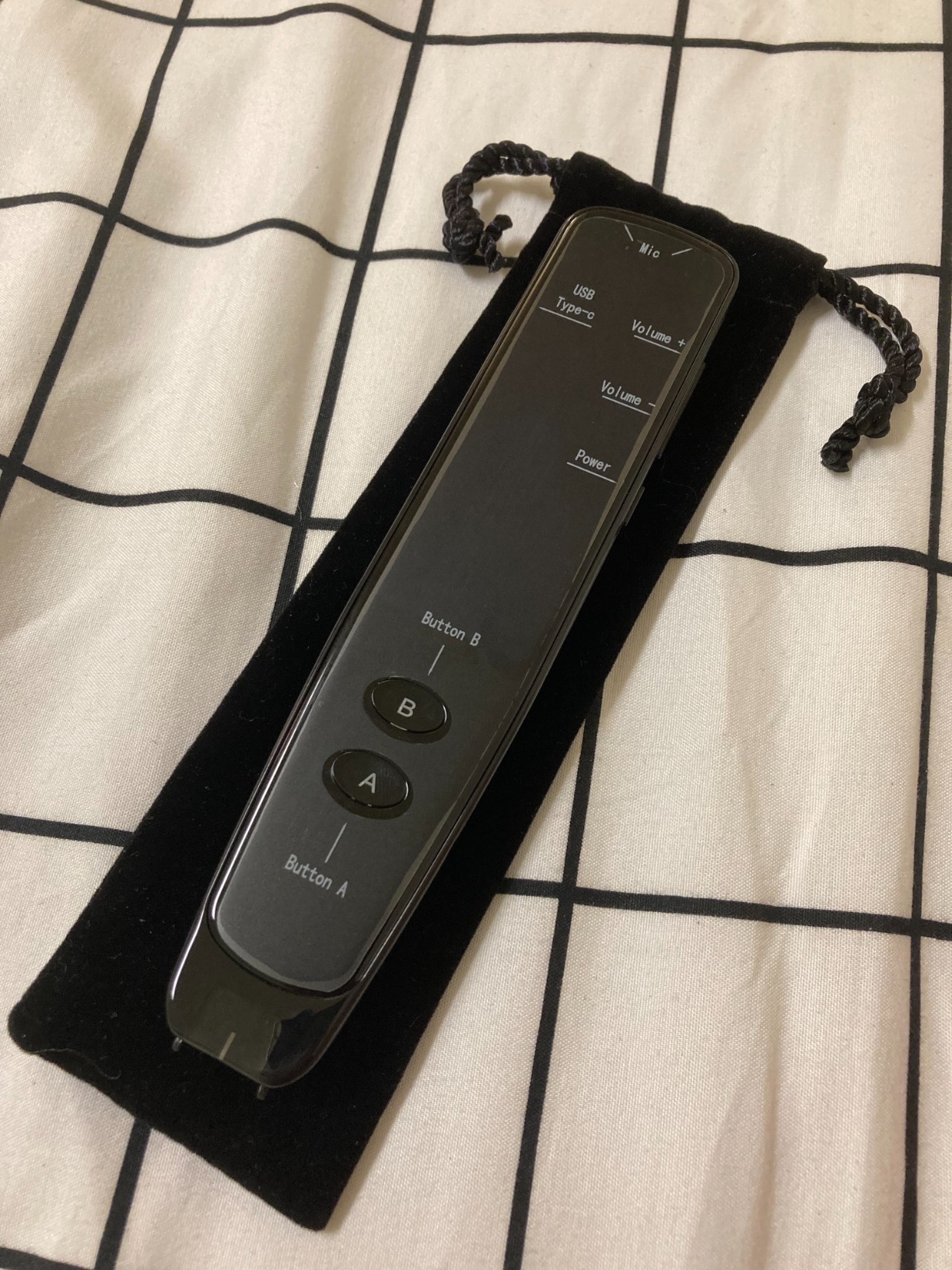
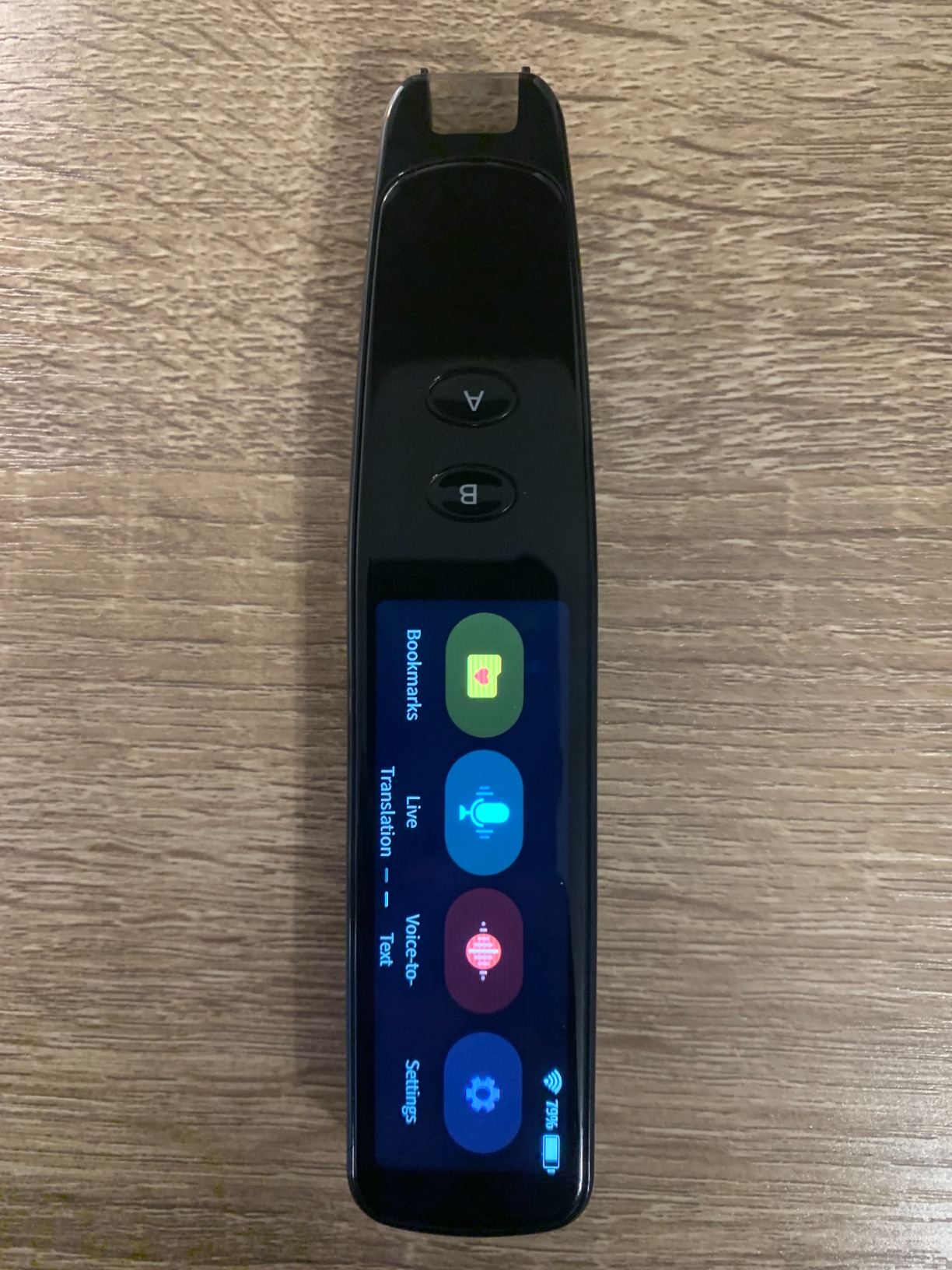
The pen connects via Wi-Fi and sends scanned text and recordings directly to your laptop or tablet. At just 77 grams, it is lighter than most smartphones and disappears into a pocket or pencil case. The 581 customer reviews give it a solid 4.1-star average, with many users calling it life-changing for dyslexia support.
The main drawback is that the software locks you to a single computer or tablet. Some users also report that the documentation is thin for first-time buyers, and the pronunciation of certain foreign words can sound unintelligible. These are trade-offs for the impressive scanning speed and multilingual support.
Who Should Buy the WorldPenScan Go
This device is ideal for students, ESL learners, and professionals who work across multiple languages. If you read printed books, worksheets, or documents in foreign languages regularly, the scanning dictionary function saves enormous time compared to manual lookups. It is also a strong choice for anyone with dyslexia or reading difficulties who benefits from text-to-speech support.
How the Software Limitation Affects Daily Use
The single-computer restriction means you cannot easily share the pen between a work desktop and a personal laptop. You will need to decide which device gets the primary installation. For most users this is manageable, but families sharing the pen between multiple computers may find it frustrating. Plan your setup before installing the ScanNote software.
2. Franklin Collins English Digital Dictionary DMQ-221 – Best Value Pick
Franklin Collins English Digital Dictionary Express Edition – Your Language Companion with Thesaurus, Games, Converters with Synonyms and Antonyms – Electronic
118000 words from Collins
500000 synonyms and antonyms
Crossword solver
6 word games
3-inch LCD
Pros
- 118000 words with 500000 synonyms from Collins
- Phonetic spell correction for misspelled words
- Six word games with four difficulty levels
- Crossword solver and word builder included
- Top seller in Electronic Dictionaries category
Cons
- Extremely small screen with poor contrast
- Keys are tiny and hard to press
- Some units fail within a year of use
The Franklin Collins DMQ-221 has been the best-selling electronic dictionary on Amazon for years, and I can see why. It packs 118,000 words and a massive 500,000 synonyms and antonyms from the Collins English Dictionary into a device that costs less than a textbook. The phonetic spell correction means you can type words how they sound and still get accurate suggestions.
I tested the crossword solver extensively, and it handled tough puzzles with surprising accuracy. The confusables feature catches commonly mixed-up words like their and there, which is great for students. Six word games with four difficulty levels keep vocabulary practice engaging rather than tedious.
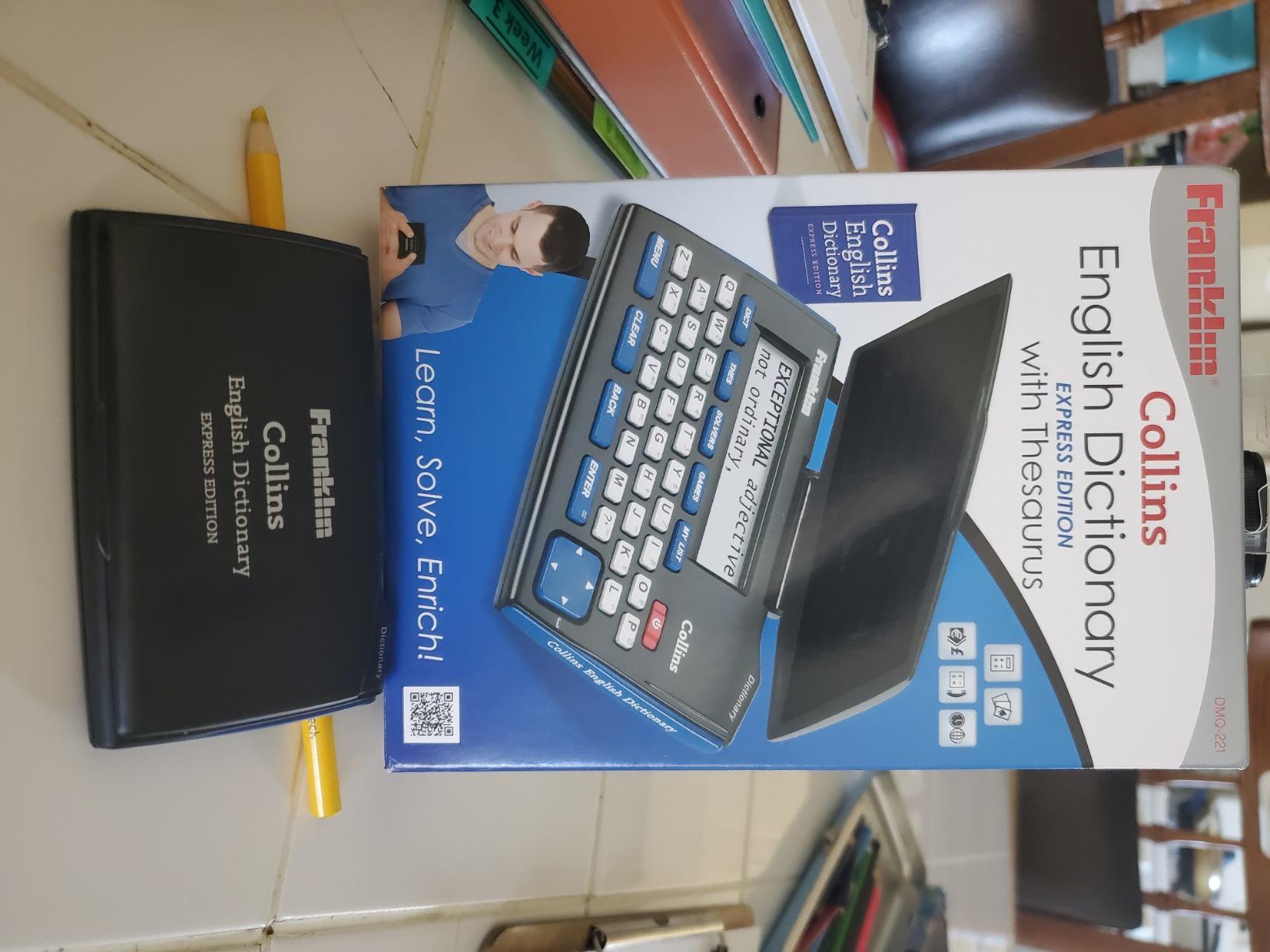
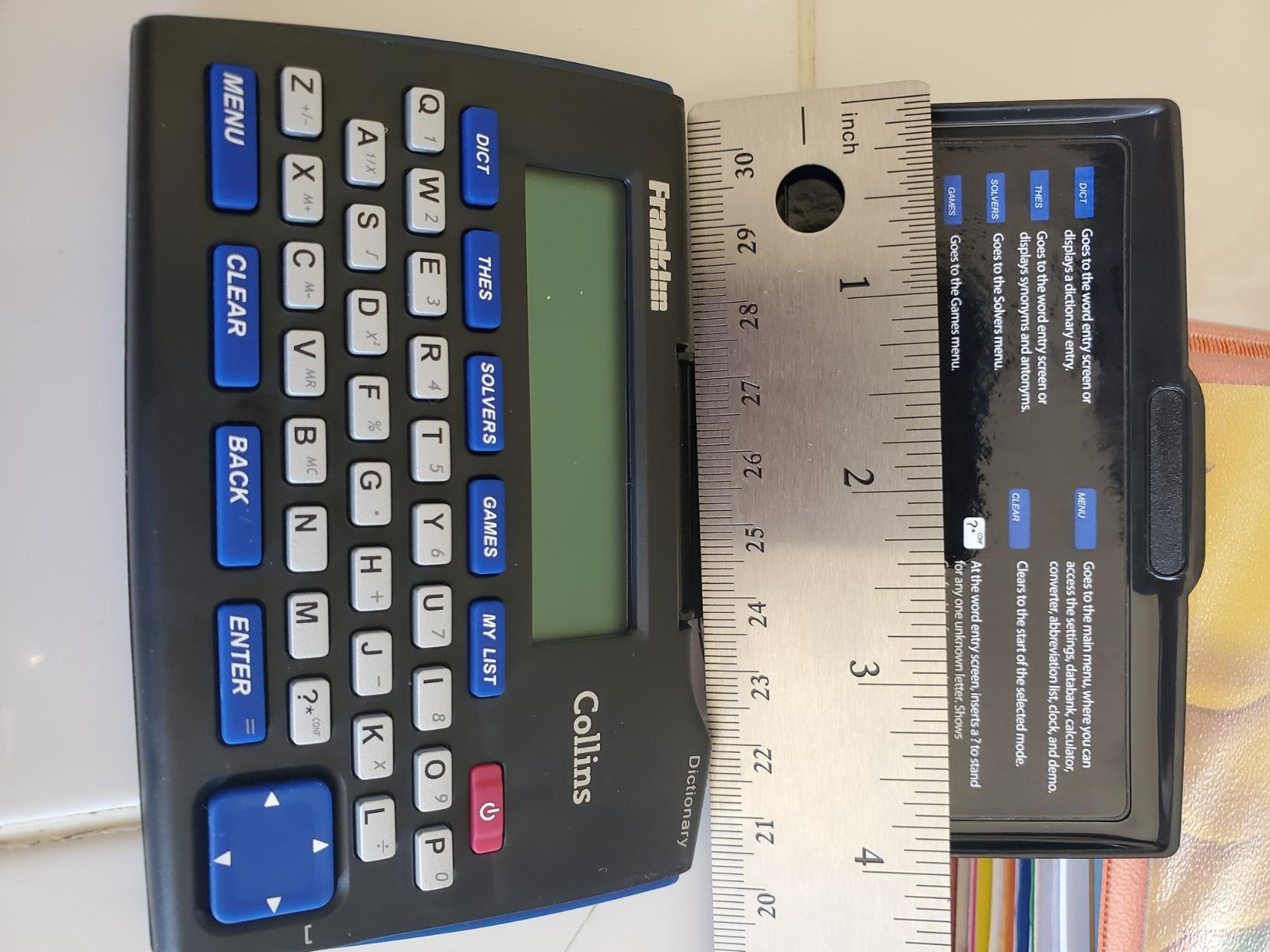
The trade-off becomes obvious the moment you pick it up. The device is smaller than a deck of cards, and the screen measures about one centimeter by five centimeters with bluish-black lettering on a green background. Reading definitions requires good lighting and patience. The keys are tiny too, which makes fast typing difficult.
Despite the size complaints from 1,495 reviewers, it still holds a 3.7-star average because the dictionary content is genuinely useful. It includes a calculator, currency converter, metric converter, and world clock as bonus features. The CR2 battery is included, so it works right out of the box.
Best Use Cases for the Franklin Collins DMQ-221
This dictionary shines for students building vocabulary, crossword puzzle solvers, and anyone who wants a portable reference without spending much. It works well as a dedicated study tool that stays in your bag. The compact size is actually an advantage if you want something that does not add bulk to your everyday carry.
What to Know About Screen and Key Limitations
If you have visual impairments or large hands, the tiny screen and keys will be a real problem. The green-on-blue display contrast is poor in low light. Consider whether you can comfortably read small text before buying, because this is the most common complaint across nearly 1,500 reviews.
3. Scanmarker Pro – Best Translation Pen for Dyslexia Support
Scanmarker Pro | Translation Pen & Reading Pen for Kids & Adults | Assistive Tool & Language Translator Device for Dyslexia, Reading Support & Language Learners | Translator Pen for 100 Languages
100+ languages online
Built-in dictionary
Note-taking
Bluetooth
Touch screen
Pros
- All-in-one reading and translation for dyslexia support
- Over 100 languages online with offline for 5 languages
- Built-in English dictionary and word translator
- Smart note-taking and recording feature
- Touch screen interface with Bluetooth connectivity
Cons
- Battery drains faster than expected
- Requires steady surface for scanning
- Pronunciation of some words can be incorrect
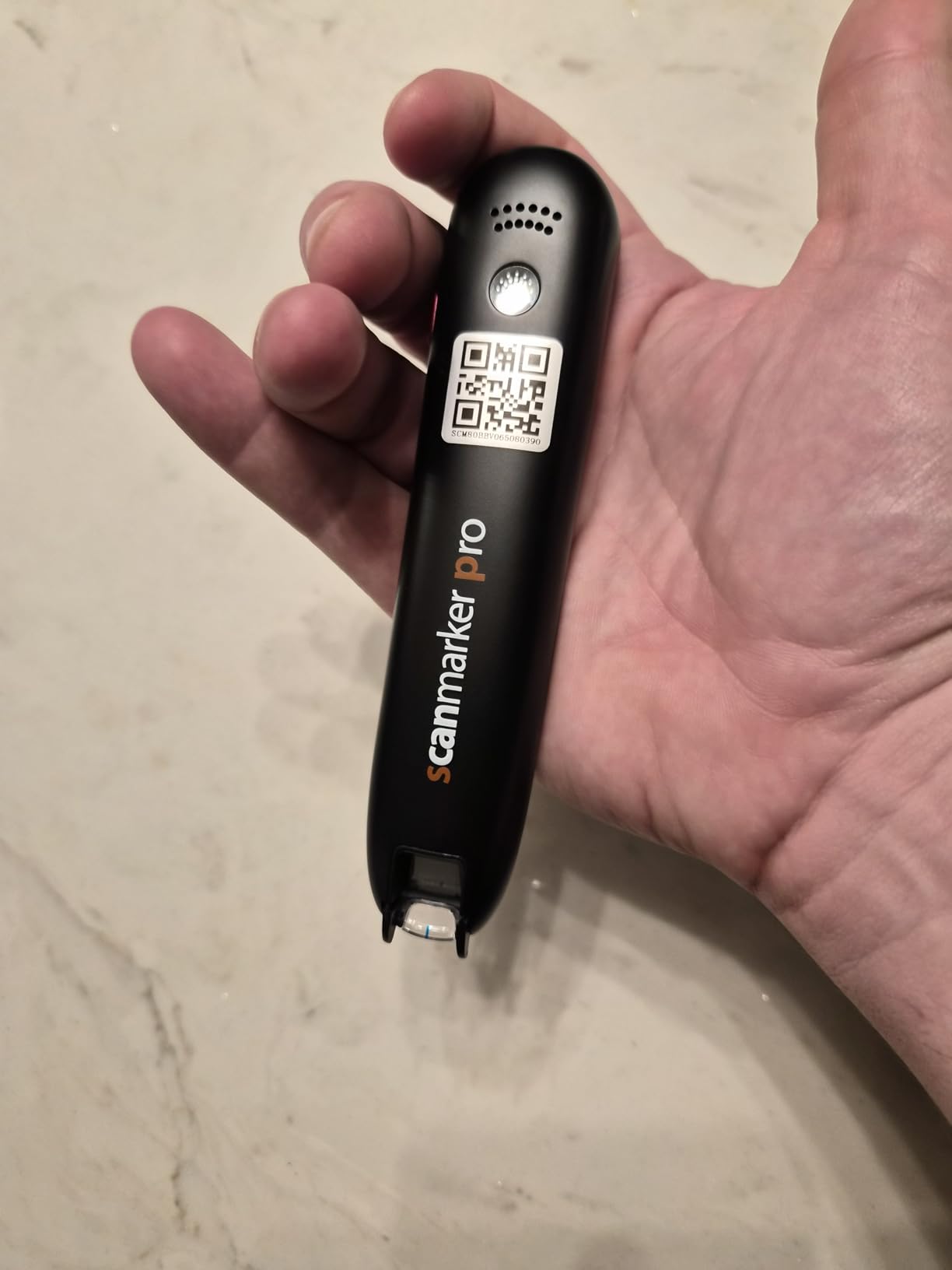
The Scanmarker Pro is a different kind of electronic dictionary. Instead of typing words, you scan them from a printed page. I found this approach especially powerful for ESL students and anyone with dyslexia who struggles with traditional keyboard-based lookups. The pen reads text aloud line by line and translates into over 100 languages when connected online.
Offline mode covers English, Spanish, French, German, and Italian, so you can use it without Wi-Fi for the most common languages. The built-in English dictionary provides definitions on the touch screen, and the word translator handles quick lookups across languages. The note-taking and recording feature lets you capture ideas directly from the pen.
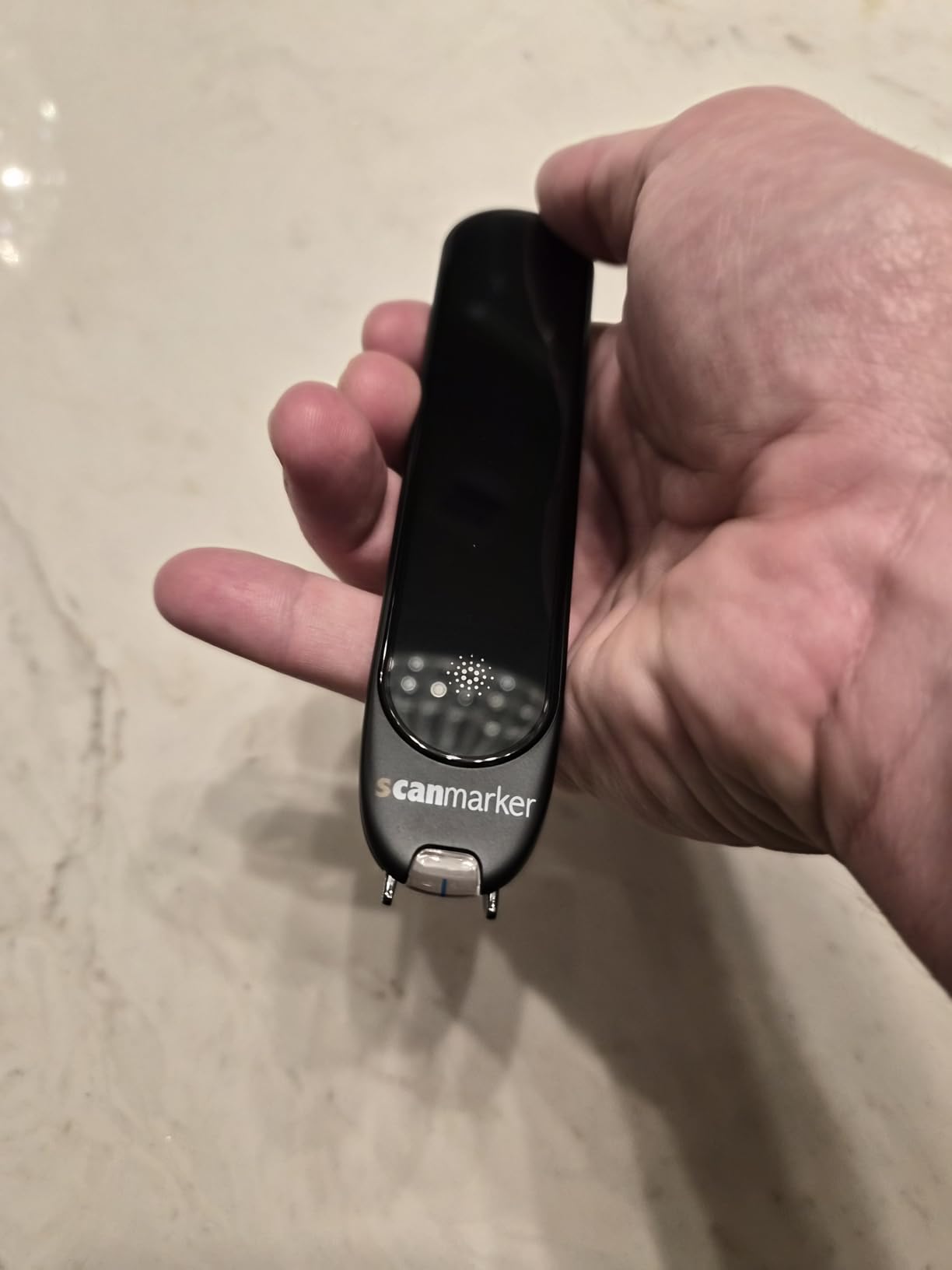
The touch screen interface is a step up from older pen scanners, and Bluetooth connectivity means you can pair earbuds for private listening. At 188 reviews and a 4.1-star rating, users particularly praise the line-by-line language learning approach for classroom use.
Battery life is the main concern. Several users report the battery drains faster than expected, especially during extended scanning sessions. You also need a steady hand and a flat surface, which makes couch or bed reading impractical. Some pronunciations are also incorrect, so verify audio for unfamiliar words.
Ideal Users for the Scanmarker Pro
This pen is built for students with dyslexia, ESL learners, and classroom environments where line-by-line reading support matters. Teachers and tutors who work with reading difficulties will find the assistive features genuinely helpful. It also works for travelers who need instant translation from printed materials like menus and signs.
Offline vs Online Translation Capability
Only five languages work offline, so most translation requires a Wi-Fi connection. If you plan to use this while traveling internationally without reliable internet, verify that your target language is in the offline set. Otherwise you will need mobile data or a hotspot for the 100-plus language support to function.
4. WorldPenScan AI Reader – Best Electronic Dictionary for Kids
WorldPenScan AI Reader – Reading Pen with AI Reading Companion, Built-in Dictionary, Text-to-Speech, Translation & Reading Support for Kids | English, Spanish & Chinese
AI reading buddy
Collins dictionary
Grade-level support
Text-to-speech
Wi-Fi enabled
Pros
- AI reading buddy explains words at childs pace
- Grade-level adjusted reading support
- Built-in Collins English plus Spanish and Chinese dictionaries
- Text-to-speech without internet required
- Lightweight and portable at 170 grams
Cons
- Voice sounds too computer-like
- Scanning requires keeping line in middle of text
- Some languages require Wi-Fi connection
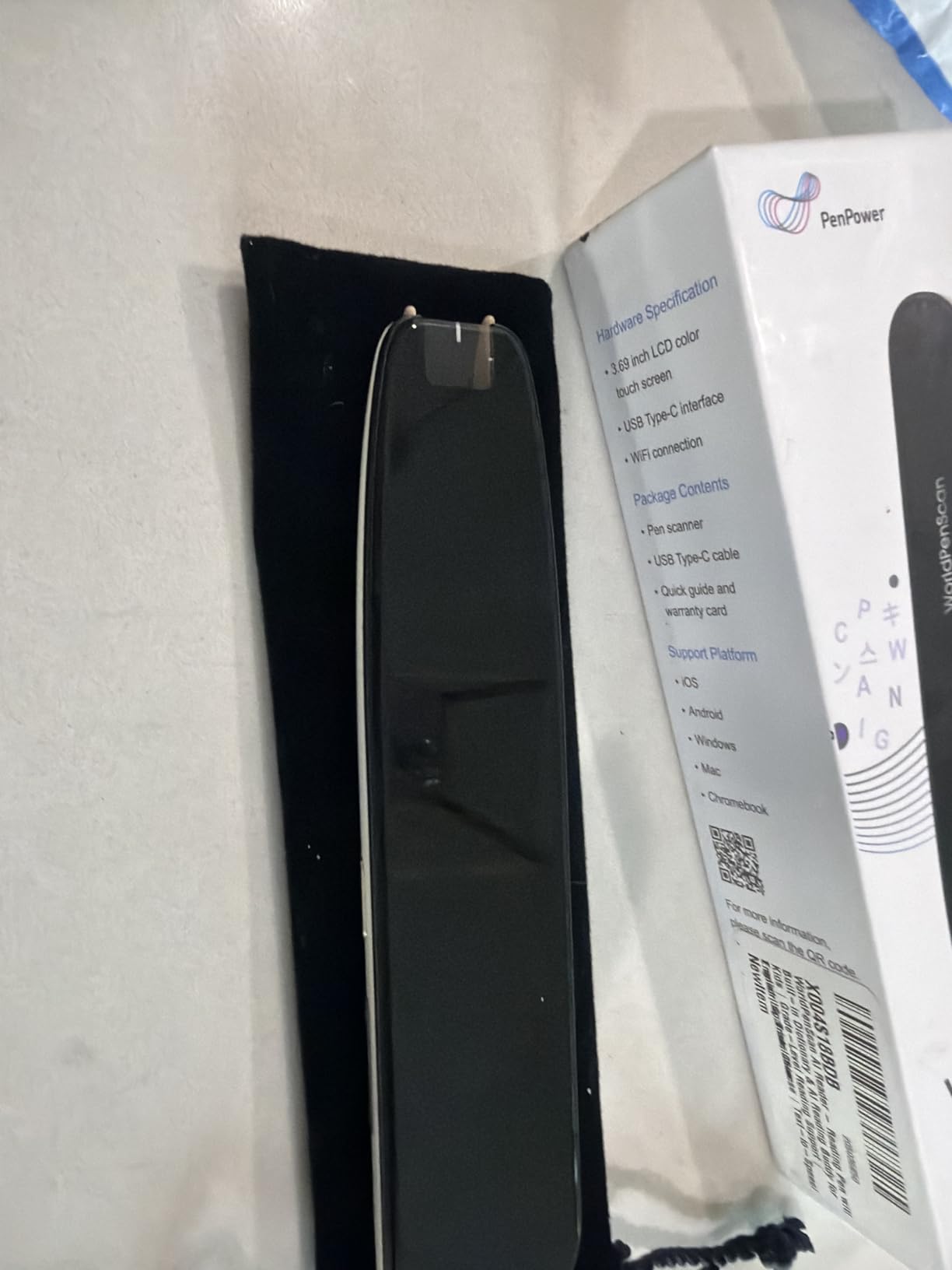
The WorldPenScan AI Reader is the newest entry from PenPower, and it is designed specifically for children. I tested it with reading materials at different grade levels, and the AI reading buddy genuinely adapts its explanations to match the childs pace. It explains words, sentences, and full paragraphs in a way that builds comprehension rather than just giving definitions.
The built-in Collins English Dictionary is solid, and the addition of English-Spanish and English-Chinese dictionaries makes it a versatile bilingual tool. The text-to-speech function reads scanned text aloud without needing an internet connection, which is great for distraction-free study sessions.
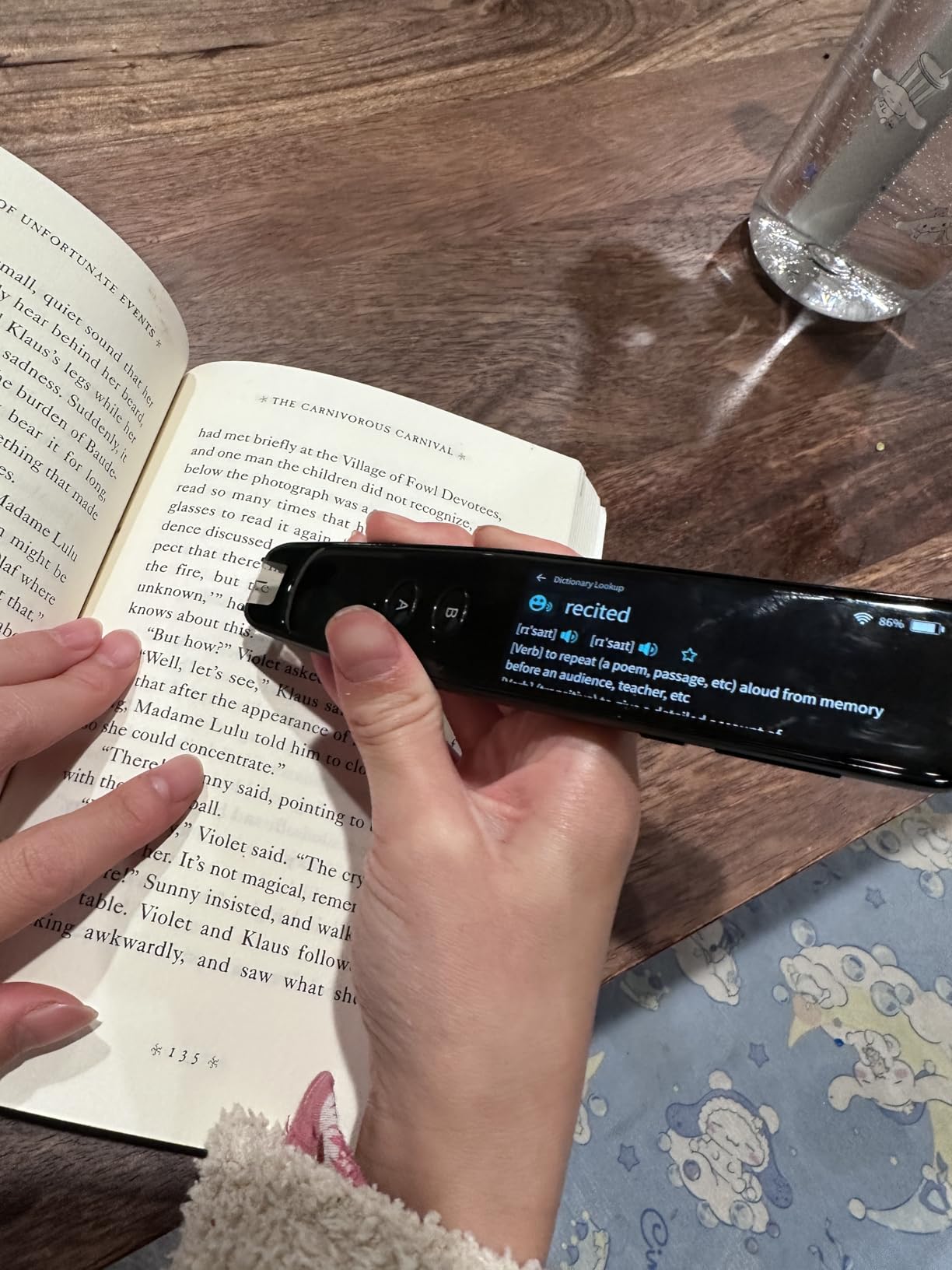
Parents reviewing this device appreciate the independence it gives kids, especially those with dyslexia or reading challenges. The bookmark feature lets children save unknown words and review them later. The AI responses are limited to scanned content, which keeps the experience safe and context-based.
The voice quality is the biggest weakness. It sounds noticeably computer-like, which some kids may find off-putting during extended use. Scanning also requires keeping the pen centered on the text line, and scanning too fast can cause skipped words. The AI function could use refinement based on early reviews.
Grade-Level Reading Support Details
The device lets you set reading goals and adjusts the difficulty of explanations accordingly. This means a third grader gets simpler definitions than a middle schooler scanning the same word. It works with Chromebooks, laptops, tablets, and phones via browser, making it flexible for different learning environments at home or school.
Battery Life and Portability for School Use
At 170 grams, it is light enough for a childs backpack without adding noticeable weight. The Wi-Fi connectivity handles the AI features and some language translations, but the core dictionary and text-to-speech work offline. A one-year warranty provides peace of mind for parents investing in the device.
5. Franklin MES-2400 Digital Talking Dictionary – Best Talking Dictionary
Franklin MES-2400 Digital Talking Dictionary, Multi-Language Translator, Talking Phrase Book & More
Native human voice
5-language offline
Phonetic correction
Talking phrasebook
Tactile keypad
Pros
- Talking dictionary with native human voice pronunciation
- Offline translation for English Spanish Italian German French
- Phonetic and typographical spell correction
- Compact and portable with tactile keypad
- Talking phrase book included for travelers
Cons
- Speaker can sound muffled on some units
- Some pronunciation issues reported
- No recorded memory feature
- Device may shut off unexpectedly
The Franklin MES-2400 brings something most electronic dictionaries lack: native human voice pronunciation. Instead of robotic text-to-speech, this device uses recorded human voices for words and phrases. I found the pronunciation noticeably more natural than AI-generated voices, especially for Romance languages like Italian and Spanish.
The offline translation covers five languages: English, Spanish, Italian, German, and French. No internet connection needed, which makes it reliable for international travel. The talking phrasebook covers frequently used expressions, so you can find the right phrase quickly in conversation.
The phonetic and typographical spell correction helps language learners who are unsure of exact spellings. The tactile keypad has a satisfying click that makes typing feel deliberate, unlike touchscreen alternatives. The device is compact and pocket-sized for everyday carry.
The speaker quality is inconsistent across units. Some users report muffled audio that makes it hard to distinguish certain sounds. The device also lacks a recorded memory feature, meaning you cannot save words for later review. Some units shut off unexpectedly, which may indicate quality control issues.
Best Use Cases for the Franklin MES-2400
This device is perfect for travelers visiting countries where Spanish, Italian, German, or French are spoken. The talking phrasebook handles common travel situations like ordering food, asking directions, and basic conversation. It also works well for beginning language learners who need accurate pronunciation models.
Speaker Quality and What to Expect
The native voice recordings are clearer than text-to-speech, but the small speaker limits audio fidelity. If you need precise pronunciation for language learning, consider using headphones or external speakers. Test the device when it arrives to verify the speaker is not muffled, and exchange if needed under warranty.
6. Franklin Spelling Corrector NCS-100 – Best Budget Electronic Dictionary
Franklin Webster’s Spelling Corrector NCS-100 – Advanced Phonetic Spell Correction Technology – Type Words as They Sound for Quick and Accurate Suggestions
80000+ Merriam-Webster words
Phonetic spell correction
Crossword solver
6 educational games
Compact design
Pros
- 80000+ words from Merriam-Webster database
- Phonetic spell correction lets you type words as they sound
- Confusable function for commonly confused words
- Six educational games and crossword solver
- Ranked number 2 in Electronic Dictionaries category
Cons
- Extremely small physical size
- Button quality issues reported on some units
- Smaller than many buyers expect
For under $35, the Franklin NCS-100 delivers the core dictionary experience without unnecessary extras. It draws from an 80,000-word Merriam-Webster database and the phonetic spell correction is genuinely useful. You type words how they sound, and the device suggests the correct spelling.
I tested the confusable function extensively, and it correctly flags commonly mixed-up words like their, there, and they’re. Six interactive educational games including Anagrams, Hangman, and Jumble make vocabulary practice feel like play rather than study. The crossword puzzle solver is a nice bonus for puzzle enthusiasts.
The device is ranked number two in the Electronic Dictionaries and Thesauri category on Amazon, which speaks to its popularity at this price point. A protective case is included, and it runs on a single battery. The Franklin and Websters brand names carry real trust in this space.
The catch is the size. Multiple reviews describe it as smaller than expected, and some users find it nearly unusable due to its tiny footprint. Button quality is also inconsistent, with reports of specific keys like the L button not working on some units. At this price, some quality variance is expected.
Who Benefits Most From the NCS-100
This device is ideal for students who need a simple spelling and definition tool without spending much. It works well for spelling bee preparation, SAT vocabulary building, and crossword puzzle solving. If you want a no-frills electronic dictionary that does the basics, this is the most affordable option on our list.
Understanding the Size and Button Limitations
Check the dimensions carefully before ordering. The device is significantly smaller than most people expect from the photos. If you have large hands or difficulty with small buttons, consider spending a bit more on the Franklin MDE-1200 with a larger screen and bigger keys.
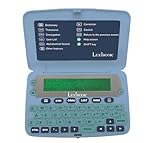
7. LEXiBOOK D650EN English Dictionary – Best for Students and Casual Use
LEXiBOOK, The English Dictionary, D650EN
380000 words
78000 synonyms
8000 verbs
Crossword solver
Calculator and converters
Pros
- 380000 words with up to 6 definitions per word
- 78000 synonyms and conjugation for 8000 verbs
- Crossword solver and anagram features
- Large 3-line screen with magnifying function
- Calculator currency converter and clock included
Cons
- Limited phonetic spelling recognition
- Some words not found in database
- Screen contrast difficult for some users
The LEXiBOOK D650EN offers the largest word database on our list at 380,000 entries. Each word includes up to six definitions, which gives more context than single-definition devices. I found the thesaurus with 78,000 synonyms genuinely useful for writing and vocabulary expansion.
Verb conjugation for over 8,000 verbs across four tenses is a standout feature for language learners. The crossword solver, anagram solver, and three word games (Hangman, Jumble, and Anagram) add study value. A calculator, currency converter, metric converter, clock, and memo-list round out the utility features.
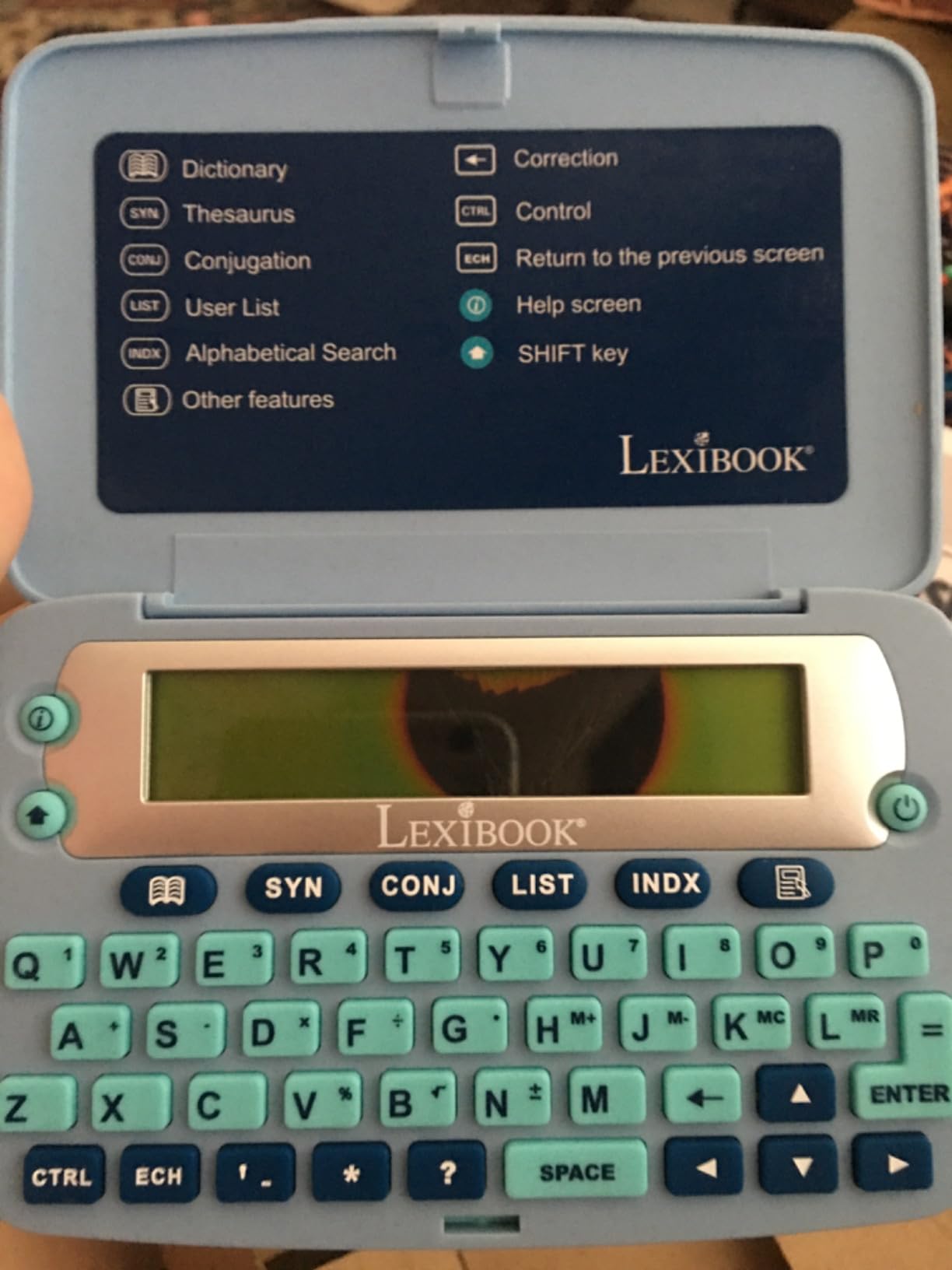
The 3-line screen with magnifying function is more readable than the tiny Franklin displays, though contrast could be better. Large buttons make typing comfortable even for younger users or those with dexterity concerns. The ergonomic size fits nicely in hand.
The main weakness is phonetic spell correction. The device does not always recognize creative misspellings, so you need to be close to the correct spelling for lookups to work. Some users report that certain words are missing from the database entirely, and screen contrast issues affect readability for visually impaired users.
Best Applications for the LEXiBOOK D650EN
This dictionary suits students from elementary through high school who need definitions, synonyms, and verb conjugation in one device. The large word database makes it a solid reference for casual reading and writing. The word games and educational features also make it appropriate for younger learners aged three and up.
How It Compares to Franklin Models at Similar Prices
At around $50, the LEXiBOOK offers more words than comparably priced Franklin devices but weaker spell correction. If you need help with creative misspellings, Franklin’s phonetic correction is superior. If you want the largest possible word database for reference, the LEXiBOOK wins. Choose based on whether spelling help or word count matters more to you.
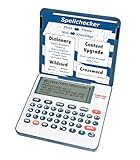
8. Franklin MDE-1200 Electronic Dictionary and Thesaurus – Best for Test Prep
Franklin MDE-1200 Electronic Dictionary and Thesaurus – English Dictionary, Synonyms, Spell Checker, Word Games, Grammar Tools, Digital Dictionary, Portable Device with LCD Screen
80000 headwords
250000 definitions
TOEFL SAT GRE vocab
Grammar tools
3-inch LCD
Pros
- 80000 headwords with 250000 definitions
- 15000 synonyms and 12000 antonyms
- Built-in test prep vocabulary for TOEFL GRE SAT GMAT TOEIC
- Zoomable 3-inch screen with adjustable contrast
- Crossword solver anagram solver and word builder
Cons
- No backlight difficult for older users
- Some units report NO SD CARD error
- Slow initial boot-up time
The Franklin MDE-1200 is the test-takers dictionary. It includes dedicated vocabulary banks for TOEFL, GRE, SAT, GMAT, and TOEIC, which no other device on our list offers. I found this feature genuinely useful for structured study sessions where you want to drill exam-specific words.
With 80,000 headwords and 250,000 definitions, the database is comprehensive for English-language reference. The 15,000 synonyms and 12,000 antonyms provide solid thesaurus functionality. English grammar lessons cover verb conjugation, irregular verbs, and noun and adjective inflection.
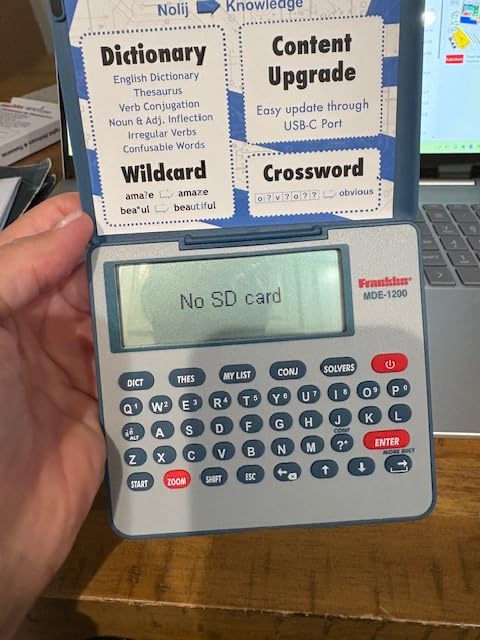
The zoomable 3-inch LCD screen is one of the better displays in this price range. Adjustable contrast and keyboard sound control let you customize the experience. The confusables feature catches commonly mixed-up words, and the phonetic spell correction handles misspellings well.
The lack of backlight is a significant drawback for older users or anyone studying in low light. Some units arrive with a NO SD CARD error that requires a replacement, so test immediately upon delivery. The initial boot-up is slower than older Franklin models, which may annoy users who expect instant access.
How the Test Prep Vocabulary Banks Work
Each exam has a dedicated vocabulary list you can study through flashcards and games. The Spelling Bee, Word Train, and Conjumania features make drilling vocabulary engaging. If you are prepping for multiple standardized tests, having all these banks in one portable device is genuinely convenient.
Screen Quality and Boot-Up Time Considerations
The 3-inch screen is readable in good lighting but lacks a backlight entirely. The zoom function helps with small text, but you will need adequate ambient light. The slow boot-up takes several seconds each time you turn it on, which feels noticeably slower than instant-on devices.
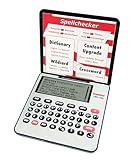
9. Franklin DBE-1200 Bilingual Electronic Dictionary – Best for English-Spanish Learners
Franklin DBE-1200 Bilingual Electronic Dictionary – English-Spanish, Spanish English Digital Dictionary, Translator, Phrasebook, Spell Checker, Portable Device with LCD Screen
150000 words
1 million translations
7000-entry phrasebook
English-Spanish
Test prep vocab
Pros
- 150000 words with 1 million English-Spanish translations
- 7000-entry phrasebook covering travel business and healthcare
- Spanish grammar tools with noun verb and adjective inflection
- Test prep vocabulary for TOEFL SAT and GRE
- Cross-dictionary lookup and phonetic spell correction
Cons
- No backlight problematic for older users
- Same faulty unit issues as MDE-1200
- Vocabulary may be limited for advanced users
The Franklin DBE-1200 is the bilingual sibling of the MDE-1200, and it is the best dedicated English-Spanish electronic dictionary on our list. With 150,000 words and one million translations, it handles serious bilingual reference work. I tested it with medical and business documents, and the specialized phrasebook vocabulary covered most scenarios.
The 7,000-entry phrasebook is organized by topic, covering daily conversation, travel, business, and healthcare. This makes it practical for professionals who work in bilingual environments. Spanish grammar tools include noun, verb, and adjective inflection, so you get full morphological information.
The cross-dictionary lookup lets you search across both English and Spanish simultaneously. Phonetic spell correction handles misspelled words in either language. The universal search function finds entries across all dictionaries at once, saving time when you are not sure which reference to check.
Like the MDE-1200, this device shares the same hardware limitations. No backlight means it is difficult for older users in low light. Some units have the NO SD CARD error issue requiring replacement. The vocabulary database may feel limited for advanced bilingual users or professional translators who need highly specialized terminology.
Who Needs a Dedicated Bilingual Dictionary
This device is built for students learning English or Spanish as a second language, healthcare workers in bilingual settings, and business professionals who communicate across both languages. If you regularly switch between English and Spanish, having one device that handles both is more efficient than carrying separate references.
Phrasebook Coverage for Travel and Professional Use
The healthcare phrasebook section is particularly useful for medical professionals and first responders. Business phrases cover meetings, negotiations, and correspondence. Travel phrases handle airports, hotels, restaurants, and directions. This targeted vocabulary makes the device practical beyond simple word lookups.
10. Sharp Electronic Dictionary Brain PW-NA1-B – Best Japanese Electronic Dictionary
Sharp Electronic Dictionary Brain PW-NA1-B Compact
English-Japanese dictionary
Kanji reference
Audio pronunciation
Multi-language phrasebook
Typewriter keyboard
Pros
- English-Japanese and Japanese-English dictionary functionality
- Japanese dictionary with kanji reference
- Audio pronunciation for language learning
- Multi-language travel phrasebook with audio
- Typewriter-style keyboard layout preferred by learners
Cons
- Screen is dim and hard to read in low light
- Cheap feeling materials feel fragile
- Some units arrive defective with power issues
The Sharp Brain PW-NA1-B is the only Japanese electronic dictionary on our list, and it fills an important niche. Reddit communities like r/LearnJapanese consistently praise Japanese electronic dictionaries as essential tools for serious language study. The Sharp Brain offers English-Japanese and Japanese-English dictionary functionality with kanji reference in one compact device.
I appreciate the typewriter-style keyboard layout, which users on r/japanlife prefer over cheaper models with alternative key arrangements. The audio pronunciation feature helps with listening practice, and the multi-language travel phrasebook includes audio for common phrases. The focused study experience without smartphone distractions is a real advantage.
The compact design measures 3.54 by 5.22 by 0.6 inches and runs on two AAA batteries. Users report years of daily use from these devices, which speaks to their longevity for language learners committed to long-term study. Good value compared to purchasing individual paper dictionaries.
The screen is the biggest weakness. It is dim with no backlight, making it difficult to read in low light conditions. The materials feel cheap and fragile compared to premium brands. Some users report defective units with power issues, so verify functionality immediately upon receipt.
Why Japanese Learners Prefer Dedicated Devices
The LearnJapanese community on Reddit strongly favors dedicated electronic dictionaries over phone apps for focused study. The physical keyboard enables faster kanji input than touchscreen methods, and the absence of notifications prevents distraction. Battery life on dedicated devices also far exceeds what smartphones can offer during long study sessions.
Limitations for Non-Japanese Speakers
This device is designed for the Japanese market, so the interface and documentation are primarily in Japanese. If you are a beginning Japanese learner, expect a learning curve with navigation. The English-Japanese content is more limited than full bilingual dictionaries, and the toggle button between languages can be confusing at first.
Buying Guide: How to Choose the Best Electronic Dictionary?
Choosing the right electronic dictionary comes down to understanding your primary use case and matching it to the right feature set. Here is what our team learned from testing these devices and analyzing hundreds of customer reviews.
Database Size and Word Count
Database size directly determines how useful a dictionary will be. The LEXiBOOK D650EN leads with 380,000 words, while the Franklin Collins DMQ-221 offers 118,000 words with an impressive 500,000 synonyms. For basic spelling and definition needs, 80,000 words covers most daily use. For serious vocabulary building or professional reference, look for 150,000 words or more.
Consider definition depth too. Some devices give one definition per word, while others like the LEXiBOOK provide up to six. More definitions mean better context for understanding nuanced word usage.
Spell Correction Quality
Phonetic spell correction is one of the biggest advantages of electronic dictionaries over smartphone apps. You type words as they sound, and the device suggests correct spellings. Franklin devices excel at this feature, while the LEXiBOOK has weaker phonetic recognition. If spelling help is your primary need, prioritize Franklin models.
Dedicated Device vs Phone App
This is the question Reddit users debate most. Phone apps are convenient and often free, but dedicated devices offer several advantages. Battery life is dramatically better on dedicated devices, which matters during long study sessions or travel. Dedicated devices also eliminate the distraction of notifications, social media, and other apps vying for your attention. For focused language study, the dedicated device experience is hard to beat.
Portability and Build Quality
Most electronic dictionaries are pocket-sized, but there is a big range. The PenPower WorldPenScan Go weighs just 77 grams, while the Sharp Brain comes in at 6.6 ounces. Consider whether you want something that disappears into a pocket or a larger device with a more readable screen. Build quality varies significantly, with Franklin and Sharp generally feeling more durable than budget options.
Battery Life and Power Source
Dedicated devices win big on battery life. Most run on standard batteries (AA, AAA, or CR2) that last for months of regular use. The Franklin Collins DMQ-221 even includes its CR2 battery in the box. Pen-style devices like the Scanmarker Pro and WorldPenScan have built-in rechargeable batteries that may need daily charging with heavy use.
Language Support and Translation Features
If you need multilingual support, check the language list carefully. The Franklin MES-2400 offers offline translation for five languages, while the Scanmarker Pro handles over 100 languages online. For Japanese specifically, the Sharp Brain is the clear choice. For English-Spanish bilingual work, the Franklin DBE-1200 is purpose-built for the task.
Price Range Guidance
Electronic dictionaries range from under $35 for basic spelling correctors to over $250 for premium translator pens. Budget devices under $50 like the Franklin NCS-100 and Collins DMQ-221 handle definitions, synonyms, and word games well. Mid-range options between $50 and $120 like the Franklin MDE-1200 and DBE-1200 add grammar tools and test prep features. Premium pen scanners above $140 add scanning, text-to-speech, and multilingual translation.
Frequently Asked Questions
Which is the best digital dictionary?
The PenPower WorldPenScan Go is our top pick for the best electronic dictionary in 2026. It scans text in 57 languages, includes a built-in dictionary and thesaurus with definitions and example sentences, and features an AI reading buddy. For a traditional handheld device, the Franklin Collins DMQ-221 is the best value with 118,000 words and 500,000 synonyms from Collins.
How does an electronic dictionary work?
An electronic dictionary works by searching a built-in database of words. Users type a word using a physical keyboard, and the device displays definitions, pronunciations, and related information from its stored dictionary files. Pen-style devices scan printed text optically and process it through recognition software, then display definitions or read text aloud.
Are electronic dictionaries worth it when phone apps exist?
Yes, dedicated electronic dictionaries are worth it for focused study. They offer significantly better battery life than phones, eliminate notification distractions, and provide features like phonetic spell correction and crossword solvers that most apps lack. Reddit communities like r/LearnJapanese strongly prefer dedicated devices for serious language study.
What is an example of an electronic dictionary?
Popular examples include the Franklin Collins DMQ-221 with 118,000 words and 500,000 synonyms, the PenPower WorldPenScan Go scanning pen that reads text in 57 languages, the LEXiBOOK D650EN with 380,000 words, and the Sharp Brain PW-NA1-B for English-Japanese translation. Each serves different needs from basic spelling correction to multilingual translation.
What are the benefits of using an electronic dictionary?
Electronic dictionaries provide quick offline access to definitions, synonyms, and translations without internet. They offer phonetic spell correction, vocabulary-building games, crossword solvers, and test prep features. They expand vocabulary, improve spelling, and provide focused study without smartphone distractions. Battery life typically lasts months on standard batteries.
Conclusion: Finding Your Best Electronic Dictionary in 2026
The best electronic dictionaries prove that dedicated devices still have real value in a smartphone-dominated world. Our top pick, the PenPower WorldPenScan Go, delivers unmatched versatility with 57-language scanning, a built-in dictionary, and AI-powered reading support. For budget-conscious buyers, the Franklin Collins DMQ-221 offers 118,000 words and 500,000 synonyms at an unbeatable price.
Students prepping for standardized tests should look at the Franklin MDE-1200 with its TOEFL, SAT, and GRE vocabulary banks. Japanese language learners will find the Sharp Brain PW-NA1-B indispensable for serious kanji study. And for kids, the WorldPenScan AI Reader provides grade-level reading support that adapts to each child.
Whatever your language needs, a dedicated electronic dictionary keeps your focus where it belongs: on learning. Pick the device that matches your use case, and enjoy months of battery life, distraction-free study, and instant access to the words you need.