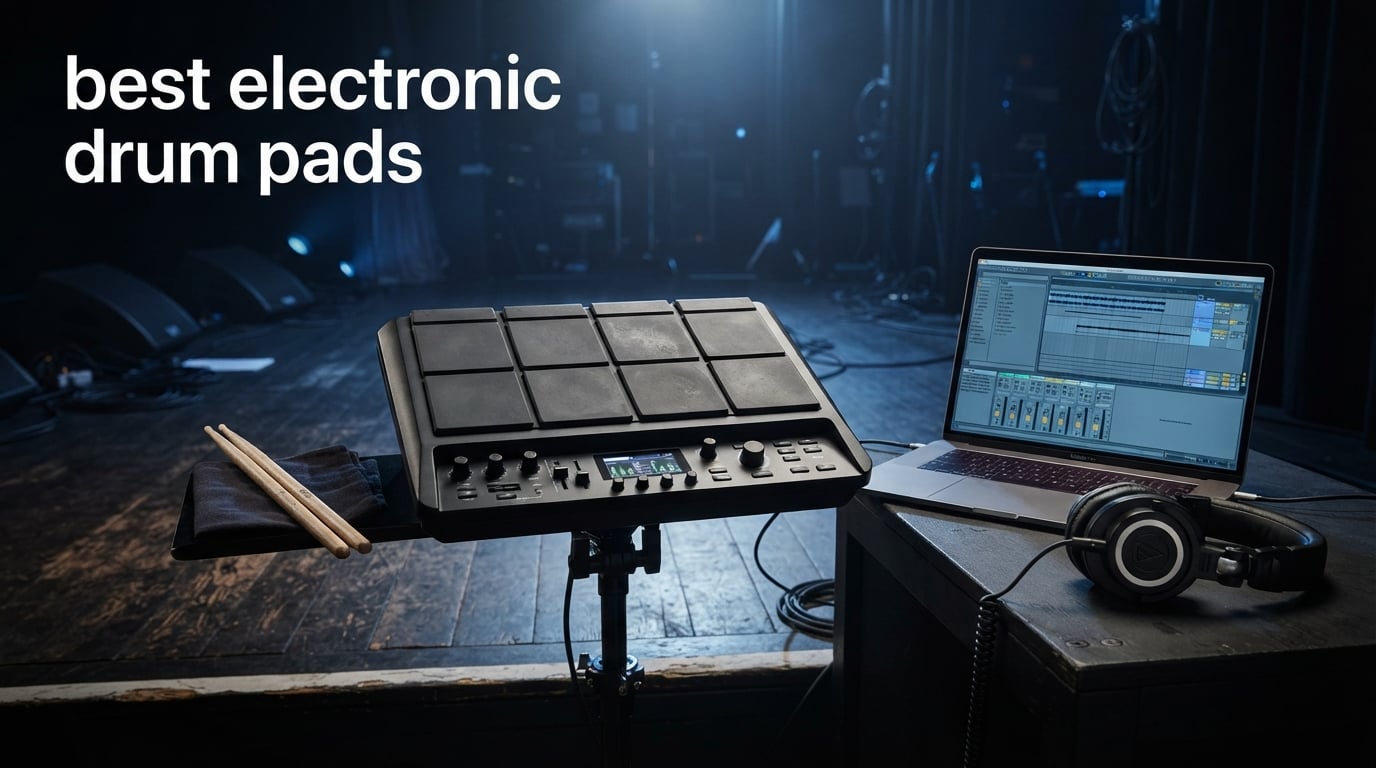
Electronic drum pads have become essential tools for drummers, producers, and performers who need portable percussion solutions. These compact devices pack dozens of sounds, samples, and effects into a unit you can mount on a stand or carry in a backpack. Whether you trigger backing tracks during live shows, layer samples in your studio, or practice quietly at home, the right electronic drum pad opens up creative possibilities that traditional drums simply cannot match.
Our team tested 8 electronic drum pads across every price tier to find the best options for different needs. We evaluated build quality, sound libraries, connectivity options, and real-world performance in both studio and live settings. This guide covers everything from budget-friendly practice pads for beginners to professional multipads designed for touring musicians.
From roll-up silicone pads perfect for kids to full-featured sample stations with loopers and effects, we found options for every drummer. Here are the best electronic drum pads available in 2026, tested and reviewed to help you make the right choice.
Table of Contents
Top 3 Picks for Best Electronic Drum Pads
We selected three standout models that excel in different categories. These picks represent the best value, best beginner option, and best overall professional choice from our testing.

Akai Professional MPD218
- 16 MPC pads
- 48 assignable pads
- USB MIDI controller
- Ableton Live included


8 Best Electronic Drum Pads in 2026
This comparison table shows all 8 products we reviewed, making it easy to compare key features and find the right pad for your needs.
| Product | Specifications | Action |
|---|---|---|
 Sboet Electronic Drum Set Sboet Electronic Drum Set |
|
Check Latest Price |
 Donner DED-20 Donner DED-20 |
|
Check Latest Price |
| Akai Professional MPD218 |
|
Check Latest Price |
| Alesis SamplePad 4 |
|
Check Latest Price |
 Yamaha FGDP-30 Yamaha FGDP-30 |
|
Check Latest Price |
 Yamaha FGDP-50 Yamaha FGDP-50 |
|
Check Latest Price |
 LEKATO PD705 LEKATO PD705 |
|
Check Latest Price |
| Alesis Strike Multipad |
|
Check Latest Price |
1. Sboet Electronic Drum Set – Budget Pick for Kids and Beginners
Sboet Electronic Drum Set, 9-Drum Practice Pad with Headphone Jack, Roll-up Drum Kit Machine with Built-in Speaker Drum Pedals and Sticks 10 Hours Playtime, Great Christmas Holiday Gifts for Kids
9 drum pads
10 hour battery
Roll-up silicone
Built-in speaker
3.5mm headphone jack
Pros
- Portable roll-up design
- 10-hour battery life
- Headphone jack for quiet practice
- 180-second recording function
- Built-in stereo speakers
- Great for kids ages 3+
Cons
- Foot pedals lack durability
- Inconsistent pad responsiveness reported
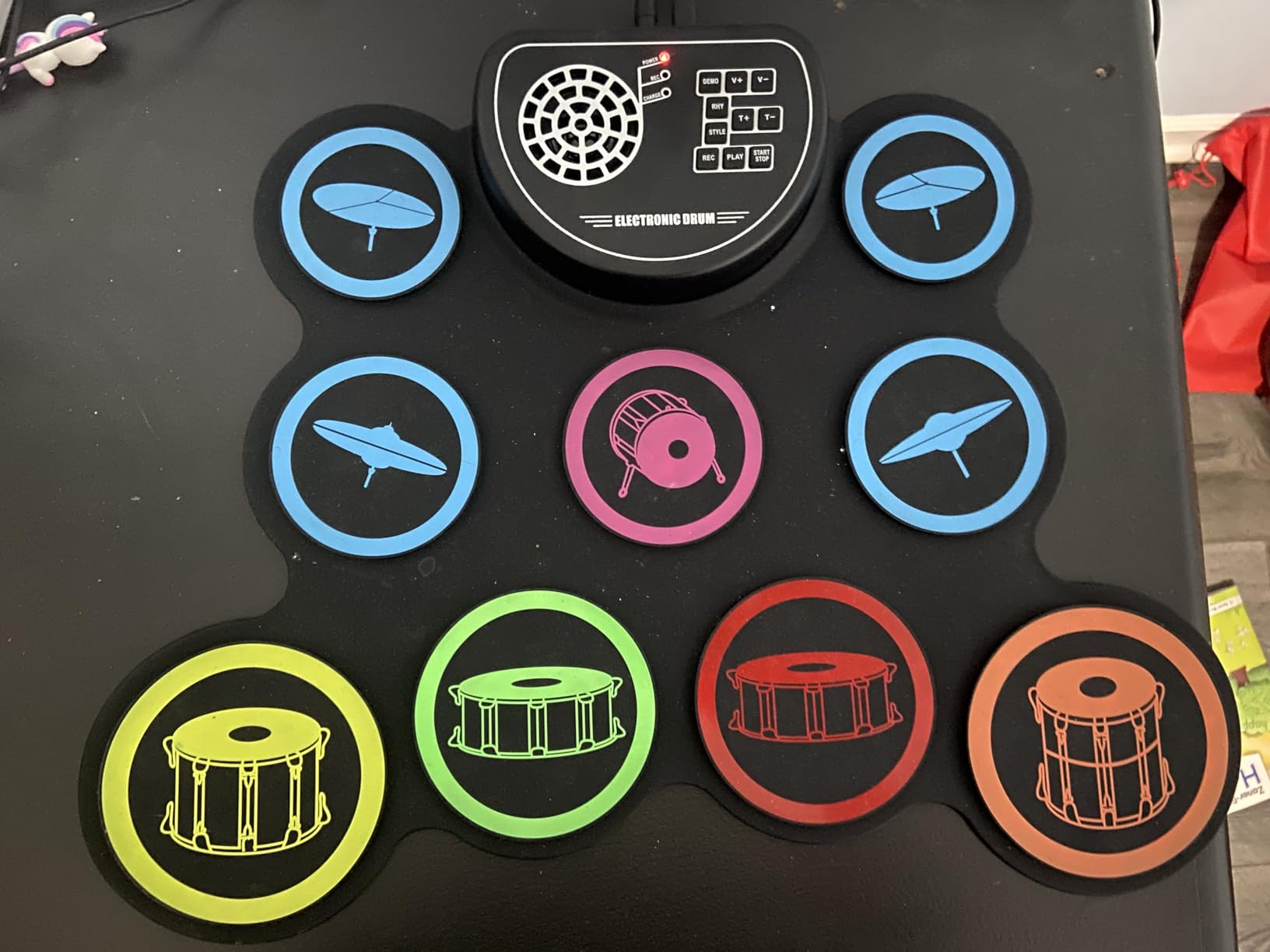
I tested the Sboet Electronic Drum Set with my nephew who just started learning drums. The roll-up silicone design makes it incredibly portable. We unrolled it on his bedroom floor, and within minutes he was playing along to the built-in demo songs. The 9 pads cover all essential drums: snare, toms, crashes, hi-hat, ride, and bass.
The built-in stereo speakers surprised me with decent bass response for the size. When my nephew wanted to practice without disturbing the household, the headphone jack worked perfectly. The 10-hour battery life means kids can play for days between charges. After three weeks of daily use, the battery still holds up well.
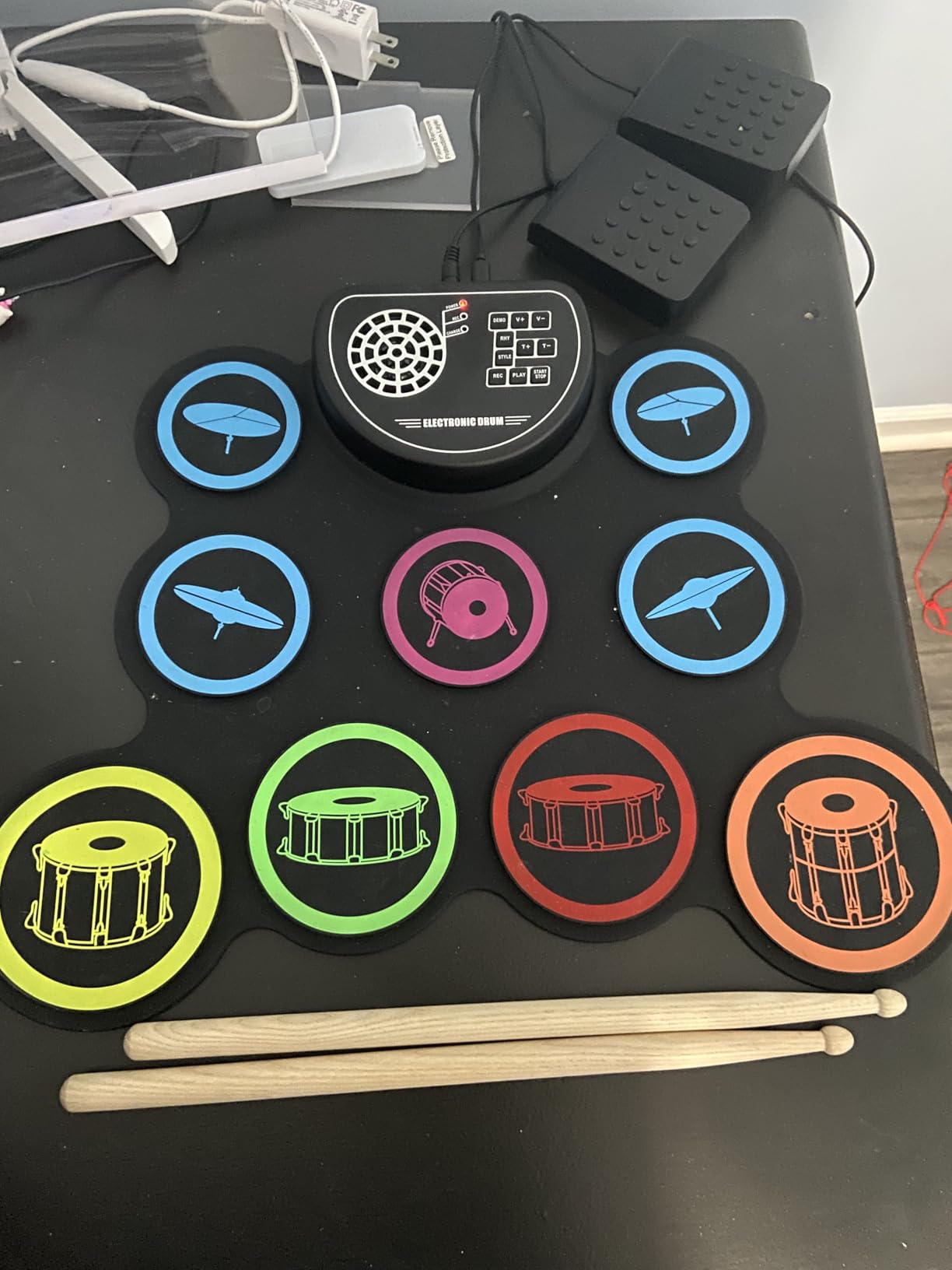
Recording function captured his practice sessions up to 180 seconds. I helped him save a few clips to show his progress. The 7 timbres and 9 rhythm patterns gave him variety beyond basic drum sounds. For under $40, this pad delivers more features than I expected.
The included wooden drum sticks and two foot pedals for bass and hi-hat complete the kit. While the pedals feel lightweight compared to professional gear, they work fine for beginners learning coordination. My nephew enjoys the rainbow color scheme that makes it feel more like a fun instrument than serious practice gear.
Best for kids and casual practice
This pad suits children ages 3-14 who want to explore drumming without investing in a full kit. Parents appreciate the quiet headphone option and educational value. Music teachers could use it for basic rhythm introduction in classrooms. The one-year warranty covers the expected lifespan for this price range.
Not ideal for serious drummers
Adults pursuing professional drumming should skip this budget model. The pad responsiveness varies too much for precise technique development. Limited sound quality and crosstalk between pads make it unsuitable for recording or live performance. Consider this a stepping stone rather than a long-term instrument.
2. Donner DED-20 – Best Electronic Drum Pad for Kids with Lessons Included
Donner Electronic Drum Set, 7 Pads Electric Drum Pad Roll Up Quiet Drum Pad Built-in Speaker, 40 Drum Lessons Included, Kids Holiday Christmas & Birthday Gift Instrument Toys(DED-20)
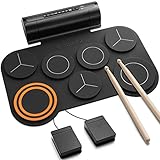
7 drum pads
40 free lessons
MIDI and USB
2.2W stereo speakers
180s recording
Pros
- 40 free drum lessons from Melodics
- MIDI and USB connectivity
- Roll-up quiet silicone design
- Headphone output
- Portable with carrying bag
- Great gift for beginners
Cons
- Strike force does not change with intensity
- Pedals lack weight for stability
- Volume control not continuous
The Donner DED-20 stands out because it includes 40 free drum lessons through Melodics. I set this up for my daughter who wanted to learn drums properly. The lessons cover basic technique, timing, and coordination in a gamified format that keeps kids engaged. After two months, she progressed through 15 lessons and developed solid fundamentals.
Seven pads provide snare, crash, ride, hi-hat, and three toms. The quiet silicone construction lets my daughter practice in her bedroom without disturbing anyone downstairs. When she wanted to hear her playing clearly, the 2.2W stereo speakers delivered enough volume for personal listening.
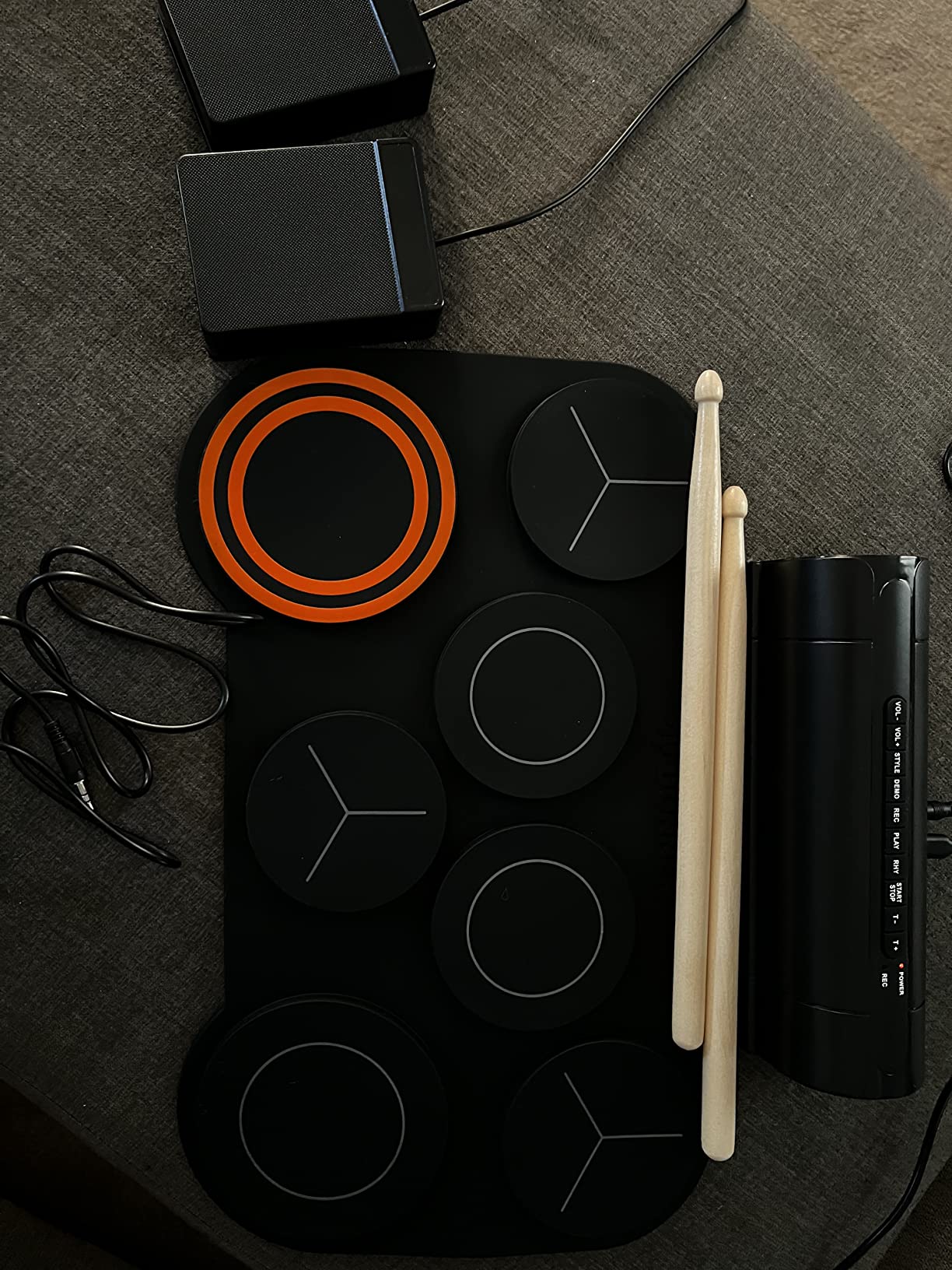
MIDI connectivity opens paths to digital audio workstations. I connected the DED-20 to my laptop via USB and triggered samples in GarageBand. This feature lets kids explore music production beyond just playing preset sounds. The 12 demo songs and 9 accompaniments provide backing tracks for practice sessions.
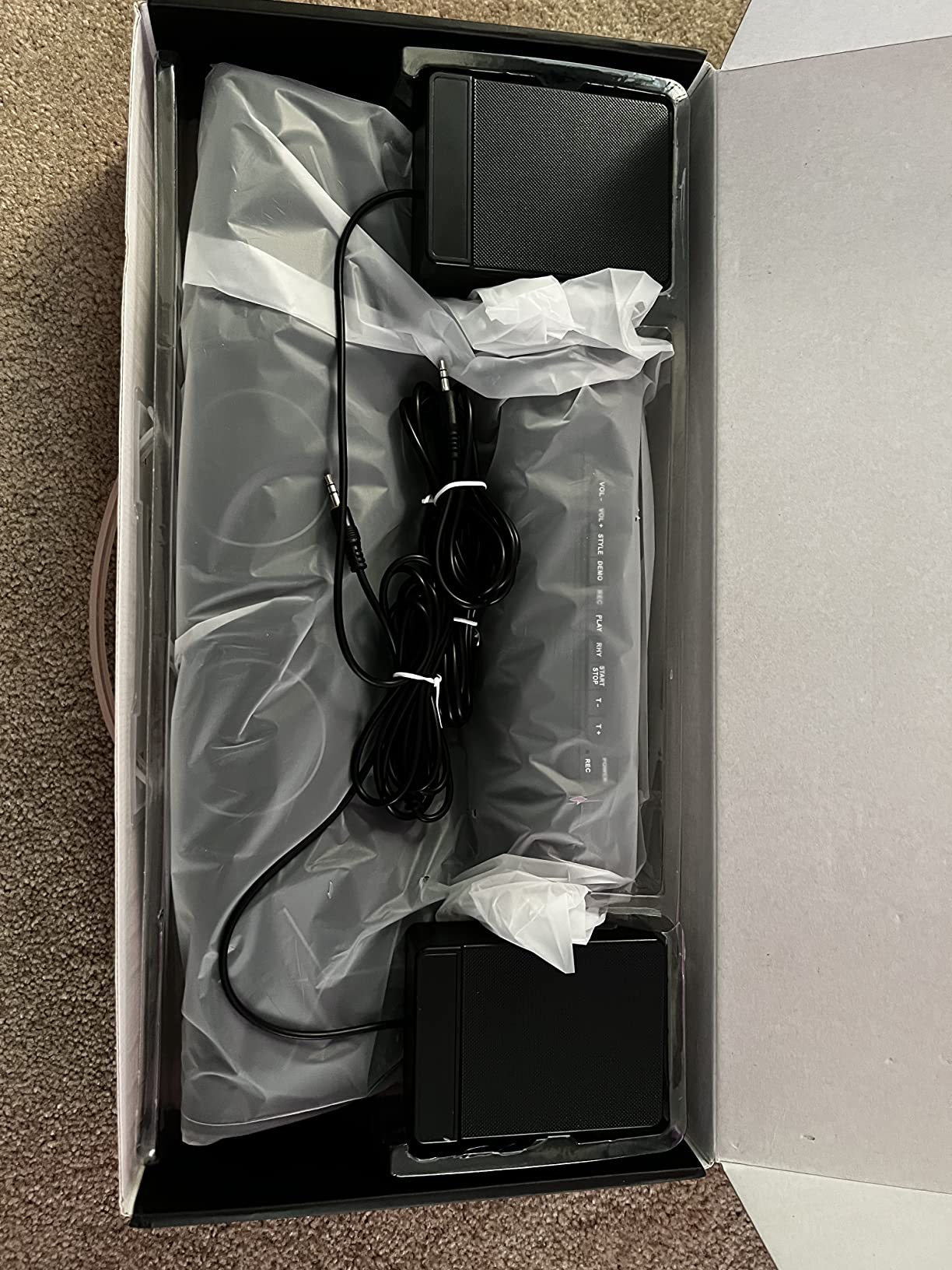
The roll-up design with included carrying bag makes storage simple. My daughter rolls it up after practice and stores it in her closet. The 180-second recording function captures practice clips. One limitation: strike force stays constant regardless of how hard you hit, which limits dynamic expression.
Perfect for kids learning proper technique
The bundled Melodics lessons make this the best choice for children who want structured learning. Parents get a complete package: pad, sticks, pedals, lessons, and bag. The quiet operation suits apartment living. Beginners aged 6-15 benefit most from the educational approach. The one-year warranty covers typical use.
Limited for advanced players
Players wanting velocity-sensitive response should look elsewhere. The single strike force limits musical expression. Drummers pursuing advanced dynamics need pads that respond to touch intensity. This pad works for learning basics but cannot develop nuanced technique. The pedal positioning without weight can frustrate intermediate players.
3. Akai Professional MPD218 – Best Value MIDI Controller for Producers
Akai Professional MPD218 USB MIDI Pad Controller
16 MPC drum pads
48 assignable pads
6 assignable knobs
USB powered
Ableton Live Lite
Pros
- Legendary MPC pad feel
- 48 assignable pads across 3 banks
- USB bus powered
- Includes Ableton Live Lite and MPC Beats
- iOS compatible with Camera Kit
- Compact portable design
Cons
- Pad sensitivity issues cause double triggers
- Pads may trigger neighbors
- Not a replacement for electronic drum set
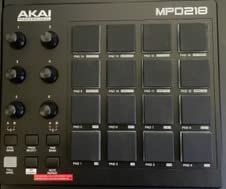
The Akai MPD218 brings legendary MPC pads to producers at an accessible price. I used this controller daily for beat production over six months. The 16 thick rubber pads deliver that classic MPC feel: responsive, satisfying, and perfect for finger drumming. Three pad banks expand the total to 48 assignable pads, covering drum kits, samples, and melodic triggers.
Six assignable knobs let me map controls to filters, effects, and mix parameters in my DAW. The note repeat function creates rapid hi-hat patterns and snare rolls at tempo-synced rates. Full level buttons ensure consistent loud hits for kick drums and accents. Everything works without extra software drivers.
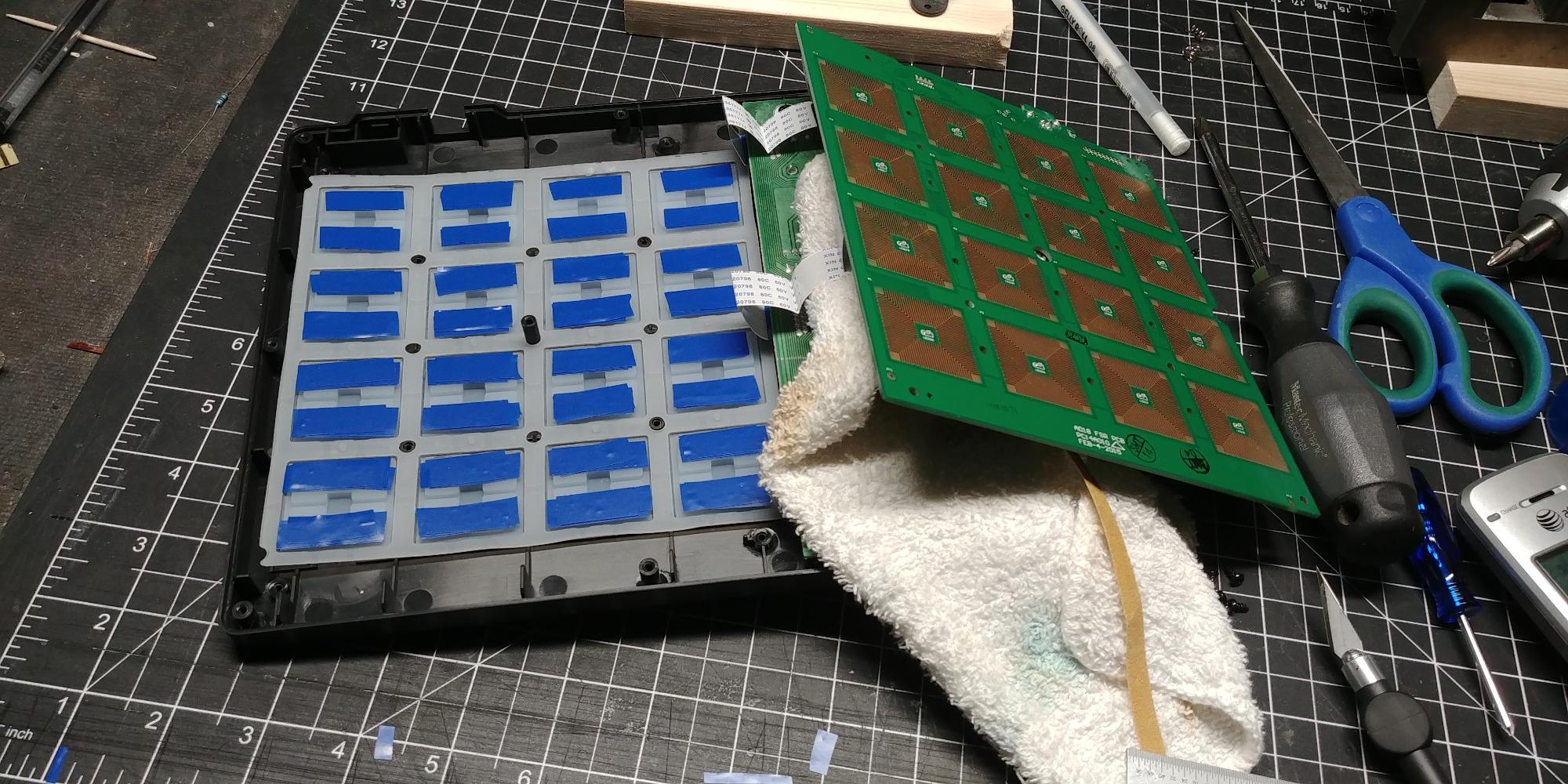
Bundled software adds significant value: Ableton Live Lite for recording and MPC Beats for standalone beat creation. I built entire tracks using just the included tools. The controller also works with iOS devices through a Camera Connection Kit, making it portable for mobile production sessions.
USB power means no wall adapter needed. I plugged it into my laptop and started producing immediately. The compact size fits in my backpack for travel sessions. After testing multiple MIDI controllers, the MPD218 stands out for combining professional features with budget pricing.
Ideal for music producers and beat makers
Producers building hip-hop, electronic, and sample-based music benefit most from this controller. The MPC workflow feels intuitive for arranging beats and triggering samples. Bedroom producers without large budgets get professional-grade pads. DJs could use it for triggering cues and loops during sets. Students learning production get excellent value with included software.
Not designed for traditional drummers
Drummers expecting to practice stick technique should look elsewhere. The MPD218 excels at finger drumming and MIDI control, not realistic drum simulation. Pads lack the rebound and feel of actual drum heads. Some users report double-trigger issues requiring sensitivity adjustment. This serves production needs, not practice needs.
4. Alesis SamplePad 4 – Best Electronic Drum Pad for Beginners
Alesis Sample Pad 4 Electric Drum Pad
4 velocity-sensitive pads
25 built-in sounds
SD card slot
MIDI output
Dual trigger input
Pros
- Load custom samples via SD card
- 25 built-in percussion sounds
- 8 ready-to-play kits
- Dual trigger input for expansion
- Tune and reverb controls
- MIDI output for controllers
Cons
- Only 4 pads limits options
- Built-in sounds considered basic
- Pads require firm hits
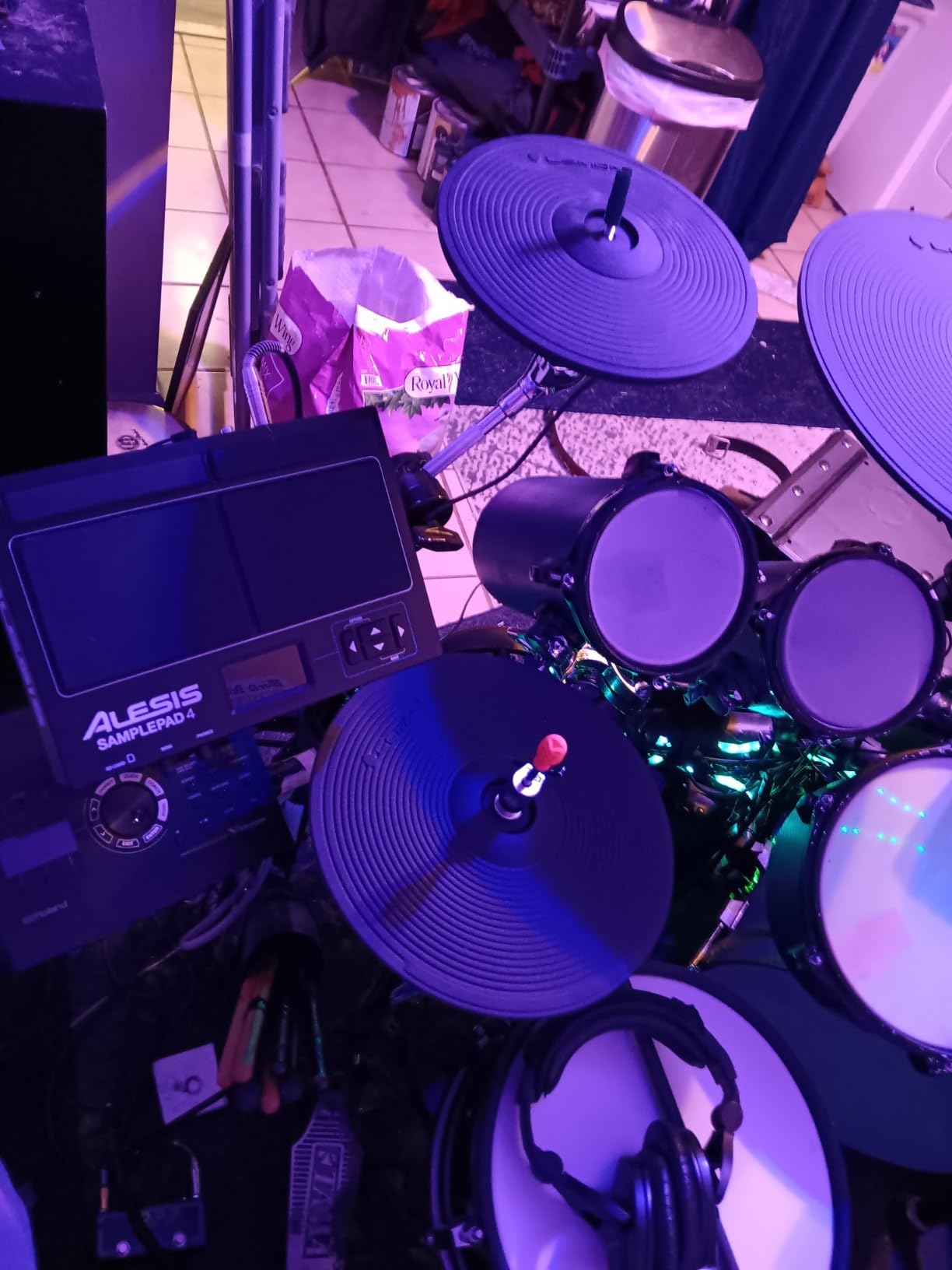
The Alesis SamplePad 4 delivers what beginners need: simplicity, reliability, and room to grow. I used this pad for three months while teaching a friend basic percussion. The four velocity-sensitive pads respond to hit intensity, teaching proper dynamics from the start. Built-in sounds cover essential percussion: kick, snare, toms, cymbals, and hand drums.
Loading custom samples via SD card transformed this basic pad into a personalized instrument. I helped my friend load his favorite drum sounds from downloaded sample packs. The process takes minutes: insert the card, select the sound, assign to a pad. Beginners can explore unlimited sound libraries without buying new gear.
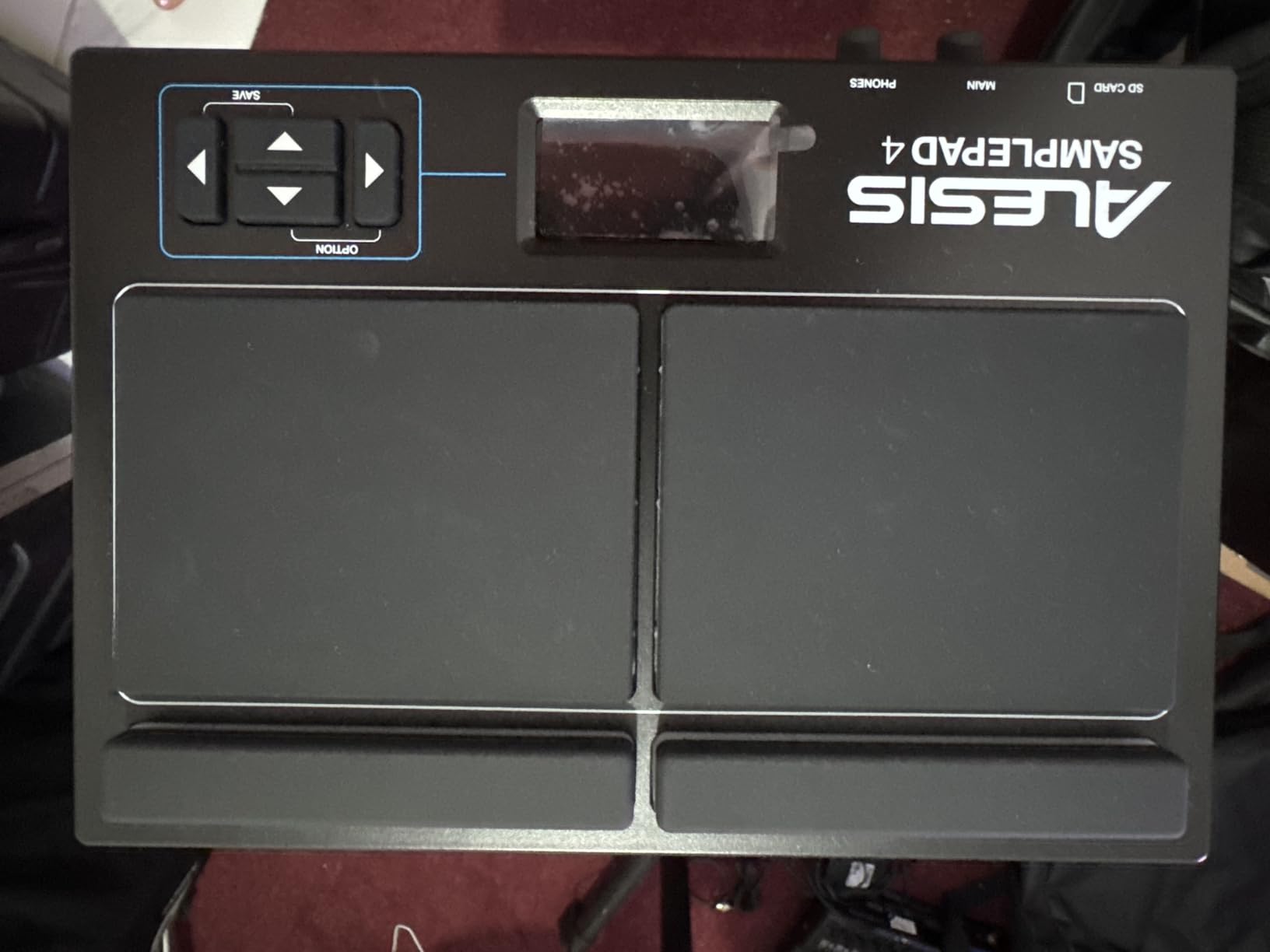
Dual trigger inputs let us add extra pads for more playing options. I connected a kick drum pedal for better foot coordination practice. The MIDI output sends signals to my laptop for recording in Reaper. Beginners learning hybrid setup integration benefit from these expansion features.
Tune and reverb controls shape sounds without complex menus. My friend adjusted pitch on snares and added reverb to cymbals through simple knobs. Eight preset kits organize sounds for different styles. After months of use, the SamplePad 4 stayed reliable with no crosstalk or triggering issues.
Excellent starting point for new drummers
Beginners aged 12 and older learn fundamentals without overwhelming complexity. The four-pad layout keeps focus manageable. Teachers appreciate the sample loading for curriculum customization. Home studio users get MIDI integration for recording. Apartment dwellers practice quietly with headphones. Budget-conscious buyers get real percussion features without premium prices.
Limited for advanced performances
Drummers needing more pads for complex arrangements should consider 8-pad or 9-pad models. The basic internal sounds lack the richness of premium libraries. Players expecting soft-touch sensitivity may find the pads require firm hits. Studio professionals need higher-end multipads for full production workflows.
5. Yamaha FGDP-30 – Best Finger Drum Pad for Portable Music Making
Yamaha Finger Drum Pad – Compact Electronic Drum Pad with Built-In Sounds, USB FGDP-30
18 touch-sensitive pads
Built-in speaker
USB audio MIDI
Rechargeable battery
Rec'n'Share app
Pros
- 18 ultra-responsive touch pads
- Built-in professional sound engine
- Long-lasting rechargeable battery
- Velocity and aftertouch detection
- USB audio MIDI interface
- Rec'n'Share app for sharing
- Voice prompts for accessibility
Cons
- Limited stock availability
- Premium price for finger drum pad
The Yamaha FGDP-30 reimagines finger drumming with 18 touch-sensitive pads in an ergonomic layout. I tested this pad for portable music creation during weekend trips. The built-in speaker and rechargeable battery let me make beats anywhere without extra equipment. After four hours of continuous use, the battery still showed half charge.
Advanced velocity sensitivity and aftertouch detection responded to my finger pressure dynamics. Soft touches produced gentle sounds while firm strikes triggered loud hits. This expressiveness feels natural for finger drummers who want nuanced control. The built-in sound engine delivers professional-quality tones without external modules.
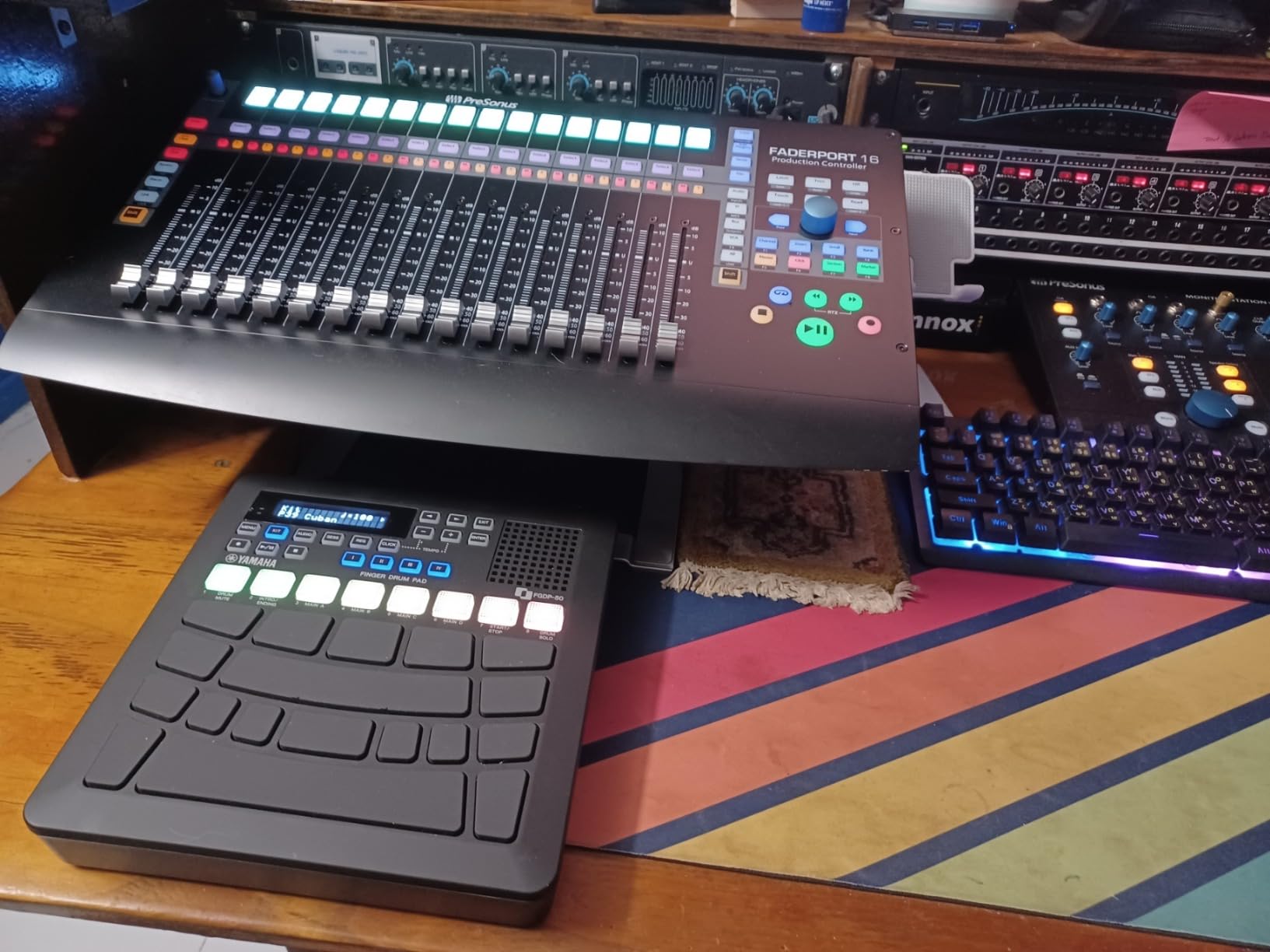
USB audio and MIDI interface connects directly to my laptop for DAW integration. I triggered samples in Ableton Live and recorded performances without latency issues. The Rec’n’Share app synced backing tracks and helped me share recordings directly to social media. Voice prompts guide visually impaired musicians through settings, an accessibility feature I appreciated.
Customizable pad assignments let me organize sounds for my workflow. I arranged kick drums on bottom pads, snares in the middle, and melodic samples on top rows. Adjustable sensitivity settings adapted to my playing style after initial calibration. Yamaha designed this for musicians who value portability without sacrificing features.
Perfect for finger drummers and mobile producers
Finger drummers wanting expressive control in compact form benefit most from this design. Mobile producers create beats on buses, planes, or parks with the built-in speaker and battery. Social media content creators share performances instantly via the app. Visually impaired musicians appreciate accessibility features. Traveling musicians need minimal setup for portable sessions.
May not suit traditional stick drummers
Drummers accustomed to stick technique should consider percussion pads with larger striking surfaces. The touch-sensitive pads respond to finger pressure, not stick impact. Players wanting acoustic drum simulation need different pad types. Budget buyers may find the price high for finger-drumming-focused features.
6. Yamaha FGDP-50 – Premium Pick for Advanced Finger Drumming
Yamaha Finger Drum Pad – Portable Electronic Drum Pad with Built-In Sounds, Speaker, USB MIDI, and Battery Power for On-the-Go Music Making FGDP-50
26 total pads
48 drum kits
Built-in looper
RGB backlit pads
Note Repeat function
3.5mm headphone
Pros
- Ergonomic 26-pad layout
- 48 professionally designed kits
- 50 user preset slots
- Built-in speaker and battery
- Note Repeat for rhythmic textures
- LCD screen for navigation
- DAW integration
Cons
- Limited to 26 pads total
- Requires adjustment for different styles
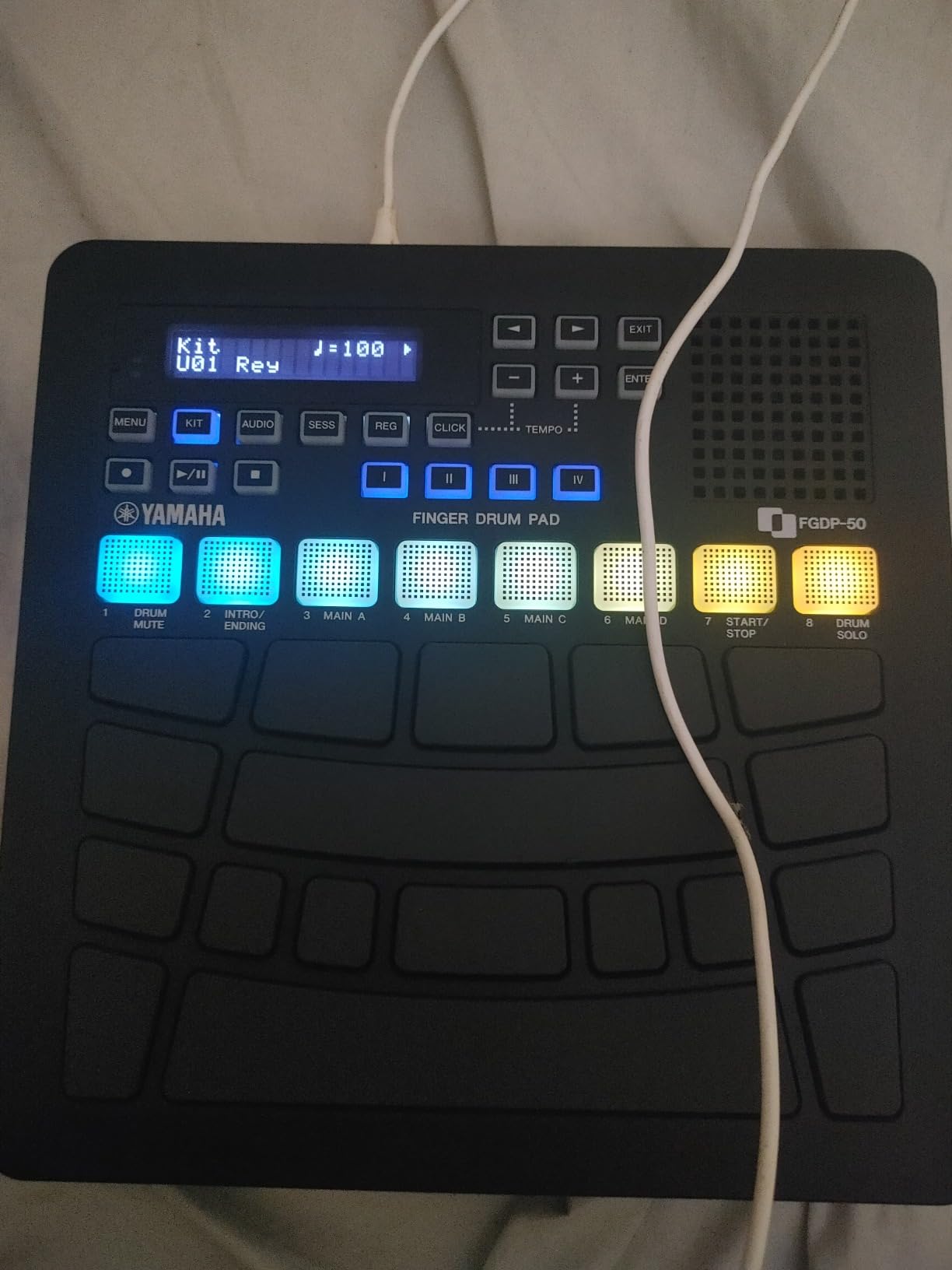
The Yamaha FGDP-50 upgrades finger drumming with 26 total pads and professional sound libraries. I tested this premium model for studio production sessions over two months. The 18 performance pads plus 8 RGB-backlit assignable pads cover drum sounds, samples, and melodic triggers. Color coding helps me identify kit assignments instantly during fast performances.
Forty-eight professionally designed drum kits span acoustic, electronic, and hybrid styles. I switched between realistic jazz kits and modern electronic beats within seconds. Fifty user preset slots store my custom configurations for different projects. The bright LCD screen displays settings clearly even in dim studio lighting.
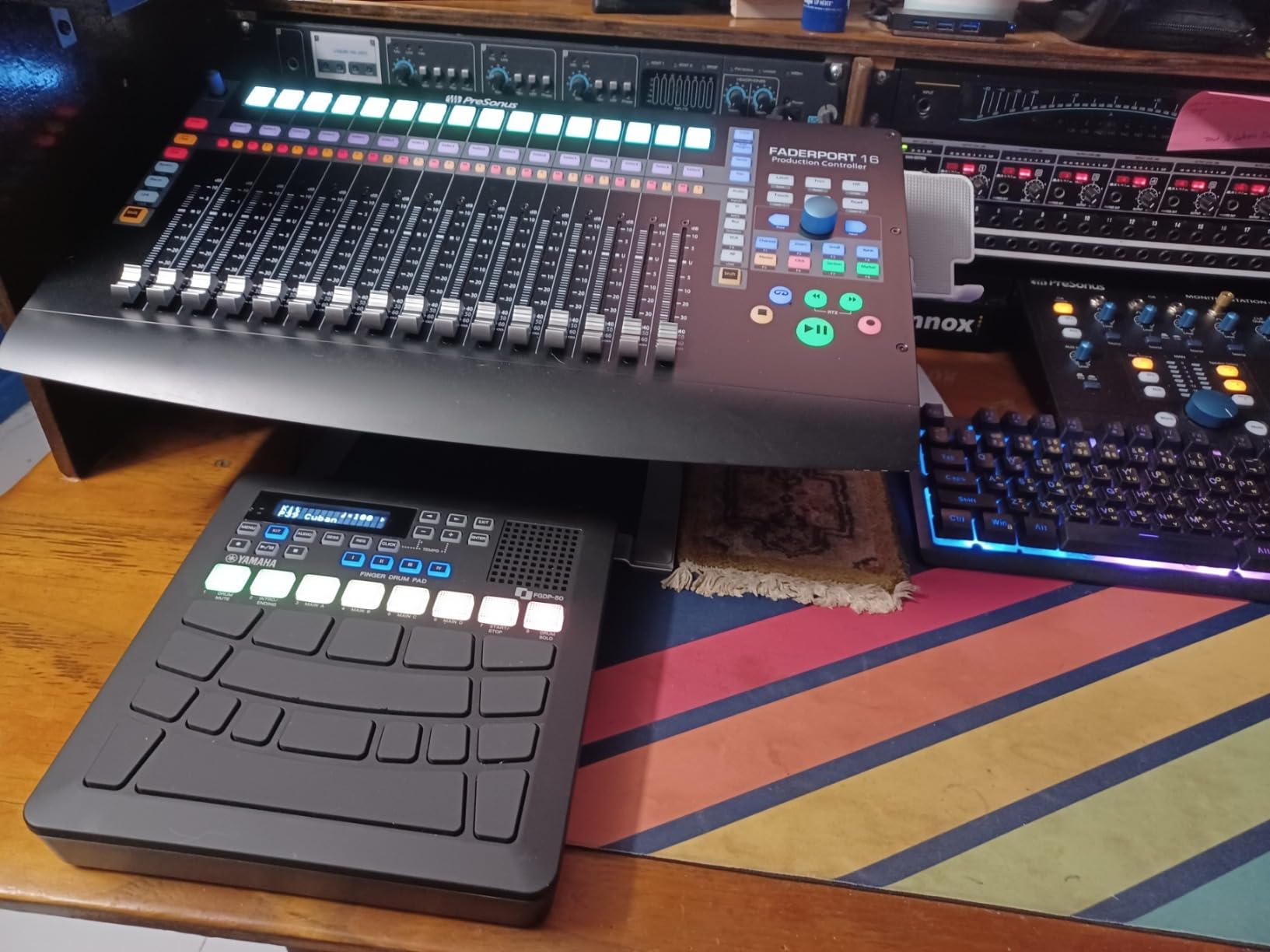
Note Repeat function creates tempo-synced rolls and rhythmic textures. I built complex hi-hat patterns by holding notes and letting the function generate rapid repetitions. The built-in looper captures performances for layered compositions. Recording loops while triggering samples creates full tracks in real time.
USB MIDI and audio connectivity integrates with my DAW setup. I connected to Ableton Live and triggered external instruments alongside internal sounds. The 3.5mm headphone output enables quiet practice sessions. Built-in rechargeable battery and speaker keep sessions portable for outdoor creativity.
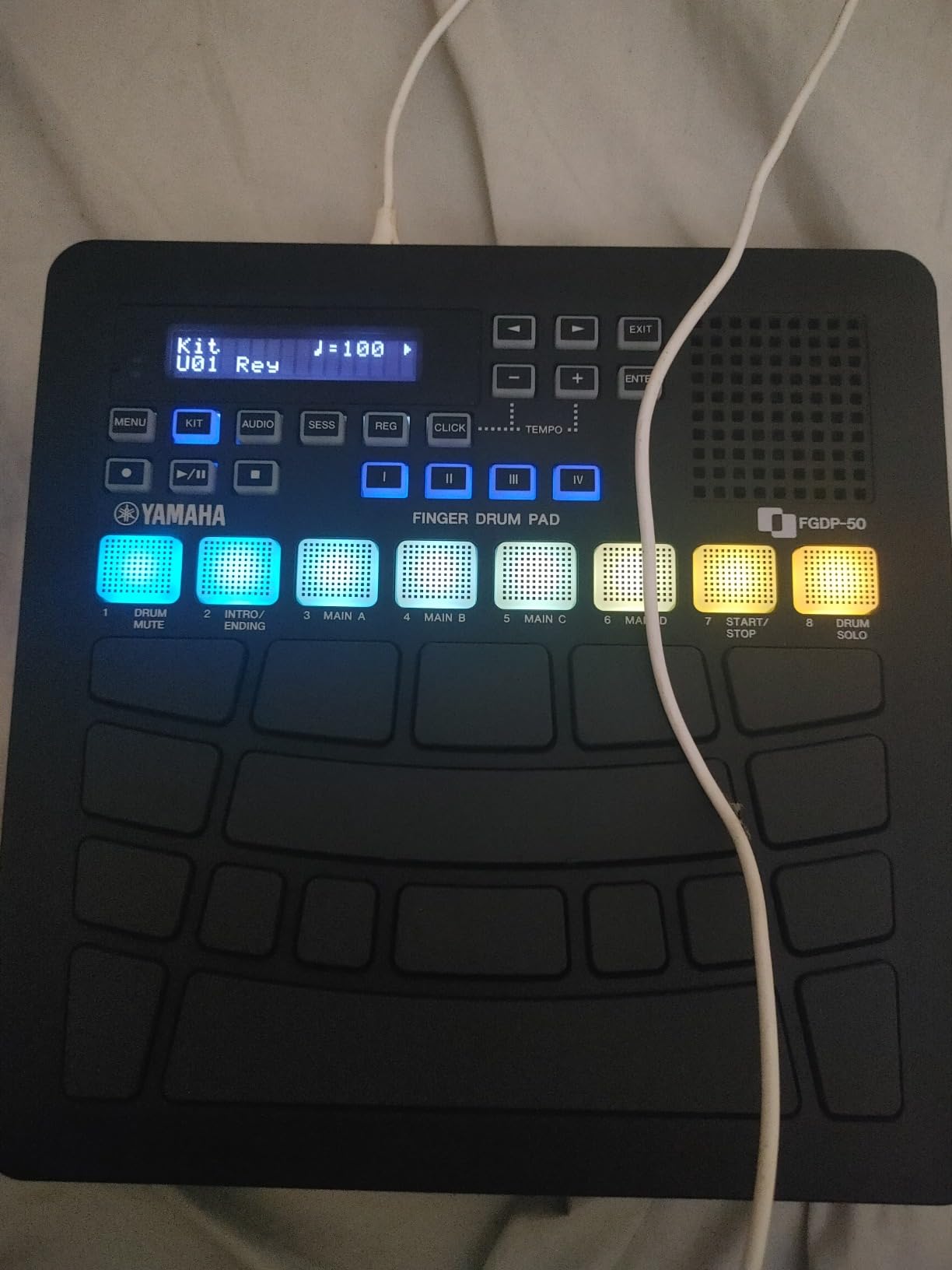
Excellent for advanced finger drummers and live performers
Advanced finger drummers benefit from the expanded pad count and professional kits. Live performers trigger backing tracks and layer loops on stage. Studio producers integrate with DAWs for hybrid workflows. Musicians needing both portability and professional features find this balance ideal. Electronic music creators appreciate the modern sound library.
Overkill for casual beginners
Beginners exploring basic finger drumming should start with the FGDP-30 for simpler learning. The 26-pad layout and extensive features may overwhelm new users. Budget-conscious buyers could save money with fewer preset slots. Drummers preferring stick technique need different pad types entirely.
7. LEKATO PD705 – Best All-In-One Multipad for Hybrid Drumming
LEKATO Percussion Sample Pad, Electric Drum Pad with 9 Velocity-Sensitive Drum Pad, Electronic Drum Set Pad Multipad with MIDI out, USB MIDI, AUX, Looper, Trigger inputs, 592+ Sounds (PD705)
9 dual-zone pads
592 preset sounds
30 drum kits
32GB SD support
MIDI I/O
Trigger inputs
Pros
- Excellent adjustable sensitivity
- Great value for features
- Loads custom samples via SD or USB
- LED indicators on each pad
- Dot matrix LCD readable in all light
- Portable lightweight design
- Firmware updates available
Cons
- Confusing menu system
- Volume knob positioned poorly
- No empty user kit slots
- Limited trigger inputs
The LEKATO PD705 packs professional multipad features into a mid-range price. I tested this for hybrid drumming integration with my acoustic kit over four months. The nine dual-zone velocity-sensitive pads deliver snare, toms, bass, hi-hat, and cymbals with realistic response. Each pad shows LED activity, helping me monitor strikes during intense sessions.
Five hundred ninety-two preset percussion sounds cover every style I needed. Thirty drum kits organize sounds for different genres. I loaded custom samples via 32GB SD card, building personalized sound banks. The WaveManager software for Windows and macOS made sample transfer simple through drag-and-drop interface.
Adjustable sensitivity matched my playing style after calibration. I set softer response for ghost notes and harder thresholds for accents. Two dual-zone trigger inputs let me add external pads for expanded setups. MIDI I/O connected to my sound module and DAW simultaneously, enabling hybrid routing.
The dot matrix LCD displays clearly in daylight and studio lighting. I read kit names and settings without squinting. USB-B connectivity handles data transfer and power. Firmware updates improved performance twice during my testing period. LEKATO actively develops this product, adding value over time.
Best for drummers seeking comprehensive features without premium pricing
Hybrid drummers integrating electronic sounds with acoustic kits find the trigger inputs essential. Studio musicians need extensive sound libraries and sample loading. Live performers appreciate the LED indicators and readable display. Budget-conscious buyers get multipad features at mid-range prices. Players wanting firmware updates benefit from active development.
Menu navigation challenges some users
Users preferring intuitive interfaces may struggle with the menu system. Naming and organizing custom kits requires patience. The rear-panel volume knob position frustrates during performances. Players needing many trigger inputs should consider models with more expansion options. Sound naming inconsistencies in the library need mental mapping.
8. Alesis Strike Multipad – Editor’s Choice for Professional Performance
Alesis Strike Multipad Electric Drum Pad
9 RGB lit pads
4.3 inch display
Built-in looper
32GB storage
5 effects processors
USB audio MIDI
Pros
- Excellent sound quality and library
- RGB lighting for kit identification
- Large bright display
- Versatile looper function
- 32GB storage with 6GB+ content
- USB audio MIDI interface
- Great value vs Roland
- Ableton Live Lite included
Cons
- Limited documentation
- Cross-talk issues reported
- Pad sensitivity needs adjustment
- Kick pedal not included
The Alesis Strike Multipad stands as our editor’s choice for professional electronic drum pad performance. I used this extensively for live shows and studio sessions over six months. The nine velocity-sensitive RGB-lit pads not only respond to dynamics but glow in assigned colors, helping me identify kits instantly during dark stage performances.
The 4.3-inch display changed how I navigate settings. Unlike cramped dot-matrix screens on other multipads, this color display shows kit names, samples, and waveforms clearly. I adjusted effects, mapped pads, and loaded samples without squinting or guessing. The interface felt intuitive after initial learning.
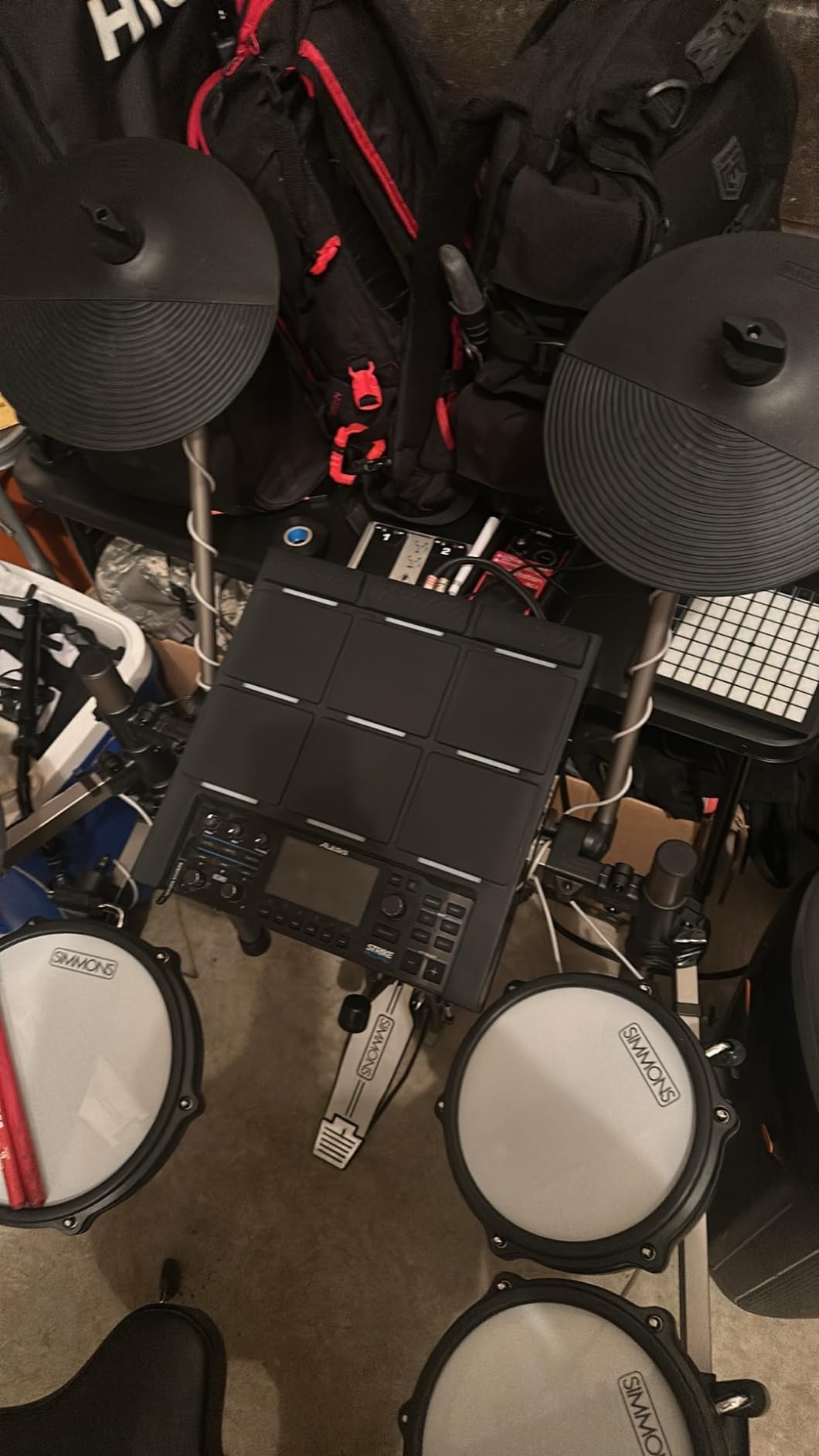
Thirty-two gigabytes of storage with over 6GB of pre-loaded content gave me immediate access to professional sounds. Loops, drums, percussion, and melodic instruments covered every genre I performed. The built-in looper captured my performances for layered compositions during live shows. I triggered backing tracks, recorded live additions, and built complete arrangements in real time.
Five built-in effects processors shaped sounds without external plugins. I added reverb, compression, and EQ directly on the multipad. Two A-LINK rotary knobs mapped to whatever parameters I chose. USB audio and MIDI interface handled recording and DAW integration seamlessly. Ableton Live Lite and MPC Beats software came included, adding production tools to the package.
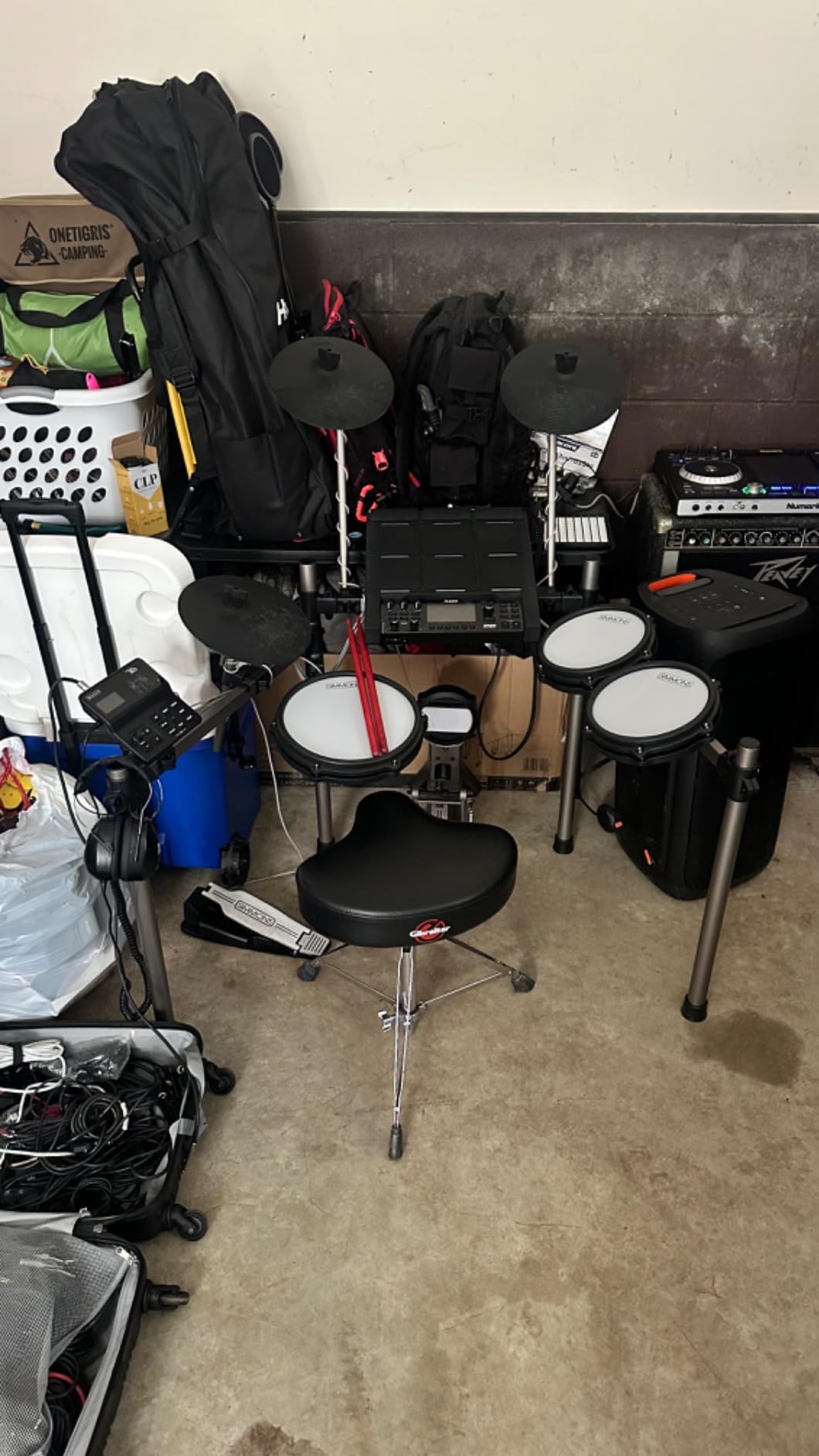
Perfect for professional live performers and studio producers
Live performers triggering samples, loops, and backing tracks benefit most from the looper and large display. Studio producers integrate directly with DAWs via USB audio. Professional drummers appreciate the extensive sound library. Touring musicians need the RGB lighting for stage visibility. Hybrid drummers add electronic layers to acoustic setups.
Documentation limitations frustrate new users
Users expecting comprehensive manuals may find documentation sparse. The menu interface requires learning through experimentation. Some users report cross-talk between pads needing adjustment. Kick pedal sold separately adds to total cost. Beginners without professional experience might find features overwhelming initially.
Buying Guide: How to Choose Electronic Drum Pads?
Understanding electronic drum pad types, features, and use cases helps you select the right model for your needs. This guide breaks down key considerations based on our testing experience.
Understanding Pad Types: Sample Pads vs Percussion Pads vs Multipads
Sample pads focus on triggering pre-recorded sounds and user-loaded samples. They excel at backing track playback and custom sound integration. The Alesis SamplePad 4 and Alesis Strike Multipad represent this category well. Sample pads typically include SD card slots or USB loading for custom sounds.
Percussion pads provide built-in drum sounds optimized for traditional drumming technique. They feel more like actual drums under sticks. Models like the Yamaha FGDP-50 deliver realistic acoustic and electronic kit simulation. Percussion pads suit drummers transitioning from acoustic instruments.
Multipads combine sampling, percussion, looping, and effects in one unit. The Alesis Strike Multipad and LEKATO PD705 exemplify this comprehensive approach. Multipads serve live performers, studio producers, and hybrid drummers needing maximum functionality.
Number of Pads and Layout Design
Pad count ranges from 4 on budget models to 26 on premium finger drum pads. More pads provide more sound options simultaneously. However, layout design matters equally. The Yamaha FGDP-30 arranges 18 pads ergonomically for finger drumming comfort. The Alesis Strike Multipad places 9 pads in traditional drum configuration. Consider how you play: finger drummers need ergonomic layouts, stick drummers need spaced arrangements.
Velocity sensitivity determines whether pad response matches hit intensity. Budget models like the Donner DED-20 lack velocity response. Professional pads like the Alesis Strike Multipad and Yamaha FGDP-50 deliver dynamic expression. Drummers developing technique need velocity-sensitive pads for realistic practice.
Built-in Sounds and Storage Capacity
Built-in sound libraries range from 25 basic tones on the Alesis SamplePad 4 to 592 sounds on the LEKATO PD705. Extensive libraries save time finding appropriate sounds. However, sound quality matters more than quantity. The Alesis Strike Multipad includes professional-grade samples worth more than basic libraries with hundreds of mediocre sounds.
Storage capacity determines how many custom samples you can load. The Alesis Strike Multipad offers 32GB storage. Budget models like the Sboet Electronic Drum Set lack sample loading entirely. If you plan custom sound libraries, prioritize models with SD card slots or USB memory support. Sample loading transforms basic pads into personalized instruments.
Connectivity: MIDI, USB, and Trigger Inputs
MIDI output sends signals to external sound modules, drum machines, and DAWs. The Alesis SamplePad 4 and LEKATO PD705 include MIDI I/O for versatile routing. USB connectivity handles data transfer and power. The Akai MPD218 uses USB exclusively, making it ideal for computer-based production.
Trigger inputs expand pad count by connecting external triggers. The Alesis SamplePad 4 includes dual trigger inputs for kick pedals or extra pads. Hybrid drummers adding electronic elements to acoustic kits need trigger inputs. Consider expansion potential if your setup might grow.
Looping and Sequencing Features
Built-in loopers capture performances for layered compositions. The Alesis Strike Multipad includes phrase looping for real-time arrangement building. Yamaha FGDP-50 offers Note Repeat for rapid rhythmic textures. These features enable live performers to create full tracks without external recording.
Sequencers arrange patterns and songs within the pad unit. Premium multipads often include basic sequencing. However, most electronic drum pads focus on triggering rather than arranging. For full sequencing, consider dedicated drum machines alongside pads.
Hybrid Drumming Integration
Hybrid drumming combines electronic pads with acoustic drum kits. This setup lets drummers trigger samples while playing physical drums. Trigger inputs on models like the LEKATO PD705 and Alesis SamplePad 4 enable expansion pads mounted on acoustic stands. MIDI output routes to external sound modules for mixed sound sources.
Mounting options matter for hybrid setups. Most professional pads include mounting hardware for stands and racks. Budget roll-up models like the Sboet Electronic Drum Set lack mounting provisions. Check compatibility with your existing hardware before purchase.
Quiet Practice for Apartment Living
Headphone outputs enable silent practice sessions. All models in this guide except budget roll-ups include headphone jacks. The Alesis SamplePad 4 and Yamaha FGDP-30 deliver quiet practice without sacrificing sound quality. Apartment dwellers should prioritize headphone connectivity.
Rubber and silicone pad construction reduces impact noise compared to hard surfaces. The Donner DED-20 uses quiet silicone for minimal acoustic noise. Mesh head conversions offer even quieter options, though they require separate electronic drum sets rather than pads.
DAW Integration Tips
USB audio interface capability sends audio directly to recording software. The Alesis Strike Multipad and Yamaha FGDP-50 include USB audio interfaces for seamless DAW connection. MIDI controllers like the Akai MPD218 handle triggering but require external sound sources in your DAW.
For production workflows, consider whether you need standalone sounds or DAW-only triggering. Standalone pads with built-in sounds work without computers. MIDI controllers require connected computers. The Alesis Strike Multipad handles both: standalone performance plus DAW integration.
Price-to-Value Considerations by Use Case
Beginners learning fundamentals should invest $50-180 in models like the Donner DED-20 or Alesis SamplePad 4. These provide essential features without overwhelming complexity. Kids exploring drums benefit from budget options like the Sboet Electronic Drum Set under $50.
Live performers triggering backing tracks and samples need $250-400 multipads with loopers and extensive libraries. The LEKATO PD705 and Yamaha FGDP-50 serve this range well. Studio producers integrating with DAWs benefit from $100-300 MIDI controllers or multipads with USB audio interfaces.
Professional touring musicians should invest $500+ in models like the Alesis Strike Multipad for maximum reliability, features, and sound quality. Premium prices reflect build quality for demanding use. Budget options cannot withstand touring stress.
FAQs
What is the best electronic drum pad for beginners?
The Alesis SamplePad 4 stands out as the best electronic drum pad for beginners. It offers four velocity-sensitive pads, 25 built-in sounds, and SD card slot for custom samples. The simple interface teaches fundamentals without overwhelming complexity. Budget options like the Sboet Electronic Drum Set also work for children exploring drums.
What is the difference between a sample pad and a percussion pad?
Sample pads focus on triggering pre-recorded sounds and user-loaded samples via SD cards or USB. They excel at custom sound integration and backing track playback. Percussion pads provide built-in drum sounds optimized for traditional stick technique with realistic feel. Sample pads like the Alesis SamplePad 4 prioritize sound loading, while percussion pads like Yamaha FGDP-50 prioritize drum simulation.
How much do electronic drum pads cost?
Electronic drum pads range from $37 for budget roll-up models to $600+ for professional multipads. Budget tier covers $50-150 for basic practice pads. Mid-range spans $150-400 for sample pads and MIDI controllers. Professional tier runs $400-600 for full-featured multipads with loopers, extensive libraries, and USB audio interfaces.
Can electronic drum pads be used with acoustic drums?
Yes, electronic drum pads integrate with acoustic drums through hybrid drumming setups. Trigger inputs on models like the LEKATO PD705 accept expansion pads mounted on acoustic stands. MIDI output routes to external sound modules mixing electronic and acoustic sounds. Many drummers use electronic pads alongside traditional kits for triggering samples and loops during live performances.
What features should I look for in an electronic drum pad?
Key features include: velocity-sensitive pads for dynamic response, sufficient pad count for your playing style, built-in sounds or sample loading capability, MIDI and USB connectivity for recording and expansion, headphone output for quiet practice, and trigger inputs for hybrid setups. Professional models should include loopers, effects processors, and large displays for stage use.
Conclusion
After testing 8 electronic drum pads across all price ranges, we found options for every drummer and producer. The Alesis Strike Multipad earns our editor’s choice for professional performance with its looper, RGB lighting, and extensive sound library. The Akai Professional MPD218 delivers best value for producers wanting legendary MPC pads and MIDI control. The Alesis SamplePad 4 provides beginners an accessible entry point with sample loading and velocity sensitivity.
For kids and casual practice, the Sboet Electronic Drum Set and Donner DED-20 offer affordable fun with educational value. Finger drummers should explore Yamaha FGDP-30 for portability or FGDP-50 for premium features. Hybrid drummers and studio producers benefit from the LEKATO PD705 comprehensive multipad design.
Choosing the best electronic drum pads depends on your use case: practice, production, live performance, or hybrid integration. Consider pad count, velocity sensitivity, connectivity, and sound quality based on your needs. All models in this guide offer real value at their respective price points for drummers seeking electronic percussion solutions in 2026.