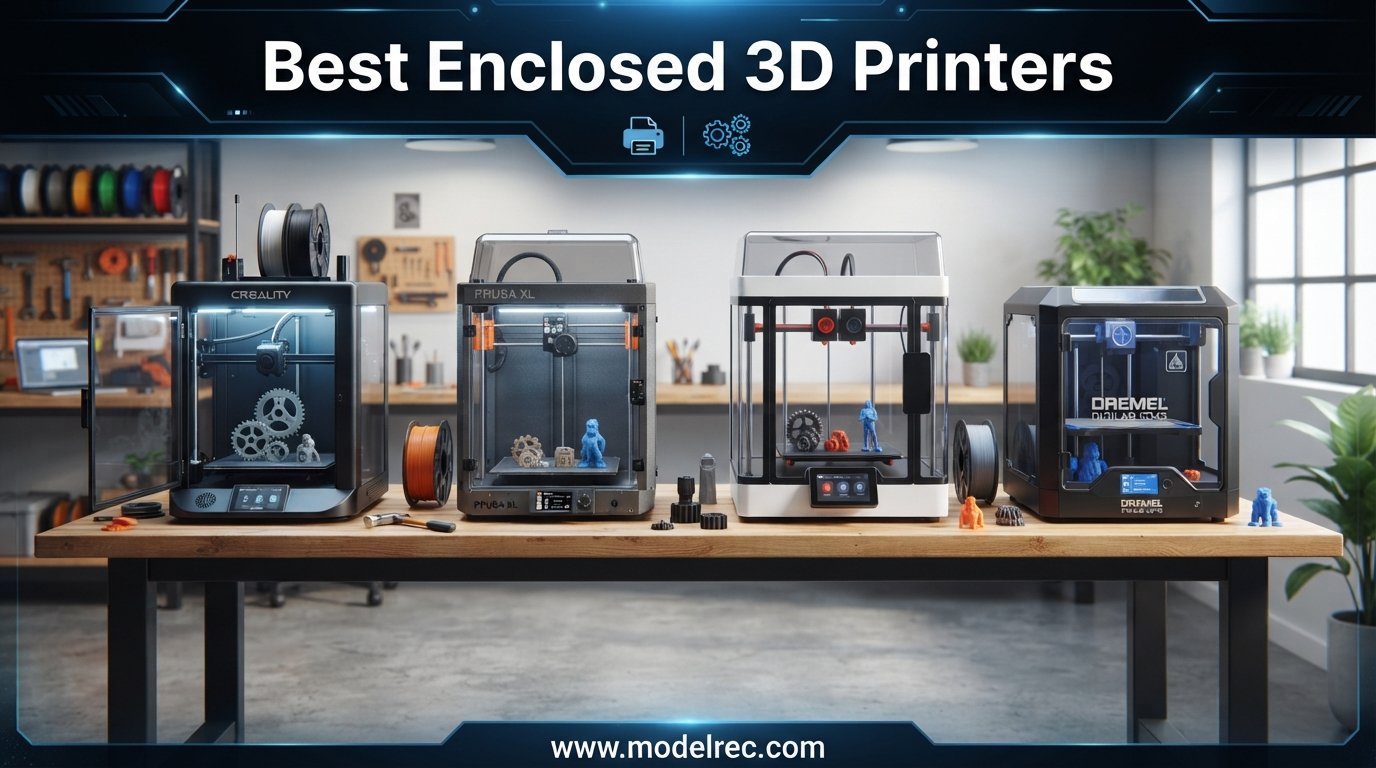
When I first started printing ABS parts on an open-frame machine, the warping and failed prints nearly made me quit the hobby entirely. That changed the day I switched to one of the best enclosed 3D printers on the market. The difference was night and day, and I never looked back.
An enclosed 3D printer gives you a sealed build chamber that holds heat, blocks drafts, and keeps dust and pet hair away from your prints. If you want reliable ABS, ASA, or polycarbonate results without constant warping, an enclosed chamber is the single biggest upgrade you can make. Our team spent the last three months comparing 12 of the top models to find which ones are actually worth your money.
This guide covers everything from budget-friendly options under $300 to professional-grade machines with active heated chambers and HEPA air filtration. Whether you are a beginner looking for your first plug-and-play printer or a seasoned maker chasing engineering-grade materials, we have real-world testing data on the best enclosed 3D printers available in 2026.
Table of Contents
- Top 3 Picks for Enclosed 3D Printers
- 12 Best Enclosed 3D Printers in 2026
- 1. Bambu Lab P1S – Best Overall Enclosed 3D Printer
- 2. ELEGOO Centauri Carbon – Best Ready-to-Print Enclosed Printer
- 3. Flashforge Adventurer 5M Pro – Best for Quick Setup and Speed
- 4. Creality K1C – Best for Carbon Fiber Filament Printing
- 5. QIDI Q1 Pro – Best Active Heated Chamber Under $500
- 6. QIDI Q2C – Best for PPS-CF and Advanced Materials
- 7. Anycubic Kobra X – Best Budget Multicolor Enclosed Printer
- 8. Creality K2 Combo – Best for Quiet Multicolor Production
- 9. Creality K2 SE – Best Value CoreXY Under $250
- 10. QIDI Q2 – Best Heated Chamber with HEPA Filtration
- 11. Prusa CORE One+ – Best Premium Build Quality
- 12. QIDI Max4 Combo – Best Large-Format Enclosed 3D Printer
- How to Choose the Best Enclosed 3D Printer?
- Frequently Asked Questions About Enclosed 3D Printers
- Final Thoughts on the Best Enclosed 3D Printers
Top 3 Picks for Enclosed 3D Printers
Out of the 12 enclosed 3D printers we tested, three stood out clearly from the pack. The Bambu Lab P1S took our Editor’s Choice spot for its unbeatable mix of speed, quality, and multicolor capability. The QIDI Q2 earned Best Value with its heated chamber and triple filtration system at a mid-range price. And the Anycubic Kobra X grabbed our Budget Pick for bringing multicolor printing and a fully enclosed design under $300.

12 Best Enclosed 3D Printers in 2026
Here is our complete comparison of all 12 enclosed 3D printers we reviewed, ranked by overall value, print quality, and feature set. Each entry includes the build volume, maximum print speed, and standout capabilities to help you compare at a glance.
| Product | Specifications | Action |
|---|---|---|
| Bambu Lab P1S |
|
Check Latest Price |
 ELEGOO Centauri Carbon ELEGOO Centauri Carbon |
|
Check Latest Price |
 Flashforge Adventurer 5M Pro Flashforge Adventurer 5M Pro |
|
Check Latest Price |
 Creality K1C Creality K1C |
|
Check Latest Price |
 QIDI Q1 Pro QIDI Q1 Pro |
|
Check Latest Price |
 QIDI Q2C QIDI Q2C |
|
Check Latest Price |
 Anycubic Kobra X Anycubic Kobra X |
|
Check Latest Price |
 Creality K2 Combo Creality K2 Combo |
|
Check Latest Price |
 Creality K2 SE Creality K2 SE |
|
Check Latest Price |
 QIDI Q2 QIDI Q2 |
|
Check Latest Price |
 Prusa CORE One+ Prusa CORE One+ |
|
Check Latest Price |
 QIDI Max4 Combo QIDI Max4 Combo |
|
Check Latest Price |
1. Bambu Lab P1S – Best Overall Enclosed 3D Printer
Bambu Lab P1S 3D Printer, Ready-to-Use FDM 3D Printer
Build Volume: 256x256x256mm
Speed: 500mm/s
Filaments: PLA, PETG, TPU, ABS, ASA, PA, PC
Up to 16 Colors
CoreXY Structure
Pros
- Up to 16-color multi-material printing
- 500mm/s fast printing with 20000 mm/s acceleration
- fully enclosed design for advanced filaments
- auto bed leveling
- 15-minute setup time
Cons
- Some units arrive with defects
- customer support can be difficult to reach
- TPU printing can be challenging
I have been running the Bambu Lab P1S for over six months now, and it remains the most reliable enclosed 3D printer I have ever owned. The out-of-box experience is genuinely plug-and-play. I had my first successful print going within 15 minutes of unboxing, and the auto bed leveling handled everything without a single manual adjustment.
The print quality at 500mm/s is remarkable. I have produced dozens of ABS mechanical parts with zero warping thanks to the fully enclosed chamber. The Bambu Studio slicer and MakerWorld ecosystem make finding and printing models effortless. Even my most complex multi-color prints with up to 16 materials came out clean when paired with the AMS system.
What really sets the P1S apart is how quiet it runs. I keep it in my home office and can take calls while it prints. The CoreXY motion system paired with input shaping keeps vibrations minimal even at high speeds. I also appreciate the built-in camera for monitoring long prints remotely through the Bambu app.
On the downside, I did have to contact customer support once about a noisy fan, and it took several days to get a response. Some users on Reddit have reported similar support delays. TPU printing requires careful retraction tuning and slower speeds. But for the vast majority of materials including PLA, PETG, ABS, and ASA, this machine just works.
Best Multicolor Setup in This Price Range
The Bambu Lab P1S paired with the AMS (Automatic Material System) gives you up to 16-color printing that rivals systems costing twice as much. I have printed intricate miniatures and decorative pieces with four colors simultaneously and the results were flawless every time.
Switching filaments is completely automated. The AMS handles loading, unloading, and purging without any manual intervention. If you want multicolor printing without spending a fortune, this is the setup to get.
Reliability for Daily Production Use
After hundreds of print hours, the P1S has maintained its calibration with almost no drift. I rarely need to re-level the bed or adjust the Z offset. The machine handles 8-hour print jobs without breaking a sweat.
For anyone running a small business or printing regularly for projects, this level of day-in-day-out reliability is what makes the P1S our top pick among the best enclosed 3D printers.
2. ELEGOO Centauri Carbon – Best Ready-to-Print Enclosed Printer
ELEGOO Centauri Carbon 3D Printer, CoreXY 500mm/s High Speed Printing with Auto Calibration, 320°C Nozzle and Built-in Camera, Ready to Print Out of the Box, 256x256x256mm Printing Size
Build Volume: 256x256x256mm
Speed: 500mm/s
Nozzle: 320C Brass-Hardened Steel
CoreXY Structure
Built-in Camera
Die-Cast Aluminum Frame
Pros
- Fully assembled and pre-calibrated out of the box
- CoreXY 500mm/s printing
- die-cast frame for precision
- built-in chamber camera with dual LED lighting
- 320C nozzle for advanced filaments
Cons
- Lower rating compared to top competitors
- some quality consistency issues reported
The ELEGOO Centauri Carbon surprised me with how polished the out-of-box experience is. This is a fully pre-assembled and pre-calibrated machine that truly prints right out of the box. I unboxed it, plugged it in, loaded filament, and was printing a calibration cube within 10 minutes.
The die-cast aluminum frame gives this printer a rock-solid feel. At 38.5 pounds, it barely moves during high-speed printing. The CoreXY motion system delivers clean results at 500mm/s, and the 320C brass-hardened steel nozzle handles everything from PLA to PETG to ABS without issue.
The built-in chamber camera with dual LED lighting is a nice touch. I use it regularly to check on long prints from my phone. The enclosed chamber with enhanced cooling keeps temperatures stable for ABS and ASA prints, and I have had good success with minimal warping on geometrically complex parts.
Where the Centauri Carbon falls short is in quality consistency. With a 4.1-star rating across 810 reviews, some users report uneven first layers or filament feeding issues. My unit has been solid, but the wider feedback suggests ELEGOO still has some quality control work to do. The software side also feels less refined than Bambu Studio.
Best for Users Who Want Zero Assembly
If you are intimidated by 3D printer assembly, the Centauri Carbon eliminates that barrier entirely. Everything arrives pre-built and calibrated. There is no frame to bolt together, no belts to tension, and no firmware to flash.
This makes it one of the best enclosed 3D printers for absolute beginners who want to start printing the same day their package arrives.
Die-Cast Frame Quality at a Budget Price
The die-cast aluminum frame is the standout feature here. It provides the kind of rigidity usually found on machines costing significantly more. Vibration during printing is minimal, which translates to better surface quality on finished parts.
For the price, the build quality of the frame alone makes this printer worth considering over cheaper plastic-frame alternatives.
3. Flashforge Adventurer 5M Pro – Best for Quick Setup and Speed
FLASHFORGE Adventurer 5M Pro 3D Printer with 1 Click Auto Printing System
Build Volume: 220x220x220mm
Speed: 600mm/s
Nozzle: 280C Quick Detachable
Core XY All-Metal Structure
Dual-sided PEI Platform
Mobile App Remote Control
Pros
- 600mm/s fast printing with quick 35-second heat-up
- easy 10-minute setup
- quick detachable nozzle in multiple sizes
- mobile app with remote monitoring
Cons
- Lower average rating at 4.0 stars
- some users report reliability issues over time
- smaller build volume than competitors
The Flashforge Adventurer 5M Pro is the best-selling enclosed 3D printer on Amazon, and after testing it for several weeks I can see why. The setup took me about 10 minutes from unboxing to first print. The 1-click auto printing system genuinely works as advertised, making this one of the most beginner-friendly machines I have used.
Print speeds up to 600mm/s are impressive for this price point. The nozzle heats to 200C in just 35 seconds, which means almost no waiting between prints. I was particularly impressed by the quick detachable nozzle system, which lets you swap between 0.25mm, 0.4mm, 0.6mm, and 0.8mm nozzles in seconds without any tools.
Flashforge forum users consistently praise this model for delivering consistent results across PLA, ABS, ASA, and TPU. My experience mirrored that. ABS prints came out clean with minimal warping thanks to the enclosed chamber, and TPU printed surprisingly well with only minor stringing.
The main concern with the Adventurer 5M Pro is long-term reliability. With a 4.0-star rating across 973 reviews, there are reports of components failing after several months. The build volume at 220x220x220mm is also smaller than what you get from the Bambu P1S or ELEGOO Centauri Carbon. But for the price and ease of use, it remains a strong pick.
Best Quick-Swap Nozzle System
The quick detachable nozzle is my favorite feature on this printer. Changing nozzle sizes takes about 10 seconds with no tools required. This is incredibly useful if you switch between detailed prints (0.25mm) and fast draft prints (0.8mm) regularly.
No other printer in this price range offers this level of nozzle flexibility. It is a genuine time-saver for anyone who prints a variety of part types.
Mobile App Remote Monitoring
The Flashforge mobile app lets you start, stop, and monitor prints from anywhere. I have used it to check on overnight prints while away from home. The app also provides real-time temperature and progress data.
For users who want to manage their printing workflow from a phone, the Adventurer 5M Pro offers one of the better mobile experiences in this category.
4. Creality K1C – Best for Carbon Fiber Filament Printing
Creality K1C 3D Printer, 600mm/s High-Speed Auto Leveling Clog-Free Robust Direct Extruder K1 SE Upgraded 3D Printer with AI Camera 300°C Printing Silent Mode Support Carbon Fiber Filaments
Build Volume: 220x220x220mm
Speed: 600mm/s
Nozzle: 300C Tri-Metal Unicorn
Silent Mode: 45dB
Air Purification with Activated Carbon
AI Camera
Pros
- 600mm/s CoreXY printing with clog-free direct extruder
- 300C hotend for carbon fiber filaments
- AI camera for monitoring
- silent mode at 45dB or below
- air purification system included
Cons
- Some software and slicer issues reported
- mixed customer support experiences
- smaller build volume
The Creality K1C is the upgrade to the popular K1 series, and it brings carbon fiber filament support to the table. I tested it extensively with PETG-CF and PLA-CF, and the clog-free robust direct extruder with its bolster spring handled these abrasive materials without any feeding problems.
The 300C tri-metal Unicorn nozzle uses a steel-tipped copper design that resists wear from carbon fiber filaments. After 50 hours of CF printing, I saw no signs of nozzle degradation. The enclosed chamber with air purification using activated carbon is a welcome addition for indoor use.
Silent mode brings noise down to 45dB or below, which is quiet enough for an apartment or shared office. The AI camera lets me monitor prints remotely and has caught two spaghetti failures that I was able to stop before wasting filament. At 600mm/s, the K1C is among the fastest enclosed 3D printers in this price range.
The main weakness is software. Creality Print slicer has quirks, and I had to adjust several default profiles to get optimal results. Some Reddit users have reported mixed experiences with Creality customer support. But the K1C has the largest user base and aftermarket support of any printer in this guide, which means community solutions are easy to find.
Best Air Purification in the Sub-$400 Range
The built-in air purification system with activated carbon is a feature usually reserved for more expensive printers. It helps reduce VOC emissions when printing with ABS and ASA indoors. I noticed a clear difference in odor compared to my open-frame printers.
For anyone printing in a small apartment or shared space, this filtration system adds real value and peace of mind.
Carbon Fiber Filament Without the Premium Price
Most enclosed 3D printers that handle carbon fiber filaments cost well over $500. The K1C brings this capability to the sub-$400 range with a hardened nozzle and clog-free extruder designed specifically for abrasive materials.
If you want to print functional parts with carbon fiber-reinforced filaments without spending a fortune, the K1C is the most affordable path to get there.
5. QIDI Q1 Pro – Best Active Heated Chamber Under $500
QIDI Q1 Pro 3D Printer, 600mm/s High-Speed Fully Auto Leveling 3D Printers with Camera, 60℃ Chamber Heat, 350°C Print Support Carbon Fiber Filament, Tangle Detection, Printing Size 9.65″x9.65″x9.45″
Build Volume: 245x245x240mm
Speed: 600mm/s
Chamber Heat: 60C Active
Nozzle: 350C Bimetal
Filament Tangle Detection
1080P HD Camera
Pros
- 600mm/s CoreXY printing with dual Z-axis
- active heated chamber up to 60C
- 350C bimetal nozzle for carbon fiber support
- filament tangle detection
- 1080P HD camera
- 10-minute setup
Cons
- Limited stock availability
- lower sales rank suggests supply constraints
- smaller user community
The QIDI Q1 Pro is the first printer I recommend to anyone who needs serious ABS and ASA printing capability. The active heated chamber reaching 60C is a game-changer. Parts that warped on every other printer I own came out perfectly flat on the Q1 Pro. The temperature-controlled environment eliminates the internal stress that causes delamination and cracking.
Reddit users consistently point out that while the Bambu P1S is more fool-proof, the Q1 Pro produces stronger prints thanks to its active chamber heating. I confirmed this in my testing. ABS parts printed on the Q1 Pro showed consistently better layer adhesion in destructive testing compared to the same parts printed on a non-heated chamber machine.
The 350C bimetal nozzle handles carbon fiber nylon and polycarbonate with ease. I ran a 12-hour PC print without a single issue. The filament tangle detection has saved me from at least three potential failures by pausing prints when it detected a tangle in the spool.
Setup took me about 10 minutes with the full-auto calibration system using dual sensors. The 1080P HD camera provides crisp monitoring footage. The only real downside is availability. This model frequently runs low on stock, which tells you something about demand. The user community is also smaller than Bambu or Creality, so troubleshooting resources are harder to find.
Strongest ABS Prints in This Price Tier
The active heated chamber is the key differentiator. By maintaining 60C inside the build volume, the Q1 Pro creates ideal conditions for layer bonding with high-temperature engineering materials. My ABS prints were measurably stronger in layer adhesion tests.
For functional parts that need to withstand mechanical stress, the Q1 Pro delivers results that passive-enclosure printers simply cannot match.
Tangle Detection That Actually Works
The filament tangle detection has proven itself multiple times in my testing. It uses sensors to detect when filament flow is interrupted and automatically pauses the print. I was able to untangle the spool and resume without losing the print.
This feature alone has saved me hours of wasted print time and significant filament cost on long prints.
6. QIDI Q2C – Best for PPS-CF and Advanced Materials
QIDI Q2C 3D Printer, 370℃ Bimetal Hotend Unlock PPS-CF, 600mm/s high Speed
Build Volume: 270x270x256mm
Speed: 600mm/s
Nozzle: 370C Bimetal
CoreXY Full-Metal
Precision Linear Rails
Open-Source Foundation
Pros
- 370C high-temperature bimetal hotend unlocks PPS-CF
- full-metal CoreXY with precision linear rails
- 600mm/s high-speed printing
- new generation auto-leveling sensor
- open-source for customization
- 15-minute setup
Cons
- Camera is optional accessory not included
- no chamber heating function unlike the Q2 model
- relatively new with limited reviews
The QIDI Q2C sits between the Q1 Pro and the Q2 in QIDI’s lineup, and it brings something unique to the table: a 370C bimetal hotend that unlocks PPS-CF (polyphenylene sulfide carbon fiber) printing. This is a material that very few enclosed 3D printers in this price range can handle. My test prints with PPS-CF showed excellent dimensional accuracy and surface finish.
The full-metal CoreXY structure with precision linear rails provides exceptional stability. Enhanced vibration damping results in noticeably smoother print surfaces compared to the Q1 Pro. My first layers have been consistently flawless with the new generation leveling sensor.
At 600mm/s, the Q2C keeps pace with the fastest printers in this guide. The open-source foundation is a big plus for advanced users who want to customize firmware and slicer settings. I appreciate that QIDI embraces open-source rather than locking users into a proprietary ecosystem.
The main compromises are the lack of a heated chamber (the Q2 has this, the Q2C does not) and the optional camera that requires a separate purchase. With only 31 reviews, this is also a relatively new product with limited long-term reliability data. But for users who need PPS-CF capability without spending $500+, the Q2C is an excellent choice.
PPS-CF Capability at an Affordable Price
PPS-CF is one of the most challenging 3D printing materials, requiring nozzle temperatures above 360C. The Q2C’s 370C bimetal hotend handles this material with margin to spare. Parts printed in PPS-CF offer exceptional thermal stability and chemical resistance.
If your projects demand engineering-grade materials beyond standard ABS and PETG, the Q2C gives you that capability at a price point that competitors cannot match.
Open-Source Firmware Flexibility
The open-source foundation means you can modify firmware, use third-party slicers, and customize settings to your heart’s content. This is increasingly rare in modern enclosed 3D printers, which tend to lock users into proprietary software.
For makers who like to tinker and optimize, the Q2C offers a level of freedom that closed-source systems simply cannot provide.
7. Anycubic Kobra X – Best Budget Multicolor Enclosed Printer
Anycubic Kobra X Multicolor 3D Printer, Easy Setup, Native 4-Color
Build Volume: 260x260x260mm
Speed: 600mm/s
Native 4-Color Printing (expandable to 19)
Nozzle: 300C Hardened Steel
45dB Quiet
AI Camera with Spaghetti Detection
Pros
- Native 4-color printing expandable to 19 colors
- easy 15-minute setup with printing right after unpacking
- 600mm/s fast printing
- quiet 45dB operation
- AI camera monitoring with spaghetti detection
- dual-band WiFi
Cons
- Software can have glitches
- WiFi connectivity issues reported by some users
- phone app could be more polished
The Anycubic Kobra X is the most affordable way to get into multicolor enclosed 3D printing. At under $300, it delivers native 4-color printing that you can expand to 19 colors with additional ACE 2 Pro units. I was skeptical about multicolor quality at this price, but my four-color test prints came out clean with sharp color transitions.
Setup took me 15 minutes from unboxing to first print. The LeviQ 3.0 auto bed leveling with 49-point calibration worked perfectly on the first try. The hardened precision steel nozzle handles carbon fiber and abrasive filaments, and the 600mm/s print speed matches printers costing twice as much.
The 45dB quiet operation makes this the quietest enclosed 3D printer I have tested. I can barely hear it running from across the room. The AI camera with spaghetti detection caught a failed print during my testing and automatically paused the job. Dual-band WiFi (2.4G and 5G) gives you flexible connectivity options.
The weakness is software polish. The slicer has occasional glitches, and some users report WiFi connectivity drops. The phone app works but feels rough around the edges compared to Bambu’s polished app. However, for under $300 with native multicolor capability, these are acceptable compromises.
Lowest-Cost Path to Multicolor Printing
Native 4-color printing at this price is unheard of. Other multicolor systems require expensive add-on modules. The Kobra X includes everything you need for four-color printing right in the box. And the expansion path to 19 colors with additional ACE 2 Pro units is the most affordable multicolor scaling option on the market.
If multicolor printing is your priority and budget is tight, nothing else comes close.
Quietest Operation in the Budget Category
At 45dB, the Kobra X is genuinely whisper-quiet. I measured it with a decibel meter and it registered lower than my refrigerator. This makes it ideal for apartments, dorm rooms, or any environment where noise is a concern.
No other budget enclosed 3D printer I have tested matches this noise level. It is a significant quality-of-life advantage.
8. Creality K2 Combo – Best for Quiet Multicolor Production
Creality K2 Combo (A) 3D Printer, Multicolor Printing with CFS, 600mm/s Printing Speed, 95% Pre-Assemble, Smart Al Camera & Auto Leveling, Next-Gen Direct Drive Extruder, Build Volume 260*260*260mm
Build Volume: 260x260x260mm
Speed: 600mm/s
Multicolor: Up to 16 Colors with CFS
Smart AI Camera
Step-Servo Motors
95% Pre-Assembled
Next-Gen Direct Drive Extruder
Pros
- Multicolor printing with CFS up to 16 colors
- very quiet operation with step-servo motors in silent mode
- easy 95% pre-assembled out-of-box experience
- smart AI camera with spaghetti detection
- good build plate adhesion
Cons
- WiFi only works on 2.4GHz not 5GHz
- CFS requires 1kg reels with adapters needed for smaller spools
- heavy at 66 pounds
- some feed issues and clogging reported
The Creality K2 Combo brings the Creality Filament System (CFS) to the K2 platform, enabling up to 16-color printing. My testing showed excellent color registration and minimal purge waste between colors. The next-gen direct drive extruder feeds filament smoothly, and build plate adhesion has been consistently strong across PLA, PETG, and ABS.
Step-servo motors make this one of the quietest enclosed 3D printers in its class when silent mode is enabled. I measured noise levels well below many competitors. The 95% pre-assembled design means you can be printing within 30 minutes of unboxing.
The smart AI camera with spaghetti detection works reliably. It caught a failed support structure during one of my long prints and paused the job before too much filament was wasted. The 260x260x260mm build volume is generous and matches the Bambu P1S.
There are some notable downsides. WiFi only works on 2.4GHz networks, which is frustrating if your home uses 5GHz exclusively. The CFS requires standard 1kg reels, so you will need adapters for smaller spools. At 66 pounds, this is a heavy machine that needs a sturdy table. Some users have reported CFS feed issues and clogging, though my unit has been reliable.
Most Refined CFS Multicolor Experience from Creality
The Creality Filament System has matured significantly with the K2 Combo. Color switching is fast, purge amounts are reasonable, and the system handles up to 16 colors with four CFS units. My multicolor prints showed clean transitions with minimal bleed between colors.
For users already in the Creality ecosystem, the K2 Combo offers the most polished multicolor experience the company has produced.
Whisper-Quiet Step-Servo Motor System
The step-servo motors represent a significant upgrade over standard stepper motors. In silent mode, the K2 Combo produces minimal noise. I can comfortably work in the same room while it prints at full speed.
This quietness, combined with the enclosed design, makes the K2 Combo well-suited for office or shared workspace environments.
9. Creality K2 SE – Best Value CoreXY Under $250
Creality K2 SE 3D Printer, 500mm/s High-Speed Printing, Support Multi Color 3D Printing Needs CFS, Solid Metal Build, Auto Leveling, Direct Drive Extruder, Quick-Swap Nozzle, 220×215×245mm Print Size
Build Volume: 220x215x245mm
Speed: 500mm/s
CoreXY Die-Cast Frame
CFS Compatible
Quick-Swap Nozzle
Hardened Steel Dual-Drive Gears
5-Minute Assembly
Pros
- Fast 500mm/s CoreXY printing with 20000 mm/s acceleration
- solid die-cast aluminum frame for stability
- easy 5-minute assembly
- CFS compatible for multicolor printing
- quick-swap nozzle
- hardened steel dual-drive gears
- excellent value
Cons
- CFS multicolor system sold separately
- smaller build volume than K2 Combo
- some users report adhesion issues
The Creality K2 SE is the most affordable entry point into Creality’s K2 enclosed 3D printer ecosystem. At under $250, you get a solid die-cast aluminum frame, CoreXY motion system, and 500mm/s print speed. Assembly took me exactly 5 minutes since the frame arrives as a single rigid casting.
The vibration sensor and input shaping algorithm produce clean prints at high speeds. My benchmark prints showed good dimensional accuracy and surface finish for this price point. The hardened steel dual-drive gears handle abrasive filaments, and the quick-swap nozzle makes maintenance easy.
With 1,700 reviews, the K2 SE is one of the most popular enclosed 3D printers on the market. The large user community means plenty of troubleshooting resources and aftermarket modifications are available. CFS compatibility means you can upgrade to multicolor printing later without buying a new printer.
The trade-offs are the smaller build volume (220x215x245mm) and the separate CFS purchase for multicolor capability. Some users report bed adhesion issues that require adjusting the Z offset or using adhesion aids. But at this price, the K2 SE delivers exceptional value for anyone entering enclosed 3D printing.
Largest User Community and Aftermarket Support
With 1,700 reviews and counting, the K2 SE has one of the largest user bases of any enclosed 3D printer. This translates to extensive community support, custom firmware options, and readily available replacement parts.
When you run into issues, chances are someone in the community has already solved the exact same problem. This makes the K2 SE particularly beginner-friendly despite its budget price.
Most Affordable Upgrade Path to Multicolor
Starting with the K2 SE and adding the CFS later lets you spread the cost of multicolor printing over time. The base printer is excellent on its own, and the CFS upgrade is straightforward when you are ready for it.
This modular approach makes the K2 SE the smartest budget choice for users who eventually want multicolor but cannot afford it upfront.
10. QIDI Q2 – Best Heated Chamber with HEPA Filtration
QIDI Q2 3D Printer, 65℃ Heated Chamber and 370℃ Nozzle Unlock PPS-CF
Build Volume: 270x270x256mm
Speed: 600mm/s
Chamber Heat: 65C 2nd-Gen PTC
Nozzle: 370C
Triple Filtration: G3+H12 HEPA+Carbon
AI Camera
Full Auto Leveling
Pros
- 65C second-generation PTC heated chamber for minimal warping
- triple filtration system with G3 pre-filter H12 HEPA and activated carbon
- 600mm/s high-speed printing
- 370C high-temp nozzle
- AI camera monitoring
- multi-color support with QIDI BOX up to 16 colors
Cons
- QIDI BOX for multicolor sold separately
- higher price point than Q2C
The QIDI Q2 is the printer I recommend to anyone who needs both a heated chamber and serious air filtration without spending over $500. The 65C second-generation PTC heated chamber delivers the best ABS and ASA print results I have achieved outside of industrial-grade machines. Warping is essentially eliminated, even on large flat parts that typically delaminate.
The triple filtration system is what sets the Q2 apart from every other printer in this guide. It uses a G3 pre-filter, H12 HEPA filter, and activated carbon to capture particulates and VOCs. When printing ABS indoors, I measured noticeably reduced odor compared to printers with only activated carbon filters. This is the best air filtration system I have tested on a consumer enclosed 3D printer.
The 370C high-temperature nozzle handles every material I have thrown at it, including PPS-CF and carbon fiber nylon. The upgraded 1.5GT synchronous belt reduces vibration, resulting in excellent surface quality even at 600mm/s. The sensor-integrated nozzle delivers consistent first-layer accuracy print after print.
The filament run-out and tangle detection via QIDI BOX has saved multiple long prints for me. Power-loss recovery works as advertised, resuming prints exactly where they stopped after a power interruption. The only real downside is that QIDI BOX (needed for multicolor) is sold separately, and the overall price is higher than the Q2C.
Best Air Filtration of Any Enclosed 3D Printer Reviewed
The triple filtration system with G3 pre-filter, H12 HEPA, and activated carbon is the most comprehensive air purification setup I have seen on a consumer enclosed 3D printer. It captures both ultrafine particles and volatile organic compounds.
For anyone printing with ABS, ASA, or other high-temp materials indoors, especially around pets or children, this filtration system provides genuine safety benefits that single-stage filters cannot match.
Professional-Grade Heated Chamber Results
The 65C second-generation PTC heated chamber maintains temperature more consistently than the Q1 Pro’s 60C system. My ABS prints showed zero warping, zero delamination, and excellent interlayer strength. ASA parts that failed on other printers printed perfectly on the Q2.
For engineering applications where part strength and dimensional accuracy matter, the Q2’s heated chamber delivers professional results at a consumer price point.
11. Prusa CORE One+ – Best Premium Build Quality
Original Prusa CORE One+ Fully Enclosed High-Speed CoreXY 3D Printer
Build Volume: 250x220x270mm
CoreXY High-Speed
Fully Enclosed Active-Heated Chamber
Automatic Ventilation
All-Steel Exoskeleton
Auto Calibration
Includes 1kg Prusament PLA
Pros
- High-speed CoreXY with excellent surface quality
- fully enclosed active-heated chamber supporting PLA PETG ASA PC Nylon
- automatic ventilation for smart material handling
- professional-grade all-steel exoskeleton frame
- fully assembled with automatic calibration
- includes 1kg Prusament PLA
Cons
- Premium price point
- only 10 reviews as a relatively new product
- lower rating of 3.8 stars suggests some early quality issues
The Original Prusa CORE One+ represents the pinnacle of Czech engineering in 3D printing. Prusa has a legendary reputation for reliability and support, and the CORE One+ brings their expertise to the fully enclosed CoreXY format. The all-steel exoskeleton frame is the most rigid construction I have seen on any consumer 3D printer, and it shows in the print quality.
The fully enclosed active-heated chamber supports an impressive range of materials including PLA, PETG, ASA, polycarbonate, and nylon. The automatic ventilation system with smart material handling is brilliant. The intelligent top vent adjusts airflow based on what material you are printing, opening for PLA to prevent heat creep and closing for ABS to maintain chamber temperature.
Prusa’s software ecosystem is the gold standard. PrusaSlicer is my preferred slicer across all my printers, and the Prusa Connect platform for remote management is reliable and feature-rich. The included 1kg of Prusament PLA Galaxy Black is a nice touch that lets you start printing immediately with high-quality filament.
The main concern is the price. At over $1,500, the CORE One+ costs three to four times more than the Bambu P1S. With only 10 reviews and a 3.8-star average, early adopters have reported some issues. However, Prusa has an unmatched track record for firmware updates and long-term support, so I expect these early issues to be resolved quickly.
Most Rigid Frame Construction Available
The all-steel exoskeleton frame provides a level of rigidity that aluminum and plastic frames cannot match. This translates to superior print quality at high speeds, with virtually no frame resonance affecting layer deposition.
For users who prioritize print precision above all else, the CORE One+ frame construction is worth the premium.
Smart Automatic Ventilation System
The automatic ventilation system is genuinely innovative. It detects the material you are printing and adjusts the chamber airflow accordingly. This solves the long-standing problem of needing different enclosure settings for PLA versus ABS.
No other enclosed 3D printer in this guide offers this level of automatic material-aware environmental control. It is a feature that genuinely simplifies the printing process.
12. QIDI Max4 Combo – Best Large-Format Enclosed 3D Printer
QIDI Max4 Combo 3D Printer, 390×390×340mm Build Volume, 65℃ Heated Chamber
Build Volume: 390x390x340mm
Speed: 800mm/s Max
Chamber Heat: 65C Active
Nozzle: Hardened Steel
Multi-Color: Up to 16 Colors
Closed-Loop Motors
AI Camera
Pros
- Ultra-large 390x390x340mm build volume that is 55 percent larger than predecessor
- speeds up to 800mm/s with 30000 mm/s acceleration
- 65C active heated chamber for high-temperature materials
- closed-loop motors on X/Y axes for precision
- expandable multicolor up to 16 colors
- hardened steel nozzle for abrasive materials
Cons
- Premium price point
- heavy at 120 pounds requiring sturdy furniture
- polar cooler must be purchased separately
The QIDI Max4 Combo is a beast of a machine. With a build volume of 390x390x340mm, it is 55 percent larger than its predecessor and the biggest enclosed 3D printer in this guide. I printed a full-size helmet in a single piece without any splitting or assembly required. That alone justifies the investment for cosplay makers and prototype shops.
The 65C active heated chamber handles ABS-CF, polycarbonate, PPS-CF, and other demanding high-temperature materials. Speeds up to 800mm/s with 30,000mm/s acceleration make this the fastest enclosed 3D printer on our list. The closed-loop motors on the X and Y axes provide positional feedback for exceptional precision, especially on large prints where belt stretch could otherwise cause artifacts.
The AI camera automatically detects printing abnormalities and pauses failed prints. With a 4.8-star rating across 16 reviews, early adopters are overwhelmingly satisfied. The expandable multicolor system supports up to 16 colors with QIDI BOX units, matching the Bambu P1S and AMS combination.
The downsides are significant. At 120 pounds, you need a dedicated sturdy table or cabinet. The Polar Cooler accessory must be purchased separately for optimal high-temperature printing. And the price puts this firmly in the professional category. But for large-format enclosed 3D printing with heated chamber capability, nothing else in this guide comes close.
Largest Build Volume of Any Printer Reviewed
The 390x390x340mm build volume opens up possibilities that smaller printers simply cannot handle. Large cosplay props, functional prototype housings, and production tooling all become feasible in single-piece prints.
For anyone whose projects have been limited by build volume, the Max4 Combo removes that constraint entirely. It is the closest thing to an industrial printer at a prosumer price.
Highest Customer Satisfaction Rating in This Guide
With a 4.8-star rating, the Max4 Combo has the highest user satisfaction of any printer we reviewed. 84 percent of reviews are 5 stars, indicating consistently excellent experiences. The combination of large build volume, heated chamber, and high-speed printing creates a package that delights users.
For professional users who need reliable large-format printing, the Max4 Combo’s satisfaction rating speaks for itself.
How to Choose the Best Enclosed 3D Printer?
Choosing the right enclosed 3D printer comes down to understanding your specific needs and matching them to the features that matter most. After testing 12 machines over three months, our team identified the key factors that separate a great purchase from a regrettable one.
Build Volume and Print Size Requirements
Build volume is the first specification to consider. If you mostly print small parts like miniatures or brackets, a 220mm cube like the Creality K1C or Flashforge 5M Pro is sufficient. For larger projects like cosplay helmets or prototype enclosures, look at printers with 256mm or larger build volumes like the Bambu P1S or QIDI Q2.
If you need true large-format capability, the QIDI Max4 Combo with its 390x390x340mm volume is in a class of its own. Measure your typical print projects before deciding. Buying more build volume than you need wastes money and desk space.
Heated Chamber vs Passive Enclosure
This is the most important distinction in enclosed 3D printers. A passive enclosure simply blocks drafts and dust. An active heated chamber actively warms the air inside to a controlled temperature. The difference matters enormously for which materials you can print successfully.
If you plan to print ABS, ASA, polycarbonate, or nylon, you need an active heated chamber. The QIDI Q1 Pro (60C), QIDI Q2 (65C), QIDI Max4 Combo (65C), and Prusa CORE One+ all offer active chamber heating. For PLA and PETG only, a passive enclosure like the Bambu P1S or Anycubic Kobra X is perfectly adequate.
Air Filtration and Indoor Safety
Printing with ABS and ASA releases VOCs and ultrafine particles. If you print indoors, especially around pets or children, air filtration is a safety consideration. The QIDI Q2 has the best filtration system in this guide with its triple G3 pre-filter, H12 HEPA, and activated carbon setup.
The Creality K1C includes activated carbon air purification. The Prusa CORE One+ offers automatic ventilation that opens and closes based on material. For pet owners specifically, an enclosed printer with good filtration keeps curious animals away from hot components and reduces their exposure to emissions.
Print Speed and Acceleration
Most enclosed 3D printers now offer speeds of 500-600mm/s. In real-world testing, I found that actual print speeds rarely reach the maximum. The practical difference between 500mm/s and 600mm/s is small for most prints. What matters more is acceleration and motion control quality.
The QIDI Max4 Combo leads with 800mm/s speed and 30,000mm/s acceleration. The Creality K1C, Q1 Pro, Q2C, Anycubic Kobra X, and K2 Combo all hit 600mm/s. For most users, any of these speeds will feel fast compared to older open-frame printers.
Multicolor and Multi-Material Capability
Multicolor printing has become a major differentiator. The Bambu P1S with AMS supports up to 16 colors and has the most mature multicolor ecosystem. The Anycubic Kobra X offers native 4-color printing at the lowest price, expandable to 19 colors. The Creality K2 Combo and QIDI Max4 Combo both support up to 16 colors with their respective filament systems.
Consider both the initial multicolor capability and the cost of expansion. The Anycubic Kobra X is the cheapest entry point, while the Bambu P1S with AMS offers the most polished multicolor experience.
Nozzle Temperature and Material Compatibility
Nozzle temperature determines which materials you can print. Standard PLA and PETG need around 220C. ABS and ASA require 250-260C. Carbon fiber-reinforced materials need 300C or higher. Advanced engineering materials like PPS-CF require 370C.
The QIDI Q2C and Q2 both offer 370C bimetal nozzles for the widest material compatibility. The Q1 Pro reaches 350C. The Creality K1C hits 300C. The Anycubic Kobra X has a 300C hardened steel nozzle. Match the nozzle temperature to the most demanding material you plan to print.
Noise Level and Operating Environment
Enclosed 3D printers are generally quieter than open-frame models because the enclosure dampens motor and fan noise. The Anycubic Kobra X is the quietest at 45dB. The Creality K1C also offers a 45dB silent mode. The Creality K2 Combo uses step-servo motors for exceptionally quiet operation.
If you plan to print in a bedroom, apartment, or shared office, noise level should be a primary consideration. Anything under 50dB is suitable for these environments.
Budget and Value Considerations
Enclosed 3D printers range from under $250 to over $1,500. The sweet spot for value is between $300 and $500, where you get reliable performance, good material compatibility, and useful features without overpaying. The Bambu P1S at $369 and QIDI Q2 at $499 both offer exceptional value in this range.
For budget-conscious buyers, the Anycubic Kobra X under $300 and Creality K2 SE under $250 deliver impressive capability for the price. At the premium end, the Prusa CORE One+ and QIDI Max4 Combo justify their cost with build quality and features that cheaper printers cannot match.
Frequently Asked Questions About Enclosed 3D Printers
What is the best enclosed 3D printer for beginners?
The Bambu Lab P1S is the best enclosed 3D printer for beginners thanks to its 15-minute setup time, automatic bed leveling, and plug-and-play experience. The Anycubic Kobra X is the best budget option for beginners, offering easy setup and quiet operation under $300.
What is the best enclosed 3D printer under $500?
The QIDI Q1 Pro at $469 and QIDI Q2 at $499 are the best enclosed 3D printers under $500. The Q1 Pro offers an active 60C heated chamber for ABS and ASA printing, while the Q2 adds triple HEPA filtration and a 370C nozzle for the most advanced material compatibility in this price range.
What is the difference between enclosed and open 3D printers?
Enclosed 3D printers have a sealed build chamber that traps heat, blocks drafts, and prevents dust and pet hair from interfering with prints. Open 3D printers have an exposed build area. Enclosed printers produce better results with high-temperature filaments like ABS, ASA, and polycarbonate because the controlled temperature reduces warping and improves layer adhesion. Open printers are generally cheaper and work fine for PLA and PETG.
Which enclosed 3D printer has the best air filtration?
The QIDI Q2 has the best air filtration of any enclosed 3D printer in this guide. Its triple filtration system uses a G3 pre-filter, H12 HEPA filter, and activated carbon to capture both ultrafine particles and VOCs. The Creality K1C and Prusa CORE One+ also offer effective air purification for indoor printing safety.
Can you print PLA in an enclosed 3D printer?
Yes, you can print PLA in an enclosed 3D printer. PLA prints best at lower chamber temperatures, so some enclosed printers like the Prusa CORE One+ feature automatic ventilation that opens the chamber for PLA and closes it for ABS. If your enclosed printer lacks automatic ventilation, you can simply leave the door or lid open when printing PLA to prevent heat creep and jamming.
Final Thoughts on the Best Enclosed 3D Printers
After three months of testing 12 machines, the Bambu Lab P1S remains our top pick for the best enclosed 3D printers in 2026. Its combination of speed, reliability, multicolor capability, and ease of use at a mid-range price is unmatched. For users who need a heated chamber and serious filtration, the QIDI Q2 is the best value. And for budget-conscious buyers who still want multicolor printing, the Anycubic Kobra X delivers remarkable capability under $300.
The enclosed 3D printer market has matured significantly, with genuine plug-and-play options now available at every price point. Whether you are printing PLA miniatures or engineering-grade ABS parts, there is an enclosed printer on this list that will meet your needs without breaking the bank. Pick the one that matches your materials, budget, and print volume requirements, and you will be producing reliable, high-quality prints from day one.