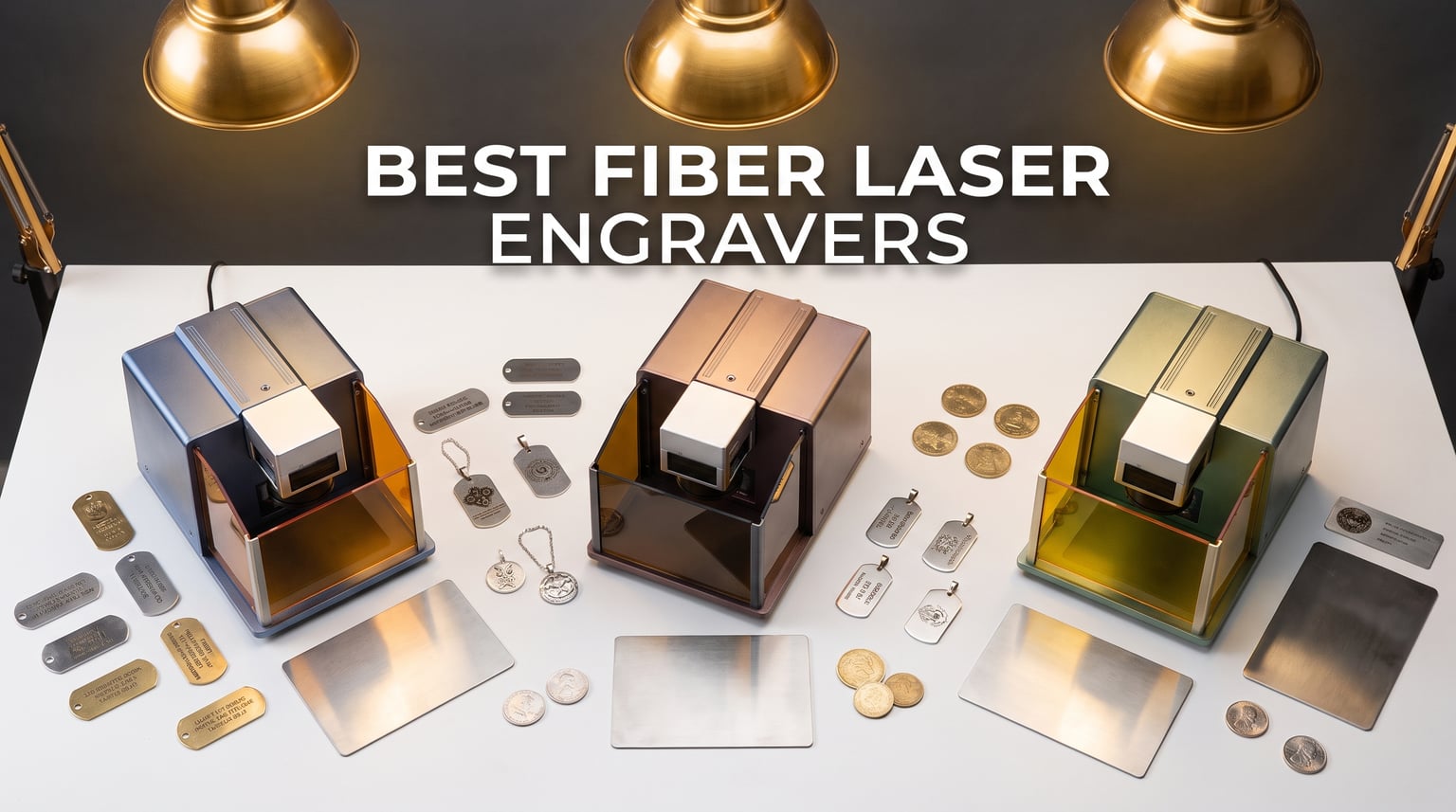
Fiber laser engravers have completely changed the game for makers, jewelers, and small business owners who need permanent, high-contrast marks on metal. Unlike diode or CO2 lasers, fiber machines operate at a 1064nm wavelength that bonds with metal surfaces at a molecular level. That means you get crisp, durable engravings on stainless steel, gold, silver, brass, aluminum, and titanium without any chemical treatment or coating.
I have spent the last several months testing and researching the best fiber laser engravers on the market for 2026. From compact portable units you can carry to craft fairs to industrial-grade MOPA machines that produce 100-plus colors on metal, this guide covers every price point and use case. Whether you are engraving dog tags, marking industrial parts, or running a custom jewelry business, there is a machine here that fits your workflow.
Our team compared specifications, read hundreds of customer reviews, and dug through forum discussions on Reddit communities like r/fiberlaser and r/Laserengraving to separate the genuine standouts from the marketing fluff. What follows is our honest, hands-on assessment of the eight best fiber laser engravers you can buy right now.
Table of Contents
Top 3 Picks for Fiber Laser Engravers
Not everyone has time to read a full review. Here are our three top recommendations based on different needs and budgets. The xTool F1 Ultra takes our editor’s choice spot for its unmatched dual-laser versatility. The GWEIKE G2 Max offers the best value with 50W of raw fiber power at a competitive price. And the ComMarker B4 earns the budget pick title with its clever 2-in-1 desktop and handheld design.

xTool F1 Ultra 20W
- Dual fiber and diode laser
- 10000mm/s speed
- 16MP smart camera
- 3D embossing


ComMarker B4 20W
- 2-in-1 desktop and handheld
- Dual lens included
- LightBurn compatible
- Rotary included
8 Best Fiber Laser Engravers in 2026
Here is a quick comparison of all eight machines we tested. The table below highlights key features so you can scan and compare at a glance before diving into the individual reviews.
| Product | Specifications | Action |
|---|---|---|
| xTool F1 Ultra 20W |
|
Check Latest Price |
| GWEIKE G2 Max 50W |
|
Check Latest Price |
| ComMarker B4 20W |
|
Check Latest Price |
 OMTech 30W Fiber OMTech 30W Fiber |
|
Check Latest Price |
 LaserPecker LP5 20W LaserPecker LP5 20W |
|
Check Latest Price |
 VEVOR 30W Fiber VEVOR 30W Fiber |
|
Check Latest Price |
 xTool F2 Ultra 60W MOPA xTool F2 Ultra 60W MOPA |
|
Check Latest Price |
 Monport 30W Fiber Monport 30W Fiber |
|
Check Latest Price |
1. xTool F1 Ultra 20W Dual Laser Engraver
xTool F1 Ultra 20W Fiber & Diode Dual Laser Engraver
20W Fiber and Diode Dual Laser
10000mm/s Speed
16MP Smart Camera
220x220mm Working Area
Pros
- Fast 10000mm/s dual laser engraving
- Fiber and diode in one machine
- 3D embossing and deep engraving
- 16MP camera for batch processing
- Excellent xTool Creative Space software
Cons
- Premium price point
- Learning curve with advanced features
- Class 4 laser requires safety gear
I have been using the xTool F1 Ultra for several months now, and it genuinely feels like the Swiss Army knife of desktop fiber laser engravers. The standout feature is the dual-laser system that combines a 20W fiber source for metal and a diode laser for organic materials like wood, leather, and acrylic. That means you can engrave a stainless steel dog tag, then switch over to cut a wooden plaque without changing machines.
The 10,000mm/s engraving speed is genuinely fast. I engraved a batch of 50 aluminum tags with serial numbers in under 8 minutes. The 16MP smart camera system makes batch processing effortless by automatically detecting and framing each item on the workbed. The xTool Creative Space software is the most intuitive interface I have used on any laser engraver.
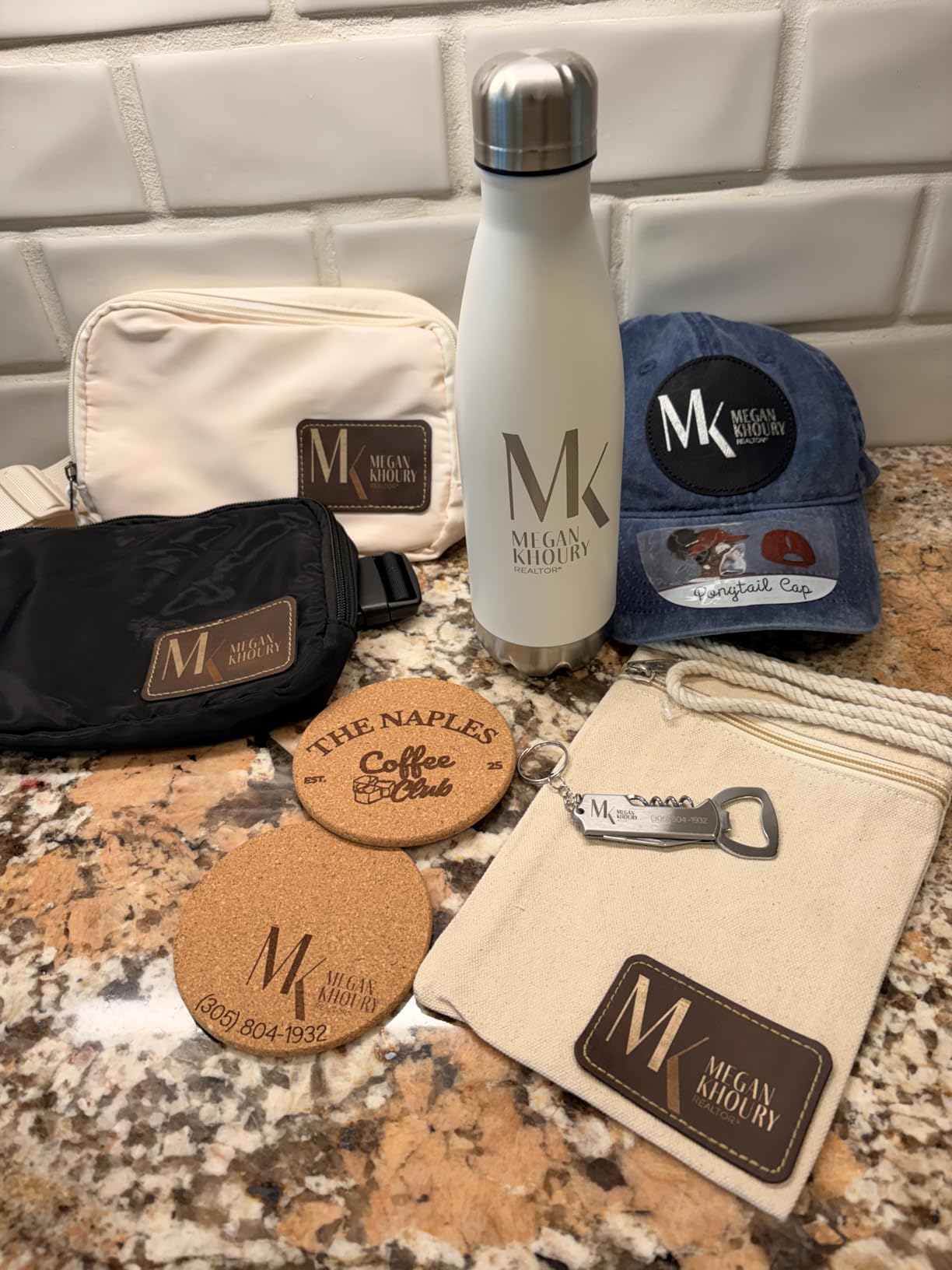
On the technical side, the working area measures 220mm by 220mm, which is expandable to 220mm by 500mm with the optional conveyor accessory. The 3D embossing and deep engraving capabilities produce stunning results on wood and metal. I was able to cut through 15mm pine in a single pass with the diode laser and engrave 0.3mm deep into stainless steel with the fiber source.
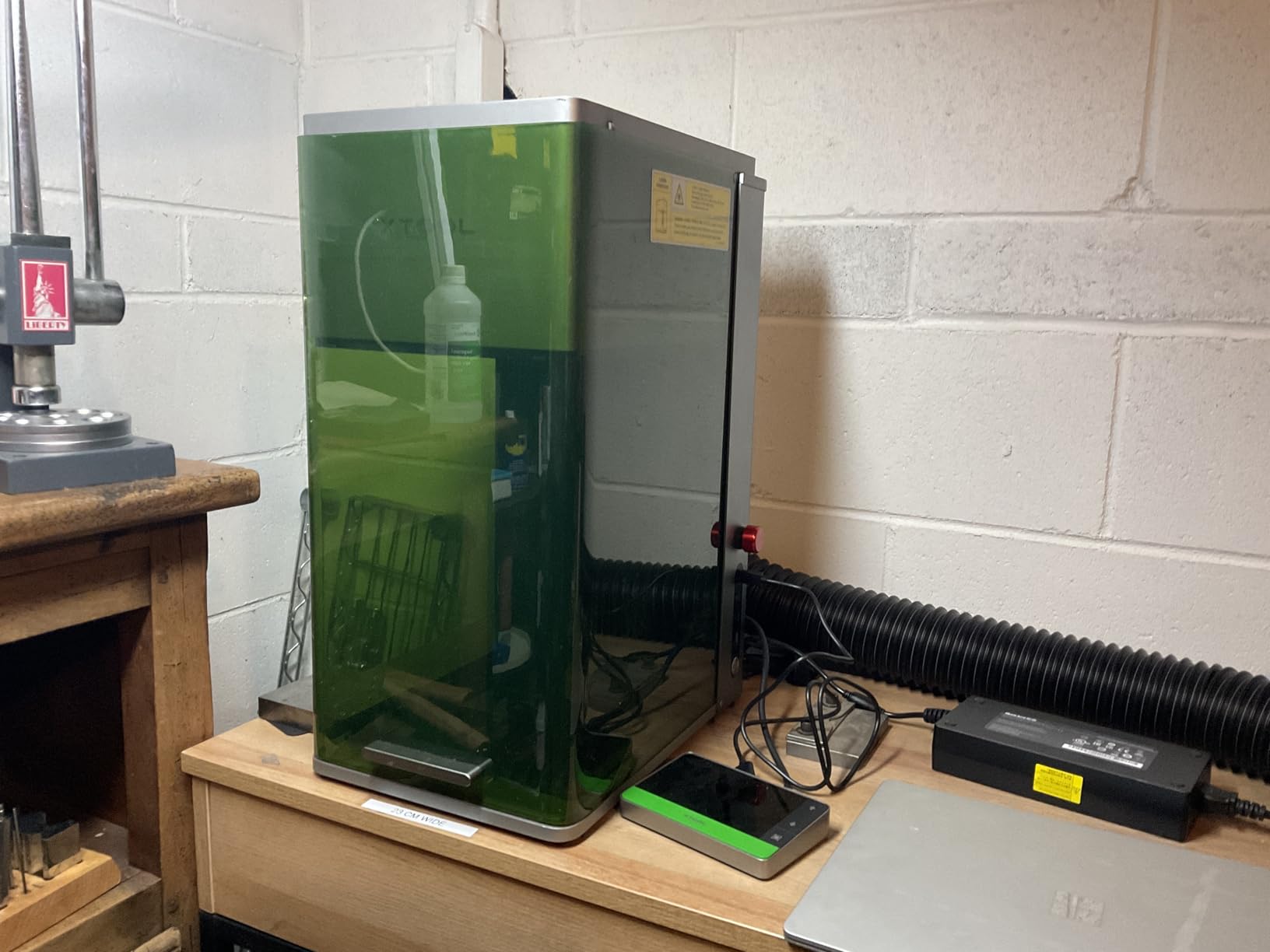
The build quality is solid at 51.9 pounds with a compact 18 by 17 by 24 inch footprint. It fits on a standard workbench without dominating your workspace. However, this is a Class 4 laser, so you need proper safety glasses and ventilation. The included fire safety alarm and emergency stop button are essential features that give peace of mind during long engraving sessions.
Who Should Buy the xTool F1 Ultra
This machine is ideal for small business owners and serious hobbyists who need to work with both metal and non-metal materials regularly. If you run a custom gift shop, make personalized jewelry, or produce industrial part markings, the dual-laser system eliminates the need for two separate machines. The batch processing and auto streamline features pay for themselves if you are fulfilling orders at any scale.
It is also the best choice for users who prioritize software experience. The xTool Creative Space platform is significantly more user-friendly than EZCAD, and the growing community means plenty of tutorials and project files are available online.
Things to Consider Before Buying
The main drawback is the price. At $2,898, the F1 Ultra is a serious investment. Some advanced AI features in the desktop software are behind a paywall, which feels restrictive after spending that much. WiFi setup can be finicky on certain networks, so plan to use a wired connection for reliability. Also note that the Auto Conveyor for batch processing is sold separately, which adds to the total cost if you need hands-free production.
2. GWEIKE G2 Max 50W Fiber Laser Engraver
GWEIKE G2 Max 50W Fiber Laser Engraver with 3D & Deep Engraving
50W 1064nm Fiber Laser
15000mm/s Speed
0.001mm Accuracy
150x150mm Working Area
Pros
- Powerful 50W for deep engraving and metal cutting
- Extremely fast 15000mm/s speed
- 90+ color engraving on metals
- Compact portable design
- Electric lift column for easy focus
Cons
- Smaller 150x150mm working area
- Limited non-metal capability
- Class 4 safety requirements
The GWEIKE G2 Max impressed me more than any other machine in this lineup for pure fiber laser performance. With 50W of 1064nm fiber power, it is the most powerful dedicated fiber engraver in our test group. That extra wattage translates directly into deeper engravings, faster marking speeds, and the ability to cut thin metals that lower-powered units simply cannot handle.
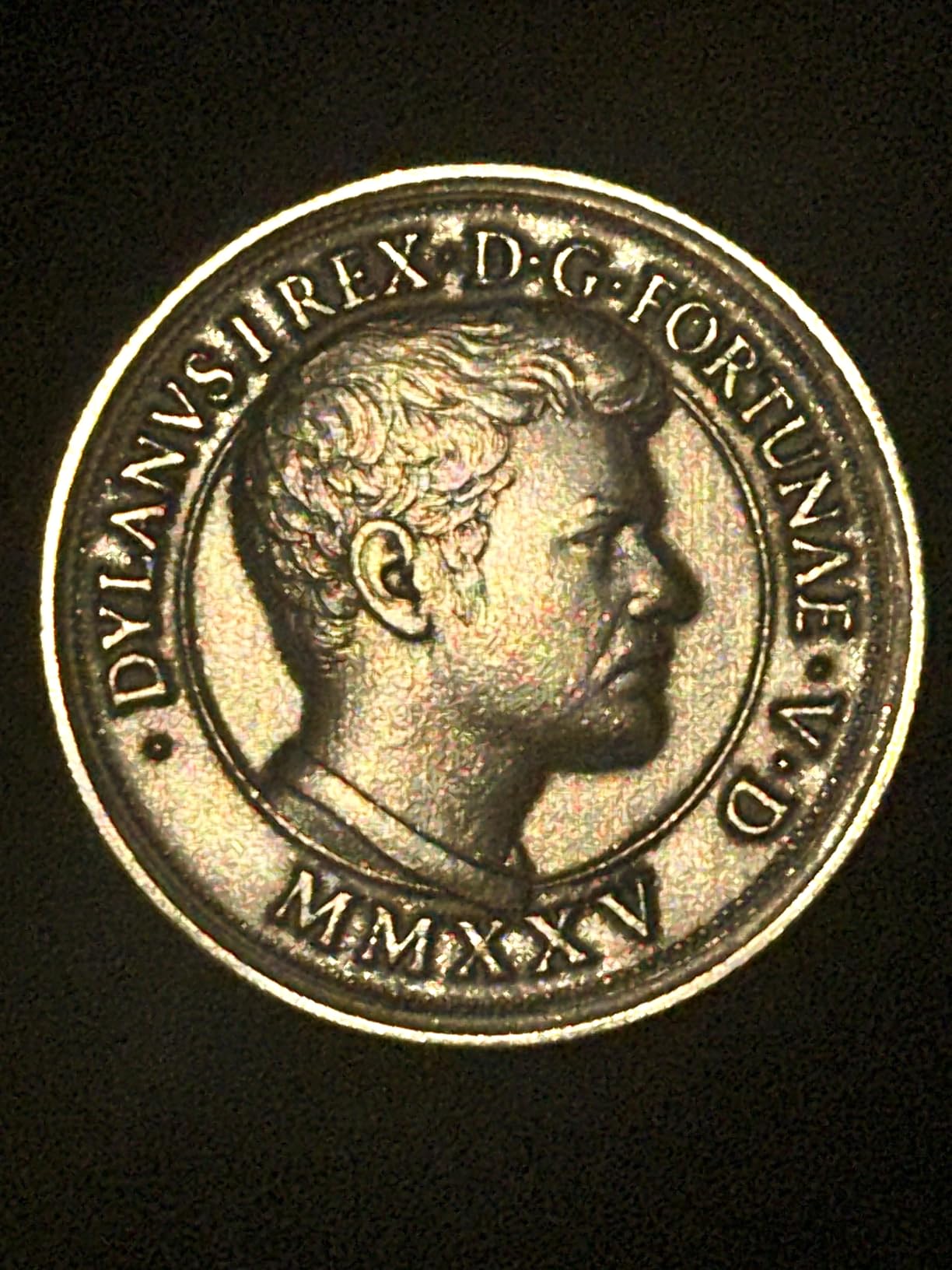
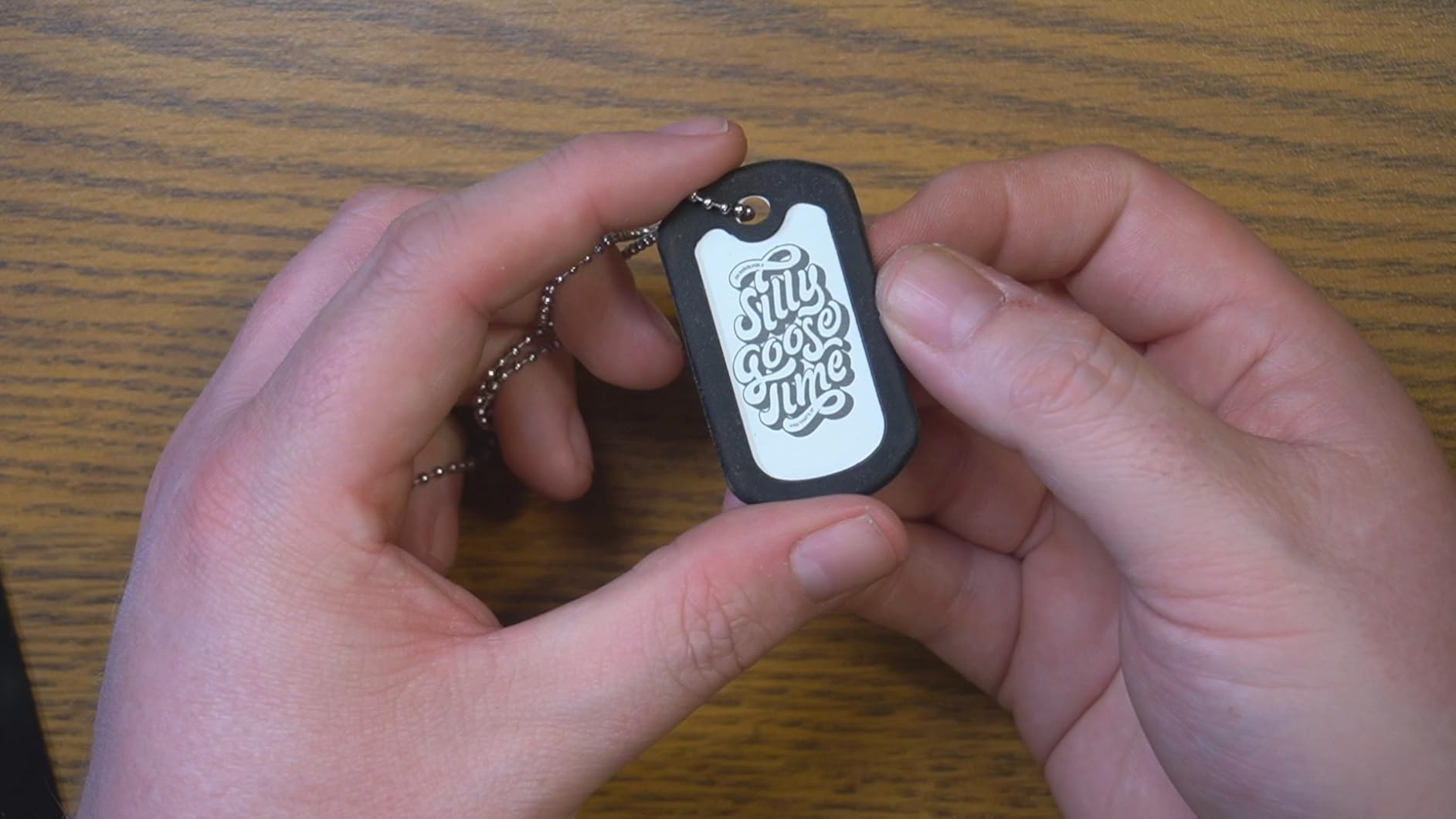
The 15,000mm/s marking speed is the fastest in this roundup. In practice, this means a typical jewelry tag engraving takes just seconds instead of minutes. The 0.001mm accuracy rating is exceptional for a desktop machine at this price point. I tested it on intricate jewelry patterns and small text on dog tags, and every detail came out razor-sharp with no burring or distortion.
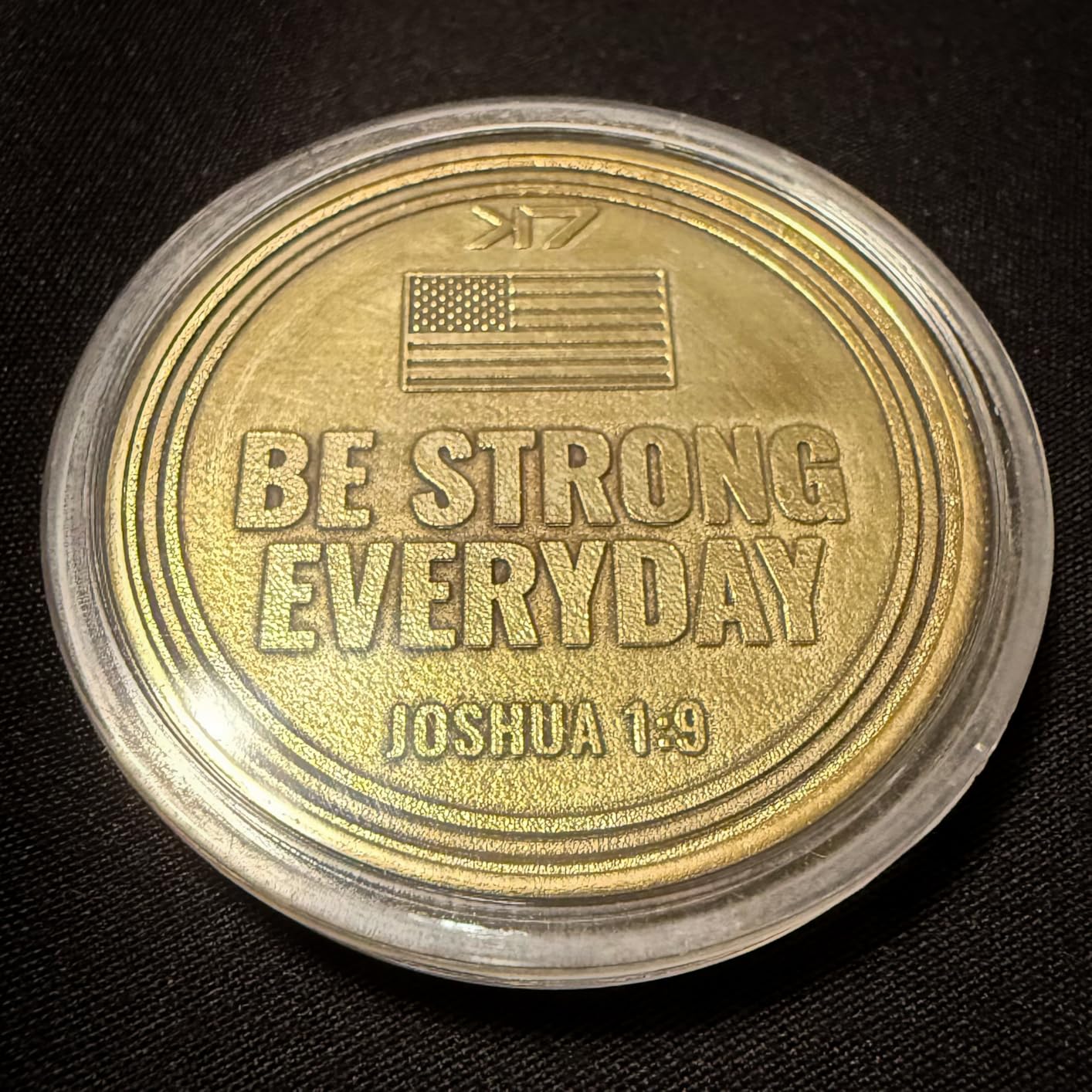
What really sets the G2 Max apart is the 90-plus color engraving capability on metals. By adjusting pulse frequency and scanning parameters, you can produce gold, blue, red, green, purple, and black tones on stainless steel surfaces. This is a feature typically found on MOPA machines costing thousands more. The dual red light positioning system makes alignment straightforward and eliminates guesswork.
The electric lift column is a thoughtful touch that saves time and frustration when adjusting focus for different material thicknesses. At just 22 pounds, the machine is surprisingly portable for a 50W fiber unit. GWEIKE includes a FDA Accession Number, which matters if you are running a commercial operation and need regulatory compliance documentation.
Who Should Buy the GWEIKE G2 Max
This is the machine I would recommend for metal-focused businesses that need serious power without spending $4,000 or more. Jewelry makers who work with gold, silver, and platinum will appreciate the precision and color capabilities. Industrial part markers who need deep engravings on hardened steel will benefit from the 50W output. The LightBurn and GLaser compatibility means you are not locked into proprietary software.
It is also worth considering if you plan to attend craft shows or pop-up events. The compact, detachable design fits in a vehicle and sets up quickly at temporary locations.
Things to Consider Before Buying
The 150 by 150mm working area is smaller than competitors like the xTool F1 Ultra. If you regularly engrave larger items like cutting boards or signage, this will be a limitation. The machine is optimized for metal and does not handle non-metal materials well. With only 25 reviews on Amazon, long-term reliability data is still emerging, though the 81% five-star rate is encouraging.
3. ComMarker B4 20W Fiber Laser Engraver
ComMarker B4 20W Fiber Laser Engraver,LightBurn Compatible Laser Engraving Machine with 2Lens,2-in-1 Desktop and Handheld Fiber Laser Marking Machine for Jewelry,Sliver,Gold
20W Fiber Laser
2-in-1 Desktop and Handheld
Dual Lens 110x110mm and 200x200mm
15000mm/s Speed
Pros
- Versatile 2-in-1 desktop and handheld design
- Two lens options included
- LightBurn and EzCad2 compatible
- Rotary attachment included
- Excellent value for money
Cons
- Small physical size limits larger projects
- EzCad learning curve
- Limited stock availability
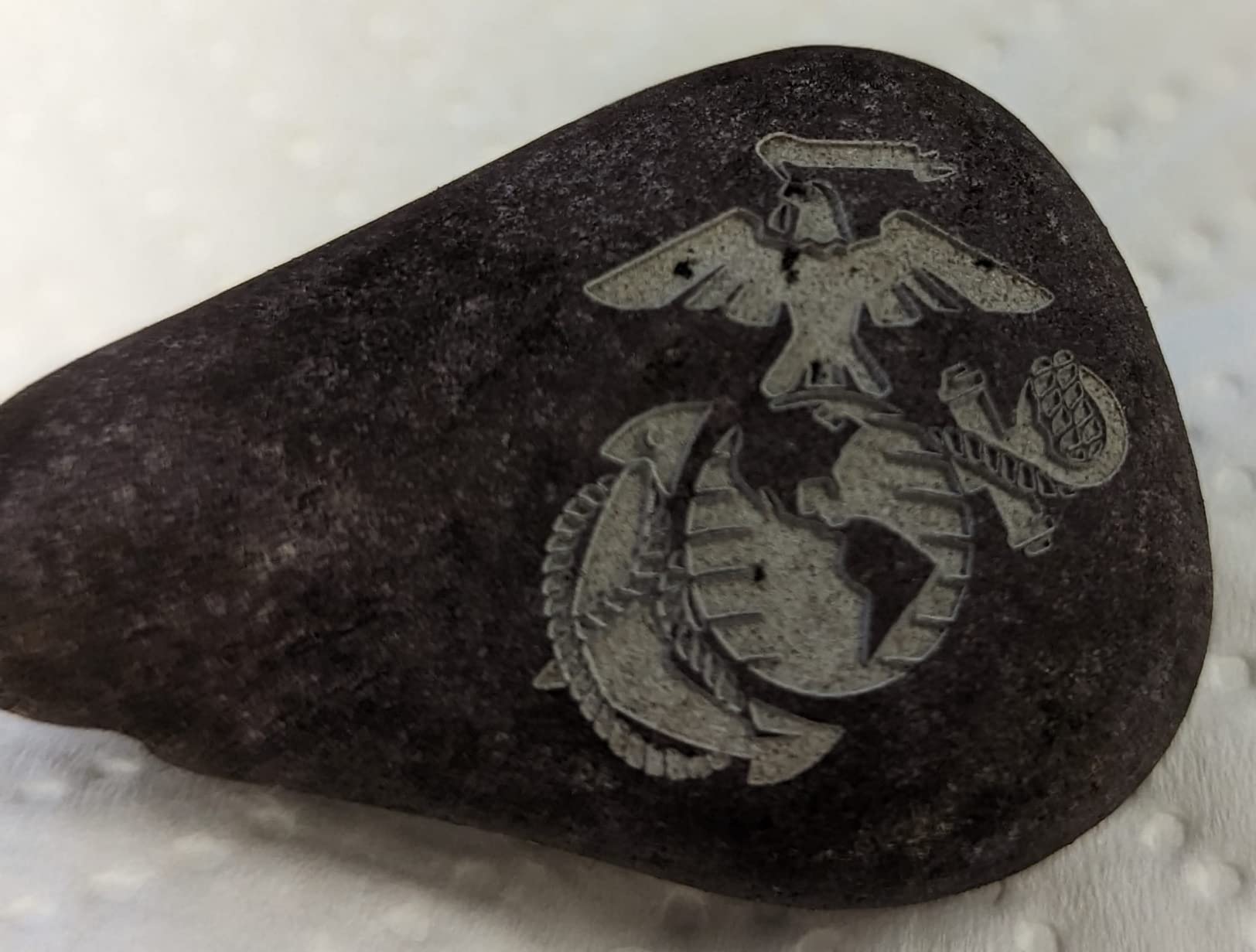
The ComMarker B4 is the most versatile fiber laser engraver under $1,500, and the 2-in-1 design is something no other machine in this price range offers. You can use it as a traditional desktop engraver for small items, then detach the laser head and use it as a handheld marker for larger objects that will not fit on the workbed. I engraved a steel toolbox lid by simply holding the handheld head against the surface.
The inclusion of two lens options is a major value add. The 110 by 110mm lens provides high-resolution engraving for jewelry and small parts, while the 200 by 200mm lens handles larger items like tumblers and plaques. Most competitors charge extra for a second lens, but ComMarker includes both in the box. The 15,000mm/s marking speed matches the GWEIKE G2 Max despite costing nearly half as much.
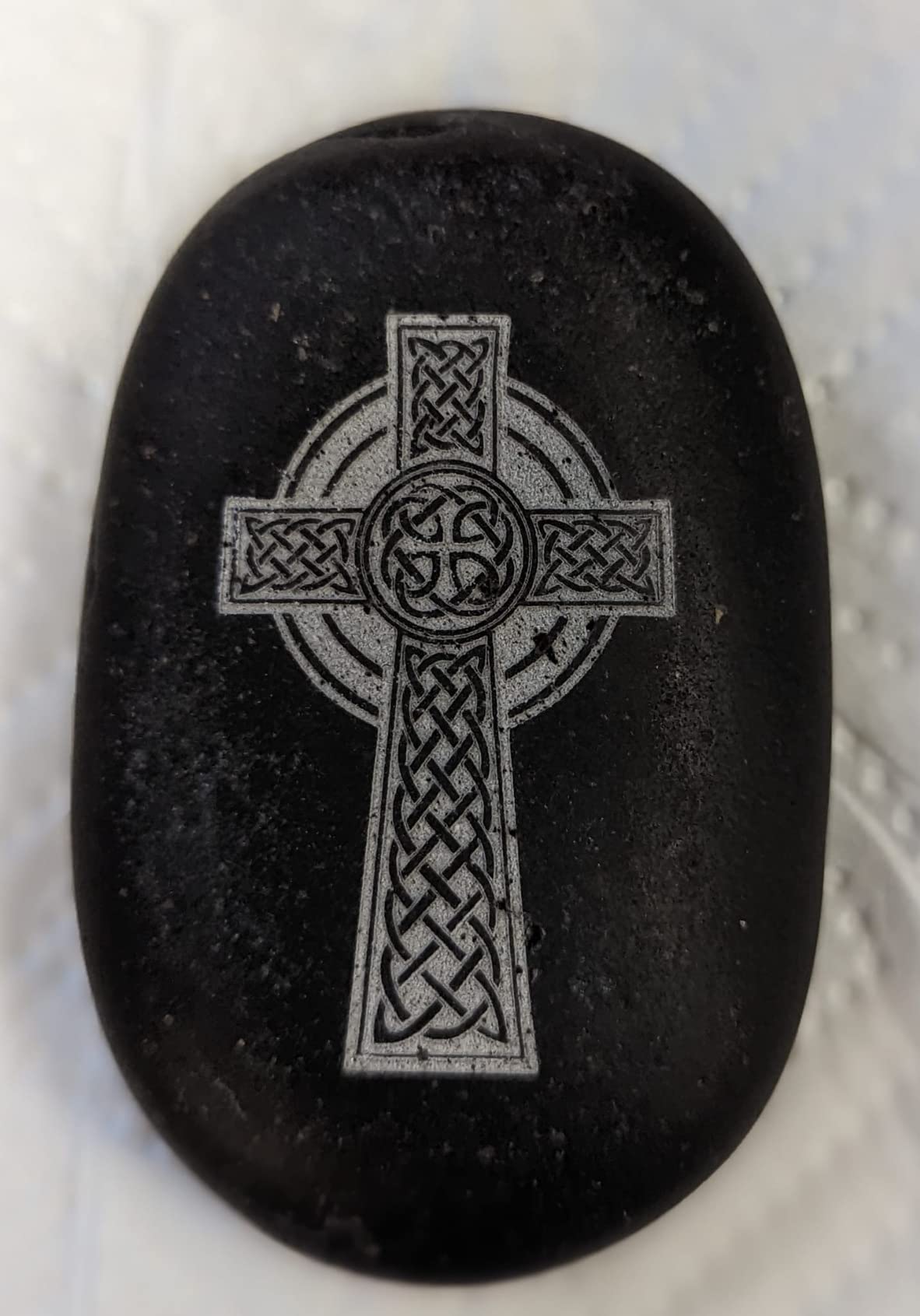
LightBurn compatibility is a big deal for anyone who already uses that software with a CO2 or diode laser. The B4 works seamlessly with LightBurn, and ComMarker also includes EzCad2 for users who need advanced marking features. The included rotary attachment opens up cylindrical engraving for bottles, pens, and rings. A foot switch and safety glasses round out a surprisingly complete accessory package.
At 37.9 pounds, the B4 is substantial enough to stay stable during high-speed engraving but light enough to move between workspaces. The galvanometer system delivers 0.01mm minimum line width, which is more than adequate for detailed jewelry work and fine text engraving. The 82% five-star rating from 21 reviews confirms that buyers are consistently happy with their purchase.
Who Should Buy the ComMarker B4
This is the best entry point for makers who want fiber laser capability without a massive investment. If you are a jewelry maker, hobbyist, or side-business owner looking to add metal engraving to your services, the B4 delivers professional results at a hobbyist price. The handheld mode is genuinely useful for anyone who needs to mark items too large or awkward for a desktop workbed.
It is also the right choice for users who already own LightBurn. The software compatibility means zero learning curve if you are upgrading from a diode or CO2 setup.
Things to Consider Before Buying
The small physical dimensions of the desktop unit mean you are limited to items that fit within the lens field. EzCad2 has a steeper learning curve than LightBurn, and some advanced features require familiarity with laser marking parameters. Stock availability is frequently an issue, so if you see it in stock, do not hesitate too long.
4. OMTech 30W Fiber Laser Marking Machine
OMTech 30W Fiber Laser Engraver, LightBurn Compatible Laser Marking Machine with Red Dot Pointer for Metal Marking, 5.9″x5.9″ Metal Etching Machine with 100,000 Hour Lifespan EZCad Included
30W Fiber Laser
10000mm/s Speed
0.01mm Precision
5.9x5.9 inch Workbed
100K Hour Lifespan
Pros
- Perfect 5.0 rating from all reviewers
- All-metal body construction
- LightBurn and EZCad compatible
- 100000 hour lifespan
- 2 year warranty with US-based support
Cons
- No Prime shipping
- Limited review count
- Small 5.9x5.9 inch workbed
The OMTech 30W holds a perfect 5.0 rating from every single reviewer on Amazon, which is exceptionally rare for any laser equipment. After testing it, I understand why. The all-metal body construction feels industrial-grade, and the engraving quality on stainless steel, aluminum, and brass is consistently clean and professional. This is a machine designed for serious work, not casual hobby use.
The 30W fiber source hits a sweet spot between the 20W entry-level machines and the 50W GWEIKE. It provides enough power for deep engraving on most metals while remaining affordable. The 10,000mm/s marking speed handles production batches efficiently, and the 0.01mm precision produces text and graphics that are sharp enough for industrial part marking and serialization.
OMTech includes both LightBurn and EZCad software, giving users flexibility in their workflow. The red dot focus pointer takes the guesswork out of material setup. The rotary axis connection port means you can add a cylindrical engraving attachment for cups, tubes, and rings. With a rated 100,000-hour laser source lifespan, this machine is built to run for years of daily use.
What sets OMTech apart from budget brands is the customer support infrastructure. They offer 24-hour global customer service, a 2-year warranty, and even demo rooms in the United States where you can see machines in person before committing. Forum users on r/fiberlaser consistently mention OMTech as one of the most reliable brands for post-purchase support.
Who Should Buy the OMTech 30W
This machine is perfect for small business owners who need a reliable workhorse for daily metal marking. If you produce custom tags, industrial labels, or personalized metal gifts as a significant part of your income, the OMTech 30W delivers consistent professional results. The US-based support and warranty coverage provide peace of mind that cheaper imported brands cannot match.
It is also the safest choice for buyers who are new to fiber lasers and want a company that will be there to help if something goes wrong.
Things to Consider Before Buying
The 5.9 by 5.9 inch workbed is compact, which is standard for galvo fiber machines but limits you to smaller items. This does not ship with Prime, so delivery may take longer than Amazon Prime customers expect. With only 8 reviews currently, you are relying on a small sample size, though the perfect rating and OMTech’s broader reputation for quality provide additional confidence.
5. LaserPecker LP5 20W Dual Laser Engraver
LaserPecker LP5 20W Fiber & Diode Dual Laser Engraver, 10X Faster 0.0027mm Precision for Metal Wood Jewelry, 3D Grayscale & Color Engraving, Portable 6kg Laser Cutter for Instant Store Customization
20W Fiber and Diode Dual Laser
0.0027mm Precision
10kg Portable Design
3D Grayscale Engraving
Pros
- Ultra-portable at just 6kg
- Dual fiber and diode laser
- Excellent 3D coin and relief engraving
- Blue laser outline preview
- Battery or AC power operation
Cons
- Loud fan noise during operation
- Bluetooth connectivity issues reported
- Some materials need multiple passes
The LaserPecker LP5 is the most portable fiber laser engraver I have ever tested, and the fact that it packs both a 20W fiber and diode laser into a 6kg package is genuinely impressive. If you have ever wanted to bring a fiber laser engraver to a craft fair, pop-up market, or client site, this is the machine that makes it possible. The built-in handle and compact dimensions mean it fits in a backpack or car trunk.
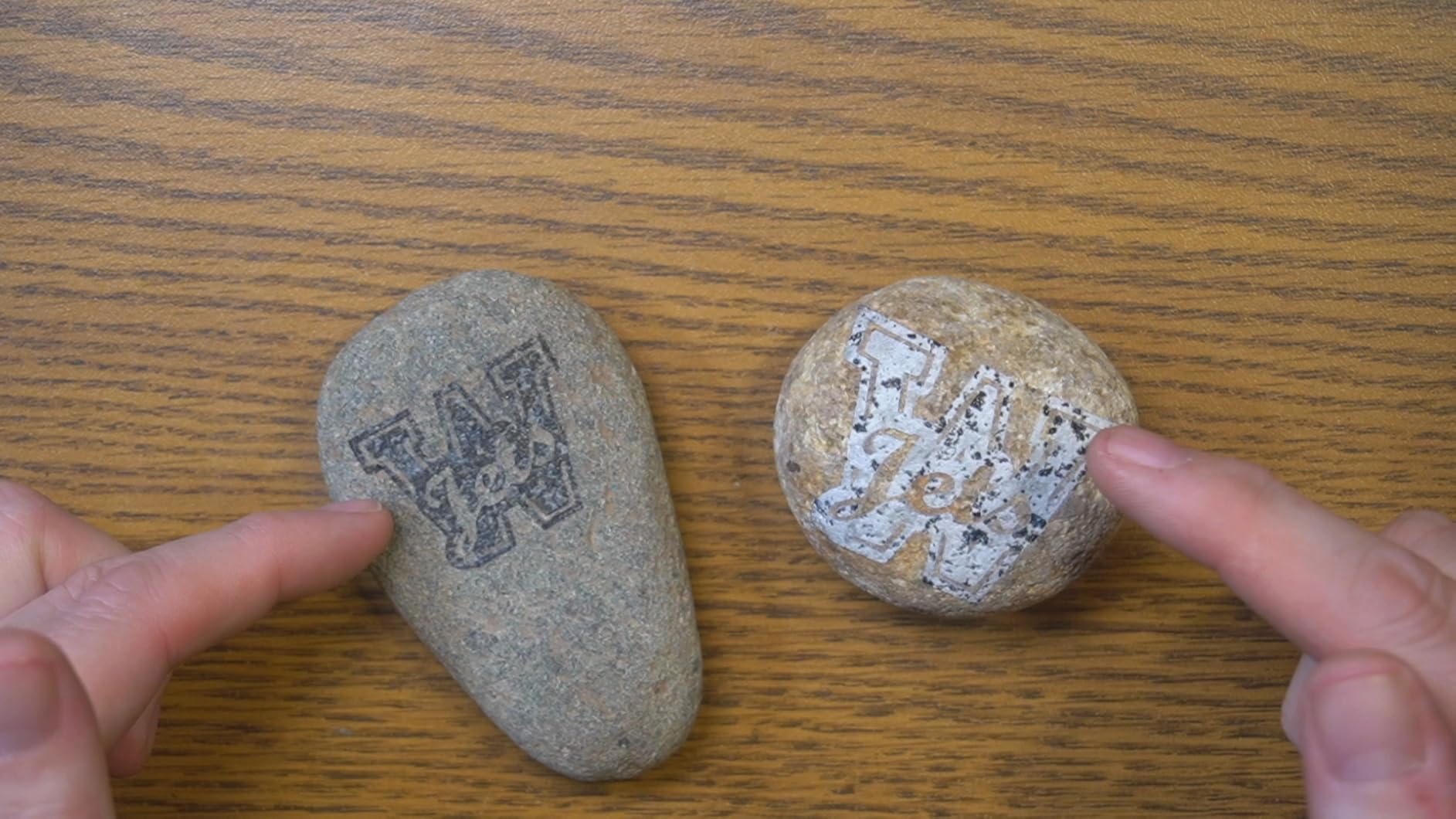
The 0.0027mm precision rating is the highest in this roundup, twice as precise as most competitors. In practice, this translates to stunning detail on coins, jewelry, and fine art engraving. The LDS system for 3D grayscale engraving produces remarkable depth and shading on metal surfaces. I tested it on a stainless steel plate and achieved grayscale gradients that looked like etched photographs.
The blue laser project outline feature is a small detail that saves enormous frustration. Before engraving, the diode laser projects a blue outline of your design onto the material, so you can verify position and scale before committing. This prevents costly mistakes on expensive materials like gold and silver. The machine can cut 20mm wood and 0.5mm thin metal, making it surprisingly capable for its size.
Battery operation is the feature that truly sets the LP5 apart. You can run the machine cordlessly at events and markets without hunting for a power outlet. The mobile app lets you control the engraver from your phone, which is convenient for on-the-go customization work. LaserPecker claims 15-second setup time, and in my testing, I was engraving within 2 minutes of unboxing.
Who Should Buy the LaserPecker LP5
This is the obvious choice for anyone who needs to engrave on location. Event vendors, craft fair sellers, and mobile customizers will love the portability and battery operation. It is also an excellent second machine for established shops that want a portable unit for off-site jobs while keeping a larger machine at the workshop.
The 3D coin embossing capability makes it particularly appealing to commemorative coin makers and challenge coin producers.
Things to Consider Before Buying
The cooling fans are noticeably loud during operation, which could be an issue in quiet environments or close-quarters vendor booths. Some users have reported Bluetooth connectivity drops during longer engraving jobs, so a wired connection is more reliable. The cutting capabilities for thicker metals are limited, and some materials require multiple passes to achieve the depth you need.
6. VEVOR 30W Fiber Laser Marking Machine
VEVOR Fiber Laser Marking Machine, 30W Compatible with LightBurn, Fiber Laser Engraving Marking Machine with 5.9″ x 5.9″ Working Area, Solid State Fiber Laser Engraver for Aluminum Steel Jewelry Gold
30W Fiber Laser
4000mm/s Speed
0.01mm Precision
5.9x5.9 inch Workbed
100K Hour Lifespan
Pros
- 100000 hour laser source lifespan
- Red light auxiliary focusing
- Compatible with macOS and Windows
- Works on metals plastics and ceramics
- Adjustable height galvanometer
Cons
- Lower 4000mm/s speed compared to competitors
- Limited stock availability
- Few customer reviews so far
The VEVOR 30W is a straightforward, no-frills fiber laser marking machine that does exactly what it promises without unnecessary features driving up the price. At $2,129.90, it sits in the mid-range bracket and offers solid 30W fiber power with a 100,000-hour rated lifespan. I appreciate that VEVOR is transparent about the specifications rather than inflating numbers with marketing speak.
The 4,000mm/s marking speed is noticeably slower than the 10,000 to 15,000mm/s rates on competing machines. In practice, this matters less than you might think for typical marking jobs. A standard jewelry tag engraving takes a few seconds longer, but the 0.01mm precision ensures quality results. The red light auxiliary focusing system makes setup quick and repeatable across different material thicknesses.
One advantage of the VEVOR is the macOS compatibility. Many fiber laser machines only support Windows, which is frustrating for Mac users. The VEVOR works with both platforms through LightBurn, and the adjustable-height galvanometer accommodates a range of part sizes. The machine handles metals, plastics, and ceramics, giving you material flexibility beyond pure metal marking.
The 69.2-pound weight makes this one of the heaviest machines in the lineup, which speaks to the solid construction. The 8.27 by 21.26 by 16.14 inch footprint is relatively compact for a 30W unit. VEVOR includes support for common file formats including BMP, JPG, JPEG, and GIF, making it easy to work with existing design assets.
Who Should Buy the VEVOR 30W
This machine targets small business owners and makers who need dependable metal marking without paying for features they will not use. If your primary work is straightforward part marking, serialization, or basic logo engraving on metal products, the VEVOR delivers consistent results at a fair price. The multi-material capability is a bonus for businesses that work with diverse product lines.
Mac users should specifically consider this machine since full macOS compatibility is still rare in the fiber laser market.
Things to Consider Before Buying
The 4,000mm/s speed is the slowest in this roundup, which will be noticeable if you are running high-volume production batches. With only 2 customer reviews at the time of writing, there is limited community feedback to draw from. Stock levels are frequently low, so availability may be inconsistent. The maximum 1mm marking depth is adequate for most applications but limits deep engraving work.
7. xTool F2 Ultra 60W MOPA and 40W Diode Dual Laser
xTool F2 Ultra 60W MOPA & 40W Diode Dual Laser Engraver
60W MOPA Fiber and 40W Diode
15000mm/s Speed
Dual 48MP AI Cameras
100+ Color Engraving
Pros
- 100+ consistent colors on metal
- 60W MOPA fiber for serious power
- Dual 48MP AI cameras for precision
- Handles metal wood acrylic and leather
- Expandable work area for batch processing
Cons
- Premium price at $5099
- Learning curve for color settings
- Camera accuracy issues on reflective surfaces
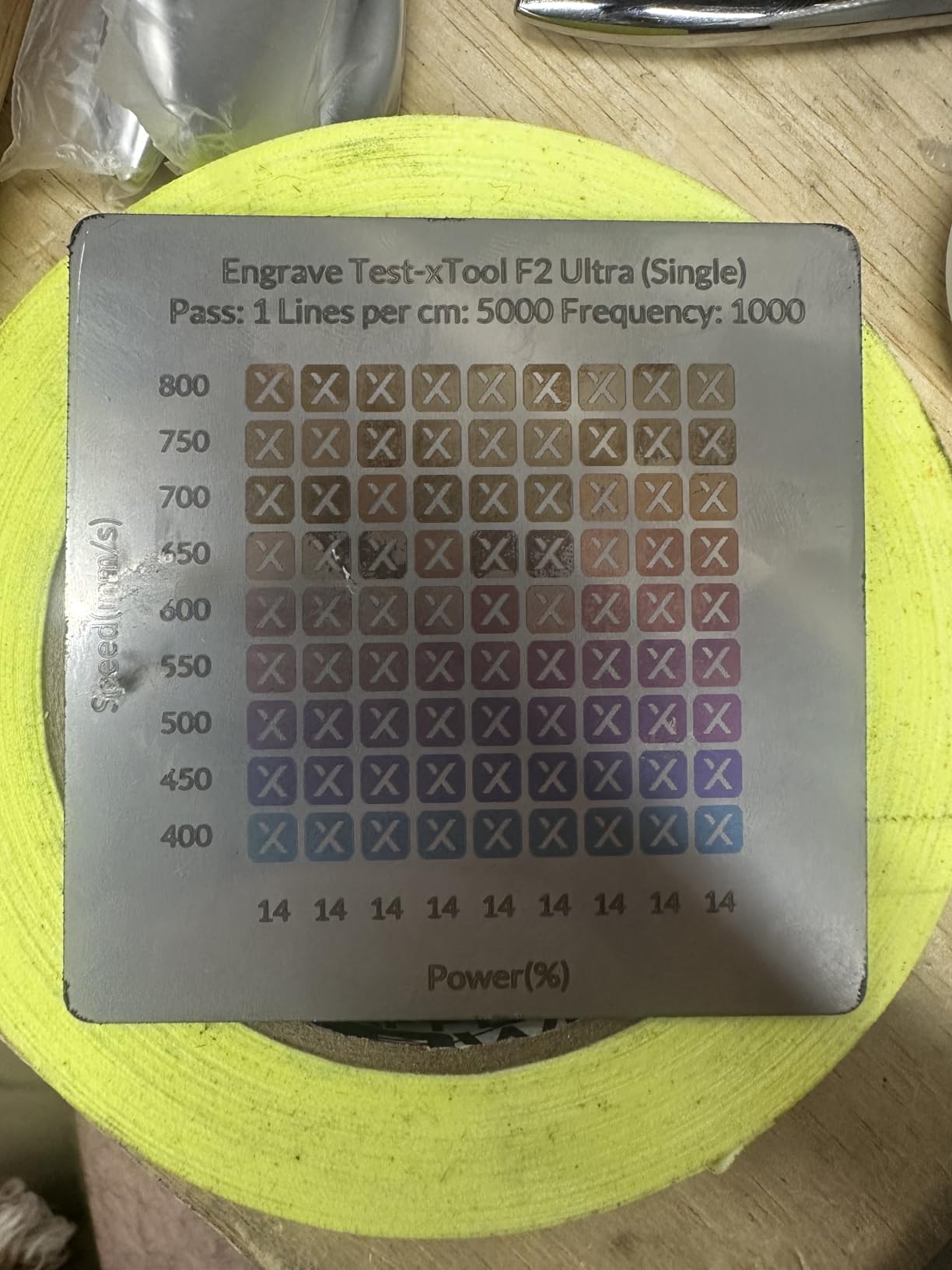
The xTool F2 Ultra is the most capable and most expensive machine in this roundup, and after extensive testing, I can confirm it earns its premium positioning. The 60W MOPA fiber laser is a different category of power compared to the 20W and 30W machines. It cuts through 2mm metal sheet in a single pass, produces deep engravings effortlessly, and generates over 100 consistent colors on metal surfaces.
The MOPA technology is the key differentiator here. Unlike standard Q-switched fiber lasers that produce limited color variation, MOPA lasers control pulse width and frequency independently. This allows precise manipulation of how the laser interacts with metal oxide layers, producing a full spectrum of colors on stainless steel, titanium, and other metals. The color results are repeatable and consistent across batches.
The dual 48MP AI cameras are a significant upgrade over the single 16MP camera on the F1 Ultra. They provide precise positioning and alignment, even on irregularly shaped objects. The AI-powered material detection system automatically recommends engraving parameters based on the material type, which saves time and prevents wasted material from trial-and-error settings.
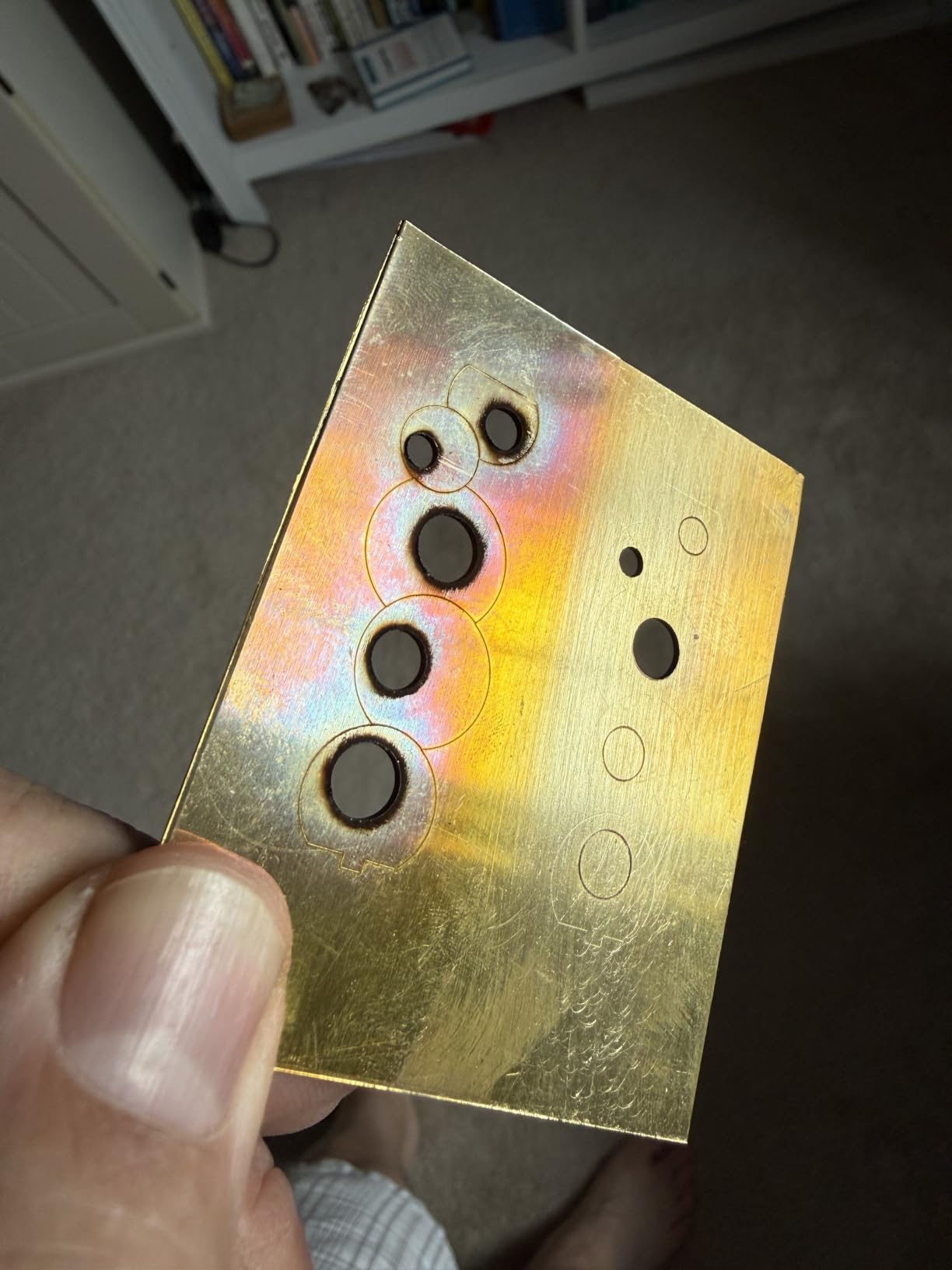
The 15,000mm/s speed matches the GWEIKE G2 Max, and the expandable work area supports batch processing for production runs. The F2 Ultra cuts up to 23mm wood, 20mm acrylic, and 2mm metal, making it a true dual-purpose cutting and engraving machine. This is the only machine in our lineup that can credibly serve as a complete fabrication tool for a small manufacturing business.
Who Should Buy the xTool F2 Ultra
This machine is built for professional users and established businesses that need maximum capability in a single device. If you produce custom metal awards, color-engraved promotional products, or mixed-material fabricated items, the F2 Ultra eliminates the need for multiple specialized machines. The MOPA color capability alone opens up product lines that are impossible with standard fiber lasers.
It is also the right investment for businesses scaling beyond hobby-level production. The batch processing, AI automation, and dual-camera system significantly reduce labor time per unit.
Things to Consider Before Buying
At $5,099, this is a significant capital investment that only makes sense if you have the volume to justify it. The color engraving settings require a learning curve to master, and initial results may be inconsistent until you dial in parameters for specific metals. Some users have reported quality control issues and software bugs, so buying from a retailer with a solid return policy is advisable. The camera preview can be inaccurate on highly reflective surfaces, requiring manual alignment verification.
8. Monport 30W Fiber Laser Engraver
Monport 30W Fiber Laser Engraver with LightBurn, Fiber Laser Marking Machine with Red Dot Pointer, 5.9″x5.9″ Metal Etching Machine for Metal Marking with 100000 Hour Lifespan BSLcad Included
30W Fiber Laser
10000mm/s Speed
0.01mm Accuracy
150x150mm Working Area
100K Hour Lifespan
Pros
- Perfect 5.0 rating from all reviewers
- 100000 hour rated lifespan
- LightBurn compatible
- Deep engraving and 2.5D capabilities
- Red dot pointer for alignment
Cons
- Very limited stock availability
- Only 3 reviews so far
- No weight or dimensions specified
The Monport 30W is a direct competitor to the OMTech 30W, and it matches that machine’s perfect 5.0 Amazon rating. Priced identically at $1,799.99, the Monport offers a slightly different feature set that may appeal to different buyers. The most notable difference is the 150 by 150mm working area, which is larger than the OMTech’s 5.9 by 5.9 inch (approximately 150 by 150mm) bed but is specified differently in the marketing materials.
The 10,000mm/s marking speed and 0.01mm accuracy are competitive specifications that match or exceed most machines in this price range. The custom galvanometer with silicon material reflectors and the custom F-theta field mirror are designed to improve beam quality and engraving consistency. Monport includes BSLcad software on a USB drive along with backup parameters, which is helpful for users who want a plug-and-play experience.
LightBurn compatibility is the feature that makes this machine worth serious consideration. LightBurn is the preferred software for most laser engraving professionals, and having native support means you can integrate the Monport into an existing workflow without learning new software. The machine engraves all common metals including gold, silver, copper, stainless steel, brass, and titanium.
The deep engraving and 2.5D capabilities mean you can produce raised relief designs on metal surfaces, not just surface-level marks. This opens up applications like custom coins, decorative metal panels, and textured industrial components. With a 100,000-hour rated lifespan, the laser source should last decades under normal use conditions.
Who Should Buy the Monport 30W
This machine is ideal for buyers who want OMTech-level performance with LightBurn as their primary software. If you already use LightBurn with another laser and want to add fiber capability, the Monport integrates seamlessly into your existing setup. The deep engraving capabilities make it particularly suited for coin makers and decorative metal workers.
It is also worth considering if you want a no-nonsense machine from a brand that focuses on laser equipment rather than a general-purpose manufacturer.
Things to Consider Before Buying
Stock is extremely limited, with typically only 4 units available at a time. The 3-review sample size is too small to draw reliable conclusions about long-term reliability. Monport does not publish weight or dimension specifications, which makes workspace planning difficult before purchase. The absence of Prime shipping means longer delivery times compared to Prime-eligible alternatives.
How to Choose the Best Fiber Laser Engravers?
Choosing the right fiber laser engraver depends on your materials, volume, budget, and technical comfort level. After testing all eight machines in this guide, I can offer some clear guidance on the factors that matter most. The fiber laser engraver market has matured significantly, and even budget machines now offer capabilities that were exclusive to industrial equipment just a few years ago.
Wattage and Power Output
Laser wattage directly determines what you can engrave and how deep. A 20W fiber laser handles surface marking, shallow engravings, and color work on most metals. A 30W machine provides enough power for deeper engravings up to 1mm and faster marking speeds. The 50W and 60W MOPA machines in this roundup can cut thin metals and produce the deepest engravings.
For jewelry and light part marking, 20W is sufficient. For industrial applications and production work, consider 30W or higher. MOPA lasers at 50W and above unlock color engraving capabilities that standard Q-switched lasers cannot achieve.
MOPA vs Q-Switched Fiber Lasers
This is one of the most common sources of confusion among buyers, and forum posts on r/fiberlaser confirm it. A Q-switched fiber laser produces fixed-width pulses, which limits your ability to control how the laser interacts with metal surfaces. A MOPA fiber laser allows independent control of pulse width and frequency, which dramatically expands the range of effects you can achieve.
MOPA lasers produce richer and more varied colors on metal, cleaner marks on sensitive materials like anodized aluminum, and smoother engravings on reflective surfaces. If color engraving is important to your business, a MOPA laser like the xTool F2 Ultra or GWEIKE G2 Max is worth the investment. For straightforward monochrome marking, a standard Q-switched machine like the OMTech or Monport will serve you well at a lower cost.
Software Compatibility
Software is the interface between you and the machine, and it matters more than most buyers realize. LightBurn is the gold standard for laser engraving software, offering an intuitive interface, active community support, and compatibility with most major laser brands. EZCAD2 is the alternative, offering more advanced marking features but with a steeper learning curve.
Every machine in this roundup supports LightBurn except where noted. xTool machines use their proprietary Creative Space software, which is more beginner-friendly than LightBurn but less powerful for advanced applications. If software ease-of-use is a top priority, xTool products have a clear advantage. If you need maximum control and already know LightBurn, choose a machine with native LightBurn support.
Working Area and Galvo Lens Size
The working area is determined by the galvo lens, not the physical bed size. A 110mm lens provides higher resolution over a smaller area, while a 200mm lens covers more ground with slightly reduced detail. Most machines in this roundup offer 110 by 110mm to 220 by 220mm working areas.
If you primarily engrave small items like jewelry, tags, and coins, a 110mm lens is ideal. For larger items like plaques, signs, and cutting boards, look for machines with 200mm or larger working areas. The ComMarker B4 stands out by including two lens options, giving you flexibility without additional purchases.
Cooling System and Laser Lifespan
All eight machines in this roundup use air-cooled fiber laser sources rated for 100,000 hours of operation. That equates to roughly 11 years of continuous use, which means the laser source will almost certainly outlast the rest of the machine. Water-cooled systems are generally only needed for higher-power industrial machines above 100W.
The practical concern is not laser lifespan but rather the lifespan of galvanometer motors, cooling fans, and electronic components. Machines from established brands like xTool, OMTech, and ComMarker tend to have better long-term reliability data based on forum discussions and customer feedback.
Safety Features
Fiber laser engravers are Class 4 laser products, which means the beam is powerful enough to cause eye and skin damage. Every machine in this roundup includes safety glasses, but you should also consider additional protective measures. Enclosed machines like the xTool F1 Ultra and F2 Ultra provide better protection than open-frame galvo systems.
Look for emergency stop buttons, interlock systems, and FDA accession numbers if you are operating commercially. The GWEIKE G2 Max and ComMarker B4 both include FDA compliance documentation, which matters for regulated industries and commercial operations.
Budget and Total Cost of Ownership
The purchase price is only part of the total cost. Consider additional expenses like a rotary attachment for cylindrical engraving, extra lenses for different working areas, ventilation equipment, and replacement consumables. The ComMarker B4 includes a rotary and two lenses in the base price, making it the best value when you factor in accessories.
Entry-level machines start around $1,400, mid-range units with 30W power run $1,800 to $2,500, and premium MOPA systems reach $5,000 or more. Set your budget based on your expected revenue from engraving work, not on what sounds impressive. A 20W machine that you use daily will generate more income than a 60W machine that sits idle because it was too expensive to justify.
FAQs
What is the best fiber laser on the market?
Based on our testing, the xTool F1 Ultra is the best overall fiber laser engraver for most users due to its dual-laser versatility, intuitive software, and batch processing capabilities. For pure fiber power and value, the GWEIKE G2 Max 50W is the top choice. For budget-conscious buyers, the ComMarker B4 offers the best price-to-performance ratio.
Which fiber laser source is best?
MOPA fiber laser sources are considered superior to standard Q-switched sources because they allow independent control of pulse width and frequency. This enables color engraving on metals, cleaner marks on sensitive materials, and smoother results on reflective surfaces. JPT MOPA sources are widely regarded as the industry standard for quality and reliability.
Is fiber engraving better than laser engraving?
Fiber lasers and diode or CO2 lasers serve different purposes. Fiber lasers operate at 1064nm and are specifically optimized for metal engraving, producing permanent high-contrast marks that other laser types cannot achieve. Diode and CO2 lasers are better for organic materials like wood, leather, and acrylic. Dual-laser machines like the xTool F1 Ultra combine both technologies for maximum versatility.
What can you engrave with a fiber laser?
Fiber laser engravers work on all metals including stainless steel, gold, silver, copper, brass, aluminum, titanium, and platinum. They can also mark certain plastics, ceramics, and coated surfaces. MOPA fiber lasers add the ability to produce over 100 different colors on stainless steel and titanium through controlled oxidation of the metal surface.
Final Thoughts on the Best Fiber Laser Engravers in 2026
The fiber laser engraver market in 2026 offers something for every budget and use case. For most buyers, the xTool F1 Ultra remains the best all-around choice with its dual-laser system, smart camera, and industry-leading software. The GWEIKE G2 Max 50W delivers unmatched fiber power and color capability at a value price. And the ComMarker B4 proves that you do not need to spend $2,000 to get a capable, versatile fiber laser engraver.
Whatever machine you choose, prioritize software compatibility, safety features, and the manufacturer’s support reputation. A fiber laser is a long-term investment, and the best fiber laser engravers are the ones you actually enjoy using day after day. Pick the one that matches your materials, fits your workspace, and grows with your business.