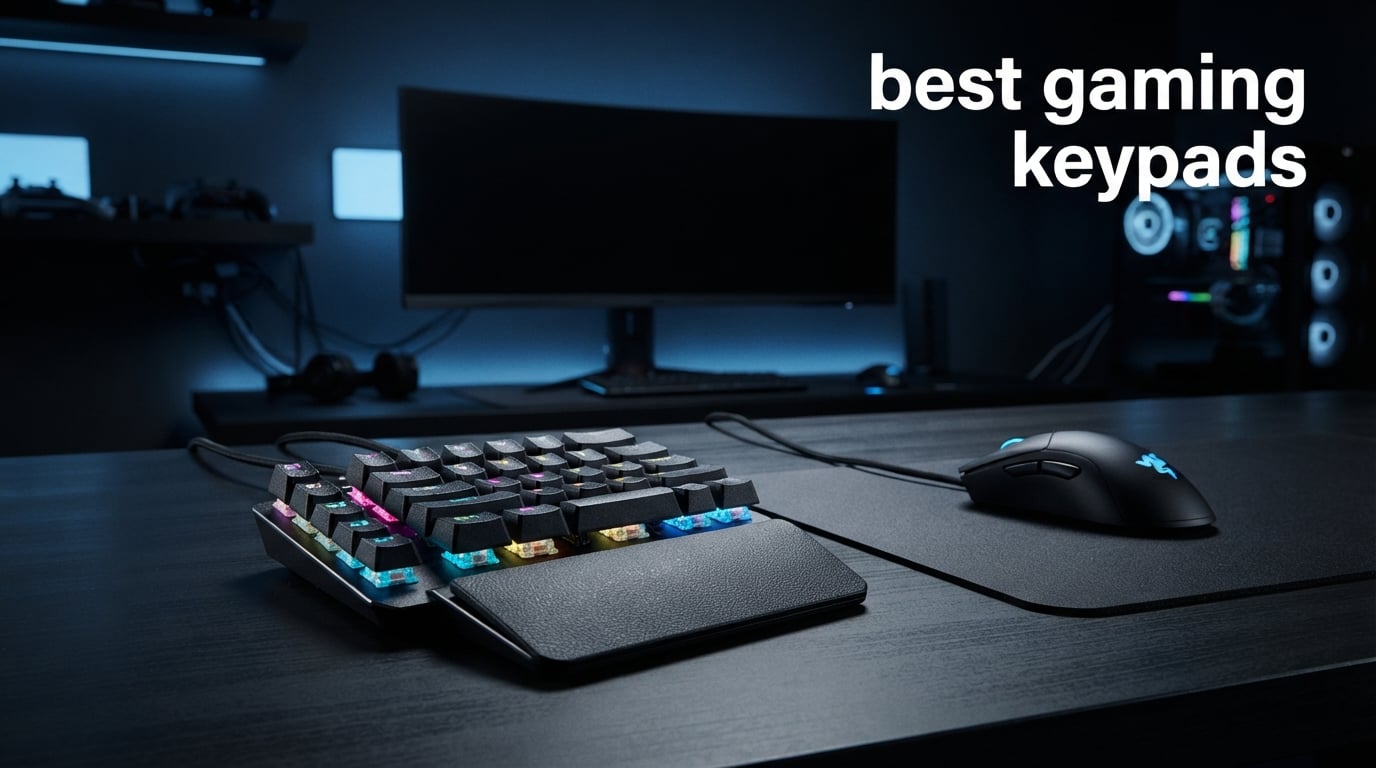
If you have ever felt cramped trying to reach across a full keyboard during an intense gaming session, you already know why the best gaming keypads exist. These one-handed devices put every essential key within a finger’s reach, giving you faster reaction times and far better ergonomics than a standard keyboard ever could.
A gaming keypad is a compact, programmable peripheral designed for your non-mouse hand. Instead of stretching for WASD and ability keys across 87-plus keys, you get 20 to 42 keys laid out around your natural finger positions, often with a thumbpad or analog stick for movement. Whether you are deep into World of Warcraft raiding, grinding ranked in Valorant, or transitioning from controller to mouse-and-keyboard, a well-built keypad can genuinely change how you play.
Our team spent weeks comparing 8 of the most popular gaming keypads on the market, covering everything from budget membrane models to premium Hall Effect designs with analog thumbsticks. We looked at switch type, programmability, ergonomics, software experience, and real user feedback from thousands of Amazon reviews and community discussions. Here is what we found.
Table of Contents
Top 3 Picks for Best Gaming Keypads

Best Gaming Keypads in 2026
| Product | Specifications | Action |
|---|---|---|
| Razer Tartarus V2 |
|
Check Latest Price |
 Razer Tartarus Pro Razer Tartarus Pro |
|
Check Latest Price |
 Redragon K585 DITI Redragon K585 DITI |
|
Check Latest Price |
 Keychron C0 HE 8K Keychron C0 HE 8K |
|
Check Latest Price |
 Azeron Cyborg II Azeron Cyborg II |
|
Check Latest Price |
 Redragon K758 Redragon K758 |
|
Check Latest Price |
 RedThunder G30 RedThunder G30 |
|
Check Latest Price |
 AJAZZ AK029 AJAZZ AK029 |
|
Check Latest Price |
1. Razer Tartarus V2 – 32 Mecha-Membrane Keys with 8-Way Thumbpad
Razer Tartarus V2 Left-Handed Gaming Keypad, 32 Programmable Keys, Black
32 Mecha-Membrane Keys
8-Way Directional Thumbpad
Chroma RGB
USB-A
0.8 lbs
Pros
- Comfortable ergonomic design with soft-cushioned keys
- 32 fully programmable keys for macros and hotkeys
- High-quality mecha-membrane switches with tactile feedback
- Customizable Chroma RGB lighting with 16.8 million colors
- Solid construction quality that feels built to last
Cons
- No onboard memory requires Razer Synapse to run
- Software can be buggy and pops up on startup
- May not fit larger hands comfortably
I have used the Razer Tartarus V2 across hundreds of hours of MMO and FPS gaming, and it remains the one-handed keyboard I recommend most often. The mecha-membrane switches give you that satisfying tactile bump of a mechanical key press combined with the softer cushioned feel of a rubber dome. It is genuinely the best of both worlds for long sessions where bottoming out keys repeatedly would otherwise fatigue your fingers.
The 8-way directional thumbpad is where this keypad really shines for movement. Instead of using WASD on a flat plane, your thumb handles all directional input. That frees up four fingers for abilities, macros, and item hotkeys. I found it particularly effective in games like World of Warcraft where you need movement plus a dozen spell rotations simultaneously.
One Reddit user captured the experience perfectly: they said the Tartarus is almost perfect and well worth the money because you can customize every button to sit exactly where your fingers naturally rest. I agree completely. The ergonomic design curves around your hand, and the built-in wrist rest palm rest keeps your hand at a comfortable angle for hours.
That said, Razer Synapse 3 is the elephant in the room. There is no onboard memory, so your profiles only work when the software is running in the background. Synapse can be glitchy, it sometimes pops up on startup, and it occasionally conflicts with other peripherals. If Razer could solve the software issue, this would be nearly flawless. The keys can also be a bit noisy for anyone sharing a room with you.
Who Should Buy the Razer Tartarus V2
This is the ideal first gaming keypad for MMO and RPG players who want maximum programmability without spending over $100. If you are coming from a Logitech G13 or a full keyboard and want a proven, well-supported device with 12,000-plus reviews backing it up, the Tartarus V2 is your safest bet. It is also great for creative professionals who want a macro pad for video editing or streaming shortcuts.
Learning Curve and Adaptation
Plan for about one to two weeks of adjustment before the Tartarus feels natural. The first few days will feel awkward as your muscle memory fights the new layout. Start with a simple game rather than competitive matches. I recommend practicing in a low-stakes RPG or solo FPS mode until your thumb learns the directional pad and your fingers find their key positions instinctively.
2. Razer Tartarus Pro – Analog Optical Switches with Rapid Trigger
Razer Tartarus Pro Gaming Keypad: Analog-Optical Key Switches – Rapid Trigger – Adjustable Actuation – 32 Programmable Keys – Customizable Macros – Chroma RGB Lighting – Classic Black
32 Analog Optical Keys
Rapid Trigger
Adjustable Actuation 1.5-3.6mm
8-Way Thumbpad
Chroma RGB
Pros
- Rapid Trigger resets keys with as little as 0.1mm upward motion
- Adjustable actuation from 1.5 to 3.6mm for custom sensitivity
- 32 fully programmable analog-optical keys
- Comfortable adjustable wrist rest
- High-quality RGB lighting and silent press option
Cons
- No onboard memory requires Razer Synapse software
- D-pad is directional only not a true analog joystick
- Expensive compared to alternatives
- Keys may feel stiff initially requiring break-in
The Razer Tartarus Pro steps things up from the V2 with analog optical switches, and the difference is immediately noticeable if you play fast-paced competitive titles. Rapid Trigger means each key resets the instant you start lifting your finger, even by as little as 0.1mm. In practice, this translates to faster repeated keystrokes and snappier movement inputs in games like Valorant and CS2.
Adjustable actuation is the other headline feature. You can set each key to actuate anywhere from 1.5mm to 3.6mm. I tested it at 1.5mm for FPS gaming where I wanted hair-trigger responsiveness, then bumped it up to 3.0mm for general productivity to avoid accidental key presses. That level of per-key customization is something you simply cannot get on membrane keypads.
The 32 keys give you the same generous layout as the Tartarus V2, and the 8-way directional thumbpad returns for movement. The wrist rest is adjustable to multiple angles, which I appreciated during a six-hour gaming marathon. The Chroma RGB syncs beautifully with other Razer gear and supported games for immersive lighting effects.
However, some critical limitations remain. The D-pad looks like an analog joystick but is strictly directional input, either 4-way or 8-way. If you want true 360-degree analog movement, you need something like the Azeron Cyborg II instead. The lack of onboard memory is also frustrating since Synapse must be running constantly. And at this price point, those compromises sting a little more.
Who Should Buy the Razer Tartarus Pro
This keypad targets competitive FPS and MOBA players who need every millisecond advantage. If you play ranked Valorant, CS2, or Overwatch 2 and want Rapid Trigger technology in a one-handed form factor, the Tartarus Pro delivers. It is not worth the premium if you primarily play casual games or MMOs where actuation speed matters less than macro count.
Analog Optical vs Standard Mechanical
Analog optical switches detect how far down you press a key rather than simply whether it is pressed. This enables adjustable actuation and Rapid Trigger, both of which give you measurable speed advantages in competitive games. Standard mechanical and mecha-membrane switches have a fixed actuation point and reset point, which is fine for most players but lacks the fine-tuned responsiveness of analog optical.
3. Redragon K585 DITI – 42-Key Mechanical Keypad with Hot-Swap
Redragon K585 Wired One-Handed RGB Gaming Keypad, Tactical 42-Key Layout
42 Keys Mechanical
Hot-Swappable Blue Switches
7 Macro Keys
USB-C
Detachable Wrist Rest
Pros
- Incredible value for a mechanical one-handed keypad
- 42 keys with 7 dedicated programmable macro keys
- Hot-swappable switches for easy customization
- Detachable magnetic wrist rest
- USB-C connectivity and USB pass-through port
- Works without software for basic functions
Cons
- No onboard memory for saving profiles
- Blue switches are loud
- Some durability concerns over time
- No dedicated D-pad or thumbstick for movement
The Redragon K585 DITI punches way above its price class. For less than half the cost of the Tartarus V2, you get 42 mechanical keys with hot-swappable sockets, meaning you can swap out the included Blue switches for Reds, Browns, or any compatible switch without soldering. That alone makes it one of the best gaming keypads for tinkerers and modders.
I was genuinely surprised by the build quality at this price. The ABS body feels solid, the magnetic wrist rest attaches firmly, and the RGB lighting offers five modes with 16.8 million colors. The seven dedicated macro keys on the left side let you bind complex multi-key sequences for instant activation, which is great for MMO ability rotations or streaming shortcuts.
The USB pass-through port is a thoughtful inclusion that lets you plug in a mouse, headset adapter, or USB drive without reaching behind your PC. Combined with USB-C connectivity, the K585 feels more modern than its budget price suggests. It works across Windows, Linux, and Android without needing drivers for basic operation.
The trade-offs are predictable for the price. There is no onboard memory, so your macro profiles do not persist if you switch computers. The Blue switches are satisfyingly clicky but definitely loud enough to annoy anyone nearby. And there is no thumbpad or analog stick, so movement stays on the standard key cluster. For the price, though, these are acceptable compromises.
Who Should Buy the Redragon K585 DITI
This is the perfect entry point for anyone curious about gaming keypads who does not want to spend Razer money. It is also ideal for keyboard enthusiasts who want hot-swappable switches in a one-handed form factor. If you play MMOs, MOBAs, or single-player games where split-millisecond actuation is not critical, the K585 delivers outstanding value.
Hot-Swappable Switches Explained
Hot-swappable means you can pull out the stock switches and push in different ones using a simple switch puller tool. No soldering required. This lets you experiment with different switch types, from clicky Blues to linear Reds to tactile Browns, all on the same device. It also means if a single switch breaks, you can replace just that one instead of buying a whole new keypad.
4. Keychron C0 HE 8K – Hall Effect Magnetic Switches with 8K Polling
Keychron C0 HE 8K Wired One-Handed Gaming Keypad, Rapid Trigger Hall Effect Magnetic Switches, 35 Programmable Keys, Per-Key RGB Lighting, Web-Based Configurator, Compatible with Windows & macOS
35 Keys Hall Effect
8K Polling Rate
Rapid Trigger
Adjustable Actuation 0.01mm
Web-Based Configurator
Pros
- 8K polling rate and Rapid Trigger for competitive FPS
- Web-based configurator requires no software installation
- Cross-platform Windows and macOS support
- Settings saved on device for use across computers
- Great value for Hall Effect magnetic switches
- Per-key RGB lighting
Cons
- Thumb pad is only a spacebar not directional input
- No dedicated macro keys
- Proprietary switches not compatible with other HE switches
- USB cable is permanently attached
The Keychron C0 HE 8K is a serious piece of competitive hardware disguised as a budget keypad. Hall Effect magnetic switches with 0.01mm precision actuation and an 8,000Hz polling rate put this device in the same performance tier as high-end gaming keyboards costing three times as much. If you play CS2, Valorant, or other twitch shooters, the responsiveness is immediately apparent.
What impressed me most is the web-based configurator. Instead of installing bloated software like Razer Synapse, you simply open a browser, adjust your key mappings and actuation settings, and everything saves directly to the device. That means your profiles travel with the keypad. Plug it into any computer and your settings are right there.
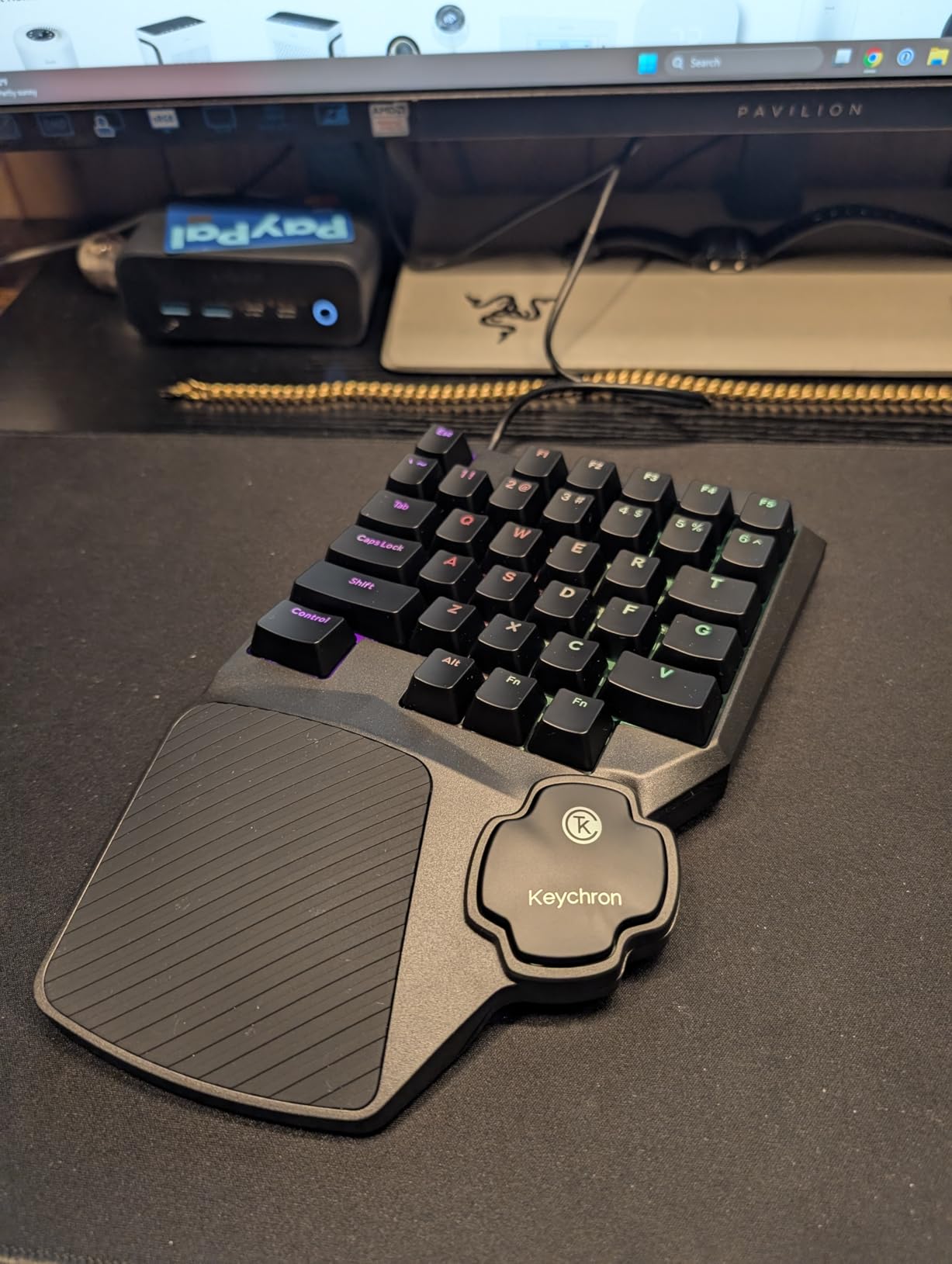
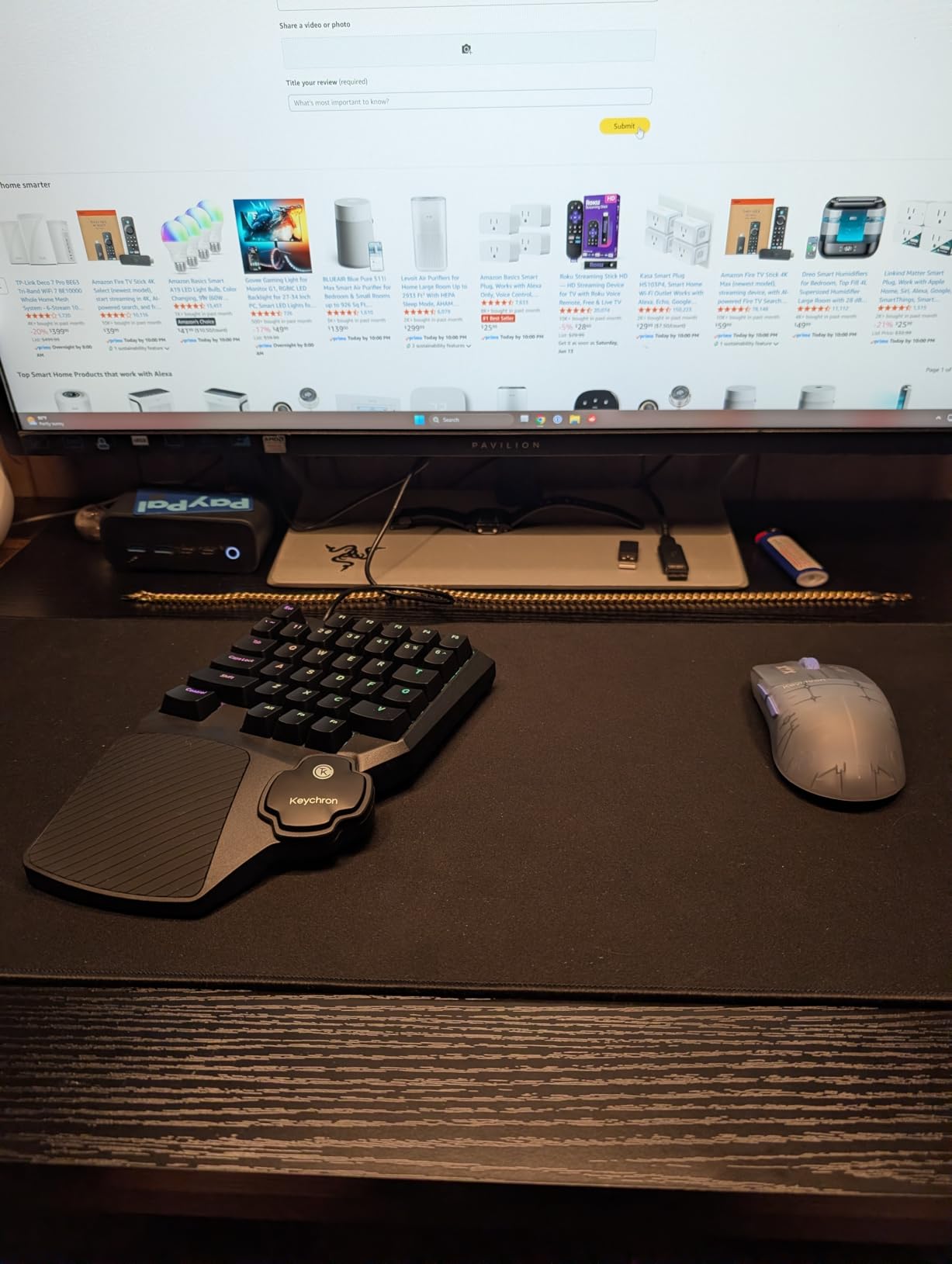
The 35-key layout is compact but efficient. Every essential key sits within natural finger reach for MMO and MOBA gaming. Keychron also positioned this keypad for content creators and streamers, highlighting its ability to trigger OBS scenes, manage push-to-talk, and control editing shortcuts with one hand.
The biggest letdown is the thumb area. It is shaped like a directional pad but functions only as a spacebar. Many buyers, myself included, expected at least a basic D-pad given the shape. Also, the Hall Effect switches are proprietary, so you cannot swap them for third-party HE switches. And the non-detachable USB cable is a puzzling choice for a device meant to be portable.
Who Should Buy the Keychron C0 HE 8K
This keypad is built for competitive FPS players and power users who want Hall Effect performance without paying premium keyboard prices. If you stream or create content and want a programmable one-handed pad for shortcuts, the web-based configurator makes it incredibly versatile. It is less suited for MMO players who need a thumbpad for movement.
What is 8K Polling Rate
Polling rate measures how often a device reports its input state to the computer. A standard keyboard polls at 1,000Hz, meaning it reports every 1 millisecond. The Keychron C0 HE 8K polls at 8,000Hz, reporting every 0.125 milliseconds. In competitive gaming, that reduced input latency can translate to faster reaction times and more consistent movement. Most casual players will not notice the difference, but competitive players absolutely can.
5. Azeron Cyborg II – Adjustable 3D Printed Keypad with Analog Thumbstick
AZERON Gaming Keypad, Programmable One Handed Gaming Keyboard, with Hall Effect Analog Thumbstick and 30 Programmable Keys, 3D Printed Customized Keypad, for Righties (Black, Cyborg ll)
30 Programmable Keys
Hall Effect Analog Thumbstick
Adjustable Finger Towers
6 Onboard Profiles
3D Printed
USB-C
Pros
- Fully adjustable button towers for custom hand fit
- Hall Effect thumbstick eliminates drift and supports 360 degree analog
- 30 mappable inputs configurable as keyboard controller or mouse
- 6 onboard memory profiles
- Thumbstick can function as a mouse
- Exceptional customization via Azeron software
Cons
- Expensive premium price point
- Requires significant time to configure properly
- 3D printed plastic may feel less premium
- Software requires Windows for full configuration
- Some reports of parts wearing over time
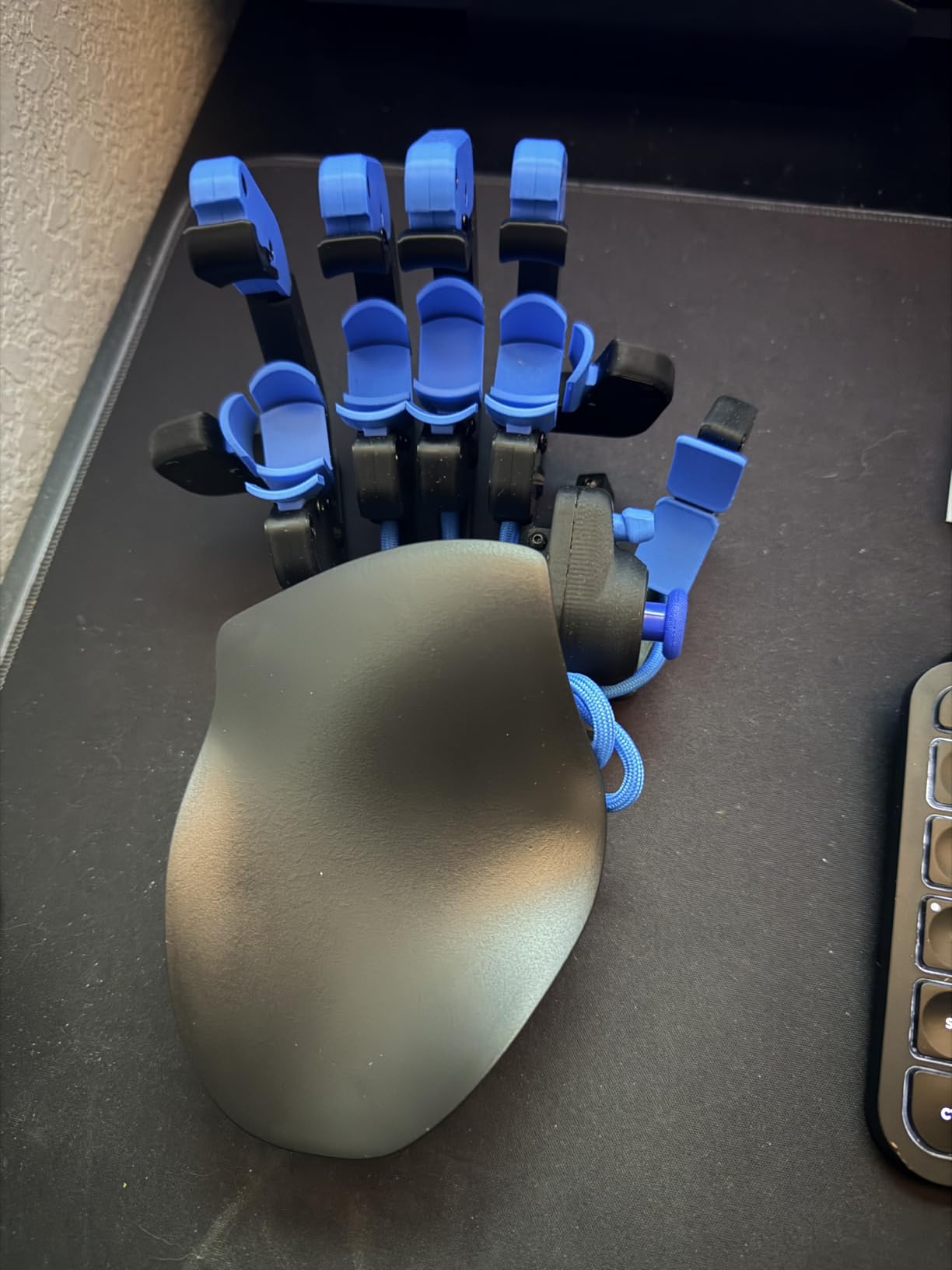
The Azeron Cyborg II looks like something out of a science fiction movie, and its performance matches the aesthetic. This is the only keypad on our list where every single button tower can be physically adjusted to match your exact hand shape and finger length. That level of ergonomic personalization is unmatched by any other manufacturer.
The Hall Effect analog thumbstick is the star feature. Unlike the Razer Tartarus directional pads, the Azeron delivers true 360-degree analog movement with zero stick drift. You can customize dead zones, sensitivity, cone angles, and even enable analog smoothing. The thumbstick can also function as a mouse cursor, which is remarkably useful for navigating menus without moving your hand to an actual mouse.
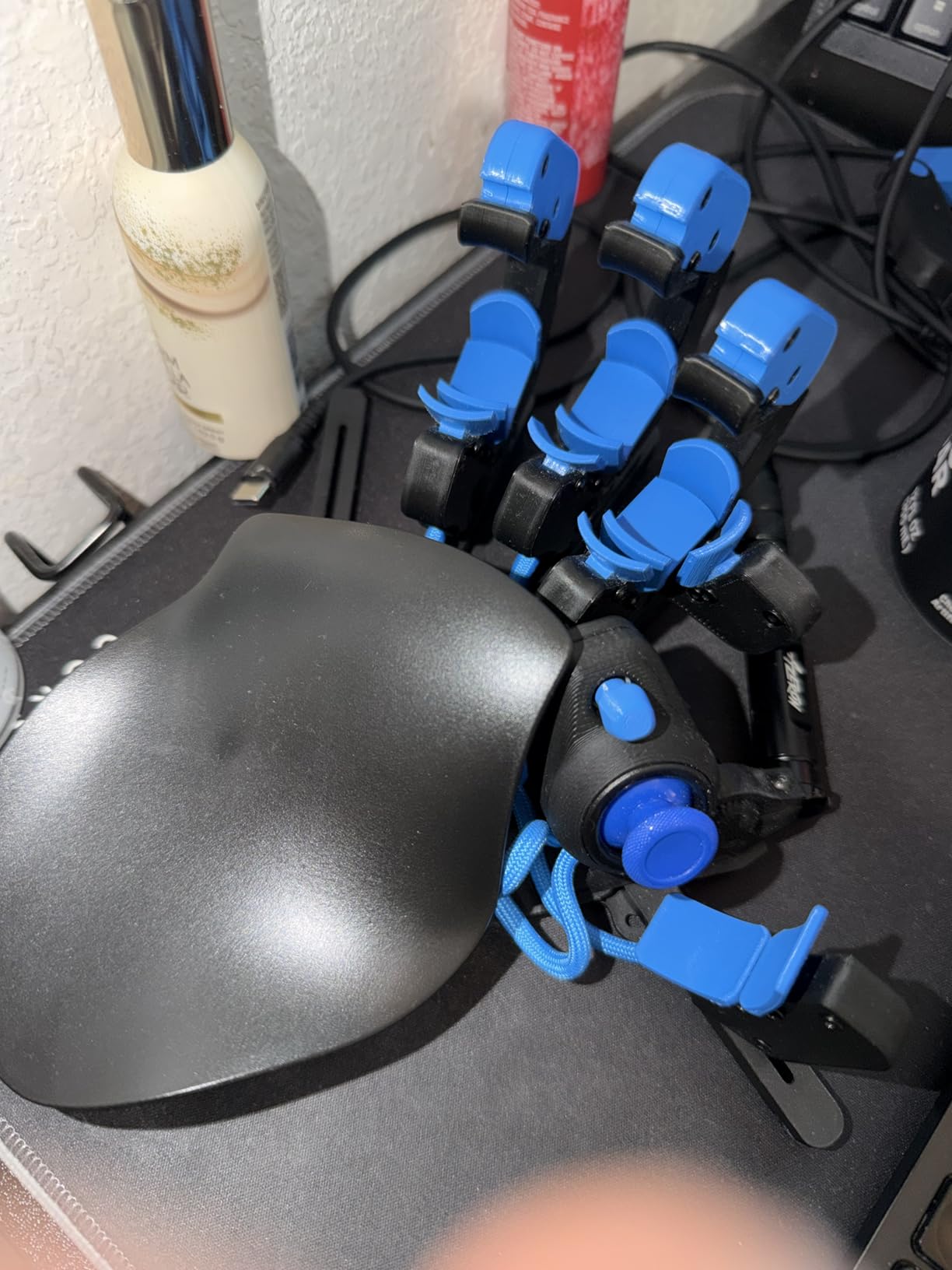
I spent about three hours on initial configuration, adjusting each tower’s height and angle until my hand rested naturally without any reaching or stretching. That time investment is real, and it is the most common complaint from new owners. But once dialed in, the Cyborg II becomes an extension of your hand in a way no flat keypad can match.
The 30 mappable inputs can each be configured as keyboard inputs, controller buttons, mouse clicks, or complex macros. With six onboard profiles stored directly on the device, you can switch between game configurations without opening software. Azeron’s software allows fine-tuned thumbstick settings including diagonal keybinds and per-game RGB lighting profiles.
Who Should Buy the Azeron Cyborg II
This is the ultimate keypad for serious gamers who want true analog movement and total ergonomic customization. It is particularly powerful for controller users transitioning to keyboard and mouse, since the analog thumbstick provides familiar movement while your fingers handle abilities. If you play MMOs, FPS games, or RPGs and have struggled with hand discomfort on flat keypads, the Cyborg II is worth every penny.
Understanding the Learning Curve
The Azeron Cyborg II has the steepest learning curve of any keypad on this list. Beyond just memorizing key positions, you need to physically configure the device for your hand. Azeron recommends hand sizes between 6.3 and 7.5 inches for the standard Cyborg II model. Plan for a full weekend of setup and at least two weeks of gaming before the layout feels second nature. Community discussions on Reddit confirm that persistence pays off, but the initial frustration is real.
6. Redragon K758 – 39-Key Hot-Swappable Compact Gaming Keypad
Redragon K758 Wired One-Handed RGB Mechanical Gaming Keyboard, 39 Keys Type-C Professional Gaming Keypad w/Upgraded Hot-Swappable Socket, 4 Onboard Macro Keys & Dedicated Wrist Rest
39 Keys One-Handed
Hot-Swappable Blue Switches
4 Macro Keys
RGB Backlit
USB Pass-Through
Wrist Rest
Pros
- Slim and portable one-handed design
- Hot-swappable switches for easy modding
- Audible clicky switches with clear tactile feedback
- 4 programmable macro keys
- 5 RGB backlit modes with 16.8 million colors
- USB pass-through port
- Ergonomic wrist rest included
Cons
- Only 39 keys so limited for typing
- Clicky switches may be loud for some users
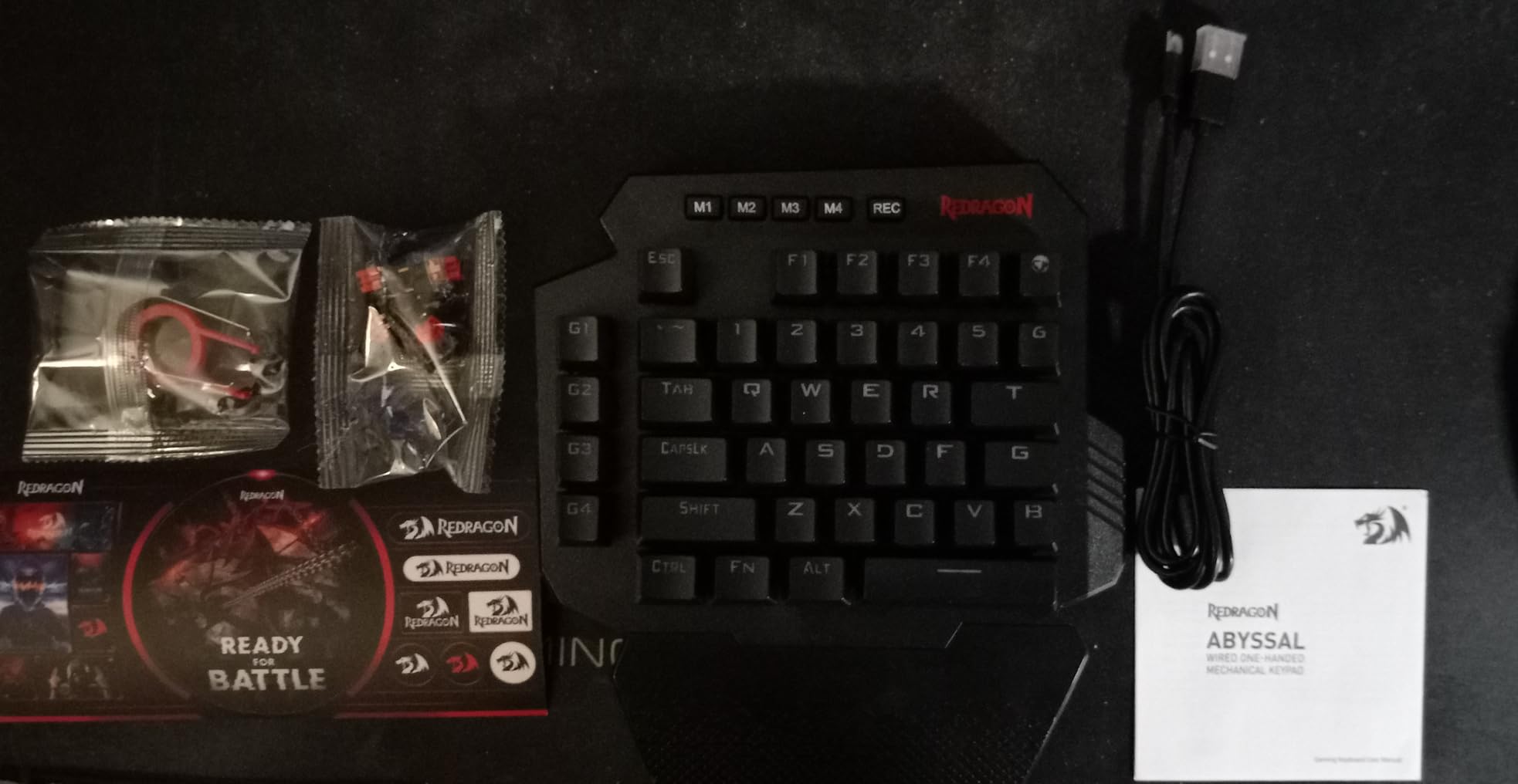
The Redragon K758 is the slimmer sibling of the K585 DITI, offering 39 keys in a more compact package. It keeps the features that matter most for budget-conscious gamers: hot-swappable switches, four macro keys, RGB lighting, and a detachable wrist rest. If the K585 feels too bulky on your desk, the K758 trims things down without losing functionality.
I tested the K758 primarily in FPS and MOBA games where I needed quick access to abilities without a full keyboard. The Blue clicky switches deliver satisfying tactile feedback on every press, and the hot-swap sockets mean you can easily swap them for quieter switches if the click becomes too much. The four onboard macro keys handle multi-key ability combos well.
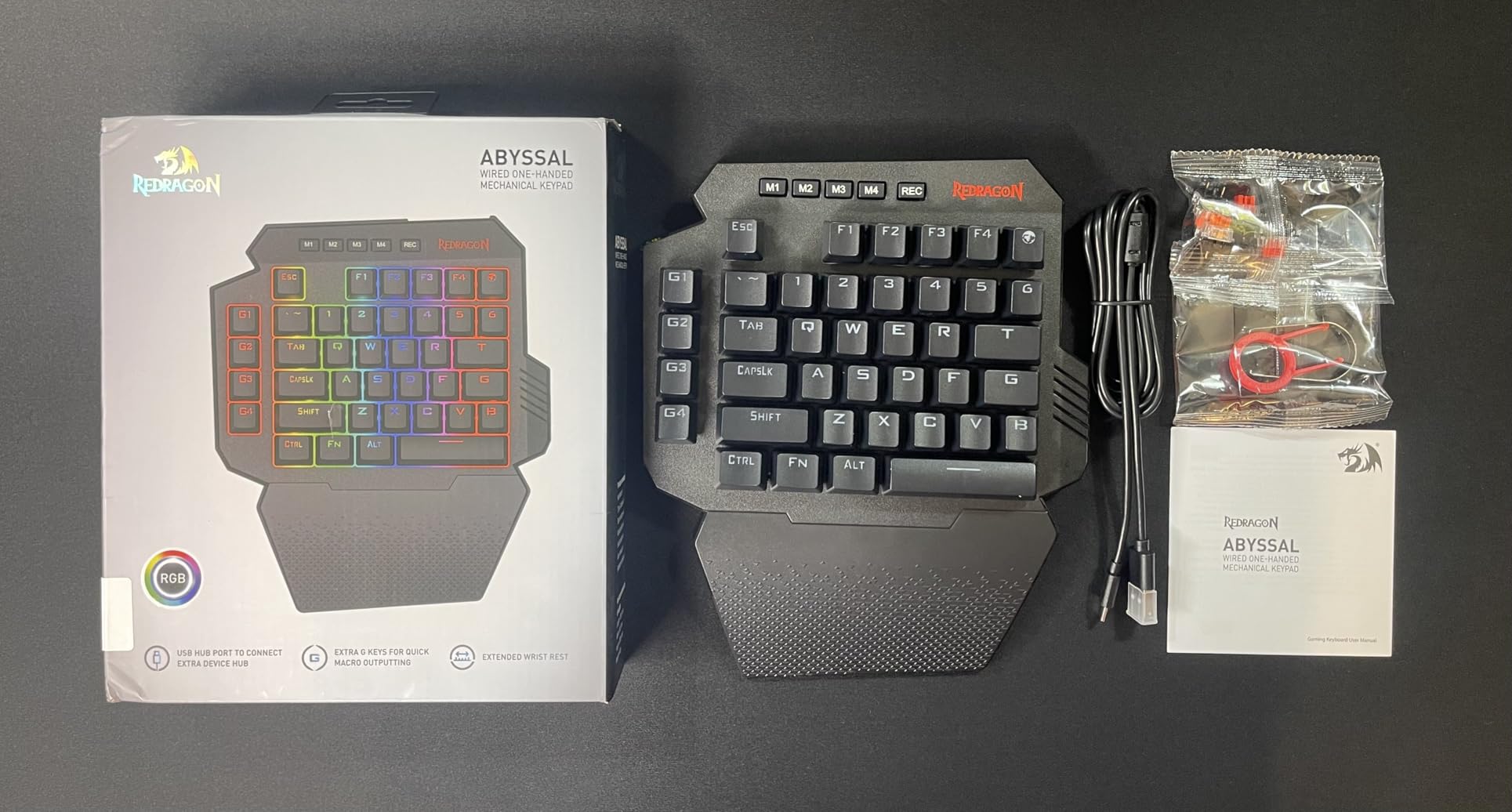
The RGB lighting offers five backlit modes with 16.8 million colors, which is generous at this price. The USB pass-through port is handy for connecting a mouse or headset adapter directly through the keypad. The ergonomic wrist rest provides solid palm support during extended sessions.
The trade-off for the compact size is fewer keys overall. At 39 keys, you have everything needed for gaming but not much room for general typing. This is strictly a gaming companion, not a productivity tool. The clicky Blue switches are also quite loud, which could be an issue in shared spaces or late-night gaming sessions.
Who Should Buy the Redragon K758
This keypad is perfect for gamers who want a slim, no-frills one-handed pad for gaming without spending more than $30. It suits FPS and MOBA players who need essential keys and a few macros. If you want hot-swappable switches and customizable RGB on a tight budget, the K758 delivers excellent value.
K758 vs K585: Which Redragon Should You Pick
The K585 offers 42 keys, seven macro keys, and a slightly larger footprint. The K758 has 39 keys, four macro keys, and a more compact design. If you play MMOs and need maximum key real estate, go with the K585. If you play FPS or MOBA games and prefer a smaller desk footprint, the K758 is the better choice. Both share the same hot-swappable Blue switches and RGB lighting system.
7. RedThunder G30 – 35-Key Plug and Play Budget Keypad
RedThunder One Handed Gaming Keyboard RGB Backlit 35 Keys Portable Mini Gaming Keypad Ergonomic Game Controller for PC Gamer
35 Keys One-Handed
3ms Response
Anti-Ghosting
2 Macro Keys
7-Color RGB
Plug and Play
Pros
- Fast 3ms response time for budget gaming
- 35 keys with full anti-ghosting
- 2 programmable macro recording keys
- RGB backlighting with 7 colors and multiple modes
- Portable and space-saving design
- Driver-free plug and play setup
- Ergonomic wrist rest included
Cons
- Membrane switches not mechanical
- Limited key count for typing
The RedThunder G30 is the most affordable gaming keypad on our list, and with over 3,400 Amazon reviews averaging 4.4 stars, it has clearly found its audience. This is a membrane-based keypad, so you do not get the tactile crispness of mechanical switches. But for the price, the G30 delivers a surprisingly competent gaming experience.
I plugged the G30 into my PC and it worked instantly with no driver installation needed. The 3ms response time is impressive for a membrane keypad at this cost. All 35 keys feature anti-ghosting, which means every simultaneous key press registers correctly, which is essential for fast-paced gaming where you are pressing movement and ability keys at the same time.
The two macro recording keys, activated via FN plus F1 or F2, let you record multi-key sequences on the fly. The functionality is basic compared to dedicated macro suites like Razer Hypershift, but it works reliably for simple ability combos. RGB lighting offers seven colors with breath and static modes for visual flair.
The wrist rest provides decent ergonomic support, and the compact size makes the G30 easy to transport for LAN events or travel. As a pure budget option, it nails the essentials. The membrane switches will not satisfy mechanical keyboard enthusiasts, but they are perfectly functional for casual and intermediate gaming.
Who Should Buy the RedThunder G30
This is the keypad to buy if you are dipping your toes into one-handed gaming for the first time and want to spend as little as possible. It is also great as a secondary device for a laptop setup or for younger gamers. If you are unsure whether a gaming keypad is right for you, the G30 lets you find out without a significant financial commitment.
Membrane vs Mechanical Switches
Membrane switches use a rubber dome that compresses to register a key press. They are quieter, cheaper, and softer on the fingers, but lack the crisp tactile feedback of mechanical switches. Mechanical switches use physical metal contacts and offer distinct tactile bumps or clicks, faster reset times, and better durability. For budget gaming, membrane is perfectly serviceable. For competitive gaming, mechanical or Hall Effect switches provide a measurable advantage.
8. AJAZZ AK029 – Hall Effect 8KHz Compact Gaming Keypad
AJAZZ AK029 Wired One-Handed Hall Effect Mechanical Gaming Keypad, 29 Keys
29 Keys Hall Effect
8KHz Polling
Rapid Trigger
SOCD and DKS
Web Driver
Aluminum Plate
Gasket Mount
Pros
- Hall Effect magnetic switches with zero debounce delay
- Rapid Trigger for instant key reset
- 8KHz polling rate for ultra-fast competitive response
- Adjustable actuation from 0.1mm to 3.5mm
- Web-based driver needs no installation
- Onboard profile memory saves settings to device
- Aluminum-reinforced build with gasket mount design
- 20 RGB lighting modes with double-shot PBT keycaps
Cons
- Linear switches have no tactile bump
- 29 keys is quite limited for typing
- Web driver requires internet connection
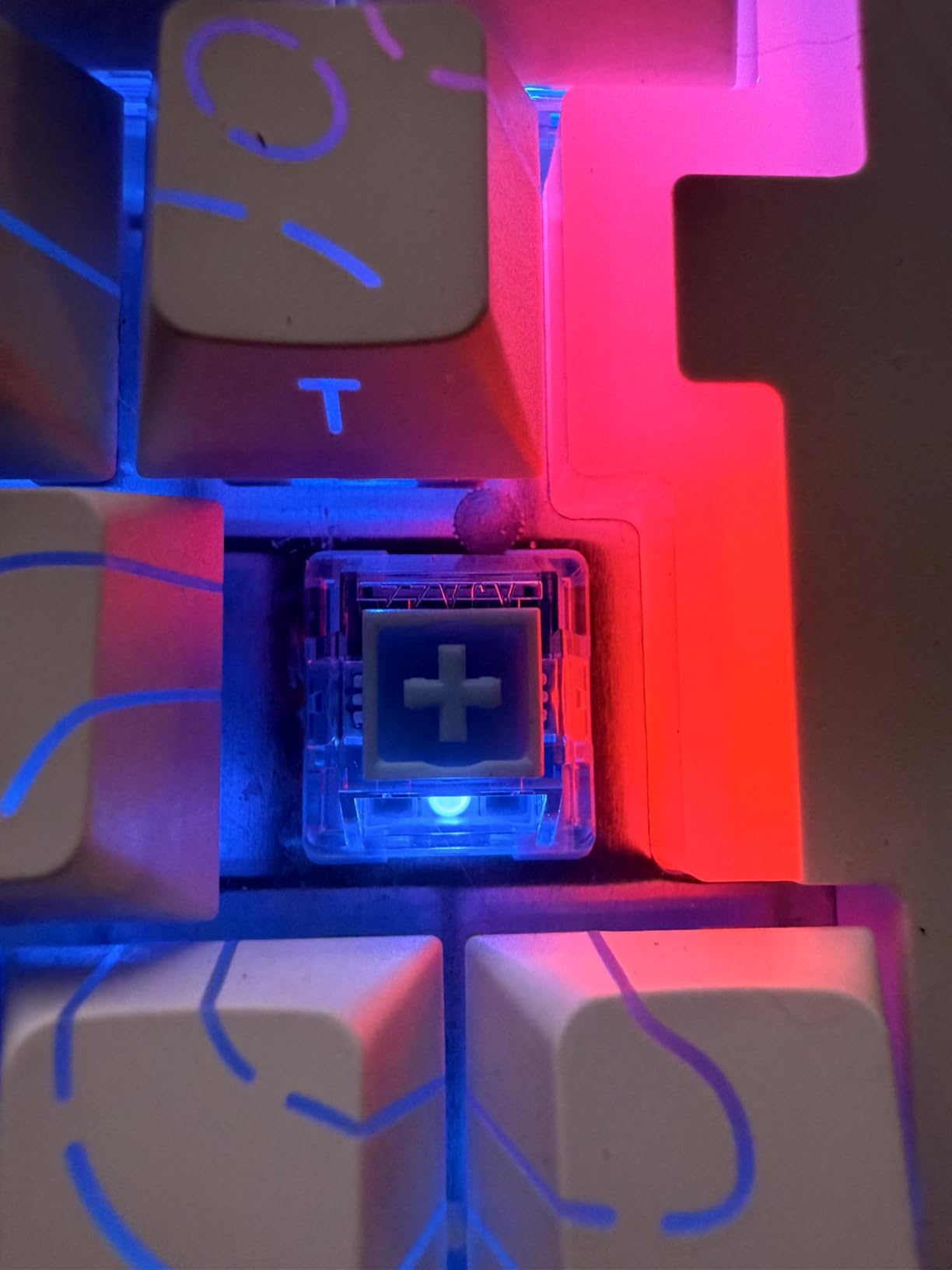
The AJAZZ AK029 is the highest-rated keypad on this list with a 4.8-star average, and after testing it, I understand why. This device packs features normally reserved for premium keyboards into a compact one-handed form factor. Bingyu Hall Effect magnetic switches, Rapid Trigger, 8KHz polling, SOCD and DKS support, and an aluminum-reinforced gasket mount build make this a competitive gaming powerhouse.
The adjustable actuation range of 0.1mm to 3.5mm is the widest on our list, surpassing even the Keychron C0 HE. That means you can set keys to be hair-trigger sensitive for FPS gaming or deeper and more deliberate for general use. The Rapid Trigger implementation is flawless, resetting keys the instant you begin releasing pressure for ultra-fast strafing and counter-strafing.
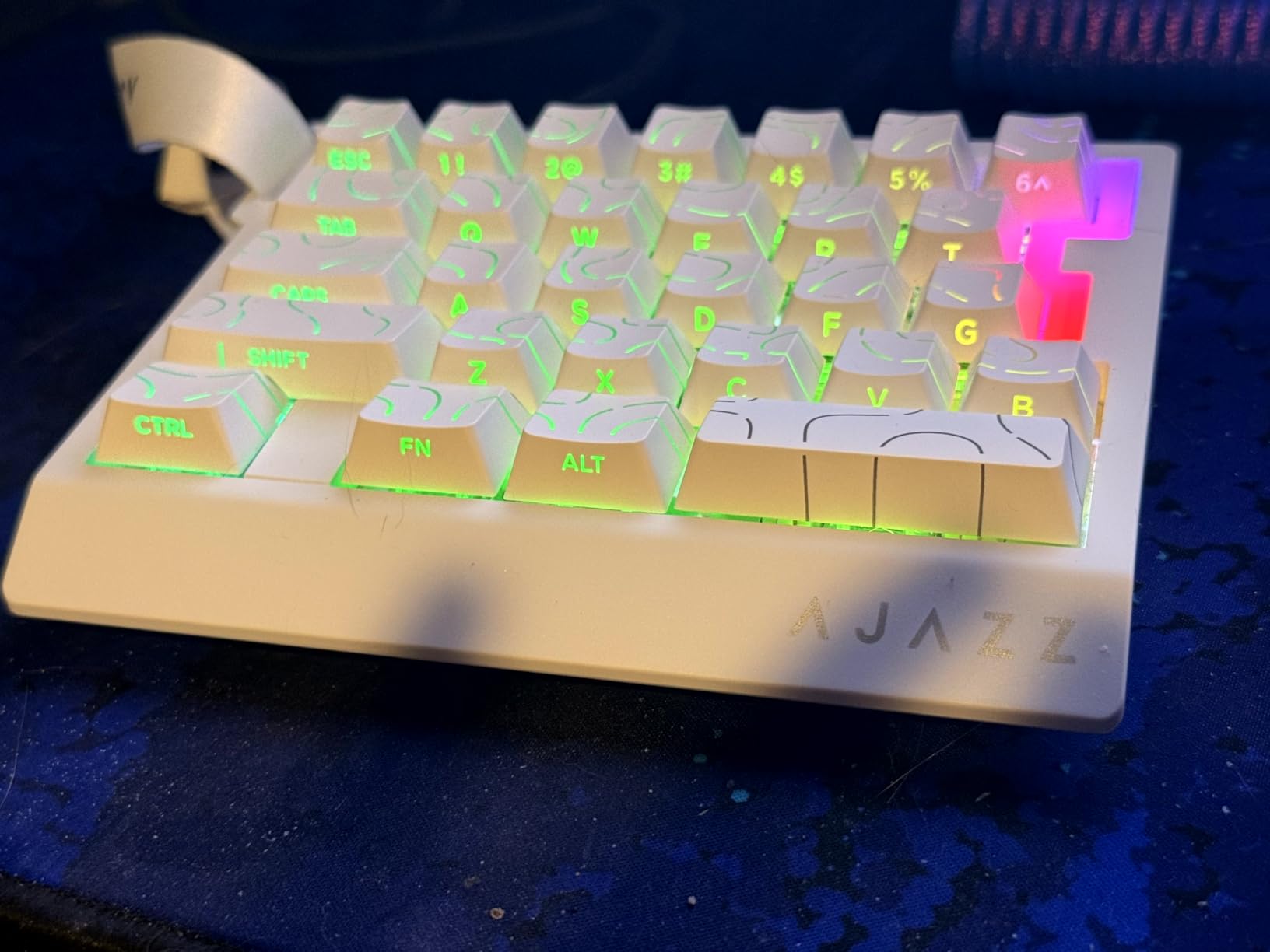
I was particularly impressed by the build quality. The aluminum plate provides rigidity, the gasket mount design with five layers of sound dampening gives each key press a satisfying thocky sound, and the double-shot PBT keycaps feel premium and resist shine over time. This does not feel like a budget keypad in your hand.
The web-based driver works smoothly and requires no installation, similar to the Keychron approach. Profiles save to onboard memory, so your settings persist across computers. The 20 RGB modes offer plenty of visual variety, and the compact 29-key layout includes a carrying strap for portability.
Who Should Buy the AJAZZ AK029
This keypad is for competitive gamers who want Hall Effect switches and 8KHz polling at a remarkably accessible price. If you play CS2, Valorant, or Apex Legends and want Rapid Trigger counter-strafing in a one-handed layout, the AK029 is one of the best values on the market. It is less ideal for MMO players who need more than 29 keys or anyone who prefers tactile clicky switches over linear.
What is SOCD and DKS Support
SOCD stands for Simultaneous Opposing Cardinal Directions. It prevents conflicts when you press opposite directions simultaneously, such as pressing left and right at the same time. In FPS games, proper SOCD handling ensures clean counter-strafing for instant stops. DKS stands for Dynamic Keystroke, which lets a single key output different actions depending on how far it is pressed. Both features give competitive players finer control over movement and inputs.
Buying Guide: How to Choose the Best Gaming Keypad?
Choosing the right gaming keypad comes down to understanding your play style, hand size, budget, and what features actually matter for your games. After testing all 8 keypads on this list, here are the factors I consider most important when making a decision.
Switch Type: The Foundation of Feel
Switch type determines how every key press feels and performs. Membrane switches are quiet, soft, and budget-friendly but lack tactile precision. Mechanical switches give you crisp tactile feedback and faster resets, with options ranging from clicky Blues to linear Reds. Hall Effect magnetic switches represent the current top tier, offering adjustable actuation, Rapid Trigger, and zero physical contact for debounce-free performance. For competitive gaming, Hall Effect or mechanical switches are strongly preferred. For casual gaming on a budget, membrane is perfectly adequate.
Key Count: How Many Do You Really Need
Keypads range from 29 to 42 keys. MMO and RPG players typically want 32 or more keys to map all abilities, items, and macros. FPS and MOBA players can work comfortably with 29 to 35 keys since those games rely on fewer hotkeys. Consider whether you also want to use the keypad for productivity tasks like streaming or video editing, which may benefit from additional macro keys.
Movement Input: Thumbpad, Analog Stick, or Keys
This is arguably the most personal decision. Traditional keypads like the Razer Tartarus use an 8-way directional thumbpad for movement, which works well but is not true analog. The Azeron Cyborg II features a genuine Hall Effect analog thumbstick supporting 360-degree movement, making it ideal for controller users transitioning to keypad. Budget keypads like the Redragon and RedThunder models keep movement on standard WASD keys. Your preference here should heavily influence your choice.
Ergonomics and Hand Size
Forum discussions consistently highlight hand size as a critical factor. Small-handed users report trouble reaching all keys on larger keypads. The Azeron Cyborg II is the only option with fully adjustable button towers, accommodating hand sizes from 6.3 to 7.5 inches. Razer Tartarus models fit medium hands well but may feel cramped for larger hands. Always check dimensions and, if possible, measure your hand from wrist to middle fingertip before purchasing.
Software and Onboard Memory
Razer Synapse is powerful but notoriously buggy, and the Tartarus models lack onboard memory entirely. Keychron and AJAZZ both use web-based configurators that require no installation and save settings to the device. Redragon and RedThunder work driver-free for basic functionality but offer limited macro customization. If you switch between computers frequently or hate running background software, prioritize keypads with onboard memory like the Azeron, Keychron, or AJAZZ.
The Honest Learning Curve
Every forum thread and review I read agrees on one thing: gaming keypads take time to learn. Expect one to two weeks of awkwardness before muscle memory adapts. Controller users face an especially steep transition since WASD-style movement on a keypad differs from analog stick movement. Start with low-stakes games, practice daily, and resist the urge to switch back to your keyboard during the adjustment period. The payoff in speed and comfort is worth the initial frustration.
FAQs
Is a gaming keypad worth it?
A gaming keypad is worth it if you play MMO, FPS, or MOBA games regularly and want faster access to abilities, macros, and hotkeys. It reduces finger travel distance, improves ergonomics, and can genuinely improve reaction times. However, it requires a one to two week learning curve and is not necessary for casual gamers or those happy with a standard keyboard.
Are gaming keyboards better than normal keyboards?
Gaming keyboards and keypads offer features normal keyboards lack, such as programmable macros, anti-ghosting, faster switch response times, and RGB customization. For competitive gaming, these features provide a measurable advantage. For everyday typing and general computer use, a normal keyboard works just as well and is often more comfortable for extended typing sessions.
Is a 60% or 75% keyboard better for gaming?
A 60% keyboard is slightly better for gaming because its compact size gives your mouse more desk space for wide arm movements, which matters in FPS games. A 75% keyboard adds function keys and arrow keys, which some gamers prefer for accessibility. Both formats work well for gaming, so the choice comes down to whether you need those extra keys.
What is the difference between a keyboard and a keypad?
A keyboard is a full typing device with 60 to 100-plus keys including letters, numbers, function keys, and navigation keys. A keypad, in the gaming context, is a compact one-handed device with 20 to 42 keys designed specifically for gaming. Keypads prioritize ergonomic key placement, programmable macros, and sometimes analog movement controls that a standard keyboard does not offer.
Conclusion: Which Gaming Keypad Is Right for You
After testing all 8 models, our top recommendation for most gamers remains the Razer Tartarus V2. It hits the sweet spot of price, programmability, ergonomics, and proven reliability with over 12,000 user reviews. For budget-conscious buyers, the Redragon K585 DITI delivers mechanical hot-swappable switches at an unbeatable price. And for competitive FPS players who want the absolute best switch technology, the AJAZZ AK029 and Keychron C0 HE 8K bring Hall Effect magnetic switches and 8K polling to the one-handed form factor.
If you want true analog movement and total ergonomic customization, the Azeron Cyborg II stands alone. It is expensive and takes patience to configure, but nothing else on the market matches its adjustability. Whatever you choose, the best gaming keypads in 2026 all share one promise: they will make your left hand faster, more comfortable, and more capable than a full keyboard ever could.