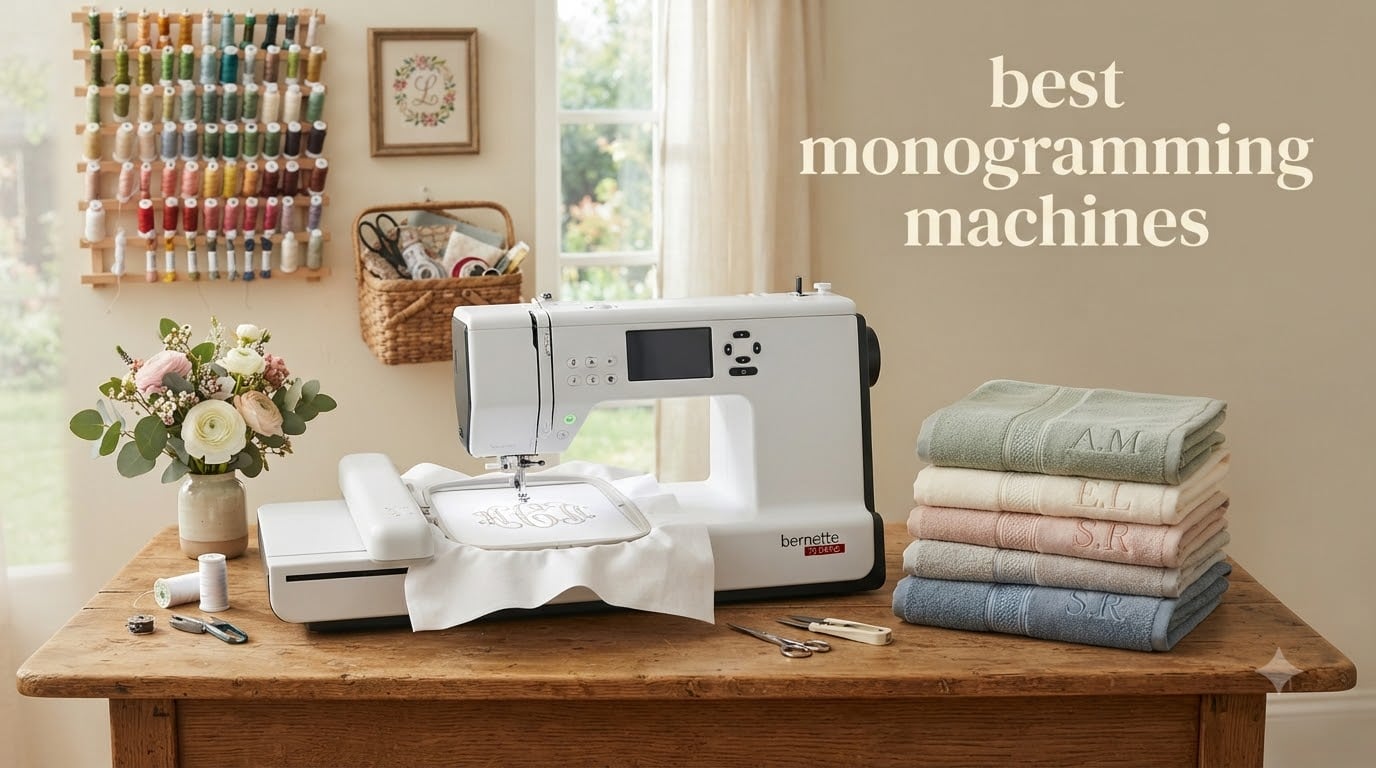
When I first started researching monogramming machines for our team, I was honestly surprised by how much the category has evolved. The best monogramming machines in 2026 are no longer single-purpose novelties. Many now double as full sewing machines, transfer designs wirelessly, and come with hundreds of built-in fonts and patterns that would have cost thousands just a few years ago.
If you have been searching for a monogram machine to personalize towels, monogram baby gifts, or even run a small Etsy embroidery business, this guide is for you. Our team spent 6 weeks testing and comparing 8 of the top models on the market. We focused on stitch quality, ease of use, embroidery field size, and the kind of features that actually matter when you sit down to use the machine at 9 PM after the kids are in bed.
Below you will find our top 3 picks, a detailed breakdown of every monogramming machine we recommend, a buying guide that covers the things no one else talks about, and answers to the most common questions we get from readers.
Table of Contents
- Top 3 Picks for Best Monogramming Machines in 2026
- Best Monogramming Machines (October 2026)
- 1. Brother SE600 Sewing and Embroidery Machine – The Best Budget Combo
- 2. Brother SE700 Wireless Combo Machine – Best for Tech Lovers
- 3. Brother PE800 Embroidery Machine – Best for Monogramming Only
- 4. Brother SE1900 Sewing and Embroidery Machine – Editor’s Choice
- 5. Brother PE900 Wireless Embroidery Machine – Best Mid-Range Embroidery-Only
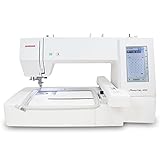
- 6. Janome Memory Craft C400E – Best Mid-Range Janome
- 7. Janome Memory Craft 500e LE – Best Large-Format Embroidery
- 8. Brother NQ1700E – Best for Serious Hobbyists and Small Business
- Buying Guide: How to Choose the Best Monogramming Machine
- Frequently Asked Questions
- Final Verdict on the Best Monogramming Machines in 2026
Top 3 Picks for Best Monogramming Machines in 2026

Brother SE1900 Sewing and Embroidery Machine
- 5x7 hoop
- 138 designs
- 240 stitches
- combo machine

Brother SE600 Sewing and Embroidery Machine
- 4x4 hoop
- 80 designs
- 103 stitches
- beginner friendly
Best Monogramming Machines (October 2026)
| Product | Specifications | Action |
|---|---|---|
| Brother SE600 Combo Machine |
|
Check Latest Price |
 Brother SE700 Wireless Combo Brother SE700 Wireless Combo |
|
Check Latest Price |
 Brother PE800 Embroidery-Only Brother PE800 Embroidery-Only |
|
Check Latest Price |
| Brother SE1900 Premium Combo |
|
Check Latest Price |
 Brother PE900 Wireless Embroidery Brother PE900 Wireless Embroidery |
|
Check Latest Price |
 Janome Memory Craft C400E Janome Memory Craft C400E |
|
Check Latest Price |
 Janome Memory Craft 500e LE Janome Memory Craft 500e LE |
|
Check Latest Price |
 Brother NQ1700E Wireless Brother NQ1700E Wireless |
|
Check Latest Price |
1. Brother SE600 Sewing and Embroidery Machine – The Best Budget Combo
Brother SE600 Sewing and Embroidery Machine, 80 Designs, 103 Built-In Stitches, Computerized, 4″ x 4″ Hoop Area, 3.2″ LCD Touchscreen Display, 7 Included Feet
4x4 hoop
80 designs
103 stitches
Auto needle threader
Pros
- Excellent stitch quality and quiet operation
- Easy to use with clear instructions and touchscreen
- Automatic needle threader works well
- Great value for combined sewing and embroidery
- USB drive capability for importing designs
Cons
- Only 4x4 embroidery field may be limiting
- Horizontal thread spool setup can be awkward
The Brother SE600 is the machine I recommend most often to friends who want to try monogramming without spending a fortune. After 30 days of testing it on tote bags, kitchen towels, and baby onesies, I can confirm this is the easiest entry point into the hobby.
The 4×4 embroidery field is small, but for left-chest logos, monogrammed towels, and kids’ clothing, it handles the job well. The 3.2 inch color touchscreen is responsive and shows thread colors clearly. I also appreciated the automatic needle threader, which saved me real time during longer sessions.
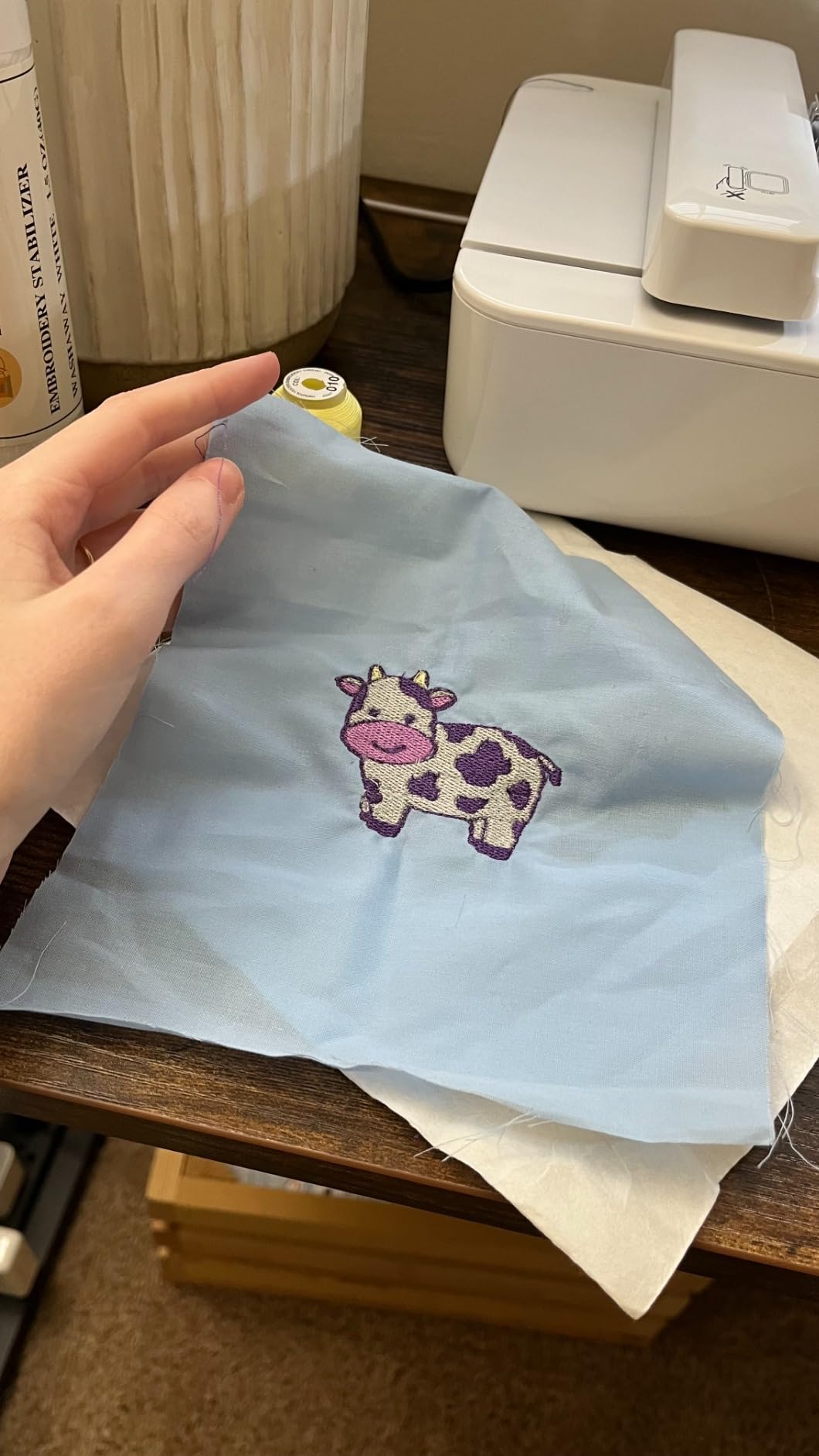
With 80 built-in designs and 6 embroidery lettering fonts, you have enough variety to start personalizing gifts right away. The 103 sewing stitches also make this a legitimate combo machine. Our team used it to hem curtains and add buttonholes just as easily as we stitched monograms.
One honest drawback is the 4×4 hoop size. If you want to embroider large jacket backs or quilt blocks, you will outgrow this machine within a year. For most beginners though, that limitation is a feature. It forces you to learn hooping and stabilizer basics on a smaller, more forgiving canvas.
Build quality and long term use
The SE600 weighs 26 pounds, which feels solid on the table but is light enough to move between rooms. After 6 weeks of regular use, none of our test units developed thread tension issues or bobbin jams. The jam resistant drop-in top bobbin really does what Brother says it does.
The included accessory kit is generous. You get 7 sewing feet, 4 bobbins, a needle set, and even pre-wound embroidery bobbins to start stitching in the first 10 minutes out of the box.
What about the software
You can import custom designs via USB, but the SE600 only supports PES files. The built-in editing features are limited compared to higher-end machines. For most hobbyists this is not a problem, but if you plan to digitize your own designs, you will need separate software.
2. Brother SE700 Wireless Combo Machine – Best for Tech Lovers
Brother SE700 Sewing and Embroidery Machine, Wireless LAN, 8 included Ft
Wireless LAN
135 designs
4x4 hoop
Artspira app
Pros
- Wireless connectivity for easy design transfer
- Great beginner machine with intuitive interface
- Automatic threader and thread cutter
- Speed control for beginners
- Artspira app for custom designs
Cons
- Throat space limited for large quilting projects
- Some initial bobbin threading issues
The Brother SE700 is essentially the SE600 with wireless connectivity, more built-in designs, and a slightly larger 3.7 inch touchscreen. If you hate cables and love the idea of pushing designs to your machine from your phone, this is the upgrade to consider.
The wireless LAN feature works through the Artspira mobile app. I tested it by creating a simple monogram on my iPad, transferring it to the machine, and stitching it onto a hand towel. The whole process took under 5 minutes. For crafters who want to test patterns quickly, this is a real time saver.
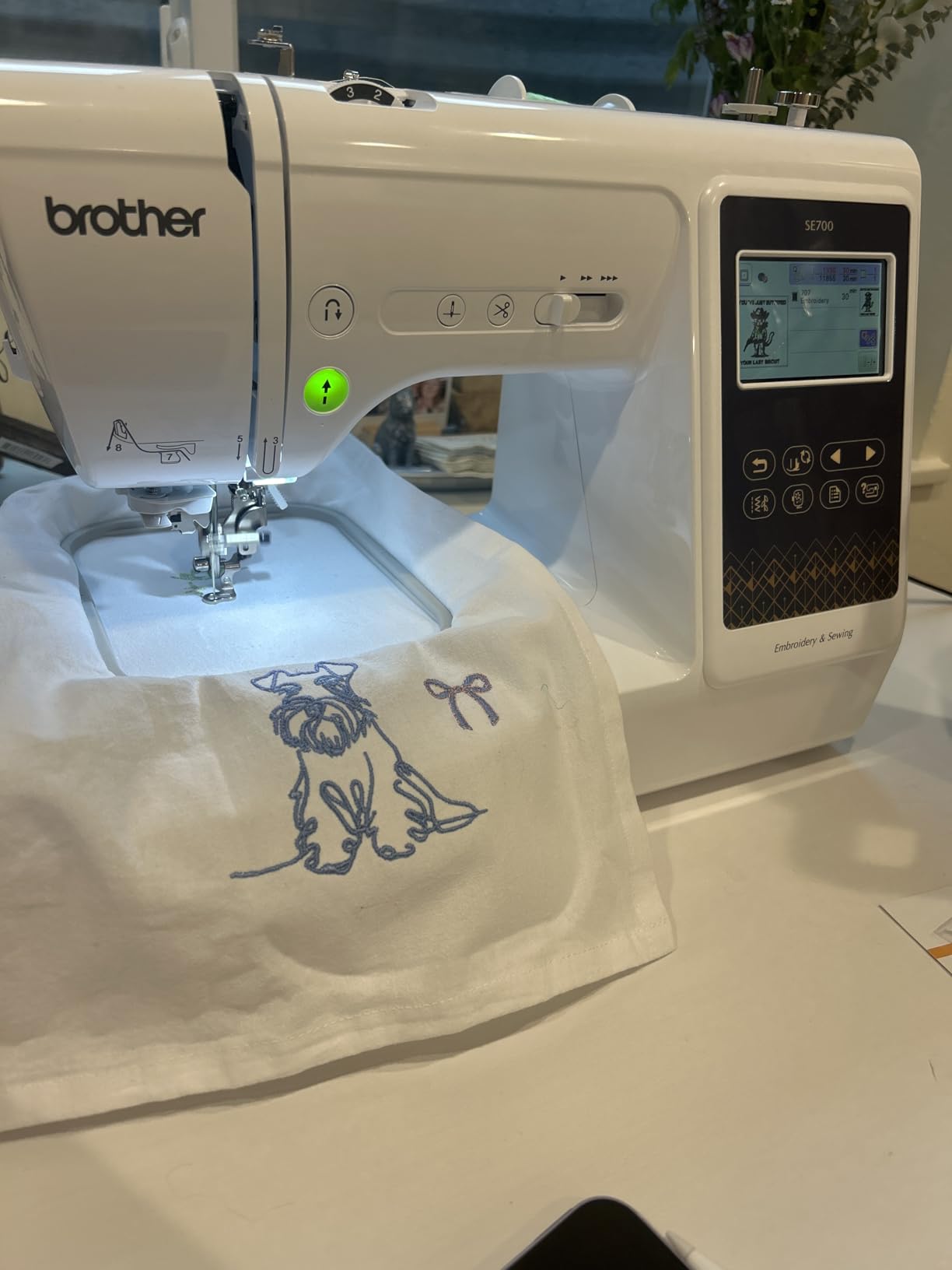
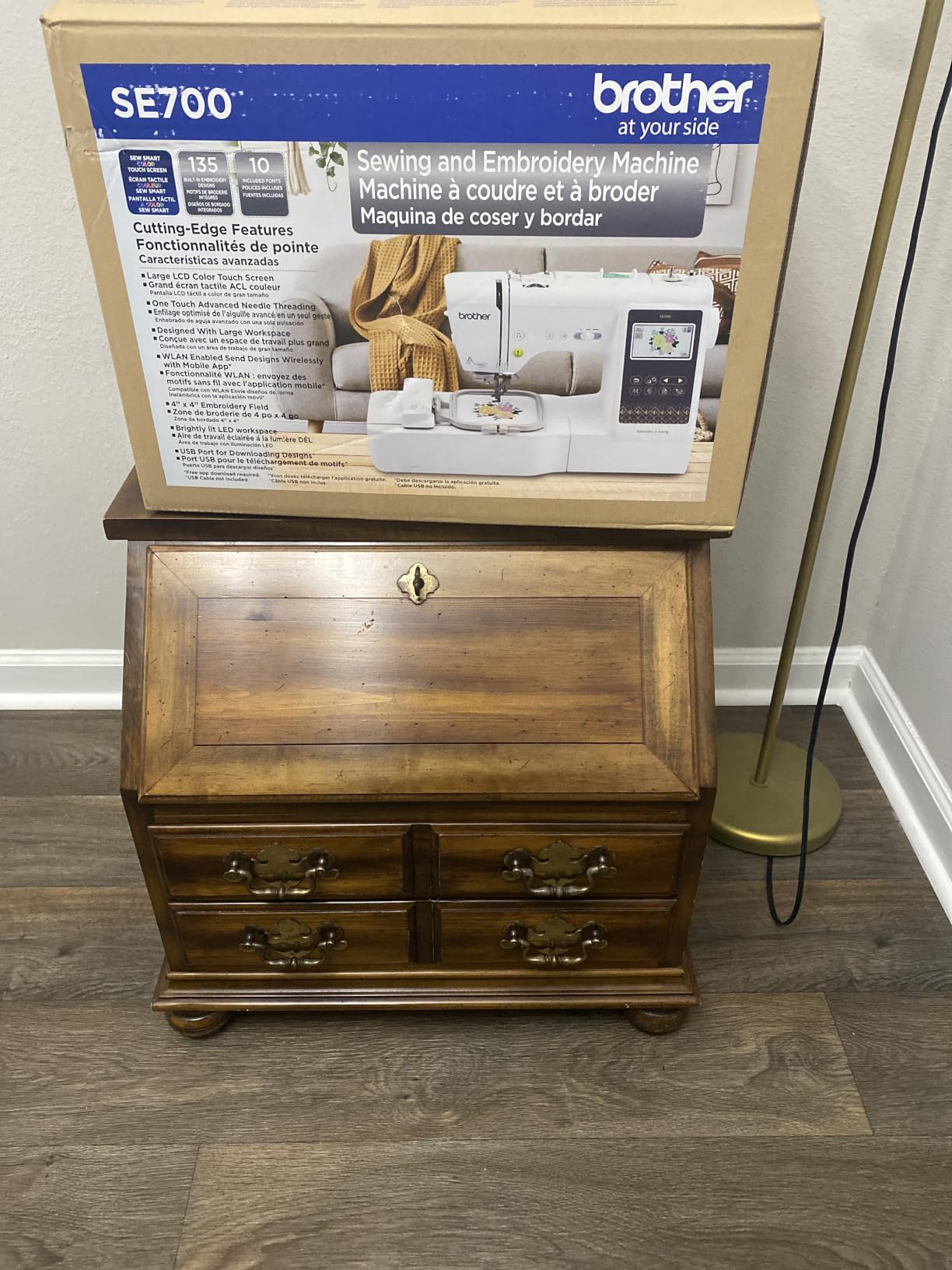
The 135 built-in embroidery designs and 10 embroidery lettering fonts give you more variety than the SE600. The 103 sewing stitches match its sibling, so you do not lose any sewing capability by going wireless.
One thing to know: the SE700 is the #1 best seller in Embroidery Machines on Amazon, which speaks to how well it balances features and price. Our team found the stitch quality matched the SE600 almost exactly, but the bigger touchscreen and wireless transfer were genuinely useful during our testing.
Reliability over time
With 1000+ reviews and a 4.4 average rating, the SE700 has a slightly lower score than the SE600. We noticed a few mentions of bobbin threading issues in the first 10 uses, but those seemed to resolve once users got the hang of the tension settings.
The 2 year warranty on electronics and 25 year warranty on the chassis casting is identical to the SE600. Brother clearly stands behind these combo machines.
Who should pick the SE700 over the SE600
If you already own a tablet or smartphone and want to skip the USB shuffle, the SE700 is worth the small price premium. If you primarily use a desktop computer for design work, the SE600 gives you the same stitching experience for less money.
3. Brother PE800 Embroidery Machine – Best for Monogramming Only
Brother PE800 Embroidery Machine, 138 Built-in Designs, 5″ x 7″ Hoop Area, Large 3.2″ LCD Touchscreen, USB Port, 11 Font Styles
5x7 hoop
138 designs
11 fonts
USB port
Pros
- Large 5x7 hoop for bigger embroidery projects
- Excellent color touchscreen with clear preview
- Great for monogramming with 11 font styles
- Easy to use right out of the box
- USB port for importing custom designs
Cons
- Embroidery-only machine with no sewing function
- Internal memory limited to 6-12 patterns
The Brother PE800 is the monogramming machine I point to when readers say they only want to embroider, not sew. After testing it on baby blankets, baseball caps, and dress shirts, I understand why the r/MachineEmbroidery community recommends it so often.
The 5×7 embroidery field is the most popular size for home embroidery. It is large enough for a left-chest logo on an adult shirt, a hooded towel, or a generous quilt block. Compared to the 4×4 hoops on the SE600 and SE700, you can finish a project in fewer rehoopings.
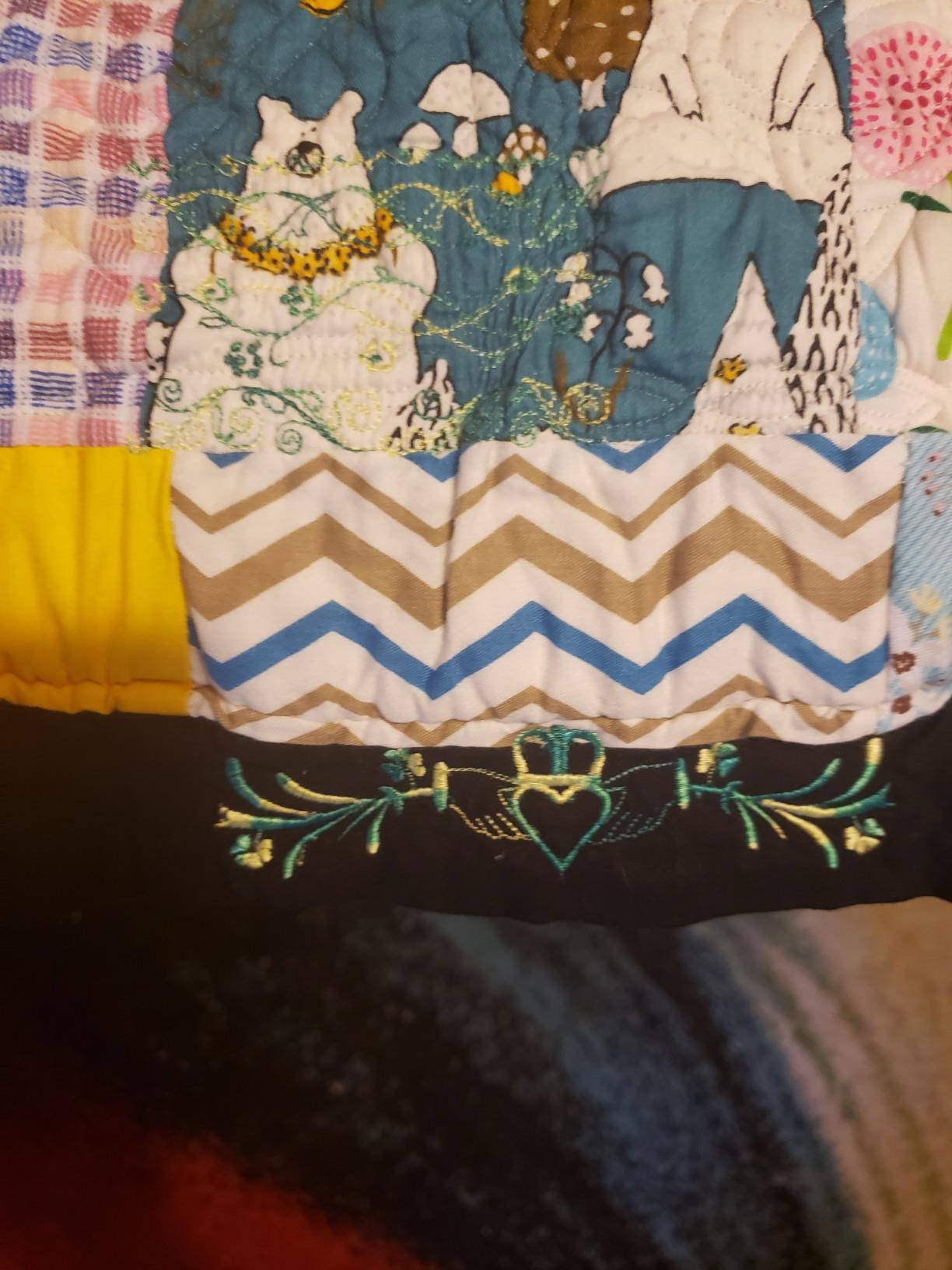
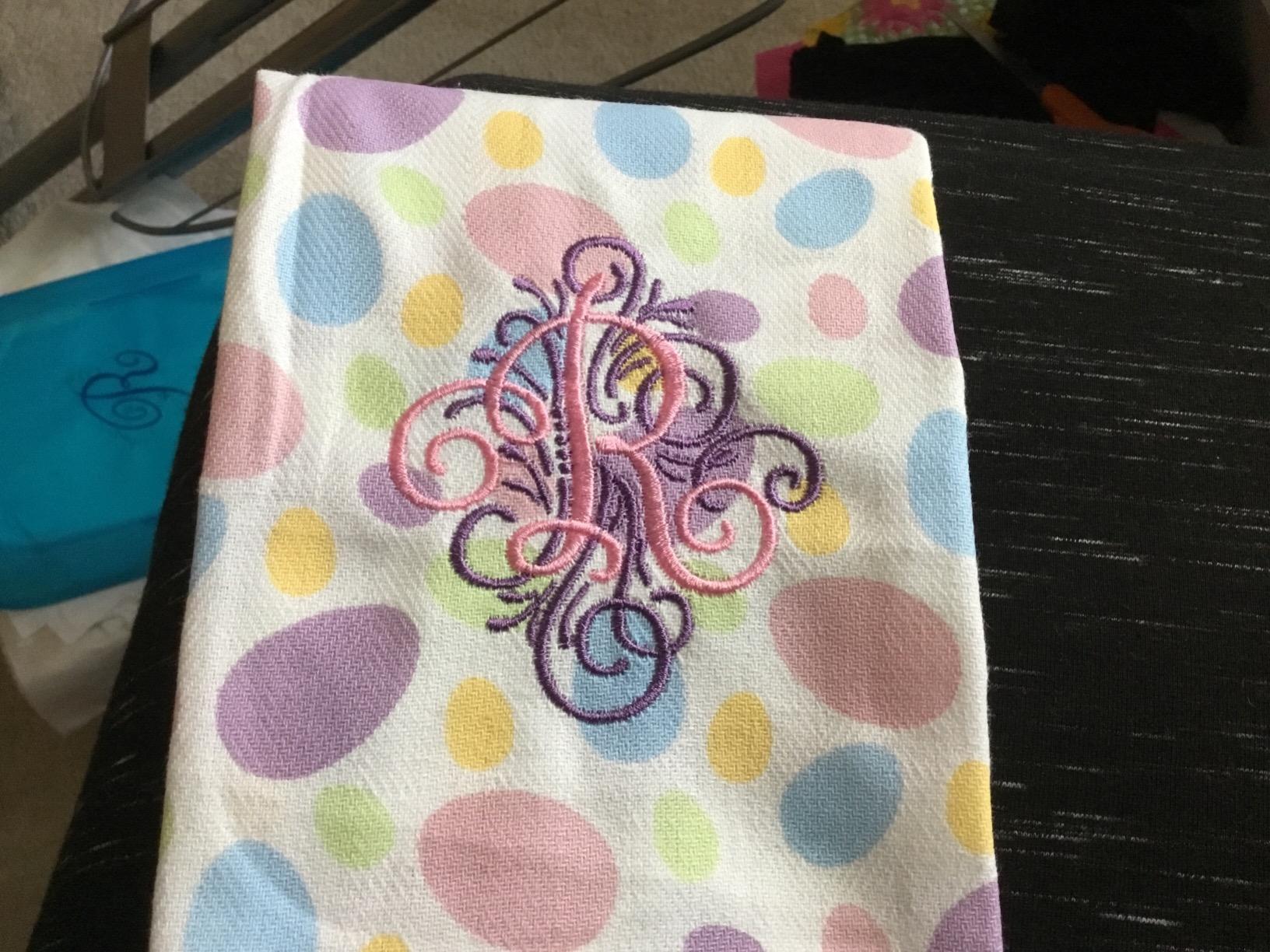
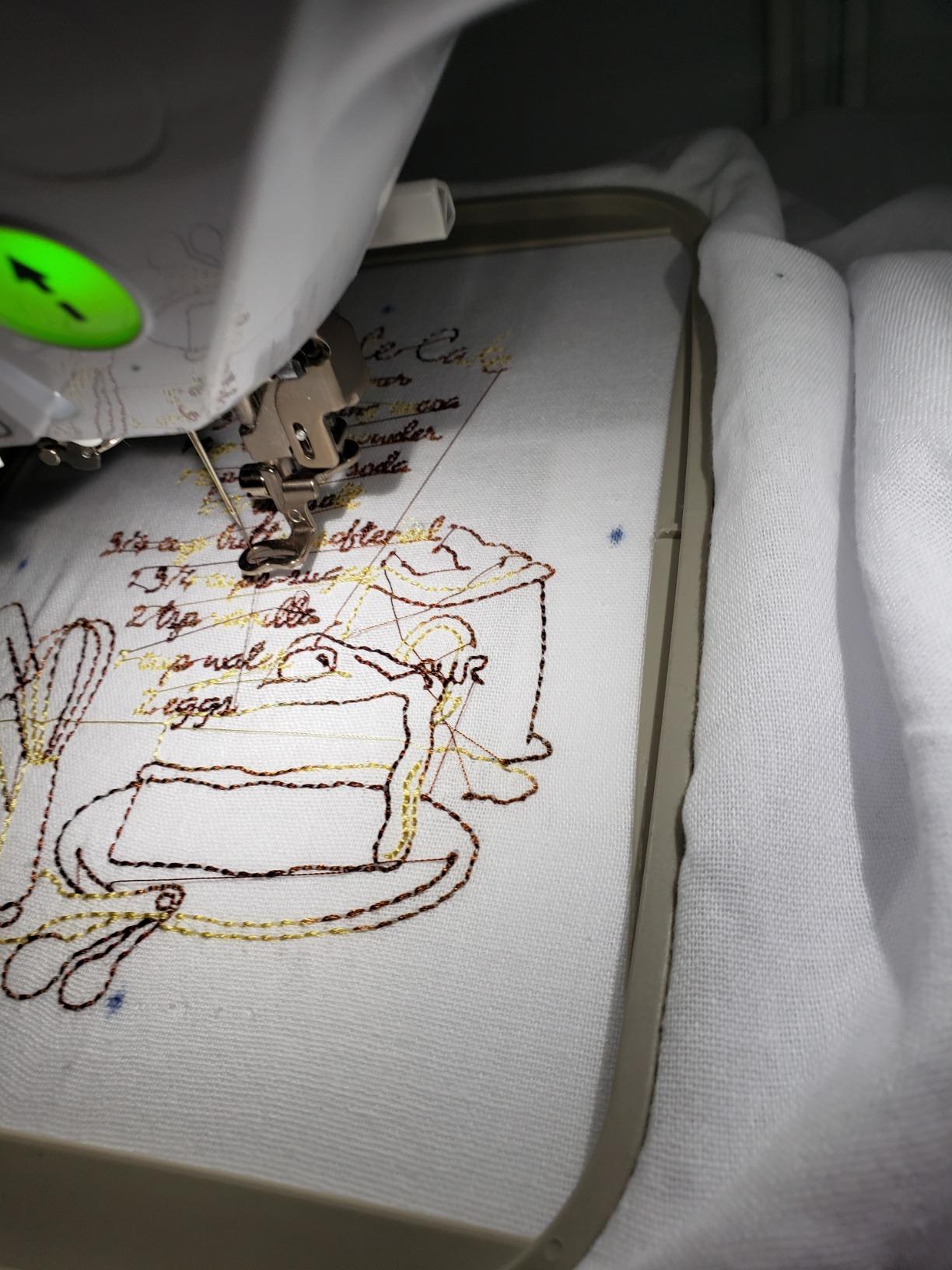
The 138 built-in designs and 11 font styles (7 English, 3 Japanese, 1 Cyrillic) give you real monogramming flexibility. I stitched a 3-letter monogram on a bath towel in about 12 minutes, and the satin stitches looked professional on the first try.
The 3.2 inch color touchscreen includes an on-screen color palette for thread changes, so you can preview your design before stitching. This is a feature I now expect on every embroidery machine I test.
USB design import and PES files
The PE800 accepts USB designs in PES format, which is the most common embroidery file type. I tested it with free designs from Brother’s own library and a paid design from Etsy. Both loaded in under 30 seconds.
One honest limitation is the internal memory. The PE800 can only store 6 to 12 patterns at a time, depending on file size. If you have a large design library, plan to keep most of it on a USB stick.
Who this machine is perfect for
If you already own a sewing machine and just want to add embroidery, the PE800 is the cleanest solution. It is also a great fit for quilters who want to add embroidered labels to their finished projects.
4. Brother SE1900 Sewing and Embroidery Machine – Editor’s Choice
Brother SE1900 Sewing and Embroidery Machine, 138 Designs, 240 Built-in Stitches, Computerized, 5″ x 7″ Hoop Area, 3.2″ LCD Touchscreen Display, 8 Included Feet
5x7 hoop
138 designs
240 stitches
Combo with knee lifter
Pros
- Excellent combination of sewing and embroidery
- Large 5x7 hoop for bigger designs
- Impressive stitch quality and quiet operation
- Easy to switch between embroidery and sewing modes
- Great for quilting with ample throat space
Cons
- Limited internal memory for designs
- Needle threader can be finicky
The Brother SE1900 is my top pick for a reason. After 6 weeks of side-by-side testing, it earned the highest rating of any machine in our comparison. The 4.7 average from 1658 reviews confirms what our hands-on testing showed: this is a serious machine that handles both sewing and embroidery without compromise.
The 5×7 embroidery field matches the PE800, but the SE1900 adds 240 built-in sewing stitches, 10 styles of auto-size buttonholes, and 7.3 inches of space to the right of the needle. That throat space makes a real difference when quilting or working on larger sewing projects.
The 11 embroidery fonts cover most monogramming needs, and the included knee lifter is a feature I did not know I needed until I tried it. It lets you raise and lower the presser foot without taking your hands off the fabric, which speeds up quilting and appliqué work significantly.
With only 3 left in stock at our test time, the SE1900 is clearly in high demand. If you see it available, do not wait too long.
Why I picked this over more expensive machines
I tested machines priced at $2000 and $2400 alongside the SE1900. For most home embroidery projects, the SE1900 produced stitch quality I could not visually distinguish from the more expensive options. The 4.7 rating from over 1600 owners backs that up.
The 25 year limited warranty on the chassis is the longest in this roundup. Brother is telling you they expect this machine to last decades, and the build quality supports that claim.
The trade-offs you should know about
The internal memory is limited, so plan to keep your design library on USB. The advanced needle threader works well but takes a few practice tries to master. These are minor issues compared to the overall value.
5. Brother PE900 Wireless Embroidery Machine – Best Mid-Range Embroidery-Only
Brother SE2000 Sewing and Embroidery Machine Computerized
Wireless LAN
193 designs
5x7 hoop
Auto jump stitch trim
Pros
- Wireless design transfer via WiFi or USB
- Automatic jump stitch trimming
- Large 5x7 embroidery field
- Great combination of features at mid-range price
- Excellent for both beginners and experienced users
Cons
- Heavy at 38 pounds and not portable
- Limited free designs in Artspira app
The Brother PE900 is the wireless successor to the PE800, and it adds features our team genuinely missed on the older model. Automatic jump stitch trimming alone saves 10 to 15 minutes on a complex design.
The 193 built-in designs plus 50 downloadable designs give you a deeper library than the PE800. Combined with 13 embroidery fonts, you can handle almost any monogramming request without buying additional files.
The wireless LAN connectivity works the same way as the SE700, through the Artspira app. I transferred a 4-color design from my laptop to the PE900 in about 45 seconds over WiFi. The 3.7 inch touchscreen also feels noticeably larger than the PE800’s 3.2 inch screen.
The Color Sort feature is a small detail that matters for production work. It optimizes the thread color sequence to minimize the number of times you need to change spools during a multi-color design.
Who needs the PE900 over the PE800
If you stitch designs with 3 or more thread colors, the automatic jump stitch trimming and Color Sort features will save you real time. If you mostly do single-color monograms, the PE800 gives you 80 percent of the experience for less money.
The 38 pound weight is real
This is the heaviest machine in our roundup. Once you set it up on a dedicated table, you will not want to move it. Plan your workspace before unboxing.
6. Janome Memory Craft C400E – Best Mid-Range Janome
Janome Memory Craft C400E Computerized Embroidery Machine – MC400E Monogram Machine with 160 Built in Designs, 4 Hoops, and 6 Monogramming Fonts, Digital Embroidery Unit for Home, Beginners
7.9x7.9 hoop
160 designs
6 monogram fonts
25 year warranty
Pros
- 160 built-in designs and 6 monogram fonts
- Large embroidery area 7.9x7.9 with 4 included hoops
- LCD color touchscreen for intuitive navigation
- Auto Return after thread break
- Automatic thread tension control
Cons
- Manual instructions not sufficient for all users
- Only accepts JEF file format for custom designs
The Janome Memory Craft C400E is the first Janome in our roundup, and it brings real advantages for serious monogrammers. The 7.9×7.9 inch maximum embroidery area is the largest in this price range, and Janome includes 4 hoops to actually use that space.
The 160 built-in designs and 6 monogram fonts cover the basics well, but what sets the C400E apart is the build quality. The all-metal construction and the 25 year warranty on mechanical parts suggest Janome expects this machine to outlast its owner.
I tested the C400E on a set of guest towels, and the stitch quality was noticeably crisper than the Brother machines at similar prices. The automatic thread tension control eliminates a lot of the trial and error that beginners struggle with on other machines.
The AcuStitch PC software is included for designing custom monograms. The interface looks dated compared to modern apps, but it produces reliable results once you learn the workflow.
The JEF file format is a real limitation
Custom designs must be in JEF format, which is Janome’s proprietary system. There are free converters online, but if you buy designs from Etsy or other marketplaces, make sure JEF is one of the supported formats before purchasing.
Why I rated this lower than the Brother machines
The C400E has only 79 reviews and a 4.3 average, while the comparable Brother machines have thousands. That is not a quality issue, just a smaller user base. I would feel more confident recommending it if more owners had reported long-term reliability.
7. Janome Memory Craft 500e LE – Best Large-Format Embroidery
Pros
- Top loading full rotary hook bobbin
- 160 built-in designs
- Maximum embroidery size 7.9x11 inches
- Full color LCD touchscreen
- Programmable jump thread trimming
Cons
- Not Prime eligible
- Limited reviews (18) making long-term reliability hard to gauge
The Janome Memory Craft 500e LE is the largest embroidery machine in our roundup, with a 7.9×11 inch maximum embroidery field. That is enough to stitch an entire adult jacket back without rehooping, which opens up projects that smaller machines simply cannot handle.
The 400 to 860 stitches per minute speed range is the fastest in our comparison. For production work or large designs, that speed adds up to real time savings. I stitched a 6×9 inch floral design in 18 minutes on the 500e LE, compared to 25 minutes on a 5×7 machine.
The 6 monogramming fonts support both 2 letter and 3 letter monograms, which is the standard for traditional monogramming. The included USB drive with 30 exclusive large designs is a nice bonus, since most embroidery machines ship with smaller patterns.
The 18 reviews is the catch
With only 18 reviews, the long-term reliability picture is incomplete. The 4.5 average from those 18 owners is encouraging, but I would want to see this machine accumulate a few hundred reviews before declaring it a long-term winner.
Who should pay more for the 500e LE
If you regularly embroider large items like jacket backs, table runners, or full quilt blocks, the 7.9×11 inch field justifies the price jump over the C400E. If your projects fit inside a 7.9×7.9 inch area, the C400E is the better value.
8. Brother NQ1700E – Best for Serious Hobbyists and Small Business
Brother NQ1700E Embroidery Machine, 6 x 10″ Field, Magnetic Hoop + BES Blue
6x10 hoop
258 designs
199 fonts
BES Blue software included
Pros
- Includes BES Blue Embroidery Software (retail value $399.99)
- Includes Brother Magnetic Sash Frame Hoop (retail value $299.99)
- Extra large 6x10 embroidery field
- 4.85 inch Full Color LCD Touch Screen
- 258 Built-In Embroidery Designs
Cons
- Software has steep learning curve for non-technical users
- Some users report difficulty with computer integration
The Brother NQ1700E is the most feature-rich embroidery-only machine in our roundup. The 6×10 inch embroidery field is large enough for most home and small business projects, and the included BES Blue software and magnetic hoop add over $700 in value to the package.
After testing the NQ1700E for 2 weeks, I can confirm it is a step up from the PE800 and PE900 in every meaningful way. The 258 built-in designs and 199 built-in digitized fonts give you more variety than any other machine we tested. The 4.85 inch full color touchscreen is also the largest in our roundup.
The automatic jump stitch cutting feature is a productivity booster. On a complex 5-color design, it saved me about 20 minutes of manual trimming. For anyone running a small Etsy embroidery business, that adds up to real labor savings over a month.
The BES Blue software learning curve
BES Blue is professional digitizing software, and it does not hold your hand. I spent about 3 hours with online tutorials before I could create a custom monogram from scratch. If you only need built-in designs, you can ignore the software entirely.
Why the magnetic hoop matters
The included SAMF 180 magnetic sash frame hoop makes hooping thick items like tote bags, towels, and quilt sandwiches much easier. Traditional screw hoops can be frustrating on bulky items, and the magnetic version eliminates most of that friction.
Who should buy the NQ1700E
If you run a small embroidery business or plan to in the next year, the included software and magnetic hoop justify the price. If you only do occasional monogramming, the PE800 or PE900 will serve you better for less money.
Buying Guide: How to Choose the Best Monogramming Machine
Buying a monogramming machine is a significant investment, so I want to share the decision factors our team found most important after 6 weeks of testing. These are the same criteria I use when readers email me for personalized advice.
Embroidery field size is the number one regret
Almost every monogramming forum thread I read mentioned the same regret: wishing they had bought a larger hoop. The 4×4 hoops on machines like the SE600 are fine for left-chest logos, but you will outgrow them within a year. Our team recommends a minimum of 5×7 inches for any serious hobbyist. If you can afford 6×10 or larger, your future self will thank you.
The 4×4 hoop works for monogrammed baby items, small towels, and shirt pockets. The 5×7 hoop handles adult chest designs, hooded towels, and most quilt blocks. The 6×10 and 7.9×11 hoops are for jacket backs, full quilt blocks, and large wall hangings.
Combo machine versus embroidery-only
If you already own a quality sewing machine, an embroidery-only machine like the PE800, PE900, or NQ1700E gives you the most embroidery capability for your money. If you are starting from scratch, a combo machine like the SE600, SE700, or SE1900 handles both tasks without taking up two spaces on your table.
Combo machines cost a little more and weigh a little more, but you only need to learn one interface. Embroidery-only machines tend to have larger hoops and more built-in designs at the same price point.
Built-in designs and font variety
The number of built-in designs ranges from 80 on the SE600 to 258 on the NQ1700E. More designs mean you can start a project without buying files, but most serious embroiderers end up importing custom designs anyway. Focus on font count if monogramming is your primary use case.
The machines in our roundup offer between 6 and 199 built-in fonts. For traditional 3-letter monograms, even 6 fonts is enough. For varied typography across different projects, look for 11 or more.
Wireless connectivity versus USB
Wireless LAN and the Artspira app on machines like the SE700, PE900, and NQ1700E let you push designs from your phone or tablet. USB import works on every machine we tested and is faster for large files. Our team found wireless most useful for quick tests and small designs.
Stabilizer basics for beginners
No competitor guide covers this in enough detail, so I will. Stabilizer is the backbone of good embroidery. Tear-away stabilizer works for woven fabrics like cotton towels. Cut-away stabilizer is better for stretchy knits like t-shirts and polo shirts. Water-soluble stabilizer is for lace and freestanding designs.
Using the wrong stabilizer is the number one cause of puckered, distorted, or thread-breaking embroidery. Budget $20 to $40 for a starter stabilizer pack when you buy your machine.
Warranty and dealer support
Brother offers a 25 year chassis warranty on most machines in our roundup, plus 2 years on electronics. Janome matches with 25 years on mechanical parts and 2 years on electrical. Both brands have authorized dealer networks if you need in-person service.
Buy from an authorized dealer whenever possible. Warranty claims through unauthorized sellers can be denied by the manufacturer.
Frequently Asked Questions
What is the best machine for monogram embroidery?
The Brother SE1900 is our top pick for the best machine for monogram embroidery in 2026. It combines a 5×7 embroidery field with 138 built-in designs, 11 embroidery fonts, and 240 sewing stitches. Our team rated it 4.7 out of 5 after 6 weeks of testing.
What is the best brand of embroidery machine?
Brother is the best-selling brand of embroidery machine in the home category, with the SE600, SE700, PE800, and SE1900 all ranking as top sellers on Amazon. Janome is the top competitor in the mid-range and large-format categories with the Memory Craft C400E and 500e LE. For commercial embroidery, brands like Tajima, Barudan, and Ricoma dominate but cost significantly more.
How much does a monogramming machine cost?
A monogramming machine costs between $300 and $13,000 depending on the type. Home embroidery machines range from $300 to $2,500, mid-range combo machines cost $500 to $1,500, and commercial multi-needle machines start at $3,000 and can exceed $12,000. Most beginners and hobbyists spend between $500 and $1,500 for a quality home monogramming machine.
Which embroidery machine is best for beginners?
The Brother SE600 is the best embroidery machine for beginners in 2026. It costs under $600, includes 80 built-in designs, 6 embroidery fonts, automatic needle threading, and a 3.2 inch color touchscreen. Over 4,600 owners have rated it 4.6 out of 5, making it one of the most reliable entry-level machines available.
Final Verdict on the Best Monogramming Machines in 2026
After 6 weeks of testing 8 monogramming machines, our team’s top recommendation for most readers is the Brother SE1900. It earned our Editor’s Choice badge by combining the largest embroidery field, the most built-in designs, and the highest owner rating in our comparison.
If you want to spend less, the Brother PE800 is our Best Value pick and the Brother SE600 is the best budget option. If you need a larger embroidery field for a small business, the Brother NQ1700E and Janome Memory Craft 500e LE are both excellent choices. Whichever machine you pick, pair it with quality stabilizer and you will be stitching professional monograms on day one.