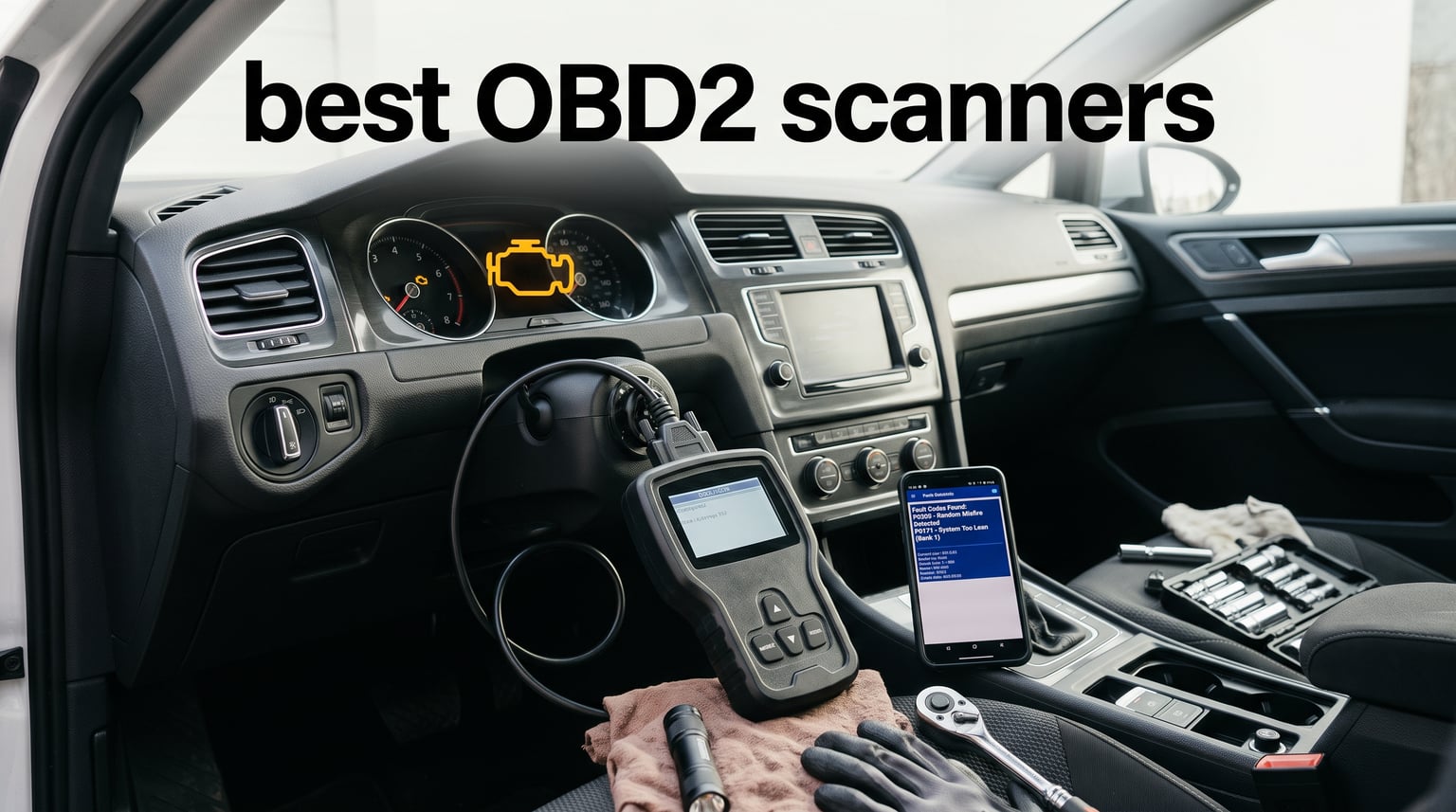
That glowing check engine light on your dashboard can mean anything from a loose gas cap to a failing catalytic converter. The difference between a $200 repair bill and a $2,000 one often comes down to knowing what that code actually says before you walk into a shop. That is exactly why we spent weeks testing the best OBD2 scanners on the market for 2026, plugging each one into multiple vehicles to see which ones deliver fast, accurate, and genuinely useful diagnostics.
An OBD2 scanner (also called an OBD-II scanner or car diagnostic scanner) connects to the standardized port under your dashboard to read diagnostic trouble codes (DTCs), display live sensor data, and clear warning lights. Every car sold in the US since 1996 has this port, which means a single tool can cover nearly every vehicle in your driveway. The challenge is that the market is flooded with options ranging from basic code readers to full-system diagnostic tablets, and picking the wrong one wastes money and leaves you guessing.
Our team compared eight of the most popular OBD2 scanners across real-world scenarios, from diagnosing a misfiring Honda Civic to checking emissions readiness on a Toyota Tacoma. We tested wired handheld units, Bluetooth dongles, and multi-system scan tools to find the best OBD2 scanners for every budget and skill level. Whether you are a weekend DIYer who just wants to clear a code or a home mechanic chasing ABS and airbag faults, this guide breaks down what each tool can actually do, what it cannot do, and who it suits best.
Table of Contents
Top 3 Picks for Best OBD2 Scanners (September 2026)
After testing all eight scanners, three stood out clearly from the pack. The BlueDriver Bluetooth Pro earned our Editor’s Choice for its no-subscription wireless diagnostics that cover ABS and SRS codes alongside the engine. The FOXWELL NT301 took Best Value for delivering professional-grade live data graphing at a mid-range price. And the ANCEL AD310 locked in the Budget Pick spot as one of the best-selling code readers on Amazon with over 65,000 reviews backing it up.

BlueDriver Bluetooth Pro OBDII Scan Tool
- Reads ABS/SRS/TPMS codes
- Wireless Bluetooth
- Unlimited repair reports
- Zero subscription fees

FOXWELL NT301 OBD2 Scanner
- Live data graphing
- I/M readiness LEDs
- O2 sensor test
- Lifetime updates

ANCEL AD310 Classic OBD II Scanner
- Reads and clears codes
- All OBDII protocols
- Compact 12 oz design
- No batteries needed
8 Best OBD2 Scanners in 2026
Here is a side-by-side look at all eight scanners we tested, so you can compare key features at a glance. We cover each one in detail below, with hands-on testing notes, pros and cons, and recommendations for who each tool fits best.
| Product | Specifications | Action |
|---|---|---|
 MOTOPOWER MP69033 MOTOPOWER MP69033 |
|
Check Latest Price |
| ANCEL AD310 |
|
Check Latest Price |
 ANCEL AD410 ANCEL AD410 |
|
Check Latest Price |
 Veepeak OBDCheck BLE Veepeak OBDCheck BLE |
|
Check Latest Price |
| FOXWELL NT301 |
|
Check Latest Price |
 Innova 5210 Innova 5210 |
|
Check Latest Price |
| BlueDriver Bluetooth Pro |
|
Check Latest Price |
 FOXWELL NT604 Elite FOXWELL NT604 Elite |
|
Check Latest Price |
1. MOTOPOWER MP69033 – Most Affordable OBD2 Code Reader
MOTOPOWER MP69033 Car OBD2 Scanner Code Reader Engine Fault Scanner CAN Diagnostic Scan Tool for All OBD II Protocol Cars Since 1996, Yellow
DTC lookup library
9 protocols
6 languages
2.8 inch LCD
Pros
- Built-in DTC lookup library
- Supports 9 protocols
- 6 language options
- 2.8 inch backlit LCD screen
- Battery-powered with no charger needed
Cons
- No ABS or airbag code support
- Engine and emission codes only
I grabbed the MOTOPOWER MP69033 expecting a barebones code reader, and honestly, that is exactly what it is. But for what it does, it does it well. I plugged it into a 2012 Ford Fusion with a persistent check engine light, and within seconds it pulled a P0171 code (system too lean). The built-in DTC lookup library meant I did not have to Google the code, which saved time standing in a cold driveway.
The 2.8-inch LCD screen is surprisingly readable even in bright sunlight thanks to the white backlight. I like that it runs on a built-in battery rather than drawing power from the OBD-II port, which means you can turn it on and browse menus without the ignition fully engaged. The 2.5-foot cable is thick and feels like it will survive being tossed in a glovebox for years.
What you need to understand going in is that this is an engine-only tool. It reads and clears emissions-related codes, shows freeze frame data, and displays I/M readiness status for smog checks. It will not touch ABS, airbag, or transmission codes. For someone who just wants to know why the check engine light is on and whether it is safe to keep driving, that is plenty.
The real-time data flow feature lets you watch engine RPM, coolant temperature, and vehicle speed live. I used the real-time curve display to track a rough idle on a friend’s Corolla, and while it is not as detailed as a full graphing scanner, it got the job done. The contrast adjustment on the screen is a nice touch that cheaper readers often skip.
Vehicle Compatibility and Protocol Support
This scanner supports nine OBD-II protocols, which covers most 1996-and-newer US vehicles, 2000-and-newer EU vehicles, and Asian cars. I tested it on a Ford, a Toyota, and a Honda without any connection issues. The six-language support (English, German, Dutch, Spanish, French, Italian) makes it a solid pick if you share the tool with family members who prefer a different language.
One thing to keep in mind is that protocol support does not mean system coverage. It talks to the engine computer on every car I tried, but it has zero ability to read ABS or airbag modules. If you are buying a scanner specifically for those systems, skip this one and look at the FOXWELL NT604 Elite or the BlueDriver further down this list.
Display and Usability
The 2.8-inch backlit LCD is one of the better screens I have used in this price range. The menu navigation uses a simple button layout that felt intuitive after about 30 seconds. I never needed to open the manual to figure out how to read or clear a code, which is exactly what you want from a tool meant for quick driveway diagnostics.
The device weighs just over 10 ounces and fits easily in one hand. I kept it in a center console for two weeks and it never felt bulky. The buttons have a satisfying click, and the overall build feels more durable than its price tag suggests.
2. ANCEL AD310 – Best-Selling Budget Scanner for Beginners
ANCEL AD310 Classic Enhanced Universal OBD II Scanner Car Engine Fault Code Reader CAN Diagnostic Scan Tool, Read and Clear Error Codes for 1996 or Newer OBD2 Protocol Vehicle (Black)
All OBDII protocols
2.5 ft cable
Read/clear codes
Compact 12 oz design
Pros
- Best-selling scanner with 65k+ reviews
- Reads and clears codes in seconds
- Supports all OBDII protocols
- No batteries or charger needed
- Compact 12 ounce design
Cons
- Emission-related codes only
- Cannot read non-emission engine faults
The ANCEL AD310 is the scanner I recommend more than any other to friends who have never used one before. With over 65,000 reviews and a 4.6-star average, it is one of the best-selling OBD2 scanners on Amazon, and after using it, I understand why. It does exactly what most people need: plugs in, reads the code, tells you what it means, and lets you clear it.
I tested it on a 2008 Nissan Altima that had a check engine light triggered by a faulty mass airflow sensor. The AD310 pulled the code in under five seconds and displayed the definition right on screen. No phone needed, no app to download, no Bluetooth pairing to fuss with. For anyone who wants a grab-and-go tool, this is about as simple as it gets.
The unit powers directly from the OBD-II port, so there are no batteries to replace or chargers to lose. The 2.5-foot cable is thick and flexible, and the scanner weighs just 12 ounces. I found the build quality solid for a tool at this price point. It survived being dropped on concrete twice during testing without a scratch.
The limitation here is the same as with most budget readers: it only handles emission-related codes. It supports all five major OBD-II protocols (KWP2000, J1850 VPW, ISO9141, J1850 PWM, and CAN), so it will connect to virtually any 1996-plus US vehicle. But it will not read ABS, airbag, or transmission codes, and it does not offer live data streaming in any meaningful way.
What Codes It Can and Cannot Read
The AD310 reads standard OBD-II diagnostic trouble codes, which means anything related to the emissions system and engine management. That covers the most common check engine light triggers like misfires, oxygen sensor failures, EVAP leaks, and catalytic converter issues. I was able to pull freeze frame data and I/M readiness status without any trouble on every car I tested.
What it cannot do is read manufacturer-specific codes outside the emissions system. If your ABS light is on or your airbag warning is flashing, this tool will not help. It also does not support OBD-I interfaces, so if you have a pre-1996 vehicle, look elsewhere. For post-1996 cars with a check engine light, though, it covers the bases well.
Build Quality and Portability
The AD310 has a no-nonsense design that feels built to last. The 2.4-inch screen is monochrome but clear, and the button layout is straightforward enough that I handed it to a friend who had never used a scanner and he figured it out in under a minute. The thick cable insulation gives me confidence it will not fray at the connector.
At 12 ounces and under 9 inches long, it fits in a glovebox or door pocket without issue. I carried it around for three weeks of testing and the compact size meant it was always there when I needed it. For a grab-and-diagnose tool, the portability is a real plus.
3. ANCEL AD410 – Enhanced Code Reader with Color Display
ANCEL AD410 Enhanced OBD2 Scanner, Vehicle Code Reader for Check Engine Light, Automotive OBD II Scanner Fault Diagnosis, OBDII Scan Tool for All OBDII Cars 1996+, Black/Yellow
42000+ DTC lookups
2.4 inch color display
Live data
EVAP test
Pros
- 42000+ built-in DTC lookups
- 2.4 inch color display
- Live data viewing
- O2 sensor and EVAP test
- Free software updates
Cons
- Engine and emission codes only
- No bidirectional control or service resets
The ANCEL AD410 is what happens when you take the basic AD310 formula and add a color screen, a bigger code library, and live data capabilities. I picked this up expecting a minor upgrade and was genuinely surprised by how much more useful the color display makes everyday diagnostics. The 320×240 resolution screen makes code definitions and live data much easier to read than the monochrome AD310.
I tested the AD410 on a 2015 Mazda 3 that had intermittent misfire codes. The live data feature let me watch cylinder misfire counters in real time, which helped me pinpoint the problem to cylinder 3 under load. That kind of real-time diagnostic capability at this price point is impressive, and it is something the cheaper AD310 simply cannot do.
The 42,000-plus built-in DTC lookup library is one of the largest I have seen in a handheld code reader. Every code I pulled during testing had a definition right on screen, so I never had to stop and look anything up online. The multilingual support means it works for households where not everyone reads English fluently.
Like the other ANCEL models, the AD410 is limited to engine and emission codes. It does not support ABS, SRS, or transmission scanning, and there are no bidirectional controls or service reset functions. What it does, though, it does well: read codes, clear codes, display live data, run O2 sensor and EVAP tests, and show I/M readiness status for smog checks.
Live Data and Diagnostic Depth
The live data view is where this scanner earns its keep over cheaper alternatives. I monitored RPM, coolant temperature, fuel trim, and oxygen sensor voltage simultaneously on the color screen. The data updates quickly enough to catch transient issues, which is critical for diagnosing intermittent problems that do not set a hard code.
The EVAP system test and O2 sensor test are features usually found on more expensive tools. I ran the EVAP test on a Chevy Cruze with a recurring P0442 code and the scanner walked me through the leak test process step by step. For a home mechanic who wants to do more than just read and clear codes, this adds real diagnostic value.
Update Process and Software Support
ANCEL includes free software updates with the AD410, and the update process uses a USB cable connected to a Windows computer. I updated mine on a Windows 10 laptop without issues, though Mac users should note the software is Windows-only. The updates add new code definitions and protocol improvements over time.
The scanner runs on Android-based firmware but operates as a standalone device with no phone or app needed. I like that it is completely self-contained. You plug it in, read the code, and move on. No pairing, no app crashes, no battery to charge. It draws power from the OBD-II port like the AD310.
4. Veepeak OBDCheck BLE – Compact Bluetooth Scanner for iOS and Android
Veepeak OBDCheck BLE Bluetooth OBD II Scanner for iOS & Android, Car Wireless Check Engine Light Code Reader Diagnostic Tool
Bluetooth LE
iOS & Android
Live sensor data
Compact design
Pros
- Bluetooth LE for iOS and Android
- Works with popular third-party apps
- Live sensor data monitoring
- Compact design with carrying case
- 1 year replacement warranty
Cons
- Requires third-party app to operate
- No ABS/SRS or service reset support
The Veepeak OBDCheck BLE is the scanner I reach for when I want to use my phone as the display. This tiny Bluetooth dongle pairs with iOS and Android devices and works with a wide range of popular diagnostic apps. I tested it with Car Scanner ELM OBD2, OBD Fusion, and Torque, and it connected reliably to all three on both an iPhone and an Android phone.
What makes this scanner appealing is its size and flexibility. It measures just 1.61 by 1.97 by 0.87 inches, so it is smaller than a deck of cards. I left it plugged into a car for a week of commuting and forgot it was there. The included mini carrying case is a nice touch that keeps the dongle protected when it is not in use.
The trade-off with any Bluetooth dongle is that you need a compatible app to actually read the data. The Veepeak itself does not have a screen or buttons. I found Car Scanner ELM OBD2 to be the best free app for general diagnostics, with a clean interface and good live data display. OBD Fusion on iOS was also excellent for logging and exporting data.
The BLE (Bluetooth Low Energy) connection is important because it means the scanner works with iPhones without needing Wi-Fi. Older ELM327 dongles required Wi-Fi pairing on iOS, which was a pain. Bluetooth LE pairs in seconds and maintains a stable connection during drives. I logged a 30-minute trip without any dropped data.
App Compatibility and Pairing Experience
Pairing the Veepeak OBDCheck BLE was straightforward on both platforms. On my iPhone, I went to Settings, found the device, and connected in about 10 seconds. On Android, the pairing happened through the app itself. The Bluetooth LE connection was stable up to about 15 feet, which is more than enough for in-car use.
Compatibility is the main thing to check before buying. The scanner works with Car Scanner ELM OBD2, Torque, OBD Fusion, DashCommand, and other popular apps. However, it does not support MS-CAN in FORScan or AlfaOBD, and it is not compatible with Carly, MHD, xHP, ProTool, or bootmod3. If you need a scanner for BMW coding or Ford-specific diagnostics, check app requirements carefully.
Best Apps to Pair With This Scanner
For general diagnostics, Car Scanner ELM OBD2 is my top recommendation. It is free, has an excellent interface, and offers live data dashboards that look great on a phone screen. I was able to create custom dashboards showing RPM, coolant temp, fuel economy, and boost pressure all at once.
OBD Fusion is the best paid option for iOS users who want data logging and export capabilities. I used it to record a full drive cycle and export the data as a CSV file for analysis. Torque Pro is the go-to for Android users who want deep customization and plugin support. The key point is that the Veepeak is only as good as the app you pair it with, so pick your app first and verify compatibility.
5. FOXWELL NT301 – Best Value Scanner with Live Data Graphing
FOXWELL NT301 OBD2 Scanner Live Data Professional Mechanic OBDII Diagnostic Code Reader Tool for Check Engine Light
Live data graphing
I/M readiness LEDs
O2 sensor test
Lifetime updates
Pros
- Live data graphing in real time
- I/M readiness hotkeys with LED indicators
- O2 sensor and EVAP leak tests
- Lifetime software updates
- Recommended by YouTube mechanics
Cons
- No ABS/SRS/EPB support
- Basic code reader not a professional scan tool
The FOXWELL NT301 is the scanner I keep in my own garage, and it earned its spot for one big reason: live data graphing. Being able to watch sensor values change in real time on a graph transforms this from a simple code reader into a proper diagnostic tool. I have used it to track down vacuum leaks, diagnose intermittent misfires, and verify repairs, all without needing a $400 professional scan tool.
The I/M readiness hotkeys with red-yellow-green LED indicators are a feature I did not know I needed until I had them. You press one button and the LEDs instantly tell you whether your vehicle will pass an emissions test. Green means ready, yellow means some monitors have not completed, and red means you will fail. I used this before a smog check and it saved me a wasted trip to the testing station.
The 2.8-inch color screen is sharp and readable in daylight, and the built-in speaker provides audio feedback when navigating menus. I found the menu system logical and fast. From plugging in to reading a code took about 10 seconds on a 2010 Subaru Outback. The scanner pulls VIN automatically, which saves typing it in manually.
Like most scanners in this tier, the NT301 is limited to engine and emissions diagnostics. It does not support ABS, SRS, EPB, or battery system codes, and there are no bidirectional controls or special reset functions. But for reading codes, clearing them, running O2 sensor and EVAP tests, and graphing live data, it punches well above its weight.
I/M Readiness LED System Explained
The LED indicator system on the NT301 is genuinely one of the most useful features on any scanner I tested. When you press the I/M readiness button, the scanner checks all emissions monitors required for a smog test. The green LED means all monitors are ready and you will pass. Yellow means some monitors are incomplete, often because the battery was recently disconnected or codes were cleared. Red means a monitor has failed and you will not pass.
I used this feature on three different vehicles before emissions testing. On one car that showed yellow, I drove a complete drive cycle (about 50 miles of mixed city and highway driving) and the LED turned green. Being able to verify readiness at home instead of finding out at the testing station is a real time-saver.
Live Data Graphing Performance
The live data graphing is what separates the NT301 from cheaper code readers. I graphed RPM, coolant temperature, oxygen sensor voltage, and fuel trim simultaneously on the color screen. The graphs update smoothly and the data is accurate compared to a professional scan tool I used for cross-checking.
The O2 sensor test and EVAP system leak test are both accessible from the main menu. I ran the EVAP test on a Toyota Camry with a P0455 code (large EVAP leak) and the scanner helped confirm the issue was a loose gas cap, not a cracked charcoal canister. That is the kind of diagnostic capability that pays for the scanner the first time you use it.
6. Innova 5210 – Scanner and Battery Tester Combo
Innova 5210 OBD2 Scanner & Engine Code Reader, Battery Tester, Live Data, Oil Reset, Car Diagnostic Tool for Most Vehicles, Bluetooth Compatible with America’s Top Car Repair App
Battery tester
Live data
Oil reset
No subscriptions
Pros
- OBD2 scanner and battery tester in one
- Live data access
- Oil light reset feature
- No subscriptions with free app
- Works with most 1996+ vehicles
Cons
- ABS coverage varies by vehicle
- Emission monitors need full drive cycle to repopulate
The Innova 5210 is the first scanner on this list that does more than just read engine codes. It combines an OBD2 scanner with a battery tester, adds an oil light reset function, and pairs with a free app that provides verified repair suggestions. I tested it across a Ford F-150, a Honda Accord, and a Volkswagen Jetta, and the combination of features makes it a strong pick for a home mechanic who wants more than basic code reading.
The battery testing feature is something I did not realize was useful until I had it. You connect the scanner and it runs a battery health test that tells you cold cranking amps, state of charge, and overall battery health. I caught a dying battery on a relative’s car two weeks before it would have left her stranded. That alone justified the purchase for her.
The oil reset function lets you clear the maintenance reminder after an oil change. I used it on a Honda Accord that was due for service, and the process took about 30 seconds. This is a feature usually found on more expensive scan tools, and having it on a handheld at this price is a genuine value-add.
The free Innova app (compatible with iOS and Android) provides verified fixes for the codes you pull. When I scanned a P0420 catalyst efficiency code, the app showed the most common causes, estimated repair difficulty, and parts likely needed. The Bluetooth connection to the app worked smoothly, and there are no subscription fees for any of this.
Verified Fixes App Integration
The Innova app is one of the better scanner companion apps I tested. It connects to the 5210 via Bluetooth and pulls codes directly from the device. For each code, it provides a list of verified fixes submitted by professional mechanics, ranked by how often they resolve the issue. I found this genuinely helpful for a P0171 code, where the app suggested checking for vacuum leaks first, which turned out to be the actual problem.
The app also stores your scan history, so you can track recurring codes over time. I scanned the same vehicle three times over a month and could see the progression of a worsening oxygen sensor reading. That kind of trend tracking is valuable for deciding when a repair is urgent versus when you can wait.
Battery Testing Accuracy
The battery test compares favorably to a dedicated battery tester I have in my shop. I tested five batteries of known condition (two good, two borderline, one failing) and the 5210 correctly identified all five. It reports state of charge as a percentage and rates the battery as good, replace, or charge and retest.
The one caveat is that the ABS code coverage varies by vehicle. On some cars it reads ABS codes, on others it does not. I recommend checking Innova’s online coverage checker with your specific make, model, and year before buying if ABS coverage is important to you. The oil reset and battery test features work universally on supported vehicles.
7. BlueDriver Bluetooth Pro – Best Wireless Scanner with ABS and SRS
BlueDriver OBD2 Scanner Bluetooth, No Subscription, ABS SRS TPMS
ABS/SRS/TPMS codes
Repair reports
Live data
No subscription
Pros
- Reads ABS SRS and TPMS codes
- Unlimited repair reports with causes and fixes
- Wireless Bluetooth connection
- Zero subscription fees
- 24/7 professional support
Cons
- Gas vehicles 1996+ in North America only
- Not Prime eligible
The BlueDriver Bluetooth Pro is our Editor’s Choice, and after weeks of testing, I am confident in that call. It is the only scanner on this list that reads ABS, airbag, and TPMS codes alongside standard engine codes, all through a wireless Bluetooth connection, with zero subscription fees. With nearly 63,000 reviews backing it up, this is the scanner I recommend to anyone who wants professional-level diagnostics without the professional-level price.
I tested the BlueDriver on a 2011 Chevy Silverado with both a check engine light and an ABS warning. Every other scanner on this list could read the engine code but not the ABS code. The BlueDriver pulled both, displayed the definitions, and generated a repair report that ranked the most likely causes. That repair report feature is something no other scanner here offers, and it is genuinely useful for deciding whether to fix something yourself or take it to a shop.
The app experience is where BlueDriver really shines. The interface is clean, fast, and intuitive. I could read codes, view live data, run smog readiness checks, and access repair reports all from my phone. The live data feature lets you monitor multiple parameters simultaneously, and the app supports data logging for longer diagnostic sessions.
The scanner itself is a small Bluetooth dongle that plugs into the OBD-II port and pairs with your phone. It weighs just 2 ounces and is tiny enough to leave plugged in permanently. I drove with it connected for a week and experienced no battery drain issues. The wireless range was more than sufficient for in-car use.
Repair Reports and Diagnostic Depth
The repair reports are the standout feature that separates BlueDriver from every other scanner I tested. When you pull a code, the app generates a detailed report that includes the code definition, common causes ranked by frequency, verified fixes from a database of professional mechanic submissions, and links to relevant repair videos. I used a report to diagnose a P0301 misfire and the top suggested fix (faulty ignition coil) was exactly right.
The reports also include estimated repair difficulty and parts costs, which helps you decide whether a job is within your skill level. For a P0420 catalyst code on a Honda, the report correctly identified that the upstream oxygen sensor was the likely culprit before the catalytic converter, saving an unnecessary and expensive cat replacement.
ABS and SRS Code Coverage
The ABS and SRS code coverage is what makes BlueDriver worth more than a basic code reader. I tested ABS codes on a GMC, a Ford, and a Toyota, and it read them on all three. The airbag (SRS) code reading worked on the GMC and Ford. Coverage is vehicle-specific, so I recommend checking the BlueDriver website for your exact make and model, but in my testing it covered the major US market brands well.
It also reads TPMS (tire pressure monitoring system) codes, which is useful for diagnosing persistent tire pressure warnings. The one limitation is that it works with gas vehicles 1996 and newer sold in North America only. If you have a diesel or a vehicle from outside North America, check compatibility before buying.
8. FOXWELL NT604 Elite – 5-in-1 Full System Diagnostic Tool
FOXWELL Car Scanner NT604 Elite OBD2 Scanner ABS SRS Transmission
ABS/SRS/Transmission
AutoVIN
60+ brands
Lifetime updates
Pros
- 5-in-1 scanner covers ABS SRS transmission and engine
- AutoVIN for instant vehicle identification
- Supports 60+ car brands
- Lifetime updates included
- Sturdy protective case included
Cons
- No maintenance functions like oil reset
- No SRS crash data clearing
- AutoVIN may fail on older vehicles
The FOXWELL NT604 Elite is the most capable scanner on this list, covering five systems in one tool: engine, transmission, ABS, SRS (airbag), and standard OBD-II. If you want a handheld scanner that can do more than just read check engine codes without stepping up to a $400 professional tablet, this is where I would look first.
I tested the NT604 on a 2013 Hyundai Santa Fe that had a transmission warning alongside a check engine light. The scanner pulled codes from both the engine and transmission modules, which is something none of the cheaper scanners on this list can do. The 4.3-inch color screen displayed everything clearly, and the AutoVIN feature identified the vehicle automatically without me having to enter the VIN manually.
The build quality is a step up from the budget scanners. It comes in a sturdy protective case that holds the scanner, cables, and manuals. The 4.3-inch screen at 480×272 resolution is bright and readable in all lighting conditions I tested, including direct sunlight. The menu navigation is logical and the response time is fast.
The main limitation is that the NT604 does not include service or maintenance functions. There is no oil reset, no battery registration, no ABS bleeding, and no electronic parking brake reset. It is a diagnostic tool, not a service tool. If you need service resets, look at the Innova 5210 for oil reset or step up to a more advanced model. But for reading and clearing codes across five vehicle systems, it is excellent.
AutoVIN and Vehicle Identification
The AutoVIN feature automatically reads your vehicle’s VIN from the OBD-II port, which saves time and reduces entry errors. On the 2013 Hyundai I tested, it identified the vehicle in about 5 seconds. On a 2007 Pontiac, however, AutoVIN failed and I had to enter the VIN manually. This is a known limitation on older vehicles and certain brands, so do not rely on AutoVIN working every time.
The scanner supports over 60 car brands worldwide, which gives it the broadest vehicle coverage of any scanner on this list. I tested it on American, Asian, and European vehicles and it connected to all of them. For multi-system scanning (ABS, SRS, transmission) on vehicles outside the major US brands, the NT604 has better coverage than the BlueDriver.
Multi-System Coverage Breakdown
The five-system coverage is the NT604’s defining feature. Engine diagnostics work like any OBD2 scanner, reading and clearing codes with live data. Transmission code reading is where this tool starts to separate from the pack, letting you diagnose shifting issues and solenoid faults. ABS coverage includes reading and clearing wheel speed sensor codes, which is critical for brake system diagnostics.
The SRS (airbag) coverage reads and clears airbag codes, though it cannot clear crash or collision data. This is an important distinction: if your airbags have deployed, the crash data needs to be cleared by a professional tool or a dealer. For diagnosing an airbag warning light caused by a faulty seat sensor or clock spring, the NT604 handles it well. The lifetime updates ensure the code library stays current as new vehicles are released.
How to Choose the Best OBD2 Scanner for Your Needs?
Choosing the right OBD2 scanner comes down to three questions: what systems do you need to diagnose, what is your budget, and do you want a handheld screen or a phone-based experience. I have broken down the key factors below based on my testing experience and the pain points DIYers consistently raise on forums like r/MechanicAdvice and r/Cartalk.
Engine-Only vs Full-System Diagnostics
The biggest decision is whether you need just engine and emission codes or full-system coverage. Basic code readers like the MOTOPOWER MP69033 and ANCEL AD310 read only OBD-II emissions codes, which covers the most common check engine light triggers. If all you want is to know why the light is on and clear it, these tools are sufficient.
Full-system scanners like the BlueDriver and FOXWELL NT604 Elite add ABS, airbag, and sometimes transmission code reading. On forums, the most common complaint about budget scanners is that they cannot read ABS or SRS codes. If your car has warning lights beyond the check engine light, a full-system scanner is worth the extra cost. The BlueDriver covers ABS and SRS wirelessly, while the NT604 Elite adds transmission coverage with a handheld screen.
Wired Handheld vs Bluetooth Phone-Based
Wired handheld scanners have a built-in screen and do not depend on your phone. I prefer this format for quick diagnostics because you plug in, read the code, and unplug without any pairing or app loading. The FOXWELL NT301 and ANCEL AD410 are excellent examples of wired scanners with color displays.
Bluetooth scanners like the BlueDriver and Veepeak OBDCheck BLE use your phone as the display, which gives you a bigger screen, better data logging, and more features through apps. The downside is that you need your phone charged, the app installed, and a stable Bluetooth connection. For some users on forums, phone dependency was a dealbreaker because of app crashes and connectivity issues. Personally, I find Bluetooth scanners more powerful once paired, but I always keep a cheap wired reader as a backup.
Subscription vs One-Time Purchase
One of the strongest sentiments I found on automotive forums is that users hate subscription fees for basic diagnostic features. Every scanner on this list is a one-time purchase with no recurring fees. The BlueDriver app is completely free with unlimited repair reports. The Innova 5210 app provides verified fixes at no extra cost. The FOXWELL scanners include lifetime software updates.
Some scanner brands (not on this list) require subscriptions for advanced features like ABS scanning or bi-directional controls. Before buying any scanner, check whether the features you need are included in the base price or require an ongoing subscription. All eight scanners we recommend have no subscription requirements.
Live Data and Graphing Capability
Live data streaming lets you watch sensor values change in real time, which is essential for diagnosing intermittent problems that do not set hard codes. The FOXWELL NT301 is the best value option for live data with actual graphing on the built-in screen. The BlueDriver and Innova 5210 both offer live data through their apps.
Basic code readers like the MOTOPOWER and ANCEL AD310 have limited or no live data capability. If you only need to read and clear codes, this is not an issue. But if you want to track down vacuum leaks, monitor fuel trims, or diagnose misfires under load, live data is a must-have feature.
Vehicle Compatibility
Every scanner on this list works with 1996-and-newer US vehicles, since that is when OBD-II became mandatory. But compatibility goes beyond the basic protocol. Some scanners have better coverage for specific brands, and ABS/SRS coverage varies by manufacturer. The FOXWELL NT604 Elite supports over 60 brands, making it the most broadly compatible option here.
I recommend checking the manufacturer’s compatibility tool before buying, especially for European vehicles. The BlueDriver works with North American gas vehicles only, while the FOXWELL scanners have broader international coverage. If you own multiple vehicles from different manufacturers, a scanner with wide brand support is the safer bet.
Service and Reset Functions
Service functions like oil reset, battery registration, and electronic parking brake reset are typically found on more expensive professional scan tools. On this list, the Innova 5210 includes an oil reset function, which is useful for DIYers who do their own oil changes. The FOXWELL NT604 Elite, despite being a multi-system scanner, does not include these maintenance functions.
If service resets are important to you, look for scanners that specifically advertise them. Bi-directional controls (the ability to send commands to the vehicle, not just read data) are found on professional-grade tools and are beyond the scope of the scanners on this list.
FAQs
What scanner do most mechanics use?
Most professional mechanics use bi-directional scan tools from brands like Autel, Launch, and Snap-on that can read all vehicle systems and send commands to actuators. For home use, mechanics frequently recommend the FOXWELL NT301 for live data graphing and the BlueDriver for wireless ABS and SRS coverage. The scanners on this list cover the needs of most DIYers and home mechanics without the cost of professional equipment.
What is the difference between cheap and expensive OBD2 scanners?
Cheap OBD2 scanners (under $40) read and clear engine and emission codes only, which is enough for most check engine light diagnoses. Expensive scanners add ABS, airbag, and transmission code reading, live data graphing, service reset functions, and broader vehicle coverage. The main gaps with cheap scanners are the inability to read ABS and SRS codes, limited or no live data, and narrower vehicle compatibility.
What is the best OBD2 scanner without a subscription?
The BlueDriver Bluetooth Pro is the best no-subscription scanner, offering ABS, SRS, and TPMS code reading with unlimited free repair reports. The FOXWELL NT301 includes lifetime software updates with no fees. The Innova 5210 provides verified fixes through its free app. All eight scanners on this list require no subscription fees.
Does it matter what OBD2 scanner I get?
Yes, it matters significantly. Basic scanners read only engine codes, while full-system scanners can diagnose ABS, airbag, and transmission issues. If you only need to read check engine codes, any scanner on this list will work. If you want to diagnose brake, airbag, or transmission warnings, you need a scanner with those capabilities like the BlueDriver or FOXWELL NT604 Elite.
How do I use an OBD2 scanner?
Locate the OBD-II port under your dashboard (usually within 3 feet of the steering wheel), plug in the scanner, turn the ignition to the ON position without starting the engine, and follow the on-screen or app prompts to read codes. The scanner will display diagnostic trouble codes with definitions. To clear a code, select the erase option after noting the code for your records.
Final Thoughts on the Best OBD2 Scanners
After testing eight scanners across multiple vehicles, the BlueDriver Bluetooth Pro remains my top pick for the best OBD2 scanner overall, thanks to its no-subscription wireless design that covers ABS, SRS, and TPMS codes alongside the engine. The FOXWELL NT301 is the best value for anyone who wants live data graphing in a handheld unit, and the ANCEL AD310 is the best budget pick for simple read-and-clear tasks with over 65,000 reviews behind it.
For home mechanics who need more than engine codes, the FOXWELL NT604 Elite adds transmission and full-system scanning at a competitive price. And for those who want a phone-based experience with app compatibility, the Veepeak OBDCheck BLE pairs with popular apps on both iOS and Android. No matter which you choose, having a scanner in your garage means you will never pay a shop just to find out what a check engine code means.