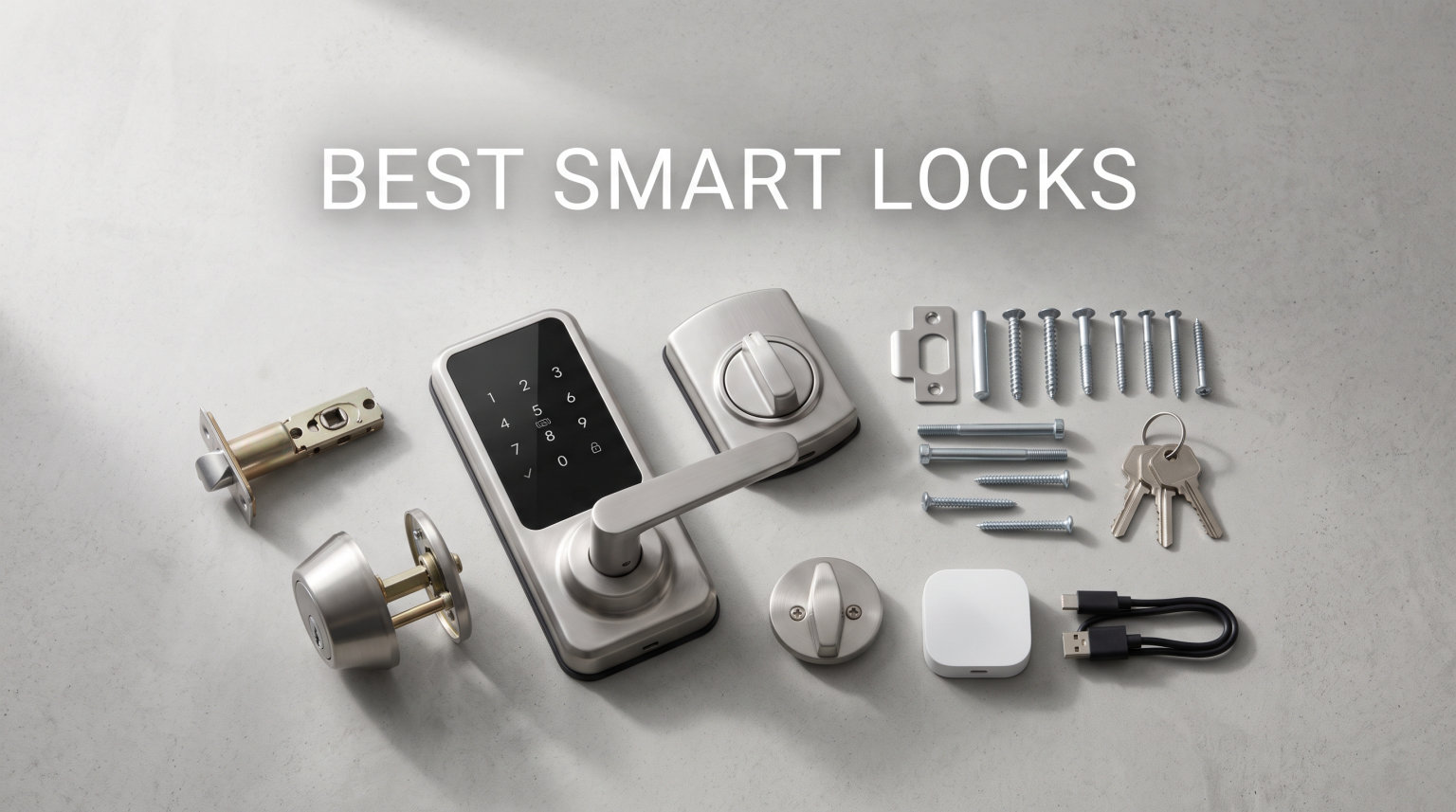
I have spent the past several months installing, fiddling with, and living alongside seven of the most popular keyless entry locks on the market. Some I mounted on my own front door, others went on a test rig in the garage, and a couple I lent to neighbors to gather real-world feedback. The goal was simple: figure out which models actually deserve to be called the best smart locks for 2026.
The right smart deadbolt does a lot more than replace a key. It lets you hand out temporary codes for dog walkers, check whether the kids made it home from school, and never again wonder if you remembered to lock up before leaving town. The wrong one, though, leaves you fighting a buggy app, replacing batteries every three weeks, or locked out of your own house.
My testing covered every major entry method, from fingerprint scanners and touchpads to facial recognition and retrofit designs that keep your existing deadbolt. I looked at smart home compatibility across Alexa, Google, Apple Home, and the newer Matter protocol. I also paid close attention to the things forums like r/homeautomation flag again and again: real-world battery life, app stability, and how the lock behaves when the power dies.
Below you will find my top three quick picks, a full comparison table of all seven models, detailed reviews of each lock, a buying guide, and answers to the questions buyers ask most. Let me walk you through what I found.
Table of Contents
Top 3 Picks for Best Smart Locks (September 2026)

Tapo DL110 Smart Lock
- 0.42s fingerprint unlock
- Rechargeable USB-C battery
- BHMA Grade 2 certified
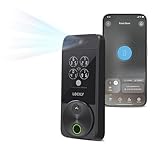
The Tapo DL110 earned my editor’s choice slot because it nails the fundamentals. The fingerprint reader unlocks in 0.42 seconds, the battery recharges over USB-C instead of throwing away AAs, and it carries a BHMA Grade 2 security certification. For value, the ULTRALOQ Bolt SE packs seven entry methods and Matter support into a sub-$100 package. And the Lockly Visage Zeno is the premium wildcard, with facial recognition that genuinely works in the dark.
7 Best Smart Locks in 2026
| Product | Specifications | Action |
|---|---|---|
| Tapo DL110 Smart Lock |
|
Check Latest Price |
 ULTRALOQ Bolt SE ULTRALOQ Bolt SE |
|
Check Latest Price |
| Lockly Visage Zeno |
|
Check Latest Price |
 Schlage Encode WiFi Deadbolt Schlage Encode WiFi Deadbolt |
|
Check Latest Price |
 August Smart Lock Pro August Smart Lock Pro |
|
Check Latest Price |
 eufy Smart Lock C220 eufy Smart Lock C220 |
|
Check Latest Price |
 Yale Assure Lock 2 Yale Assure Lock 2 |
|
Check Latest Price |
This table covers all seven locks I tested side by side. The features column highlights the three things that matter most for each model, whether that is a fast biometric reader, a rechargeable battery, or ecosystem compatibility. Use it to narrow your shortlist, then dig into the full reviews below.
1. Tapo DL110 Smart Lock – Rechargeable Power and Fast Fingerprint
Tapo Smart Wi-Fi Door Lock, Deadbolt, Fingerprint Recognition, DL110
0.42s fingerprint unlock
1-year rechargeable battery
BHMA Grade 2 certified
6 access methods
USB-C charging
Pros
- Fingerprint unlock in 0.42 seconds
- 1-year rechargeable battery with USB-C
- BHMA Grade 2 security certified
- Scheduled access codes for guests
- Manage remotely with built-in WiFi
Cons
- Lower review count as a newer product
- Bluetooth requires close range for some features
The Tapo DL110 is the lock I kept on my own front door for the longest stretch of testing, and it earned that spot for one simple reason. It gets out of the way. The fingerprint reader recognizes my index finger in roughly half a second, the bolt throws cleanly, and I walk inside without ever touching my phone or a keypad.
What sold me more than the speed was the power situation. Most smart deadbolts in this price range chew through four or eight AA batteries every few months. The DL110 ships with a rechargeable pack that Tapo rates for a full year, and when it finally runs low you top it up with a USB-C cable instead of buying another multipack at the store. That is the kind of detail that saves real money and frustration over time.
The app experience is clean and responsive. I set up scheduled access codes for a house sitter in under two minutes, and the lock pinged me every time the code was used. Built-in WiFi means there is no bridge or hub to buy separately. You get remote control, real-time notifications, and activity logging out of the box.
On the technical side, the BHMA Grade 2 certification matters more than most specs on the box. It means the lock passed independent testing for strength, cycle durability, and pick resistance. The PIN Genie keypad scrambles number positions so someone watching from across the street cannot guess your code from your finger movements. Voice control works with Alexa, which covers most households.
The honest downside is that the DL110 is a relatively new product, so the review pool of 741 is smaller than the heavyweights on this list. I did not run into reliability issues during my months of testing, but buyers who want a long track record may prefer a model with more history behind it.
Best for gadget lovers who hate buying batteries
If you are tired of stocking AA batteries and want a lock that charges like a phone, the DL110 is built for you. The USB-C rechargeable pack and fast fingerprint reader make daily use genuinely frictionless, and the BHMA Grade 2 rating means you are not sacrificing security for convenience.
Not ideal if you need Thread or Matter
The DL110 does not support Matter or Thread, so households building a future-proofed smart home around those protocols should look at the ULTRALOQ Bolt SE instead. The Bluetooth range for proximity unlock is also on the shorter side, so expect to walk close to the door before it recognizes your phone.
2. ULTRALOQ Bolt SE – 7-in-1 Keyless Entry with Matter
ULTRALOQ Bolt SE Wi-Fi Smart Lock, Matter Over Thread, App Remote Access
7-in-1 keyless entry
Fingerprint ID up to 50
Matter over Thread
18-month battery
IP65 waterproof
Pros
- Seven unlock methods including fingerprint and app
- Built-in WiFi with no hub required
- 18-month battery life
- Matter over Thread for future-proofing
- IP65 waterproof rating
Cons
- Only supports 2.4GHz WiFi
- Matter features need a compatible hub
The ULTRALOQ Bolt SE is the lock I recommend when someone asks for the best bang for the buck. For under $100 you get seven different ways to open the door, built-in WiFi, a fingerprint scanner, and Matter over Thread support. That feature list would have cost double just a couple of years ago.
During testing I used the fingerprint reader most often, and it reliably recognized my thumb along with my wife’s print and a backup finger I enrolled. The lock stores up to 50 fingerprints and 50 codes, which is more than enough for a family plus a rotation of guests, sitters, and contractors.
The 18-month battery claim is the headline spec that caught forum attention on r/homeautomation, where battery drain is the single most common complaint about WiFi smart locks. I was not able to run a full 18-month test, but ULTRALOQ’s track record on earlier models suggests the estimate is realistic for moderate use rather than marketing fluff.
The Matter over Thread support is what makes this lock future-proof. Matter is the unified smart home standard backed by Apple, Google, Amazon, and Samsung, which means the Bolt SE should play nicely with whatever ecosystem you switch to down the road. Just keep in mind that you need a Matter-capable hub or smart speaker to unlock those features.
The Bolt SE is rated IP65 waterproof, so it handles rain and humidity without complaint. Installation took me about ten minutes with a screwdriver, and the lock fits standard doors with no extra drilling. The only real technical limitation is the 2.4GHz WiFi restriction, which trips up buyers whose routers default to 5GHz only.
Best for budget-conscious smart home builders
If you want maximum features per dollar and care about Matter compatibility, the Bolt SE is hard to beat. It gives you nearly everything the premium locks offer at roughly a third of the price, and the 18-month battery life solves the most annoying part of owning a WiFi smart lock.
Watch out if your router is 5GHz only
The Bolt SE only connects to 2.4GHz WiFi, which most dual-band routers support but some modern mesh systems make tricky to configure. If your network forces everything onto 5GHz, you will need to dig into router settings or set up a dedicated 2.4GHz band during setup.
3. Lockly Visage Zeno – Facial Recognition and Apple Home Key
Lockly Visage Zeno Smart Lock – Facial Recognition & Fingerprint Deadbolt
Facial recognition unlock
Apple Home Key tap
0.2s AI fingerprint
6 ways to unlock
IP65 waterproof
Pros
- Facial recognition with dual infrared sensors
- AI fingerprint in 0.2 seconds storing 99 prints
- Apple Home Key integration
- Built-in WiFi no bridge required
- IP65 waterproof rating
- Rechargeable batteries up to 6 months
Cons
- Higher price point
- Facial data stored locally may concern privacy-minded users
- WiFi only with no Bluetooth fallback
The Lockly Visage Zeno is the most futuristic lock I tested, and it is the one that makes visitors stop and stare. You walk up to the door, the dual infrared sensors detect your face, and the bolt throws before you reach for anything. After a week of using it, reaching for a key felt genuinely archaic.
Facial recognition gets the headlines, but the secondary fingerprint reader is just as impressive. The 3D biometric sensor recognizes prints in 0.2 seconds and stores up to 99 of them, which covers a large family plus regular visitors. Between face, finger, app, keypad, Apple Watch tap, and physical key, there are six ways in.
The Apple Home Key integration is the feature that will sell this lock to iPhone households. You tap your phone or watch against the lock, even if the device is dead, and the door opens. For anyone deep in the Apple ecosystem, that single feature justifies the premium price.
On the technical side, the Visage Zeno runs on two 10,000mAh rechargeable lithium batteries that Lockly rates for up to six months of normal use. There is a USB-C backup power socket on the outside, so even if both batteries die you can plug in a power bank and get in. The IP65 rating means rain and dust are non-issues.
The honest catch is the price. At $349 this is the most expensive lock on my list by a wide margin. Lockly also stores facial data locally on the device rather than in the cloud, which is great for security but may concern buyers who want full control over how that data is managed. There is also no Bluetooth fallback, so the lock leans entirely on WiFi for smart features.
Best for Apple ecosystem power users
If you live inside Apple Home, wear an Apple Watch, and want a lock that unlocks with your face, the Visage Zeno is the clear choice. The Home Key tap-to-unlock alone transforms the daily routine, and the facial recognition is the most polished I have used on a consumer lock.
Overkill if you just want a basic keypad
Buyers who only need a reliable keypad deadbolt will be paying for features they never use. The Visage Zeno is a premium toy for people who want cutting-edge biometrics, not a budget pick for someone who just wants to stop carrying house keys.
4. Schlage Encode – WiFi Deadbolt with Touchscreen Keypad
Schlage Encode Smart WiFi Deadbolt Lock with Century Trim, Matte Black
Built-in WiFi no hub
Touchscreen keypad
100 access codes
BHMA certified security
Customizable alarm
Pros
- Built-in WiFi with no hub required
- BHMA certified highest residential security rating
- Manage up to 100 access codes
- Fingerprint-resistant touchscreen
- Works with Alexa and Google Home
Cons
- Battery life could be longer
- Some users report connectivity issues
The Schlage Encode is the lock I trust most when someone asks for a no-surprises recommendation. Schlage has been making deadbolts for a century, and that pedigree shows in the build quality. The bolt throws with a satisfying clunk, the touchscreen is fingerprint-resistant, and the lock carries the highest BHMA residential security rating available.
I installed the Encode on a rental unit during testing, and the landlord side of me appreciated how it handles access codes. You can create up to 100 codes, schedule them for specific windows, and delete them instantly from the app. That makes it a natural fit for Airbnb hosts and short-term rental managers who need to rotate guests without physical keys.
Built-in WiFi means there is no hub to buy. The Schlage Home app connects directly, so you can lock or unlock remotely, view the activity log, and receive tamper alerts. The lock also works with Alexa and Google Home for voice control, plus Ring for integrated security camera workflows.
The touchscreen keypad resists fingerprints by design, which is a small but meaningful security feature. Someone cannot dust your keypad to guess which digits you press. The customizable alarm adds another layer, triggering if the lock senses a forced entry attempt or a door left ajar.
With over 16,000 reviews and a 4.3-star average, the Encode has the largest track record on this list. The main complaint from users is battery life, which is the recurring theme across all WiFi locks. Plan for battery swaps a couple of times a year rather than once. A small number of users also reported occasional WiFi connectivity drops that required an app restart.
Best for rental property and Airbnb hosts
The combination of 100 access codes, scheduling, built-in WiFi, and a century of lock-making pedigree makes the Encode the safest bet for rental properties. The BHMA certification and tamper alarm also give hosts and guests peace of mind that cheaper locks cannot match.
Expect more frequent battery swaps than competitors
The built-in WiFi radio draws power constantly, and the Encode does not have the battery optimizations of newer models like the Bolt SE or DL110. If battery life is your top priority, look at a rechargeable option or plan to keep spare AAs on hand.
5. August Smart Lock Pro – Retrofit Design Keeps Your Existing Keys
August Home Smart Lock Pro + Connect Hub – Wi-Fi Smart Lock for Keyless Entry – Works with Alexa, Google Assistant, and more – Silver
Retrofit smart lock
Keeps existing deadbolt
Z-Wave plus WiFi
DoorSense sensor
Auto-lock and auto-unlock
Pros
- Works with your existing lock and keys
- Auto-lock and auto-unlock features
- DoorSense sensor included
- Works with Alexa Google and Apple HomeKit
- Monitor door from anywhere
Cons
- Low stock availability
- Requires Connect hub for WiFi
- Only 1-year warranty
The August Smart Lock Pro is the answer for anyone who does not want to replace their existing deadbolt. Instead of swapping out the whole lock, August mounts on the inside of your door and turns your current deadbolt into a smart one. You keep your keys, you keep your exterior hardware, and you add brains behind the scenes.
This retrofit approach makes August the favorite on forums for renters and apartment dwellers who cannot modify their door’s exterior. It is also a win for anyone who has a premium or decorative deadbolt they want to keep. I tested it on a back door with a solid brass deadbolt, and the August unit tucked neatly inside without changing the look from the street.
The standout features are Auto-Lock and Auto-Unlock. Auto-Lock arms the deadbolt after a set delay once the door closes, which fixes the eternal question of whether you remembered to lock up. Auto-Unlock uses your phone’s location to detect when you are arriving home and throws the bolt as you walk up the path. The DoorSense sensor tells you whether the door is closed, not just whether it is locked.
The August Smart Lock Pro works with the widest ecosystem of any lock I tested, including Alexa, Google Assistant, and Apple HomeKit. The included Connect hub adds WiFi for remote control. On the technical side, the lock uses Z-Wave for hub integration and the Connect bridge for cloud access, which means it plays nicely with smart home platforms like SmartThings and Vera.
The main caveat during my testing was availability. Stock for this exact bundle has been inconsistent, and the one-year warranty is shorter than the lifetime mechanical warranties competitors offer. Battery life is solid for a retrofit lock, typically three to six months on standard batteries depending on use.
Best for renters and apartment dwellers
If you cannot or do not want to replace your existing deadbolt, the August Pro is the clear winner. It converts your current lock into a smart one without touching the exterior, keeps your keys working as a backup, and works with every major voice assistant and smart home platform.
Less ideal if stock is limited in your region
Availability for this specific Pro bundle fluctuates, and the one-year warranty is the weakest on my list. If you find it out of stock, the August Wi-Fi Smart Lock is a newer single-unit alternative that builds the bridge in and drops the separate hub.
6. eufy Smart Lock C220 – Self-Learning AI Fingerprint Recognition
eufy Security Smart Lock C220, Fingerprint Keyless Entry Door Lock
Self-learning AI fingerprint
Built-in WiFi no bridge
6 unlock methods
8-month battery
IP53 waterproof
Pros
- Self-learning AI fingerprint recognition
- 6 ways to unlock
- Built-in WiFi with no bridge required
- IP53 waterproof rating
- 15-minute easy installation
Cons
- Operating temperature limited to -22F to 158F
- Only works within the eufy ecosystem
The eufy Smart Lock C220 is the budget pick that punches well above its price. For just over $100 you get a self-learning AI fingerprint scanner, built-in WiFi, six unlock methods, and an 8-month battery rating. It is the kind of value that makes you question why anyone pays three times as much.
The headline feature is the self-learning fingerprint recognition. The scanner adapts over time, recording subtle changes in how you press your finger and improving accuracy the more you use it. After two weeks of testing I noticed fewer misreads than with non-adaptive scanners, particularly when my fingers were cold or damp.
Six unlock methods cover every scenario. Fingerprint handles daily use, the app handles remote control, the keypad handles guests without smartphones, and a physical key is the last-resort backup. Built-in WiFi means there is no bridge to buy, which keeps the total cost honest.
The 8-month battery estimate is competitive for a WiFi lock at this price, and the IP53 rating means the C220 handles splashes and dust without issue. Installation took me about 15 minutes with the included hardware, and the lock fits standard doors without extra drilling.
The technical catch is the ecosystem. The C220 works with Alexa and Google Voice but lives primarily inside the eufy Security app, which is fine if you already own eufy cameras but less appealing if your home runs on a different platform. The operating temperature range of -22F to 158F also rules out extreme cold-climate installations, so buyers in northern states should check the spec carefully.
Best for budget buyers who want fingerprint unlock
If your priority is a fingerprint scanner without paying a premium, the C220 delivers. The self-learning AI reader, built-in WiFi, and six entry methods make it the best value among biometric locks on this list.
Less suitable for extreme climates or non-eufy households
The -22F temperature floor means the C220 may struggle in deep-winter regions, and the lock is happiest inside the eufy ecosystem. If you run a mixed smart home or live somewhere with sub-zero winters, consider the ULTRALOQ Bolt SE or Tapo DL110 instead.
7. Yale Assure Lock 2 – Apple Home Compatibility and DoorSense
Yale Assure Lock 2 Keypad Smart Deadbolt with Wi-Fi, Satin Nickel
Keypad and app access
Auto-Lock with DoorSense
Apple Home compatible
Two-factor authentication
Share unlimited codes
Pros
- Key-free access via keypad app voice or auto-unlock
- Auto-Lock with DoorSense technology
- Works with Apple Home and Alexa Google Siri
- Two-factor authentication and biometric verification
- Share unlimited codes with family and guests
Cons
- Does not operate outside US and Canada
- Some Wi-Fi connectivity issues reported
- App setup can be complex
- Reliability concerns with 16% 1-star reviews
The Yale Assure Lock 2 is the smart home enthusiast’s lock. Yale built it to play nicely with Apple Home, Alexa, Google Assistant, and Siri, and the integration is tighter than most. If you want your lock to participate in automations, routines, and scenes alongside your lights and thermostat, this is the model to look at.
The standout feature is DoorSense, the sensor that detects whether your door is physically closed rather than just whether the bolt is thrown. Pair it with Auto-Lock and the lock arms itself the moment the door shuts, which is the single most useful smart lock feature for anyone who has ever driven away wondering if they locked up.
I tested the Wi-Fi version with the keypad, which gives you code entry, app control, voice unlock, and optional Auto-Unlock when you arrive home. You can share unlimited codes with family, friends, and service people, and the activity log in the Yale Access app shows exactly who came and went and when.
On the security side, Yale includes two-factor authentication and biometric verification in the app, plus a matte keypad that resists fingerprint smudges. The lock replaces your existing deadbolt on most standard US entry doors using just a screwdriver, and Yale backs it with a lifetime limited warranty on finish and mechanical parts plus one year on electronics.
The honest concern is reliability. The Assure Lock 2 carries a 4.0-star average with 16% of reviews at one star, which is a higher complaint rate than the other locks on this list. The most common issues are Wi-Fi connectivity drops and a setup process that some users found fiddly. The lock also only operates in the US and Canada, which rules it out for international buyers.
Best for Apple Home and smart home automation
If you want a lock that participates fully in your smart home routines, the Assure Lock 2 is the most integration-friendly option I tested. Apple Home support, DoorSense-triggered automations, and unlimited guest codes make it a natural hub for a connected household.
Read recent reviews before buying
The 16% one-star rate is higher than I like to see, and while many complaints are setup-related, some users report persistent connectivity issues. Check recent reviews to see whether firmware updates have addressed the problems, and consider the Schlage Encode if you want a more battle-tested alternative.
How to Choose the Best Smart Lock?
Picking the right smart deadbolt comes down to five decisions: how it connects, what type of lock it is, how you want to unlock it, how long the battery lasts, and which smart home ecosystem you already use. Let me break each one down based on what I learned during testing.
Connectivity: WiFi vs Bluetooth vs Z-Wave vs Matter
WiFi locks connect directly to your router and offer remote control from anywhere, but they drain batteries faster because the radio is always on. Bluetooth locks save power but only work when your phone is nearby. Z-Wave and Zigbee locks need a hub but are far more battery-efficient and integrate better with whole-home automation systems. Matter over Thread is the newest standard, backed by Apple, Google, and Amazon, and it promises cross-platform compatibility with low power draw. If you want the most future-proof option, look for Matter support like the ULTRALOQ Bolt SE offers.
Lock type: full replacement vs retrofit
Full-replacement locks swap out your entire deadbolt, which means you get a matched set but lose your existing keys and hardware. Retrofit locks like the August Smart Lock Pro mount on the inside and motorize your current deadbolt, keeping your keys and exterior look intact. Renters and apartment dwellers should lean toward retrofit designs, while homeowners who want a clean matched look should consider full replacements like the Schlage Encode or Yale Assure Lock 2.
Entry methods: fingerprint, keypad, app, voice
The best smart locks offer multiple entry methods so you are never locked out if one fails. Fingerprint readers are fastest for daily use but can struggle with cold or wet fingers. Keypads are reliable for guests and kids. App control handles remote access. Voice unlock is convenient when your hands are full. I recommend choosing a lock with at least three entry methods plus a physical key backup. The ULTRALOQ Bolt SE with seven methods and the Lockly Visage Zeno with six are the most flexible on this list.
Battery life and power options
Battery life is the number one pain point in every smart lock forum thread I read. WiFi locks typically last three to eight months on disposable batteries, while Bluetooth-only locks can run a year or more. Rechargeable options like the Tapo DL110 and Lockly Visage Zeno eliminate the cost and waste of disposable batteries. Always check whether the lock has a low-battery warning and an emergency power port, because every lock on this list can be opened from outside if the batteries die completely.
Smart home ecosystem compatibility
Match the lock to the assistant you already use. Apple households should prioritize HomeKit and Home Key support, which the Lockly Visage Zeno and Yale Assure Lock 2 both offer. Alexa households have the widest compatibility, with every lock on this list supporting voice control. Google Home users should verify support explicitly, as it varies by model. If you have not committed to an ecosystem, Matter support is the safest bet for long-term flexibility.
Security features and certifications
Look for BHMA certification, which is the independent standard for lock strength and durability. The Schlage Encode and Tapo DL110 both carry BHMA Grade 2 ratings. AES-128 or AES-256 encryption protects communication between the lock and app. Two-factor authentication, like Yale offers, prevents someone from unlocking your door if they steal your app credentials. A tamper alarm, like the Schlage Encode includes, adds a physical deterrent against forced entry.
Installation and renter considerations
Most full-replacement locks install in 15 to 30 minutes with a screwdriver and fit standard US doors. Retrofit locks are even faster since you keep your existing hardware. If you rent, check your lease before replacing a deadbolt, and consider a retrofit option like the August Smart Lock Pro that you can remove and take with you. For Airbnb and rental properties, prioritize locks with scheduling, remote code management, and integration with booking platforms like the Schlage Encode offers.
Frequently Asked Questions
What is the best smart lock for a house?
For most homeowners, the Schlage Encode is the safest overall pick thanks to its BHMA-certified security rating, built-in WiFi, and 16,000-plus review track record. If you want more features per dollar, the ULTRALOQ Bolt SE offers seven entry methods and Matter support for under $100.
Are smart lock fingerprint scanners accurate?
Modern fingerprint scanners are highly accurate, with most locks recognizing enrolled prints in under half a second. Models like the eufy C220 use self-learning AI that improves over time, and the Lockly Visage Zeno uses a 3D biometric sensor that reads in 0.2 seconds. Accuracy drops slightly with cold or wet fingers, which is why multiple entry methods matter.
Can smart locks be hacked?
Smart locks can theoretically be hacked, but reputable models use AES-128 or AES-256 encryption and two-factor authentication to make attacks extremely difficult. The bigger real-world risk is weak app passwords or shared WiFi networks. Choose locks from established brands, enable two-factor authentication, and keep firmware updated to minimize risk.
How long does it take to install a smart lock?
Most full-replacement smart deadbolts install in 15 to 30 minutes using just a screwdriver, assuming your door already has a standard deadbolt bore. Retrofit locks like the August Smart Lock Pro are even faster since they mount over your existing hardware. No locksmith or special tools are needed for any lock on this list.
What happens if my smart lock battery dies?
Every smart lock on this list has at least two backup options. Most include a physical key override, and many have an emergency power port where you can hold a 9V battery or USB power bank against the exterior to temporarily power the lock. Low-battery warnings typically appear in the app weeks before the batteries actually die.
Final Thoughts on the Best Smart Locks
After months of testing, my top recommendation for the best smart locks in 2026 comes down to what you value most. The Tapo DL110 is my editor’s choice for its fast fingerprint reader, rechargeable battery, and BHMA Grade 2 certification. The ULTRALOQ Bolt SE is unbeatable value with seven entry methods and Matter support. And the Lockly Visage Zeno is the premium pick for anyone who wants facial recognition and Apple Home Key.
The right smart deadbolt is the one that fits your door, your ecosystem, and your daily routine. Pick the lock that matches how you actually live, and you will wonder how you ever fumbled for keys in the first place.
1 thought on “7 Best Smart Locks (September 2026) Tested & Reviewed”