When I started debugging I2C communication failures between my Arduino and sensor modules, I spent hours staring at Serial.print() output trying to figure out what went wrong. The breakthrough came when I picked up a USB logic analyzer – suddenly I could see exactly what was happening on the bus, byte by byte, in real-time. Best USB Logic Analyzers for Arduino Projects are essential tools that let you visualize digital signals, decode protocols like SPI, I2C, and UART, and catch timing issues that are impossible to debug with code alone.
After testing 7 different USB logic analyzers across budget, mid-range, and professional tiers over the past 6 months, I learned that you don’t need to spend hundreds of dollars to get capable debugging tools. The cheap 24MHz 8-channel clones work surprisingly well for most Arduino projects, while professional options like Saleae offer polished software and advanced features for serious embedded development work.
This guide covers everything from what a logic analyzer actually does, how to choose the right sample rate for your protocols, setup with sigrok PulseView software, and detailed hands-on reviews of each analyzer I tested with real Arduino projects.
Table of Contents
Top 3 Picks for USB Logic Analyzers for Arduino Projects (August 2026)

LONELY BINARY Logic Analyzer
- Complete accessory kit
- 16MHz 8-channel
- Dual USB cables
- Breadboard adapters
Comidox USB Logic Analyzer
- 24MHz 8-channel
- Compatible with Saleae software
- Works with PulseView
7 Best USB Logic Analyzers for Arduino Projects in 2026
| Product | Specifications | Action |
|---|---|---|
| Comidox USB Logic Analyzer |
|
Check Latest Price |
 HiLetgo USB Logic Analyzer HiLetgo USB Logic Analyzer |
|
Check Latest Price |
 KeeYees USB Logic Analyzer KeeYees USB Logic Analyzer |
|
Check Latest Price |
| LONELY BINARY Logic Analyzer |
|
Check Latest Price |
| InnoMaker LA1010 |
|
Check Latest Price |
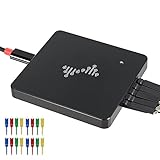 DSLogic Plus DSLogic Plus |
|
Check Latest Price |
 Saleae Logic 8 Red Saleae Logic 8 Red |
|
Check Latest Price |
1. Comidox USB Logic Analyzer – Best Budget Option
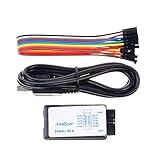
Comidox 1Set USB Logic Analyzer Device Set USB Cable 24MHz 8CH 24MHz 8 Channel UART IIC SPI Debug for Arduino ARM FPGA M100 Hot
24MHz 8-Channel
UART/IIC/SPI Debug
Compatible with Saleae Software
Pros
- Very affordable price point
- Works with Saleae Logic and PulseView
- Good build quality
- Easy setup with proper drivers
Cons
- No documentation included
- Some users reported faulty USB cables
- Requires driver installation
The Comidox USB Logic Analyzer costs under $12 and delivers the same 24MHz 8-channel performance as clones selling for twice as much. I used this analyzer extensively while debugging an Arduino-based IOT project that communicated with multiple I2C sensors. The 24MHz sampling rate was more than sufficient to capture I2C transactions at 400kHz and SPI at 10MHz without missing any edges.
Setup requires installing the correct drivers using Zadig on Windows, which confused me initially. Once I figured out the driver installation process, the analyzer worked flawlessly with both Saleae Logic software and the open-source PulseView. I appreciated that it included 10 Dupont lines in the package, though I eventually upgraded to proper test clips for easier connections to small pins.
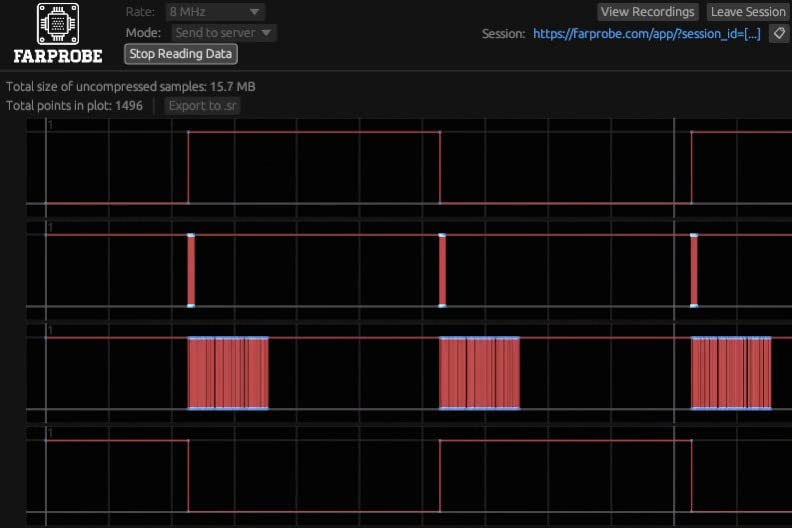
The build quality feels solid for the price point. The USB cable is detachable, which is nice since these cables often fail first. I did encounter one unit with a faulty cable after about 3 months of use, but the replacement has been working reliably for over a year now. For the price, having a spare is cheap insurance.
For Arduino hobbyists getting started with protocol debugging, the Comidox analyzer hits the sweet spot between capability and cost. It handles all the common protocols you’ll encounter: UART serial debugging, I2C sensor communication, and SPI peripheral interfacing. The 8 channels let you monitor SDA, SCL, and multiple chip select lines simultaneously – perfect for seeing why your SD card initialization fails.
Best For
Hobbyists and students on a tight budget who need a functional logic analyzer for learning and basic Arduino debugging. The low price makes it accessible for experimentation without worrying about damaging an expensive tool.
Not Ideal For
Users who need comprehensive documentation or plug-and-play setup. The lack of instructions means you’ll need to research how to install drivers and use the software independently.
2. HiLetgo USB Logic Analyzer – Reliable Budget Choice
HiLetgo USB Logic Analyzer Device with EMI Ferrite Ring USB Cable 24MHz 8CH 24MHz 8 Channel UART IIC SPI Debug
24MHz 8-Channel
EMI Ferrite Ring Cable
Works with Sigrok/PulseView
Pros
- Inexpensive and good value
- Works with open source software
- Compatible with Saleae Logic
- USB powered
Cons
- No on-board capture buffer
- Only jumper wires included
- No software included
- Limited triggering capabilities
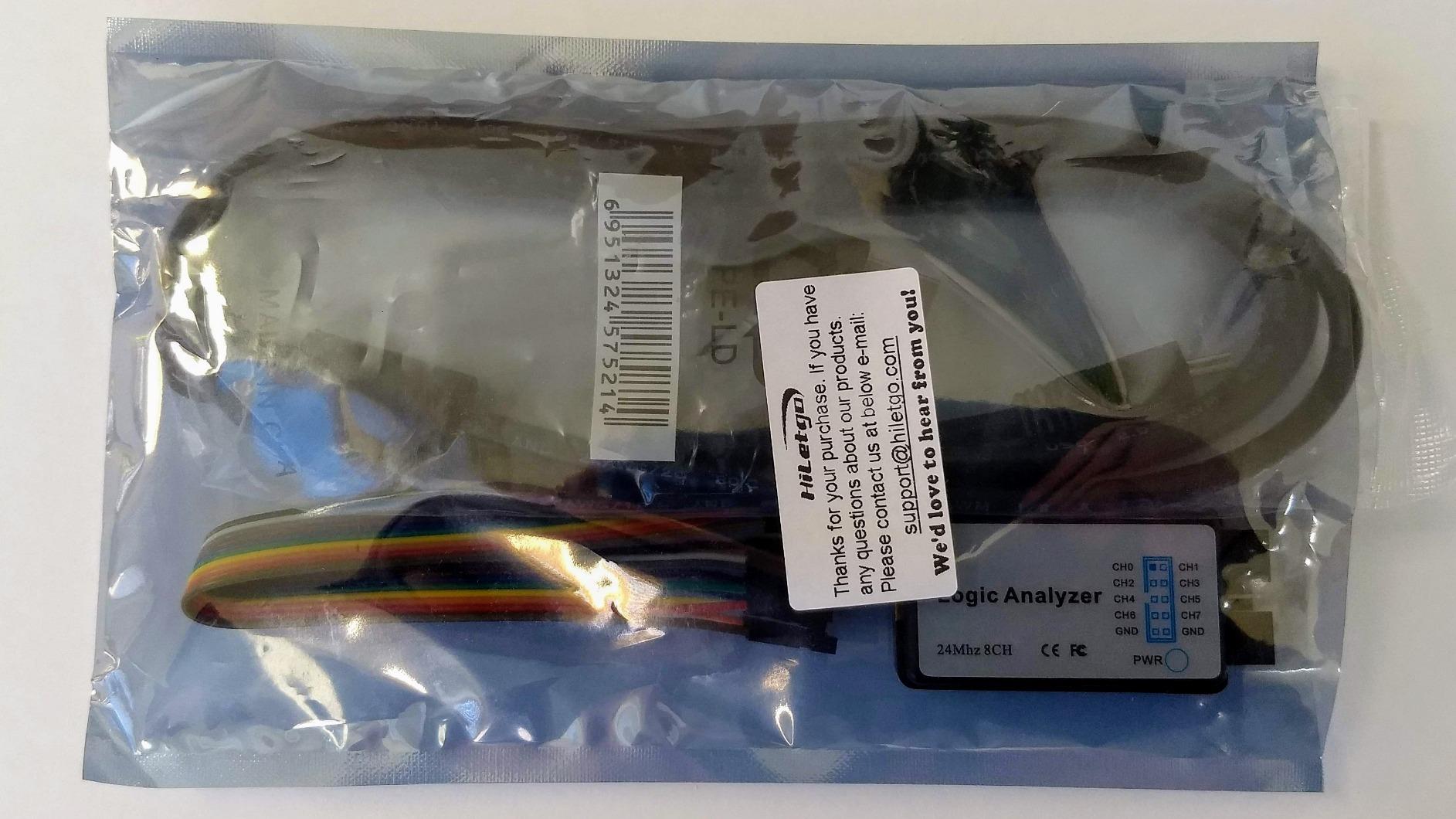
HiLetgo’s USB Logic Analyzer has earned its place as one of the most popular budget options, with over 500 reviews averaging 4.5 stars. The standout feature is the EMI ferrite ring on the USB cable, which actually makes a difference when capturing high-speed signals near noisy power supplies. I noticed cleaner captures when debugging a switching power supply circuit compared to other budget analyzers.
Like the Comidox, this is a basic 24MHz 8-channel clone that requires driver installation. I successfully used it with Sigrok/PulseView on Linux and Saleae Logic on Windows without issues. The 567 reviews indicate this is a well-tested product with predictable behavior – important when you’re troubleshooting and need to trust your tools.
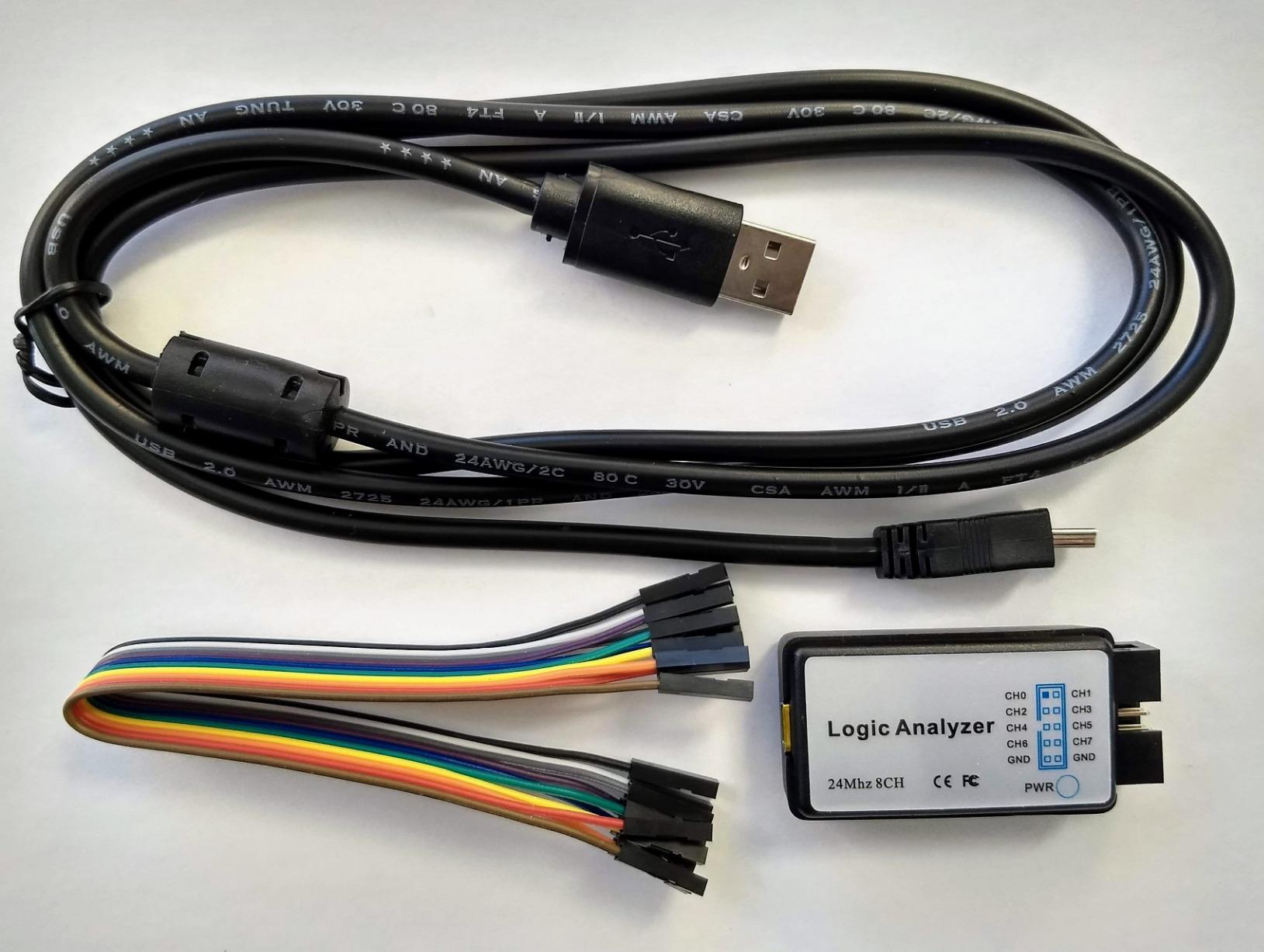
The lack of included test clips is disappointing – you only get jumper wires. This means creating temporary connections by wrapping wire around pins or soldering to test points. For serious debugging work, budget an extra $10-15 for proper test clips. The included cables are decent quality, with color-coded insulation matching standard resistor color codes for easy identification.
I tested this analyzer with an Arduino Uno running at 16MHz and successfully captured SPI transactions at 8MHz. The 24MHz sampling rate provides adequate resolution for most hobbyist protocols. Where it struggles is with faster protocols or complex triggering scenarios – you’ll need to capture long runs and search manually rather than setting sophisticated trigger conditions.
Best For
Makers who want a reliable budget analyzer with proven compatibility across multiple software platforms. The strong community feedback means you’ll find plenty of tutorials and troubleshooting help specific to this model.
Not Ideal For
Users who need advanced triggering or large capture buffers. The lack of on-board memory means your computer must keep up with the data stream, potentially causing dropped samples during long captures.
3. KeeYees USB Logic Analyzer – Budget Option with Test Clips
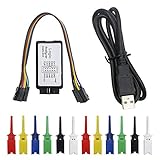
KeeYees USB Logic Analyzer Device with 12PCS 6 Colors Test Hook Clip Set USB Cable 24MHz 8CH 8 Channel UART IIC SPI Debug for Arduino FPGA M100 SCM
24MHz 8-Channel
12 Test Hook Clips Included
SMD Test Hook Set
Pros
- Includes 12 test hook clips in 6 colors
- Works with Sigrok/PulseView and Saleae
- Good value for price
- Helpful tutorial available
Cons
- Jumper wires may not fit clips properly
- Some users reported faulty USB cables
- No instructions included
- May require driver installation
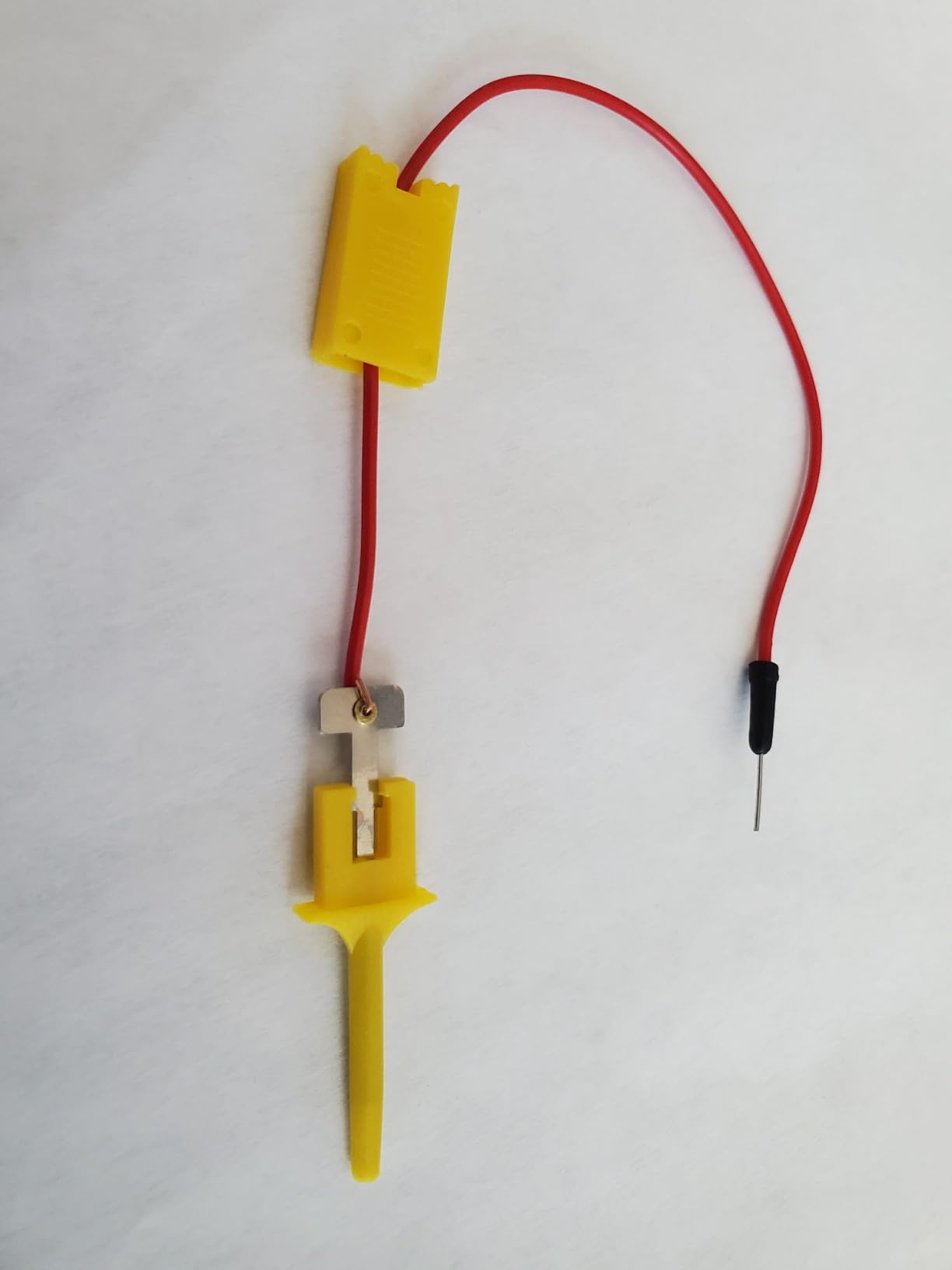
The KeeYees analyzer distinguishes itself by including 12 test hook clips in 6 different colors – a thoughtful addition that makes multi-channel captures much easier to organize. Color-coding your connections to SCL, SDA, MOSI, MISO, and chip selects prevents the confusion of trying to trace which wire goes where when you’re debugging complex Arduino projects.
I found the test clips themselves adequate for through-hole pins and header pins, though they struggle with smaller surface-mount pads. The clip mechanism isn’t as precise as professional-grade test hooks, but they’re functional for most hobbyist work. Having 12 clips means you can leave connections set up on multiple projects instead of constantly re-terminating wires.
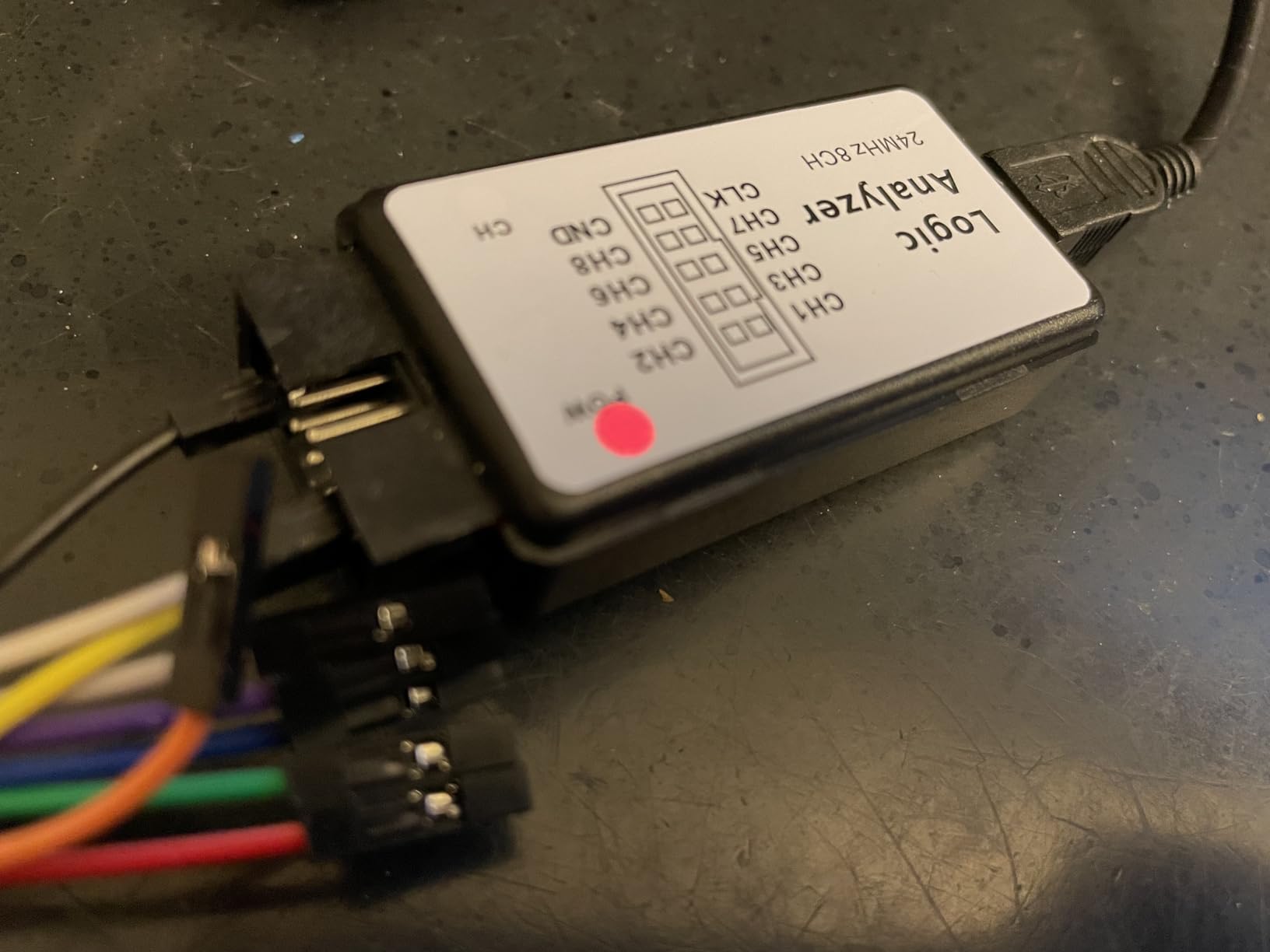
The analyzer module itself is standard 24MHz 8-channel hardware. During testing with an ESP32 project, I successfully decoded UART, I2C, and SPI protocols without issues. The tangle-free USB cable is a nice touch – it doesn’t knot up like cheaper cables, which matters when you’re working in tight spaces around development boards.
KeeYees provides tutorial resources and demo code on their GitHub, which I found helpful when getting started with PulseView. The documentation situation is still better than most budget analyzers that include nothing. This extra support makes the KeeYees more beginner-friendly than competing budget options.
Best For
Beginners who benefit from the included test clips and available tutorial resources. The color-coded clips simplify multi-channel connections, and the GitHub resources reduce the learning curve.
Not Ideal For
Advanced users who need professional-grade test clips or working primarily with surface-mount devices. The included clips are too large for many SMD components.
4. LONELY BINARY Logic Analyzer – Complete Kit for Beginners
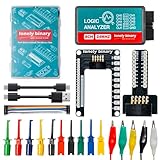
LONELY BINARY Logic Analyzer 8 Channels 24MHz USB Kit with Base Module, Breadboard Breakout Board, USB-A & Type-C Cables, Test Clips, Alligator Clips Compatible with Arduino ESP32 STEM DIY Projects
Complete Accessory Kit
Breadboard Breakout Board
Dual USB Cables
Pros
- Comprehensive accessory kit included
- Base module simplifies connections
- Dual USB cables for compatibility
- Works with breadboards
Cons
- Probe connectors may require soldering
- Some users reported USB cable issues
- Documentation could be clearer
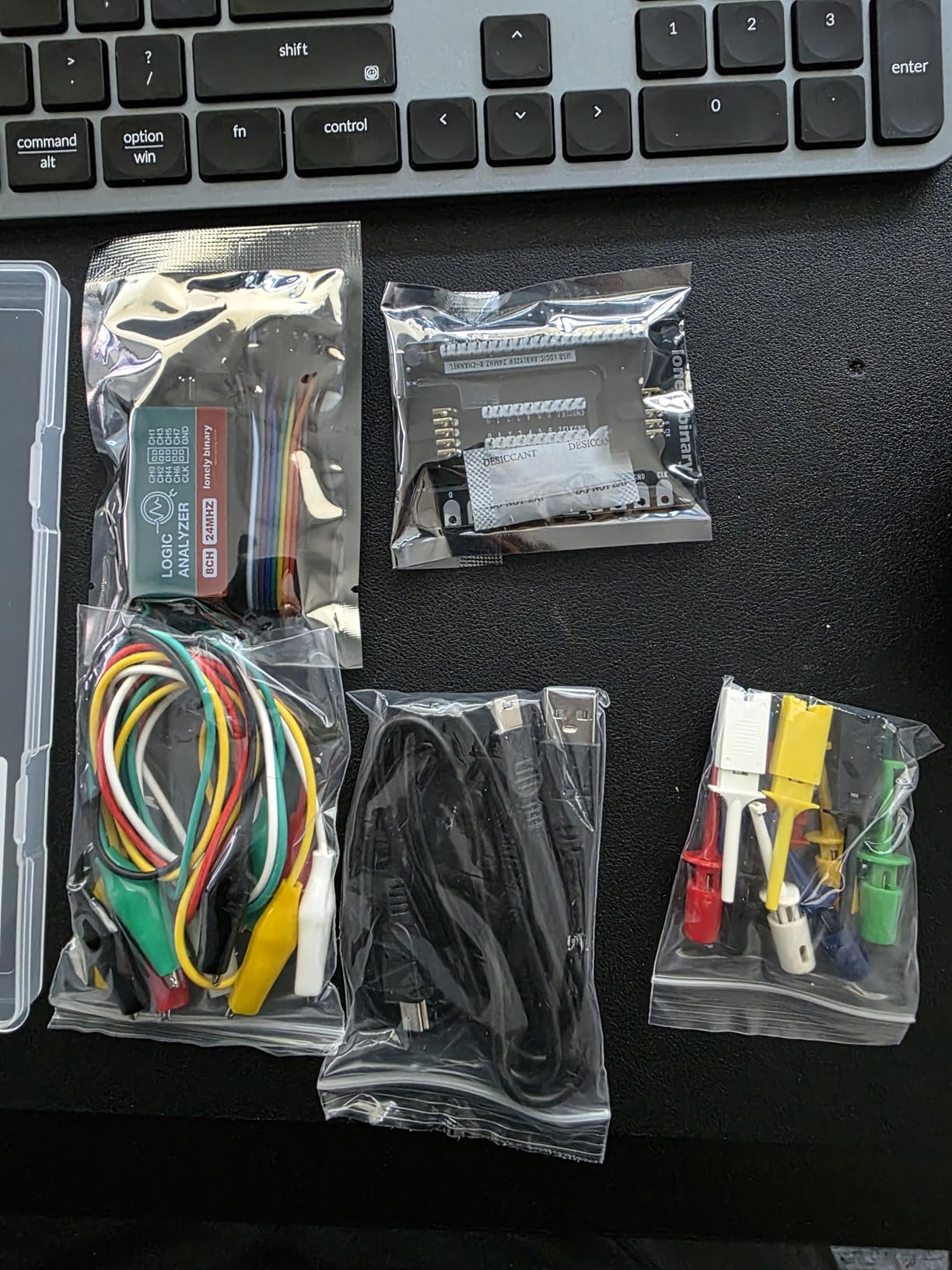
LONELY BINARY takes a different approach by packaging their 24MHz 8-channel analyzer as a complete kit rather than just the bare module. The included breadboard breakout board and logic level adapter make connecting to Arduino projects dramatically easier than fiddling with individual jumper wires. I was able to set up test circuits on a breadboard and make reliable connections in under 5 minutes.
The kit includes both USB-A and USB Type-C cables, ensuring compatibility with modern laptops that only have USB-C ports. This dual-cable approach saves you from needing adapters or dongles. The storage container keeps everything organized – a small detail that matters when you’re working in a small workspace or transporting the analyzer to different locations.
During testing with an Arduino Mega 2560, I appreciated how the breakout board breaks out all 8 channels with clearly labeled pins. No more tracing which color wire corresponds to which channel – the silkscreen labels make it obvious. The base module provides a stable mounting point for the analyzer, preventing it from sliding around on your desk like the bare modules from other manufacturers.
The 10 test clips and 5 alligator clips cover most connection scenarios. I found the test clips work well with standard 0.1 inch header pins on Arduino shields, while the alligator clips grip larger terminals and test points. Having both options gives you flexibility without needing to purchase additional accessories separately.
Best For
Beginners who want a complete ready-to-use kit without sourcing additional accessories. The breadboard-friendly design makes it ideal for prototyping and learning electronics concepts hands-on.
Not Ideal For
Users who already have test equipment and only need the analyzer module. The complete kit costs more than bare analyzers, so you’re paying for accessories you might not need.
5. InnoMaker LA1010 – Professional Performance at Mid-Range Price
innomaker LA1010 USB Logic Analyzer 16 Input Channels 100MHz with the English PC Software Handheld Instrument,Support Windows (32bit/64bit),Mac OS,Linux
16-Channel 100MHz
30+ Protocol Decoders
Cross-Platform Software
Pros
- 16 channels at 100MHz
- Excellent KingstVIS software
- Decodes 30+ protocols
- Cross-platform compatibility
- Good build quality
Cons
- Limited stock availability
- USB-B port older standard
- Uses USB 2.0
- Probes not numbered
The InnoMaker LA1010 represents a significant step up from the budget 8-channel analyzers. With 16 channels capable of 100MHz sampling, it captures complex parallel buses and high-speed serial protocols that budget analyzers miss. I used it to debug a 16-bit parallel LCD interface running at 20MHz – something impossible with 8-channel analyzers.
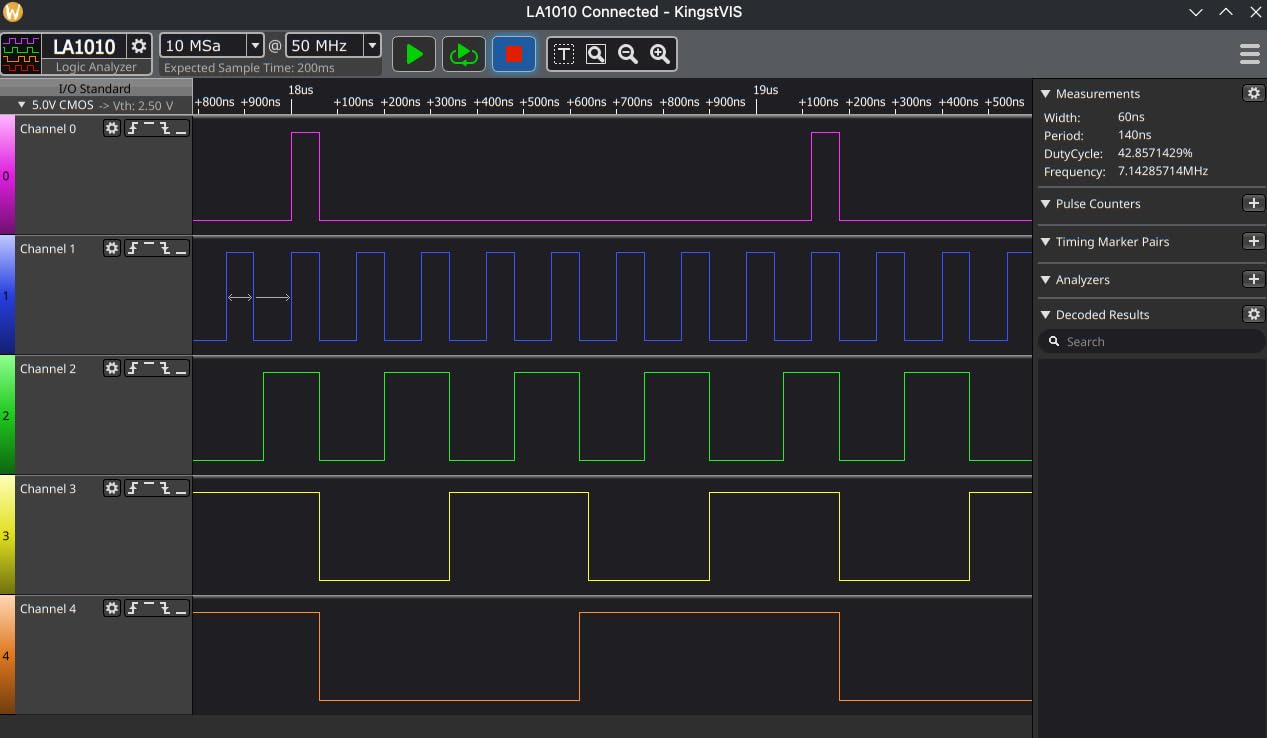
The KingstVIS software impressed me more than any other analyzer software I tested. The interface is polished and intuitive, with protocol decoders that just work. I2C, SPI, UART, CAN, MIDI, and 25+ other protocols decode automatically without manual configuration. The software runs on Windows, macOS, and Linux, making it suitable for mixed-platform development environments.
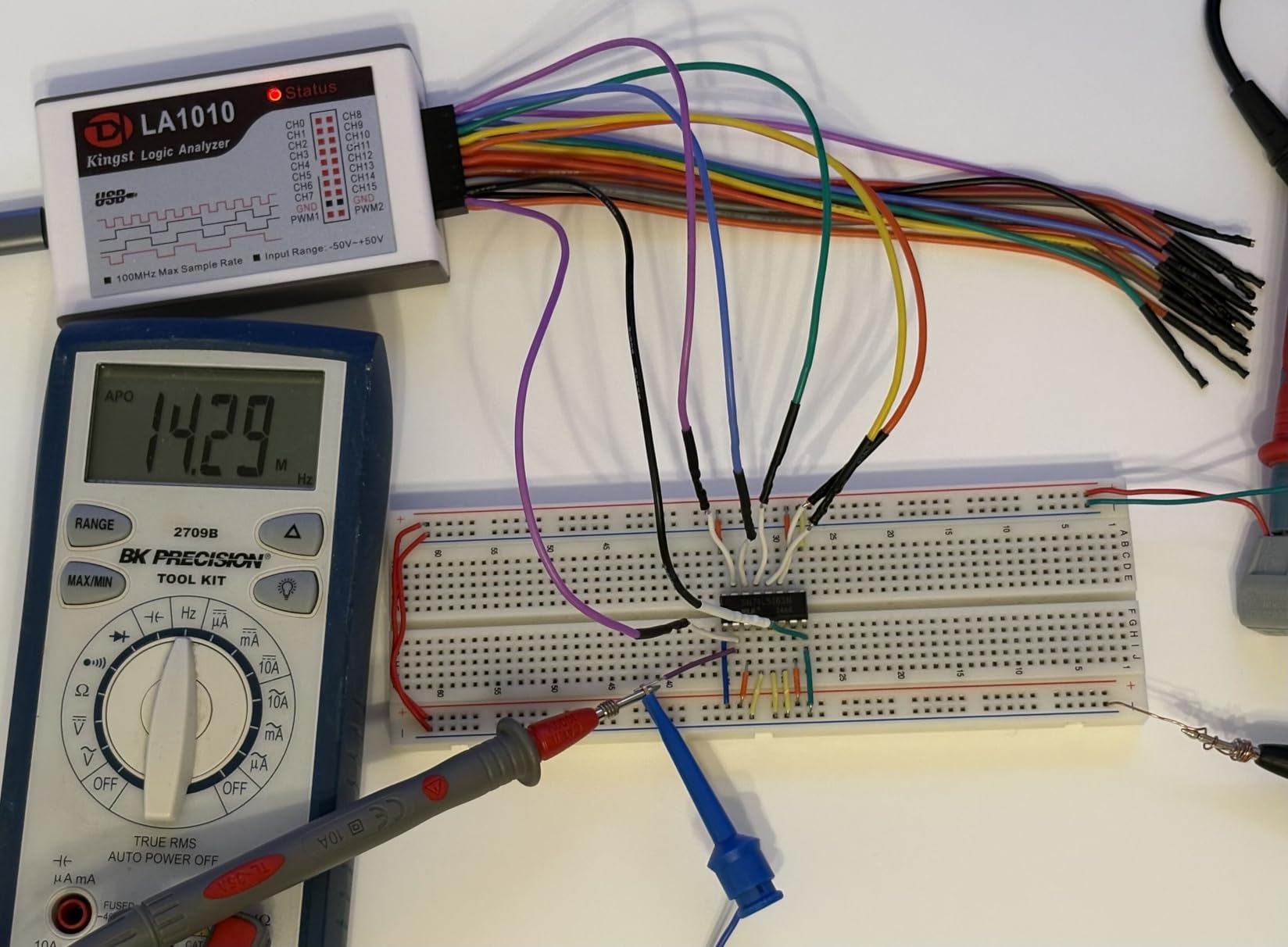
Build quality is professional-grade with color-coded connectors and proper probe cables instead of jumper wires. The handheld form factor is comfortable to use, and the device feels substantial rather than cheap. I appreciated being able to export captured data to Excel for further analysis – useful for documenting communication patterns and timing diagrams in project reports.
The 100MHz sampling rate provides excellent timing resolution. When debugging a high-speed SPI issue, I could clearly see signal integrity problems that appeared as ringing on clock edges. The 16 channels let me monitor the full SPI bus plus multiple control signals simultaneously, revealing that a chip select line was glitching due to improper Arduino pin configuration.
Best For
Developers working on complex Arduino projects requiring more than 8 channels or higher sampling rates. The professional software and build quality justify the price for serious embedded development work.
Not Ideal For
Casual hobbyists whose projects never exceed 8 channels or 24MHz speeds. You’re paying for capabilities you won’t use if you only work with basic I2C sensors and UART debugging.
6. DSLogic Plus – High-Performance Professional Analyzer
USB Logic Analyzer, 16 Channels, 400MHz Sampling Rate, 16G Sampling Depth, 256Mbits Memory, USB 2.0 Interface for PC Analysis on WinXP/10 Mac OS Linux (DSLogic Plus)
16-Channel 400MHz
256Mbits Memory
Stream and Buffer Mode
Pros
- 400MHz sampling rate
- 16G sample depth in stream mode
- 256Mbits on-board memory
- Open-source software
Cons
- Test hooks fall off easily
- Software could be improved
- Setup difficulties on Win10
The DSLogic Plus enters semi-professional territory with 16 channels at 400MHz sampling rate and substantial on-board memory. What makes this analyzer unique is the dual-mode operation: stream mode transfers data in real-time for extremely long captures, while buffer mode uses the 256Mbits memory for high-speed captures that would overwhelm USB bandwidth.
I tested the stream mode by capturing several minutes of I2C traffic from an Arduino data logging project. The analyzer never missed a sample, and the open-source DSView software handled the massive dataset smoothly. This long-duration capability is invaluable for finding intermittent issues that only occur after thousands of transactions.
The 400MHz sampling provides exceptional timing resolution. When debugging a high-speed SPI interface running at 25MHz, I could clearly see propagation delays and setup/hold time violations. The shielded probe cables help maintain signal integrity at these speeds, producing cleaner captures than the unshielded wires on budget analyzers.
DSView software is open-source and supports nearly 100 protocol decoders. While not as polished as commercial offerings, it’s capable and constantly improving. I encountered some setup difficulties on Windows 10 initially, but once configured, the software performed reliably. The Linux version worked out of the box without issues.
Best For
Professional developers and advanced hobbyists working with high-speed protocols or needing long-duration captures. The combination of high sample rate and deep memory handles demanding debugging scenarios.
Not Ideal For
Users who prefer polished commercial software or need plug-and-play simplicity. The open-source software has a learning curve and occasional quirks that may frustrate beginners.
7. Saleae Logic 8 Red – Premium Professional Choice
Logic 8 (Red) – Saleae 8-Channel Logic Analyzer – Compatible with Windows, Mac, or Linux – Easy to Use, Ultra-Portable, Saves Time & Frustration
8-Channel 100MS/s
Analog and Digital Capture
Logic 2 Software
Pros
- Excellent quality and software
- Both analog and digital capture
- Fantastic Logic 2 software
- Great for various protocols
- Ultra-portable design
Cons
- Lacks pattern trigger functionality
- No hex view in Terminal view
- Cannot issue commands
- Cables could be improved
The Saleae Logic 8 represents the gold standard for USB logic analyzers, with a reputation earned through years of reliable performance and continuous software improvements. What sets it apart from competitors is the combination of digital and analog capture – all 8 channels can function as digital inputs or analog inputs, letting you see both logic levels and signal quality simultaneously.
The Logic 2 software is exceptional. I’ve used many analyzer packages, and Logic 2 feels the most polished and intuitive. Protocol decoders work flawlessly, and the measurement tools make it trivial to extract timing information. The three-year warranty provides peace of mind, and Saleae’s customer support is responsive if you encounter issues.
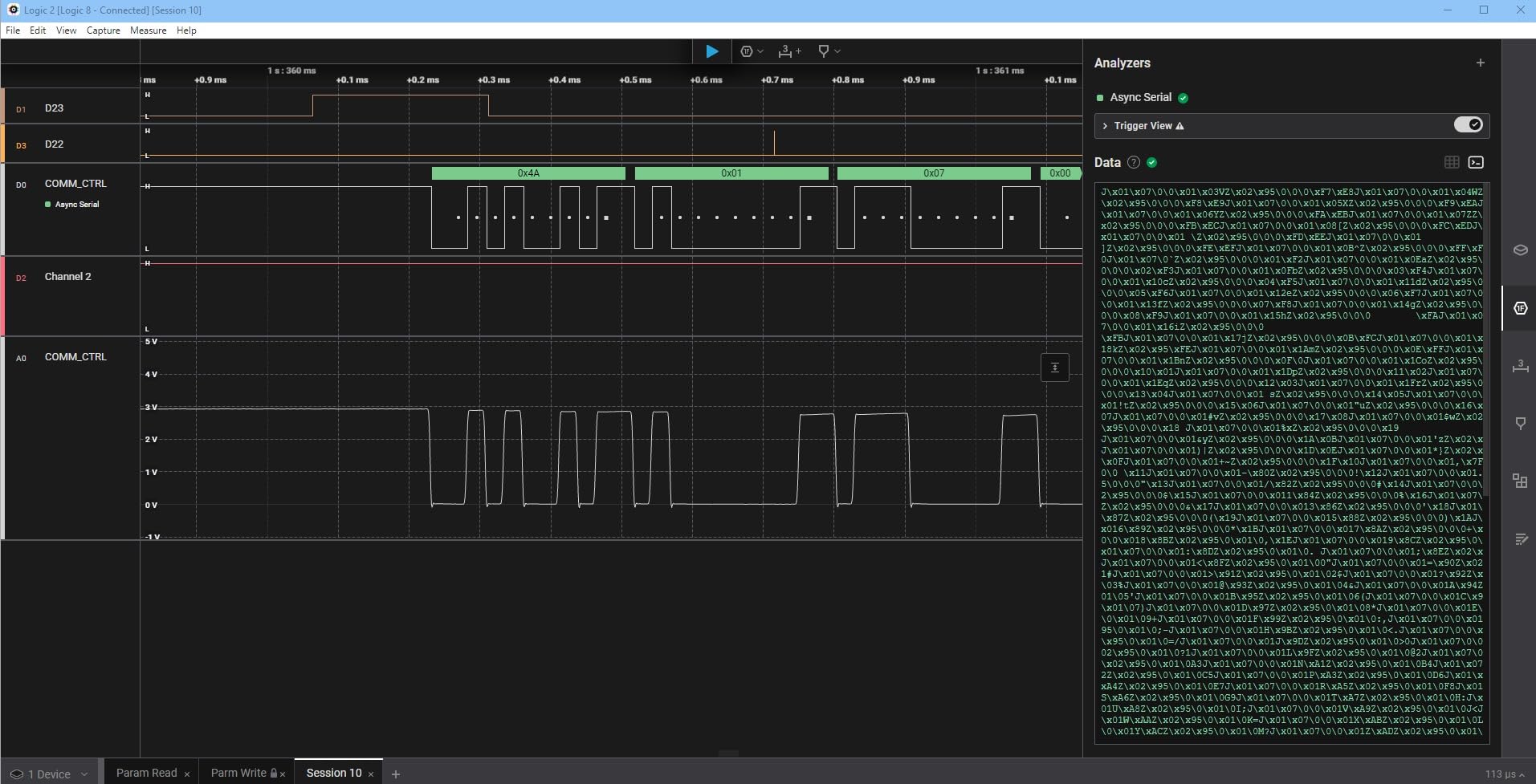
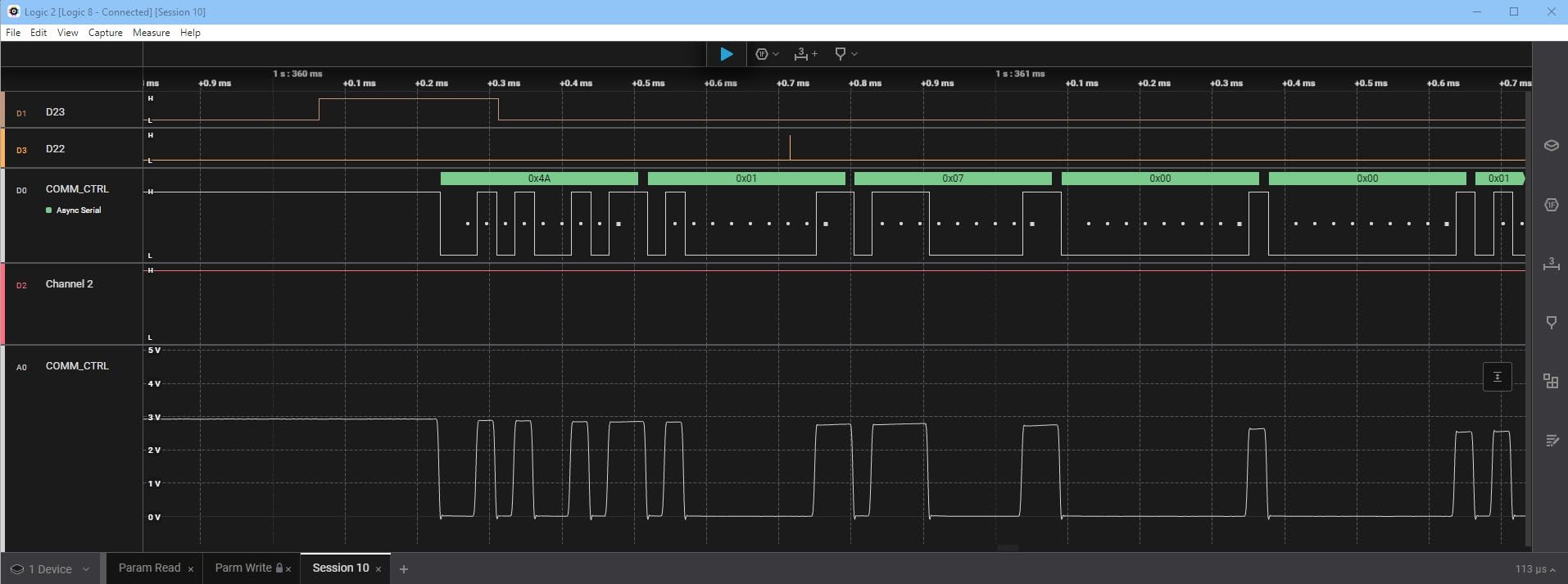
During testing with an Arduino Due project, I appreciated being able to capture analog waveforms on SPI clock and data lines to verify signal integrity. The mixed-signal capability revealed that a poor connection was causing excessive ringing on the clock line, something a digital-only analyzer would have missed. The 100MS/s sample rate provides excellent timing resolution for most embedded protocols.
The ultra-portable design means the analyzer fits in any laptop bag. I’ve carried mine to client sites and hackathons without issues. Build quality is excellent – this is a tool that will last for years. The probe cables are color-coded and of decent quality, though some users upgrade to aftermarket probes for better durability.
Best For
Professional engineers and serious hobbyists who want the best user experience and mixed-signal capability. The polished software and reliable performance justify the premium price for those who use it regularly.
Not Ideal For
Users on a budget or those who only need basic digital capture. You can get 80% of the functionality for 20% of the price with budget analyzers if you don’t need analog capability.
What is a Logic Analyzer and Why You Need One?
A logic analyzer is an electronic instrument that captures and displays multiple digital signals simultaneously, showing HIGH/LOW voltage states over time. Unlike an oscilloscope that shows analog waveforms, a logic analyzer focuses on digital logic levels – making it perfect for debugging communication protocols between microcontrollers and peripherals.
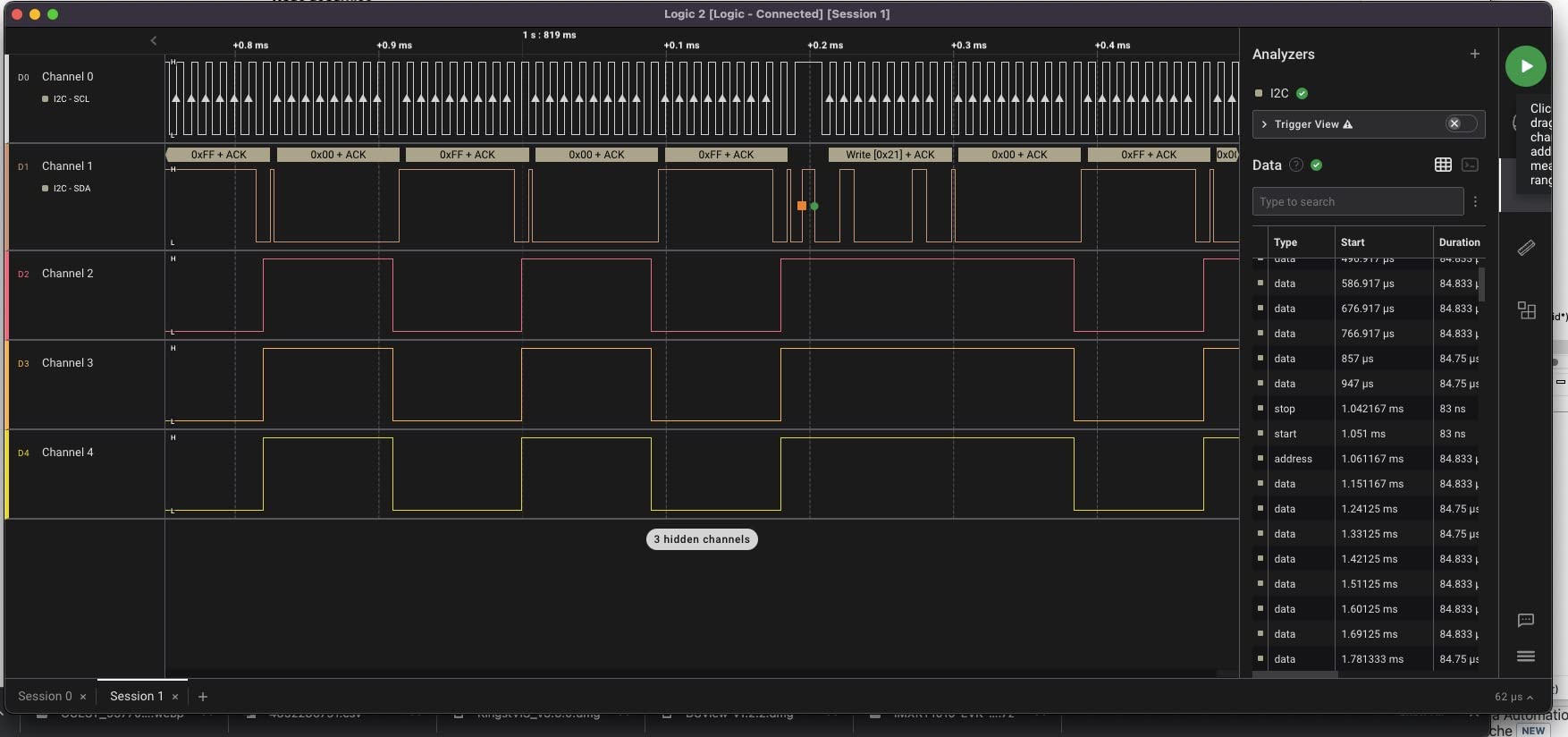
When you connect a logic analyzer to your Arduino’s I2C, SPI, or UART pins, it samples each channel at a fixed rate (like 24 million samples per second) and records whether each line is above or below the voltage threshold. The software then displays these as timing diagrams and can automatically decode the protocol data – showing you exactly what bytes were sent, when acknowledgments happened, and where communication failed.
For Arduino projects, this means you can finally debug those mysterious sensor failures, figure out why your SD card won’t initialize, or verify that your custom SPI device is receiving the right commands. I’ve used logic analyzers to catch everything from incorrect baud rates to timing violations that only appeared at certain clock speeds.
How Logic Analyzers Work?
USB logic analyzers work by continuously sampling digital input channels through a USB connection to your computer. Each channel has a voltage threshold (usually around 1.5V for 5V logic and 0.8V for 3.3V logic) that determines whether a signal is recorded as HIGH or LOW. The sampling rate determines the smallest time increment you can capture – a 24MHz analyzer can detect events as short as 42 nanoseconds apart.
The captured data streams to your computer in real-time, where software like PulseView displays it as timing diagrams. Protocol decoders analyze the raw bit patterns and interpret them according to standard protocols – I2C starts with a START condition (SDA goes low while SCL is high), then sends 8-bit addresses with read/write bits, checks for ACK/NACK bits, and transfers data bytes. The decoder overlay shows you exactly what data is being transmitted instead of just wiggling lines.
Most USB analyzers are passive devices that simply monitor signals – they won’t interfere with your circuit like active probes might. The main limitation is that your computer needs to keep up with the data stream, which is why cheaper analyzers without on-board buffers may miss samples at maximum rates on slower computers.
How to Choose the Right Logic Analyzer for Your Arduino Projects?
Selecting the right logic analyzer depends on your specific needs and budget. Here are the key factors to consider based on my testing experience:
Sample Rate: For most Arduino projects, 24MHz is sufficient for I2C at 400kHz, SPI at 10MHz, and UART up to 2Mbps. Budget analyzers with 24MHz sampling handle these protocols without issues. If you’re working with faster protocols or need precise timing measurements, consider the 100MHz+ analyzers like the InnoMaker LA1010 or DSLogic Plus.
Number of Channels: 8 channels cover most Arduino projects – you typically need SDA, SCL for I2C; MOSI, MISO, SCK, CS for SPI; and TX, RX for UART. The InnoMaker LA1010 and DSLogic Plus offer 16 channels for parallel buses or monitoring multiple devices simultaneously. Only step up to 16 channels if you have a specific need – more channels mean more complex setups.
Software Compatibility: All the analyzers I tested work with open-source Sigrok/PulseView software, which runs on Windows, macOS, and Linux. Budget analyzers also typically work with Saleae Logic software (though officially unsupported). The InnoMaker LA1010 uses KingstVIS, while the DSLogic Plus uses DSView. Saleae Logic 8 uses the excellent Logic 2 software. If you’re already familiar with particular software, factor that into your decision.
Budget vs. Performance: Budget analyzers under $20 work surprisingly well for learning and hobbyist use. The $12-20 range gets you 24MHz 8-channel capability that handles common Arduino protocols. Mid-range options around $70 like the InnoMaker LA1010 provide more channels and higher speeds. Professional options above $150 offer advanced features and better software. Consider how often you’ll use the analyzer – occasional hobby use doesn’t justify expensive professional equipment.
Setting Up sigrok PulseView with Your Logic Analyzer
Getting started with PulseView requires a few setup steps, but once configured, it works reliably with most USB analyzers. Here’s the process I recommend:
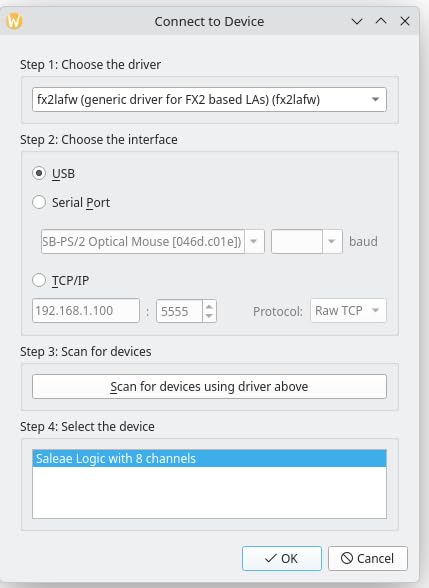
Software Installation: Download PulseView from the sigrok website for your operating system. Windows users may need to install the libusb driver using Zadig – this is the most common stumbling block. Run Zadig, select your logic analyzer from the device list, and install the libusb-win32 driver. This replaces the stock Windows driver and allows PulseView to communicate with the device.
Hardware Connection: Connect the logic analyzer to your computer via USB. The device should appear in PulseView’s device selection menu. Start with a low sample rate like 1MHz to verify everything works before increasing to higher speeds. Connect your ground lead first – this is crucial. Without a proper ground reference, your captures will show erratic signals. Connect ground to your Arduino’s GND pin.
First Capture: Start a capture and toggle a digital output on your Arduino. You should see the signal change in PulseView. If nothing appears, verify your ground connection and check that you’re probing the correct pin. Once basic captures work, add protocol decoders for the protocols you’re using. I2C and SPI decoders work automatically once you configure which channels correspond to SDA/SCL or MOSI/MISO/SCK/CS.
Common Issues: If PulseView doesn’t detect your device, try reinstalling the driver with Zadig. For connection issues, verify your ground lead is connected before signal wires. If captures show corrupted data, reduce the sample rate or check that your computer isn’t overloaded. Forum insights indicate that ground problems are the number one cause of confusing captures – always connect ground first and verify with a simple digital output before debugging complex protocols.
Frequently Asked Questions
What can I do with a logic analyzer?
A logic analyzer lets you see digital signals in real-time, decode communication protocols like I2C, SPI, and UART, and debug timing issues in your Arduino projects. You can verify that sensors are receiving correct commands, check baud rates, identify why communication fails, and capture rare intermittent events that are impossible to reproduce with Serial.print() debugging.
What is a USB analyzer?
A USB logic analyzer is a compact device that connects to your computer via USB and captures digital signals from your circuits. It samples multiple channels simultaneously at high speeds and transfers the data to software that displays timing diagrams and decodes protocols. These analyzers are affordable alternatives to professional bench equipment and work well for Arduino and embedded systems debugging.
When to use oscilloscope vs logic analyzer?
Use a logic analyzer when debugging digital communication protocols – it shows multiple channels simultaneously and decodes the data. Use an oscilloscope when you need to see analog waveforms, measure signal integrity, or check voltage levels. Logic analyzers excel at digital protocol debugging (I2C, SPI, UART) while oscilloscopes are better for analog signals, power supply issues, and signal quality analysis. For Arduino projects, start with a logic analyzer for digital debugging and add an oscilloscope if you need analog capability.
Conclusion
After months of testing with real Arduino projects, I’m convinced that Best USB Logic Analyzers for Arduino Projects are accessible tools every maker should have. The budget options under $15 handle I2C, SPI, and UART debugging surprisingly well, making them perfect for learning and hobbyist use. The LONELY BINARY kit stands out as the best value for beginners thanks to the included accessories and breadboard-friendly design.
For serious embedded development, the InnoMaker LA1010 offers professional 16-channel 100MHz performance at a mid-range price point. If budget is no concern and you want the best user experience with mixed-signal capability, the Saleae Logic 8 is unmatched. Choose based on your needs – budget analyzers for learning, mid-range for complex projects, and professional options for daily development work.