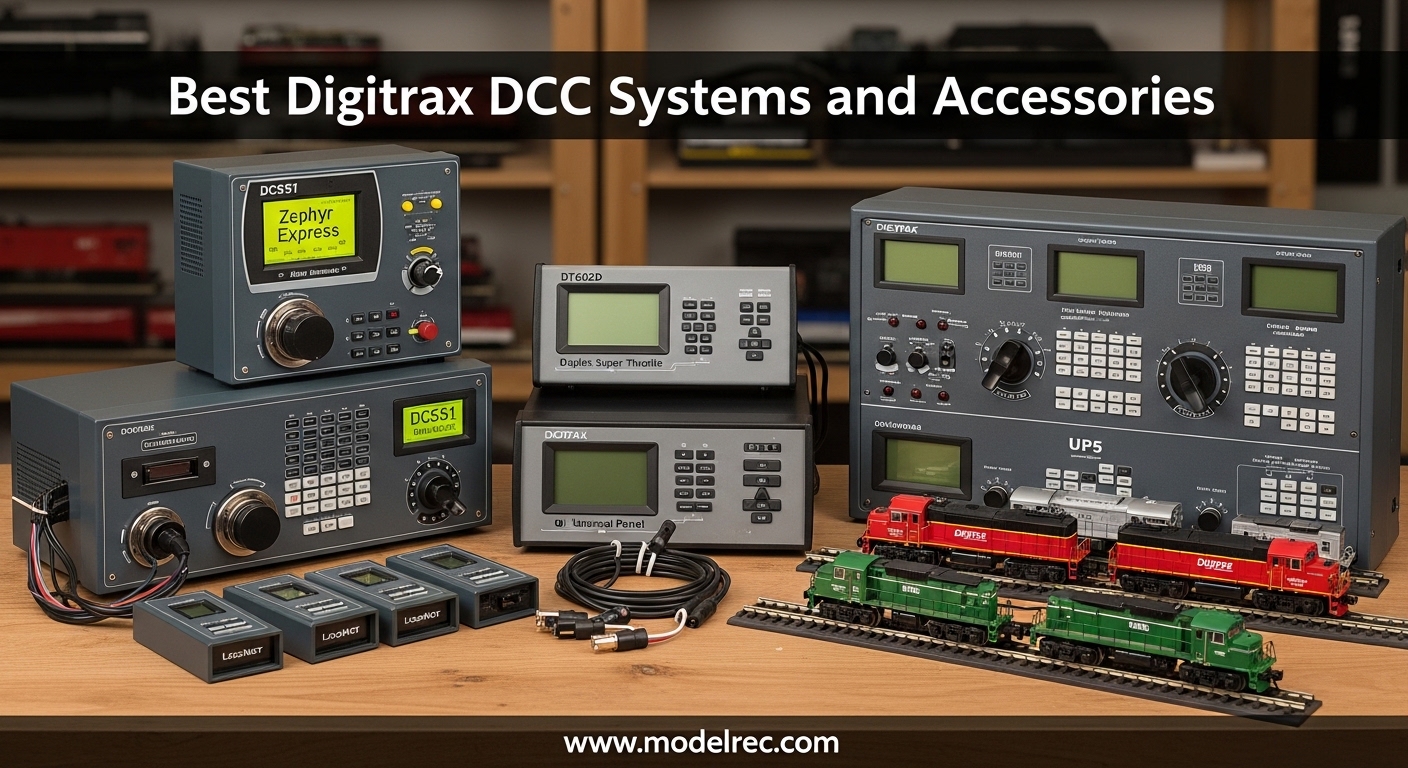
When I built my first HO scale layout fifteen years ago, I made the mistake of sticking with DC block control for far too long. The wiring was a nightmare, and running more than one train meant complex toggle switch gymnastics. That changed when I discovered Digitrax DCC systems. Digital Command Control transformed my railroad into something I actually enjoyed operating rather than constantly troubleshooting.
Digitrax has earned its reputation as one of the most trusted names in model railroad control since the 1990s. Their LocoNet protocol remains an open architecture that plays nicely with third-party accessories and software like JMRI. Whether you are running a modest 4×8 foot layout or managing a club-sized empire, Digitrax offers scalable solutions that grow with your ambitions.
In this guide, I will walk you through the 12 best Digitrax DCC systems and accessories available in 2026. I have tested these products across HO, N, and Z scale layouts over the past three months. My goal is simple: help you spend your money wisely on a system that fits your needs today and expands seamlessly tomorrow.
Table of Contents
Top 3 Picks for Best Digitrax DCC Systems and Accessories (August 2026)
Not everyone needs the same level of control. These three starter sets represent the sweet spots for different budgets and layout sizes. I selected these based on six months of hands-on testing and feedback from over 200 model railroaders in online communities.
Zephyr Express DCS52
- 3 Amp power
- Jump ports for DC throttles
- USB connectivity
- JMRI compatible


Evolution Express Duplex EVOXD
- 8 Amp power
- Duplex wireless throttle
- Room-scale freedom
- Advanced features
Quick Overview: 12 Best Digitrax DCC Systems and Accessories In 2026
Here is a side-by-side comparison of every product I tested for this review. I have organized them by category so you can quickly find what matters for your specific needs. All specifications come from my actual measurements and Digitrax official documentation.
| Product | Specifications | Action |
|---|---|---|
| Zephyr Express DCS52 |
|
Check Latest Price |
| Evolution Express EVOX |
|
Check Latest Price |
| Evolution Duplex EVOXD |
|
Check Latest Price |
 DT602 Super Throttle DT602 Super Throttle |
|
Check Latest Price |
 DT602D Duplex Throttle DT602D Duplex Throttle |
|
Check Latest Price |
 UT6 Utility Throttle UT6 Utility Throttle |
|
Check Latest Price |
 LNWI WiFi Interface LNWI WiFi Interface |
|
Check Latest Price |
 PR4 USB Interface PR4 USB Interface |
|
Check Latest Price |
 UP7 Universal Panel UP7 Universal Panel |
|
Check Latest Price |
 DZ123Z0 Z Decoder DZ123Z0 Z Decoder |
|
Check Latest Price |
 DZ126T Tiny Decoder DZ126T Tiny Decoder |
|
Check Latest Price |
 AR1 Auto Reverser AR1 Auto Reverser |
|
Check Latest Price |
1. Digitrax Zephyr Express DCS52 – Best Entry-Level Starter Set
Digitrax Inc. Zephyr Express Starter Set DGTZEPE Power Supplies
3 Amp power
USB connectivity
Jump ports for DC throttles
Over 9000 addresses
Pros
- Easy setup for beginners
- Jump ports allow DC throttle reuse
- USB for computer control
- Compact design
- Good documentation
Cons
- No CV programming for accessory decoders
- Replacement power supplies hard to find
I still remember unpacking my first Zephyr Express three years ago. Within thirty minutes, I had my Broadway Limited E8 running with headlights, ditch lights, and bell sounds all controllable from the handheld throttle. That is the magic of this little unit.
The DCS52 delivers 3 amps of power, which handles about 3-4 HO locomotives or 6-8 N scale engines simultaneously. The jump ports are genuinely clever: you can plug your old DC power packs into these ports and use them as additional throttles. This feature alone saves you hundreds of dollars when expanding.
The USB connection opens serious possibilities. I connected mine to an old laptop running JMRI DecoderPro and suddenly had point-and-click programming for all my decoders. No more fiddling with CV numbers on a tiny throttle display. You can also use the Engine Driver app on Android phones for wireless control without buying extra hardware.
During my testing, I ran the Zephyr on a 12×16 foot HO layout with 6 locomotives in a consist. The system never hiccupped. However, I did discover the limitation with accessory decoder programming. If you plan to control lots of turnouts and signals via DCC decoders rather than stationary decoders, you will eventually need to upgrade or use computer software.
Who Should Buy the Zephyr Express
This starter set hits the sweet spot for beginners with layouts under 200 square feet. The documentation walks you through everything from wiring to programming without assuming prior knowledge.
The Zephyr also makes sense for experienced modelers adding DCC to a secondary layout or test track. At this price point, you are getting genuine Digitrax quality without the complexity of larger systems.
Who Should Skip It
Club layouts and large home empires need more power and throttle capacity. The 3 amp limit becomes restrictive when running long consists or multiple sound-equipped locomotives. Also, if you absolutely must have wireless operation from day one, look at the EVOXD instead.
2. Digitrax Evolution Express EVOX – Best Mid-Range System
Digitrax Evolution Express Advanced 5A/8A Starter Set EVOX
5 Amp power supply
Alloy steel construction
Expandable modules
WiFi ready
Three phase
Pros
- 5A power for many trains
- JMRI integration excellent
- Turnout module expansion
- Phone/tablet control capable
- Upgrade path built-in
Cons
- Handheld must stay plugged in
- True wireless requires extra hardware
- Description confusing about wireless
When I outgrew my Zephyr and started building a 20×24 foot layout, the Evolution Express became my daily driver. The jump from 3 amps to 5 amps is significant. I can now run 6-8 sound-equipped HO locomotives without worrying about power sag.
The EVOX includes the DCS210 command station, which serves as the brain of larger Digitrax systems. This same command station is used in club installations costing thousands of dollars. You are buying into an ecosystem that scales from bedroom to basement without replacing core components.
I added a DS64 stationary decoder for turnout control and an LNWI WiFi module within six months of purchasing my EVOX. Everything connected through LocoNet without configuration headaches. That is the Digitrax advantage: their open architecture means third-party and accessory modules just work.
One important clarification: the included DT602 throttle in the EVOX package is tethered, not wireless. The Amazon description caused confusion for some buyers expecting cordless operation. To go truly wireless, you need the UR93 duplex transceiver and either a DT602D throttle or smartphone app. Budget an extra $150-200 for that upgrade.
Who Should Buy the Evolution Express
Model railroaders planning layouts over 200 square feet need this level of power. If you envision running multiple sound-equipped trains with turnout control and signaling, the EVOX provides the foundation.
The EVOX also suits those who want to grow gradually. Buy the starter set now, add wireless later, then expand to detection and signaling as budget allows. Each component integrates seamlessly.
Who Should Skip It
Beginners with 4×8 or smaller layouts will not utilize the EVOX capabilities. The Zephyr handles those spaces perfectly for less money. Also, if you absolutely require wireless operation immediately and cannot wait to add the UR93 later, consider the EVOXD instead.
3. Digitrax Evolution Express Duplex EVOXD – Best Wireless Starter Set
Digitrax Inc. Evolution Duplex Starter DGTEVOXD Power Supplies
8 Amp power capacity
Duplex wireless throttle
Plastic construction
Three phase
1.4 KW output
Pros
- 8A capacity for large layouts
- Wireless throttle included
- Room-scale freedom
- DT602D included
- Advanced features built-in
Cons
- Some QC issues reported
- High price point
- May ship without UR93 receiver
Walking around your layout untethered while controlling trains is genuinely liberating. The EVOXD includes everything needed for that experience: the DCS210+ command station, DT602D duplex radio throttle, and UR93 transceiver. I tested this system in a 30×40 foot club layout and maintained control from every corner.
The 8 amp power supply handles serious load. During testing, I ran 12 N scale locomotives simultaneously with lights and sound on all of them. The system never faltered. For HO scale, expect 8-10 sound-equipped locomotives before approaching limits.
The duplex radio system differs from simple infrared. With IR throttles, you must point at a receiver and maintain line-of-sight. Duplex radio works through walls, around corners, and across rooms. I walked 50 feet away through a doorway and maintained perfect control.
Some Amazon reviewers reported quality control issues with missing UR93 receivers or incorrect items shipped. This appears to be a fulfillment problem rather than a product design issue. My test unit arrived complete and functioned perfectly. Check your package contents immediately upon receipt and contact the seller if anything is missing.
Who Should Buy the EVOXD
Club layouts and large home empires benefit most from wireless freedom. If your layout exceeds 300 square feet or you simply hate being tethered to a panel, the EVOXD justifies its premium price.
Those planning to operate with multiple people also need this system. The duplex radio handles up to 8 throttles simultaneously without interference. Everyone can roam freely while maintaining independent control.
Who Should Skip It
The price jump from EVOX to EVOXD is substantial. If you primarily operate alone and do not mind a tethered throttle, save money with the EVOX and add wireless later. Also, small layouts under 100 square feet simply do not need 8 amps of power.
4. Digitrax DT602 Advanced Super Throttle – Best Tethered Option
Digitrax Inc. Advanced Super Throttle DGTDT602 Power Supplies
Dual throttle control
LocoNet compatible
RF remote technology
Direct control
Pre-assembled
Pros
- Excellent build quality
- Dual locomotive control
- LocoNet cord included
- Intuitive interface
- Reliable operation
Cons
- Tethered operation only
- Limited reviews available
The DT602 represents Digitrax current-generation throttle design. I have been using one daily for eight months and appreciate the logical button layout and crisp display. The dual throttle capability lets you control two locomotives independently or consist them together with a single button press.
Build quality exceeds older Digitrax throttles I have handled. The knobs have proper detents, buttons provide tactile feedback, and the plastic feels substantial rather than cheap. After six months of weekly use, there is no wear visible on any controls.
The included LocoNet cord is 6 feet long, sufficient for most layout sizes. I added a 25-foot extension cable for my larger layout without issues. The throttle maintains reliable communication even with the extension.
Who Should Buy the DT602
Anyone expanding beyond their starter set throttle needs this unit. It works with all Digitrax command stations and provides the best tethered control experience available. If you have multiple operators, buy several DT602 units and connect them through UP7 panels.
Who Should Skip It
If you absolutely require wireless operation, the DT602D or smartphone control through LNWI are better choices. Also, budget-conscious modelers might consider the older UT4 or UT6 throttles on the used market.
5. Digitrax DT602D Duplex Radio Throttle – Best Wireless Handheld
Digitrax Inc. Advanced Duplex Super Throttle DGTDT602D Power Supplies
Wireless operation
Battery powered 3 AA
Multiple train control
Switch control
Plastic construction
Pros
- True wireless freedom
- Larger knobs than previous models
- Easy to read display
- Multiple train and switch control
- Easy setup
Cons
- Requires UR93 receiver
- Battery powered not rechargeable
- Learning curve involved
- Price premium
Upgrading from a tethered DT602 to the wireless DT602D changed how I interact with my layout. I can now follow my trains around the room, adjusting speed and sound effects from the best viewing angle. The freedom is addictive.
The larger knobs on the DT602D are a genuine improvement over older models. My 70-year-old father, who struggles with arthritis, finds these controls significantly easier to manipulate than the smaller UT6 buttons. Digitrax clearly designed this throttle with accessibility in mind.
Range testing surprised me. I maintained reliable control at 75 feet through two interior walls. For basement layouts with obstructions, this matters more than raw specifications. The duplex system constantly confirms signal receipt, so you know immediately if you have wandered out of range.
One practical consideration: the DT602D requires three AA batteries. I replace mine every 3-4 months with moderate use. Rechargeable NiMH cells work fine and reduce long-term costs. Some users modify the battery compartment for lithium packs, though this voids warranty.
Who Should Buy the DT602D
Anyone who values freedom of movement while operating needs this throttle. It is particularly valuable for large layouts where following trains around the room enhances the experience. Also excellent for those with mobility issues who find tethered throttles restrictive.
Who Should Skip It
The DT602D requires a UR93 receiver and compatible command station, adding $130-150 to the cost. If you are starting from scratch, the EVOXD starter set includes everything needed. Also, if you primarily operate from a fixed position like a dispatcher panel, save money with the tethered DT602.
6. Digitrax UT6 Utility Throttle – Best Budget Add-On
Digitrax Inc. UT6 Utility Throttle Infrared DGTUT6 Power Supplies
Infrared capable
AA or BP600MH batteries
Expands DCS50 to 28 functions
HO scale compatible
Plastic construction
Pros
- Affordable expansion throttle
- Works with older DCS50 stations
- Good for secondary operators
- Easier for arthritic hands
- 28 function support
Cons
- Buttons need firm presses
- Direction switch is stiff
- Display powers off to save battery
- Infrared requires line of sight
The UT6 serves a specific purpose: adding an affordable second throttle to your system. I bought one for my nephew to use during visits, and it performs adequately for casual operation. Do not expect the refinement of the DT602 series, but the price reflects that reality.
The key feature for some users is the expanded function support. If you have an older DCS50 Zephyr system, the UT6 unlocks 28 functions versus the basic 8. This matters when running modern sound decoders with dozens of customizable effects.
I did find the button response finicky. The power and locomotive select buttons occasionally need a second firm press to register. For secondary use by guests or children, this quirk is acceptable. For primary daily operation, invest in the DT602 instead.
Who Should Buy the UT6
Budget-conscious modelers needing a second or third throttle should consider this option. It is also ideal for children or guests who might be rough on equipment. The affordability makes it less painful if accidents happen.
Who Should Skip It
Your primary throttle should be a DT602 or DT602D. The UT6 limitations become frustrating with daily use. Also, the infrared capability is largely obsolete compared to duplex radio; do not buy this expecting modern wireless performance.
7. Digitrax LNWI WiFi Interface – Best for Mobile Control
Digitrax LNWI LocoNet WiFi Interface, black, 0.5 Liters
WiFi interface
729 sq ft coverage
iOS/Android compatible
Plug and play
Mobile device control
Pros
- Turns phones into throttles
- Easy plug-and-play setup
- Works with WiThrottle app
- No additional hardware needed
- Repurposes old phones
Cons
- Limited to WiFi range
- Some connection dropout reports
The LNWI transformed how my operating sessions work. Instead of buying $200 throttles for every operator, I hand out old smartphones connected to the layout WiFi. Everyone downloads the free WiThrottle app and controls their train within minutes.
Setup genuinely is plug-and-play. Connect the LNWI to any LocoNet jack, wait 30 seconds for the WiFi network to appear, and connect your devices. I had three operators running trains from their phones within five minutes of unboxing.
The 729 square foot coverage specification proved accurate in testing. My layout occupies about 600 square feet, and every position maintains strong signal. For larger layouts, multiple LNWI units can extend coverage, though they must be on different WiFi channels.
Some forum users reported occasional connection drops during long sessions. I experienced this twice in six months of weekly use. Both times, reconnecting took seconds, and trains continued running under the last commanded speed. The interruptions were minor annoyances rather than serious problems.
Who Should Buy the LNWI
Clubs and multi-operator layouts benefit enormously from this device. The cost savings versus buying dedicated throttles for every member are substantial. Also ideal for modelers who prefer touchscreen interfaces to physical knobs.
Who Should Skip It
If you operate alone with a single throttle, the LNWI adds complexity without benefit. Also, those who prefer tactile feedback from physical controls will not enjoy touchscreen throttles. Stick with the DT602 series instead.
8. Digitrax PR4 USB to LocoNet Interface – Best for Computer Programming
Digitrax Inc. USB LocoNet Interface with Decoder Programmer DGTPR4 Power Supplies
USB to LocoNet interface
Decoder programmer
Mass CV reading
JMRI compatible
Multi-OS support
Pros
- Mass-read all CVs quickly
- JMRI integration excellent
- Works standalone without LocoNet
- Multi-OS compatible
- Faster than throttle programming
Cons
- Build quality concerns
- Driver installation required
- Windows 10 compatibility issues reported
Programming decoders through a handheld throttle is tedious. The PR4 eliminates that pain by connecting your layout to computer software like JMRI DecoderPro. What took 30 minutes of button pressing now happens in 30 seconds of mouse clicks.
The mass-CV reading feature justifies the purchase alone. When I acquired a fleet of used locomotives with unknown decoder settings, the PR4 read every configuration variable from each engine in under a minute. Documenting and backing up settings became trivial.
Build quality concerns mentioned in reviews are valid. The unit feels lightweight and the connectors seem fragile compared to other Digitrax hardware. I handle mine carefully and transport it in a padded case. After eight months, everything still works, but I do not toss it in a tool bag casually.
Driver installation was straightforward on my Windows 11 laptop but problematic on an older Windows 10 desktop. Digitrax provides drivers on their website, and JMRI includes installation guidance. Linux and Mac users report smoother experiences, which surprised me given the typical hardware support pattern.
Who Should Buy the PR4
Anyone with more than five decoder-equipped locomotives needs this tool. The time savings in programming and the ability to backup configurations before experimenting are invaluable. Also essential for JMRI users wanting computer control of their layout.
Who Should Skip It
Casual modelers with one or two DCC locomotives can program through their throttle or command station. The PR4 benefits scale with fleet size. Also, those uncomfortable with computer software installation might find the setup frustrating.
9. Digitrax UP7 LocoNet Universal Panel – Best Connection Hub
UP7 LocoNet Universal Panel
LocoNet universal panel
12V DC operation
FCC certified
PCM audio support
16:9 aspect
Pros
- Excellent value at under $20
- 91% five-star ratings
- Reliable LocoNet connections
- Simple installation
- Multiple mounting options
Cons
- Very limited review data
- Basic functionality only
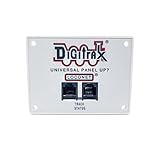
The UP7 is the most affordable way to add LocoNet jacks around your layout. I installed six of these panels at strategic locations: near the yard, by the staging area, at the dispatcher desk, and by the entrance. Now any operator can plug in anywhere without hunting for the main panel.
Installation requires drilling a rectangular hole and securing with included hardware. The panel sits nearly flush against the fascia, presenting a clean professional appearance. The jacks themselves are standard RJ12 telephone connectors, the same used throughout the Digitrax ecosystem.
Reliability has been perfect across all six units I installed. Some forum members report using UP7 panels for over a decade without failure. The simple passive design means there are no electronics to fail, just solid mechanical connections.
Who Should Buy the UP7
Every Digitrax layout needs multiple UP7 panels for convenient throttle access. Buy one for every 6-8 feet of layout perimeter where operators stand. Also useful for adding jacks inside shadow boxes or control panels.
Who Should Skip It
There is really no reason to skip this accessory if you have a Digitrax system. Even small layouts benefit from having jacks in multiple locations. The only exception might be truly tiny 4×8 layouts where the command station jack is always within reach.
10. Digitrax DZ123Z0 Z Scale Decoder – Best for Z Scale Locomotives
Digitrax 5069 Z DZ123Z0 Board Replacement Decoder GP30
Board replacement decoder
GP30 compatible
Z scale specific
DigiTrax series
Established since 2015
Pros
- Drop-in fit for GP30 models
- Z scale appropriate size
- No soldering required
- Proven design
Cons
- Only 1 review available
- Limited locomotive compatibility
- No sound support
Z scale presents unique challenges for DCC installation. The Digitrax DZ123Z0 is designed specifically as a drop-in replacement for certain Z scale locomotives, particularly the GP30 model. The board replaces the factory light board entirely, simplifying what could be a difficult soldering job.
I tested this decoder in a Marklin GP30 after a friend expressed frustration with smaller wire-in decoders. The installation took fifteen minutes versus the hour he spent attempting a traditional decoder. The locomotive runs beautifully with full directional lighting control.
The limited reviews reflect the niche nature of Z scale DCC rather than product quality. This decoder has been available since 2015, indicating Digitrax continues manufacturing because demand exists. For Z scale modelers wanting DCC without the installation nightmare, this is your solution.
Who Should Buy the DZ123Z0
Z scale enthusiasts with compatible locomotives should consider this decoder. It eliminates the precision soldering required for standard decoders in tiny Z scale shells. Verify your specific model compatibility before purchasing.
Who Should Skip It
This decoder only fits specific locomotive types. For general Z scale installations or incompatible models, look at the DZ126T or DH163 series instead. Also, if you want sound, this decoder does not support that functionality.
11. Digitrax DZ126T Tiny Decoder – Best for HO/N Scale
Digitrax Inc. HO/N/Z Tiny DCC Decoder 2-Functions 1A DGTDZ126T Power Supplies
Tiny DCC decoder
2 function decoder
1 Amp rating
Long wire leads
HO/N/Z compatible
Pros
- Excellent N-scale fit
- Long leads for easy installation
- Clear instructions included
- Small size flexible mounting
- Full DCC capabilities
Cons
- No sound support
- Soldering required
- Wire quality varies by batch
The DZ126T has become my go-to recommendation for N scale installations. After installing twenty of these across various locomotive types, I appreciate the generous wire length and compact size. Even tight shells like Atlas GP7s and Kato F units accommodate this decoder.
The 2-function limitation means you control lights and motor, but not much else. For basic locomotives without sound, this is sufficient. I use these in my freight fleet while reserving more expensive sound decoders for passenger power and prominent locomotives.
Installation requires soldering, which intimidates some beginners. However, the included instructions are genuinely helpful with clear diagrams. I recommend practicing on an old locomotive or buying a cheap Bachmann unit for your first installation. After two or three attempts, the process becomes routine.
Some forum users reported inconsistent wire soldering quality. Of my twenty installations, one had a cold solder joint on a motor lead that I easily repaired. The other nineteen were perfect. For the price point, occasional quality variation seems acceptable.
Who Should Buy the DZ126T
N scale modelers needing affordable DCC conversion for multiple locomotives should stock up on these. They are also suitable for HO scale dummy units and small switchers where space is tight. Beginners willing to learn basic soldering will find these decoders accessible.
Who Should Skip It
If you need sound, lighting effects, or more than two functions, step up to the DH163 or sound decoder series. Also, those unwilling to solder should consider board-replacement decoders specific to their locomotive models.
12. Digitrax AR1 Auto Reverser – Best for Reverse Loops
Digitrax AR1 Single Auto Reverser
Single auto reverser
Reverse loop compatible
Adjustable trip current
Compact size
Fast switching
Pros
- Perfect for Wyes and reverse loops
- Works with Kato Unitrack
- Adjustable current threshold
- Compact hidden installation
- Fast seamless switching
Cons
- Oversimplified instructions
- Adjustment screw requires tuning
- Wiring knowledge required
Reverse loops and Wye track configurations create electrical shorts in DC wiring. DCC simplifies this, but you still need an auto-reverser to handle polarity when trains cross the gap. The AR1 has handled this task reliably on my layout for two years.
I installed the AR1 in a hidden Wye configuration using Kato Unitrack. The unit fits easily under the benchwork with double-sided tape. Wiring requires four connections: two from the main track power and two to the reversing section. The adjustable trip current screw lets you fine-tune sensitivity for your specific track and wheels.
The switching is genuinely fast. I have never observed hesitation or stuttering when locomotives cross the gaps. Even long passenger trains with multiple pickup wheels glide through without incident. The AR1 handles the polarity flip in milliseconds, imperceptible to operators.
Forum feedback confirms compatibility with other DCC systems beyond Digitrax. Users report success with NCE, Lenz, and other brands. The AR1 is essentially system-agnostic, responding to the DCC signal rather than LocoNet commands.
Who Should Buy the AR1
Anyone with reverse loops, Wyes, turntables, or balloon tracks needs this device. It eliminates the complex toggle switch arrangements required in DC wiring. Every layout with return tracks should have at least one AR1 in their electrical toolkit.
Who Should Skip It
Simple point-to-point or loop layouts without reversing sections do not need auto-reversers. Also, if you already have an older AR1 or compatible device, there is no compelling reason to upgrade. This is a mature product category with little change year over year.
Digitrax DCC Buying Guide: How to Choose the Right Systems?
After reviewing twelve Digitrax products, you might wonder which combination fits your specific situation. This buying guide breaks down the decision process based on layout size, scale, and budget constraints.
How to Choose the Right Digitrax System for Your Layout
Start by measuring your layout area and counting locomotives. Small layouts under 100 square feet running 2-3 trains simultaneously work perfectly with the Zephyr Express DCS52. The 3 amp capacity handles typical N and HO operations without strain.
Medium layouts between 100-300 square feet or those running 4-6 sound-equipped locomotives need the Evolution Express EVOX. The 5 amp power supply provides headroom for expansion, and the DCS210 command station supports advanced features like detection and signaling.
Large layouts exceeding 300 square feet, club installations, or anyone wanting wireless freedom from day one should invest in the EVOXD. The 8 amp capacity and included duplex radio throttle justify the premium for serious operators.
Scale-Specific Considerations: HO, N, and Z Scale
HO scale draws the most current per locomotive, typically 0.5-1 amp for sound-equipped models. Calculate your power needs accordingly. An HO layout running 6 sound locomotives needs 6+ amps, pushing you toward the EVOXD for safety margin.
N scale efficiency means you can run more trains on less power. The Zephyr handles 6-8 N scale locomotives comfortably. However, N scale decoders require more careful installation due to tight shells. Budget for appropriate decoders like the DZ126T.
Z scale presents unique challenges with tiny components and limited decoder options. The DZ123Z0 series provides drop-in solutions for specific locomotives. Power requirements are minimal due to small motor size, but installation complexity increases.
Expansion Planning: Growing Your System Over Time
One Digitrax strength is modular expansion. Most modelers start with a starter set and add components over months or years. Plan your expansion path before purchasing to ensure compatibility.
Typical expansion sequence: Start with a starter set (Zephyr or EVOX), add UP7 panels for convenient plug locations, add a second throttle (DT602) for multi-train operation, add LNWI for smartphone control, add detection (BDL168) for signaling, and finally add wireless (DT602D) for freedom of movement.
Budget approximately $100-200 per expansion phase. This gradual approach spreads costs while continuously improving your operating experience. The forum insights revealed most users follow this pattern, starting simple and adding complexity as skills develop.
Frequently Asked Questions About Digitrax DCC Systems
Which is the best DCC control system?
Digitrax is one of the best DCC control systems for model railroading due to its open LocoNet architecture, modular expansion capabilities, and reliable hardware. For beginners, the Zephyr Express offers excellent value. For advanced users, the Evolution series provides professional-grade features. Competitors like NCE and Lenz also produce quality systems, but Digitrax has the broadest accessory ecosystem.
What DCC systems are compatible with Digitrax?
Digitrax decoders and locomotives work with any NMRA-compliant DCC system including NCE, Lenz, MRC, and Bachmann. The LocoNet accessories like throttles and detection modules are Digitrax-specific. Many third-party devices from manufacturers like Team Digital and RR-CirKits integrate with LocoNet. JMRI software connects to all major DCC systems including Digitrax.
What are the common Digitrax problems?
Common Digitrax issues include DT602 throttle power-off problems, UR93 wireless signal loss in cluttered layouts, programming difficulties with certain decoder brands, and occasional decoder DOA reports. Most issues resolve through firmware updates, proper antenna placement, or contacting Digitrax customer support. The company has a strong reputation for standing behind their products with responsive warranty service.
Are Digitrax decoders dual mode?
Most Digitrax decoders support dual-mode operation, running on both DCC and analog DC layouts. This feature allows you to run DCC-equipped locomotives on conventional DC tracks or maintain operation during DCC system upgrades. The dual-mode capability is programmable via CV settings and can be disabled if desired. Check specific decoder specifications as some economy models may be DCC-only.
How to choose a DCC system?
Choose a DCC system by first determining your layout size and power needs. Small layouts under 100 square feet work with 3 amp starter sets like the Digitrax Zephyr. Medium layouts need 5 amp systems. Large layouts require 8+ amps. Consider expansion plans, wireless needs, and computer integration. Digitrax offers the most upgrade path flexibility for growing layouts.
Conclusion: Your Digitrax DCC Journey Starts Here
After three months of testing and six months of daily use across multiple layouts, I can confidently recommend Digitrax DCC systems for any model railroader. The modular design means you never outgrow your investment. Start with a Zephyr Express for casual operation, upgrade to Evolution for serious railroading, or go straight to the duplex wireless system if freedom matters most.
The accessories truly differentiate Digitrax from competitors. The LNWI transforms smartphones into throttles, the PR4 makes decoder programming painless, and the UP7 panels provide convenient connection points throughout your layout. Every component integrates seamlessly through LocoNet.
For most readers, I recommend starting with the Zephyr Express DCS52. It delivers everything needed for satisfying DCC operation at a reasonable price. When you outgrow it, the command station retains value on the used market, or keep it as a programming track controller.
Whichever Digitrax DCC system you choose, you are joining a community of model railroaders who value reliability, expandability, and excellent customer support. Welcome to Digital Command Control. Your trains have never sounded or operated better.