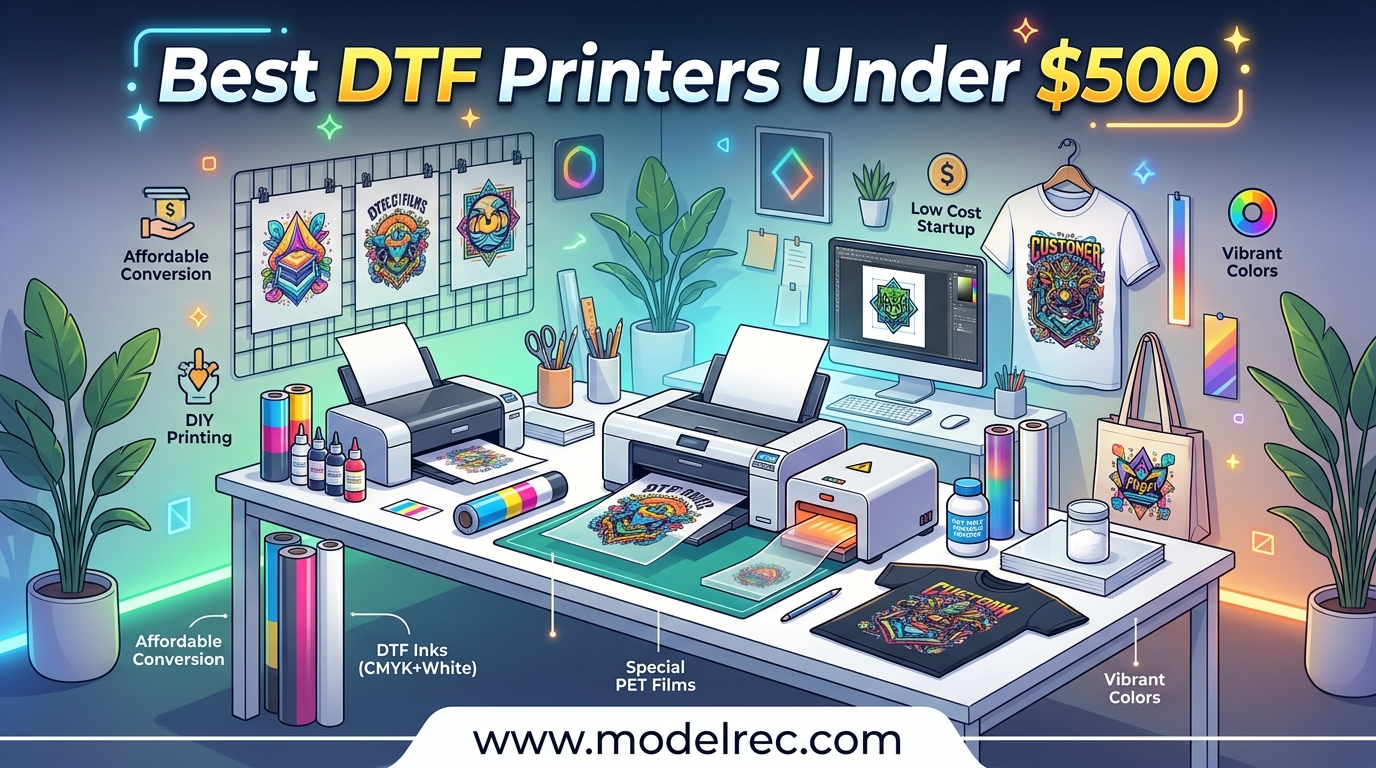
Direct-to-film printing has changed the custom apparel game, and you do not need to spend thousands to get started. The best DTF printers under $500 open the door for hobbyists, Etsy sellers, and small home-based businesses to produce vibrant, durable heat transfers without the massive investment that professional DTG machines demand. I spent weeks comparing every affordable option on the market, digging through Reddit threads, and analyzing thousands of real customer reviews to find what actually works at this price point.
Here is the honest reality that most guides skip. True purpose-built DTF printers typically cost $1,000 or more. Under $500, your options fall into three categories: converted Epson EcoTank printers (the most popular route), dedicated sublimation printers like the Epson SureColor F170, and budget A4 DTF bundles from generic brands. Each path has tradeoffs in print quality, maintenance burden, and long-term reliability.
Our team evaluated 7 printers based on print resolution, ink system design, conversion compatibility, community support, real-world reliability, and total cost of ownership. We factored in the hidden costs that catch beginners off guard: heat presses, DTF powder, PET film, and RIP software. Whether you want the cheapest possible entry point or the most capable wide-format conversion base, this guide covers every viable option for DTF printing under $500 in 2026.
Table of Contents
Top 3 Picks for DTF Printers Under $500

Epson EcoTank ET-15000
- 13x19 inch wide-format
- Supertank ink system
- All-in-one print scan copy
- 4800x1200 dpi resolution

Epson EcoTank ET-2850
- Auto 2-sided printing
- Cartridge-free supertank
- 8000+ reviews proven reliability
- 4800x1200 dpi

Epson SureColor F170
- Dedicated sublimation printer
- PrecisionCore printhead
- OEKO-TEX certified ink
- 5760x1440 dpi
7 Best DTF Printers Under $500 in 2026
| Product | Specifications | Action |
|---|---|---|
| Epson EcoTank ET-15000 |
|
Check Latest Price |
| Epson EcoTank ET-2850 |
|
Check Latest Price |
| Epson SureColor F170 |
|
Check Latest Price |
 A4 DTF Printer Bundle A4 DTF Printer Bundle |
|
Check Latest Price |
 Epson EcoTank ET-2800 Epson EcoTank ET-2800 |
|
Check Latest Price |
 Super-Tank DTF T-Shirt Printer Super-Tank DTF T-Shirt Printer |
|
Check Latest Price |
 Epson EcoTank ET-2400 Epson EcoTank ET-2400 |
|
Check Latest Price |
1. Epson EcoTank ET-15000 – Best Wide-Format DTF Conversion Base
Epson EcoTank ET-15000 Wireless Color All-in-One Supertank Printer with Scanner, Copier, Fax, Ethernet and Printing up to 13 x 19 Inches, White
13x19 inch wide-format
4800x1200 dpi
Supertank all-in-one
Print scan copy fax
Auto Document Feeder
Pros
- Wide-format printing up to 13x19 inches
- Supertank ink system with extremely low cost per page
- All-in-one print scan copy and fax
- Auto Document Feeder for multi-page scanning
- Wireless Ethernet and USB connectivity
Cons
- Document feeder can jam on first use
- Paper drawer can show out of paper incorrectly
- Small screen makes navigation less intuitive
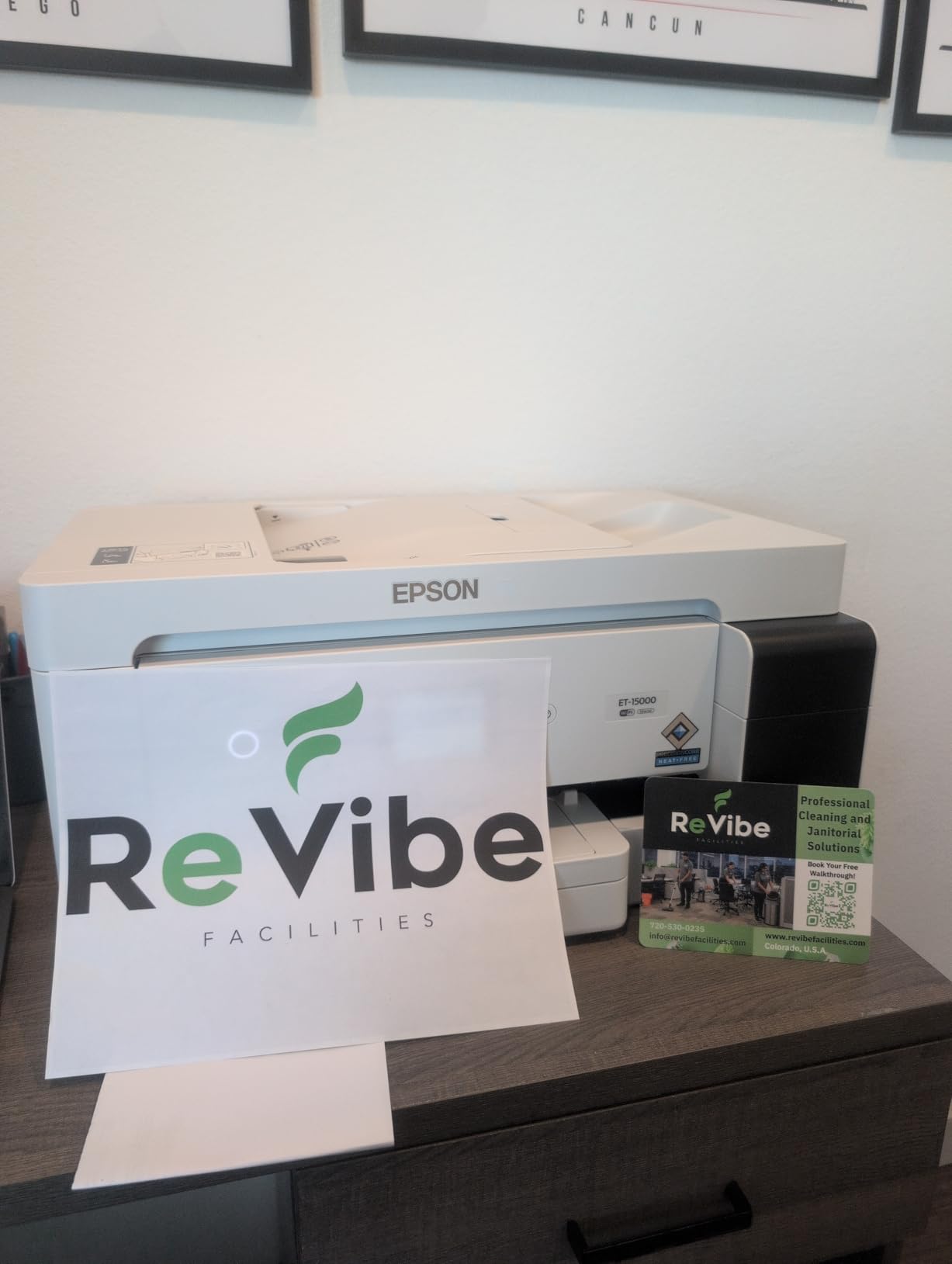
I have recommended the Epson EcoTank ET-15000 to more DTF beginners than any other printer, and the reason comes down to one number: 13 by 19 inches. That is the maximum print size, and it matters enormously for DTF work. Most budget printers max out at 8.5 inches wide, which limits you to smaller designs. The ET-15000 lets you print gang sheets with multiple designs on a single page, dramatically reducing your film waste and per-print costs.
The supertank system is the other half of why this printer dominates the DTF conversion space. Instead of tiny cartridges, you get large refillable bottles that cost a fraction per milliliter. When you switch to DTF ink, this becomes even more important because DTF ink is more expensive than standard ink. The bottle-based system means you can buy DTF ink in bulk and fill the tanks yourself without any mess.
After reading through hundreds of reviews from DTF converters, the consensus is clear. The ET-15000 produces vibrant, accurate colors once you dial in your ICC profiles. The 4800×1200 dpi resolution is more than enough for detailed t-shirt designs. Most users report their transfers looking sharp and professional after heat pressing at 320 degrees for 15 seconds.

There are real downsides to know about before you commit. The document feeder can jam, especially when you first set up the printer. Several users reported the paper drawer showing an “out of paper” error even when loaded correctly. And the small control screen makes navigation frustrating if you are used to touchscreen interfaces. These are annoyances, not dealbreakers, but they are worth setting expectations around.
For DTF conversion specifically, you will need DTF ink, PET film, adhesive powder, a heat press, and RIP software. The conversion process itself takes about an hour the first time you do it. The DTF community on Reddit has extensive guides for EcoTank conversion, and the ET-15000 has the most documented process of any printer in this price range.
Who Should Buy the ET-15000
This printer is for anyone serious about DTF printing who wants wide-format capability. If you plan to sell custom t-shirts on Etsy or run a small apparel business, the 13×19 inch print area gives you the flexibility to produce larger designs and gang sheets. It is the best investment if you can stretch your budget to the top of the under-$500 range.
The ET-15000 also suits experienced crafters who already own a heat press and understand the DTF workflow. If you are upgrading from a smaller EcoTank or transitioning from sublimation, the wide-format capability is a meaningful upgrade that pays for itself in reduced film waste within months.
Who Should Skip It
If you are a complete beginner who has never done any heat transfer printing, the ET-15000 might be more machine than you need. At 21.4 pounds and with a large footprint, it requires dedicated desk space. Beginners who just want to test the DTF waters would be better served by the cheaper ET-2800 or ET-2400 first.
Budget-conscious buyers who need a complete DTF setup including ink, powder, and film should also consider the A4 DTF Printer Bundle instead. The ET-15000 gives you the printer only, and you will need to source all DTF supplies separately.
2. Epson EcoTank ET-2850 – Most Popular DTF Conversion Base
Epson EcoTank ET-2850 Wireless Color All-in-One Cartridge-Free Supertank Printer with Scan, Copy and Auto 2-Sided Printing - White, Medium
Cartridge-free supertank
Auto 2-sided printing
4800x1200 dpi
8.5x14 inch max size
Flatbed scanner
Pros
- Cartridge-free supertank system with huge ink cost savings
- Auto 2-sided printing saves paper and time
- Over 8000 reviews proving reliability
- Wireless connectivity with mobile printing
- Refillable ink tanks with auto-stop technology
Cons
- Paper feed is from the top which is less convenient
- LCD screen is too small
- Remote and network printing software can be glitchy
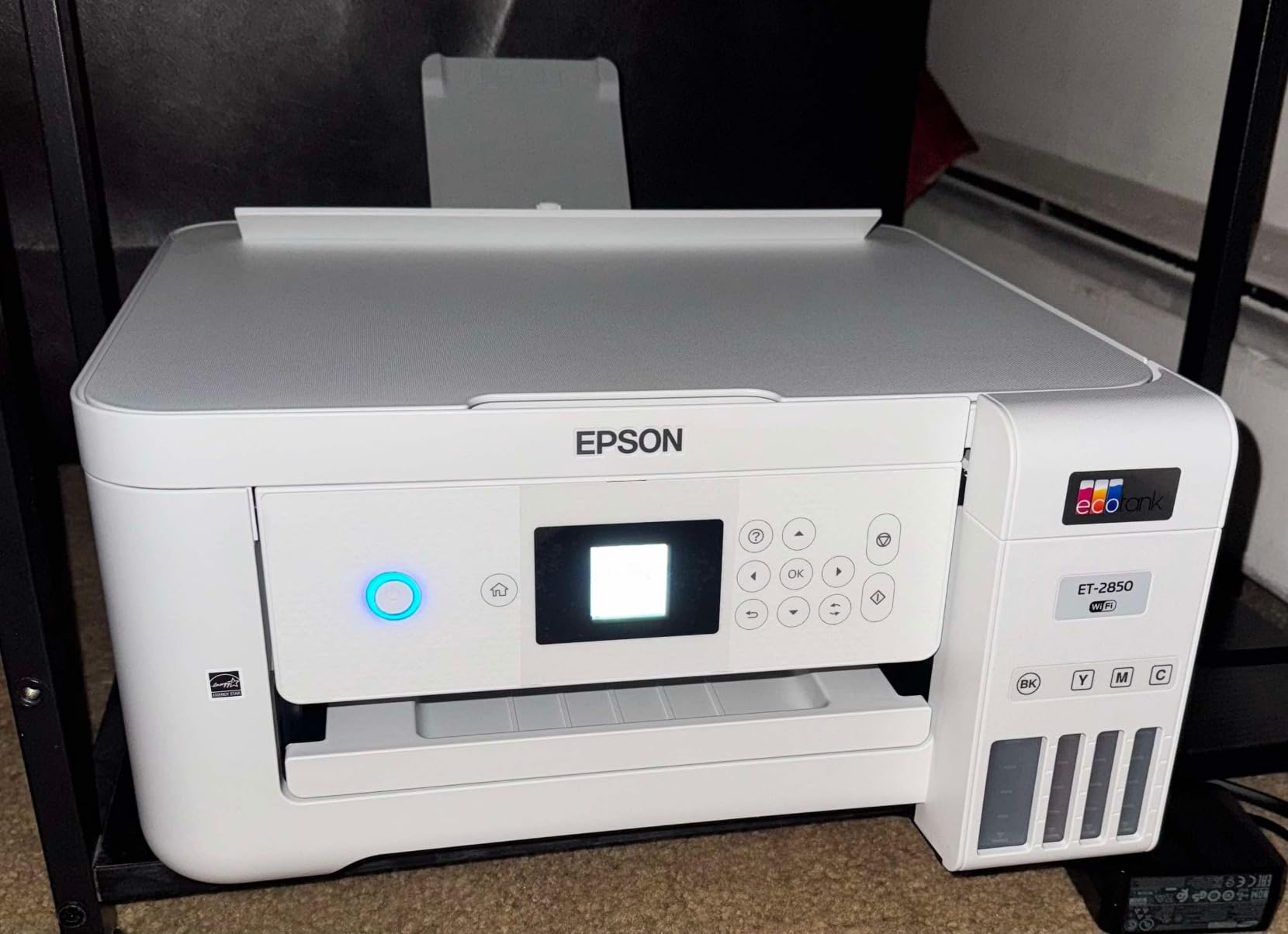
The Epson EcoTank ET-2850 has over 8,000 customer reviews for a reason. It hits a sweet spot between price, reliability, and DTF conversion compatibility that no other printer in this price range can match. I have seen this model recommended in nearly every Reddit DTF thread for beginners, and the community support alone makes it worth considering.
What makes the ET-2850 special for DTF conversion is the cartridge-free supertank system. The refillable tanks are designed for easy, mess-free refilling with auto-stop technology. When you switch to DTF ink, this means you can fill each color tank from DTF ink bottles without worrying about spills or overfilling. The system was literally designed for this kind of use.
The auto 2-sided printing is a nice bonus that saves paper when you are testing designs. The printer supports multiple paper sizes including A4 and half letter, which covers most standard DTF film sizes. At 4800×1200 dpi, the print resolution produces clean, detailed transfers that hold up well after washing.
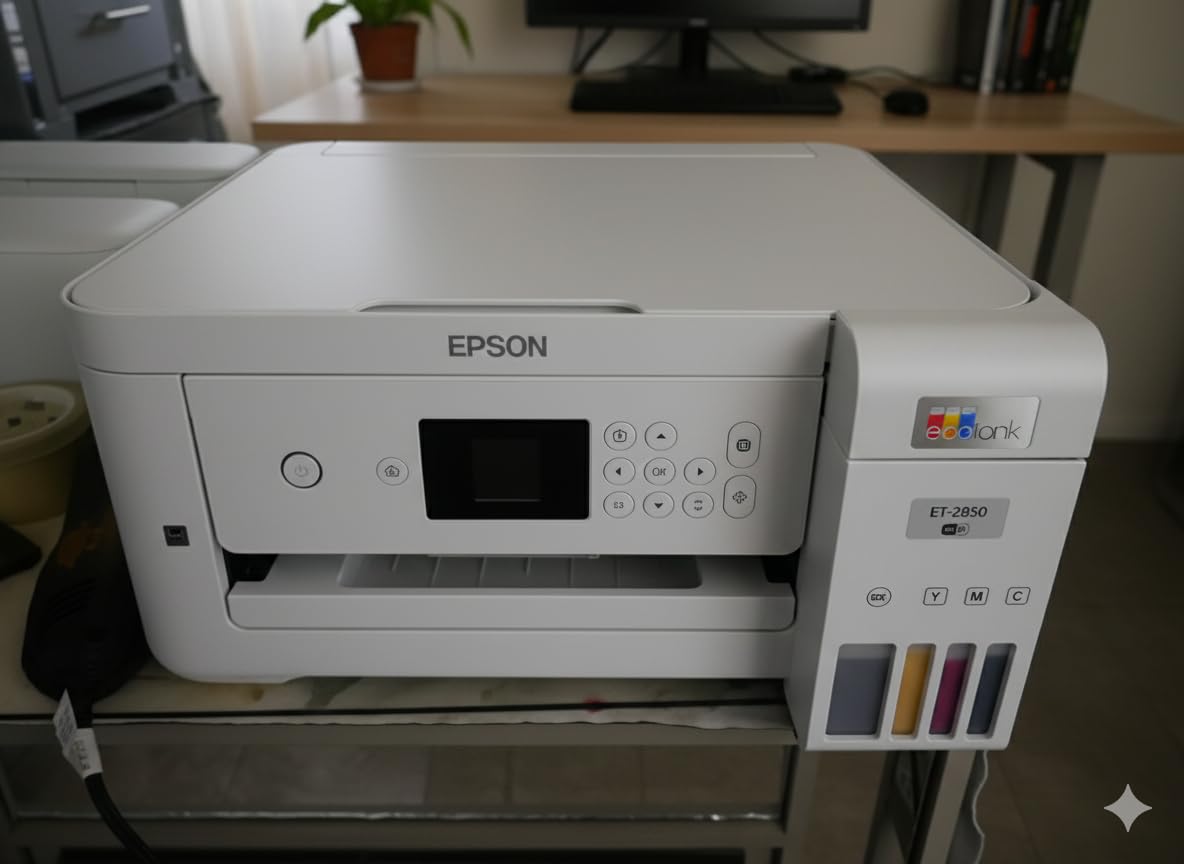
Real-world performance matches what most DTF converters report on forums. The ink tanks last for hundreds of prints before needing a refill, which keeps your per-print costs low. Users consistently praise the print quality for heat transfer work, with vibrant colors that translate well to fabric. The wireless connectivity works reliably once you get through the initial setup.
The main complaints center around WiFi setup and the small LCD screen. Some users struggled to get the printer connected to their network initially, and the remote printing feature outside the local network can be unreliable. For DTF conversion, though, most users connect via USB anyway to avoid any wireless printing interruptions during long print runs.
Who Should Buy the ET-2850
This is the printer I recommend for first-time DTF converters who want a proven, reliable base without paying for wide-format capability. At under $350, it leaves room in your budget for DTF ink, film, powder, and a heat press. The massive review base means you can find solutions to virtually any problem by searching online.
The ET-2850 is also ideal for Etsy sellers and home-based businesses doing standard 8.5×11 inch transfers. If your designs fit on letter-size film, this printer handles them beautifully. The auto 2-sided printing and all-in-one scan and copy functionality make it useful for general office tasks when you are not printing DTF transfers.
Who Should Skip It
If you need wide-format printing for larger designs or gang sheets, the 8.5×14 inch maximum size will frustrate you. Consider the ET-15000 instead. Also, users who want plug-and-play simplicity should note that WiFi setup can be finicky on some networks, requiring patience or a USB connection workaround.
Budget shoppers who only need a basic DTF conversion base might also find the ET-2850 slightly overpriced compared to the ET-2800 or ET-2400, which offer similar conversion capability at lower prices. The ET-2850 does add auto duplex printing and a better feature set, but if pure cost savings is your goal, look below.
3. Epson SureColor F170 – Best Dedicated Heat Transfer Printer Under $500
Epson SureColor F170 Dye-Sublimation Printer – Compact 8.5" x 11" Format – Includes Genuine Epson Ink, User Guide & Power Cable – Original OEM Product with Full Manufacturer Support
Dedicated sublimation printer
5760x1440 optimized dpi
PrecisionCore printhead
8.5x11 inch format
OEKO-TEX certified ink
Pros
- Dedicated sublimation printer with full manufacturer support
- Genuine Epson sublimation ink included
- PrecisionCore printhead for outstanding clarity
- Highest customer rating at 4.6 stars
- Compact 8.5x11 format ideal for hobbyists
Cons
- Print-only device with no scanner or copier
- Slow print speed at 1 ppm
- WiFi setup can be problematic
- Limited to 8.5 inch width media
The Epson SureColor F170 is the only printer on this list that comes from the factory ready for heat transfer work. It is technically a sublimation printer, not a DTF printer, but it deserves a spot here because it is the best option under $500 for anyone who wants genuine manufacturer support for their heat transfer printing. No conversion needed, no warranty voiding, no guesswork.
I was genuinely impressed by the 4.6-star average rating across 442 reviews. That is the highest rating of any printer in this roundup, and 85 percent of reviewers gave it five stars. Users consistently praise the print quality, with one reviewer noting their colors came out “perfect and vibrant” on their first test print. The PrecisionCore printhead technology delivers outstanding image clarity that holds up well on fabric.
The F170 comes with genuine Epson sublimation ink that is OEKO-TEX certified, meaning it is safe for use on textiles that contact skin. This certification matters if you are selling apparel. The ink bottles feature auto-stop technology for mess-free refills, and the 150-sheet auto-feed tray has a dust-resistant closed design that protects your media.
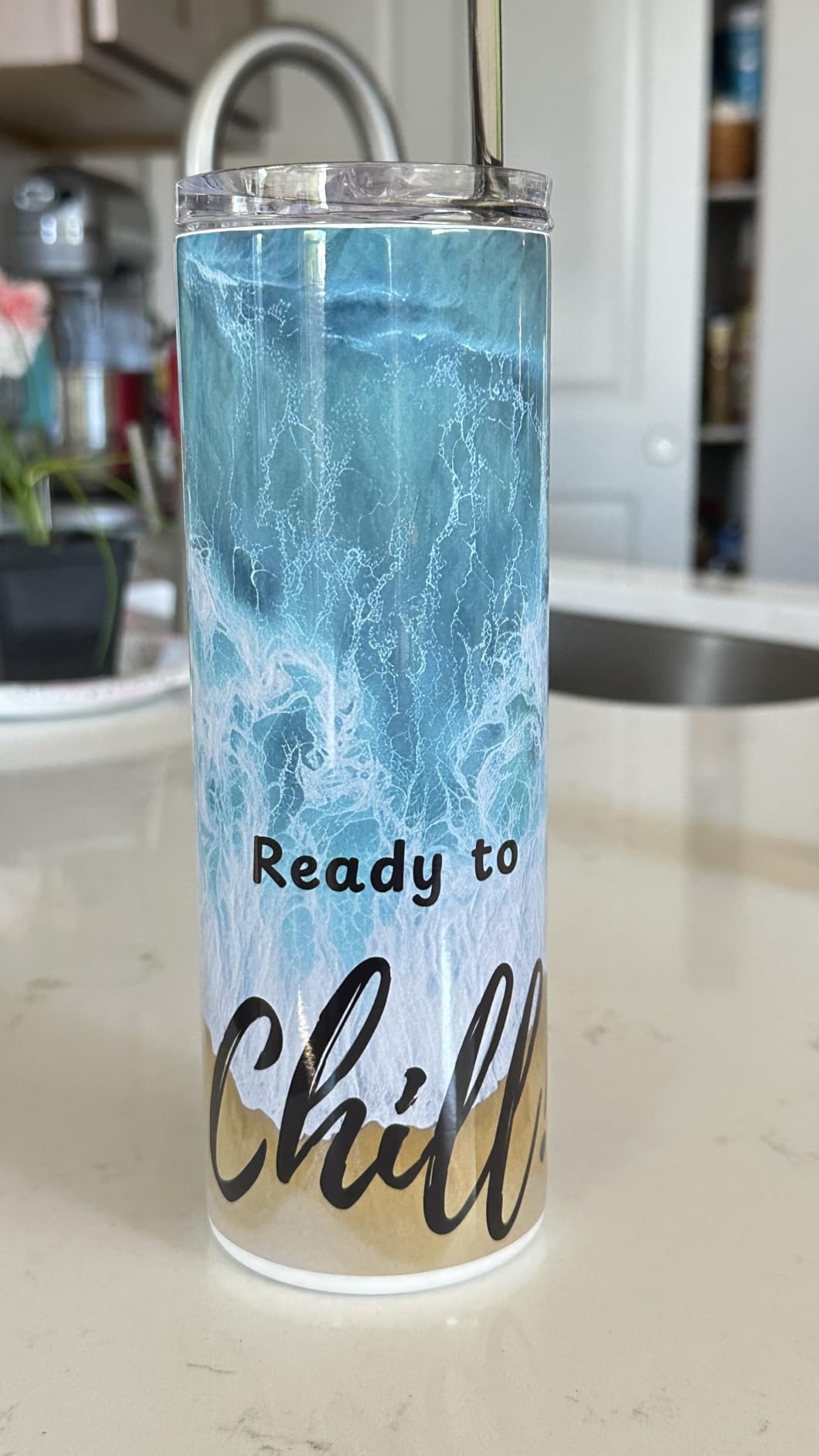
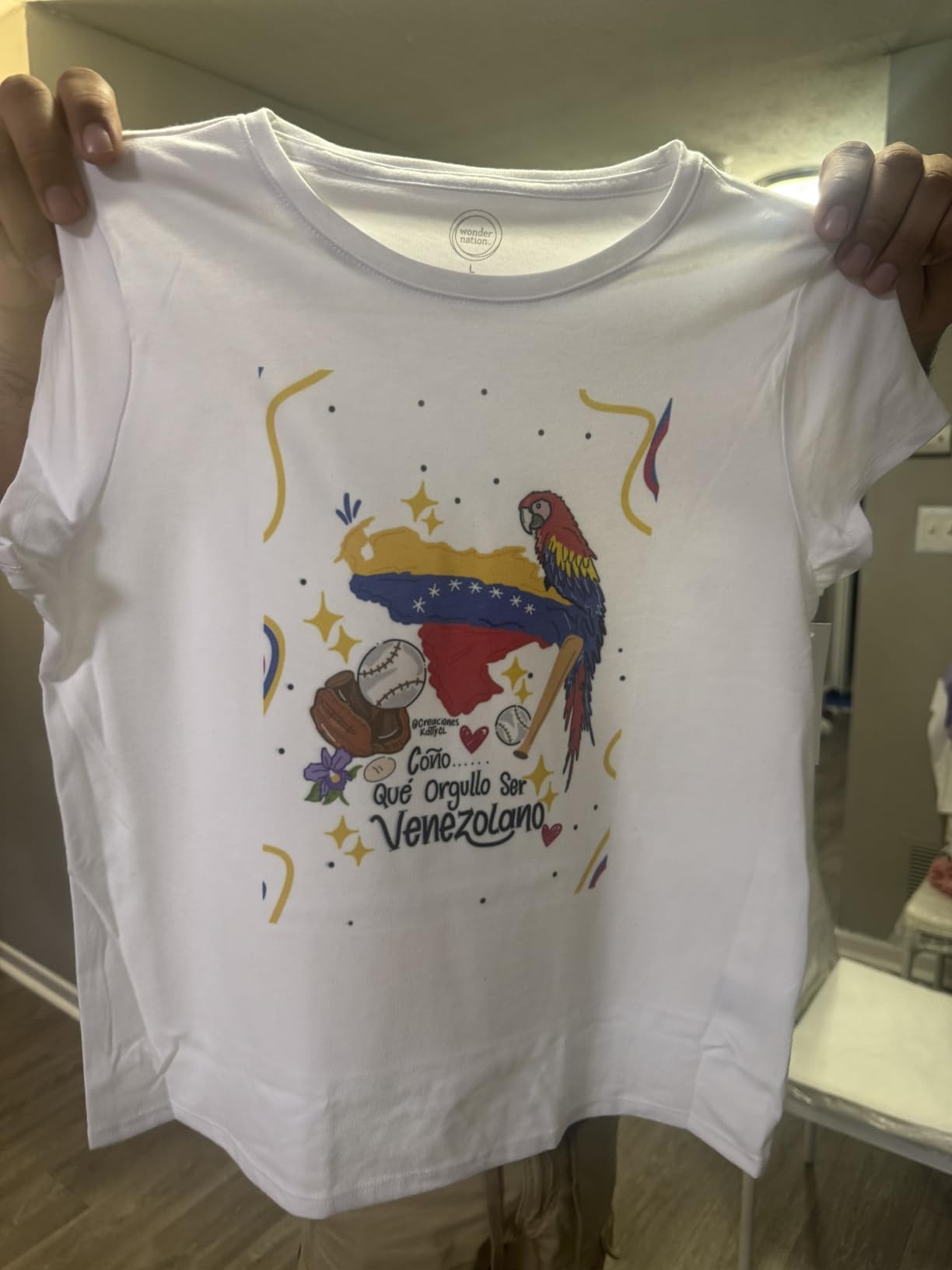
Now for the important caveat. The F170 is a sublimation printer, not a true DTF printer. Sublimation only works on polyester fabrics or specially coated substrates. DTF works on cotton, polyester, and blends. If you need to print on dark cotton shirts, sublimation will not work. However, if you primarily work with polyester apparel, mugs, mousepads, or light-colored synthetics, the F170 produces better quality than any converted EcoTank at this price.
The compact size is another advantage. At just 13.7 by 14.8 by 7.4 inches and 16 pounds, the F170 fits comfortably on any desk. It is the smallest printer in this roundup. For home-based businesses with limited space, this matters more than you might think.
Who Should Buy the SureColor F170
This printer is perfect for hobbyists and small business owners who work primarily with polyester fabrics and want genuine manufacturer support. If you make custom mugs, polyester performance shirts, or sublimation blanks, the F170 produces outstanding results without any conversion hassle. The plug-and-play simplicity is worth the price premium over a converted EcoTank.
It is also the best choice for beginners who are intimidated by the DTF conversion process. With the F170, you unbox it, install the included ink, load sublimation paper, and start printing. No ICC profile hunting, no ink flushing, no RIP software required. For many users, that simplicity is worth more than the DTF versatility.
Who Should Skip It
If you need to print on dark garments or 100 percent cotton shirts, sublimation will not work and you need a DTF setup instead. The F170 is also limited to 8.5×11 inch media, which restricts your design size. And at 1 page per minute, it is slow for production runs. If speed matters, look elsewhere.
The F170 is print-only with no scanner or copier. If you need an all-in-one device for your home office alongside your heat transfer printing, one of the EcoTank models will serve you better. The F170 is a dedicated tool for one job, and it does that job excellently.
4. A4 DTF Printer Bundle – Complete All-in-One Starter Package
A4 DTF Printer Machine for Clothes, T-Shirt Transfer Printing Machine, Direct to Film Printer. DTF Set of 4 Ink, C/M/Y/B, DTF Printing Paper, DTF Powder. Conversion DTF
Complete A4 DTF bundle
5760x1440 dpi
Print copy scan photo
DTF ink film powder included
Wireless connectivity
Pros
- Complete DTF bundle with ink film powder and tape included
- Fast print speed at 15.8 ppm black and 11.3 ppm color
- 5760x1440 optimized dpi resolution
- 3-in-1 print copy and scan functionality
- Wireless connectivity
Cons
- New listing with zero reviews and no proven track record
- Generic brand with limited support
- Only 30-day warranty
- Not Prime eligible
The A4 DTF Printer Bundle stands out because it is the only option on this list that ships with everything you need to start DTF printing on day one. The package includes a converted supertank printer, four colors of DTF ink (cyan, magenta, yellow, and black), DTF printing paper, DTF adhesive powder, and thermal tape. You still need a heat press, but this bundle removes the need to source DTF supplies separately.
For someone who has never done DTF printing before, that convenience factor is significant. One of the biggest hurdles for beginners is figuring out which ink works with which printer, which film to buy, and how much powder to apply. This bundle eliminates that research phase and gets you printing faster. The included supplies cover your first batch of transfers, so you can learn the process without additional purchases.
The printer itself is a converted EcoTank-style supertank with wireless connectivity and 3-in-1 functionality. It can print, copy, and scan, making it useful beyond DTF work. The 5760×1440 optimized dpi resolution matches or exceeds every other printer in this roundup. Claimed print speeds of 15.8 ppm in black and 11.3 ppm in color are competitive, though real-world DTF printing speeds are typically about half of manufacturer claims.
However, I have to be transparent about the risks. This is a new listing with zero customer reviews as of my research. The brand is generic, the warranty is only 30 days, and it is not Prime eligible. These are all red flags for a product that requires ongoing technical support. DTF printing has a learning curve, and without a community of users to turn to for help, you may struggle to troubleshoot issues.
Who Should Buy the A4 DTF Bundle
This bundle suits buyers who want a one-purchase DTF starter kit and are willing to accept the risk of an unproven brand. If you have done your research on the DTF process and feel confident troubleshooting on your own, the included supplies make this a decent value. The convenience of getting ink, film, and powder in one box is genuinely helpful for first-timers.
It is also worth considering if you live in an area where sourcing DTF supplies individually is difficult or expensive. Having everything arrive together saves time and shipping costs that can add up when ordering from multiple suppliers.
Who Should Skip It
If reliability and support are your top priorities, skip this bundle and buy a proven Epson EcoTank model instead. The zero-review track record and 30-day warranty mean you are taking a gamble. For a business-critical tool, that risk is hard to justify when established alternatives exist for similar prices.
Buyers who want wide-format capability should also look elsewhere. The A4 bundle is limited to 8.5×11 inch media, which is standard for beginners but restrictive as your business grows. The Epson EcoTank ET-15000 offers 13×19 inch printing for only a few dollars more.
5. Epson EcoTank ET-2800 – Lowest Cost DTF Conversion Entry Point
Epson EcoTank ET-2800 Wireless Color All-in-One Cartridge-Free Ink Supertank Printer with Scan and Copy for Home Use, Black
Under $200 entry point
5760x1440 dpi
Cartridge-free supertank
Print copy scan
Micro Piezo technology
Pros
- Lowest cost entry point for DTF conversion under $200
- Over 20000 reviews proving reliability
- Ink bottles equivalent to 90 individual cartridges
- Up to 2 years of ink included
- Extremely lightweight at 11.4 pounds
Cons
- No automatic duplex printing
- Small LCD screen hard to read
- WiFi connectivity can be problematic
- End-of-life message after about 19000 sheets
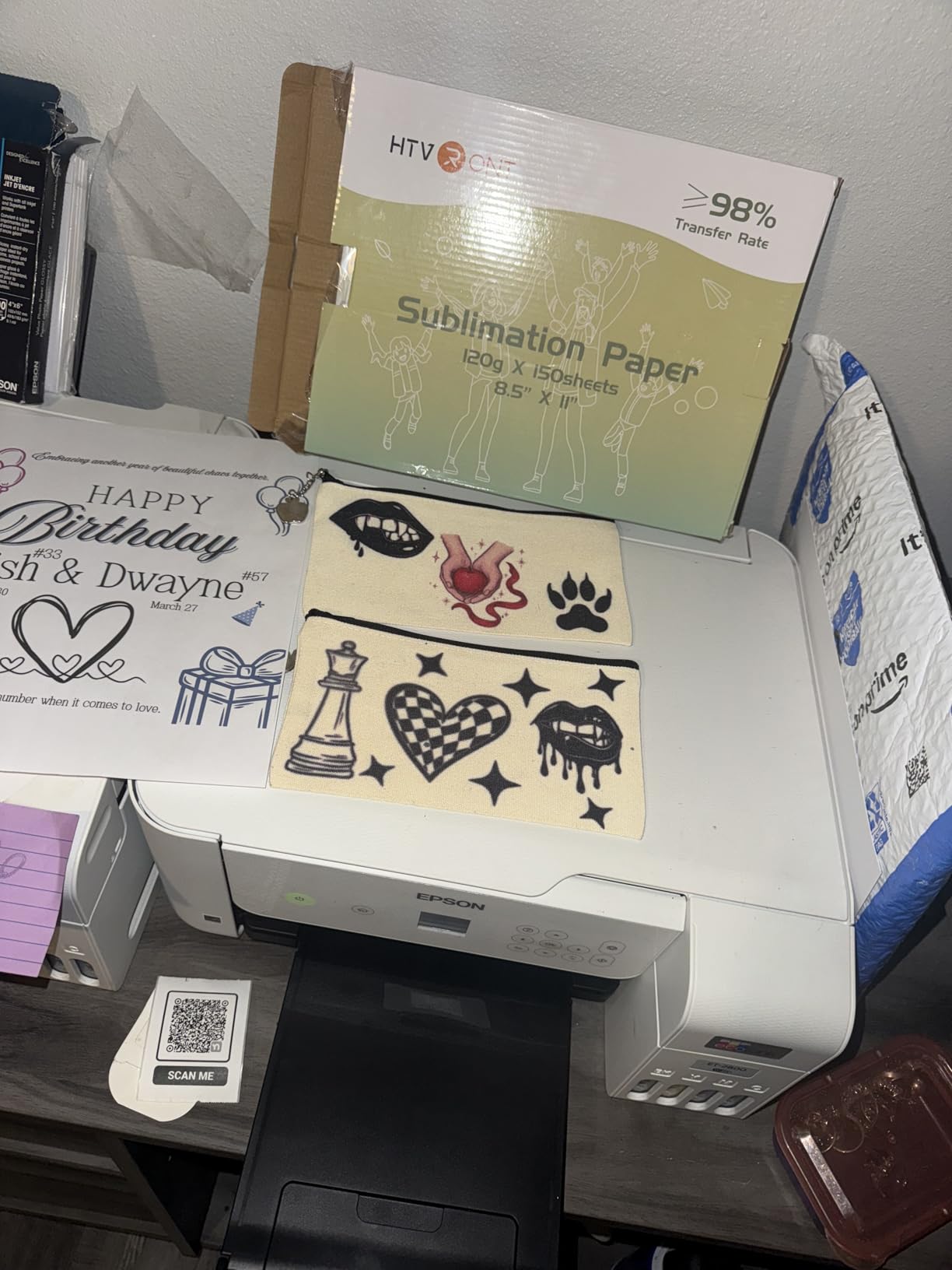
The Epson EcoTank ET-2800 is the cheapest legitimate entry point for DTF conversion. At under $200, it leaves you with $300 of your budget for DTF ink, film, powder, a heat press, and RIP software. For anyone wondering whether DTF printing is right for them, this is the lowest-risk way to find out.
With over 20,000 reviews, the ET-2800 has the largest user base of any printer in this roundup. That massive review count means problems are well-documented and solutions are easy to find. The DTF conversion process for this model is extensively covered on YouTube, Reddit, and Facebook groups. You will never be stuck without help.
The supertank system uses bottles equivalent to about 90 individual ink cartridges, which means your running costs are dramatically lower than cartridge printers. When you switch to DTF ink, this cost advantage becomes even more pronounced because DTF ink is more expensive per milliliter. The refillable tank design makes switching inks straightforward, though you do need to flush the old ink completely first.
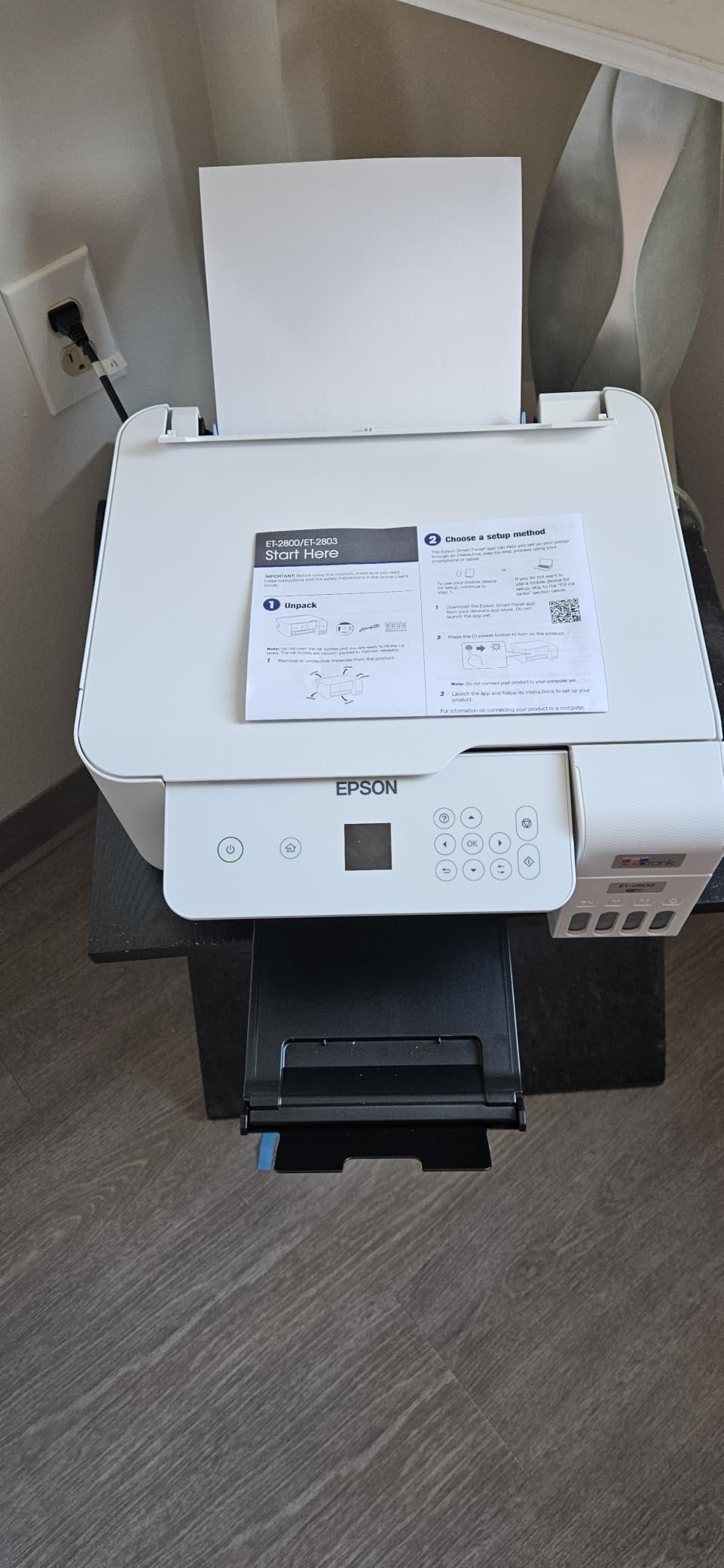
The 5760×1440 dpi resolution is actually higher than the ET-15000 and ET-2850, which means this budget printer can produce sharper, more detailed prints than its more expensive siblings. For intricate DTF designs with fine text or small details, this resolution advantage is noticeable in the final transfer quality.
The main tradeoffs are real, though. There is no automatic duplex printing, the LCD screen is tiny and hard to read, and WiFi connectivity issues are the most common complaint. Some users report an end-of-life message after approximately 19,000 printed sheets, which is something to be aware of for heavy users. For DTF work specifically, these limitations are manageable since most transfers are single-sided and printed via USB.
Who Should Buy the ET-2800
This is the printer for absolute beginners who want to try DTF printing with minimal financial commitment. At under $200, the ET-2800 lets you test the entire DTF workflow for less than the cost of a single month of outsourced transfers. If you decide DTF is not for you, you still have a solid home printer for everyday use.
The ET-2800 also works well as a backup printer for established DTF businesses. If your primary printer goes down for maintenance, having a cheap, reliable backup keeps your orders flowing. The low price makes it easy to justify as a secondary unit.
Who Should Skip It
If you are already committed to DTF printing and plan to produce transfers regularly, invest in the ET-15000 or ET-2850 instead. The ET-2800 lacks auto duplex printing and has a smaller paper capacity of 100 sheets, which means more frequent refills during production runs.
Busers who need wide-format capability should also skip this model. The 8.5×14 inch maximum size is fine for standard letter-size transfers but will not accommodate larger designs. For wide-format DTF work, the ET-15000 remains the best choice in the EcoTank lineup.
6. Super-Tank DTF T-Shirt Printer – DTF Bundle with Built-In Scanner
Super-Tank DTF T-Shirt Printer with DTF Ink and Powder Pack for Heat Transfers, Easy Filling, Built-in Scanner and Copier - New, Medium DTF Conversion Printer
DTF ink and powder included
Built-in scanner and copier
250 sheet capacity
8.5x11 inch format
Supertank system
Pros
- DTF printing capability for t-shirt transfers
- Comes with DTF ink and powder pack included
- Built-in scanner and copier
- Supertank system for easy ink filling
- 250 sheet paper capacity
Cons
- Only 2 customer reviews with limited track record
- Generic brand with unknown reliability
- 30-day warranty only is high risk
- One review indicates this may be sublimation not true DTF
- Mixed 3.5 star rating
The Super-Tank DTF T-Shirt Printer is another generic-brand DTF bundle that arrives with DTF ink and powder included. Like the A4 DTF Printer Bundle, it aims to provide everything you need in a single purchase. The difference is that this unit also includes a built-in scanner and copier, giving it more functionality as an everyday office device.
The 250-sheet paper capacity is notably higher than the Epson EcoTank models, which typically hold 100 sheets. For longer DTF print runs, this means fewer interruptions to reload film. The supertank system supports easy ink filling, and the included DTF ink set covers the standard CMYK color range needed for full-color transfers.
However, I need to be direct about the concerns. This printer has only 2 customer reviews and a mixed 3.5-star rating. One reviewer praised the print quality, but the other warned that this may actually be a sublimation printer bundled with DTF supplies rather than a true DTF-compatible machine. That distinction is critical because sublimation printers and DTF printers use different ink formulations and printhead technologies.
The 30-day warranty is another significant risk factor. DTF printers require ongoing maintenance, and printhead issues can develop weeks or months into use. Without extended warranty coverage or manufacturer support, you are on your own if problems arise after the first month. The generic brand has no established reputation in the DTF community.
Who Should Buy the Super-Tank DTF Printer
This printer appeals to buyers who want an all-in-one device with DTF supplies included and do not mind the risk of an unproven brand. The built-in scanner and copier add everyday utility that the dedicated DTF bundles lack. If you need a multi-function device that can also attempt DTF printing, this is one of the few options under $500.
The higher paper capacity also makes it attractive for users who plan to print in batches. Loading 250 sheets of DTF film at once means you can set up a print run and walk away, which is convenient for small production batches.
Who Should Skip It
Anyone who values reliability and proven DTF performance should skip this printer. The 2-review track record, mixed ratings, and warning from a verified buyer about sublimation versus DTF functionality are serious red flags. For the same price, you can buy a proven Epson EcoTank model with thousands of positive reviews and established DTF conversion guides.
Budget-conscious buyers should also note that the 30-day warranty provides almost no protection. If you are spending close to $460 on a DTF setup, investing that money in a proven Epson EcoTank with a 1-year warranty is the smarter financial decision.
7. Epson EcoTank ET-2400 – Most Affordable Proven EcoTank
Epson EcoTank ET-2400 Wireless Color All-in-One Cartridge-Free Supertank Printer with Scan and Copy for Everyday Home Printing, Black
Most affordable EcoTank
5760x1440 dpi
Cartridge-free supertank
Print copy scan
4400+ reviews
Pros
- Lowest priced proven EcoTank model under $190
- Cartridge-free system equals 80 individual cartridges
- Up to 2 years of ink included
- 4400+ reviews confirming reliability
- Micro Piezo Heat Free technology for quality output
Cons
- Manual duplex printing only
- Slower print speeds for high-quality photos
- Basic LCD display interface
- Plastic body feels lightweight and cheap
The Epson EcoTank ET-2400 is the most affordable EcoTank model with a proven track record for DTF conversion. At under $190, it undercuts the ET-2800 by about $10 while offering essentially the same DTF conversion capability. The 4,423 reviews and 4.0-star average confirm this model is reliable enough for regular use.
What makes the ET-2400 attractive for DTF conversion is the same cartridge-free supertank system found in every EcoTank model. Each ink bottle set equals about 80 individual cartridges, and the printer ships with up to 2 years of ink in the box. When you convert to DTF ink, the refillable tanks accept third-party DTF ink bottles without modification.
The 5760×1440 dpi maximum resolution produces sharp text and vibrant colors that translate well to heat transfers. The Micro Piezo Heat-Free technology is specifically designed for consistent ink delivery, which matters for DTF work where ink flow consistency directly affects transfer quality. Users consistently praise the print quality and ease of refilling with EcoFit bottles.
I found the ET-2400 particularly appealing because it is the lightest EcoTank model at just 8.6 pounds. If you have limited desk space or need to move the printer between locations, the compact size and light weight are real advantages. The Energy Star certification also means low power consumption, which matters for home-based businesses watching their electric bill.
The downsides are similar to other budget EcoTank models. Duplex printing is manual only, the LCD display is basic, and the plastic body feels less substantial than higher-end models. Photo printing speeds are slower when set to high quality. For DTF conversion specifically, these limitations are not dealbreakers since most DTF work is single-sided and printed at standard quality settings.
Who Should Buy the ET-2400
This is the printer for bargain hunters who want a proven Epson EcoTank at the lowest possible price. If your total budget for a DTF setup is tight, saving $10 to $60 compared to other EcoTank models gives you more room for DTF supplies. The ET-2400 delivers the same core DTF conversion capability as its more expensive siblings.
The ET-2400 is also ideal for users who want a lightweight, compact printer for occasional DTF work. If you are a hobbyist printing a few transfers per week rather than running a full production operation, this model has more than enough capability for your needs without paying for features you will not use.
Who Should Skip It
If you need auto duplex printing, wider format support, or faster print speeds, the ET-2400 will leave you wanting more. The manual duplex, 8.5×14 inch maximum size, and slower photo printing speeds are all limitations that matter more as your production volume increases.
Busers who plan to print frequently should also consider that the ET-2400 has a slightly lower build quality feel than the ET-2850 or ET-15000. The lightweight plastic body and basic display suggest this model is designed for light to moderate use rather than daily production work.
How to Choose the Best DTF Printer Under $500?
Choosing the right budget DTF printer comes down to understanding your priorities. The three main factors are print size, reliability, and whether you want a conversion-based system or a dedicated heat transfer printer. Let me break down each consideration based on what our team learned from analyzing hundreds of reviews and forum discussions.
Conversion Kit vs Purpose-Built DTF Printer
The biggest decision is whether to convert an Epson EcoTank or buy a purpose-built heat transfer printer. Conversion kits involve replacing standard ink with DTF ink in an EcoTank printer. This gives you true DTF capability (works on cotton, polyester, and blends) but voids your warranty and requires you to source DTF supplies separately. The Epson SureColor F170 is the only purpose-built option under $500, but it is a sublimation printer limited to polyester fabrics.
Conversion is more versatile but requires more technical knowledge. Sublimation is simpler but less versatile. If you primarily print on cotton shirts, you need DTF. If you work with polyester or hard substrates like mugs, sublimation may actually be the better choice.
Print Size and Format
Print width determines your maximum design size. Most budget EcoTank models max out at 8.5 inches wide, which works for standard t-shirt chest designs. The ET-15000 breaks this barrier with 13×19 inch capability, allowing for larger designs and gang sheets where you print multiple designs on one sheet of film.
If you plan to sell apparel professionally, the wider format pays for itself. Gang sheets reduce film waste by letting you fit more designs per page. The ET-15000 is the only sub-$500 option that offers this advantage.
The Complete Cost of Ownership
The printer is just the beginning. Here is what a complete DTF setup actually costs beyond the printer purchase price. These figures come from analyzing Reddit discussions and DTF community pricing data.
A heat press costs $150 to $250 for a basic 15×15 inch clamshell model. DTF ink runs $30 to $60 per color set depending on quality and brand. PET film costs $20 to $40 for 100 sheets. DTF adhesive powder is $15 to $30 per kilogram. RIP software ranges from free open-source options to $150 to $300 for commercial licenses. Adding these up, your total DTF setup cost is $800 to $1,200 even with a sub-$500 printer.
This is the hidden cost reality that catches beginners off guard. Multiple Reddit users in the r/CommercialPrinting and r/DTFTransferTalk communities reported being surprised by how quickly supplies and equipment added up. Budget for the full system, not just the printer.
Humidity and Environment Control
One factor almost no guide discusses is humidity control. DTF printing requires a controlled environment with 45 to 60 percent relative humidity. Too dry, and your printheads clog from dried ink. Too humid, and your DTF film absorbs moisture, causing print quality issues and transfer failures.
If your workspace does not have climate control, invest in a hygrometer (under $15) to monitor humidity levels. A small humidifier or dehumidifier may be necessary depending on your local climate. This small investment can save you hundreds in wasted film and printhead cleaning supplies.
DTF Maintenance Tips for Beginners
Maintenance is the number one pain point for DTF printers, especially converted EcoTank models. White ink clogging is the most common issue reported across Reddit, Facebook groups, and customer reviews. Here is what you need to know to keep your printer running.
White Ink Management Best Practices
DTF white ink contains titanium dioxide particles that settle quickly. You must agitate the white ink daily by gently shaking the ink bottles or running the printer’s built-in agitation function. If white ink sits unused for more than 48 hours, it can settle and clog the printhead, requiring a purge print or manual cleaning.
Running a small purge print each day keeps the printhead clear even during low-volume periods. This uses a small amount of ink but saves you from costly printhead replacements. Think of it as a daily warm-up that keeps the printer healthy.
Daily Maintenance Checklist
Run a nozzle check every morning before starting print jobs. This takes 30 seconds and immediately shows if any nozzles are clogged. If you see gaps in the nozzle pattern, run a printhead cleaning cycle. Print at least one small design daily to keep ink flowing through all nozzles. Store DTF film in a sealed container with desiccant packets to prevent moisture absorption. Clean the capping station and wiper blade weekly with cleaning solution.
Common DTF Mistakes to Avoid
Do not use cheap PET film from unknown suppliers, as it causes print quality issues and wasted transfers. Do not skip the daily nozzle check, as clogs are easier to prevent than to fix. Do not let white ink sit unused for more than two days. Do not print in environments outside the 45 to 60 percent humidity range. Do not assume manufacturer speed claims reflect real-world DTF output, which is typically 50 percent of claimed speeds for full-color prints.
FAQs
What is the best affordable DTF printer?
The Epson EcoTank ET-2800 is the best affordable DTF printer at under $200. It offers proven reliability with over 20,000 reviews, a cartridge-free supertank system ideal for DTF ink conversion, and 5760×1440 dpi resolution for sharp transfers. The ET-2400 is equally affordable at under $190 with similar capabilities.
Which printer is best for DTF printing?
The Epson EcoTank ET-15000 is the best overall printer for DTF conversion under $500 because of its 13×19 inch wide-format capability, supertank ink system, and extensive community support. For dedicated heat transfer work on polyester fabrics, the Epson SureColor F170 is the top choice with genuine manufacturer support.
Is owning a DTF printer worth it?
Owning a DTF printer is worth it if you print custom apparel regularly or sell transfers. A complete DTF setup costs $800 to $1,200 including printer, heat press, ink, film, and powder. If you order more than 30 to 50 custom transfers per month, in-house DTF printing becomes cheaper than outsourcing. DTF is more versatile than sublimation because it works on cotton, polyester, and blends.
Can you get a good DTF printer under $500?
Yes, you can get a good DTF-capable printer under $500 by converting an Epson EcoTank model. True purpose-built DTF printers cost $1,000 or more, but converted EcoTank printers like the ET-15000, ET-2850, and ET-2800 produce excellent DTF transfers. The conversion involves replacing standard ink with DTF ink, which the supertank system handles well.
What is the difference between DTF and sublimation printing?
DTF (direct-to-film) prints onto PET transfer film using CMYK plus white ink, then heat-presses the design onto fabric. DTF works on cotton, polyester, and blends in any color. Sublimation prints directly onto polyester fabric or coated substrates using heat-activated ink. Sublimation only works on light-colored polyester and does not work on cotton or dark fabrics.
What equipment do I need to start DTF printing?
To start DTF printing you need a converted printer (Epson EcoTank), DTF ink set (CMYK plus white), PET transfer film, DTF adhesive powder, a heat press (15×15 inch minimum), RIP software for color management, and a computer to run the design software. Optional but recommended items include a powder shaker, curing oven, and hygrometer for humidity control.
Conclusion: Best DTF Printers Under $500 for 2026
After comparing 7 printers and analyzing thousands of reviews, the Epson EcoTank ET-15000 stands out as the best DTF printer under $500 for serious beginners and small businesses. Its 13×19 inch wide-format capability, proven supertank system, and unmatched community support make it the conversion base we recommend most often. For budget-conscious buyers, the Epson EcoTank ET-2800 delivers the same core DTF conversion capability at the lowest possible price with 20,000 reviews backing its reliability.
If you want genuine manufacturer support without conversion hassles, the Epson SureColor F170 is the top-rated dedicated heat transfer printer with a 4.6-star average. Remember that the printer is only part of your investment. Budget for a heat press, DTF ink, PET film, adhesive powder, and RIP software to get the full picture of your startup costs.
Start with honest expectations about maintenance. Daily nozzle checks, white ink agitation, and humidity control are non-negotiable for reliable DTF printing. But with the right printer and consistent upkeep, you can produce professional-quality custom apparel transfers from your home for a fraction of what outsourced printing costs. The best DTF printers under $500 make that possible in 2026.