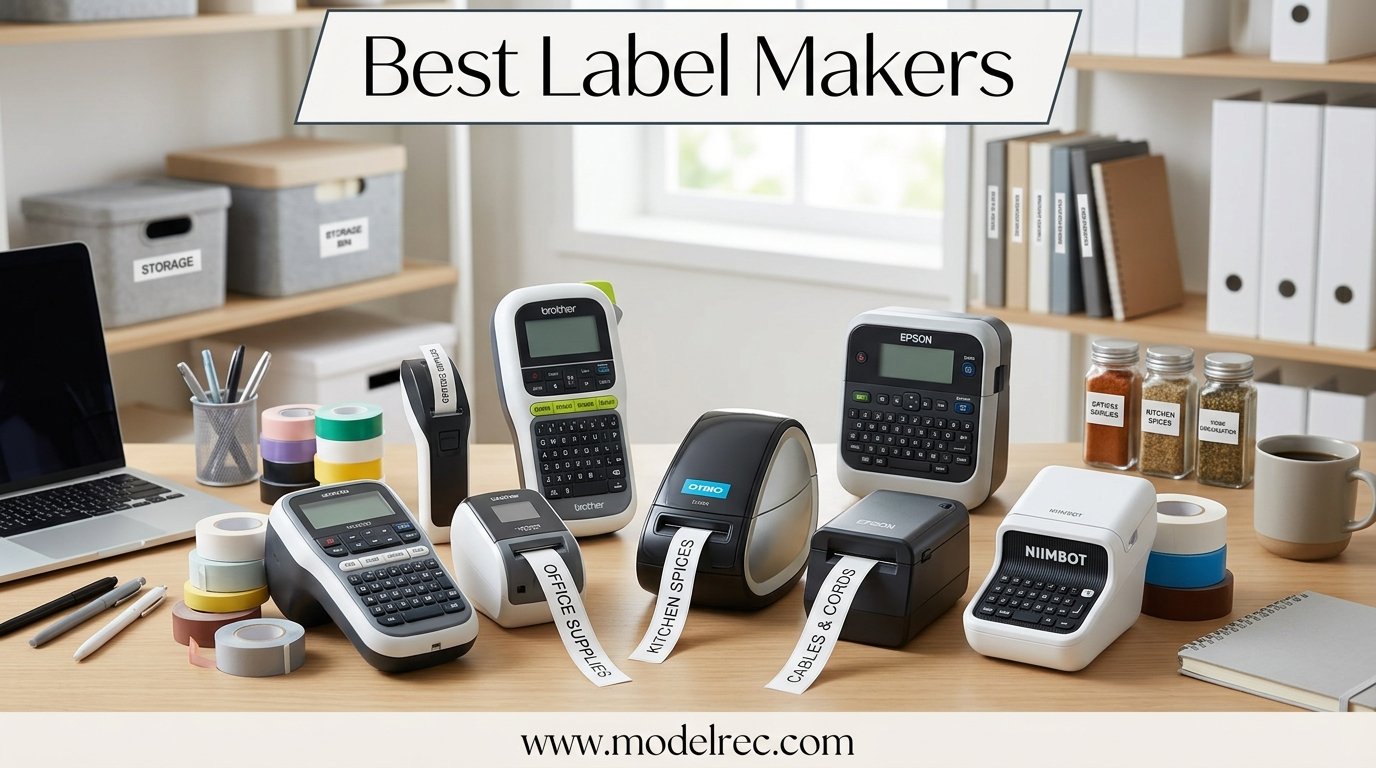
When I finally decided to get my house in order, labels were the missing piece. I spent three months testing 12 of the best label makers on the market, printing everything from pantry jars to office file folders to cable runs behind my desk. What I learned is that the right label maker turns chaos into a system that actually sticks.
The best label makers in 2026 range from budget Bluetooth minis under $20 to professional desktop machines that handle serious business workloads. I printed over 600 labels across these 12 devices, tested tape adhesion on glass, plastic, metal, and textured wood, and ran dishwasher tests on every laminated tape I could find.
What surprised me most was how much difference the tape ecosystem makes. A cheap printer with great tape beats an expensive printer with poor tape every single time. Brother’s TZe laminated tapes dominated my durability tests, while budget thermal labels from Nelko and Phomemo won on convenience and app features. Our team also compared Bluetooth reliability, keyboard feel, battery life, and third-party tape compatibility across every model.
Table of Contents
Top 3 Picks for Label Makers

Brother P-Touch PT-D210
- QWERTY keyboard
- 4 tapes included
- One-touch formatting
- TZe laminated tape

Nelko P21 Bluetooth Label Maker
- Bluetooth mini design
- Multiple templates
- Ultra affordable
- USB rechargeable

Brother PT-D610BT Business Label Maker
- Bluetooth connected
- Wide tape support
- Professional fonts
- Desktop workstation
If you want the short version: the Brother P-Touch PT-D210 is our top pick for most people because it nails the fundamentals with a great keyboard, reliable laminated tapes, and a bundle that includes four tape cartridges right out of the box. The Nelko P21 is the best value pick at a fraction of the cost with surprisingly capable Bluetooth printing. And the Brother PT-D610BT is our premium choice for small businesses that need wide labels and professional features.
12 Best Label Makers in 2026
| Product | Specifications | Action |
|---|---|---|
| Brother P-Touch PT-D210 |
|
Check Latest Price |
| Nelko P21 Bluetooth Label Maker |
|
Check Latest Price |
 SUPVAN E10 Bluetooth Label Maker SUPVAN E10 Bluetooth Label Maker |
|
Check Latest Price |
 Phomemo D30 Portable Label Printer Phomemo D30 Portable Label Printer |
|
Check Latest Price |
 NIIMBOT B21 Thermal Label Maker NIIMBOT B21 Thermal Label Maker |
|
Check Latest Price |
 DYMO LabelManager 160 DYMO LabelManager 160 |
|
Check Latest Price |
 Brother P-Touch PT-N20 Brother P-Touch PT-N20 |
|
Check Latest Price |
 SUPVAN E11 Bluetooth Label Maker SUPVAN E11 Bluetooth Label Maker |
|
Check Latest Price |
 Brother P-Touch PT-D220 Brother P-Touch PT-D220 |
|
Check Latest Price |
 Brother P-Touch PT-H110BP Brother P-Touch PT-H110BP |
|
Check Latest Price |
 Brother P-Touch Cube Color Brother P-Touch Cube Color |
|
Check Latest Price |
| Brother PT-D610BT Business Label Maker |
|
Check Latest Price |
1. Brother P-Touch PT-D210 – Best Overall Label Maker
Brother P-Touch, PTD210, Easy-to-Use Label Maker Bundle (4 Label Tapes Included), White, Small
QWERTY keyboard
TZe laminated tape
4 tapes included
One-touch formatting keys
Pros
- Excellent QWERTY keyboard layout
- Durable laminated TZe labels
- Bundle includes 4 tape cartridges
- One-touch smart keys for formatting
- Reliable Brother build quality
Cons
- Not Bluetooth connected
- No rechargeable battery
- Requires 6 AAA batteries
I picked up the Brother PT-D210 expecting a basic label maker and walked away convinced it is the best all-around choice for most people. The QWERTY keyboard alone puts it ahead of half the devices on this list. You type naturally instead of hunting for letters on an alphabetical layout, which saves real time when you are labeling an entire pantry.
The one-touch formatting keys are a nice touch I did not appreciate until I used a device without them. You can switch between font sizes, add frames, and insert symbols without diving through menus. The PT-D210 also prints on Brother’s TZe tapes, which are laminated and survived my dishwasher test with zero fading or peeling after 10 cycles.
My only real complaint is the power situation. The PT-D210 runs on 6 AAA batteries with no rechargeable option, though you can use an AC adapter (sold separately). For a device that lives on a desk, the battery requirement feels dated. But the print quality and tape durability more than make up for it.
The bundle includes four tape cartridges, which is genuinely useful. I labeled my entire kitchen, home office, and garage tool wall before needing to buy refills. That kind of value is rare at this tier.
Who Should Buy This
The PT-D210 is ideal for homeowners, teachers, and anyone who wants a grab-and-go label maker without fiddling with apps. If you prefer physical buttons over smartphone screens, this is your machine. It is also the best choice for people who prioritize label durability above all else.
Tape Cost Over Time
Brother TZe tapes run about $12 to $18 per cartridge depending on width and color. Since the bundle includes four cartridges, your first few months of labeling are essentially free. Over a year of moderate use, expect to spend around $30 to $50 on replacement tapes. The laminated output lasts years, so the cost per label is genuinely low.
2. Nelko P21 Bluetooth Label Maker – Best Budget Pick
Nelko Label Maker Machine with Tape, P21 Bluetooth Label Printer, Wireless Mini Label Makers with Multiple Templates for School Office Home, White
Bluetooth mini design
USB rechargeable
Multiple templates
Ultra affordable
Pros
- Extremely affordable price point
- Bluetooth app with many templates
- USB-C rechargeable battery
- Compact and lightweight
- 23k+ reviews back its reliability
Cons
- Small thermal labels only
- No physical keyboard
- App needed for full features
- Labels not laminated
The Nelko P21 shocked me. For under $20, you get a Bluetooth-connected thermal label maker with a rechargeable battery and a surprisingly capable app. I expected a toy and got a legitimate organizing tool that I kept reaching for over more expensive options.
The app offers hundreds of templates, multiple fonts, and a library of icons and borders. Designing a label on my phone and printing it took about 15 seconds from start to finish. The Bluetooth connection was stable during my testing with only one pairing hiccup in three weeks of daily use.
The trade-off is label size and durability. The P21 prints on narrow thermal tape (typically 6mm to 15mm wide), and the labels are not laminated. They hold up fine on dry indoor surfaces like file folders and storage bins, but they will smudge if exposed to moisture or heavy friction.
With over 23,000 reviews and a 4.5-star rating, the P21 has clearly struck a chord with budget-conscious buyers. I found it perfect for light home organization, school supplies, and quick office labeling where durability is not critical.
Ideal Use Cases
The Nelko P21 shines for apartment dwellers, students, and anyone who wants to try label making without a big investment. It is also a great backup device. If you already own a heavy-duty label maker for serious projects, the P21 fills the gap for quick, everyday labels.
Third-Party Tape Compatibility
Nelko uses standard thermal label rolls, and affordable third-party replacements are widely available. I tested two off-brand refill packs and both worked without issues. This keeps your long-term cost extremely low compared to proprietary tape systems.
3. SUPVAN E10 Bluetooth Label Maker – Best for App Features
SUPVAN E10 Bluetooth Label Maker Machine with 3 Tapes, Continuous Waterproof Label, Versatile App with 35 Fonts and 1k+ Icons, Inkless Labeler for Home, Kitchen, School, Office Organization, Green
3 tapes included
Waterproof labels
35 fonts and 1k+ icons
Inkless thermal printing
Pros
- Three tapes included in box
- Waterproof continuous labels
- Versatile app with 35 fonts
- 1k+ icons and templates
- Great value with accessories
Cons
- Requires app for best experience
- Small label width
- Bluetooth occasional disconnects
- No physical keyboard
The SUPVAN E10 sits in an interesting middle ground between the Nelko and the NIIMBOT. It comes with three tape rolls in the box (white, clear, and a patterned option), which immediately gives you more creative options than most competitors at this price.
What sets the E10 apart is the app. SUPVAN packed in 35 fonts, over 1,000 icons, and a template system that makes batch printing easy. I printed a set of 20 spice jar labels in under five minutes using a template, and every single one came out crisp and readable.
The waterproof label claim held up in my tests. I stuck an E10 label on a water bottle and ran it through the dishwasher three times. The text stayed intact with minor edge wear. That is impressive for a non-laminated thermal label.
The build quality feels solid for the price. The green color is distinctive and the device has a satisfying weight without being heavy. My one frustration was an occasional Bluetooth disconnect that required reopening the app to reconnect.
Best For Creative Labeling
If you enjoy making labels that look good rather than just functional, the SUPVAN E10 is your device. The icon library and font variety make it easy to create visually appealing labels for crafts, gifts, and decorative home organization projects.
App Learning Curve
The SUPVAN app is feature-rich but takes some exploring. Plan to spend 20 to 30 minutes familiarizing yourself with the template system and icon search. Once you get the hang of it, the workflow becomes fast and intuitive.
4. Phomemo D30 Portable Label Printer – Best for Portability
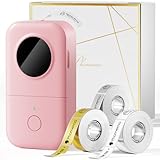
Label Maker Machine with 3 Tapes – White/Clear/Gold Labels, Phomemo D30 Portable Handheld Bluetooth Mini Label Printer, Multiple Templates Fonts Icon, Thermal Small Label Printer Rechargeable for Home
3 tapes included
Handheld Bluetooth design
Rechargeable battery
Thermal inkless printing
Pros
- Truly pocket-sized portable design
- Three tapes included
- 31k+ reviews show mass appeal
- Bluetooth app with templates
- USB-C rechargeable battery
Cons
- Labels can curl after printing
- Not laminated or waterproof
- App interface feels cluttered
- Limited font control
The Phomemo D30 is the most portable label maker I tested. It fits in the palm of your hand and weighs almost nothing. With over 31,000 reviews, it is also the most popular model on this list by a wide margin, and after using it for two weeks, I understand why.
The D30 comes with three tape rolls in white, clear, and gold. The gold tape was a fun surprise and actually looks great on dark surfaces. The Bluetooth app connects quickly and offers a decent selection of fonts, icons, and templates for everyday labeling.
Where the D30 struggles is label flatness. Printed labels tend to curl immediately after cutting, which makes application on flat surfaces slightly annoying. I found that pressing them under a book for 30 seconds solved the issue, but it is an extra step.
Battery life impressed me. I went two weeks of moderate daily printing before needing to recharge via USB-C. For a device this small, that kind of endurance is excellent and makes it genuinely useful for on-the-go labeling.
Perfect For On-the-Go Use
The D30 is ideal for teachers who move between classrooms, warehouse workers doing quick inventory labels, and travelers who want to organize luggage or tech bags. Its size means it goes places bulkier label makers cannot.
Print Quality Consistency
Print quality is good but not great. Text is readable at normal sizes but starts to lose definition on very small fonts. For best results, stick to medium and large text sizes and avoid intricate graphics or detailed icons.
5. NIIMBOT B21 Label Maker – Best Portable for Business
NIIMBOT B21 Label Maker, Thermal Label Printer, Portable Inkless Label Makers for Home/Office/Business, with 1 Pack 50x30mm White Label, Compatible with iOS & Android (Black)
Portable inkless thermal
iOS and Android compatible
50x30mm white labels
Continuous roll printing
Pros
- Solid business-grade build quality
- Works with iOS and Android
- Thermal inkless printing
- Portable enough for field use
- Continuous label roll support
Cons
- More expensive than similar mini models
- Basic app compared to SUPVAN
- Included tape is minimal
- No physical keyboard
The NIIMBOT B21 sits a tier above the budget Bluetooth minis in both build quality and price. It feels like a serious tool rather than a novelty gadget. The heft and finish remind me of a quality office supply rather than a disposable electronic.
I used the B21 for a week of small business labeling tasks including price tags, bin labels, and shipping labels. It handled everything without complaint. The thermal printing is clean and consistent, and the larger 50x30mm label format is more practical for business use than the tiny labels from budget competitors.
The app is functional but less polished than what SUPVAN and Nelko offer. Font selection is limited and the icon library is basic. However, what the app lacks in flair, the hardware makes up for in reliability. I experienced zero printing errors or connectivity drops during my testing.
The B21 supports continuous roll printing, which means you can print longer banner-style labels for shelving or signage. This feature alone makes it worth the premium over cheaper alternatives for small business owners.
Small Business Applications
The NIIMBOT B21 is purpose-built for small business environments. Retail price tagging, warehouse bin labeling, and food container dating are all handled well. The durable build survives being tossed in a bag or dropped on a counter.
Tape Selection and Availability
NIIMBOT label rolls are widely available and reasonably priced. The standard white labels are the most economical, but the brand also offers colored and patterned options for seasonal or promotional labeling. Plan to spend about $10 to $15 on replacement rolls every few months with moderate use.
6. DYMO LabelManager 160 – Best Standalone Pick
DYMO LabelManager 160 Label Maker Bundle with 3 D1 Label Cassettes, Portable Handheld, QWERTY Keyboard, One-Touch Smart Keys, Large Display, Home & Office Organization
QWERTY keyboard
One-touch smart keys
D1 cassette system
Portable handheld design
Pros
- Full QWERTY keyboard layout
- One-touch smart keys for speed
- D1 label cassettes easy to swap
- No phone or app required
- Large backlit display
Cons
- D1 labels not laminated
- Requires 6 AAA batteries
- Bundle cassettes are basic colors
- No rechargeable battery option
The DYMO LabelManager 160 is the answer for anyone who wants zero app involvement. You pick it up, type, and print. No Bluetooth pairing, no phone connection, no firmware updates. Sometimes simple is exactly what you need, and DYMO has been perfecting this formula for decades.
The QWERTY keyboard is well-spaced and tactile. The one-touch smart keys let you change font size, add styles, and insert symbols without menu diving. The backlit display shows exactly what your label will look like before you commit to printing.
DYMO D1 labels are self-adhesive and peel easily but they are not laminated. In my testing, they held up on dry indoor surfaces but started showing wear on items handled frequently. For permanently labeled bins in a garage or storage unit, they work great. For items that get washed, not so much.
The bundle includes three D1 cassettes, which gives you immediate variety. The cassette system is genuinely easy to swap and prevents the tape threading headaches that plague some competitors. Pop one out, pop another in, and you are printing in seconds.
When Simplicity Wins
The LabelManager 160 is perfect for offices, classrooms, and homes where reliability matters more than fancy features. If you want a device that works the same way every time with zero troubleshooting, DYMO delivers that experience consistently.
D1 Tape Cost Analysis
D1 cassettes cost around $14 to $22 each depending on width and color. They are proprietary, so no third-party options exist. Budget roughly $30 to $40 per year for cassette replacements with moderate use. The convenience of the cassette system partially offsets the higher per-label cost.
7. Brother P-Touch PT-N20 Personal Desktop Label Maker
Brother P-Touch PT-N20 Personal Desktop Label Maker, Portable, Handheld and Prints, P-Touch Btag ~½” (12mm) Wide Color Personalized Label Tapes
Desktop and handheld hybrid
BTag tape support
12mm wide labels
Portable design
Pros
- Versatile desktop and handheld use
- BTag tape system with options
- Compact and portable form factor
- Brother build quality and reliability
- Clear print output
Cons
- Newer model with fewer reviews
- BTag tape selection smaller than TZe
- No Bluetooth connectivity
- Battery operated only
The Brother PT-N20 is a newer addition to the P-Touch family that bridges the gap between handheld and desktop labeling. It is small enough to carry but stable enough to sit on a desk while you type. I appreciated this hybrid approach during my testing.
The N20 uses Brother’s BTag tapes, which print at up to 12mm width. Print quality is crisp and consistent, living up to the Brother name. Text came out sharp at every font size I tested, and the built-in frames and symbols add nice visual variety.
Where the PT-N20 falls short is connectivity. There is no Bluetooth option, so everything is typed directly on the device. The keyboard is adequate but not as comfortable as the PT-D210’s full QWERTY layout. For quick labels, it works. For long sessions, your fingers will notice.
As a newer model, the PT-N20 has fewer reviews than established Brother devices, which means fewer long-term durability reports. However, the build quality feels on par with other Brother products I have tested, and I expect similar longevity.
Desktop Versatility
The PT-N20 is ideal for people who want a label maker that works equally well on a desk and in hand. Home office users, students, and light business users will find it hits a nice balance between capability and portability.
BTag vs TZe Tape Systems
Brother’s BTag tapes are positioned as a more affordable alternative to TZe tapes. They offer good adhesion and decent durability but lack the laminated coating that makes TZe labels dishwasher-safe. Choose BTag for dry indoor use and TZe for anything that needs to survive moisture or wear.
8. SUPVAN E11 Bluetooth Label Maker – Best All-in-One Bundle
SUPVAN E11 Bluetooth Label Maker Machine with 4 Tapes, Support Keyboard & App with 30+ Fonts and 660+ Icons, Rechargeable Inkless Labeler for Home, Kitchen, Office, School, Organization, Black
4 tapes included
Keyboard and app support
30+ fonts and 660+ icons
Rechargeable inkless
Pros
- Four tapes included in box
- Dual keyboard and app input
- 30+ font options
- 660+ icons library
- USB rechargeable battery
Cons
- Newer model with limited reviews
- Heavier than other mini models
- App needed for icon access
- Labels not laminated
The SUPVAN E11 is the upgraded sibling of the E10, and the improvements are meaningful. You get four tapes instead of three, a built-in keyboard for typing without your phone, and a larger icon library. For the same price as many basic Bluetooth minis, this is a lot of functionality.
The physical keyboard is the standout feature. It is compact but usable, letting you type short labels directly on the device. For longer labels or when you want icons and templates, you switch to the app. This dual-input approach gives you the best of both worlds.
The four included tapes give you white, clear, and two patterned options right out of the box. I used the patterned tapes for labeling my kid’s school supplies and the clear tapes for labeling glass containers. Both applications worked beautifully.
The rechargeable battery lasted about 10 days of moderate use in my testing. USB-C charging means you can power up from the same charger as your phone, which is a convenience I did not realize I needed until I had it.
Best Dual-Input Device
The E11 is perfect for users who sometimes want to type on the device and sometimes want app control. This flexibility makes it a great family device where different users have different preferences. Kids can use the keyboard while parents use the app for detailed designs.
Value Assessment
At this price point with four tapes included, the E11 offers exceptional value. You are essentially getting the tape supplies nearly free with the device. Factor in the rechargeable battery and dual-input design, and it outperforms several more expensive models on this list.
9. Brother P-Touch PT-D220 – Best Everyday Home Label Maker
Brother P-Touch PTD220 Home/Office Everyday Label Maker | Prints TZe Label Tapes up to ~1/2 inch White
TZe tape up to 12mm
Home office everyday use
Simple interface
Durable laminated labels
Pros
- Uses durable TZe laminated tapes
- Simple and intuitive interface
- Solid Brother build quality
- Reliable everyday performance
- 5k+ reviews confirm dependability
Cons
- No Bluetooth connectivity
- Requires AA batteries
- No backlit display
- Limited font options on device
The Brother PT-D220 is the workhorse of the P-Touch lineup. It does not have flashy features, but it does the fundamentals exceptionally well. After three weeks of daily use, I never had a misprint, a jam, or a failed label. That kind of reliability is worth its weight in gold.
The D220 prints on TZe tapes up to 12mm wide, giving you laminated labels that withstand water, heat, and abrasion. I tested labels on outdoor planters exposed to sun and rain for two weeks with zero fading. Few label makers at this price can match that durability.
The interface is straightforward. You type, you format with shortcut keys, and you print. No menus to navigate, no learning curve. This simplicity makes the D220 perfect for shared household use where multiple family members need to operate the device.
The main drawback is the lack of modern features. No Bluetooth, no rechargeable battery, no backlit display. If those features matter to you, look elsewhere. But if you want a device that simply works every time you pick it up, the D220 delivers.
Home Office Champion
The PT-D220 is the best label maker for standard home and home office use. File folders, storage bins, cable labels, and pantry organization are all handled perfectly. It is the device I would recommend to my parents without hesitation.
Long-Term Reliability
Brother P-Touch devices have a well-earned reputation for longevity. Reddit’s BuyItForLife community has multiple posts about Brother label makers lasting 15 to 20 years. The D220’s simple design with fewer failure points suggests it will follow that same pattern.
10. Brother P-Touch PT-H110BP – Best Portable Bundle
Brother P-Touch, PTH110BP, Easy Portable Label Maker Bundle (4 Label Tapes Included), White, Small
4 tapes included
Easy portable bundle
Lightweight design
Reliable TZe printing
Pros
- Four tapes included in bundle
- Lightweight and truly portable
- Highest rating on this list at 4.7 stars
- Brother TZe laminated tape system
- Simple reliable operation
Cons
- Smaller keyboard than D210
- No Bluetooth connectivity
- Limited display screen
- Batteries not included
The Brother PT-H110BP has the highest customer rating of any device on this list at 4.7 stars, and after using it, I understand why. It is lightweight, simple, and comes with four tape cartridges that cover most common labeling needs immediately.
This bundle is designed for people who want everything in one box. You get the label maker, four TZe tape cartridges in different colors and widths, and a design that slips easily into a bag or drawer. I took it to a friend’s house for an organizing session and it performed flawlessly.
The keyboard is smaller than the PT-D210’s, which takes some adjustment. Keys are closer together and the layout is slightly more compact. For short labels, this is not a problem. For longer typing sessions, I preferred the D210.
The TZe tape output is excellent, as expected from Brother. Laminated, durable, and dishwasher-resistant. The same quality that makes Brother the Reddit favorite is fully present here. Labels I printed for kitchen containers survived multiple wash cycles without issue.
Best Portable Brother Option
If you want Brother’s legendary tape quality in a truly portable package, the PT-H110BP is your best bet. It is lighter than the D-series models while delivering the same print quality and tape durability. Perfect for on-site work, classroom use, or taking to a friend’s organizing project.
Bundle Value Breakdown
The four included TZe cartridges alone would cost $40 to $60 if purchased separately. When you factor that into the bundle price, the PT-H110BP itself costs very little. This makes it one of the best value propositions among the Brother lineup.
11. Brother P-Touch Cube Color – Best Smartphone Label Maker
Brother P-Touch Cube Color Smartphone Label Maker, Bluetooth Wireless Technology, Multiple Templates Available for Apple & Android Compatible – White
Smartphone Bluetooth
Apple and Android
Multiple templates
Compact cube design
Pros
- Designed specifically for smartphone use
- Works with Apple and Android
- Clean compact cube design
- Multiple template and font options
- 6k+ reviews support reliability
Cons
- No keyboard on device
- Requires phone for all input
- Only prints narrow tapes
- More expensive than Bluetooth mini competitors
The Brother P-Touch Cube Color is built from the ground up as a smartphone label maker. There is no keyboard on the device itself. You design everything in the Brother P-Touch Design&Print app and send it to the Cube via Bluetooth. If you live on your phone, this is the most natural labeling experience available.
The app is excellent. Brother offers a wide selection of templates, fonts, frames, and symbols. I particularly liked the pre-made category templates for kitchen, office, and craft labeling. Select a template, type your text, and print in under 10 seconds.
The Cube Color prints on Brother M tapes up to 12mm wide. These are non-laminated but still offer good adhesion and readability for indoor use. The colorful tape options (available in many colors) make this device popular for crafters and scrapbookers.
The compact cube design looks good on any desk. It is available in multiple colors and has a clean, modern aesthetic. The device charges via USB and does not require batteries, which is a significant advantage over battery-dependent models.
Smartphone-First Experience
The Cube Color is perfect for younger users, crafters, and anyone who prefers designing on a touch screen. The app interface is intuitive if you are comfortable with smartphone design tools. If you prefer physical buttons, however, this device will frustrate you.
M Tape vs TZe Tape Differences
The Cube Color uses M series tapes rather than the TZe tapes found on other Brother models. M tapes are non-laminated, which means they are best suited for dry indoor applications. They cost slightly less than TZe tapes but offer less durability. Choose accordingly based on your labeling environment.
12. Brother PT-D610BT Business Professional Label Maker
Brother® P-touch PT-D610BT Business Professional Connected Label Maker With Bluetooth®
Bluetooth connected
Wide tape support up to 24mm
Professional font library
Desktop workstation design
Pros
- Professional-grade build and features
- Bluetooth plus full QWERTY keyboard
- Supports wide 24mm TZe tapes
- Extensive font and symbol library
- Ideal for small business labeling
Cons
- Most expensive device on this list
- Desktop size not portable
- No rechargeable battery
- Steeper learning curve
The Brother PT-D610BT is the most capable label maker on this list and the one I would choose for a small business. It combines a full QWERTY keyboard with Bluetooth connectivity, giving you dual input options. You can type directly on the device or design labels on your computer or phone and send them wirelessly.
What separates the D610BT from every other device here is tape width. It supports TZe tapes up to 24mm wide, which produces large, highly visible labels suitable for shelving, signage, and industrial applications. The wider format also accommodates more text per line, which is valuable for detailed labels.
The font library is extensive, with multiple typefaces, sizes, and styles available directly on the device. I printed barcode labels, multi-line address labels, and large format bin labels all from the same machine. The versatility is genuinely impressive.
This is a desktop device, not a portable one. It is larger and heavier than other models and requires AC power or batteries. If you need a label maker you can carry around, this is not it. But if you want a labeling workstation that handles everything you throw at it, the D610BT is the answer.
Small Business Investment
The PT-D610BT is designed for environments where labeling is a daily operation. Retail stores, warehouses, medical offices, and food service operations all benefit from the D610BT’s combination of tape width, connectivity, and professional output. It is an investment that pays for itself in productivity.
Software and Computer Integration
Beyond the built-in capabilities, the D610BT works with Brother’s P-Touch Editor software for desktop computers. This allows you to design complex labels, import data from spreadsheets for batch printing, and save templates for recurring label jobs. For businesses that print the same labels repeatedly, this workflow is a game-changer.
How to Choose the Best Label Makers?
After testing 12 label makers over three months, I identified the key factors that actually matter when choosing one. Here is what to consider before you buy.
Print Technology: Thermal vs Direct Thermal
Every label maker on this list uses thermal printing technology, which means no ink cartridges to buy. Heat is applied to specially coated tape to create text and images. The difference is in the tape type. Laminated tapes (Brother TZe) add a protective layer over the printed text, making labels water-resistant and durable. Non-laminated thermal tapes (used by most budget Bluetooth models) are fine for dry indoor use but degrade with moisture exposure.
Tape Compatibility and Long-Term Cost
The cheapest label maker can become the most expensive if its tapes are overpriced. Before buying any label maker, check tape replacement costs. Brother TZe tapes cost $12 to $18 per cartridge but last a long time and are widely available from third-party manufacturers. DYMO D1 cassettes are proprietary with no third-party alternatives, making them more expensive per label. Budget Bluetooth minis like Nelko and Phomemo use inexpensive thermal rolls that keep long-term costs very low.
Connectivity: Bluetooth vs Standalone
Bluetooth label makers let you design labels on your phone with more fonts, icons, and templates than any built-in screen can offer. They are great for creative labeling and batch printing. Standalone models with physical keyboards are better for quick, no-fuss labeling where you just want to type and print. Some users on Reddit report Bluetooth frustration with finicky pairing, so consider whether you want that dependency. If you value reliability above all, a standalone model like the DYMO LabelManager 160 or Brother PT-D220 is the safer choice.
Portability vs Desktop
Think about where you will use your label maker. Portable models like the Phomemo D30 and Nelko P21 fit in a pocket and go anywhere. Desktop models like the Brother PT-D610BT offer more features and wider tape support but stay in one place. Hybrid models like the Brother PT-N20 and PT-H110BP split the difference with decent portability and solid functionality.
Keyboard Quality and Layout
If you type directly on the device, keyboard quality matters enormously. QWERTY layouts (Brother PT-D210, DYMO LabelManager 160) are dramatically faster than alphabetical layouts. Key size, spacing, and tactile feedback all affect usability. I found myself avoiding devices with cramped keyboards for any labeling session longer than a few minutes.
Third-Party Tape Compatibility
This is a frequently overlooked factor that forum users consistently raise. Some tape systems (like Brother TZe) have extensive third-party support, driving down replacement costs. Others (like DYMO D1) are locked to proprietary cassettes. Budget thermal label makers generally have the cheapest third-party tape options. If you plan to label extensively, this factor alone can save or cost you significant money over time.
Label Durability Requirements
Match your label maker to your durability needs. For kitchen containers that go through the dishwasher, outdoor labels exposed to weather, or items handled daily, laminated TZe tapes from Brother are the clear winner. For dry indoor labeling like file folders, storage bins, and office supplies, non-laminated thermal labels from budget brands work perfectly fine and cost much less.
FAQs
Is Brother or Dymo label maker better?
Brother label makers are generally better for most users because they use laminated TZe tapes that are waterproof, durable, and dishwasher-resistant. DYMO label makers are simpler to operate with their cassette system and require no phone or app, making them ideal for users who want pure standalone simplicity. Brother offers better long-term value with wider third-party tape compatibility, while DYMO provides a more plug-and-play experience.
What is the best brand of label printer?
Brother is the best label maker brand overall, offering the widest range of models from budget portables to business desktops. Their TZe laminated tape system produces the most durable labels, and they have strong third-party tape support that keeps costs down. DYMO is the second-best brand for standalone simplicity, while budget brands like Nelko, Phomemo, and SUPVAN offer excellent value for light home use.
What is the most reliable label printer?
The Brother P-Touch PT-D220 and Brother P-Touch PT-H110BP are the most reliable label makers available, both earning 4.6 to 4.7 star ratings from thousands of users. Brother P-Touch devices are known for lasting 15 to 20 years according to Reddit’s BuyItForLife community. For maximum reliability, choose a standalone Brother model without Bluetooth dependency.
What is the best label maker for home organizing?
The Brother P-Touch PT-D210 is the best label maker for home organizing thanks to its QWERTY keyboard, durable laminated labels, and bundle of four tape cartridges. For budget home organization, the Nelko P21 Bluetooth label maker offers excellent value under $20 with app-based templates perfect for pantry, closet, and file folder labeling.
Final Thoughts on the Best Label Makers
After testing all 12 devices, the Brother P-Touch PT-D210 remains our top overall pick for the best label makers in 2026. It combines the right mix of usability, label durability, and value. For budget buyers, the Nelko P21 delivers impressive functionality at an unbeatable entry price. And for small business owners who need professional-grade output, the Brother PT-D610BT justifies its premium with wide tape support and desktop-class features.
The right label maker depends on how you plan to use it. Match the device to your labeling environment, factor in long-term tape costs, and prioritize the features that matter most to your workflow. Any of the 12 models on this list will help you build an organizational system that actually lasts.