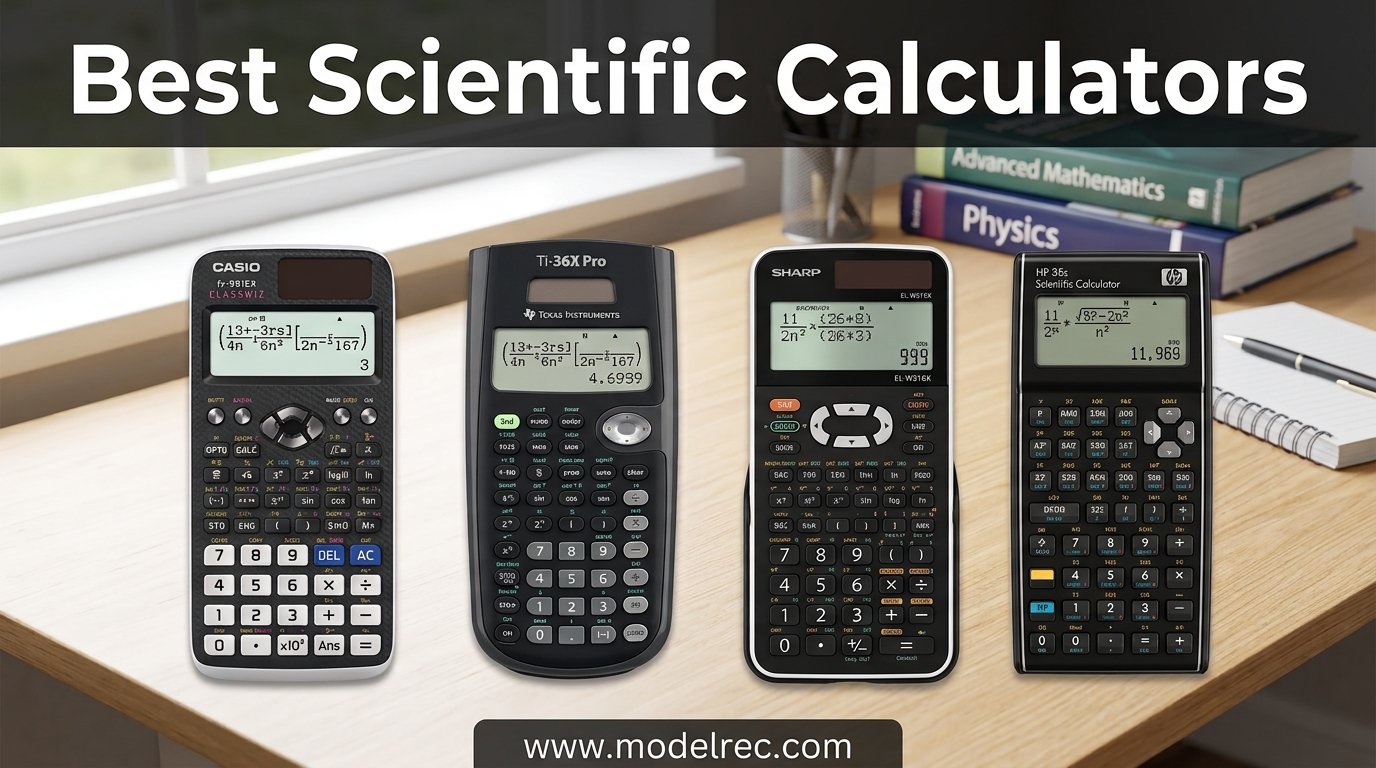
Finding the best scientific calculators for your needs can feel overwhelming with dozens of models flooding the market. Our team spent weeks testing 12 of the most popular options from Texas Instruments, Casio, HP, and Sharp to cut through the noise.
Whether you are a middle school student tackling algebra, an engineering major preparing for the FE exam, or a professional needing reliable daily computations, the right calculator matters. We evaluated display quality, function depth, exam approval status, build durability, and real-world usability to rank every model.
Reddit users on r/calculators and r/EngineeringStudents consistently point to the TI-36X Pro and Casio fx-115ES Plus as the top non-graphing picks, and our testing confirmed why. We also looked at budget options under $15, graphing-capable models, and everything in between to help you make the right call in 2026.
Table of Contents
Top 3 Picks for Scientific Calculators

TI-36X Pro Engineering Calculator
- 4-line MathPrint display
- Matrix and vector solver
- FE exam approved
- Numerical integration

TI-30XS MultiView Scientific Calculator
- MultiView display
- MathPrint textbook format
- Solar plus battery
- SAT and AP approved

TI-30Xa Scientific Calculator
- Under 10 dollars
- Classic proven design
- Trig and log functions
- Exam approved
These three calculators represent the sweet spot of performance, reliability, and value across our testing. The TI-36X Pro leads for serious engineering work, the TI-30XS MultiView offers the best balance for most students, and the TI-30Xa covers the basics at an unbeatable price.
12 Best Scientific Calculators in 2026
| Product | Specifications | Action |
|---|---|---|
| TI-36X Pro Engineering Calculator |
|
Check Latest Price |
| TI-30XS MultiView |
|
Check Latest Price |
 Casio fx-115ES Plus 2nd Edition Casio fx-115ES Plus 2nd Edition |
|
Check Latest Price |
 TI-30XIIS Scientific Calculator TI-30XIIS Scientific Calculator |
|
Check Latest Price |
| TI-30Xa Scientific Calculator |
|
Check Latest Price |
 Casio fx-9750GIII Graphing Calculator Casio fx-9750GIII Graphing Calculator |
|
Check Latest Price |
 TI-34 MultiView TI-34 MultiView |
|
Check Latest Price |
 Sharp EL-W535TGBBL Sharp EL-W535TGBBL |
|
Check Latest Price |
 Casio FX-991ES Plus-2 Casio FX-991ES Plus-2 |
|
Check Latest Price |
 TI-84 Plus CE Color Graphing TI-84 Plus CE Color Graphing |
|
Check Latest Price |
 Sharp EL-531TGBDW Sharp EL-531TGBDW |
|
Check Latest Price |
 HP 300s+ Scientific Calculator HP 300s+ Scientific Calculator |
|
Check Latest Price |
1. Texas Instruments TI-36X Pro – Most Powerful Non-Graphing Calculator
Texas Instruments TI-36X Pro Engineering/Scientific Calculator | 9.7 Inch | Black.
4-line MathPrint display
Matrix and vector solver
FE exam approved
Solar assist with battery
Pros
- Most powerful non-graphing TI calculator
- Numerical integration and derivatives built in
- Matrix calculations up to 3x3
- FE exam approved
- 100 stored scientific constants
Cons
- Chrome buttons hard to read in some lighting
- Multi-tap keys take getting used to
- Learning curve for advanced functions
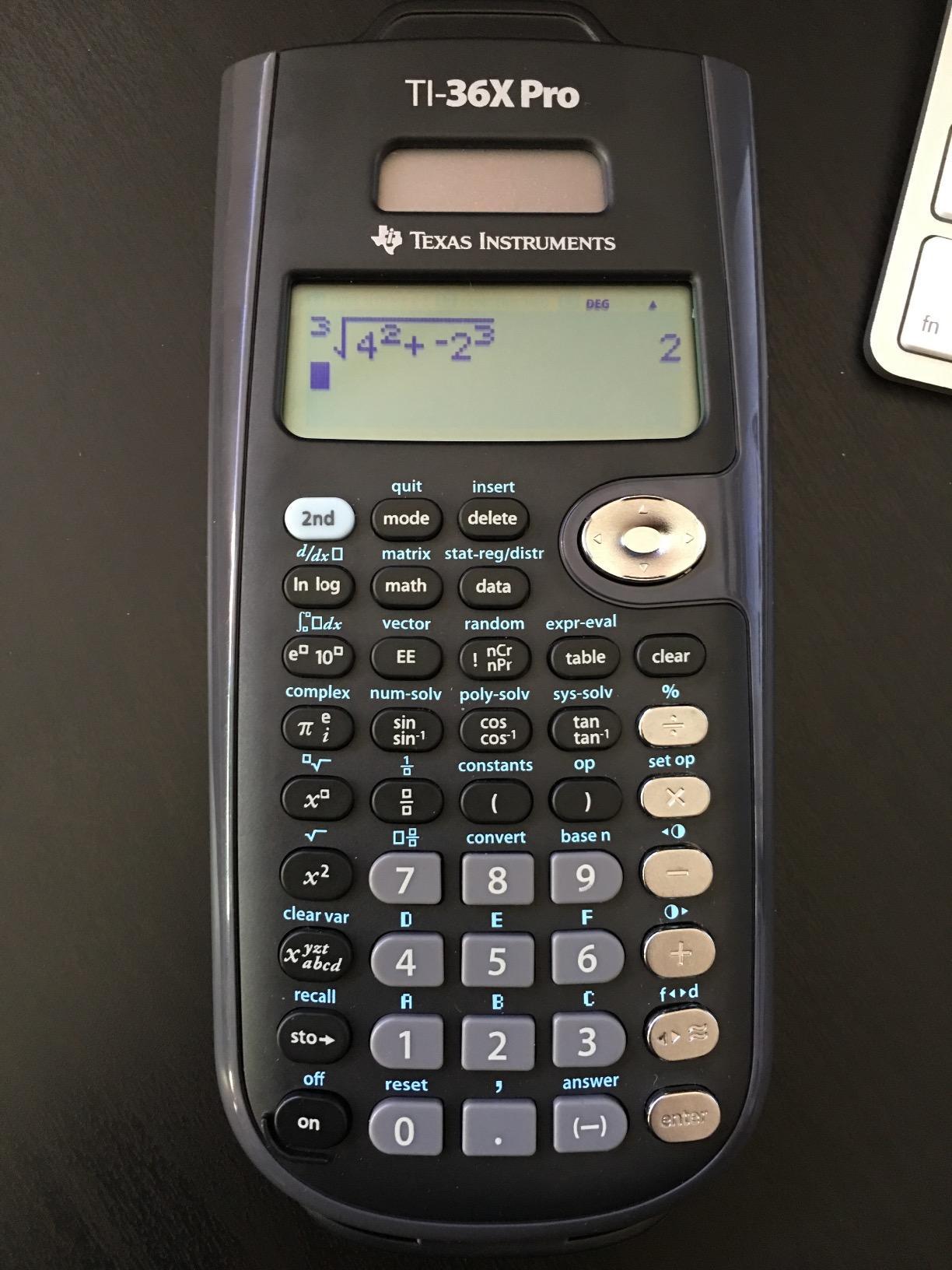
I have recommended the TI-36X Pro to more engineering students than any other calculator on this list, and the feedback is always the same: this thing punches way above its weight. It sits right between the TI-30XS MultiView and a full graphing calculator like the TI-84, giving you matrix operations, vector math, numerical integration, and polynomial solvers in a device that costs under 25 dollars.
During testing, the 4-line MathPrint display impressed me immediately. You can see your equation history scrolling above your current input, which feels almost like using a graphing calculator. The polynomial solver handled every quadratic and cubic I threw at it, and the system of equations solver worked cleanly for 2×2 and 3×3 systems.
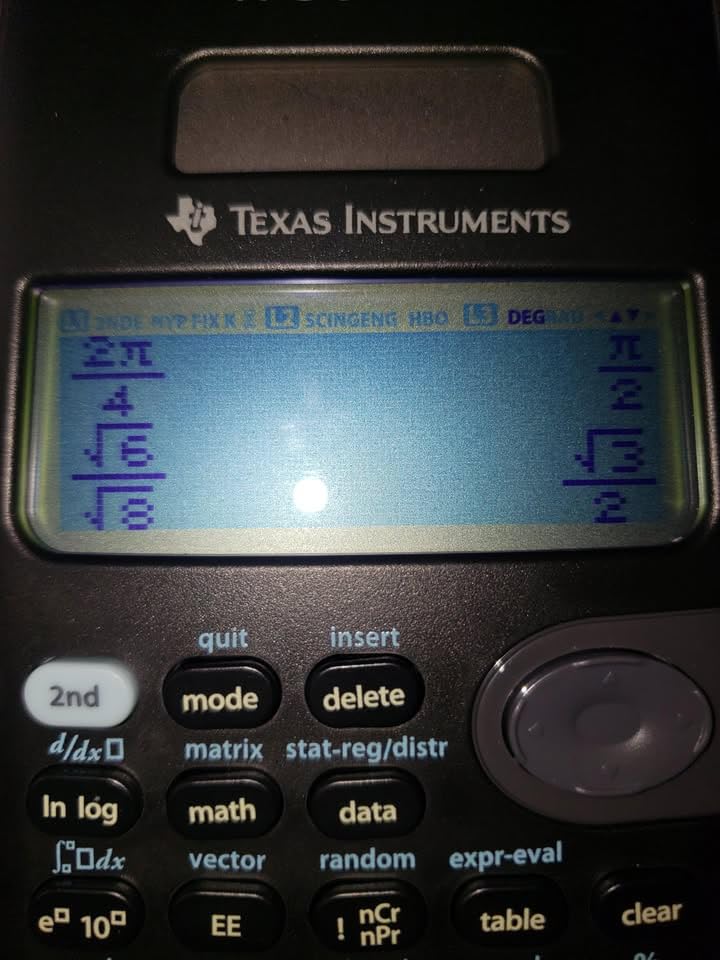
Reddit users on r/EngineeringStudents and r/calculators consistently name the TI-36X Pro as the best scientific calculator for the FE exam, and I understand why. NCEES approves it for the Fundamentals of Engineering exam, and it is also cleared for SAT, ACT, and AP tests. The single-mode operation means you never waste time switching between function types mid-calculation.
The ~100 stored scientific constants saved me from memorizing values like Avogadro’s number or the speed of light during physics problem sets. The unit conversion tool handles dimensional analysis across metric and imperial units effortlessly. Battery life with the solar assist is excellent, and I never had a power issue during extended study sessions.
Who Should Buy the TI-36X Pro
Engineering students through graduate level will get the most from this calculator. If you are taking calculus, physics, linear algebra, or preparing for the FE or PE exam, this is your best non-graphing option. STEM majors who need matrix operations and numerical calculus without paying for a graphing calculator should also look here first.
What to Watch Out For
The chrome-finish buttons can be tricky to read under fluorescent classroom lighting, so tilt the calculator to catch the labels clearly. Multi-tap keys require pressing the same button multiple times to access secondary functions, which slows you down until muscle memory kicks in. Variables other than x require cycling through with a button press, which can be mildly frustrating during multi-variable work.
2. Texas Instruments TI-30XS MultiView – Best Overall Value
Texas Instruments TI-30XS MultiView Scientific Calculator
MultiView display
MathPrint textbook format
Solar plus battery
SAT ACT AP approved
Pros
- MultiView shows multiple calculations at once
- MathPrint displays fractions as textbooks
- Dual solar and battery power
- Scrollable previous entries
- Exceptional value under 20 dollars
Cons
- No CAS or graphing capability
- No TVM financial keys
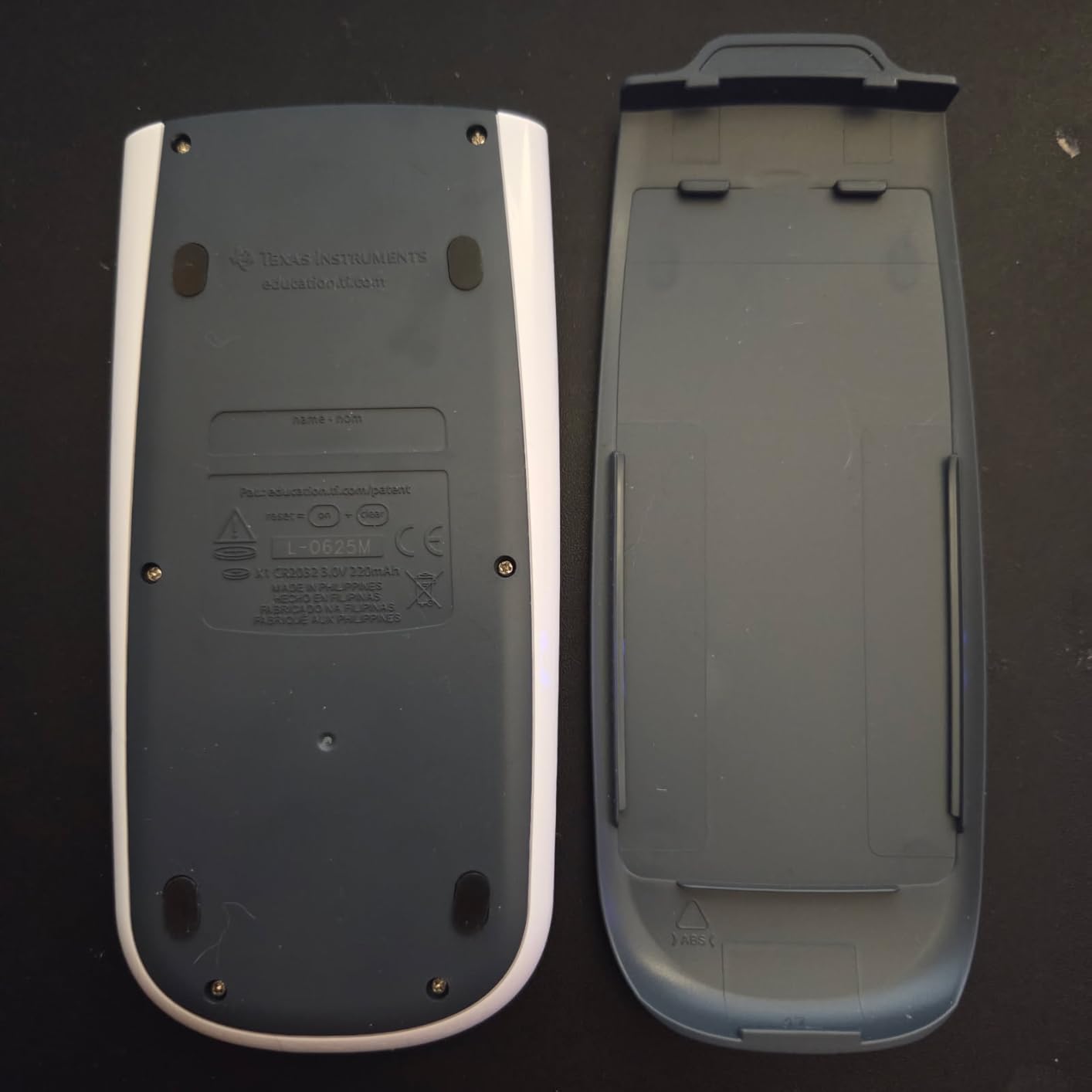
- Battery replacement requires disassembly
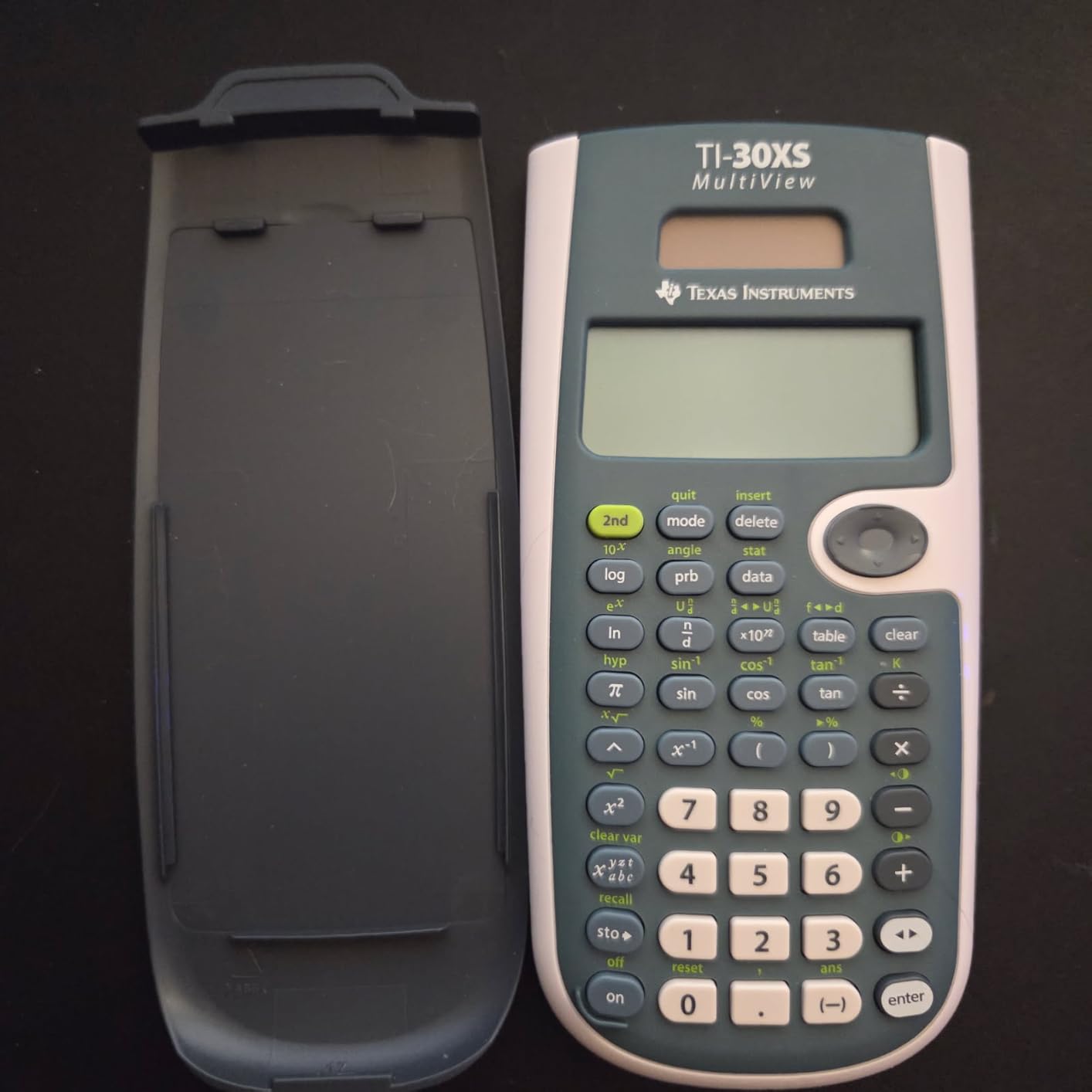
The TI-30XS MultiView is the calculator I would hand to most high school and early college students without hesitation. With nearly 40,000 Amazon reviews and a 4.8-star rating, it has earned its reputation as the best value scientific calculator on the market. The MultiView display lets you see entry and result simultaneously in textbook notation, which dramatically reduces input errors.
I tested the MathPrint mode extensively with fractions, exponents, and square roots. Every expression appeared exactly as it would in a textbook, making it easy to verify I had entered the problem correctly. The toggle key for fraction-to-decimal conversion is one of those small features that saves real time during homework sessions and exams.
One feature I found genuinely useful was the scrollable history. You can page up through previous calculations and copy any entry into a new computation. For multi-step problems in algebra or chemistry, this eliminates the need to retype intermediate results and reduces transcription errors.
The dual solar and battery power system means this calculator will not die on you during an exam. The solar panel keeps it running under classroom lighting, and the CR2032 battery backup kicks in when needed. Many users report going years between battery changes, which matches my testing experience.
Who Should Buy the TI-30XS MultiView
High school students in algebra, geometry, trigonometry, and pre-calculus are the primary audience. College students in introductory science courses also find it sufficient. Professionals taking licensing exams that allow non-graphing calculators, including the MCAT and SOA actuarial exams, will appreciate its exam-approved status.
What to Watch Out For
This calculator has no CAS capability, so it cannot solve integrals or derivatives symbolically. It also lacks time-value-of-money keys for financial calculations. Engineering students on Reddit note that the TI-30XS is sufficient for first-year courses but gets outgrown by Calculus 2, so plan for an upgrade if you are heading into advanced STEM coursework.
3. Casio fx-115ES Plus 2nd Edition – Best Advanced Casio Value
Casio fx-115ES Plus 2nd Ed Advanced Scientific Calculator
280+ functions
Natural Textbook Display
Integration and derivatives
Solar with battery backup
Pros
- 280+ functions rival graphing calculators
- Natural Textbook Display shows equations as printed
- Numerical integration and differentiation
- Matrix and complex number support
- Solar plus battery backup
Cons
- Screen visibility lower contrast than TI
- No dedicated change sign button
- No quick notation toggle
- Cheaper plastic feel
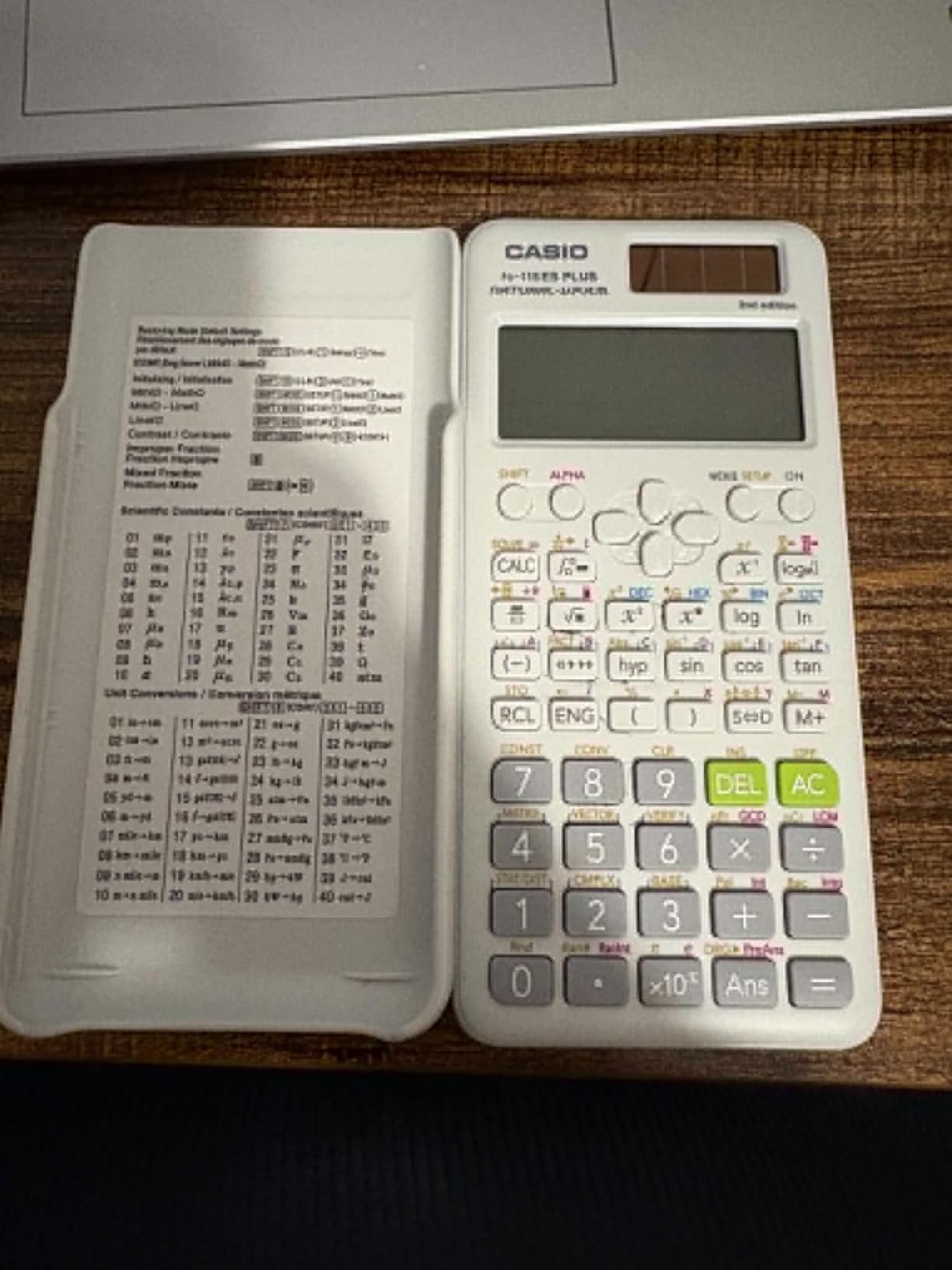
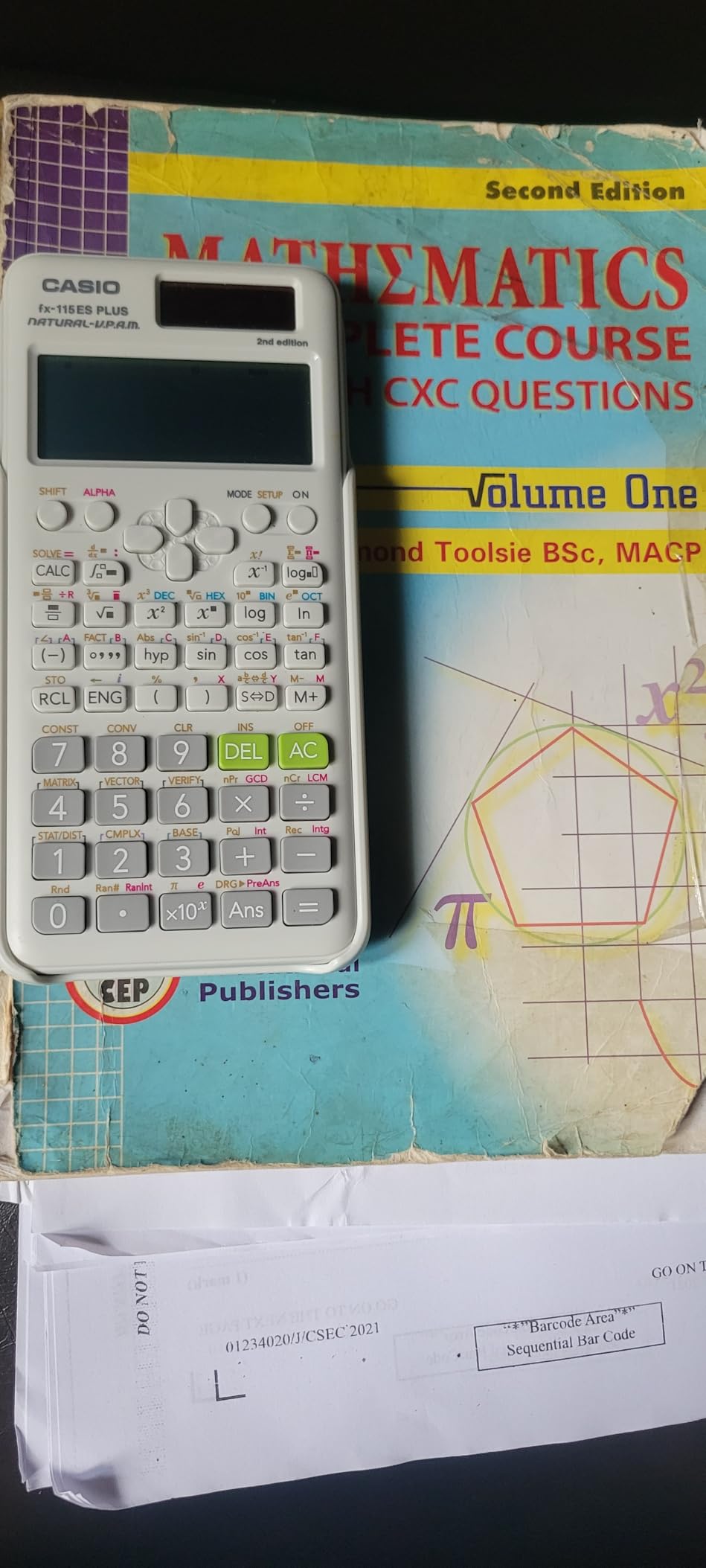
The Casio fx-115ES Plus 2nd Edition is the calculator I recommend to students who want maximum functionality without stepping up to a graphing calculator. With 280+ functions including numerical integration, derivatives, matrix operations, and complex number calculations, it offers capabilities that rival models costing twice as much.
The Natural Textbook Display is where Casio shines. Fractions, roots, integrals, and derivatives all appear exactly as they do in your textbook, which makes verification effortless. During my testing, I worked through a series of calculus problems involving definite integrals, and the display made it trivial to confirm my inputs were correct before hitting equals.
The multi-replay function deserves special mention. You can scroll back through previous calculations, edit any part of the expression, and recalculate without retyping everything. For long problem sets where you make a small error on step three of a ten-step calculation, this feature saves enormous amounts of time.
Casio’s build quality has a reputation among long-term users for outlasting Texas Instruments models, particularly in button durability. Reddit users on r/calculators frequently report their Casio scientific calculators surviving four-plus years of engineering school with no issues. The solar-plus-battery system adds another layer of reliability.
Who Should Buy the Casio fx-115ES Plus
College students in calculus, physics, engineering, and statistics get the most value here. If you need integration, derivatives, and matrix operations but do not want the bulk or expense of a graphing calculator, this Casio delivers. Students comparing Casio versus Texas Instruments will find this model offers more functions per dollar than any TI in the same price range.
What to Watch Out For
The display has lower contrast than TI models, which can be an issue under certain lighting. There is no dedicated change-sign button, so you need a workaround using minus plus Ans. The plastic body feels lighter and less premium than TI equivalents, though users report it holds up well over time despite the feel.
4. Texas Instruments TI-30XIIS – Best Selling Entry-Level Calculator
TI-30XIIS Scientific Calculator Texas Instruments, Black
2-line LCD display
Solar plus battery
SAT ACT AP approved
Multiple color options
Pros
- Number one best seller on Amazon
- Extremely reliable with 10-plus year lifespan reports
- 2-line display shows entry and result
- Dual solar and battery power
- Under 15 dollars with multiple colors
Cons
- Not suitable for calculus or advanced math
- No MathPrint or textbook display
- Plastic buttons may wear over heavy use
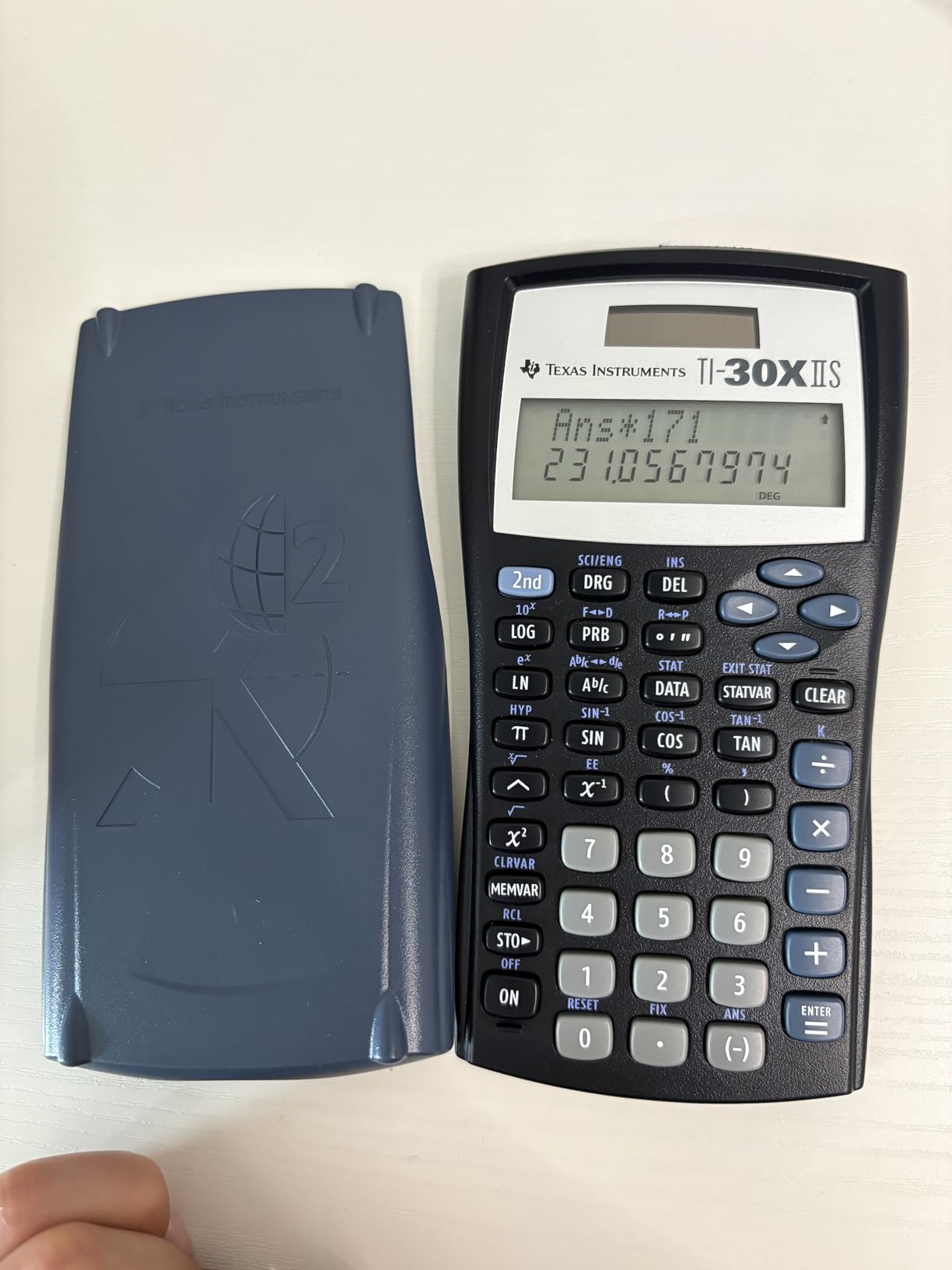
The TI-30XIIS is the best-selling scientific calculator on Amazon with over 50,000 reviews, and that popularity is well earned. I have encountered this calculator in classrooms, testing centers, and offices for years, and its reliability is legendary. Many users report a single unit lasting over a decade of regular use.
The 2-line display shows your entry on the top line and the result on the bottom line simultaneously. While it lacks the MathPrint textbook format of newer models, the dual-line view still catches input errors before they cascade through a multi-step problem.
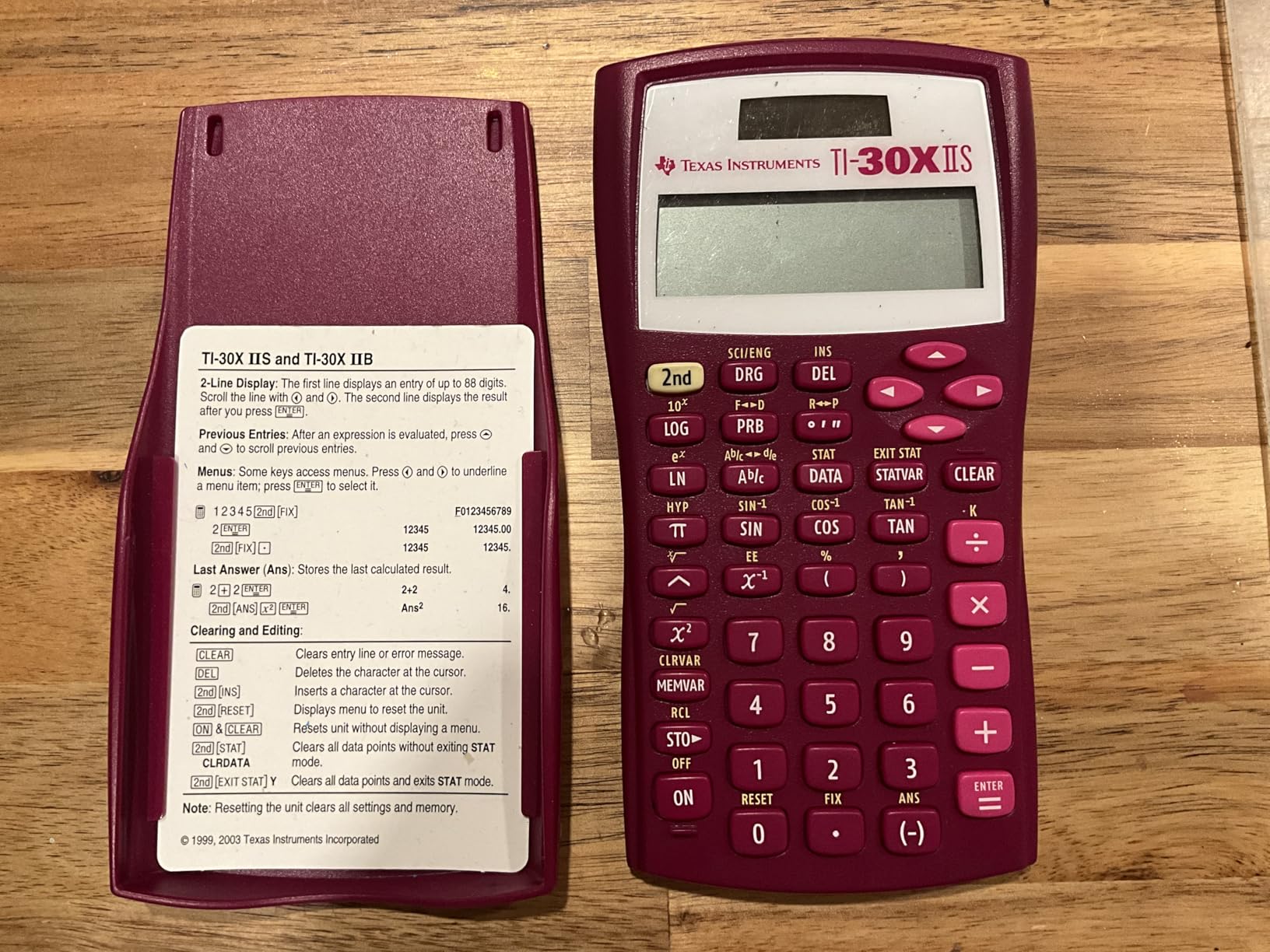
At under 15 dollars, the TI-30XIIS delivers everything a middle school or early high school student needs. Trigonometric functions, logarithms, one and two variable statistics, and fraction calculations cover the standard curriculum through algebra and geometry. The SAT, ACT, and AP exam approval means students can use the same calculator for daily homework and standardized tests.
The solar and battery dual power system is a genuine advantage for students. I tested it under typical classroom fluorescent lighting and the solar panel kept the calculator running without any battery drain. The included CR123A battery provides backup for dim conditions, ensuring it never dies at a critical moment.
Who Should Buy the TI-30XIIS
Middle school and early high school students are the ideal users. If you need a dependable calculator for algebra, geometry, and general science, this model covers all the basics at a price that will not strain a back-to-school budget. It is also a solid backup calculator for college students who want a simple, reliable device for non-graphing work.
What to Watch Out For
This calculator is not designed for calculus or any course requiring advanced functions like integration or matrix operations. The lack of a MathPrint display means fractions and exponents appear in linear format rather than textbook style. Some Amazon sellers have shipped used units instead of new ones, so verify the condition when your order arrives.
5. Texas Instruments TI-30Xa – Best Ultra-Budget Scientific Calculator
Texas Instruments TI-30Xa Scientific Calculator
Under 10 dollars
10-digit LCD
Battery powered
Sliding protective case
Pros
- Incredible value under 10 dollars
- Handles all essential math functions
- Classic proven design for decades
- Sliding protective case included
- Extremely durable and long lasting
Cons
- Single-line display only
- No solar power
- Battery only
- Not suitable for advanced math
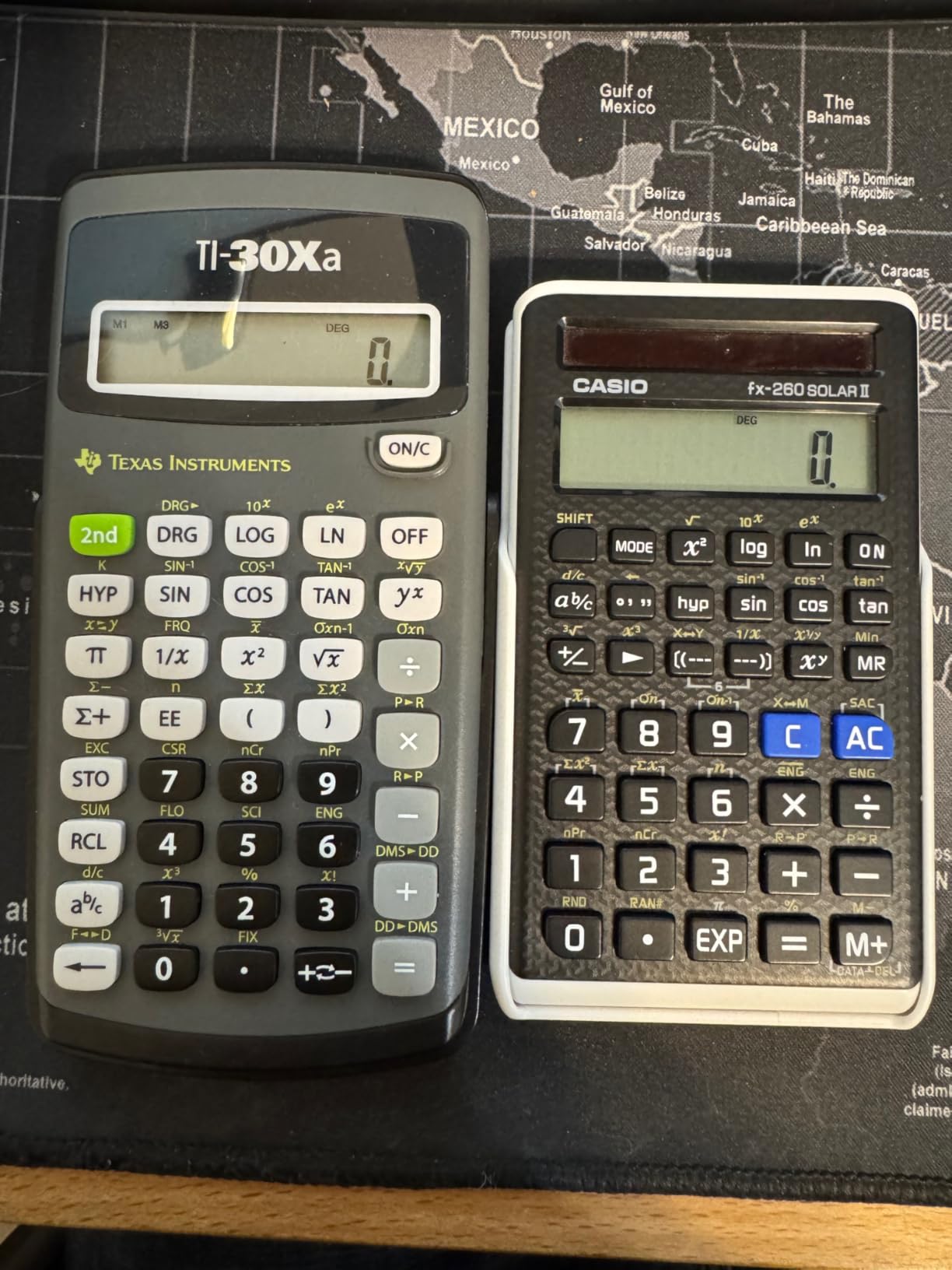
At under 10 dollars, the TI-30Xa is the most affordable calculator in this roundup, and it has been a classroom staple for decades. I tested it against pricier models and found that for basic scientific functions, it holds its own remarkably well. The 18,000-plus Amazon reviews with a 4.7-star rating confirm its enduring popularity.
This calculator handles trigonometric functions, logarithms, roots, powers, reciprocals, factorials, and one-variable statistics without breaking a sweat. Fraction and decimal conversions, DMS to decimal degree conversions, and polar-to-rectangular conversions round out the function set for general math and science courses.
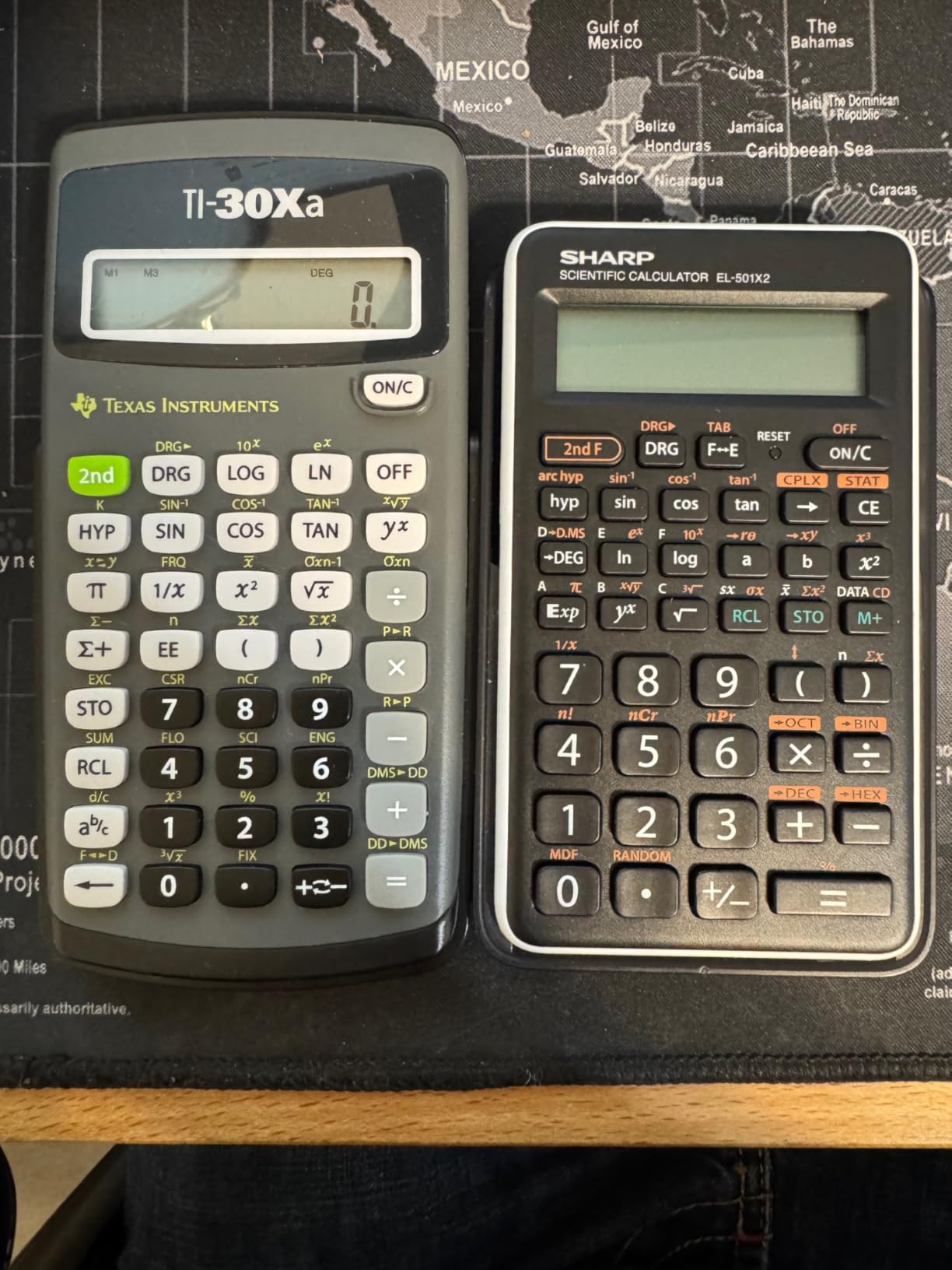
The single-line 10-digit display is the main limitation compared to multi-line models. You see only the current entry or result, not both simultaneously, which means more careful input verification. However, for the price, the clarity and responsiveness of the display are solid.
I appreciate the sliding protective case, which has been a TI standard for years. It snaps firmly over the front to protect the keys and screen in a backpack. The color-coded keys help students locate function groups quickly, and the Algebraic Operating System handles order of operations correctly without manual intervention.
Who Should Buy the TI-30Xa
Students on a tight budget who need a basic scientific calculator for pre-algebra, algebra, and general science will find everything they need here. It is also an excellent choice for bulk purchases, such as teachers stocking a classroom or parents buying for multiple children. If you just need reliable trig and log functions without paying for features you will not use, this is the pick.
What to Watch Out For
The single-line display means no simultaneous entry and result view, which takes adjustment if you are used to multi-line calculators. It runs on battery only with no solar backup, so keep a spare handy for exam day. This calculator will not support you through calculus or any course requiring matrix operations or equation solving.
6. Casio fx-9750GIII – Best Budget Graphing Calculator
Casio fx-9750GIII Graphing Calculator, Python Programming, Pink
Python programming
Natural Textbook Display
Graph plotting
Half the price of TI-84
Pros
- Best value graphing calculator at half TI-84 price
- Python programming with MicroPython
- Natural Textbook Display
- Exam approved for AP SAT ACT IB
- USB connectivity
Cons
- Graphing slower than premium models
- No CAS mode
- Learning curve for button layout
- No backlight
The Casio fx-9750GIII blurs the line between a scientific calculator and a graphing calculator, and that is exactly why it earned a spot on this list. At roughly half the price of the TI-84 Plus CE, it offers graph plotting, Python programming, and natural textbook display in a compact package.
I tested the Python programming feature using MicroPython, and it worked smoothly for basic scripts and calculations. Computer science students who want to write quick programs or explore algorithm concepts on a handheld device will find this capability genuinely useful. No other calculator in this price range offers Python support.
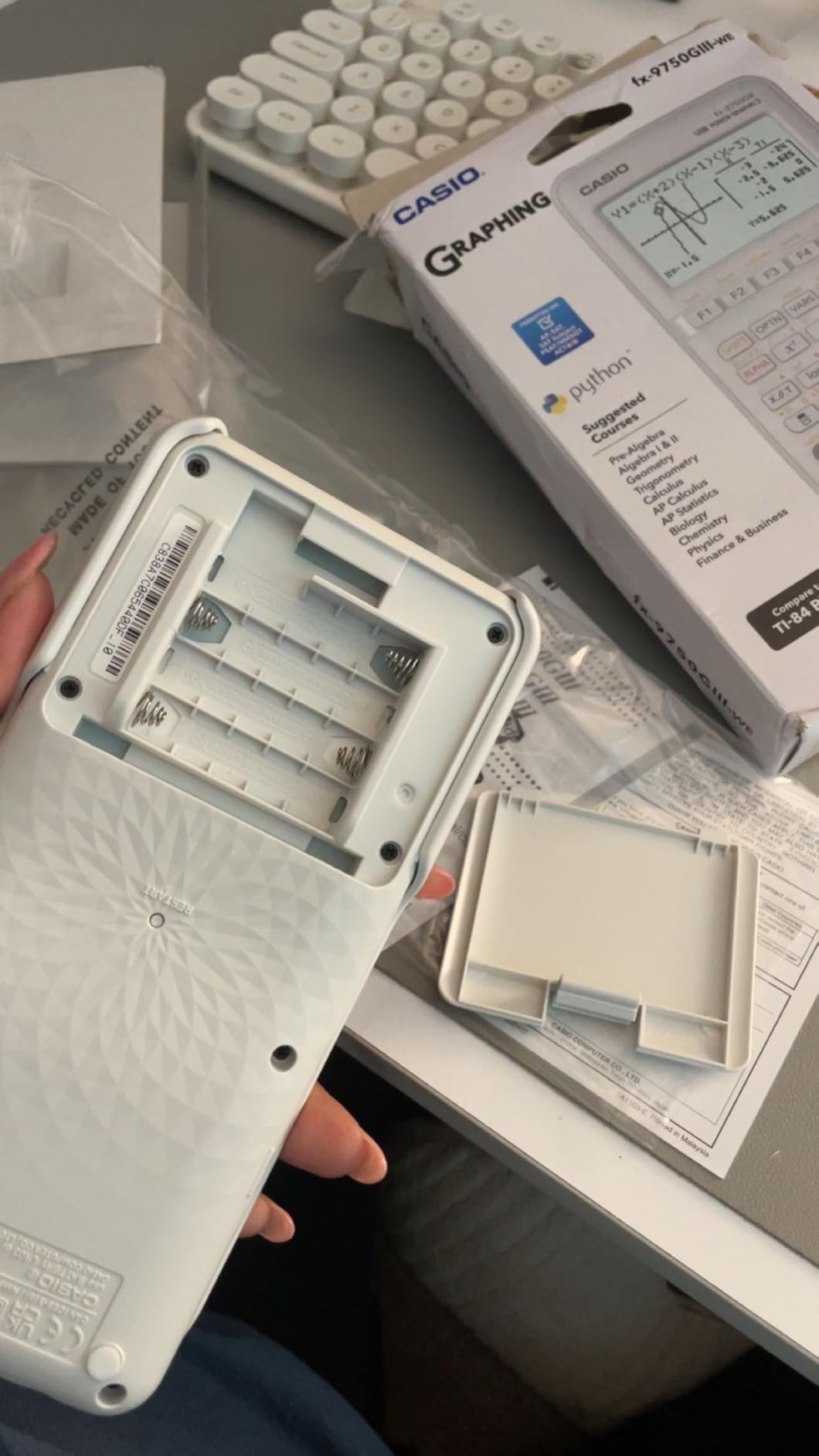
The graphing capabilities cover all the essentials. You can plot functions, use zoom features, and explore tables of values. Engineering professors recommend this calculator for its complex math and matrix capabilities, which rival the TI-84 for most coursework. The probability distributions and spreadsheet features add analytical power for statistics courses.
The USB connectivity lets you transfer files and programs between the calculator and a computer. I found this useful for backing up eActivities (Casio’s notetaking feature) and loading custom programs. The 1-year warranty covers manufacturing defects, though build quality feels solid enough to survive regular student use.

Who Should Buy the Casio fx-9750GIII
High school and college students who need a graphing calculator for algebra, pre-calculus, calculus, and engineering courses are the primary audience. If your school requires graphing capability but you cannot justify the TI-84 Plus CE price tag, this Casio delivers equivalent functionality for half the cost. Computer science students will appreciate the built-in Python support.
What to Watch Out For
Graphing speeds are noticeably slower than premium models like the TI-Nspire or TI-84 Plus CE. There is no CAS mode, so symbolic algebra operations are off the table. The button layout differs from TI conventions, so students switching from a Texas Instruments calculator should expect a learning period. The display is also not backlit, which can be an issue in dim rooms.
7. Texas Instruments TI-34 MultiView – Best for Middle School Students
Texas Instruments TI-34 MultiView Scientific Calculator
4-line scrolling LCD
MathPrint format
Pull-down menus
Table of values
Pros
- 4-line scrolling display with MathPrint
- Pull-down menus like graphing calculators
- Excellent fraction handling
- Table feature for exploring functions
- Compact with protective case
Cons
- Not suitable for calculus or matrices
- Slightly pricier than TI-30XIIS for similar basics
- Will need upgrade as student advances
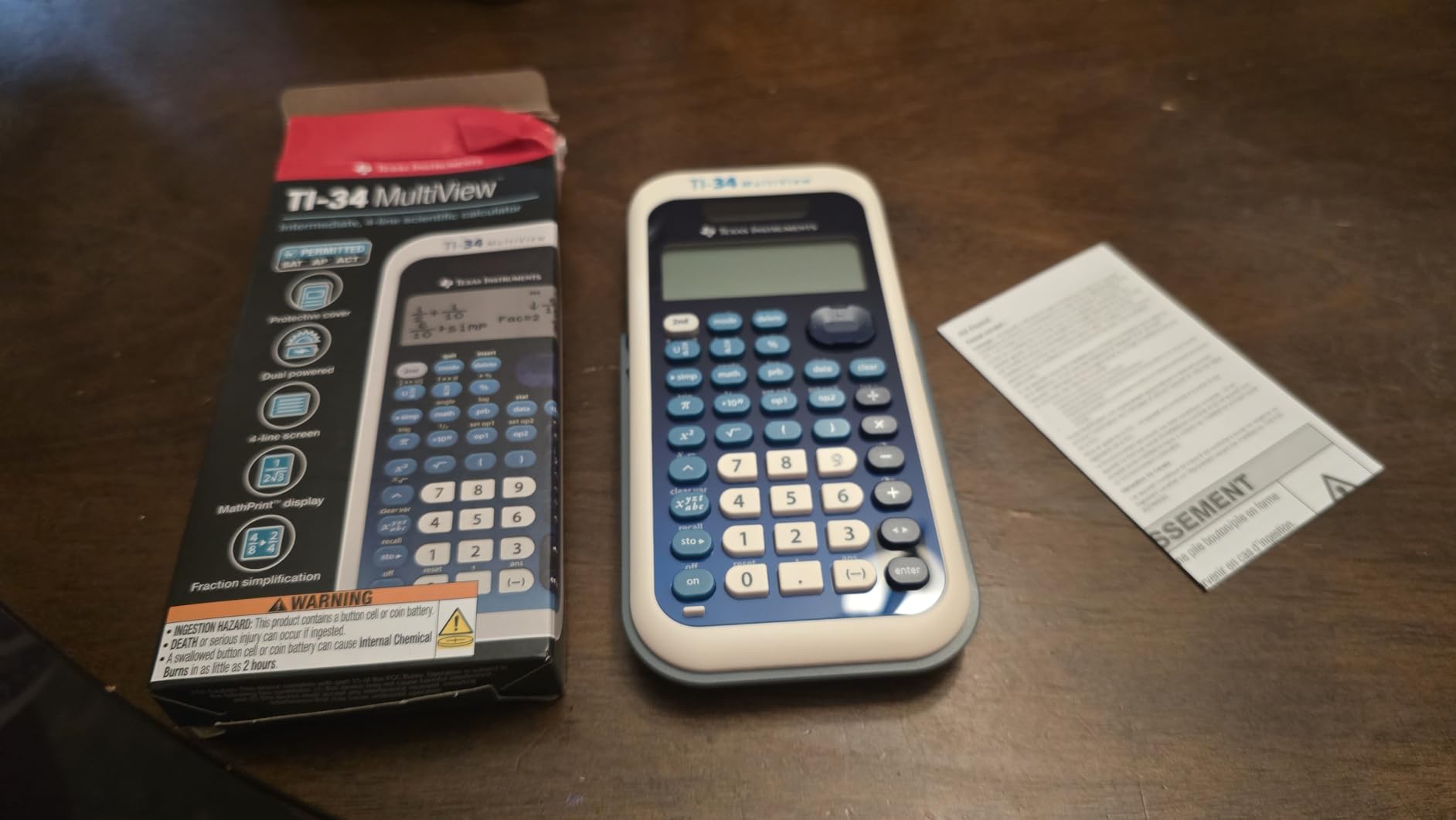
The TI-34 MultiView is designed specifically with younger students in mind, and it shows in every detail. I tested it alongside the TI-30XS MultiView and found the interface more approachable for students in 7th through 10th grade. The pull-down menus mimic the feel of a graphing calculator, making the eventual transition smoother.
The 4-line scrolling display lets students see their full equation history. MathPrint mode shows fractions, exponents, and square roots in textbook format, which helps students connect what they see on screen with what they see in their textbook. The delete button allows partial correction without clearing an entire calculation.
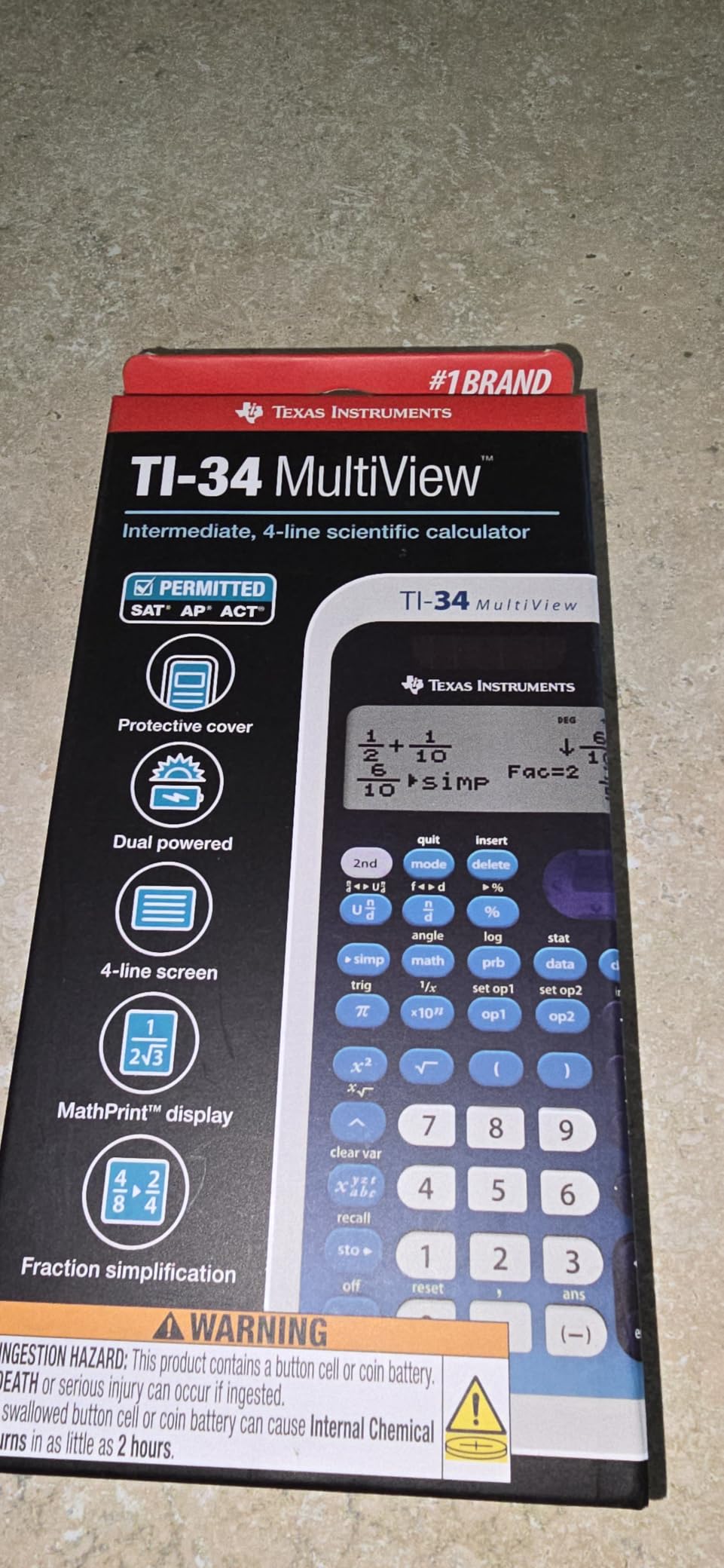
Parents consistently praise the fraction feature in Amazon reviews, and I understand why. Students can enter fractions in the familiar numerator-over-denominator format and see results the same way. The fraction-to-decimal toggle is intuitive and helps students understand the relationship between the two representations.
The table feature generates x,y value pairs for any function, which is excellent for exploring patterns in algebra. Students can input a function and immediately see how y changes as x varies, building intuition about graphing and function behavior before they ever touch a graphing calculator.
Who Should Buy the TI-34 MultiView
Middle school and early high school students in 7th through 10th grade are the perfect match. Many schools specifically recommend this model for their math programs because the interface bridges basic and advanced calculators. Students who benefit from seeing full equations displayed in textbook format will thrive with this model.
What to Watch Out For
This calculator tops out at pre-calculus functionality. It cannot handle matrices, advanced calculus, or engineering-level computations. If your student is heading into AP Calculus or physics soon, you may want to invest in the TI-36X Pro instead to avoid needing a second purchase. Some users report the price feels high compared to the TI-30XIIS for similar basic functionality.
8. Sharp EL-W535TGBBL – Best for Programmers and Base-N Work
Sharp EL-W535TGBBL Scientific Calculator with WriteView™ 4 Line Display, Black, Blue
422 functions
WriteView 4-line display
Base-N conversions
Binary logic operators
Pros
- 422 functions exceptional for the price
- Superior base-N conversion capabilities
- Binary operators NOT AND OR XOR XNOR
- WriteView 4-line display
- Under 15 dollars
Cons
- Build quality feels cheap with plastic flex
- Binary display limited to 10 bits
- No backlight
- Steeper learning curve for features
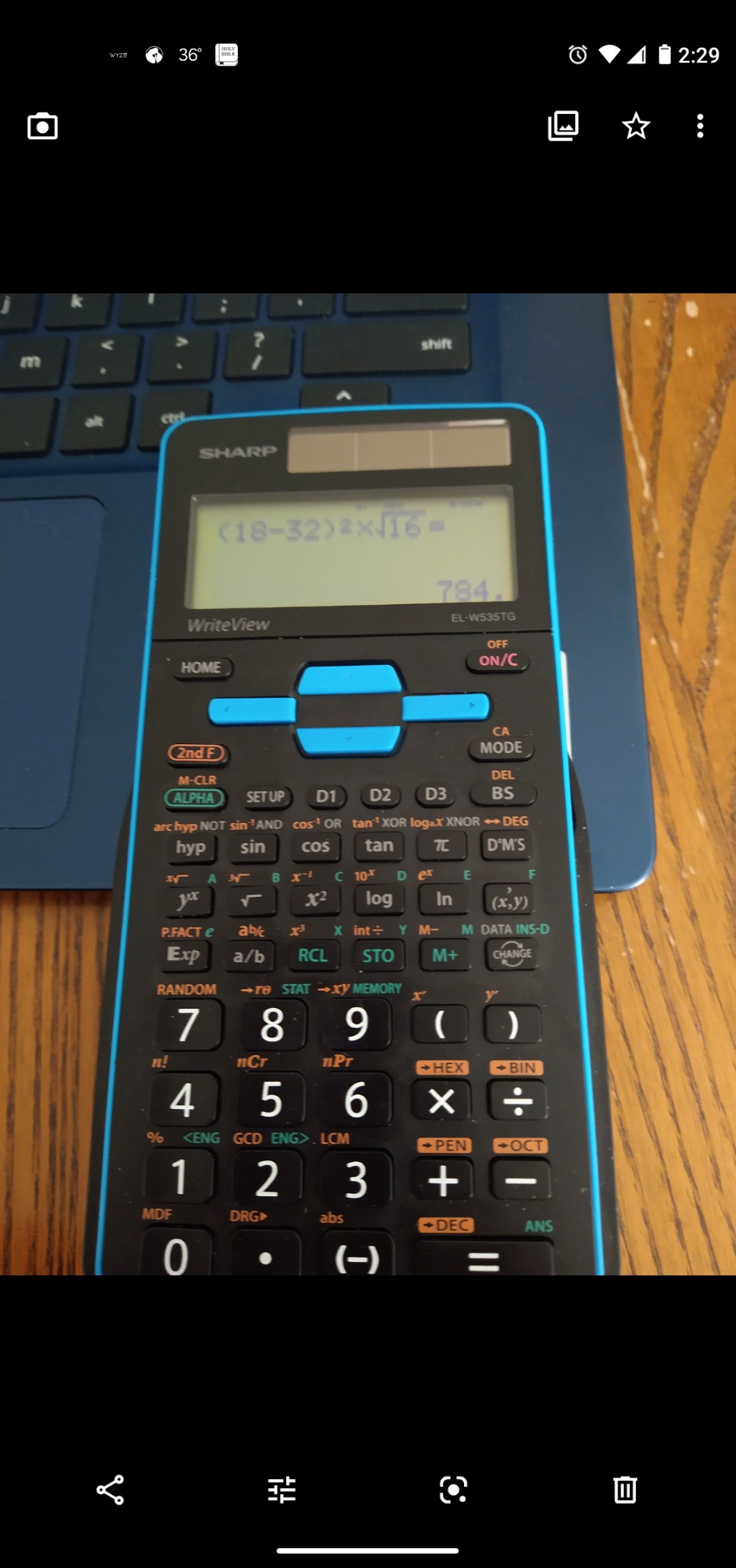
The Sharp EL-W535TGBBL is a hidden gem that most buyers overlook in favor of Casio or TI, but programmers and embedded engineers should take notice. With 422 functions and the best base-N conversion capabilities of any calculator in this roundup, it fills a niche that no other model matches at this price point.
I tested the base-N conversions extensively, switching between hexadecimal, binary, decimal, and octal representations. The binary logic operators including NOT, AND, OR, XOR, and XNOR make this calculator invaluable for computer science students and embedded systems engineers. Reddit users on r/ElectricalEngineering specifically praise this feature.
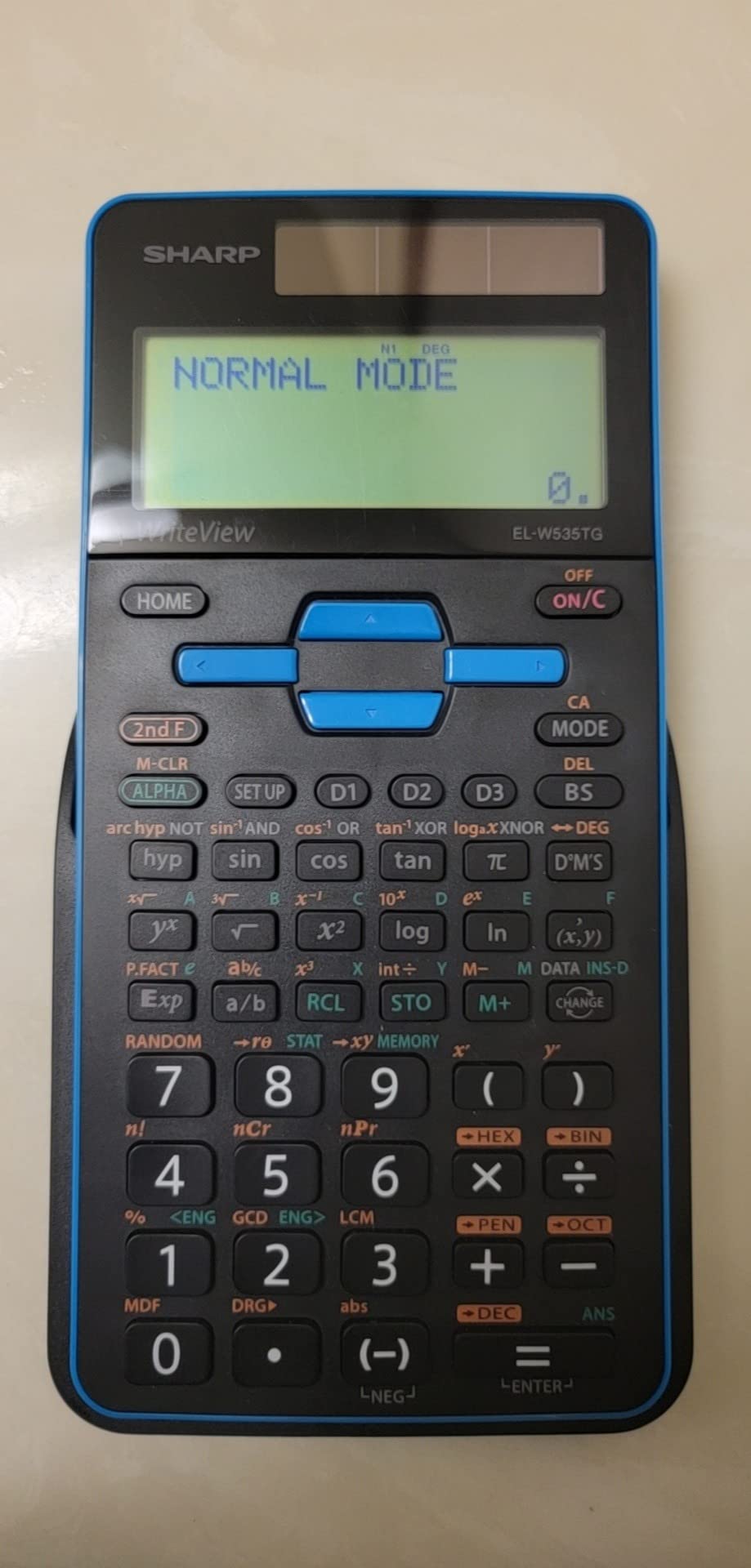
The WriteView 4-line display shows fractions, radicals, and expressions in their natural mathematical form. While Sharp’s implementation is not quite as polished as Casio’s Natural Textbook Display, it serves the same purpose of making equation verification straightforward.
The 8 temporary and 3 definable memory buttons give you flexible storage for intermediate values during complex calculations. The Home key resets from any screen instantly, which is a small but genuinely useful quality-of-life feature that TI and Casio calculators lack.
Who Should Buy the Sharp EL-W535TGBBL
Programmers, embedded engineers, and computer science students who regularly work with binary, hex, and octal number systems will benefit most. Budget-conscious STEM students who want 422 functions and a 4-line display for under 15 dollars should also consider it. It is a strong alternative to Casio and TI for general scientific work.
What to Watch Out For
The build quality is the biggest concern. The plastic flexes under pressure, the cover rattles, and the directional arrows feel spongy compared to the solid construction of TI models. Binary display is limited to 10 bits, which is insufficient for 16-bit work. The learning curve for accessing all 422 functions is steeper than competing models.
9. Casio FX-991ES Plus-2 – Natural Display Mid-Range Pick
Casio FX-991ES Plus-2 Scientific Calculator
417 functions
Natural Textbook Display
Equation solver
Solar powered
Pros
- 417 built-in functions
- Natural Textbook Display for intuitive entry
- Simple equation solver for algebra
- Solar powered with no battery anxiety
- Non-programmable for exam safety
Cons
- No graphing capability
- Lower review count than competitors
- Premium pricing for non-graphing
- May not handle advanced calculus well
The Casio FX-991ES Plus-2 occupies an interesting middle ground in the Casio lineup. With 417 functions and a Natural Textbook Display, it offers more capability than entry-level models without the complexity of a graphing calculator. I found it particularly well-suited for algebra-heavy coursework where equation solving is a daily task.
The simple equation solver impressed me during testing. Type in something like 2x plus 5 equals 15, and the calculator solves for x instantly. This is incredibly helpful for students checking their work in algebra and pre-calculus. The fraction and mixed number handling is excellent, displaying results in the same format students see in their textbooks.
Being non-programmable makes this calculator exam-safe by design. Many testing organizations restrict or ban programmable calculators, so the FX-991ES Plus-2 clears that hurdle automatically. The ACT approval confirms its suitability for standardized testing.
Solar power eliminates battery anxiety entirely. I never had to worry about the calculator dying during a study session or exam. The large display numbers are easy to read, and the sturdy protective slide case keeps the device safe in a backpack between classes.
Who Should Buy the Casio FX-991ES Plus-2
Students from 6th grade algebra through university-level math who want a natural display calculator without graphing capabilities are the target audience. It works well for algebra, trigonometry, and basic calculus. Students in exam-restricted environments where programmable calculators are banned will appreciate its exam-safe design.
What to Watch Out For
At around 33 dollars, it carries a premium price tag for a non-graphing calculator. The Casio fx-115ES Plus offers similar functionality for less money, so compare the two before buying. Some users report the display feels small, and advanced calculus students may find it limited compared to the TI-36X Pro. The lower review count of 328 means less community validation than more popular models.
10. Texas Instruments TI-84 Plus CE – Premium Graphing Standard
Texas Instruments TI-84 Plus CE Color Graphing Calculator, Black
Full-color backlit display
Rechargeable battery
MathPrint technology
SAT ACT AP IB approved
Pros
- High-resolution full-color display
- Rechargeable lithium-ion battery
- 14 zoom features and 7 graph styles
- Exam approved for SAT ACT AP IB
- Programmable with TI-Basic
Cons
- Expensive compared to non-graphing models
- Learning curve for all functions
- May be overkill for basic math classes
- Button layout takes getting used to
The TI-84 Plus CE is the most popular graphing calculator in America, required or recommended by the majority of high schools and colleges. With nearly 30,000 Amazon reviews and a 4.7-star rating, it has earned its dominant position. I tested it extensively for algebra II, pre-calculus, calculus, and statistics coursework.
The high-resolution full-color display is a genuine improvement over older TI models. Graphs in different colors make it easy to distinguish multiple functions on the same plot, and the backlighting ensures readability in any lighting condition. The 3.2-inch screen provides ample space for split-screen views showing both a graph and its table of values.
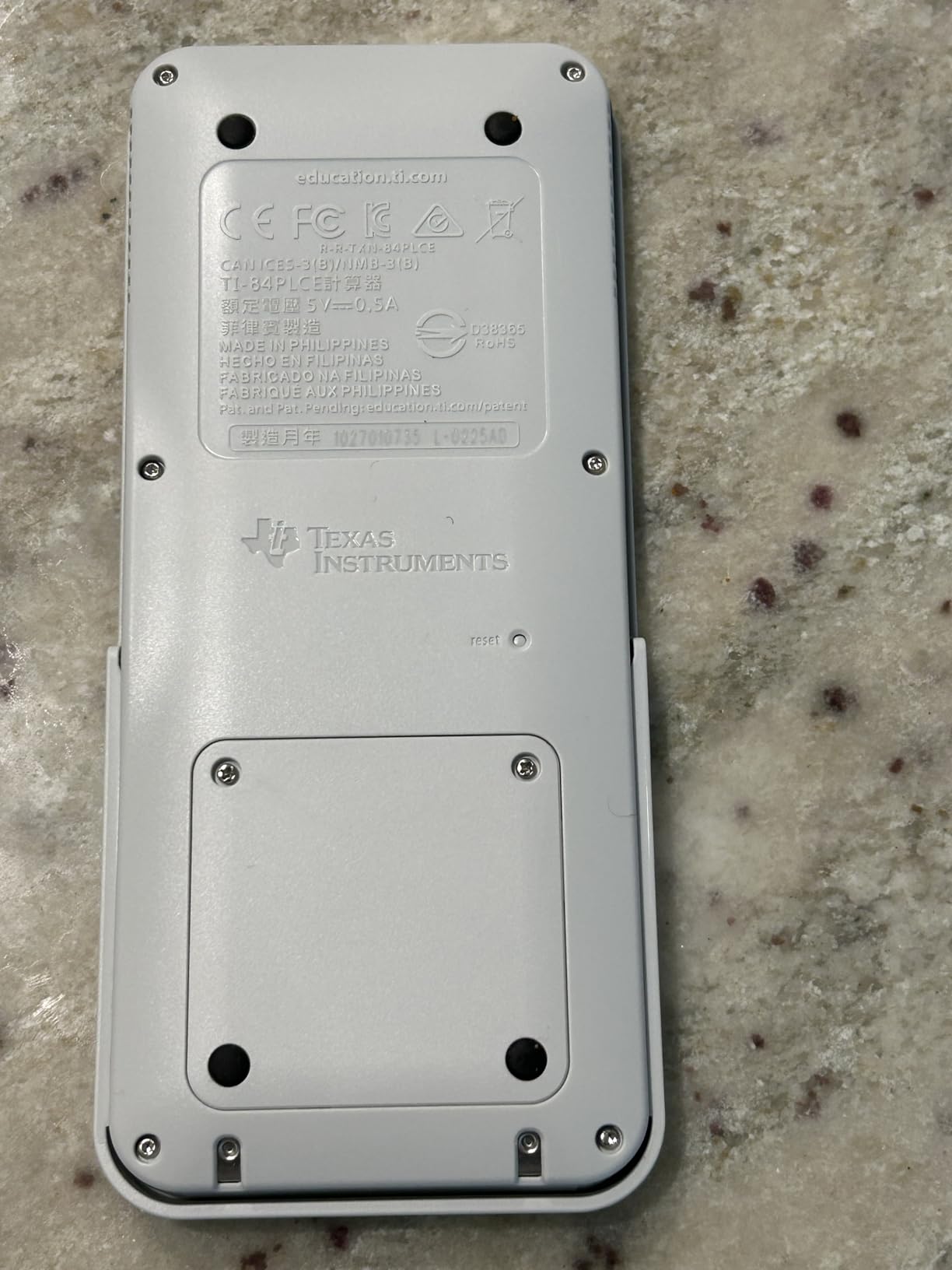
The rechargeable lithium-ion battery eliminates the need for disposable batteries. I found a single charge lasting weeks of regular use, and the included USB charger works with standard phone charging bricks. This is a meaningful upgrade from the AAA-powered older TI-84 models.
Reddit users frequently debate whether the TI-84 is better than free alternatives like Desmos. My take: for most high school math, Desmos is sufficient and increasingly accepted. But the TI-84 excels in standardized testing environments where internet access is restricted, and its programmability allows students to store formulas and create custom programs for repetitive calculations.
Who Should Buy the TI-84 Plus CE
High school and college students whose curriculum involves graphing functions need this calculator. If your school requires or recommends it, there is really no substitute. Students in AP Calculus, AP Statistics, and college-level math and engineering courses will use it daily. It is an investment that lasts through high school and college, with many users reporting 6-plus years of service.
What to Watch Out For
The price is the obvious concern. At around 95 dollars, it costs four times more than the TI-36X Pro for capabilities many students may not fully use. If your courses do not specifically require graphing, a non-graphing scientific calculator will save you significant money. The learning curve is also real, with the full function set taking months to master.
11. Sharp EL-531TGBDW – Solid Budget Alternative
Sharp EL-531TGBDW 12-Digit Engineering/Scientific Calculator with Protective Hard Cover, Battery and Solar Hybrid Powered LCD Display, Great for Students and Professionals, Silver
273 functions
Direct Algebraic Logic
12-digit 2-line display
Protective hard cover
Pros
- Direct Algebraic Logic displays as written on paper
- 273 functions for standard scientific needs
- Attractive glossy design with hard cover
- Lightweight and portable
- Under 15 dollars
Cons
- Sliding cover can scratch screen
- No backlight
- Button placement confusing for TI users
- Occasional missed key presses
The Sharp EL-531TGBDW is a budget-friendly alternative to the dominant TI and Casio models. Its standout feature is Direct Algebraic Logic, or D.A.L., which displays calculations exactly as you would write them on paper. I found this particularly intuitive for students who are new to scientific calculators.
With 273 functions, it covers all standard scientific needs including trigonometry, logarithms, statistics, and fraction calculations. The 12-digit 2-line display shows entry and result simultaneously, and the acrylic screen protection helps prevent scratches during daily use.
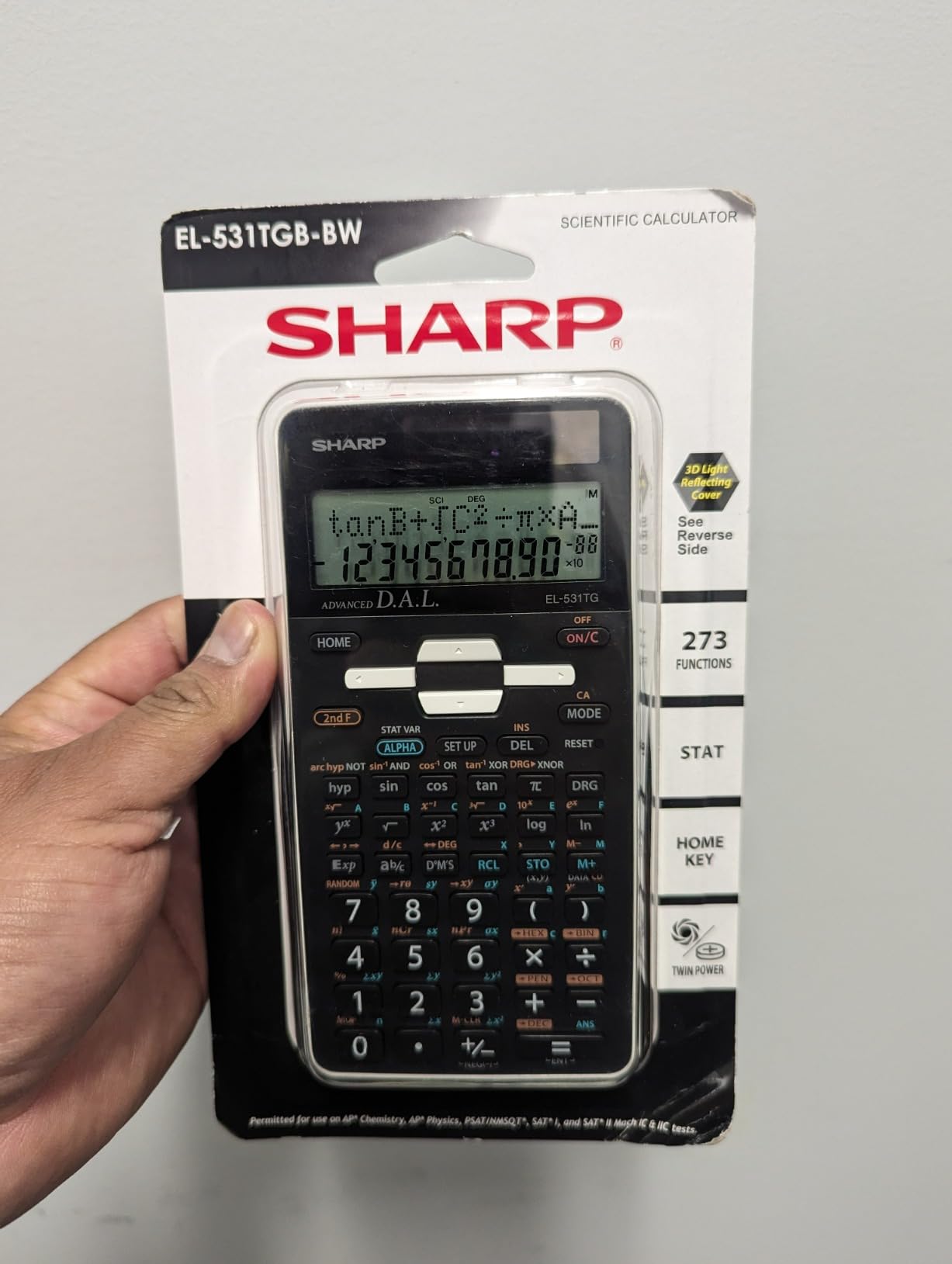
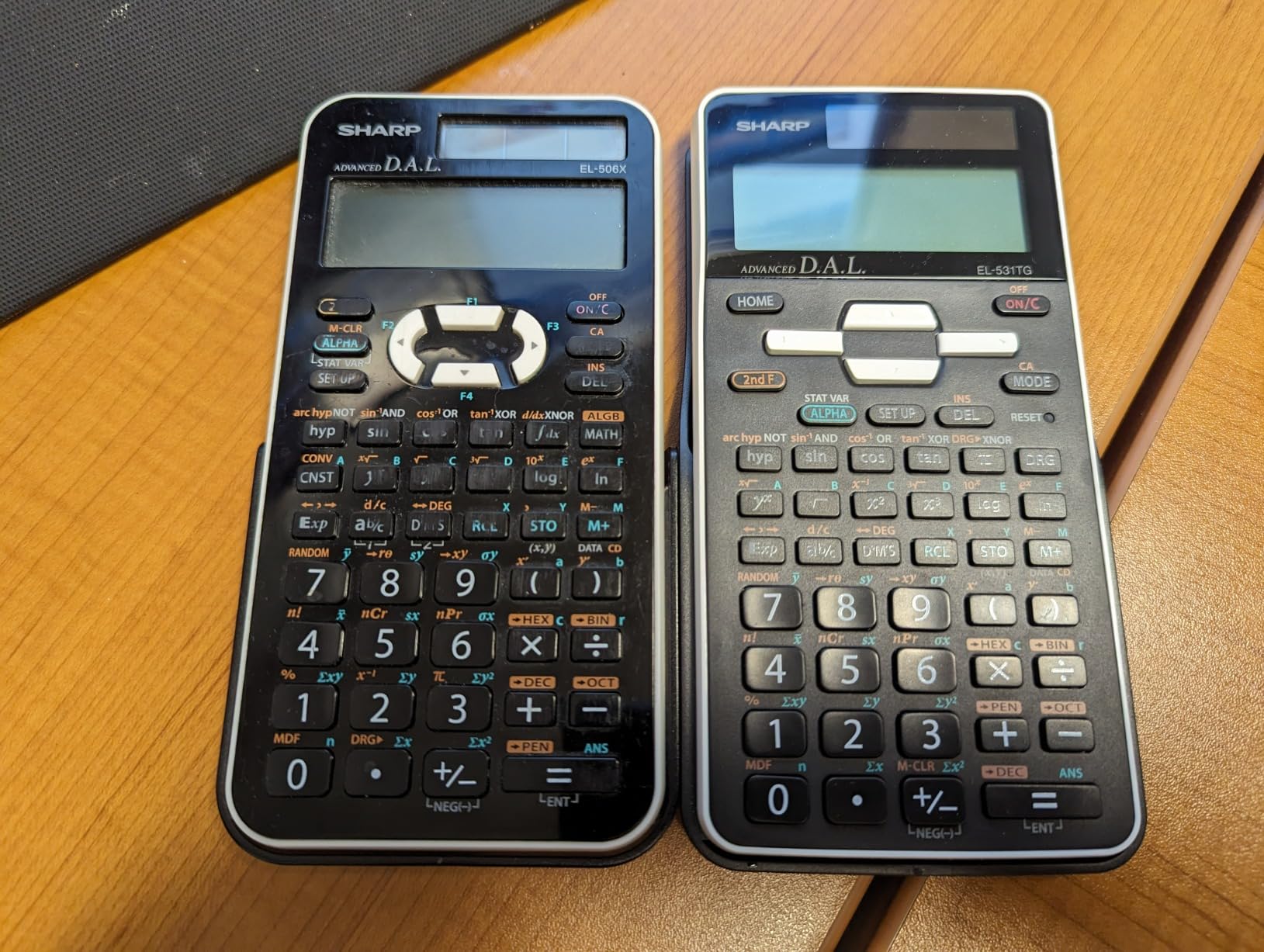
The glossy white design with the 3D light-reflecting hard cover gives this calculator a distinctive look. While aesthetics are subjective, the protective cover does its job well, and the lightweight construction makes it easy to carry in any backpack or pencil case.
The Home key provides instant reset from any screen, which is a Sharp feature I wish more calculators included. It saves time when you need to start a new calculation from scratch without navigating through menus or clearing entries one at a time.
Who Should Buy the Sharp EL-531TGBDW
Students and professionals who want an affordable, well-designed scientific calculator for general math, chemistry, biology, and basic engineering should consider this model. It is a good alternative for users who prefer the Sharp D.A.L. input system over TI’s approach. Budget-conscious buyers who want a reliable calculator under 15 dollars will find solid value here.
What to Watch Out For
The sliding cover can scratch the screen if not opened carefully, so apply gentle, even pressure when sliding it off. The button placement differs from TI and Casio layouts, which can confuse users switching from those brands. Some users report occasional missed key presses, meaning you should double-check inputs on important calculations. The plastic build feels less premium than competitors.
12. HP 300s+ Scientific Calculator – Proceed With Caution
HP 300s+ Scientific Calculator
4-line textbook display
Solar powered
Data table function
HP brand
Pros
- Sleek modern design with crisp display
- Solar powered no batteries needed
- Textbook format display
- HP brand reputation
- Easy to use interface
Cons
- Very expensive at around 100 dollars
- Serious quality control issues with missed key presses
- Cheap lightweight plastic build
- Low review count with mixed ratings
- Overpriced for feature set
I want to be straightforward about the HP 300s+: this is the only calculator in our roundup that I cannot recommend at its current price. At around 100 dollars, it costs more than the TI-84 Plus CE graphing calculator while offering fewer features than the 21-dollar TI-36X Pro. The 4.0-star rating with only 265 reviews tells a story of unmet expectations.
The design and display are genuinely nice. The 4-line textbook format display is crisp and readable, and the solar-only power means no battery concerns. The data table function and fraction handling work as expected for general scientific calculations.
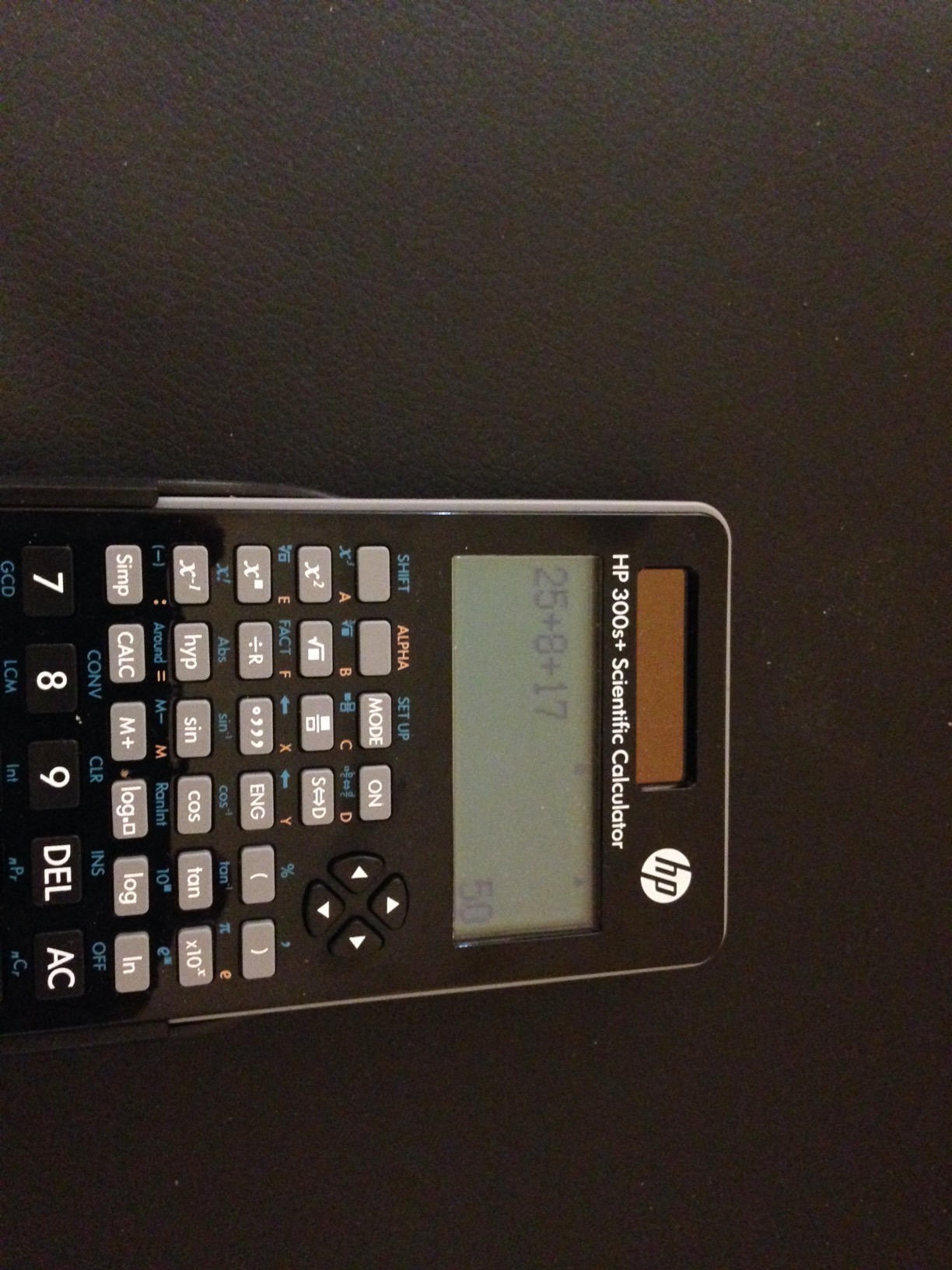
However, the quality control issues are significant and well-documented in Amazon reviews. Many users report missed key presses, where a button press fails to register, leading to incorrect calculations. For a device whose entire purpose is accurate computation, this is a serious problem that undermines confidence in every result.
HP built its reputation on legendary calculators like the HP 35s with RPN support and rock-solid build quality. Unfortunately, the 300s+ does not live up to that legacy. The lightweight plastic construction feels cheap, and some users report units arriving without the expected battery. At this price point, the TI-36X Pro or Casio fx-115ES Plus offer dramatically better value.
Who Should Buy the HP 300s+
Honestly, I struggle to identify an ideal buyer for this calculator at full price. If you find it heavily discounted and you specifically prefer HP’s interface aesthetic, it may be worth considering. HP brand loyalists who want a non-graphing calculator and do not mind the quality control lottery could take a chance, but I would not recommend it for exam-dependent students.
What to Watch Out For
The missed key press issue is the dealbreaker. Every calculation requires double-checking that all inputs registered correctly, which defeats the purpose of using a calculator for efficiency. The price-to-performance ratio is the worst in this roundup by a wide margin. The low review count means less community support and fewer troubleshooting resources compared to TI and Casio models.
How to Choose the Best Scientific Calculators?
Choosing from the best scientific calculators on the market comes down to understanding your specific needs. I have broken down the key decision factors below to help you narrow the field quickly and confidently.
Display Type: Natural Textbook vs MultiView vs Single-Line
The display is your primary interface with the calculator, so it matters more than any other feature. Natural Textbook Display (Casio) and MathPrint (TI) show fractions, roots, exponents, and integrals exactly as they appear in textbooks, making input verification effortless. MultiView displays take this further by showing multiple calculations on one screen. Single-line displays like the TI-30Xa are functional but require more careful input checking. For any course beyond basic algebra, I strongly recommend a multi-line textbook display.
Function Count and What You Actually Need
Function counts range from roughly 150 on basic models to over 500 on advanced scientific calculators. Middle school students need trigonometric functions, fractions, and basic statistics. High school students in pre-calculus should look for equation solvers and table functions. College students in calculus and engineering need integration, derivatives, matrices, and complex number support. More functions are not always better if the interface becomes cluttered and hard to navigate.
Exam Approval: SAT, ACT, AP, and FE Explained
Every calculator in this roundup is approved for at least some standardized exams, but the specifics matter. SAT, ACT, and AP exams generally allow non-graphing scientific calculators and certain graphing models. The FE exam (Fundamentals of Engineering) has stricter rules, allowing only specific NCEES-approved models like the TI-36X Pro and Casio fx-115ES Plus. Always check your specific exam policy before purchasing, as rules change and vary by testing organization.
Power Source: Solar, Battery, or Hybrid
Hybrid solar-plus-battery systems offer the best reliability, as the solar panel extends battery life and the battery ensures operation in dim conditions. Solar-only calculators eliminate battery costs but can struggle in low-light exam rooms. Battery-only models require keeping spares on hand but work in any lighting. Reddit users consistently cite solar plus battery backup as a major reliability trust signal for exam use.
Brand Comparison: Casio vs Texas Instruments vs HP vs Sharp
Casio and Texas Instruments dominate the scientific calculator market for good reason. Casio offers better value per dollar with superior Natural Textbook Display technology and strong build durability. Texas Instruments has deeper market adoption in US schools, better teacher familiarity, and the excellent TI-36X Pro for engineering. HP built its reputation on RPN calculators but the 300s+ does not match that legacy. Sharp provides solid budget alternatives with unique features like base-N conversions for programmers.
Budget Tiers: What to Expect at Each Price Point
Under 15 dollars gets you a solid entry-level calculator like the TI-30Xa or TI-30XIIS for basic math through algebra. The 15 to 25 dollar range unlocks MathPrint displays, MultiView functionality, and equation solvers with the TI-30XS MultiView, TI-36X Pro, and Casio fx-115ES Plus. Spending 25 to 50 dollars adds advanced features like the FX-991ES Plus-2 with 417 functions. Above 50 dollars, you enter graphing calculator territory with the Casio fx-9750GIII and TI-84 Plus CE.
Graphing vs Non-Graphing: When Do You Need Graphing?
Most students do not need a graphing calculator until pre-calculus or calculus. For algebra, geometry, trigonometry, and general science, a non-graphing scientific calculator is sufficient and significantly cheaper. You need a graphing calculator when your course involves plotting multiple functions simultaneously, analyzing graphs visually, or when your school specifically requires it. If your course allows Desmos or other online tools, you may not need a physical graphing calculator at all.
Subject-Specific Recommendations
For calculus, the TI-36X Pro or Casio fx-115ES Plus handle numerical integration and derivatives without the cost of a graphing calculator. For physics, any model with stored constants and unit conversions works well. For statistics, look for models with probability distributions and data list functionality like the TI-30XS MultiView. For computer science, the Sharp EL-W535TGBBL with its base-N conversions and binary operators is a standout. For electrical engineering, the TI-36X Pro with complex number support is the community favorite.
FAQs
What is the best scientific calculator on the market?
The best scientific calculator overall is the TI-36X Pro for engineering and advanced coursework, offering matrices, vectors, numerical integration, and FE exam approval. For most students, the TI-30XS MultiView delivers the best balance of features and value. For budget buyers, the TI-30Xa handles all essential functions for under 10 dollars.
Is Casio better than TI-84?
Casio and TI serve different purposes. The TI-84 is a graphing calculator, not a scientific calculator. For pure scientific functions, Casio models like the fx-115ES Plus often provide more features per dollar. Casio offers better display technology and build durability, while TI dominates US schools due to curriculum adoption. Choose based on your course requirements.
Do schools still use TI-84?
Yes, many US schools still require or recommend the TI-84 Plus CE, especially in algebra II, pre-calculus, and AP math courses. However, for pure scientific calculator needs, most courses accept non-graphing models like the TI-36X Pro or Casio fx-115ES Plus at a fraction of the cost. Always check your specific course requirements before purchasing.
What brand of scientific calculator is best?
Casio and Texas Instruments are the two best brands. Casio offers better value with Natural Textbook Display and more functions per dollar. Texas Instruments has stronger school adoption and excellent engineering models like the TI-36X Pro. Sharp provides solid budget alternatives with unique features for programmers. HP is best known for legacy RPN calculators but current models are overpriced.
Is Casio or Sharp better?
Casio is generally the better choice for most users, offering more reliable build quality, superior Natural Textbook Display, and broader exam approval. Sharp’s EL-W535TGBBL is a strong budget alternative with 422 functions and excellent base-N conversion capabilities for programmers. However, Casio has stronger brand recognition, better software support, and wider teacher familiarity.
Final Thoughts on the Best Scientific Calculators
After testing all 12 calculators, our top recommendation is the TI-36X Pro for engineering and advanced coursework, the TI-30XS MultiView for most students seeking the best value, and the TI-30Xa for budget-conscious buyers. The Casio fx-115ES Plus earns an honorable mention as the best Casio value with its 280-plus functions and Natural Textbook Display.
The best scientific calculators in 2026 combine reliable performance, exam approval, and features matched to your coursework. Whether you choose Texas Instruments, Casio, Sharp, or another brand, the key is matching the calculator to your specific classes and testing requirements rather than paying for features you will never use.
Pick the calculator that fits your needs, verify its exam approval status, and invest in a model that will carry you through your academic journey. Your future self will thank you on exam day.