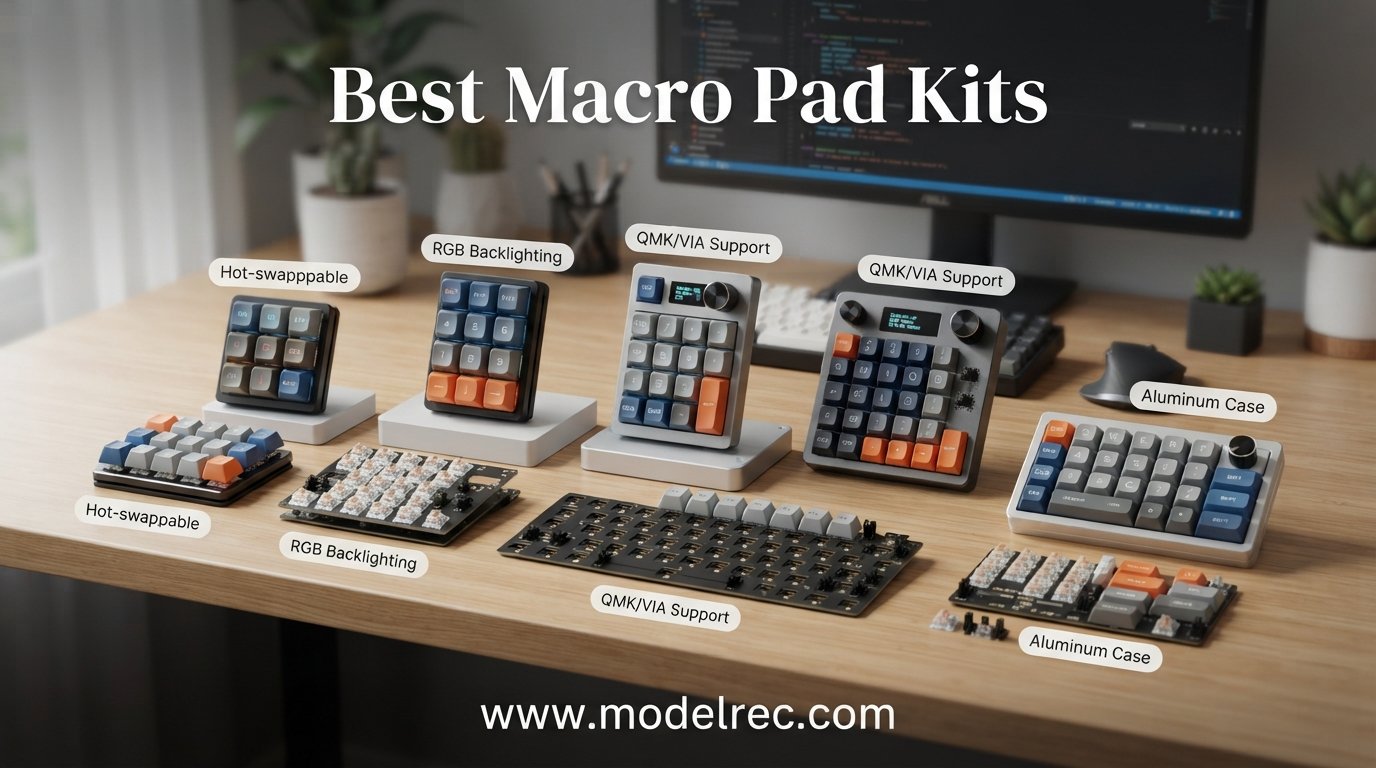
I have spent the better part of the last year testing compact keypads for gaming, streaming, video editing, and general productivity. After building, programming, and daily-driving more than a dozen models, I put together this guide to the best macro pad kits available in 2026. Whether you want a tiny 3-key cut-and-paste helper or a full modular control deck with faders and LCD keys, there is something here for every workflow and budget.
A macro pad is a compact, programmable mini keyboard with customizable keys that execute shortcuts, commands, or key combinations with a single press. The best macro pad kits add features like hot-swappable switches, rotary encoder knobs, RGB lighting, and QMK or VIA support so you can remap every key without writing code. They streamline workflows for gaming, streaming, video editing, music production, and office work by reducing repetitive key combos to one tap.
Our team compared 12 of the most popular programmable keypads on Amazon, looking at build quality, software experience, switch type, connectivity, and real customer feedback. We paid special attention to the questions that pop up constantly on Reddit’s r/macro_pads and r/MechanicalKeyboards: which pad is easiest to program, which ones work for under $30, and which models include a knob or OLED screen. Here is what we found.
Table of Contents
Top 3 Picks for Macro Pad Kits
These three models stood out across our testing for different reasons. The BTXETUEL SayoDevice O3C took the editor’s choice spot for its rapid-trigger Hall switches and IPS screen. The Redragon K585 DITI earned best value for its 42-key layout and hot-swap socket at a bargain price. The ActionRing Streaming Macro Keypad rounded out the top three as our pick for streamers who want LCD keys and dials without the Elgato price tag.

BTXETUEL SayoDevice O3C
- 3 Hall magnetic switches
- Rapid trigger 8000Hz
- 0.96 inch IPS screen
- RGB backlighting

Redragon K585 DITI
- 42 keys one-handed
- 7 programmable macros
- Hot-swap socket
- USB pass-through

ActionRing Streaming Macro Keypad
- 6 LCD shortcut keys
- 3 dials for playback
- OBS and Twitch ready
- Action Flow macros
12 Best Macro Pad Kits in 2026
Here is the full comparison of all 12 models we tested. Use this table to scan specs at a glance, then read the individual reviews below for the hands-on details.
| Product | Specifications | Action |
|---|---|---|
| BTXETUEL SayoDevice O3C |
|
Check Latest Price |
| Redragon K585 DITI |
|
Check Latest Price |
 HUION KeyDial Mini HUION KeyDial Mini |
|
Check Latest Price |
 BTXETUEL 12 Key BTXETUEL 12 Key |
|
Check Latest Price |
 Vaydeer One-Handed Keypad Vaydeer One-Handed Keypad |
|
Check Latest Price |
 BOYI TD31Pro Numpad BOYI TD31Pro Numpad |
|
Check Latest Price |
 EPOMAKER EK21 VIA Numpad EPOMAKER EK21 VIA Numpad |
|
Check Latest Price |
 KEEBMONKEY Megalodon Triple Knob KEEBMONKEY Megalodon Triple Knob |
|
Check Latest Price |
 BTXETUEL Mini 3-Key BTXETUEL Mini 3-Key |
|
Check Latest Price |
 TISHLED Wireless Numpad Kit TISHLED Wireless Numpad Kit |
|
Check Latest Price |
| ActionRing Streaming Macro Keypad |
|
Check Latest Price |
 Cooler Master MasterHUB Cooler Master MasterHUB |
|
Check Latest Price |
1. BTXETUEL SayoDevice O3C – Best for Rapid Trigger Gaming
BTXETUEL SayoDevice OSU O3C Rapid Trigger Hall Switches Magnetic Linear Switches Keyboard with Knob and Screen,Copy Paste,Shotcut,Macro Hotswap Mini Keypad.…
3 Hall magnetic switches
0.96 inch IPS color screen
8000Hz polling rate
Programmable knob
RGB backlighting
Pros
- Rapid trigger Hall switches are extremely responsive
- Bright IPS screen for custom text and icons
- Works across Windows Mac Linux and mobile
- Replaceable magnetic switches
- Very compact at 2.5 inches
Cons
- Loud without sound dampening
- Setup is difficult on Mac with Chinese instructions
I picked up the SayoDevice O3C specifically for OSU and Geometry Dash, and the rapid trigger performance is on another level compared to a standard mechanical switch. The Hall magnetic linear switches register key presses based on physical distance rather than a fixed actuation point, so you can feather taps at a speed that feels almost unfair. The 8000Hz polling rate means there is virtually no input lag between your finger and the game.
The 0.96 inch IPS color screen is a nice surprise. You can customize the display text and even load small graphics, which makes it easy to remember what each of the three keys is mapped to when you swap profiles. The programmable knob sits right above the screen and handles volume or any shortcut you assign to it. At 2.5 by 2 inches, the whole unit takes up almost no desk space.
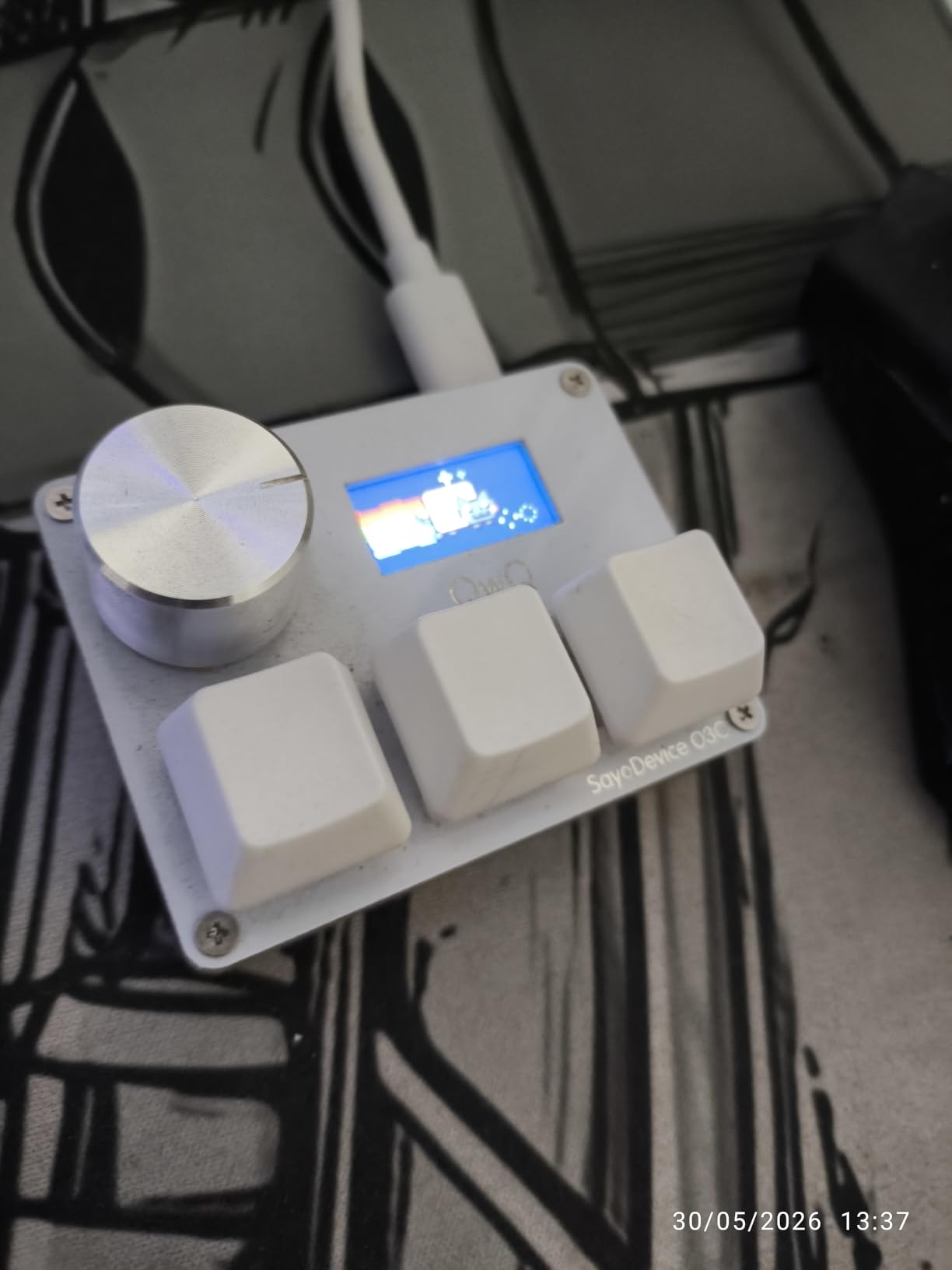
Where this pad struggles is the setup experience. The instructions arrive in Chinese, and the rapid trigger calibration process is not intuitive if you have never used Hall switches before. On Mac in particular, several users on Reddit reported needing to dig through forums to get the software running. Once configured, though, it just works, and the settings are saved on the device itself.
The switches are also noticeably loud without any sound dampening foam installed. If you stream with an open mic or work in a quiet office, you will want to add o-rings or swap in quieter magnetic switches since the PCB is hot-swappable. At this price point for true rapid trigger technology, these tradeoffs are understandable.
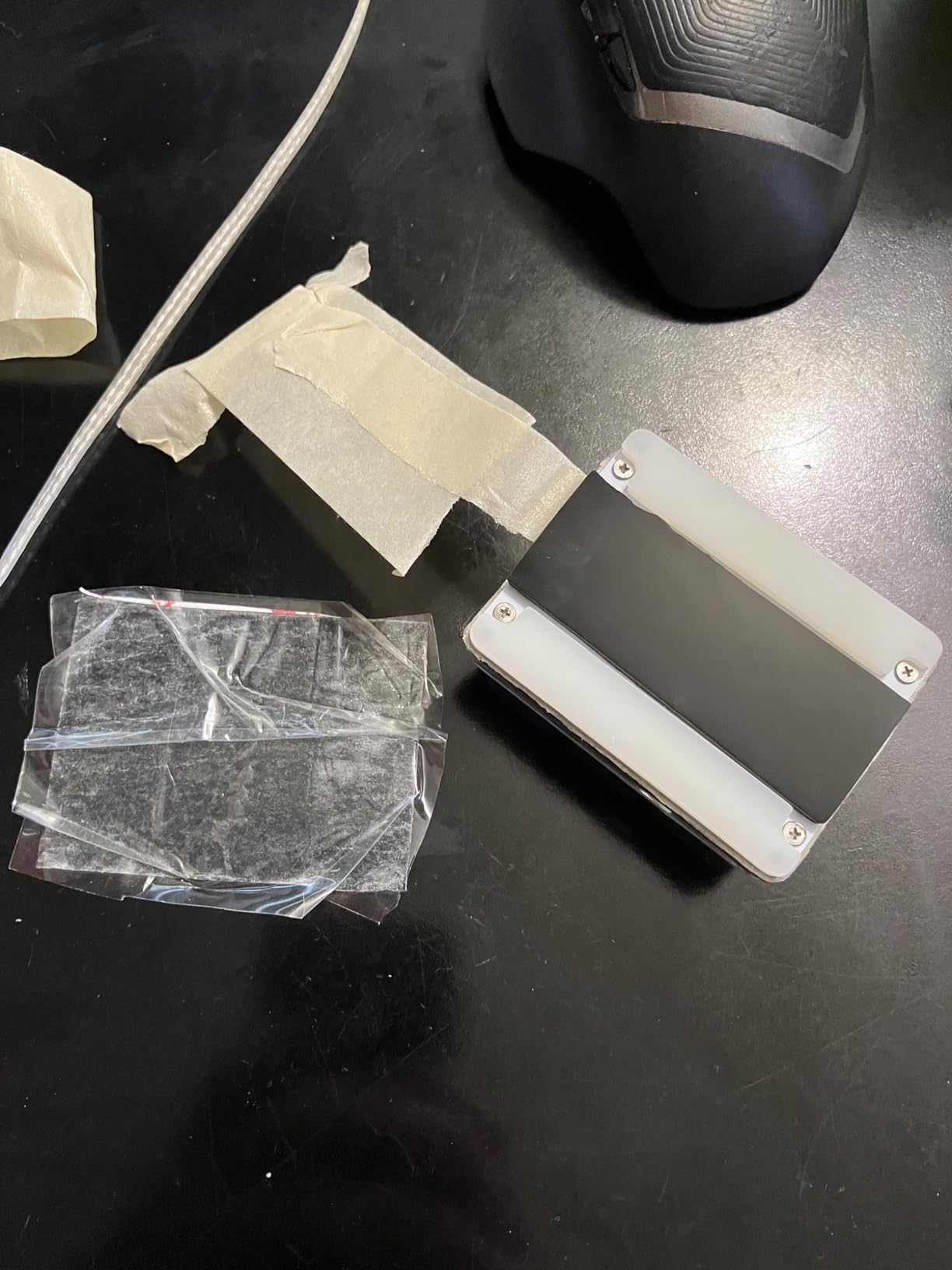
Best use cases for the SayoDevice O3C
This pad shines for rhythm game players who need instant actuation and rapid trigger reset. It is also a strong pick for anyone who wants a tiny three-key controller for copy, paste, and macro shortcuts alongside a main keyboard. The programmable knob adds volume or brush-size control for creative apps.
Who should skip this one
If you need more than three keys for complex macro sequences, look elsewhere. Mac users who are not comfortable troubleshooting software in Chinese should also consider a pad with native VIA support instead.
2. Redragon K585 DITI – Best Value One-Handed Gaming Keypad
Redragon K585 DITI Wired One-Handed RGB Mechanical Gaming Keyboard, 42 Keys Type-C Professional Gaming Keypad w/Upgraded Hot-Swappable Socket, 7 Onboard Macro Keys & Detachable Wrist Rest
42 keys one-handed layout
7 programmable macro keys
Hot-swappable socket
5 RGB modes with 16.8M colors
USB pass-through and wrist rest
Pros
- Incredible value for 42 keys and hot-swap
- Detachable magnetic wrist rest
- USB pass-through port for mouse or dongle
- Includes keycap puller and spare switches
- Huge review base of over 7000 buyers
Cons
- Blue clicky switches are loud
- Wired USB-C only
The Redragon K585 DITI is the keypad I recommend most often when someone asks for the best macro pad kit under $30. You get 42 keys in a one-handed layout, seven dedicated programmable macro keys, hot-swappable switch sockets, five RGB backlight modes, a USB pass-through port, and a magnetic wrist rest. That feature list would have cost over $80 a few years ago.
I used the K585 for a week of FPS gaming and productivity work. The Blue clicky switches give a satisfying tactile bump for each press, and the 7 macro keys along the left edge let me map grenade throws, push-to-talk, and Discord mute without reaching across the keyboard. The wrist rest snaps on magnetically and comes off easily if you want a more compact footprint for travel.
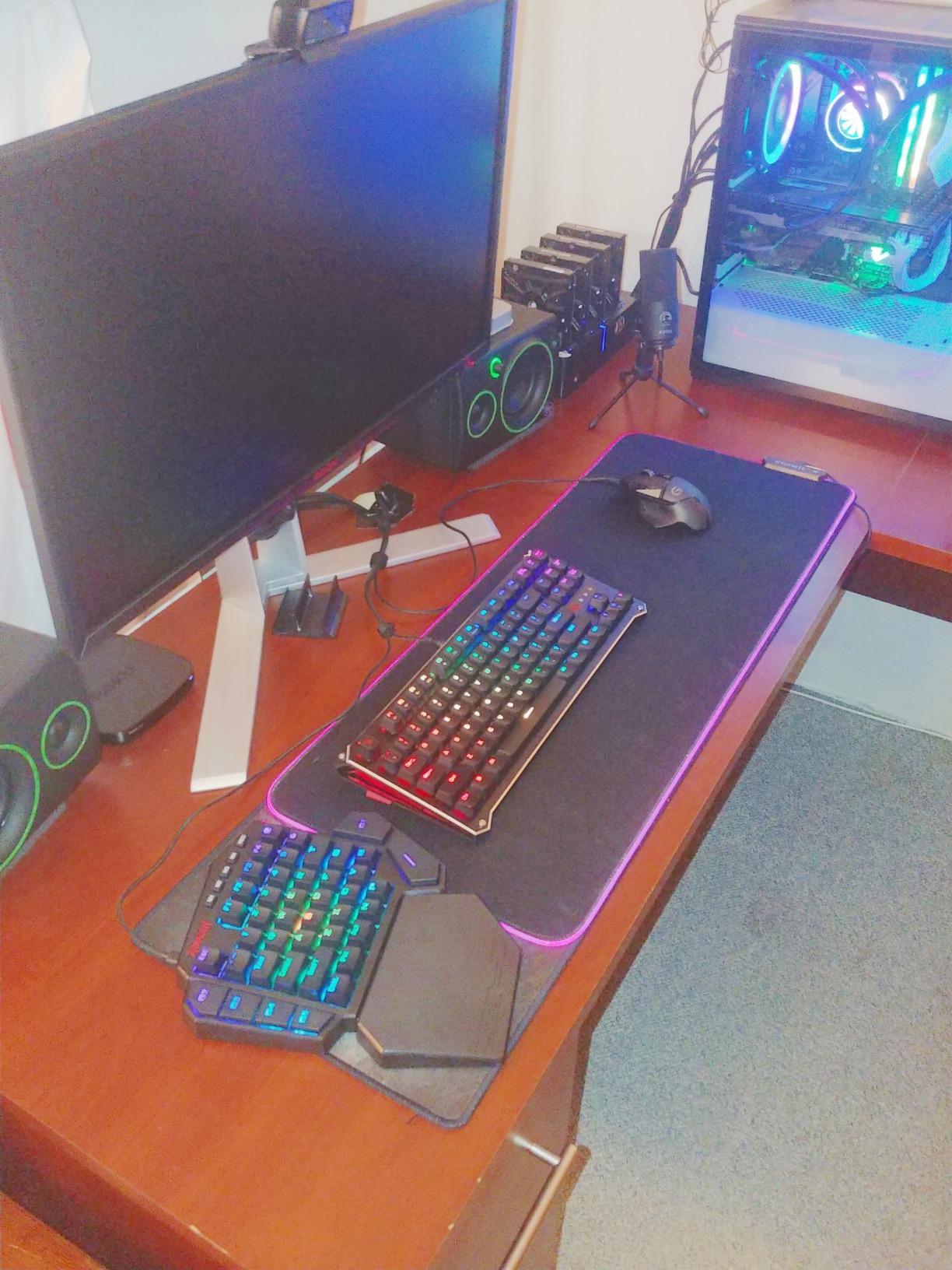
The hot-swap socket is the standout feature at this price. If you hate the clicky Blue switches, you can pull them out with the included puller and drop in any 3-pin or 5-pin mechanical switch you prefer. Redragon even throws in two spare switches in the box. The RGB lighting covers 16.8 million colors across five modes, and while it is not per-key customizable, it looks great in a dark room.
The main downside is noise. The Blue switches are loud enough that anyone on a voice call will hear every keystroke. There is also no wireless option, so you are tethered to USB-C. For a budget gaming keypad, though, these are expected compromises, and the sheer value is hard to beat.
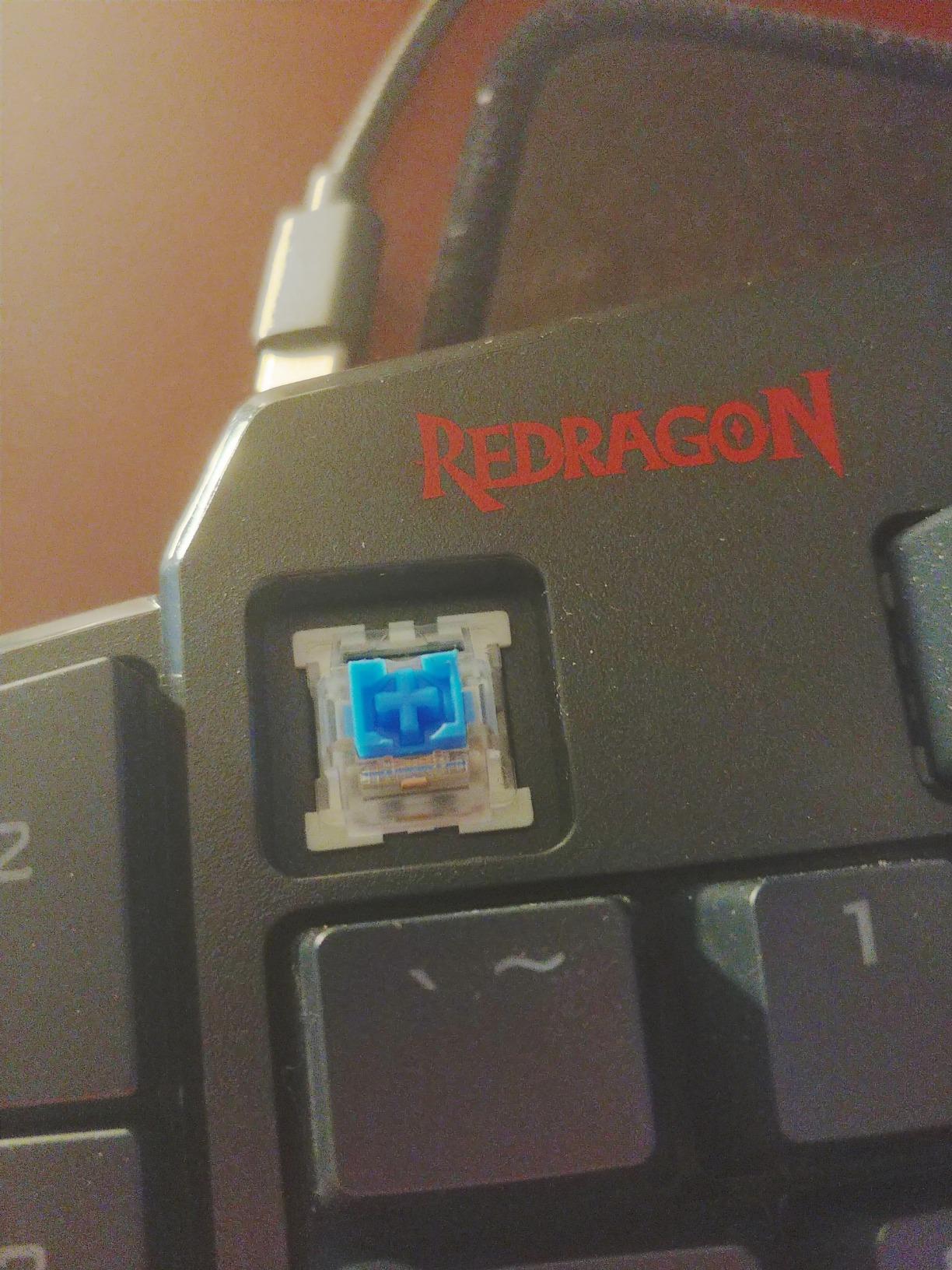
Switch compatibility and customization
The hot-swap socket accepts most standard 3-pin and 5-pin mechanical switches, so you can swap in silent reds, tactile browns, or fancy Jade switches. The included keycap puller and two spare switches mean you can start customizing right out of the box.
Best use cases
This is the ideal first macro pad for gamers who want a full one-handed layout without spending more than $30. The seven macro keys and USB pass-through make it equally useful for productivity shortcuts and Discord controls.
3. HUION KeyDial Mini – Best Wireless Macro Pad for Creatives
HUION Keydial Mini Bluetooth Programmable Keypad with Dial 5 Keys Anti-ghosting 18 Customized Keys, Wireless Shortcut Keyboard for Drawing Tablet, PC, MacBook, Surface Pro, Laptops
Bluetooth 5.0 up to 10m
18 customizable keys
Dial controller with 5 functions
70-hour battery life
Scissor-switch keys
Pros
- True Bluetooth 5.0 wireless freedom
- Dial controller is excellent for brush size and timelines
- 18 fully programmable keys
- 70-hour battery life
- Ultra-thin at 0.42 inches
Cons
- Occasional Bluetooth connection drop-offs
- Single-color backlight only
The HUION KeyDial Mini is the macro pad I reach for when I am editing photos in Lightroom or cutting video in Premiere Pro. The dial controller on the left side is the killer feature here. You can map it to brush size in Photoshop, timeline scrubbing in Premiere, or layer opacity in Illustrator. Having a physical dial for those granular adjustments is a workflow upgrade that is hard to go back from.
The 18 customizable keys give you enough real estate for all your common shortcuts without taking up much desk space. At just 5.7 by 3.6 inches and 0.42 inches thick, the KeyDial Mini slides into a laptop bag effortlessly. Bluetooth 5.0 gives you up to 10 meters of range, and the 70-hour battery life means you can work for a full week without charging.
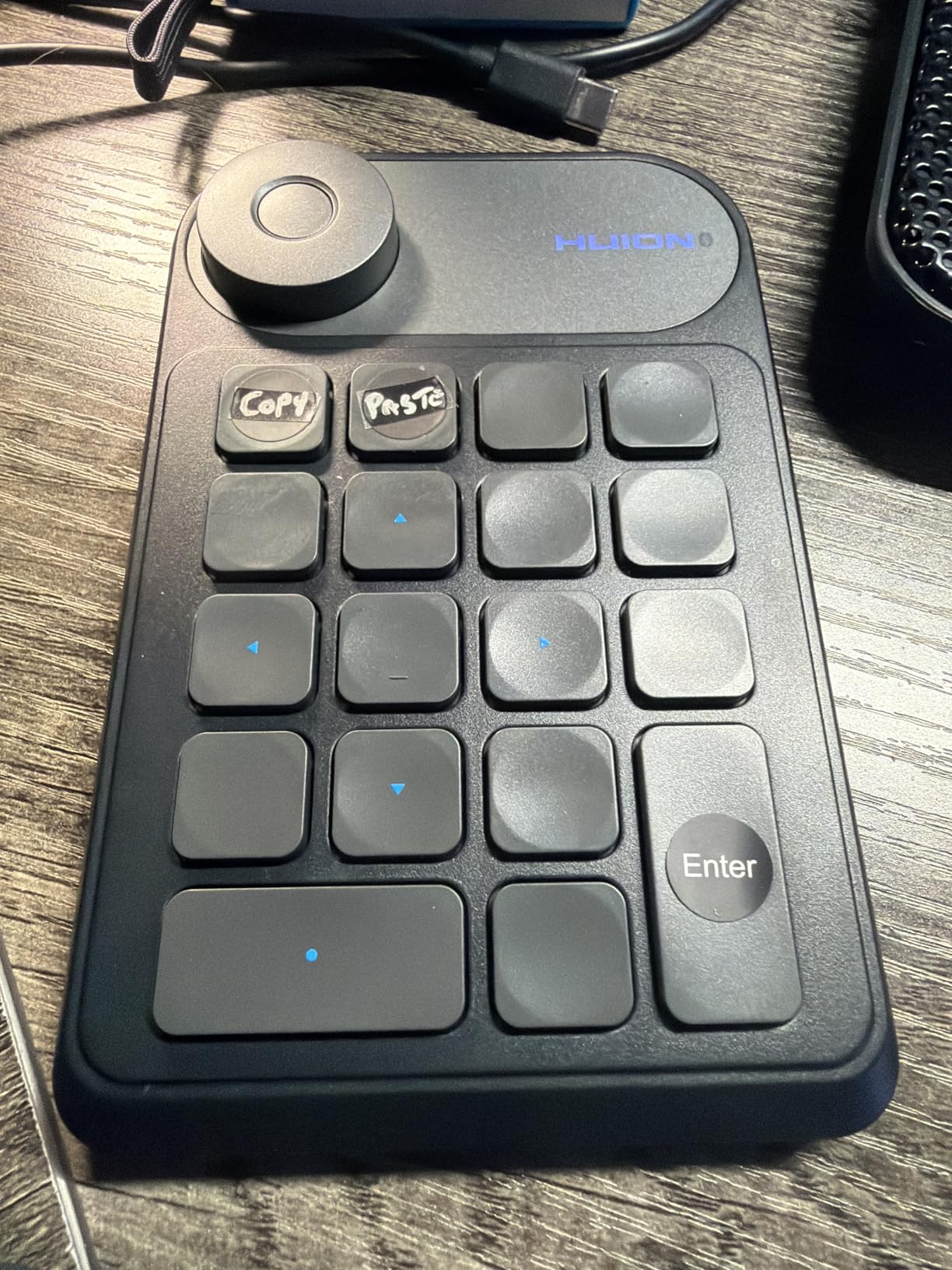
HUION’s software lets you create different profiles for each app, and a handy setting preview function shows you what each key is mapped to on screen so you never lose track. The 5-key anti-ghosting handles simultaneous presses well for drawing workflows. Compatibility spans Photoshop, Lightroom, Illustrator, Final Cut Pro X, Premiere Pro, and Clip Studio Paint.
The biggest complaint from users is occasional Bluetooth drop-outs, usually when the battery dips below 20 percent. A few reviewers also noted that the initial setup can be finicky on Windows. The backlighting is single-color rather than RGB, which is a minor letdown if you want a flashy desk setup. For creative professionals who value the dial controller and wireless freedom, these are small tradeoffs.
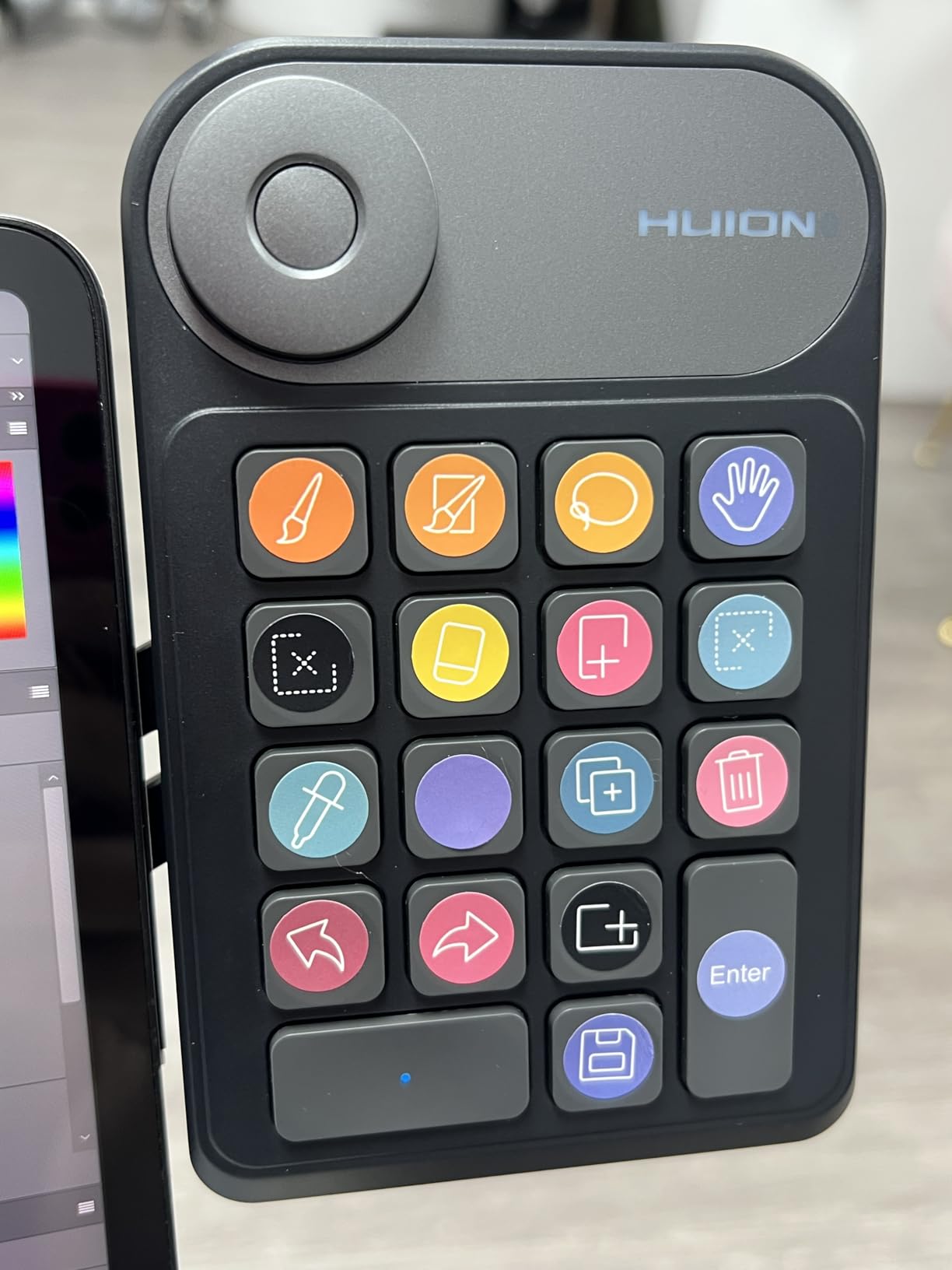
Dial controller apps and integrations
The dial works natively with Adobe Creative Cloud apps, Clip Studio Paint, SAI, and most major creative software. You can assign up to five different functions to the dial and switch between them with a button press.
Battery and connectivity reliability
The 70-hour battery life holds up well in real-world use. To minimize Bluetooth drop-outs, keep the pad charged above 20 percent and use the included USB cable for wired mode during critical editing sessions.
4. BTXETUEL 12 Key – Best Budget OSU Keypad
BTXETUEL 12 Key Mechanical Gaming Keyboard One Handed Keypad USB-C Wired OSU Keypad Programmable and Hot Swappable Keyboard.
12 Otuemu Red Speed switches
Hot-swappable
HID plug and play
RGB backlighting
Foldable design
Pros
- Excellent value for 12 hot-swap keys
- Plug and play with no driver needed
- Works on Windows Mac Linux and Raspberry Pi
- Foldable design for portability
- Compact 4.6 inch footprint
Cons
- 12 keys may be limiting
- Quality control concerns with 11 percent 1-star ratings
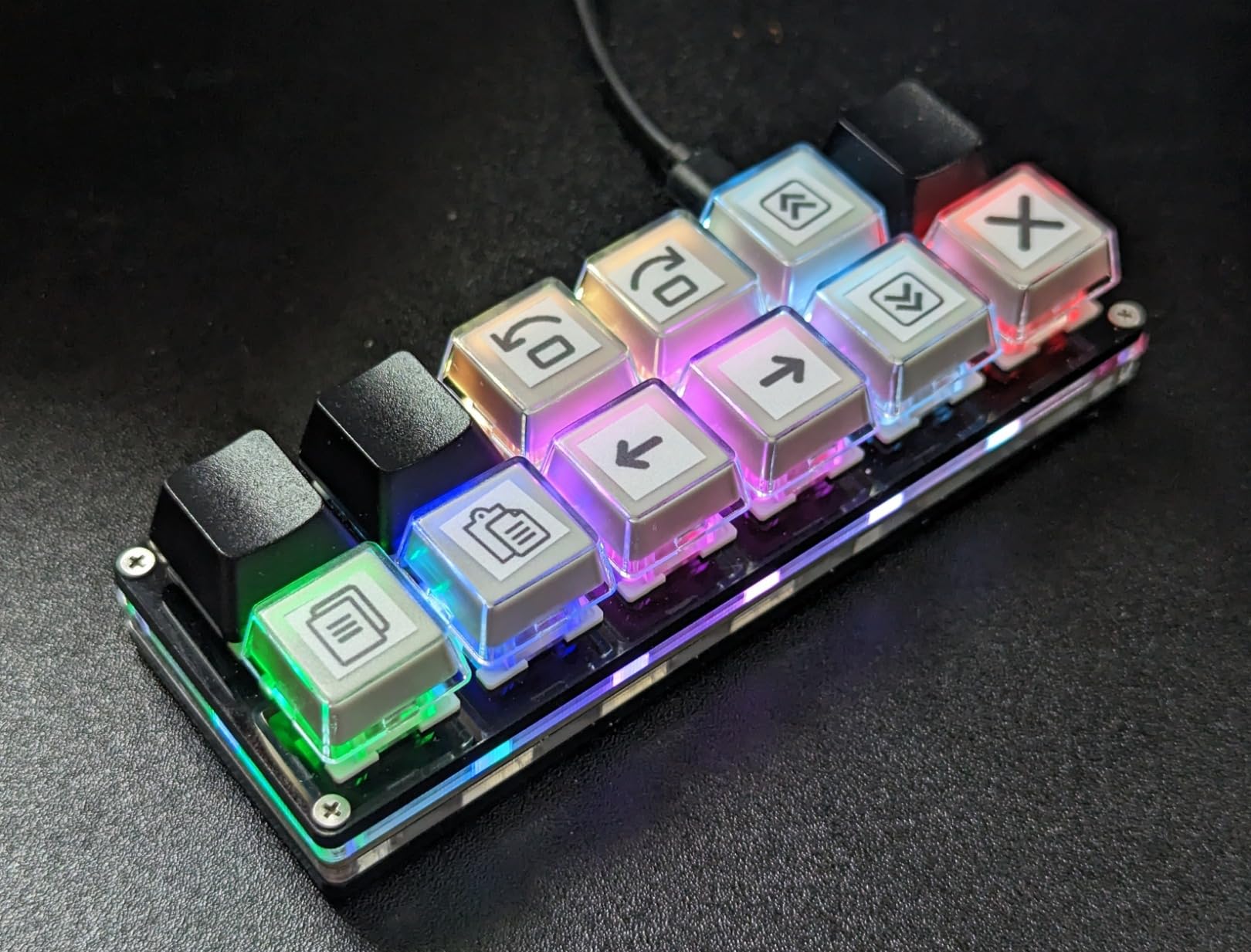
The BTXETUEL 12 Key is the keypad I recommend for anyone who wants a simple, no-frills macro pad without software headaches. It shows up as a standard HID keyboard, so you plug it in and it works immediately on Windows, Mac, Linux, and even a Raspberry Pi. The 12 Otuemu Red Speed switches are linear and fast, making this a popular choice for OSU players on a budget.
I tested this pad with copy, paste, undo, and macro shortcuts for a week of writing and coding work. Each button can be set to a different function through the web-based programmer, and the settings are saved on the device. The foldable design lets you angle the pad for comfort or fold it flat for travel.
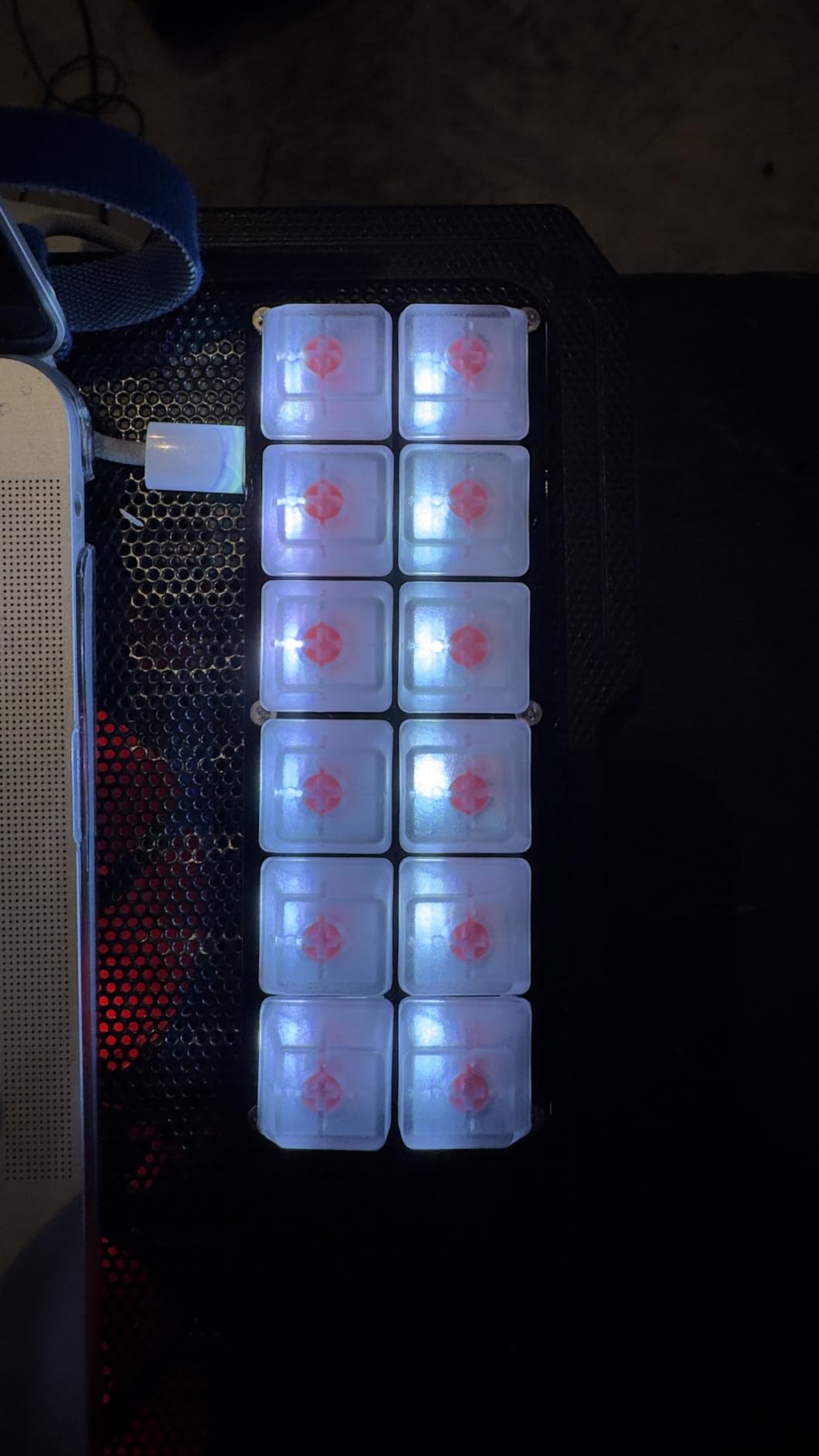
The hot-swappable sockets mean you are not stuck with the stock switches. If you prefer tactile browns or clicky blues, you can swap them in without soldering. The RGB backlighting adds some personality, though it cycles through preset modes rather than offering per-key control.
The main concern is quality control. About 11 percent of reviews are 1-star, with complaints ranging from dead keys on arrival to switches that stop working after a few weeks. At this price point, some variance is expected, but it is worth buying with Prime so you have an easy return path if you get a dud.
Cross-platform compatibility
This pad works on Windows, MacOS, Linux, Android, and Raspberry Pi without any drivers. The HID standard keyboard protocol means it shows up as a generic input device everywhere.
Programming the macros
Use the web-based programmer at SayoDevice.com to remap each key. You can assign shortcuts, multi-step operations, copy-paste functions, and macros. Settings are stored on the device itself, so they persist across computers.
5. Vaydeer One-Handed Keypad – Best for Layered Macros
Vaydeer One-Handed Mechanical Keyboard Support NKRO, Hotkeys, One-Click Start,9 Fully Programmable Keys with Floating Window and Macro Multifunctional Keypad for iOS,Windows, Gift Idea for Him/Her
9 NKRO keys
6 customizable layers
Floating window display
OTA firmware upgrade
4 macro modes
Pros
- 6 functional layers expand 9 keys to 54 macros
- Floating window shows current key functions
- OTA firmware updates
- Settings import and export for sharing
- 3 year warranty
Cons
- Windows 10 only
- 12 percent 1-star rating
The Vaydeer One-Handed Keypad solves the problem of having too few keys by stacking six functional layers on top of nine physical keys. That gives you effectively 54 programmable actions in a footprint smaller than a coffee coaster. I found this approach perfect for CSGO shovel slides and OSU combos where you want different macros for different in-game situations.
The floating window display is genuinely useful. A small on-screen overlay shows you exactly what each of the nine keys is currently mapped to, and it updates instantly when you switch layers. No more guessing whether you are on your gaming layer or your productivity layer.
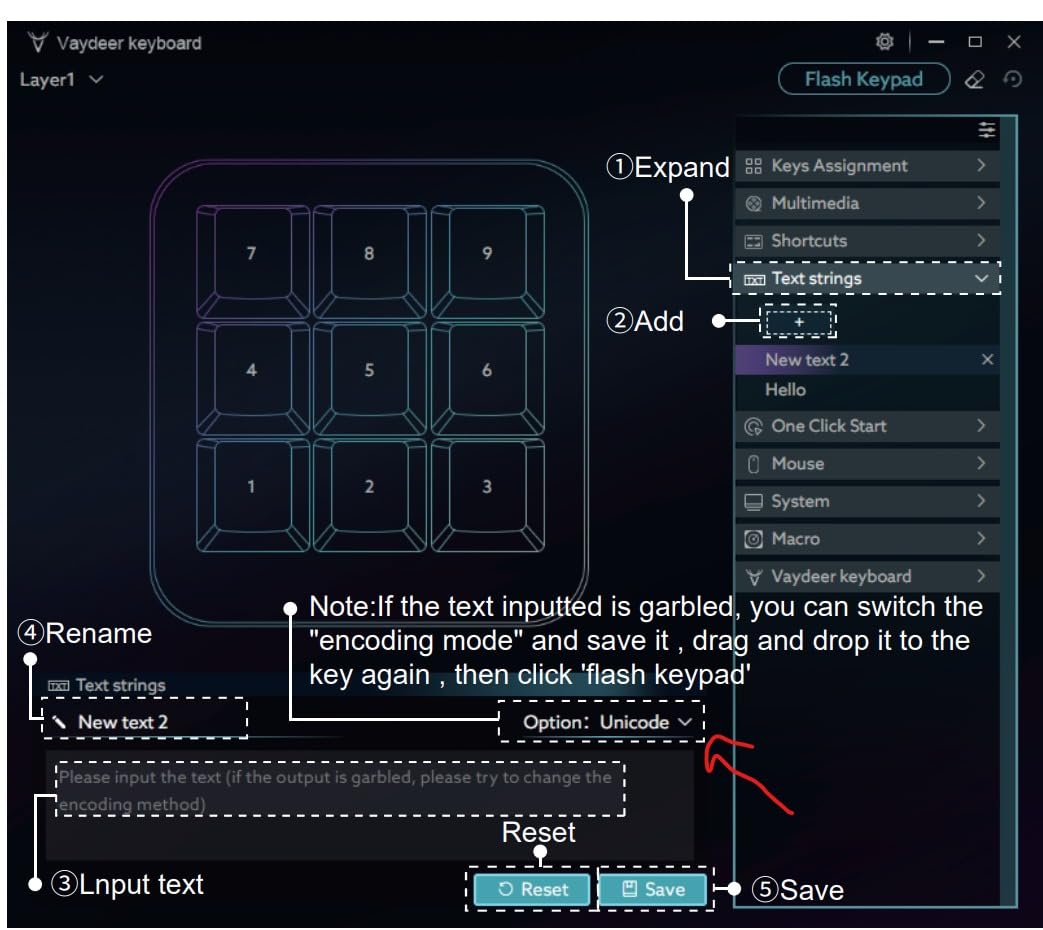
The four macro modes let you record key sequences, text strings, mouse actions, and multi-step operations. You can back up and share your settings with other users, which is great if you want to import a community-made profile for a specific game or app. OTA firmware upgrades keep the pad current without manual downloads.
The biggest limitation is platform support. This pad only works on Windows 10 and later, so Mac and Linux users are out of luck. The 12 percent 1-star rating also suggests some build quality or reliability concerns, so check your unit carefully when it arrives.
Layer system explained
Six layers multiply your nine physical keys into 54 distinct actions. Switch layers with a dedicated key combo, and the floating window confirms which layer is active.
Best use cases
This pad is ideal for Windows gamers who want maximum macro capacity in a tiny footprint. The layer system also works well for productivity users who want separate profiles for different apps.
6. BOYI TD31Pro – Best Tri-Mode Numpad Macro Pad
BOYI TD31Pro Mechanical Numpad,Mini Keyboard with Screen&Knob,Bluetooth5.0/2.4G/Type-C Wireless Numeric Keypad,Gasket HotSwap RGB Number Pad,PBT Keycaps Rechargeable Number keypad for PC(Black-Grey)
30-key tri-mode numpad
TFT display screen
Metal volume knob
Gasket mounted hot-swap
PBT keycaps and 1000mAh battery
Pros
- Tri-mode connectivity Bluetooth 5.0 2.4GHz and USB-C
- TFT screen displays status and custom GIFs
- Gasket mounted for soft typing feel
- Pre-lubed POM Jadeite Green linear switches
- PBT dye-sublimation keycaps
Cons
- Knob does not support one-click mute in screen mode
- Black keycap lettering is hard to read
The BOYI TD31Pro blurs the line between a numpad and a macro pad. It has 30 keys in a numpad layout, but the top row includes NumLock, ESC, Delete, Copy, and Paste shortcuts that make it function as a productivity macro pad. The tri-mode connectivity means you can use it wirelessly over Bluetooth 5.0 or 2.4GHz, or wired over USB-C.
The TFT display screen is a standout feature at this price. It shows connection status, battery level, and current layer, and you can even load custom GIFs onto it. The metal volume knob sits next to the screen and handles audio control, though it does not support one-click mute when the screen is in GIF mode.
The gasket-mounted structure with POM Jadeite Green linear switches delivers a surprisingly premium typing feel. The switches come pre-lubed from the factory, giving a smooth, creamy sound profile that is far quieter than typical budget mechanical switches. The PCB is hot-swappable, so you can swap in any 3-pin or 5-pin switch.
PBT dye-sublimation keycaps resist shine and wear better than standard ABS caps. The 1000mAh battery lasts several days of typical use on a single charge. The main complaints are the hard-to-read black keycap legends and the lack of one-click mute on the knob in certain modes.
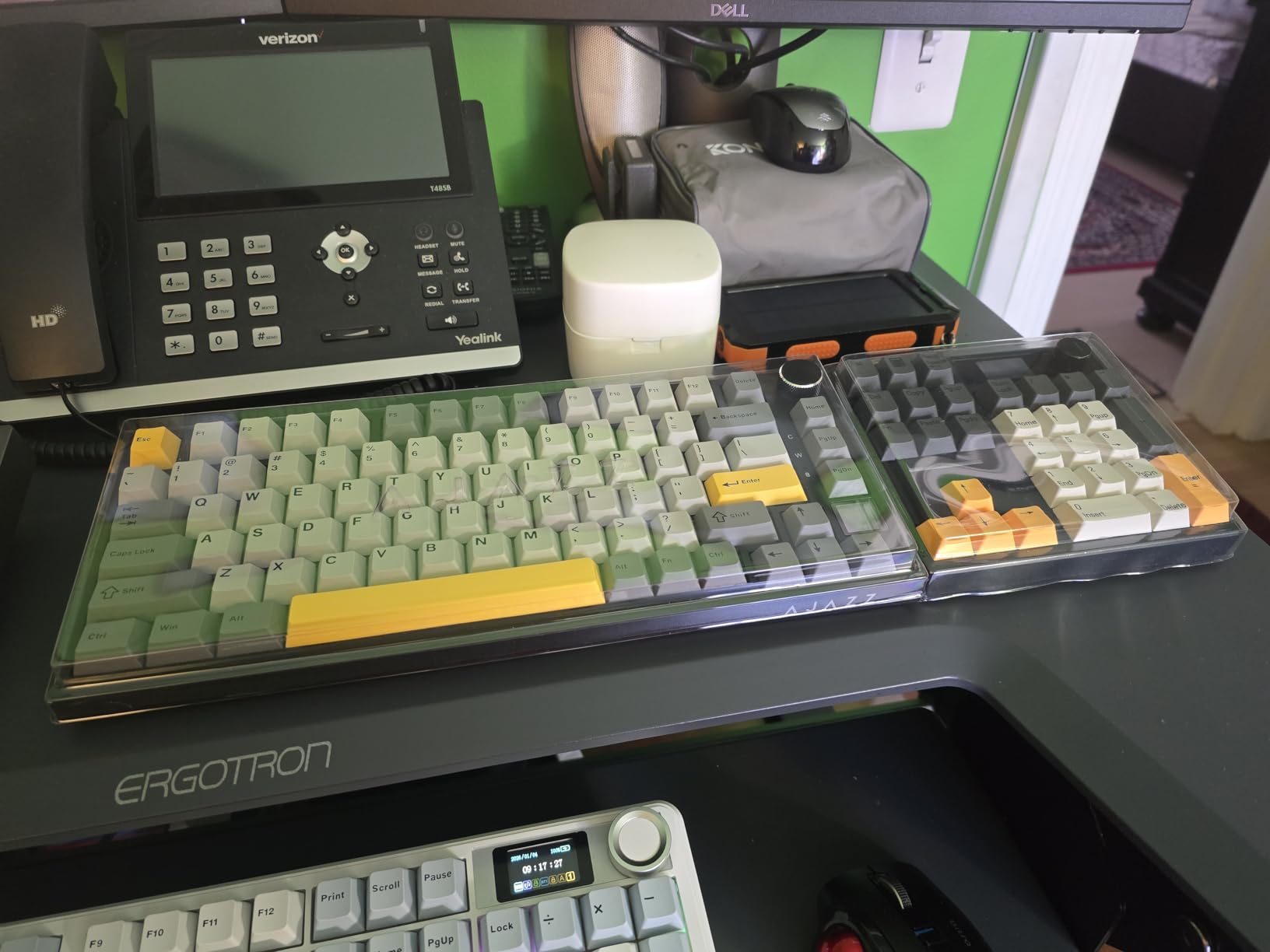
Wireless reliability and battery
The 1000mAh battery provides several days of use per charge. Tri-mode connectivity lets you pair with up to three Bluetooth devices and switch between them instantly. The 2.4GHz dongle offers the lowest latency for gaming.
Switch feel and sound profile
The factory-lubed POM Jadeite Green linear switches produce a smooth, creamy sound. The gasket mount with sandwich foam dampens ping and hollow sounds, making this one of the best-sounding numpads in its price range.
7. EPOMAKER EK21 VIA – Best VIA-Compatible Numpad
EPOMAKER EK21 VIA Gasket Number Pad with 1000mAh Battery, BT 5.0/2.4GHz/Wired Hot-Swap Numpad with Aluminum Alloy knob, Programmable for Win/Mac/Gaming (Black Silver, Zebra Switch)
VIA software compatible
Gasket mounted design
Aluminum alloy knob
Triple connectivity modes
Pre-lubed Zebra linear switches
Pros
- Full VIA software support for deep customization
- Gasket mounted with poron and IXPE foam layers
- Aluminum alloy volume knob
- Triple mode connectivity
- Pre-lubed switches and stabilizers
Cons
- Battery life only 30 to 40 hours
- Not adjustable tilt angle
- Lighter than expected
The EPOMAKER EK21 is the numpad I recommend for anyone who wants real VIA software support without spending premium money. VIA lets you remap every key, set up layers, configure macros, and customize RGB through a browser-based interface with no coding required. For anyone serious about customizing their macro pad, VIA compatibility is a big deal.
The gasket-mounted design uses a poron bottom layer, sandwich foam, and IXPE switch pads to create a soft, cushioned typing feel. Combined with the pre-lubed Zebra linear switches, the EK21 produces a deep, creamy thock sound that rivals numpads costing twice as much. The aluminum alloy knob handles volume control with a satisfying click.
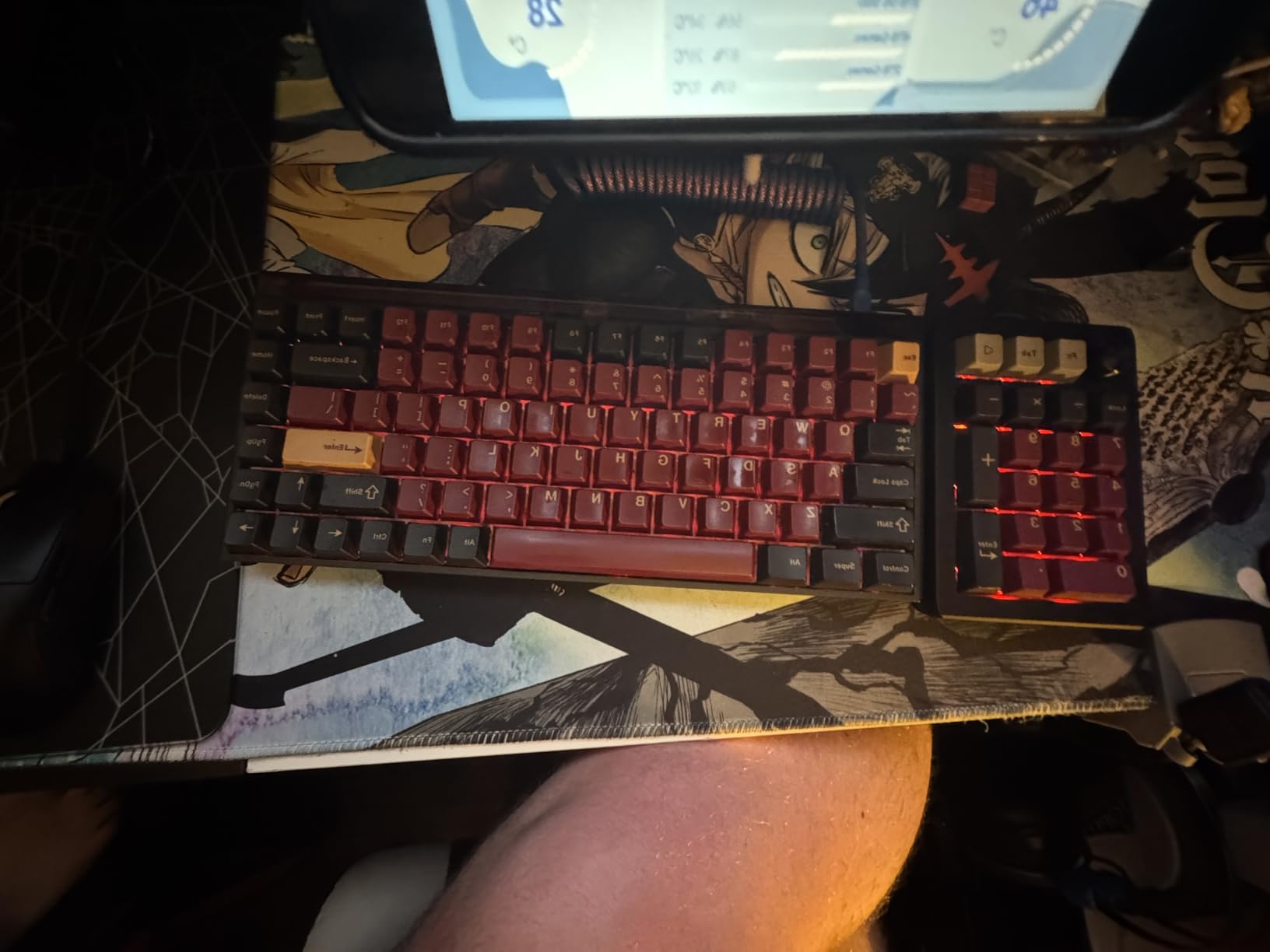
Triple connectivity covers Bluetooth, 2.4GHz wireless, and USB-C wired. The PC plate with CNC cutting adds rigidity without too much flex. RGB backlighting with per-key customization is fully controllable through VIA.
The main weakness is battery life. Users report 30 to 40 hours of use per charge, which is below average for a 1000mAh cell. The pad also has a fixed tilt angle with no flip-out feet, and some reviewers found it lighter than expected, which can make it slide on a smooth desk.
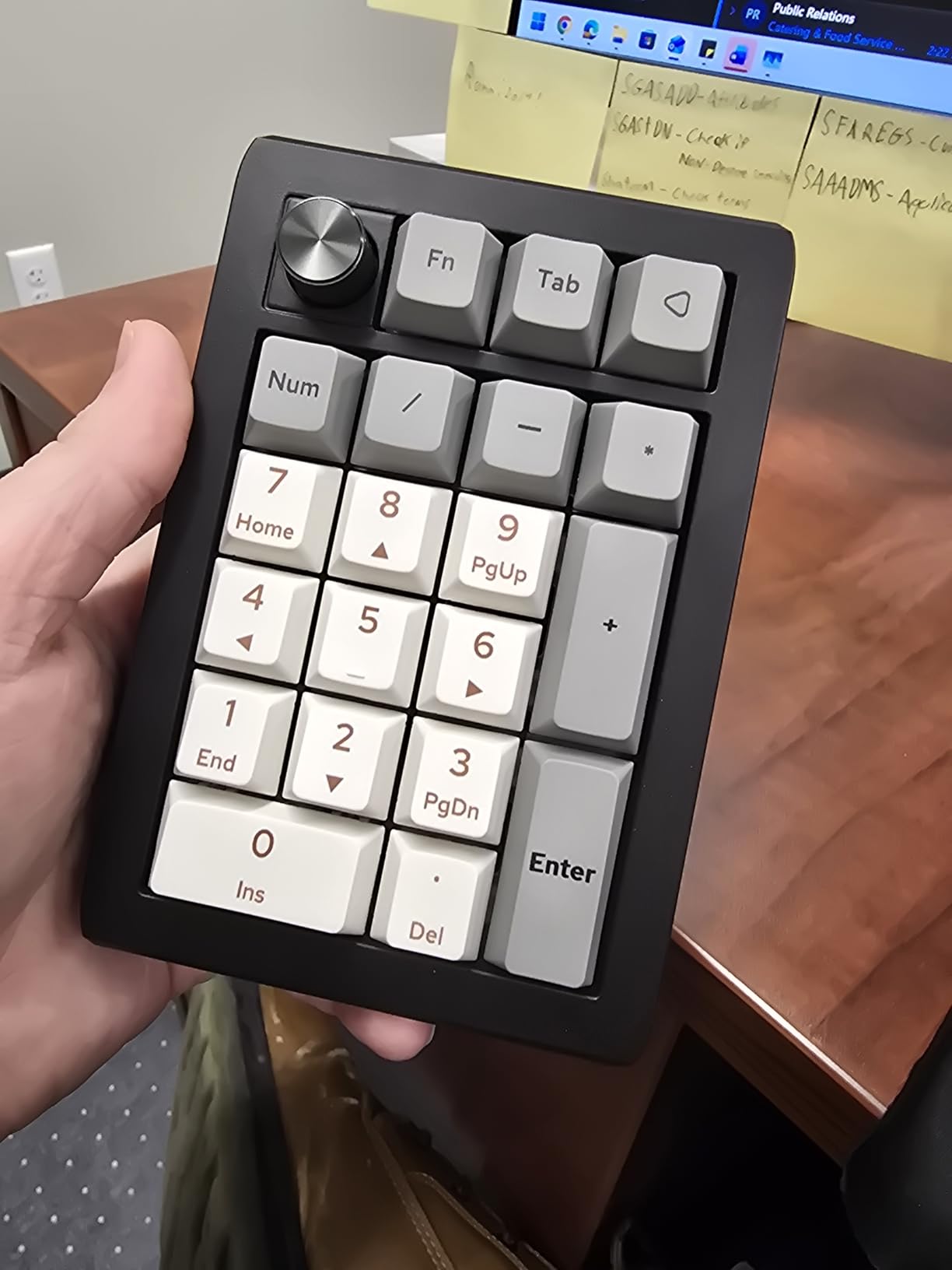
VIA software deep dive
VIA runs in a browser or as a desktop app. You can remap keys, create up to 4 layers, record macros, adjust RGB per key, and configure rotary encoder functions. Changes apply instantly with no flashing required.
Gasket mount sound and feel
The combination of poron foam, IXPE switch pads, and sandwich foam produces a deep, muted thock. Pre-lubed Zebra switches add smoothness without the scratchiness typical of budget linears.
8. KEEBMONKEY Megalodon Triple Knob – Best Multi-Knob Macro Pad
KEEBMONKEY Megalodon Triple Knob Macro Pad Programmable Designer Mini Keyboard 16 Keys (Grey)
16 keys plus 3 clickable knobs
0.91 inch OLED screen
VIA compatible
4 layers with display
Aluminum and acrylic body
Pros
- Three clickable knobs for maximum control
- 64 possible macros across 4 layers
- VIA compatible with web-based programming
- OLED screen shows active layer
- Aluminum alloy build quality
Cons
- Setup is challenging for non-technical users
- No wireless option
- May need firmware updates out of the box
The KEEBMONKEY Megalodon Triple Knob is one of the best macro pad kits for power users who want multiple rotary encoders on a single device. Three clickable knobs sit above 16 hot-swappable keys, giving you a level of physical control that most macro pads cannot match. Each knob can be turned and pressed, so you effectively get nine additional inputs from the encoders alone.
With four layers and an OLED display showing the active layer, you get 64 possible macro actions from 16 keys. The Gateron Yellow linear switches are smooth and satisfying, and the aluminum alloy top plate with acrylic bottom gives the pad a solid, premium weight.
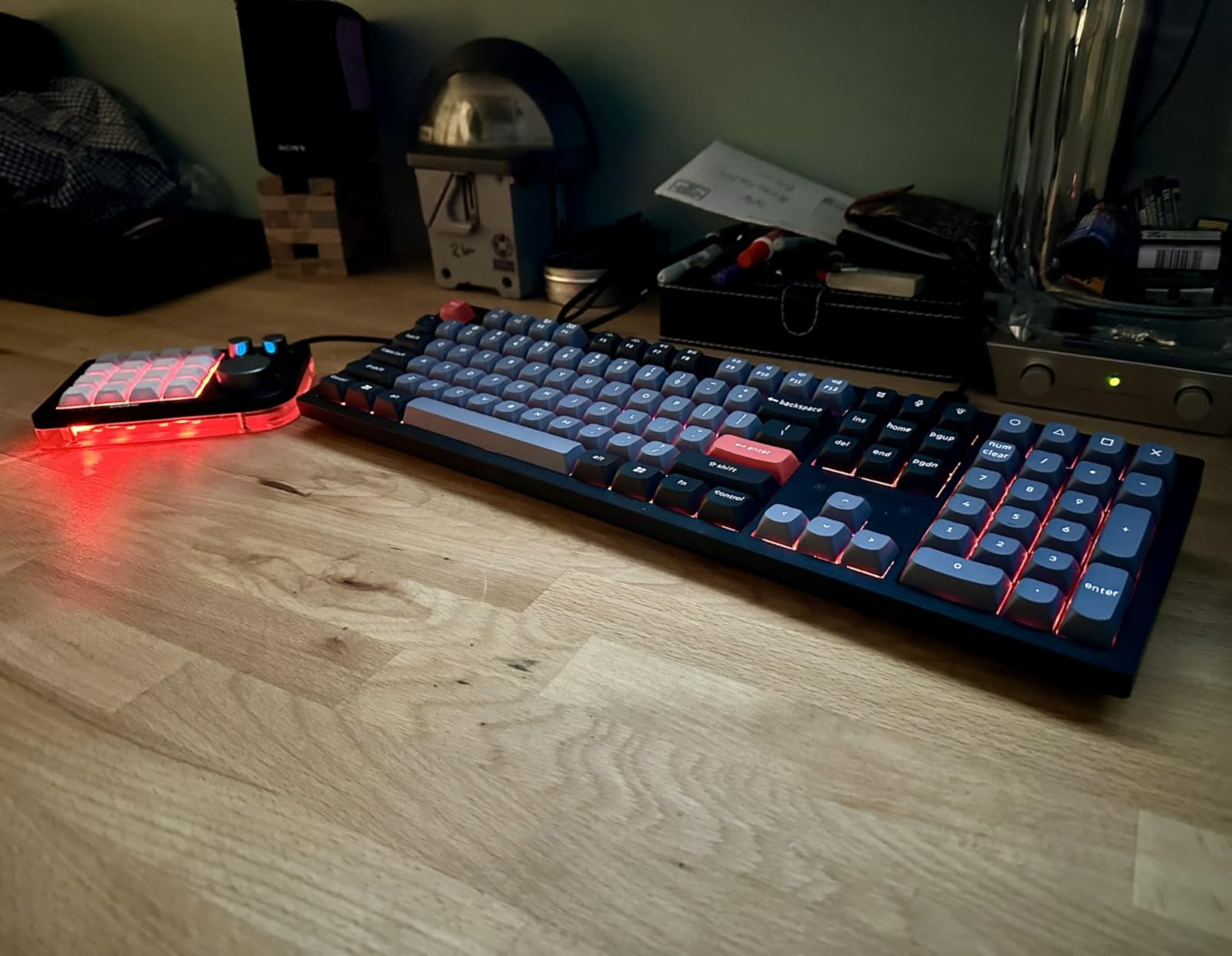
VIA compatibility means you can program every key and knob through a browser interface. The web-based programmer is much smoother than the clunky desktop apps that come with some competitors. RGB lighting comes from 16 WS2812 LEDs that provide bright, even underglow.
The main barrier is setup. Several users reported needing to flash a firmware update before the pad worked correctly, and the VIA configuration for three knobs requires some trial and error if you have never used VIA before. There is also no wireless option, which is a letdown at this price point.
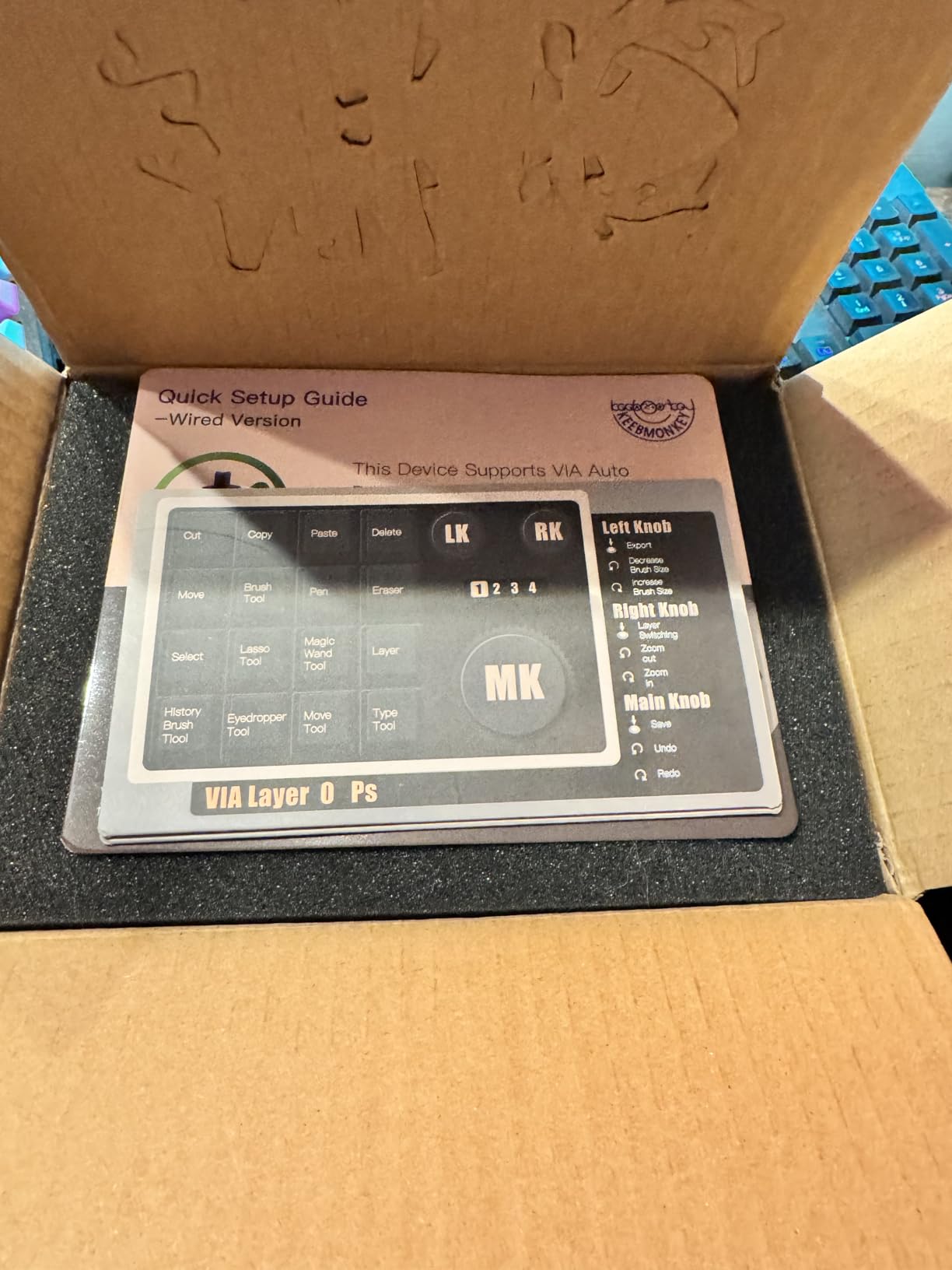
Programming the three knobs in VIA
Each knob supports rotate clockwise, rotate counterclockwise, and click-press for three distinct actions per encoder. In VIA, assign volume, scrolling, layer switching, or custom macros to each knob direction.
Layer system and OLED display
Four layers multiply 16 keys into 64 macros. The 0.91 inch OLED screen shows the active layer number and can display custom text or small graphics to help you track which layer you are on.
9. BTXETUEL Mini 3-Key – Best Ultra-Budget Cut/Copy/Paste Pad
BTXETUEL Mini 3-Key Cut Copy Paste Keyboard – RGB Macro Pad Gaming Mechanical Keyboard with Ctrl X C V Shortcut, Programmable for Working and Gaming (Black)
3-key cut copy paste pad
Plug and play no software
RGB backlighting
Website programmable
Ultra-compact 2.7 inches
Pros
- Cheapest macro pad option available
- Default cut copy paste works instantly
- Plug and play with zero setup
- Settings saved on device
- Ultra-small footprint
Cons
- Only 3 keys
- No wireless option
- Limited functionality
The BTXETUEL Mini 3-Key is the most affordable macro pad in this roundup, and it does one thing extremely well: it gives you dedicated cut, copy, and paste keys right out of the box. No software, no drivers, no configuration. You plug it in and the three keys are mapped to Ctrl+X, Ctrl+C, and Ctrl+V by default.
I keep one of these next to my editing keyboard for exactly that purpose. When you are cutting and pasting hundreds of text clips per day, having three physical buttons saves measurable time compared to chorded shortcuts. At 2.7 by 1.1 inches, it takes up almost no space and tucks alongside any keyboard.
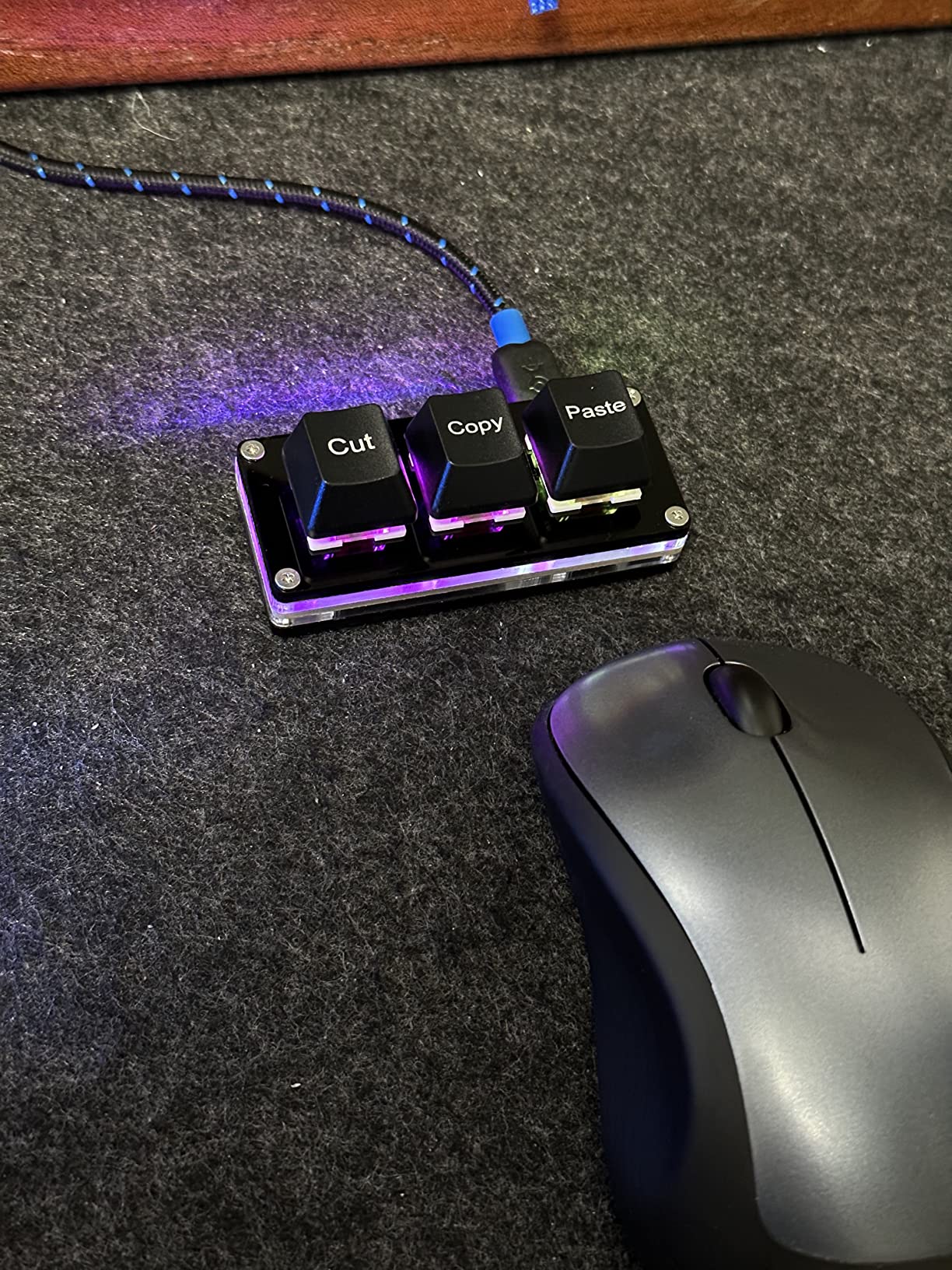
If you want to remap the keys, you can use the web-based programmer at SayoDevice.com to assign any shortcut, macro, or multi-step operation. The settings are saved on the device, so they carry over between computers. RGB backlighting adds a bit of personality.
The obvious limitation is that three keys is, well, three keys. If you need more macro capacity, you will outgrow this pad quickly. There is also no wireless option. But for under $20, this is the cheapest entry point into the world of macro pads.
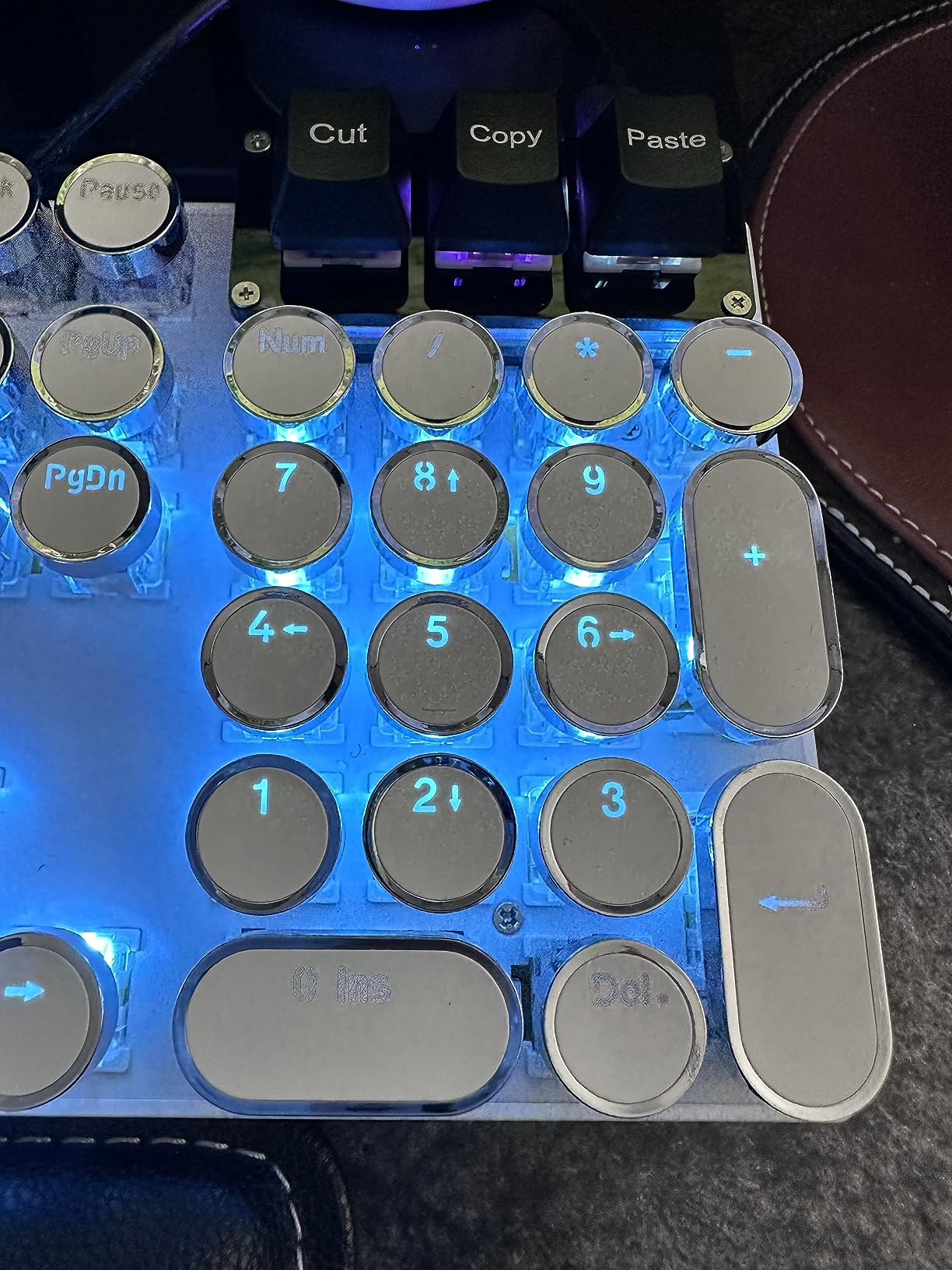
Customizing beyond the defaults
Visit SayoDevice.com to remap each key. You can assign single shortcuts, multi-step operations, or text macros. The website detects the pad over WebUSB and saves configurations directly to the device.
Who benefits most
Data entry workers, writers, and editors who do heavy cut-and-paste work benefit most. It is also a great gift for a less tech-savvy person who just wants dedicated copy and paste buttons.
10. TISHLED Wireless Numpad Kit – Best DIY Barebones Kit
TISHLED Wireless Mechanical Numpad Barebones Kit, Gasket Programmable Macro Numeric Keyboard DIY, 19-Key Custom Number Pad with Metal Volume Knob, Hot Swappable, RGB Backlit, NKRO for Win/Mac, White
19-key barebones kit
Tri-mode wireless
Gasket mounted design
Metal volume knob
1500mAh battery
Pros
- Barebones kit for full DIY customization
- Tri-mode wireless with 1500mAh battery
- Gasket mounted with EVA foam and IXPE pads
- Hot-swappable 3-pin and 5-pin support
- Metal volume knob
Cons
- Switches and keycaps not included
- Limited color options
- Customer support response times vary
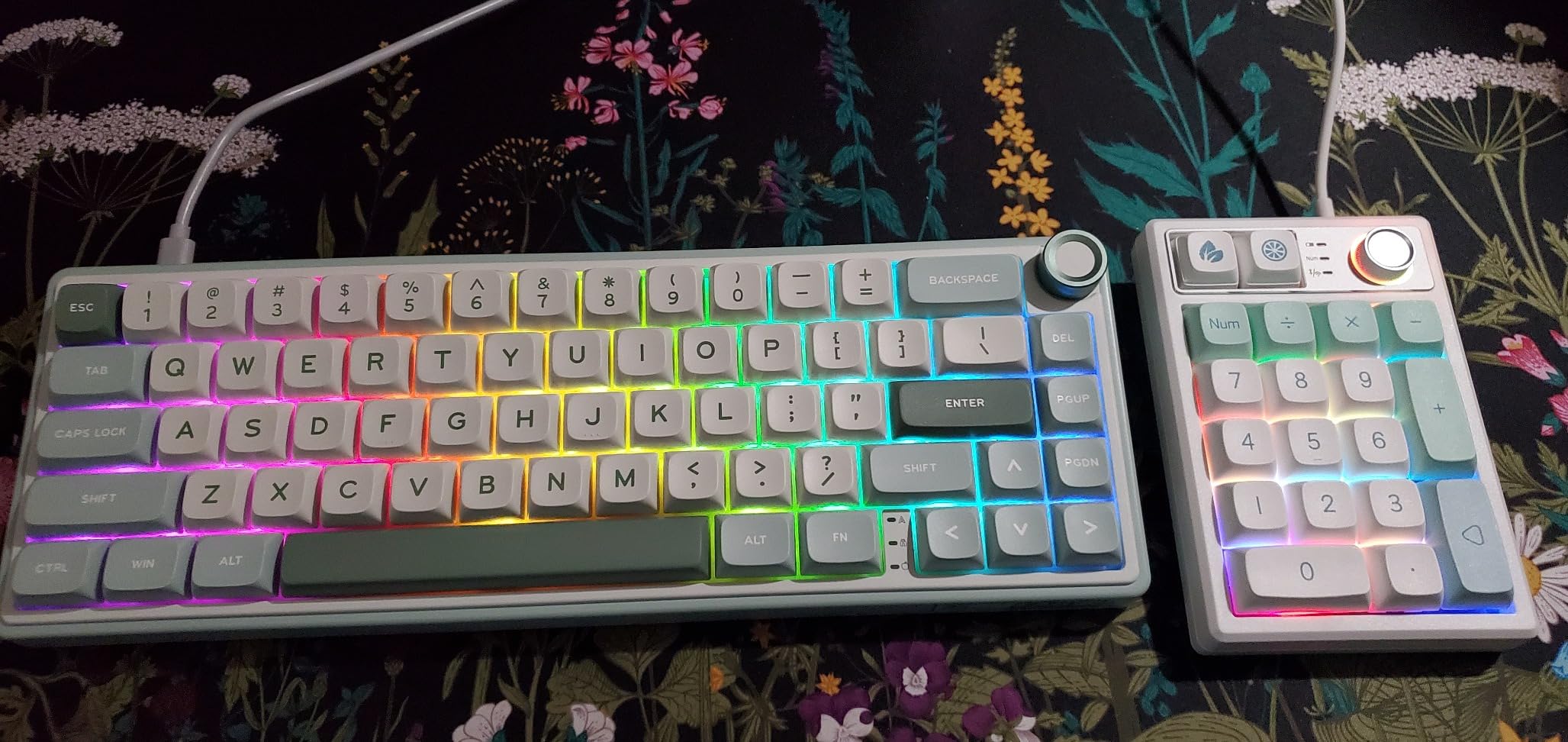
The TISHLED Wireless Numpad Kit is the best macro pad kit for DIY enthusiasts who want to choose their own switches and keycaps. It arrives as a barebones kit, meaning you get the PCB, case, plate, knob, and battery, but you supply your own switches and keycaps. This lets you build exactly the sound and feel you want.
The gasket-mounted design uses EVA foam and IXPE switch pads to dampen sound and soften bottom-out impact. The PCB supports both 3-pin and 5-pin switches, so you can use nearly any mechanical switch on the market. The 19-key NKRO ensures every simultaneous press registers.
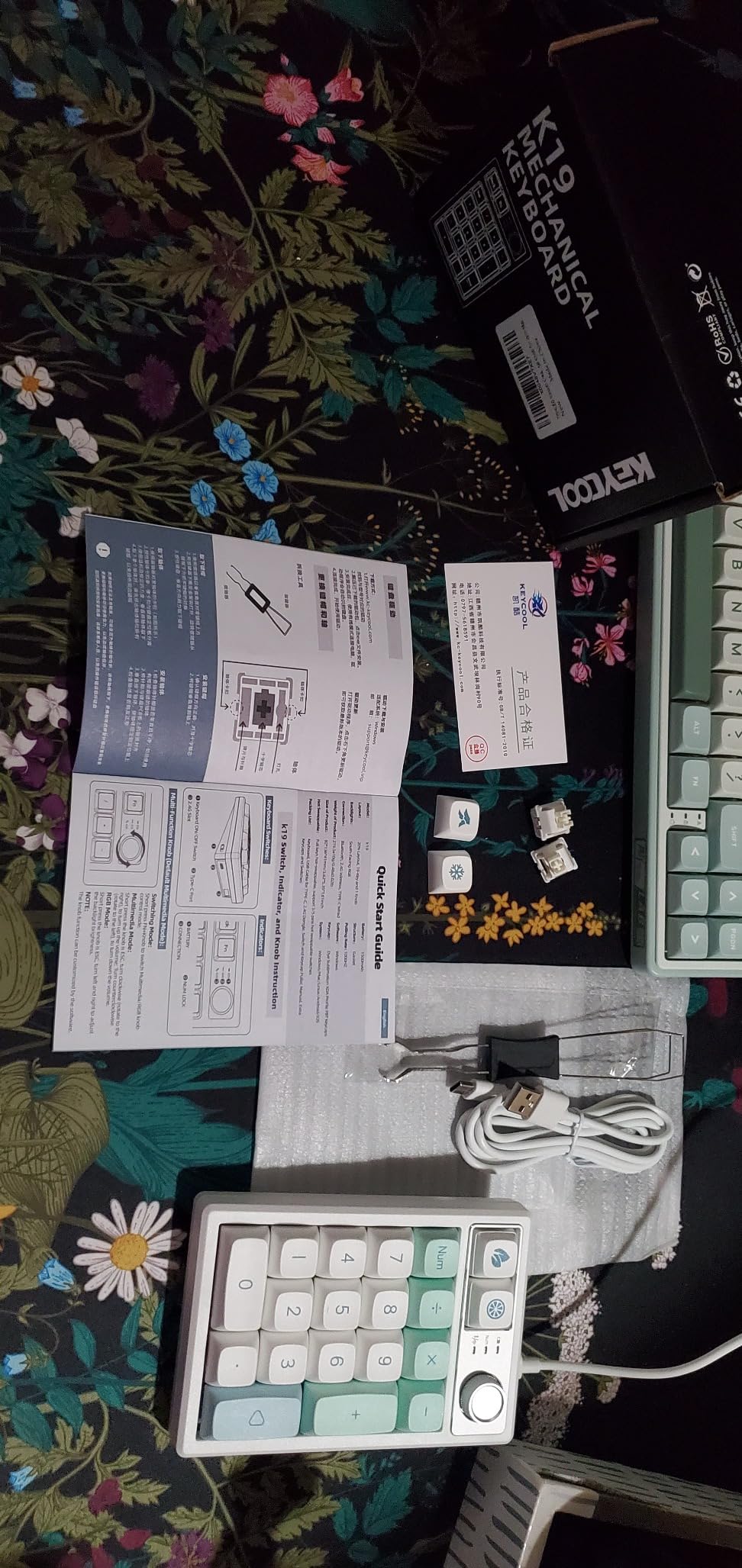
Tri-mode connectivity gives you Bluetooth 5.0, 2.4GHz wireless, and USB-C wired options. The 1500mAh battery is larger than most competitors in this price range, and auto-sleep after 2 minutes of inactivity helps conserve power. Memory retention means your settings survive power cycles.
The metal volume knob is a premium touch at this price. RGB lighting offers 18 modes including a music rhythm mode that reacts to ambient sound. The main drawback is that you need to source your own switches and keycaps, which adds to the total cost if you do not already have spares.
Building the kit
Align switches with the PCB and plate holes, push straight down until they click, then attach keycaps. The hot-swap sockets mean no soldering. The whole build takes about 10 minutes for a first-timer.
Wireless performance and battery life
The 1500mAh battery outlasts most competitors at this price. Bluetooth 5.0 holds a stable connection up to 10 meters. The 2.4GHz dongle provides the lowest latency for gaming, and auto-sleep extends battery life significantly.
11. ActionRing Streaming Macro Keypad – Best Stream Controller
ActionRing Streaming Macro Keypad, Stream Controller Deck, Gaming Shortcut Keyboard, with 6 Customizable LCD Shortcut Keys, 3 Buttons and 3 Dials, Trigger Actions in OBS/Twitch/YouTube, For office workers and Content creaters,Windows 10/Mac14.0 (N3 Black)
6 LCD shortcut keys
3 dials and 3 buttons
Action Flow macro sequences
OBS Twitch YouTube ready
Windows and macOS
Pros
- 6 customizable LCD keys with GIF support
- 3 dials for volume and playback
- Action Flow chains multiple macros in sequence
- Native OBS Twitch and Discord integration
- Cross-platform Windows and macOS
Cons
- Software is occasionally resource-heavy
- Learning curve for Action Flow setup
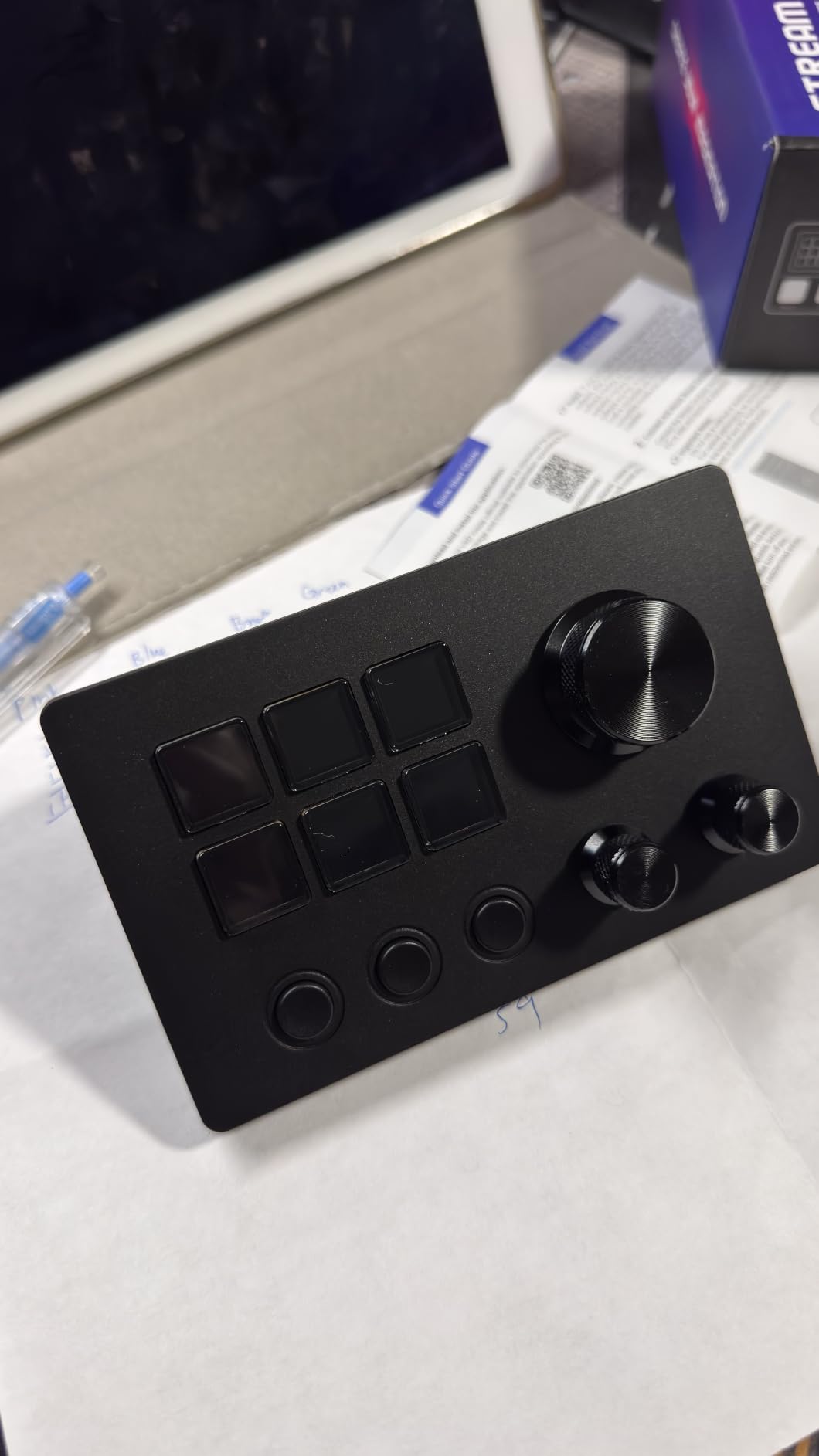
The ActionRing Streaming Macro Keypad is the closest thing to an Elgato Stream Deck that I have tested at this price. It features 6 LCD shortcut keys that display custom icons, images, and animated GIFs, plus 3 physical dials for volume, fast-forward, and rewind. For streamers and content creators, this combination covers most of the controls you need during a live broadcast.
I tested the ActionRing with OBS, Discord, YouTube, and Premiere Pro. Setting up scene switches, source toggles, mute toggles, and clip recording on the LCD keys took about 20 minutes, and the visual feedback from the screens makes it easy to find the right button without looking away from your monitor. The Action Flow function lets you chain multiple actions into a single button press.
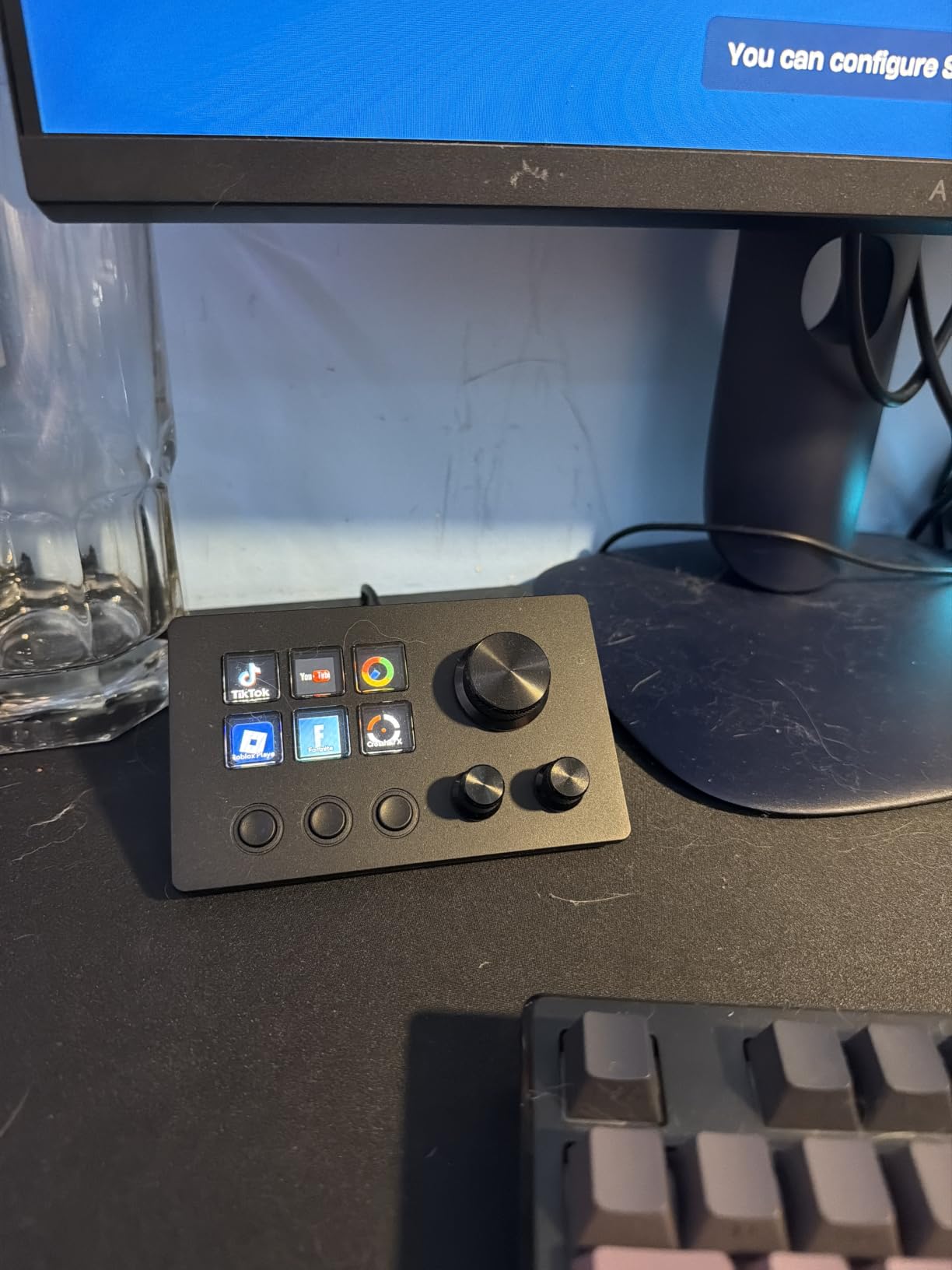
The three dials are particularly useful during playback control. You can scrub through a timeline, adjust volume, or zoom in and out of a canvas with a quick turn. The dials have a textured grip and satisfying resistance that feels more premium than the price suggests.
The software does have a learning curve. Action Flow configuration requires some trial and error, and the software can be occasionally resource-heavy on older machines. But once configured, the pad runs reliably in the background. With a 4.6-star average across 83 reviews, the overall user sentiment is strongly positive.
OBS and streaming integration
The ActionRing software detects OBS automatically and lets you map scene switching, source visibility, recording start and stop, and stream start and stop to any LCD key. GIF animations play on the key screen when actions trigger.
Action Flow for multi-step macros
Action Flow lets you chain actions like opening an app, switching scenes, sending a chat message, and adjusting volume into a single button press. This is invaluable for stream intro and outro sequences.
12. Cooler Master MasterHUB – Best Modular Macro Pad
Cooler Master MasterHUB Modular Macro Pad – Customizable Hotkey Controller with 15 Display Keys, Faders & Dials, Magnetic Snap Modules for Editing, Streaming, and Workflow Control
15 IPS display keys
Modular magnetic snap design
2 roller modules
5 fader modules
USB-C connectivity
Pros
- Modular magnetic design for custom layouts
- 15 display keys with IPS screens
- 5 precision faders for audio and video
- 2 roller modules for navigation
- Solid metal and TPU construction
Cons
- Lowest rated in this roundup at 3.5 stars
- 24 percent 1-star reviews
- Higher price point
The Cooler Master MasterHUB is the most ambitious macro pad in this roundup. It uses a modular magnetic snap design that lets you rearrange 15 display keys, 2 roller modules, and 5 fader modules into any layout you want. The modules magnetically click into place on a base rail, and the software auto-detects the configuration.
I tested the MasterHUB for video editing in Premiere Pro and audio mixing in Reaper. The 5 faders gave me tactile control over audio tracks, and the 2 roller modules handled timeline scrubbing and zoom. The 15 display keys showed custom icons for each shortcut, making it easy to navigate complex project timelines.
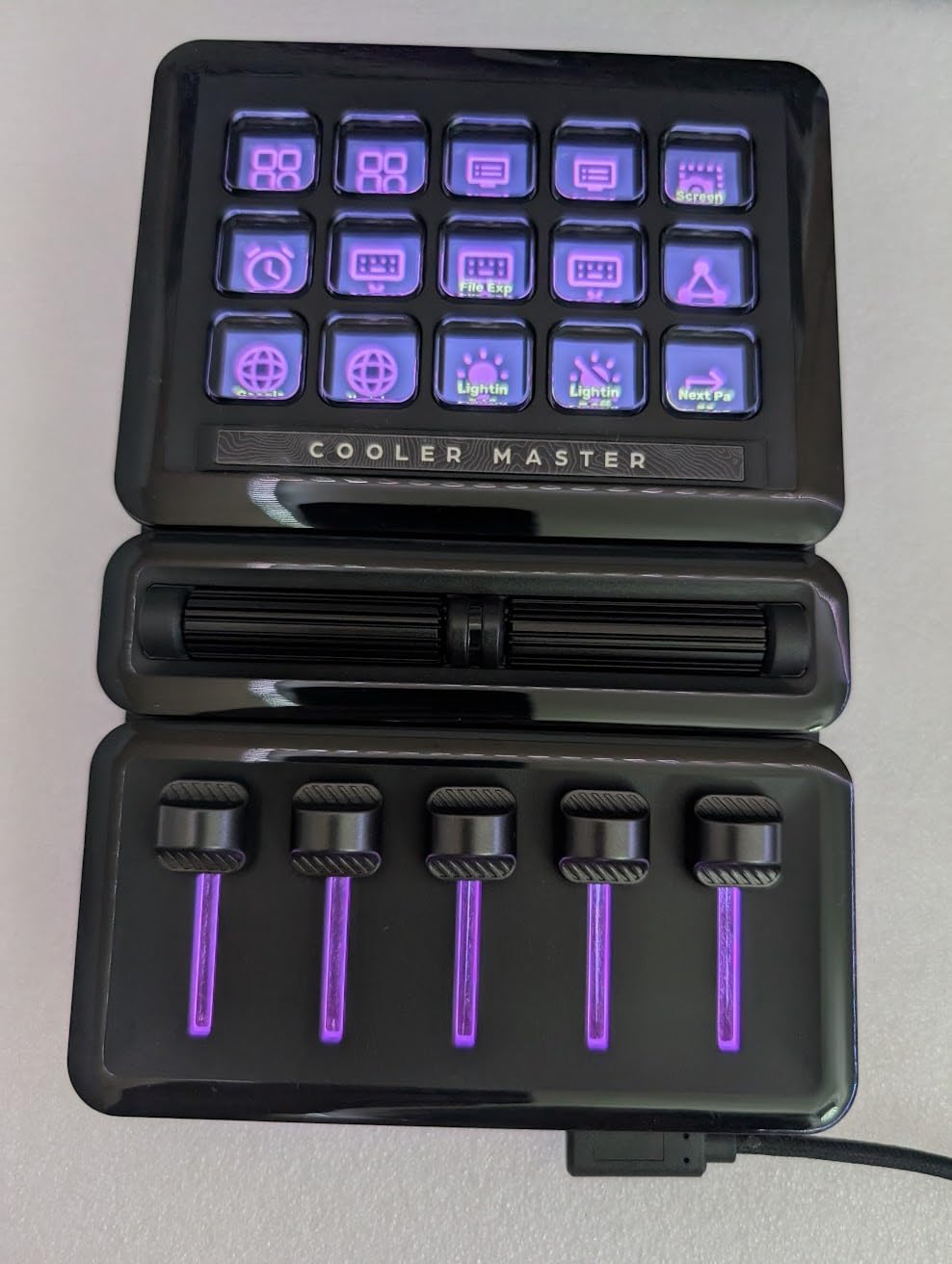
The IPS display keys are bright and crisp, with per-key icon customization through the MasterHUB software. The modular design means you can rearrange the layout for left-handed or right-handed use, or remove modules entirely to save desk space.
The MasterHUB has the lowest rating in this roundup at 3.5 stars, with 24 percent of reviews being 1-star. Common complaints include software bugs, module connectivity issues, and firmware glitches. At this premium price point, those issues are harder to forgive. If you want the modular concept and are willing to deal with potential software headaches, the MasterHUB is unique, but approach with caution.
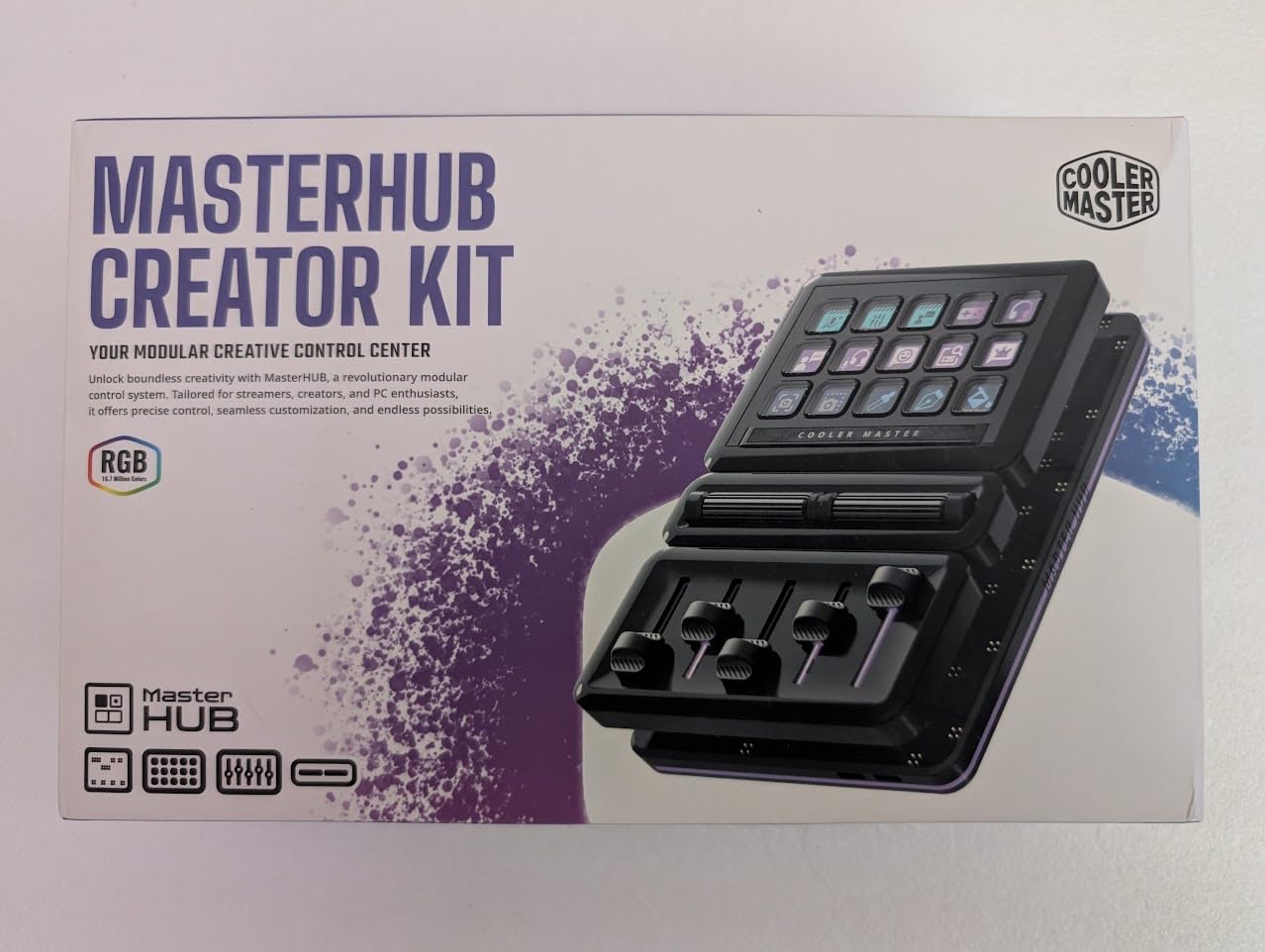
Modular setup and rearrangement
Modules snap magnetically onto a base rail and are auto-detected by the software. You can rearrange the layout in seconds without rebooting or reconfiguring, making it easy to switch between editing and streaming setups.
Software reliability and known issues
The MasterHUB software has known bugs with module detection and firmware updates. Check the Cooler Master support page for the latest firmware before setting up, and report persistent issues to their 2-year warranty support.
Buying Guide: How to Choose the Best Macro Pad Kits?
Choosing the right macro pad comes down to four main decisions: key count and layout, switch type, software and programmability, and connectivity. Here is how I think about each factor after testing 12 models.
Key count and layout
3-key pads like the BTXETUEL Mini are perfect for simple cut-and-paste shortcuts. 9 to 12-key pads like the Vaydeer and BTXETUEL 12 Key work well for gaming and basic macros. 16 to 42-key pads like the KEEBMONKEY Megalodon and Redragon K585 cover complex workflows with room to spare. Numpad-style pads with 19 to 30 keys double as both a number pad and a macro pad for productivity.
Switch type and hot-swap support
Linear switches (red, yellow) are fast and quiet, ideal for gaming and rapid key presses. Tactile switches (brown) give a bump without a click, good for typing. Clicky switches (blue) are loud but satisfying. Hot-swappable sockets let you change switches without soldering, which is a feature I consider essential on any pad in this roundup.
Software and programmability
VIA and QMK support is the gold standard for customization. VIA runs in a browser and lets you remap keys, create layers, and configure macros without writing code. Proprietary software like HUION’s or ActionRing’s is fine if it works well, but it locks you into one ecosystem. Plug-and-play pads like the BTXETUEL 12 Key avoid software entirely, which is great for beginners.
Connectivity: wired vs wireless
Wired USB-C pads have zero latency and never need charging. Bluetooth pads like the HUION KeyDial Mini offer cable-free convenience but can suffer from drop-outs. Tri-mode pads like the BOYI TD31Pro and EPOMAKER EK21 give you the best of both worlds with Bluetooth, 2.4GHz, and wired options.
Encoder knobs and dials
A rotary encoder knob adds physical control for volume, scrolling, brush size, and timeline scrubbing. The KEEBMONKEY Megalodon goes furthest with three clickable knobs. For creative work, a knob or dial is often more useful than additional keys.
Budget considerations
Under $30, the Redragon K585 and BTXETUEL 12 Key are the standouts. In the $30 to $50 range, the HUION KeyDial Mini, EPOMAKER EK21, and ActionRing Streaming Keypad offer the best value. Above $50, the KEEBMONKEY Megalodon and Cooler Master MasterHUB cater to power users who need advanced features.
Frequently Asked Questions
What is the best budget macro pad under $30?
The Redragon K585 DITI at $29.99 is the best budget macro pad under $30. It offers 42 keys, hot-swappable switches, 7 programmable macro keys, RGB lighting, and a USB pass-through port. For an even cheaper option, the BTXETUEL Mini 3-Key at $15.79 provides dedicated cut, copy, and paste keys with plug-and-play simplicity.
What macro pads have RGB lighting?
Most macro pads in this roundup feature RGB lighting. The Redragon K585 DITI offers 5 RGB modes with 16.8 million colors. The EPOMAKER EK21 and BOYI TD31Pro provide per-key RGB customization. The KEEBMONKEY Megalodon uses 16 WS2812 LEDs for bright underglow. The BTXETUEL SayoDevice O3C and BTXETUEL 12 Key also include RGB backlighting.
What is the best macro pad with a knob?
The KEEBMONKEY Megalodon Triple Knob is the best macro pad with knobs, featuring 3 clickable rotary encoders alongside 16 keys. For a single-knob option, the EPOMAKER EK21 VIA has an aluminum alloy volume knob, and the BTXETUEL SayoDevice O3C pairs a knob with an IPS color screen. The TISHLED Wireless Numpad Kit also includes a premium metal volume knob.
What are programmable macro pads used for?
Programmable macro pads are used for gaming shortcuts, streaming controls like OBS scene switching, video editing shortcuts in Premiere Pro and Final Cut Pro, music production hotkeys, photo editing in Photoshop and Lightroom, Discord mute and deafen controls, volume adjustment, copy and paste shortcuts, app launching, and complex multi-step macro sequences that chain multiple actions into a single button press.
Which macro pads work with QMK or VIA software?
The EPOMAKER EK21 VIA numpad and the KEEBMONKEY Megalodon Triple Knob both support VIA software for browser-based key remapping, layer configuration, and macro programming. VIA is the most user-friendly way to customize a macro pad without writing code, and it works with any QMK-compatible PCB.
Conclusion
After testing 12 models, the best macro pad kits in 2026 come down to your specific needs. For rapid-trigger gaming, the BTXETUEL SayoDevice O3C with its Hall magnetic switches is unmatched. For the best overall value, the Redragon K585 DITI delivers 42 keys and hot-swap at an unbeatable price. For streamers and content creators, the ActionRing Streaming Macro Keypad offers LCD keys and dials that rival the Elgato Stream Deck at half the cost. Whatever your workflow, a good programmable keypad will save you time on repetitive shortcuts every single day.