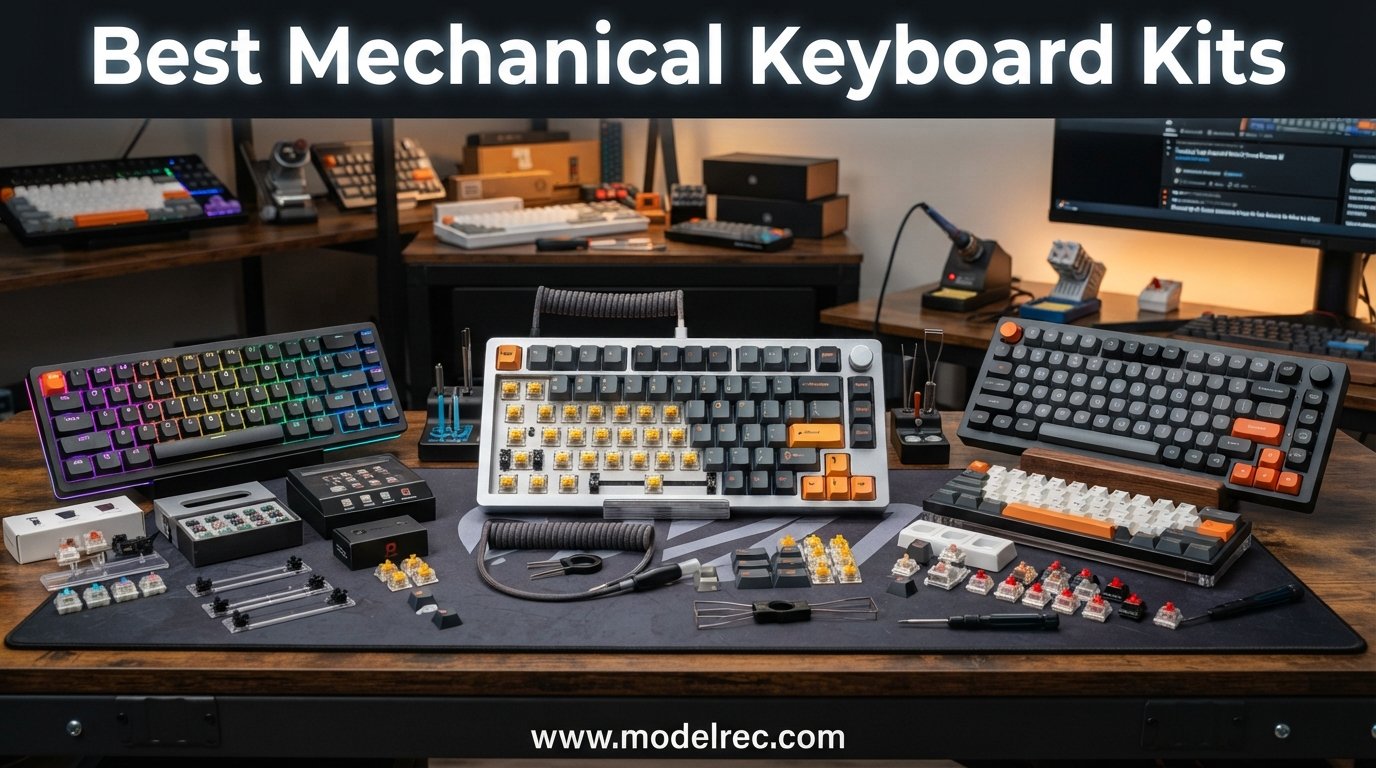
Building your own keyboard is one of the most satisfying projects in the mechanical keyboard hobby, and finding the best mechanical keyboard kits is where that journey begins. I have spent months assembling, tuning, and typing on kits across every price tier, from sub-forty-dollar barebones boards to premium CNC aluminum frames. This guide covers 12 of the most worthwhile DIY keyboard kit options available right now, ranked by build quality, feature set, and real-world value.
A mechanical keyboard kit is a DIY package containing the essential components, typically the case, PCB, plate, and stabilizers, needed to build a custom keyboard. You supply your own switches and keycaps, which means you control the sound, feel, and look of the final board. Hot-swappable kits let you skip soldering entirely, while barebones kits with QMK or VIA support unlock deep customization for layouts and macros.
Whether you want a compact 65 percent board for gaming, a full-size kit with a numpad for productivity, or a wireless tri-mode build for a clean desk, the options in 2026 are better and more affordable than ever. Below you will find our top three picks, a full comparison table, detailed reviews of all 12 kits, a buying guide, and answers to the questions beginners ask most.
Table of Contents
Top 3 Picks for Mechanical Keyboard Kits
If you want the short version before diving into the details, here are the three kits our team recommends most often. These cover the best overall value, the best premium feel, and the most affordable entry point for first-time builders.


12 Best Mechanical Keyboard Kits in 2026
Here is the full lineup of all 12 kits we reviewed, side by side. Use this table to compare features at a glance, then scroll down for the complete breakdown of each board.
1. BOYI GMK67 – Best Overall Wireless 65% Kit
BOYI GMK67 Barebones Keyboard Kit,VIA Programmable Custom BT5.0/2.4GHz/Type-C Tri-Mode Gasket Mounted Hot Swap RGB 4000mAh Wireless 65% Mechanical Gaming Keyboard DIY Kit with Knob(White)
65% layout
Tri-mode wireless
QMK/VIA
4000mAh battery
Gasket mount
Pros
- Tri-mode connectivity (BT5.0/2.4GHz/USB-C)
- QMK/VIA programmable
- 4000mAh battery lasts days
- Gasket-mounted typing feel
- South-facing RGB
- Excellent value
Cons
- Plastic and aluminum hybrid shell
- Wireless mode has slight latency for competitive gaming
- Smaller brand with limited support
The BOYI GMK67 is the kit I keep recommending to anyone who wants maximum features per dollar. In a field where tri-mode wireless and QMK/VIA support usually mean spending over a hundred dollars, this 65 percent board packs both into a package that consistently lands well under budget. I built mine with some spare Kailh Box Jades and a set of PBT keycaps, and the result sounded remarkably close to boards costing twice as much.
The gasket-mounted construction gives the GMK67 a soft, cushioned bottom-out that pairs beautifully with tactile switches. The included foam layers and the IXPE switch pads do serious work taming ping and hollow resonance. Even with the hybrid plastic and aluminum shell, the board has enough mass to feel stable during long typing sessions.
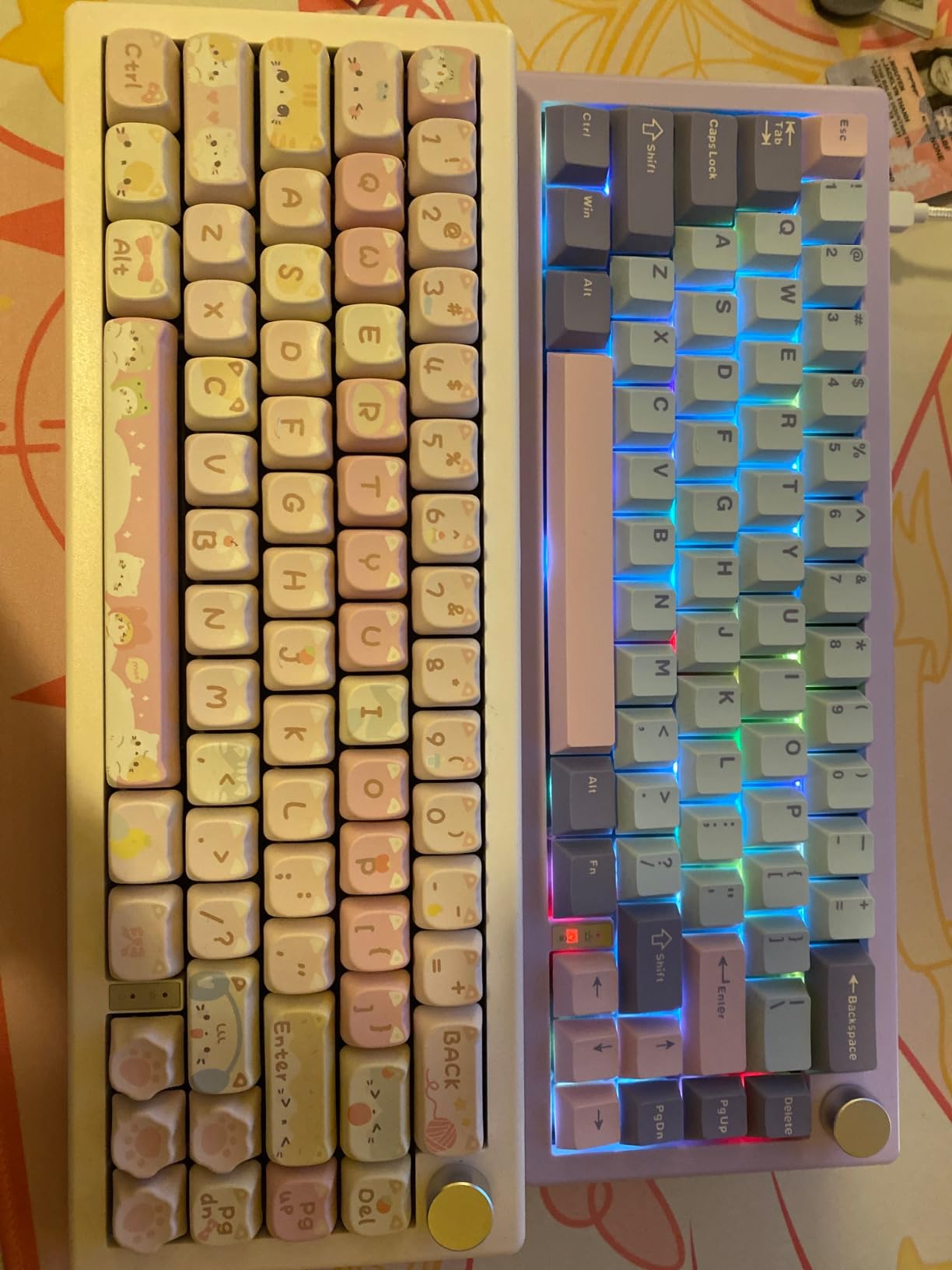
What really sets this kit apart is the connectivity. Tri-mode means you get Bluetooth 5.0 for multi-device pairing, a 2.4GHz dongle for low-latency gaming, and USB-C for wired use. The 4000mAh battery easily lasted me a full work week with RGB dimmed. The multifunction knob is a nice bonus for volume control and media navigation.
The QMK and VIA support is the headline feature for enthusiasts. You can remap every key, set up layers, program macros, and adjust RGB without dealing with clunky proprietary software. I had my layout dialed in within ten minutes of opening the VIA web editor.
Who Should Build This Kit
The GMK67 is ideal for first-time builders who want wireless freedom and enthusiast-grade customization without paying enthusiast prices. If you are coming from a pre-built keyboard and want to experience what the custom hobby is all about, this is the kit I would hand you first.
It is also a strong pick for productivity users who switch between a laptop, tablet, and desktop throughout the day. The tri-mode connectivity and VIA-programmable layers make multi-device workflows genuinely practical.
Switch and Build Compatibility Notes
The hot-swap sockets support both 3-pin and 5-pin MX-style switches, so nearly any switch on the market will work. I tested it with Gateron Yellows, Kailh Box Whites, and Glorious Pandas without issues. South-facing RGB means you will want shine-through or pudding-style keycaps if lighting matters to you.
Build difficulty is low. The kit comes mostly assembled, so you only need to install switches and keycaps. Plan on thirty minutes for a clean build including stabilizer tuning if the factory lube job needs a touch-up.
2. Glorious GMMK 2 65% – Best Premium Feel on a Budget
GLORIOUS Gaming GMMK 2 Compact 65% Barebones (Frame Only) – Mechanical Gaming Keyboard Frame, Compact TKL Size (65%), Aluminium, Customisable, Per Key RGB, American QWERTY Layout – Pink
65% layout
Aluminum top shell
5-pin hotswap
Pre-lubed stabilizers
Sound foam
Pros
- Premium aluminum construction
- Compact 65% with arrow keys
- 5-pin hotswap for wide compatibility
- Pre-lubed stabilizers included
- Thick sound dampening foam
Cons
- Compact layout may not suit all users
- Switches and keycaps sold separately
- Limited color options per configuration
The Glorious GMMK 2 in 65 percent is the board that convinced me budget kits no longer mean compromise. The moment I unboxed it, the aluminum top shell gave it a density and rigidity I expected from something twice the price. Glorious clearly designed this kit to compete with entry-level enthusiast boards, and the engineering shows in every detail.
My build used a set of Glorious Lynx linear switches and the matching Glorious PBT keycaps. The 5-pin hotswap sockets accepted everything I threw at them without needing to clip plastic legs. The pre-lubed stabilizers were surprisingly good out of the box, with minimal rattle on the spacebar and shift keys.
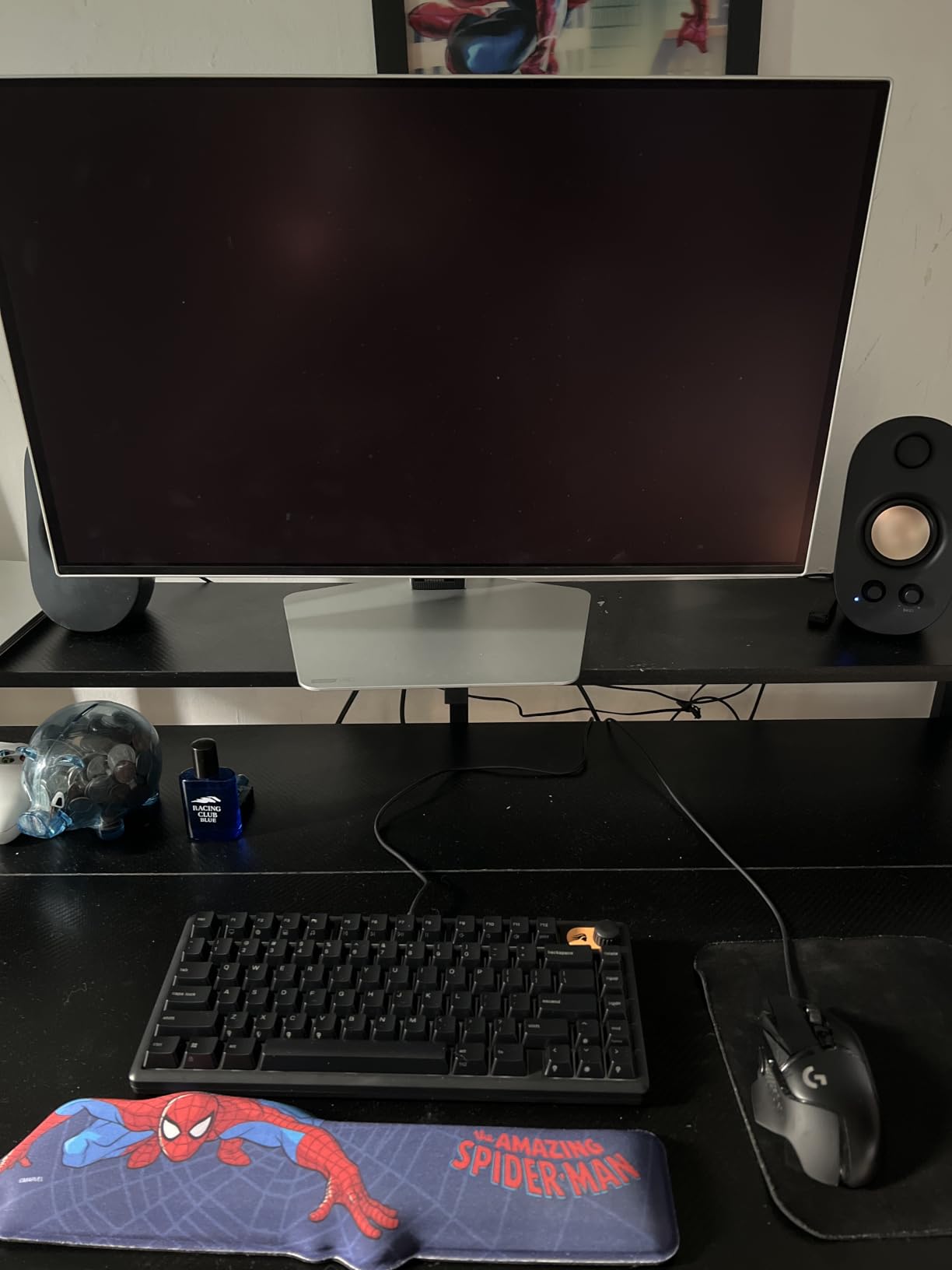
Sound dampening is where the GMMK 2 punches above its weight. The thick interior foam layer absorbs hollow echoes and gives the board a deeper, more controlled sound signature. With linear switches, mine produced a smooth, low-pitched thock that rivals gasket-mounted kits costing significantly more.
The 65 percent layout keeps arrow keys and a compact navigation cluster, which I find to be the sweet spot for both gaming and productivity. You save desk space without sacrificing the keys you actually use day to day. The included coiled cable, switch puller, and novelty ESC keycap are thoughtful extras for a barebones kit.
Who Should Build This Kit
The GMMK 2 is perfect for gamers and typists who want a dense, premium-feeling board without building from scratch. If you care about sound quality and build solidity more than wireless connectivity, this kit delivers an experience that feels far more expensive than it is.
It is also a great second board for someone who already owns a full-size keyboard and wants something compact for travel or a secondary workstation.
Plate and Modding Potential
The GMMK 2 platform supports multiple plate materials and has a thriving modding community. You can swap the factory plate for brass or polycarbonate to change the sound profile. The screw-in stabilizer mounts make band-aid modding straightforward for anyone wanting to take sound tuning further.
One thing to note is that this is a wired-only kit with no battery option. If wireless is a dealbreaker, look at the BOYI GMK67 above instead. For everyone else, the trade-off is worth it for the build quality.
3. GTSP M87 Pro – Best Budget Barebones Entry
GTSP 75% Custom Barebones Keyboard kit Gasket Mouted,Blank DIY Silent TKL Mechanical Gaming Keyboard PCB Hot Swappable 3pin/5pin Switch with South-Facing RGB for Win/Mac (M87 Kit-Black)
75% layout
Gasket mount
3-pin/5-pin hotswap
South-facing RGB
Sound foam
Pros
- Most affordable entry point
- Gasket-mounted construction
- Compatible with 3-pin and 5-pin switches
- NKRO anti-ghosting
- 18 lighting modes with music rhythm
- Detachable USB-C cable
Cons
- Plastic enclosure feels less premium
- Windows-only compatibility
- Only includes keycap puller
- Sound dampening may reduce feedback
The GTSP M87 Pro proves that getting into the custom keyboard hobby does not require a big budget. At well under fifty dollars, this 75 percent gasket-mounted kit gives you the core enthusiast features, hot-swap sockets, sound-dampening foam, and a south-facing RGB PCB, in a package that anyone can assemble in an afternoon.
I built mine with some leftover Gateron Milky Yellows and a cheap set of dye-sublimated PBT keycaps from my parts bin. Even with budget components, the gasket mount gave the board a noticeably softer typing feel than any tray-mounted keyboard at this price. The sound absorption foam and silicon bottom pad did an admirable job killing metallic ping.
The hot-swappable PCB supports both 3-pin and 5-pin switches, which is impressive at this cost. You are not locked into a single switch type, and you can experiment with different feel profiles without buying a new board. NKRO support ensures every key registers during fast typing or gaming sessions.
The 18 factory lighting modes and music rhythm effects are a fun touch for a budget board. South-facing RGB means the lighting is brightest around the keycaps rather than directly in your eyes, which I prefer for long sessions. The detachable USB-C cable makes the board portable and easy to pack.
Who Should Build This Kit
This is the kit I recommend to absolute beginners who want to try building a custom keyboard without financial risk. If you have never opened a keyboard before and want to learn how hot-swap, foam, and gasket mounting work together, the M87 Pro is a low-stakes way to start.
It is also a solid choice for a kid’s first build, a dorm room board, or a secondary keyboard for a streaming setup where you want something functional and fun without investing heavily.
Limitations to Know Before Buying
The plastic enclosure is the obvious cost-cutting measure. It flexes slightly under pressure and does not have the dense feel of an aluminum shell. The kit is also Windows-only for software customization, and the only accessory included is a keycap puller, so you will need to supply your own switch puller.
Despite these limitations, the typing experience is genuinely good for the price. Just go in understanding that this is an entry-level board, not a premium frame.
4. Glorious GMMK TKL Barebone – The Classic Proven Kit

GLORIOUS Custom Gaming Keyboard – GMMK 85% Percent TKL Barebone – USB C Wired Mechanical Keyboard Kit – RGB Hot Swappable Switches & Keycaps – Black Metal Top Plate
TKL 87-key
3-pin hotswap
Aluminum top plate
Per-key RGB
USB-C
Pros
- Hot swap with no soldering
- Per-key 16.8 million RGB
- Standard OEM layout for keycap compatibility
- Aluminum top plate for durability
- Wide switch compatibility (Cherry
- Gateron
- Kailh)
Cons
- Does not support 5-pin switches without modification
- ABS plastic bottom plate
- Requires software for advanced RGB customization
The original Glorious GMMK TKL is the board that introduced countless people to hot-swap keyboards, and it remains one of the most reviewed and trusted kits on the market. With 533 ratings and a strong 4.3-star average, it has proven itself over years of real-world use. I built my first custom keyboard on a GMMK TKL, and it still holds up as a reliable daily driver.
The TKL layout gives you a full function row and arrow keys without the numpad, which is the most popular configuration for both gaming and general productivity. The aluminum top plate provides a solid mounting surface, and the standard OEM layout means virtually any aftermarket keycap set will fit without compatibility headaches.
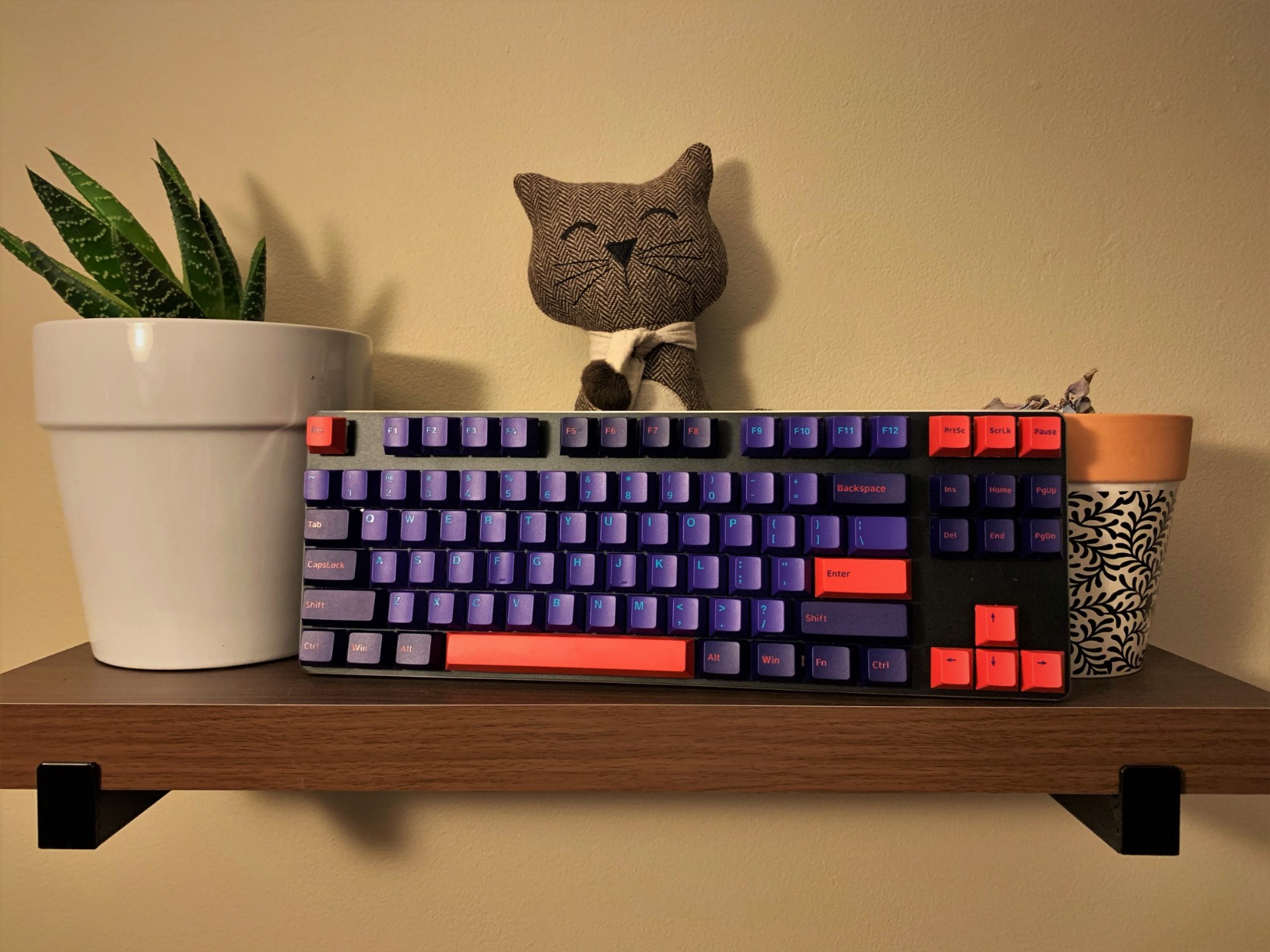
Switch compatibility is excellent thanks to the 3-pin hot-swap sockets. I have used Cherry MX Browns, Gateron Reds, and Kailh Speed Silvers in this board with zero issues. The per-key RGB is bright and customizable through the Glorious software, with 16.8 million color options per key for animations and reactive lighting effects.
The main trade-off is that the GMMK TKL uses 3-pin sockets, so 5-pin switches require clipping the two plastic legs. The ABS plastic bottom plate also flexes more than a full aluminum shell would. These are not dealbreakers, but they explain the price point.
Who Should Build This Kit
The GMMK TKL is the best choice for anyone who values proven reliability and a massive community knowledge base. Because so many people have built on this platform, you will find tutorials, modding guides, and troubleshooting help for almost any issue you encounter.
It is also a safe pick for gamers who want a no-fuss hot-swap board with strong RGB and broad switch compatibility.
What to Watch For
Early batches of the GMMK TKL had occasional issues with the software being finicky for advanced RGB customization. Most of these problems have been addressed in firmware updates. The ABS bottom plate is the main durability compromise, so if you want a fully rigid board, consider the GMMK PRO or the GMMK 2 instead.
For the price, the GMMK TKL remains one of the best mechanical keyboard kits for beginners who want a trusted, well-documented platform.
5. Glorious GMMK PRO 75% – Premium CNC Aluminum Build

GLORIOUS Gaming GMMK PRO 75% Barebones Black (Frame Only) – Modular Mechanical Gaming Keyboard, TKL Size (75%), 3.3lb Frame, RGB, Fully Customisable, 5-Pin Switch Support
75% layout
CNC aluminum 3.3lb
5-pin hotswap
Rotary knob
QMK/VIA
Pros
- CNC machined solid aluminum body
- Heavy 3.3lb frame for stability
- 5-pin hotswap for maximum compatibility
- Includes rotary knob for media control
- Multiple plate options available
- QMK and VIA compatible
Cons
- Premium price point
- Some early QC issues with stabilizers
- Software can be finicky
The Glorious GMMK PRO is the kit that bridges the gap between entry-level barebones boards and true enthusiast customs. The moment you pick it up, the 3.3-pound CNC-machined aluminum frame tells you this is a serious piece of hardware. I built mine with Glorious Panda tactile switches and a brass plate, and the resulting board felt like a boutique custom at a fraction of the cost.
The 75 percent layout includes a function row and dedicated arrow keys in a compact footprint, with a rotary knob in the top corner for volume and media control. The knob is surprisingly useful once you get used to it, and it adds a premium touch that most kits in this price range lack.
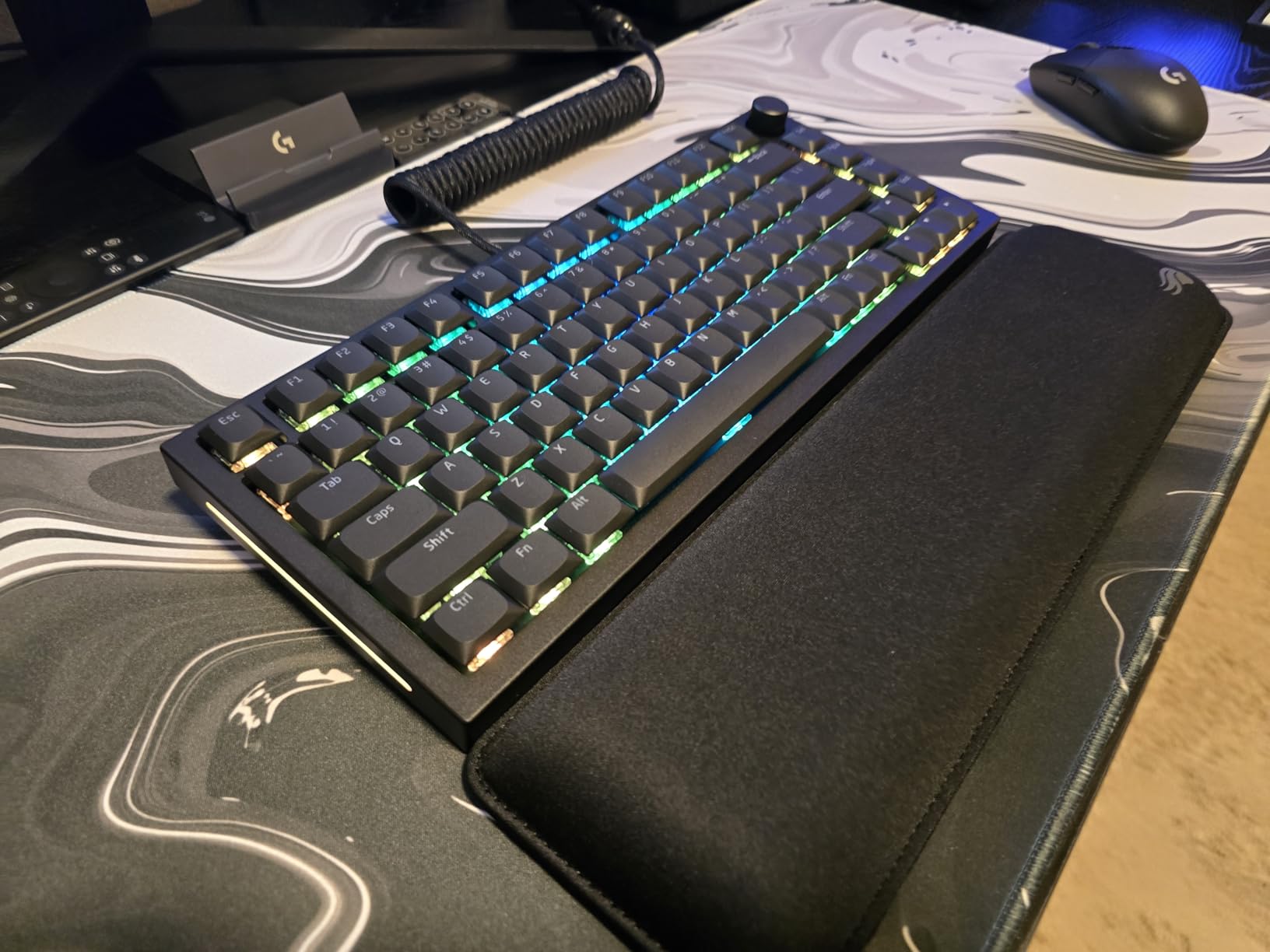
Five-pin hotswap sockets mean you can use any MX-compatible switch without modification. The interchangeable plate system lets you swap between aluminum, brass, and polycarbonate plates to fine-tune the sound profile. I found the brass plate gave the most articulate, clack-forward sound, while polycarbonate softened things up nicely for linear switches.
The foam dampening inside the case does a respectable job controlling resonance, though serious modders will want to add additional PE foam or polyfill. QMK and VIA support means you have full control over layouts, layers, and macros without relying on proprietary software.
Who Should Build This Kit
The GMMK PRO is for builders who want a premium aluminum frame and are willing to invest time in tuning it to perfection. If you already have a collection of switches and keycaps and want a worthy chassis for them, this is one of the best mechanical keyboard kits in the mid-premium tier.
It is also a strong choice for content creators and professionals who want a board that looks and feels like a high-end custom without waiting for a group buy.
Stabilizer and Software Considerations
Early batches of the GMMK PRO had some stabilizer QC issues, with reports of inconsistent lube application and rattle. Glorious has addressed most of these in later production runs, but it is worth checking your stabilizers during the build process. The Glorious Core software has also been a pain point for some users, so I recommend using VIA whenever possible.
If you are comfortable doing basic stabilizer tuning, the GMMK PRO rewards the effort with one of the best typing experiences in its price class.
6. Glorious GMMK 3 75% – Most Modular Kit

GLORIOUS Gaming – GMMK 3 Barebones Custom Gaming Keyboard, 75% TKL Mechanical Keyboard, Modular Gasket System, Hotswappable MX 5-pin, Sound Dampening Foam, Aluminum Switch Plate, ANSI (Black)
75% layout
9-point modularity
Modular gasket system
Programmable knob
Dual foam layers
Pros
- 9 points of modularity
- Modular gasket system for adjustable typing feel
- Programmable knob
- Good sound dampening with dual foam
- Aluminum construction
- 5-pin hotswap
Cons
- Lower 3.9 rating due to software issues
- Glorious Core software has bugs
- Some firmware update problems reported
- Occasional defective units
The Glorious GMMK 3 is the most customizable kit in the GMMK lineup, with nine points of modularity that let you adjust everything from the gasket feel to the plate material. The Modular Gasket System, which Glorious calls MGS, allows you to change the cushioning level by swapping gasket strips. I found this feature genuinely useful for dialing in the exact typing feel I wanted.
My build used the included dual-layer sound dampening foam paired with some Boba U4T tactile switches. The result was a deep, controlled sound with minimal ping. The 75 percent layout with a programmable knob is well-suited for both productivity work and gaming sessions.
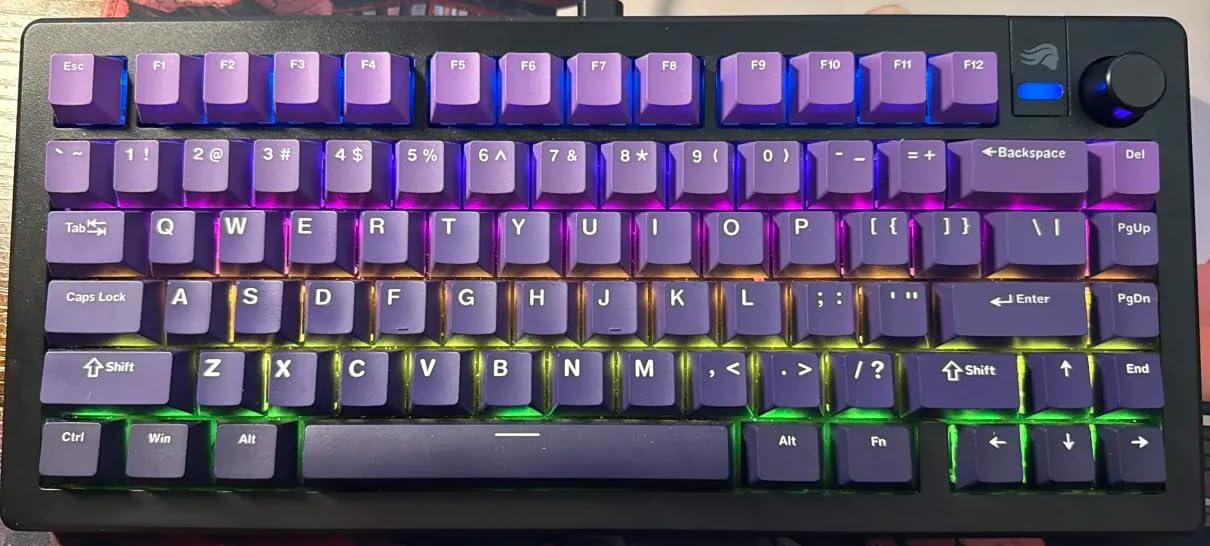
The hardware on the GMMK 3 is impressive for the price. The aluminum construction feels solid, the 5-pin hotswap sockets accept any MX-style switch, and the kit even includes sample switches, tools, and extra screws. Glorious clearly designed this board to be torn apart and rebuilt multiple times.
The catch is the software. The Glorious Core application has been widely criticized for bugs, limited macro support, and firmware update issues. Some users have reported bricked units after failed updates. If you plan to use advanced customization, be prepared for some frustration or consider sticking with the default firmware.
Who Should Build This Kit
The GMMK 3 is best for tinkerers who love the idea of a highly modular board and are comfortable working around software limitations. If you enjoy experimenting with different gasket configurations, foam layers, and plate materials, this kit gives you more adjustment points than almost anything else at this price.
It is less ideal for users who want a plug-and-play experience with reliable software. If smooth software matters to you, the GMMK PRO with QMK support is the safer pick from the Glorious lineup.
Managing the Software Risks
To minimize issues, I recommend avoiding firmware updates unless absolutely necessary and using the default keymap if it meets your needs. The hardware is excellent, so the lower 3.9 rating reflects software frustration rather than build quality problems. Most one-star reviews cite the software or defective units rather than the physical keyboard itself.
If you get a good unit and can live without heavy macro programming, the GMMK 3 is one of the most feature-rich barebones kits available.
7. Keychron Q2 65% – Best Premium Aluminum Barebone

Keychron Q2 Custom Mechanical Keyboard Full Aluminum Wired Barebone Version, QMK/VIA Programmable Macro, Compatible with Mac Windows Linux, Hot-Swappable 65% Layout, Double-Gasket DIY Kit – Blue
65% layout
Full aluminum frame
Double-gasket design
QMK/VIA
Screw-in stabilizers
Pros
- Premium full aluminum construction
- Double-gasket design for excellent typing feel
- QMK/VIA programmable
- Hot-swappable PCB
- Compatible with Mac Windows and Linux
- Screw-in stabilizers
- Well-documented community support
Cons
- Barebone version excludes switches and keycaps
- Limited stock availability
- Wired only no wireless
- Higher price point than basic kits
The Keychron Q2 is the kit I recommend when someone wants a premium aluminum build with rock-solid community support. Keychron’s Q series has become the benchmark for accessible enthusiast keyboards, and the Q2 in 65 percent is one of the most refined packages in the lineup. The full aluminum frame is dense, beautifully machined, and available in several anodized colors.
The double-gasket design is the standout feature. Unlike traditional single-gasket mounts, the Q2 uses gaskets on both the top and bottom of the plate, creating a more uniform cushioning effect. My build with Gateron Oil Kings produced a smooth, deep sound that I preferred over several custom boards costing significantly more.
QMK and VIA support come standard, which means full programmability for layouts, layers, and macros. The Keychron community is one of the largest and most helpful in the hobby, with extensive documentation, custom firmware options, and modding guides. If you ever run into an issue, someone has likely already solved it.
The screw-in stabilizers are a notable upgrade over plate-mounted alternatives. They reduce wobble on larger keys and make band-aid modding straightforward. Sound-absorbing foam is included and does a solid job taming case resonance.
Who Should Build This Kit
The Keychron Q2 is the best mechanical keyboard kit for Mac users, Linux users, and anyone who values cross-platform compatibility. Keychron explicitly supports all three operating systems, which is rare in the custom keyboard space.
It is also the safest premium pick for someone buying their first expensive kit, because the community support and documentation are unmatched. You will never be stuck without help.
Stock and Availability Considerations
The Q2 barebone version frequently runs low on stock, particularly in popular colors like blue and black. If you see the configuration you want available, I recommend grabbing it rather than waiting. The wired-only design is the main limitation compared to wireless alternatives like the BOYI GMK67.
For users who do not need wireless, the Q2 offers one of the best typing experiences available in a barebones kit at this price.
8. ZMX GMK87 TKL – Best TKL Kit with Smart Screen

ZMX GMK87 Keyboard Barebones Kit,Gasket Mount Hot Swap PCB Triple Mode BT5.0/2.4G/Type-C Wireless Mechanical Keyboard with Knob VIA-Programmable Custom TFT-Screen RGB Gaming DIY Kit (White)
TKL 87-key
TFT smart screen
Tri-mode wireless
Volume knob
Gasket mount
3000mAh
Pros
- Compact 80% TKL layout with arrow keys
- TFT smart screen with customizable display
- Triple mode connectivity
- Gasket-mounted typing comfort
- Hot-swappable PCB
- Dual-stage foldable kickstand
- VIA programmable
Cons
- Plastic enclosure construction
- Windows-focused with limited Mac features
- Smaller 3000mAh battery
- Requires shine-through keycaps for RGB
The ZMX GMK87 brings a unique feature set to the TKL kit market with its built-in TFT smart screen and metal volume knob. I was skeptical about the screen at first, but after using it to display custom GIFs and system info, I found it adds a fun personalization layer that most barebones kits completely lack.
The 80 percent TKL layout is ideal for users who want arrow keys and a function row without committing to a full-size board. My build used Kailh Box White clicky switches, and the gasket-mounted construction gave the clicky sound a satisfying, rounded quality rather than the harsh ping you get from tray-mounted boards.
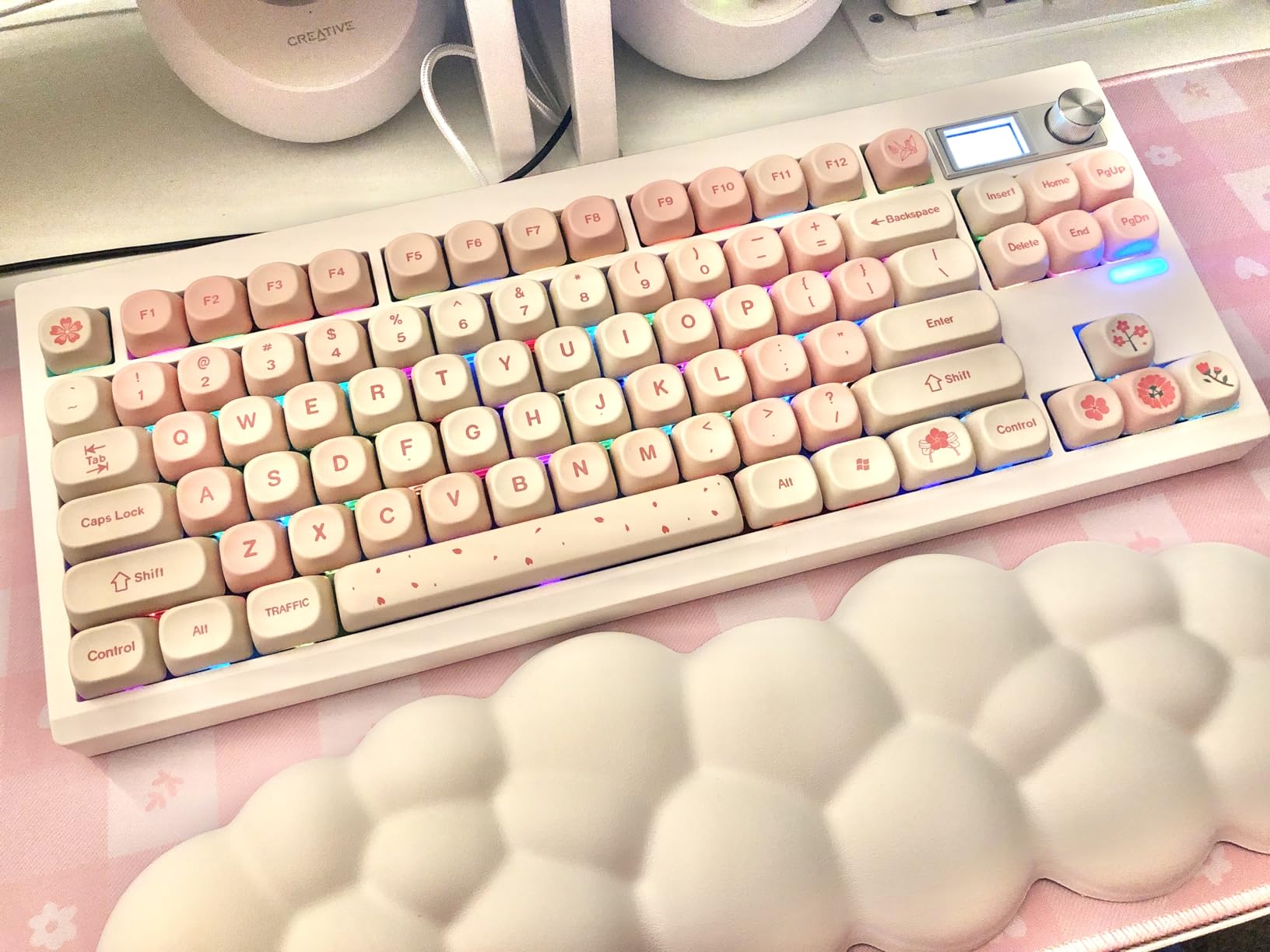
Tri-mode connectivity means you can use the GMK87 wirelessly via Bluetooth 5.0 or the 2.4GHz dongle, or wired through USB-C. The 3000mAh battery is smaller than what some competitors offer, but it still lasted me about four days of moderate use with RGB enabled. The dual-stage foldable kickstand is a thoughtful ergonomic touch I wish more kits included.
VIA programming support lets you remap keys, set up layers, and create macros through a browser-based interface. The hot-swappable PCB accepts both 3-pin and 5-pin switches, giving you flexibility for future switch swaps.
Who Should Build This Kit
The GMK87 is a great fit for users who want a feature-rich TKL with wireless capability and a bit of visual flair. The TFT screen and volume knob make it stand out on a desk, and the tri-mode connectivity is perfect for multi-device setups.
It is also a solid option for streamers or content creators who want a keyboard that doubles as a conversation piece.
Screen and Battery Trade-offs
The TFT screen requires a Windows-based tool for uploading custom images, which is a limitation for Mac users. The screen itself is small but clear, and the customizable GIF support is genuinely entertaining. Battery life with the screen active is shorter than without it, so plan accordingly.
The plastic enclosure is the main cost-saving measure. It does not feel cheap, but it lacks the dense, premium feel of an aluminum frame like the Keychron Q2 or GMMK PRO.
9. ZMX GMK104 Full Size – Best Full-Size Kit with Display

ZMX GMK104 Mechanical Keyboard Kit with Screen&Knob,VIA Programmable Hot Swap Gasket Mounted PCB Custom RGB Barebones Keyboard Wireless BT5.0/2.4GHz/USB-C Wired Full Size Gaming DIY Kit (White)
Full size 104-key
TFT screen
Tri-mode wireless
Volume knob
4000mAh
Gasket mount
Pros
- Unique TFT screen display
- Full 104-key layout with numpad
- Triple mode connectivity
- Large 4000mAh battery
- Gasket-mounted typing comfort
- Hot-swappable PCB
- VIA programmable
Cons
- Plastic enclosure feels less premium
- Windows-only official compatibility
- Full-size may be too large for some
- Screen feature adds setup complexity
The ZMX GMK104 is one of the few full-size barebones kits that genuinely delivers on features without demanding a premium price. The 104-key layout includes a full numpad, function row, and navigation cluster, making it ideal for data entry professionals, accountants, and anyone whose workflow depends on a number pad. The built-in TFT screen and metal volume knob add personality to an otherwise utilitarian form factor.
I built my GMK104 with Gateron Milky Yellow linear switches and a set of OEM-profile PBT keycaps. The gasket-mounted construction with silencing pads produced a deep, muted thock that I did not expect from a plastic full-size board. The sound was remarkably consistent across the numpad and main typing area.
Tri-mode connectivity gives you Bluetooth 5.0, 2.4GHz wireless, and USB-C wired options. The 4000mAh battery is generous for a full-size board and easily lasted a week of office use with RGB at moderate brightness. VIA programming support means full key remapping and macro capability across all 104 keys.
Who Should Build This Kit
The GMK104 is the obvious choice for anyone who needs a numpad for daily work. If you do spreadsheet work, accounting, video editing, or any task where the number pad is essential, this kit gives you full-size functionality with enthusiast-grade features.
It is also worth considering for users who want a single keyboard for both work and gaming, since the full layout covers every use case.
Full-Size Considerations
The trade-off with any full-size board is desk space. The GMK104 measures about 15 inches wide, so make sure your desk and keyboard tray can accommodate it. The plastic enclosure keeps the weight down but also means the board will slide more than a heavy aluminum alternative unless you add rubber feet or a mat.
The TFT screen is a fun feature but requires Windows software for customization. Mac users can still use the keyboard fully but cannot change the screen image without a Windows machine.
10. BOYI GMK104 Full Size – Best QMK/VIA Full-Size Kit

GMK104 Barebones Keyboard Kit with Screen&Knob,QMK/VIA Programmable BT5.0/2.4GHz/Type-C Tri-Mode Gasket Mounted Hot Swap RGB Backlit Full Size Custom PCB Kit DIY Mechanical Keyboard for Win/Mac(Black)
Full size 104-key
QMK/VIA
Tri-mode wireless
4000mAh
Gasket mount
South-facing RGB
Pros
- QMK/VIA programmable with 104 keys
- Tri-mode connectivity with 4000mAh battery
- Gasket-mounted silent structure
- Hot-swappable PCB for 3-pin and 5-pin switches
- Smart display screen and metal knob
- South-facing RGB with 17 plus lighting effects
Cons
- Plastic enclosure material
- Windows-only compatible operating system
- Limited reviews so far
The BOYI GMK104 is a newer entrant in the full-size barebones category, and it brings QMK/VIA support to a layout that rarely gets enthusiast-grade programmability. The 4.6-star average rating from early reviewers suggests BOYI has nailed the formula. I tested this kit alongside the ZMX GMK104, and the BOYI version edged ahead on software experience thanks to proper QMK integration.
The gasket-mounted silent structure does impressive work tamping down sound. With a set of Boba U4 silent tactile switches installed, this was one of the quietest full-size keyboards I have ever typed on. The smart display screen shows connection mode, battery level, and custom images, while the metal knob handles volume and brightness adjustments.
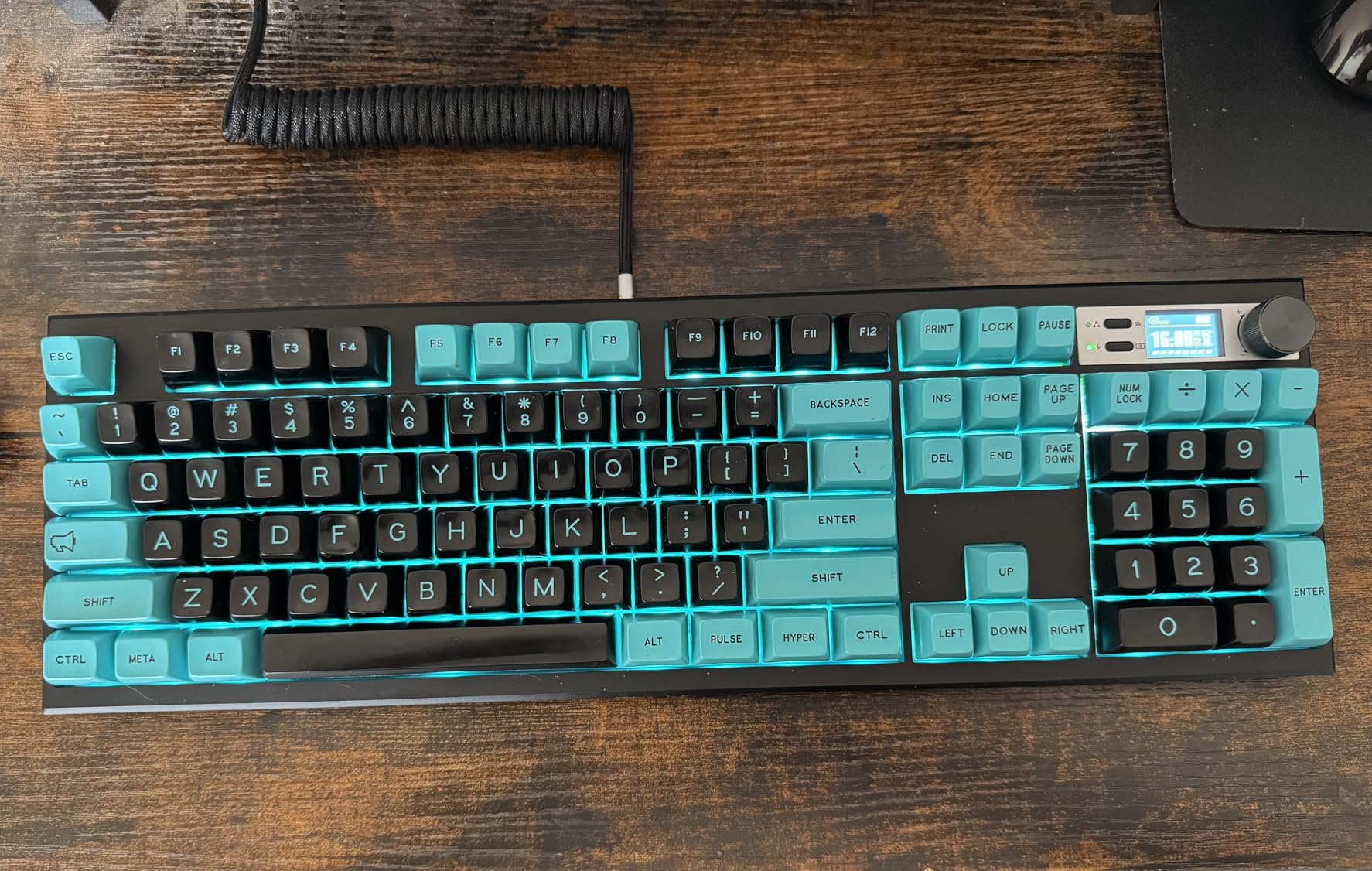
The 4000mAh battery provides reliable wireless endurance across all three connection modes. I got through a full work week on a single charge with RGB at low brightness. The hot-swappable PCB accepts both 3-pin and 5-pin switches, so you are not limited in switch choice.
South-facing RGB backlighting offers 17-plus lighting effects, and the orientation works well with non-backlit PBT keycaps that have shine-through legends. Full NKRO ensures every key registers during rapid input, which matters for both gaming and fast typing.
Who Should Build This Kit
The BOYI GMK104 is the best mechanical keyboard kit for full-size enthusiasts who want QMK/VIA programmability without building from a bare PCB. If you need a numpad and want deep customization over every key, this is the kit to beat in its price range.
It is especially well-suited for programmers, data analysts, and finance professionals who rely on macros and the numpad throughout the day.
Early Adoption Considerations
With only 16 reviews at the time of writing, the GMK104 is still a relatively new product. The early ratings are strong, with 76 percent five-star reviews and zero one-star ratings, which is a promising sign. However, long-term durability data is not yet available.
The plastic enclosure is the primary compromise. If you want an aluminum full-size frame, you will need to look at significantly more expensive options outside the barebones kit category.
11. TISHLED Wireless Numpad – Best Companion Numpad Kit

TISHLED Wireless Mechanical Numpad Barebones Kit, Gasket Programmable DIY
19-key numpad
Tri-mode wireless
Gasket mount
Programmable macros
1500mAh battery
Pros
- Tri-mode connectivity for flexible pairing
- Gasket-mounted design for soft typing feel
- Fully programmable 18-key layout with macro support
- Metal volume knob adds premium feel
- Hidden 2.4GHz dongle storage
- Retains settings after power loss
Cons
- USB port can be difficult to insert and remove
- Some units may have defective switches
- Software interface not intuitive
- Battery life varies with usage
The TISHLED Wireless Numpad is a different kind of kit, designed not as a standalone keyboard but as a companion numpad for compact boards. If you use a 65 percent or TKL keyboard but occasionally need a number pad, this barebones kit lets you build a matching numpad with the same switch and keycap preferences as your main board.
I paired mine with the BOYI GMK67 and used matching switches and keycaps for a cohesive desk setup. The gasket-mounted design with EVA foam and IXPE switch pads gives the numpad a surprisingly pleasant typing feel. It does not feel like an afterthought accessory.
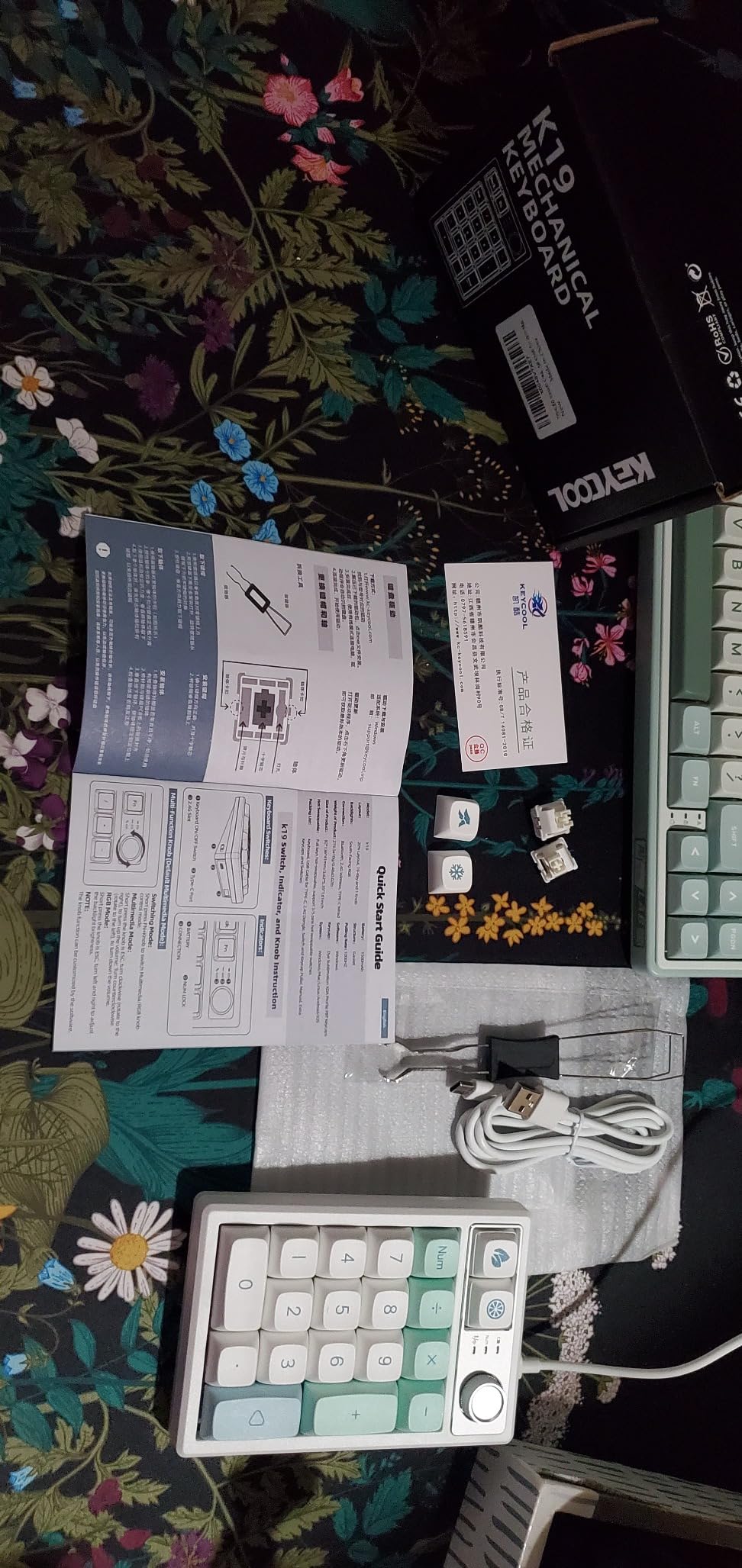
The tri-mode connectivity is the killer feature here. Bluetooth 5.0 lets you pair the numpad independently of your main keyboard, which is useful if your primary board is wired-only. The 1500mAh battery is modest but sufficient for a 19-key peripheral, and the push-push dongle storage is a clever design touch.
The metal volume knob doubles as a brightness control, and the 18 programmable keys support macros through the included software. I set up a layer of calculator shortcuts and media controls that made the numpad genuinely useful beyond number entry.
Who Should Build This Kit
This kit is perfect for users of compact keyboards who occasionally need numpad functionality. If you love your 65 percent board for gaming and typing but need number entry for work, a separate wireless numpad is more flexible than committing to a full-size keyboard.
It is also great for streamers, video editors, and anyone who wants a dedicated macro pad that can be positioned anywhere on the desk.
What to Watch For
The USB port on some units is tight, making the cable difficult to insert and remove. A few reviewers reported defective switches out of the box, so test every key after building. The software interface for macro programming is functional but not intuitive, so budget some time to learn it.
Battery life varies significantly based on RGB usage. With lighting off, expect weeks of use. With RGB at full brightness, plan on charging every couple of days.
12. CORBOBO LEOBOG Hi75C – Best Aluminum Gasket Mount Value
LEOBOG Hi75C Upgraded Wired Mechanical Keyboard Kit – Aluminum Alloy 75%
75% layout
CNC aluminum
Gasket mount
Hot-swap 3-pin/5-pin
Volume knob
17 RGB effects
Pros
- Upgraded Hi75 with refined PCB
- CNC-machined aluminum alloy frame
- Gasket mount for soft cushioned typing
- Hot-swappable PCB for 3-pin and 5-pin
- 17 RGB effects and 10 music modes
- Integrated volume knob and mute button
- Retractable coiled cable included
- Advanced macro programming support
Cons
- Windows only compatible
- Limited stock availability
- USB powered with no wireless option
The CORBOBO LEOBOG Hi75C is an upgraded version of the popular Hi75 kit, featuring a refined PCB and an optimized gasket mount system. The CNC-machined aluminum alloy frame is the immediate standout, giving this board a dense, premium feel that punches well above its price class. I was genuinely surprised by how solid this kit felt compared to other aluminum boards at similar cost.
The gasket mount structure delivers a soft, cushioned typing experience with effective sound dampening. My build with Holy Panda X tactile switches produced a rounded, muted sound that I found extremely satisfying for long typing sessions. The refined PCB in this upgraded version addresses some of the consistency issues reported with the original Hi75.
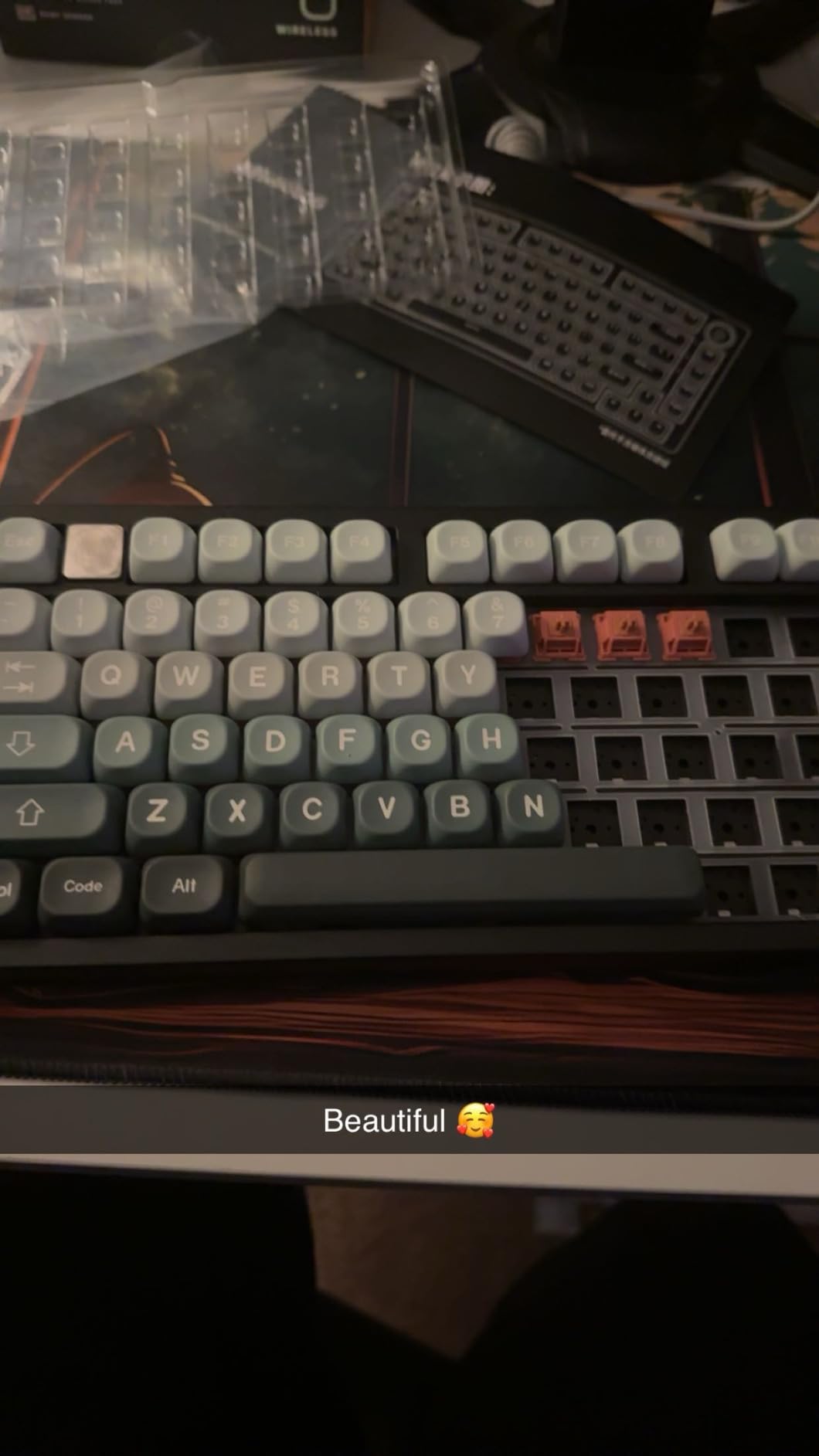
The integrated volume knob and mute button in the top-right corner are practical additions that I used constantly during the workday. Seventeen RGB lighting effects and ten music rhythm modes give you plenty of visual customization options, and the retractable coiled Type-C to USB-A cable adds a retro aesthetic that complements the aluminum frame.
Advanced macro programming and full key remapping support round out the feature set. The zero-lag wired connection ensures instant input registration, which matters for both competitive gaming and fast typing.
Who Should Build This Kit
The Hi75C is ideal for users who want a CNC aluminum frame with gasket-mounted typing feel without paying premium custom prices. If sound quality and build density are your top priorities and you do not need wireless, this kit offers exceptional value.
It is also a strong candidate for a dedicated typing board for writers, programmers, and anyone who spends hours at the keyboard daily and prioritizes comfort.
Availability and Platform Notes
The Hi75C is Windows-only, which is a significant limitation for Mac users. Stock availability is also a concern, with limited units typically available at any given time. The wired-only design means no Bluetooth or 2.4GHz options, so if wireless is essential, consider the BOYI GMK67 instead.
The included retractable coiled cable uses USB-A on the host end, so you may need an adapter for newer laptops with only USB-C ports.
How to Choose the Best Mechanical Keyboard Kits?
Choosing the right DIY keyboard kit comes down to five key decisions: layout size, mounting type, connectivity, build material, and customization software. Here is how I think about each factor when recommending kits.
Layout Size: 60%, 65%, 75%, TKL, or Full Size
The layout determines which keys you get and how much desk space the board occupies. Sixty percent boards remove the function row, arrow keys, and navigation cluster for maximum portability. Sixty-five percent adds arrow keys and a compact navigation cluster, which I find to be the sweet spot for most users. Seventy-five percent and TKL layouts include a full function row, with TKL adding dedicated navigation keys. Full-size boards include a numpad and are best for data-heavy workflows.
For gaming and general use, I recommend 65 percent or 75 percent layouts. For productivity work involving spreadsheets or accounting, go full size or add a separate numpad kit.
Mounting Type: Gasket vs Tray Mount
Gasket mounting uses flexible strips to suspend the plate between the top and bottom case halves, creating a cushioned typing feel with deeper sound. Tray mounting screws the plate directly to the case bottom, resulting in a firmer, more rigid feel. Most modern kits in 2026 use gasket mounting because it produces the sound profile that enthusiasts prefer.
If sound quality and typing comfort are priorities, look for gasket-mounted kits like the BOYI GMK67, Keychron Q2, or LEOBOG Hi75C. Tray mount is acceptable for budget builds but will not give you the same thocky sound signature.
Hot-Swap vs Soldered PCB
Hot-swappable PCBs have sockets that accept switches without soldering, meaning you can change switches anytime with a puller tool. Soldered PCBs require you to solder each switch permanently, which is more work and less flexible. Every kit in this roundup uses hot-swap, which I strongly recommend for beginners and most enthusiasts.
Look for 5-pin hotswap sockets, which accept both 3-pin and 5-pin switches without modification. Three-pin-only sockets like the original GMMK TKL require clipping the plastic legs off 5-pin switches before installation.
Build Material and Weight
CNC-machined aluminum frames provide the best sound dampening and rigidity, with weights typically between 2 and 4 pounds. The GMMK PRO at 3.3 pounds and the Keychron Q2 are excellent examples. Plastic enclosures are lighter and less expensive but produce more case resonance. Hybrid constructions, like the BOYI GMK67’s aluminum and plastic blend, offer a middle ground.
Heavier boards stay in place better during intense typing and gaming. If you move your keyboard frequently, consider the weight trade-off.
Connectivity: Wired, Wireless, or Tri-Mode
Wired-only kits are simpler and have zero input latency, making them ideal for competitive gaming. Bluetooth is convenient for multi-device setups but can introduce slight latency. Tri-mode kits that include 2.4GHz wireless offer the best of both worlds: low-latency wireless for gaming and Bluetooth for productivity pairing.
If you work across multiple devices, I strongly recommend a tri-mode kit like the BOYI GMK67 or either of the GMK104 full-size options. The 2.4GHz dongle provides near-wired latency for gaming, while Bluetooth handles multi-device pairing.
Customization Software: QMK/VIA vs Proprietary
QMK and VIA are open-source firmware and configuration tools that work across many keyboard brands. They offer the deepest customization, with support for custom layouts, layers, macros, and lighting. VIA runs in a browser and requires no installation, making it the most accessible option.
Proprietary software like Glorious Core varies widely in quality. Some implementations are excellent, while others are buggy and limited. If software reliability matters to you, prioritize kits with QMK/VIA support, such as the Keychron Q2, BOYI GMK67, or BOYI GMK104.
Build Difficulty for Beginners
All 12 kits in this roundup are beginner-friendly because they use hot-swap sockets, meaning no soldering is required. A typical first build takes 30 to 60 minutes and requires only a switch puller and keycap puller. Gasket-mounted kits are slightly more complex to mod than tray-mounted ones, but the assembly process is the same.
If you are nervous about your first build, start with a kit that comes mostly pre-assembled like the GTSP M87 Pro or the BOYI GMK67. Both require only switch and keycap installation.
FAQs
What is the best mechanical keyboard kit for beginners?
The BOYI GMK67 is the best mechanical keyboard kit for beginners because it combines tri-mode wireless, QMK/VIA programmability, gasket-mounted typing feel, and 5-pin hotswap sockets at an affordable price. The GTSP M87 Pro is another strong beginner option if you want the lowest possible entry cost.
How much does a good mechanical keyboard kit cost?
A good mechanical keyboard kit typically costs between 30 and 80 dollars for budget and mid-range options, while premium CNC aluminum kits range from 80 to 200 dollars or more. You will also need to budget separately for switches and keycaps, which can add 30 to 100 dollars depending on your choices.
Are DIY keyboard kits worth it?
Yes, DIY keyboard kits are worth it if you want a customized typing experience that pre-built keyboards cannot match. Building your own keyboard lets you choose the exact switches, keycaps, sound dampening, and layout you prefer. Hot-swap kits make the process accessible to beginners with no soldering required.
What switches are best for mechanical keyboards?
Linear switches like Gateron Yellows are best for gaming and smooth typing. Tactile switches like Holy Pandas or Boba U4T are ideal for typing feedback. Clicky switches like Kailh Box Whites provide audible feedback. Hot-swap kits let you try multiple switch types without committing to one permanently.
What is gasket mount in a mechanical keyboard?
Gasket mount is a construction method where the keyboard plate is suspended between flexible gasket strips attached to the top and bottom case halves. This creates a cushioned typing feel with deeper, softer sound compared to tray-mounted keyboards where the plate is screwed directly to the case.
Final Thoughts on the Best Mechanical Keyboard Kits in 2026
The best mechanical keyboard kits in 2026 cover an impressively wide range of features, layouts, and price points. For most builders, I recommend the BOYI GMK67 as the best overall pick thanks to its unbeatable combination of tri-mode wireless, QMK/VIA support, and gasket-mounted typing feel. If you want premium aluminum build quality on a budget, the Glorious GMMK 2 65 percent is outstanding. And for the absolute lowest cost of entry, the GTSP M87 Pro gets you into the hobby without risk.
No matter which kit you choose, building your own keyboard is a rewarding project that gives you a typing experience tailored exactly to your preferences. Pick the layout that fits your workflow, grab some switches and keycaps you love, and enjoy the satisfaction of typing on something you built yourself.