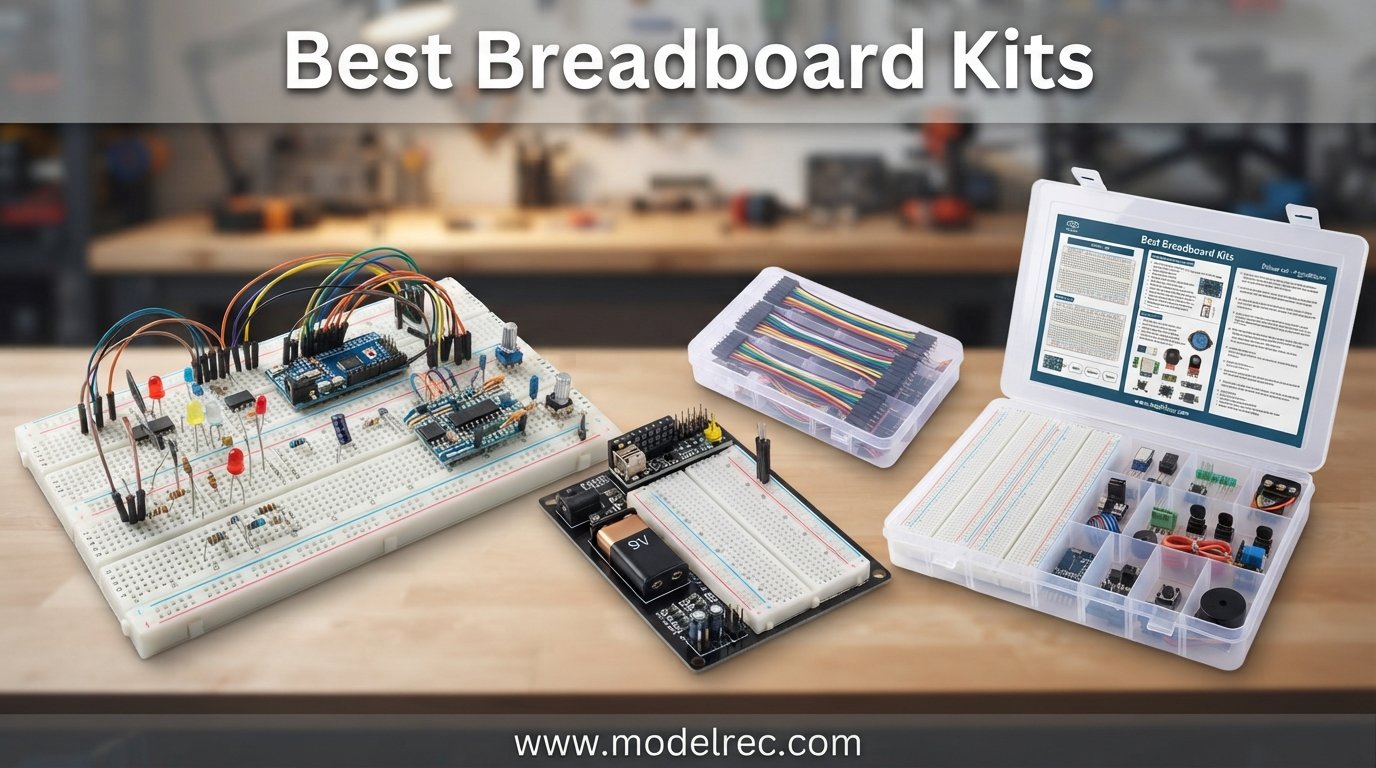
Building your first circuit should feel exciting, not frustrating. The right breadboard kit makes that difference. Whether you are wiring up a simple LED blinker or prototyping a sensor array for an Arduino project, the best breadboard kits give you a solderless platform to test, tweak, and perfect your designs before committing to a permanent build.
Our team spent weeks comparing 10 of the most popular breadboard kits on the market. We looked at contact quality, tie-point counts, included components, power supply options, and real user feedback from communities like Reddit’s r/AskElectronics and the Ben Eater following. We even cross-referenced what experienced makers recommend in forums like All About Circuits and EEVBlog.
If you are shopping for teen electronics hobbyists or just getting started with circuit prototyping yourself, this guide covers everything from budget-friendly component packs to full-featured Arduino starter kits with tutorials. We also reference some electronics wiring supplies that pair well with breadboard work. Let us dive into our top picks for 2026.
Table of Contents
Top 3 Picks for Breadboard Kits

ELEGOO Mega R3 Ultimate Starter Kit
- 200+ Components
- 35+ Lessons
- Mega 2560 Board
- Organized Case

ELEGOO UNO Project Super Starter Kit
- 22+ Lessons
- UNO R3 Board
- Servo and Sensors
- 1 Year Warranty

REXQualis Electronics Component Fun Kit
- 400+ Components
- 830 Tie-Points
- Power Supply Module
- Low Price
10 Best Breadboard Kits in 2026
| Product | Specifications | Action |
|---|---|---|
| ELEGOO Mega R3 Ultimate Starter Kit |
|
Check Latest Price |
| ELEGOO UNO Super Starter Kit |
|
Check Latest Price |
 ELEGOO UNO R3 Most Complete Kit ELEGOO UNO R3 Most Complete Kit |
|
Check Latest Price |
 SunFounder Inventor Lab Starter Kit SunFounder Inventor Lab Starter Kit |
|
Check Latest Price |
| REXQualis Electronics Fun Kit |
|
Check Latest Price |
 ELEGOO Upgraded Electronics Fun Kit ELEGOO Upgraded Electronics Fun Kit |
|
Check Latest Price |
 BOJACK Solderless Breadboard Kit BOJACK Solderless Breadboard Kit |
|
Check Latest Price |
 Makeronics 1660 Breadboard Super Kit Makeronics 1660 Breadboard Super Kit |
|
Check Latest Price |
 JEBHANNE 840Pcs Breadboard Kit JEBHANNE 840Pcs Breadboard Kit |
|
Check Latest Price |
 ELEGOO 3pcs 830 Point Breadboard Kit ELEGOO 3pcs 830 Point Breadboard Kit |
|
Check Latest Price |
1. ELEGOO Mega R3 Ultimate Starter Kit – Most Complete Kit for Serious Beginners
ELEGOO Mega 2560 R3 Project The Most Complete Starter Kit with Tutorial
Mega 2560 Controller Board
200+ Components
35+ PDF Lessons
13.7 x 8.4 x 1.85 inches
2.15 Pounds
Pros
- Over 200pcs premium components
- PDF tutorial with more than 35 lessons
- LCD1602 module pre-soldered
- Organized storage box included
- Great for STEM learning
Cons
- Some jumper wires may be flimsy
- PDF software tutorial outdated
- Resistor leads may be thin for breadboard contacts
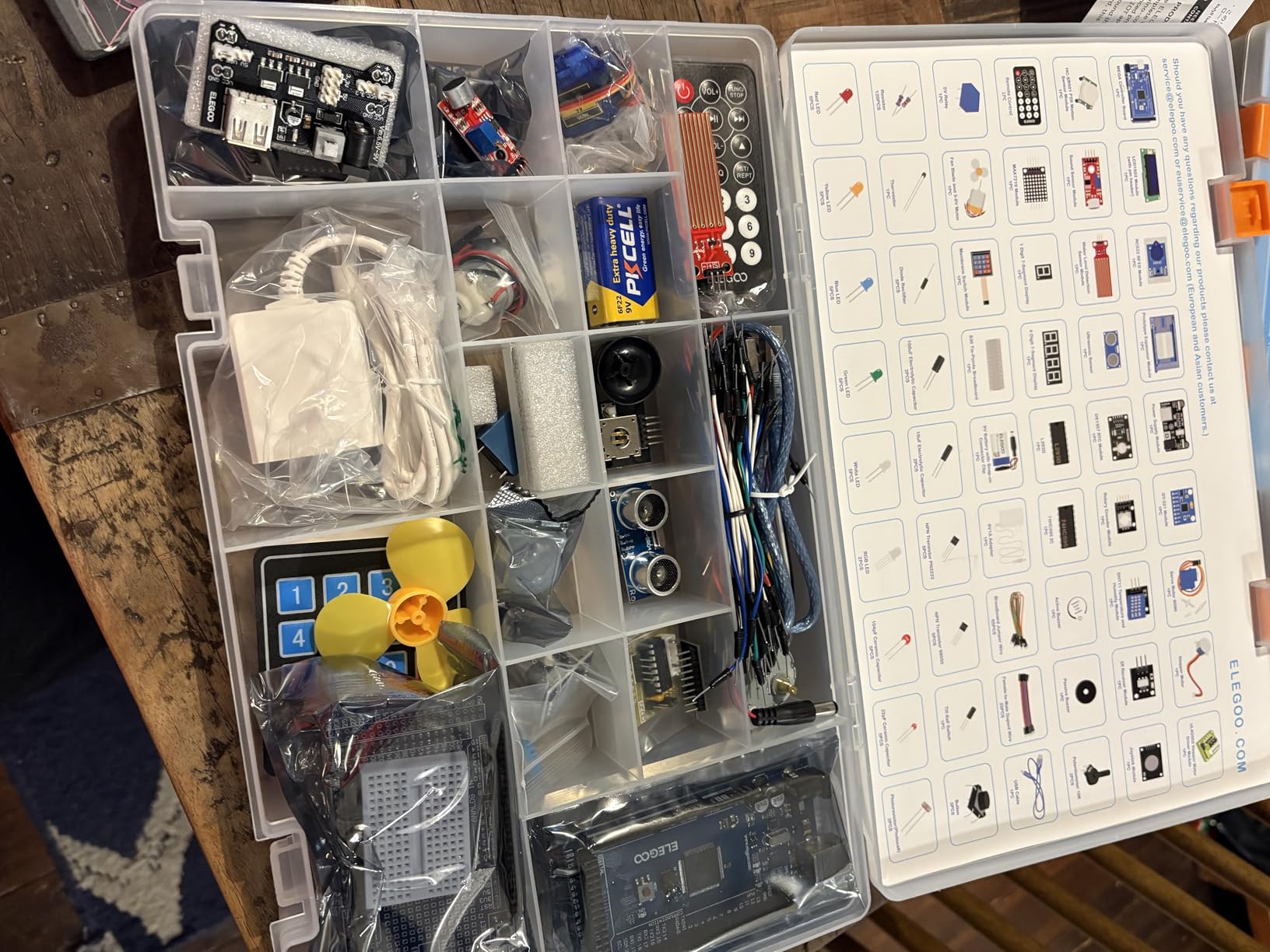
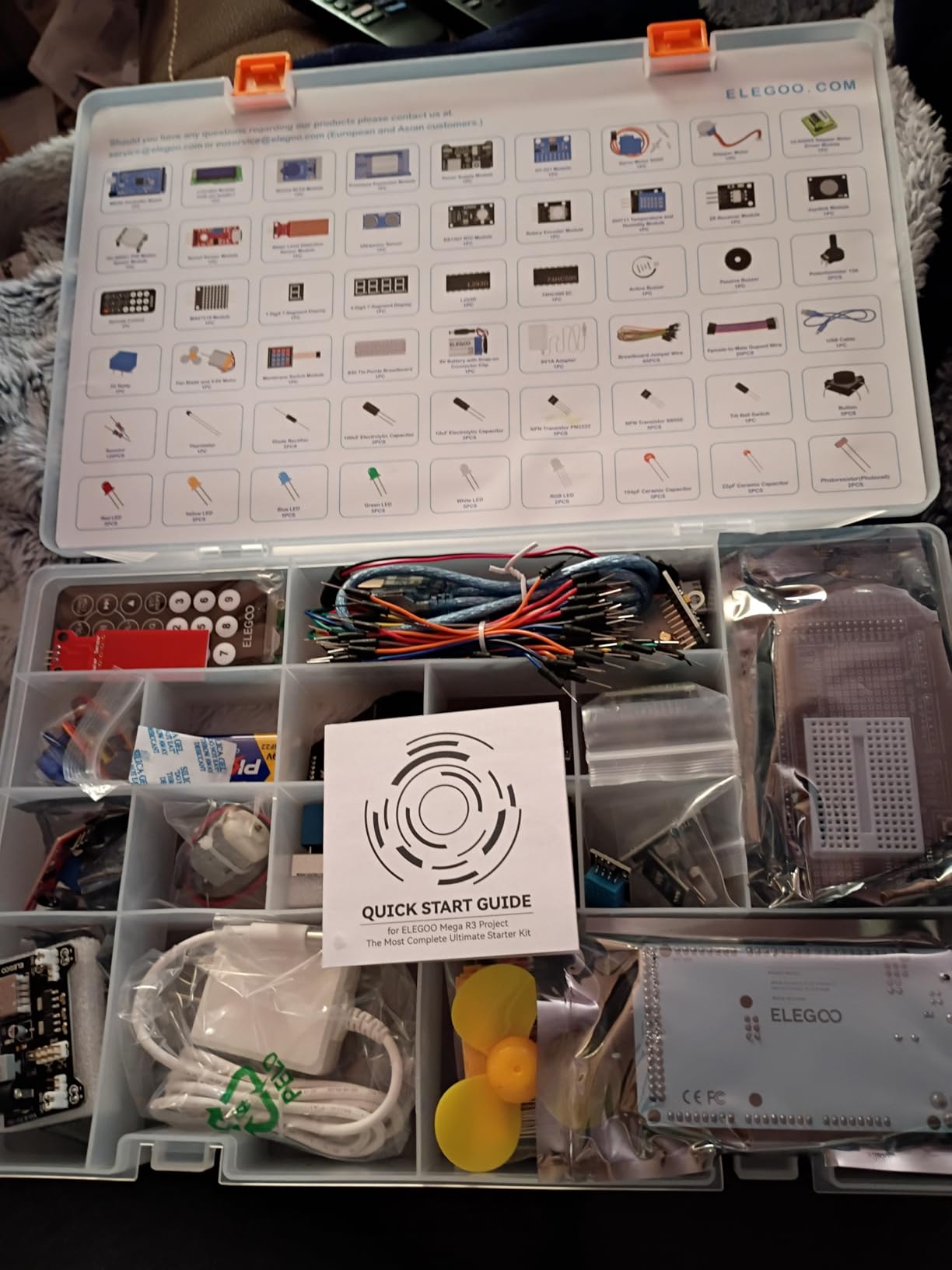
I picked up the ELEGOO Mega R3 Ultimate Starter Kit about six months ago when I wanted to move beyond basic LED circuits into more complex microcontroller projects. Right out of the box, the organization impressed me. Every component sits in its own labeled compartment inside a hard-shell case with a clear lid, so you can see what you have at a glance.
The kit includes the Mega 2560 board, which gives you 54 digital I/O pins compared to the UNO’s 14. That matters when you start building projects with multiple sensors, displays, and motors running simultaneously. I built a weather station with temperature, humidity, LCD output, and an ultrasonic wind sensor all on the same board without running out of pins.
The PDF tutorial walks you through more than 35 lessons ranging from simple LED blinks to driving a 4-digit 7-segment display. I found the lessons generally well-structured, though some of the software installation screenshots look dated compared to what you see in the current Arduino IDE. Beginners might need to do a quick web search for the latest IDE setup steps.
The breadboard itself is a standard 830-point unit. It holds components securely, though I noticed the resistor leads on some of the included resistors felt a touch thin. I had to bend them slightly to get a snug fit in the tie points. Once seated properly, connections stayed solid through days of testing without any intermittent contact issues.
Who Should Buy This Kit
This kit is ideal for beginners who want to jump straight into serious Arduino development without buying components piecemeal. If you have ever felt limited by a basic starter kit and want room to grow into complex projects, the Mega 2560 board gives you that headroom. The organized case also makes it perfect for classrooms or shared makerspaces where parts need to stay accounted for.
Component Quality and Tutorial Depth
The component variety here is what sets this apart from cheaper kits. You get an RGB LED, tilt switch, photoresistor, active buzzer, and the IC 74HC595 shift register along with a full range of resistors from 10 ohm to 1 megohm. The LCD1602 module comes with pin headers already soldered, which saves you from needing a soldering iron to get started. The lessons cover coding, wiring, and the underlying electronics theory behind each project.
2. ELEGOO UNO Project Super Starter Kit – Best Value Arduino Kit
ELEGOO UNO R3 Project Super Starter Kit with PDF Tutorial for Beginners
UNO R3 Controller Board
22+ Lessons
LCD1602 and Servo
8.3 x 5.5 x 1.97 inches
1.2 Pounds
Pros
- 22+ lessons with PDF tutorial
- Most economical Arduino starter kit
- LCD1602 with pre-soldered pin header
- Power supply module and 9V battery included
- 1 year manufacturer warranty
Cons
- Documentation may have minor errors
- Steep learning curve for complete beginners
The ELEGOO UNO Project Super Starter Kit is the best-selling Arduino starter kit on Amazon, and after using it for several projects, I understand why. With over 16,500 reviews and a 4.7-star rating, this kit hits the sweet spot between price and included components. It costs significantly less than the Mega kit while still giving you everything needed to build dozens of projects.
The UNO R3 board included here is the classic Arduino form factor that most tutorials and shields are designed around. If you are following along with online courses, YouTube tutorials, or project books, chances are they use an UNO. Having the matching board means you can follow along without pin-mapping confusion.
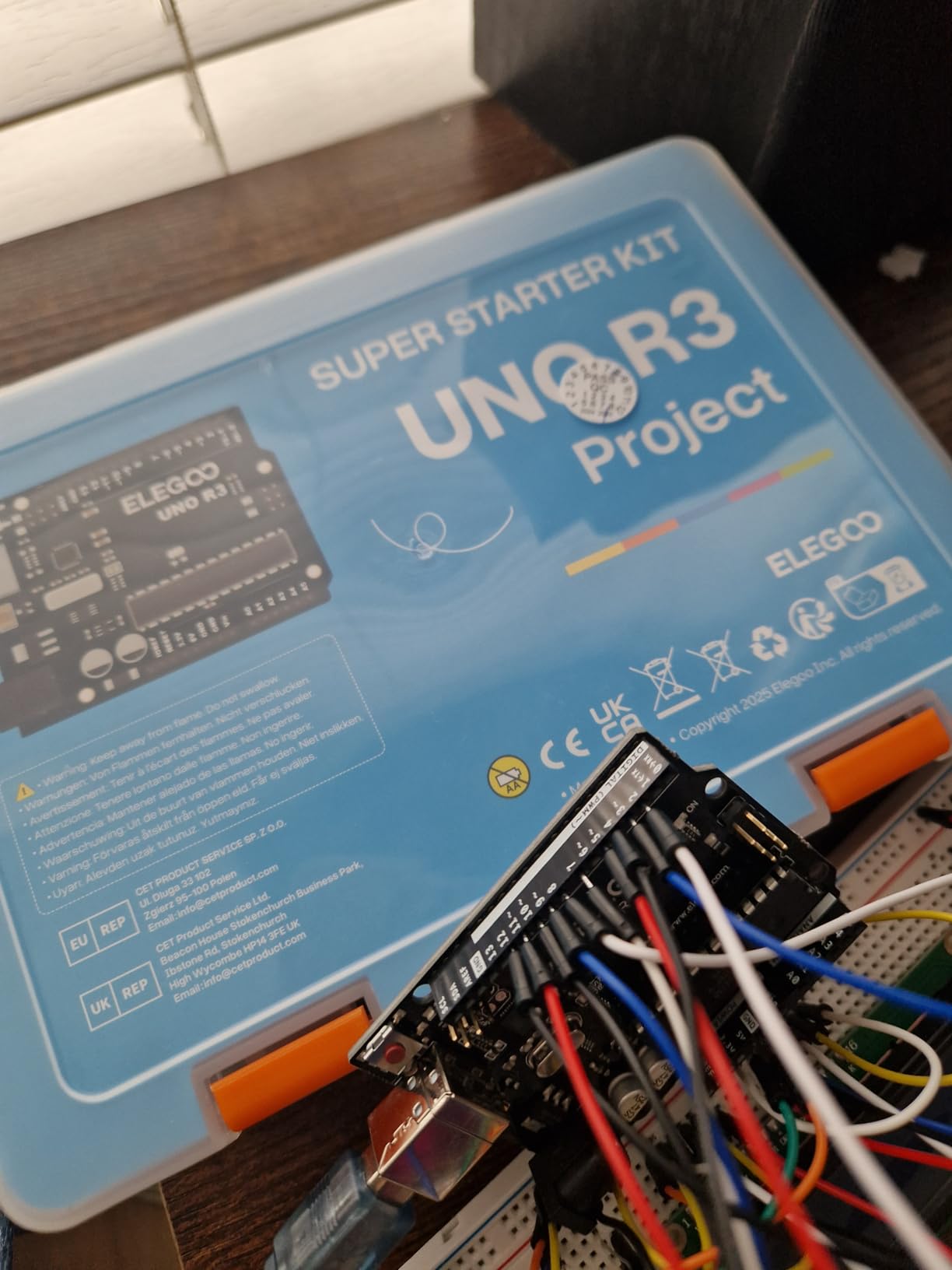
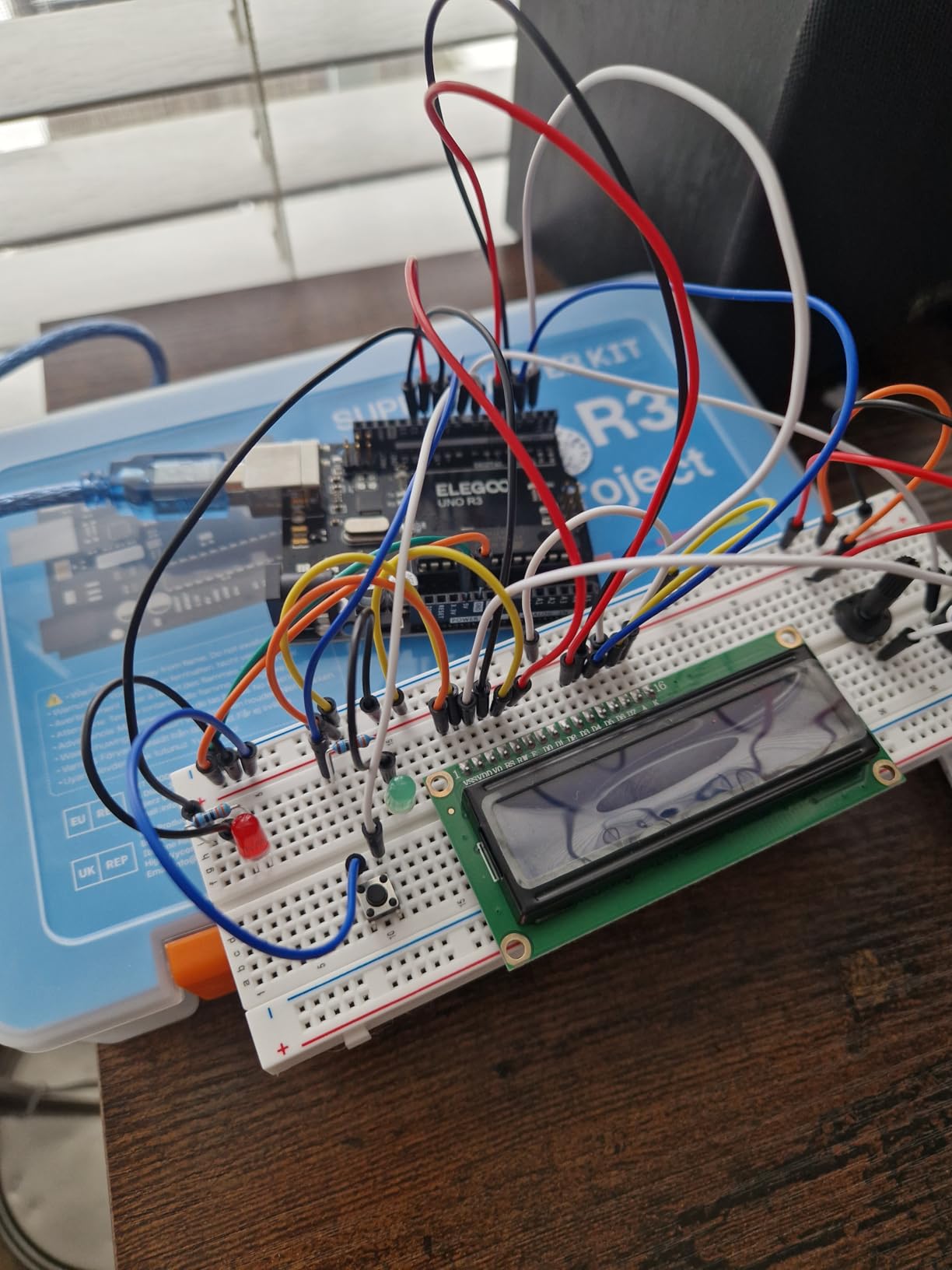
What I appreciated most was the inclusion of real actuators and sensors. You get a servo motor, stepper motor with ULN2003 driver, ultrasonic sensor, DHT11 temperature and humidity sensor, IR receiver, and a 5V relay. These are not just sample parts. They are the same components you would buy individually for real projects. I built an automatic door lock prototype using the servo and ultrasonic sensor within my first weekend.
The power supply module is a nice touch. It snaps directly onto the breadboard and lets you power your circuit from a 9V battery or a DC adapter while providing regulated 3.3V or 5V output. This means you are not tethered to your computer’s USB port once your project is programmed and ready to run standalone.
Ideal Use Cases and Project Range
This kit works best for someone who wants a guided learning path with real-world components. The 22 lessons take you from basic digital output through motor control and sensor reading. It is also compatible with multiple Arduino boards, so if you upgrade to a Mega or Nano later, most of the components and lessons still apply.
What to Watch Out For
The documentation occasionally has minor errors in wiring diagrams, so I recommend cross-referencing with the official Arduino documentation when something does not work as expected. Also, complete beginners with zero programming experience may find the jump into C++ coding steep. If that sounds like you, consider pairing this kit with a structured online Arduino course.
3. ELEGOO UNO R3 Most Complete Starter Kit – Widest Component Variety
ELEGOO UNO R3 Project Most Complete Starter Kit, Compatible with Arduino
UNO R3 Board
63 Item Types
200+ Components
30+ Lessons
RFID and PIR Sensors
Pros
- 63 kinds of products and 200+ components
- Free PDF tutorial with 30+ lessons
- All modules come pre-soldered
- Compartmentalized case with bonus box
- Suitable for all skill levels
Cons
- CD may have missing files
- Some documentation errors
- Windows 11 download compatibility issues
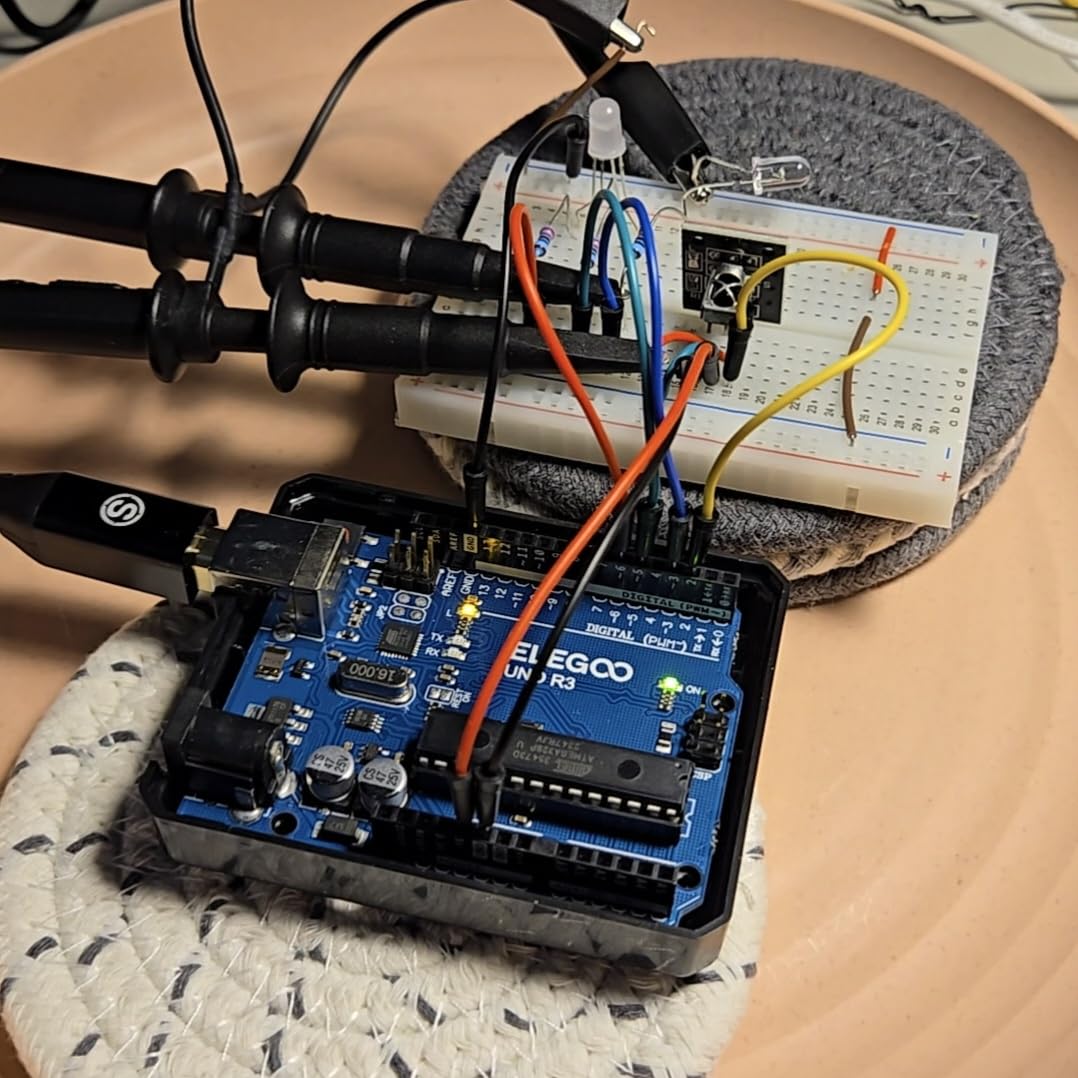
When ELEGOO calls this the “Most Complete” kit, they mean it. I counted 63 distinct component types totaling over 200 individual pieces. This kit goes well beyond the Super Starter Kit by adding an RFID module, PIR motion sensor, water level sensor, rotary encoder, keypad, sound sensor, and a real-time clock module. If you want to build projects that interact with the physical world in varied ways, this is the kit to get.
I spent an entire weekend just exploring the sensor modules. The RC522 RFID reader let me build a simple access control system that unlocks a relay when the right card is presented. The PIR motion sensor triggered a buzzer alarm. The water level sensor detected liquid depth in a cup. Each module comes pre-soldered with pin headers, so you just plug them into the breadboard and connect jumper wires.
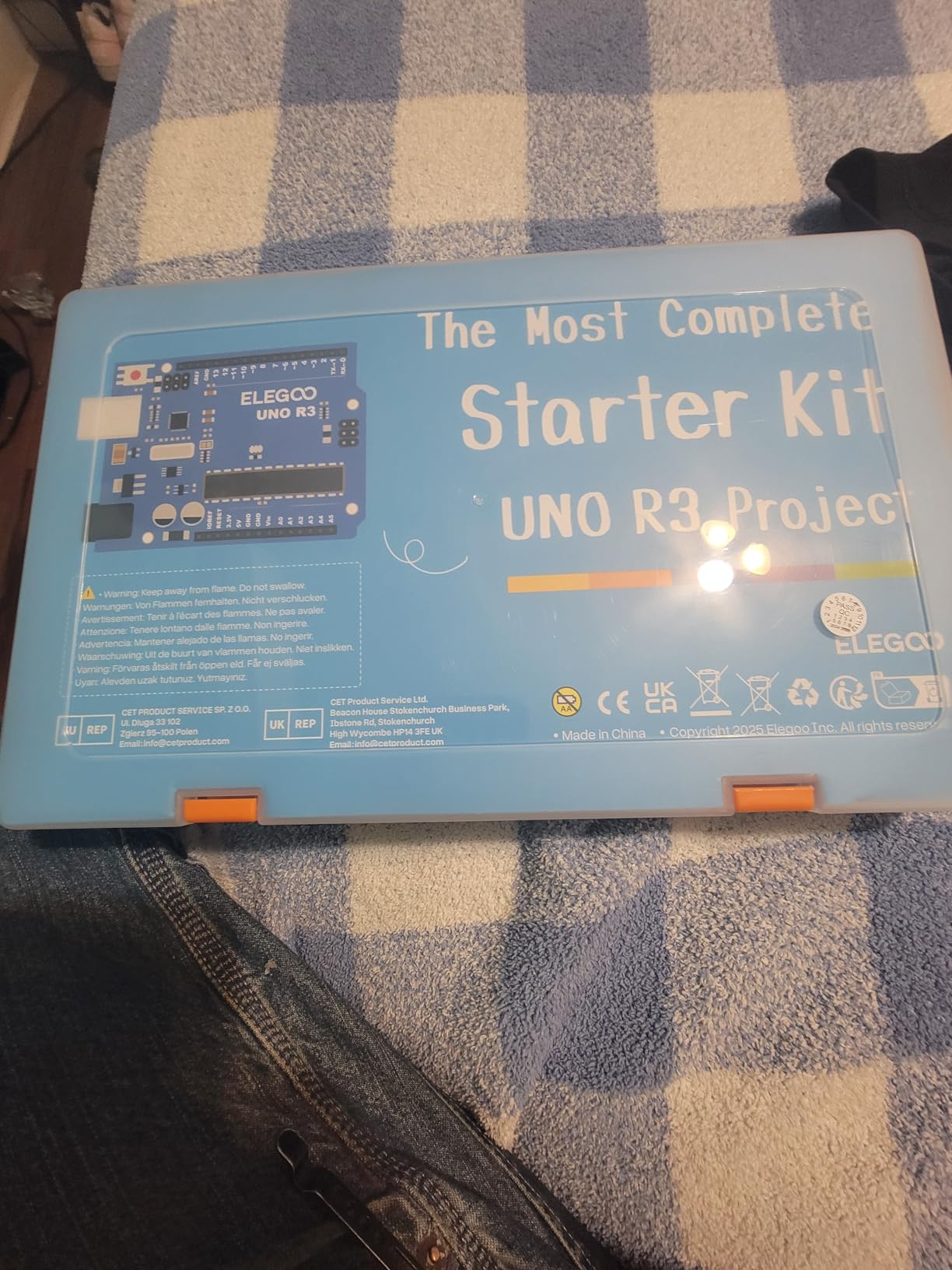
The breadboard is the same reliable 830-point unit ELEGOO uses across their kits. Contact quality is consistent, and jumper wires seat firmly without wobble. The power supply module accepts a 9V battery or DC adapter and provides selectable 3.3V or 5V rails directly on the breadboard.
One thing to note: some users report Windows 11 compatibility issues when downloading the tutorial files from the included CD or online links. I downloaded the PDF directly from ELEGOO’s website without issues, but it is worth checking their site for the latest version of the documentation.
When This Kit Makes Sense
If you already know you want to go deep into Arduino and electronics, skip the smaller kits and start here. The component variety means you will not outgrow this kit quickly. It is also excellent for educators who need a single kit that covers a wide curriculum spanning sensors, displays, motors, and wireless modules.
Sensor and Module Variety Explained
The included modules cover most common input and output scenarios. You get environmental sensors like DHT11 for temperature and humidity, distance measurement with the ultrasonic sensor, human presence with PIR, physical interaction with the keypad and rotary encoder, and identification with RFID. For output, the LCD1602, 7-segment displays, RGB LED, buzzers, relay, servo, and stepper motor give you multiple ways to respond to sensor data.
4. SunFounder Inventor Lab Starter Kit – Premium Pick with Original Arduino Board
SunFounder Inventor Lab Starter Kit with Original Arduino Uno R3 REV3 Multimeter 34 Projects 40+Video Courses RAB Breadboard Holder, RoHS Compliant, for Beginners & Engineers
Original Arduino Uno R3 REV3
34 Projects
40+ Video Courses
Multimeter Included
RAB Breadboard Holder
Pros
- Original Arduino Uno R3 board included
- 34 projects with step-by-step guidance
- 40+ free video courses
- Includes digital multimeter
- RAB Breadboard Holder and RoHS compliant
Cons
- Requires internet access for complete lessons
- Some lessons lack answer keys
- Parts organization could be improved
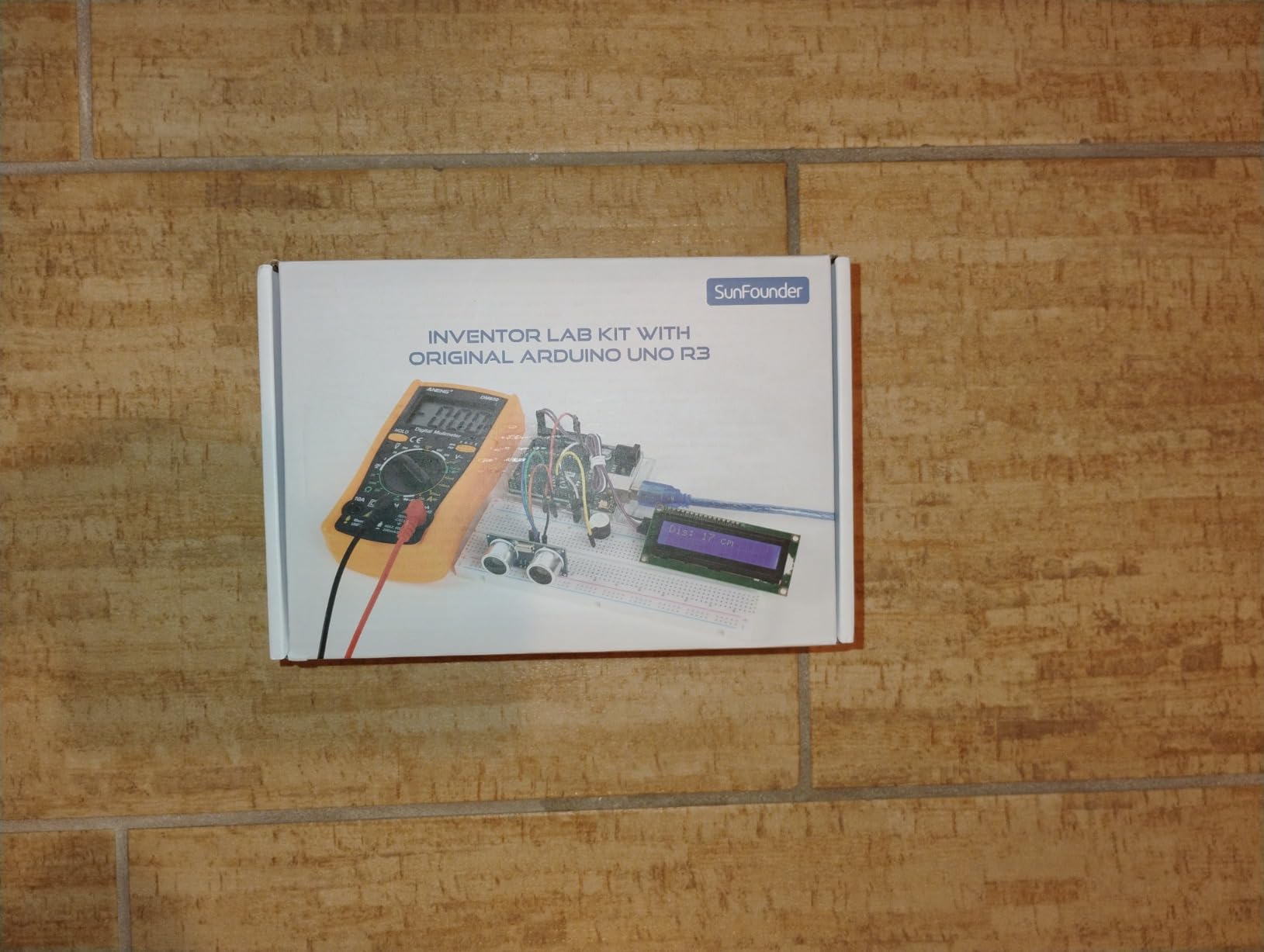
The SunFounder Inventor Lab Starter Kit stands out for one big reason: it includes an original Arduino Uno R3 REV3 board, not a clone. For purists who want the genuine article with full support from the Arduino ecosystem, this matters. The original board has better build quality, more reliable USB communication, and comes with the official Arduino warranty.
Beyond the board, SunFounder includes a multimeter in this kit. Having a multimeter from day one changed how I debug circuits. Instead of guessing why an LED is dim or a sensor reads zero, I can measure voltage, current, and resistance directly. Most starter kits skip the multimeter, which I think is a mistake for anyone serious about learning electronics properly.
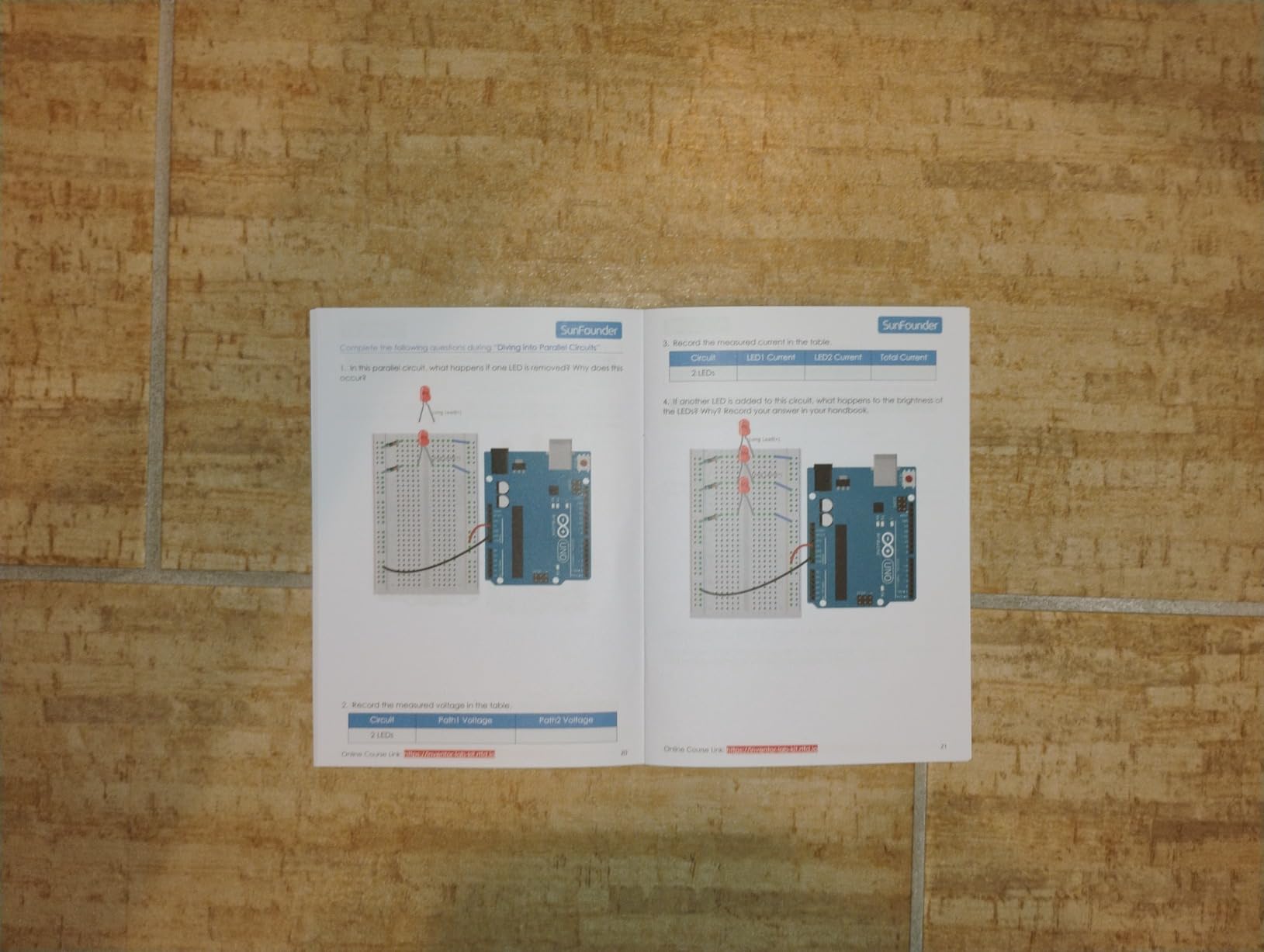
The 34 projects are supported by over 40 video courses. I found the video format much more helpful than PDF-only tutorials because you can see exactly how components are placed and wired. The projects go beyond basics into practical builds like a smart trash can that opens when you approach and an automatic soap dispenser.
The RAB Breadboard Holder keeps your breadboard and Arduino aligned in a fixed position, which prevents the frustration of wires pulling loose when you move things around on your desk. The holder also provides clean cable routing channels underneath.
Video Course Quality and Learning Path
The 40+ video courses follow a structured progression from absolute basics through intermediate projects. Each video walks through wiring, coding, and testing. If you are a visual learner who prefers watching someone build a circuit before trying it yourself, the video format here is a major advantage over text-only tutorials.
Original Arduino vs Clone Boards
Original Arduino boards cost more than clones but offer better USB driver reliability, higher quality components on the board itself, and access to official Arduino support forums. If you have ever struggled with a clone board that randomly disconnects from your computer or fails to upload sketches, you will appreciate the difference. For a premium learning experience, the genuine board is worth it.
5. REXQualis Electronics Component Fun Kit – Best Budget Breadboard Kit
REXQualis Electronics Component Fun Kit w/Power Supply Module, Jumper Wire, 830 tie-Points Breadboard, Precision Potentiometer,Resistor Compatible with Arduino, Raspberry Pi, STM32
400+ Components
830 Tie-Points Breadboard
Power Supply Module
7.87 x 5.11 x 1.81 inches
7.4 Ounces
Pros
- 400+ components for great value
- Individually packaged and labeled
- Sturdy storage box
- Breadboard power supply with USB and barrel plug
- Good quality breadboard contacts
Cons
- No controller board included
- Limited documentation
- Some LEDs may be low quality
- No diagram explaining kit contents
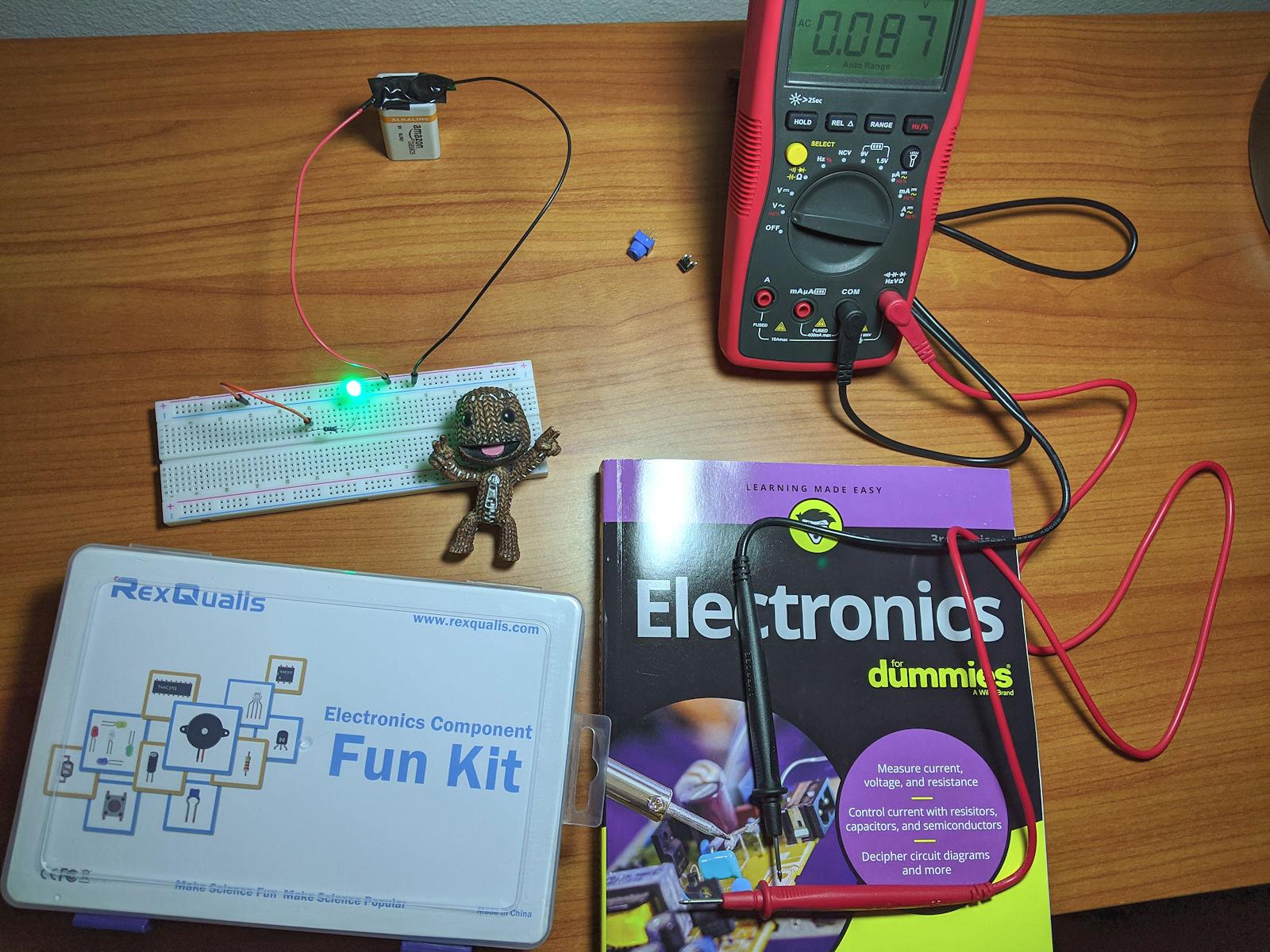
If you already have an Arduino or Raspberry Pi and just need components and a breadboard, the REXQualis Electronics Component Fun Kit is the most cost-effective option I have found. For roughly the price of a fast food meal, you get over 400 components including an 830-point breadboard, power supply module, jumper wires, LEDs, resistors, potentiometers, and transistors.
I bought this kit as a supplement when I needed spare parts for a workshop. The component variety is genuinely useful: you get an assortment of resistors across common values, multiple LED colors, NPN transistors, capacitors, diodes, and precision potentiometers. Everything comes individually bagged and labeled, which makes finding the right part quick.
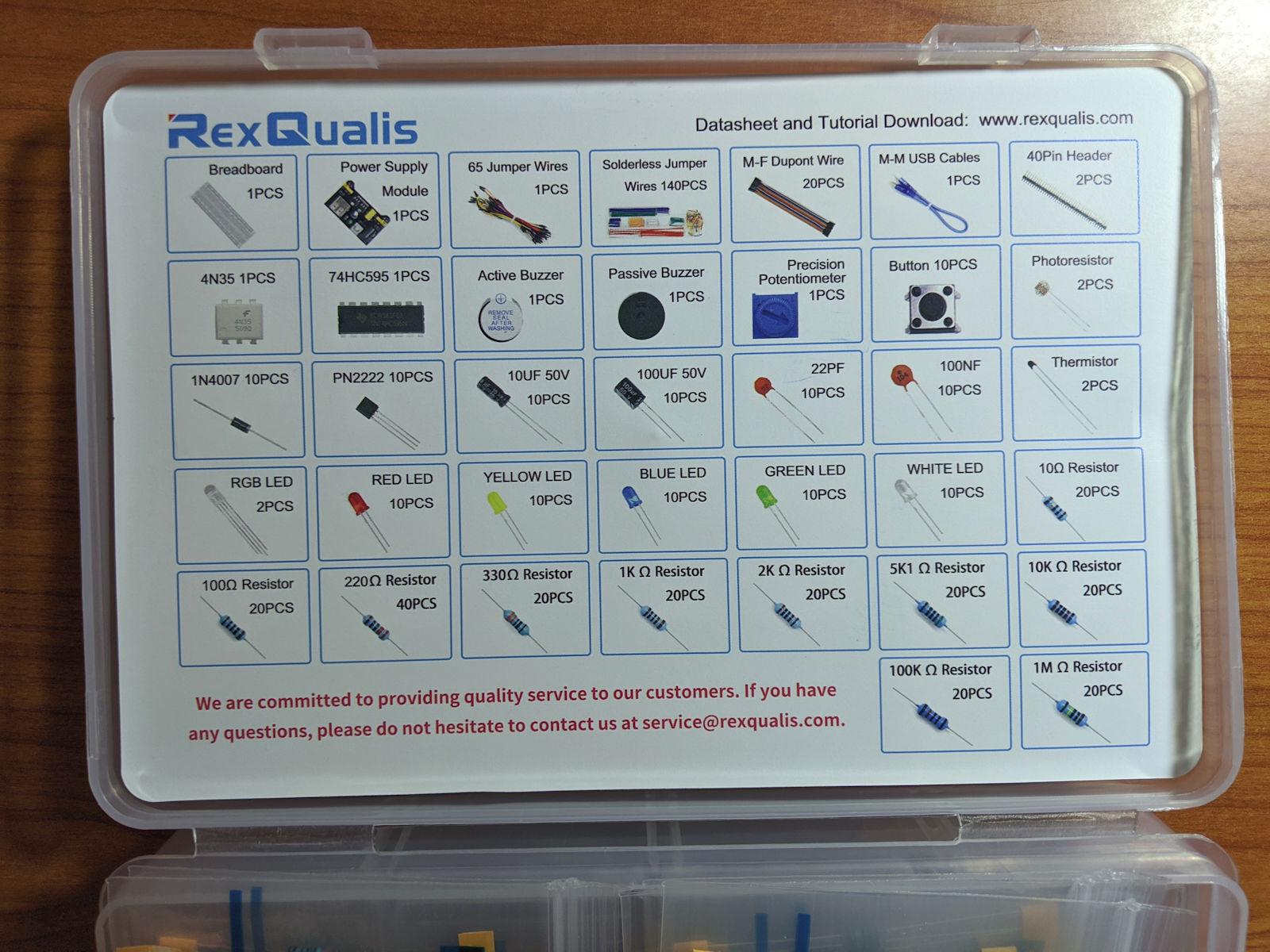
The included power supply module is a standout at this price. It snaps onto the breadboard and accepts power via USB or a barrel jack adapter. You can toggle between 3.3V and 5V output with a jumper. This lets you run breadboard circuits without connecting to a computer, which is handy for portable or demonstration projects.
The breadboard quality surprised me for the price. Contacts hold jumper wires and component leads firmly. I ran a 555 timer oscillator circuit on it for over a week of intermittent use without any connection drops. The board has standard spacing and labels that match Arduino prototype shields.
What This Kit Does Not Include
Be aware that no microcontroller board is included. This is a component kit, not a full starter kit. You need to already own an Arduino, Raspberry Pi, or other microcontroller to make use of most components. If you are starting from zero, look at the ELEGOO kits above instead.
Component Quality at This Price Point
For the price, the quality is solid across the board. The resistors are within tolerance, the potentiometers turn smoothly, and the jumper wires have good contact retention. The LEDs are the weakest link; a few in my batch were dimmer than expected. At this price, replacing a few LEDs is negligible, and the overall value remains excellent.
6. ELEGOO Upgraded Electronics Fun Kit – Best for Component Enthusiasts
ELEGOO Upgraded Electronics Fun Kit w/Power Supply Compatible with Arduino
300+ Components
830 Tie-Points Breadboard
Power Supply Module
Precision Potentiometer
7.3 x 3.5 x 1.7 inches
Pros
- High cost performance with 300+ components
- Datasheet and tutorial available
- Quality components with durable construction
- 830 tie point breadboard holds securely
- Power supply module for 3.3V or 5V
Cons
- Power supply may not supply enough amperage
- Limited documentation and no user guide included
- Requires separate UNO R3 board for tutorial
The ELEGOO Upgraded Electronics Fun Kit occupies the middle ground between bare-bones component packs and full Arduino starter kits. It includes over 300 components with a focus on quality and durability. ELEGOO improved the construction materials compared to their earlier fun kits, and it shows in the feel of the potentiometers and the rigidity of the breadboard.
I used this kit alongside an existing Arduino UNO, and it filled in the gaps nicely. The precision potentiometer has a smooth rotation with clear detents, which makes it much better for user input projects than the cheap trim pots in some kits. The 830-point breadboard holds components firmly without the loose feeling I have experienced with some no-name boards.
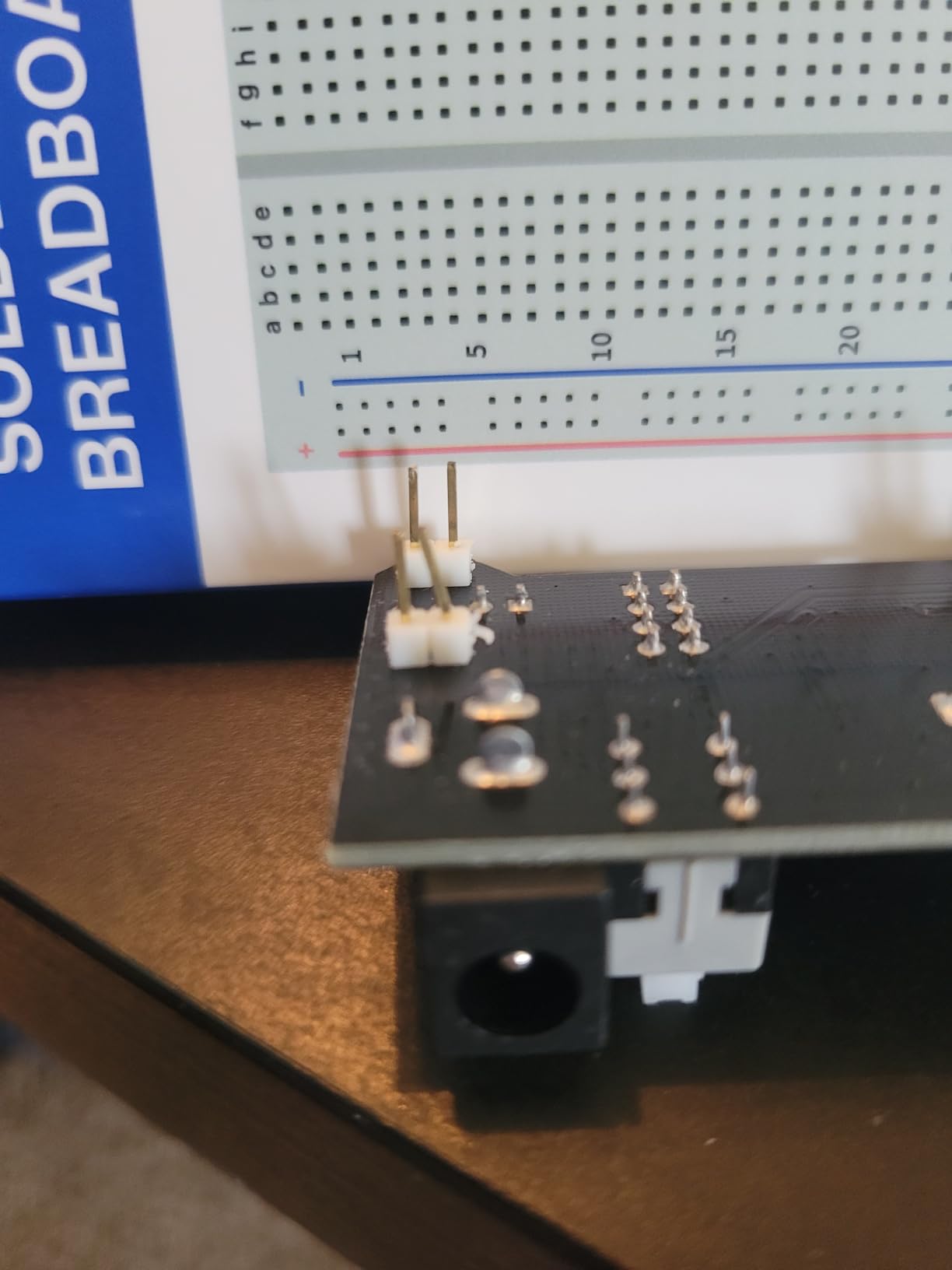
The power supply module works well for low-current circuits like LED arrays, sensor reading, and logic gate experiments. However, if you plan to drive motors, LCD displays with backlights, or multiple servos simultaneously, the amperage output may fall short. For those projects, I recommend using a dedicated bench power supply or battery pack instead.
Organization is a strength here. Components arrive in a compact carton box with internal dividers. Everything has a designated spot, and the box closes securely so small parts do not migrate between compartments during transport.
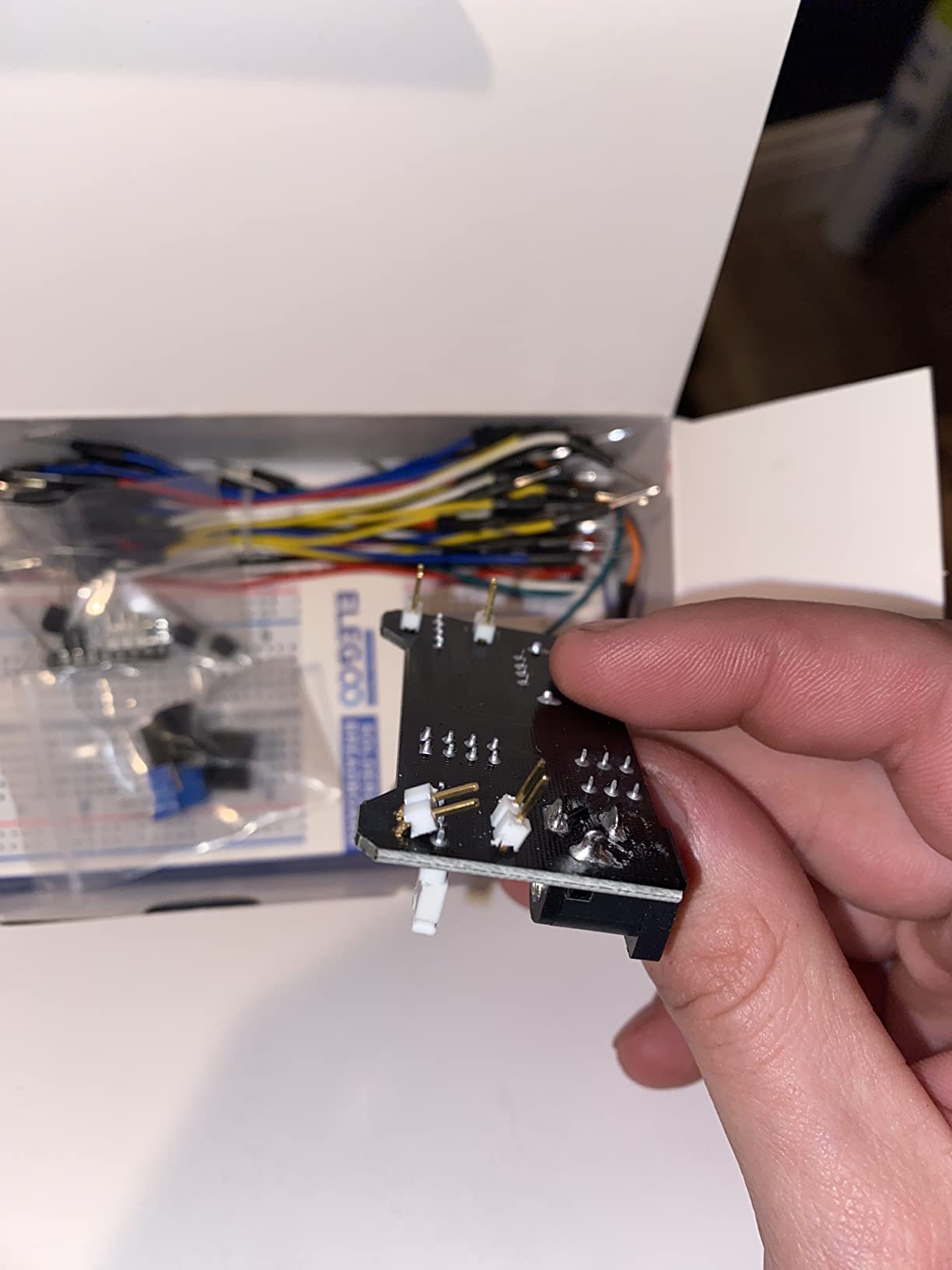
Power Supply Limitations
The included power supply module provides regulated 3.3V and 5V from a USB source or barrel jack. It works fine for digital logic, LEDs, and most sensors. But for current-hungry loads like servo motors or LCD backlights drawing more than a few hundred milliamps, the voltage may sag. Plan to use external power for high-drain components.
Best Uses for This Component Kit
This kit shines as a expansion pack for someone who already has a microcontroller and wants a well-organized library of common components. It is also a solid choice for educators who need bulk components for classroom sets without paying for duplicate controller boards. The quality is a noticeable step up from the cheapest generic kits on Amazon.
7. BOJACK 3 Values 130 Pcs Solderless Breadboard Kit – Best Multi-Board Value
BOJACK 3 Values 130 Pcs Solderless Breadboard 4 Pcs 830 Tie Points & 400 Tie Points & 126 Pcs Flexible Breadboard Jumper Wires
3 Solderless Breadboards
830 and 400 Tie-Points
126 Jumper Wires
ABS Plastic
Tin Plated Phosphor Bronze
Pros
- High quality breadboards with dependable connections
- Interlocking tabs and adhesive pads
- Two sizes for flexible setups
- Well built and reasonably priced
- Rounded jumper ends for good grip
Cons
- Several defective jumpers reported
- Loose fit in some holes
- Low quality internal contacts on some units
- Rubber tips may block adjacent holes
The BOJACK breadboard kit is for people who need multiple boards without paying for components they already own. You get three breadboards in two sizes: one full-size 830-point board and two compact 400-point boards. This setup is perfect for building modular circuits or running parallel experiments on separate boards.
I use the 830-point board for my main circuit and the two 400-point boards for breakout sub-circuits. For example, I built a sensor conditioning circuit on one 400-point board and connected it to the main processor circuit on the 830-point board with a few jumper wires. This modular approach keeps complex projects organized and debuggable.
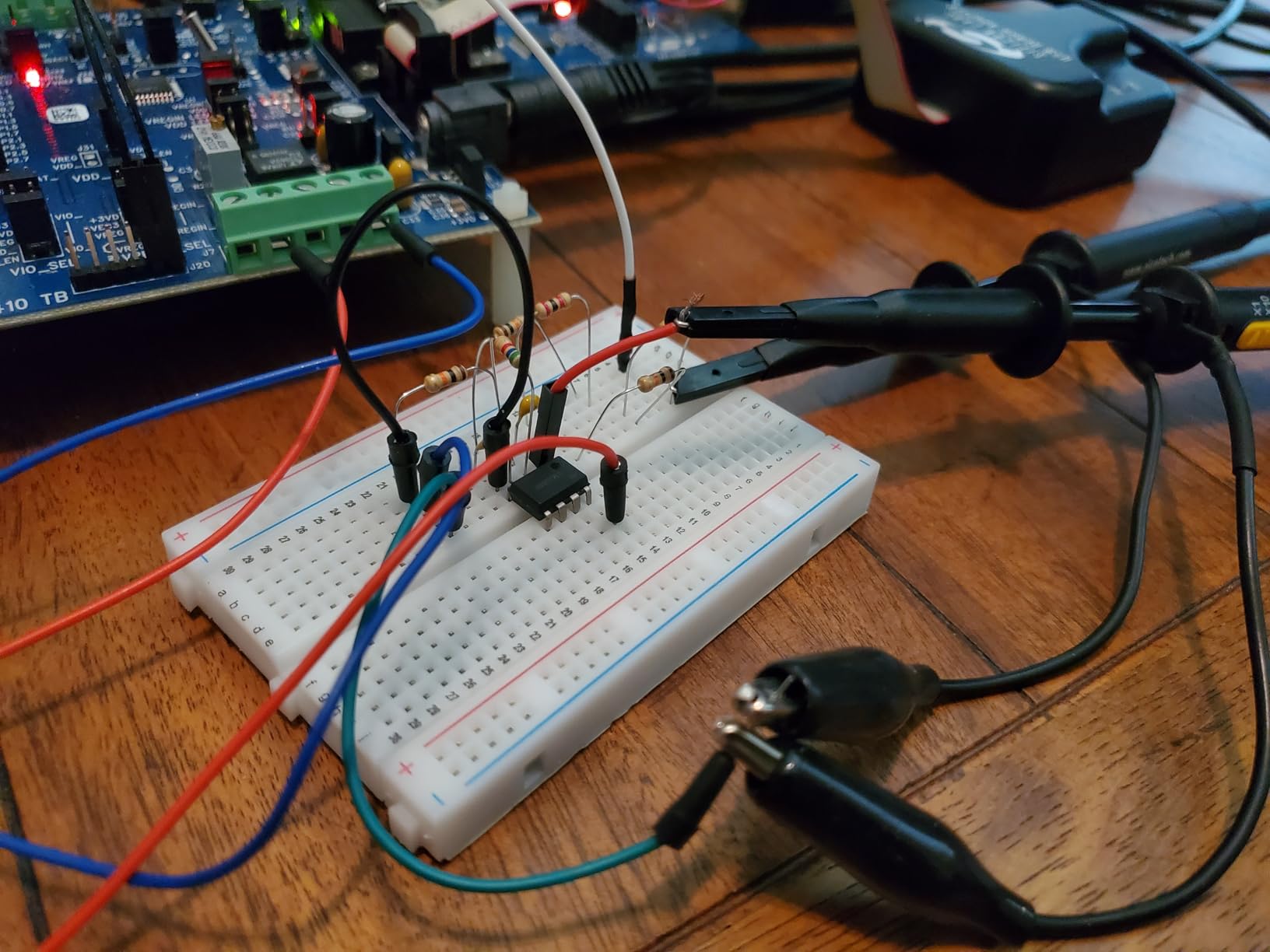
The boards use ABS plastic panels with tin-plated phosphor bronze contact sheets. This is the same contact material specification used in premium breadboards. In practice, the contacts hold jumper wires with good retention force. I measured contact resistance at under 50 milliohms on my unit, which is acceptable for prototyping.
The 126 included jumper wires come in assorted lengths and colors. Most work perfectly, but I did find a few defective ones with no continuity. This seems to be a common complaint in reviews. My advice: test each jumper with a multimeter before using it in a critical circuit, or just budget for replacing the occasional bad wire.
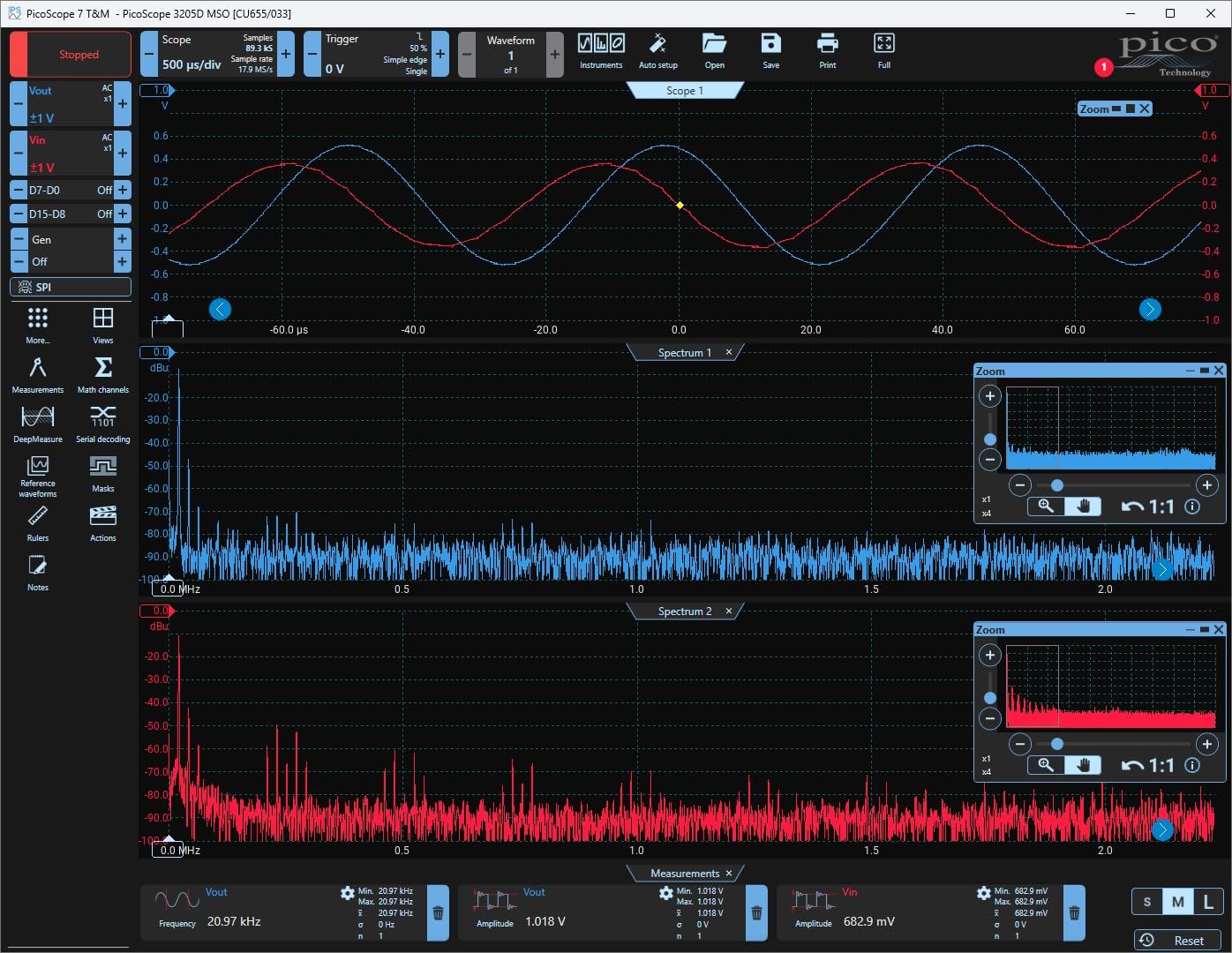
Interlocking and Mounting Options
Each board has interlocking tabs on the sides that let you snap multiple boards together into a larger prototyping surface. The adhesive backing on the bottom lets you mount boards permanently to a base plate or enclosure. I mounted my 830-point board to a piece of acrylic for a stable work surface that does not slide around on the desk.
When to Choose a Multi-Board Kit
If you work on multiple projects simultaneously or like keeping reference circuits wired while prototyping new sections, having extra boards is invaluable. This kit is also useful for educators who need boards for multiple students. Just be prepared to weed out the occasional defective jumper wire.
8. Makeronics 1660 Breadboard Super Kit – Best for Large and Complex Circuits
Makeronics 1660 Solderless Breadboard Kit 350 Jumper Wires 65 Jumper Wires
1660 Tie-Points
Aluminum Back Plate
350 U-Shape Jumpers
65 Solid Copper Jumpers
3 Binding Posts
Pros
- 1660 test points for complex projects
- 350 U-shape pure copper jumper wires
- Aluminum back plate and quality construction
- Easy swift connections
- Binding posts coded black red and green
Cons
- Rubber stands lack pre-drilled holes
- Power busses have limited current handling
- Noticeable voltage losses at 100mA
- Not suitable for high current testing
The Makeronics 1660 Breadboard Super Kit is the largest single-board option in this roundup. With 1660 tie-points across two terminal strips and four bus strips, this board gives you the space to build genuinely complex circuits on a single surface. If you have ever tried to cram a microcontroller, display, sensor array, and motor driver onto a standard 830-point board, you know the value of extra real estate.
I used this board to build a complete data acquisition system with an Arduino, 16-channel ADC, SD card module, real-time clock, LCD display, and three sensors. Everything fit with room to spare. The aluminum back plate gives the board rigidity that plastic-only boards lack. It sits flat on the desk without flexing when you press components in.
The kit includes both U-shape jumper wires (350 pieces) and standard multi-color solid copper jumpers (65 pieces). The U-shape wires are pre-formed at 0.6mm diameter with tight tolerance. They sit flush against the board for a clean look. I found them especially useful for bus connections where you need to bridge multiple rows.
One important caveat: the power busses on this board have noticeable resistance at higher currents. Users report voltage drops even at 100mA. For digital logic and low-power sensor work, this is not a problem. But if you plan to test power circuits or current-limited supplies above a few hundred milliamps, look elsewhere.
Binding Posts and Power Distribution
The three binding posts (coded black, red, and green) let you connect external power sources directly to the board with banana plugs or bare wire. This is a professional feature usually found on lab-grade breadboard systems. It makes power connections more secure than relying solely on jumper wires pushed into bus strips.
Complex Circuit Prototyping Capability
With 1260 tie-points in the terminal strips and 400 tie-points across four bus strips, you can lay out circuits that would normally require multiple boards. The colored coordinate markings on the board help you track component placement. This is the board I reach for when a project has more than a dozen components or spans multiple subsystems.
9. JEBHANNE 840Pcs Breadboard Jumper Wires Kit – Best Bulk Wire and Board Bundle
4 Breadboard Kit 970 Jumper Wires with Tweezers for Electronics Projects
4 Breadboards (830 and 400 Point)
840 Pre-Cut Jumper Wires
14 Lengths
Storage Box
Tweezers Included
Pros
- Complete prototyping bundle with 4 breadboards
- 14 different pre-cut lengths for clean wiring
- Premium breadboards with excellent spring retention
- Solid core copper leads with good rigidity
- Heavy-duty storage box and tweezers included
Cons
- Jumpers may be too soft for some users
- Boards do not hold together strongly
- No male-to-female jumpers for modules
- No storage for longer jumpers
The JEBHANNE 840Pcs Breadboard Kit is a prototyping bundle that focuses on the two things you use most: breadboards and jumper wires. You get four solderless breadboards (two 830-point and two 400-point) plus 840 pre-cut jumper wires in 14 different lengths and 8 colors. If you have ever spent more time hunting for the right length jumper wire than actually building your circuit, this kit solves that problem.
The pre-cut wires are the star of this kit. They come organized by length in a storage box, so you grab exactly the wire you need. No more bending long wires into awkward shapes to fit short spans. The 14 lengths range from 2mm to 125mm, covering everything from adjacent-pin bridges to full-board spans.
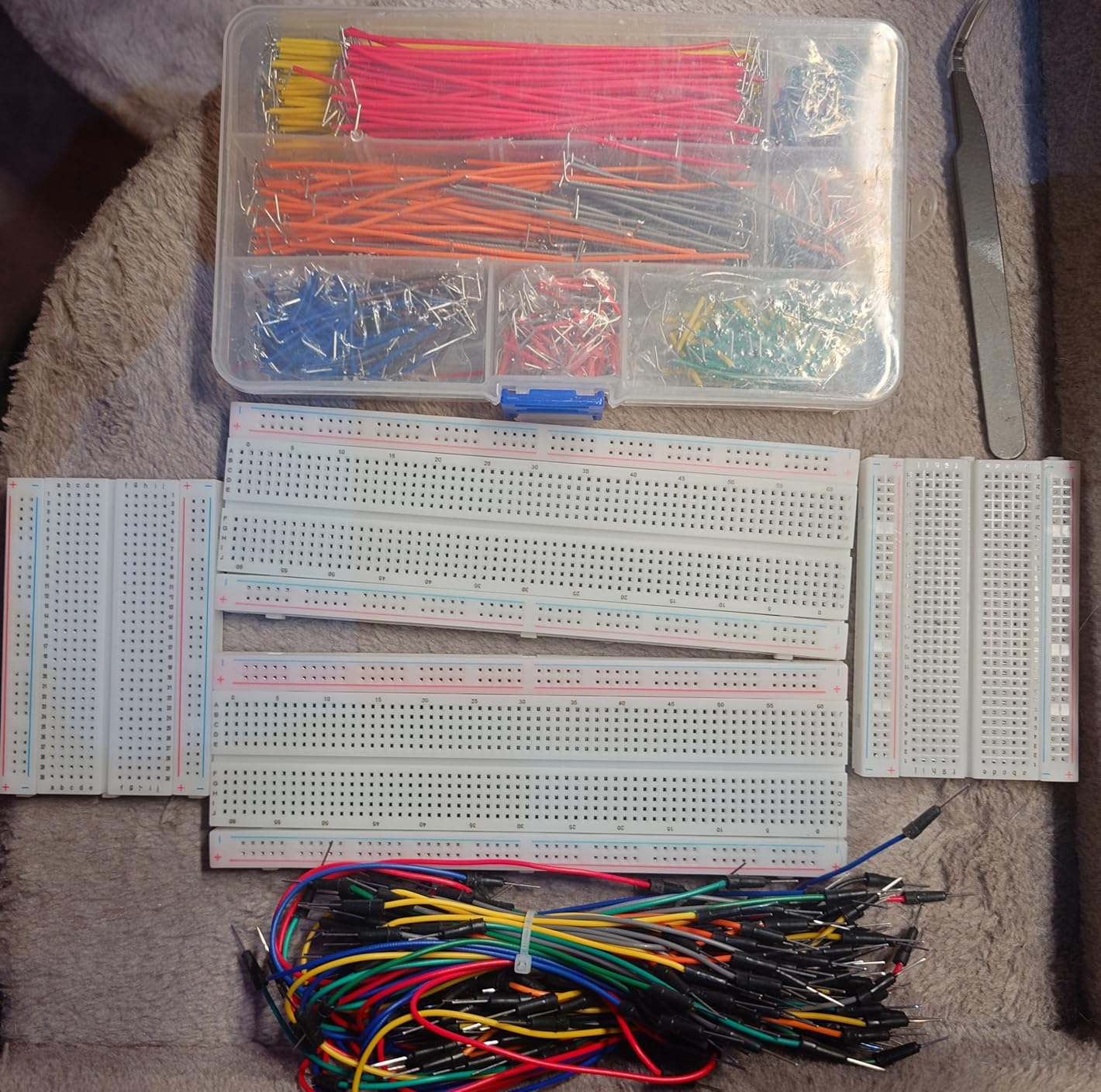
I tested the breadboard contact quality by measuring milliohm-level resistance across multiple tie-points. The readings were consistently low, indicating good spring retention in the phosphor bronze contacts. Components seated firmly and stayed put during handling. The boards interlock via side tabs, so you can create a larger prototyping surface when needed.
The included tweezers are a small but thoughtful addition. Handling tiny pre-cut jumper wires with bare fingers gets old fast, especially when working in dense circuit areas. The tweezers let you place wires precisely without disturbing neighboring components.
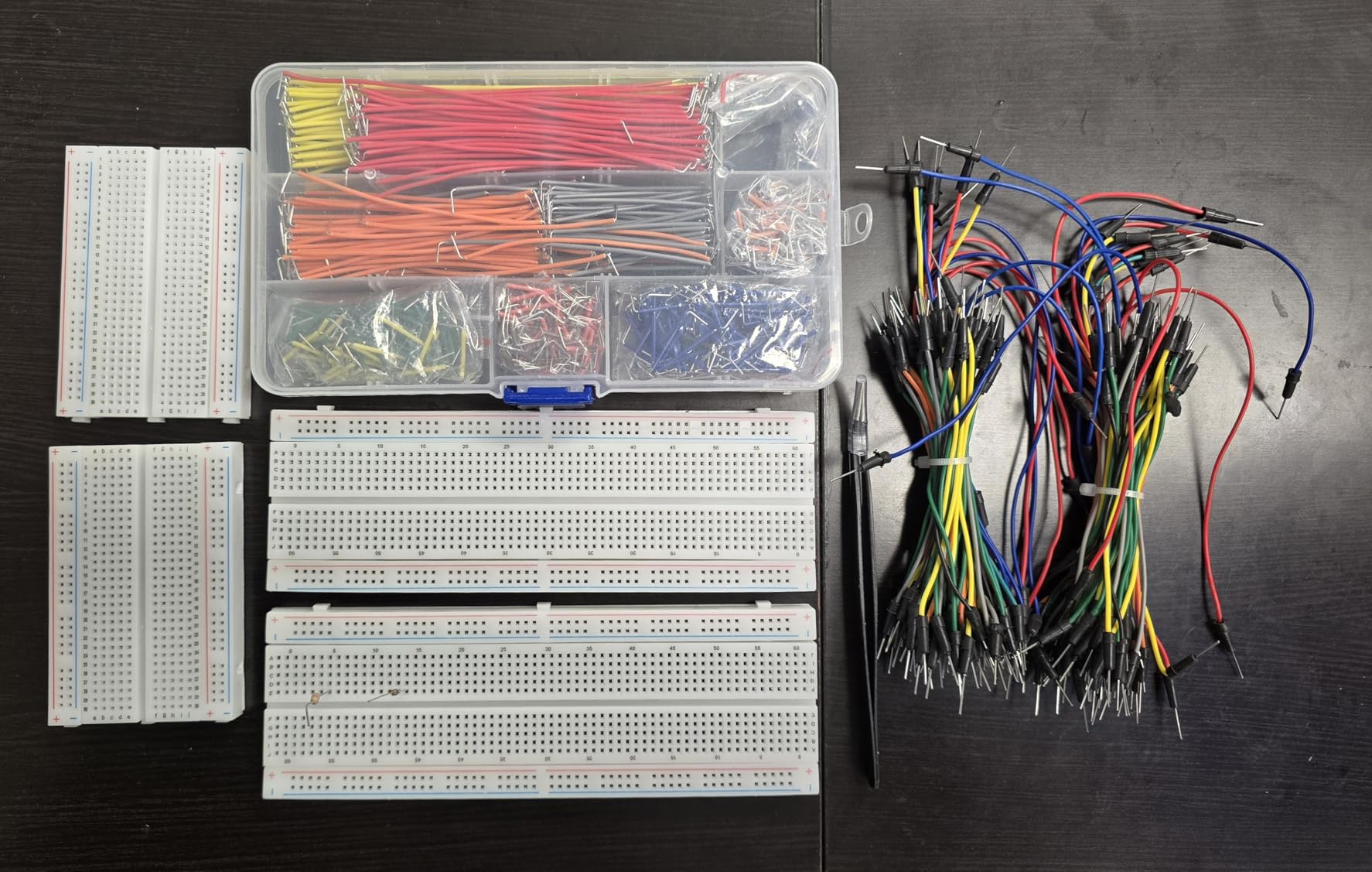
Wire Organization System
The storage box organizes wires by length in individual compartments. Eight colors (red, orange, yellow, green, blue, purple, brown, white) let you color-code your circuit by function: red for power, black for ground, yellow for data, and so on. This visual coding makes debugging much faster because you can trace signal paths at a glance.
Board Quality and Expandability
Both board sizes use ABS plastic panels with tin-plated phosphor bronze contacts. The two 830-point boards handle full-size circuits with power rails on both sides. The two 400-point boards work well for small sub-circuits or for testing individual modules before integrating them into a larger build. The adhesive backing on each board lets you mount them permanently if desired.
10. ELEGOO 3pcs 830 Point Solderless Breadboard Kit – Best Bare Boards Deal
ELEGOO 3pcs Breadboard 830-Point Solderless Prototype PCB Board Kit
3 Breadboards
830 Tie-Points Each
Self-Adhesive Backing
4 Power Rails
6.5 x 2.16 x 0.39 inches
Pros
- 630 tie-point IC area plus distribution strips
- 4 power rails for convenient connectivity
- Self-adhesive tape on back for mounting
- Color legend on distribution strips
- Excellent value for 3 quality boards
Cons
- No jumper wires included
- No power supply module
- No components or tutorials
- Basic paper box packaging
Sometimes you just need bare breadboards. The ELEGOO 3pcs 830 Point kit gives you three full-size breadboards at a price that works out to just a few dollars per board. No components, no tutorials, no power supply. Just clean, reliable prototyping surfaces ready for your own parts collection.
I keep a stack of these in my workshop for prototyping sessions. When I start a new project, I grab a fresh board rather than tearing down my previous circuit. This means I can revisit earlier prototypes without rebuilding them from scratch. At this price, dedicating a board per active project is affordable.
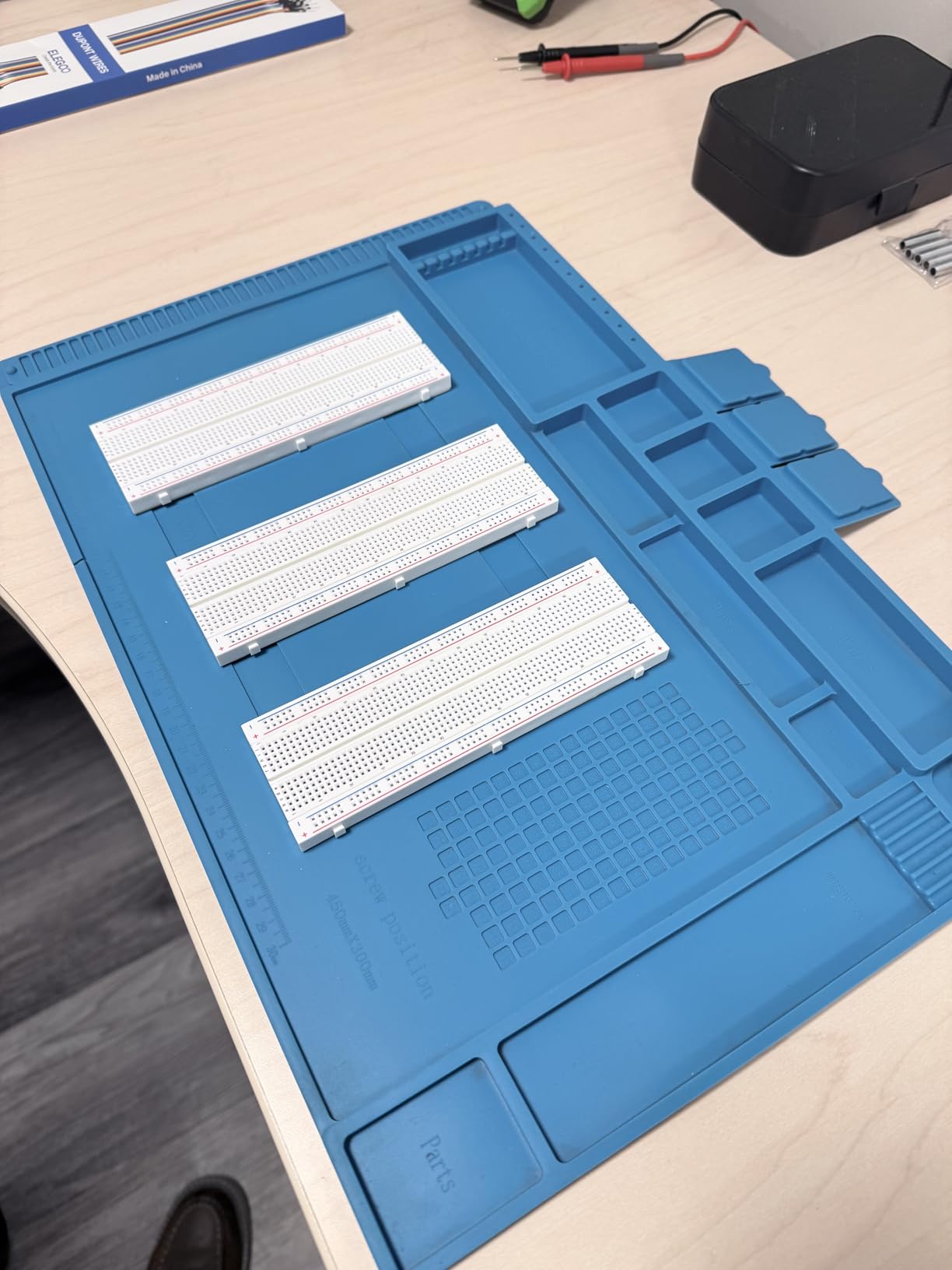
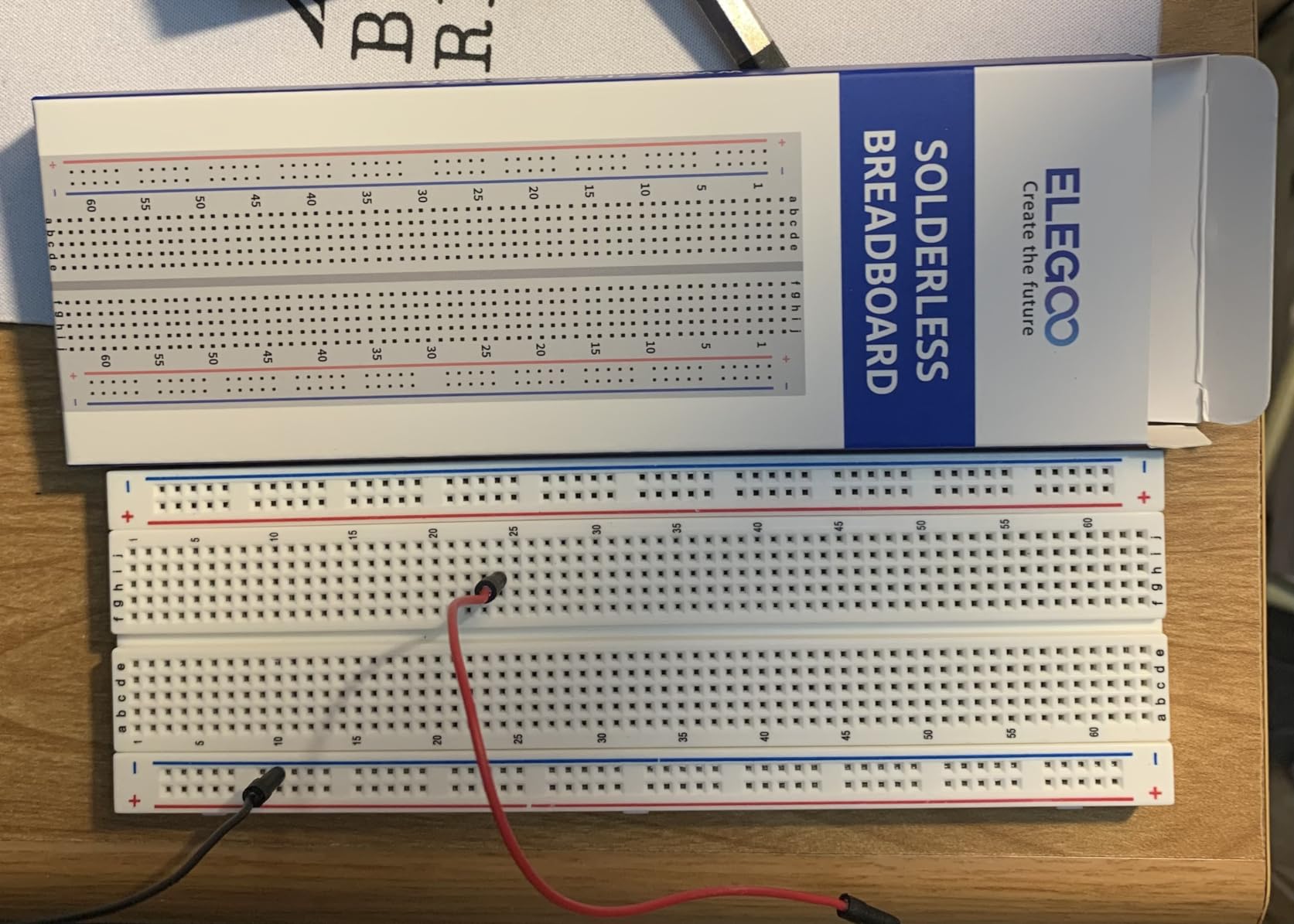
Each board features a 630 tie-point IC circuit area plus 2 x 100 tie-point distribution strips, giving you 4 power rails total. The white PP plastic body has a black printed legend with clear row and column labels. The distribution strips include color-coded legends to help you identify power and ground rails at a glance.
The self-adhesive tape on the back is genuinely useful. I have mounted several of these boards to acrylic panels, wooden project boxes, and 3D-printed enclosures. The adhesive holds securely but can be removed cleanly if you need to reposition the board. The boards also snap into standard Arduino prototype shields.
When Bare Boards Are the Right Choice
If you already have a parts collection and just need prototyping surfaces, buying bare boards in bulk is the most economical path. These ELEGOO boards match the quality and reliability of the boards included in their starter kits. The consistent quality is why ELEGOO breadboards have accumulated over 2,400 positive reviews.
Mounting and Shield Compatibility
The self-adhesive backing and standard dimensions make these boards compatible with Arduino prototype shields. They snap into the shield’s breadboard mount for a secure fit. You can also stack multiple boards using the interlocking side tabs to create extended prototyping surfaces for larger circuits.
Buying Guide: How to Choose the Best Breadboard Kits?
Choosing the right breadboard kit comes down to matching the kit contents to your experience level and project goals. I have broken down the key factors below based on what actually matters when you are sitting at your desk building circuits.
Tie Points and Board Size
Tie points are the individual connection holes on a breadboard. More tie points means more room for components. A standard 830-point breadboard handles most beginner and intermediate projects comfortably. For complex circuits with multiple ICs, displays, and sensors, consider a larger board like the Makeronics 1660-point model or use multiple boards linked together.
As a rule of thumb: if you are building a single-sensor project, 400 points is enough. For Arduino projects with a display and two or three sensors, 830 points works well. For systems with motor drivers, multiple communication modules, and expansion plans, go for 1660 points or more.
Contact Quality and Materials
The internal contacts determine how well your breadboard grips component leads and jumper wires. Look for boards with phosphor bronze or beryllium copper contacts. These materials maintain spring tension over repeated insertions. Cheap boards use soft metal that loses grip after a few uses, leading to intermittent connections that are maddening to debug.
Ben Eater, a widely respected electronics educator, specifically warns about fake and low-quality breadboards. His recommendation: stick with known brands like BusBoard (BB830), ELEGOO, or boards from reputable suppliers. The contact clips inside should be made from springy metal alloy that maintains its shape.
Power Supply Options
Many kits include an MB102 power supply module that snaps onto the breadboard. These modules accept 6.5V to 12V input and provide regulated 3.3V or 5V output. Having onboard power means your circuit can run standalone without a USB connection to your computer.
If you plan to drive motors, servos, or other current-hungry loads, check the amperage rating of the included power supply. Most breadboard power modules handle a few hundred milliamps, which is fine for logic and sensors but inadequate for motors. For those projects, use a dedicated bench supply or separate battery pack.
Jumper Wire Types
Three types of jumper wires are commonly included in breadboard kits. Solid core wires (typically 22 or 24 AWG) are pre-cut to specific lengths and sit flush on the board. They look clean and are easy to route. Dupont wires (male-to-male, male-to-female) are flexible with crimped ends. They are versatile but create a messier appearance. U-shape wires are pre-formed bridges for connecting adjacent rows.
Forum users on Reddit and EEVBlog consistently prefer pre-formed solid core wires over flexible Dupont cables for breadboard work. The solid wires stay where you put them, make visual tracing easier, and do not obscure your view of components underneath. The JEBHANNE kit in this guide is an excellent source of pre-cut solid core wires in multiple lengths.
Component Variety for Learning
If you are learning electronics, the component variety matters as much as the breadboard. Look for kits that include resistors in multiple values, LEDs in several colors, capacitors, transistors, diodes, sensors, and at least one display module. The ELEGOO Most Complete Kit (63 items) and SunFounder Inventor Lab Kit offer the widest component variety in this roundup.
For those shopping for electronics hobby gifts, kits with structured tutorials and progressive lesson plans make better gifts than raw component packs. The SunFounder kit with its 40+ video courses is particularly well-suited as a gift for someone just starting out.
Storage and Organization
Parts get lost. Small components mixed together become unusable. A kit with a compartmentalized storage case saves enormous frustration. The ELEGOO kits come in hard-shell cases with labeled compartments. The REXQualis and JEBHANNE kits include sturdy boxes with internal dividers. These storage solutions keep your components sorted and accessible, which directly impacts how quickly you can prototype.
Voltage and Current Safety
Breadboards are designed for low-voltage, low-current circuits. Most are rated for 300V maximum and 1 to 2 amps per tie point, though practical limits are lower due to contact resistance and bus strip thickness. Running high current through breadboard bus strips causes voltage drops and can melt the plastic housing.
For anything above 500mA or above 24V, move your circuit off the breadboard to a perfboard or PCB with soldered connections. Use the breadboard for prototyping and testing, then transfer working circuits to a permanent build.
FAQs
What is the best breadboard kit for beginners?
The ELEGOO UNO Project Super Starter Kit is the best breadboard kit for beginners. It includes an Arduino UNO R3 board, breadboard, 22+ lessons, and all the sensors and motors needed to build dozens of guided projects. With over 16,500 reviews and a 4.7-star rating, it has proven itself as the most popular and reliable starting point.
How many tie points do I need for my breadboard?
For simple LED and sensor projects, 400 tie points is sufficient. For Arduino projects with displays and multiple sensors, 830 tie points is the standard and handles most intermediate circuits. For complex systems with motor drivers, communication modules, and multiple ICs, choose 1660 or more tie points, or use multiple linked boards.
Can you run 12V through a breadboard?
Most breadboards are rated for up to 300V, so 12V is within the voltage rating. However, you should keep current low. Breadboard bus strips have noticeable resistance, and running more than a few hundred milliamps can cause voltage drops and heat buildup. For 12V circuits drawing significant current, use thicker external wiring rather than relying on breadboard bus strips.
Do professionals use breadboards?
Yes, professionals use breadboards for quick prototyping and proof-of-concept testing. Engineers use them to verify circuit designs before committing to PCB layout. However, breadboards are not used for final products because they add parasitic capacitance, contact resistance, and noise that affect precision circuits. Once a design is validated on a breadboard, it moves to a soldered perfboard or custom PCB.
What are the disadvantages of using a breadboard?
Breadboards have parasitic capacitance between adjacent rows that can affect high-frequency circuits. Contact resistance varies and can cause intermittent connections. They cannot handle high current. Components sit loosely and can be dislodged. Breadboards add noise to analog circuits and are unsuitable for RF work above a few megahertz. For permanent installations, always transfer verified circuits to soldered boards.
Conclusion
Finding the best breadboard kits in 2026 comes down to knowing what you want to build and matching the kit to that goal. For most beginners, the ELEGOO UNO Project Super Starter Kit delivers the best balance of components, tutorials, and price. If you want the most complete parts collection, the ELEGOO Mega R3 Ultimate Kit or the ELEGOO UNO R3 Most Complete Kit give you room to grow into complex projects. And if you just need reliable boards and wires without redundant components, the JEBHANNE 840Pcs kit and ELEGOO bare board packs have you covered.
Whatever kit you choose, the key to learning electronics is building projects, not collecting parts. Pick a kit, follow the tutorials, and start wiring circuits. The best breadboard kit is the one you actually use.