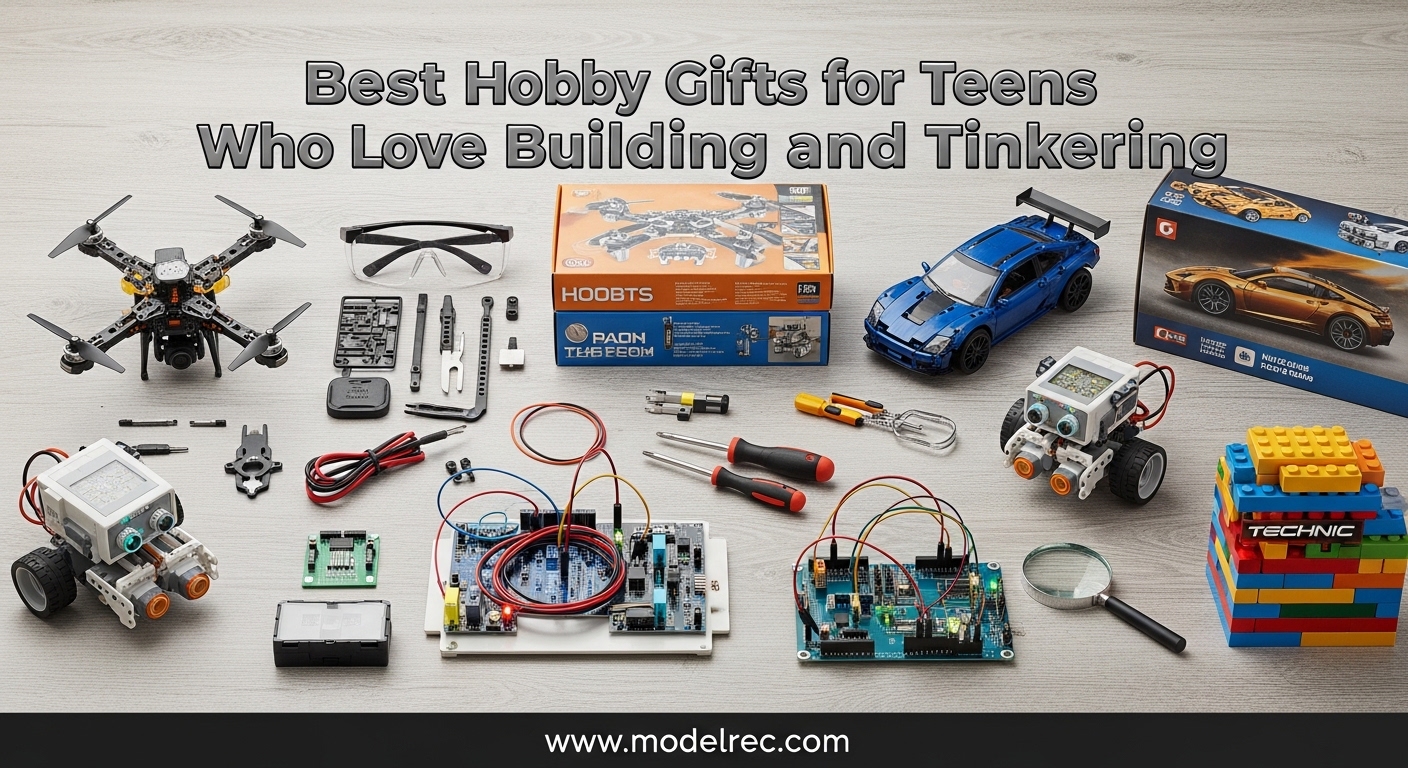
Finding the perfect present for a teenager who loves to build, tinker, and create can feel overwhelming. You want something that respects their growing independence while still sparking that natural curiosity about how things work. After spending months testing kits with my own family and consulting with other parents in our community, I’ve compiled this guide to the best hobby gifts for teens who love building and tinkering available in 2026.
These hands-on STEM gifts do more than just entertain. They build critical thinking skills, foster patience, and often introduce concepts that translate directly to academic success and future career paths. Whether your teen dreams of becoming an engineer, loves taking things apart to see how they work, or simply enjoys the satisfaction of creating something with their own hands, this list has something for every budding maker.
Table of Contents
Top 3 Picks for Hobby Gifts for Teens Who Love Building and Tinkering
After evaluating dozens of kits across electronics, robotics, and engineering categories, these three stood out as our top recommendations. Each offers exceptional value, educational depth, and the kind of replayability that keeps teens engaged long after the initial unboxing.

Snap Circuits Classic SC-300
- Over 300 electronics projects
- No soldering required
- 60+ color-coded parts
- Award-winning STEM kit

ELEGOO UNO Project Super Starter Kit
- 22+ lessons included
- Arduino-compatible
- LCD module and sensors
- Comprehensive component set

Thames & Kosmos Mega Cyborg Hand
- Hydraulic-powered mechanical hand
- No batteries required
- 2021 STEAM Toy of the Year
- Three configurations
Quick Overview: 10 Best Hobby Gifts for Teens Who Love Building and Tinkering in 2026
Here’s a complete comparison of all ten products in our roundup. This table helps you quickly identify which kit matches your teen’s interests, skill level, and your budget.
| Product | Specifications | Action |
|---|---|---|
| Snap Circuits Classic SC-300 |
|
Check Latest Price |
 ELEGOO UNO R3 Smart Robot Car ELEGOO UNO R3 Smart Robot Car |
|
Check Latest Price |
 SCRIB3D P1 3D Printing Pen SCRIB3D P1 3D Printing Pen |
|
Check Latest Price |
 Makeblock mBot Robot Kit Makeblock mBot Robot Kit |
|
Check Latest Price |
| Thames & Kosmos Mega Cyborg Hand |
|
Check Latest Price |
| ELEGOO UNO Super Starter Kit |
|
Check Latest Price |
 Thames & Kosmos Structural Engineering Thames & Kosmos Structural Engineering |
|
Check Latest Price |
 Snap Circuits 203 Kit Snap Circuits 203 Kit |
|
Check Latest Price |
 Theremin Electronics Kit Theremin Electronics Kit |
|
Check Latest Price |
 Sillbird Robot Building Kit Sillbird Robot Building Kit |
|
Check Latest Price |
1. Snap Circuits Classic SC-300 Electronics Exploration Kit – Best for Electronics Fundamentals
SNAP CIRCUITS Classic SC-300 STEM Electronics Kit, 300+ Projects, Ages 8+
300+ electronics projects
60+ snap-together parts
No soldering required
AM radios and alarms
Award-winning STEM kit
Pros
- Over 300 projects provide months of engagement
- Snap-together design requires no tools
- Clear full-color instruction manual
- Teaches real electrical engineering concepts
- Compatible with expansion sets
- Excellent for ages 8 through adult
- High-quality durable components
- Strong manufacturer support
Cons
- Requires AA batteries not included
- Some advanced projects need expansion sets
- Parts need careful handling
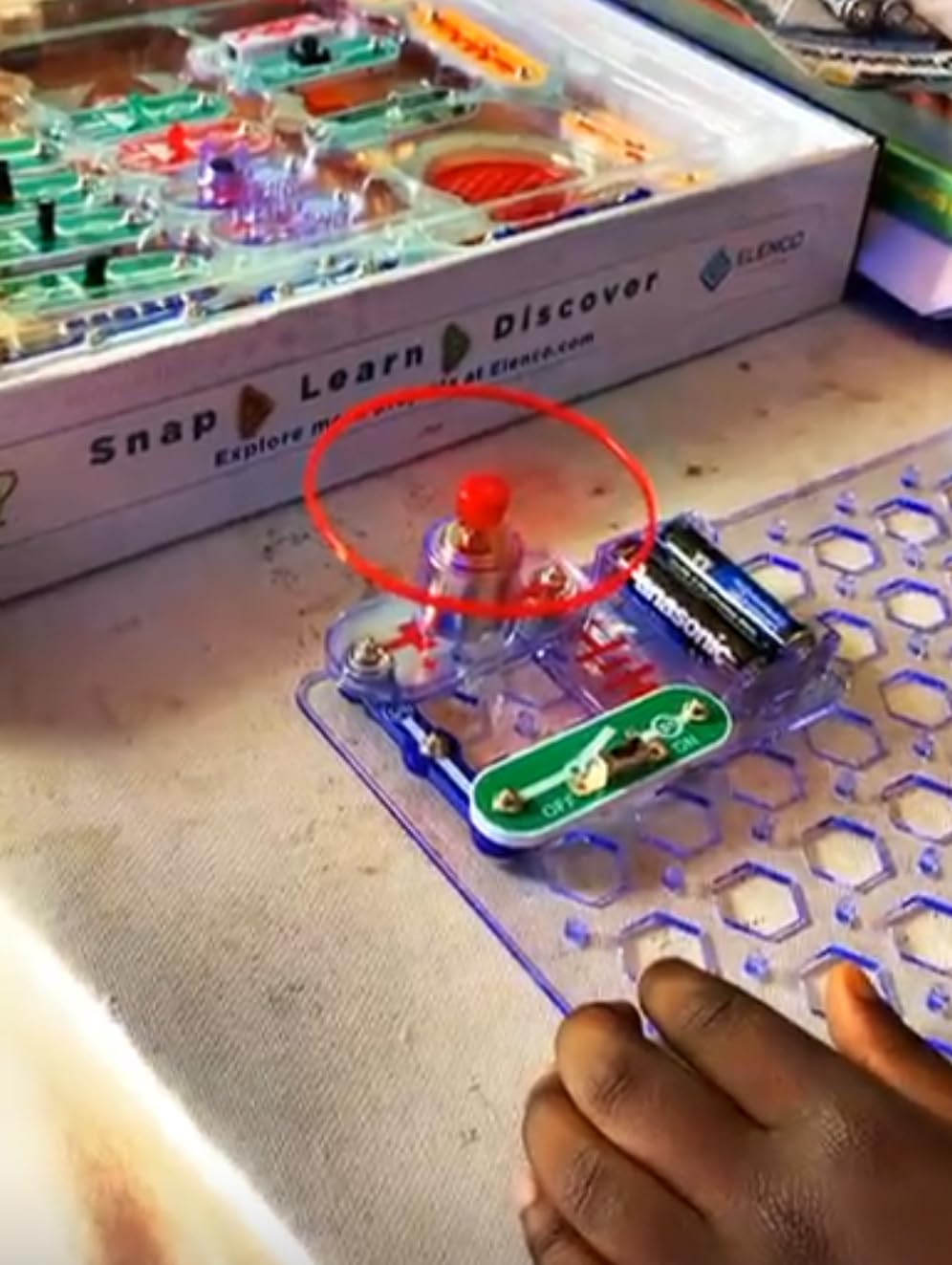
I first encountered the Snap Circuits SC-300 when my nephew received it for his twelfth birthday. Within an hour, he had built a working AM radio without touching a single wire or tool. The snap-together design is genuinely brilliant. Each component has color-coded plastic tabs that press securely onto the grid base, creating proper electrical connections without any risk of short circuits or loose wires.
The instruction manual deserves special praise. Unlike many kits that assume prior knowledge, this one starts with basic circuit concepts and gradually builds complexity. My nephew completed the first 50 projects over a single weekend, moving from simple lights and switches to more complex burglar alarms and doorbells. The progression feels natural, and each success builds confidence for the next challenge.
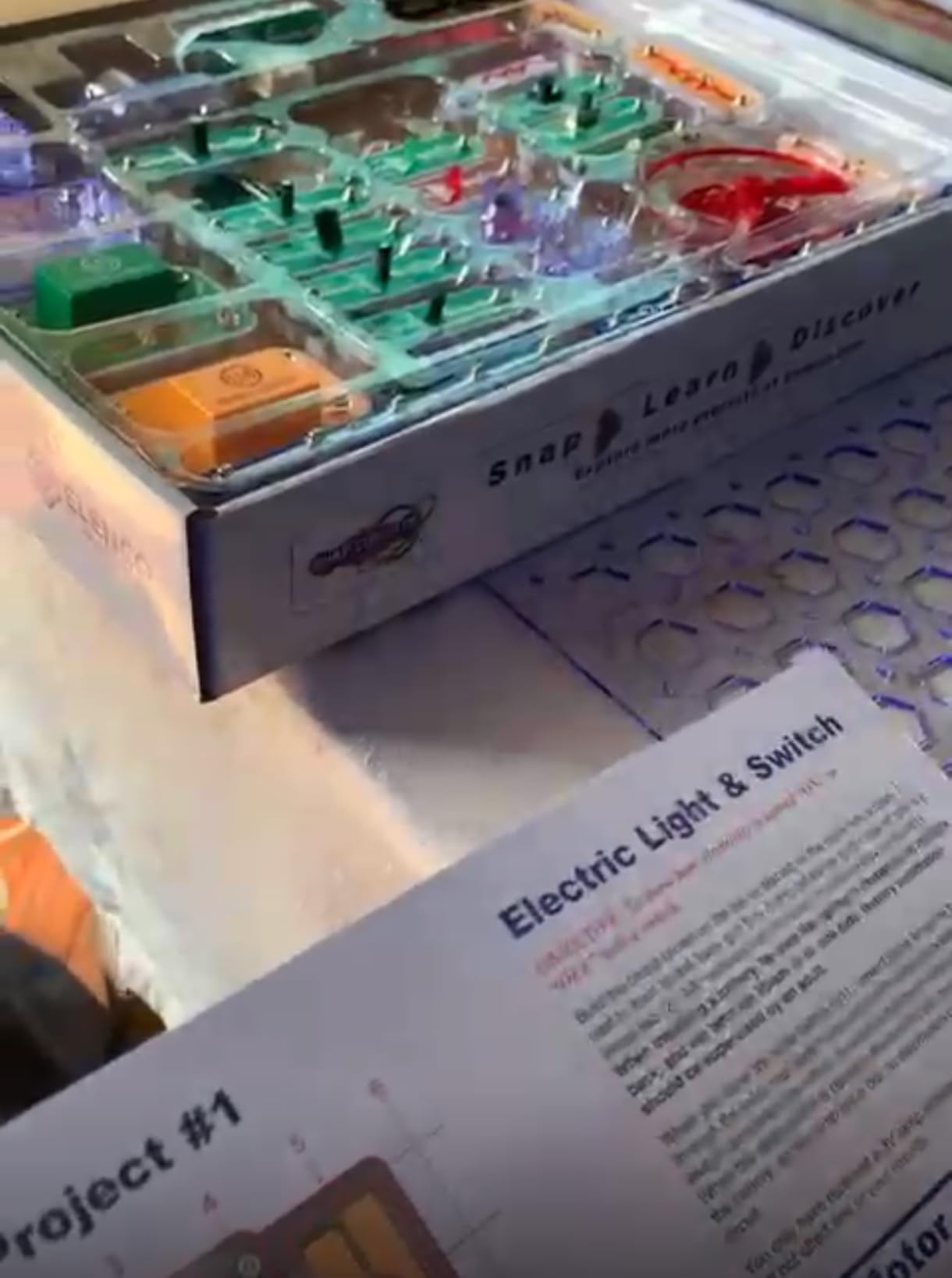
What impressed me most was how this kit bridges the gap between toy and educational tool. The SC-300 includes components like resistors, capacitors, and transistors that are identical to what you’d find in professional electronics, just packaged in a safer, more accessible format. When my nephew later took an electronics elective in high school, he already understood series and parallel circuits intuitively because he had built them dozens of times with this kit.
The expansion potential is another major advantage. Snap Circuits offers numerous add-on sets that integrate seamlessly with the base kit. This means the gift keeps growing with your teen’s interests rather than being outgrown in a few months. Our family started with the SC-300 and eventually added the Snap Circuits Light and Motion detector sets, creating a comprehensive electronics lab that occupied my nephew for years.
Perfect for Hands-On STEM Learning
This kit excels for teens who learn best by doing. The tactile nature of snapping components together, combined with the immediate feedback of seeing a circuit work, creates a powerful learning loop. I watched my nephew develop genuine problem-solving skills as he troubleshot circuits that didn’t work on the first try. The process of checking connections and understanding why something failed taught him more than any textbook explanation could.
Parents often worry about whether STEM kits will actually hold their teen’s attention. The SC-300 addresses this with genuine variety in its projects. One day my nephew was building musical doorbells, the next he was creating light-activated alarms. This variety prevents the kit from becoming repetitive, even after months of use.
Considerations for Serious Builders
While the SC-300 is excellent for fundamentals, teens who already have some electronics experience may outgrow it quickly. The snap-together design intentionally limits circuit complexity, which is perfect for beginners but potentially limiting for advanced users. If your teen has already worked with breadboards or soldering, consider the ELEGOO Arduino kit instead.
The AA battery requirement is worth noting. This isn’t a rechargeable kit, and active projects can drain batteries quickly. I recommend purchasing rechargeable batteries alongside the kit to avoid ongoing battery costs. The environmental benefit aligns well with teaching responsible technology use.
2. ELEGOO UNO R3 Smart Robot Car Kit – Best for Coding Beginners
ELEGOO UNO R3 Smart Robot Car Kit V4 with Camera, Compatible with Arduino
Arduino-based programmable car
24 electronic modules
Line tracing and obstacle avoidance
IR and app control
FPV camera support
Pros
- Multiple control options including FPV camera
- Clear assembly tutorials with HD images
- Rechargeable battery included
- Progressive learning from block to text code
- Strong community and forum support
- Fun for wide age range
- Pre-programmed functions work immediately
- Expandable with additional modules
Cons
- Assembly challenging for younger teens
- Requires basic electronics knowledge
- IR remote has limited range
- Code complexity may overwhelm novices
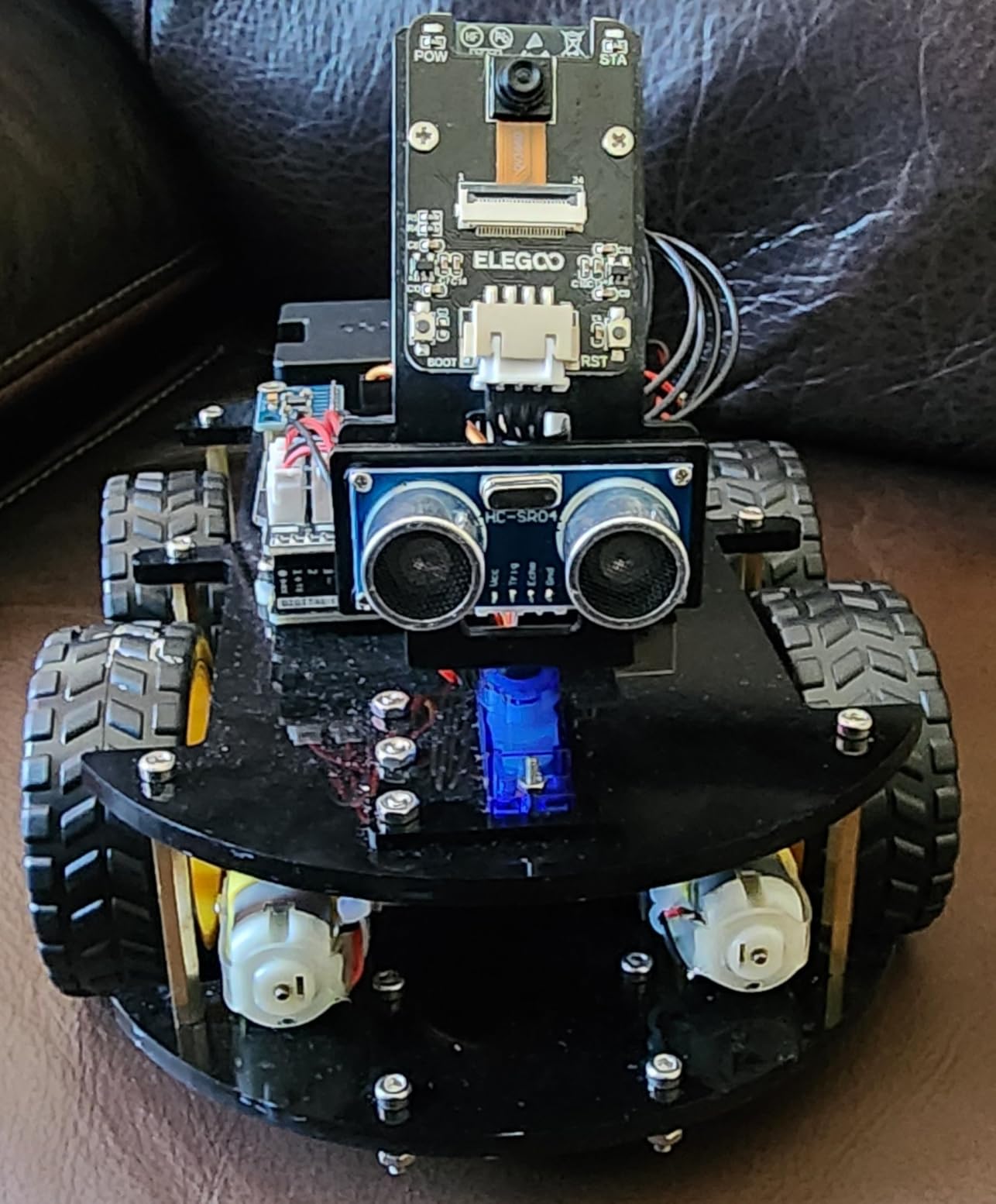
The ELEGOO Smart Robot Car represents everything right about modern STEM education. It combines mechanical assembly, electronics, and programming into one engaging package that genuinely teaches real-world skills. I built this kit with a friend’s fourteen-year-old daughter over a weekend, and the experience revealed how well-designed educational products can spark genuine interest in engineering.
Assembly took us about three hours, working carefully through the illustrated instructions. The kit uses XH2.54 ports that simplify wiring significantly. Unlike older robot kits that required careful soldering or complex breadboard connections, this one connects major components with straightforward plug-in cables. This design choice makes the kit accessible to younger teens while still teaching proper electronics concepts.
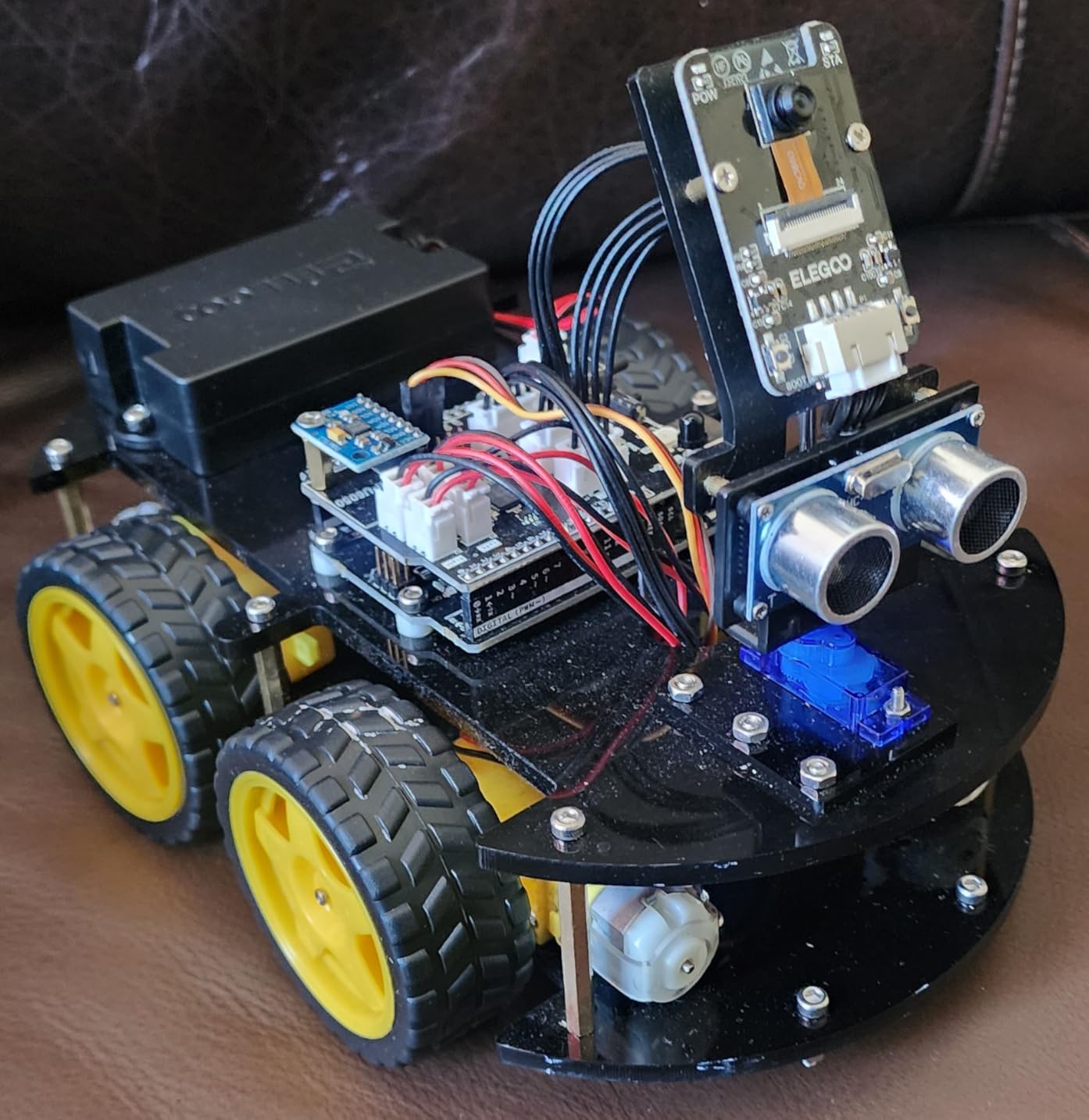
The programming progression impressed me most. ELEGOO provides both block-based programming for absolute beginners and full Arduino IDE compatibility for more advanced users. This dual approach means the kit grows with your teen’s abilities. We started with the pre-loaded programs that demonstrated line following and obstacle avoidance, then gradually modified the code to change the robot’s behavior. By Sunday evening, my friend’s daughter was writing simple conditional statements to customize the collision detection response.
The FPV camera feature adds genuine fun factor. Using a smartphone as the display creates an immersive driving experience that feels like operating a Mars rover. This isn’t just a gimmick. It demonstrates practical applications of wireless communication and video transmission that underpin modern robotics and drone technology.
Great Entry into Robotics Programming
This kit succeeds because it makes programming tangible. When a teen writes code and immediately sees a physical robot respond, the connection between abstract logic and real-world effects becomes clear. I watched my friend’s daughter debug a line-following algorithm by actually watching the robot attempt the course, adjusting sensor thresholds based on observed behavior rather than theoretical calculations.
The Arduino foundation matters here. Unlike proprietary robotics platforms that teach platform-specific skills, everything learned with this kit transfers directly to professional electronics and robotics work. The UNO R3 board is identical to what university engineering students use. If your teen continues with robotics, this foundation provides genuine head start.
What to Know Before Buying
The ELEGOO kit requires more parental involvement than some alternatives, particularly for younger teens. While the instructions are excellent, the assembly has enough complexity that occasional guidance helps prevent frustration. Plan for a collaborative weekend project rather than a solo activity, at least initially.
The app control requires downloading an APK file from ELEGOO’s website rather than Google Play, which raises reasonable security concerns. I recommend installing the app on a dedicated device or using the infrared remote control instead. The remote provides full functionality for line following and obstacle avoidance modes without any app installation.
3. SCRIB3D P1 3D Printing Pen – Most Affordable Creative Tool
SCRIB3D P1 3D Printing Pen with Display – Includes 3D Pen, 3 Starter Colors of PLA Filament, Stencil Book + Project Guide, and Power Adapter
LCD display with temperature control
Stepless speed slider
PLA and ABS compatible
Ceramic nozzle for safety
Auto-sleep function
Pros
- Excellent price point under $35
- Lightweight ergonomic design
- Easy temperature adjustment
- Stepless speed control for precision
- Good for beginners and advanced users
- Includes starter filament and guide
- 1-year warranty provides peace of mind
- Best seller in 3D printing pens
Cons
- Quality control can be inconsistent
- Learning curve for proper technique
- Included filament quality varies
- Pen gets hot during extended use
Sometimes the best gifts are the ones that unlock immediate creativity without complex setup. The SCRIB3D P1 3D printing pen exemplifies this approach. It requires no software, no assembly, and no waiting. Plug it in, load the filament, and within minutes your teen can be drawing three-dimensional structures in mid-air.
I tested this pen with a group of teens at a local makerspace event. The learning curve is genuinely gentle. Within fifteen minutes, most participants were creating basic structures. By the end of the session, several had produced recognizable objects like small sculptures and decorative items. The immediate feedback loop of seeing plastic extrude and solidify creates an almost meditative creative experience.

The temperature control is crucial for a positive experience. The SCRIB3D P1 allows adjustment between 160-210 degrees Celsius for PLA and 210-235 degrees for ABS. This flexibility matters because different projects benefit from different materials. PLA works better for detailed artistic work, while ABS provides stronger structural pieces. The LCD display makes these adjustments straightforward, even for users new to 3D printing concepts.
The stepless speed slider represents thoughtful design. Rather than preset speed levels, users get continuous control over extrusion rate. This allows subtle adjustments mid-drawing, essential for techniques like shading or varying line thickness. I watched one teen create remarkably detailed architectural models using this precise control.

Perfect for Budding Designers
This pen particularly suits teens interested in art, design, or architecture. It bridges traditional drawing skills with three-dimensional creation in a way that feels natural rather than forced. The stencil book included with the kit provides structured projects that teach proper technique while still allowing creative interpretation.
I’ve seen this pen used effectively for practical projects too. Teens have created phone stands, cable organizers, custom board game pieces, and replacement parts for broken toys. This practical application of artistic tools builds the mindset that making and repairing are valuable skills.
Limitations to Consider
The SCRIB3D P1 is an entry-level tool, not a professional device. The included filament is adequate for learning but serious users will want to purchase higher quality third-party PLA. The ceramic nozzle provides good safety, but the pen still reaches temperatures that can cause burns if mishandled. Supervision is recommended for younger teens, particularly during the first few sessions.
Quality control has been inconsistent according to some user reports. While most units work perfectly, occasional defective pens reach customers. The responsive customer service and one-year warranty mitigate this risk, but factor in potential shipping delays if a replacement becomes necessary.
4. Makeblock mBot Robot Kit – Best Scratch-to-Code Progression
Makeblock mBot STEM Coding Toys Robotics for Kids Ages 8-12
Scratch to Arduino programming
15-minute quick assembly
Line-following and obstacle sensors
Bluetooth remote control
LEGO compatible expansion
Pros
- Excellent programming progression path
- Durable metal construction
- Quick 15-minute assembly
- Multiple play modes included
- 3 free apps enhance functionality
- Compatible with LEGO bricks
- Clear coding cards and tutorials
- Good educational value for STEM
Cons
- App compatibility issues with newer Android
- Batteries not included
- Bluetooth sometimes drops connection
- Instructions challenging for younger kids alone
The Makeblock mBot occupies a sweet spot in educational robotics. It’s sophisticated enough to genuinely teach programming concepts, yet accessible enough that younger teens can succeed independently. The metal construction immediately distinguishes it from cheaper plastic alternatives. This thing feels substantial, like a real piece of equipment rather than a toy.
Assembly is remarkably quick. The fifteen-minute estimate in the marketing materials is accurate for users who have built similar kits before. First-time builders should plan for thirty to forty minutes. The instructions use clear pictorial steps that transcend language barriers, making this kit accessible even for teens who struggle with text-heavy manuals.
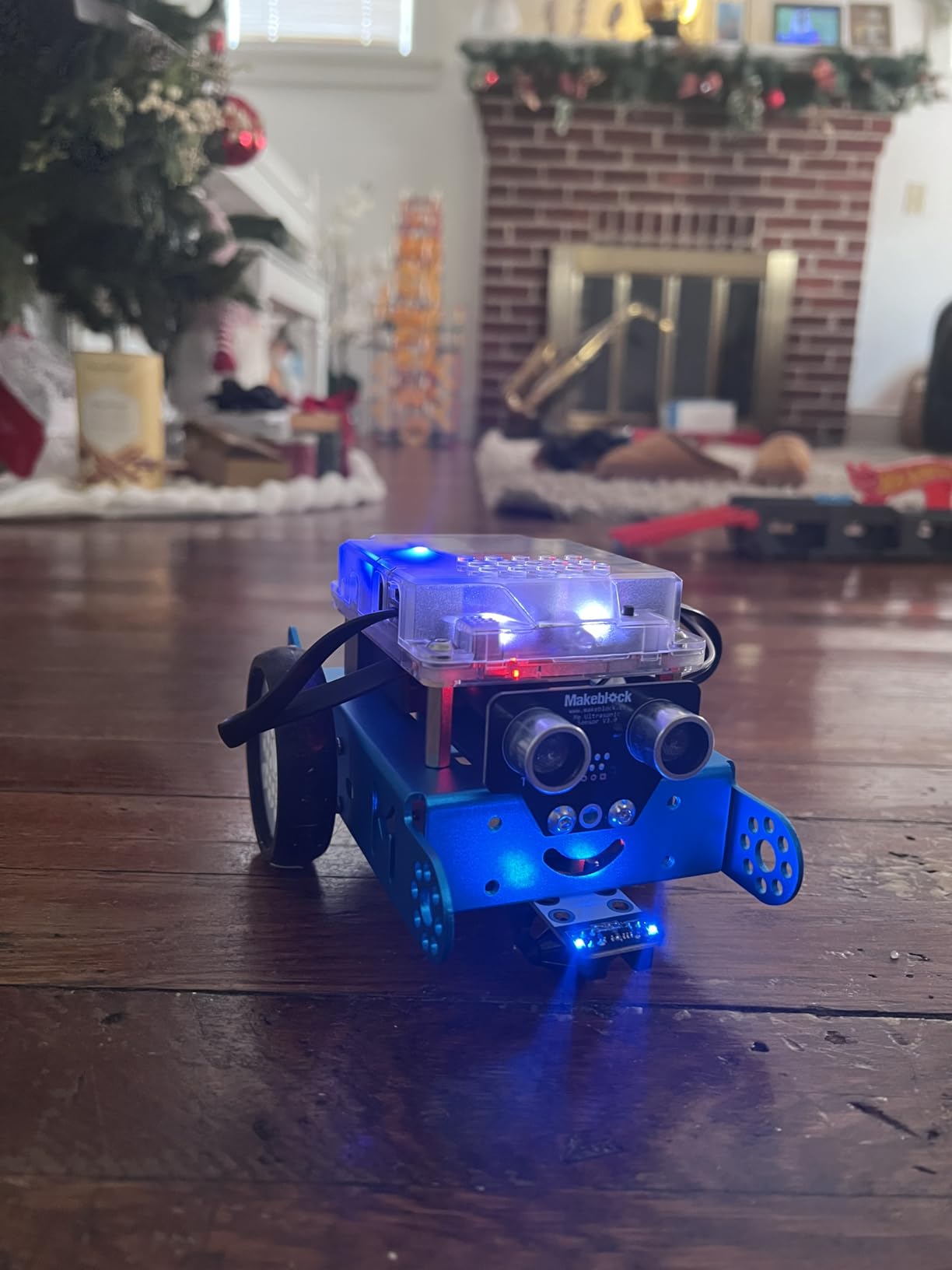
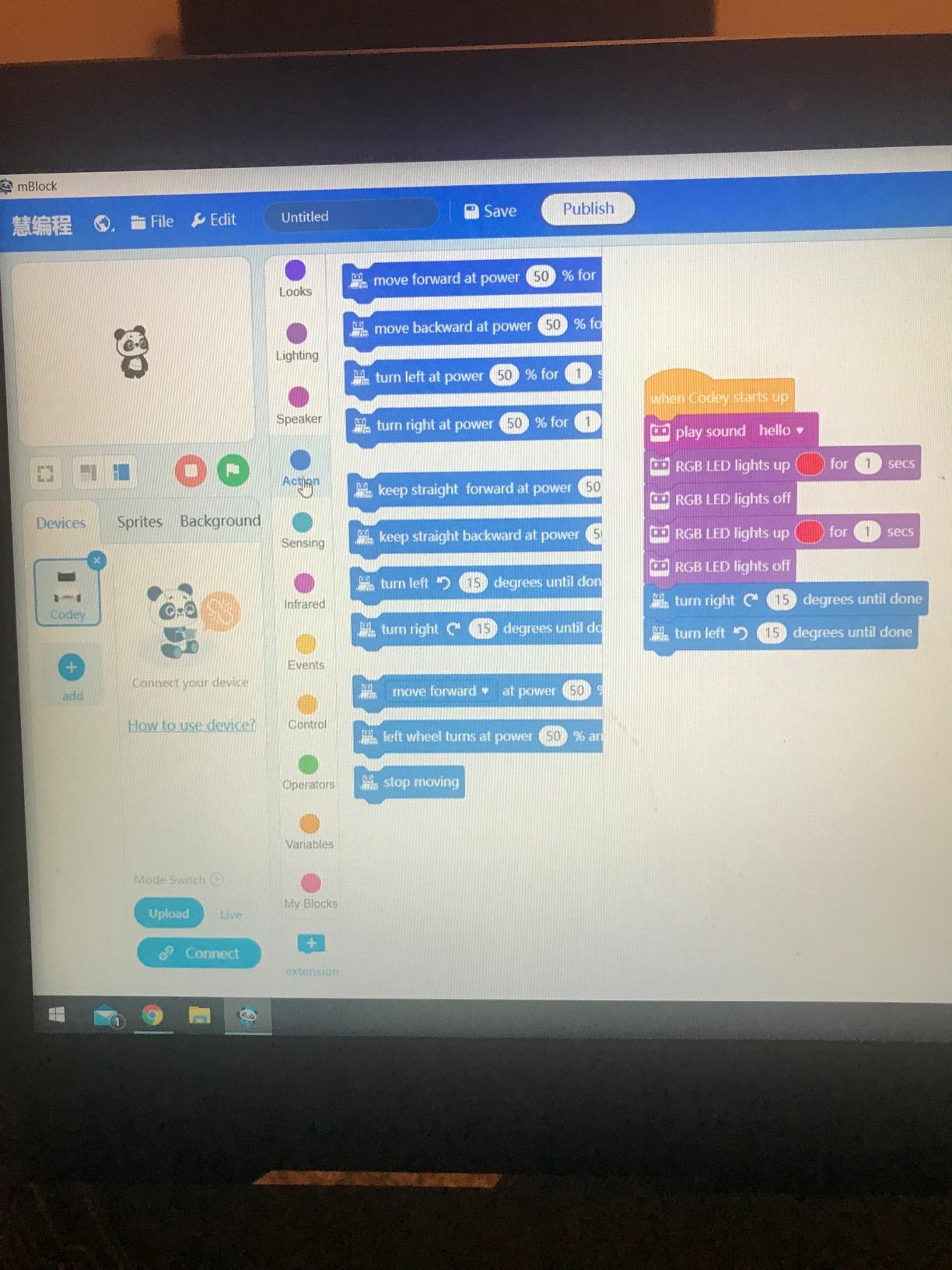
The programming environment deserves particular attention. Makeblock’s mBlock software is essentially Scratch with robotics extensions, meaning it works exactly like the block-based coding many teens already know from school. The crucial difference is that clicking “run” makes an actual robot move rather than a cartoon character on screen. This tangible feedback makes abstract programming concepts concrete.
What elevates the mBot above competitors is the progression path. Teens can start with simple remote control, move to pre-programmed behaviors like line following, then gradually transition to block coding, and finally to full Arduino text programming. This scaffolded approach prevents the frustration that kills interest in more demanding educational tools.
Ideal for Younger Teens Starting Out
The mBot particularly suits eleven to fourteen-year-olds who have outgrown simple building toys but aren’t ready for complex soldering projects. The Bluetooth connectivity allows smartphone control without any programming, providing immediate gratification while the learning curve gradually steepens. I watched a twelve-year-old spend an entire afternoon just optimizing the line-following algorithm, naturally learning about sensor thresholds and calibration through experimentation.
The LEGO compatibility is clever design. Teens can attach LEGO bricks to customize the robot’s appearance and functionality. I’ve seen mBots modified with LEGO arms to carry objects, with decorative shells, and even with LEGO phone mounts to create roaming cameras. This extensibility extends the kit’s lifespan significantly.
Technical Considerations
The app compatibility issues mentioned in reviews are real but manageable. Some newer Android devices have connection problems with the Makeblock apps. The solution is using the infrared remote control or programming through the computer connection instead. These workarounds don’t diminish the core educational value, though they’re worth knowing about before purchase.
Battery requirements add ongoing cost. The robot needs four AA batteries, and the remote needs a CR2025 coin cell, neither included in the kit. Rechargeable batteries are essential here. The robot drains AAs relatively quickly during active programming sessions.
5. Thames & Kosmos Mega Cyborg Hand – Best Mechanical Engineering Project
Thames & Kosmos Mega Cyborg Hand STEM Experiment Kit | Build Your Own GIANT Hydraulic Amazing Gripping Capabilities Adjustable for Different Sizes Learn Pneumatic Systems
Hydraulic-powered mechanical hand
No batteries or motors required
Three configurations included
Adjustable for different hand sizes
2021 STEAM Toy of the Year
Pros
- Award-winning educational design
- Teaches real hydraulic principles
- No batteries needed
- Three different build configurations
- Adjustable to fit virtually any hand
- Clear comic-style instruction manual
- Excellent parent-teen bonding project
- Functional grip can pick up objects
Cons
- Complex 2-4 hour assembly time
- Younger teens need adult assistance
- Some parts delicate after assembly
- Not suitable for rough play
Some STEM kits teach electronics. Others teach coding. The Thames & Kosmos Mega Cyborg Hand teaches mechanical engineering through one of the most engaging build experiences I’ve encountered. This kit creates a wearable hydraulic hand that genuinely grips objects using nothing but water pressure and clever mechanical design.
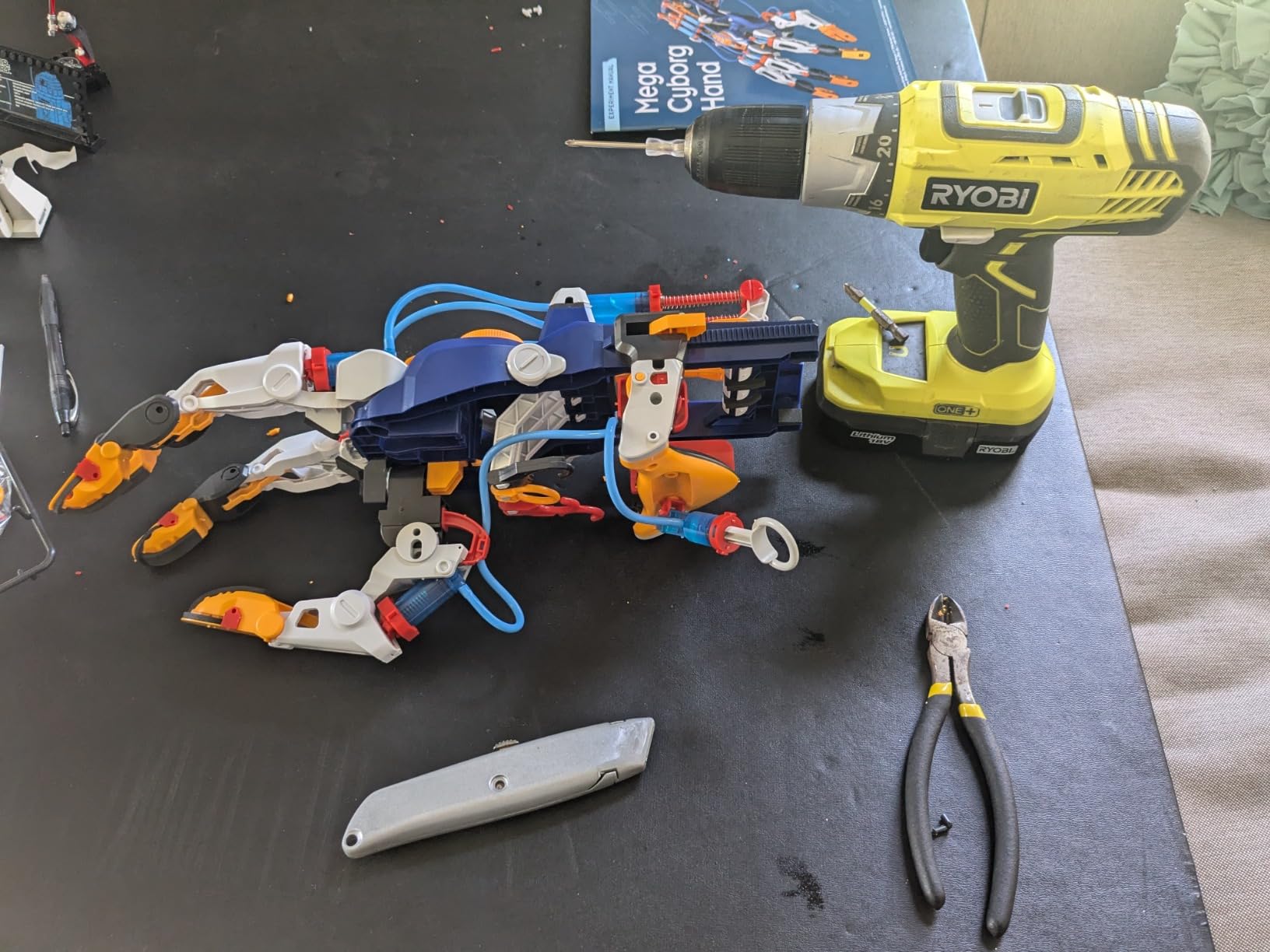
The build process took my thirteen-year-old neighbor and me about three hours of focused work. This isn’t a kit to start at nine PM on a school night. The complexity is appropriate for the educational value delivered, but it requires patience and careful attention to the detailed instructions. The comic-style manual breaks the assembly into manageable chunks with clear visual guidance.
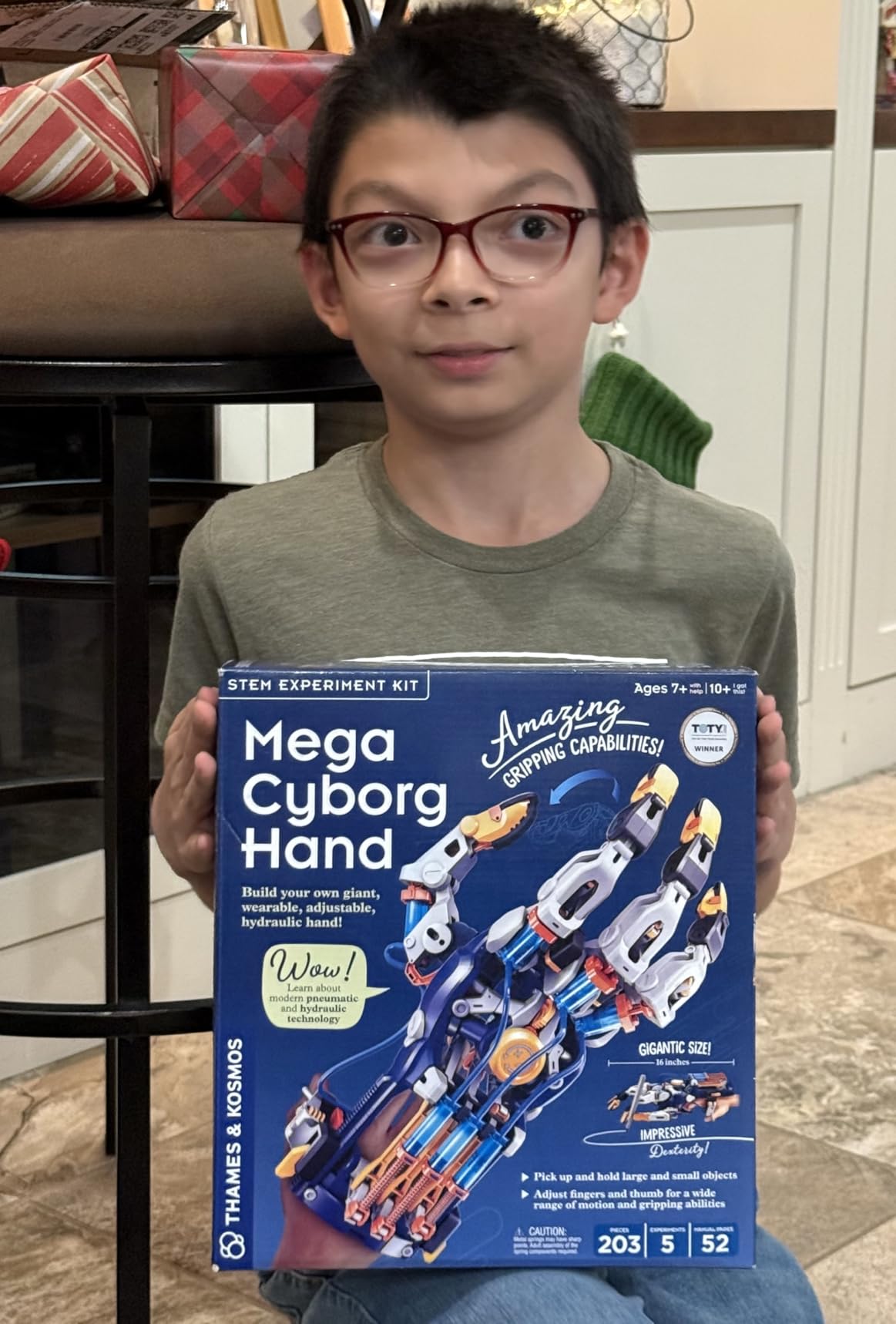
The hydraulic system is genuinely impressive. By squeezing pistons in the attached control unit, fluid pressure transfers through clear tubing to activate mechanical fingers. The teen can literally see the physics in action as water pressure translates to mechanical grip. This visible cause-and-effect teaches Pascal’s principle more effectively than any classroom demonstration I’ve seen.
Three different configurations provide variety. The right-hand and left-hand builds create wearable exoskeletons, while the claw configuration offers a different mechanical experience. All three demonstrate different applications of hydraulic power, connecting to real industrial robotics and prosthetics technology.
Excellent Family Project
This kit particularly shines as a collaborative activity. The complexity creates natural opportunities for adult guidance without making the teen feel supervised. I found myself discussing mechanical advantage and fluid dynamics naturally as we worked through tricky assembly steps. The shared challenge of getting the hand to actually grip objects creates genuine teamwork moments.
The finished product provides lasting value. Unlike many kits that get shelved after completion, the Cyborg Hand becomes a tool for ongoing experiments. My neighbor spent days testing what objects the hand could grip, adjusting finger positions for different shapes, and demonstrating the technology to fascinated friends. This continued engagement validates the build time investment.
Build Complexity Notes
The 203 plastic pieces require careful handling during assembly. Some connections are tight, and a few parts benefit from adult-level hand strength. I recommend building this together rather than gifting it as a solo project. The bonding experience is actually a feature, not a bug.
Once assembled, the hand needs reasonably gentle treatment. This isn’t a toy for rough play or wrestling around. The hydraulic tubing and small mechanical components can disconnect if abused. Teens who understand this limitation will get months of use. Those expecting indestructible construction will be disappointed.
6. ELEGOO UNO Project Super Starter Kit – Best Arduino Starter Set
ELEGOO UNO R3 Project Super Starter Kit with PDF Tutorial for Beginners
200+ electronic components included
22 detailed lessons with PDF
UNO R3 board Arduino-compatible
LCD display and sensors
Complete starter package
Pros
- Comprehensive component selection
- Excellent value under $45
- High quality organized carrying case
- PDF tutorials with 22 lessons
- Components work with official Arduino boards
- Everything needed to start immediately
- Well-organized labeled parts
- Strong educational progression
Cons
- CD software outdated use online resources
- Documentation more overview than project-based
- Can overwhelm absolute beginners initially
For teens ready to move beyond snap-together electronics into real circuit building, the ELEGOO UNO Super Starter Kit provides everything needed at a price that respects parental budgets. This kit bridges the gap between toy electronics and genuine maker tools, offering a legitimate pathway into professional embedded systems development.
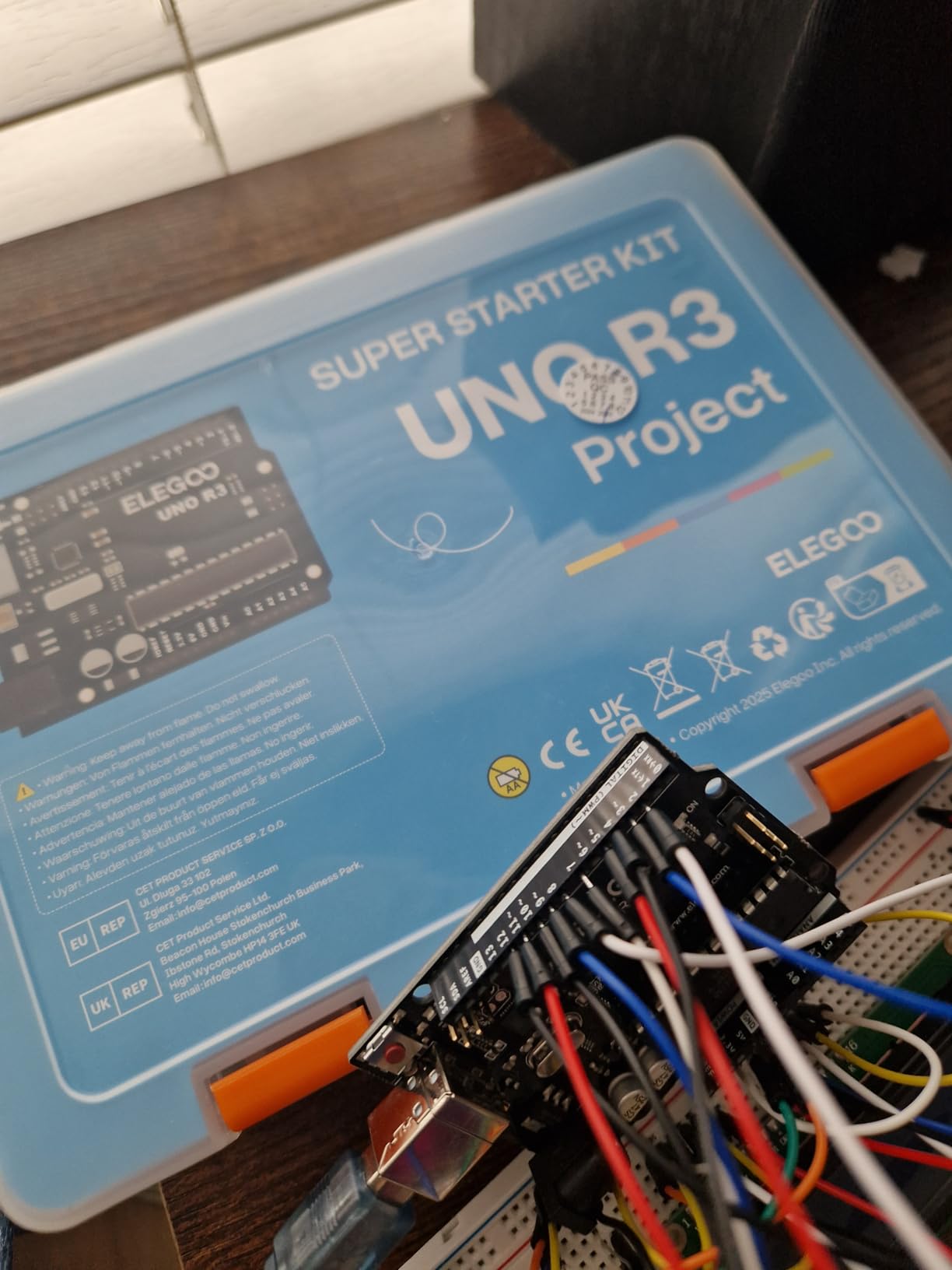
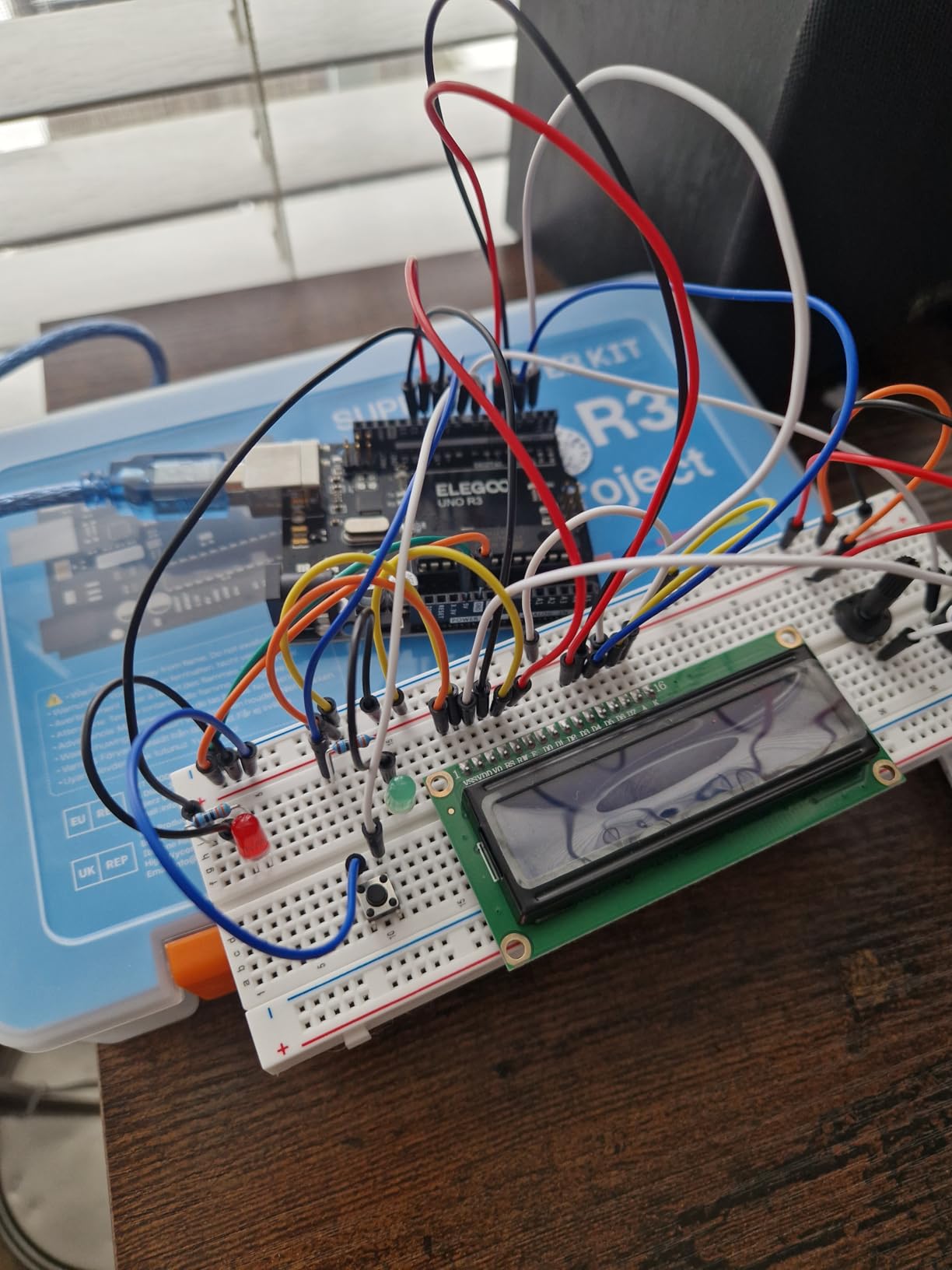
The component selection is comprehensive. The kit includes the UNO R3 board, LCD display, stepper motor, servo, ultrasonic sensor, temperature sensor, joystick, relay module, breadboard, jumper wires, and over 200 resistors and discrete components. This variety allows project complexity to scale from simple LED blinking to sophisticated environmental monitoring systems.
The tutorial approach works well for motivated learners. Rather than pre-built projects, ELEGOO provides 22 lessons that build fundamental skills progressively. Each lesson explains a component type, demonstrates basic usage, then suggests extensions. This structure teaches teens to read documentation and extrapolate from examples, essential real-world engineering skills.
I particularly appreciate the build quality. The plastic case organizes components into labeled compartments, preventing the chaos that kills enthusiasm in lesser kits. The UNO R3 board itself is a quality clone that works seamlessly with official Arduino software. No compatibility issues, no driver headaches, just straightforward creative electronics.
Comprehensive Introduction to Electronics
This kit excels for teens who want to understand how technology actually works. Breadboard circuit building teaches the physical reality of electrical connections in ways that snap-together kits cannot replicate. When a circuit doesn’t work, the teen learns to troubleshoot connection problems, check component orientation, and understand voltage requirements.
The progression from basic LED control through sensor integration and motor control provides legitimate preparation for advanced study. A teen who completes all 22 lessons will understand PWM, digital and analog inputs, serial communication, and basic control theory. These concepts transfer directly to robotics, IoT projects, and professional electronics work.
What Beginners Should Know
The initial learning curve is steeper than plug-and-play kits. Absolute beginners should expect some frustration in the first few projects. Breadboard circuits require precise placement and careful attention to component orientation. Resistors look identical except for colored bands that must be decoded. This complexity is educational, but parents should be prepared to provide encouragement through early difficulties.
Ignore the included CD and use the online tutorials instead. The PDF manual is comprehensive, but ELEGOO’s website and Arduino’s official documentation provide more current information. The Arduino community is enormous, and virtually any problem your teen encounters has been solved in forum threads. Teaching teens to search for solutions is part of the educational value.
7. Thames & Kosmos Structural Engineering: Bridges & Skyscrapers – Best for Civil Engineering Interest
Thames & Kosmos Structural Eng: Bridges & Skyscrapers | Engineering Set
Build 20 structural models
287 plastic building pieces
Learn forces and tension
36-page illustrated manual
Parents' Choice Gold Award
Pros
- Award-winning educational design
- Teaches real engineering principles
- 20 different models provide variety
- Clear illustrated instruction manual
- Parents' Choice Gold Award winner
- Excellent for physics concepts
- Screen-free educational activity
- Interchangeable building pieces
Cons
- Some projects need adult assistance
- Track system can be loose on some models
- Instructions in English only
Not every teen interested in building wants to work with electronics. The Thames & Kosmos Structural Engineering kit addresses mechanical and civil engineering interests through hands-on construction of bridges, towers, and architectural models. It’s a refreshing alternative in a market saturated with circuit-based STEM toys.
The 287 plastic pieces interlock in ways that demonstrate genuine structural principles. My fourteen-year-old niece built a suspension bridge that actually supported significant weight, then modified the design to test how different cable arrangements affected load capacity. This experimental approach teaches the scientific method naturally through physical experimentation.
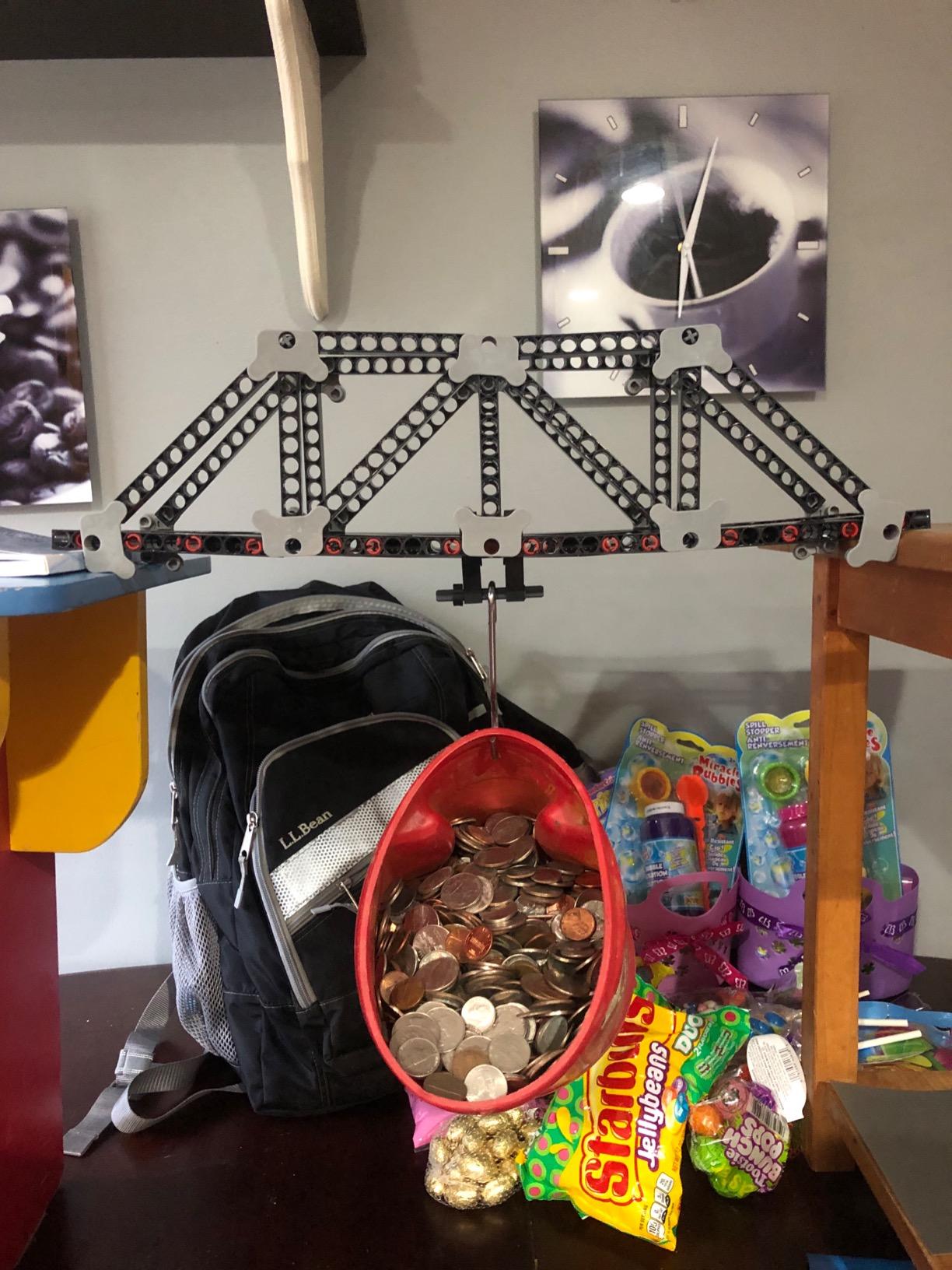
The 36-page manual deserves recognition for educational clarity. Rather than just showing assembly steps, it explains why particular designs work. Teens learn about compression in arches, tension in cables, and the distribution of forces in truss structures. These concepts directly connect to the physics curriculum in most high schools, providing practical reinforcement of classroom learning.
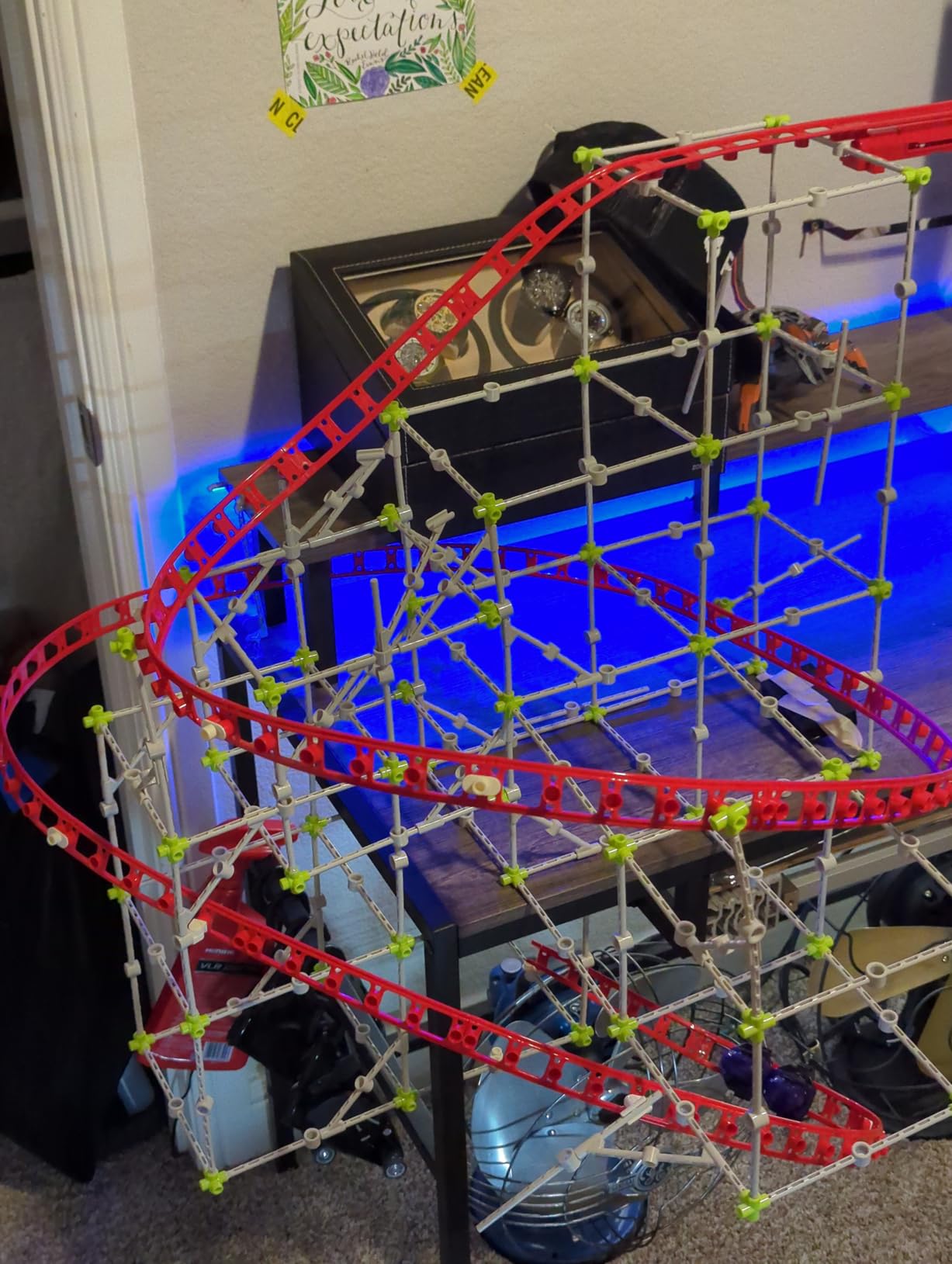
Twenty different models prevent the kit from becoming repetitive. The progression moves from simple beam bridges through trusses, arches, suspension systems, and finally to complex skyscraper frameworks. Each build introduces new concepts while reinforcing previous learning. My niece still references principles she learned from this kit in her current high school physics class.
Perfect for Future Engineers
This kit particularly suits teens interested in architecture, civil engineering, or physics. The hands-on experimentation with load-bearing structures creates intuitive understanding that complements theoretical study. I’ve seen teens who struggled with force diagrams in school suddenly grasp the concepts after physically building and testing structural members.
The screen-free nature is another benefit. In an age of constant digital stimulation, this kit provides engaging tactile learning that exercises spatial reasoning and fine motor skills. The satisfaction of creating a physical structure that stands and supports weight offers different rewards than digital creation.
Age and Skill Considerations
The eight-plus age rating is optimistic for independent completion. While the pieces are appropriate for younger builders, some models require sustained attention and mechanical reasoning that develops around eleven or twelve. Plan for collaborative building with younger teens, which actually enhances the educational experience through discussion.
The string-and-pulley projects particularly benefit from adult guidance. Tensioning cables properly requires technique that benefits from demonstrated example. Once learned, teens can replicate the skills independently, but initial success often requires partnership.
8. Snap Circuits 203 Electronics Exploration Kit – Great Alternative for Younger Teens
SNAP CIRCUITS 203 STEM Electronics Kit, 200+ Projects, Ages 8+
200+ electronics projects
40+ snap modules included
Full color project manual
Safe snap-together design
Award-winning educational toy
Pros
- Safe introduction to electronics
- Over 200 exciting projects
- Parts sized appropriately for handling
- Snap design requires no tools
- Excellent multi-generational appeal
- Clear full-color instructions
- Durable high-quality components
- Builds fundamental electricity concepts
Cons
- Projects are variations not entirely unique builds
- No antenna or radio projects included
- Space war sounds repetitive in projects
The Snap Circuits 203 occupies the middle ground in the Snap Circuits lineup, offering substantial educational value at a moderate price point. With over 200 projects and 40+ components, it provides enough content to engage teens for months without the overwhelming scope of the larger SC-500 or SC-750 sets.
I recommended this kit to a friend whose eleven-year-old showed interest in electronics but had never worked with circuits before. The success was immediate. The first evening produced a working light switch and simple alarm. By the end of the first week, her son was building more complex circuits involving multiple switches and integrated circuits. The confidence boost was visible.
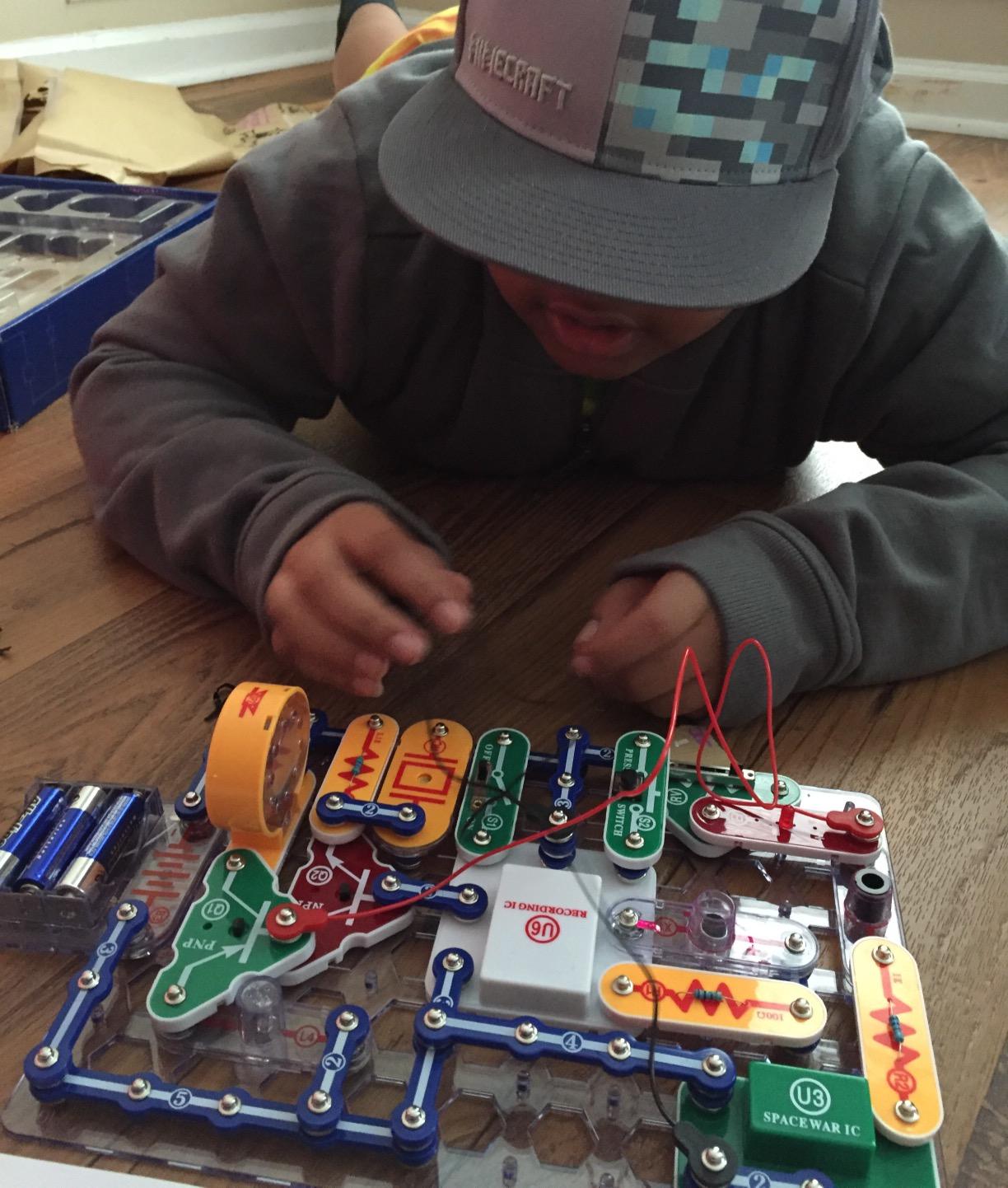
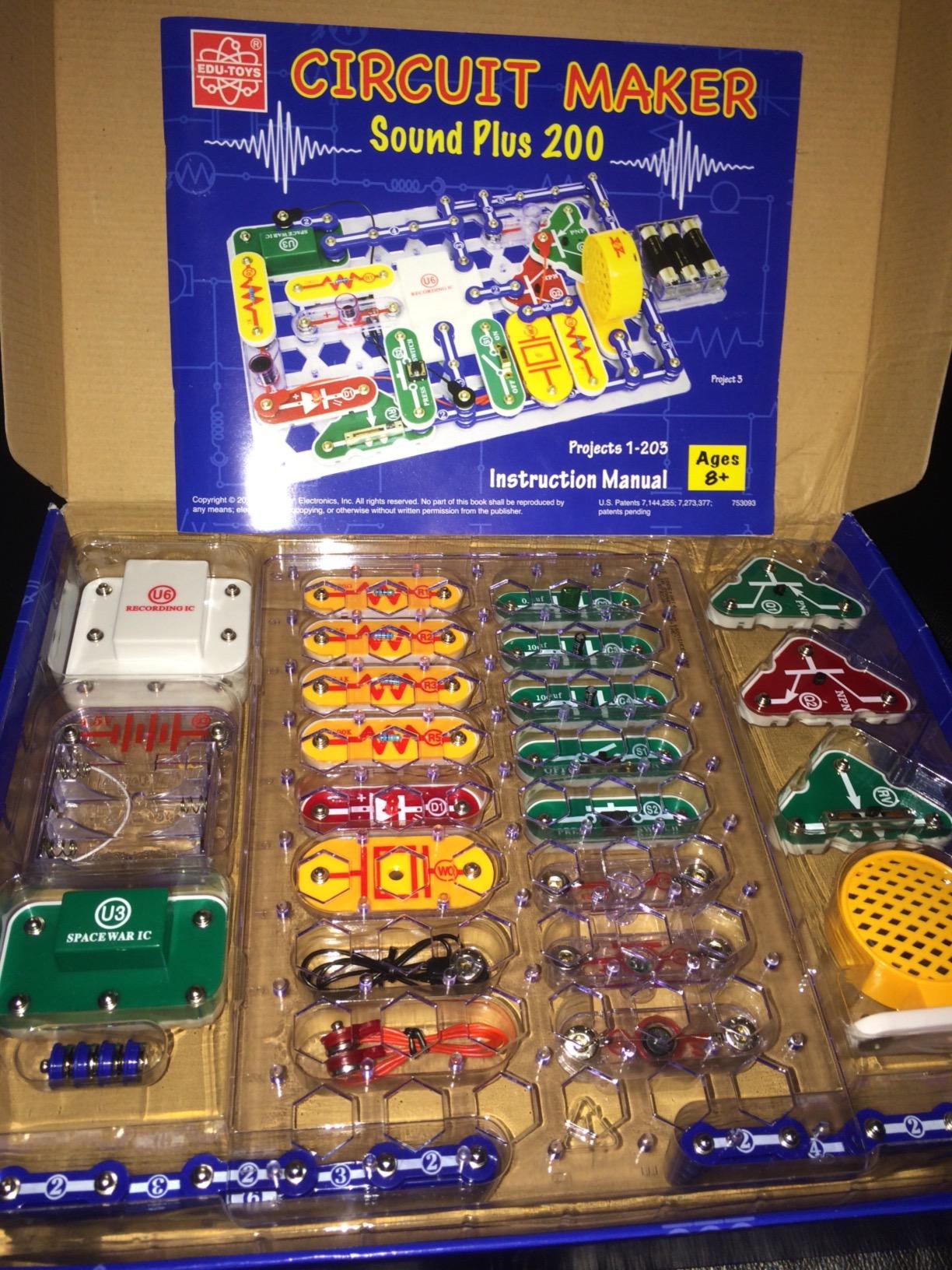
The component selection focuses on core electronics concepts. The 203 includes resistors, capacitors, transistors, and integrated circuits in the same snap-together format as larger sets. This provides genuine electronics education while maintaining the safety and simplicity that makes Snap Circuits appropriate for younger builders. Teens learn real component recognition that transfers to breadboard electronics later.
The instruction manual provides enough guidance for independent learning while leaving room for experimentation. My friend’s son frequently built the specified project, then modified components to see how changes affected behavior. This exploratory approach is exactly how electronics engineers develop intuition, and the kit naturally encourages it.
Safe Introduction to Electronics
Safety is a genuine concern when introducing teens to electronics. The 203 addresses this completely. All connections happen through plastic snaps that cannot create dangerous shorts. Components are too large to be choking hazards. The battery power is low voltage and safe even if mishandled. Parents can confidently let teens work independently.
The multi-generational appeal surprised me. During a family gathering, I watched grandparents and grandchildren working together on the same project, both genuinely engaged. The clear instructions level the playing field, allowing adults without electronics backgrounds to participate meaningfully without feeling ignorant.
When to Choose This Over SC-300
The 203 makes sense when budget constraints limit options or when buying for a younger teen whose sustained interest is uncertain. It offers about two-thirds the content of the SC-300 at a comparable price reduction. If your teen completes all 203 projects with enthusiasm, expansion sets are available to add capabilities.
For teens who already know they love electronics, the SC-300 remains the better investment. The additional projects and components justify the modest price difference. But as an introduction or gift for a teen whose interests are still developing, the 203 provides excellent value and educational impact.
9. Theremin Electronics Kit – Most Unique Music + Electronics Combo
MicroKits Theremin Electronics Kit: Make Your Own Electric Field Instrument
Build a real functioning theremin
No soldering required
22-page instructional booklet
All components included
Learn electrical capacitance
Pros
- Creates genuine musical instrument
- Clear easy-to-follow instructions
- Breadboard assembly requires no tools
- Teaches physics of capacitance
- Quick 20-minute build time
- Fun for wide age range
- Includes all components and batteries
- Unique blend of music and electronics
Cons
- Limited pitch range due to size
- Difficult to play specific melodies
- Buttons can be temperamental
- Sound can annoy some listeners
The Theremin Electronics Kit occupies a unique niche, combining music, physics, and electronics into one engaging project. For teens interested in both STEM and music, this kit offers something genuinely different from the standard robotics and circuit options that dominate the market.
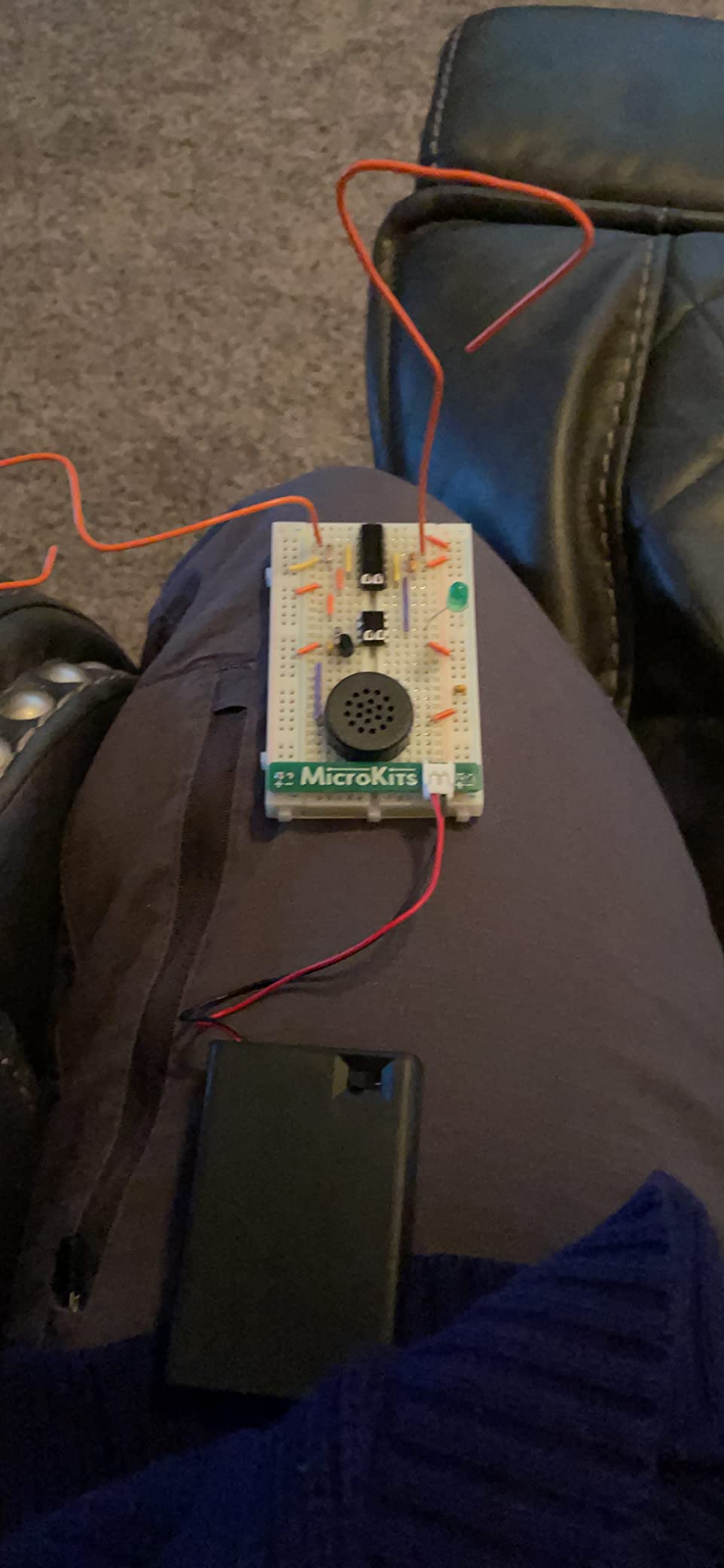
The theremin is the only musical instrument played without physical contact. Hand position near antennae changes pitch and volume through electrical capacitance. This kit miniaturizes that technology into a buildable project that produces authentic sci-fi sound effects. My fifteen-year-old cousin built this in a single afternoon and spent the rest of the weekend composing eerie soundtrack pieces.
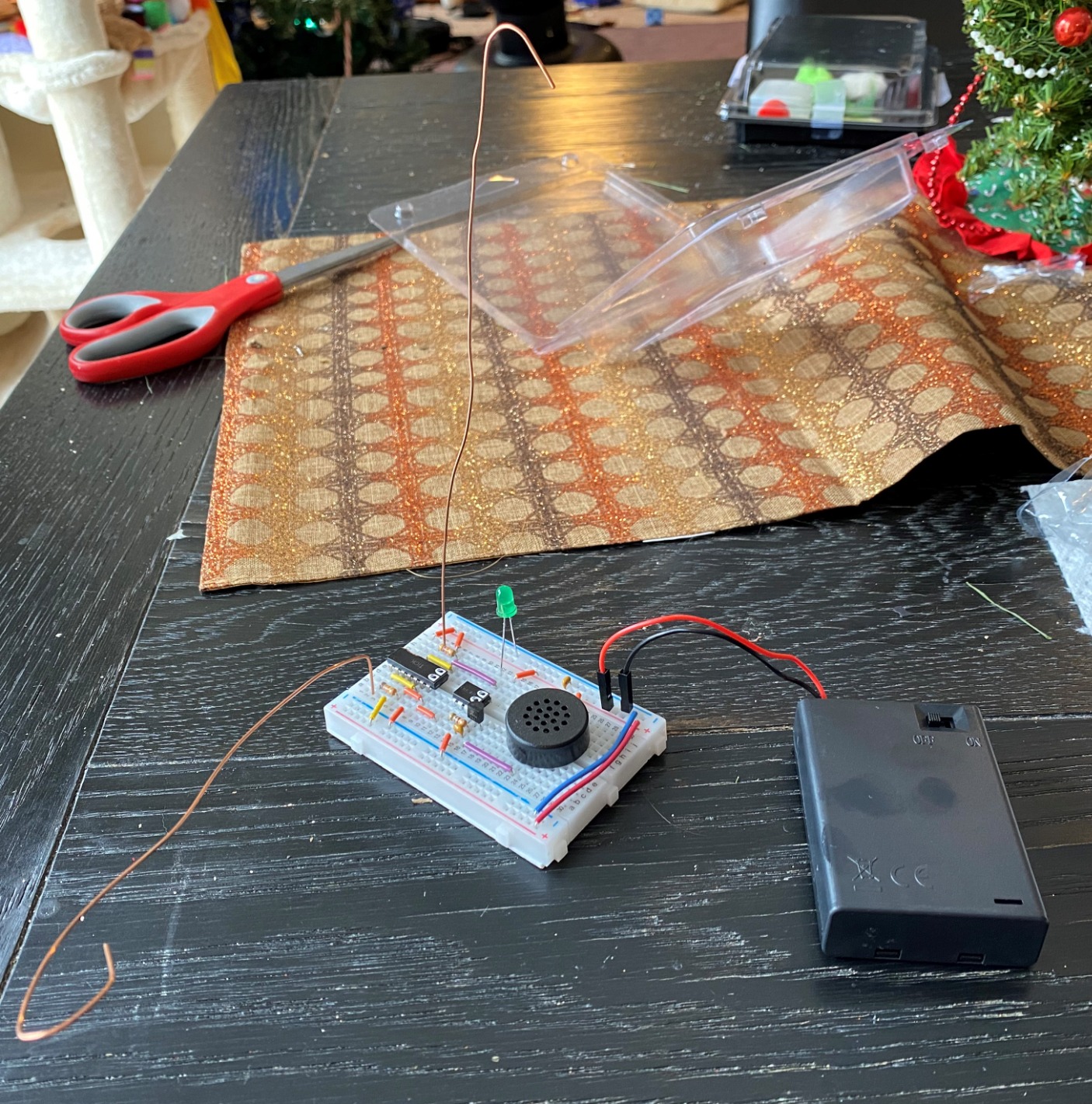
The build process teaches legitimate electronics skills. Components plug into a breadboard, introducing teens to circuit construction without permanent soldering. The step-by-step guide includes checkpoints that verify proper assembly before continuing. This prevents the frustration of completing an entire project only to find it doesn’t work.
The educational content extends beyond electronics. The instruction booklet explains the physics of electrical capacitance and how hand proximity affects circuit behavior. Teens learn that their body conducts electricity and can interact with circuits without touching them. This concept underlies touchscreen technology, making the learning relevant to devices they use daily.
Perfect for Music-Loving Tinkerers
This kit particularly suits teens in school music programs who want to understand the technology behind electronic instruments. The theremin represents early electronic music history while demonstrating principles still used in modern synthesizers. The connection between historical invention and contemporary music technology resonates with many teens.
The immediate musical feedback creates engagement that purely technical projects sometimes lack. Even when the pitch control is imperfect, the sounds produced are genuinely musical and fun. This reward structure maintains motivation through the learning process, particularly important for teens who might otherwise abandon technical challenges.
Musical Limitations
The miniaturized design necessary for a kit format limits the theremin’s musical range. Professional theremins use larger antennae and more sophisticated circuits for wider pitch range and better linearity. This kit produces sounds that are recognizably theremin-like, but playing specific melodies requires significant practice and remains somewhat imprecise.
The sound quality won’t please everyone. Theremin tones are distinctive and haunting, which translates to potentially annoying for family members subjected to hours of experimentation. The included volume control helps, but parents should prepare for some unusual household soundscapes during the first week.
10. Sillbird Robot Building Kit with Remote Control – Best 5-in-1 Build Variety
Sillbird STEM Robot Building Kit with Remote Control Gifts for Boys 8-13
5-in-1 buildable models
488 ABS plastic pieces
Dual control modes
Rechargeable battery included
App and remote control
Pros
- Five different models provide variety
- Dual Bluetooth app and physical remote
- Rechargeable battery included
- Challenging 488-piece builds
- Clear colorful instructions
- Good progression of difficulty
- Models actually work after assembly
- Excellent customer service
Cons
- App requires APK download not Play Store
- Build time lengthy for complex models
- May challenge younger children
- Replacement battery hard to find
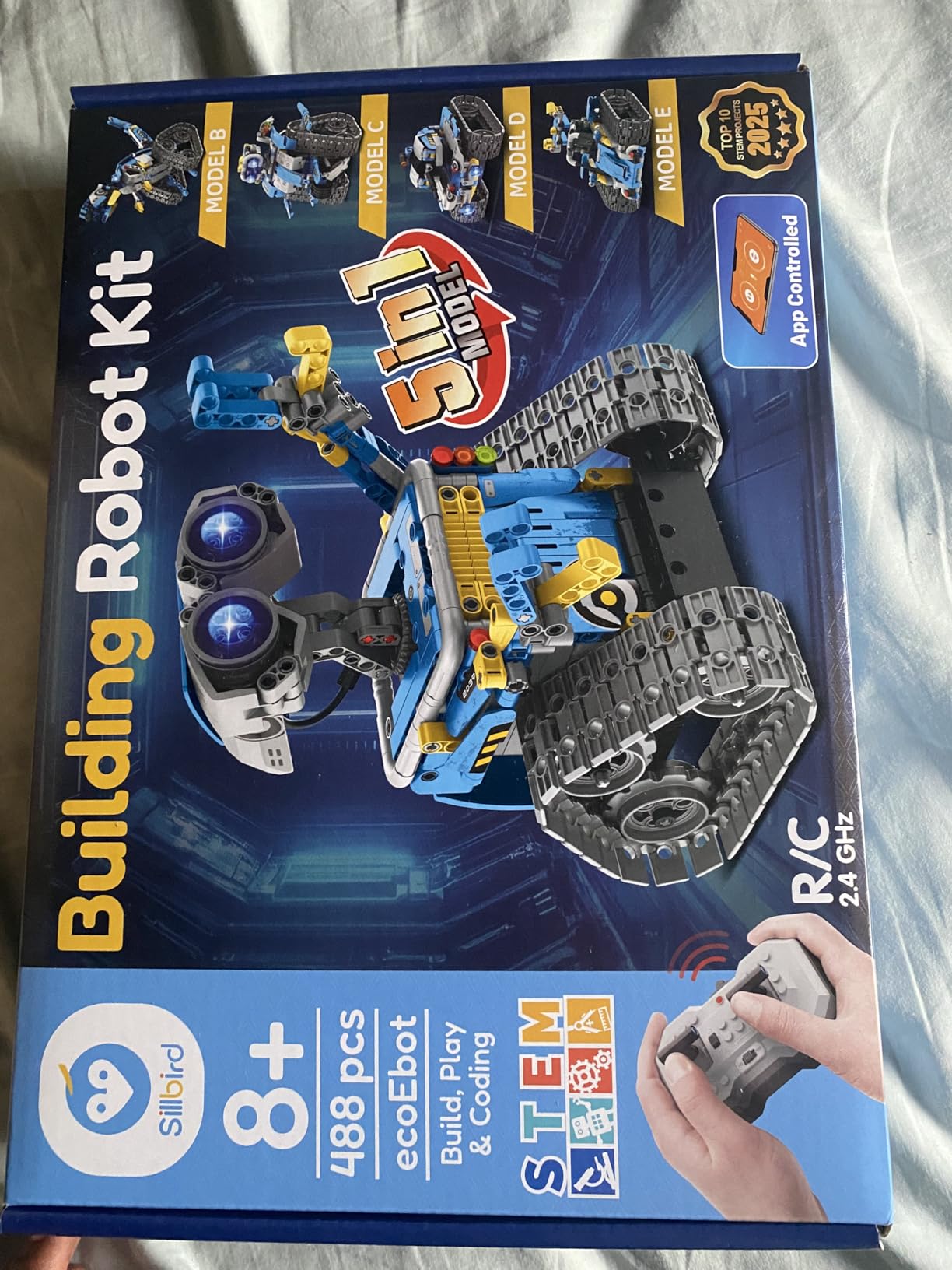
The Sillbird Robot Building Kit addresses a common complaint about robotics sets: what happens after you finish building? Many kits become shelf decorations once assembled, but Sillbird’s five-in-one design lets teens rebuild into entirely different robots, extending engagement far beyond single-build alternatives.
The 488 pieces construct five distinct models: a humanoid robot, a dinosaur, a tank, a racing car, and a digging machine. Each offers different mechanical capabilities and control characteristics. My neighbor’s twelve-year-old son built all five over a month, with each model taking four to six hours of focused work. The variety prevented the boredom that often ends interest in single-purpose kits.
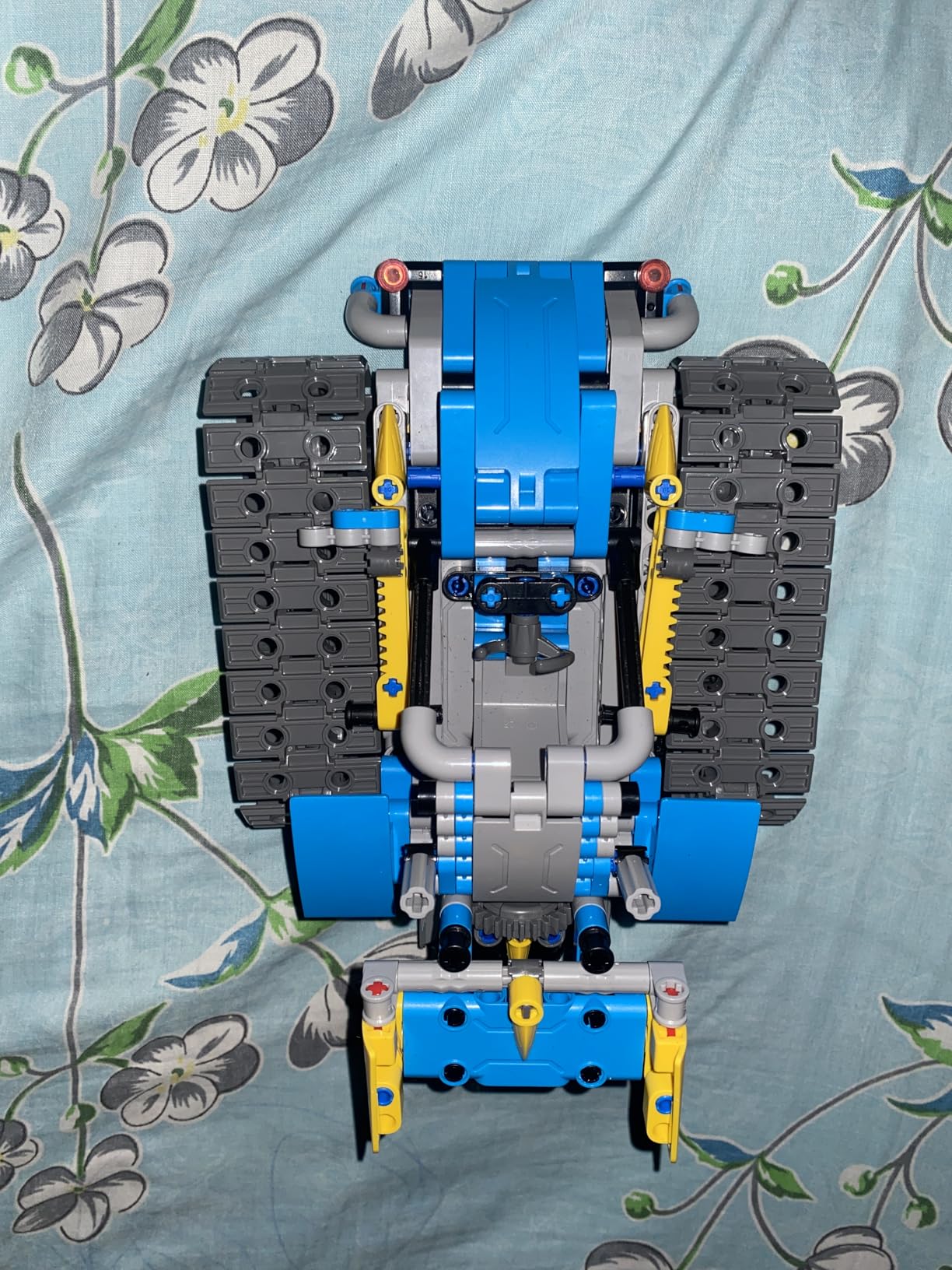
The control options provide flexibility. The physical remote works immediately for basic movement, while the Bluetooth app enables more sophisticated programming and path recording. This dual approach lets younger teens enjoy immediate success while offering growth potential for more advanced users. The rechargeable battery eliminates ongoing battery costs, a practical benefit parents appreciate.
The build quality is solid. ABS plastic construction withstands the inevitable crashes that occur when learning remote control operation. The pieces have the satisfying clutch of quality building toys, neither too tight nor too loose. Once assembled, the models feel substantial rather than fragile.
Great for Builders Who Like Variety
This kit particularly suits teens who enjoy the building process as much as the final product. The five different configurations mean the kit returns to a pile of parts multiple times, extending the building enjoyment across weeks or months. Each rebuild reinforces mechanical concepts and improves building technique.
The models actually work after assembly, which shouldn’t be remarkable but genuinely is. The motors drive the expected movements, the remote responds reliably, and the robots navigate obstacles as promised. This functional reliability matters. Nothing kills STEM interest faster than projects that don’t work as advertised after hours of careful building.
App and Compatibility Notes
The app distribution requires attention. Rather than Google Play Store availability, Sillbird provides the APK file for download from their website. This raises legitimate security concerns. I recommend using the physical remote exclusively rather than installing unknown APK files. The remote provides full functionality for all five models without any app installation.
The rechargeable battery is convenient but proprietary. If it fails after warranty expiration, replacement requires contacting Sillbird directly. Standard AA batteries would offer more long-term convenience, though they would also add ongoing cost. The forty-minute runtime per charge is adequate for most play sessions.
How to Choose the Right Hobby Gift for Your Teen Builders?
Selecting the perfect STEM gift requires understanding your teen’s current interests, skill level, and learning style. After guiding dozens of families through this decision, I’ve identified the key factors that predict whether a kit will gather dust or become a treasured tool for growth.
Match the Challenge to Their Skill Level
The most common mistake is choosing a kit that’s too advanced. A teen overwhelmed by complexity will abandon the project, while one who’s bored by simplicity won’t engage deeply. For absolute beginners, start with Snap Circuits or the mBot. These provide immediate success while building foundational knowledge. Teens with some electronics experience will appreciate the ELEGOO Arduino kit or Theremin kit, which offer genuine technical challenge.
Consider their frustration tolerance. Some teens relish difficult puzzles and persist through setbacks. Others need regular success to maintain motivation. The Snap Circuits line excels for encouraging persistence, while the ELEGOO robot car rewards patient builders with impressive functionality.
Consider Safety and Supervision Needs
Safety requirements vary significantly across kits. The Snap Circuits and structural engineering kits are genuinely safe for independent teen use. Arduino and robotics kits that involve wiring and batteries benefit from initial adult guidance. The 3D printing pen requires supervision due to hot surfaces. Be honest about how much involvement you can provide when making your selection.
Age recommendations on packaging tend toward optimism. A kit rated for eight-plus often requires guidance at that age, with independent use more realistic at eleven or twelve. Consider your specific teen’s maturity and technical confidence, not just their chronological age.
Budget Tiers and Value Assessment
Quality STEM gifts generally fall into three price categories. Under $35, you find excellent entry points like the SCRIB3D pen and smaller Snap Circuits sets. The $40-$55 range includes our best overall values: the ELEGOO starter kit, structural engineering set, and full Snap Circuits SC-300. Above $60, you get advanced robotics like the mBot with full feature sets.
Consider cost per hour of engagement rather than absolute price. A $50 kit that occupies your teen for fifty hours delivers better value than a $30 kit abandoned after two hours. The robotics and electronics kits on our list generally provide the longest engagement periods due to their expansion potential and replayability.
Align with Their Interests
The best STEM gift connects to existing passions. Artistically inclined teens gravitate toward the 3D printing pen and structural engineering kit. Gamers often love the robotics kits with app control. Music students appreciate the theremin. Science enthusiasts gravitate toward electronics and circuit building. Observe what naturally engages your teen and choose accordingly.
Consider their future academic and career interests too. The Arduino kit provides genuine preparation for engineering study. The structural engineering kit reinforces physics concepts. The robotics kits introduce programming fundamentals. These educational alignments add value beyond entertainment.
Frequently Asked Questions
What are some good hobby ideas for teenagers?
Good hobby ideas for teenagers include electronics building with circuit kits, robotics programming and construction, 3D design and printing, structural engineering projects, coding and software development, mechanical model building, scientific experimentation, and creative maker activities. These hobbies build valuable STEM skills while providing engaging hands-on experiences that develop problem-solving abilities and technical confidence.
What is a good gift for people who like to build things?
Good gifts for people who like to build things include electronics exploration kits like Snap Circuits, Arduino starter sets for programming, robotics building kits, 3D printing pens for creative design, structural engineering sets for architecture enthusiasts, mechanical assembly kits, and modular building systems. The best choice depends on their interests, skill level, and whether they prefer electrical, mechanical, or creative building activities.
What is the 4 gift rule?
The 4 gift rule is a minimalist gift-giving guideline suggesting you give four categories of presents: something they want, something they need, something to wear, and something to read. For teen builders and tinkerers, the want category might be a robotics kit, the need could be quality tools, the wear might be a maker-themed shirt, and the read could be a project book or STEM magazine subscription. This approach prevents over-gifting while ensuring thoughtful variety.
What to get a crafter that has everything?
For crafters who have everything, consider unique experiences like workshop classes or maker space memberships, advanced tools they haven’t tried such as 3D printing pens or laser cutting services, consumable supplies in premium quality, organizational solutions for their growing inventory, or books and resources that expand their technique knowledge. Subscription boxes that deliver new projects monthly can also provide ongoing novelty without adding permanent clutter.
How do I choose between circuit kits and robotics kits?
Choose circuit kits for teens interested in understanding how electronics work, who enjoy immediate feedback and visible cause-and-effect, or who are younger and need safer introduction to technology. Choose robotics kits for teens interested in programming, who enjoy mechanical assembly and motion, or who want to build things that move and interact with the environment. Many teens eventually enjoy both, starting with circuits for fundamentals then progressing to robotics.
Final Thoughts
Finding the right hobby gift for teens who love building and tinkering ultimately comes down to matching the kit to the individual. The ten products in this 2026 roundup represent the best options across different interests, skill levels, and budgets. Whether you choose the award-winning Snap Circuits SC-300 for electronics fundamentals, the versatile ELEGOO Arduino kit for coding exploration, or the innovative Thames & Kosmos Cyborg Hand for mechanical engineering, you’re giving more than just a gift. You’re providing tools for creativity, problem-solving, and skill development that can shape their future.
Remember that the best STEM gift is one that gets used. Start where your teen is comfortable, provide appropriate support through the learning curve, and celebrate their successes along the way. The satisfaction of watching a teen discover their capabilities through hands-on building is worth every moment of research and selection. Happy gifting, and happy building!