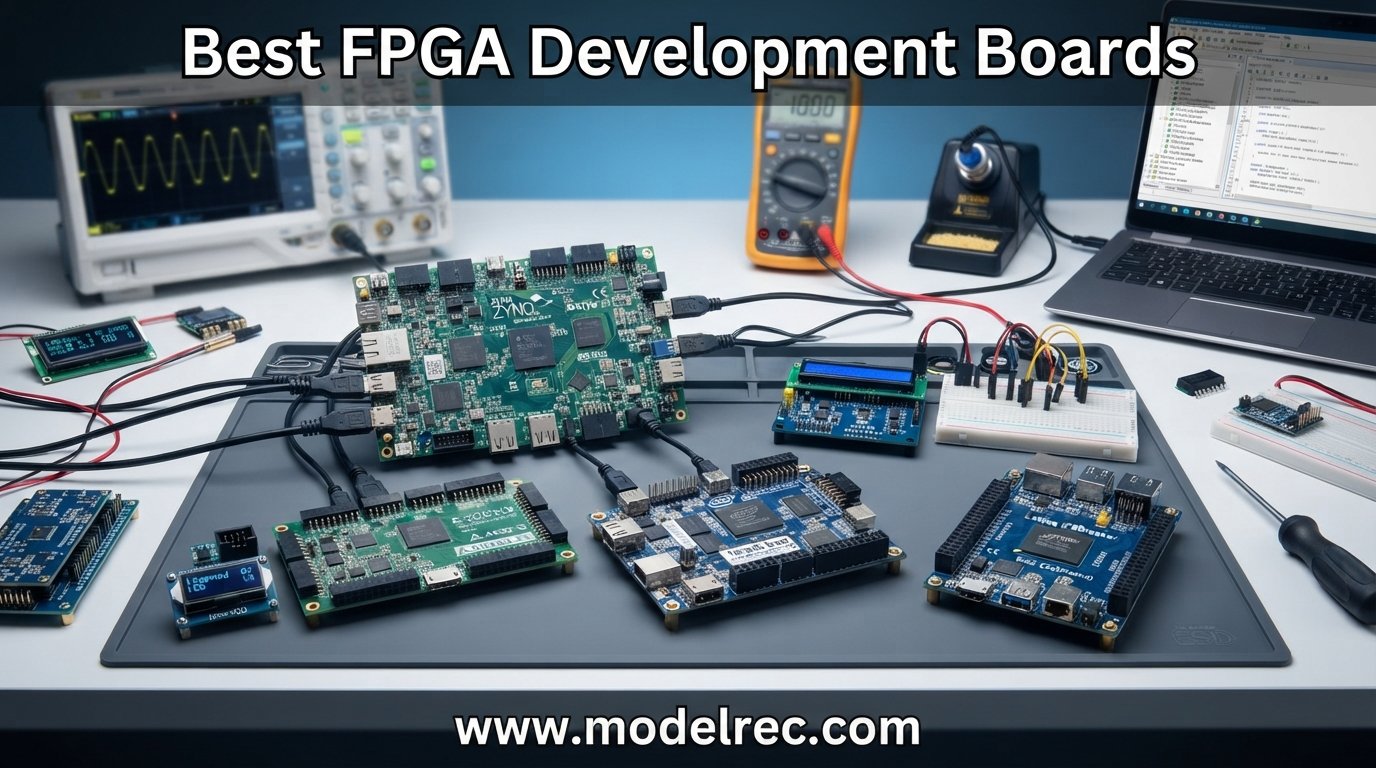
FPGA development boards open the door to custom hardware design, letting you build everything from digital logic circuits to high-performance signal processing pipelines. Whether you are a student taking your first digital design class or an experienced engineer prototyping a hardware accelerator, picking the right board makes all the difference in your learning curve and project outcomes.
Our team spent weeks evaluating the best FPGA development boards available on the market right now. We compared 12 boards across vendors like Xilinx, Intel, Lattice, and Gowin, testing everything from ultra-budget options under $40 to powerful SoC boards with embedded ARM processors. Every board on this list was assessed for logic capacity, toolchain quality, community support, and real-world usability.
In this guide, we break down each board by who it serves best. You will find recommendations for complete beginners, makers building IoT projects, and advanced engineers working on embedded vision or DSP applications. We also cover the toolchain landscape so you know exactly what software you will need before you buy.
Table of Contents
Top 3 Picks for FPGA Development Boards

Digilent Basys 3 Artix-7
- Xilinx Artix-7 FPGA
- 16 switches and LEDs
- 4 Pmod ports
- VGA output
- Free Vivado WebPACK

Sipeed Tang Nano 20K
- Gowin GW2AR-18 FPGA
- 20K LUT4 logic cells
- 64Mbits SDRAM
- HDMI output
- RISC-V support

Nandland Go Board
- Lattice ICE40 HX1K FPGA
- 4 LEDs and 4 buttons
- VGA connector
- 7-segment display
- Win Mac Linux
12 Best FPGA Development Boards in 2026
| Product | Specifications | Action |
|---|---|---|
| Digilent Basys 3 Artix-7 |
|
Check Latest Price |
| Sipeed Tang Nano 20K |
|
Check Latest Price |
| Nandland Go Board |
|
Check Latest Price |
 Digilent Nexys A7-100T Digilent Nexys A7-100T |
|
Check Latest Price |
 Digilent Arty A7-100T Digilent Arty A7-100T |
|
Check Latest Price |
 Terasic DE10-Lite Terasic DE10-Lite |
|
Check Latest Price |
 Digilent Arty A7-35T Digilent Arty A7-35T |
|
Check Latest Price |
 Digilent Arty S7-25 Digilent Arty S7-25 |
|
Check Latest Price |
 RHS Research Litefury RHS Research Litefury |
|
Check Latest Price |
 Digilent Zybo Z7-20 Digilent Zybo Z7-20 |
|
Check Latest Price |
 Q-BAIHE Cyclone II EP2C5T144 Q-BAIHE Cyclone II EP2C5T144 |
|
Check Latest Price |
 Earth People DueProLogic Earth People DueProLogic |
|
Check Latest Price |
1. Digilent Basys 3 Artix-7 FPGA Trainer Board
Digilent Basys 3 Artix-7 FPGA Trainer Board: Recommended for Introductory Users
Xilinx Artix-7 FPGA
450MHz clock
DDR3L RAM
4 Pmod ports
VGA and 7-seg display
Pros
- Great for beginners learning digital logic
- High quality board with excellent manual
- 16 switches 16 LEDs 5 pushbuttons
- Compatible with free Vivado WebPACK
- VGA output and 7-segment display
Cons
- Does NOT ship with micro USB cable
- Limited I/O compared to higher-end boards
- Smaller FPGA capacity than advanced boards
The Digilent Basys 3 is the board I recommend to almost every student and beginner who asks me where to start with FPGA development. It is built around the Xilinx Artix-7 FPGA, which gives you access to the free Vivado Design Suite WebPACK edition. That means you do not need to spend extra money on software licenses to get started.
What makes this board special is how much I/O it packs for a trainer board. You get 16 user switches, 16 LEDs, 5 pushbuttons, a VGA port, and a four-digit seven-segment display. These built-in peripherals let you build and visually test projects without needing any external components. The four Pmod ports also let you expand with sensors, displays, and other modules when you are ready.
I have seen universities adopt the Basys 3 as their standard teaching board, and that is no accident. The documentation is excellent, and there are countless tutorials and project guides built specifically for this board online. The community around it is strong, which matters a lot when you are stuck on a Verilog or VHDL issue at midnight.
One thing to keep in mind is that the Basys 3 does not ship with a micro USB cable. You will need to supply your own, which is a minor annoyance but easy to solve. The Artix-7 chip on this board is the smaller variant, so if you plan to build large-scale projects with heavy DSP or video processing, you may eventually outgrow it.
Who Should Buy the Basys 3
This board is ideal for students in their first or second digital logic course, self-learners who want a structured path into FPGA development, and anyone who values having a large community and tutorial ecosystem. If you want a board that just works with minimal setup friction, the Basys 3 is hard to beat.
The Basys 3 also serves as a solid prototyping board for simple projects. You can build counters, state machines, simple processors, and even basic video output using the VGA port. For most learning purposes, it has more than enough resources.
What to Watch Out For
The main limitation is FPGA capacity. The Artix-7 on the Basys 3 has fewer logic cells than the Nexys A7 or Arty A7-100T. If your projects involve large image processing pipelines or complex soft processors, you may hit the ceiling. Also factor in the cost of a USB cable since it is not included.
Despite these limitations, the Basys 3 remains the gold standard for introductory FPGA education. The combination of built-in I/O, Xilinx compatibility, and community support makes it the best FPGA development board for beginners.
2. Sipeed Tang Nano 20K FPGA Development Board
Sipeed Tang Nano 20K GW2AR-18 QN88 FPGA Development Board with 64Mbits SDRAM 828K Block SRAM Linux RISCV Single Board Computer for Retro Game Console Support microSD RGB LCD JTAG Port
Gowin GW2AR-18 FPGA
20736 LUT4 cells
64Mbits SDRAM
HDMI output
RISC-V support
Pros
- Ultra-affordable price
- Gowin GW2AR-18 with 20K LUT4 cells
- Supports RISC-V Linux
- microSD RGB LCD and HDMI ports
- Great for retro gaming and hobbyist development
Cons
- Smaller FPGA compared to higher-end options
- Gowin toolchain less mature than Vivado
The Sipeed Tang Nano 20K completely changed my expectations for what a budget FPGA board could do. At under $40, this board packs a Gowin GW2AR-18 FPGA with 20,736 LUT4 logic cells, 64Mbits of SDRAM, and support for HDMI output. That is an incredible amount of capability for the price point.
I was particularly impressed by the versatility of this tiny board. It supports game console emulators, RGB screen output, and even RISC-V soft-core experiments. The onboard MS5351 clock generating chip provides multiple clocks, and the USB2.0 HS interface handles HDMI display output through a 27MHz crystal.
The Gowin toolchain is not as polished as Xilinx Vivado or Intel Quartus, but it has improved significantly in recent years. For hobbyist projects and learning purposes, it gets the job done. The open-source community around Gowin FPGAs is also growing, which adds long-term value.
If you want to dip your toes into FPGA development without committing a large budget, the Tang Nano 20K is the board I point people to first. It offers more logic resources than boards costing three or four times as much, and the included peripherals make it genuinely fun to use.
Best Use Cases for the Tang Nano 20K
This board shines for retro gaming projects, HDMI display experiments, and RISC-V soft-core development. If you want to build a small game console or drive an RGB LCD panel, the Tang Nano 20K gives you the hardware to do it without breaking the bank.
It is also a great second board for experienced developers who want to experiment with the Gowin ecosystem. The compact form factor means you can easily integrate it into custom projects or use it as a coprocessor.
Limitations to Consider
The Gowin FPGA is smaller than what you get on Artix-7 100T boards, so large-scale DSP or video processing may be constrained. The Gowin education toolchain requires registration and has a licensing process, though it is free. Documentation is decent but not as comprehensive as Digilent or Terasic materials.
That said, for the price, the Tang Nano 20K is one of the best FPGA development boards for makers and hobbyists who want maximum capability per dollar.
3. Nandland Go Board for Beginners
Nandland Go Board – FPGA Development Board for Beginners with USB Cable, 4 LEDs, 4 Push-Buttons, 7-Segment Display, VGA, PMOD, Win/Mac/Linux Compatible
Lattice ICE40 HX1K FPGA
8192 bytes block RAM
VGA connector
7-segment display
USB programming
Pros
- Very easy to use with quick results
- Works with both Verilog and VHDL
- No extra device required just plug in USB
- Compatible with Windows Mac and Linux
- Good documentation and tutorials
Cons
- ICECube2 software has long license process
- Limited FPGA capacity for advanced projects
- No Arduino-type header breakout
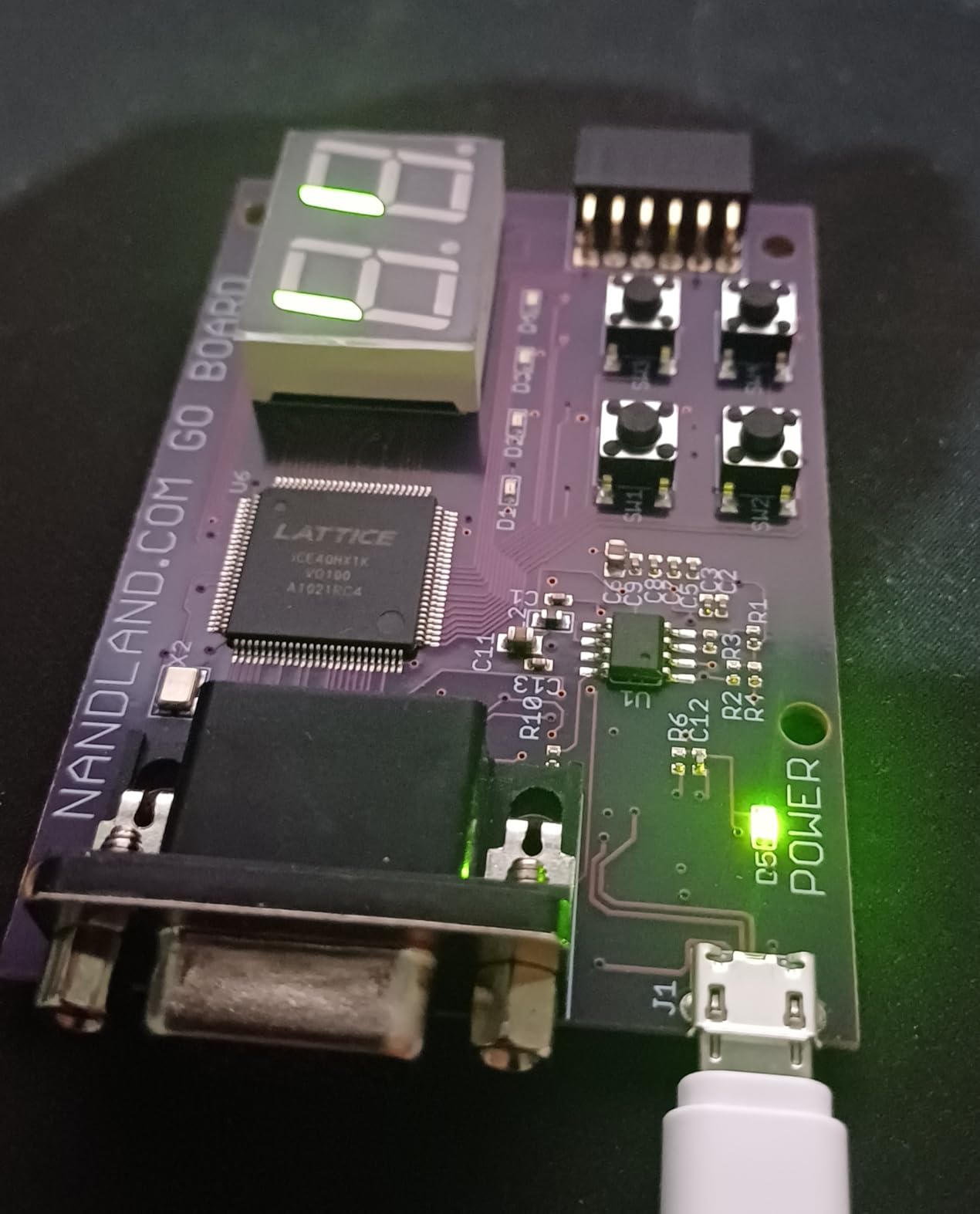
The Nandland Go Board is the most beginner-friendly FPGA board I have ever used. It is built around the Lattice ICE40 HX1K FPGA, and the entire experience is designed to get you from unboxing to working project in under an hour. I was displaying graphics on a VGA monitor within 30 minutes of opening the box.
What sets this board apart is the thoughtful selection of peripherals. You get 4 LEDs, 4 push-buttons, a seven-segment display, a VGA connector, and a PMOD connector for expansion. Everything you need to learn basic digital logic is already on the board. The included USB cable is a nice touch that other manufacturers should learn from.
The Go Board works with both Verilog and VHDL, and it is compatible with Windows, Mac, and Linux. The Nandland website offers a structured tutorial series that walks you through progressively more complex projects. This is the kind of guided learning experience that most FPGA boards lack.
The block RAM on the ICE40 chip can be partitioned into ROMs or used as bitmap ROM for display purposes. This gives you a surprising amount of flexibility for a board in this price range.
Ideal Learning Path with the Go Board
This board is built for people who have never touched an FPGA before. The tutorial progression takes you from blinking an LED through building a working VGA display controller. Each project builds on the previous one, so you develop skills incrementally rather than being overwhelmed.
If you are completely new to hardware description languages and want a guided, frustration-free entry point, the Go Board is the best choice on this list. The 1-year manufacturer warranty adds peace of mind.
Toolchain and Software Notes
The main drawback is the Lattice ICECube2 software, which has a lengthy license registration process. Some users also report that online tutorial code does not always match the constraints file exactly. However, once you get past the initial setup, the development experience is smooth and well-documented.
The ICE40 FPGA also has growing open-source toolchain support through projects like Project IceStorm, which is a significant advantage if you prefer open-source workflows over vendor-locked tools.
4. Digilent Nexys A7-100T FPGA Trainer Board
Digilent Nexys A7-100T: FPGA Trainer Board Recommended for ECE Curriculum
Artix-7 XC7A100T
15850 logic slices
4860 Kbits block RAM
DDR2 memory
Ethernet and USB
Pros
- High-end educational FPGA with 100T capacity
- 512MB DDR2 memory
- Ethernet and USB connectivity
- Rich set of I/O peripherals
- Successor to Nexys 4 DDR
Cons
- Higher price point
- Limited stock available
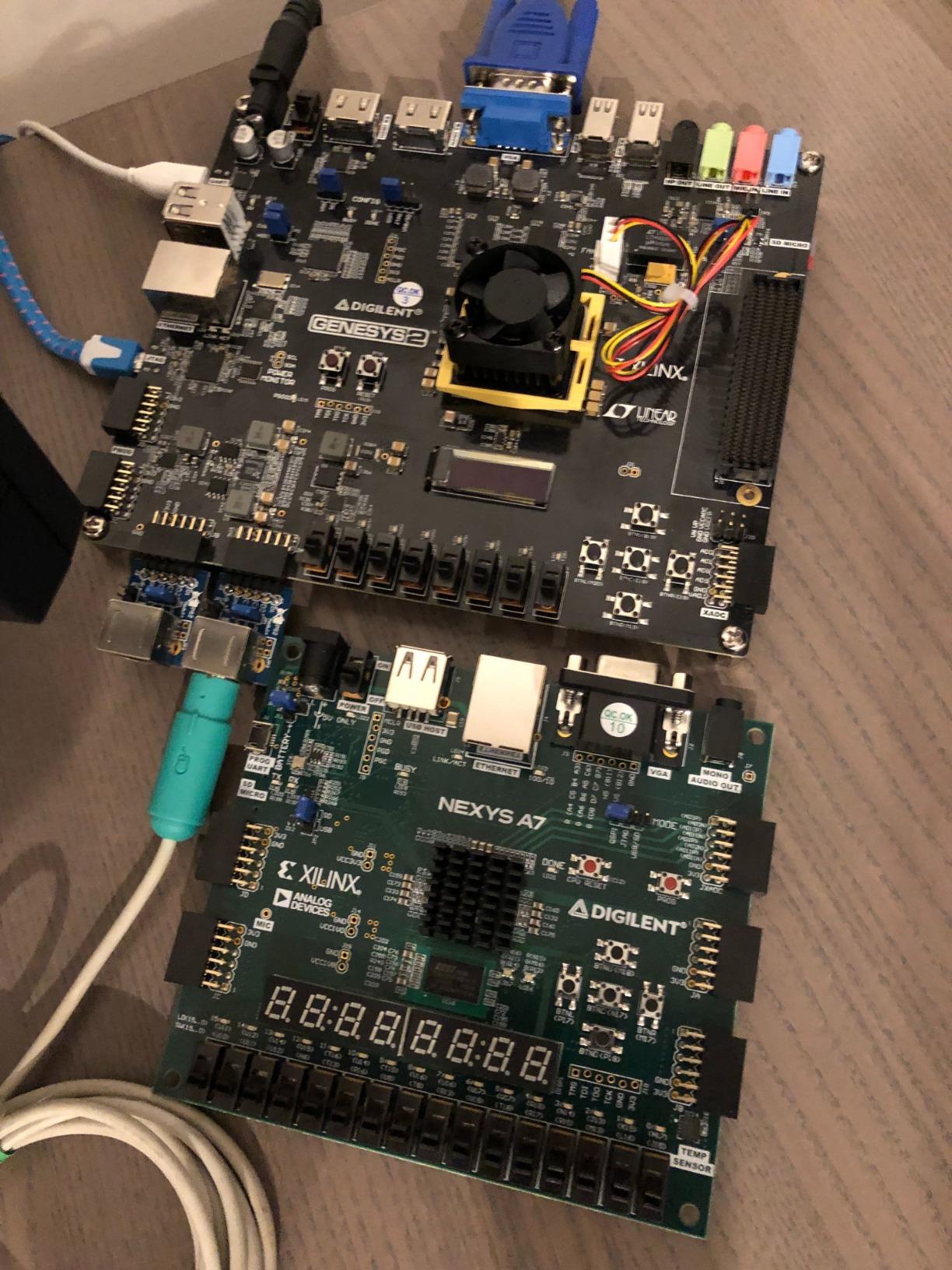
The Digilent Nexys A7-100T is the board I reach for when a project needs serious logic resources. It features the Artix-7 XC7A100T FPGA with 15,850 logic slices, each containing four 6-input LUTs and 8 flip-flops. That is more than three times the logic capacity of the Basys 3, making it suitable for complex university coursework and ambitious personal projects.
With 4,860 Kbits of fast block RAM and six clock management tiles each with a PLL, this board handles sophisticated timing and memory requirements with ease. Internal clock speeds exceed 450MHz, which is plenty for most educational and prototyping applications.
I appreciate how Digilent positioned the Nexys A7 as the successor to the popular Nexys 4 DDR. It retains the rich peripheral set that made the original great while updating the FPGA to the 100T variant. The 512MB DDR2 memory opens up possibilities for video processing, soft processors, and data-intensive applications.
The Ethernet and USB connectivity options mean you can build networked projects without adding external hardware. This board is commonly used in advanced ECE curriculum, and the ecosystem of lab materials and textbooks built around it is extensive.
When You Need the Nexys A7 Over the Basys 3
If you are building projects that involve MicroBlaze soft processors, video processing pipelines, or large state machines, the extra logic capacity of the 100T FPGA makes a real difference. The DDR2 memory also enables applications that simply are not possible on boards without external RAM.
Universities frequently standardize on the Nexys A7 for upper-division courses because it scales from introductory labs through capstone projects. If you want a board that will grow with you throughout your degree, this is a strong investment.
Stock and Availability Considerations
The Nexys A7-100T frequently runs low on stock, which reflects its popularity in academic settings. If you know you need one for a course, I recommend ordering early rather than waiting until the semester starts. The higher price reflects the significantly larger FPGA and expanded feature set.
For serious students and educators, the Nexys A7-100T is one of the best FPGA development boards available. It balances educational design with enough horsepower for real engineering work.
5. Digilent Arty A7-100T Artix-7 FPGA Board
Arty A7: Artix-7 FPGA Development Board for Makers and Hobbyists (Arty A7-100T)
Artix-7 XC7A100T
256MB DDR3L
450MHz clock
Ethernet
Arduino and Pmod headers
Pros
- Amazon Choice FPGA board
- Pmod connectors and Arduino-compatible header
- 256MB DDR3 memory
- Great for makers and embedded vision
- Versatile connectivity options
Cons
- Limited stock available
- Higher price than entry-level boards
The Digilent Arty A7-100T is the board I recommend to makers and hobbyists who want the power of an Artix-7 100T FPGA in a more flexible, project-friendly form factor. Unlike the Basys 3 and Nexys A7 which are designed for classroom use, the Arty A7 is built for building real projects.
The standout feature for me is the combination of Pmod connectors and an Arduino-compatible header. This gives you access to the massive ecosystem of Arduino shields and Pmod modules, making it trivially easy to add sensors, displays, motor drivers, and wireless modules to your FPGA projects.
The board includes 256MB of DDR3L memory on a 16-bit bus running at 667MHz, plus 16MB of Quad-SPI flash for configuration storage. The on-chip analog-to-digital converter (XADC) lets you read analog sensors directly, which is invaluable for IoT and instrumentation projects.
With 10/100 Mbps Ethernet, a USB-UART bridge, 4 switches, 4 buttons, 4 LEDs, and 4 RGB LEDs, the Arty A7 gives you a versatile platform for everything from soft-processor designs to embedded vision systems. The board can be powered from USB or any 7V-15V external source.
Maker Projects and Use Cases
I have seen builders use the Arty A7 for projects ranging from custom RISC-V soft processors to real-time audio processing and IoT gateways. The Arduino header compatibility means you can prototype with familiar shields and then design custom hardware as your project matures.
If you are coming from the Arduino world and want to level up to FPGA development, the Arty A7 provides the smoothest transition path. The familiar header layout reduces the learning curve while giving you access to vastly more capable hardware.
How It Compares to the Nexys A7
The Nexys A7 has more built-in peripherals like switches, LEDs, and seven-segment displays, making it better for learning. The Arty A7 has fewer built-in I/O but offers the Arduino header and more flexible expansion options, making it better for building real projects. Both use the same Artix-7 100T FPGA.
Choose the Nexys for coursework and the Arty for project development. Either way, you get one of the best FPGA development boards in the Xilinx ecosystem.
6. Terasic DE10-Lite Intel MAX 10 FPGA Board
Terasic DE10-Lite
Intel MAX 10 FPGA
50K logic elements
64MB SDRAM
Accelerometer
VGA and Arduino header
Pros
- Intel MAX 10 with 50K logic elements
- 64MB SDRAM and accelerometer
- VGA output for display
- Arduino UNO R3 connector
- Strong alternative for Intel toolchain users
Cons
- Not Prime eligible
- Lower rating than Xilinx competitors
The Terasic DE10-Lite is the board I recommend when someone specifically wants to learn the Intel (formerly Altera) FPGA toolchain. It features the Intel MAX 10 FPGA with 50,000 logic elements, which is a capable mid-range chip suitable for both learning and prototyping.
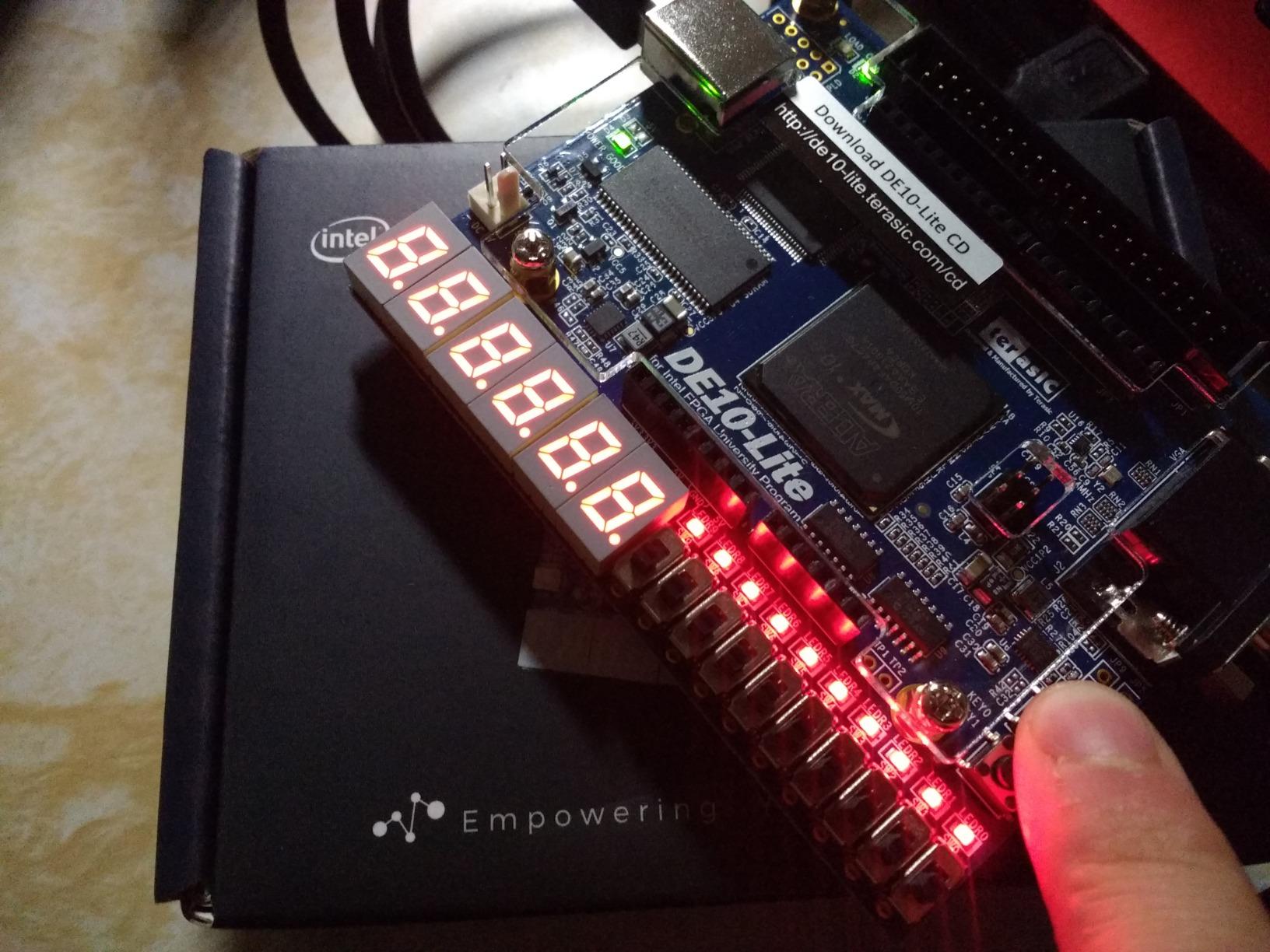
What I like about the DE10-Lite is its comprehensive peripheral set. You get 64MB of SDRAM, an accelerometer, VGA output, and an Arduino UNO R3 expansion connector. The built-in USB-Blaster programming interface means you do not need a separate programmer, which keeps the total cost down.
The MAX 10 FPGA is interesting because it has built-in flash memory, eliminating the need for an external configuration device. This simplifies the design and makes the board more reliable for production-style deployments. Intel’s Quartus Prime software is the toolchain, and while it has a learning curve, it is well-documented.
I have used the DE10-Lite in academic settings where the curriculum is built around Intel FPGAs rather than Xilinx. The board handles everything from basic logic gates to Nios II soft processor designs, making it versatile across multiple course levels.
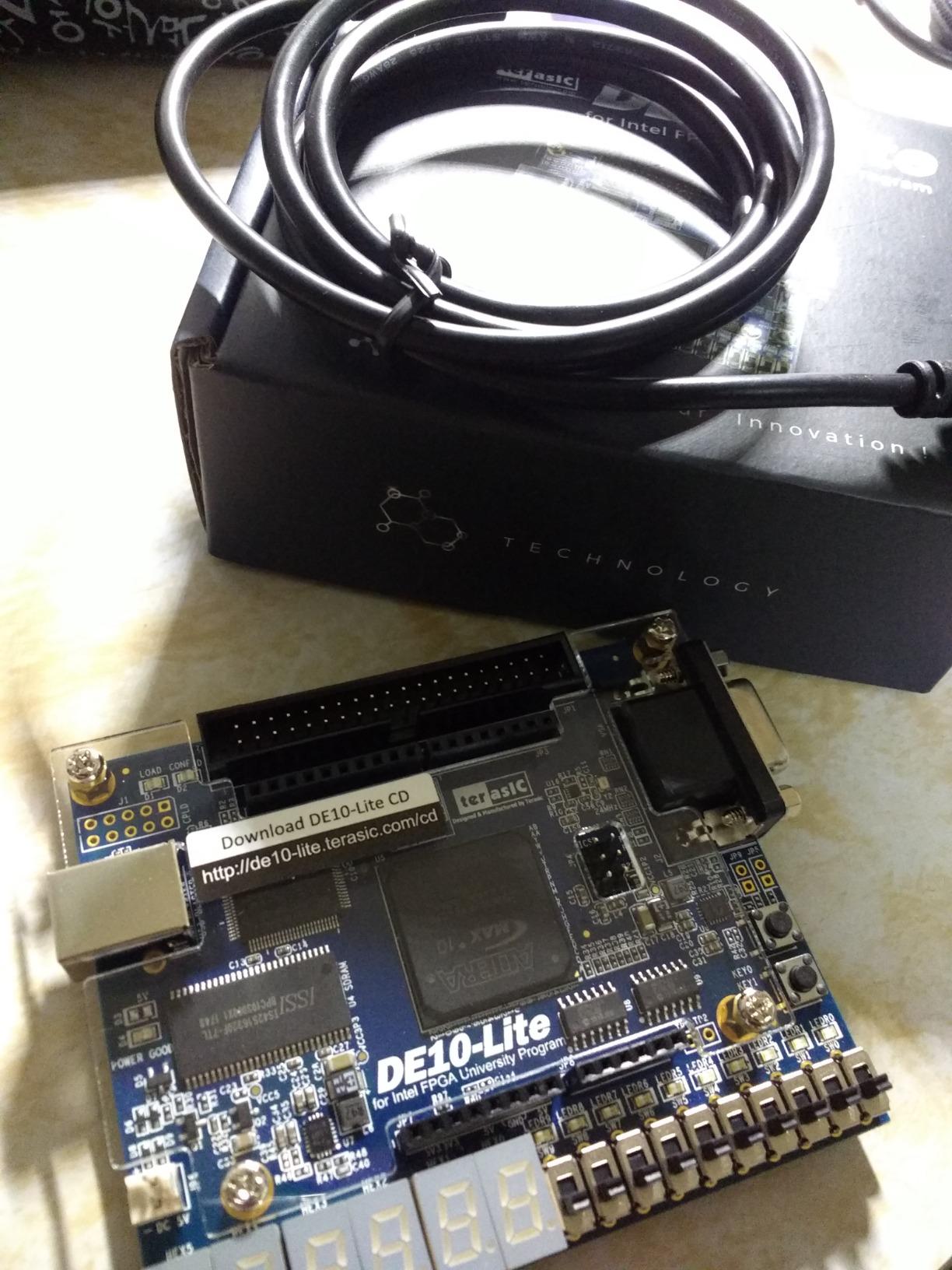
The Arduino UNO R3 connector is a thoughtful addition that lets you reuse existing shields. Combined with the VGA output and accelerometer, this board supports a wide variety of project types out of the box.
Intel vs Xilinx Toolchain Decision
If your university or workplace uses Intel FPGAs, the DE10-Lite is the natural choice. Quartus Prime has a different workflow than Vivado, and learning the Intel ecosystem positions you for jobs at companies that use Altera devices. The DE10-Lite gives you that path at a reasonable price.
If you have no preference, the Xilinx ecosystem (Basys 3, Nexys A7) has a larger community and more learning resources. But for Intel-focused work, the DE10-Lite is one of the best FPGA development boards available.
What Holds It Back
The 4.3-star rating is slightly lower than the Digilent boards, primarily due to shipping and availability issues rather than hardware problems. The board itself is well-built and reliable. Factor in that it is not Prime eligible, so shipping may take longer than Amazon Prime options.
Despite these minor drawbacks, the DE10-Lite remains the top Intel-based educational FPGA board for students and engineers working in the Altera ecosystem.
7. Digilent Arty A7-35T with Educational eBooks
Arty A7: Artix-7 FPGA Development Board for Makers and Hobbyists (Arty A7-35T)
Artix-7 XC7A35T
256MB DDR3L
2 free eBooks
Ethernet
Arduino and Pmod headers
Pros
- Includes 2 free eBooks worth over $135
- 256MB DDR3 memory
- Smaller FPGA for lightweight maker projects
- Ethernet connectivity
- Good educational value with bundled books
Cons
- Lower rating than 100T variant
- Higher price than 100T despite smaller FPGA
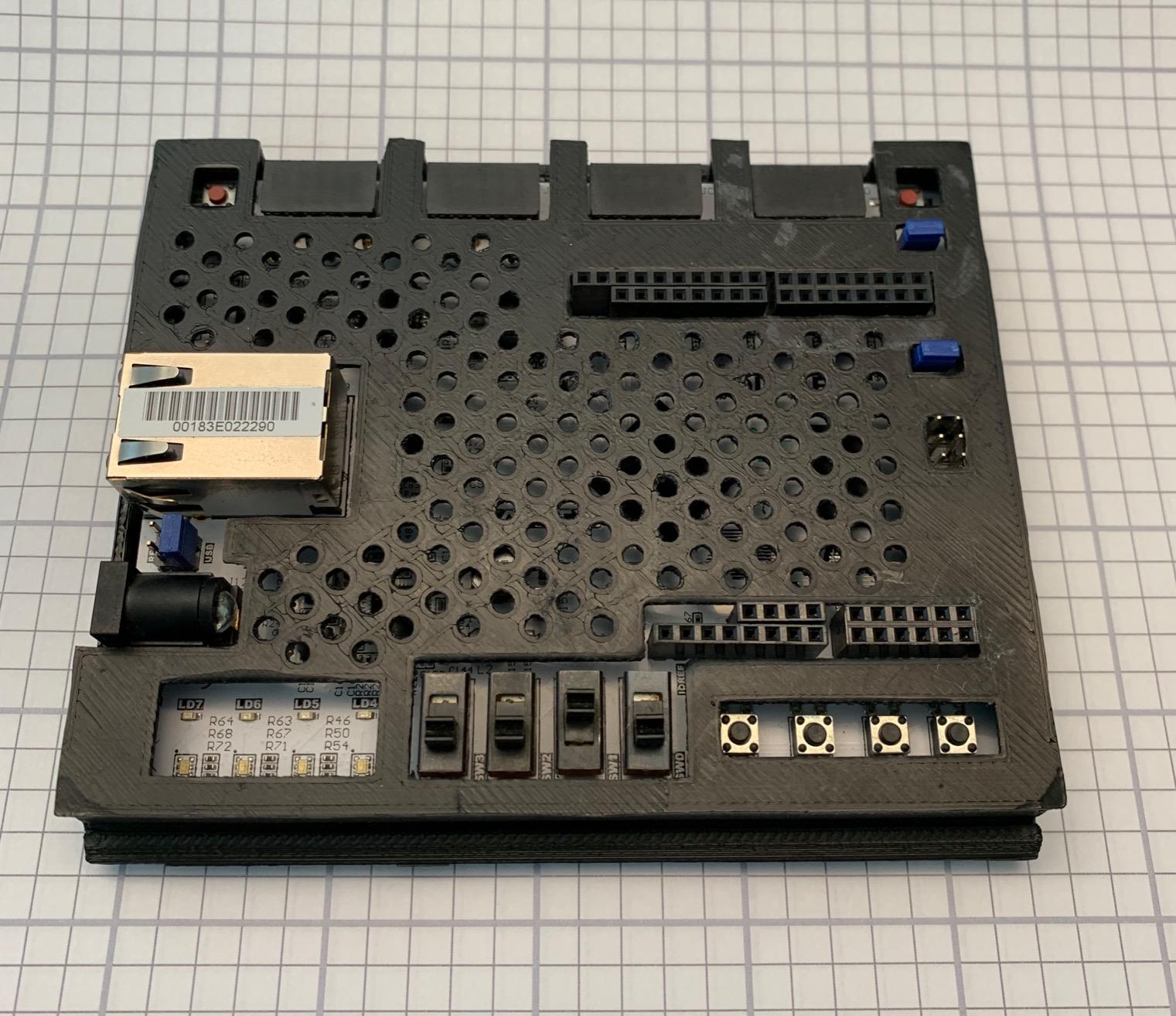
The Digilent Arty A7-35T is the smaller sibling of the A7-100T, featuring the XC7A35T variant of the Artix-7 FPGA. What makes this particular listing special is that it ships with two free educational eBooks valued at over $135 combined, making it an attractive package for self-learners.
The included books are Introduction to Digital Design Using Digilent FPGA Boards (VHDL Edition) and Real Digital: A Hands-on Approach to Digital Design. Together, these provide a structured curriculum that takes you from absolute basics through intermediate FPGA design concepts.
I found the 35T variant to be sufficient for most learning projects. It has the same 256MB DDR3L memory, Ethernet connectivity, Arduino-compatible header, and Pmod connectors as the 100T. The main difference is reduced logic capacity, which matters for large designs but not for educational labs.
The board is compatible with the free Xilinx Vivado WebPACK, so you do not need any additional software purchases. The on-chip XADC and JTAG programming work identically to the 100T variant.
Who Benefits Most from This Bundle
If you are a self-directed learner who wants both the hardware and a structured curriculum, this bundle is excellent value. The two eBooks are genuinely useful resources that complement the board’s capabilities. Having a guided path from day one reduces the frustration that causes many beginners to quit.
The 35T FPGA is adequate for counters, state machines, small soft processors, and basic signal processing. If you are not sure whether you need the extra capacity of the 100T, starting with the 35T and these books is a smart, cost-effective entry point.
Price Consideration Against the 100T
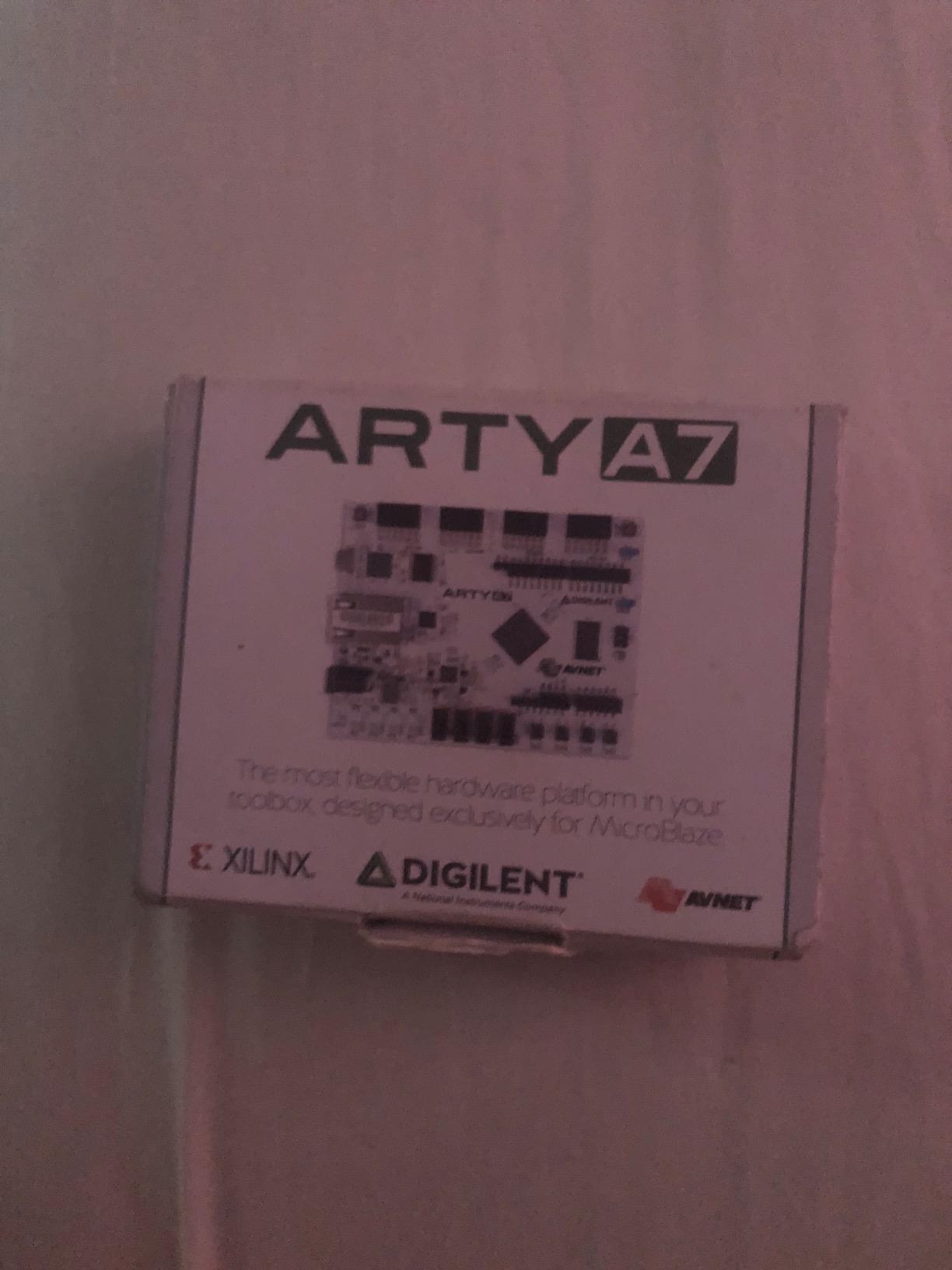
One thing that surprised me is that this 35T bundle can sometimes be priced higher than the 100T variant on Amazon, depending on stock and seller. If you do not specifically need the bundled eBooks, compare prices carefully. The 100T offers more FPGA capacity for similar or lower cost.
However, if the eBook bundle appeals to you and the pricing makes sense, the Arty A7-35T remains one of the best FPGA development boards for structured, self-paced learning.
8. Digilent Arty S7-25 Spartan-7 FPGA Board
Digilent Arty S7: Spartan-7 FPGA Board for Makers and Hobbyists (Arty S7-25)
Spartan-7 XC7S25
450MHz clock
256MB DDR3L
XADC
Pmod and Arduino headers
Pros
- Xilinx 7-series FPGA platform
- Cost-effective entry point
- DDR3 memory included
- Pmod connectors and Arduino header
- Power-efficient design
Cons
- Limited to smaller FPGA variant in base model
- Not Prime eligible
The Digilent Arty S7-25 brings the Xilinx Spartan-7 FPGA to the Arty platform, offering a cost-effective entry into the 7-series ecosystem. I found this board particularly interesting because Spartan-7 chips are power-efficient and compact while still being part of the modern Xilinx family.
The S7-25 variant features the XC7S25-CSGA324 FPGA, which is smaller than the Artix-7 variants on the A7 boards. However, it still delivers internal clock speeds exceeding 450MHz, an on-chip analog-to-digital converter (XADC), and the same Pmod and Arduino header expansion that makes the Arty family so versatile.
With 256MB of DDR3L memory, the Arty S7 can handle soft-processor projects and data-intensive applications that boards without external RAM simply cannot. The board is programmable over JTAG and Quad-SPI flash, and can be powered from USB or any 7V-15V source.
For makers who want to work within the Xilinx Vivado ecosystem at a lower price point than the Artix-7 boards, the Arty S7 is a compelling option. The Spartan-7 architecture shares the same 28nm process as Artix-7 but in a smaller, lower-cost package.
Arty S7 vs Arty A7: Which to Choose
The Arty S7 is the right choice when cost is a primary concern and you want to stay in the Xilinx 7-series family. The Spartan-7 has fewer logic resources than Artix-7 but shares the same toolchain (Vivado) and development workflow. If your projects fit within the smaller FPGA, you save money without sacrificing the development experience.
The Arty A7 makes more sense if you need maximum logic capacity, DSP slices, or plan to run large MicroBlaze designs. Both boards share the same physical layout and peripheral set, so upgrading later is straightforward.
Power Efficiency Advantage
The Spartan-7 consumes less power than the Artix-7, which matters for battery-powered or USB-powered projects. If you are building portable FPGA applications or devices with strict power budgets, the Arty S7’s lower power consumption is a real advantage worth considering.
For budget-conscious makers in the Xilinx ecosystem, the Arty S7-25 is one of the best FPGA development boards offering modern 7-series technology at an accessible price.
9. RHS Research Litefury Artix-7 M.2 FPGA Board
Xilinx Artix-7 FPGA M.2 Development Board (A100T FPGA/512MB DDR)
Artix-7 A100T FPGA
512MB DDR3
PCIe x4 gen 2
M.2 2280 form factor
Built-in cooling fan
Pros
- Compact M.2 form factor
- Artix-7 A100T FPGA
- 512MB DDR3 memory
- PCIe x4 gen 2 connectivity
- Good for PCIe and high-speed embedded applications
Cons
- Built-in fan can be noisy
- Programming adapter not included
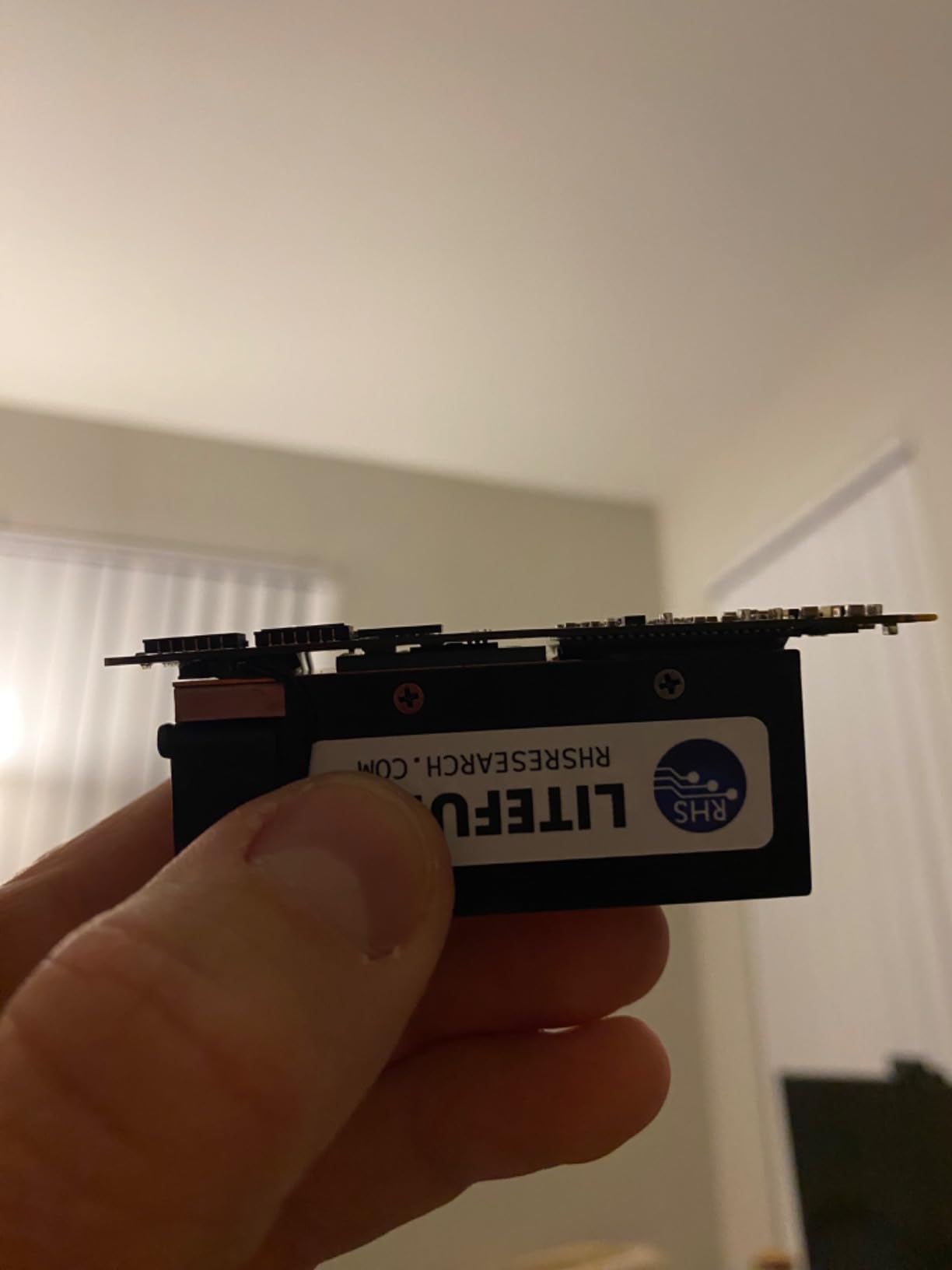
The RHS Research Litefury is unlike any other board on this list. It packs an Artix-7 A100T FPGA with 512MB of DDR3 memory into an M.2 2280 form factor, the same size as an NVMe SSD. This means you can plug it directly into an M.2 Key M slot on a compatible motherboard.
I was fascinated by the PCIe x4 gen 2 connectivity this board offers. It essentially lets you build custom hardware accelerators that communicate with your host computer over PCIe, which opens up applications in hardware cryptography, high-speed data acquisition, and custom signal processing.
The board includes 256Mb of configuration flash, a built-in cooling fan, and comes with a 1-year warranty. The compact size makes it ideal for embedded systems where space is at a premium. The Xilinx XC7A100T-L2FGG484E FPGA is the same capable chip used on larger development boards.
If you are working on PCIe-based FPGA projects or need a compact accelerator module, the Litefury offers a unique combination of form factor and capability that no other board on this list matches.
PCIe Development and Applications
The M.2 form factor with PCIe connectivity is perfect for developers building hardware accelerators that interface with desktop or server systems. Common applications include custom cryptographic engines, high-speed packet processing, and real-time data analysis pipelines.
You will need a compatible motherboard with a free M.2 Key M slot and PCIe x4 gen 2 support. Most modern desktop motherboards have this, but it is worth verifying before purchasing.
Setup Requirements and Caveats
The programming adapter is not included, so you will need to supply your own JTAG programmer. The built-in cooling fan can be noisy in quiet environments, which is worth noting if you plan to use it on a desktop workstation. The board comes with a 1-year warranty from RHS Research LLC.
For specialized PCIe development work, the Litefury is one of the best FPGA development boards available in its unique form factor.
10. Digilent Zybo Z7-20 Zynq-7000 SoC Board
Digilent Zybo Z7: Zynq-7000 ARM/FPGA SoC Development Board (Zybo Z7-20)
Zynq-7000 SoC
Dual-core ARM A9
1GB DDR3
HDMI
Gigabit Ethernet
Pros
- Zynq-7000 SoC combining ARM Cortex-A9 with Artix-7 FPGA
- 1GB DDR3 memory
- Gigabit Ethernet HDMI and Pmod connectors
- Rich multimedia and connectivity peripherals
- Premium choice for embedded vision and robotics
Cons
- Higher price point
- Limited stock availability
The Digilent Zybo Z7-20 is the most powerful board on this list, and it is not even close. It is built around the Xilinx Zynq-7000 SoC, which combines a 650MHz dual-core ARM Cortex-A9 processor with Artix-7 FPGA logic on a single chip. This architecture opens up possibilities that pure FPGA boards simply cannot match.
With the Zynq SoC, you can run embedded Linux on the ARM cores while implementing custom hardware accelerators in the FPGA fabric. The two domains communicate through high-speed AXI interconnects, giving you the best of both software flexibility and hardware performance.
I found the 1GB of DDR3 memory to be generous for embedded applications. The board also includes Gigabit Ethernet, HDMI input and output, six Pmod connectors, and over 30 FPGA I/O pins. Four analog-capable differential pairs connect to the XADC for sensor interfacing.
The Zybo Z7-20 is the board I recommend for embedded vision, robotics, and any project that benefits from running Linux alongside custom hardware. The combination of ARM processing power and FPGA flexibility is genuinely transformative for the right applications.
SoC FPGA Development Explained
A SoC FPGA like the Zynq-7000 differs from a pure FPGA board because it has a hard processor built into the chip. You write C/C++ code that runs on the ARM cores for control logic, networking, and user interfaces. Meanwhile, you implement performance-critical functions in the FPGA fabric using HDL.
This division of labor lets you build systems that would be extremely difficult on either a pure processor or pure FPGA platform. For example, you can run a web server on the ARM core while the FPGA handles real-time video processing.
When the Zybo Z7 Makes Sense
If your projects involve embedded Linux, hardware acceleration, computer vision, or software-defined radio, the Zybo Z7-20 justifies its premium price. The PYNQ framework from AMD/Xilinx also makes this board accessible through Python-based development, which lowers the barrier to entry for SoC FPGA programming.
Stock is frequently limited, so if you need one for a project, order ahead. For advanced embedded systems work, the Zybo Z7-20 is arguably the best FPGA development board in its class.
11. Q-BAIHE Altera Cyclone II EP2C5T144 Board
Q-BAIHE Development Board for ALTERA FPGA Cyclone II EP2C5T144 Minimum System Development Board
Altera Cyclone II EP2C5T144
EPCS4 serial flash
50MHz oscillator
4.5V power supply
Budget friendly
Pros
- Budget-friendly Cyclone II board
- Classic option for learning Quartus II
- EPCS4 serial flash included
- 50MHz oscillator
- Good for basic digital logic experiments
Cons
- Older Cyclone II technology
- Limited resources compared to modern FPGAs
The Q-BAIHE Altera Cyclone II EP2C5T144 is about as basic as an FPGA board gets, and that is exactly its appeal. For around $60, you get a minimum-system development board built around the classic Cyclone II chip, which has been the starting point for countless engineers learning digital logic.
This is not a board with fancy peripherals or modern FPGA technology. What it offers is a bare-bones platform for learning the Intel Quartus II toolchain and experimenting with fundamental digital logic concepts. The EP2C5T144C8 chip provides enough logic elements for basic projects, and the EPCS4 serial flash handles configuration storage.
I appreciate the simplicity of this board for what it is. The 50MHz oscillator provides a stable clock source, and the 4.5V power supply can be introduced through the outlet or through the row array. There are 3 SMD LEDs for basic output testing.
For someone who wants to learn the Intel/Altera toolchain at minimum cost, this board does the job. It is the kind of board you buy to understand the fundamentals before investing in something more capable.
Who This Board Is Actually For
This board serves two audiences well: absolute beginners on a tight budget who want to try FPGA development, and educators who need inexpensive boards for classroom sets. The Cyclone II technology is old, but the fundamental concepts you learn with it transfer directly to modern FPGAs.
If you just want to understand how to write VHDL or Verilog, synthesize a design, and program it onto a chip, this board gives you that experience for minimal investment. The Quartus II software is freely available from Intel.
Limitations to Be Aware Of
The Cyclone II is a very old FPGA family, originally released in 2004. It has limited logic resources, no built-in DSP blocks comparable to modern chips, and minimal I/O. Do not expect to build complex projects on this board. It is a learning tool, not a development platform for serious projects.
Despite its age, the 4.6-star rating from users shows that people who buy this board with appropriate expectations are satisfied. For bare-bones FPGA learning at the lowest possible price, it is one of the best FPGA development boards for budget-conscious beginners.
12. Earth People DueProLogic Cyclone IV Board
Altera Cyclone IV FPGA Development Board – DueProLogic
Cyclone IV EP4CE6
6000 logic elements
Built-in USB-Blaster
6x6 LED array
VGA and PMOD
Pros
- Works well when properly configured
- Versatile with good hardware quality
- Good value for the price
- Built-in USB-Blaster programmer
- 6x6 LED array for visual output
Cons
- Poor customer support
- Driver installation problems on Windows
- Incomplete documentation
- USB-JTAG connection issues
The Earth People DueProLogic is an Altera Cyclone IV board that offers a lot of hardware for the price but comes with some significant caveats. It features the EP4CE6E22C8N Cyclone IV FPGA with 6,000 logic elements, a built-in USB-Blaster programmer, and a 6×6 LED array for character and animation display.
On paper, the hardware specifications are appealing. You get two clock multipliers, 20KBytes of SRAM, 70 I/O at stackable headers, two PMOD connectors, two oscillators at 66MHz and 100MHz, and VGA plus PS/2 connectivity. The board can be powered from USB or a barrel connector.
I want to be straightforward about the challenges with this board. Multiple users report difficulty with driver installation on Windows, USB-JTAG connection issues with Quartus, and incomplete documentation that lacks LED layout and FPGA pin mappings. Customer support has been described as unresponsive.
Those who persist and get the board working report that it functions as intended and offers good value. The built-in USB-Blaster programmer is convenient when it works properly, and the 6×6 LED array is a fun feature for visual projects.
When This Board Makes Sense
If you are comfortable troubleshooting driver issues, hunting for documentation online, and have some experience with FPGA development already, the DueProLogic offers capable Cyclone IV hardware at a reasonable price. The 6,000 logic elements are enough for intermediate learning projects.
The two PMOD connectors and 70 I/O headers give you plenty of expansion options. The separate JTAG header means you can use an external programmer if the built-in USB-Blaster gives you trouble.
Who Should Avoid This Board
Complete beginners should look elsewhere. The documentation gaps and driver issues will cause unnecessary frustration for someone just starting out. If you want a smooth entry into FPGA development, the Nandland Go Board or Basys 3 are much better choices for similar or slightly higher cost.
For experienced tinkerers who are willing to work through the issues, the DueProLogic can be a worthwhile budget option. Just go in with realistic expectations about the setup experience.
How to Choose the Best FPGA Development Boards?
Choosing from the best FPGA development boards comes down to understanding your needs across five key areas. Let me walk you through the factors that actually matter when making this decision.
FPGA Vendor and Toolchain
The single most important decision is which FPGA vendor ecosystem you want to commit to. Xilinx (now AMD) boards like the Basys 3, Nexys A7, and Arty series use Vivado Design Suite, which is free in WebPACK edition for smaller devices. Intel (formerly Altera) boards like the DE10-Lite and DueProLogic use Quartus Prime, also free. Lattice boards like the Nandland Go Board use ICECube2, and Gowin boards like the Tang Nano use their own education software.
Each toolchain has its own workflow, constraints, and learning curve. If your university or employer uses a specific vendor, match that ecosystem. If you are learning independently, Xilinx Vivado has the largest community and most tutorial resources.
Logic Capacity and Resources
FPGA capacity is measured in logic cells, LUTs (look-up tables), and flip-flops. For basic digital logic learning, even a small FPGA like the Lattice ICE40 (Nandland Go Board) or Cyclone II (Q-BAIHE) is sufficient. For soft processors, video processing, or DSP, you need significantly more resources.
The Artix-7 100T on the Nexys A7 and Arty A7-100T offers 15,850 logic slices, which handles most educational and maker projects. The Zynq-7000 on the Zybo Z7 adds ARM processing power for SoC applications. Match the FPGA size to your project complexity.
I/O Peripherals and Expansion
Consider what peripherals are built into the board versus what you will need to add. Trainer boards like the Basys 3 and Nexys A7 include switches, LEDs, pushbuttons, and displays for immediate visual feedback. Maker boards like the Arty A7 emphasize expansion through Pmod and Arduino headers.
If you plan to connect specific sensors, displays, or modules, check that the board has compatible ports. Pmod connectors are the most widely supported standard in the FPGA world, followed by Arduino-compatible headers.
Memory and Storage
External RAM matters for projects involving video processing, operating systems, or large data buffers. Boards with DDR3 memory (Arty A7, Arty S7, Zybo Z7) can handle these workloads. Boards without external RAM (Basys 3, Nandland Go Board) are limited to on-chip block RAM, which restricts project scope.
Configuration flash storage determines how your FPGA design persists across power cycles. All boards on this list include configuration flash, but capacity varies.
Learning Resources and Community
The quality of documentation, tutorials, and community support is arguably as important as the hardware itself. Digilent boards have the strongest educational ecosystem with free textbooks, lab materials, and active forums. The Nandland Go Board offers a structured tutorial series specifically designed for beginners.
Reddit’s r/FPGA community consistently recommends the Basys 3 for beginners due to its educational ecosystem and the Tang Nano 9K and 20K for budget-conscious makers. Community support matters most when you encounter problems, so prioritize boards with active user communities.
Budget Considerations
FPGA board prices range from under $40 (Tang Nano 20K) to over $500 (Zybo Z7-20, Arty A7-35T with eBooks). The sweet spot for most learners is between $100 and $300, where you get capable hardware with good educational support. If budget is your primary constraint, the Tang Nano 20K and Q-BAIHE Cyclone II board offer genuine FPGA learning experiences for minimal investment.
Remember that the board cost is only part of the equation. Factor in accessories (USB cables, Pmod modules, sensors) and the value of your time spent learning. A slightly more expensive board with better documentation can save you hours of frustration.
FAQs
What is the best FPGA development board for beginners?
The Digilent Basys 3 is the best FPGA development board for beginners, featuring a Xilinx Artix-7 FPGA, 16 switches, 16 LEDs, VGA output, and compatibility with the free Vivado WebPACK toolchain. Its strong educational ecosystem with tutorials and textbook support makes it the top choice for students and self-learners starting with digital logic.
What is the best FPGA development board for makers and hobbyists?
The Sipeed Tang Nano 20K is the best FPGA development board for makers and hobbyists, offering 20,736 LUT4 logic cells, HDMI output, RISC-V support, and 64Mbits SDRAM at an affordable price. For makers who prefer Xilinx, the Digilent Arty A7-100T provides Arduino-compatible headers and Pmod connectors for maximum project flexibility.
What is the best FPGA development board for advanced and embedded systems?
The Digilent Zybo Z7-20 is the best FPGA development board for advanced and embedded systems, featuring a Zynq-7000 SoC that combines a dual-core ARM Cortex-A9 processor with Artix-7 FPGA logic. With 1GB DDR3, Gigabit Ethernet, and HDMI, it is ideal for embedded vision, robotics, and hardware acceleration projects running embedded Linux.
Should I learn VHDL or Verilog for FPGA development?
Both VHDL and Verilog are widely used in FPGA development, and most FPGA boards support both languages. Verilog has a syntax similar to C and is often considered easier for beginners, while VHDL is strongly typed and more common in defense and aerospace industries. Most boards on this list, including the Nandland Go Board and Digilent Basys 3, work with both languages, so you can learn either or both.
Are cheap FPGA boards any good for serious learning?
Yes, budget FPGA boards like the Sipeed Tang Nano 20K and Q-BAIHE Cyclone II offer genuine learning value. The Tang Nano 20K provides 20K LUT4 logic cells and RISC-V support for under $40, which is sufficient for most educational projects. The key is matching the board capacity to your project complexity and choosing one with adequate documentation and community support.
Final Thoughts
Finding the best FPGA development boards for your needs does not have to be complicated. For beginners, the Digilent Basys 3 and Nandland Go Board offer the smoothest entry paths with strong educational support. Budget-conscious makers should look at the Sipeed Tang Nano 20K for unmatched capability per dollar. Advanced developers working on embedded systems will find the Zybo Z7-20 SoC board worth every penny for its ARM plus FPGA architecture.
Whatever board you choose, the most important thing is to start building projects. FPGA development has a steep learning curve, but the ability to design custom hardware is an incredibly valuable skill in 2026 and beyond. Pick a board, install the toolchain, and start with something simple like blinking an LED. You will be surprised how quickly you progress.