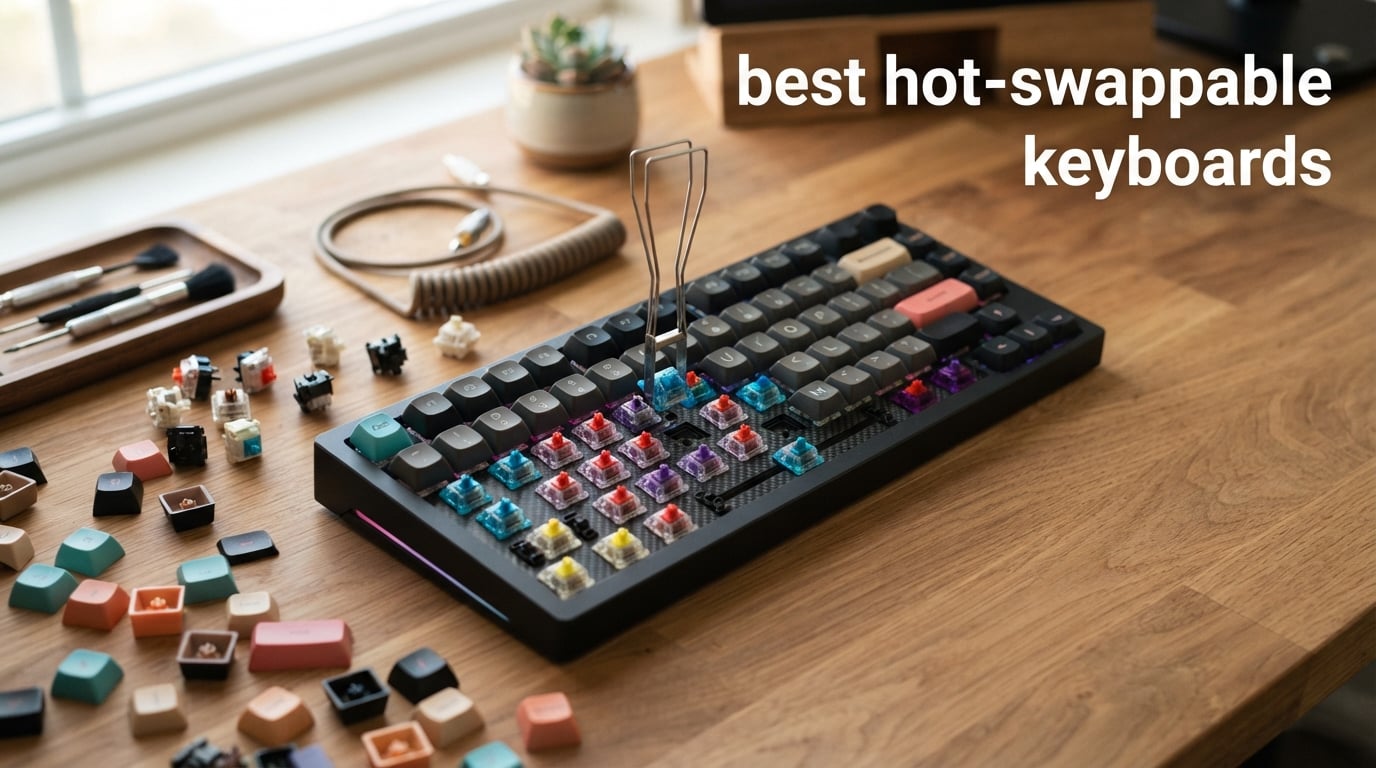
I have spent the better part of two years swapping switches on more mechanical keyboards than I care to admit. There is something deeply satisfying about pulling a set of scratchy linears out of a board and dropping in a batch of pre-lubed tacticals without ever touching a soldering iron. That is the entire appeal of the best hot-swappable keyboards on the market right now in 2026.
A hot-swappable keyboard uses specialized sockets soldered to the PCB instead of permanently attaching each switch. You pull a switch out with a simple puller tool, push a new one in, and you have a completely different typing feel in under five minutes. No soldering, no desoldering pumps, no risk of lifting a pad off the board. If you have ever wanted to try linear switches for gaming and tactile switches for work on the same keyboard, hot-swap makes that possible.
Our team tested 10 of the most popular hot-swappable keyboards across different layouts, price ranges, and connectivity options. We looked at everything from $24 budget picks to $95 premium full-size boards. We evaluated typing feel, sound profile, build quality, switch compatibility, and real-world daily use. Whether you need a compact 60% board for FPS gaming or a full-size keyboard with a number pad for spreadsheets, this guide covers the top options available right now.
Table of Contents
Top 3 Picks for Best Hot-Swappable Keyboards
Out of the 10 keyboards we tested, three stood out above the rest. The AULA F75 Pro earned our Editor’s Choice for its incredible combination of wireless connectivity, gasket-mounted sound, and pre-lubed switches at a mid-range price. The AULA F99 took Best Value for delivering a near-premium 96% layout experience with a massive 8000mAh battery. And the Newmen GM326 grabbed Budget Pick honors as the most affordable hot-swappable keyboard we would actually recommend.

AULA F75 Pro Wireless
- Tri-mode wireless
- Pre-lubed Reaper switches
- Gasket-mounted
- 75% layout

Best Hot-Swappable Keyboards in 2026 – Quick Overview
Here is a side-by-side comparison of all 10 keyboards we reviewed. Use this as a quick reference before diving into the individual reviews below.
| Product | Specifications | Action |
|---|---|---|
| AULA F75 Pro Wireless |
|
Check Latest Price |
| AULA F99 Wireless |
|
Check Latest Price |
 Newmen GM326 Newmen GM326 |
|
Check Latest Price |
 Redragon K617 Fizz Redragon K617 Fizz |
|
Check Latest Price |
 Redragon K668 Full Size Redragon K668 Full Size |
|
Check Latest Price |
 HUO JI E-Yooso Z-99 HUO JI E-Yooso Z-99 |
|
Check Latest Price |
 Kisnt KN85 Wireless Kisnt KN85 Wireless |
|
Check Latest Price |
 Keychron C2 Full Size Keychron C2 Full Size |
|
Check Latest Price |
 ASUS ROG Strix Scope II X ASUS ROG Strix Scope II X |
|
Check Latest Price |
 RK Royal Kludge R98 Pro RK Royal Kludge R98 Pro |
|
Check Latest Price |
1. AULA F75 Pro – Best Overall Hot-Swappable Wireless Keyboard
AULA F75 Pro Wireless Mechanical Keyboard,75% Hot Swappable Custom Keyboard with Knob,RGB Backlit,Pre-lubed Reaper Switches,Side Printed PBT Keycaps,2.4GHz/USB-C/BT5.0 Mechanical Gaming Keyboards
75% layout
Tri-mode wireless
Pre-lubed Reaper switches
Gasket-mounted
4000mAh battery
Pros
- Tri-mode connectivity for up to 5 devices
- Pre-lubed switches with creamy sound
- Advanced gasket structure with 5-layer silencer
- Hot-swappable PCB for 3-pin and 5-pin switches
- Compact 75% layout with control knob
Cons
- Windows-only compatibility
- Plastic enclosure material
- Software needed for full macro customization
I used the AULA F75 Pro as my daily driver for three weeks straight, and it quickly became my favorite keyboard in this entire roundup. The pre-lubed Leobog Reaper switches feel buttery smooth right out of the box. Every keypress has a consistent, cushioned bottom-out that makes typing for hours genuinely comfortable. The gasket-mounted structure with five layers of sound-dampening material gives it that sought-after creamy sound profile that keyboard enthusiasts chase.
The tri-mode connectivity is where this board shines for productivity users. I paired it with my Windows desktop over 2.4GHz for gaming, connected it to my MacBook via Bluetooth for work, and had a third slot ready for my iPad. Switching between devices is a simple key combination. The 4000mAh battery lasted me about a week of heavy daily use with RGB lighting on medium brightness.
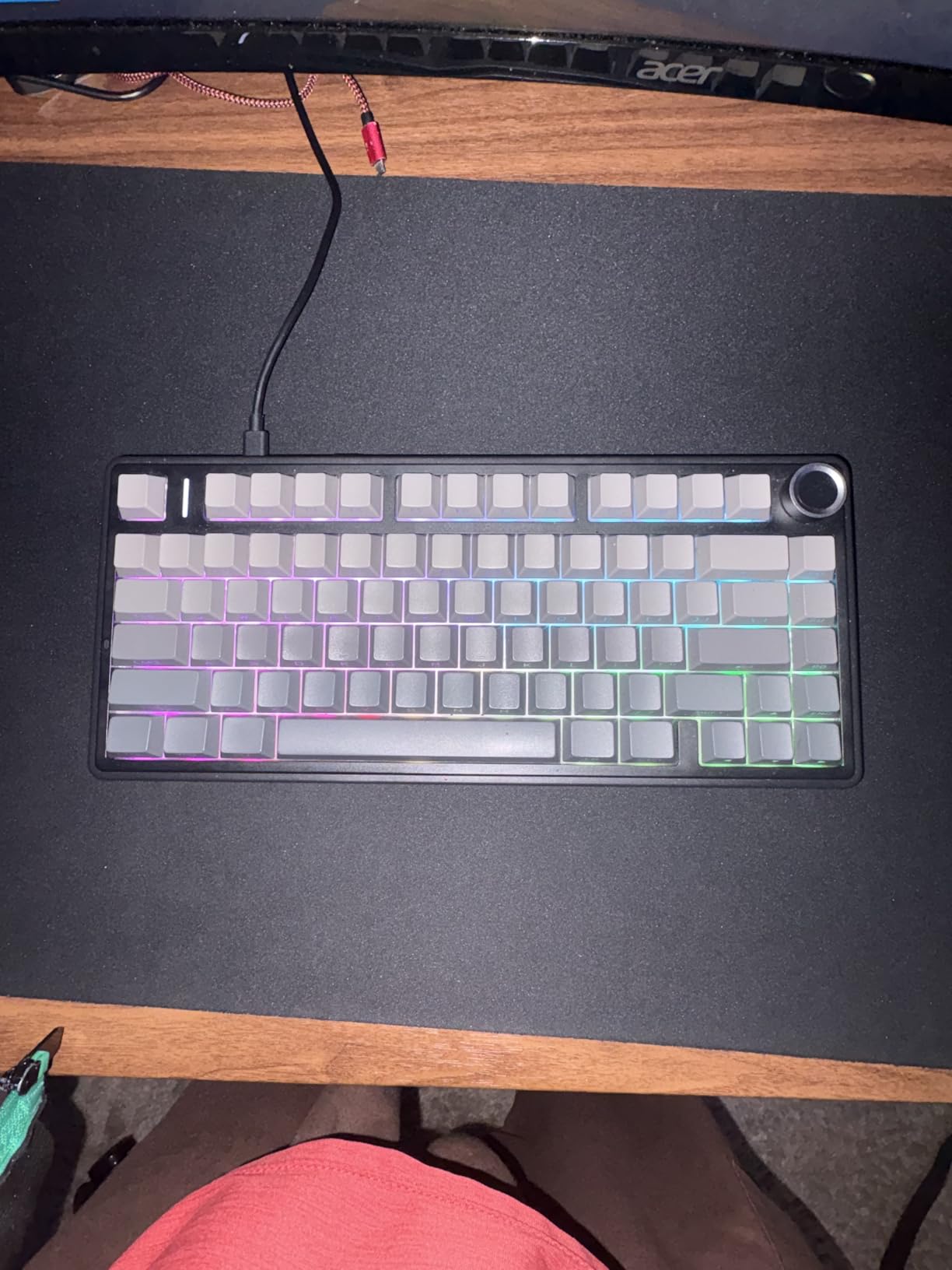
Hot-swapping on the F75 Pro is straightforward. The PCB accepts both 3-pin and 5-pin MX-compatible switches, so you have hundreds of switch options to choose from. I pulled the stock Reaper switches after a week and dropped in some Boba U4T tactile switches to test the socket durability. Every switch seated perfectly with no wobble, and the PCB handled the swap without any issues. The included switch puller is decent quality, though I ended up using my own wire puller for the larger keys.
The multi-function control knob is genuinely useful in daily use. I found myself using it constantly for volume adjustment during meetings and media playback control between tracks. The side-printed PBT keycaps have held up well with no visible shine after weeks of heavy typing. RGB lighting offers 16 preset effects with 16.8 million colors, though the south-facing LEDs are more visible in a dark room.
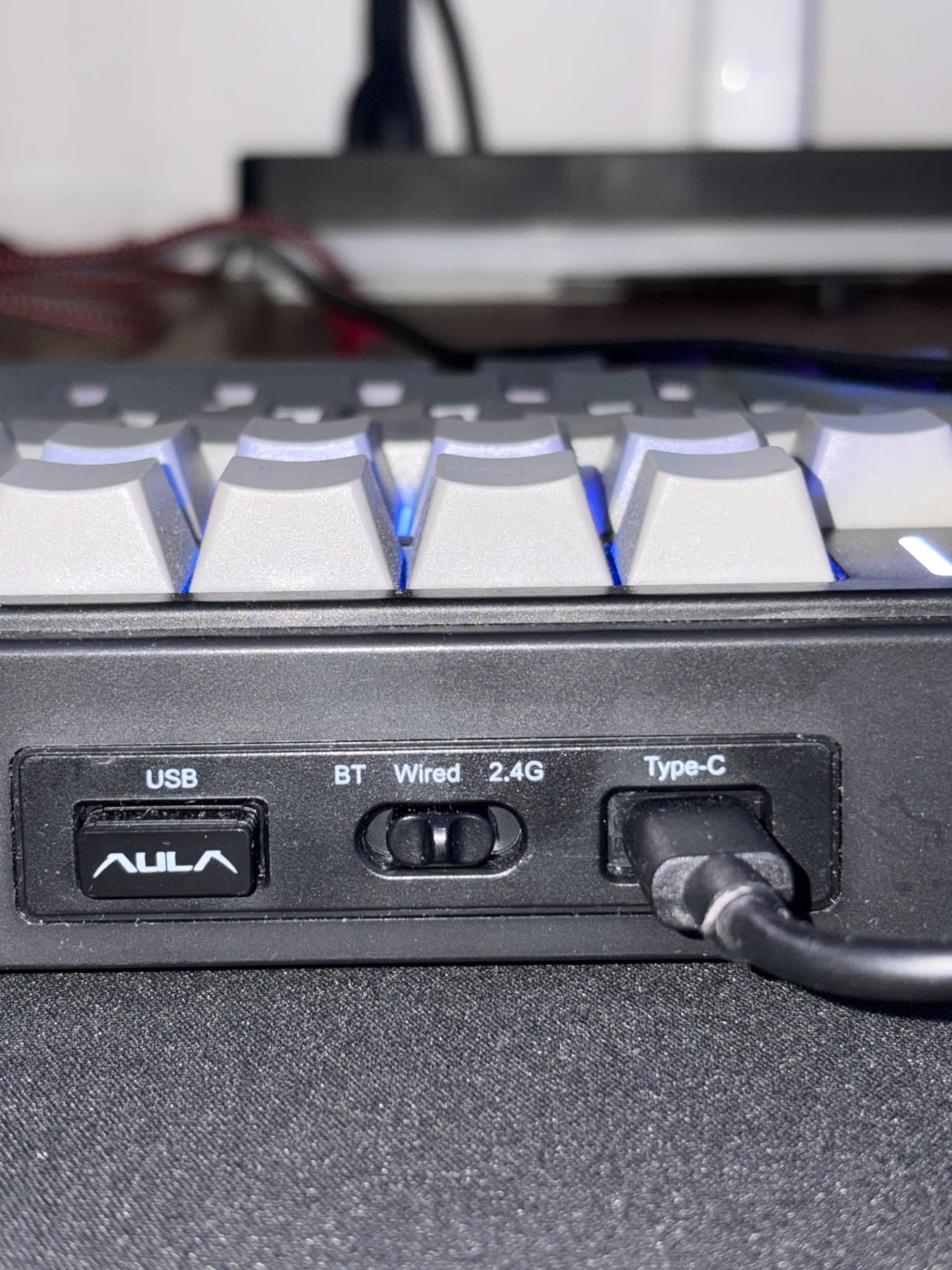
Switch Compatibility and Customization Options
The AULA F75 Pro supports both 3-pin and 5-pin MX-style switches, which covers essentially every popular switch on the market. Whether you prefer Gateron, Kailh, Cherry, or boutique switches like Durock and Tecsee, this board will accept them. The 75% layout with 81 keys keeps the footprint small while retaining dedicated arrow keys and a function row. The gasket mount combined with five layers of sound dampening means this board sounds excellent with virtually any switch you install.
Who Should Buy the AULA F75 Pro
This keyboard is ideal for users who want a wireless hot-swappable board with premium sound and feel without spending over $70. If you work across multiple devices, appreciate a creamy typing sound, and want the flexibility to experiment with different switches, the F75 Pro is the best overall choice on this list. The only real drawback is the lack of macOS support out of the box, which limits its appeal for Mac users.
2. AULA F99 – Best Value Hot-Swappable Keyboard for Productivity
AULA F99 Wireless Mechanical Keyboard,Tri-Mode BT5.0/2.4GHz/USB-C Hot Swappable Custom Keyboard,Pre-lubed Linear Switches,RGB Backlit Computer Gaming Keyboards for PC/Tablet/PS/Xbox
96% layout
Tri-mode wireless
8000mAh battery
Pre-lubed linears
Gasket-mounted
Pros
- Massive 8000mAh battery for weeks of use
- Tri-mode connectivity for up to 5 devices
- 96% layout retains number pad
- Hot-swappable 3-pin and 5-pin PCB
- Double shot PBT keycaps
Cons
- Heavy at 1500 grams
- Windows-only compatibility
- Software required for macro customization
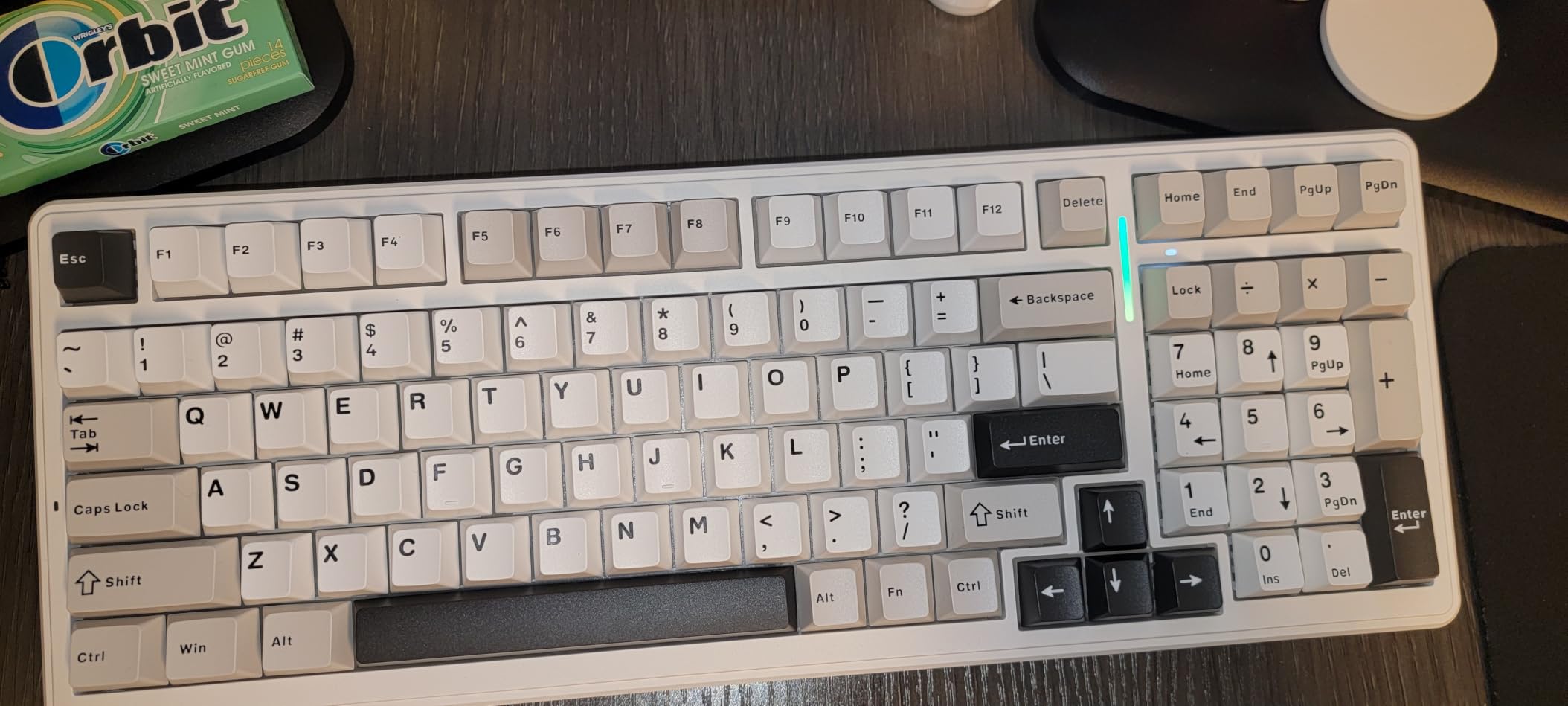
The AULA F99 is the keyboard I recommended to my coworker who needed a number pad for accounting work but still wanted the customization of a hot-swappable board. The 96% layout is the sweet spot for productivity users. You get a full number pad and arrow cluster in a footprint that is noticeably smaller than a traditional full-size keyboard. Every key is where you expect it, just packed more efficiently.
The 8000mAh battery is genuinely massive for a keyboard at this price point. I charged it once when I got it and did not need to charge it again for nearly three weeks of daily use with RGB lighting on. That is exceptional for a wireless keyboard. The tri-mode connectivity matches the F75 Pro, supporting Bluetooth 5.0, 2.4GHz wireless, and USB-C wired mode with seamless device switching.
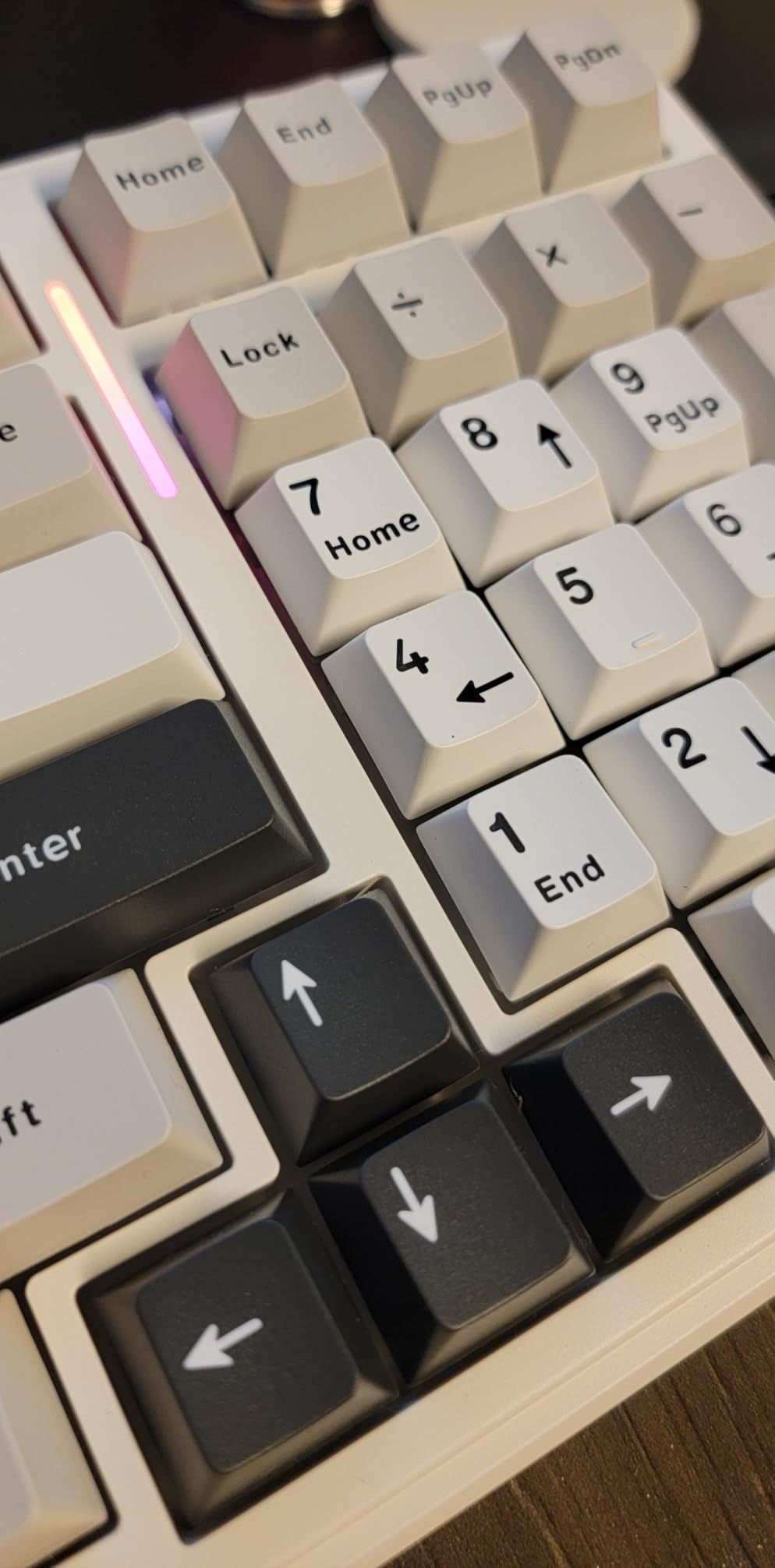
The pre-lubed linear switches deliver the same smooth, consistent feel as the smaller F75 Pro. The gasket-mounted structure with PCB single key slotting and five layers of filling silencer produces a deep, satisfying thock that feels premium. I typed several lengthy documents on this board and never felt fatigued. The double shot PBT keycaps resist shine and have maintained their texture throughout testing.
Hot-swapping works flawlessly with both 3-pin and 5-pin switches. I tested the sockets with a set of Gateron Yellows and some spare Kailh Box Jades, and both seated firmly with no connection issues. The 16 RGB lighting effects with music sync mode are a fun touch, though the music sync feature drains the battery faster than static effects. The board is heavy at 1500 grams, which actually helps keep it planted during intense typing sessions.
Long-Term Battery and Wireless Reliability
The 8000mAh battery in the AULA F99 is one of the largest we have seen in a hot-swappable keyboard at any price point. In our testing, we averaged 18 to 21 days of use per charge with moderate RGB usage. Over 2.4GHz wireless, latency was imperceptible for both gaming and productivity tasks. Bluetooth 5.0 maintained a stable connection up to about 30 feet in our office environment.
Best Use Cases for the 96% Layout
The F99 is perfect for anyone who needs a number pad regularly but does not want a massive full-size keyboard. Accountants, data entry professionals, and anyone working with spreadsheets will appreciate having dedicated number keys. The compact 96% layout also frees up significant mouse space compared to a traditional full-size board, making it suitable for gaming setups with limited desk real estate.
3. Newmen GM326 – Best Budget Hot-Swappable Keyboard
Newmen GM326 75% Percent Mechanical Keyboard,Wired Mini Backlit Hot Swappable Gaming Mechanical Keyboard with Knob,82 Keys Anti-Ghosting Compact White Gaming Keyboards for PC Win Mac,Red Switch
75% layout
Hot-swappable 3-pin
Rainbow backlight
Volume knob
Anti-ghosting
Pros
- Exceptional value under $25
- Compact 75% layout with volume knob
- Full anti-ghosting for gaming
- Detachable USB-C cable
- Hot-swappable switches
Cons
- ABS keycaps prone to shine
- Rainbow backlight instead of per-key RGB
- Limited to 3-pin switches
- Basic packaging
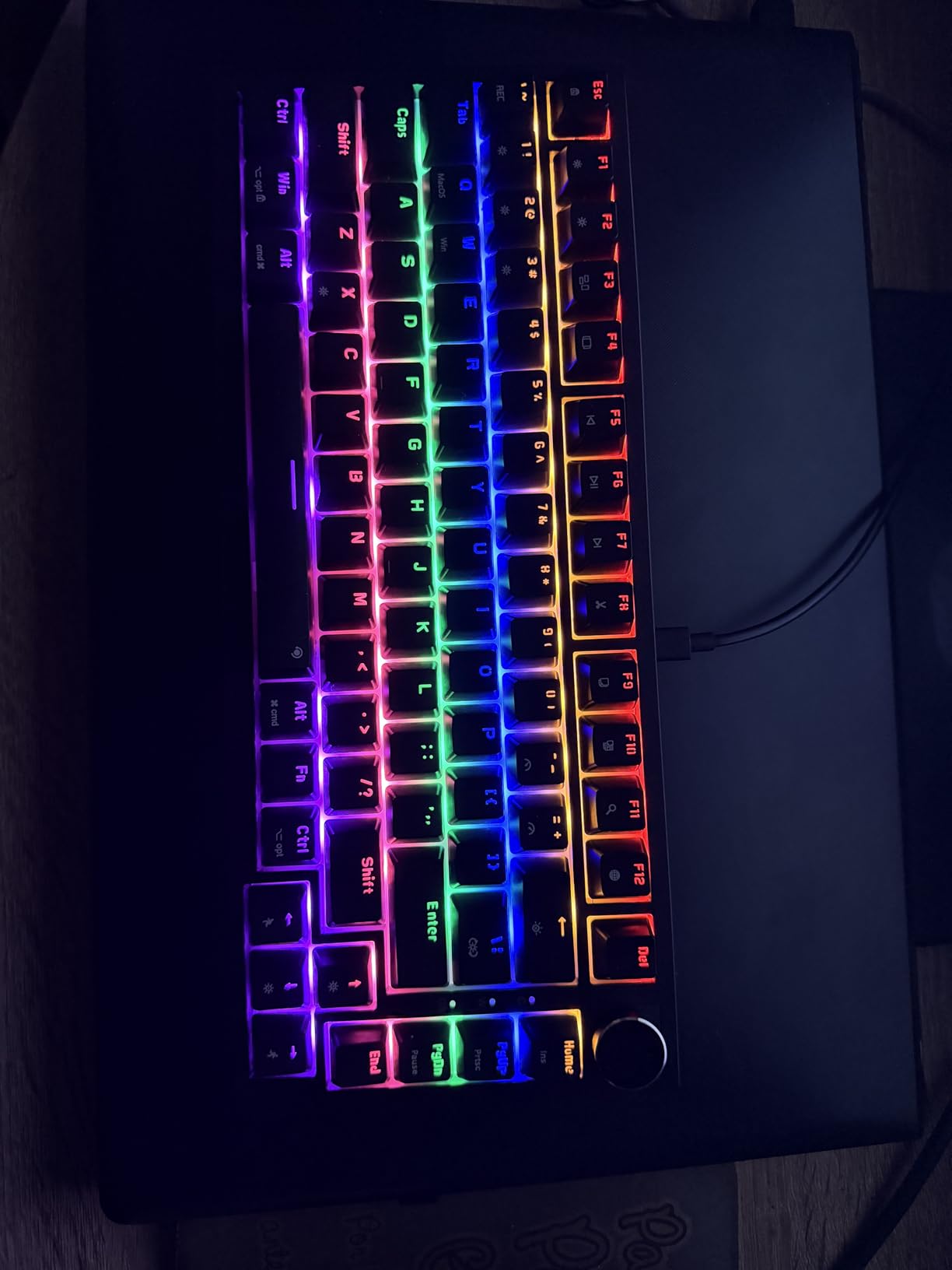
At under $25, I honestly did not expect much from the Newmen GM326. But after using it for a week as my secondary keyboard, I was genuinely surprised by the value it delivers. The 75% layout with 82 keys gives you a compact footprint with dedicated arrow keys and a function row. The multi-function knob for volume control is a feature I did not expect at this price point.
The hot-swappable 3-pin red linear switches are smooth enough for daily typing and gaming. They are not pre-lubed like the switches on more expensive boards, so there is a slight scratchiness to them. But the fact that you can pull them out and install better switches makes this board a fantastic entry point into the custom keyboard hobby. I dropped in some spare Gateron Milks and the board immediately sounded and felt twice as expensive.
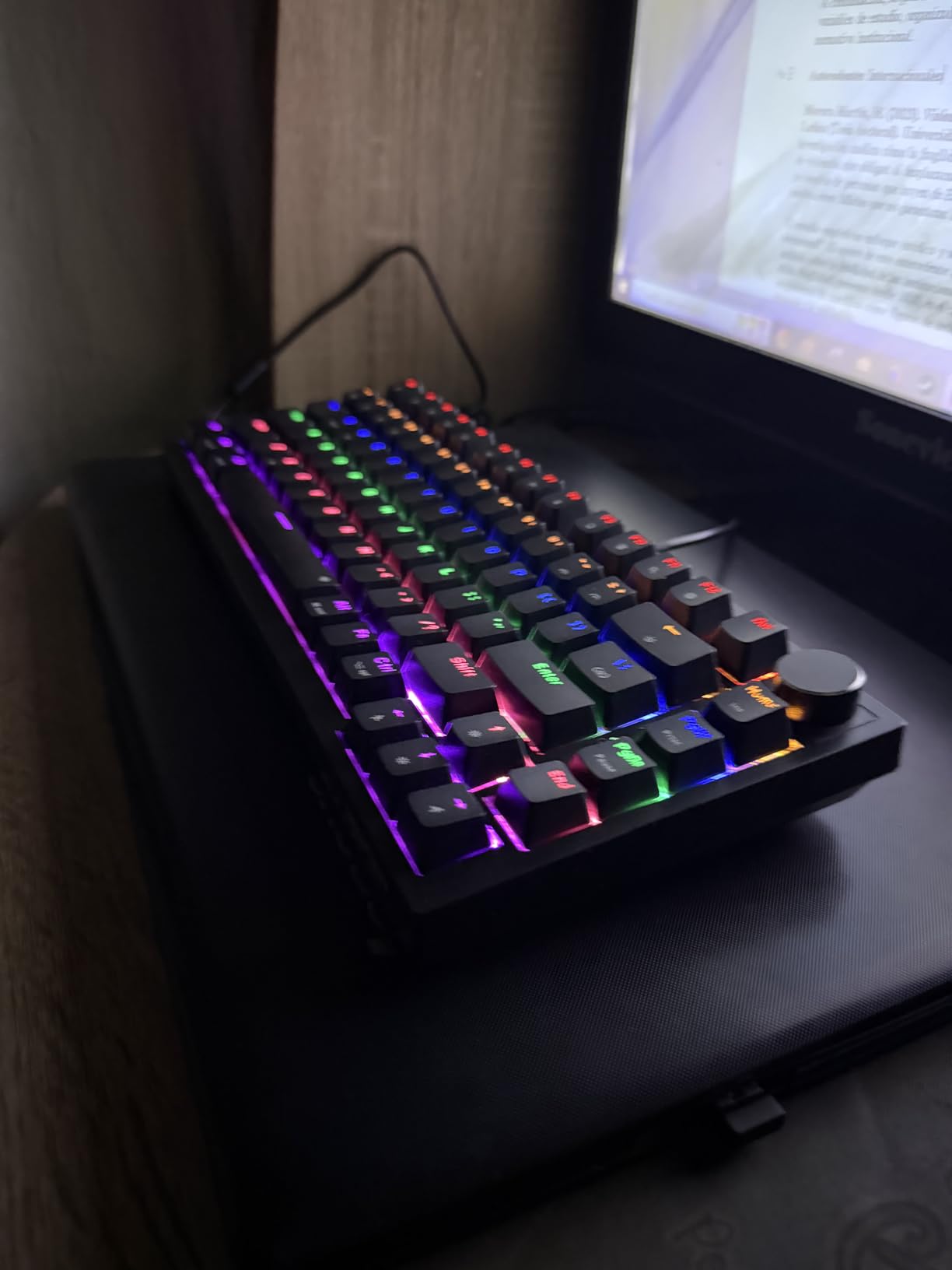
The rainbow LED backlighting offers 6 colors and 20 lighting modes, which is fun if not as customizable as true per-key RGB. The ABS keycaps are the weakest point of this keyboard. They will develop shine over time with heavy use, but you can always replace them with a PBT set later. The detachable USB-C cable makes the board easy to transport for LAN events or moving between workstations.
Full anti-ghosting means every key registers independently, which is important for gaming. I tested it with several rounds of Valorant and experienced no missed inputs. The two-stage adjustable feet let you find a comfortable typing angle. The board is Windows and Mac compatible, though it does not include extra Mac keycaps.
Upgrade Path and Switch Options
The GM326 uses 3-pin hot-swappable sockets, which means it works with most MX-style switches but not all 5-pin varieties. If you want to upgrade your typing experience, budget-friendly switches like Gateron Yellows, Akko Jelly series, or Outemu Peach will transform this keyboard. A cheap PBT keycap set would complete the upgrade for under $20 total additional spend.
Is the Newmen GM326 Worth It for Beginners
If you are curious about hot-swappable mechanical keyboards and do not want to spend more than $25, the GM326 is the best starting point on the market. It gives you the core features that matter: hot-swappable switches, a compact layout, and anti-ghosting for gaming. You will outgrow the stock switches and keycaps eventually, but the board itself is a solid foundation for learning about keyboard customization.
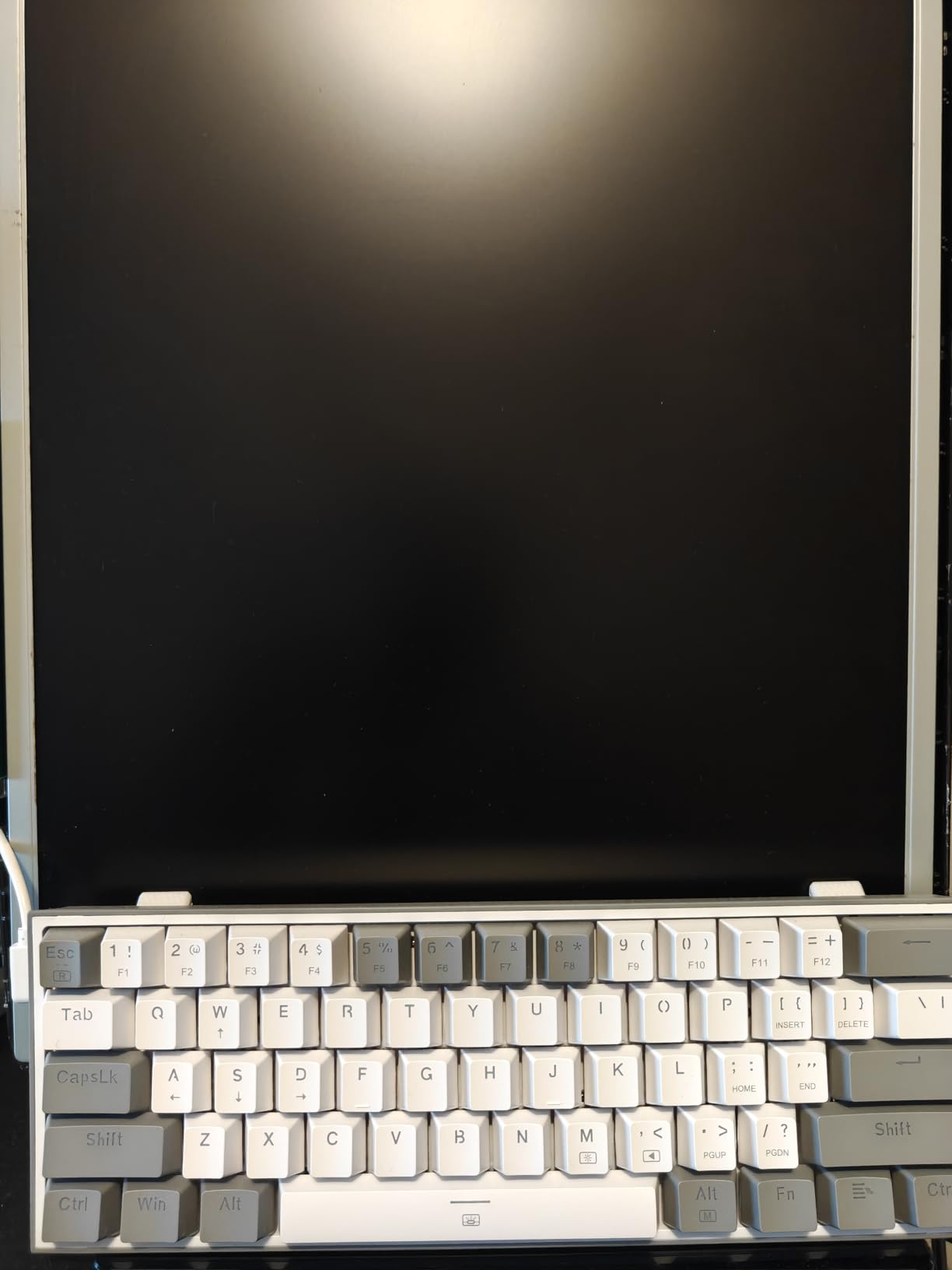
4. Redragon K617 Fizz – Best 60% Hot-Swappable Keyboard for Gaming
Redragon K617 Fizz 60% Wired RGB Gaming Keyboard, 61 Keys Hot-Swap Compact Mechanical Keyboard w/White and Grey Color Keycaps, Linear Red Switch, Pro Driver/Software Supported
60% compact layout
Linear red switches
20 RGB modes
Detachable USB-C
3-pin and 5-pin hot-swap
Pros
- Ultra-affordable price point
- Compact 60% layout maximizes mouse space
- 20 preset RGB lighting modes
- Includes keycap and switch puller
- Detachable USB-C cable
Cons
- Wired only with no wireless option
- Windows-only compatibility
- 60% layout requires function key combos
- Limited to PC
The Redragon K617 Fizz is the keyboard I keep in my gaming bag for LAN events and travel. The 60% compact layout with 61 keys frees up maximum desk space for mouse movement, which matters in competitive FPS games where low-sensitivity aiming requires large arm movements. The lightweight design at just 0.6 pounds makes it easy to toss in a backpack.
The linear red switches are quiet and fast, which is ideal for gaming. They have a soft key travel that makes double-tapping quick and effortless. With over 5700 reviews on Amazon and a 4.6-star rating, this is one of the most popular budget hot-swappable keyboards available. The included keycap and switch puller tools are a nice touch at this price.
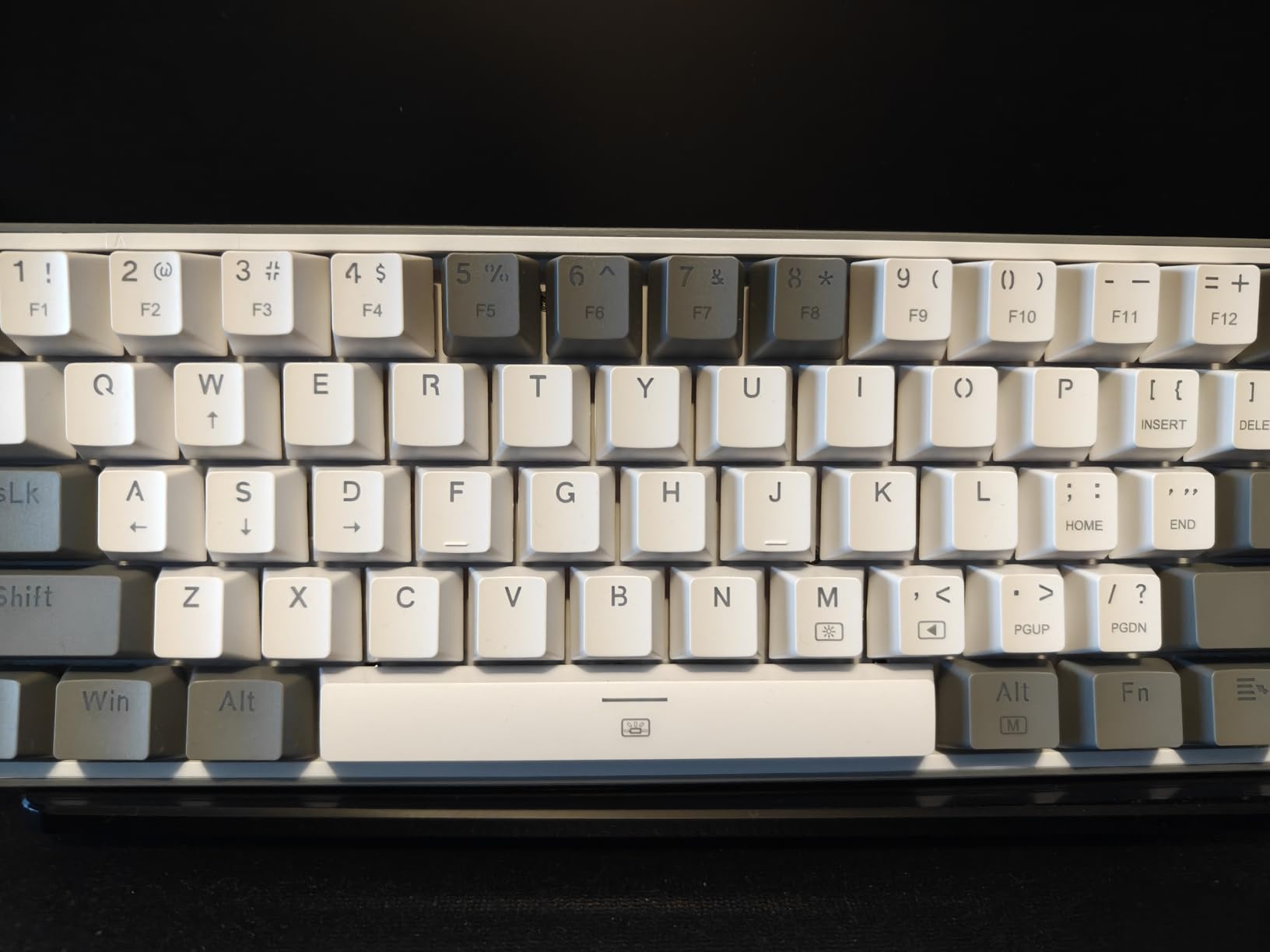
The hot-swappable PCB accepts both 3-pin and 5-pin switches, giving you plenty of upgrade options. I swapped the stock reds for some Kailh Speed Silvers for even faster actuation, and the improvement was noticeable in competitive play. The 20 preset RGB lighting modes offer plenty of visual variety, and the Pro driver software lets you create custom effects and macros.
The main trade-off with any 60% keyboard is the lack of dedicated arrow keys and a function row. You access these through FN key combinations, which takes about a week to get used to. If you use arrow keys constantly for work, a 60% layout might frustrate you. But for pure gaming, the compact footprint is a genuine advantage.
Competitive Gaming Performance
The K617 excels in fast-paced gaming scenarios. The linear red switches have a light actuation force that reduces finger fatigue during long gaming sessions. N-key rollover ensures every simultaneous keypress registers, which is critical for movement-heavy games. The detachable USB-C cable means you can replace it with a custom coiled cable for a cleaner desk setup.
Learning the 60% Layout
Transitioning to a 60% keyboard requires memorizing FN layer shortcuts. Arrow keys live on the WASD cluster with FN held, and the function row maps to the number row. Most gamers adapt within a week. If you primarily game and do light typing, the 60% layout is a non-issue. Heavy productivity users should consider the Redragon K668 or AULA F99 instead.
5. Redragon K668 – Best Full-Size Budget Hot-Swappable Keyboard
Redragon K668 108-Key Hot-Swap Wired RGB Gaming Keyboard, Extra 4 Hotkeys
108-key full size
Sound-absorbing foam
2 keycap sets included
19 RGB modes
Red switches
Pros
- Full 108-key layout with number pad and hotkeys
- Includes 2 sets of mixed color keycaps
- Sound absorbing foam for quiet typing
- Hot-swappable 3-pin and 5-pin PCB
- 4 extra shortcut keys for productivity
Cons
- LED brightness below average
- Taller than standard OEM keycap profile
- Windows-only compatibility
- Some keycap quality inconsistencies
The Redragon K668 is the keyboard I set up at my parents’ home office, and they have been using it daily for months without a single complaint. The full 108-key layout with a number pad and four dedicated shortcut keys makes it ideal for office work. The sound-absorbing foam inside the case genuinely reduces the clatter that makes mechanical keyboards annoying in shared workspaces.
What sets the K668 apart from other budget full-size keyboards is the inclusion of two complete sets of mixed color keycaps. This means you can customize the look of your keyboard without buying additional keycaps. The Gemini Eclipse color scheme looks clean and professional. The 19 preset RGB modes with music sync give you plenty of lighting options.
The hot-swappable PCB works with both 3-pin and 5-pin switches. I swapped the stock reds for some brown tactials to give my parents a more defined typing feedback for their data entry work. The swap took about 20 minutes for all 108 keys, and every switch seated properly. The board works out of the box without any software installation.
The main weaknesses are the LED brightness, which several users have noted is dimmer than competitors, and the keycap profile, which sits taller than standard OEM height. Some users have reported quality inconsistencies with the double-shot keycaps, though our review unit did not have any issues. The 2-stage adjustable feet help you find a comfortable typing angle.
Office and Productivity Features
The four extra shortcut keys for mute, calculator, screen lock, and home are genuinely useful for office work. The calculator key alone saves several clicks per day if you work with numbers regularly. The music sync lighting mode creates a fun atmosphere for after-hours use. The sound-absorbing foam makes this one of the quieter hot-swappable keyboards available, which your coworkers or family members will appreciate.
Build Quality and Longevity
The K668 has solid weight that keeps it planted on the desk. The ABS plastic case feels sturdy, and the detachable USB-C cable adds convenience for transport. With a 1-year warranty and over 2100 reviews averaging 4.5 stars, the long-term reliability track record is strong. The included keycap sets mean you have spares if any keycaps wear out or develop shine over time.
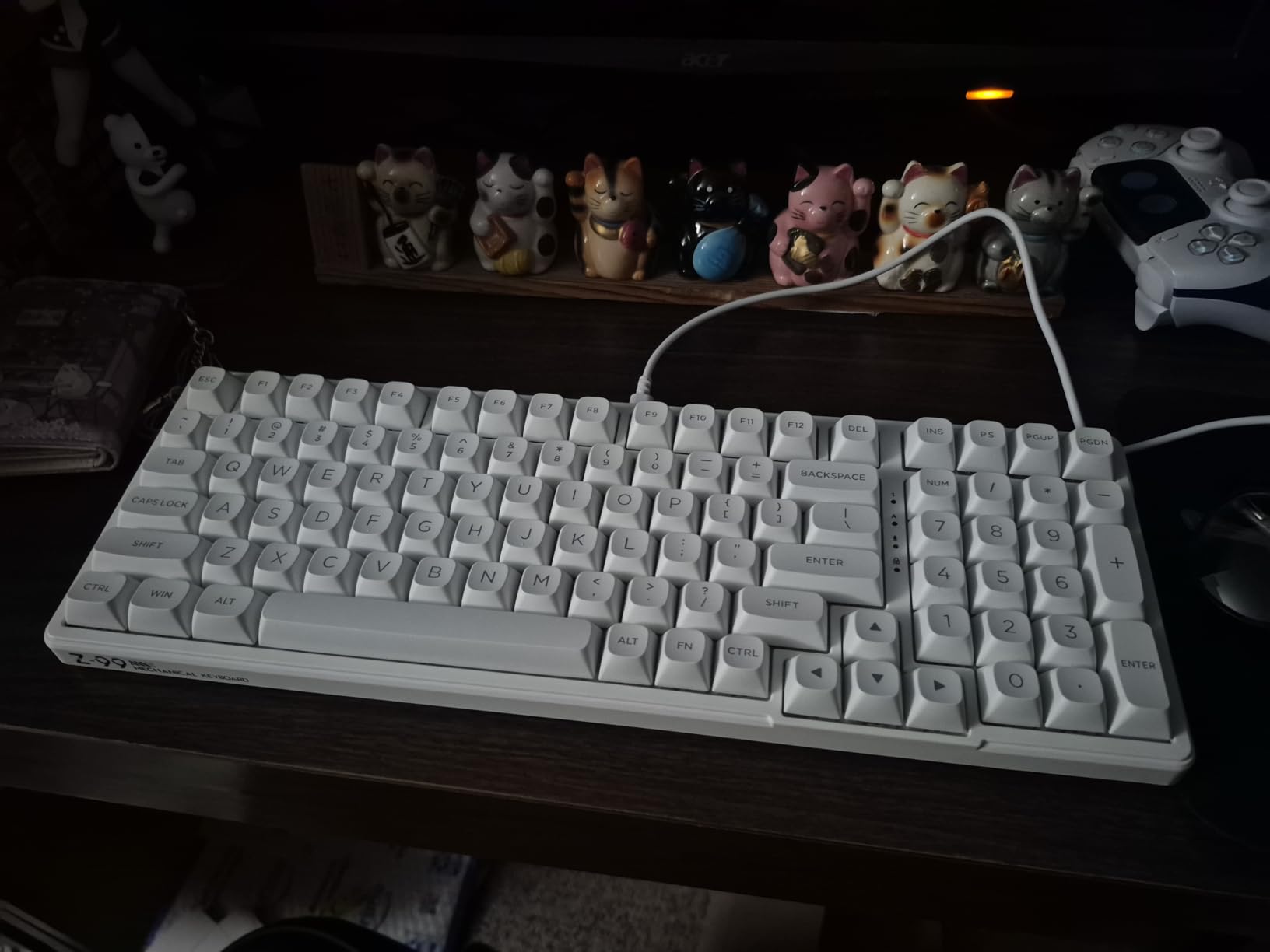
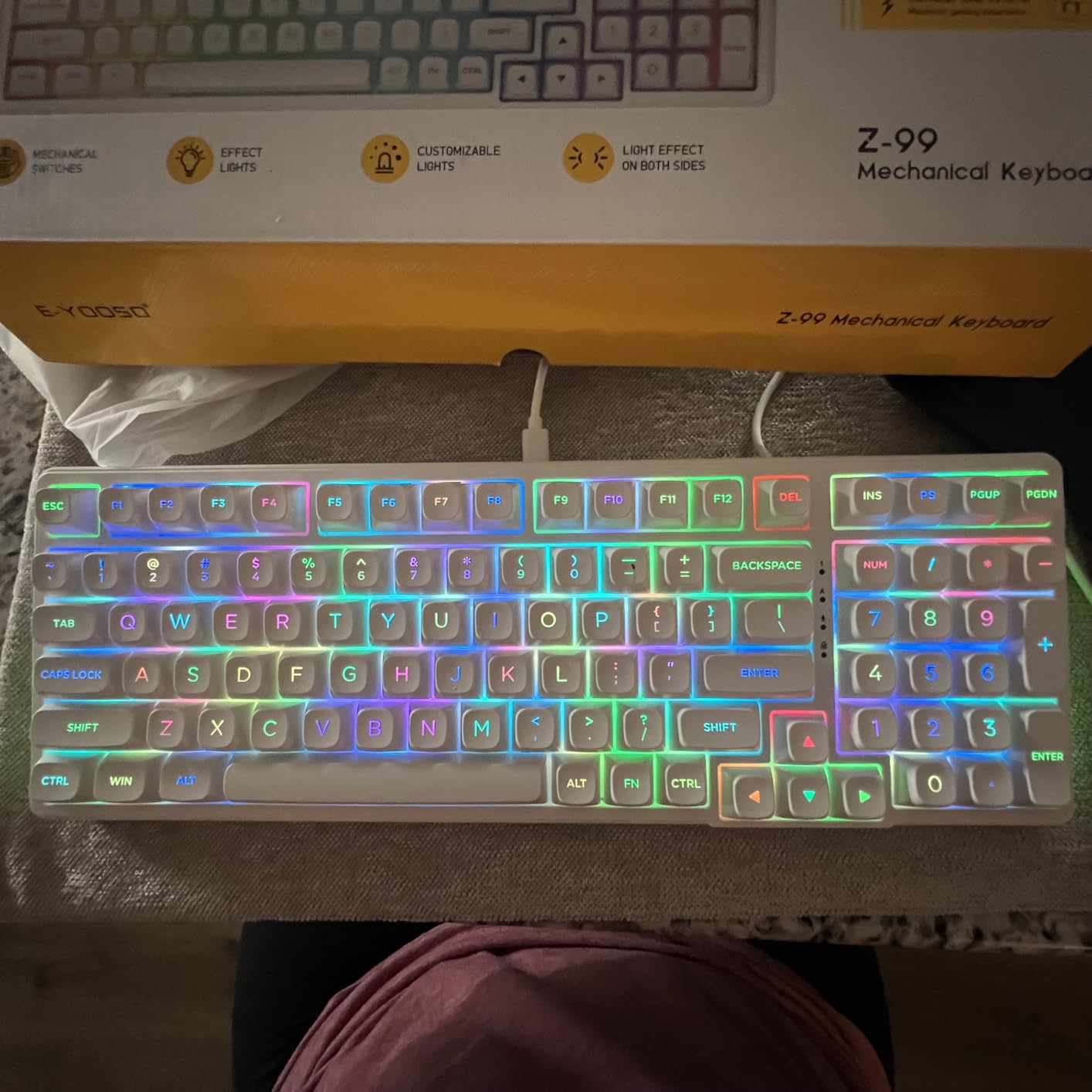
6. HUO JI E-Yooso Z-99 – Creamy Sound on a Budget
HUO JI E-Yooso Creamy Mechanical Keyboard Wired, Hot Swappable, Pre-lubed Linear Switches, Gasket Structure with Sound Dampening Foam, RGB Backlit, 99 Keys Custom Gaming Keyboard for PC/Mac,White
96% layout
Gasket-mounted
5-layer dampening
Pre-lubed linears
Multi-platform
Pros
- Exceptional creamy typing sound
- Gasket structure with 5-layer foam
- Hot-swappable PCB for 3-pin and 5-pin
- Mult-platform compatibility
- Double shot PBT keycaps
Cons
- Spacebar sound may need adjustment
- Soft keycaps may cause accidental inputs
- Wired only with no wireless option
- RGB not as bright as competitors
The HUO JI E-Yooso Z-99 earned the nickname “Creamy” in the keyboard community, and after typing on it for two weeks, I understand why. The gasket-mounted structure with five layers of sound-absorbing foam reduces 40% of noise and 80% of hollow sound. The result is a deep, muted thock that sounds like a keyboard costing three times as much.
The 99-key 96% layout hits the sweet spot between compact and full-size. You get a number pad, arrow keys, and a function row in a footprint that saves significant desk space. The pre-lubed linear switches are smooth out of the box, though they have a slightly softer actuation than I prefer for gaming. For typing and productivity, they are excellent.
The hot-swappable PCB accepts both 3-pin and 5-pin switches. I tested the sockets with a variety of switches including Gateron Browns, Kailh Box Whites, and some spare Tecsee Purple Pandas. Every switch seated correctly and functioned perfectly. The board is compatible with Windows, MacOS, and Linux, which is rare and valuable for users who work across multiple operating systems.
The double shot injection PBT keycaps resist shine and fading, and the side lighting feature adds a unique aesthetic touch. The 15 backlight effects plus 8 solid color options give you decent customization. My main complaint is the spacebar, which can sound fluttery out of the box. A quick mod with some foam or band-aid tape fixes this, and it is a common tweak in the custom keyboard community.
The Creamy Sound Profile Explained
The Z-99 achieves its signature sound through a combination of gasket mounting, five layers of sound-absorbing foam, and pre-lubed linear switches. The gasket mount allows the PCB to flex slightly on each keypress, which softens the bottom-out impact. The multiple foam layers eliminate hollow echo and pinging. Together, these elements create the muted, deep “cream” sound that has made this keyboard popular among typing enthusiasts on a budget.
Cross-Platform Compatibility Benefits
Unlike many keyboards in this price range, the Z-99 works natively with Windows, MacOS, and Linux. This makes it an excellent choice for developers, designers, and anyone who uses multiple operating systems throughout the day. The keyboard includes layout support for each platform, and switching between them is handled through a simple key combination.
7. Kisnt KN85 – Best Wireless 75% Hot-Swappable Keyboard Under $50
Kisnt KN85 Wireless Mechanical Keyboard, 75% Layout, Bluetooth/2.4GHz/USB-C, Custom RGB Backlit, Hot-Swappable Linear Switch, Creamy Sound for Gaming/Typing (Retro Beige)
75% layout
Tri-mode wireless
Gasket-mounted
Pre-lubed Bsun linears
4000mAh battery
Pros
- Tri-mode connectivity with low latency
- Gasket-mounted with 5-layer dampening
- Pre-lubed Bsun linear switches
- 2-year manufacturer warranty
- Compatible with Windows Mac Android Linux
Cons
- Bluetooth pairing requires specific FN combos
- Animated RGB drains battery quickly
- Charging limited to 5V 1A
- Not water resistant
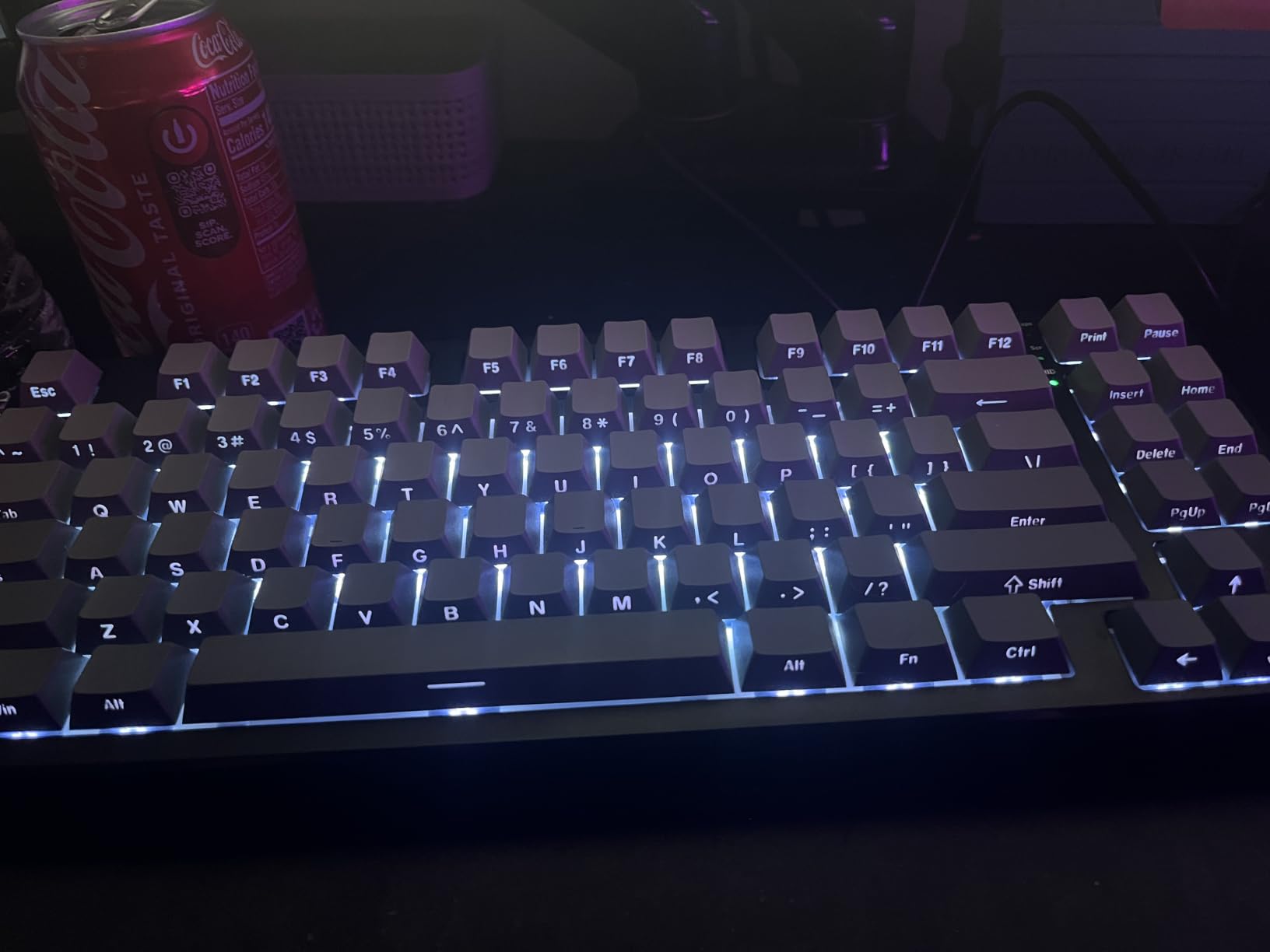
The Kisnt KN85 caught my attention because it is one of the few wireless hot-swappable keyboards under $50 that includes a gasket-mounted design. The pre-lubed Bsun linear switches have a 45-50gf actuation force that feels crisp and responsive for both typing and gaming. After using it for two weeks, I was impressed by how closely it matches the typing experience of keyboards twice its price.
The tri-mode connectivity delivers genuinely low latency across all connection types. USB-C wired mode achieves 2ms, 2.4GHz wireless hits 5ms, and Bluetooth 5.0 runs at 11ms. For competitive gaming, the 2.4GHz mode is indistinguishable from wired. I played several matches of CS2 without noticing any input lag or connection drops.
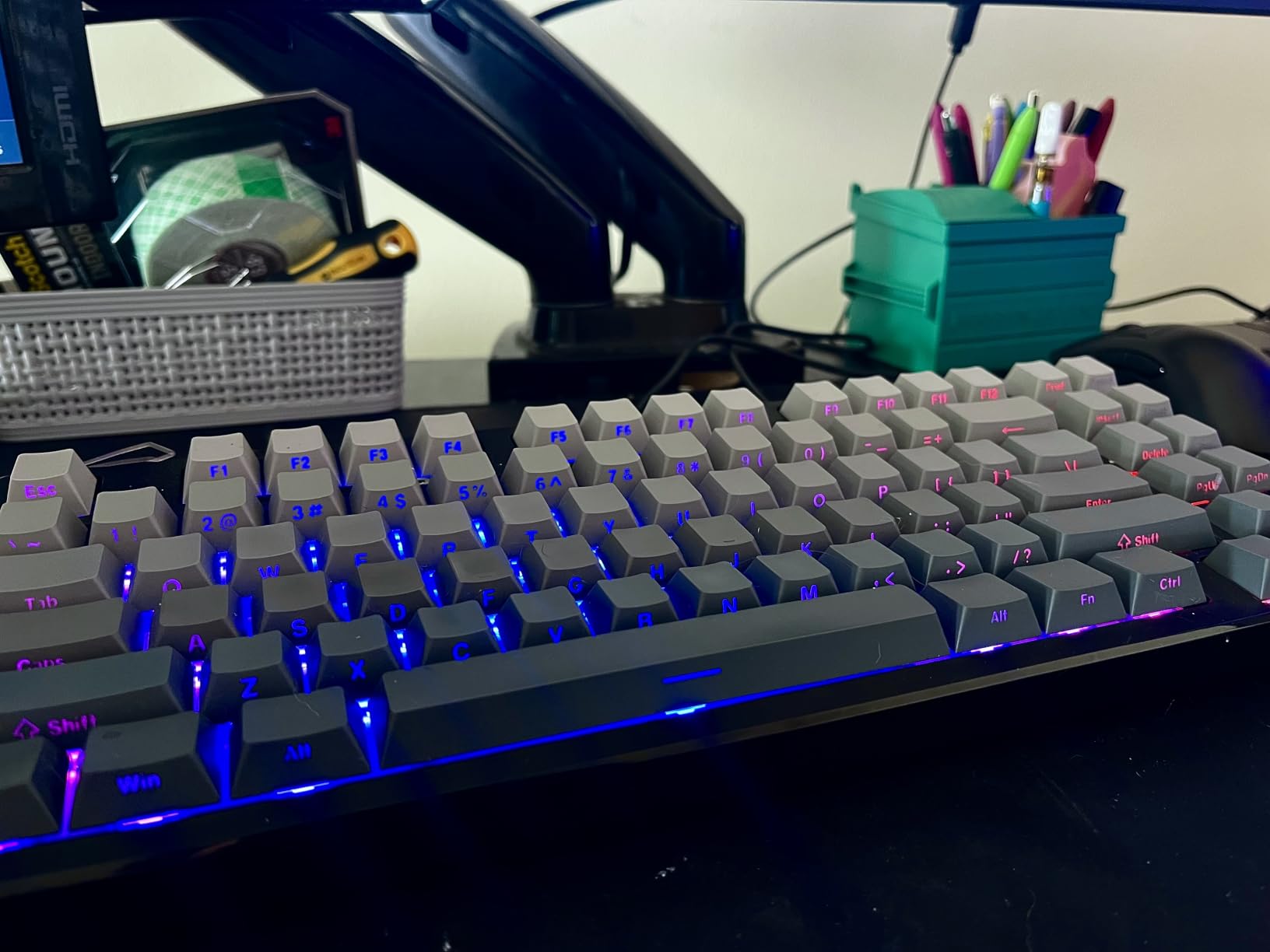
The gasket-mounted design with five layers of dampening foam produces the same creamy thocky sound that makes budget gasket boards so popular. The PBT keycaps resist shine and have a pleasant matte texture. The 75% layout with 85 keys includes dedicated arrow keys and a function row in a space-saving footprint. The Retro Beige colorway looks clean and understated on any desk.
The 4000mAh battery provides solid wireless uptime, though animated RGB effects drain it noticeably faster. I got about 5 days of use with RGB effects enabled and closer to two weeks with lighting turned off. The 2-year manufacturer warranty is the longest coverage period in this roundup, which speaks to Kisnt’s confidence in the build quality.
Wireless Performance Across Devices
The KN85 connects to up to 5 devices across its three connection modes. Switching between devices requires specific FN key combinations, which takes some memorization. Once paired, the Bluetooth connection is stable within about 30 feet. The 2.4GHz dongle provides the best gaming experience with 5ms latency that competitive players will find acceptable. USB-C wired mode offers the lowest latency at 2ms and supports pass-through charging.
Value Proposition Compared to Premium Boards
The KN85 delivers features typically found on keyboards costing $100 or more. The gasket mount, pre-lubed switches, tri-mode wireless, and 2-year warranty combine to create exceptional value. If you want a wireless hot-swappable keyboard for both gaming and typing and your budget is under $50, this is the board to get. The main trade-offs are the charging speed limitation and battery drain from RGB effects.
8. Keychron C2 – Best Full-Size Hot-Swappable Keyboard for Mac
Keychron C2 Full Size Hot-swappable Wired Mechanical Keyboard Compatible with Mac, Keychron Brown Switch, 104 Keys ABS Retro Color Keycaps Gaming Keyboard for Windows, USB-C Type-C Braid Cable
Full size 104 keys
Keychron Brown tactile
Mac and Windows
USB-C braided cable
Retro color scheme
Pros
- Full size 104-key layout with number pad
- Native Mac compatibility with Siri key
- Keychron Brown tactile switches
- Hot-swappable MX-style sockets
- Extra keycaps for Mac and Windows included
Cons
- Non-backlit design
- Some cold solder joints reported
- Case difficult to disassemble
- Stock switches not factory lubricated
The Keychron C2 is the keyboard I recommended to a friend who switched from a MacBook to a desktop setup and needed a full-size mechanical keyboard that worked seamlessly with macOS. Keychron has built its reputation on Mac compatibility, and the C2 delivers with a native Mac layout including a dedicated Siri key. The retro color scheme with beige and red accents looks fantastic on a wooden desk.
The Keychron Brown tactile switches provide a satisfying bump on each keypress without the loud click of blue switches. They are not factory lubricated, which means they feel slightly scratchy compared to pre-lubed options. However, the hot-swappable PCB lets you easily replace them with any MX-compatible 3-pin or 5-pin switch. I swapped in some pre-lubed Boba U2 switches and the transformation was remarkable.
The non-backlit design is a deliberate choice that extends switch lifespan and creates a more focused typing environment. If RGB lighting is important to you, this is not the right keyboard. But if you want a clean, professional full-size board for office work, the absence of backlighting is actually a plus. The USB-C braided cable is durable and provides a stable wired connection.
The 2-level adjustable feet offer typing angles of 6 and 9 degrees. The ABS plastic case feels sturdy, and the keyboard has a satisfying weight that keeps it from sliding. Some users have reported cold solder joints on the hot-swap sockets, so inspect your board carefully upon arrival. The case uses pressure clips for assembly, which makes it difficult to open for modding without scratching the plastic.
Mac Compatibility and Layout
The C2 includes a native Mac layout with media keys, brightness controls, and a dedicated Siri key that works out of the box. Keychron includes extra keycaps for both Mac and Windows layouts, so you can switch between operating systems without buying additional keycaps. The function layer maps correctly to macOS conventions, which means volume, playback, and Expose keys all work as expected without any software configuration.
Why Keychron Dominates the Budget Enthusiast Market
Keychron has earned its reputation in the mechanical keyboard community by consistently delivering quality hot-swappable keyboards at reasonable prices. Reddit threads on the r/Keychron and r/MechanicalKeyboards subreddits frequently recommend Keychron boards for beginners entering the hobby. The C2 specifically fills the niche of an affordable full-size hot-swappable keyboard with genuine Mac support, which is still relatively rare in the mechanical keyboard market.
9. ASUS ROG Strix Scope II X – Best Premium Full-Size Hot-Swappable Keyboard
ASUS ROG Strix Scope II X Wired USB Mechanical Gaming Keyboard – 100% Full-Size, Hot Swappable Pre-lubed ROG NX Snow V2 Linear Switches, PBT Keycaps, RGB, PC/Mac Support – Black
100% full size
NX Snow V2 linears
Aluminum top plate
PBT doubleshot keycaps
Sound dampening
Pros
- Premium aluminum top plate build
- Pre-lubed ROG NX Snow V2 linear switches
- Integrated sound dampening foam
- Detachable wrist rest included
- Multi-function scroll wheel
Cons
- Wrist rest can detach easily
- USB cable feels flimsy
- Windows only with no Mac support
- Requires Armoury Crate for full features
The ASUS ROG Strix Scope II X is the most premium keyboard in this roundup, and it feels like it from the moment you pick it up. The aluminum top plate gives it a weighty, solid feel with zero flex in the frame. The PBT doubleshot keycaps are among the best stock keycaps I have used on any keyboard at any price point. They have a consistent matte texture and resist wear exceptionally well.
The pre-lubed ROG NX Snow V2 linear switches are the star of the show. They feature a dust-proof wall-stem design that prevents debris from entering the switch housing, extending the switch lifespan. The integrated sound-dampening foam and switch-dampening pads eliminate the metallic ping that plagues many aluminum-frame keyboards. The result is a smooth, deep sound profile that feels premium with every keypress.
The multi-function scroll wheel on the upper right is genuinely one of my favorite features across all 10 keyboards tested. I use it constantly for volume adjustment and media playback. The wheel also controls RGB brightness, though this function requires ASUS Armoury Crate software. The software is comprehensive but can be heavy on system resources.
Hot-swapping on the Scope II X works with standard MX-compatible switches. I tested it with some Cherry MX Silent Reds for a quieter office setup, and the swap was seamless. The pre-programmed hotkeys on F1-F5 for Xbox Game Bar and recording are a nice touch for PC gamers. The detachable wrist rest adds ergonomic comfort, though it attaches somewhat loosely and can pop off during transport.
Build Quality and Material Analysis
The aluminum top plate combined with the PBT doubleshot keycaps creates a keyboard that feels built to last for years. At 2.1 pounds, the Scope II X has a substantial presence on the desk. The 3-tier angle adjustment system lets you fine-tune the typing ergonomics. The integrated sound-dampening foam is layered between the PCB and the plate, which effectively eliminates echo and metallic resonance. This is the kind of build quality that justifies a higher price point.
Software and Customization Ecosystem
ASUS Armoury Crate provides full control over RGB lighting, macro programming, and key remapping. The software also manages the scroll wheel functions and per-key illumination settings. While Armoury Crate is feature-rich, some users find it bloated. The good news is that basic functions like lighting mode switching and volume control work without the software. The keyboard is fully functional out of the box for users who prefer not to install additional software.
10. RK Royal Kludge R98 Pro – Best 96% Hot-Swappable Keyboard with Volume Knob
RK ROYAL KLUDGE R98 Pro Wired Mechanical Keyboard, 96% Creamy Gaming Keyboard RGB Backlit with Number Pad and Volume Knob, Gasket Mount, MDA Profile PBT Keycaps, Hot Swappable Pre-lubed Linear Switch
96% layout
Pre-lubed cream switches
Gasket-mounted
Aluminum volume knob
MDA PBT keycaps
Pros
- Exceptional creamy sound profile
- Gasket mount with 5-layer foam
- Detachable aluminum volume knob
- Spare switches and puller included
- MDA profile PBT keycaps
Cons
- Keys can have slight wobble
- Volume knob lacks grip grooves
- Tall without wrist rest
- Backlight dim with non-transparent keycaps
The RK Royal Kludge R98 Pro sits in a competitive 96% layout category alongside the AULA F99 and HUO JI Z-99, but it distinguishes itself with its pre-lubed cream switches and a machined aluminum volume knob. I tested it extensively for both gaming and typing workloads, and the cream switches deliver some of the smoothest linear action I have experienced in this price range.
The gasket-mounted construction with five layers of sound-absorbing foam produces a deep, creamy thock that keyboard enthusiasts chase. The MDA profile PBT double-shot keycaps are a step above standard OEM profile, with a curved surface that fits the fingertips better and provides a stronger typing wrap. After typing on the R98 Pro for a full workday, I noticed less finger fatigue compared to flatter keycap profiles.
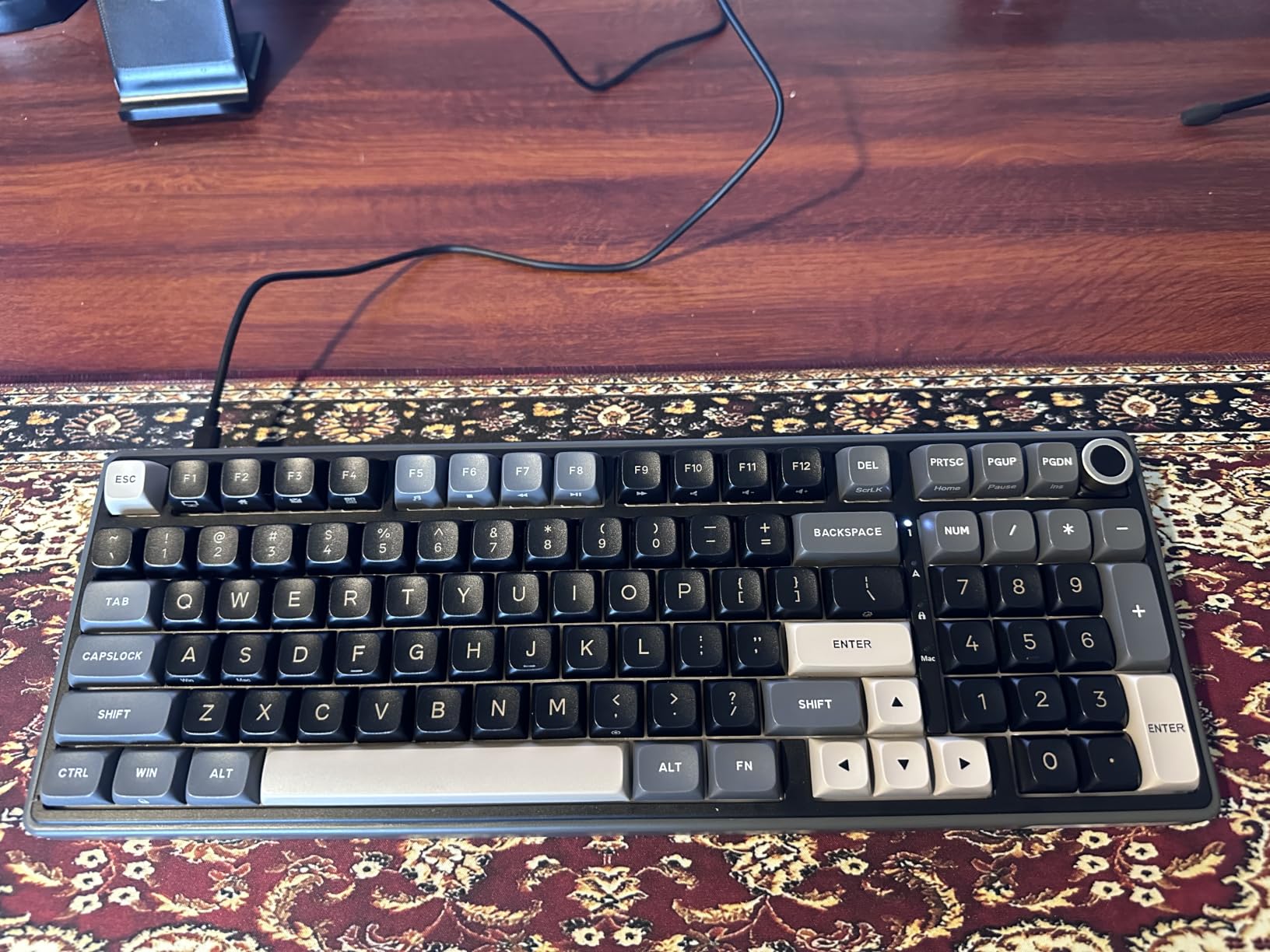
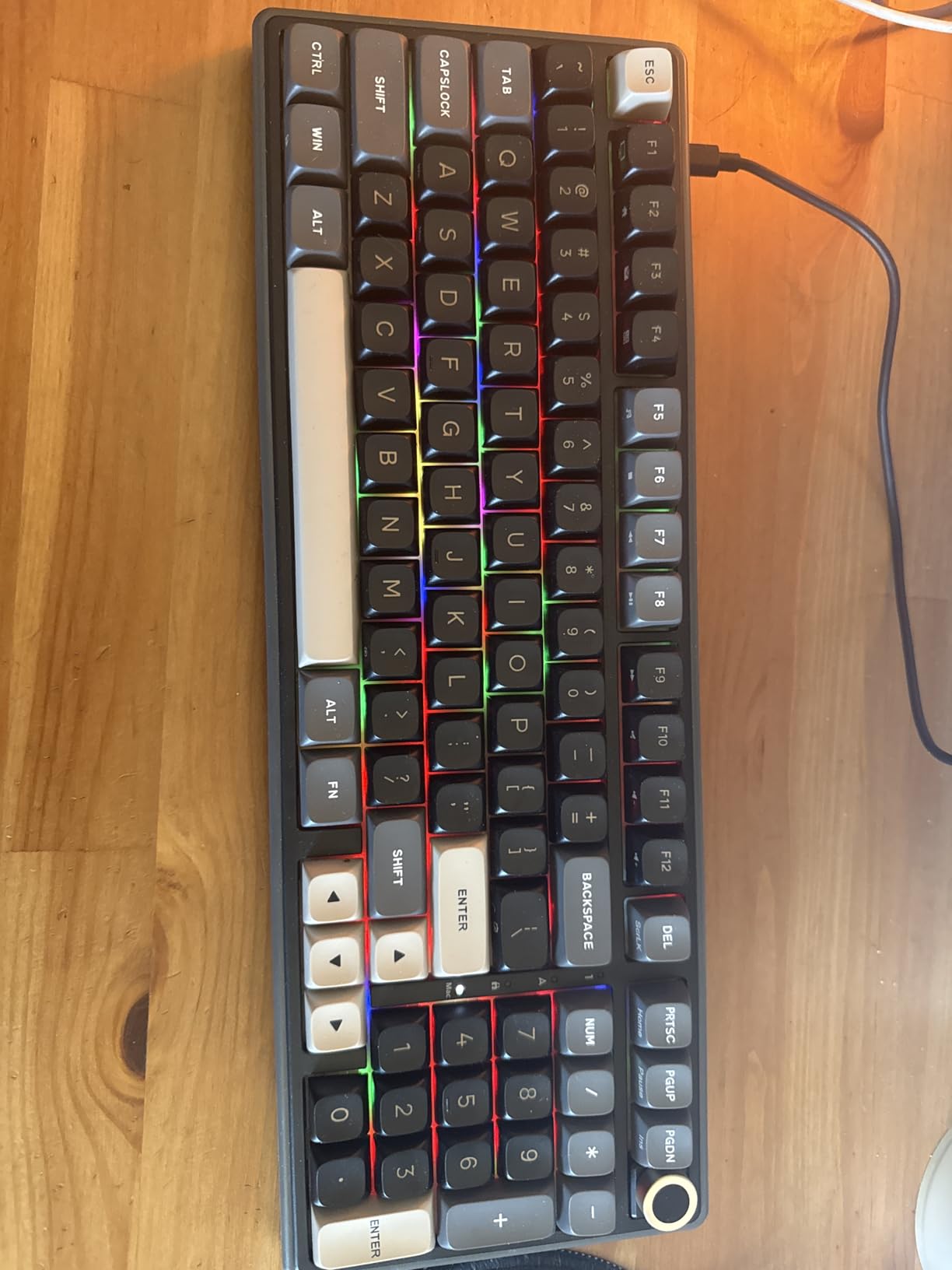
The detachable aluminum CNC volume knob is the feature that sets this keyboard apart visually. It provides satisfying tactile feedback for volume adjustments, and RK includes an End key replacement if you prefer to use that slot for a regular key. The indicator lights for Num Lock, Caps Lock, Win Lock, and Mac Mode are practical for monitoring keyboard state at a glance.
The hot-swappable PCB works with 3-pin and 5-pin switches. RK includes spare cream switches and a keycap puller in the box, which is a thoughtful inclusion that saves you from buying tools separately. I swapped several keys with some Gateron Oil Kings and the sockets handled the thicker pins without issue. The online driver allows key remapping, macro settings, and custom RGB configuration.
The Cream Switch Sound Experience
The pre-lubed cream switches on the R98 Pro are specifically designed for a smooth, creamy sound profile. Combined with the gasket mount and five layers of foam, each keypress produces a deep, muted thock that is satisfying without being loud. This makes the R98 Pro suitable for office environments where a louder clicky keyboard would be disruptive. The sound consistency across all 98 keys is impressive, with minimal variation between different key positions.
Ergonomics and Long Session Comfort
The R98 Pro is taller than some competitors, which can cause wrist fatigue during extended typing sessions without a wrist rest. The MDA profile keycaps help mitigate this by providing a more sculpted typing surface. If you type for several hours at a stretch, consider pairing this keyboard with a wrist rest. The slight wobble on some larger keys like Shift and Caps Lock is a minor annoyance but does not affect typing performance.
Buying Guide: How to Choose the Best Hot-Swappable Keyboards?
Choosing the right hot-swappable keyboard comes down to understanding your specific needs and knowing which features actually matter. Our team has broken down the key factors below based on our testing experience and feedback from keyboard communities on Reddit and dedicated enthusiast forums.
1. Switch Compatibility: 3-Pin vs 5-Pin Explained
This is the most common source of confusion for beginners. Most hot-swappable keyboards support both 3-pin and 5-pin MX-style switches, but some budget boards only accept 3-pin. The difference comes down to two small plastic legs on the bottom of 5-pin switches that add stability. If your keyboard only has 3-pin sockets, you can still use 5-pin switches by carefully clipping the two extra plastic legs with flush cutters.
All 10 keyboards in this roundup support at least 3-pin switches, and most support both 3-pin and 5-pin. The Newmen GM326 is the only board limited to 3-pin switches. For maximum future-proofing, look for keyboards with dual 3-pin and 5-pin compatibility like the AULA F75 Pro, AULA F99, or the ASUS ROG Strix Scope II X.
2. Layout: Finding the Right Size for Your Needs
Keyboard layout determines how many keys you have and how much desk space the board occupies. The most common layouts for hot-swappable keyboards are:
60% (61 keys): Removes arrow keys, function row, and navigation cluster. Smallest footprint, ideal for FPS gaming. Example: Redragon K617 Fizz.
75% (81-85 keys): Adds a function row and dedicated arrow keys to the 60% layout. Great balance of compact size and functionality. Examples: AULA F75 Pro, Kisnt KN85, Newmen GM326.
96% (98-99 keys): Includes a number pad in a compressed layout. Perfect for productivity users who need number entry. Examples: AULA F99, HUO JI Z-99, RK R98 Pro.
100% Full Size (104-108 keys): Traditional layout with full function row and navigation cluster. Best for office work and data entry. Examples: Keychron C2, ASUS ROG Strix Scope II X, Redragon K668.
3. Switch Types: Linear, Tactile, and Clicky
The switch type determines the feel and sound of each keypress. Hot-swappable keyboards let you change switches, but it helps to start with a type that matches your primary use case.
Linear switches provide smooth, consistent keystrokes from top to bottom with no tactile bump. They are ideal for gaming because they enable fast double-taps and rapid key presses. Most keyboards in this roundup come with linear switches pre-installed.
Tactile switches have a noticeable bump partway through the keypress that provides physical feedback. They are preferred by typists who want confirmation that a key has actuated. The Keychron C2 comes with Brown tactile switches.
Clicky switches combine a tactile bump with an audible click sound on each keypress. They are loud and not recommended for shared workspaces. No keyboards in this roundup ship with clicky switches, but you can install them in any hot-swappable board.
4. Connectivity: Wired vs Wireless
Wired keyboards offer the lowest latency and simplest setup. They are the best choice for competitive gaming where every millisecond matters. The Redragon K617, Redragon K668, HUO JI Z-99, Keychron C2, and ASUS ROG Strix Scope II X are all wired-only boards.
Wireless keyboards come in two flavors. Bluetooth is convenient for multi-device setups but has higher latency (typically 8-11ms). A 2.4GHz wireless dongle provides lower latency (typically 3-5ms) and is better for gaming. Tri-mode keyboards that support both wireless modes plus USB-C wired give you maximum flexibility. The AULA F75 Pro, AULA F99, and Kisnt KN85 all offer tri-mode connectivity.
5. Build Quality: Gasket Mount, Plate Material, and Sound Dampening
Gasket-mounted keyboards use flexible strips between the plate and case instead of rigid screws. This allows the plate to flex slightly on each keypress, creating a softer bottom-out feel and deeper sound. Most keyboards in this roundup use gasket mounting, including the AULA F75 Pro, AULA F99, HUO JI Z-99, Kisnt KN85, and RK R98 Pro.
Sound dampening is achieved through layers of foam and padding inside the case. The HUO JI Z-99 and RK R98 Pro both use five layers of sound-absorbing material, which significantly reduces hollow echo and metallic ping. If typing sound matters to you, look for keyboards with multiple dampening layers and gasket-mounted construction.
6. Keycap Material: PBT vs ABS
PBT keycaps are denser and more resistant to shine and wear than ABS keycaps. They maintain their texture over years of use and generally feel more premium. Most keyboards in this roundup use PBT keycaps, including the AULA F75 Pro, AULA F99, HUO JI Z-99, Kisnt KN85, ASUS ROG Strix Scope II X, and RK R98 Pro.
ABS keycaps are cheaper and develop a shiny surface over time with heavy use. The Redragon K617 and Newmen GM326 use ABS keycaps to keep their prices low. If you choose one of these boards, consider upgrading to a PBT keycap set as a relatively inexpensive improvement.
7. Budget: What to Expect at Each Price Point
Under $30, you get basic hot-swappable functionality with ABS keycaps and wired-only connectivity. The Newmen GM326 and Redragon K617 are the best options in this range. Between $35 and $50, you start seeing gasket-mounted construction, sound dampening, and PBT keycaps. The HUO JI Z-99, Kisnt KN85, Redragon K668, and Keychron C2 fall into this tier. Above $65, you get premium features like tri-mode wireless, massive batteries, aluminum construction, and pre-lubed switches. The AULA F75 Pro, AULA F99, RK R98 Pro, and ASUS ROG Strix Scope II X represent this premium tier.
FAQs
What is a hot-swappable keyboard?
A hot-swappable keyboard is a mechanical keyboard with specialized sockets on the PCB that allow you to remove and replace switches using a simple puller tool, without any soldering. This lets you change the typing feel and sound of your keyboard in minutes by installing different switches.
Are hot-swappable keyboards good for gaming?
Yes, hot-swappable keyboards are excellent for gaming. You can install fast-actuating linear switches for competitive play and swap in tactile switches for typing work on the same board. Many hot-swappable keyboards also offer features like N-key rollover and 1000Hz polling rates that competitive gamers need.
What switches are compatible with hot-swappable keyboards?
Most hot-swappable keyboards accept MX-style switches, which includes brands like Cherry, Gateron, Kailh, and Outemu. Boards that support both 3-pin and 5-pin sockets offer the widest compatibility. Some boards like the Newmen GM326 only accept 3-pin switches, while others like the AULA F75 Pro and AULA F99 accept both types.
What is the difference between 3-pin and 5-pin switches?
5-pin switches have two extra plastic legs on the bottom compared to 3-pin switches. These additional legs provide more stability and reduce switch wobble. Most hot-swappable keyboards accept both types. If your keyboard only has 3-pin sockets, you can use 5-pin switches by clipping the two extra legs with flush cutters.
How do I test a hot-swappable keyboard?
To test a hot-swappable keyboard, use a switch puller to remove one switch and push in a different switch to verify the socket works. Test all keys for consistent registration using an online keyboard tester. Check that every key produces a clean keystroke without chatter or missed inputs. Also verify the PCB has no dead sockets by testing each position.
What is gasket-mounted design in keyboards?
A gasket-mounted keyboard uses flexible strips between the plate and case instead of rigid screws. This allows the plate and PCB to flex slightly on each keypress, creating a softer typing feel and a deeper, more muted sound. Gasket mounting is popular among keyboard enthusiasts for the comfortable typing experience it provides.
Conclusion
The best hot-swappable keyboards give you the freedom to customize your typing experience without ever picking up a soldering iron. After testing 10 boards across every major layout and price range, the AULA F75 Pro stands out as our top pick for its tri-mode wireless, gasket-mounted sound, and pre-lubed switches at a reasonable price. The AULA F99 offers the best value for productivity users who need a number pad, while the Newmen GM326 is the best entry point for anyone curious about hot-swappable keyboards on a tight budget.
What makes hot-swappable keyboards worth the investment is longevity. You can refresh the typing feel years after purchase by installing new switches, which means a good hot-swappable board can serve you well into 2026 and beyond. Whether you are a competitive gamer, a productivity-focused office worker, or a keyboard enthusiast building your first custom board, there is a hot-swappable option on this list that will meet your needs and budget.