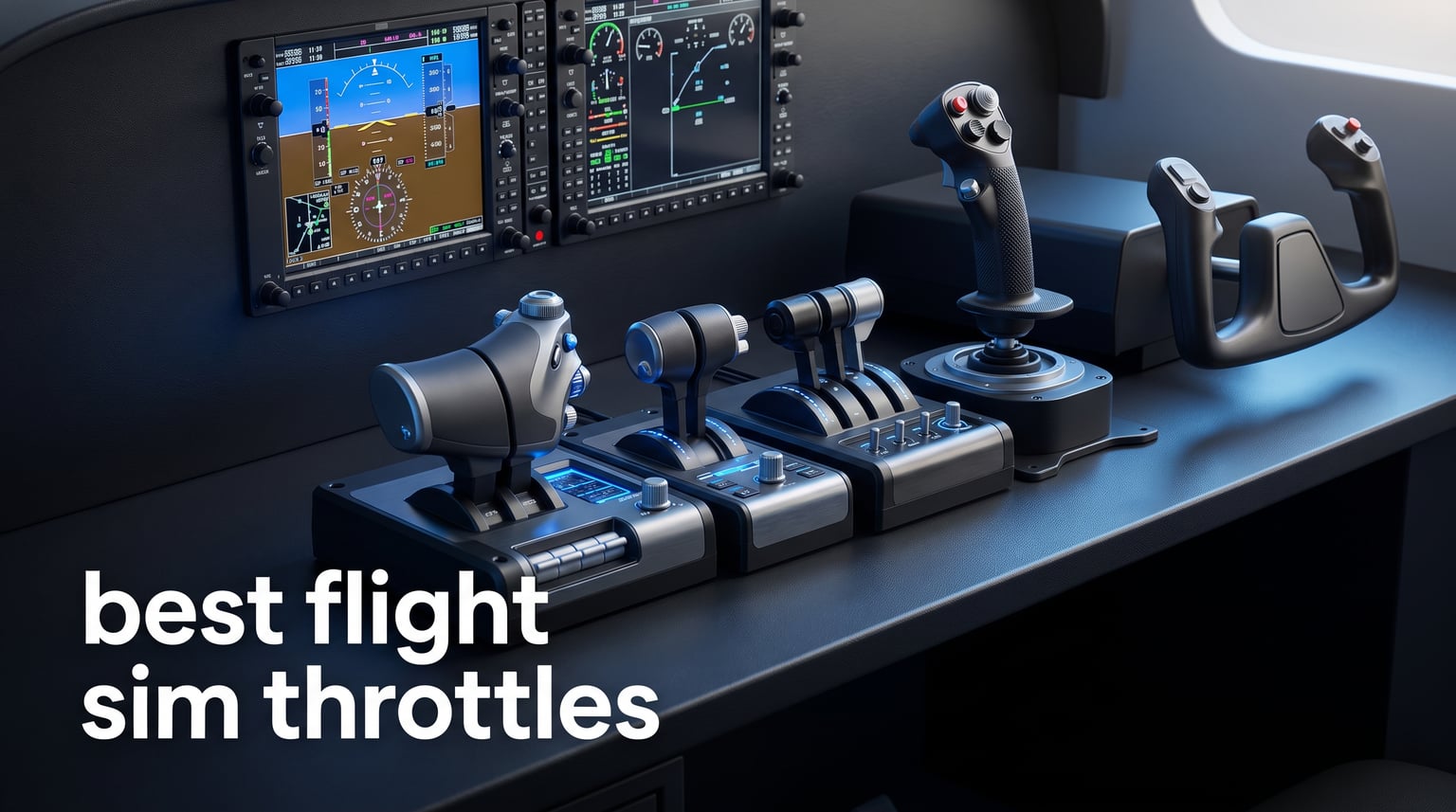
The best flight sim throttles put engine management where it belongs: under your hand instead of behind a keyboard shortcut. A physical throttle controller can make a long approach easier to fly precisely, give a multi-engine aircraft separate power control, or put a useful afterburner detent into a combat-sim setup.
For this guide, we compared the four throttle products supplied in the current research set. They do not serve the same pilot: one is a compact push-pull controller for general aviation, one is a metal F-16-style TQS for DCS World, one is a slide-rail option for space and broad flight use, and one is a substantial vernier module for a GA cockpit.
My practical advice is to pick the aircraft experience first and the control count second. A throttle quadrant is hardware that translates the movement of levers or rails into simulator inputs; the right one should make the controls you reach for most often feel natural, rather than adding a collection of unused switches to the desk.
The research also points to a recurring community issue: compatibility and configuration can be harder than the product photo suggests. People discussing flight controls warn beginners to check the connector type, operating system, simulator support, and whether a device is a standalone USB controller before buying it.
There are only four researched products here, so this is a focused short list rather than a catalog of every throttle ever made. That focus lets us be clear about each product’s limits, including console restrictions, mixed review signals, and the difference between a general-aviation control layout and a combat or space-flight layout.
Table of Contents
Top 3 Picks for Best Flight Sim Throttles (September 2026)
If you want the short answer, the Flight Sim Stuff TPM is the most straightforward general-aviation choice in this set, the Thrustmaster Viper TQS is the dedicated military pick, and the Sol-R6 is the broadest fit for space, military, and civil simulation. The Honeycomb Sierra TPM follows as the more elaborate GA module for pilots who specifically want vernier axes, trim, gear, flaps, and a parking brake in one unit.
Best general-aviation layout: Flight Sim Stuff TPM + Flaps pairs throttle, propeller, mixture, and flap controls in a compact USB device for PC and Mac.
Best DCS World-focused layout: Thrustmaster Viper TQS provides a 1:1-scale metal Viper handle, 21 action buttons, five axes, mechanical detents, and DCS plug-and-play support.
Best flexible rail throttle: Thrustmaster Sol-R6 brings four selectable detent arrangements, 14 assignable actions, a self-centering rudder axis, and stated support across space, military, and civil sims.
Best full GA module: Honeycomb Sierra TPM adds metal vernier controls, a trim wheel, parking brake, flaps, and an LED landing-gear lever, but its research record has the lowest rating of the four and inconsistent platform wording.
None of these products is presented in the supplied data as an Xbox or PlayStation choice. The Flight Sim Stuff controller expressly excludes both consoles, the Viper is listed as PC hardware despite an Xbox One S field in its product details, the Sol-R6 is listed for PC and Windows, and the Sierra’s technical details identify PC hardware.


Best Flight Sim Throttles In 2026
The comparison below is intentionally based on the stated product specifications and review data, not assumed feature parity. In particular, “throttle” can mean three push-pull engine controls, a single military TQS with many buttons, or a rail-style axis with a rudder function, so the details matter more than the label.
| Product | Specifications | Action |
|---|---|---|
| Flight Sim Stuff TPM + Flaps |
|
Check Latest Price |
| Thrustmaster Viper TQS |
|
Check Latest Price |
| Thrustmaster Sol-R6 |
|
Check Latest Price |
 Honeycomb Sierra TPM Module Honeycomb Sierra TPM Module |
|
Check Latest Price |
Ratings are a useful signal, not a substitute for matching the device to your simulator and aircraft. The Flight Sim Stuff unit has the highest listed rating at 4.8 from 25 reviews, while the Sol-R6 has the largest review count at 213 but a 4.1 average and a notably more mixed distribution.
The Flight Sim Stuff TPM + Flaps is the clearest compact choice for piston-aircraft controls
Flight Sim Stuff – Throttle, Prop, Mixture and Flaps Controller TPM – PC
Push-pull TPM
Flap control
PC and Mac USB
Pros
- Throttle prop and mixture controls
- Friction lock nut
- No drivers needed
- Flap control
- One year warranty
Cons
- No Xbox or PlayStation support
- Only 25 listed reviews
The Flight Sim Stuff TPM + Flaps controller is built around the controls many general-aviation pilots use most: throttle, propeller, mixture, and flaps. Its three push-pull axes use color-coded engine-management logic rather than a fighter-style power rail, which makes the layout easy to understand when your regular virtual aircraft is a piston single or twin.
The research lists a friction lock nut for holding the throttle in place. That is a small but meaningful feature for a desktop setup, because an engine-control lever that drifts after you set cruise power is distracting even when the simulator itself is stable.
For newcomers looking at the best flight sim throttles, this is the product in the set with the least intimidating stated setup path. It is USB-connected, works with Windows and Mac without drivers according to its technical details, and lists support for Microsoft Flight Simulator 2020 and 2024, X-Plane, and Prepar3D.
That does not remove the need to assign each axis in the simulator. I would connect it directly, check that each lever reaches its full in-sim range, assign throttle, propeller, mixture, and flaps one at a time, then save a separate profile for any aircraft whose engine-control logic differs.
The compact 9.25 by 5.75 by 2 inch footprint is relevant if your desk already holds a yoke, joystick, keyboard, and mouse. At 1.5 pounds, it is also much less of a permanent fixture than the heavy Honeycomb module, which may suit people who pack their controls away after a flight.
This controller fits pilots who want direct general-aviation engine management
Choose this layout when you fly aircraft where throttle, propeller, and mixture are routine actions, rather than occasional bindings on a button box. Push-pull controls are a sensible match for Cessna-style flying and other piston-aircraft work because the control metaphor is close to the task you are practicing.
The added flap control is useful in a compact cockpit because it gives you one physical location for another frequent phase-of-flight action. That can reduce keyboard reaches during takeoff and landing without forcing a large integrated panel onto the desk.
The controller also has the strongest listed average rating in this group: 4.8 from 25 reviews, with 85 percent of the provided rating distribution at five stars. The review summary specifically credits build quality and cross-simulator functionality, though 25 reviews is still a much smaller sample than the 112 and 213 review totals of the two Thrustmaster units.
This controller does not fit console users or jet-specific control layouts
The manufacturer information expressly says it does not work with Xbox or PlayStation. Do not treat a USB connector as proof of console support; the stated platform support is the deciding evidence here.
This is also not a full airliner quadrant or a replica military TQS. A pilot seeking dual-engine power levers, airliner reverser behavior, afterburner hardware, a countermeasure switch, or a large bank of combat controls will get a more appropriate physical layout from a product designed for that role.
Its driver-free claim is convenient, but it should not be confused with universal automatic mapping. Simulator bindings remain a user task, and forum conversations repeatedly identify configuration complexity as a beginner pain point across brands.
The Thrustmaster Viper TQS is the focused pick for an F-16-style DCS cockpit
Thrustmaster Viper TQS Metal Flight Sim Throttle Quadrant System – PC
Metal Viper handle
21 buttons
Five axes
16-bit H.E.A.R.T
Pros
- Licensed 1 to 1 Viper handle
- Mechanical detents
- Adjustable friction
- 21 action buttons
- DCS plug and play
Cons
- PC platform only
- Heavy 4.18 kilogram unit
The Thrustmaster Viper TQS is the specialist option in this group. Its defining feature is a 1:1-scale metal replica handle of the Viper TQS, officially licensed by the U.S. Air Force, so its appeal is about reproducing a combat-aircraft control experience rather than covering every civilian flying use case.
It combines five axes with 21 action buttons, including two virtual buttons. That concentration of inputs can move common DCS World tasks away from the keyboard, especially where a general-aviation controller would leave you hunting for combat functions.
Its 16-bit H.E.A.R.T magnetic sensor is the highest-resolution sensor detail stated in the supplied product set. In practical terms, sensor resolution is about how finely a physical position can be read; it is useful for controlled power changes, but calibration and aircraft response curves still influence the feel you get in a simulator.
The handle has adjustable friction for firm, linear travel and mechanical levers for idle/cutoff and afterburner detents. Those physical landmarks are more meaningful in a military sim than a generic smooth axis, because they can help distinguish normal power, cutoff, and afterburner transitions by hand rather than only by watching an on-screen indicator.
At 4.18 kilograms, this is a substantial desktop control. That mass may help it stay planted during deliberate movement, but it also means you should measure the mounting space and consider whether your desk can support the controller alongside a stick and other hardware.
This throttle suits DCS World pilots who prioritize Viper-specific physical cues
The product is listed as plug and play in DCS World, which gives it a clear simulator-specific advantage for its intended audience. It also includes a CHAFF/FLARE slap switch for countermeasures, a feature that makes sense when the virtual cockpit and mission type actually call for it.
Pick the Viper TQS when an authentic handle shape, afterburner detent, countermeasure interaction, and a dense set of controls matter more than a civil-aircraft throttle, propeller, and mixture arrangement. Community research likewise identifies the Orion2 F-16EX Viper as a popular military-sim path, showing why purpose-built combat layouts remain distinct from GA quadrants.
The supplied reviews give this model a 4.5 average from 112 reviews, with 76 percent five-star reviews. That is a more established review base than the compact Flight Sim Stuff unit, while still leaving a visible 6 percent one-star share that is worth reading through before deciding.
This throttle is less suitable for casual GA desks and non-PC platforms
The Viper TQS is described as PC hardware and should be approached as a PC-focused control even though one product-details field mentions Microsoft Xbox One S. The technical data and review cons identify PC-only support, so a console buyer should not infer compatibility from the isolated field.
It is also purposefully unlike the control quadrant in a Cessna or a conventional airliner. If most of your time is spent adjusting propeller and mixture, flying a simple trainer, or running multi-engine civilian procedures, its combat-specific buttons and detents may be less useful than dedicated GA axes.
Noise is rarely specified for flight controls, including this product. For an apartment or shared room, the sensible pre-purchase step is to look for independent demonstrations of the mechanical detents and switches, then decide whether that tactile feedback is a benefit in your environment.
The Thrustmaster Sol-R6 is the most flexible rail-style option for space, military, and civil sims
Thrustmaster Sol-R6 Space Flight Throttle, S.M.A.R.T Slide Rails – PC
3.1 inch slide rails
Four detents
14 actions
Self-centering rudder
Pros
- Smooth slide-rail travel
- Four detent configurations
- Auto-centering rudder
- 14 assignable actions
- Broad sim use
Cons
- 4.1 average rating
- Mixed review distribution
- White finish may show wear
The Sol-R6 takes a different approach from a quadrant with separate engine levers. It uses S.M.A.R.T. slide rails with 3.1 inches of stated travel, plus a built-in 15-degree rudder axis that automatically recenters, making it a combined axis-and-actions controller for several kinds of virtual flying.
Its four selectable detent configurations are a strong point: none, a 50 percent position, an 80 percent afterburner position, or dual detents. That lets the same physical hardware be adapted to a smooth civil power axis, a staged military throttle, or a use case where two positions need a tactile reference.
The product data names space, military, and civil flight simulation as compatible use cases. That breadth is why this is the flexible pick, but it is not the same as claiming a dedicated, labeled control set for every aircraft family.
It has 14 assignable actions, so it can cover more than a bare throttle axis. I would reserve those bindings for actions that benefit from immediate access, such as view, landing gear, flaps, trim-related commands, or simulation-specific utilities, rather than attempting to duplicate every keyboard command on the device.
The Sol-R6 has the largest stated review count of the four at 213, as well as the strongest category sales-rank position in the supplied data. Its 4.1 average is lower than the two leading choices, so that larger sample should be treated as useful context rather than a blanket endorsement.
This throttle fits pilots who need configurable detents and a compact secondary rudder axis
The adjustable detent choices are especially relevant if you switch between aircraft types or between space and atmospheric flight games. A 50 percent marker or an 80 percent afterburner marker can be meaningful only when it corresponds to the response behavior of the aircraft profile you bind, so take time to test the alignment in each simulator.
The built-in 15-degree rudder with automatic re-centering may help a desk setup that does not have separate pedals. It is not a replacement for a full pedal set for every pilot, but it gives the controller a second flight-control function without needing another device.
Its smooth and consistent movement is a stated feature, and the 3.1-inch rail travel gives the hand a physical range to work across. For a rail design, consistent resistance and a predictable endpoint are often more important to day-to-day control than the number of labels printed on the housing.
This throttle needs careful review scrutiny before it becomes a long-term default
The research reports 61 percent five-star ratings, 15 percent four-star ratings, 10 percent three-star ratings, 3 percent two-star ratings, and 11 percent one-star ratings. That spread is noticeably more mixed than the Flight Sim Stuff TPM and the Viper TQS, so read recent detailed feedback for issues that matter to you before choosing it.
The white finish is another practical consideration because the review data notes that it may show wear more visibly. Appearance has no effect on axis input, but a shared desk or visible cockpit build may make the finish relevant over time.
This is a PC and Windows product in the supplied specifications. It should not be bought on the assumption of Mac or console compatibility, and it does not offer the three separate push-pull engine-management axes found on the two GA-oriented devices in this guide.
The Honeycomb Sierra TPM Module is the feature-rich GA choice with important compatibility questions
Honeycomb Sierra TPM Module – GA Throttle Quadrant for flight simulation, metal vernier axes, advanced flight controls – trim wheel & parking brake, compatible with MSFS 2024/2020 for PC & Mac [video game] [video game]
Metal vernier TPM
Trim wheel
Gear LEDs
Flaps and parking brake
Pros
- Metal vernier axes
- High-resolution trim wheel
- Flaps and parking brake
- LED gear lever
- Two year warranty
Cons
- 3.8 average rating
- Mixed review results
- Platform details conflict
The Honeycomb Sierra TPM Module is the most feature-dense general-aviation controller in the research set. It combines three color-coded push-pull vernier axes for throttle, propeller, and mixture with a high-resolution trim wheel, parking brake, flap lever, and landing-gear lever with LED indicators.
That list makes it attractive for a more permanent GA cockpit. Instead of adding a small engine-control unit and then reaching elsewhere for trim, flaps, parking brake, or gear, the Sierra places those named functions in one heavy, 9.5-pound module.
The main controls are described as lockable metal vernier axes. Vernier controls are valuable when you want deliberate fine adjustment: the push-pull format gives a physical distinction between throttle, propeller, and mixture, and the metal construction aims for a more substantial cockpit-control feel than light plastic levers.
The product data lists MSFS 2024, MSFS 2020, and X-Plane support. Before purchase, confirm the exact simulator version and current binding instructions you use, because a device with several axes and switches may require more initial assignment work than a simpler throttle.
This product calls for a more cautious verdict than the first two picks. Its listed rating is 3.8 from 34 reviews, the lowest average in the group, and the supplied review distribution includes 13 percent two-star and 11 percent one-star ratings.
This module suits committed GA cockpit builders who want more than engine levers
Choose the Sierra when you want a dedicated general-aviation station rather than simply a throttle axis. The trim wheel, flap lever, parking brake, and gear lever are the differentiators, and the LED indicators on the gear control add a visible confirmation point to the physical cockpit.
It is a good conceptual match for pilots who value Cessna-style simulation and need hands-on access to mixture and propeller as well as power. Its layout is not an airliner dual-throttle or a fighter TQS, so its strengths depend on regularly flying aircraft that use this style of engine management.
The two-year warranty is the longest listed coverage period among these four products. Warranty length does not predict every ownership outcome, but it is a concrete factor to weigh alongside construction, support documentation, and the mixed customer-rating signal.
This module requires a platform check and realistic expectations about review feedback
The title identifies the Sierra as compatible with PC and Mac, while its product details list PC as the compatible device and its review cons explicitly say PC only with no Mac support despite the title. That conflict is not something to guess through: verify current manufacturer compatibility documentation for your computer before ordering.
The mixed score does not mean every unit will disappoint, but it means prospective buyers should read the available detailed reviews carefully for fit, configuration, and durability topics. This is particularly important when a controller becomes part of a fixed cockpit where returning or swapping it would be inconvenient.
At 9.5 pounds, desk placement matters too. Check the available surface depth, cable route, and whether your yoke or keyboard will collide with the forward controls before committing the module to a home setup.
How To Choose The Best Flight Sim Throttles?
A purchase decision becomes much simpler when you answer one question first: what do you want your left hand to do during most flights? A piston-aircraft pilot needs a different physical vocabulary from a DCS World pilot, and a space-sim player may value a configurable rail more than authentic propeller and mixture controls.
For general aviation, look for independent throttle, propeller, and mixture axes. The Flight Sim Stuff TPM and Honeycomb Sierra both supply that core engine-management trio, while the Sierra extends it with trim, flaps, gear, and parking-brake hardware.
For military flying, begin with the aircraft family rather than the brand name. The Viper TQS makes a strong case when you want an F-16-style handle, afterburner and cutoff detents, a countermeasure switch, and many nearby actions; those are meaningful only if the aircraft and simulator you fly benefit from them.
For mixed space, military, and civilian use, a configurable rail can be the practical middle path. The Sol-R6 offers a single throttle movement with adjustable detent positions and a secondary rudder axis, so it has broader stated use cases but does not imitate a three-lever GA control cluster.
The number and kind of axes matter more than a long feature list
An axis is a continuously variable input, such as moving a throttle from idle to full power. Buttons are on-or-off inputs, and both have a place, but a control with many buttons cannot replace the feel of separate levers when you need to manage throttle, propeller, and mixture independently.
The Viper TQS lists five axes and 21 action buttons, a clear fit for a dense combat setup. The Sol-R6 lists one main slide travel plus its 15-degree self-centering rudder axis and 14 assignable actions, which is a different but still useful blend.
The Flight Sim Stuff controller focuses its physical axes on throttle, propeller, and mixture, then adds flaps. The Sierra likewise centers its layout on three vernier axes, but adds dedicated controls that make it more like an engine-management and cockpit-function module.
Before buying, write down the commands you touch in a normal five-minute flight: start, taxi, takeoff, climb, cruise, approach, landing, and shutdown. If a proposed throttle does not cover your most frequent controls, its extra features may not solve the real problem.
Sensor type and detents improve control feel only when the simulator is calibrated
Flight sim throttles read movement through sensors, which may be potentiometer-based, magnetic, Hall effect, H.E.A.R.T, or another design. Magnetic sensing is often sought because it can avoid the physical contact wear associated with a traditional potentiometer, but no sensor label exempts a device from correct calibration and thoughtful bindings.
Among the researched products, the Viper TQS explicitly specifies a 16-bit H.E.A.R.T magnetic sensor. The others describe their control movement, rails, vernier axes, or friction features without claiming the same resolution in the supplied data, so do not invent a sensor comparison where one was not provided.
Detents are intentional physical positions that you can feel while moving the throttle. The Viper TQS has mechanical idle/cutoff and afterburner detents, while the Sol-R6 offers none, 50 percent, 80 percent afterburner, or dual detent arrangements.
Detents are particularly useful when they line up with an in-game threshold, but their value depends on calibration. After connecting a controller, move it slowly across each detent, watch the in-sim response, and adjust the axis curve or endpoints if the virtual threshold arrives too early or too late.
Compatibility must be confirmed at the operating-system, simulator, and console levels
“USB” does not mean “works everywhere.” A device can plug into a computer but still lack an appropriate driver, default profile, console support, or a working assignment path in the simulator you use.
The Flight Sim Stuff TPM lists Windows and Mac compatibility with no drivers needed, plus support for Microsoft Flight Simulator 2020 and 2024, X-Plane, and Prepar3D. Its documentation explicitly rules out Xbox and PlayStation.
The Viper TQS is listed as PC hardware and plug and play in DCS World. The Sol-R6 is listed for PC and Windows, while the Sierra’s supplied information conflicts between a PC-and-Mac title and PC-only product/review details.
For every product, check the current official compatibility page, simulator profile availability, USB ports, and your operating system before it reaches your desk. This is the best response to the recurring forum complaint that controls from different manufacturers can create unexpected configuration problems.
A clean first setup uses one axis at a time and saves a backup profile
Start with the controller connected directly to the computer rather than through an untested hub. Open the operating-system controller panel first, verify that the axes move, and note whether any input jitters or fails to reach its endpoints before you open the simulator.
Next, bind one function at a time. Move the intended lever or rail during the binding prompt, confirm the simulator reads the correct axis, and test idle, midpoint, full power, and any detent position in a parked aircraft before starting a flight.
Create separate profiles when you fly different aircraft classes. A combat throttle profile may need afterburner behavior and countermeasure controls, while a GA profile needs throttle, propeller, mixture, flaps, trim, and gear priorities; one crowded universal profile often creates accidental duplicate assignments.
Finally, save or export the working profile if your simulator permits it. That small step makes a firmware change, reinstall, or accidental binding reset less frustrating, especially for a controller with many actions.
Desk space, mounting, noise, and long-term use are part of the purchase decision
Throttle dimensions and weight influence whether a controller becomes a daily tool or stays in a box. The Flight Sim Stuff unit is listed at 9.25 by 5.75 by 2 inches and 1.5 pounds, whereas the Viper TQS weighs 4.18 kilograms and the Sierra weighs 9.5 pounds.
Measure the area beside your stick or yoke, not just the empty part of the desktop. Leave room to move the levers fully, route the USB cable without a sharp bend, and use a mouse or keyboard during setup.
Noise data is not supplied for these products, so no evidence-based ranking is possible. If you fly near sleeping family members or in an apartment, watch independent demonstrations for the sound of detents, switches, and rails; tactile hardware can be satisfying, but it can also be audible in a quiet room.
Long-term durability evidence in this set is limited. Use the warranty periods as one concrete point of comparison—one year for Flight Sim Stuff, Viper, and Sol-R6, and two years for Sierra—then check current support information and detailed owner feedback for the model you are considering.
A dedicated throttle should come before extra controls when power management is your main frustration
If you repeatedly reach for keys to change power, mixture, propeller, flaps, or afterburner, a throttle controller can improve the part of the simulation you actually use. It is often more useful than adding another peripheral with duplicate buttons, because it gives a continuous physical input to a task that is inherently gradual.
If you are starting from no hardware, however, do not ignore basic flight control. A throttle works best alongside a method to control pitch and roll, whether that is a joystick or yoke, and many pilots will also want a rudder solution.
The Sol-R6’s self-centering rudder axis gives it an extra option for compact setups. Pilots who want dedicated foot control may still prefer pedals, but a built-in axis can help bridge the gap while you decide how large you want the home cockpit to become.
For a gift, match the device to the recipient’s simulator and aircraft interests rather than trying to guess from a brand name. A DCS Viper fan, a Cessna student, and a space-sim player can all be enthusiastic flight sim users while needing completely different throttle layouts.
FAQs
What are the best throttles for your flight simulator?
The best choice depends on aircraft type and platform. The Flight Sim Stuff TPM + Flaps is the compact GA pick, the Thrustmaster Viper TQS is the DCS World combat pick, the Sol-R6 suits configurable space, military, and civil use, and the Honeycomb Sierra serves a feature-rich GA cockpit. Confirm operating-system and simulator compatibility before buying.
What would be the better throttle for a newbie?
A beginner flying piston aircraft should look first at the Flight Sim Stuff TPM + Flaps because it has dedicated throttle, propeller, mixture, and flap controls and lists no-driver Windows and Mac use. It is still necessary to bind each axis in the simulator, and it does not support Xbox or PlayStation.
What is the advantage of Hall effect sensors?
Hall effect and other magnetic sensors read position without the contact wear associated with a traditional potentiometer. The Thrustmaster Viper TQS specifically lists a 16-bit H.E.A.R.T magnetic sensor, but accurate simulation also depends on calibration, axis curves, and correct bindings.
Are flight simulator throttles compatible with Mac?
Compatibility varies by product. The Flight Sim Stuff TPM lists Windows and Mac support, the Sol-R6 is listed for PC and Windows, and the Sierra has conflicting supplied information between a PC-and-Mac title and PC-only details. Check the current manufacturer documentation for your exact operating system.
Should I prioritize a throttle quadrant over other controls?
Prioritize a throttle quadrant when keyboard power management is the main weak point in your setup. It works best alongside a joystick or yoke, while a model such as the Sol-R6 can add a self-centering rudder axis for a compact desk setup.
The best choice is the throttle whose controls match your regular flights
Among these four best flight sim throttles, choose the Flight Sim Stuff TPM + Flaps for a compact, driver-free stated path to physical GA engine controls. Choose the Thrustmaster Viper TQS when a DCS World-oriented F-16-style throttle, mechanical detents, and many actions are the point of the build.
Choose the Sol-R6 when configurable detents, a slide-rail form, and a self-centering rudder axis fit your mix of space, military, and civil flying, while weighing its mixed review distribution. Choose the Honeycomb Sierra only after confirming current computer compatibility and deciding that its extended vernier, trim, gear, flap, and parking-brake layout is worth its larger desk commitment.
In 2026, the most satisfying upgrade is not automatically the control with the most switches. It is the one that turns your frequent in-sim power and aircraft-management actions into deliberate movements you can repeat without looking away from the flight.