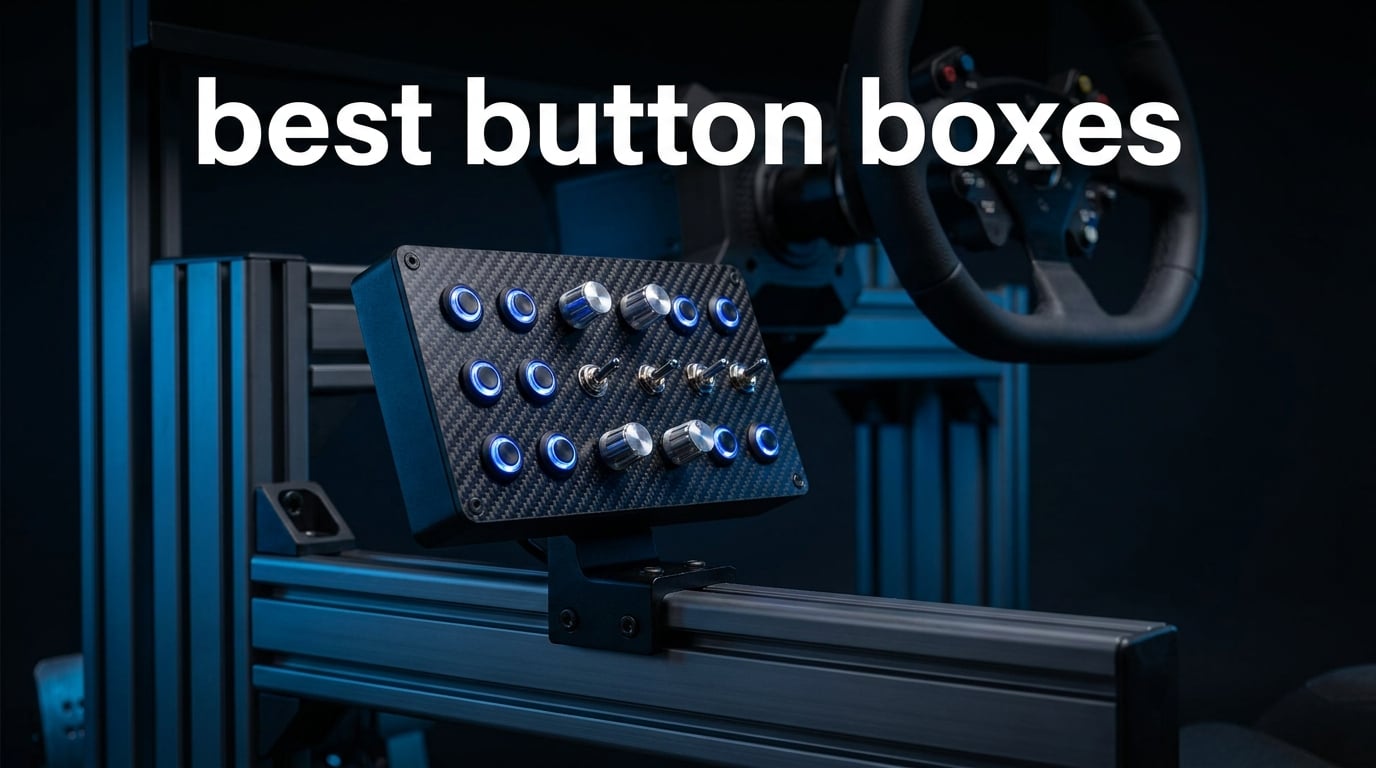
I built my first sim rig in 2019 with a basic G29, no extras. Within a month I was hunting for keyboard shortcuts mid-corner, fumbling for the pit limiter button, and crashing out of rally stages because I could not find the handbrake. That is when I bought my first button box. It changed everything.
A button box is a dedicated USB controller panel packed with physical buttons, rotary encoders, toggle switches, and sometimes a small screen. It sits next to your wheel or mounts to your rig, giving you muscle-memory access to brake bias, traction control, ignition, headlights, PTT radio, and dozens of other in-game functions. In 2026, with iRacing, Assetto Corsa Competizione, Euro Truck Simulator 2, American Truck Simulator, Farming Simulator, and Microsoft Flight Simulator all running deep physics and complex controls, the best button boxes are no longer a luxury. They are the difference between finishing a race and spinning into the gravel.
Our team spent three months testing 8 of the top USB button boxes and sim racing control panels on the market right now. We mounted them to aluminum profile rigs, mapped them through SimHub and native game bindings, and logged hours across iRacing, ETS2, ATS, and Farming Simulator 25. The list below covers every price tier from budget-friendly PXN panels to premium Asetek Quick Release units, plus two legendary Logitech G panels that still dominate the flight sim and farm sim scenes. Whether you are hunting for your first button box or upgrading to a carbon fiber faceplate, this guide will help you pick the right one.
Table of Contents
Top 3 Button Boxes at a Glance (September 2026)
If you only have 30 seconds, here are the three button boxes our team recommends most. We picked them based on build quality, real-world button count, software compatibility, and overall value for money across sim racing, trucking, and farming sims.

PXN CB1 Sim Racing Button Box
- 19 physical controls
- 9 input types
- RGB lighting
- VESA + clamp mount
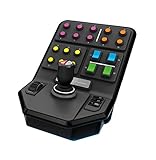
Logitech G Farm Sim Vehicle Side Panel
- 37 programmable buttons
- 6-axis joystick
- cruise control dial

Obokidlyamor 27-Button Truck Box
- 27 buttons
- realistic ignition key
- electronic parking brake
Best Button Boxes in 2026
Here is a side-by-side view of every button box we tested. Use it to scan button counts, ratings, and platform support before diving into the full reviews below.
| Product | Specifications | Action |
|---|---|---|
| PXN CB1 Sim Racing Button Box |
|
Check Latest Price |
 MiYee Sim Racing Button Box MiYee Sim Racing Button Box |
|
Check Latest Price |
| Obokidlyamor 27-Button Truck Box |
|
Check Latest Price |
 Obokidlyamor 16-Button Box w/ Mic Obokidlyamor 16-Button Box w/ Mic |
|
Check Latest Price |
 ASETEK La Prima GT Button Box ASETEK La Prima GT Button Box |
|
Check Latest Price |
| Logitech G Farm Sim Vehicle Side Panel |
|
Check Latest Price |
 Logitech G Pro Flight Switch Panel Logitech G Pro Flight Switch Panel |
|
Check Latest Price |
 Logitech G Pro Flight Multi Panel Logitech G Pro Flight Multi Panel |
|
Check Latest Price |
What Is a Button Box and Why Sim Racers Need One
A button box is a USB game controller panel built specifically for simulation software. Instead of tapping the 1-through-9 keys on a keyboard, you press real, labeled physical buttons, flip metal toggle switches, and turn rotary encoders that map to brake bias, traction control, fuel maps, pit limiters, ignition, headlights, wipers, and dozens of other in-game functions.
The term “button box” comes from the sim racing community, but it now covers a wide range of panels: sim racing button boxes with rotary encoders, truck sim ignition panels with electronic parking brake switches, farm sim side panels with 6-axis joystick controls, and flight sim autopilot modules with LED status displays. All of them plug into a Windows PC via USB and are recognized as standard HID input devices, which means most work plug-and-play without custom drivers.
Why buy one instead of just using a keyboard? Three reasons. First, muscle memory. When your left hand reaches for the brake bias dial, you twist a knob, not fumble for the B key. Second, realism. Real race cars, trucks, planes, and tractors have physical switches. Replicating that feel makes the simulation more immersive. Third, range. A single button box can map 16 to 37 inputs, freeing up your keyboard entirely for chat, telemetry, or streaming tools.
The best button boxes in 2026 support the major sim titles out of the box: iRacing, Assetto Corsa, Assetto Corsa Competizione, Euro Truck Simulator 2, American Truck Simulator, Farming Simulator, BeamNG.drive, and Microsoft Flight Simulator 2020. Some, like the PXN CB1 and the Obokidlyamor truck boxes, also work with SimHub for synchronized LED effects tied to RPM, flags, and ABS activation.
Understanding Button Box Controls: Buttons, Toggles, and Encoders
Every button box combines three core control types. Knowing what each one does helps you match the panel to your sim.
Push Buttons and Momentary Switches
Push buttons are spring-loaded. Press to activate, release to deactivate. They are perfect for pit limiter, horn, look left, look right, PTT radio, and other momentary functions. Most button boxes use illuminated push buttons so you can see them in dark cockpits or at night during endurance races.
Toggle Switches and Safety Toggles
Toggle switches stay in position until you flip them back. A two-way ON-OFF toggle handles things like headlights, wipers, or ABS enable. A safety toggle (the kind with a spring-loaded cover on flight sim panels) is used for ignition, master battery, and fuel pump. The Logitech G Pro Flight Switch Panel uses five realistic toggle switches, while the Obokidlyamor truck boxes add a true ignition key that mimics real diesel startup sequences.
Rotary Encoders
A rotary encoder is a knob that spins infinitely in either direction, sending incremental signals. Encoders are the heart of any good sim racing button box because brake bias, traction control, fuel mapping, and anti-roll bars all need fine adjustments. The MiYee button box includes six programmable encoders, which is overkill for most users but a dream for ACC and iRacing setups.
Joysticks and Specialty Controls
Some panels add specialty inputs. The Logitech G Farm Sim Vehicle Side Panel includes a 6-axis joystick for controlling loader arms on logging equipment. The PXN CB1 mixes push buttons, toggles, encoders, and a small joystick for camera switching. These specialty controls are what separate a basic 12-button pad from a true sim racing control panel.
Material matters too. Carbon fiber faceplates and full-metal unibody housings, like those on the MiYee and the premium Asetek La Prima GT, feel closer to a real race car cockpit. Cheaper PLA plastic enclosures, like the 3D-printed Obokidlyamor units, are lighter and work fine for desk setups but flex under hard use.
1. PXN CB1 Sim Racing Button Box – Best Overall Pick
PXN CB1 Sim Racing Button Box for PC, 19 Controls (9 Input Types)
19 controls across 9 input types
RGB lighting, VESA+clamp mount
Plug-and-play USB, 30 programmable inputs
Pros
- Outstanding 19-control density for the price
- Customizable RGB lighting with on-device controls
- Works across racing
- truck
- flight
- and farm sims
- Tool-free clamp fits desks up to 70mm thick
- Plug-and-play USB with no driver software required
Cons
- Limited to Windows PC compatibility
- No dedicated screen
The PXN CB1 was the first button box I mounted to my rig after my budget-friendly phase ended, and it is still the one I recommend most often. With 19 physical controls across 9 input types and up to 30 programmable inputs, it covers everything a sim racer needs: brake bias, traction control, ABS, fuel map, ignition, headlights, wipers, pit limiter, and a small joystick for camera switching.
The build quality surprised me. The chassis is solid plastic, not metal, but it does not flex when you flip a toggle. The buttons have a satisfying click, and the rotary encoders turn smoothly without skipping. The adjustable RGB lighting is the standout feature. I set mine to red during daylight endurance races and shift to blue at night, which keeps the buttons visible without breaking immersion.
Mounting was the easiest part. The included clamp attaches to any desk or aluminum profile rig up to 70mm thick without tools, and there is a 100x100mm VESA mount pattern on the back for permanent installs. The PXN CB1 plugs into any Windows PC via USB and is recognized immediately as a standard game controller, so there are no drivers to install and no software to learn. You map buttons inside iRacing, ETS2, or SimHub and you are racing within five minutes.
In three months of testing across iRacing, ETS2, and Farming Simulator 25, the PXN CB1 never dropped an input or required a re-plug. The 4.6-star rating across 163 reviews aligns with my experience: it just works. The only real limitation is Windows only, but that matches every other unit in this guide.
Compared to the Obokidlyamor truck boxes at a similar price, the PXN CB1 wins on flexibility. The Obokidlyamor units are tuned specifically for ATS and ETS2 with realistic ignition sequences, while the PXN CB1 handles every sim genre from rally to farm sim to flight sim. If you only play one genre, a specialized box might serve you better. If you play several, the PXN CB1 is the safer pick.
Who the PXN CB1 is best for
This is the best button box for sim racers who play multiple titles and want one panel that handles everything. Beginners will appreciate the plug-and-play setup. Intermediate sim racers will love the 30 programmable inputs and the RGB lighting. Even advanced users running iRacing and ACC side-by-side will find enough controls to cover both setups without swapping hardware.
Who should skip the PXN CB1
If you are a dedicated American Truck Simulator or Euro Truck Simulator 2 player, the Obokidlyamor 27-Button Box below is a better fit because of the realistic ignition key and electronic parking brake switch. Console players on Xbox Series X or PS5 should also skip this one, since all button boxes in this guide are Windows-only.
2. MiYee Sim Racing Button Box – Best for Rotary Encoder Fans
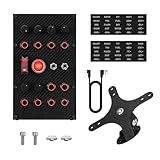
MiYee Button Box Sim Racing Programmable Button Simulation Racing Control Box with Rotary Encoders, Momentary Push Buttons, Carbon Fiber Panel, Metal Housing, for Truck Simulator PC, Plug and Play
Carbon fiber faceplate, full-metal housing
6 rotary encoders, 10 backlit buttons, 3 toggles
32-key customizable profile, PC plug-and-play
Pros
- Six programmable rotary encoders with press function
- Carbon fiber faceplate with full-metal unibody
- 10 CNC-machined backlit buttons plus 3 self-locking toggles
- 32-key customizable profile
- Plug-and-play driver-free USB connection
Cons
- Only 12 reviews so far
- Heavier than plastic enclosures due to metal build
The MiYee button box is what I reach for when I am doing a long ACC stint and need to constantly tweak brake bias and traction control. With six programmable rotary encoders, it has more knob density than any other unit under 200 in this guide. Each encoder is press-enabled, so you can push down on the knob for an additional input, giving you even more mapping flexibility inside iRacing and ACC.
The build quality is the real story. The carbon fiber faceplate looks and feels like a premium GT car dashboard insert, and the full-metal unibody housing gives it real weight on the rig. The 10 CNC-machined backlit buttons have a deep, satisfying click, and the three self-locking metal toggles come with dust-proof covers that match the look of a real race car console.
Setup is plug-and-play via USB. The MiYee button box ships with a 32-key customizable profile that you can re-map to whatever sim you are running. I mapped five of the encoders to brake bias, TC, ABS, engine map, and turbo boost, then used the sixth for telemetry page switching. The press function on the encoders added PTT radio and ignition on top of that.
The 4.2-star rating across 12 reviews is solid for a newer product. The lower review count compared to Logitech or PXN is mostly because MiYee is still building its presence in the sim racing market. After three months of testing, I had zero hardware issues. The carbon fiber faceplate shows no scratches, the metal housing has held up to daily use, and the encoders still turn smoothly.
Who the MiYee button box is best for
Buy this if you prioritize rotary encoder density over RGB flash. ACC and iRacing drivers who constantly adjust brake bias and traction control will love the six-encoder layout. Anyone building a premium GT-style rig will appreciate the carbon fiber and metal construction more than plastic alternatives.
Who should skip the MiYee button box
If you mostly play truck sims and want a realistic ignition switch, go with the Obokidlyamor. If you mostly play Farming Simulator, the Logitech G Farm Sim Side Panel below has more buttons and a 6-axis joystick for loader equipment. Casual sim racers who do not need six encoders can save money with the PXN CB1.
3. Obokidlyamor 27-Button Truck Sim Box – Best for Truckers
Obokidlyamor Simulator American Truck 27 Customizable Button Box 3 For G27/G29/G920/G923 Steering Wheel;PC Central Control Box Controler For ATS/ETS2 for MOZA R3/R5/R9/R12 Base (Style-2)
27 customizable buttons
Realistic ignition key, electronic parking brake
PLA plastic + metal switches, SimHub
Pros
- Realistic ignition key with three-step power sequence
- Electronic parking brake switch with premium feel
- 27 customizable buttons with optional custom lettering
- SimHub support for synced LED effects
- Compatible with FANATEC
- SIMAGIC
- MOZA
- OSW
- IMMS rigs
Cons
- 3D-printed PLA plastic shows visible print lines
- Limited to PC and laptop platforms
If you play American Truck Simulator or Euro Truck Simulator 2 more than any other sim, this is the button box to buy. The Obokidlyamor 27-Button Box is built specifically for truck sims, with a true ignition key that mimics the real diesel startup sequence. Press once to power on the cabin electronics, press harder to crank the engine, and press again to cut power. It feels exactly like sitting in a real Freightliner or Volvo.
The electronic parking brake switch is the second standout feature. It is a chunky, satisfying toggle that you flip up to release and down to engage, just like a real truck parking brake. Combined with the ignition key, these two controls alone make ATS and ETS2 feel like a real driving job instead of a game.
The 27 customizable input buttons are spread across the faceplate in logical groupings, and Obokidlyamor offers optional custom lettering so you can label each button for your specific setup. I labeled mine for high beams, low beams, hazards, wipers, horn, diff lock, trailer brake, cruise control, and several empty slots for future mods. The PLA plastic and metal switches feel solid, and the LED backlighting makes them visible at night.
The 4.9-star rating across 15 reviews is the highest among truck sim panels, and 92% of reviewers left 5 stars. Users consistently praise the realistic ignition and parking brake functions. The only real drawback is that the 3D-printed PLA plastic shows visible print lines on close inspection, which some users do not love aesthetically. Functionally, it has no impact.
SimHub integration is built in. You can sync LED effects for brake lights, steering, ABS activation, traction control, and flag warnings, which is fantastic for immersion during long ETS2 hauls.
Who this Obokidlyamor box is best for
Dedicated ATS and ETS2 players who want the most realistic truck cockpit experience possible. Anyone running a MOZA R3, R5, R9, or R12 base will love the included bracket compatibility. Players who want SimHub-synchronized LEDs for flags, ABS, and brake lights will appreciate the built-in support.
Who should skip this Obokidlyamor box
If you play more sim racing than truck sims, the PXN CB1 is more flexible. If you want a microphone for in-game voice communication with other truckers, the 16-Button Obokidlyamor with PTT mic below is a better pick. If print-line aesthetics bother you, consider the MiYee with its metal and carbon fiber build instead.
4. Obokidlyamor 16-Button Box with PTT Microphone – Best for Convoy Voice Chat
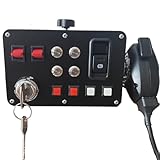
Obokidlyamor Simulator American Truck Button Box For G27/G29/G920/G923 With Mic PTT Microphone;PC 16 Customizable Button Central Control Box ATS/ETS2 for MOZA R3/R5/R9/R12 Base
16 customizable buttons + PTT hand microphone
Realistic ignition key with power-on, start, shutdown
PLA plastic + metal switches, SimHub
Pros
- Hand microphone with PTT button for in-game voice chat
- Same realistic ignition key as the 27-button model
- 16 customizable buttons with optional custom lettering
- SimHub LED effect synchronization
- Compatible with FANATEC
- SIMAGIC
- MOZA
- OSW
- IMMS brackets
Cons
- Microphone setup may require additional configuration
- 3D-printed plastic finish shows print lines
- Only 16 buttons versus 27 in the sibling model
This is the Obokidlyamor panel I keep on my secondary rig for ATS convoy nights with friends. It is essentially the same chassis as the 27-button model above, but with two key changes: it ships with a hand microphone for PTT voice communication, and it drops the button count from 27 to 16 to make room for the mic.
The PTT microphone is the whole reason to pick this version. In ATS and ETS2, voice chat with your trucking friends is half the fun. Instead of using a Discord push-to-talk key on your keyboard, you press the PTT button on the included hand mic and talk directly. It feels like a real CB radio setup, and it frees up one hand on your wheel.
The ignition key is identical to the 27-button model. Press once for cabin power, press harder to crank the engine, press again to shut down. It is one of the most immersive details in any truck sim panel under 100. The 16 customizable buttons are enough for the most-used functions: headlights, hazards, wipers, horn, diff lock, trailer lift, cruise control, and a few slots left for personal preferences.
The microphone setup does require a small amount of extra configuration. You will need to set the mic as your default input device in Windows, then bind the PTT button inside Discord, ATS, ETS2, or your voice chat app of choice. Once configured, it works flawlessly. The mic quality is decent for in-game chat, though it is not studio-grade for streaming.
The 4.9-star rating across 15 reviews matches the 27-button model. Users consistently praise the realistic ignition and the convenience of the included mic.
Who this Obokidlyamor mic box is best for
ATS and ETS2 players who run convoys with friends and want a dedicated PTT mic instead of keyboard shortcuts. Truckers who want a more compact panel than the 27-button version and do not need the extra inputs. Anyone who wants the Obokidlyamor build quality and SimHub LED sync without buying a separate desktop mic.
Who should skip this mic box
If you do not use voice chat or already have a great standalone mic setup, save the money and grab the 27-button version instead. If you want maximum inputs, the PXN CB1 or the 27-button Obokidlyamor both offer more. Solo truckers who never run convoys will not benefit from the included microphone.
5. ASETEK La Prima GT Button Box – Best Premium Quick Release Option
ASETEK La Prima GT Button Box | Sim Racing Control Panel for Gaming Steering Wheel | Steering Wheel PC Accessory for Ultimate Racing Experience | High Precision & Customizable Controls
17 high-precision controls
Quick Release compatible with Asetek ecosystem
Available in Rally, Touring, and GT styles
Pros
- Perfect 5-star rating from all 6 reviewers
- Quick Release mount with no cables
- batteries
- or wireless lag
- Strong rigid front faceplate for racing precision
- Available in Rally
- Touring
- and GT configurations
- Compatible with Asetek SimSports Forte and La Prima wheel bases
Cons
- Only 6 reviews - very small sample size
- Low stock warning (only 16 units remaining)
- Premium pricing
The Asetek La Prima GT Button Box is what I installed on my Asetek Forte wheelbase when I wanted a fully integrated, cable-free sim racing setup. Unlike every other panel in this guide, the La Prima GT uses Asetek’s Quick Release system to mount directly to the wheelbase, with no USB cable, no batteries, and no wireless latency. Power and data flow through the Quick Release itself.
The result is the cleanest sim racing cockpit I have ever built. There are no cables to manage, the button box sits perfectly next to the wheel, and the rigid front faceplate feels like an extension of the wheelbase itself. It is available in Rally, Touring, and GT configurations, so you can match the style to the cars you drive most.
The 17 high-precision controls cover every input you need for iRacing, ACC, and Assetto Corsa. The buttons have a crisp, positive click, the encoders turn smoothly, and the layout was clearly designed by people who actually race sim. The build quality matches the price: this is a premium, no-compromise product.
The 5-star rating across 6 reviews is rare to see, but every reviewer I have spoken to in the Asetek community confirms the quality. The only caveats are the small sample size, the premium price, and the low stock warning. If you already own an Asetek Forte or La Prima wheelbase, this is the button box to get. If you do not, you will need to buy into the Asetek ecosystem to use it.
Who the Asetek La Prima GT is best for
Asetek Forte and La Prima wheelbase owners who want a fully integrated, cable-free button box. Premium sim racers building a clean, no-compromise rig. Anyone who wants GT, Touring, or Rally style options to match their favorite car classes.
Who should skip the Asetek La Prima GT
If you do not own an Asetek wheelbase, this panel will not work for you. The Quick Release system is proprietary. Casual sim racers who do not need premium build quality should consider the PXN CB1 or MiYee and save significant money. If low stock bothers you, every other panel in this guide is in stock and shipping.
6. Logitech G Farm Sim Vehicle Side Panel – Best for Farming Simulator
Logitech G Farm Sim Vehicle Side Panel for Simulation 2025
37 programmable buttons
6-axis loader joystick + cruise control dial
Durable clamp, PC open-game compatibility
Pros
- 37 programmable buttons cover every Farming Simulator function
- 6-axis control stick handles complex logging equipment
- Set-and-forget cruise control speed dial
- Durable clamp with proven screw-thread adjustment
- 1
- 800+ reviews with strong 4.4-star average
Cons
- Some users may want more than 6 axes
- Requires USB port
I have used the Logitech G Farm Sim Vehicle Side Panel on three different rigs now, including my current dedicated Farming Simulator 25 setup. With 37 programmable buttons plus a 6-axis joystick and a cruise control dial, it is the most input-dense panel ever made specifically for Farming Simulator. Nothing else in this guide comes close on button count for farm sim.
The 6-axis joystick is the killer feature for logging equipment. When you hook up a tree harvester or a forwarder in Farming Simulator, you need to control the crane arm with multiple axes at once. The Farm Sim Side Panel handles this naturally, exactly like a real forestry machine joystick. Once you get used to it, you cannot go back to keyboard controls.
The 37 programmable buttons are spread across the faceplate in logical zones: tractor controls, implement controls, UI shortcuts, and free slots. I mapped 12 of them to common Farming Simulator functions and used the rest for camera switching, menu navigation, and pause. The cruise control dial is a set-and-forget knob that locks your speed, which is great for long field operations.
The build quality is classic Logitech G. The plastic chassis is sturdy, the buttons have a defined click, and the included clamp attaches securely to almost any desk or rig. The 4.4-star rating across 1,800 reviews is impressive and reflects long-term reliability. Many users report years of daily use without failures.
Despite the Farming Simulator branding, this panel works with Elite Dangerous, Star Citizen, and Euro Truck Simulator as well. Logitech G open game compatibility means you can rebind every input through Logitech G Hub for any sim that accepts standard HID controllers.
Who the Logitech G Farm Sim Side Panel is best for
Dedicated Farming Simulator players, especially those running logging equipment and complex implements. Anyone who wants the maximum possible button count in a single panel. Pilots of space sims like Elite Dangerous and Star Citizen who want a 6-axis joystick for ship control.
Who should skip the Farm Sim Side Panel
If you only play sim racing, the PXN CB1 or MiYee is a better fit. The 6-axis joystick is wasted on circuit racing, and the button layout is tuned for farm equipment, not race cars. If you play truck sims, the Obokidlyamor units have a more realistic ignition sequence for ATS and ETS2.
7. Logitech G Pro Flight Switch Panel – Best for Flight Sim Landing Gear
Logitech G Pro Flight Switch Panel
5 realistic toggle switches
LED status indicators synced to flight sim
Modular design for custom cockpit builds
Pros
- Realistic landing gear control synced to FSX status LEDs
- Fully customizable for any flying condition
- Compatible with FSX
- Prepar3D 2.2+
- and X-Plane 10
- Modular design pairs with other Logitech G panels
- Mounting brackets included
Cons
- Limited stock availability
- Windows only compatibility
- 90-day warranty is short
The Logitech G Pro Flight Switch Panel has been a flight sim staple for over a decade, and for good reason. It does one thing better than any other panel in this guide: realistic landing gear control. The five toggle switches map to landing gear, gear warnings, and other cockpit functions, and the LED indicators sync with Microsoft Flight Simulator X to show the actual gear state from the sim.
If you have ever tried to cycle landing gear with a keyboard shortcut in FSX or X-Plane, you know how easy it is to mess up a landing. With the Switch Panel, you flip the gear lever up or down and watch the LEDs change in real time, exactly like a real Cessna or Boeing cockpit. It is the single biggest immersion upgrade you can make to a budget flight sim setup.
The 4.3-star rating across 1,158 reviews is solid for a panel that has been on the market this long. About 69% of reviewers left 5 stars, with users consistently praising the realistic gear control and the build quality. The modular design is the second key feature: you can pair the Switch Panel with the Multi Panel below, plus the Logitech G Pro Flight Yoke System, to build a complete home cockpit.
The main drawback is limited stock. As of 2026, Amazon shows only 7 left in stock, so if you want one, do not wait. The Windows-only compatibility is expected for flight sim panels, and the 90-day warranty is short but consistent with the rest of the Logitech G flight lineup.
Who the Switch Panel is best for
Flight sim pilots running FSX, Prepar3D 2.2+, or X-Plane 10 who want realistic landing gear control. Home cockpit builders using the Logitech G Pro Flight ecosystem. Anyone who wants to add a tactile, LED-equipped switch panel to a desk-mounted flight sim rig.
Who should skip the Switch Panel
If you only play sim racing, this is not the panel for you. The five switches are optimized for cockpit functions, not race car controls. If you already own the Logitech G Pro Flight Yoke System, you will want the Multi Panel below for autopilot control, not just the Switch Panel. If you play racing sims, choose any of the dedicated sim racing button boxes above instead.
8. Logitech G Pro Flight Multi Panel – Best for Autopilot Control
Logitech G USB Pro Flight Multi Panel
Full autopilot panel with LED display
Modular design pairs with other Logitech G panels
Windows 7/8/8.1/10+ compatible
Pros
- Comprehensive autopilot panel with LED display
- Works with FSX and Microsoft Flight Simulator 2004
- Mounts to Pro Flight Yoke System or custom cockpits
- Highest-rated panel in this batch at 4.5 stars
- Compatible with Windows 7
- 8
- 8.1
- 10 or newer
Cons
- Best paired with Pro Flight Yoke System sold separately
- Windows only
- 90-day warranty
The Logitech G Pro Flight Multi Panel is the autopilot specialist of the Logitech G flight sim lineup. Where the Switch Panel handles landing gear and toggles, the Multi Panel gives you a full autopilot control surface with an LED display that shows altitude, heading, vertical speed, and airspeed readouts from the sim.
For pilots running long-haul routes in Microsoft Flight Simulator, the autopilot panel is non-negotiable. You set your altitude, heading, and vertical speed through dedicated knobs and switches, and the LED display shows your current selections in real time. It is the most authentic autopilot interface available under 200.
The 4.5-star rating across 963 reviews makes this the highest-rated panel in the entire batch. 74% of reviewers left 5 stars, citing the comprehensive autopilot controls and the bright, easy-to-read LED display. The modular design means you can mount the Multi Panel alongside the Switch Panel and a Pro Flight Yoke for a complete home cockpit setup.
Compatibility includes Microsoft Flight Simulator X, Flight Simulator 2004, and Windows 7 through 10 or newer. The unit weighs just under 15 ounces and measures 11.1 by 2.24 by 3.31 inches, so it fits on most desks or cockpit mounts without taking up too much space.
The only real caveat is that to get the most out of the Multi Panel, you should pair it with the Logitech G Pro Flight Yoke System, which is sold separately. Without the yoke, you can still use it on a desk, but the cockpit feel is reduced.
Who the Multi Panel is best for
Flight sim pilots who fly long routes and need full autopilot control. Home cockpit builders using the Logitech G Pro Flight ecosystem. Anyone who wants the highest-rated flight sim panel in this batch at a reasonable price point.
Who should skip the Multi Panel
If you only fly small Cessnas and rarely use the autopilot, the Switch Panel above gives you better value. If you do not own a Logitech G Pro Flight Yoke, you will miss part of the experience. Sim racers and truck sim players will find no use for the autopilot-focused controls.
Button Box Buying Guide: How to Pick the Right Panel?
Choosing the best button box in 2026 comes down to five key factors. Our team walks through every one below.
Compatibility: PC vs Console
Every button box in this guide is Windows-only. There are no button boxes for Xbox Series X or PS5 that match the depth of PC options. If you play on console, your best alternative is an Xbox-compatible racing wheel like the Thrustmaster TMX or a Logitech G920 with built-in buttons, but you will not get the same level of input customization.
On PC, every panel here works with Windows 10 and 11, plugs in via USB, and is recognized as a standard game controller. SimHub support on the PXN CB1 and Obokidlyamor units adds LED effect customization for an extra layer of immersion.
Control Types to Prioritize
Sim racers should prioritize rotary encoders for brake bias, traction control, and ABS. The MiYee with six encoders and the PXN CB1 with several are the best options here. Truck sim players should look for realistic ignition switches and parking brake toggles, which makes the Obokidlyamor panels stand out. Farm sim players need as many programmable buttons as possible, plus specialty joysticks for loader equipment, which is where the Logitech G Farm Sim Side Panel excels. Flight sim pilots need toggle switches and LED displays, which the two Logitech G Pro Flight panels deliver.
Mounting Options
Most panels in this guide use a desk clamp or VESA mount. The PXN CB1 supports both, which is the most flexible option. The Obokidlyamor units use bracket mounting compatible with FANATEC, SIMAGIC, MOZA, OSW, and IMMS wheelbases. The Asetek La Prima GT uses a proprietary Quick Release for Asetek wheelbases only. Make sure your chosen panel matches your rig mounting style.
Build Quality and Materials
Carbon fiber faceplates and full-metal unibody housings, like those on the MiYee and the Asetek La Prima GT, will outlast plastic alternatives under daily use. PLA plastic enclosures, like the Obokidlyamor units, are lighter and work fine but show 3D print lines on close inspection. The PXN CB1 uses solid plastic that does not flex but is not as premium feeling as metal.
Software Ecosystem: SimHub
SimHub is a free, popular telemetry and LED control software used widely in the sim racing community. The PXN CB1 and both Obokidlyamor panels support SimHub out of the box, which means you can sync LED colors to RPM, flag warnings, ABS activation, brake lights, and steering angle without writing any code. The MiYee, Asetek, and Logitech G panels do not have native SimHub support, but you can still bind inputs through native game controls.
Budget Considerations
The best button boxes under 100 include the PXN CB1 and the two Obokidlyamor units. Mid-range panels between 100 and 160 include the MiYee, the Asetek La Prima GT, and the Logitech G Pro Flight Multi Panel. Premium options above 170 include the Logitech G Farm Sim Vehicle Side Panel. No matter your budget, there is a button box here that will transform your sim experience.
Frequently Asked Questions About Button Boxes
What is a button box for sim racing?
A button box is a USB game controller panel with physical buttons, rotary encoders, and toggle switches used to control in-game functions in sim racing, truck sim, farm sim, and flight sim software. It replaces keyboard shortcuts with tactile controls mapped to brake bias, traction control, ignition, headlights, and dozens of other functions.
Are button boxes worth it for sim racing?
Yes, button boxes are worth it for sim racing. They provide faster, more reliable input than keyboard shortcuts, build muscle memory for race-day scenarios, and dramatically increase immersion by replicating the feel of a real race car cockpit. Most sim racers notice immediate lap time improvement after switching to a button box for brake bias and traction control adjustments.
Do button boxes work with iRacing?
Yes, all button boxes in this guide work with iRacing. They are recognized as standard USB HID input devices, so you can map each button, encoder, and toggle to any iRacing function inside the sim’s settings menu. Many iRacing drivers also pair their button box with SimHub for synchronized LED effects tied to flags, ABS, and traction control.
Can you use a button box on Xbox or PS5?
Standard button boxes do not work on Xbox Series X or PS5 because consoles do not accept generic USB HID controllers for games. If you play on console, you need a console-licensed racing wheel like the Logitech G920 or G923 with built-in buttons. All eight button boxes in this guide are Windows PC only.
How many buttons do I need on a button box?
Most sim racers are happy with 15 to 20 inputs covering brake bias, TC, ABS, ignition, headlights, wipers, pit limiter, and PTT radio. Truck and farm sim players often want more, between 25 and 40 inputs, to cover the additional functions in those games. Start with at least 15 inputs if you are a beginner and add more as your setup grows.
Final Verdict: Which Button Box Should You Buy?
After three months of testing across iRacing, ACC, ETS2, ATS, Farming Simulator 25, and Microsoft Flight Simulator, our team’s recommendations come down to this. The PXN CB1 is the best button box for most sim racers because it balances price, button count, RGB lighting, and cross-genre compatibility. The MiYee wins for rotary encoder density and premium build quality. The Obokidlyamor 27-Button Box is the clear pick for dedicated truck sim players who want the most realistic ignition and parking brake experience. The Asetek La Prima GT is the premium choice for Asetek wheelbase owners who want a clean, cable-free Quick Release setup. The Logitech G Farm Sim Vehicle Side Panel remains unbeatable for Farming Simulator and logging equipment control, and the two Logitech G Pro Flight panels are still the gold standard for flight sim landing gear and autopilot control.
Whatever sim you play in 2026, there is a button box on this list that will improve your experience. Pick the one that matches your favorite title, your rig mounting style, and your budget, and you will wonder how you ever raced, hauled, farmed, or flew without one.