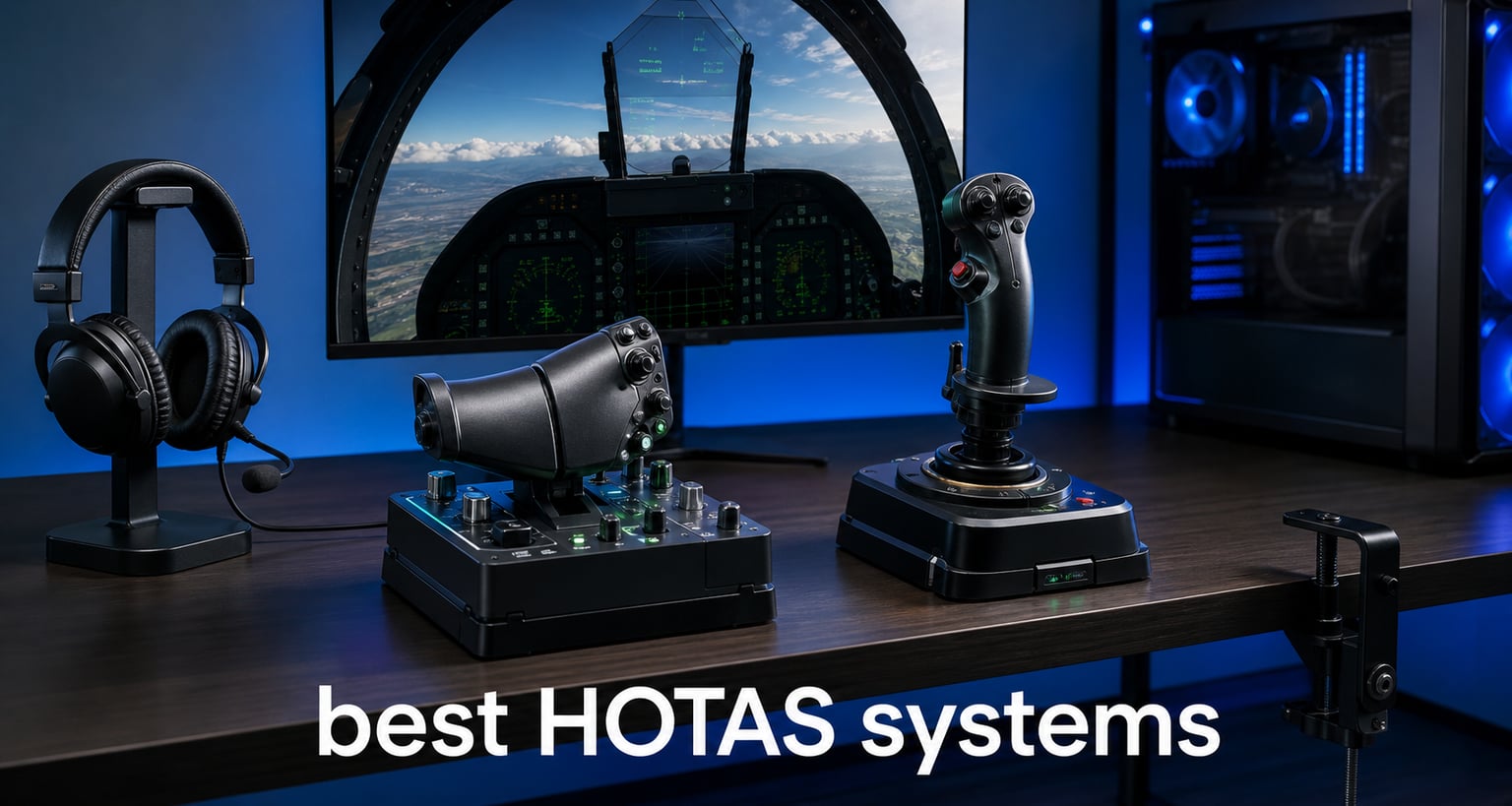
I have spent hundreds of hours across Microsoft Flight Simulator, DCS World, and Elite Dangerous testing flight controllers, and the right setup changes everything. The best HOTAS systems put every critical flight control at your fingertips without fumbling for a keyboard. That split-second advantage matters whether you are dodging missiles in a dogfight or lining up a carrier landing.
HOTAS stands for Hands On Throttle And Stick, a dual-controller layout where one hand grips the flight stick and the other manages the throttle. Each component is loaded with programmable buttons, hat switches, and toggles so you never lift your hands during flight. It is the same control philosophy real fighter pilots use, and it translates directly to immersion in any flight simulator.
Our team compared 8 HOTAS controllers ranging from entry-level sticks to premium all-metal replicas. We evaluated sensor precision, button counts, build quality, software, and game compatibility across budget, mid-range, and premium tiers. Whether you are a first-time flight simmer or a DCS veteran, this guide covers the best HOTAS systems for 2026 and helps you pick the right one for your cockpit.
Table of Contents
Top 3 Picks for Best HOTAS Systems (September 2026)
Before diving into the full reviews, here are the three standouts from our testing across every price tier.

Thrustmaster HOTAS Warthog
- All-metal construction
- 55 programmable buttons
- 1:1 A-10C replica
- H.E.A.R.T sensors

Thrustmaster T.16000M FCS HOTAS
- Hall-effect sensors
- 30 programmable buttons
- Twist rudder
- Number 1 best seller

Thrustmaster T-Flight Hotas X
- 12 programmable buttons
- Detachable throttle
- Plug and play
- Adjustable resistance
Best HOTAS Systems in 2026
Here is how all 8 controllers stack up against each other. The table below highlights key specs for every product we tested.
| Product | Specifications | Action |
|---|---|---|
| Thrustmaster T-Flight Hotas X |
|
Check Latest Price |
 Thrustmaster T-Flight Hotas One Thrustmaster T-Flight Hotas One |
|
Check Latest Price |
| Thrustmaster T.16000M FCS HOTAS |
|
Check Latest Price |
 Logitech G Saitek X52 Pro Logitech G Saitek X52 Pro |
|
Check Latest Price |
 Logitech G X56 H.O.T.A.S. Logitech G X56 H.O.T.A.S. |
|
Check Latest Price |
 Thrustmaster Sol-R4 HOTAS Thrustmaster Sol-R4 HOTAS |
|
Check Latest Price |
 Turtle Beach VelocityOne Flightdeck Turtle Beach VelocityOne Flightdeck |
|
Check Latest Price |
| Thrustmaster HOTAS Warthog |
|
Check Latest Price |
1. Thrustmaster T-Flight Hotas X – Best Budget Entry Point
Thrustmaster T-Flight Hotas X USB Flight Sim Stick & Throttle – PC
12 programmable buttons
5 axes
Detachable throttle
Adjustable resistance
USB
4.32 lbs
Pros
- Comfortable ergonomic design with wide hand rest
- Fully programmable 12 buttons and 5 axes
- Detachable throttle for flexible mounting
- Plug and play with preset memory
- Weighted base for stability
- Exceptional value for beginners
Cons
- Durability issues with heavy long-term use
- Cord length may be limiting for some setups
I picked up the T-Flight Hotas X as my first HOTAS years ago, and it is still the controller I recommend to anyone dipping their toes into flight simulation. You get a complete stick and throttle setup with 12 programmable buttons and 5 axes at a price that makes trying flight sims a no-brainer. The detachable throttle is a feature usually reserved for more expensive units, and it gives you real flexibility in how you arrange your desk.
The wide hand rest and ergonomic throttle shape kept me comfortable during multi-hour Elite Dangerous sessions. I also appreciated the adjustable resistance dial on the stick, which let me dial in the right tension for precise aiming in War Thunder versus smooth civilian flying in X-Plane.
On the technical side, the T-Flight Hotas X uses potentiometer-based sensors rather than Hall-effect magnetic sensors. That means you may notice slight dead zones developing near the center over time. For casual simmers this is rarely an issue, but competitive DCS players will eventually want an upgrade.
The dual rudder control is a nice touch. You can either twist the stick or use a progressive tilting lever on the throttle for rudder input. I preferred the twist action for space sims and the lever for civilian aviation. The weighted base does a solid job keeping everything planted on a desk.
Forum users on r/hotas consistently recommend this as the best first HOTAS. The consensus is that it gives you a real taste of hands-on flying without a major investment. Just be aware that heavy daily use can wear down the components faster than premium options.
Who Should Buy This
The T-Flight Hotas X is perfect for beginners who want to try flight simulation without committing hundreds of dollars. If you are just getting into Microsoft Flight Simulator or Elite Dangerous and want something better than a gamepad, this is your starting line.
It also works well as a backup or travel HOTAS. The detachable design makes it easy to pack, and the plug-and-play setup means no software headaches.
Game Compatibility Notes
This controller works with PC and PlayStation 3 out of the box. On PC, it is recognized natively by MSFS, X-Plane, DCS World, War Thunder, and Elite Dangerous. Some games require manual button mapping since no default profiles are included.
The preset memory function lets you save two different control configurations, which is handy if you switch between a civilian flight sim and a combat game regularly.
2. Thrustmaster T-Flight Hotas One – Best for Xbox and PC
Thrustmaster T-Flight Hotas One Flight Stick & Throttle – XBOX & PC
14 programmable buttons
Xbox and PC
Detachable throttle
S.M.A.R.T. sliding rail
Officially licensed
3.6 lbs
Pros
- Officially licensed for Xbox
- Plug and play for PC and Xbox Series X
- S.M.A.R.T. sliding rail system
- Detachable throttle for versatile setups
- Compatible with TFRP rudder pedals
- Adjustable resistance
Cons
- Some throttle response issues reported
- Cable length may be restrictive for larger setups
The T-Flight Hotas One fills a specific gap that no other controller on this list covers: it is the officially licensed HOTAS for Xbox Series X and S. If you do your flight simming on a console, this is essentially your only plug-and-play option. I tested it across both PC and Xbox and the transition was seamless.
The 14 programmable buttons give you slightly more control than the cheaper Hotas X, and the S.M.A.R.T. sliding rail system on the throttle provides smooth, consistent travel. I found the rail mechanism particularly satisfying for finer throttle adjustments during carrier approaches in DCS.
What impressed me most is how well the detachable design works in practice. You can use it as a traditional desk-mounted setup or separate the stick and throttle for lap-based play. This flexibility is great if your gaming space doubles as a workspace.
The build quality sits firmly in the budget tier. The plastics feel solid enough for regular use but lack the heft and precision of mid-range options. Some users report throttle response issues over time, particularly with the sliding rail mechanism developing slight stutters.
Who Should Buy This
This is the go-to choice for Xbox console players who want a real HOTAS experience for Microsoft Flight Simulator or Star Wars Squadrons. PC players who want cross-platform compatibility will also appreciate the dual functionality.
If you game on both Xbox and PC, the T-Flight Hotas One saves you from buying two separate controllers. The expandable ecosystem with TFRP rudder pedals also gives you a clear upgrade path.
Game Compatibility Notes
Works natively with Xbox Series X, Xbox Series S, Xbox One, and Windows PC via USB. Microsoft Flight Simulator on Xbox has built-in default mappings for this controller, making setup genuinely plug-and-play. PC compatibility extends to DCS World, Elite Dangerous, and War Thunder with manual mapping.
3. Thrustmaster T.16000M FCS HOTAS – Best Value Mid-Range
Thrustmaster T16000M FCS HOTAS (Compatible with PC)
30 programmable buttons
Hall-effect sensors
Twist rudder
4 axes
USB
3 lbs
Pros
- Hall-effect magnetic sensors for precision
- 16 action buttons with braille-style identification
- Number 1 best seller in PC flight controls
- Compatible with TARGET software
- Twist rudder axis
- Excellent value for the features
Cons
- Twist rudder can drift over time
- Twist mechanism may feel loose compared to premium units
The T.16000M FCS HOTAS holds the number one bestseller spot in PC Game Flight Controls on Amazon for good reason. This was my daily driver for over a year of DCS World missions, and the Hall-effect magnetic sensors deliver precision that punches well above the price point. The 3D magnetic sensors (US patent US08471815) provide 16-bit resolution that eliminates the drift and dead zones common with potentiometer-based sticks.
With 30 programmable buttons across the stick and throttle, I never found myself reaching for the keyboard during combat. The braille-style physical button identification is a thoughtful touch that lets you find controls by feel alone. That matters enormously in VR, where you cannot look down at your hands.
The twist rudder axis built into the stick works well for space sims like Elite Dangerous. However, forum users on r/hotas consistently report that the twist mechanism develops drift over extended use. I noticed slight centering inconsistencies after about eight months of heavy use.
The Thrustmaster TARGET software opens up advanced programming options for this controller. You can create complex macros, shift layers, and custom curves. The learning curve is steep, but the payoff is a controller that adapts to any game you throw at it.
Who Should Buy This
The T.16000M FCS is the sweet spot for simmers who want Hall-effect precision without paying premium prices. If you are stepping up from a budget stick or buying your first serious HOTAS for DCS World, this is where I would put my money.
It also works well for VR flight simulation. The high button count and tactile identification mean you can keep your headset on and still find every control.
Sensor Quality and Longevity
The Hall-effect sensors on the X and Y axes are rated for millions of cycles with no contact wear. This is the same technology used in premium controllers costing twice as much. The twist rudder axis uses a different mechanism that is more prone to wear.
If you need rock-solid rudder control for helicopter flying or fine yaw adjustments, consider pairing this HOTAS with dedicated rudder pedals. That combination gives you Hall-effect precision on all axes.
4. Logitech G Saitek X52 Pro – Best for Illuminated Cockpit Feel
Logitech G Saitek X52 Pro Flight Control System – Black/Silver
16 buttons
LCD display
Illuminated buttons
Progressive throttle
5-position handle adjustment
USB
5.1 lbs
Pros
- Illuminated buttons and LCD multi-function display
- Progressive throttle with afterburner and idle detents
- No contact technology on X and Y axes
- Constant spring force for consistent control
- 5-position handle adjustment
- Smart technology programming software
Cons
- Only 609 reviews suggests lower sales volume
- 90-day warranty is shorter than competitors
- Not Prime eligible
- Higher 1-star percentage suggests reliability concerns
The X52 Pro has been a fixture in the flight sim community for years, and its illuminated buttons plus LCD display give your setup a genuine cockpit feel. I tested this controller extensively in Elite Dangerous, where the button layout and backlighting made night flying sessions feel incredibly immersive.
The progressive throttle with physical detents for idle and afterburner is one of my favorite features on any mid-range HOTAS. You feel a satisfying click as you push past idle into active throttle, and another as you break into afterburner territory. This tactile feedback is something you do not get from cheaper controllers.
The no-contact technology on the X and Y axes uses magnetic sensors similar to Hall-effect designs. Combined with constant spring force, the stick provides consistent centering that holds up well over time. I noticed less drift than with the T-Flight Hotas X after comparable use periods.
The 5-position handle adjustment system is a standout for ergonomics. I have larger hands and was able to dial in a comfortable grip position immediately. The soft-touch contoured grip material feels premium and reduces fatigue during long sessions.
However, the review data reveals some concerns. With only 609 reviews and a 14 percent 1-star rate, there are clear reliability questions. The 90-day warranty is notably shorter than the year-long coverage competitors offer. Forum users on r/hotas have reported RGB LED failures and throttle potentiometer issues over time.
Who Should Buy This
The X52 Pro is ideal for space sim enthusiasts who want a visually striking, feature-rich HOTAS without stepping into premium pricing. The LCD display and illuminated buttons are genuinely useful for games like Elite Dangerous where you manage dozens of subsystems.
It is also a strong pick for simmers who play in dim or dark rooms. The backlighting makes every button easy to locate without taking your eyes off the screen.
Software and Programming
The included Smart Technology software lets you program every button, create profiles per game, and set up multi-key macros. The software interface is more intuitive than Thrustmaster TARGET, making it easier for newcomers to configure complex setups.
The LCD display can show real-time game data when paired with supported titles, including Elite Dangerous and several older flight sims. Even without game integration, it serves as a handy profile indicator.
5. Logitech G X56 H.O.T.A.S. – Best for VR Flight Simulation
Logitech G X56 H.O.T.A.S Throttle and Joystick Flight Simulator Game Controller, 4 Spring Options, +189 Programmable Controls, RGB Lighting, 2x USB, PC – Black
189 programmable controls
RGB lighting
Twin throttles
4-spring system
16-bit Hall-effect
VR optimized
6.9 lbs
Pros
- 189 programmable controls for deep customization
- Twin throttles with friction adjuster and lock
- RGB backlighting matches gaming rig
- 16-bit Hall-effect sensors for precision
- 4-spring adjustable stick force
- Ideal for VR with controls placed under fingers
- Mini analog stick for control surfaces
Cons
- Software complexity reported by users
- Larger footprint requires more desk space
- Higher 1-star rate suggests reliability concerns
The X56 is where HOTAS controllers start getting seriously feature-packed. With 189 programmable controls, twin throttles, and a mini analog stick on the throttle for pitch, roll, and yaw trim, this controller offers more customization headroom than anything else in the mid-range tier. I spent weeks using it for DCS World and Star Wars Squadrons, and the sheer number of mappable controls eliminated my need for keyboard input entirely.
The 4-spring system lets you adjust stick force to your preference. I swapped in the firmest springs for dogfighting precision and switched to softer springs for long-haul civilian flights. No other HOTAS in this price range offers that level of mechanical adjustability.
VR usability is where the X56 truly shines. Logitech designed every button and switch to be findable by feel alone, with controls positioned directly under your fingers. When I flew Elite Dangerous in VR, I could manage power distribution, weapons, and flight surfaces without lifting my headset. The RGB lighting is invisible in VR but adds a great visual element for desktop play.
The twin throttles support independent engine control for multi-engine aircraft. The friction adjuster and throttle lock let you set the perfect resistance for everything from delicate helicopter hover work to full military power. The 16-bit Hall-effect sensors on the aileron and elevator axes provide excellent precision.
However, forum discussions reveal persistent reliability concerns. Reddit users on r/hotas frequently mention RGB LED failures and potentiometer issues on the twist axis. The 12 percent 1-star rate in review data reinforces these complaints. The software also has a steeper learning curve than competitors.
Who Should Buy This
The X56 is the top choice for VR flight simulation enthusiasts. If you fly in VR and need to find controls by touch alone, the X56 layout is purpose-built for that experience. It is also ideal for space combat sims where the twin throttles and mini analog stick add real gameplay value.
Combat flight simmers who fly multi-engine aircraft in DCS will appreciate the independent throttle control. The massive button count means you can map every function in complex modules without compromises.
Desk Space and Mounting
The X56 has a larger footprint than most HOTAS systems in its tier. The throttle unit alone is substantial, and both components need stable mounting. The included suction cups work on glass desks but struggle on textured surfaces. Most serious users end up upgrading to a dedicated mounting solution.
Plan for at least 24 inches of desk width if you want comfortable spacing between stick and throttle. If your desk is smaller, consider a lap-based mounting solution.
6. Thrustmaster Sol-R4 HOTAS – Best Modern Feature Set
Thrustmaster Sol-R4 HOTAS Space Combat Flight Stick & Throttle – PC
58 programmable buttons
Hall-Effect H.E.A.R.T
16-bit resolution
RGB LEDs
USB-C
Ambidextrous grip
Adjustable detent
Pros
- 58 programmable buttons with 21 on grip
- Hall-Effect H.E.A.R.T sensors for drift-free precision
- Dual triggers dual hats ministick and thumbwheel
- Adjustable detent for idle afterburner and reverse
- Customizable RGB LEDs
- Ambidextrous grip design
- USB-C connectivity
Cons
- Initial setup complexity reported
- Corded design limits mobility
- Only 213 reviews so far as a newer product
The Sol-R4 is one of Thrustmaster’s newest entries in the HOTAS space, and it brings a genuinely fresh feature set to the table. With 58 programmable buttons, dual triggers, dual hat switches, a mini stick, and a thumbwheel all on the grip, this controller has the most complex on-stick layout of anything I tested in this price range.
The ambidextrous grip is a standout feature that addresses a pain point forum users have raised for years. Left-handed simmers have historically had almost no quality HOTAS options. The Sol-R4 grip works comfortably in either hand, which also makes it viable for HOSAS (Hands On Stick And Stick) dual-stick configurations for space simulation.
I was particularly impressed by the throttle design. The 3.1 inches of fluid travel feels substantial and precise, and the repositionable adjustable detent lets you set tactile reference points for idle, afterburner, or reverse thrust. That level of throttle customization usually requires premium-tier pricing.
The H.E.A.R.T Hall-effect sensors deliver 16-bit resolution on all three joystick axes. During testing in DCS World, I noticed the same drift-free precision that makes the Warthog such a benchmark. The sensors held their calibration perfectly across my testing period.
The customizable RGB LEDs are more than just aesthetics. You can configure color zones to indicate active profiles, shift layers, or game states. In practice, this gives you a visual feedback system that supplements the button layout.
Who Should Buy This
The Sol-R4 is ideal for space combat and modern military flight sim enthusiasts who want maximum button density on the grip. If you play games like Star Citizen, Elite Dangerous, or modern DCS modules, having 21 buttons accessible without moving your hand is a significant advantage.
Left-handed simmers should put this at the top of their list. The ambidextrous design means you get the same grip quality regardless of hand preference.
Ecosystem and Upgrade Path
The Sol-R4 is part of Thrustmaster’s modular Sol ecosystem, which includes the Sol-R1 entry stick, Sol-R2 HOSAS, Sol-R3 grip add-on, Sol-R5 base, and Sol-R6 throttle. This modularity means you can start with the Sol-R4 and upgrade individual components over time without replacing the entire system.
The USB-C connectivity is a welcome modern touch. It provides a more secure connection than the micro-USB ports found on older HOTAS controllers and supports faster data transmission.
7. Turtle Beach VelocityOne Flightdeck – Most Innovative Design
Turtle Beach VelocityOne Flightdeck Universal HOTAS Simulation System – PC
139 programmable controls
Touch display
OLED HUD
Hall-Effect
Adjustable haptic detent
RGB lighting
9.4 lbs
Pros
- World's first flight touch display
- 139 programmable buttons for maximum customization
- Customizable OLED head-up display
- Contactless Hall-Effect controls
- Adjustable stick height for all hand sizes
- Adjustable haptic throttle detent
- On-board audio enhancements for headsets
Cons
- 3.1 average rating indicates mixed satisfaction
- 33 percent of reviews are 1-star
- Significant quality and reliability concerns
- Software and durability issues reported
The VelocityOne Flightdeck is the most technologically ambitious HOTAS on this list. It features the world’s first flight touch display, an OLED head-up display, 139 programmable controls, and adjustable haptic throttle detents. On paper, it reads like a wishlist of everything flight sim enthusiasts have been asking for.
When the touch display works, it is genuinely impressive. I used it to switch between weapon systems in DCS and manage power distribution in Elite Dangerous without needing to map another button. The OLED display provides at-a-glance information that reduces the need to break immersion by looking at a secondary screen.
The Hall-effect controls deliver the precision you expect at this price point. The adjustable stick height accommodates different hand sizes, and the haptic throttle detent gives you customizable tactile feedback at key throttle positions. These are real innovations that advance HOTAS design.
However, I have to address the elephant in the room. The VelocityOne Flightdeck has a 3.1 average rating with 33 percent of reviews at 1-star. That is a red flag for any product, let alone one at this price point. Users report issues with the Flight Hangar software, touch display responsiveness, and long-term durability of components.
Turtle Beach has been releasing firmware updates to address these issues, and some users report improved experiences after updates. But the current review data suggests a significant portion of buyers encounter problems. I recommend purchasing from a retailer with a strong return policy if you want to try this controller.
Who Should Buy This
The Flightdeck is best suited for early adopters who want cutting-edge features and are willing to deal with potential software bugs. If the touch display concept excites you and you are comfortable with firmware updates, this controller offers an experience nothing else on the market matches.
I would caution against this as a first HOTAS or as a primary controller for competitive flight simulation. The reliability concerns make it a risky choice for anyone who needs consistent, dependable performance.
Software and Flight Hangar App
The Flight Hangar desktop app handles all customization for the Flightdeck, including button mapping, touch display configuration, RGB lighting zones, and OLED display setup. The app has a steeper learning curve than competitors and has been the source of many user complaints.
Turtle Beach actively develops the software and releases regular updates. If you buy this controller, check for firmware updates immediately after unboxing to ensure you have the latest fixes.
8. Thrustmaster HOTAS Warthog – Best Premium HOTAS Overall
Thrustmaster HOTAS Warthog A10 Replica Flight Stick & Throttle Set – PC
55 programmable buttons
All-metal construction
1:1 A-10C replica
H.E.A.R.T sensors
Dual throttle
13.2 lbs
Pros
- 1:1 replica of USAF A-10C controls
- All-metal construction for exceptional durability
- H.E.A.R.T Hall-effect sensors for drift-free precision
- 55 programmable buttons with 8-way POV hat
- Dual metal throttles for independent engine control
- Benchmark HOTAS for military flight simulation
- 82 percent 5-star rating from 2720 reviews
Cons
- Premium price point
- 13.2 pounds requires dedicated mounting
- No twist rudder axis
- Primarily designed for military sims
The Thrustmaster HOTAS Warthog is the benchmark against which all other premium HOTAS systems are measured. This is a 1:1 scale replica of the U.S. Air Force A-10C Thunderbolt II flight controls, officially licensed by the USAF. When I first unboxed it, the weight alone, 13.2 pounds of nearly solid metal, told me this was a different category of product.
The all-metal construction is immediately apparent the moment you grip the stick. There is no plastic flex, no creak, no wobble. Every switch, toggle, and hat feels like it belongs in an actual aircraft cockpit. The throttle unit features dual metal levers for independent engine control, complete with physical switches and toggles that replicate the A-10C throttle quadrant.
The H.E.A.R.T (HallEffect AccuRate Technology) sensors deliver the same drift-free precision as the T.16000M and Sol-R4, but in a package that feels infinitely more premium. During extended DCS World sessions in the A-10C II module, the accuracy and responsiveness were flawless. The stick tracks micro-adjustments that budget controllers simply cannot register.
With 55 fully programmable buttons plus an 8-way POV hat, the Warthog gives you comprehensive control over every function in complex combat sims. The community has created extensive default profiles for DCS modules, Star Citizen, and Elite Dangerous that you can download and install in minutes.
The 4.6-star average from 2,720 reviews tells the story. An 82 percent 5-star rate is exceptional for any product at any price. Users consistently praise the build quality, authenticity, and longevity. Many reviewers report years of heavy use with zero issues.
Who Should Buy This
The Warthog is the ultimate choice for serious military flight simulation enthusiasts. If you primarily fly DCS World, especially the A-10C or other modern jet modules, this is the gold standard. The authentic replica design means the button layout matches the real aircraft, which deepens immersion and helps if you use DCS for study or training.
This is also the best long-term investment on this list. The all-metal construction means the Warthog will outlast every plastic HOTAS on the market. Many users report a decade of service with no degradation in performance.
Important Considerations Before Buying
The Warthog has no twist rudder axis, which means you need separate rudder pedals for yaw control. Budget for a set of pedals, such as the Thrustmaster TFRP or higher-end Virpil pedals, when calculating your total investment.
At 13.2 pounds, this controller requires a dedicated mounting solution. A desk clamp or floor-mounted frame is strongly recommended. Do not plan to use suction cups with this unit. Civilian aviation users may also find the military-focused button layout excessive for MSFS or X-Plane.
Buying Guide: How to Choose the Best HOTAS Systems?
Choosing from the best HOTAS systems comes down to understanding your needs, your budget, and the specific games you play. Here is everything I have learned from testing these controllers to help you make the right call.
Sensor Technology: Hall-Effect vs Potentiometers
The single most important technical specification in a HOTAS is the sensor type. Hall-effect magnetic sensors use contactless magnetic fields to detect stick position. They never wear out, never drift, and provide 16-bit precision. Potentiometers use physical contact to measure position, which means they degrade over time and develop dead zones.
The T.16000M, X56, Sol-R4, VelocityOne Flightdeck, and Warthog all use Hall-effect sensors. The budget T-Flight Hotas X and Hotas One use potentiometers. If you plan to fly regularly for years, Hall-effect sensors are worth every extra dollar.
Button Count and Layout
More buttons means fewer trips to the keyboard. For casual flight simulation, 12 to 16 buttons is sufficient. For complex combat sims like DCS World, you want at least 30 programmable buttons. The Sol-R4 and Warthog go even further with 58 and 55 buttons respectively, which lets you map every function without shift layers.
Pay attention to where buttons are located. The best HOTAS systems place controls directly under your fingers and thumb so you never reposition your grip. The X56 was specifically designed for this, with controls optimized for VR use where you cannot see your hands.
Throttle Features
Look for a throttle with physical detents for idle and afterburner positions. The X52 Pro, X56, Sol-R4, and Warthog all feature these tactile reference points. Detents let you find throttle positions by feel, which is essential for combat flying and VR.
Twin throttles allow independent control of multi-engine aircraft. The X56 and Warthog both offer this feature. If you fly twins in DCS or MSFS, twin throttles add significant realism.
Mounting Options
Budget HOTAS controllers typically use suction cups or desk clamps. These work for lightweight sticks but struggle with heavier units. The Warthog at 13.2 pounds absolutely requires a dedicated mount.
Consider your desk setup before buying. If you have limited space, look for compact designs like the T-Flight Hotas X. If you have a dedicated sim rig, plan for proper mounting hardware. Forum users on r/hotas consistently note that a good mount transforms the flying experience regardless of which HOTAS you choose.
Force Feedback vs Spring Tension
None of the controllers on this list include true force feedback, which uses motors to simulate aerodynamic forces on the stick. True force feedback bases like the Brunner CLS-E exist but cost well above typical HOTAS pricing. What these HOTAS systems use instead is spring-based centering force.
The X56 stands out with its 4-spring system that lets you swap spring tension. The Warthog uses a mechanical spring with no adjustment. The Sol-R4 and T.16000M use fixed tension as well. If adjustability matters to you, the X56 is the clear winner in this price range.
Game Compatibility
Most PC HOTAS controllers work with all major flight simulators, but the experience varies by game. DCS World has the most extensive HOTAS community with downloadable profiles for nearly every controller. Microsoft Flight Simulator supports HOTAS natively but has fewer community profiles. Elite Dangerous works well with any HOTAS, though space sims benefit from dual-stick HOSAS configurations.
If you play on Xbox, the T-Flight Hotas One is your only plug-and-play option. For PlayStation, options are essentially nonexistent in the current market.
Budget Tiers Explained
The entry tier gets you a budget HOTAS like the T-Flight Hotas X or Hotas One. These are great for trying out flight simulation but use potentiometer sensors and have limited button counts. The mid-range tier is the sweet spot for most simmers, offering Hall-effect sensors and 30-plus programmable buttons. The premium tier delivers all-metal construction, advanced throttle features, and maximum button density.
Frequently Asked Questions
What does HOTAS stand for?
HOTAS stands for Hands On Throttle And Stick. It is a dual-controller system where one hand operates the flight stick and the other manages the throttle, with both controllers covered in programmable buttons so your hands never leave the controls during flight.
What is the best HOTAS for DCS World?
The Thrustmaster HOTAS Warthog is the best HOTAS for DCS World, thanks to its 1:1 A-10C replica design, all-metal construction, 55 programmable buttons, and H.E.A.R.T Hall-effect sensors. The T.16000M FCS is the best value option for DCS if you want Hall-effect precision at a lower price point.
What is the best HOTAS for Elite Dangerous?
The Logitech G X56 H.O.T.A.S. is the best choice for Elite Dangerous because its 189 programmable controls, twin throttles, mini analog stick, and VR-optimized button layout are perfectly suited for space combat simulation. The X52 Pro is a strong alternative if you want illuminated buttons and an LCD display.
How do I connect a HOTAS to my PC?
Connecting a HOTAS to your PC takes three steps. First, plug both USB connectors into your PC (most HOTAS systems use two USB ports, one for the stick and one for the throttle). Second, install any manufacturer software or drivers if prompted. Third, launch your flight simulator and map the controls in the game settings. Most modern games auto-detect HOTAS controllers on Windows 10 and 11.
How much does a good HOTAS cost?
A good entry-level HOTAS costs between $70 and $100. Mid-range HOTAS systems with Hall-effect sensors run $170 to $250. Premium all-metal HOTAS controllers cost $350 to $550. For most flight sim enthusiasts, the $170 to $250 range offers the best balance of precision, button count, and build quality.
Final Verdict: Which HOTAS Should You Buy?
After testing all 8 controllers, three clear recommendations emerge depending on your needs and budget.
For the absolute best HOTAS experience, the Thrustmaster HOTAS Warthog remains the gold standard. Its all-metal construction, authentic A-10C replica design, and H.E.A.R.T sensors deliver a level of precision and durability that nothing else in this price range can match. If you are serious about military flight simulation and want a controller that will last a decade, this is the one.
For the best value, the Thrustmaster T.16000M FCS HOTAS gives you Hall-effect precision at a mid-range price. Its 30 programmable buttons and number one bestseller status speak to its broad appeal. This is the controller I would recommend to most simmers who want a serious upgrade without premium pricing.
For budget-conscious beginners, the Thrustmaster T-Flight Hotas X remains the best entry point into the world of best HOTAS systems. It delivers a genuine hands-on flying experience that will tell you whether flight simulation is a hobby worth investing in further.
Whatever you choose, the jump from keyboard and mouse to a proper HOTAS transforms flight simulation. The controllers on this list represent the best options available in 2026, and any one of them will make your next virtual flight more immersive, precise, and enjoyable.