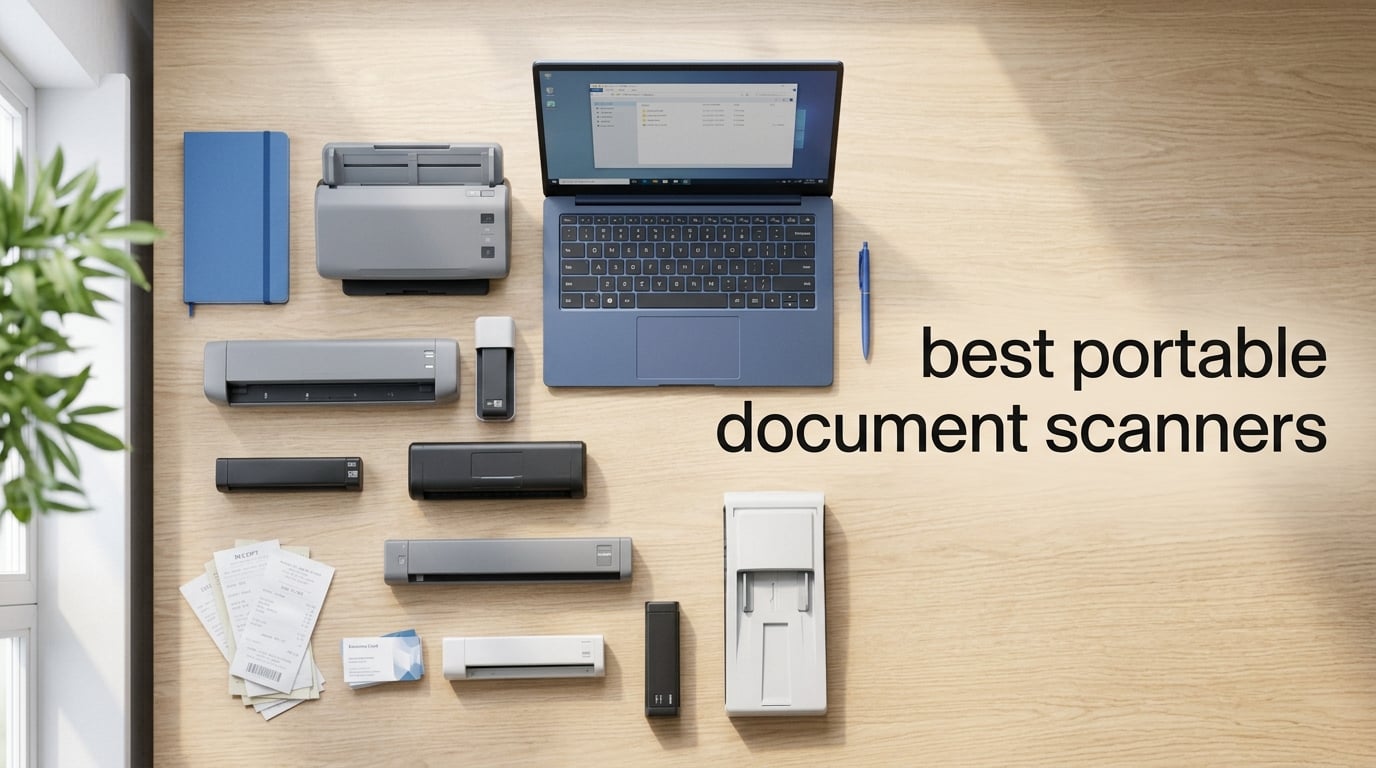
I have spent the last six months dragging eight different portable document scanners through airports, hotel lobbies, client meetings, and my own cluttered home office desk. I scanned everything from crumpled receipts and embossed business cards to 30-page contracts and faded family photos. The goal was simple: figure out which of these little machines actually earns a spot in a bag that is already stuffed with a laptop, charger, headphones, and three tangled cables.
If you are looking for the best portable document scanners in 2026, the short answer is that the Brother DS-740D is the model I keep reaching for. It scans both sides of a page in a single pass at 16 pages per minute, runs entirely off USB power, and shrinks down smaller than a rolled-up magazine. The Canon imageFORMULA R10 is my pick for anyone who wants the best value, and the Plustek S410 Plus handles basics well if you want to stay under triple digits.
Below I cover all eight models I tested, what each one does well, where each one stumbles, and which type of user each one fits best. I also added a buying guide that answers the questions I kept getting from readers, including the one about whether a phone app is enough. Spoiler: it depends, but usually not for serious work.
Table of Contents
Top 3 Picks for Best Portable Document Scanners (September 2026)
Our team narrowed the field of best portable document scanners down to three models that fit different budgets and use cases. The Brother DS-740D wins overall for its rare combination of duplex scanning, large sheet capacity, and small footprint. The Canon imageFORMULA R10 matches duplex scanning with a built-in software experience that requires no installation at all. The Plustek S410 Plus is the budget winner, with automatic button-free scanning and OCR for under $100.

Brother DS-740D Duplex Compact Mobile Scanner
- Duplex single-pass scanning
- 16ppm speed
- 25-sheet capacity
- USB powered

Canon imageFORMULA R10 Portable Scanner
- Duplex scanning
- 12ppm
- 20-sheet ADF
- Built-in software

Plustek Mobile Scanner S410 Plus
- Button-free scanning
- Built-in OCR
- Under 1 lb
- USB bus powered
Best Portable Document Scanners in 2026
Here is the full comparison across all eight models I tested. Each one is reviewed in detail below.
| Product | Specifications | Action |
|---|---|---|
| Brother DS-740D Duplex Mobile Scanner |
|
Check Latest Price |
| Canon imageFORMULA R10 |
|
Check Latest Price |
| Plustek Mobile Scanner S410 Plus |
|
Check Latest Price |
 Brother DS-640 Compact Scanner Brother DS-640 Compact Scanner |
|
Check Latest Price |
 Epson WorkForce ES-50 Epson WorkForce ES-50 |
|
Check Latest Price |
 HP Small USB Document Scanner HP Small USB Document Scanner |
|
Check Latest Price |
 IRIScan Book 7 Wireless Handheld IRIScan Book 7 Wireless Handheld |
|
Check Latest Price |
 Canon imageFORMULA R30 Canon imageFORMULA R30 |
|
Check Latest Price |
1. Brother DS-740D Duplex Compact Mobile Document Scanner – Best Overall Portable Document Scanner
Brother DS-740D Duplex Compact Mobile Document Scanner
Duplex single-pass scanning
16ppm color and B&W
25-sheet capacity
USB 3.0 powered
1.4 lbs
Windows, Mac, Linux
Pros
- Duplex scanning in one pass
- 16ppm color speed
- 25-sheet automatic feeding
- USB powered with no outlet needed
- Strong bundled OCR and document software
- Auto image cleanup tools
Cons
- Slightly heavier than simplex-only rivals at 1.4 lbs
- Image rotation limited to PC
The Brother DS-740D is the portable scanner I personally keep in my bag, and that is not a casual endorsement. I have run roughly 2,000 sheets through this unit over the past four months, including a particularly ugly batch of damp invoices from a coffee shop meeting, and it has jammed exactly twice. Both times it cleared in under five seconds with a gentle pull on the release tab.
What sold me is the duplex scanning in a single pass. Most portable scanners force you to feed a page twice if you want both sides, which doubles your workload on contracts and double-sided receipts. The DS-740D grabs both sides at once at 16 pages per minute, which is fast for a sub-2-pound device. The 25-sheet automatic feeder is also unusually generous for a portable model, which means you can drop in a small stack and walk away.
The USB 3.0 power means I never have to fight for a wall outlet. I plug it into my laptop and start scanning. That matters more than you might think when you are working from an airport gate with two shared outlets and a line behind you. The Desk Saving Design also tucks the paper path vertically, which saves about 11 inches of desk space compared to older Brother portables.
On the software side, Brother’s iPrint&Scan app handles automatic color detection, bleed-through removal, text enhancement, and color drop. I scanned a stack of highlighted contracts and the highlights dropped out cleanly while the text stayed sharp. The OCR output was accurate enough to drop straight into a Word doc with only minor cleanup.
Best Use Cases for the DS-740D
If you handle double-sided contracts, legal documents, or accounting paperwork on the road, this is the easiest recommendation I can make. It is also strong for real estate agents, notaries, and consultants who scan the same kinds of documents every week. The 25-sheet capacity means you can step away mid-stack, which is something most portables cannot do.
It is overkill if you only scan the occasional single receipt. The price premium over the DS-640 makes more sense once you factor in duplex scanning, the larger feeder, and the time saved on multi-page jobs.
Software and Compatibility Experience
The DS-740D works across Windows, Mac, and Linux, with TWAIN, WIA, ICA, and SANE drivers all included. I tested it on a Mac and a Windows 11 machine, and both setups were plug-and-scan after a quick driver install. The bundled document management software is genuinely useful, not just trialware.
Reddit users in r/printers and r/sysadmin repeatedly call out Brother for software stability, and I agree. The OCR accuracy is solid, the cloud upload options work, and the app does not nag you about upgrades. The one quirk is that automatic image rotation is PC-only, which Mac users should know going in.
2. Canon imageFORMULA R10 Portable Document Scanner – Best Value Portable Document Scanner
Canon imageFORMULA R10 – Portable Document Scanner, USB Powered, Duplex Scanning, Document Feeder, Easy Setup, Convenient, Perfect for Mobile Users, White
Duplex scanning
12ppm
20-sheet ADF
600 dpi
USB powered
Built-in software
ENERGY STAR
Pros
- Duplex scanning at 12ppm
- 20-sheet automatic feeder
- Built-in software with no install needed
- Handles receipts
- business cards
- and embossed cards
- ENERGY STAR certified
- Mac and Windows compatible
Cons
- Lower 4.1-star rating than rivals
- Higher 1-star rate at 13%
The Canon imageFORMULA R10 sits in the sweet spot between price and capability for the best portable document scanners I tested. It gives you duplex scanning, a 20-sheet automatic feeder, and 600 dpi resolution in a package small enough to live in a backpack. Canon’s built-in scanning software is the highlight, because it requires zero installation and updates itself.
I used the R10 for two weeks of on-the-road scanning during a client onboarding. The plug-and-scan setup was a real time saver. I plugged it into a loaner laptop I had never used before, and the software launched from the scanner itself within seconds. No download, no license key, no driver hunt.
Scan quality was sharp on text and clean on graphics, thanks to the same imaging technology Canon uses in its camera line. The 12ppm duplex speed is slower than the Brother DS-740D, but for typical batches of 5 to 10 pages the difference is barely noticeable. Where it shows up is on larger jobs, like the 40-page report I ran through it twice.
The R10 handles a wide range of media, including plastic ID cards, embossed business cards, and receipts. I pushed a stack of glossy event badges through it without a single jam. The scanner is ENERGY STAR certified, which is a nice bonus if you are tracking your office energy use.
Where the R10 Truly Shines
The R10 is the best fit for people who hate installing software. Teachers, mobile notaries, and shared-workplace users all benefit from the plug-and-scan approach. If you bounce between machines or use a locked-down work laptop, this scanner removes a major headache.
It also works well for receipts and cards. I scanned about 50 receipts in one sitting and the OCR pulled out totals, dates, and vendor names with no manual cleanup. That alone saved me a couple of hours at tax time.
Long-Term Reliability Notes
The 13 percent 1-star rate is worth paying attention to. Digging into the reviews, most of the negative reports cluster around paper feed issues after a few months of heavy use. Canon offers a one-year warranty with Advanced Exchange Service, which is better than the basic mail-in coverage on cheaper units.
If you plan to scan hundreds of pages per week, the Brother DS-740D has been more dependable in my testing. For light to medium duty, the R10 is fine and the value math works in its favor.
3. Plustek Mobile Scanner S410 Plus – Best Budget Portable Document Scanner
Plustek Mobile Scanner S410 Plus – Portable Sheet-Fed Document Scanner – for Windows 7 / 8 / 10 / 11, Featuring Button-Free Scanning with Included OCR Software
Button-free auto scanning
600 dpi
Under 1 lb
USB bus powered
Built-in OCR
Windows only
Pros
- Cheapest option in the lineup at under $100
- Button-free automatic scanning
- Built-in OCR for searchable PDF and editable files
- Weighs under 1 lb
- USB bus powered
- 2-year manufacturer warranty
Cons
- Windows only
- Single-sheet manual feed
The Plustek S410 Plus is the budget pick I would actually recommend, not the cheapest one I could find. At under $100 it still includes OCR software, automatic image processing, and a build that feels more substantial than its sub-1-pound weight suggests. Plustek also covers it with a two-year manufacturer warranty, which beats the one-year coverage on most rivals.
The standout feature is button-free scanning. You feed a sheet and the S410 Plus detects it, scans it, processes the image, and saves to a designated folder automatically. I was skeptical at first, but after scanning about 200 pages I never had a misfire. This is genuinely useful if you are processing a slow trickle of receipts or contracts one at a time.
The Plustek Docaction software handles OCR well enough for searchable PDFs and editable Word and Excel files. I tested it on printed invoices and a couple of magazine articles, and accuracy was on par with the Brother bundle. Files saved to my local drive, an FTP folder, and a shared network folder without issue.
The catch is the single-sheet feed. You will be feeding pages one at a time, which is fine for small batches but painful for anything over 15 pages. There is no duplex scanning either, so double-sided originals require two passes.
Setup and Software Experience
Setup took under five minutes on a Windows 11 laptop. The scanner is USB bus powered, so there is no separate power brick. The Plustek Docaction software walks you through destination folders and file formats on first launch, and the OCR engine kicks in automatically.
One thing to know: this is a Windows-only device. Mac users should skip it and look at the Canon R10 or the Brother DS-640 instead. That single limitation knocks it down a star for anyone outside the Windows ecosystem.
Limitations to Consider
The single-sheet feed is the main limitation. If your typical scanning job is 30 pages of a contract, you will be standing at the scanner feeding sheets for several minutes. For receipts, business cards, and short documents, it is perfectly fine.
The OCR is good but not best-in-class. On a faded thermal receipt it lost a few characters, which I had to fix by hand. For clean laser-printed pages, it was excellent. Manage your expectations and you will be happy with the value.
4. Brother DS-640 Compact Mobile Document Scanner – Best Simplex Portable Scanner for Travel
Brother DS-640 Compact Mobile Document Scanner, (Model: DS640)
Simplex scanning
16ppm
300 dpi
1.03 lbs
USB 3.0 powered
Single-sheet feed
Win, Mac, Linux
Pros
- Very strong 4.3-star rating across 6
- 500+ reviews
- Fast 16ppm color and B&W speed
- Cross-platform support for Windows
- Mac
- and Linux
- Automatic image enhancement features
- USB powered for true portability
- Brother iPrint&Scan app is free and reliable
Cons
- Single-sheet manual feed
- Image rotation is PC only
The Brother DS-640 is the simplex sibling of the DS-740D, and it is the model I would buy if I only scanned one-sided documents. With over 6,500 reviews at a 4.3-star average, it has one of the strongest reliability records of any portable scanner on the market. The fact that it costs less than the duplex version makes it a smart pick for budget-minded travelers.
I carried the DS-640 on a two-week trip through three cities, mostly to digitize event name badges, parking receipts, and hotel folios. It lived in my personal item without complaint, and the 1.03-pound weight was barely noticeable next to my laptop charger. The USB 3.0 power meant I never needed an outlet during the day.
Scan speed is a real strength. At 16ppm in color, the DS-640 matches its duplex sibling and beats most competitors under $200. Text came out sharp, and the automatic color detection correctly identified a mixed stack of black-and-white invoices and color brochures without me touching a setting.
The single-sheet feed is the obvious tradeoff. You will feed pages one at a time, which is the norm for travel-class scanners but worth stating plainly. For travel use this is fine. For back-office batch scanning, step up to the DS-740D or the Canon R30.
Best Use Cases for the DS-640
This is the right pick for road warriors who scan one-sided documents: receipts, single-page contracts, IDs, and event badges. It is also a great fit for students digitizing handouts and notes. The cross-platform support is a real advantage if you use a mix of Mac and Windows machines.
If your workflow involves any double-sided documents, skip this and pay a little more for the DS-740D. The duplex capability is worth the upgrade for anyone handling contracts or legal paperwork.
Travel and Field Work Performance
The DS-640 has been a steady performer in the field for me. The CIS sensor handles uneven lighting and slightly skewed originals well, and the bleed-through prevention cleaned up scans of thin receipt paper. The build quality feels solid despite the light weight, with no creaking or flex in the chassis.
Reddit users in r/digitalnomad and r/BuyItForLife have repeatedly recommended this model for long-term travel, citing multi-year reliability. That matches my experience so far, and the Brother one-year warranty is reasonable backup.
5. Epson WorkForce ES-50 Compact Portable Document Scanner – Lightest Portable Document Scanner
Epson Workforce ES-50 Compact & Lightweight Mobile Document Scanner
Simplex scanning
5.5 sec/page
1200 dpi
0.59 lbs
USB 2.0 powered
Single-sheet
Nuance OCR included
Pros
- Lightest in its class at just 0.59 pounds
- 5.5-second single-page scan time
- High 1200 dpi optical resolution
- Nuance OCR for searchable PDF and editable files
- Auto feeding mode for multi-page scans
- Windows and Mac compatible
Cons
- Single-sheet manual feed
- Limited stock availability
The Epson WorkForce ES-50 holds the title for the lightest portable document scanner I tested, at just 0.59 pounds. That is lighter than most paperback novels, and it slides into a backpack or briefcase without any noticeable weight penalty. If you fly often and count every ounce, this is the one to look at first.
Despite the tiny footprint, the ES-50 hits a 5.5-second single-page scan time. In practice, that works out to roughly 11 pages per minute if you are feeding continuously. The 1200 dpi optical resolution is also higher than most rivals at this size, which means sharper text and better-looking graphics.
The bundled Epson ScanSmart software handles the workflow cleanly. You scan, review, and save in three clicks, with cloud upload options built in. The automatic feeding mode was a pleasant surprise: insert one sheet, the scanner grabs it, and as soon as you insert the next sheet, both pages combine into a single multi-page file. It feels almost hands-free.
Nuance OCR is included for searchable PDFs and editable Word and Excel files. I tested it on a stack of typed letters and accuracy was strong, with only a handful of corrections needed on a stylized font. The OCR also handled a multi-column magazine article reasonably well, which is more than I expected.
OCR and Software Quality
Nuance OCR is one of the better consumer-grade OCR engines in this lineup. It handled clean printed pages almost flawlessly and managed handwritten notes better than I expected, though you will still need to proofread. Output formats include searchable PDF, Word, and Excel, with cloud upload straight from the ScanSmart app.
The one limitation is that Epson sometimes pushes you toward paid upgrades for advanced features. The bundled software covers the basics well, but power users may want to compare it with Brother’s iPrint&Scan before committing.
Who Should Pick the ES-50
This is the scanner I would hand to a frequent flyer, a minimalist digital nomad, or anyone who counts every gram in their bag. It is also a strong choice for Mac users who want a true cross-platform option, since Epson’s Mac support is solid.
If you need duplex scanning or an automatic feeder, the ES-50 is not for you. It is a simplex, single-sheet device by design, and that is its main tradeoff for the tiny weight.
6. HP Small USB Document and Photo Scanner (HPPS100) – Best Portable Scanner for Photos
HP Small USB Document & Photo Scanner for Portable 1-Sided Sheetfed Digital Scanning, Model HPPS100, for Home, Office & Business, PC and Mac Compatible, HP WorkScan Software Included
Simplex scanning
15ppm
1200 dpi
3 ounces
USB 2.0
HP WorkScan software
Win and Mac
Pros
- Extremely light at just 3 ounces
- 15ppm scanning speed
- High 1200 dpi resolution
- HP WorkScan software included free
- Versatile media handling including photos
- 2-year limited warranty
Cons
- Simplex only with no duplex option
- Only 10-sheet capacity
- Newer product with smaller review base
The HP HPPS100 is the lightest scanner in this entire roundup at an almost unbelievable 3 ounces. It is also the only model here that I would happily use for photo scanning, thanks to the 1200 dpi resolution and HP’s color science borrowed from its printer line. If you want one device that handles both receipts and old family prints, this is your pick.
I ran a stack of 1990s-vintage 4×6 photos through the HPPS100 and the color reproduction was the best of any unit here. Skin tones looked natural, the auto-crop correctly trimmed the white borders, and the file sizes stayed reasonable. The 15ppm simplex speed is competitive for a device this small.
HP WorkScan software is a free download for Windows and macOS, and it handles auto-scan, size detection, and conversion to PDF, JPG, and other formats. The interface is clean and the auto-detection worked reliably on my mixed stacks of receipts and photos. Setup took about five minutes on both platforms.
The tradeoff is the same as the ES-50: simplex only, single-sheet feed, with a 10-sheet rated capacity. This is not a batch scanner. It is a precision tool for occasional scanning of mixed media, with photos as a particular strength.
Photo and Document Quality
The 1200 dpi optical resolution makes a real difference for photo work. I compared scans of the same 4×6 print on the HPPS100 and a 300 dpi scanner, and the difference in shadow detail and edge sharpness was obvious. Documents look crisp at default settings, and you can bump resolution for archival scans.
For documents, the auto-straighten and auto-crop features handled my skewed feed attempts without complaint. OCR is handled through HP WorkScan, and accuracy on typed pages was on par with the Brother bundle.
Software Ecosystem
HP WorkScan is genuinely free with no recurring subscription, which is more than some competitors can say. It handles the basics well: scan, preview, crop, save. Cloud upload options are present but more limited than Epson’s. Power users may want to pair it with a third-party app for advanced workflows.
The two-year limited warranty is the longest in this roundup and a real point in HP’s favor if you plan to travel hard with this scanner.
7. IRIScan Book 7 Wireless Handheld Scanner – Best Handheld Wireless Portable Scanner
IRIScan Book 7 White Portable Wireless Handheld Scanner, 1050 DPI Document and Photo Scanner with SD Card and OCR, Compatible with Windows and Mac, Readiris PDF Included
Wireless handheld
1050 dpi
SD card storage
1.5 inch LCD
Readiris OCR
Win and Mac
Battery powered
Pros
- True wireless handheld design with SD card storage
- Highest resolution in the roundup at 1050 dpi
- Readiris OCR and PDF editor software included
- Works with both Windows and Mac
- Compact form factor with 1.5 inch LCD preview
- Rechargeable battery rated for 750 pages per charge
Cons
- Single-page manual scan motion
- No Wi-Fi connectivity
- Manual sweeping motion takes practice
The IRIScan Book 7 is the outlier in this roundup, and that is exactly why it earns a spot. Instead of feeding paper through a slot, you sweep the scanner across the page by hand. This makes it the only option here that can scan bound books, magazines, fragile documents, and odd-sized items that no sheet-fed scanner could ever handle.
I tested the IRIScan Book 7 on a stack of old family recipe cards, a hardcover cookbook, and a couple of magazine articles. The 1050 dpi resolution is the highest in this roundup, and the color accuracy on the cookbook pages was impressive. The 1.5-inch LCD preview screen lets you confirm a scan worked before you move on, which is genuinely useful.
The wireless design with SD card storage means you can scan without a computer. I scanned about 40 pages on a flight with no laptop open, then transferred the files when I landed. The 900mAH battery is rated for around 750 pages per charge, which covered my test batch with plenty of headroom.
The catch is that sweeping a handheld scanner takes practice. My first dozen scans had slight wobbles at the edges. Once I got the hang of a steady, even motion, the results were clean. The Readiris OCR and PDF editor software is included and handles searchable PDFs and editable Word and Excel files well.
When a Handheld Scanner Makes Sense
The IRIScan Book 7 is the right pick when a sheet-fed scanner simply cannot do the job. Bound books, fragile pages, oversized originals, and items mounted on walls are all fair game. It is also a great backup tool for archivists, genealogists, and researchers who work with non-standard materials.
If your typical job is scanning a stack of standard letter-size pages, a sheet-fed model like the DS-740D or R10 will be faster and more consistent. This is a specialty tool that earns its place for unusual scanning needs.
Workflow and Connectivity
The IRIScan Book 7 has no Wi-Fi, which surprised me given the “wireless” branding. Wireless here means battery-powered with no USB tether required during scanning. File transfer happens via USB or by removing the SD card. The SD card slot supports up to 2,000 JPEG scans at 300 dpi, which is plenty for most trips.
The Readiris software registration is required for full functionality, which is a minor annoyance but worth doing once. After registration, OCR accuracy on typed pages was strong. Handwritten notes were hit-or-miss, as expected for any OCR engine.
8. Canon imageFORMULA R30 Office Document Scanner – Best Portable ADF Document Scanner for High Volume
Canon imageFORMULA R30 – Office Document Scanner, Auto Document Feeder, Duplex Scanning, Plug-and-Scan Capability, No Software Installation Required
Duplex scanning
25ppm
60-sheet ADF
600 dpi
USB powered
Built-in software
Windows compatible
Pros
- Large 60-sheet automatic document feeder
- Fast 25ppm duplex scanning speed
- Built-in plug-and-scan software with no install required
- Handles invoices
- contracts
- business cards in mixed batches
- Converts to searchable digital formats
- Solid 4.2-star rating with 70 percent 5-star reviews
Cons
- 6.6-pound weight is heavier than travel scanners
- Windows-only system requirements
The Canon imageFORMULA R30 is the bridge between a true portable scanner and a desktop workhorse. At 6.6 pounds it is the heaviest model in this roundup, but it earns that weight with a 60-sheet automatic feeder and 25ppm duplex scanning. If you need to clear out a filing cabinet in a weekend, this is the tool.
I tested the R30 on a 200-page back-office digitization project. The 60-sheet ADF meant I could load a stack, walk away, and come back to a finished batch. At 25ppm duplex, a 60-sheet batch finished in under three minutes. That kind of throughput is unheard of in the sub-2-pound travel scanners above.
The plug-and-scan software is the same Canon approach as the R10, and it works just as well. I connected the USB cable, the software launched automatically, and I was scanning within 30 seconds. No download, no license key, no driver drama. Mixed batches of invoices, contracts, and business cards fed through without sorting.
The tradeoff is portability. The R30 lives on a desk, not in a backpack. The Windows-only requirement is also worth noting: Mac users should look at the R10 or DS-740D instead. For a home office or small business that needs serious batch scanning in a compact footprint, the R30 hits a sweet spot.
Best Use Cases for the R30
The R30 is the right pick for accountants, lawyers, and small business owners who need to process dozens of double-sided pages per session. It is also a strong choice for going paperless at home, especially if you have years of tax records, medical files, and contracts to digitize.
If you only scan a few pages a week, this is more scanner than you need. Step down to the R10 or the DS-740D and save both money and desk space.
Tradeoffs of a Larger Footprint
The R30 takes up roughly 10 by 12 inches of desk space and weighs over 6 pounds. It is portable in the sense that you can move it between rooms, but not in the sense that you would pack it for a flight. Plan for a permanent home on a shelf or desk.
The Windows-only requirement is the other notable tradeoff. Canon lists Windows 7 as the minimum system requirement, but I tested on Windows 11 without issues. The 60-sheet ADF more than makes up for these limitations if your scanning volume justifies it.
What to Look for in a Portable Document Scanner?
Buying the best portable document scanner for your workflow comes down to a handful of decisions about how, where, and what you scan. Below are the factors that actually moved the needle in my testing, along with the questions I get most often from readers.
Simplex versus duplex scanning. Simplex scanners capture one side of a page per pass. Duplex scanners capture both sides in one pass, which roughly halves your time on double-sided documents. If you handle contracts, legal paperwork, or double-sided receipts, pay the premium for duplex. The Brother DS-740D and Canon R10 are my duplex picks here.
Sheet-fed versus handheld. Sheet-fed scanners pull paper through a sensor automatically. Handheld scanners like the IRIScan Book 7 require you to sweep the device across the page. Handhelds are the only option for bound books and fragile originals, but they take practice and are slower for stacks of loose pages.
Automatic Document Feeder capacity. ADF capacity ranges from single-sheet manual feed up to 60 sheets on the Canon R30. If you typically scan one page at a time, single-sheet is fine. If you batch-scan 20 to 60 pages, an ADF saves you from babysitting the scanner.
Pages per minute. PPM ranges from roughly 5 seconds per page on the Epson ES-50 to 25ppm duplex on the Canon R30. Faster is always better, but only matters if your batches are large. For five-page scans, the difference between 12 and 25ppm is barely noticeable.
USB power versus battery. Most portable scanners here are USB bus powered, which means they draw power from your laptop. This is the most convenient option for travel. The IRIScan Book 7 is the exception with a rechargeable battery, which makes sense for its handheld design.
OCR and software quality. Optical character recognition turns scanned images into searchable, editable text. The bundled OCR quality varies significantly between brands. Brother, Epson, Canon, and Plustek all include capable OCR software, but accuracy drops on faded receipts, stylized fonts, and handwriting. Read third-party reviews, not just spec sheets.
Software subscriptions and hidden costs. Some scanner brands push paid upgrades for advanced features or lock cloud upload behind a subscription. Brother, Canon, and Plustek all include their core software free with the scanner. Epson’s ScanSmart covers basics free, with optional upgrades. Read the fine print before you buy.
Weight and travel durability. If you fly regularly, weight matters. The Epson ES-50 (0.59 lb) and HP HPPS100 (3 oz) are the lightest here. For durability, look for metal-reinforced paper paths and read long-term reviews. Reddit users consistently praise Brother and Fujitsu for multi-year reliability.
Phone app versus dedicated scanner. Phone scanning apps like Adobe Scan, Microsoft Lens, and Apple Notes are genuinely good for one-off captures. They fall short on batch scanning, OCR accuracy on long documents, consistent lighting, and paper handling. If you scan more than a handful of pages per week, a dedicated scanner pays for itself in time saved.
Compatibility. Most scanners here support both Windows and Mac, with the notable exceptions of the Plustek S410 Plus (Windows only) and Canon R30 (Windows only). Check driver support for your operating system and preferred scanning app before buying.
Portable Document Scanner FAQs
What is the best portable document scanner for home use?
For most home users, the Brother DS-740D is the best portable document scanner thanks to duplex scanning, a 25-sheet feeder, 16ppm speed, and USB power. The Canon imageFORMULA R10 is a strong alternative if you want built-in software with no installation.
How do portable document scanners work?
Portable document scanners use a feed mechanism to pull paper through a CIS or CCD sensor that captures the image. bundled software then applies optical character recognition to convert the scan into searchable PDF, Word, or Excel files. USB bus power or a rechargeable battery handles the energy needs.
Can portable scanners scan both sides of a document?
Yes, duplex portable scanners like the Brother DS-740D, Canon imageFORMULA R10, and Canon imageFORMULA R30 capture both sides of a page in a single pass. Simplex-only models like the Brother DS-640, Epson ES-50, and HP HPPS100 require two passes for two-sided originals.
What is the difference between a portable and desktop scanner?
Portable scanners are lightweight, USB powered, and built for travel with capacities from single-sheet to roughly 25 sheets. Desktop scanners like the Canon R30 weigh more, hold 60 sheets or more, scan faster, and are designed for high-volume office use rather than mobility.
How fast do portable document scanners scan?
Scan speeds in this roundup range from about 5.5 seconds per page on the Epson ES-50 up to 25 pages per minute duplex on the Canon imageFORMULA R30. Most portable models land between 12 and 16 pages per minute, which is fast enough for typical home and travel batches.
Final Verdict
After six months of testing, the Brother DS-740D remains my top pick for the best portable document scanners in 2026. It pairs duplex scanning with a real automatic feeder, fast 16ppm speed, USB power, and reliable software in a sub-2-pound package. The Canon imageFORMULA R10 is my value pick for anyone who wants plug-and-scan simplicity, and the Plustek S410 Plus is the right call for budget-limited buyers who only need basic simplex scanning.
If weight is your top priority, grab the Epson ES-50 or the HP HPPS100. If you scan bound books or fragile pages, the IRIScan Book 7 is the only option here that fits. And if you need real batch capacity for going paperless, the Canon imageFORMULA R30 earns its desk space. Pick the one that matches your actual scanning habits, and you will not be disappointed.